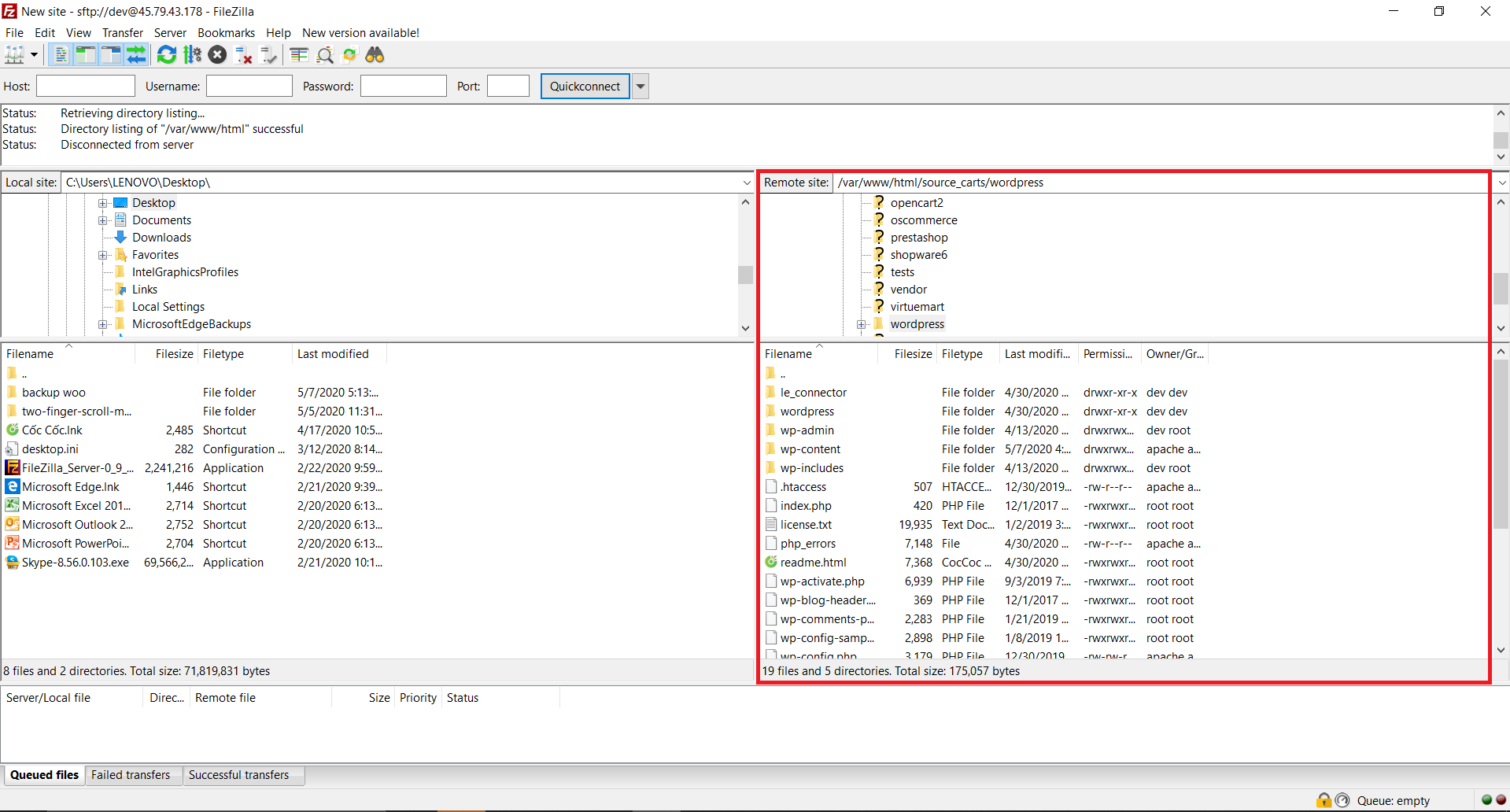
Since WooCommerce is a WordPress plugin, you need to upload the LitExtension Connector to the WordPress root directory, not the WooCommerce plugin folder.
After extracting the Connector package, upload the le_connector folder to the same directory that contains folders such as wp-admin, wp-content, and wp-includes, as shown below.
Then, return to the Migration Setup page on our LitExtension app, paste your store URL into the Source Store URL field. If the Connector is installed correctly, you’ll see the “Connection is successfully installed” message.
In case you have any other questions, please email us at [email protected].
