WooCommerce refers to its built-in maintenance mode as Coming soon mode. When enabled, it hides your website or store pages behind a Coming Soon page while administrators continue working in the background.
To enable it:
- Log in to your WordPress Admin.
- Go to WooCommerce > Settings > Site visibility.
- Select Coming soon.
- Enable Apply to store pages only if you want to hide only WooCommerce pages, such as Shop, Cart, and Checkout, while keeping the rest of the website visible.
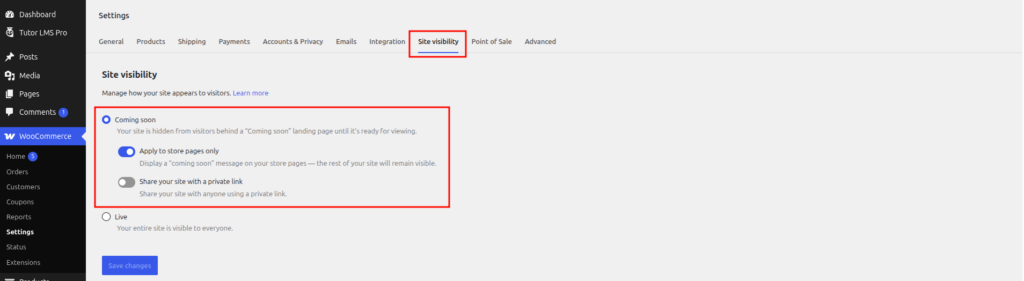
- If needed, enable Share your site with a private link to give selected people access.
- Click Save changes.
When your store is ready, return to Site visibility, select Live, and save your changes. You can find more details in the official WooCommerce Coming soon mode guide.
In case you have any other questions, please email us at [email protected].
