You can preserve most of your store’s SEO value by keeping important content consistent and redirecting old URLs to their new Shopify equivalents.
Set up 301 redirects
Shopify uses a different URL structure from many other eCommerce platforms. Without redirects, your old product and category URLs may return 404 errors, affecting traffic and search rankings.
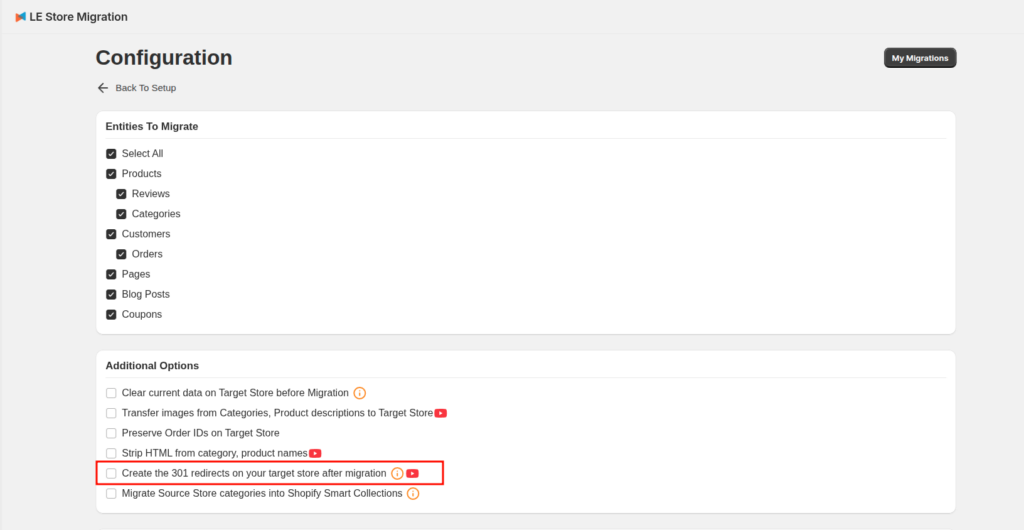
When configuring your LitExtension migration, select “Create 301 redirects on your target store after migration” under Additional Options. Our LitExtension app will redirect supported old product and category URLs to their corresponding Shopify URLs, helping visitors and search engines find the new pages.
Keep other SEO elements consistent
However, our migration tool does not guarantee that your SEO rankings or PageRank will remain unchanged. Rankings depend on many factors beyond data migration, including site structure, content, metadata, internal links, performance, and search engine recrawling.
Thus, you should also:
- Retain your existing domain whenever possible.
- Migrate product and category names, descriptions, meta titles, and meta descriptions.
- Keep important page content and internal links consistent.
- Submit your new Shopify sitemap to Google Search Console.
- Monitor crawl errors, broken links, traffic, and rankings after launch.
Some short-term ranking fluctuations can still occur after replatforming, but proper data migration and 301 redirects help minimize SEO disruption.
In case you have any other questions, please email us at [email protected].
