You can view created metafields directly from the corresponding product, collection, customer, or order page in your Shopify admin. Follow these steps:
- Log in to your Shopify admin.
- Open the relevant section, such as Products, Collections, Customers, or Orders.
- Select the specific item whose metafields you want to check.
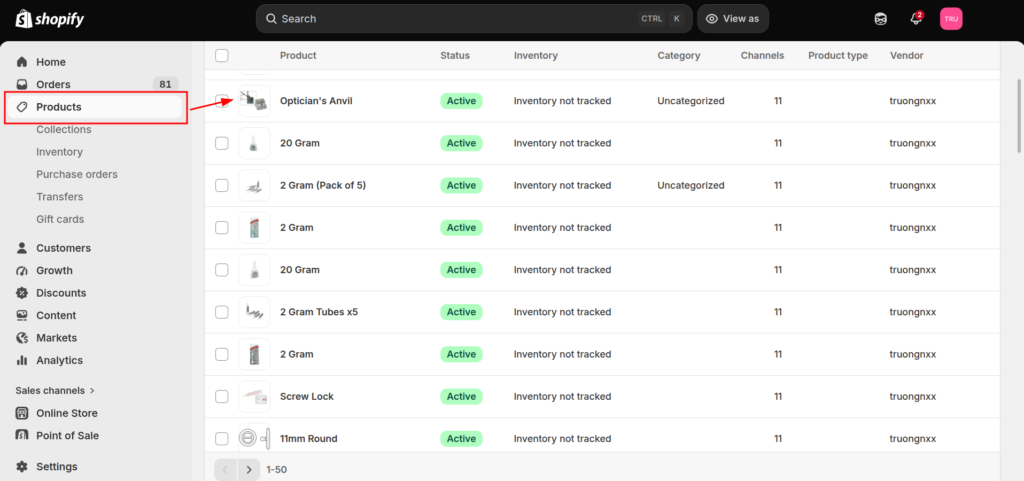
- Scroll down to the Metafields section.
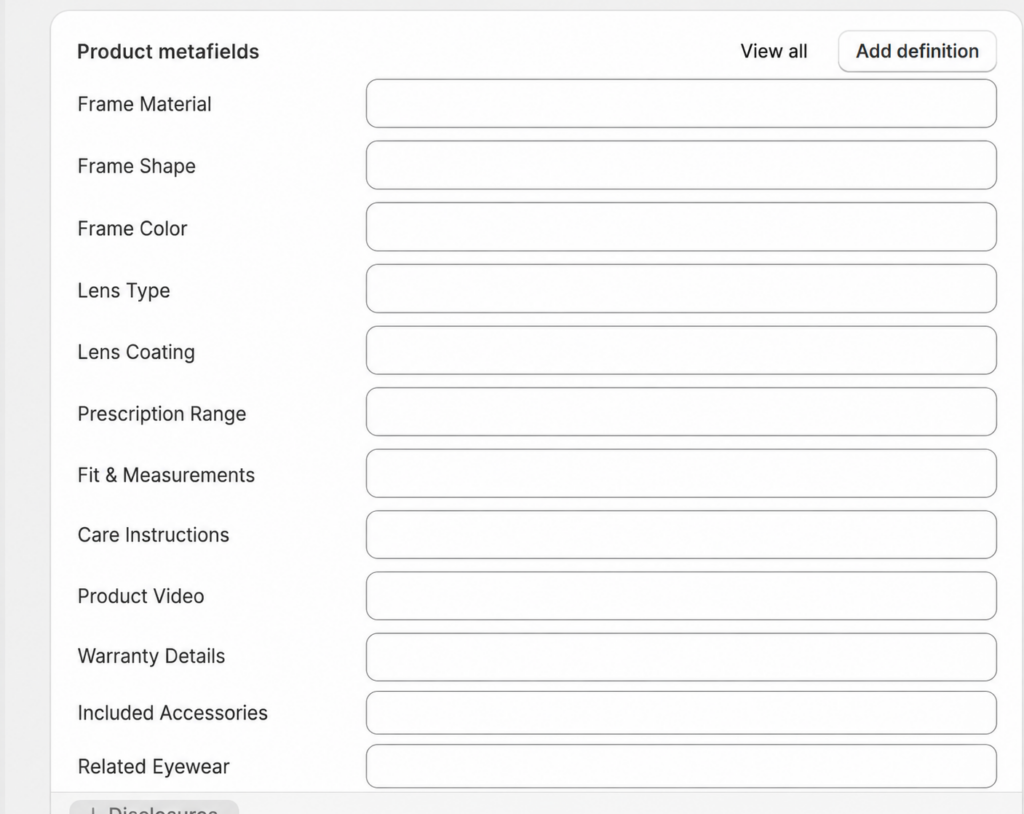
- Click View all if the metafield is not displayed automatically.
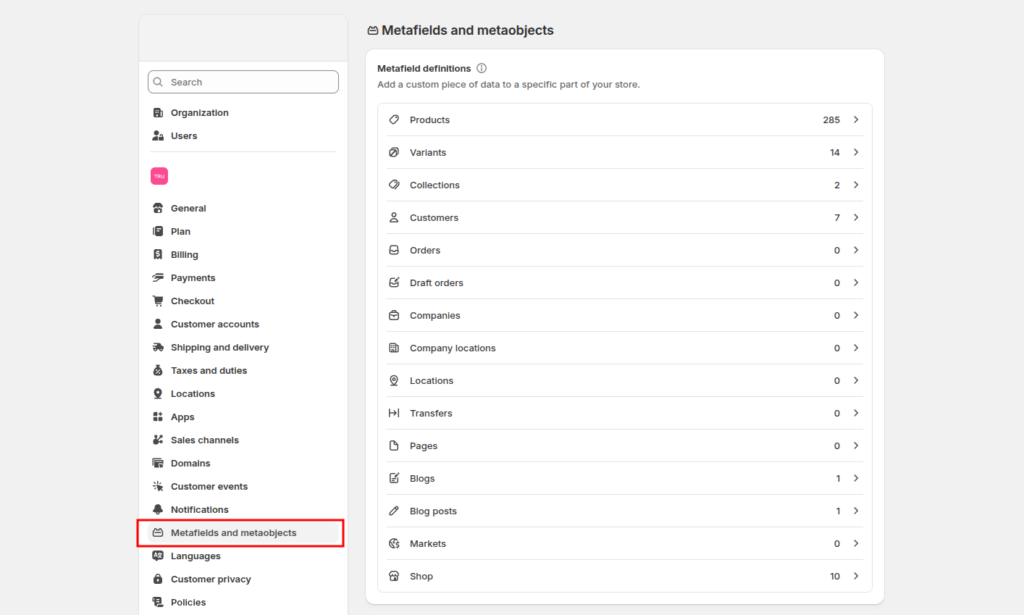
To view its definition, go to Settings > Metafields and metaobjects, select the corresponding resource type, and click the metafield. You can then check its name, namespace and key, data type, and validation rules.
In case you have any other questions, please email us at [email protected].
