If you’re trying to connect a tool, integrate a service, or access platform data, you’ll often need an API key. Understanding how to get API key credentials is an essential step when setting up integrations or working with third-party applications.
In this guide, we will walk you through the easiest steps on how to create API key:
- Step 1: Create an account
- Step 2: Navigate to the Developer, API, or Integration settings
- Step 2: Create a new app or integration if required
- Step 3: Generate your API key or access token
- Step 4: Copy and store the key securely for later use
What is an API Key?
An API key is a unique code used to authenticate and identify your application when it connects to a platform through an API (Application Programming Interface). In simple terms, it acts like a secure access key that allows your system or tool to communicate with another service.
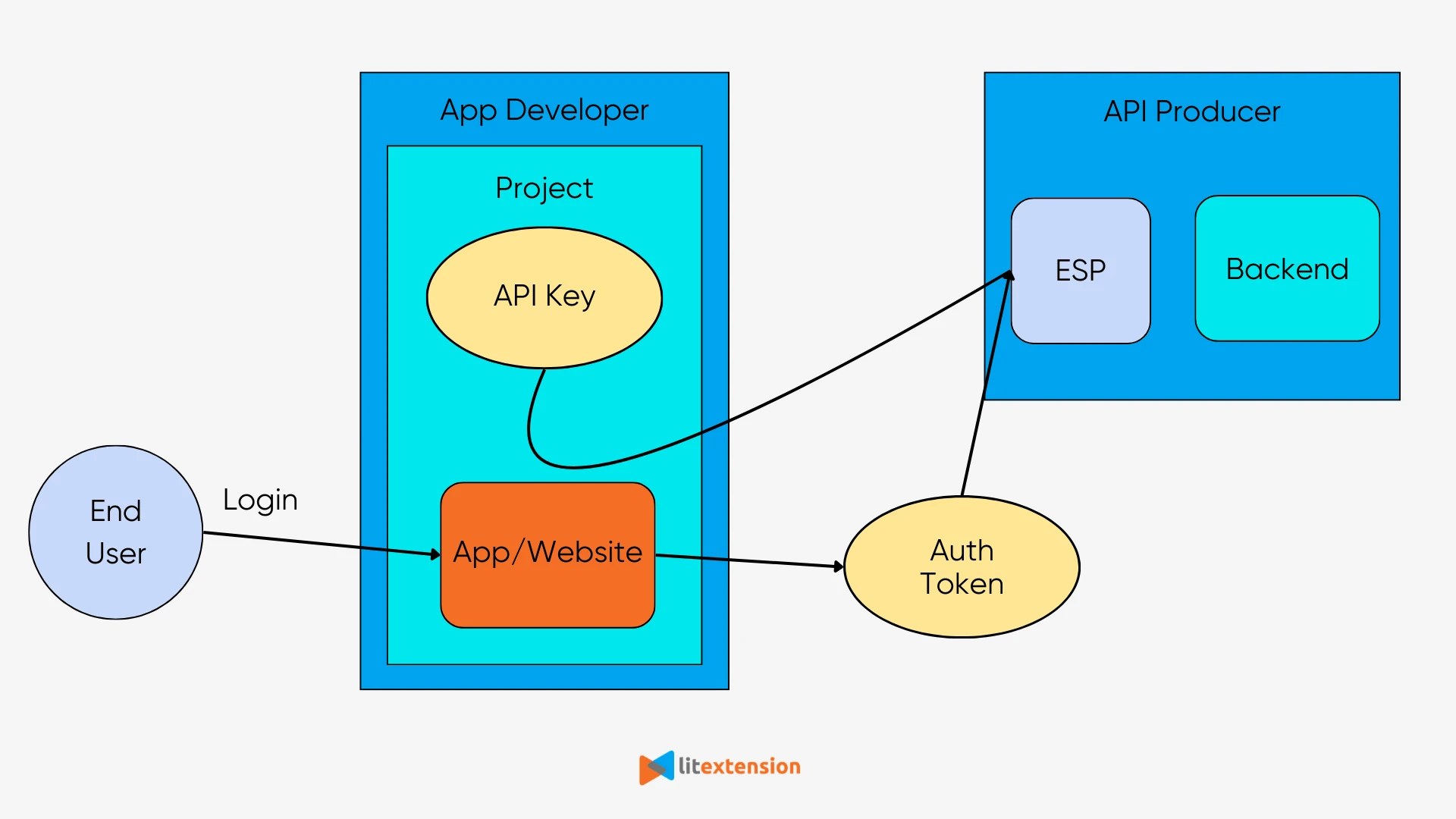
When you use integrations, third-party apps, or automation tools, the platform usually requires an API key to verify that the request is coming from an authorized source. Once the key is validated, the system allows the requested data or action to be processed.
How to Get API Key for Each Platform?
The exact process of how to get API key for free can vary depending on the platform you are using. However, most platforms follow a similar process. Typically, you will need to:
- Step 1: Create or log in to your developer account on the platform you want to connect with.
- Step 2: Navigate to the Developer or API settings in your account dashboard.
- Step 3: Create a new app or integration if the platform requires it.
- Step 4: Generate your API key (sometimes called API token, client ID, or access key).
- Step 5: Copy and store the key securely, as you will need it when connecting your tool or integration.
To make things easier, we’ve prepared step-by-step guides on how to get API key for each platform. Simply choose the platform you’re using below and follow the detailed instructions.










Note: Most of the platforms listed above are hosted (SaaS) platforms, which typically provide API keys for integrations. Open-source platforms, on the other hand, usually use different API authentication methods instead of standard API keys.
How to Use API Key Effectively?
After you obtain an API key, you can use it to authenticate API requests and allow tools or applications to interact with a platform. The key is typically included in requests sent to the platform’s API so the system can verify that the request comes from an authorized source.
In practice, API keys are used to connect third-party apps, sync data between systems, and enable tools to access store information. For example, when performing store migration with LitExtension, API keys allow our migration tool to securely connect to your source and target stores.
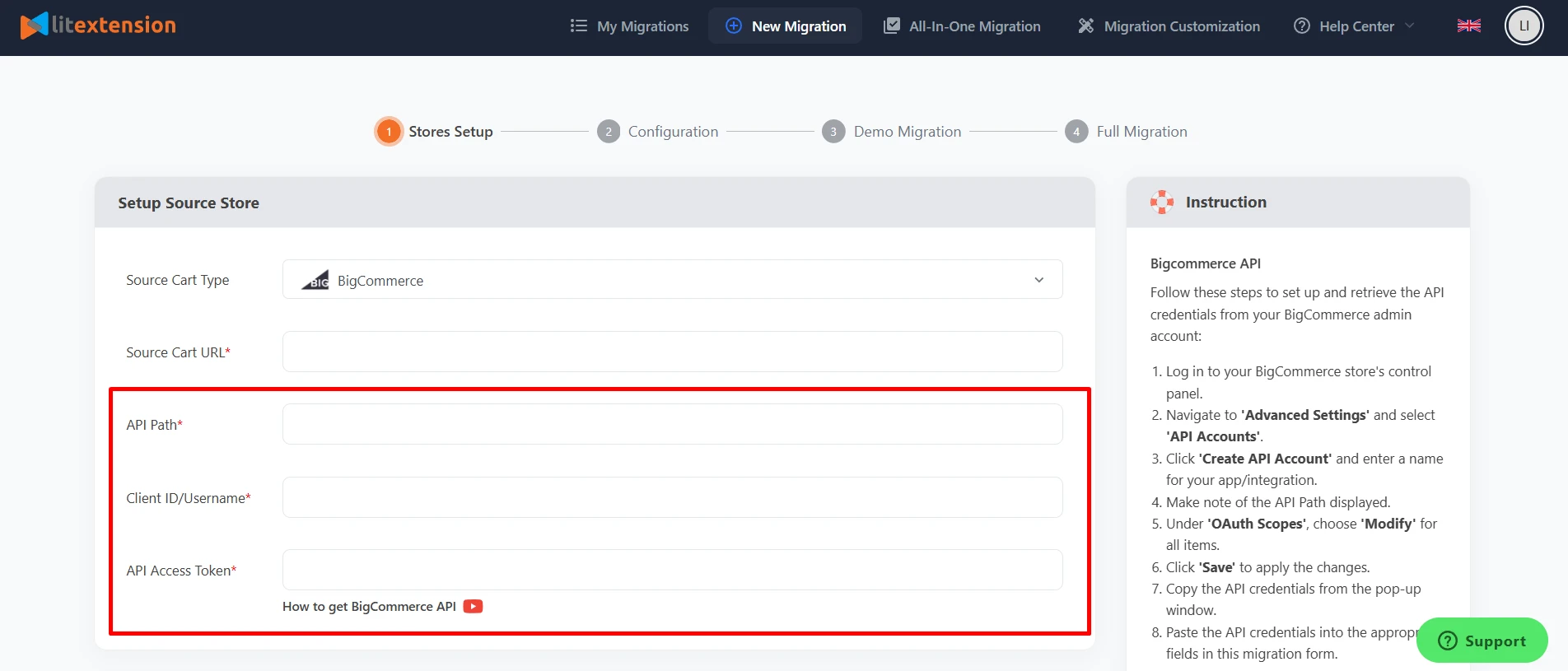
This enables the system to retrieve data such as products, customers, and orders, and transfer them automatically without requiring manual exports or imports.
Because an API key provides access to your system, it’s important to handle it carefully. Here are some best practices to keep your API key secure:
- Do not hardcode your API key: Avoid embedding the key directly in your source code, especially in public repositories like GitHub, as it can easily be exposed.
- Use environment variables: Store the API key in a secure location such as environment variables or a secret management system, and let your application read it from there. This also allows you to use different keys for development and production environments.
- Rotate your API keys regularly: Periodically generate new keys and remove old ones to reduce the risk of unauthorized access if a key is compromised.
Common Issues When Generating an API Key
Generating an API key is usually straightforward, but you may sometimes run into issues that prevent it from working properly. Below are some common problems to watch out for:
- Incorrect key entry: A misplaced character or extra space when copying the key is a frequent but easily fixable error.
- Insufficient permissions or scopes: The key may have limited access rights, preventing it from accessing certain data or endpoints.
- API key expiration: Some platforms issue API keys with a limited lifespan for security reasons.
- Billing and account issues: Problems such as expired trial credits, outdated billing information, or account restrictions can block API access.
- Rate limits exceeded: Many APIs restrict the number of requests you can make within a specific timeframe.
- Wrong environment: Using a production key in a testing environment (or vice versa) can lead to authentication errors.
- Incorrect HTTP method: Sending a request with the wrong method, such as using POST instead of GET, may result in errors like 405 Method Not Allowed.
If you encounter any of these issues, reviewing your API settings and account configuration is usually the first step to resolving them. In many cases, simply regenerating a new API key or adjusting the permissions in your dashboard can quickly fix the problem.
Conclusion
Learning how to get API key credentials is an important step when setting up integrations, connecting tools, or accessing platform data. Once you understand the process, generating and using an API key becomes much easier.
If you want more specific instructions on how to get API key for different platforms, explore our detailed guides above and follow the step-by-step instructions for the platform you’re using.