If you’re preparing an Etsy migration with LitExtension, you will need to generate an Etsy API key so our tool can connect to your store through the Etsy Open API V3.
In this guide, we’ll show you how to get an Etsy API key with these simple steps:
- Step 1: Log in to the Etsy Developer Portal
- Step 2: Fill in app details
- Step 3: Read & accept the API terms
- Step 4: Get Etsy API key and shared secret
Let’s get started!
What is Etsy API?
Etsy API lets developers connect apps to Etsy stores. It allows external tools to access store data automatically. For example, apps can retrieve shop details, listings, orders, and transactions. This makes it easier to build integrations, automate tasks, and connect Etsy with other platforms.
As of February 9, 2026, Etsy requires both the Keystring and the Shared Secret in the x-api-key header, formatted as keystring:secret. Previously, only the Keystring was needed. Because of this change, many older integrations stopped working since they didn’t store the Secret. That’s why many developers and store owners are now searching for their Etsy API key and shared secret to fix existing integrations.
How to Get Etsy API Key?
You’ll need to generate an API key to migrate your Etsy store using LitExtension’s tool. This API key enables secure access to your store’s data and is necessary to complete the migration process.
In this guide, we’ll walk you through the steps to create and retrieve your Etsy API key, allowing you to transition your store’s data smoothly.
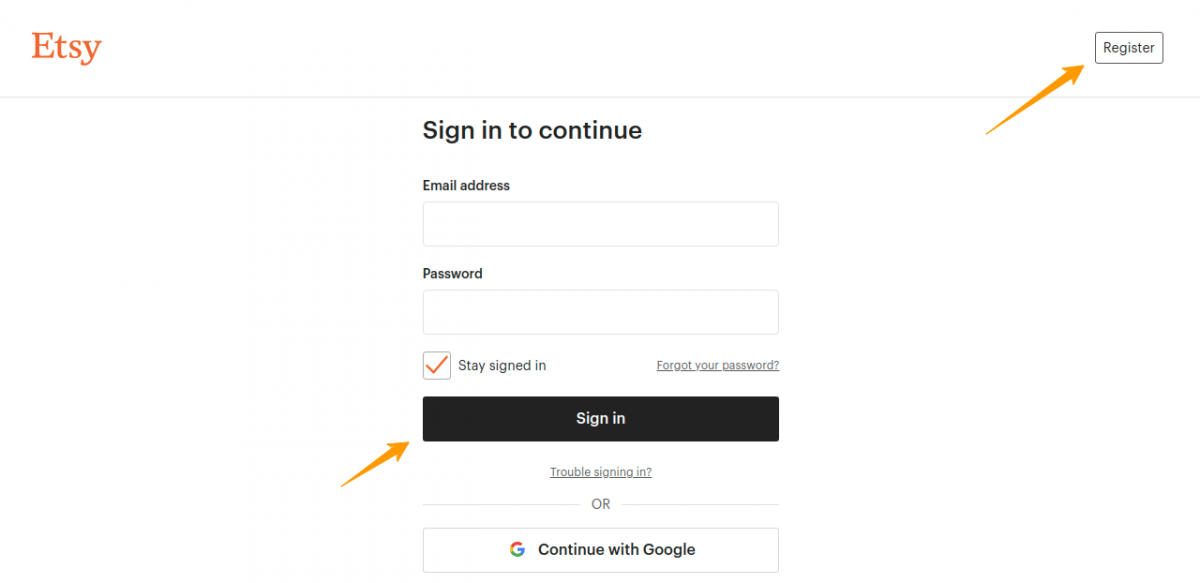
Step 1: Log in to the Etsy Developer Portal
First, you need to register on the Etsy developer portal. If you already have an account, simply log in!
Step 2: Fill out the app form
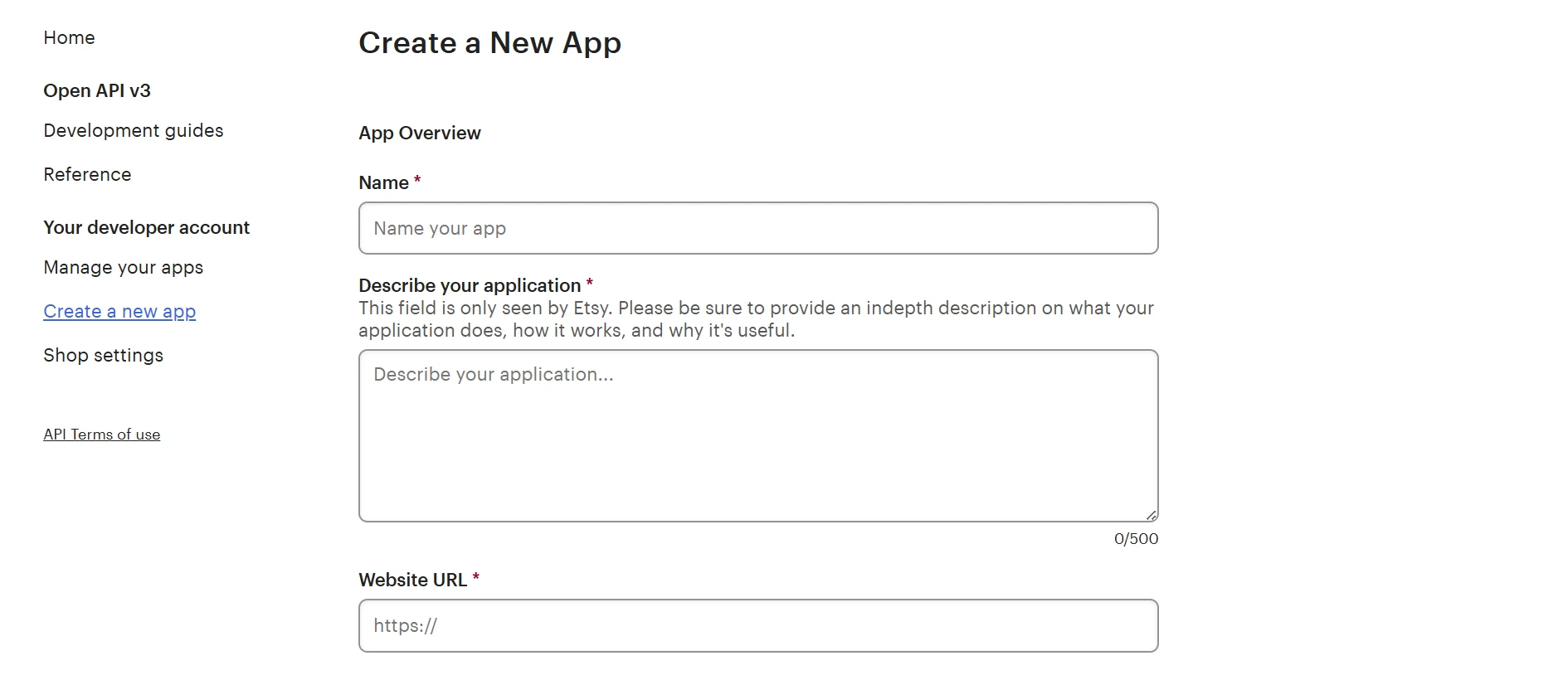
On the registration page, you will see the Create a New App form. Etsy asks for several basic details about your application, including:
- App name
- A short description explaining what the app does
- An application website (if available)
- Who will use the app, such as “Just myself or colleagues”
- The type of application, for example “Seller Tools”
- Whether the app is commercial or non-commercial
Step 3: Accept the Etsy API terms
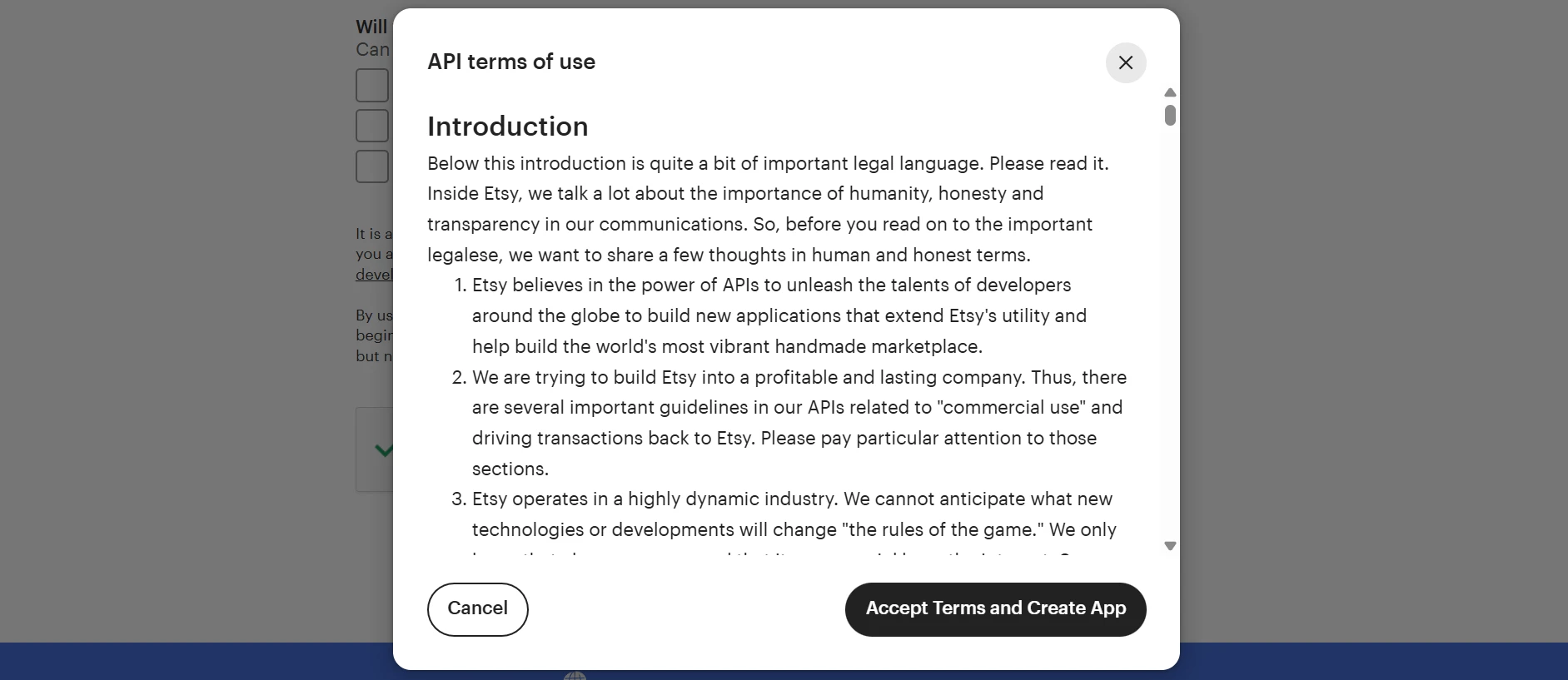
Once the information is filled in, the form also requires completing the captcha. After that, the “Read Terms and Create App” option will appear. Acceptance of Etsy’s API terms is required before the application can be submitted.
Step 4: Get your Etsy API key
After submitting the app form, Etsy will redirect you to the app management dashboard. This is where your newly created application appears.
In the table, you will see all the app details. From here, you can expand the API key details and copy your keystring and shared secret, which are required when making requests to the Etsy API.
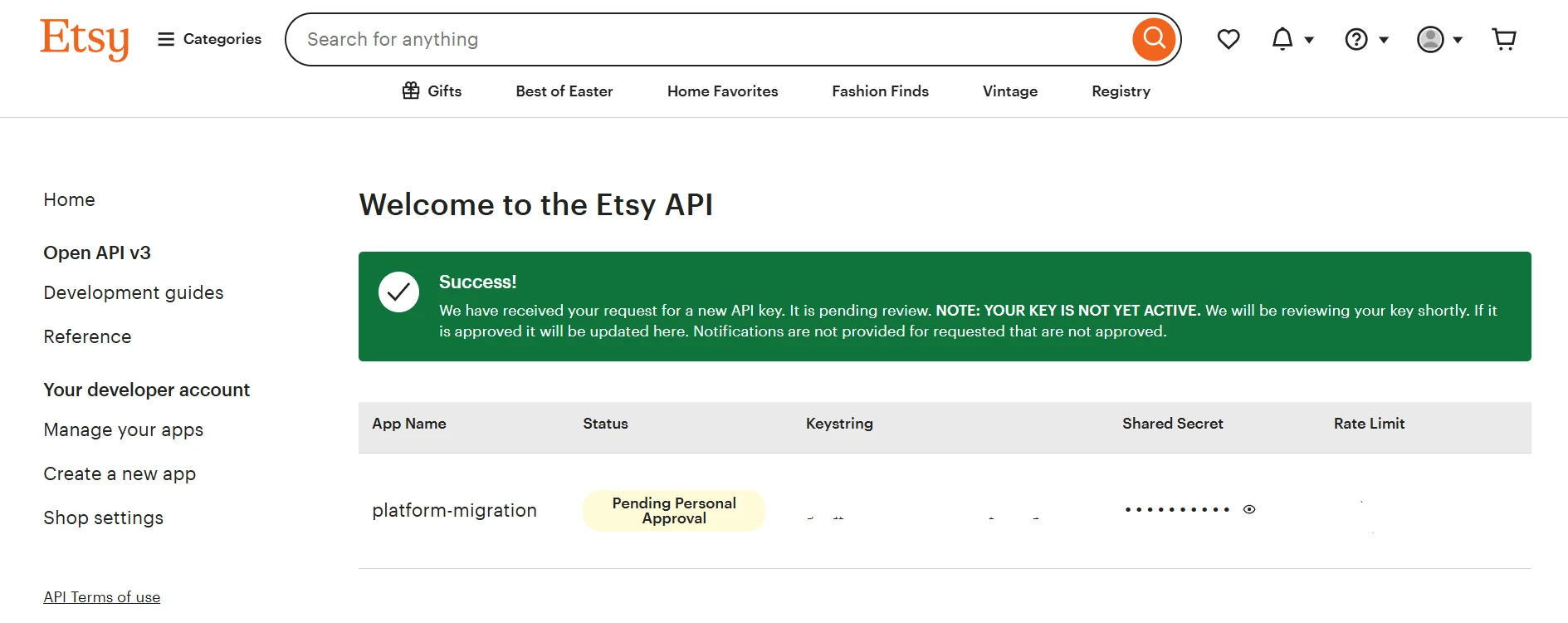
Even if the status shows “Pending Personal Approval”, the credentials are already visible in the dashboard, so you can locate and store them for later use.
How to Use Etsy API Key?
Once you have your Etsy API keystring and shared secret, you can use them to send requests to Etsy through the Etsy Open API V3. These credentials allow your application to access store data securely.
Developers typically integrate the API credentials into their code when making HTTP requests such as GET, POST, PUT, or DELETE. These requests are sent to Etsy’s API endpoints, usually starting with: https://openapi.etsy.com/v3/
If you use a third-party integration or tool, you may only need to enter your API credentials in the settings. The tool will then handle the API requests through Etsy OpenAPI V3 automatically.
Common Issues When Getting an Etsy API Key
While creating an Etsy API key is usually straightforward, some developers may run into a few common issues during the process. Most of these problems are related to application setup, API configuration, or recent changes to the Etsy Open API V3.
Some of the issues developers frequently encounter include:
- Long delays in application approval: In some cases, the API key may show a Pending status for a while before becoming fully active.
- Application rejection: Apps with unclear descriptions or incomplete information may not pass Etsy’s review process.
- OAuth 2.0 / Redirect URI mismatch errors: Incorrect redirect URLs in your app configuration can cause authentication failures.
- API “Pending” status after creation: Your credentials may appear immediately, but the API key might still show a pending status in the dashboard.
- “Cannot GET /” error: This often appears when developers try to access the API root URL directly instead of calling a specific endpoint.
- 403 “Forbidden” error after API updates: Etsy updated how Wall décor and Personalization data are accessed in Etsy Open API V3. The old method will be removed on April 9, 2026, so integrations using it may start returning 403 errors.
If you run into issues such as approval delays, OAuth errors, or API status problems, most of them can be resolved by reviewing your app configuration and API settings. With the right setup, your Etsy API credentials will allow you to securely retrieve and manage store data through the Etsy OpenAPI.
Conclusion
These are all the steps you need to complete! Once you have your Etsy API keystring and shared secret, you can enter them in the LitExtension migration setup to connect your Etsy store and start the migration process.