Shopify Migration Service
Read our 3,000+ reviews on 



As an official Shopify Partner, LitExtension is a premier Shopify migration company dedicated to providing the industry’s fastest and most accurate Shopify migration services. Our team of Shopify migration experts ensures a seamless Shopify data migration process, facilitating the secure transfer of critical assets including products, customers, and orders,… from over 140+ eCommerce platforms.
Whether you are looking for a trusted partner to scale your business or seeking a high-integrity Shopify migration solution, our automated technology guarantees 100% accuracy and zero database disruption throughout the transition. Learn more…


LitExtension Shopify Migration Service – An Overview
LitExtension is a premier provider of automated shopping cart migration services, specializing in seamless data transfers for the Shopify ecosystem. Whether you are scaling up by migrating to Shopify or transitioning to a new platform, our proven framework ensures 100% data integrity and zero downtime.
Shopify migration company, we simplify complex replatforming tasks, allowing you to leverage Shopify’s powerful commerce features without the technical overhead.
Our Shopify migration services
To meet diverse business needs, we offer two primary migration pathways:
-
Migrating to Shopify: Effortlessly transfer products, customers, and orders from 140+ platforms (like Magento, WooCommerce, or BigCommerce…) to Shopify.
-
Migrating from Shopify: Safely migrate your store’s backend data to another eCommerce solution while maintaining your existing database architecture and structural consistency.
#1. Migrate from another platform to Shopify
Being a Shopify expert, LitExtension can help you accurately and smoothly migrate all your essential data – products, customers, and orders – from another platform to Shopify.
Our Shopify migration service supports data transfer from 140+ platforms, including renowned counterparts such as Wix, BigCommerce, PrestaShop, and goes on.
#2. Migrate from Shopify to another platform
At LitExtension, we recognize that business needs evolve, and sometimes those evolving needs mean exploring new horizons beyond the Shopify platform.
We specialize in facilitating smooth and worry-free migrations from Shopify to over 100 leading ecommerce platforms, including well-known solutions like WooCommerce, Magento, Salesforce Commerce, and so many more.
Benefits of Migrating to Shopify with LitExtension
1. 3-step simplicity, effortless
Migrating your online store can seem daunting, but LitExtension’s Shopify Migration service, designed with a straightforward 3-step process, offers a remarkably simple solution.
This streamlined approach offers significant benefits over traditional, more complex migration methods.
The most immediate advantage is the minimized time commitment required from you. Instead of grappling with technical details and troubleshooting potential issues, your focus can remain on running your business.
What’s even more, you don’t need to be a coding expert or hire a team of developers since this simplified process also eliminates the need for extensive technical expertise.
LitExtension handles the complexities, allowing you to proceed confidently, even without a strong technical background. This ease of use, coupled with clear, concise steps, leads to a significant reduction in stress often associated with platform migration.
With LitExtension, you can approach your migration from/to Shopify with confidence, knowing the process is designed for clarity and ease from start to finish.
2. Selling while migrating
Moving your eCommerce platform doesn’t mean having to put your business on hold. When you choose LitExtension for your Shopify migration, you can keep selling without interruptions as your data seamlessly transfers to your new Shopify store.
Different from traditional migration methods that often require you to put your online store on maintenance mode, LitExtension wipes out this downtime and minimizes the risks of lost revenues.
Our advanced technology ensures your current store keeps your store up and running and remains fully functional throughout the entire migration process.
This means your customers can continue browsing products, placing orders, and enjoying a seamless shopping experience while we transfer all your data behind the curtain.
3. Data security guaranteed
With LitExtension, you can rest assured knowing that data security is at the forefront of our Shopify migration service.
We understand the critical importance of protecting your information, thus, we’ve implemented robust measures to ensure its safety throughout the entire process.
Our secure migration system utilizes advanced encryption technology to safeguard your data during transfer.
This means your information is converted into an unreadable format, preventing unauthorized access as it moves from your existing platform to your new Shopify store.
In addition to encryption, we employ strict data handling protocols and access controls. Only authorized personnel, under strict supervision, can access your data during the migration process.
This multi-layered approach ensures your information remains protected from any potential threats.
4. Risk-free experience
We understand that migrating your online store to a new platform can feel like a leap of faith. With LitExtension’s Shopify Migration service, we take that leap with you, ensuring a risk-free experience from start to finish.
We achieve this by offering a comprehensive set of features designed to eliminate potential concerns and provide complete peace of mind.
Before committing to the full migration, you can take advantage of our free demo migration. This allows you to experience the entire process firsthand, transferring a limited number of product listings, customer details, and other data points to Shopify.
You can then verify the accuracy and consistency of the migrated information, assess the functionality of your new Shopify store, and make an informed decision with zero risks involved.
Furthermore, LitExtension offers a 30-day money-back guarantee. If, for any reason, you are not satisfied with our Shopify migration service, you can request a full refund within 30 days of your migration.
This guarantee reflects our confidence in the quality and reliability of our service, allowing you to proceed with your Shopify migration knowing you have nothing to lose.
5. 3-month free updates
At LitExtension, we believe a successful Shopify migration is not a one-time event, but rather the start of a seamless transition.
That’s why we offer 3 months of free updates after your initial migration, ensuring your new Shopify store reflects the most up-to-date information from your previous platform.
These updates, including Remigration, Recent Data Migration, and Smart Updates, cover any changes, additions, or modifications made to your data within the 3-month period.
Whether it’s new product listings, updated customer details, or revised order information, we ensure everything is accurately reflected in your Shopify store.
This eliminates the need for manual updates, saving you time and effort while preventing data discrepancies between your old and new platforms.
6. 24/7 expert support
We understand that migrating your online store to Shopify can raise questions and require assistance at any point in the process.
That’s why LitExtension provides 24/7 expert support to guide you every step of the way. Our Shopify migration specialists is always available to address your concerns, offer technical guidance, and ensure a smooth and successful transition.
Whether you have questions about your specific migration needs, require assistance during the setup process, or encounter any technical difficulties, our support team is just a click away.
We offer multiple communication channels, including live chat, email, and phone support, allowing you to choose the method that best suits your preferences and urgency.
What Data Can Be Migrated to Shopify


-
Products
- Name, SKU, Full Description, Status, Manufacturer, Weight.
- Price, Special Price.
- Stock Status, Manage Stock, Quantity.
- Meta Title, Meta Description.
- Product Tags.
- Barcode.
- Variants: SKU, Weight, Attributes, Quantity, Price, Special Price, Name, Thumbnail Image.
- Additional Images.
- Metafields.
Products Categories
- Name, Description.
- Image.
- Meta Title, Meta Description.
-
- First Name, Last Name, Email.
- Newsletter.
- Billing Address:
First Name, Last Name, Company, Address 1, Address 2, Country, State, City, Zip Code. Telephone, . - Shipping Address:
First Name, Last Name, Company, Address 1, Address 2, Country, State, City, Zip Code, Telephone.
-
- Order Number.
- Order Status.
- First Name, Last Name, Email.
- Billing Address:
First Name, Last Name, Company, Address 1, Address 2, Country, State, City, Zip Code, Telephone, Fax. - Shipping Address:
First Name, Last Name, Company, Address 1, Address 2, Country, State, City, Zip Code, Telephone. - Order Items (Name, SKU, Option), Product Price, Quantity.
- Sub Price, Discount Price, Tax Price, Shipping Price, Total Price.
- Order Comments.
-
- Name.
-
- Coupon Code, Coupon Date, Coupon Expire Date.
-
- Created Date.
- Rate.
- User Name.
- Title.
- Comment.
-
- Title, Description.
- URL.
- Image.
- Categories.
-
- Title, Description.
- Categories.
- SEO URLs.
- Images.
-
- Products (Name, Description, Attribute)
- Categories (Name, Description)
- CMS Page (Name, Description)
- Blogs (Name, Description)
- Note: Additional fee may apply
(*) Please note that the data listed above may vary depending on your Source Store.

Before migrating to Shopify, you’ll need to sign in to the LitExtension app first. Here, you can either sign in using your registered email and password or using your Google account. Then, from our dashboard, choose “Create Migration” or “All-In-One Migration” according to your chosen package.
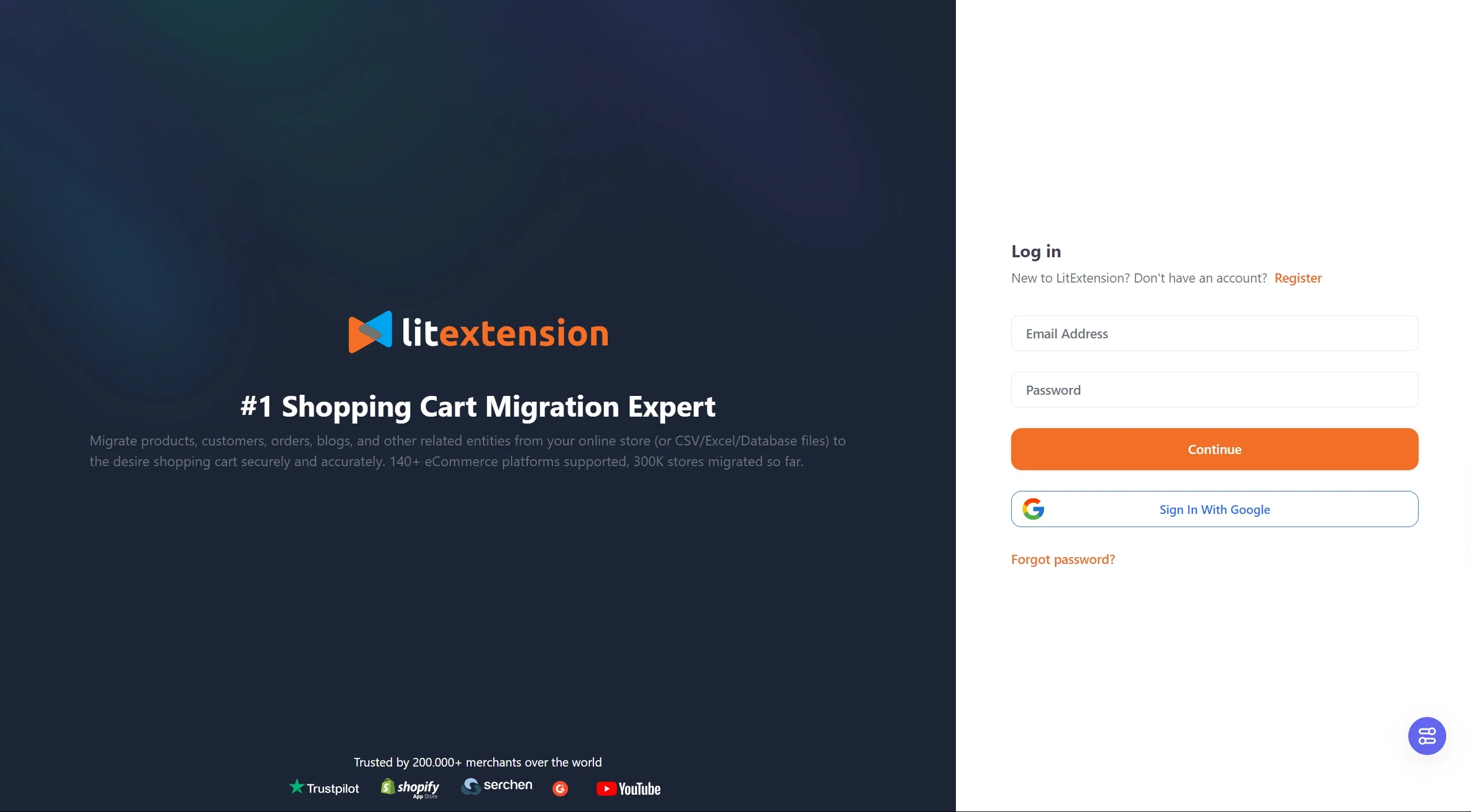
Sign in to LitExtension
Shopify migration – Automated package
Stage 1. Set up Source Cart and Target Cart
Here, you’ll need to select and set up your Source Cart (your current platform) and Target Cart (Shopify store). To set up your Source Cart for the eCommerce migration to Shopify, select your Source Cart name from the drop-down list.
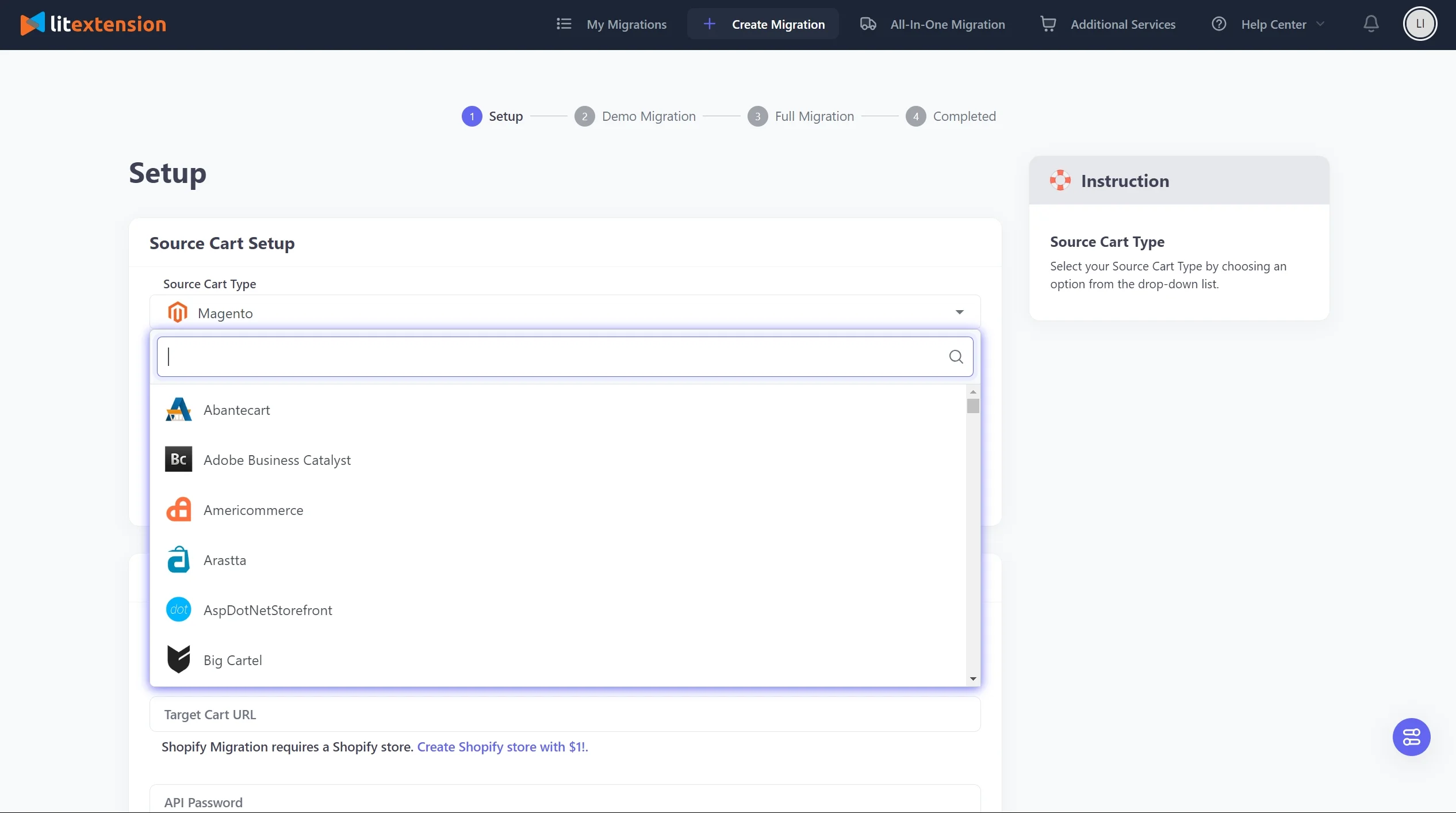
Select Source Cart type
If you migrate to Shopify from an open-source platform (such as WooCommerce, Magento, Shopware, PrestaShop,…), please download and install LitExtension Connector to your store’s root folder following the video instructions. After that, fill in your source cart URL in the blank, and wait for the notification “Connector was successfully installed” to pop up on the screen.
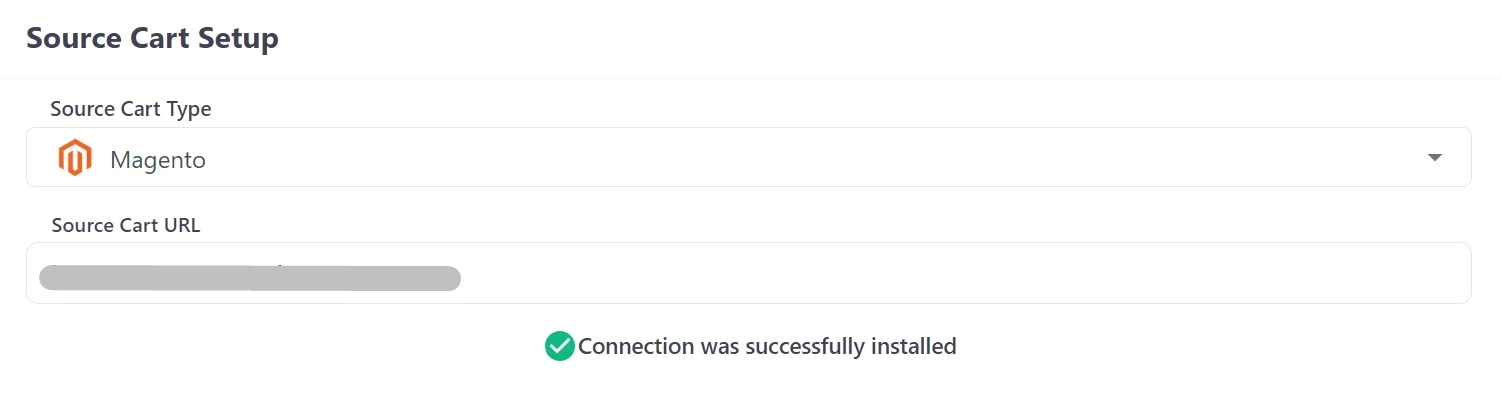
Set up Source Cart
If you migrate to Shopify from a hosted solution (such as BigCommerce, Wix, Weebly,…), please fill in your information in the corresponding fields.
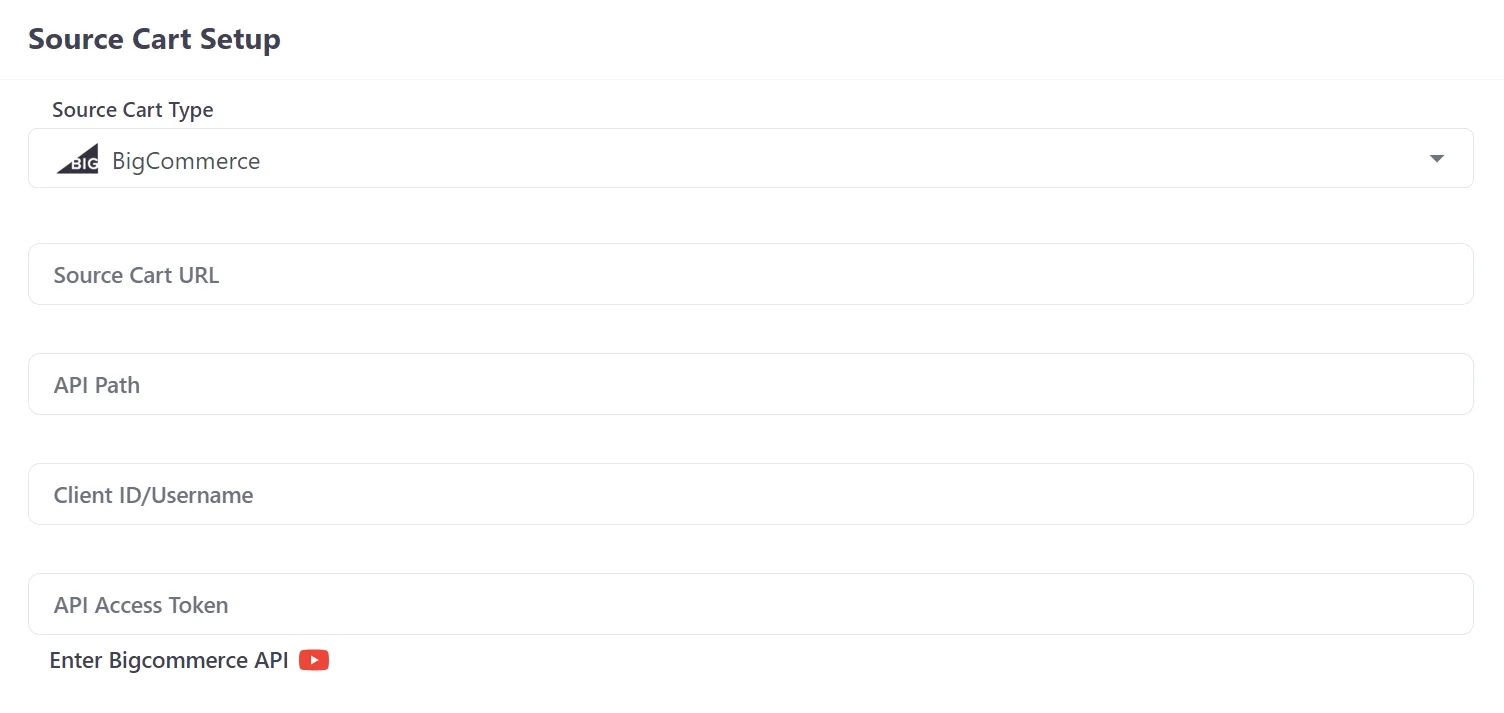
Set up hosted source cart type
Now let’s move on to the Target Cart setup. From the drop-down list, choose Shopify as your Target Cart type. Then. fill in your Shopify store URL and API Password, following the video instructions.
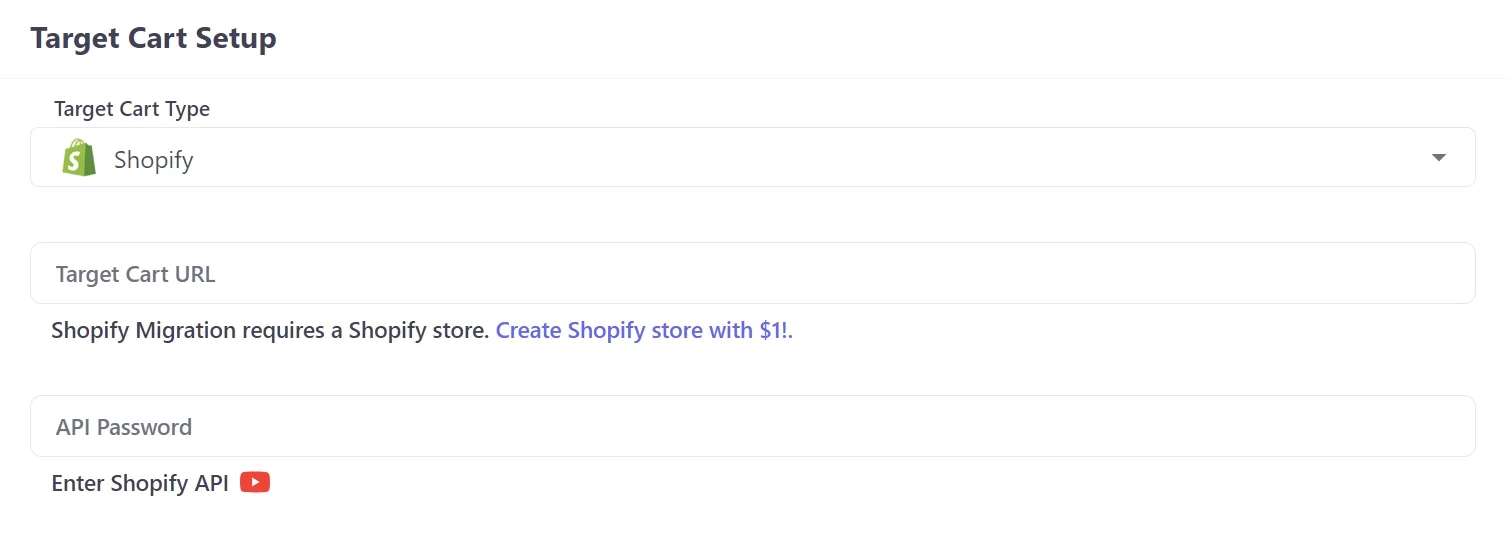
Set up Target Cart
When everything is ready, click the button “Next: Configure Your Migration” to continue your Shopify migration process.
Stage 2. Select data to migrate
Now, tick the box on what you want to migrate to Shopify. In our Basic package, LitExtension supports Products, Reviews, Categories, Customers, Orders, Pages, Blog Posts, and Coupons. In case you have any custom data that you want to move to Shopify, please leave us a message by hitting the “Support” button. Our Shopify migration experts will cater to your needs as soon as possible.
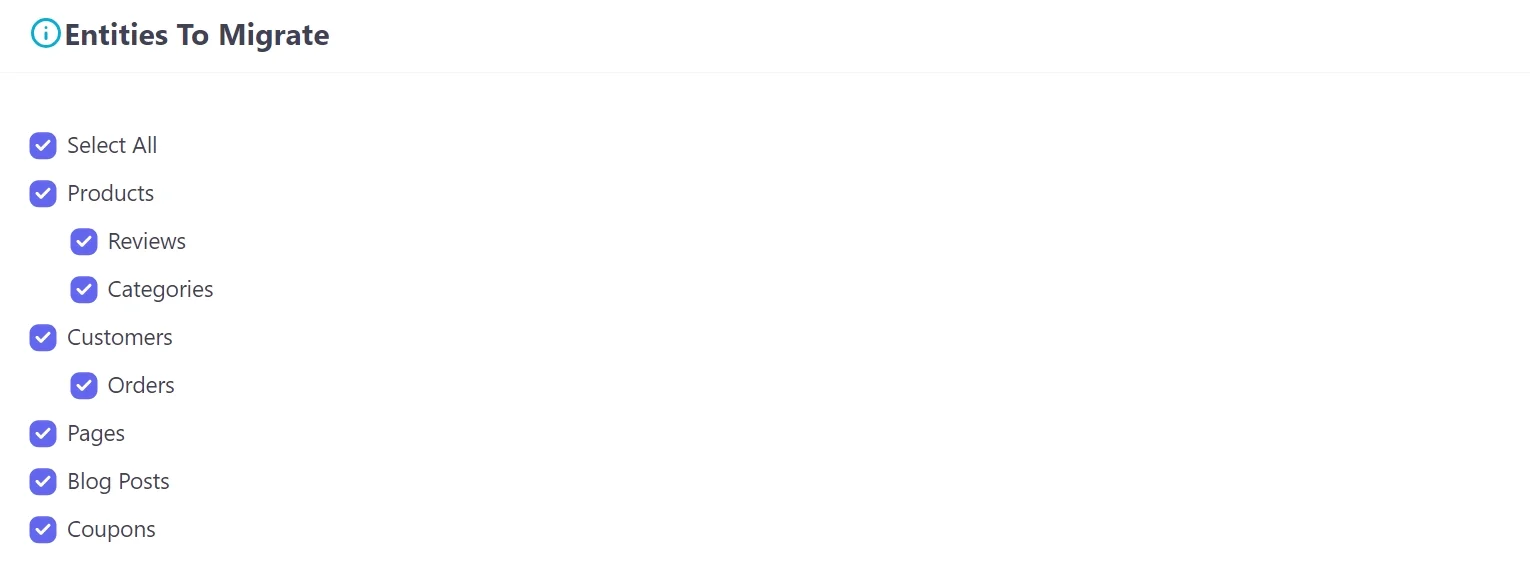
Select entities to migrate
On top of that, LitExtension also provides Additional Options to enhance your migration. You can refer to the instruction wizard when hovering over each option or watch our video tutorial beside it.
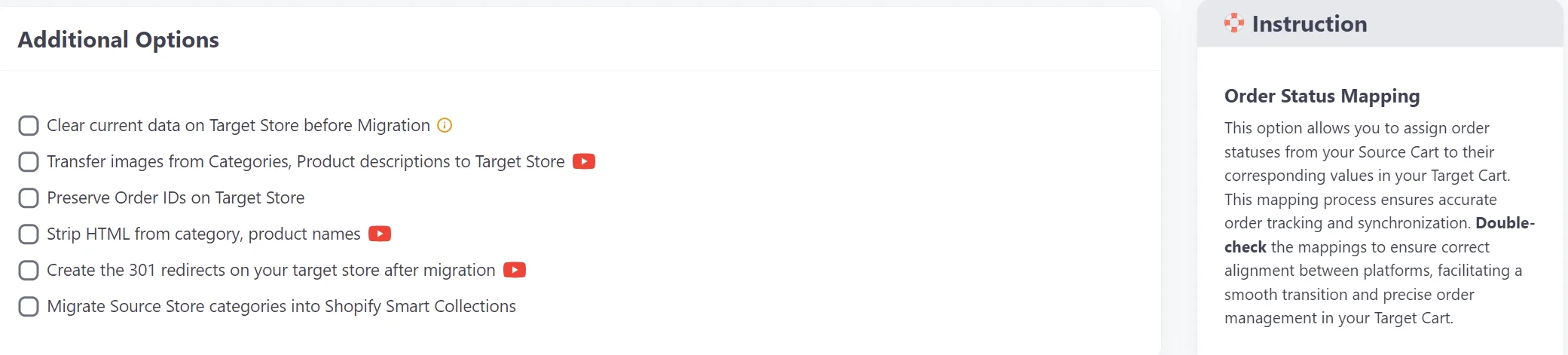
LitExtension Additional Options
Last but not least, don’t forget to map your language and order status settings so that they will appear correspondingly on your new store after the Shopify Migration. After finishing, you can either run the Demo migration to catch a glimpse of how LitExtension Shopify migration service works or run the migration right away by clicking the “Skip Demo Migration” button. You will then be directed to the confirmation and checkout page as shown below.
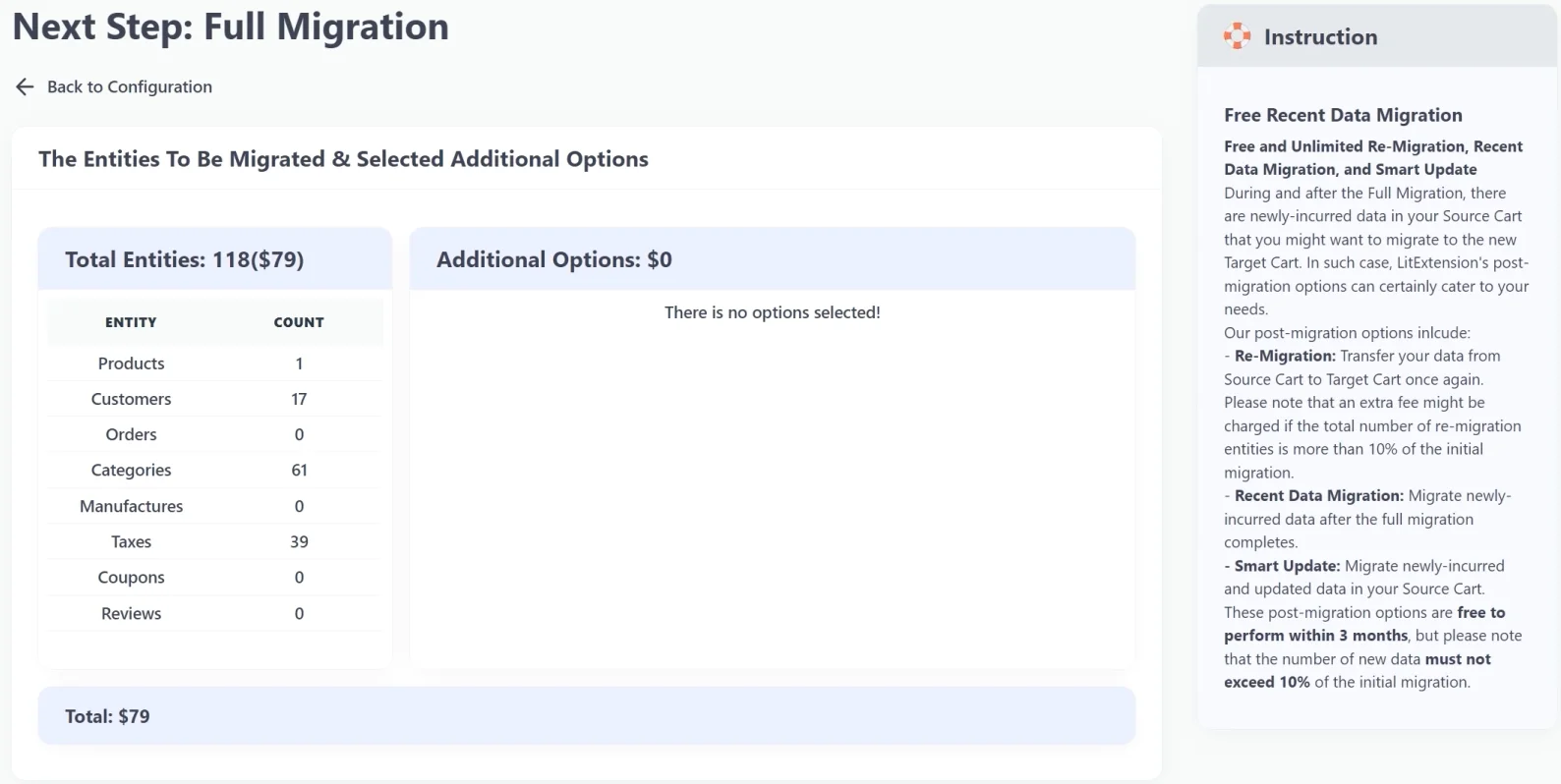
LitExtension confirmation page
Stage 3. Perform full Shopify migration
This is when the magic happens. LitExtension will migrate website to Shopify completely behind the scenes; therefore, there’s no need to keep your PC on while the data is being transferred. On top of that, you can continue your business as usual during the Shopify migration process.
Shopify migration – All-in-One Package
In many cases, due to the complicated data system of each platform, you might need to go for our All-in-One package. Our Shopify migration experts will take the headache of moving your shop from hard-to-configure platforms (such as Squarespace, Webflow, Zoey,…) to Shopify with ease.
Stage 1. Consultant by LitExtension experts
To gain a clear understanding of your project, we’ll arrange a brief consultation session with you before jumping into action. In this meeting, we will get a chance to learn everything about your Shopify migration, from the size and complexity of your data, any custom fields that you have, all your special requests, and most importantly, your expected deadline and outcomes. We’ll then propose our suggestions and how we can meet your requirements. After both parties agree on the solutions, we’ll sign an SLA (Service-Level Agreement) to seal the deal.
Stage 2. Data mapping & setting by experts
We begin the Shopify migration by modifying data on your current platform. This involves a deep dive into the complexity of your existing data fields, and identifying areas where modifications were necessary for compatibility. Our approach prioritizes transparency and collaboration, leading us to create a series of demo migrations. These test runs allow us to simulate the data transfer process, closely examining how the modified data fields interacted with Shopify’s infrastructure to ensure everything will be transferred correctly. You will be informed of these demo migrations’ results and give us further comments and inputs when needed.
Stage 3. Perform full Shopify migration
This is the final stage of your Shopify migration project. After you’ve agreed to our demo migration, our experts will proceed to carry out the full migration for you. During this time, you can continue your business as usual since our service runs completely on the cloud. There’s no need to pause your business or put it into maintenance mode.
BONUS:Shopify Migration Checklist for Success
Running a Shopify migration doesn’t have to be stressful. With the right approach and a clear checklist, you can successfully transfer your data without disrupting your customers or revenue.
Phase 1. Audit and plan
- Audit all existing content, including products, collections, customer records, order history, blog posts, images, and static pages
- Define your migration goals–faster performance, better mobile UX, stronger analytics, or scalability?
- Choose your migration approach– manual CSV import or automated with LitExtension
- Build a project timeline with detailed tasks, owners, and a go-live date
- Export all products, customers, orders, and content from your current platform
- Remove duplicate SKUs, expired discount codes, and outdated inventory records
- Archive a full backup of your old store and keep it accessible for at least 90 days post-launch
Phase 2. New Shopify store configuration
- Create your Shopify account and select a suitable plan
- Install a theme and customize it with your brand colors, fonts, logo, and layout
- Create all essential pages: About, Contact, FAQ, Privacy Policy, and Shipping & Returns
- Connect your payment gateways and run a test transaction to confirm each one works
- Configure shipping zones, rates, and regional tax rules
Phase 3. Data migration
- Map your data from the old store to the corresponding fields on Shopify
- Make sure your CSV file matches the required format
- Start with a small batch of data first to ensure everything is set up correctly
Phase 4. Post-migration actions
- Double-check the newly migrated data to confirm its accuracy
- Place test orders using both real and test payment gateways to verify the full checkout flow
- Check all links in navigation, footer, and key pages
- Verify all 301 redirects are functioning correctly using tools like Screaming Frog
- Monitor traffic and conversion rates daily for the first two weeks
- Review customer support tickets for recurring navigation or purchase issues
- Submit your XML sitemap to Google Search Console within 24 hours of launch
Why Thousands of Merchants Trust LitExtension?


How Your Data Is Secured During Migration?

Server Security

Data Security

Data Access Restriction

GDPR Compliance

NDA

Payment Security


Who We Truly Are? Let Our Customer Define!

I am in the process of moving my existing website over to Shopify. As this is my 4th iteration of my website, I knew I didn’t want to do the migration part myself again! Using this service meant that I could concentrate on running my business for a couple of days while the migration was being done for me.

I recently used LitExtension to migrate thousands of products from WooCommerce to Shopify, and the entire process was seamless from start to finish…
Lotus was phenomenal! She is detailed-oriented and works extremely fast! She helped with the migration from Wix to Shopify in no time. Thank you so much Lotus and everyone at LitExtension!
We migrate with Litextension our shop from shopware to shopify. The team was great to work with. During the process we identified a few issues. But everything was fully resolved in two days. We are satisfied with the work from Litextension.
It was great service from those guys! Verry complex case with very old Woocommerce to new Woocommerce store!
I built our new Shopify site myself but with no developer experience. I really struggled migrating products, customers and order history. It was a bit overwhelming until I found Lit. They helped me set it up and did the contract. Emailed me at every stage and listened to my feedback. I found them on Thursday and by Monday the work was completed.
I built our new Shopify site myself but with no developer experience. I really struggled migrating products, customers and order history. It was a bit overwhelming until I found Lit. They helped me set it up and did the contract. Emailed me at every stage and listened to my feedback. I found them on Thursday and by Monday the work was completed.
The team at LitExtension was great to work with, and also showed great patience with my migration needs. We had a large website, with many products and variants and they were able to do everything we needed, even some custom requests. Great people and great company.
Took most of the work off our hands. The team were great and went out of their way to get the migration from J2store to Shopify completed. The time zone differences were slightly difficult but that didn’t stop the work from being completed.