Move your Squarespace store to Wix with LitExtension’s expert-managed migration service, no technical skill required on your end. Transfer products, customers, categories, and images while keeping your current Squarespace store active during the migration.
Wix cannot import Squarespace blog posts, and your design and page layouts are rebuilt in Wix, so LitExtension focuses on your store data.
Start with a Free Demo Migration to preview how your data will appear on Wix. Once you approve the results, our team runs the Full Migration, and you’re covered by up to 60 days of support after it completes.




How to Migrate from Squarespace to Wix

1. Review Your Squarespace Store

2. Map Data & Run Demo Migration

3. Perform Full Migration & Validation
Why Move from Squarespace to Wix?
Moving from Squarespace to Wix is not a one-click job. Neither platform has a built-in importer for the other, so the real work is planning the move so that your products, customers, and search traffic arrive safely. This guide shows how to transfer from Squarespace to Wix with a migration service or by hand, what carries over, and what to check after launch. Switching from Squarespace to Wix is usually driven by a specific reason rather than general dissatisfaction. The most common ones are:
- Design freedom: Squarespace snaps elements to its grid, while the Wix Editor and Wix Studio let you place elements anywhere on the page.
- A larger app ecosystem: the Wix App Market has 500+ apps for bookings, events, memberships, live chat, and marketing.
- Built-in extras: Wix includes multilingual tools, flexible automations, and Velo for custom code and databases.
If your real goal is a different site rather than a copy of the old one, plan the new page structure first instead of carrying every old page over unchanged. Squarespace may still be the better home if your site depends heavily on Member Sites, Acuity scheduling, or a template you love, because these have to be recreated with the closest Wix feature rather than copied. There are three ways to migrate from Squarespace to Wix, and the right one depends on your catalog size, budget, and how much time you can spare:
- Manual Method: This approach involves manually copying and pasting your content from Squarespace to Wix. You will need to rebuild pages, upload media, and configure settings on your own. It’s a suitable choice for smaller websites and individuals moving from Squarespace to Wix on a limited budget.
- Hire a Developer: If you prefer a hands-off solution, you can hire a web developer to handle the entire migration. A professional can manage everything from content migration to layout recreation, making switching from Squarespace to Wix easier, although this method usually comes at a higher cost.
- Work with a Migration Expert: For a fast, reliable, and stress-free experience, partnering with a migration expert like LitExtension is ideal. This service ensures accurate data transfer, consistent formatting, and minimal downtime, which is perfect for anyone migrating from Squarespace to Wix who wants peace of mind during the transition.
Whichever route you pick, here’s a quick way to compare all three approaches before you transfer Squarespace to Wix:
| Method | Cost | What you get |
|---|---|---|
| Manual method | Free | Products and contacts only, moved via CSV. Time-consuming and prone to formatting errors. |
| Hire a developer | High, varies by freelancer | Hands-off, but quality and turnaround depend entirely on the developer’s experience with both platforms. |
| LitExtension | From $129 | Products, customers, categories, and images, plus QA testing and post-migration support. |

What Should You Prepare for Squarespace to Wix Migration?
Switching from Squarespace to Wix might sound like a big task, but if you break it down into manageable steps, it becomes much easier. We’ve helped many clients through this process, and with a little preparation, you’ll be set up for success too. Here’s a clear, step-by-step guide to help you get ready for the switch:
1. Check your Squarespace plan
Before you migrate from Squarespace to Wix through LitExtension’s API-based migration, confirm that your store is on the Commerce Advanced plan. This is the plan level required for LitExtension to connect to your store and pull data automatically. If you’re on a lower-tier plan, upgrade before starting the migration to avoid delays. Since this connection runs over Squarespace’s API, make sure your site is served over HTTPS, and keep in mind that Squarespace enforces API rate limits. Larger stores may take a bit longer to pull data as a result, so it’s worth building that into your migration timeline.
2. Export your Squarespace data
Before anything else, it’s really important to back up your site content from Squarespace. Exporting your data gives you a safety net in case anything goes wrong or gets lost during your Squarespace to Wix migration. Here’s how to do it:
- Log in to your Squarespace account.
- In the left panel, go to Settings > Advanced > Import/Export.
- Click on Export and choose the WordPress option (this is the standard export format Squarespace uses).
- Once the file is ready, download the .xml file to your computer. This will usually include your basic pages, blog posts, and some images.
Note: Not everything will transfer automatically. This export doesn’t include store pages, event (calendar) pages, product blocks, audio and video blocks, drafts, style settings, or custom CSS, so make sure to manually copy or screenshot any content you want to recreate later on Wix. To back up your products, export them separately as a CSV: open the Products & Services panel, click Products, then click Export all.
3. Clean up your data before migrating
A migration is the easiest time to tidy up your store, since starting fresh on Wix with clean data saves you cleanup work later. Before you begin, remove out-of-stock products you don’t plan to relist, merge or delete duplicate customer records, and archive outdated content you no longer need. This keeps your new Wix store lean and avoids carrying old clutter over to your new platform.
4. Record your SEO baseline
Before anything changes, list every live URL on your Squarespace site along with its page title and meta description. A crawler such as Screaming Frog can export this list for you. Then export your Google Search Console and analytics data so you know which pages earn traffic and rankings. Those are the pages to protect first when you rebuild page settings and set up redirects on Wix.
5. Set up your Wix store
Let’s start getting things ready on the Wix side:
- Go to wix.com and sign up for a free account.
- Choose a plan that suits your needs. You need a Wix Premium plan to connect your own domain later, and a Business plan (Business Basic or higher) to accept online payments in Wix Stores.
- Answer a few quick questions about your site goals.
- Pick how you want to build your site:
- Choose Wix Studio if you want advanced, responsive design control.
- Choose the Wix Editor if you prefer to start from a template and customize everything with drag and drop.
Wix no longer offers the ADI builder. Explore your Wix dashboard and get ready to start migrating. Keep your Squarespace site live while you build, because nothing on the old site changes until you point your domain to Wix.
6. Plan your timeline
Knowing how long it takes to transfer from Squarespace to Wix helps you pick a realistic launch date. The data transfer is the short part: with an automated service, products, customers, and categories move in the cloud, and the exact time depends on catalog size and Squarespace’s API rate limits. Rebuilding your design, pages, and blog usually takes longer than the transfer itself. Two more steps set the pace at the end. DNS changes can take anywhere from a few minutes to 48 hours to propagate, and a domain transfer can take up to 7 days. If you need to go live sooner, connect your domain first and transfer it later. Plan the launch around the slowest of these steps, and pause edits on the old site shortly before the switch. 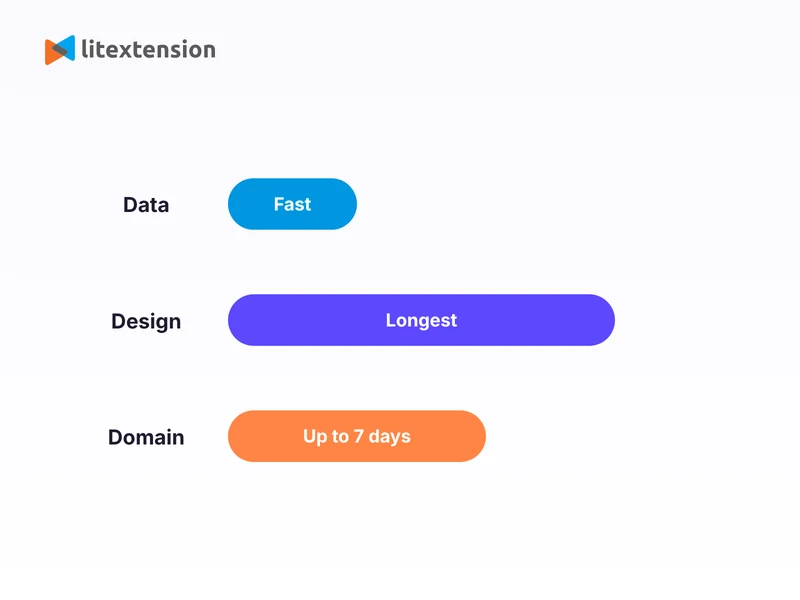
How to Perform Squarespace to Wix Migration with LitExtension?
For Squarespace to Wix migration, LitExtension offers an All-in-One Migration Service to make the entire process hands-free and worry-free. Your project will be personally handled by a dedicated Personal Assistant (PA), who will manage the process and respond to all your questions within 24 hours.
Step 1. Technical consultation with our experts
The first step in your Squarespace to Wix migration is a personalized consultation with our technical experts at LitExtension. This initial phase is crucial for understanding your current Squarespace store and mapping out the most efficient migration strategy. We begin by carefully reviewing your Squarespace site’s structure, size, and any unique complexities it may have. This allows us to proactively identify potential challenges and develop a tailored approach to address them. During this consultation, we also define exactly which data needs to be transferred, such as products and customer information. If your store contains any custom features, like specialized fields or workflows, we’ll ensure that these are incorporated into the migration plan. This way, everything will transition smoothly to your new Wix platform. With a clear and customized roadmap in place, you can confidently move forward, knowing your migration will be handled expertly from the start.
Step 2. Pre-migration customization
Once the consultation is complete, we shift our focus to preparing both your Squarespace store and your Wix store for a seamless migration. This step ensures that all settings are in place so your data moves accurately, without disruptions or data loss. We begin by reviewing both the source (Squarespace) and target (Wix) stores to confirm they’re fully ready for the transfer. This includes gathering essential credentials like store URLs and access details, as well as ensuring that your Wix setup can properly receive the incoming data from Squarespace. Next, we focus on data mapping. We align the data you’ve selected to migrate, ensuring that it fits the structure and format of your new Wix store. If your Squarespace store includes custom fields or unique data types, we’ll configure them to ensure consistency and accuracy. By the end of this step, everything is set up properly and ready for a smooth migration process, allowing for an efficient and error-free transfer.
Step 3. Run Demo Migration
Before transferring all your data from Squarespace to Wix, we begin with a demo migration to ensure everything works as expected. This trial run gives you a snapshot of how your content, such as products and customers, will appear once moved to Wix. During this step, we migrate a small sample of your data to test its accuracy, check how it fits within Wix’s structure, and identify any adjustments that may be needed. This helps us catch formatting issues, misaligned fields, or content display errors early in the process. By running a demo first, we ensure everything is correctly configured, allowing you to move forward with confidence, knowing your full migration to Wix will go smoothly.
Step 4. Perform the Full Migration
After you’ve reviewed and approved the demo migration, we move ahead with the full transfer of your data from Squarespace to Wix. This is the main phase where all selected data, including products and customers, is securely and accurately migrated according to the settings defined earlier. Our team follows a detailed, structured plan to ensure that every piece of data is transferred and placed correctly. We also preserve critical relationships, such as product-to-category links, so your Wix store mirrors the original structure without missing any connections. The best part is that the entire migration process is automated and handled in the cloud, meaning your Squarespace store stays live and fully operational throughout the migration. There’s no need to pause your business or put your store into maintenance mode during the transfer. Once the migration is complete, we’ll notify you immediately so you can begin testing your new Wix store and ensure everything works as expected before going live.
Step 5. Migration results testing
When the full migration from Squarespace to Wix is complete, we begin thoroughly testing the results. This step is crucial to ensure all your data has been transferred accurately and that your new Wix store is functioning exactly as intended. We conduct multiple rounds of validation, carefully checking key elements such as products and customer information. Our goal is to ensure that everything is in the correct place and fully aligns with your original Squarespace store. If we find any inconsistencies or missing data, we’ll promptly flag and resolve them. Once we’ve confirmed the migration results match your original Squarespace data, we’ll send you a final report summarizing the outcome. This provides you with full confidence that your new Wix store is ready for launch, with all your content and data intact and working seamlessly.
Step 6. Post-migration tasks
Even after the main Squarespace to Wix migration is complete, there may still be new data added to your original Squarespace store during the migration process, such as new customers or updated product information. To keep everything fully synchronized, LitExtension offers post-migration services designed to bring over any newly generated data, including:
- Unlimited recent data migration if your new data is 5% or less of the initial migration. This offer is available during your technical support period.
- Free re-migration during your technical support period (unlimited on the Automated plan, limited to 2 free runs on the All-in-One plan).
- Free & unlimited smart update for your migrated products during your technical support period.
Step 7. Customer support post migration
Your migration may be complete, but our support doesn’t end there. LitExtension remains by your side to ensure that your new Wix store runs smoothly and without interruption. During your technical support period, you can reach out to our Customer Support Team for any questions or technical assistance. Support lasts 60 days from payment on the Automated plan. On the All-in-One plan it lasts 30 days for orders up to $1,000 and 60 days for orders above $1,000, counted from the purchase date. Whether you need help resolving an issue, understanding your new store setup, or simply want expert advice, we’re here to guide you every step of the way. With our ongoing support, you can confidently manage your new Wix site, knowing that expert help is always just a message away. 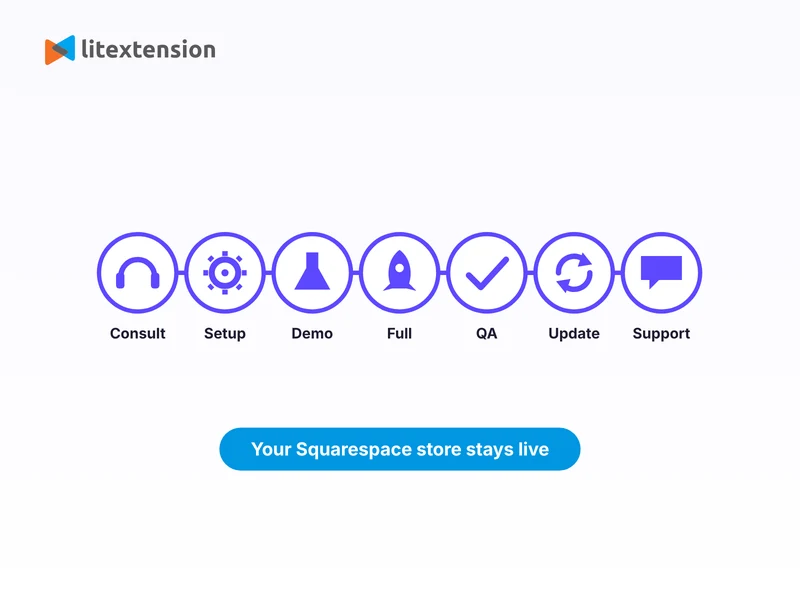
What Moves and What Doesn’t When You Migrate from Squarespace to Wix
LitExtension moves your store data, not your whole website. When you transfer from Squarespace to Wix with us, here is how each part of your Squarespace site is handled:
| What | Moved by LitExtension? | What to do |
|---|---|---|
| Products (with variants and SKUs), categories, customers | Yes | Review the sample records in your Free Demo Migration |
| Product thumbnail and additional images | Yes | Upload other media types manually |
| Customer passwords | No | Customers reset their password on your new Wix store |
| Order history | No | Wix does not allow an order to be deleted once created, so orders are left out of this route. Export your order records from Squarespace before you close the old site |
| Blog posts | No | Move posts manually. Wix does not support importing blog posts from Squarespace |
| Design, templates, and style settings | No | Rebuild in the Wix Editor or Wix Studio. Squarespace templates have no Wix equivalent |
| Custom CSS, JavaScript, and code blocks | No | Save the code before you start, then paste it into Custom Code in Wix Studio |
| Member Sites, scheduling (Acuity), and donations | No | Recreate them with the closest Wix feature or app |
| Old Squarespace URLs | Only with the Create 301 Redirects option | Without it, set up 301 redirects in Wix after launch |
Variant limit: Wix allows up to 6 product options per product (such as size or color), 100 choices per option, and 1,000 variants per product. Products that go beyond these limits won’t display in full and may need manual adjustment after the migration, such as merging options or splitting the product into several. We handle the transfer of your products, customers, and categories, plus product images, with QA testing and post-migration support included. With the optional Create 301 Redirects add-on, your Squarespace URLs are mapped to their matching Wix pages. Without it, old URLs are not carried over automatically, so you’ll set up 301 redirects in Wix after launch. 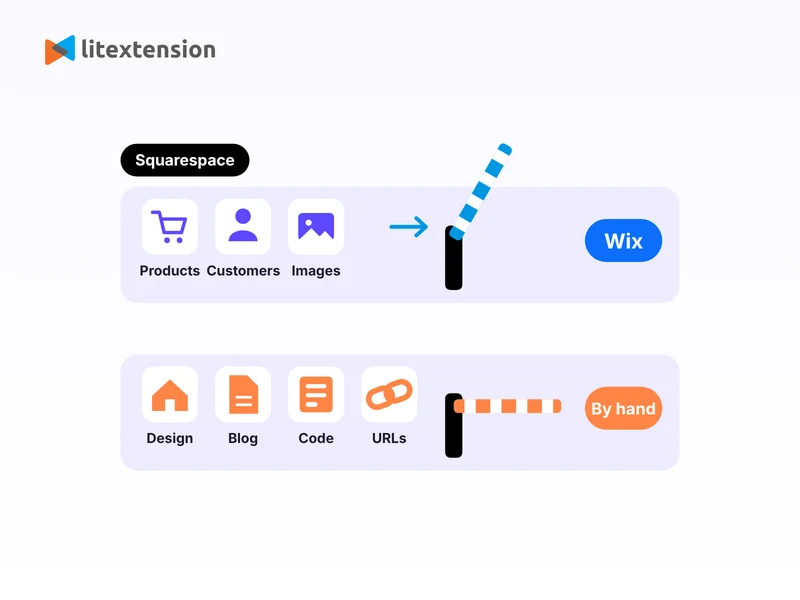
Prefer DIY? Here’s How to Migrate Squarespace to Wix Manually!
If you’d rather take the hands-on route, it is possible to migrate your Squarespace store to Wix manually. However, it’s important to be aware of the limitations. Manual migration can be very time-consuming and requires a lot of double-checking to avoid data loss. For this reason, many store owners eventually turn to a professional service like LitExtension for a safer and more complete transfer. That said, here’s how to get started if you want to try it yourself:
Step 1: Export data from your Squarespace store
Start by exporting the available content from your Squarespace site. This will serve as the base for rebuilding your site on Wix.
- Log in to your Squarespace dashboard.
- Go to Settings > Advanced > Import/Export.
- Click Export and select the WordPress format.
- Download the .xml file once the export is complete.
Keep in mind this XML file uses the WordPress export format, so it can’t be imported directly into Wix. Treat it as a backup reference for your pages and blog content only. Products need to be moved separately: in Squarespace, open the Products & Services panel, click Products, then click Export all to download a CSV, and rebuild it using Wix’s own template. This CSV doesn’t include featured images, variant images, product image alt text, or customer reviews, so check these after importing.
Step 2: Import product data to Wix
Once you’ve exported your data from Squarespace, the next step is to bring that content over to Wix. The good news is that Wix allows you to import products via a CSV file, which is much quicker and more efficient than adding them individually.
- Prepare your product data in a CSV file using Wix format. You can download a sample template from the Wix dashboard under Store Products > More Actions > Import.
- Open the sample CSV file and fill it with your product information, including titles, SKUs, prices, descriptions, and image URLs. Keep each file within 15 MB and under 5,000 rows (the stricter limit Wix cites), splitting larger catalogs into several files, and don’t add, delete, or rename the template’s columns. List up to 15 image URLs per product in the image field, separated by semicolons with no spaces, in .jpg, .png, or .gif format. Digital products can’t be imported by CSV.
- Remember that image URLs from your old store stop working once that store is deleted, so upload your product images to Wix before you close Squarespace. Large catalogs can take up to an hour to finish uploading images, and symbols such as trademark signs may display incorrectly, so remove them from the file and add them by hand afterwards.
- Save your file as a CSV.
- Return to your Wix dashboard, go to Store Products, click More Actions, click Import, and select Upload CSV File.
- Upload your CSV file and follow the prompts to match columns with Wix fields.
- Click Import and wait for the upload to finish.
Step 3: Import contacts to Wix
Similarly, you can also import contacts to Wix using a CSV file:
- In your Wix dashboard, go to Contacts.
- Click the drop-down next to Create New and select Import.
- Click Get Started under the CSV file option.
- Click Next, then upload your CSV file by either clicking the Add + icon or dragging the file onto the screen.
- (Optional) Tick the checkbox to mark contacts as email subscribers if they agree to receive communications.
- Click Next, match the columns from your file to Wix fields, and follow the final prompts to complete the import.
Step 4: Migrate your blog manually
Your blog won’t come over with the product or contact CSVs. Wix Blog imports posts from WordPress (by site URL or XML file) but doesn’t list Squarespace as a supported source, so you’ll copy each post over manually or rebuild it in Wix Blog. Keep the WordPress-format XML file you exported earlier as a backup. If you have many posts, some guides describe a workaround: import the XML file into a temporary WordPress site, then bring the posts into Wix Blog with Wix’s WordPress importer. Expect to clean up formatting and images either way. Once each post is added, check its formatting, images, links, categories, and tags.
Step 5: Move your custom code
If your Squarespace site uses any custom CSS or JavaScript, save that code separately before you start, since it won’t be included in any export. Once your Wix store is ready, paste it into the Custom Code section in Wix Studio so your site keeps the same custom behavior it had on Squarespace. For other data types that can’t be imported via CSV, you’ll have to add them one by one to Wix manually. This can be time-consuming and increases the risk of inconsistencies or missing content. Overall, manual migration may seem straightforward, but it’s often more work than expected. You’ll spend time copying content, rebuilding layouts, and checking everything manually. And if something goes wrong with your CSV file, you may have to redo the entire process from scratch. Is working with LitExtension better than the manual method? Yes! While the manual method might work for simple sites, it is time-consuming, prone to errors, and requires technical effort to replicate layouts and structure. In contrast, LitExtension offers a faster, more accurate, and hassle-free migration. We handle the transfer of your products, customers, and categories, plus product images, with QA testing and post-migration support included. Old Squarespace URLs are not carried over automatically, so you’ll set up 301 redirects in Wix after launch.
What Should You Do After Squarespace to Wix Migration?
1. Utilize LitExtension post-migration services
Recent Data Migration: Transfer any new data (like customer signups) that was added to your Squarespace store after the initial migration. This service is available during your technical support period, free and unlimited, provided the total new data is 5% or less of the initial migration. Smart Update: If your product data changed after migration, such as edits to prices, descriptions, or stock, we’ll sync those product updates to your Wix store. This is also free and unlimited, and can be used during your technical support period. Re-Migration: If you need to run the migration again, we can re-run the full process for a clean start. This service is available free during your technical support period (unlimited on the Automated plan, limited to 2 free runs on the All-in-One plan).
2. Customize the store design
Wix offers hundreds of designer-made templates, so it is easy to find one that fits your brand. Once you’ve chosen a template, you can use Wix’s built-in website builders, like Wix Editor or Wix Studio, to customize your store layout, fonts, colors, and images. Because Squarespace design settings do not transfer, this is also the step where you recreate your page layouts, fonts, and colors.
3. Set up payments, shipping, and taxes
Migrated product data does not include your checkout setup. In your Wix dashboard, connect a payment provider, recreate your shipping zones and delivery rates, set your tax rules, and re-add legal pages such as shipping, refund, and privacy policies. Place a test order before you promote the store, so you know the checkout works the day you transfer Squarespace to Wix for real.
4. Add necessary plugins and tools
Browse the Wix App Market, which offers 500+ apps, to install essential tools like SEO boosters, live chat, analytics, pop-ups, and email marketing features. These add-ons can significantly enhance your store’s functionality and help grow your online presence more efficiently.
5. Connect or transfer your domain
If you haven’t done this during the migration, point your domain to your new Wix site so visitors keep finding you at the same address after moving from Squarespace to Wix. You have two options:
- Connect your domain: your domain stays registered with Squarespace, and you point its DNS records or name servers to Wix. This is the faster route and needs a Wix Premium plan. Verify your SSL settings after the change.
- Transfer your domain: Wix becomes your registrar, so billing, DNS, and domain settings all live in one place. A transfer can take up to 7 days, so connect first if you need the domain live sooner.
To transfer your domain from Squarespace to Wix:
- In Squarespace, go to Settings > Domains, select your domain, and switch Domain Lock off.
- Request the transfer authorization code (EPP code). Squarespace emails it to you.
- In Wix, go to Domains, click Add an Existing Domain, and select Transfer your domain to Wix.
- Select where the domain was purchased. Choose Other if Squarespace is not listed.
- Enter the EPP code, then complete the payment for your renewal period. Wix charges no transfer fee, but you must buy at least one additional year of registration.
- Wix emails the domain’s registrant to confirm the transfer has started. It can take up to 7 days to finish, and your site stays online while it runs.
Check these limits before you start. ICANN’s 60-day lock blocks transfers for domains registered or transferred in the last 60 days, and Squarespace may also apply a 60-day lock after the owner’s contact details change. If your domain is still locked, connect it to Wix in the meantime. 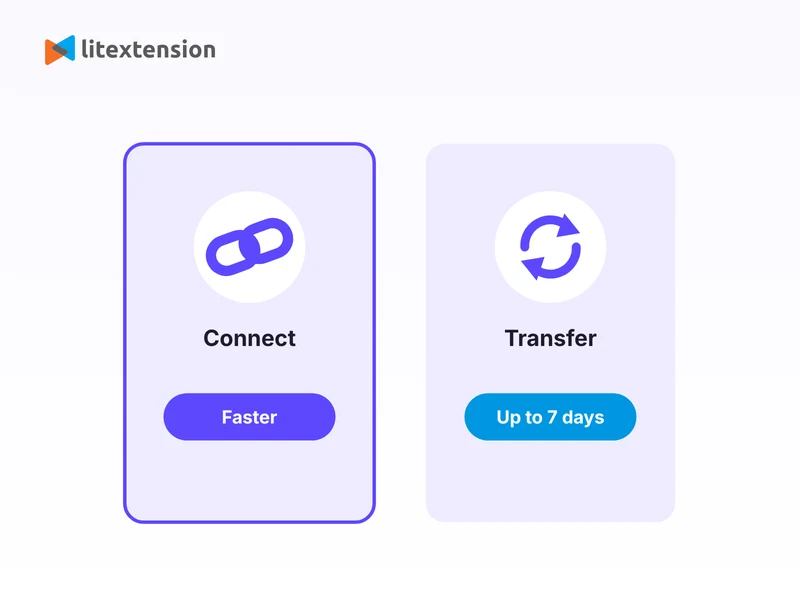
6. Test your store thoroughly
Before you announce the switch, walk through your new Wix store the way a customer would. A few key things to check:
- Products: spot-check product pages, pricing, and stock levels to confirm the details carried over correctly.
- Customer records: spot-check a few migrated customer profiles in your Wix dashboard to confirm names, emails, and billing addresses came through correctly. Since passwords can’t transfer, customers will need to reset theirs on first login.
- Mobile responsiveness: check how your store looks and behaves on a phone and tablet, not just desktop.
- Checkout flow: walk through browsing a product, adding it to your cart, and completing payment to catch any issues before customers do.
7. Verify your redirects and technical setup
A few technical loose ends are still worth tying up before you consider the migration fully done:
- Carry over page-level SEO settings: copy each page’s title tag, meta description, and heading structure from Squarespace into the SEO settings for that page in Wix, and keep URL slugs the same wherever Wix allows it. Fewer changed URLs means fewer redirects to maintain.
- Build a redirect map: use a spreadsheet with one row per page, listing the old URL and its new URL, and check it against the SEO baseline you recorded earlier. Watch for structural changes, such as Squarespace blog URLs starting with /blog/ while Wix blog posts use /post/, and redirect the whole pattern.
- Verify your 301 redirects: In your Wix dashboard, go to SEO & GEO, scroll to Tools and settings, then open URL Redirect Manager and click New Redirect. Map each old Squarespace URL path to its closest new Wix page, not the homepage. Redirects work only on a custom domain, you can create up to 5,000 per site, and you can’t redirect the homepage. Wix doesn’t create redirects automatically for Wix Blog pages. Then verify a sample of old URLs.
- Switch your domain only when the site is ready: build and proof your Wix site first, pause edits on Squarespace, then point your domain to Wix, ideally during a low-traffic window. DNS changes can take anywhere from a few minutes to 48 hours to propagate. If new customers or product changes appear on Squarespace in the final days, bring them over with a recent data migration.
- Submit your new sitemap to Google Search Console: this helps Google find and index your new Wix pages faster.
- Reconnect your essential integrations: Google Analytics, Facebook Pixel, and any other tools you rely on for marketing, accounting, or customer service, so you don’t lose visibility or workflow continuity after the switch.
- Update your MX records: if you run email through your domain, update the MX records so your email keeps working after the domain points to Wix.
- Let your customers know: a short email or social post about the move, along with anything new or improved on your Wix store, goes a long way toward a smooth transition.
- Monitor your store closely after launch: keep an eye on SEO rankings, organic traffic, site performance, and error logs for the first few weeks, so you can catch and fix issues early. A short dip while Google reprocesses the new URLs is normal. If rankings are still down after several weeks, check your redirects and indexing first.
- Cancel your old Squarespace plan: keep it active until your domain is moved or connected and everything checks out on Wix, then cancel it so you are not billed twice.
Join 200,000+ businesses that have migrated with LitExtension. Start a Free Demo Migration to preview how your Squarespace products, customers, orders, and URLs will be transferred to Wix before running the full migration.
What Data Can Be Migrated From Squarespace To Wix
Use the tabs below to see which Squarespace data fields we can migrate to Wix.


-
Products
- Name, SKU, Short Description, Full Description, Status.
- Price, Special Price.
- Quantity, Manage Stock.
- Meta Title, Meta Description.
- Weight, Width, Height, Depth.
- Tags.
- Attributes: Name, Values.
- Variants: Name, SKU, Weight, Quantity, Manage Stock, Image, Price, Special Price.
- Thumbnail Image, Additional Images.
Products Categories
- Name.
- Description.
- Meta Title, Meta Description.
-
- First Name, Last Name, Email.
- Billing Address.
Can’t find the data you need to migrate? Contact us or click on the Live Chat in the right corner for a free consultation.


Leave The Work For The Experts

How Your Data Is Secured During Migration?

Server Security

Data Security

Data Access Restriction

GDPR Compliance

NDA

Payment Security
Why choose Squarespace to Wix Migration Services


Migrated From Squarespace To Other Platforms








Who We Truly Are? Let Our Customer Define!

The team at LitExtension made my transition from Squarespace to Wix completely seamless. My products and customer data transferred without any issues. Their customer service was top-notch, answering all my questions right away.

Moving my online store from Squarespace to Wix was a breeze with LitExtension. They migrated all my products, images, and customer data with no issues. I was especially impressed by how they managed to keep my SEO intact, which was one of my biggest concerns. My site was live on Wix within a few days, and the entire experience was hassle-free. A great service for small business owners!
I needed to move my photography portfolio from Squarespace to Wix for more customization options. LitExtension was fantastic, they handled my product and image data smoothly. What really stood out was how easy it was to communicate with them.


