LitExtension provides WooCommerce to WooCommerce migration services (WooCommerce update) through an automated, accurate and secure process. Comfortably transfer essential data like products, orders and customers with three steps in a single intuitive workflow. Our FREE DEMO shows accurate results – see for yourself how smooth it is!
Based on 3,000+ reviews on:

 Serchen

How to Update WooCommerce to Latest Version

#1: Set-up WooCommerce Source & Target Stores
Select WooCommerce as “Source Cart” and “Target Cart” from the dropdown list. Afterward, enter store URL and follow brief instructions to set up the WooCommerce upgrade process.

#2: Select Data You Want To Update to WooCommerce
Choose the entities you want within the WooCommerce update to new version such as products, categories, orders, customer passwords, SEO URLs, and even more.

#3: Perform Full WooCommerce Update
Let’s start the WooCommerce Upgrade. Once the migration process is kicked off, it will constantly run even when you turn off your browser.
How to Update WooCommerce to Latest Version in 3 Simple Steps
Outgrown your current WooCommerce setup? Ready to move your online store to a fresh WooCommerce environment? LitExtension’s WooCommerce to WooCommerce migration service has you covered! Effortlessly transfer your store while preserving all your vital data, ensuring a smooth transition and minimal downtime. Our comprehensive WooCommerce to WooCommerce migration process includes the following steps:- Step 1: Backup database of the WooCommerce store
- Step 2: Set up a new WooCommerce store
- Step 3: Set up Source and Target Cart
- Step 4: Select entities to migrate
- Step 5: Perform full migration from WooCommerce to WooCommerce
- Step 6: Follow a go-live checklist for WooCommerce stores after data migration
Step 1: Set up WooCommerce Stores
In this step of cart setup, choose WooCommerce as your source cart type and provide the store URL. Then you need to download the connector file by clicking LitExtension Connector. After that, extract the zip file and upload it to your source store’s root folder. The LitExtension connector functioning as an access gateway will help to establish a connection between your shopping carts.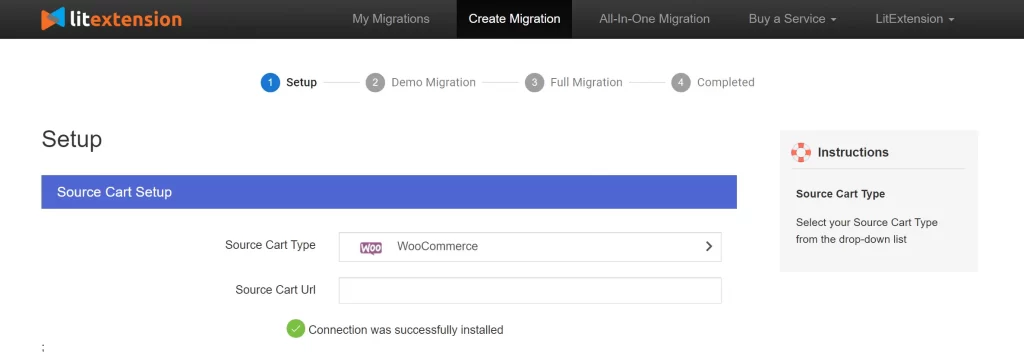 Follow the same steps to set up your WooCommerce store as the target cart. On the other hand, you can easily provide access to your store by filling in your cart’s URL, your Admin username, and password.
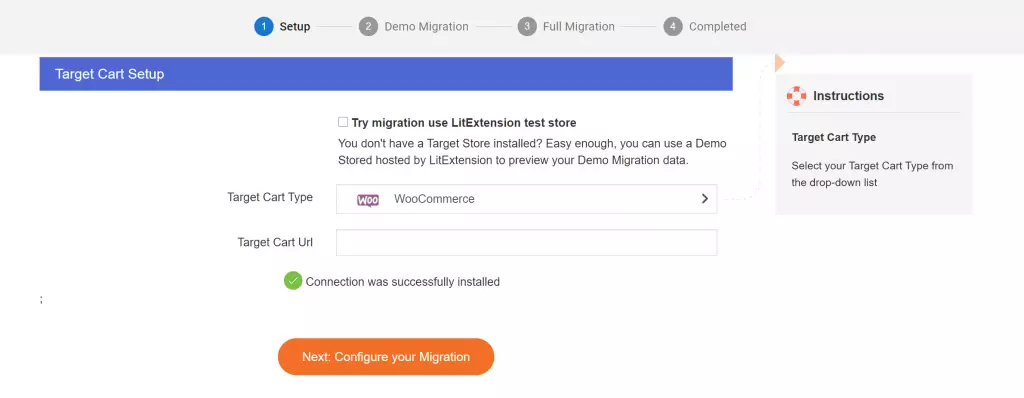 If you meet any problems while installing the connector, don’t hesitate to contact our support team.
Then, click Next: Configure your migration to select entities to migrate and additional options.
If you meet any problems while installing the connector, don’t hesitate to contact our support team.
Then, click Next: Configure your migration to select entities to migrate and additional options.
Step 2: Select Entities to migrate to your WooCommerce store in latest version
At this step, you can either choose all your data or only choose the necessary ones to migrate.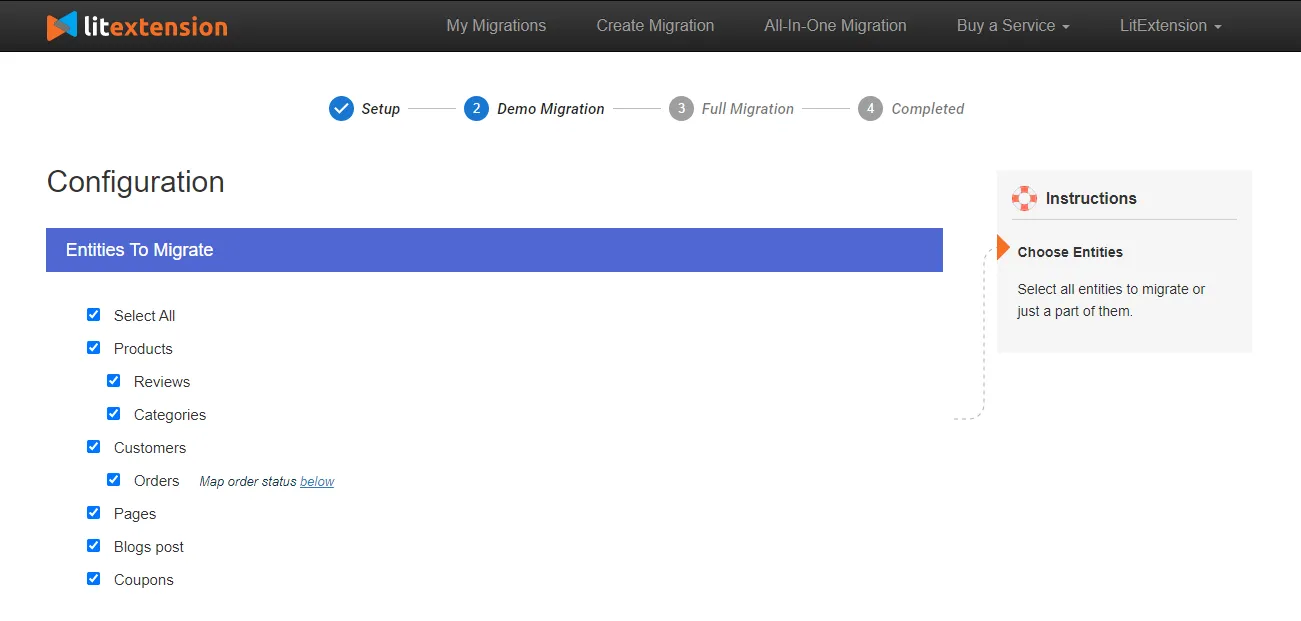 If desired, you can select additional options that will help to extend the data import functionality. Scroll down to select additional options to expand your migration possibilities.
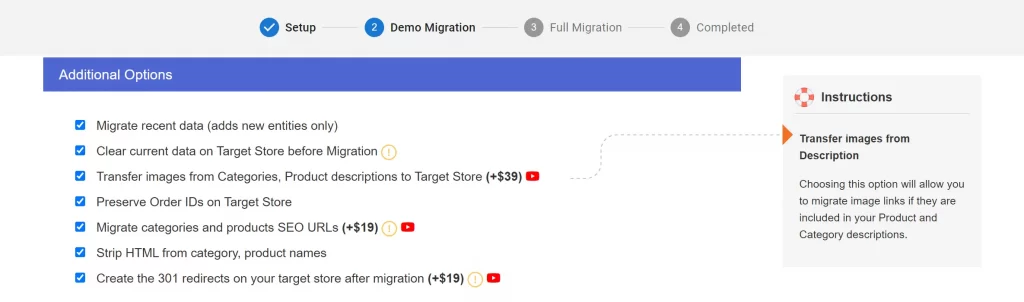 With SEO URLs Migration & 301 Redirect, you can migrate Products and Categories URLs to the new store or create 301 redirects to the new URL. Therefore, this will help maintain the SEO rankings you have built up for years.
Another amazing LitExtension service is Customers Password Migration which allows you to migrate your passwords from your old WooCommerce store to your new one.
With SEO URLs Migration & 301 Redirect, you can migrate Products and Categories URLs to the new store or create 301 redirects to the new URL. Therefore, this will help maintain the SEO rankings you have built up for years.
Another amazing LitExtension service is Customers Password Migration which allows you to migrate your passwords from your old WooCommerce store to your new one.
Step 3: Perform the full update
You can try the free demo first to catch the glimpse of how the system works. Or you can tick on “Skip Demo Migration” to run the full WooCommerce update immediately.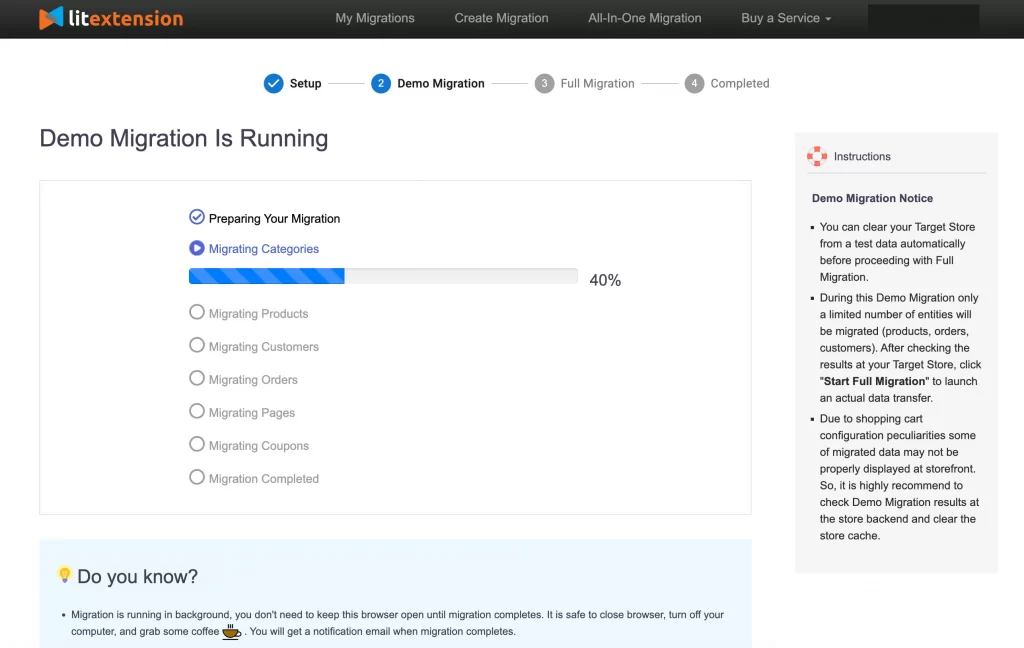 By doing free demos with different target carts, you can visualize your new store in various cart types. Thereby, you could choose the one you prefer most. In addition, you also know how your migration process operates before you decide to take the full migration.
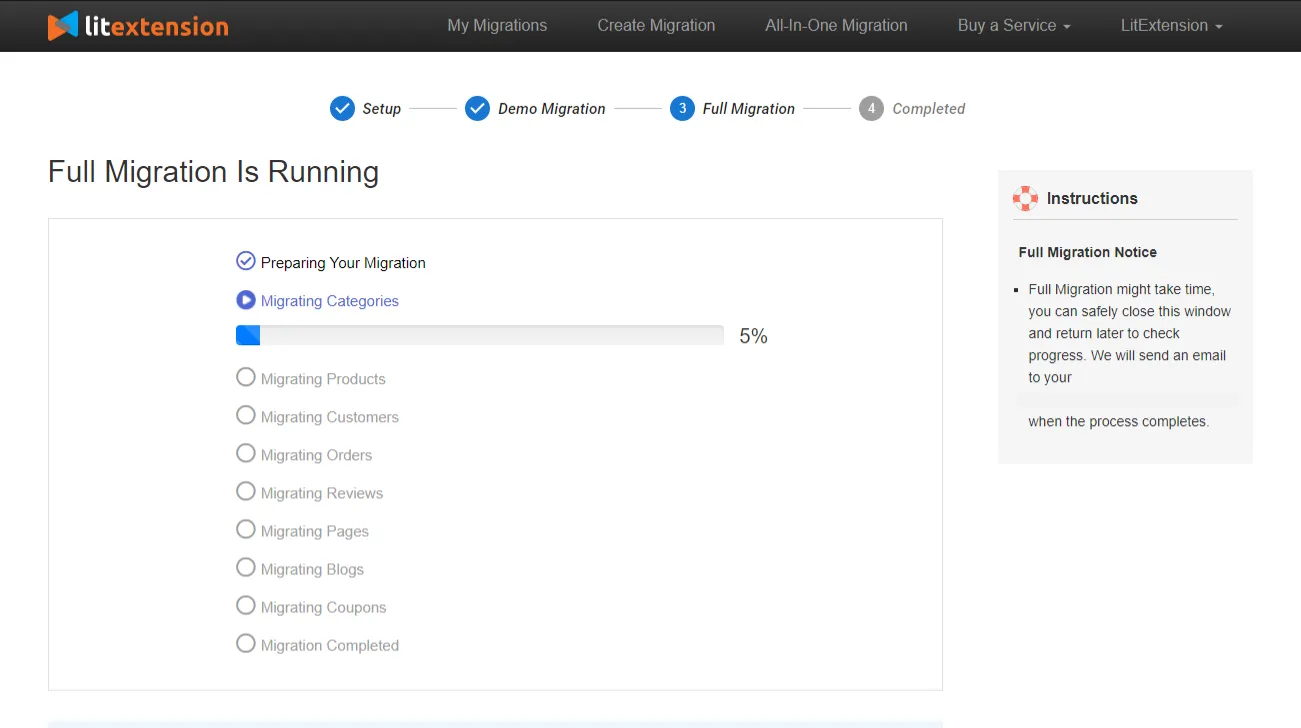 Once the migration is started, it will run seamlessly on the server. Therefore, there’s no need to keep your PC on while LitExtension is working with your data. It is completely safe to turn it off! Take a break, have a cup of coffee and you’ll be notified via email when the process is completed.
So, don’t hesitate to move to WooCommerce with LitExtension since the process is easy peasy! If you aren’t tech-savvy, leave your WooCommerce to WooCommerce migration in good hands with our All-in-One Migration Package. Our WooCommerce migration experts will lift the weight of manual tasks off your shoulder and handle the migration at a committed response time, with a personal assistant and free additional options.
Once the migration is started, it will run seamlessly on the server. Therefore, there’s no need to keep your PC on while LitExtension is working with your data. It is completely safe to turn it off! Take a break, have a cup of coffee and you’ll be notified via email when the process is completed.
So, don’t hesitate to move to WooCommerce with LitExtension since the process is easy peasy! If you aren’t tech-savvy, leave your WooCommerce to WooCommerce migration in good hands with our All-in-One Migration Package. Our WooCommerce migration experts will lift the weight of manual tasks off your shoulder and handle the migration at a committed response time, with a personal assistant and free additional options. What Data Can Be Update to WooCommerce New Version


-
Products
- Name, SKU, Short Description, Full Description, Status.
- Manufacturer.
- Tax Class.
- Price, Special Price.
- Quantity, Manage Stock.
- Meta Title, Meta Description.
- Weight, Width, Height, Depth.
- Product Tags.
- Up-sells, Cross-sells.
- Attributes: Name, Values.
- Downloadable Products: Files, Max Downloads, Expiration Date.
- Grouped Products: Associated Products.
- Variants: Name, SKU, Weight, Quantity, Manage Stock, Image, Price, Special Price.
- Thumbnail Image, Additional Images.
Product Categories
- Name, Description.
- Sort Order.
- Image.
- Meta Title, Meta Description.
-
- First Name, Last Name, Email.
- Billing Address: First Name, Last Name, Company, Address 1, Address 2, Country, State, City, Zip Code, Telephone.
- Shipping Address: First Name, Last NameCompany, Address 1, Address 2, Country, State, City, Zip Code, Telephone.
-
- Order ID.
- Order Date.
- Order Status.
- Order Items (Name, SKU, Option), Product Price, Quantity.
- Sub Price, Discount Price, Tax Price, Shipping Price, Total Price.
- Order Comments.
- Customer Name, Email.
- Billing Address (First Name, Last Name, Company, Address 1, Address 2, Country, State, City, Zip Code, Telephone).
- Shipping Address (First Name , Last Name, Company, Address 1, Address 2, Country, State, City, Zip Code, Telephone)
-
- Name.
- Image.
-
- Tax Class (Name).
- Tax rate (Country, Rate).
-
- Name.
- Description.
- Coupon Code.
- Coupon Date.
- Customer Groups.
- Uses Per Coupon, Uses Per Customer.
- Discount Amount/Percent.
- Coupon from date, Coupon to date.
-
- Created Date.
- Status.
- Rate.
- User Name, User Email.
- Comment.
-
- Title.
- Created Date.
- Description.
- Categories.
- Thumbnail Image.
-
- Title.
- Created Date.
- Description.
- Categories.
- Thumbnail Image.
-
- Products (Name, Description, Attribute)
- Categories (Name, Description)
- CMS Page (Name, Description)
- Blogs (Name, Description)
(*) Please note that the data listed above may vary depending on your Source Store.


Leave The Work For The Experts
If you’re non-tech, let our WooCommerce migration experts handle your migration from A to Z.
Save your time for more important tasks.

How Your Data Is Secured During Migration?

Server Security

Data Security

Data Access Restriction

GDPR Compliance

NDA

Payment Security
Why choose Automated Migration for WooCommerce Update


Migrate From WooCommerce To Other Platforms








Who We Truly Are? Let Our Customer Define!

Perfect, we have completed with success our migration (from Woocommerce to a new Woocommerce installation) without any problem and published our new site, thanks to your great support. We higly recommend this service. Thanks and see you soon, we won’t miss to get in touch for our future projects
I have done a migration Woocommerce to Woocommerce with LitExtension. During the migration I had some technical problems at first. But the support was outstanding. The problems were solved quickly and competently. Thank you very much!
It was great service from those guys! Verry complex case with very old woocommerce to new woocommerce store! Five star service!!!


