Move your Magento 1 or Magento 2 store to WooCommerce with LitExtension while keeping your Magento store open for business. Connect your stores to transfer supported products, customers, orders, reviews, and more, or use exported CSV files to migrate the data available in your files.
Run the migration yourself with our automated tool, or let our All-in-One experts handle setup, data mapping, and results testing within your agreed scope. Start with a Free Demo to see how your catalog and related records appear in WooCommerce before moving the full dataset.
Based on 3,000+ reviews on:

 Serchen

How to Migrate from Magento to WooCommerce
Move your Magento data to WooCommerce in three steps, using either a direct store connection or exported Magento files. Run the migration yourself with LitExtension, or choose All-in-One Migration for expert-managed setup, mapping, and testing.

#1: Set Up Your Magento Source and WooCommerce Target
Select Magento as your source and follow the store connection instructions. If you are migrating from Magento exports, select Files and upload your data instead. Connect WooCommerce as the target store in either case.

#2: Select Your Data and Review the Mapping
Choose the supported products, customers, orders, and other records you need, then configure the available migration options and mappings. For Magento exports, review the file-column mapping and resolve Data Check errors before continuing.

#3: Test Your Data, Then Run Full Migration
Run a Free Demo and check representative Magento products, variations, images, and any selected customer or order records in WooCommerce. Once the results meet your requirements, start Full Migration. The transfer continues even after you close your browser.
Choose the Right Approach for Your Magento Store
Your migration method depends on whether you can connect Magento, what your exports contain, and how much of the process you want to manage yourself. Compare the options below before preparing your WooCommerce store.
| Method | Best For | What to Know |
|---|---|---|
| LitExtension Direct Store Migration | You can access Magento and deploy the required Connector. | Connect Magento and WooCommerce, then select your supported records and migration options. Test important product types and data relationships in a Free Demo before Full Migration. |
| LitExtension Files Migration | You already have Magento exports or prefer to supply your source data as files. | Upload your exports, review field mapping, and run Data Check. Coverage depends on the values and relationships in your files; WooCommerce still needs to be connected. |
| LitExtension All-in-One Service | You need help with file preparation, complex Magento products, custom mapping, or results testing. | Experts assess your connected store or supplied files and agree on the migration scope, required plugins, testing, and quotation. Storefront development and replacement integrations should be scoped separately. |
| WooCommerce Built-In Product CSV Importer | You only need a product catalog and can prepare Magento data in WooCommerce’s product CSV format. | Convert the export to the required structure and check variations, attributes, and images. Customer accounts, historical orders, and other records require separate tools or services. |
Migrate Directly from Magento to WooCommerce with LitExtension
This approach connects your Magento source store and WooCommerce target store through the LitExtension Connector. The steps below apply to supported Magento 1 and Magento 2 migrations; custom modules and restricted hosting environments may need additional preparation.
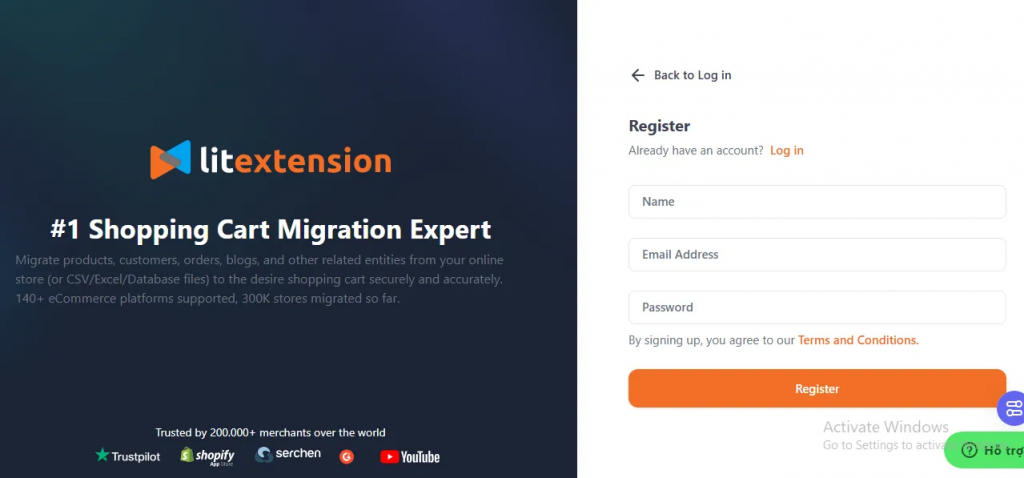
Pre-Migration: Sign Up and Get Started
Create a LitExtension account or sign in to your existing account. You can also continue with Google.
Step 1. Connect Your Magento and WooCommerce Stores
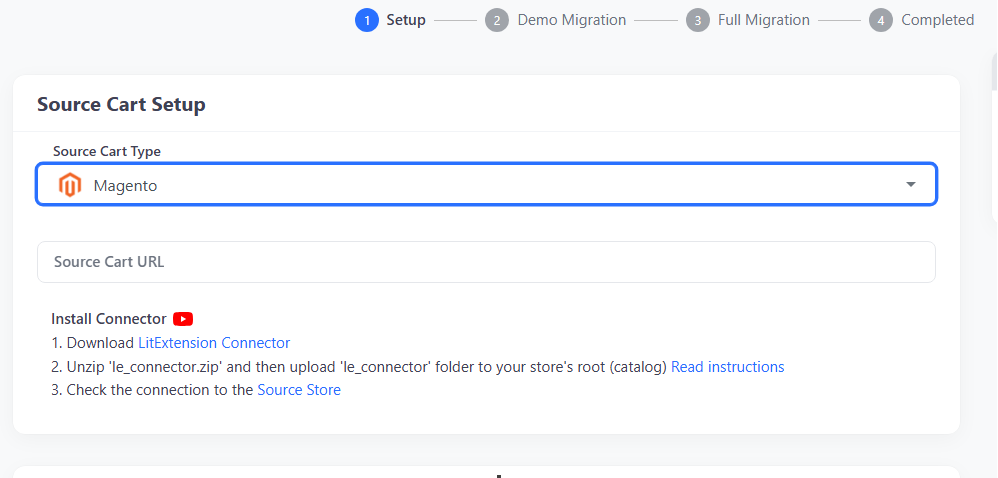
Go to Migration and select Create New Migration. Choose Magento as the Source Cart and enter your Magento store URL.
Download the LitExtension Connector from the setup screen, extract the package, and upload the le_connector folder to your Magento root directory. Wait for the connection confirmation before continuing. Magento Cloud and other restricted environments may require a different deployment method; contact LitExtension if direct upload is unavailable.
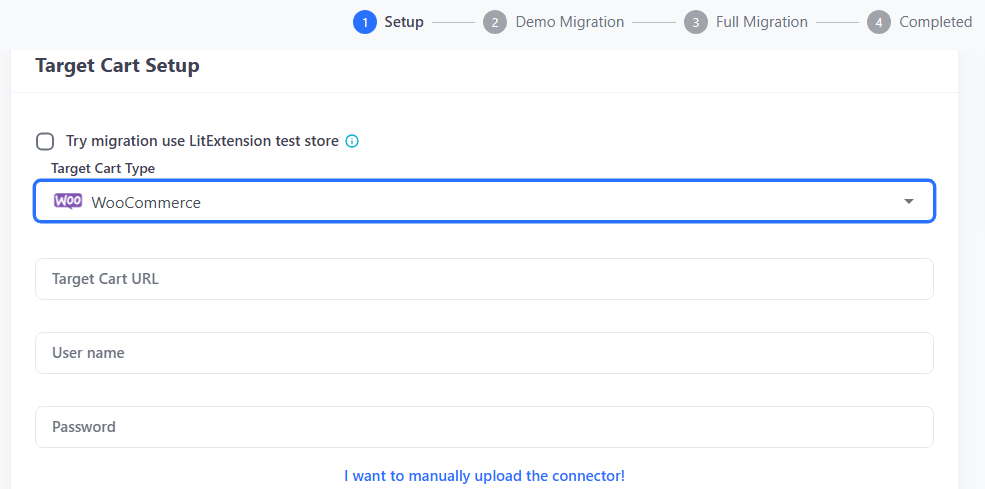
Next, select WooCommerce as the Target Cart and enter its store URL. Upload the le_connector folder to the WordPress root directory, where wp-admin, wp-content, and wp-includes are located. Confirm that both stores are connected before proceeding.
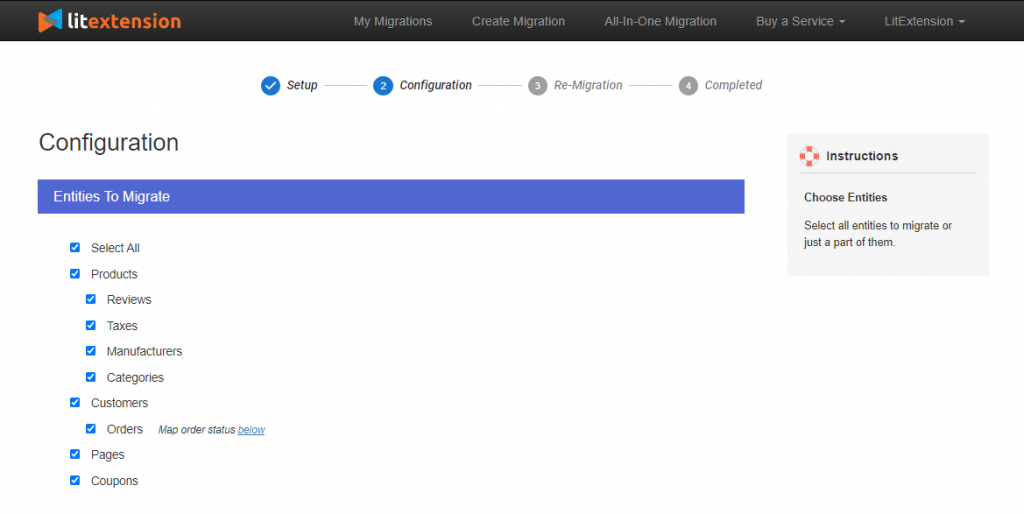
Step 2. Select the Data to Migrate
Choose the supported Magento records you want to transfer, such as products, categories, customers, orders, reviews, coupons, and CMS pages. Use Select All or select individual data types to match your requirements.
To migrate products from Magento to WooCommerce without customers or orders, select Products and the related entities you need. Include the categories, images, attributes, variations, and supported product relationships required to keep your catalog usable.
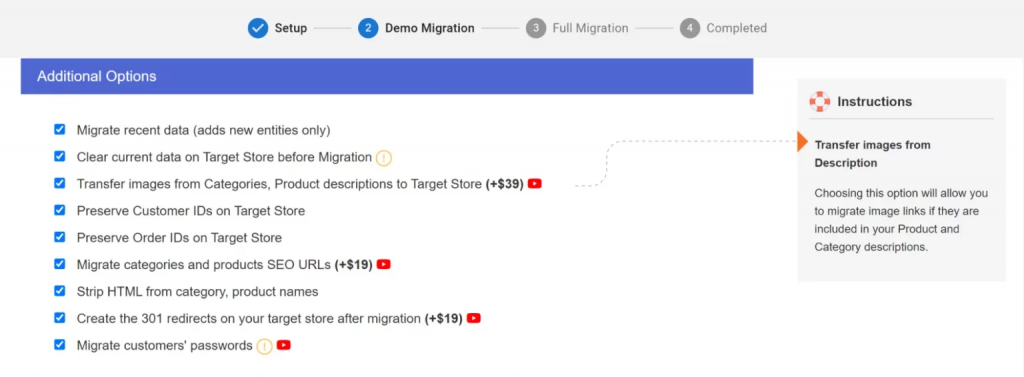
Review the available mappings and Additional Options. If WooCommerce already contains records you need to keep, leave Clear Existing Data unselected and ask LitExtension to assess potential conflicts. Confirm the mapping and quotation for custom attributes, extension-generated data, and non-standard product structures before proceeding.
Step 3. Run a Free Demo, Then Full Migration
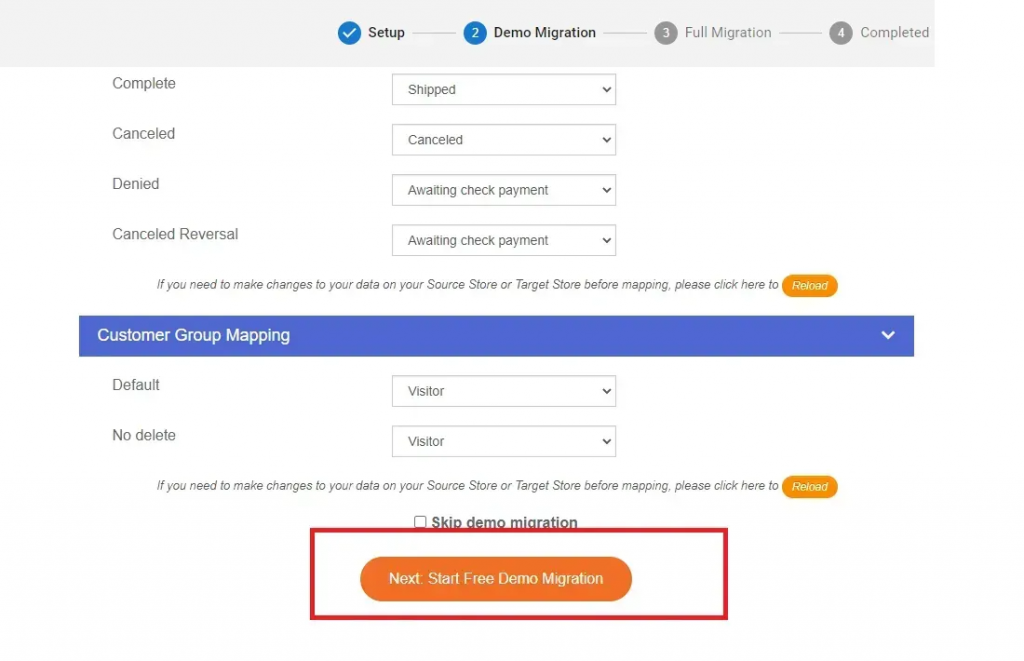
Start a Free Demo to transfer a limited sample of supported Magento data. Review the imported records in WooCommerce, paying particular attention to configurable products, variation SKUs, prices, stock, images, and any selected customer or order data. Resolve mapping issues before moving the full dataset.
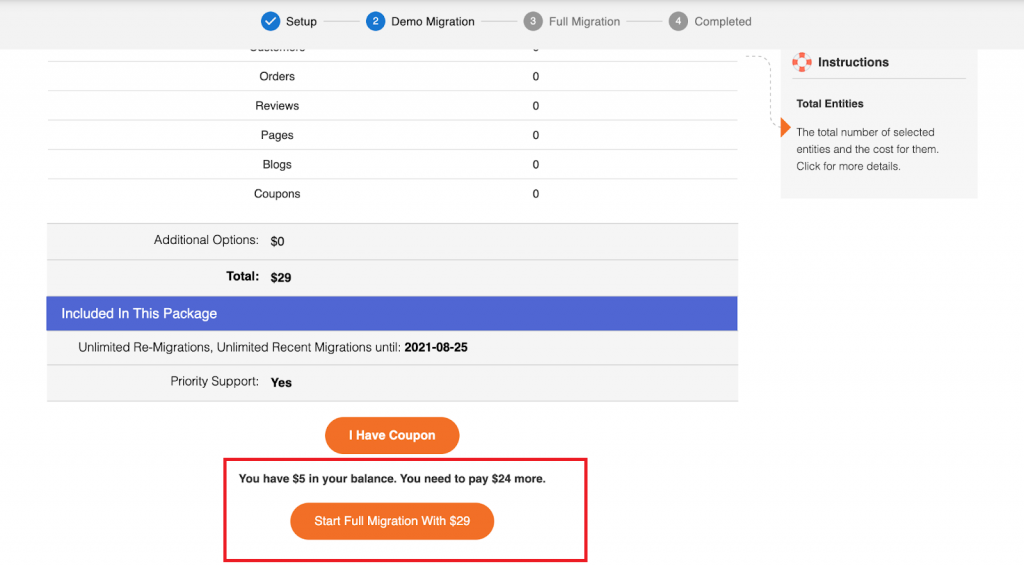
Once the results meet your requirements, return to your LitExtension account and start Full Migration. The transfer runs in the background, so you can close your browser. LitExtension will notify you by email when it finishes.
Migrate Magento Exports to WooCommerce
If you already have Magento exports, select Files as the source and connect WooCommerce as the target. First, check that the files contain the records you intend to move. A product export alone does not include customer accounts, historical orders, or every record created by Magento extensions.
Prepare the Magento Data Relationships
Magento exports may need preparation before they can represent the same catalog and business records in WooCommerce. Review the following information before configuring your file mappings:
- Products and variations: Retain SKUs, configurable-to-child product references, and the attributes that distinguish each variation. Check that prices, stock, and images belong to the correct parent or child records.
- Customers and orders: Include the identifiers and references needed to associate orders with customers and products. Review guest orders and historical order items whose original products no longer exist.
- Store views and custom attributes: Identify language-specific values and explain custom attribute codes. Confirm their WooCommerce destinations and any required plugins; exporting the values does not automatically recreate Magento’s store structure or business rules.
- Images and URLs: Keep image links accessible and include source URLs for any agreed redirect mapping. Provide the old store address when relative image paths need to be resolved.
Review Mapping and Test the Result
Upload your exports, review how the file columns map to the supported WooCommerce fields, and run Data Check. Correct errors and review warnings before running the Demo.
In WooCommerce, check configurable products as complete parent-and-variation groups, then inspect selected customer and order relationships. Confirm that images, prices, stock, order statuses, and totals match the intended source values before Full Migration.
Keep the supplied files unchanged while the transfer runs. If Magento continues receiving orders or product updates, prepare revised exports and agree on how new and changed records will be handled before launch. Files do not provide continuous synchronization with your Magento store.
For upload options and the detailed file-preparation workflow, see our CSV Files to WooCommerce migration guide. Contact LitExtension for an assessment of exports containing custom product structures or extension-generated data.
Post-Migration Services and Support
Automated Migration includes 60 days of technical support after Full Migration is completed. If Magento continues receiving orders or product changes, choose the appropriate post-migration service to prepare your WooCommerce data for launch:
- Recent Data Migration: Transfer supported products, customers, and orders added since the initial migration. Free use is subject to the applicable service period and a new-data allowance of up to 5% of your initial migration package.
- Smart Update: Update supported fields of products already migrated to WooCommerce. Confirm which product changes your migration can update before running the service.
- Re-migration: Repeat the migration for the same project when a fresh transfer is needed. Automated Migration includes free, unlimited re-migrations within the applicable service period.
For migrations from Magento exports, confirm which service can process your updated files and which identifiers are required to match existing records. Agree on this update process before changing migrated data manually or switching your live storefront.
See how LitExtension handled a real Magento to WooCommerce migration project, including historical business data, 301 redirects, preserved order IDs, HTML cleanup, and two rounds of QA testing.
Magento to WooCommerce Post-Migration Checklist
Before launching WooCommerce, check the migrated data against your agreed scope and test the functions your customers will use.
- Reconcile your data: Compare record counts and investigate unexpected differences. For Files Migration, use the records eligible after Data Check as your baseline and account for intentionally excluded or skipped records. Check relationships as well as totals.
- Review your catalog: Test representative configurable, grouped, downloadable, and other supported product types. Check attributes, variations, prices, stock, images, category assignments, and agreed custom mappings in both the admin and storefront.
- Check customer accounts and orders: Test login using the agreed password-migration or reset method. Review addresses, order history, customer associations, statuses, line items, discounts, taxes, and totals.
- Validate SEO continuity: Test important Magento URLs against their WooCommerce destinations. Check redirects, metadata, canonical tags, internal links, and the sitemap, including custom URLs requiring separate handling.
- Test store functionality: Place test orders and check payment, shipping, tax, coupon, and email behavior. Your website team should validate replacement plugins and integrations separately from the data transfer.
- Complete the final data update: Transfer eligible new records and supported changes using the agreed process. Recheck affected orders, products, and inventory after the update.
- Confirm launch readiness: Approve the migrated data before your website team completes the domain switch. Retain Magento access and backups until the new store has been reviewed.
Contact LitExtension about missing, duplicated, or incorrectly mapped records before making extensive manual changes to the migrated data.
Run a Free Demo to preview how selected Magento data and migration options work with your WooCommerce store.
What Data Can Be Migrated From Magento to WooCommerce
Review the standard data fields LitExtension can transfer and how your Magento data is mapped to the corresponding WooCommerce structure.


-
Products
- Name, SKU, Short Description, Full Description, Status.
- Manufacturer.
- Tax Class.
- Price, Special Price.
- Quantity, Manage Stock.
- Meta Title, Meta Description.
- Weight, Width, Height, Depth.
- Product Tags.
- Up-sells, Cross-sells.
- Attributes: Name, Values.
- Downloadable Products: Files, Max Downloads, Expiration Date.
- Grouped Products: Associated Products.
- Variants: Name, SKU, Weight, Quantity, Manage Stock, Image, Price, Special Price.
- Thumbnail Image, Additional Images.
Product Categories
- Name, Description.
- Sort Order.
- Image.
- Meta Title, Meta Description.
-
- First Name, Last Name, Email.
- Billing Address: First Name, Last Name, Company, Address 1, Address 2, Country, State, City, Zip Code, Telephone.
- Shipping Address: First Name, Last Name, Company, Address 1, Address 2, Country, State, City, Zip Code, Telephone.
-
- Order ID.
- Order Date.
- Order Status.
- Order Items (Name, SKU, Option), Product Price, Quantity.
- Sub Price, Discount Price, Tax Price, Shipping Price, Total Price.
- Order Comments.
- Customer Name, Email.
- Billing Address (First Name, Last Name, Company, Address 1, Address 2, Country, State, City, Zip Code, Telephone).
- Shipping Address (First Name , Last Name, Company, Address 1, Address 2, Country, State, City, Zip Code, Telephone)
-
- Name.
- Image.
-
- Tax Class (Name).
- Tax rate (Country, Rate).
-
- Name.
- Description.
- Coupon Code.
- Coupon Date.
- Customer Groups.
- Uses Per Coupon, Uses Per Customer.
- Discount Amount/Percent.
- Coupon from date, Coupon to date.
-
- Created Date.
- Status.
- Rate.
- User Name, User Email.
- Comment.
-
- Title.
- Created Date.
- Description.
- Categories.
- Thumbnail Image.
-
- Title.
- Created Date.
- Description.
- Categories.
- Thumbnail Image.
-
- Products (Name, Description, Attribute)
- Categories (Name, Description)
- CMS Page (Name, Description)
- Blogs (Name, Description)
(*) Supported fields depend on your Magento setup, source method, and WooCommerce configuration. File-based migrations also depend on the data available in your exports. Review mapping requirements →


Leave The Work For The Experts
If you’re non-tech, let our WooCommerce migration experts handle your migration from A to Z.
Save your time for more important tasks.









How Your Data Is Secured During Migration?

Server Security

Data Security

Data Access Restriction

GDPR Compliance

NDA

Payment Security
Why Choose LitExtension for Automated Magento to WooCommerce Migration?


Who We Truly Are? Let Our Customer Define!

Andy Dang is one of the most amazing, kind and helpful people I have ever worked with! He made my transfer from magento to woocommerce such a simple process with excellent communication! I would highly recommend Litextension for your data transfer needs and if you are lucky you will get Andy to manage your project because he is simply the best!!
Harry and the team at LitExtension did excellent work in helping us migrate our website from Magento to WooCommerce. Throughout our months-long project they were helpful, responsive, and informative. Their team would be our first choice the next time we need to take on a project like this.
Great pricing and easy to use service. I really didn’t have a lot of effort, just writing a few emails and the job got done. I even had special requirements, because of a lot of custom fields. For a small additional fee also that was migrated.
I had a great experience Migrating from Magento to Woocommerce. Support was outstanding with great expertise. If you what to migrate you webshop I recommend LitExtension.