Squarespace to Shopify Migration
Read our 3,000+ reviews on 



Migrate from Squarespace to Shopify with LitExtension. Transfers your products, customers, and orders safely and accurately, with no data loss or errors.
No technical skills are required. We guarantee accurate and secure data migration. If you are not satisfied, you can request a full refund within 30 days after the migration is completed.
Want to request a free demo to see how your data transfer works? Just Get in touch with us.
 | LitExtension is an Official Shopify Partner
What Data Can Be Migrated from Squarespace to Shopify
Transfer Squarespace to Shopify with all your essential store data. We migrate products, customers, and orders accurately, so you can start selling on Shopify without rebuilding your store from scratch.


-
Products
- Name, SKU
- Short Description, Full Description
- Status
- Price, Special Price
- Quantity, Manage Stock
- Meta Title, Meta Description
- Weight, Width, Height, Depth
- Tags
- Variants
- Thumbnail Image
- Additional Images
Products Categories
- Name, Description
- Image
- Meta Title
- Meta Description
-
Customers
- First Name
- Last Name
Billing Address
- First Name
- Last Name
- Company
- Address 1
- Address 2
- Country
- State
- City
- Zip Code
- Telephone
-
Orders
- Order ID
- Order Date
- Order Status
- Order Items
- Total Price
- Sub Price
- Discount Price
- Tax Price
- Shipping Price
- Order Comments / Order Note
- Customer Name, Email
- Billing Address
- Shipping Address
Can’t find the data you need to migrate? Contact Us or click on the Live Chat for a free consultation.
Join 200,000+ businesses that trust LitExtension. Migrate from Squarespace to Shopify with a simple, accurate, and efficient process. Try a free demo to see how it works.
Migrating your store from Squarespace to Shopify with LitExtension is straightforward. Our experts handle the entire process for you in three simple steps, so you can stay focused on running your business while we take care of the technical work.

Share your store details with our team and we will review your data, clarify your requirements, and put together a clear migration plan before anything gets started.

Our experts map your Squarespace data to the correct Shopify fields, set up your target store environment, and run a Demo Migration so you can preview the results before the full transfer begins.

Once you approve the demo, we kick off the full migration. It runs on our servers and keeps going in the background, with our team monitoring every step until your Shopify is ready to launch.
Migrate from Squarespace to Shopify with Migration Experts
Moving from Squarespace to Shopify means moving your entire commerce data model, not just your storefront design. Products, variants, SKUs, customers, and orders need to be assessed against what Squarespace can export and what Shopify can accept. At LitExtension, we map the supported data and identify items that require separate handling before migration.
Here’s exactly how we run a Squarespace to Shopify migration, step by step.
Step 1: Technical consultancy
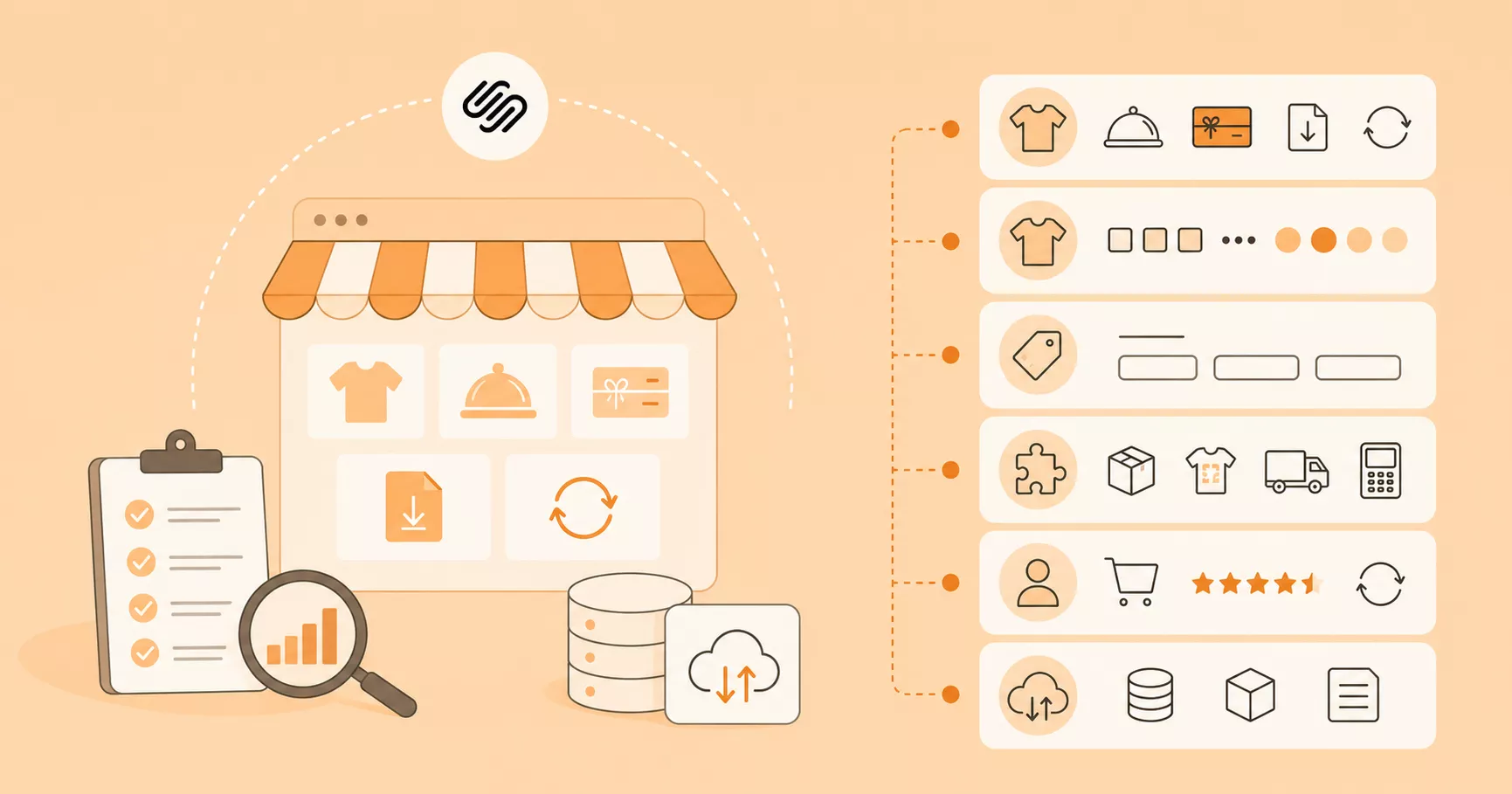
Every migration starts with a full audit of your Squarespace store’s data structure. Your Personal Assistant schedules a one-on-one consultation to go through:
- Your product mix, including physical, service, digital, gift card, and subscription products, and which of those records can be transferred with the available export or API methods
- Your product options and variants. Squarespace allows up to six options and 250 variant combinations per product; Shopify allows three options and up to 2,048 variants per product, so products using more than three options need a deliberate restructuring
- Custom product fields and structured content that may require separate extraction or reconstruction
- Connected Squarespace Extensions, including fulfillment, print-on-demand, drop-ship, or POS integrations
- Order and customer history, including subscription orders if you sell recurring products
If the product CSV is insufficient, we assess other available data sources and the scope of custom work. Squarespace’s product CSV export covers physical and service products and is limited to 10,000 products; digital products and certain product details need separate handling.
Step 2: Pre-migration preparation
With the scope locked, your Personal Assistant configures your Shopify store to receive data from Squarespace. This includes setting up the store environment, installing required apps, and building the data mapping so the agreed data, including products, variants, customers, and orders, is mapped to Shopify. Collections and other data are scoped separately where needed.
Squarespace supports up to six options and 250 variant combinations per product, while Shopify supports up to three options and 2,048 variants. The higher Shopify variant limit does not solve a product with four or more options: we review how to restructure those options and test the chosen theme and apps before migration.
Where custom product data is accessible and included in the agreed scope, we map it to suitable Shopify metafields or another supported destination. Fields that Squarespace does not include in its product CSV require a separate extraction or manual rebuild.
Step 3: Run demo migration
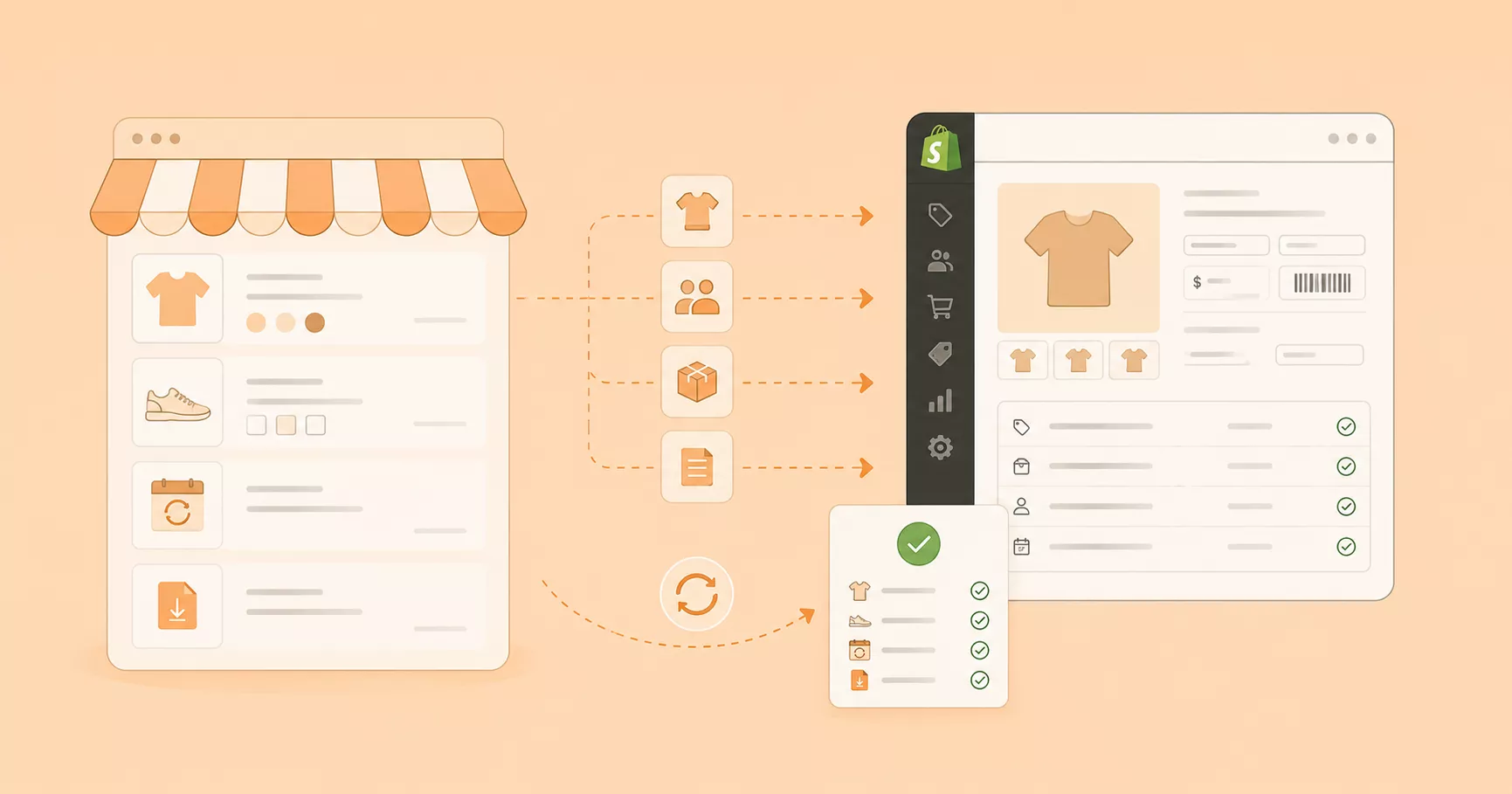
Our team runs a demo covering every data entity type: a representative sample of the data types included in your project. You review the results inside Shopify directly, checking that variant pricing, SKUs, images, and any scoped custom fields landed correctly. Subscription products and existing subscription contracts require a separate review of the destination app and payment setup.
Any formatting issues, mapping gaps, or pricing mismatches get corrected here, before the full migration runs.
Step 4: Full migration implementation
Once you approve the demo, LitExtension’s team executes the complete migration. The team transfers the data confirmed in your migration scope and checks the result against the source.
Our Smart Controller monitors the migration in real time and flags errors as they happen, so nothing waits until the end to surface. We configure applicable additional options within the agreed service scope. Redirects require a mapping of old and new URLs; Squarespace IDs should not be assumed to become Shopify’s native product, customer, or order IDs.
Step 5: Migration results testing
A completed transfer isn’t a finished migration. Our team checks the migrated data against your Squarespace store and tests the relevant Shopify product pages, variants, customer records, orders, URLs, and any custom fields included in the scope.
Any discrepancies get corrected before you receive the final deliverable.
Step 6: Post-migration support
Your Squarespace store keeps taking orders while the migration runs, so new records accumulate on the source side throughout the project. Recent Data Migration, Smart Update, and Re-migration can address new data, changed records, and repeat transfers after the full migration, subject to the service terms and agreed scope. Recent Data Migration captures anything new on Squarespace since the initial transfer, Smart Update syncs changes to already-migrated data, and Re-migration lets us repeat the process if something needs another pass.
All-in-One Migration includes up to 60 days of technical support after the full migration. Refund eligibility depends on LitExtension’s terms, including whether a qualifying migration issue can be resolved.
Step 7: Dedicated customer support at every stage
Your Personal Assistant stays your point of contact from the first consultation through the migration and the applicable support period, handling questions, troubleshooting, and hands-on guidance as they come up.
You can contact the support team through the channels available under your service agreement. Your Personal Assistant coordinates project questions and the post-migration checks.
For smaller websites with a simple product catalog, a manual approach may be considered before opting for our migration service:
Method 2: Switch from Squarespace to Shopify via CSV Export/Import
If you prefer to handle the migration yourself, you can export Squarespace products, customers, and orders, but Shopify’s built-in CSV imports cover products and customers, not historical orders. Some content and product types also require separate tools or manual work. This approach takes more time and hands-on work than using a migration service.
Step 1: Set Up Your Shopify Store
Before moving any data, create your Shopify account and choose a plan that fits your business. Pick a theme for your new store and configure the basic settings, such as payment methods, shipping options, and currency, so your store is ready to receive data once the import begins. Our Shopify tutorial can help you get started.
Check the store settings and run a small test import before uploading the full files.
Step 2: Export Your Data (Products, Customers, Orders) from Squarespace
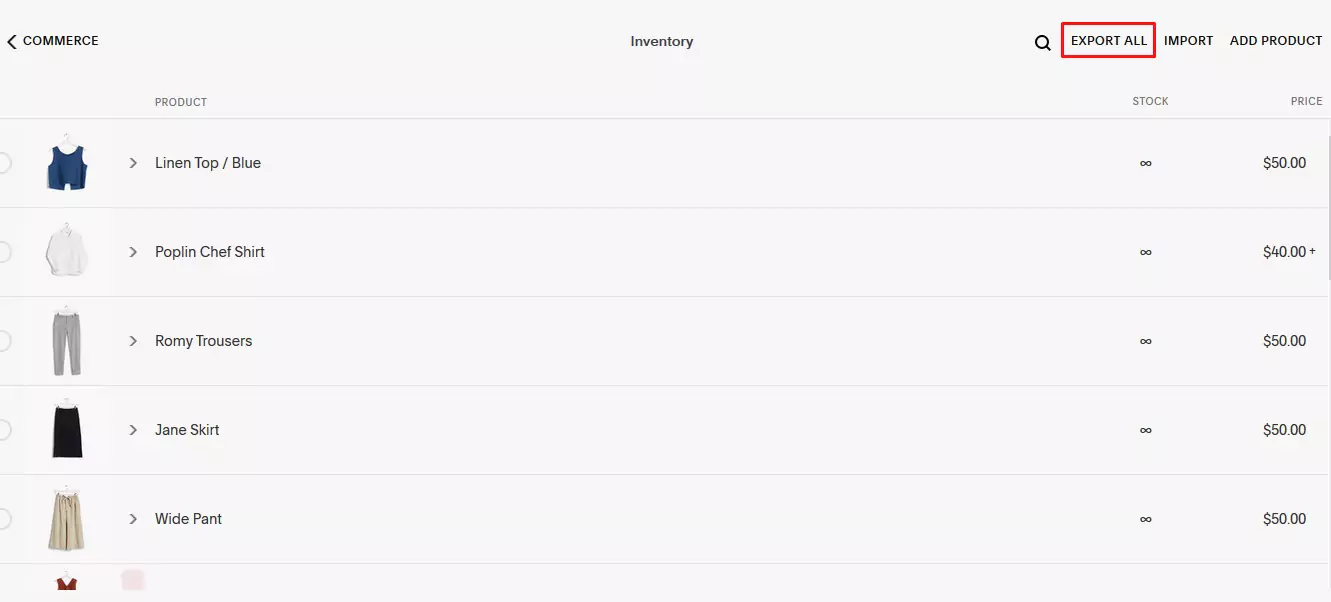
To export product data to CSV from your Squarespace site:
- In Squarespace, open Products & Services > Products.
- Click Export all to download a product CSV, or select individual products and click Export. Check the downloaded columns and image links before mapping them to Shopify.
Keep in mind a few limitations before you export. The product CSV export covers physical and service products and has a 10,000-product limit. Squarespace products can have up to six options and 250 variant combinations, but Shopify accepts only three options per product, so check every exported option and plan how to handle products with more than three. The Squarespace CSV excludes additional product information, customer reviews, featured images, product image alt text, and variant images. Plan a separate transfer for anything you need from those fields.
To export customers data to CSV from your Squarespace site:
- Go to Lists & Segments > Customers
- Click the export icon in the top-right corner and click Confirm.
To export orders data to CSV from your Squarespace site:
- Go to Products & Services > Orders, then click Export data > Download CSV.
- Select the order statuses and date range (based on order creation date, not fulfillment date).
- Choose All products then click Download.
Note: Squarespace does not export blog posts via CSV. Open Squarespace’s Import & export content panel, select Export and the WordPress icon, then download the XML file. Squarespace exports only one blog page this way. Shopify does not provide a built-in XML blog import; use a compatible app or recreate posts manually, and check images and links afterward.
Step 3: Format Your CSV Files for Shopify
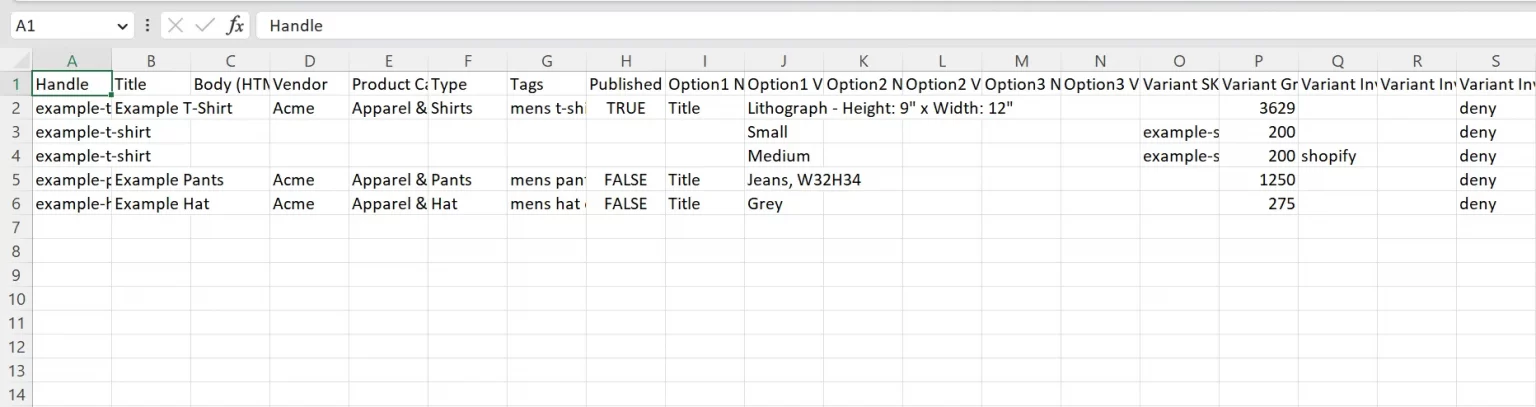
Shopify requires CSV files to follow its own specific template and column headings. Before editing your Squarespace file, download Shopify’s sample CSV directly from the import screen to use as your formatting reference. Or you can download it directly from the link provided by Shopify:
Common Shopify product CSV fields include:
- Handle
- Title
- Body (HTML)
- Vendor
- Type
- Tags
- Option names and values
- Variant SKU
- Variant Price
- and Image Src, among others.
Common Shopify customer CSV fields include:
- First Name
- Last Name
- Phone
- Address1
- City
- Province
- Province Code
- Country
- Country Code
- Zip, among others.
Open your exported Squarespace files and remap the columns to match Shopify’s structure for each data type. This step typically takes the most time, because Shopify expects exact column headings and supported values. Keep your original export unchanged and test with a small file first. Shopify product CSV uploads are limited to 15 MB per file; split larger files before importing.
Step 4: Import Your Data (Products, Customers, Orders) into Shopify
Once your CSV files are formatted correctly, you can begin uploading them in the Shopify admin.
- Products: Go to Products > Import, then select your CSV file and click Import products.
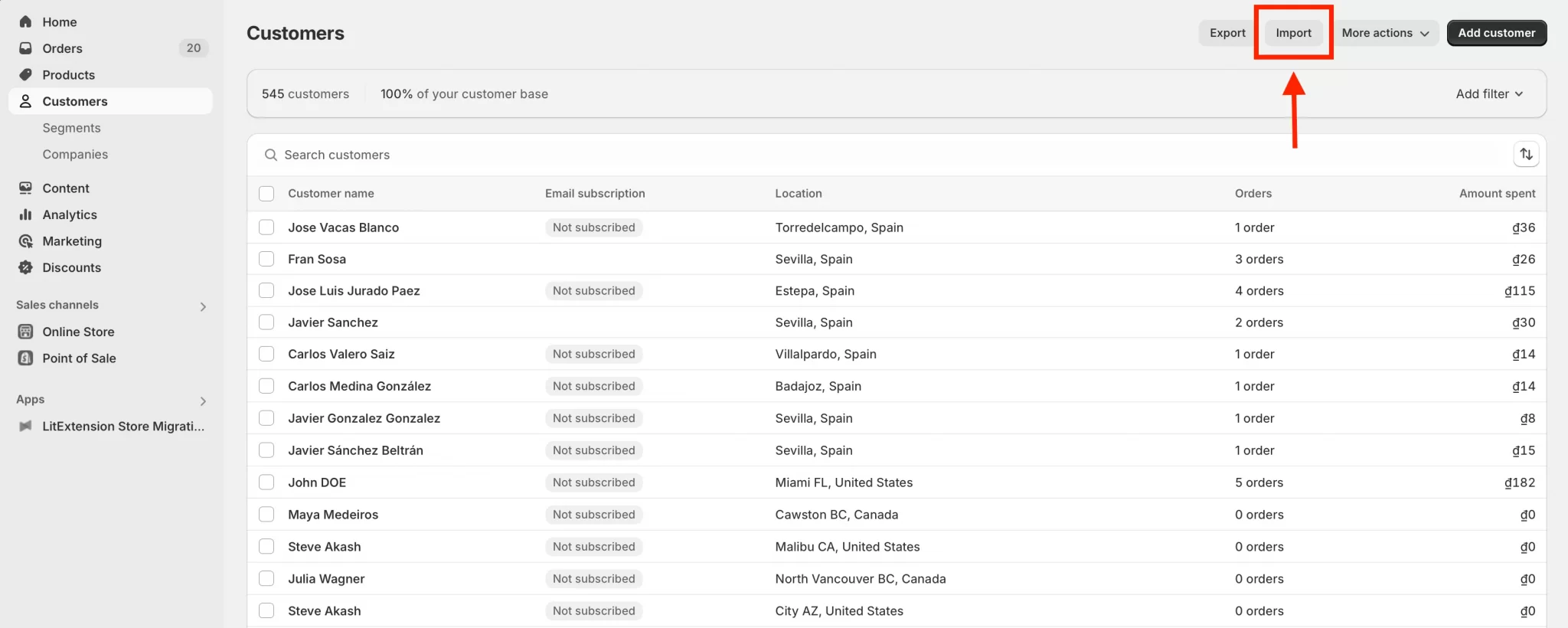
- Customers: Go to Customers > Import, select Add file to upload your CSV, review the file, then click Import customers.
- Orders: Shopify’s built-in CSV importer cannot import historical orders. Use a compatible migration app or a custom API-based process, and verify the resulting order status and customer associations.
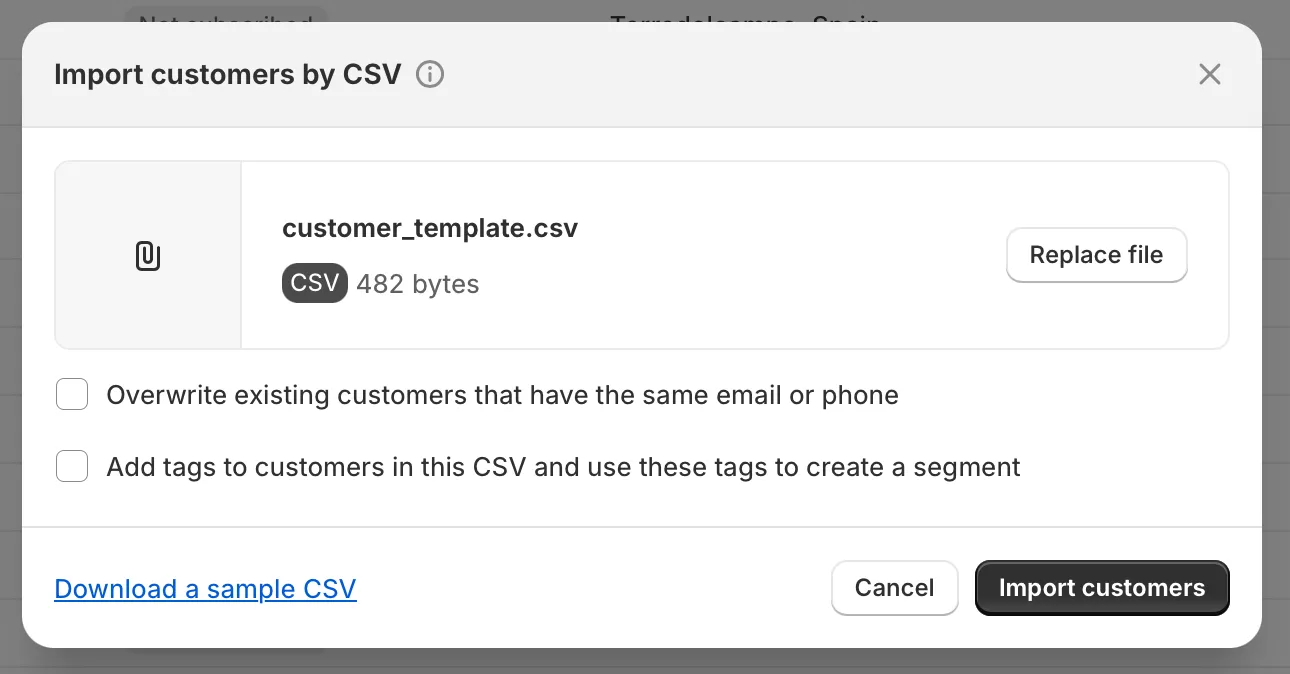
After each import, review the summary page for any errors or failed records and fix them manually.
Note: Customer passwords cannot be transferred between platforms. Plan an account invitation or the sign-in flow supported by your chosen Shopify customer accounts. Existing Squarespace passwords do not transfer through customer CSV.
Step 5: Recreate Your Design and Content
Your Squarespace theme and any custom code cannot be carried over to Shopify. You will need to rebuild your store’s design using a Shopify theme and recreate pages and other content outside the standard data exports; blog posts can be moved with a compatible XML import app or recreated manually. If you have not decided on a Shopify theme, we recommend reviewing our article covering the best eCommerce Shopify themes for different industries.
Step 6: Set Up Redirects, Test, and Launch Your Shopify Store
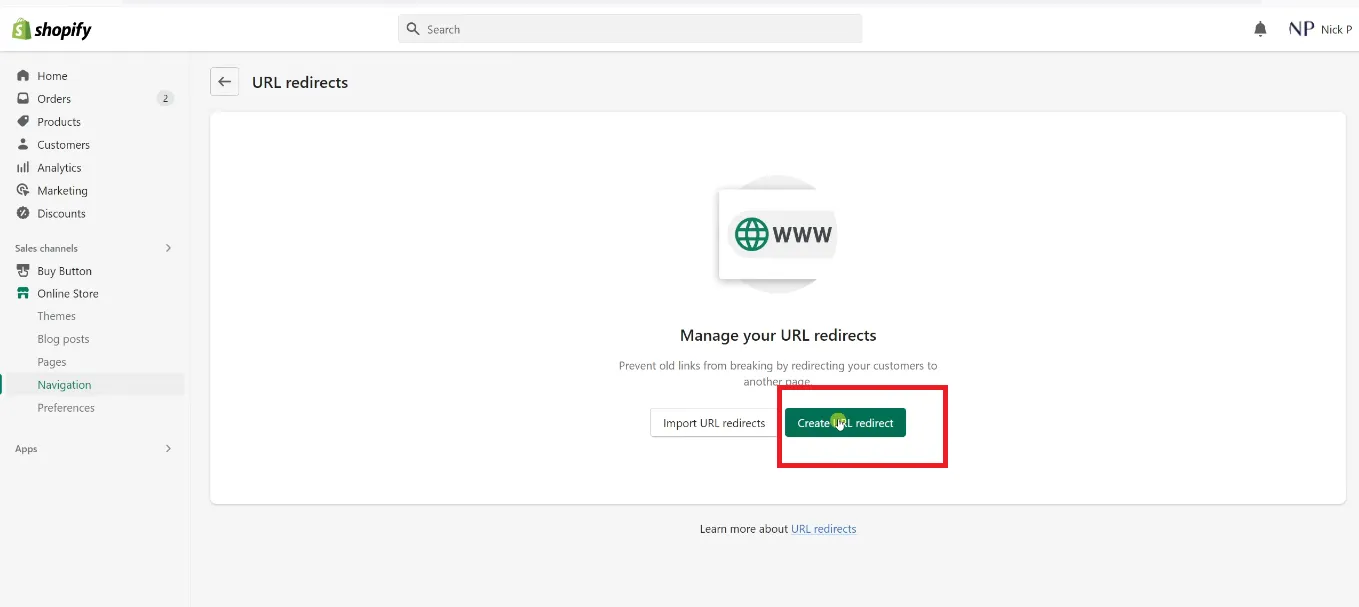
Squarespace and Shopify use different URL structures, so set up 301 redirects from your old URLs to the new Shopify pages to preserve access to old URLs and help search engines discover their new destinations; redirects alone do not guarantee unchanged rankings.
In Shopify admin, go to Content > Menus > URL Redirects to add them manually, or use the bulk CSV import option for larger redirect lists. Once redirects are in place, verify the live domain in Google Search Console and submit your sitemap at yourdomain.com/sitemap.xml, which Shopify generates automatically.
Before going live, test your store thoroughly, checking products, checkout flow, and customer accounts to make sure everything works as expected.
Manual migration gives you full control over the process, but it also means more room for error, especially with large catalogs or complex data. If the process feels overwhelming at any point, our migration experts are ready to step in and handle it for you.
Post-Migration Checklist Before Completion
Getting your data into Shopify is only half the job. Check both the transferred records and the live storefront before closing the migration.
Confirm your domain, DNS, and SSL are configured correctly
If you’re pointing your domain to Shopify, update your A record and CNAME through Shopify’s domain settings, and give DNS propagation up to 48 hours depending on your registrar’s TTL. See Shopify’s guide to connecting a third-party domain for the exact record values to use.
Shopify issues an SSL certificate automatically once the domain resolves, but it’s worth confirming the padlock shows up before you fully cut over. Keep your Squarespace site live until propagation finishes, so customers and crawlers aren’t hitting a broken connection mid-transition.
Test the customer-facing experience end to end
Place a real test order and check that tax calculation, shipping rate rules, and any migrated discount codes apply correctly at checkout. Check a sample of migrated customer profiles and historical orders, including whether orders are associated with the expected customers. Test the customer account sign-in flow separately. Check product pages and variant selectors on mobile specifically, especially for products with more than one variant option and any subscription purchase flow.
Verify your 301 redirects and canonical tags actually resolve
Spot-check a sample of your old Squarespace URLs, product pages, collection pages, and blog posts, to confirm each one issues a proper 301 rather than a soft 404 or a redirect chain. Shopify’s own documentation on creating and managing URL redirects covers the bulk CSV import option and the platform’s redirect limits by plan tier.
Confirm canonical tags on the new Shopify pages point to themselves, not back to Squarespace. Crawling your full redirect map in Screaming Frog is faster and more reliable than testing links one at a time, and it will surface redirect loops that manual spot-checks tend to miss.
Watch Search Console, crawl stats, and rankings closely for the first few weeks
Once your sitemap is submitted, monitor the Page indexing report for indexing drops or a spike in excluded URLs, and check the Crawl Stats report for any sudden change in crawl requests. Keep an eye on organic traffic and keyword rankings for your top pages too.
Indexing and rankings can fluctuate after a platform change. There is no reliable one-to-two-week recovery window; investigate persistent drops by checking redirects, indexability, canonical URLs, content, and internal links.
Reconnect third-party integrations and webhooks
Email marketing platforms, review apps, loyalty programs, and analytics pixels don’t migrate automatically with your store data since they typically rely on their own API connections or webhooks rather than the Products, Orders, or Customers data you imported. Reinstall and reconnect each one inside Shopify, then confirm historical data, such as reviews or subscriber lists, transferred only if the relevant app supports importing them.
Let customers know their password needs a reset
Customer passwords are hashed and stored in a way that doesn’t transfer between platforms, so tell existing customers how to access their accounts under the customer account setup you choose for Shopify. This heads off a wave of support tickets right after launch.


If you’re non-tech, let our Shopify migration experts handle your migration from A to Z.
Save your time for more important tasks.

How Your Data Is Secured During Migration?






Why Choose LitExtension for Squarespace to Shopify Migration