 Based on 3,000+ reviews on:


OpenCart to OpenCart upgrade is handled by LitExtension, no technical skill required on your end. Run it yourself with our Automated Migration Tool, or let our experts manage it through the All-in-One service, while your current store keeps taking orders throughout.
Start with a Free Demo Migration to preview how your data will appear on your upgraded store. Once you approve the results, run the Full Migration, and you’re covered by up to 60 days of support after it completes.
How to Upgrade OpenCart to Latest Version



Running an older OpenCart version can start to hold your store back: security patches stop coming, extensions stop being maintained for your version, and new features pass you by. An OpenCart upgrade solves that. Smaller jumps within the same major version can often be done in place, but bigger jumps, such as moving from OpenCart 3 to OpenCart 4, are usually safer with a fresh OpenCart installation and a data transfer. This guide explains how to upgrade OpenCart both ways, how to update OpenCart version by version, and what to prepare beforehand and check once your new store is live.
Why Upgrade Your OpenCart Store
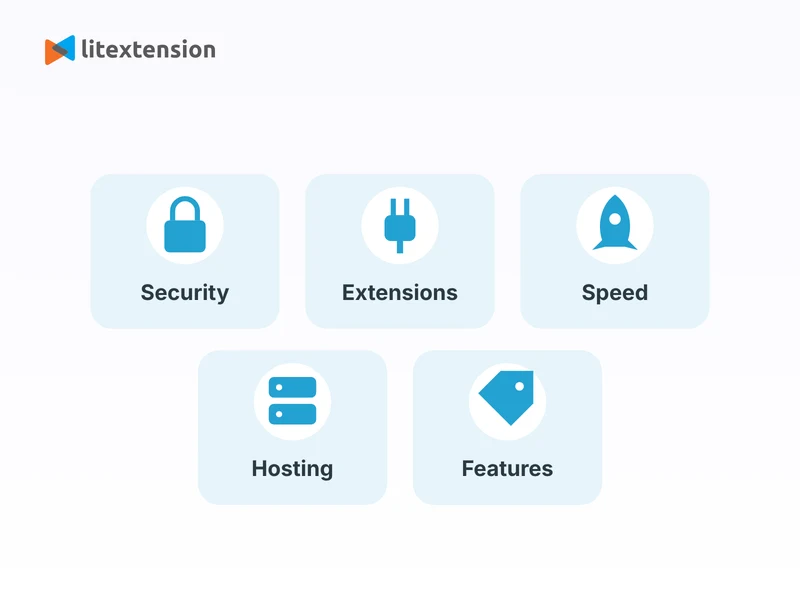
An OpenCart upgrade is worth planning for once any of the following starts to apply to your store:
- Security: older OpenCart versions eventually stop receiving security patches, which leaves known vulnerabilities unaddressed. Running a current version keeps your store, and your customers’ data, better protected.
- Extension and theme support: developers gradually stop maintaining extensions and themes for older versions. Staying current keeps you eligible for new tools and bug fixes as they’re released.
- Performance: newer OpenCart releases generally bring performance improvements under the hood, which can mean faster page loads and a smoother admin experience.
- Hosting compatibility: hosting providers eventually drop support for the older PHP and database versions that old OpenCart releases depend on. Upgrading keeps you compatible with current hosting environments.
- New features: each OpenCart release adds functionality that simply isn’t available on older versions, from admin improvements to better checkout and catalog management.
How to Check Your OpenCart Version and Plan the Jump
Before you pick a route, find out where you are starting from. Your installed version usually appears in the footer of the admin panel. Compare it with the latest release listed on the official OpenCart site, then read the release notes for every version in between. The size of the gap decides your route.
A step between neighboring releases in the same major branch often suits the admin tool or a manual upgrade. A jump across major versions, such as 2.x or 3.x to 4.x, is usually safer as a fresh installation with a data transfer, because core files, extension structure, and themes change between them.
Before You Upgrade OpenCart
A bit of preparation makes the difference between a clean OpenCart upgrade and a stressful one. Here’s what to have ready before you start:
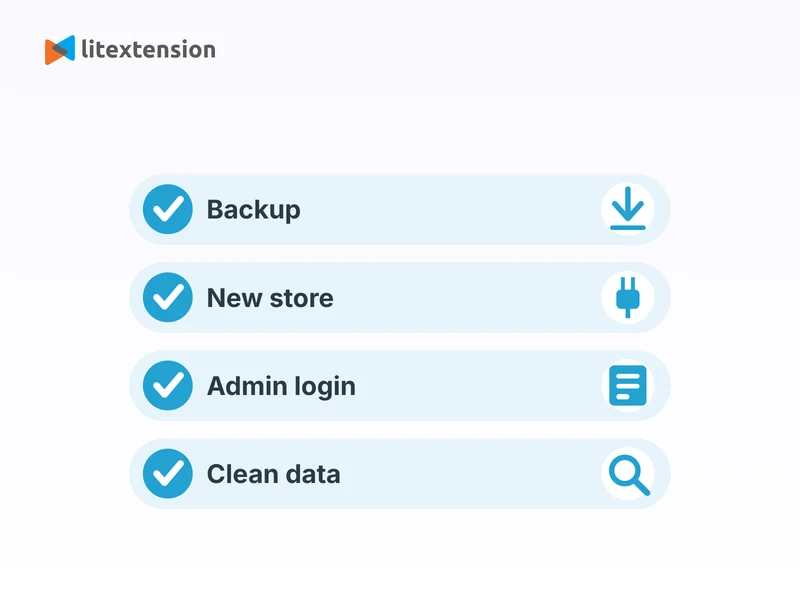
- Full backups of your current store: back up your existing OpenCart database and files completely before you touch anything. This is your safety net if anything needs to be restored.
- A fresh target installation: set up a new, empty OpenCart installation on the version you’re upgrading to, fully installed and accessible via its admin URL.
- Admin access for both stores: gather admin login credentials for your existing store and your new installation. These are needed to connect both stores securely during the transfer.
- Hosting that meets the new version’s requirements: confirm both your current and new hosting environments meet the system requirements for the OpenCart version you’re moving to, including PHP version and server resources.
- A data cleanup pass: this is a good time to remove out-of-stock products, duplicate customers, and outdated content from your current store, so you’re not carrying unnecessary clutter into the new version.
Ways to Upgrade OpenCart: In Place or Fresh Install
There is more than one route for an OpenCart upgrade, and the right one depends on how far you are jumping and how much your store has been customized. Pick the route before you start, because the preparation differs for each.
| Method | Best for | What to know |
|---|---|---|
| Admin Upgrade tool | Moving to a newer release within the same branch | Found under System > Maintenance > Upgrade in the admin on versions that include it. It checks the latest release, downloads it, replaces the files, and hands off to the upgrade script. Your server needs outbound access and enough disk space. |
| Manual file upload and upgrade script | Stores that cannot use the admin tool, or developers who want full control | You upload the new files over your own files, keep your two config files, and run the upgrade script from the install folder. It is free, but errors are harder to fix if you are not technical. |
| Fresh install and data migration | Big jumps such as OpenCart 2.x or 3.x to 4.x, or heavily customized stores | You set up a clean OpenCart installation and move products, customers, and orders across while the old store stays live. This is the route LitExtension handles below. |
As a rule of thumb, an in-place OpenCart upgrade suits small steps between neighboring releases. When the architecture changes between major versions, a clean install plus migration is usually less risky than patching an old store. 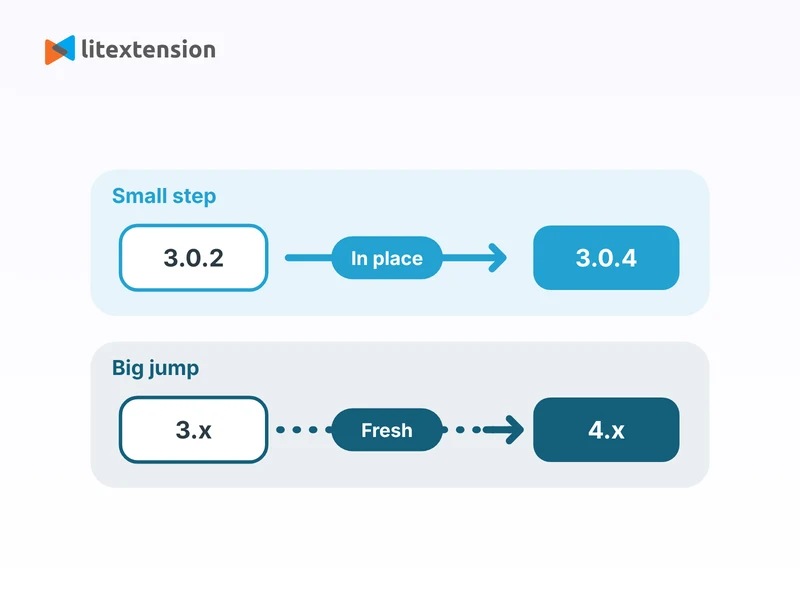
How to Upgrade OpenCart Manually
If you are comfortable with files and databases, this is how to upgrade OpenCart in place. Always check the release notes for the version you are moving to, because details can change between releases.
- Back up everything: export your database through System > Maintenance > Backup/Restore, phpMyAdmin, or mysqldump, and download all store files, including config.php and admin/config.php. Keep copies in more than one place.
- Work on a staging copy first: run the upgrade on a copy of your store, not the live site, so you can see what breaks without losing orders.
- Prepare extensions and theme: check that each extension has a version for your target release, disable your module, payment, shipping, and theme extensions, and switch the store to the default theme. Do not delete extension files yet.
- Upload the new files: download the release from the official OpenCart site or GitHub, then upload the files over your existing ones. Do not overwrite config.php or admin/config.php.
- Run the upgrade script: open yourstore.com/install in a browser. It should show the Upgrade option, not a fresh Install. If it offers Install, your config files were overwritten, so stop and restore them from your backup.
- Remove the install folder: delete the install directory once the upgrade finishes, because the store will not work properly while it is there.
- Clear caches and re-save settings: clear your browser cookies and cache, check that the top administrator group still has access and modify permissions, then open your store settings and theme page and save them.
How to Update OpenCart Version from the Admin Panel
If your store has the built-in Upgrade tool, learning how to update OpenCart version through the admin is quicker than the manual method. It works best when your store is healthy and your extensions are already compatible with the newer release.
- Take a full backup: the tool replaces core files, so back up your database and files first.
- Open the tool: go to System > Maintenance > Upgrade in your admin.
- Check the latest version: click the button to refresh the version information, compare it with your installed version, and read the change log.
- Start the upgrade: if a newer release is available, click Upgrade. The tool downloads the package, copies the files, and keeps your configuration.
- Finish the database upgrade: follow the on-screen instructions in the upgrade script so the database changes are applied.
- Test the store: check the storefront, admin, and checkout before you re-enable extensions one at a time.
Depending on your OpenCart version, this tool may not be available, or may only cover releases within the same major branch. If it fails or you do not see it, check your server logs, file permissions, and free disk space, or use the manual method above and restore from your backup if needed.
Check Requirements and Compatibility Before You Update
Most failed upgrades come from compatibility surprises, not from the upgrade itself. Review these points before you run any OpenCart upgrade:
- PHP and database versions: newer OpenCart releases need a newer PHP than older ones. Read the requirements for your target release, and confirm your host can run that PHP version before you upload anything.
- Extensions: many extensions built for OpenCart 3 do not work on OpenCart 4, because the extension structure changed. Ask each developer for a compatible version, or plan a replacement.
- Modifications: OCMOD and vQmod changes that patch core files are a common cause of errors after an upgrade. List every modification and check whether it still applies.
- Themes: older themes may not work after a major version jump, since template formats differ between versions. Plan to adopt a compatible theme and retest your design.
- Custom code: any custom changes to core files will be overwritten by an in-place upgrade, so have a developer re-apply them as extensions or modifications.
- SEO URLs: check how your product and category URLs look before and after, so you can keep them stable or add 301 redirects.
Use this table to decide what to do with each type of add-on before you upgrade:
| Add-on type | What to do before upgrading |
|---|---|
| Payment and shipping extensions | Confirm a version exists for your target release, then retest checkout end to end. |
| Themes | Switch to the default theme during the upgrade, then adopt a compatible theme. |
| OCMOD and vQmod changes | List each one, check whether it still applies, and retest the pages it touches. |
| Custom core changes | Have a developer re-apply them as extensions or modifications. |
| Unmaintained extensions | Plan a replacement or a rebuild instead of forcing them to work. |
Common OpenCart Upgrade Problems and How to Fix Them
If something looks wrong after your OpenCart upgrade, start with the simple checks before you restore a backup:
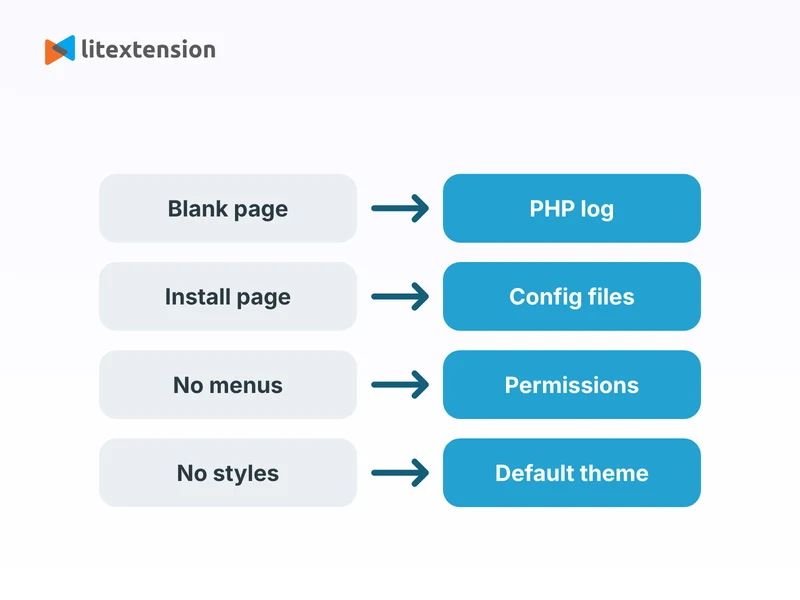
- Blank page or error 500: check the PHP error log, confirm your PHP version matches the release requirements, and disable extensions one by one.
- The install page shows Install instead of Upgrade: your config.php files were overwritten. Restore both config files from your backup before continuing.
- Admin menus missing or access denied: open your user group settings and make sure the top administrator group has access and modify permissions for all pages.
- Broken layout or missing styles: switch to the default theme, save the theme and store settings again, refresh modifications, and clear caches.
- Images or uploads failing: check that the image and system/storage folders are writable by your web server.
- Payment or email errors: reinstall or update the payment and mail settings, then place a test order end to end.
How to Upgrade OpenCart with LitExtension
Once your prerequisites are in place, LitExtension’s All-in-One service handles the rest of your OpenCart upgrade for you. Here’s how the process works from start to finish.
Step 1. Technical consultation with LitExtension experts
Your upgrade starts with a personalized consultation with our technical team. We review your current OpenCart store’s structure, size, and any custom extensions or themes in use, then define exactly which data needs to move to your new installation. This lets us scope the project accurately and flag anything that might need special handling before we begin.
Step 2. Pre-migration setup and data mapping
Next, our team prepares both your source and target OpenCart stores for the transfer and maps your data to the correct structure on the new installation. Depending on your store, this may include products, categories, manufacturers, reviews, customers and customer groups, orders and order statuses, invoices, taxes, multi-store setups, coupons, and CMS pages. Custom product attributes or unusual data types get configured individually so nothing gets lost in the move.
Step 3. Run a demo migration
Before touching your full dataset, we run a demo migration using a sample of your store’s data, typically the 20 most recent orders with their related customers, products, and categories. This gives you an early look at how everything will appear on your new installation, and gives our team a chance to catch and fix any formatting or mapping issues before the full transfer runs.
Step 4. Perform the full OpenCart upgrade
Once you approve the demo results, we move ahead with the complete data transfer. Your current store stays live and fully operational throughout the process, so there’s no downtime and no need to pause your business while the migration runs in the background.
Step 5. Migration results testing
After the full transfer completes, our team runs a thorough QA review, checking product pages, categories, customer accounts, order history, and other migrated data for accuracy. We also verify SEO metadata and, if you’ve enabled the option, confirm 301 redirects are mapping your old URLs correctly, so search rankings carry over cleanly to your upgraded store.
Step 6. Post-migration tasks
Since your original store keeps running during the migration, it may pick up new orders or customers in the meantime. LitExtension’s post-migration services, including Recent Data Migration, Smart Update, and Re-migration, bring anything new over so your upgraded store stays current once it goes live.
Step 7. Post-migration customer support
Our support doesn’t end when the migration does. For up to 60 days after your OpenCart upgrade completes, our team remains available to help with any questions, fix issues you spot, or guide you through your new store’s setup.
If you’d rather learn how to update OpenCart version by yourself without full expert support, it’s technically possible to do it yourself using OpenCart’s own upgrade tools or its export and import tools, but be prepared for a fair amount of manual work: matching data fields between versions, checking themes and extensions for compatibility, and rebuilding anything that doesn’t transfer cleanly.
For most stores beyond a handful of products, the DIY route ends up costing more time than it saves, which is exactly the gap LitExtension’s All-in-One service is built to close, and exactly why most store owners prefer to bring in help for how to upgrade OpenCart smoothly. 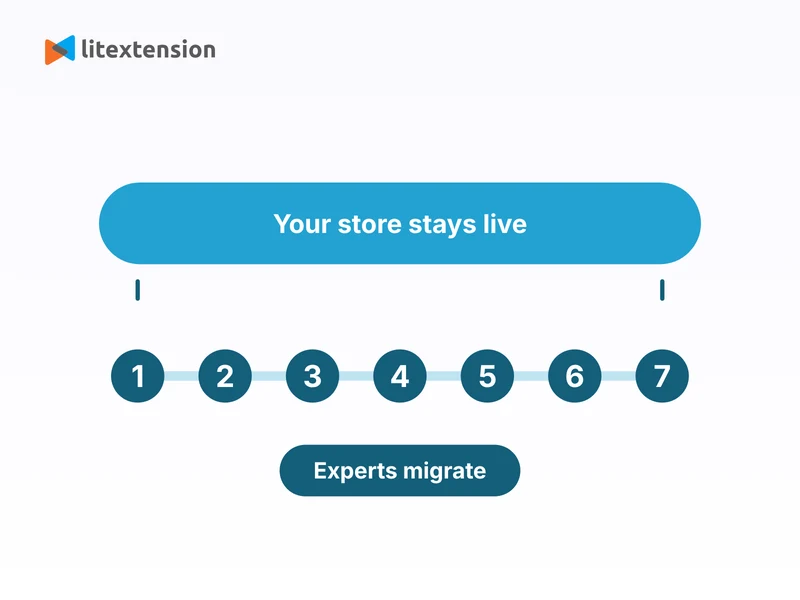
How Long Does an OpenCart Upgrade Take?
An in-place upgrade can be quick on a small store, but testing and extension fixes usually take most of the time. For a fresh installation with a data transfer, the LitExtension Help Center says most migrations with the Automated tool finish within 1 to 3 hours, while All-in-One projects usually take 3 to 5 business days, including consultation, mapping, demo, and quality assurance. Larger stores, custom data, and heavy customization can take longer.
What Affects the Cost of an OpenCart Upgrade?
The total depends on a few separate choices, so list them before you pick a route:
| Cost area | What to expect |
|---|---|
| Hosting | A new version may need a newer PHP version or more server resources. |
| Theme | Older themes may not work after a major jump, so plan for a compatible one. |
| Extensions | Each extension needs a compatible version, a replacement, or a rebuild. |
| Developer time | Custom code and modifications must be re-applied as extensions or modifications. |
| Upgrade route | Admin tool and manual upgrade are free but hands-on. A fresh install with a migration tool or service costs more and lowers risk. |
What to Do After You Upgrade OpenCart
Getting your data onto the new version is most of the work, but a few final checks make sure everything actually holds up once customers start using the store:
- Test thoroughly: click through product pages, categories, customer accounts, order history, and search to confirm everything behaves as expected on the new version.
- Verify your SEO setup: confirm your 301 redirects are working, submit an updated sitemap to Google Search Console, and watch for crawl errors in the weeks after launch.
- Reinstall themes and extensions: any themes or extensions that weren’t part of the core data transfer need to be reinstalled and reconfigured to match your previous store’s functionality.
- Test payment and shipping methods: reconfigure and test every payment gateway and shipping method end to end before you consider the store ready for customers.
- Update your DNS records: once you’re fully satisfied with the new store, point your domain to the new installation, keeping DNS propagation times in mind.
- Monitor closely after launch: keep an eye on performance, user feedback, and error logs for the first few weeks, so you can catch and resolve anything that slipped through testing.
- Decommission your old store: once the new version has run stable for a while and you’ve confirmed everything works, you can safely retire the old installation.
An OpenCart upgrade is worth doing properly rather than rushing. Whether you handle it yourself or bring in LitExtension to manage the transfer, knowing how to update your OpenCart version the right way protects your data, your SEO, and your customers’ experience along the way. If your store is only a release or two behind and your extensions are compatible, an in-place OpenCart upgrade with a tested backup can be enough.
If you are jumping between major versions, running customized code, or cannot afford downtime, a fresh installation with a migrated catalog is usually the safer path. Whichever you choose, back up first, test on a copy, and keep your old store available until the upgraded one is verified.
What Data Can Be Migrated to OpenCart
Use the tabs below to see which data fields we can migrate during your OpenCart upgrade.


-
Products
- Name, Model/SKU, Description, Status.
- Manufacturer.
- Tax Class.
- Product ID.
- Price, Special Price, Special Price From-To Date.
- Meta Title, Meta Keywords, Meta Description, URL Key.
- Weight, Width, Height, Length.
- Related Products, Product Tags, EAN, UPC.
- Attributes (Name, Values)
- Product Options, Product Filter.
- Downloadable Products.
- Image (Thumbnail Image, Additional Images)
- Stock Availability.
Product Categories
- Name, Description, Status.
- Image (Thumbnail Image, Additional Images)
- Meta Title, Meta Description, Meta Keywords.
-
- ID, First Name, Last Name, Email, Created Date, Telephone.
- Passwords.
- Customer Group.
- Newsletter.
- Address (Zip Code, City, State, Country, First Name, Last Name)
-
- Order ID.
- Order Date, Order Status.
- Order Items (Name, SKU, Option), Product Price, Quantity.
- Sub Price, Discount Price, Tax Price, Shipping Price, Total Price.
- History.
- Customer Name, Email.
- Billing Address (First Name, Last Name, Company, Address 1, Address 2, Country, State, City, Zip Code, Telephone).
- Shipping Address (First Name, Last NameCompany, Address 1, Address 2, Country, State, City, Zip Code, Telephone).
-
- Name.
- Image.
-
- Tax Class (Name, Tax rate)
- Tax Rates (Country, Percent, Tax name, Type).
-
- Name.
- Discount Amount, Type Discount.
- Coupon Code, Coupon Date, Coupon Expire Date.
-
- Created Date, Status, Rate, User Name.
- Product.
- Comment.
-
- Title, Description.
- Meta Title, Meta Description, Meta Keyword.
- Created Date.
- URL Key.
-
- Products (Name, Short Description, Description, Meta Title, Meta Description, Attributes)
- Categories (Name, Description, Meta Title, Meta Description)
- CMS Page (Name, Description, Meta Title, Meta Description)
(*) Please note that the data listed above may vary depending on your Source Store.


Leave The Work For The Experts
If you’re non-tech, let our OpenCart migration experts handle your migration from A to Z.
Save your time for more important tasks.

How Your Data Is Secured During Migration?

Server Security

Data Security

Data Access Restriction

GDPR Compliance

NDA

Payment Security
Why Choose Migration for OpenCart Migration Services










Who We Truly Are? Let Our Customer Define!

Upgrading OpenCart to the latest version with LitExtension was a fantastic experience. My store was stuck on an old version, and I was concerned about potential downtime or data loss during the upgrade. But the LitExtension team ensured everything went smoothly. All my product data, customer information, and custom themes were retained.

I was nervous about upgrading my OpenCart store, especially with so many custom modifications. LitExtension’s team handled the upgrade professionally, ensuring all my customizations remained intact. They upgraded my store to the latest version without any bugs or compatibility issues. Their customer service was amazing, answering all my concerns quickly.
I needed to upgrade my OpenCart store to the latest version for better security and functionality, and LitExtension exceeded my expectations. The team upgraded everything, from products to orders and customers, without any loss of data. They were fast, efficient, and kept me updated throughout the process.