To allow LitExtension to migrate data from your Square store, you’ll need to generate a Production Access Token from Square’s Developer Dashboard.
Follow the steps below:
Step 1: Log in to the Square Developer Dashboard
First, go to https://developer.squareup.com/console/en/apps and log in using the store owner’s Square account.
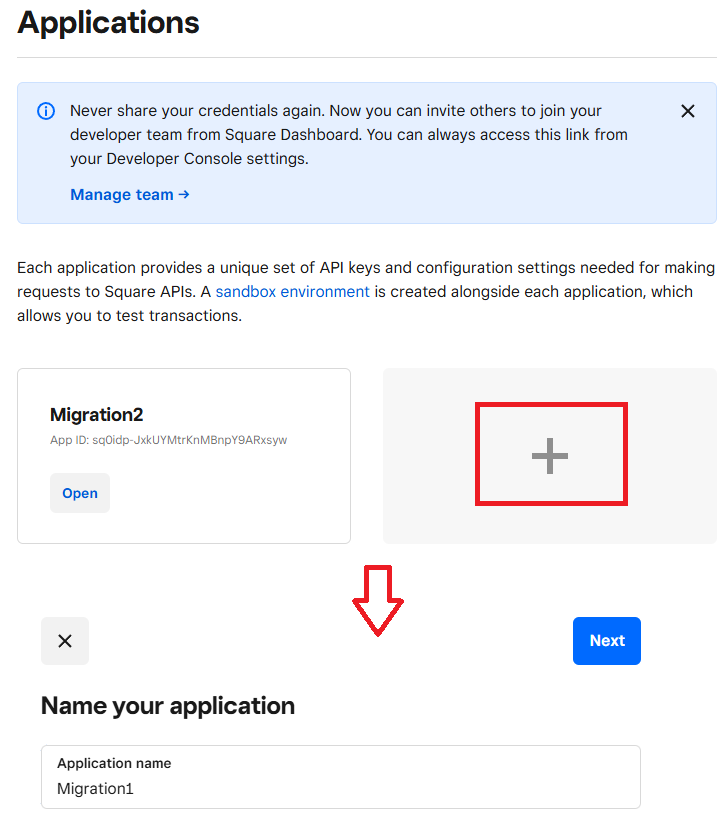
Step 2: Create a new application
Once logged in, click Create a new app (+).
Step 3: Get the Production Access Token
After creating the app, select the Production tab.
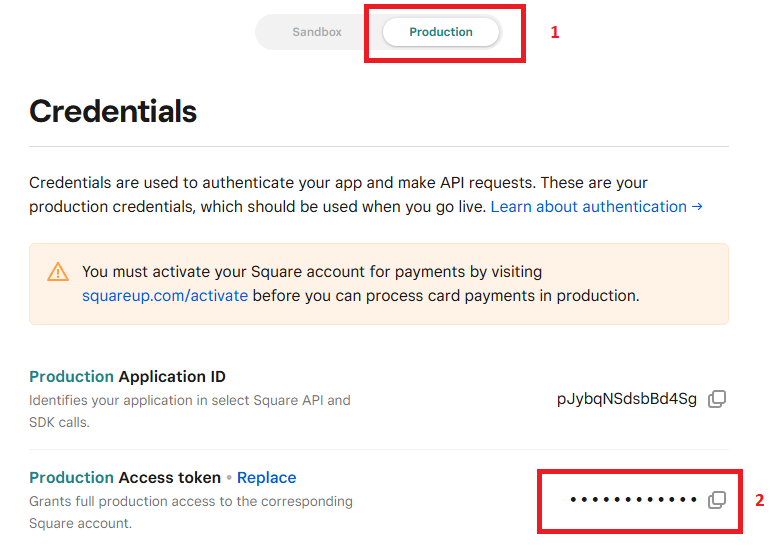
Here, you’ll see the Production Access Token. Copy this value, as it’s the API credential required for your migration with LitExtension.
Note: Make sure you use the Production Access Token, not the Sandbox one, to ensure the migration works with live store data.