After migration, you may notice that your images are visible in the backend (admin dashboard) but don’t display on the storefront. This is a common issue, particularly on Magento, WooCommerce, and PrestaShop, and it’s usually easy to fix on your own.
Magento
This typically happens because the cache wasn’t cleared or the site wasn’t reindexed after the migration. To fix it:
1. In SSH console of your server, navigate to your Target Store’s root folder:
cd path_to_the_store_root_folder
2. Run these commands:
php bin/magento cache:clean
php bin/magento indexer:reindex
WooCommerce
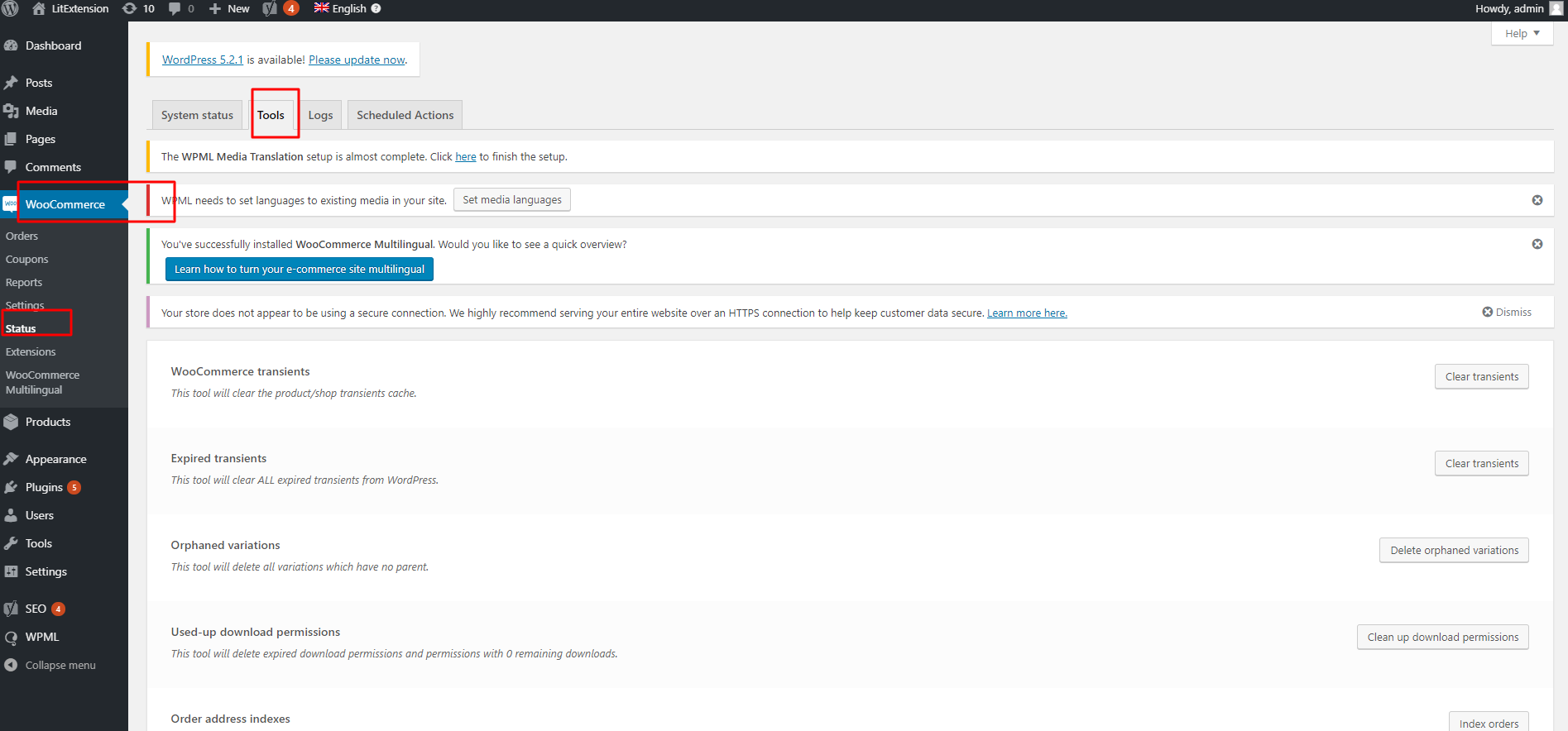
You’ll need to activate the “Generate Thumbnail” function to display images on the frontend:
- Login to your WooCommerce target site
- Go to WooCommerce > Status > Tools > click Regenerate
- Select “Product lookup tables” > click” Regenerate”
Prestashop
Similar to WooCommerce, you’ll need to regenerate thumbnails from your admin panel:
- Log in to PrestaShop
- Navigate to Design tab > Images setting > Regenerate thumbnail
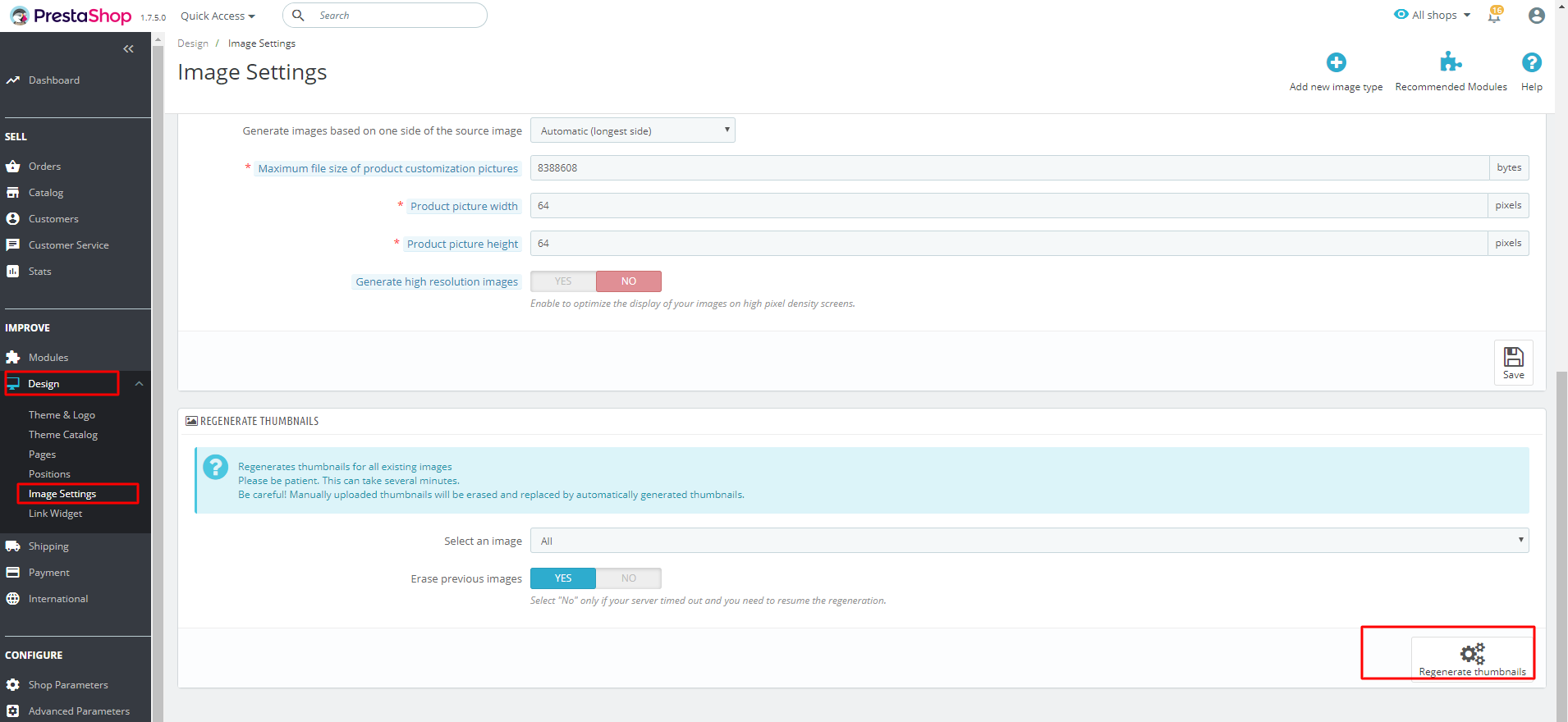
Note that this process may take some time depending on the size of your store’s data, so please allow it to finish completely.
In other cases, missing frontend images may be related to your theme rather than the migration itself. Be sure to check your theme’s image display settings from the admin panel as well.
If the issue persists after trying these steps, our Support Agents can help investigate further.
For other questions or inquiries, please contact us via live chat or email us at [email protected].
