Based on 3,000+ reviews on:


Migrate from PrestaShop to Shopify with LitExtension’s automated migration tool or expert-assisted service. Transfer products, combinations, categories, customers, orders, images, SEO URLs, and other essential store data through a guided migration process.
Your PrestaShop store remains active throughout the migration, so you can continue selling while preparing your new Shopify store. Start with a Free Demo Migration to preview how your data is mapped, then continue with Automated Migration or let LitExtension experts manage the project for you.
 | LitExtension is an Official Shopify Partner
What Data Can Be Migrated from PrestaShop to Shopify
Before running a full PrestaShop to Shopify migration, review which data groups should be transferred and how they will fit Shopify’s structure. LitExtension can migrate selected PrestaShop data to Shopify based on your store setup, selected entities, and migration options.
Use the list below to check the main supported data groups. Pay extra attention to product combinations, category URLs, customer records, order history, CMS pages, images, and SEO fields, as these items often need mapping or validation after migration.


-
Products
- Product name, Description.
- Summary.
- Images.
- Price, Specific prices, Cost.
- Categories.
- Stocks, When out of stock.
- Brand.
- UPC/EAN/MPN.
- Weight, Width/Height/Depth.
- Combinations.
- Status.
- Friendly URL.
- Tags.
- Meta Tag Title, Meta Tag Description.
Product Categories
- Name, Description, Additional description.
- Friendly URL.
- Thumbnail.
- Meta title, Meta description.
-
Customers
- E-Mail.
- Name.
Addresses.
Customer Address
- First Name, Last Name.
- Company.
- Address 1, Address 2.
- City, Postcode, Country.
- Phone.
-
Orders
- Order Number, Order Date.
- Status.
- Customer.
- Products.
- Discount
- Shipping.
- Total.
- Invoice/Shipping address.
- Note.
Order Items
- Product name.
- Base price.
Qty. SKU.
-
Coupons
- Name.
- Code.
- Valid.
- Limit to a single customer.
- Amount, Minimum amount.
-
CMS Pages
Title. Friendly URL. SEO Title, SEO Description. Page content.
(*) The supported data may vary depending on your PrestaShop configuration and selected migration options. If your store uses custom modules, customer groups, B2B pricing, multilingual or multistore features, custom fields, or third-party integrations, review the data mapping details or contact LitExtension before running the full migration.
Additional PrestaShop to Shopify Migration Options
Clear Data On Shopify Before Migration
You can clear the data on Shopify in accordance with selected entities for migration…
RecommendedPreserve Order IDs on Shopify Store
This option helps keep your order ID the same during your store migration…
 How It Works Recommended
Create 301 Redirects on Shopify Store
Automatically redirect your old store’s URLs to the new ones during the migration…
RecommendedMigrate Images from Products, Categories, Blog Descriptions
This option helps you to migrate images in descriptions of products, categories, and blog posts…
Strip HTML Tags from Category and Product Names
Strip HTML tags from category and product names automatically when migrating your store…
Migrate Categories into Shopify Automated Collections
Automatically tag migrated products and organize them into Shopify automated collections.
Not sure whether to use an app, automated migration, or expert service? Click here to compare your PrestaShop to Shopify migration options.
How to Migrate from PrestaShop to Shopify
Before starting the full migration, it helps to understand the main flow and the data points that need extra attention. A PrestaShop to Shopify migration usually involves more than moving basic store data, especially when your store has product combinations, category structures, customer records, order history, custom modules, or SEO URLs.

Step 1: Set Up Your Source and Target Carts
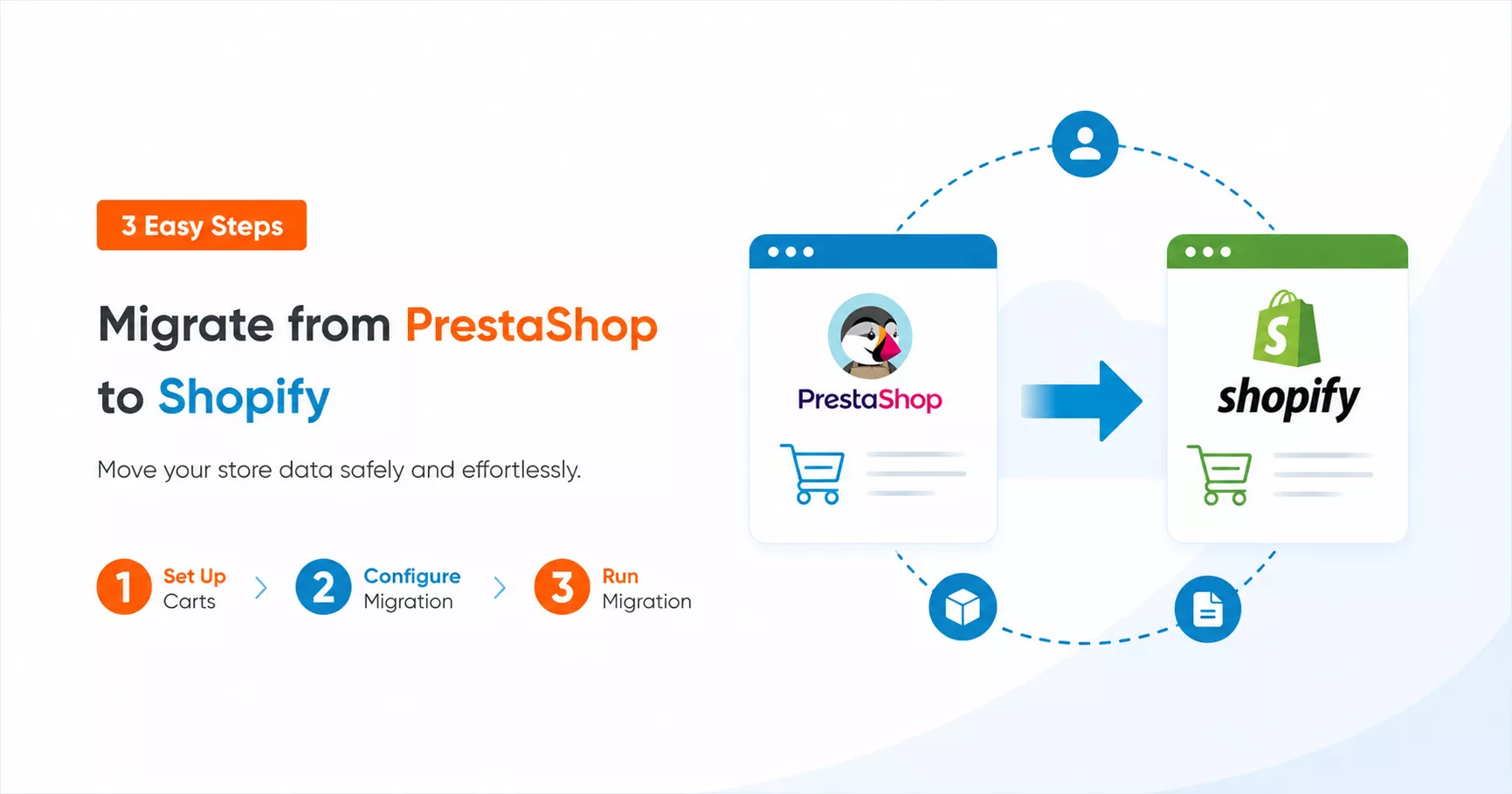
Select PrestaShop as your Source Cart and Shopify as your Target Cart. Enter your store URL and follow the instructions to connect both stores for migration.

Step 2: Select Your Store Data Entities
Choose the entities you want to migrate from PrestaShop to Shopify, such as products, product categories, customers, orders, coupons, CMS pages, and more.

Step 3: Run a Demo or Full Migration
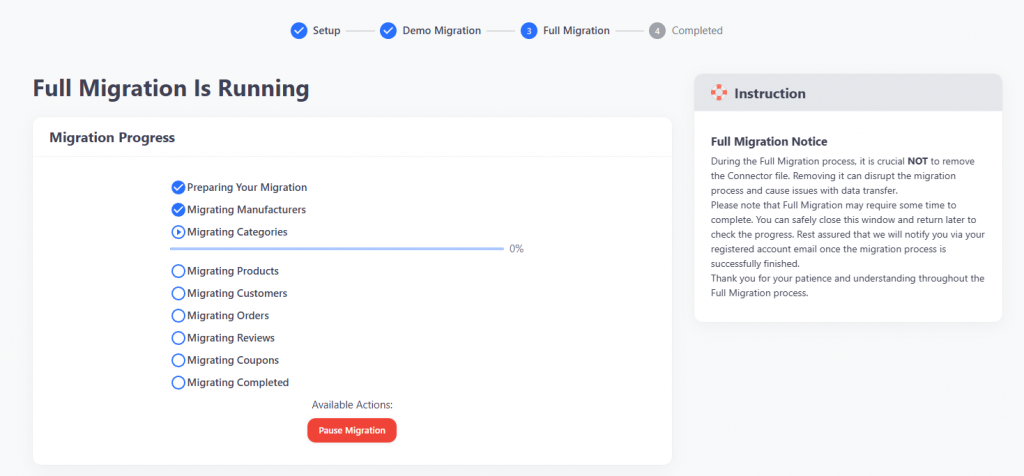
Start with a Free Demo Migration to preview how your data appears in Shopify. Once you are ready, run the full PrestaShop to Shopify migration. The process runs on LitExtension’s server, so you do not need to keep your browser open.
Before You Migrate from PrestaShop to Shopify
Migrating from PrestaShop to Shopify is often not about leaving a bad platform. PrestaShop can still work well for merchants that need open-source flexibility, custom modules, and full control over hosting, customization, and store architecture.
However, as your store grows, managing product combinations, custom modules, multilingual content, hosting, security, integrations, and technical maintenance may require more effort. Shopify becomes attractive when you want a more managed ecommerce environment with hosted infrastructure, built-in security, app-based extensibility, and a checkout experience maintained by the platform.
Before running a full PrestaShop to Shopify migration, you should also review the parts that may need extra handling:
| Area to review | Why it matters |
|---|---|
| Product combinations and variants | PrestaShop combinations usually need to be mapped into Shopify variants. Review SKUs, prices, stock, images, and option values before the full migration. |
| Categories and collections | PrestaShop categories and subcategories may need to be rebuilt as Shopify collections, automated collections, product tags, or navigation links. |
| SEO URLs and redirects | PrestaShop URLs can be more flexible than Shopify URLs. If product, category, CMS, or blog URLs change, important pages should be mapped and redirected properly. |
| Customer data and passwords | Customer records, addresses, groups, and custom fields may need review. Customer passwords may require special handling or a reset process depending on the migration scope. |
| Custom modules and workflows | PrestaShop modules, B2B pricing, multilingual content, multistore settings, ERP/PIM integrations, and custom workflows may not map directly to Shopify. |
| Test migration and validation | A Free Demo Migration helps you preview how products, customers, orders, categories, and URLs appear in Shopify before running the full migration. |
Step-by-Step Guide to Migrating from PrestaShop to Shopify
The 3-step summary above gives you a quick overview of how PrestaShop to Shopify migration works with LitExtension App. The detailed walkthrough below explains how to set up your migration, choose the right data and options, run a demo, and review the result before the full transfer.
This guide focuses on store data migration. If your project also includes rebuilding a custom PrestaShop theme, frontend layout, checkout experience, or custom functionality in Shopify, review that scope separately with your developer or LitExtension experts before launch.
Step 1: Set Up Source and Target Carts
The first step is connecting LitExtension to both your PrestaShop and Shopify stores so the migration tool can access the data needed for transfer.
Before you begin, make sure you have access to your PrestaShop admin, hosting or FTP if required, and your Shopify admin. You should also prepare a Shopify store or development store for testing, especially if you want to review migrated products, collections, pages, and orders before going live.
1.1. Set Up Source Cart: PrestaShop
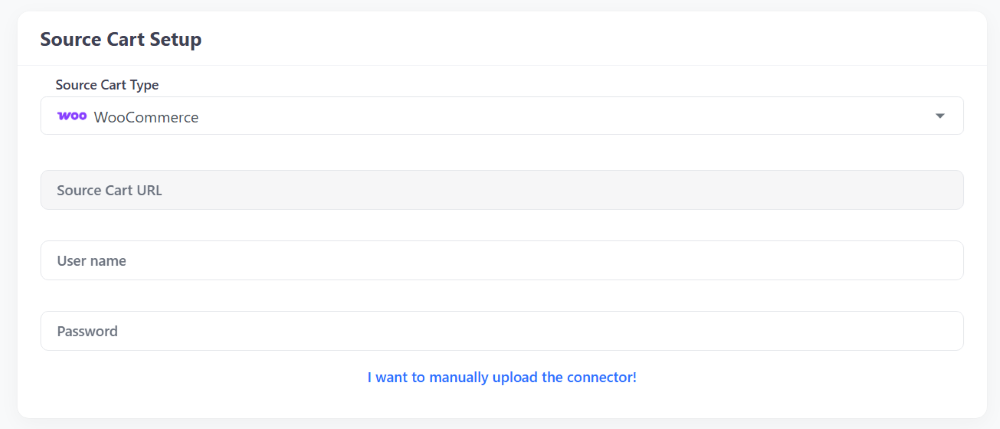
In the Source Cart Setup section, select PrestaShop from the drop-down menu and enter your Source Cart URL.
Depending on your store setup, LitExtension may ask you to connect your PrestaShop store using a connector, API keys, or CSV files. Choose the connection method that matches your store condition and follow the on-screen instructions.
Before moving forward, check that your PrestaShop store is accessible, not blocked by maintenance mode, firewall rules, or server restrictions. If your store has a large catalog, many product combinations, or custom modules, consider contacting LitExtension experts before the full migration so the migration scope can be reviewed properly.
1.2. Set Up Target Cart: Shopify
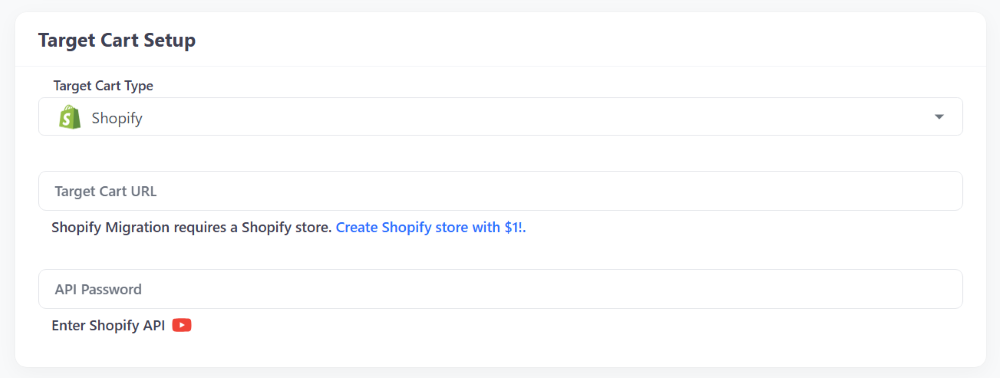
In the Target Cart Setup section, select Shopify from the drop-down menu and enter your Target Cart URL.
Follow the setup instructions to connect LitExtension to your Shopify store. Your Shopify store does not need to be fully designed before migration, but it should be ready enough for testing migrated data. At minimum, review basic settings such as store currency, language, markets, tax, shipping, payment, and apps that may affect product, order, or customer data.
Once both carts are connected, you can continue to the data selection step.
Step 2: Configure Your PrestaShop to Shopify Migration
After connecting both carts, choose the data you want to transfer and review the migration options that fit your store requirements.
2.1 Select Entities to Migrate
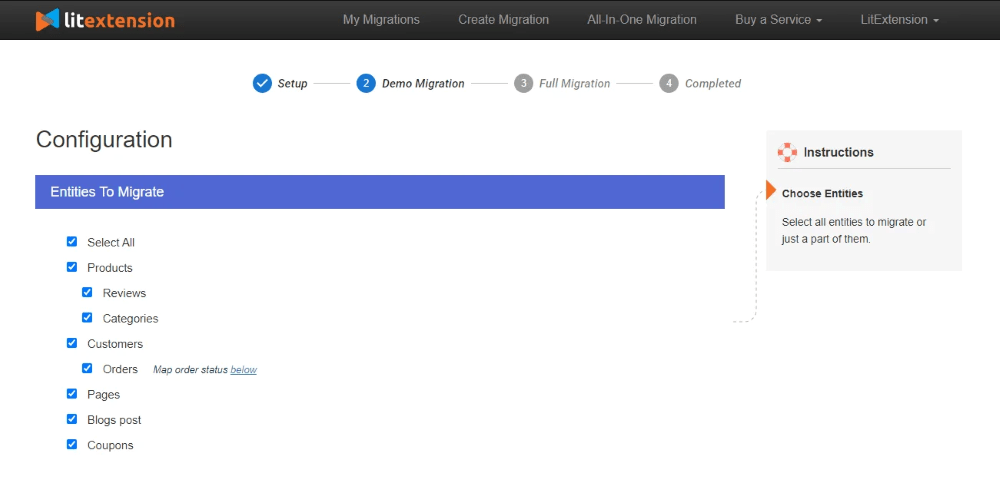
In the Entities To Migrate section, select the PrestaShop data you want to move to Shopify, such as products, product categories, customers, orders, coupons, CMS pages, blog content, images, and SEO URLs.
If you want to migrate all supported data at once, click Select All. For most stores, however, it is worth reviewing each entity carefully so you understand what will be transferred and what may need extra handling.
Pay special attention to:
- Product combinations, attributes, SKUs, prices, stock, and images
- Categories and subcategories that may become Shopify collections or product tags
- Customer records, addresses, customer groups, and password-related data
- Order history, order statuses, discounts, taxes, and shipping details
- CMS pages, blog content, SEO metadata, and internal links
- Custom fields, module-related data, B2B pricing, multilingual data, or multistore setup
If your store includes unsupported entities or custom module data, contact LitExtension experts for a migration review before running the full transfer.
2.2 Review Additional Migration Options
After selecting your data, review the Additional Options section. Common options include clearing selected data on Shopify before migration, preserving order IDs, creating 301 redirects from PrestaShop to Shopify when URLs change, migrating images in descriptions, stripping HTML tags, and migrating PrestaShop categories into Shopify automated collections.
Do not enable options automatically without reviewing your store needs. For example, 301 redirects are useful when important PrestaShop URLs will change in Shopify, while preserving order IDs may be important if your team uses historical order numbers for accounting, customer support, or internal tracking.
If you are not sure which options to enable, contact LitExtension support before starting the full transfer.
Step 3: Run Demo Migration and Review the Result
Before running the full PrestaShop to Shopify migration, start with a Free Demo Migration. The demo lets you preview how selected PrestaShop data appears in Shopify and gives you time to check data mapping before committing to the full transfer.
After the demo, review sample records in Shopify instead of only checking whether the migration completed. Look at products with multiple combinations, products with images, categories, customers with addresses, orders with discounts or shipping details, CMS pages, and URLs.
Check whether:
- Product combinations are mapped into Shopify variants correctly
- Categories appear as the right Shopify collections, tags, or navigation structure
- Images are displayed properly
- Customer and order relationships are preserved
- Order statuses, totals, discounts, taxes, and shipping details look correct
- SEO titles, descriptions, and important URLs are present
- Any expected data is missing, duplicated, or formatted incorrectly
If something does not look right, adjust your selected entities, migration options, or mapping requirements before running the full migration.
Step 4: Run Full PrestaShop to Shopify Migration
When the demo result looks correct, start the full PrestaShop to Shopify migration. LitExtension runs the transfer on its cloud-based system, so you do not need to keep your browser open during the process.
Keep your PrestaShop store active during migration if you still need to receive orders. After the full transfer is complete, review the migration report and check your Shopify store before launch. If new orders, customers, or product updates were added to PrestaShop during the migration period, you may need Recent Data Migration to transfer the latest data before switching traffic to Shopify.
PrestaShop to Shopify Post-Migration Checklist
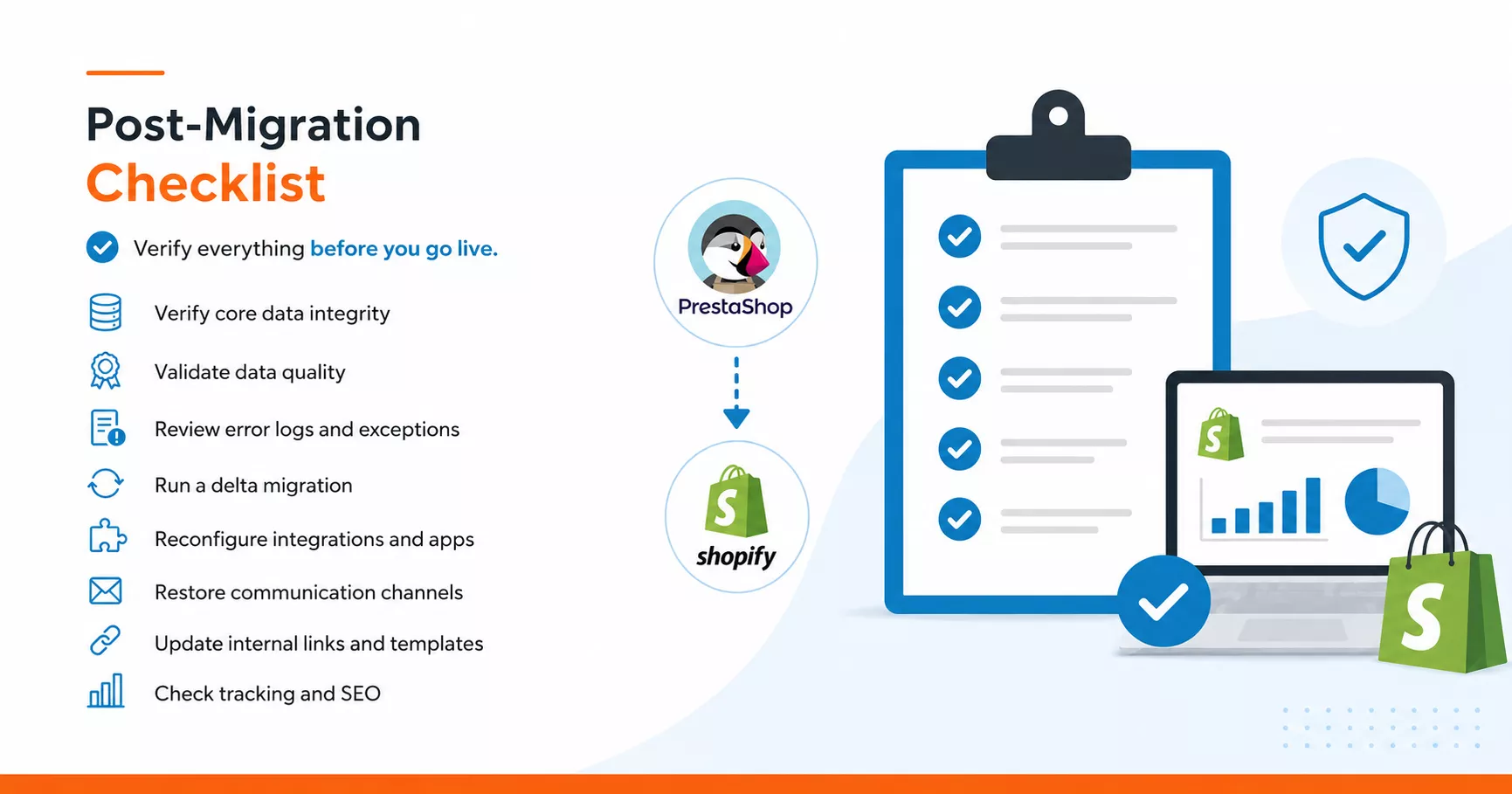
Your migration is complete, but your Shopify store should not go live until the migrated data, storefront settings, integrations, and tracking setup are properly verified. Even when the migration finishes without errors, issues such as missing relationships, broken images, incorrect variants, misconfigured apps, or outdated SEO links may appear during review.
Use the checklist below to validate your Shopify store before launch. Start with the most important data and checkout-related items, then move on to integrations, communication channels, internal links, and SEO tracking.
Step 1: Verify Core Data Integrity
Start by confirming that your main store records and their relationships were transferred correctly.
Compare the total number of products, customers, orders, and categories in PrestaShop with the migrated data in Shopify. If the numbers do not match, review the migration report before moving forward.
Pay special attention to product combinations. PrestaShop and Shopify handle product attributes differently, so a product with multiple color and size options may appear as multiple Shopify variants. This is expected, but all variants should be present and correctly linked.
Review sample records across products, orders, and customers to confirm that:
- Products are assigned to the correct Shopify collections
- Orders are linked to the correct customer accounts
- Historical order details, taxes, shipping methods, and payment statuses match the original PrestaShop records
Step 2: Validate Data Quality
After confirming that the data exists, check whether it is accurate and usable in Shopify.
Review product names, descriptions, SKUs, prices, variants, inventory, images, and SEO fields. Also check customer emails, billing and shipping addresses, customer groups, and account statuses where available.
Pay attention to:
- Price and currency formatting
- Broken image URLs
- Product variants and combinations
- Customer records and addresses
- SEO titles, descriptions, and friendly URLs
Step 3: Review the LitExtension Migration Report
Open your LitExtension dashboard and review the migration report for skipped, failed, or partially migrated entities.
For each issue, decide whether it should be corrected manually, handled with a custom mapping rule, or reviewed by the LitExtension support team. Platform-specific data, such as PrestaShop custom fields or module-related records, may need to be handled with Shopify metafields, compatible apps, or custom migration.
Step 4: Run Recent Data Migration for New Data
If your PrestaShop store stayed active during the migration, new orders, customers, or product updates may have appeared after the initial transfer.
Use Recent Data Migration to transfer newly added data to Shopify before launch. After the update is complete, recheck record counts and spot-test the most recent orders to make sure the new data appears correctly.
This step helps maintain data continuity before you redirect customers to the new Shopify store.
Step 5: Reconfigure Integrations and Third-Party Apps
Third-party tools do not automatically move from PrestaShop to Shopify. Payment gateways, shipping providers, tax tools, CRM systems, ERP platforms, email marketing services, analytics tools, and fulfillment providers should be reinstalled or reconnected in Shopify.
For each integration:
- Install the matching Shopify app or integration
- Reconnect it with the correct API keys or credentials
- Place a test order to check payment, shipping, and tax behavior
- Confirm that order data syncs to your CRM, ERP, or fulfillment system where needed
Even if the storefront looks ready, checkout, payment, shipping, and tax settings should be tested before launch.
Step 6: Restore and Test Communication Channels
Email services, notification rules, contact forms, and support tools are platform-dependent and may need to be rebuilt on Shopify.
Check:
- Transactional emails, including order confirmations, shipping updates, and password reset emails
- Contact forms
- Live chat tools
- Customer support ticket systems
- Email marketing integrations
Step 7: Update Internal Links, Menus, and Templates
Review navigation menus, internal links, page templates, blog links, collection links, and footer links after migration. Update any PrestaShop URLs that still point to the old store structure.
If 301 redirects are enabled, verify that important product, category, and CMS page URLs redirect to the correct Shopify pages.
Step 8: Check Tracking and SEO Before Launch
Before going live, check your analytics, tracking, and SEO setup. Make sure Google Analytics, Google Tag Manager, Meta Pixel, conversion tracking, sitemap, robots settings, and important SEO metadata are working correctly.
After launch, monitor 404 errors, ranking changes, organic traffic, and conversion data closely during the first few days.


If you’re non-tech, let our Shopify migration experts handle your migration from A to Z.
Save your time for more important tasks.

How Your Data Is Secured During Migration?

Server Security

Data Security

Data Access Restriction

GDPR Compliance

NDA

Payment Security
Why Choose Automated Migration for Shopify Migration