Yes. If you haven’t decided on your target platform yet, you can use our free Demo Store to test the migration before creating your own store. Currently, these Demo Stores are available for:
To use a LitExtension Demo Store, simply follow these steps:
- In Migration Setup, go to the Target Store Setup section and select one of the available demo platforms from the Target Cart dropdown.
- You’ll see the “Try migrating with the LitExtension test store” checkbox. Select it to use our Demo Store.
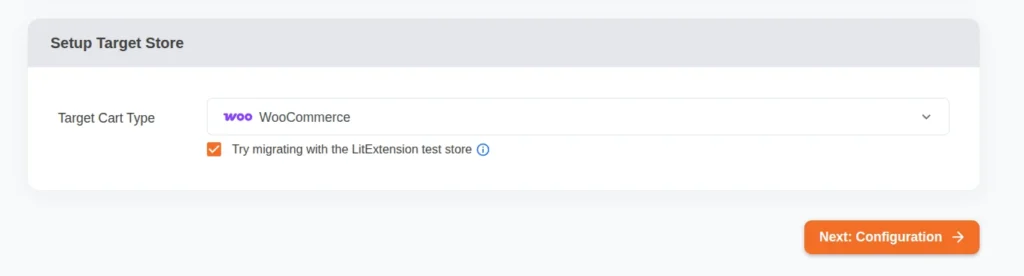
- Click Next: Configuration to continue. From this point on, the remaining steps are exactly the same as a regular migration setup. Simply configure your migration options and start your Demo Migration.
- After the Demo Migration is complete, you’ll receive the Demo Store URL and admin credentials to review the migrated data on both the storefront and admin panel. The login details are available at the top of the store information page.
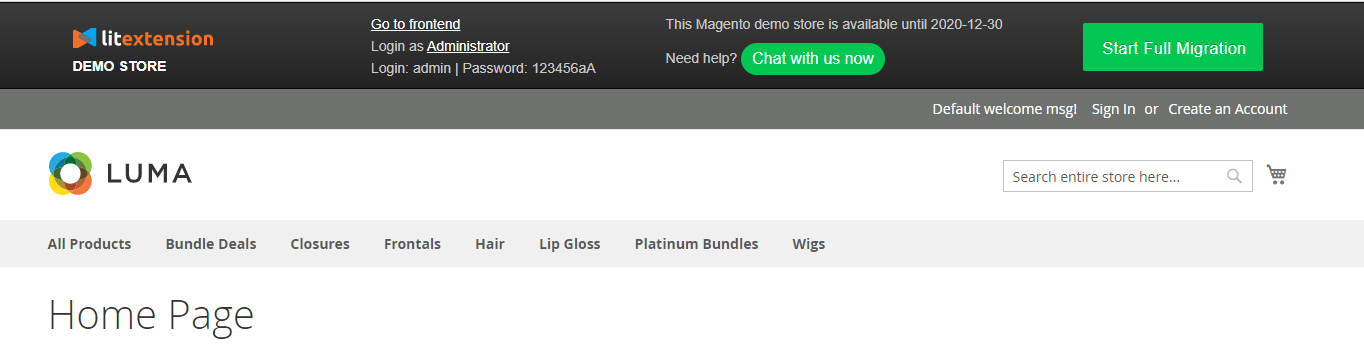
- Litextension test store will be live for 7 days after Demo Migration.
- To perform Full migration, click “Resetup your target store” on the Demo Migration results page. You’ll be redirected to the first migration step, where you should reconfigure your Target Cart info in accordance with the actual store and launch the full migration.
In case you have any other questions, please reach out to us via:
- Ticket system (highly recommended)
- Email us at [email protected]
