Yes. LitExtension allows you to migrate only the data you need. Simply follow the standard migration setup process and select the specific entities you want to transfer.
- Create a new migration and complete the Source Cart Setup by connecting your source store.
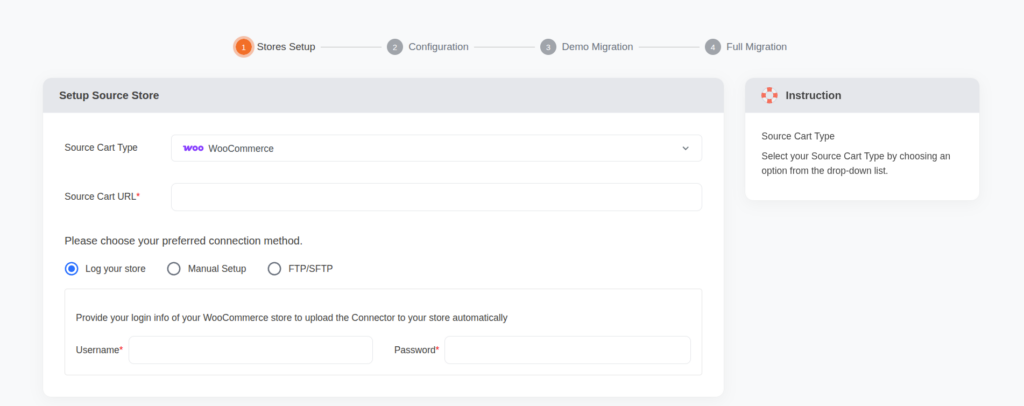
- Set up your Target Cart by selecting your target platform and connecting your target store.
- Click Next: Configure Your Migration to continue.
- In the Entities Selection section, uncheck Select All (if enabled), then select only the data types you want to migrate, such as Products, Categories, Customers, Orders, or other available entities.
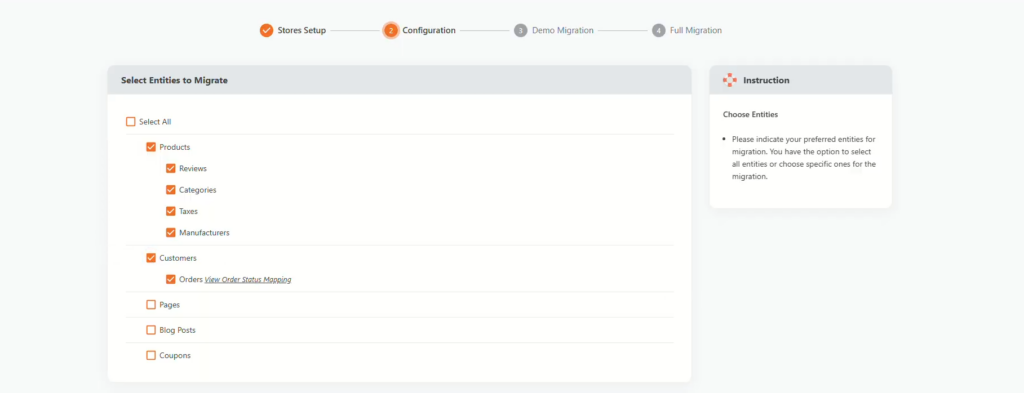
- Review your selection and configure any additional migration options if needed.
- Run a Free Demo Migration to verify that only the selected entities are transferred. Check the migration results on your target store.
- If everything looks correct, click Start Full Migration to migrate the selected data.
- Once the migration is complete, only the entities you selected will be transferred to your target store, while all other data will remain unchanged.
If your store contains custom data or requires a tailored migration, check out our Customization Service. Our migration experts will assess your requirements and create a solution that fits your store. Book a free consultation today to discuss your project.
In case you have any other questions, please reach out to us via:
- Ticket system (highly recommended)
- Email us at [email protected]
