
Choosing between BigCommerce and WooCommerce comes down to what your business needs most. BigCommerce is a hosted eCommerce platform with built in features and less technical maintenance, while WooCommerce is a WordPress-based solution that offers greater flexibility and customization.
So, which platform is better for your online store? In this BigCommerce vs WooCommerce comparison, we’ll break down the two platforms across 13 key criteria, including pricing, ease of use, features, SEO, customization, security, scalability, and more. By the end, you’ll have a clearer idea of which platform fits your business, budget, and growth plans.
BigCommerce vs WooCommerce: Which is better for your business?
BigCommerce is generally the better choice for businesses that need a comprehensive commerce environment, reliable infrastructure, room to grow, and fewer day-to-day operational tasks. WooCommerce is better suited to businesses that value adaptability, the WordPress ecosystem, and greater ownership of how their store is configured and developed.
Here’s a quick breakdown:
- Choose BigCommerce if you want an all-in-one solution with extensive tools for inventory, payments, security, and managing multiple stores. It is particularly suitable for growing businesses that want to expand without taking responsibility for hosting and core platform infrastructure.
- Choose WooCommerce if you already use WordPress or want greater freedom over your store’s design, functionality, hosting environment, and extensions. WooCommerce has no platform subscription fee, but you’ll need to budget separately for hosting, extensions, payment processing, and development when required.
- Choose BigCommerce for B2B and multi-storefront needs if you need capabilities such as company accounts, customer specific pricing, quoting, invoicing, and multiple storefronts managed from one administration system. BigCommerce’s B2B edition supports these workflows and integrates with its Multi-Storefront capabilities.
- Choose WooCommerce for advanced customization if your business relies heavily on WordPress and requires extensive control through themes, plugins, custom code, and the wider WordPress ecosystem.
BigCommerce vs WooCommerce: Quick Comparison
| Feature | BigCommerce | WooCommerce | The Winner |
|---|---|---|---|
| Pricing | Fixed monthly subscription from $29/month (annual billing) | Free to install; total cost depends on hosting, plugins, and setup | WooCommerce |
| Ease of Use | Structured, all-in-one dashboard with no setup required | Flexible but requires more technical configuration | A Tie |
| Themes & Design | 200+ curated themes, 12 free; drag-and-drop Page Builder | Thousands of themes from the WordPress ecosystem; unlimited customisation | WooCommerce |
| Performance & Page Load | Managed hosting with built-in CDN; consistent baseline speed | Best-in-class speed when properly optimised on premium hosting | WooCommerce |
| Product Options | Up to 600 variants and 250 options per product, natively | 30-variant dynamic threshold; requires plugins for complex catalogs | BigCommerce |
| Inventory Management | Advanced native inventory tools included on all plans | Solid basic inventory; advanced features require plugins | BigCommerce |
| Multiple Storefronts | 3–8 storefronts natively across Standard to Pro plans | Requires WordPress Multisite or third-party sync plugins | BigCommerce |
| B2B Commerce Capabilities | Native customer groups; full B2B Edition on Enterprise | B2C by default; B2B features require dedicated plugin stack | BigCommerce |
| Apps & Plugins | Around 1,200–1,300 apps in its official App Marketplace | Over 10,000 WooCommerce-specific plugins across the WordPress.org directory and WooCommerce Marketplace | WooCommerce |
| Payment Gateways | 65+ native integrations; no transaction fees | 100+ payment gateways via plugins; fees vary by gateway | Tie |
| Marketing & SEO Features | Built-in SEO tools; solid native marketing suite | Unmatched SEO flexibility via WordPress and plugins | Tie |
| Security | PCI DSS compliant; fully managed security at platform level | Security depends on hosting, plugins, and merchant configuration | BigCommerce |
| Customer Support | 24/7 phone, live chat, and ticket support on all plans | Community-based support; quality depends on hosting provider | BigCommerce |
#1 Pricing – WooCommerce Wins
Verdict
WooCommerce wins on upfront cost and pricing flexibility. Its core software is free, but you’ll still pay for hosting, extensions, payment services, and development. BigCommerce uses recurring subscription plans that bundle core services into a more predictable cost structure.
BigCommerce and WooCommerce take different approaches to pricing: BigCommerce charges a recurring platform fee, while WooCommerce lets merchants choose and pay for the components they need.
BigCommerce pricing
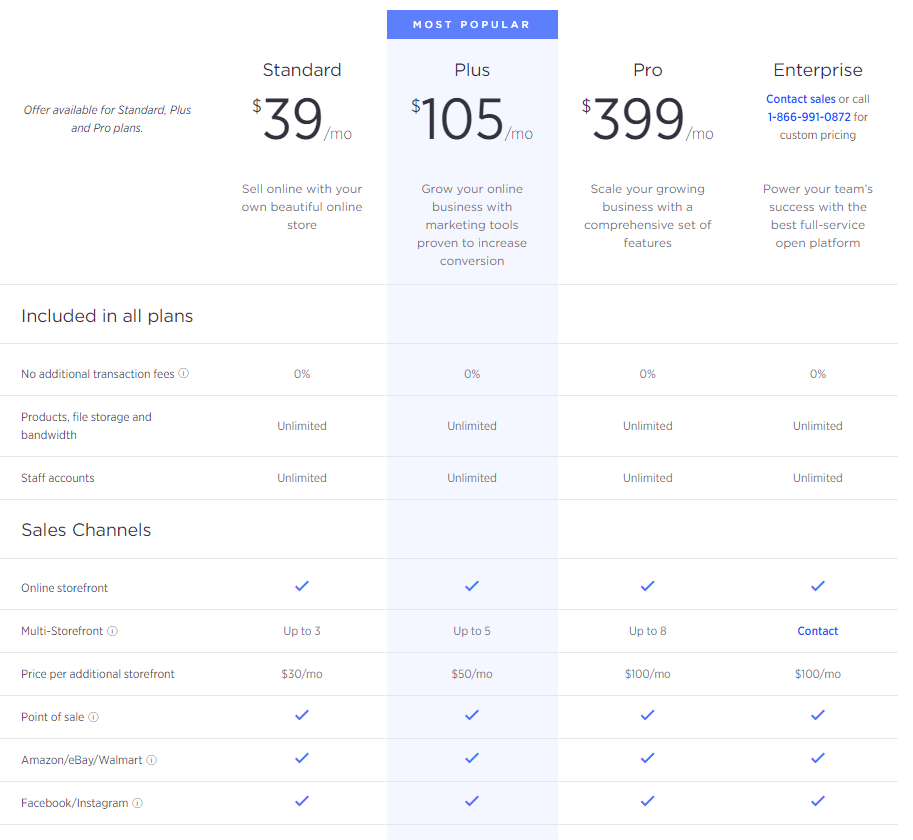
BigCommerce offers a 15-day free trial so you can test the platform before committing to a plan. After that, you’ll need to choose from one of four pricing tiers to keep your store running. All plans are billed monthly, but if you opt for annual billing, you’ll get a 25% discount across the Standard, Plus, and Pro plans. Here is a breakdown of what each plan costs:
- Standard – $39/month (or $29/month billed annually), for stores with up to $50,000 in annual online sales.
- Plus – $105/month (or $79/month billed annually), for stores with up to $180,000 in annual online sales.
- Pro – $399/month (or $299/month billed annually), for stores with up to $400,000 in annual online sales.
- Enterprise – custom pricing, best suited for stores generating $1M+ in annual revenue.
On top of that, there are also no added transaction fees when using third-party payment gateways such as PayPal, Stripe, or Amazon Pay on any plan. That said, it is worth noting that BigCommerce does charge processing fees if you use its native PayPal Braintree solution. Those rates are 2.89% + $0.29 per transaction on the Standard plan, 2.59% + $0.30 on Plus, and 2.39% + $0.30 on Pro.
Adding to that, BigCommerce enforces annual online sales limits per plan. Once your trailing 12-month sales exceed your plan’s threshold, you will be automatically upgraded to the next tier. On the Pro plan, every additional $200,000 in sales beyond $400,000 adds $150/month to your bill, up to $1M, at which point you move to Enterprise with custom pricing.
WooCommerce pricing
On the other side of the BigCommerce vs WooCommerce comparison, WooCommerce itself is free to download and install, and that is its biggest appeal. However, running a fully functional WooCommerce store comes with a separate set of costs that many merchants underestimate at the start.
To get your WooCommerce store off the ground, you will need to budget for:
- Domain name ($12/year);
- WordPress hosting fee (from $3.95/month);
- Security (from $50, ongoing or one-off charge);
- Developer fees (from $50/hr).
- Paid theme (from $30);
- Plugins ($0 – $1000).
That said, WooCommerce remains an appealing starting point for merchants on a tight budget who already have a WordPress site or the technical confidence to manage their own stack. If you keep things lean, your initial outlay can be very low. The key is going in with a realistic picture of what running a professional store will eventually cost you.
#2. Ease of Use – A Tie
Verdict
It’s a draw! BigCommerce allows merchants to set up a store with ease, but its user-friendliness when it comes to running an online store is a mixed bag of opinions. WooCommerce may require technical skills to handle the setup process, yet its interface is easy to navigate with a detailed setup wizard.
Needless to say, ease of use can make or break your eCommerce experience. The easier it is to set up and manage your store, the more time you have to focus on what truly matters – growing your business. Scroll to find out how BigCommerce vs WooCommerce measures up here:
BigCommerce ease of use
With BigCommerce, it’s easy to start and maintain your eCommerce store. Since BigCommerce is a fully hosted platform, you don’t need to worry about BigCommerce hosting or installing any software to get started. However, it is versatile enough for knowledgeable users and programmers to change the code in stores. The same thing happens for security and version upgrades.
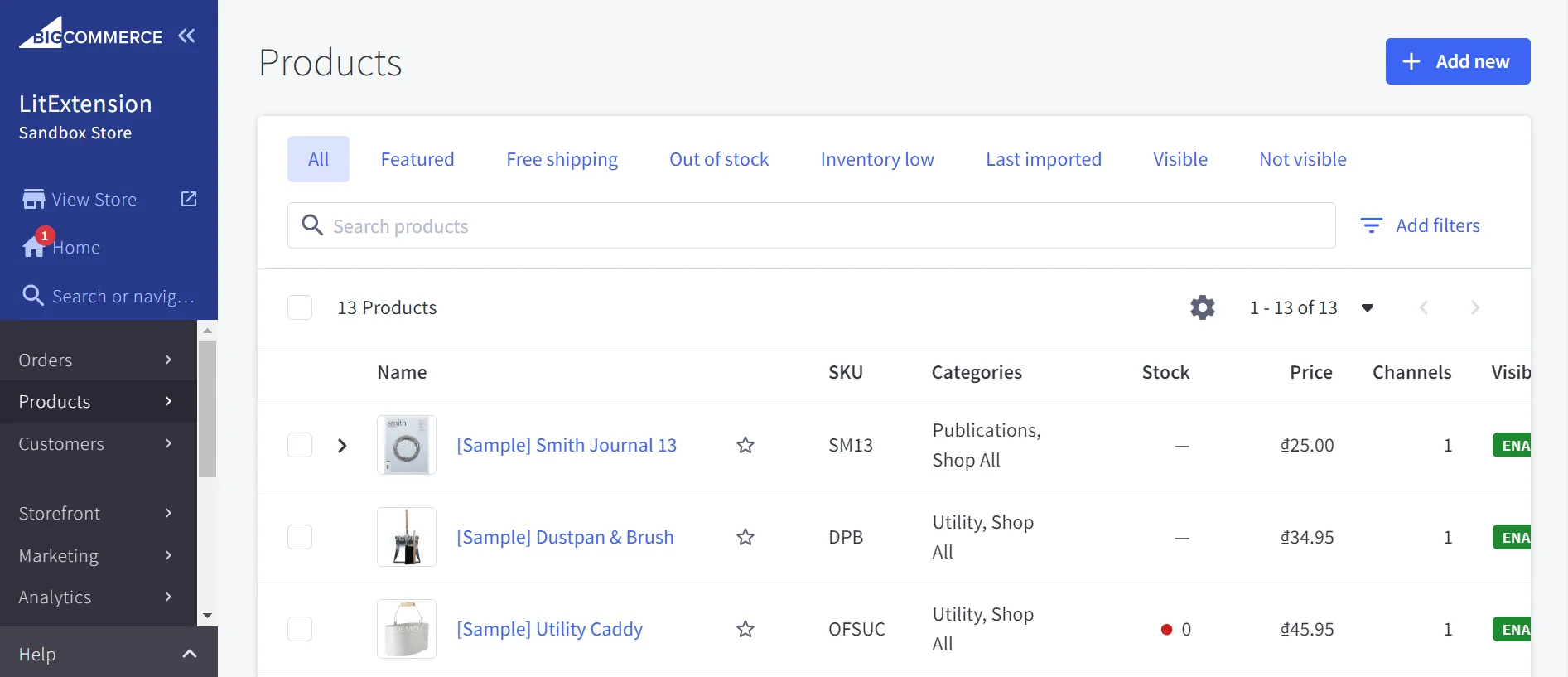
Adding to that, BigCommerce provides a straightforward interface with a vertical menu on the left-hand side of the screen. That said, some beginners still find the interface hard to navigate, especially when it comes to adding a product. This is often the exact pain point people bring up in a Wix vs BigCommerce comparison, since Wix’s simpler builder tends to feel gentler for someone setting up their very first store. However, these hassles can be solved quickly with sufficient BigCommerce support, which will be discussed later in this BigCommerce vs WooCommerce comparison.
WooCommerce ease of use
On the other hand, things can be a little more complex when running a WooCommerce store. Since it’s an open-source platform, you’ll have to take care of everything, from domain registration and host settings to security maintenance of your web page. Therefore, WooCommerce is preferable for users who have a certain level of technical skills.
In compensation, there’s a setup wizard to walk you through the onboarding process once you’re logged into the WooCommerce dashboard. What’s more, the platform features a user-friendly and easy-to-navigate interface that can satisfy many eCommerce beginners.
Learn how to set up WooCommerce in our thorough beginner’s guide, or watch the video below to skip walls of text.
#3. Design & Customization – WooCommerce Wins
Verdict
WooCommerce deserves a strong win in design and customization. Thanks to its deep roots in the WordPress ecosystem, the platform gives you access to a virtually endless library of themes and puts full control over your storefront’s look and feel in your hands.
A good-looking and well-designed storefront plays a vital part in catching customers’ attention. Let’s see how BigCommerce vs WooCommerce competes when it comes to building a beautiful online store.
BigCommerce design capability
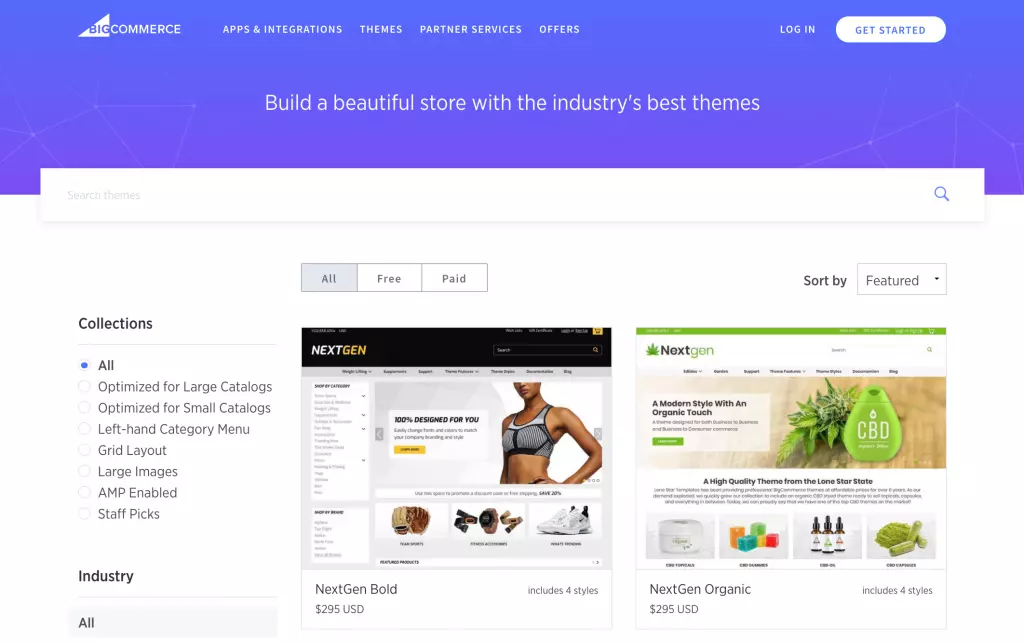
BigCommerce currently offers 200+ themes in its official Theme Store, organized by industry so you can filter by niche, from fashion and home goods to electronics and food. Of these, 12 themes are available completely free of charge, while paid options range from $99 to $400 as a one-time purchase.
Every BigCommerce theme is fully responsive and built specifically for eCommerce, which means they are optimized to work with BigCommerce’s native checkout, product filtering, and multicurrency features straight away. There is no need to worry about plugin conflicts or a theme update breaking your storefront.
As for customization, BigCommerce gives you two options. The first is its drag-and-drop Page Builder, which lets you rearrange layouts, swap content blocks, and adjust styles without writing any code. The second is the Stencil framework, which gives developers direct access to the underlying theme files for more advanced changes.
That said, the overall design flexibility remains within the boundaries BigCommerce sets, meaning you are always working inside a controlled, hosted environment rather than having full ownership of your codebase.
WooCommerce design capability
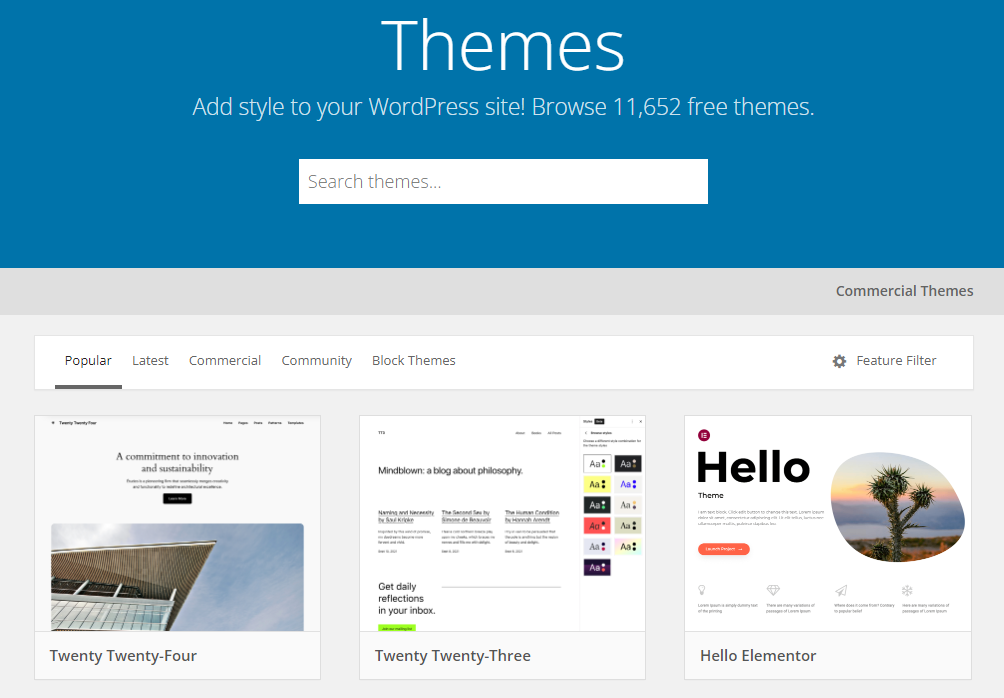
On the other hand, WooCommerce draws its design strength from the wider WordPress ecosystem, and this is the biggest difference between BigCommerce vs WooCommerce. You can source themes from the official WooCommerce Theme Store, the WordPress.org theme directory, and third-party marketplaces like ThemeForest, giving you access to thousands of free and premium options across virtually every industry and aesthetic.
What’s more, WooCommerce’s open-source nature means that your customization potential is essentially unlimited. You can modify every element of your store directly through HTML and CSS, use the WordPress block editor for no-code adjustments, or pair WooCommerce with powerful page builders like Elementor or Divi for a fully visual editing experience. There are no platform-imposed restrictions on how far you can take your design.
#4. Performance & Page Load – BigCommerce Wins
Verdict
Between BigCommerce vs WooCommerce in terms of performance, BigCommerce clearly takes the win. As a fully hosted platform with managed infrastructure, built-in CDN, and automatic optimization baked into every plan, BigCommerce delivers fast, consistent load times without requiring any technical effort on your end.
Page speed is not just a user experience concern–it is a direct ranking signal for Google. That’s why the BigCommerce vs WooCommerce performance comparison is one of the most important categories to weigh before making your platform decision.
BigCommerce performance
BigCommerce comes with managed hosting, a built-in global CDN powered by Akamai, and automatic image optimization included on every plan, no extra configuration required. Because this platform controls the entire hosting environment, every store benefits from the same performance standards.
There are no variables introduced by a poorly chosen hosting provider, a misconfigured server, or an incompatible plugin dragging down your Core Web Vitals scores. The result is a reliable, consistent baseline that keeps most BigCommerce stores loading in under 2 seconds straight out of the box.
Adding to that, BigCommerce’s infrastructure is built to handle traffic spikes automatically. Whether it’s a regular Tuesday or a Black Friday rush, the platform scales in the background without any intervention from you. This is a significant advantage for growing eCommerce businesses that cannot afford downtime or slowdowns at peak selling moments.
WooCommerce performance
On the flip side of the BigCommerce vs WooCommerce comparison, WooCommerce has the widest performance range of any eCommerce platform, and that cuts both ways. On premium managed WordPress hosting with a lean theme and proper caching in place, a well-optimized WooCommerce store can load impressively fast.
However, that best-case scenario requires significant technical investment and ongoing maintenance to sustain. In reality, the average WooCommerce store tells a different story. Running on cheap shared hosting with a heavy page builder theme and a stack of plugins, WooCommerce stores can take 6 seconds or more to load, well beyond the threshold where shoppers abandon a page. Therefore, this BigCommerce vs WooCommerce breakdown on page speed has a clear answer: BigCommerce is the safer, faster, and more consistent choice.
#5. Product Options & Variants – BigCommerce Wins
Verdict
Between BigCommerce vs WooCommerce in terms of product options and variants, BigCommerce wins. The platform supports up to 600 variants and 250 options per product natively, right out of the box, no plugins, no code, no workarounds required.
For any eCommerce store selling products that come in multiple sizes, colors, materials, or configurations, product variant capabilities are a make-or-break factor. That’s why we need to mention this criterion in the round-up of BigCommerce vs WooCommerce.
BigCommerce product options
BigCommerce supports up to 600 variants per product, and inventory can be tracked at the variant level or at the base product level, with each variant carrying its own SKU, independent pricing, weight, dimensions, and images. This means a single product listing can accurately represent a highly complex catalog item without needing to be split across multiple product pages.
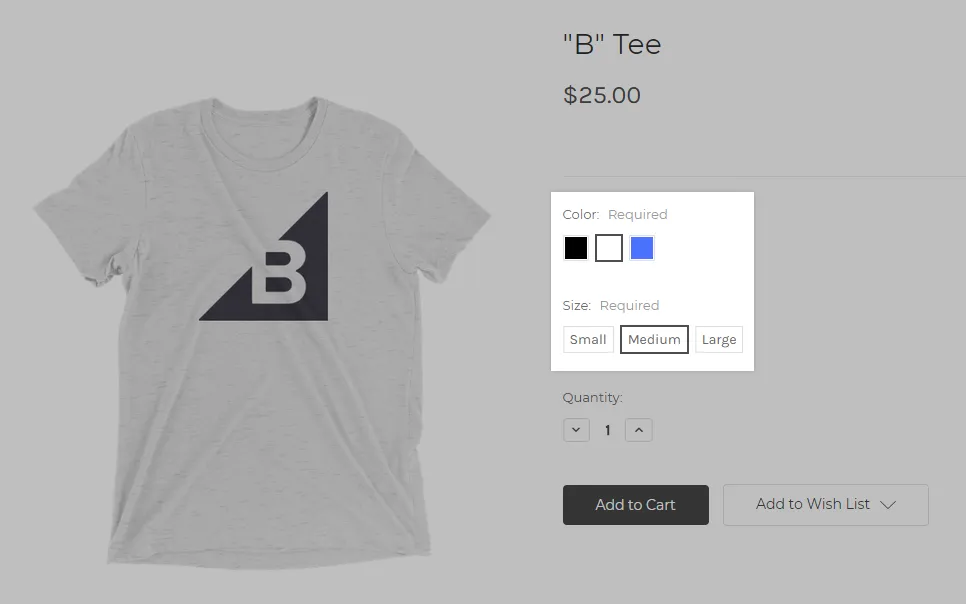
Adding to that, BigCommerce draws a clear and useful distinction between two types of product customisation. Variants are purchasable combinations that generate unique SKUs and support inventory tracking. Modifiers, on the other hand, are optional customisations and there is no limit to the number of modifiers that can be added to a product. This combination gives merchants enormous flexibility in how they configure and present products to shoppers.
WooCommerce product options
WooCommerce’s native variable product system handles straightforward configurations well, a t-shirt in three sizes and four colors, for instance, presents no issues at all. However, the platform’s default behavior starts to show its limits as product complexity grows.
Out of the box, WooCommerce’s dynamic dropdowns only load automatically when a variable product has fewer than 30 variations. Beyond that threshold, the platform switches to AJAX loading to prevent slow page load times, which, while functional, introduces a less seamless experience for shoppers browsing complex products. For merchants who need to push that limit further, doing so requires editing the theme’s functions.php file or installing a dedicated plugin, neither of which is a straightforward task for non-technical store owners.
#6. Inventory Management – BigCommerce Wins
Verdict
It’s another win for BigCommerce! The platform allows you to manage inventory on both online and offline channels easily without the need for third-party integrations.
The inventory management system has become critical for every online business. It helps you keep track of your products, create reports, and make data-driven decisions. Hence, we can’t overlook this factor when comparing BigCommerce vs WooCommerce.
BigCommerce inventory management
Fortunately, BigCommerce comes with a powerful inventory management system that does not require third-party software.
The platform comes with a straightforward, native, and potent inventory management system that ensures seamless control of levels and order trends on both online and offline channels. Moreover, BigCommerce is the only platform that permits the sale of physical, digital, and service-based goods without the use of an app. You can also integrate BigCommerce with third-party inventory management apps to extend functionalities further.
WooCommerce inventory management
With WooCommerce, it’s possible to handle basic tasks like creating inventory reports and making changes to any part of your products.
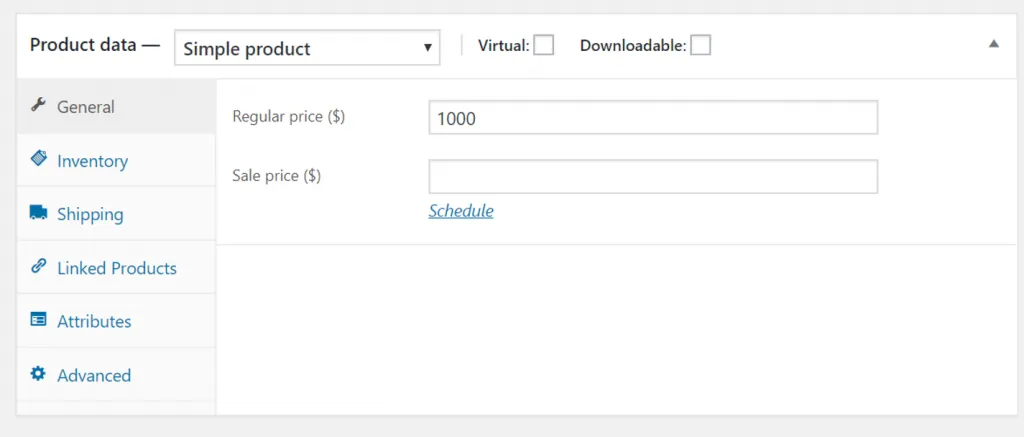
However, managing WooCommerce inventory is not as easy as it seems, especially in bulk stock management. You’ll have to visit various pages and toggle tons of settings individually just to make a simple change.
On top of that, it’s challenging to handle a large database with WooCommerce if your inventory grows larger each day. As luck would have it, you can solve the problem by adding inventory management plugins available on the WooCommerce store.
#7. Multiple Storefront – BigCommerce Wins
Verdict
When it comes to BigCommerce vs WooCommerce comparison in terms of multiple storefronts, BigCommerce wins this round. Multi-storefront management is a native, built-in feature of the platform, available from the Standard plan upward, and it lets you run several fully branded stores from a single backend without installing a single plugin or touching any code.
For merchants running more than one brand, selling across multiple regions, or separating B2C and B2B operations into distinct storefronts, this is a critical capability to evaluate. And in this BigCommerce vs WooCommerce comparison on multi-storefront functionality, the gap between the two platforms is significant.
BigCommerce multiple storefront
BigCommerce’s Multi-Storefront (MSF) feature is built directly into the platform’s Channel Manager, giving you a centralized hub from which to create, configure, and manage all your stores. The Standard plan supports up to 3 storefronts, the Plus plan up to 5, the Pro plan up to 8, and the Enterprise plan offers custom storefront limits tailored to your business needs. Large multi-brand retailers running a BigCommerce vs Salesforce Commerce Cloud comparison often flag this as a major cost advantage, since replicating it on Salesforce usually calls for custom development work..
What makes this genuinely powerful is the architecture behind it. All storefronts share the same product database, meaning you select which products appear on each storefront without duplicating product images, descriptions, or inventory data. Each storefront can have its own domain name, SSL certificate, branding, theme, pricing strategy, payment gateway, tax rules, and target currency, all managed from the same admin panel without ever switching between accounts or logins.
WooCommerce multiple storefront
On the flip side of the BigCommerce vs WooCommerce comparison, WooCommerce does not have a native multi-storefront feature. To run multiple stores, merchants have two main options, and both come with considerable technical overhead.
The first option is WooCommerce Multisite, which allows you to run multiple online stores from a single WordPress installation, where each store operates independently with its own product catalog, payment gateways, and shipping options, while sharing the same core WordPress files and plugins. However, enabling WordPress Multisite requires direct edits to your wp-config.php file, careful server configuration, and a solid understanding of how WordPress networks behave under the hood, none of which is straightforward for non-technical merchants.
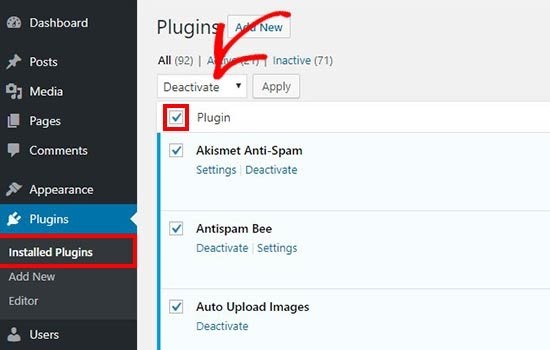
The second option is to run entirely separate WooCommerce installations and connect them using third-party sync plugins such as WooMultistore or Central Stock. This gives you full isolation between stores but it also means more maintenance overhead since you manage each installation separately. Every store requires its own hosting, its own plugin updates, and its own security maintenance, which multiplies your running costs and administrative workload quickly.
#8. B2B Commerce Capabilities – BigCommerce Wins
Verdict
BigCommerce wins in terms of B2B capabilities between BigCommerce vs WooCommerce. The platform is built with B2B selling in mind at its core, offering native tools for customer segmentation, custom pricing, quote management, and wholesale workflows that WooCommerce simply cannot match without assembling a stack of paid plugins.
B2B eCommerce is one of the fastest-growing segments in online selling, and the demands it places on a platform are fundamentally different from standard retail. That’s why we need to discuss this criteria in our BigCommerce vs WooCommerce comparison today.
BigCommerce B2B capability
Even on its standard plans, BigCommerce includes a meaningful head start for B2B merchants. From the Plus plan upward, you get access to customer groups, which allow you to segment buyers into categories such as wholesale, retail, or contracted accounts, and apply different pricing, promotions, and visibility rules to each group.
For merchants with more complex B2B requirements, BigCommerce offers its dedicated B2B Edition, available as an add-on on Enterprise plans. BigCommerce B2B Edition adds company account management, payment visibility controls, invoice management, quoting, shared shopping lists, and a full buyer portal, all within a single, cohesive package. This means you are not piecing together four or five separate plugins to approximate a wholesale workflow, it is all available natively.
WooCommerce B2B capability
WooCommerce is, at its core, a B2C platform. By default, WooCommerce is built for standard retail flows, and to properly support B2B use cases such as bulk pricing, custom registration, quotes, and role-based pricing, you need specialised plugins. That is not necessarily a dealbreaker, but it does mean that building a competitive B2B experience on WooCommerce requires deliberate plugin selection, additional cost, and ongoing compatibility management.
The good news is that the WooCommerce plugin ecosystem is mature, and there are solid options available. Plugins such as Wholesale Suite, WooCommerce Wholesale Pro, and WholesaleX can replicate many of the B2B features BigCommerce offers natively, including tiered pricing, bulk order forms, customer role management, and quote workflows. WooCommerce can handle B2B, but not on its own, and B2B stores rely on plugins that unlock wholesale pricing, private catalogs, bulk ordering, and quote-based workflows.
#9. Apps & Plugins – WooCommerce Wins
Verdict
Both BigCommerce and WooCommerce can fully satisfy their users with enormous stocks of apps and plugins. However, when it comes to the number of apps provided, WooCommerce easily outpaces its competitors.
Adding apps and plugins can fill up what is missing from a limited set of features in every eCommerce platform. How does BigCommerce vs WooCommerce allow you to enhance capabilities for your online store? Find out right below.
BigCommerce apps
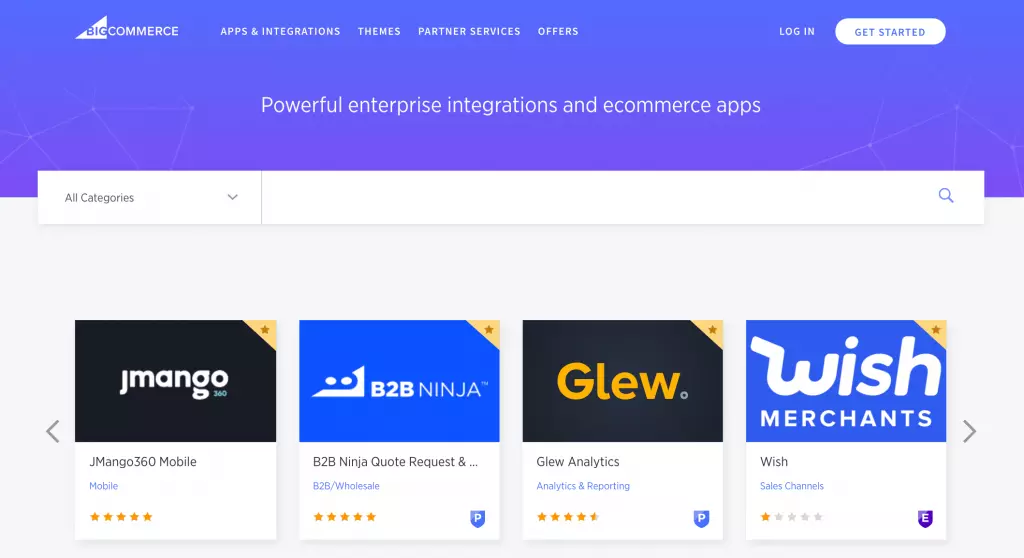
While being widely known for its powerful built-in features, BigCommerce still provides its users with a plethora of 1000+ apps. BigCommerce plugins are classified into multiple categories (i.e. Accounting & Tax, Checkout, Payment & Security, etc.) so that you can improve certain capabilities based on your needs. Apps in Analytics, Marketing, and Payment are the most popular for purchases.
Although open APIs and 99.99% uptime are features included in all plans, the Enterprise Plan offers a headless solution and unlimited API calls. With this offer from BigCommerce, both developers and sellers can excel in the eCommerce market.
As a hosted solution, Shopify also has a broad app store. In case you need some more insights, here’s our BigCommerce vs Shopify comparison for your concern.
WooCommerce apps
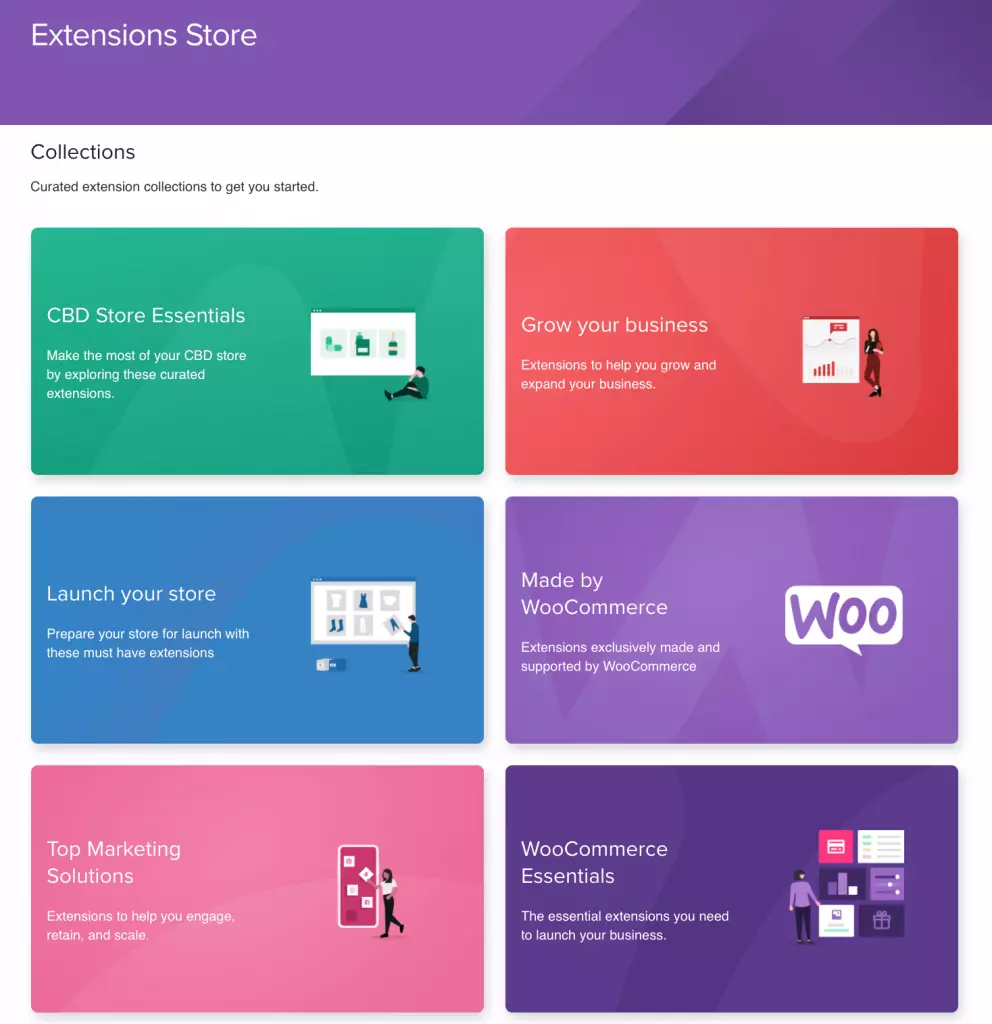
Compared to BigCommerce, WooCommerce provides even more diverse plugin choices to add functionalities to your store. Using WooCommerce means that you will benefit greatly from WordPress. It’s straightforward to access 60,000+ free and thousands of premium plugins on the WordPress repository.
WooCommerce plugins are designed to serve various categories, including Store management, Shipping, WooCommerce Payment, and more.
#10. Payment Gateways – A Tie
Verdict
Both BigCommerce vs WooCommerce provide integrations with popular payment gateways, so it’s a draw in this round. Nevertheless, the result can vary according to your specific needs for payment. While BigCommerce wipes off transaction fees on all plans, WooCommerce provides a wide range of options and its own payment gateway – WooPayments.
Online stores that apply flexible and multiple payment gateways can sell to a broad range of customers and convert more easily. Keep scrolling down to find out whether BigCommerce vs WooCommerce can fulfill your requirements regarding payment gateways.
BigCommerce payment gateways
BigCommerce supports more than 65 pre-integrated payment gateways, including PayPal, Amazon Pay, Apple Pay, Square, and Stripe. Merchants can choose the payment providers that best fit their business and target market. BigCommerce also provides mobile-optimized checkout and PCI-compliant payment processing, while its pricing plans do not charge additional transaction fees when using eligible payment providers.
When setting up your BigCommerce store, you can select the payment gateways that suit your business needs. If no payment gateway is configured, BigCommerce can automatically recommend available options based on your store’s country and currency.
WooCommerce payment gateways
If you choose to go with WooCommerce, you will get access to 100+ payment gateways, with default options being PayPal and Stripe.
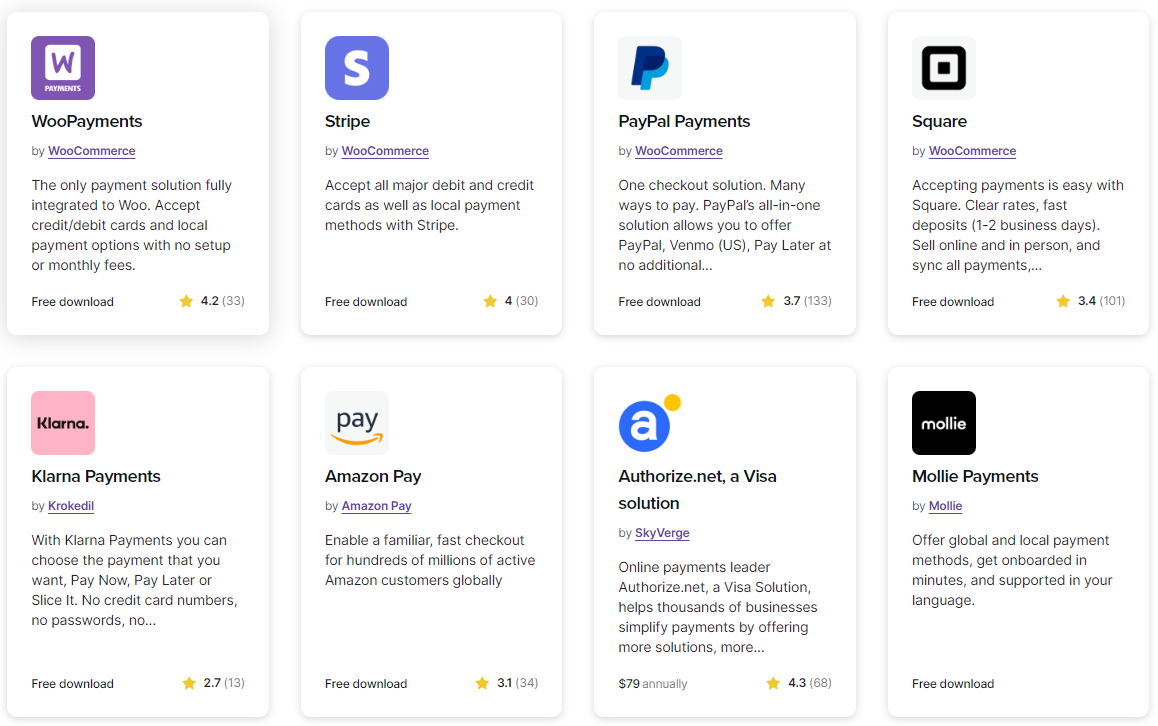
The platform also features WooPayments – a payment gateway designed exclusively for WooCommerce stores. This payment plugin is free to download, with no setup fees or monthly fees. With WooPayments, you’ll be able to accept major credit and debit cards securely right from your dashboard. It can even help you to increase conversions by allowing customers to proceed to checkout without leaving your website.
#11. SEO & Marketing Features – A Tie
Verdict
Both allow you to perform similar SEO & marketing tasks, but BigCommerce comes packed with more built-in features, and WooCommerce inherits powerful blogging and SEO functions from its base platform, WordPress.
Putting efforts into SEO and marketing is vital if you want to succeed in your online business. You could have the best products in the world, but if you don’t promote or push them up the SERPs, you may not be making the maximum profit.
BigCommerce SEO & marketing
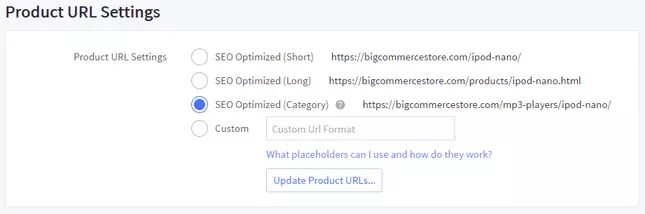
Among top hosted eCommerce platforms, BigCommerce is widely known for its amazing built-in SEO features. With BigCommerce, you’ll be able to perform essential SEO practices, such as editing meta titles/descriptions, customizing URL slugs, adding alt text, and getting keyword support. Adding to that, an SSL certificate is available on all BigCommerce price plans, and the platform automatically creates 301 redirects whenever a URL (product, category, or web page) is changed.
FavSEO, ReloadSEO, and ProSEOTracker are some notable BigCommerce SEO apps that can help improve your SEO performance.
As for marketing features, there’s a built-in blogging function that enables you to upload blog posts easily. Popups, email marketing, and SMS marketing are also available at reasonable charges so that you can promote your products to potential customers.
WooCommerce SEO & marketing
Similar to BigCommerce, WooCommerce gives you full control over meta titles, meta descriptions, and URL slugs. Adding image alt text is also straightforward, helping you optimize images for search visibility. However, you’ll need to cover the cost of an SSL certificate, while some SEO tools may require additional fees. For example, Yoast SEO, one of the most widely used SEO plugins for WooCommerce and WordPress, charges $89 per year for its Premium plan.
Another advantage of WooCommerce is its integration with WordPress’s content management capabilities. You can create and manage a blog alongside your store, allowing you to publish content and build internal and external links to support your SEO strategy. WooCommerce also offers hundreds of marketing extensions that can help with activities such as abandoned cart recovery and social media integration.
#12. Security – BigCommerce Wins
Verdict
Between BigCommerce vs WooCommerce, BigCommerce easily wins this round. As a hosted solution, the platform takes charge of every security-related issue so that merchants can concentrate on promoting their products.
No matter which eCommerce platform you choose between BigCommerce vs WooCommerce, security should be one of the top priorities to take into consideration.
BigCommerce security
In terms of security, BigCommerce tends to be preferred by the public. As a fully hosted platform, BigCommerce handles security tasks as part of your BigCommerce subscriptions. SSL certificates are also included in every BigCommerce pricing plan to ensure the highest level of website security.
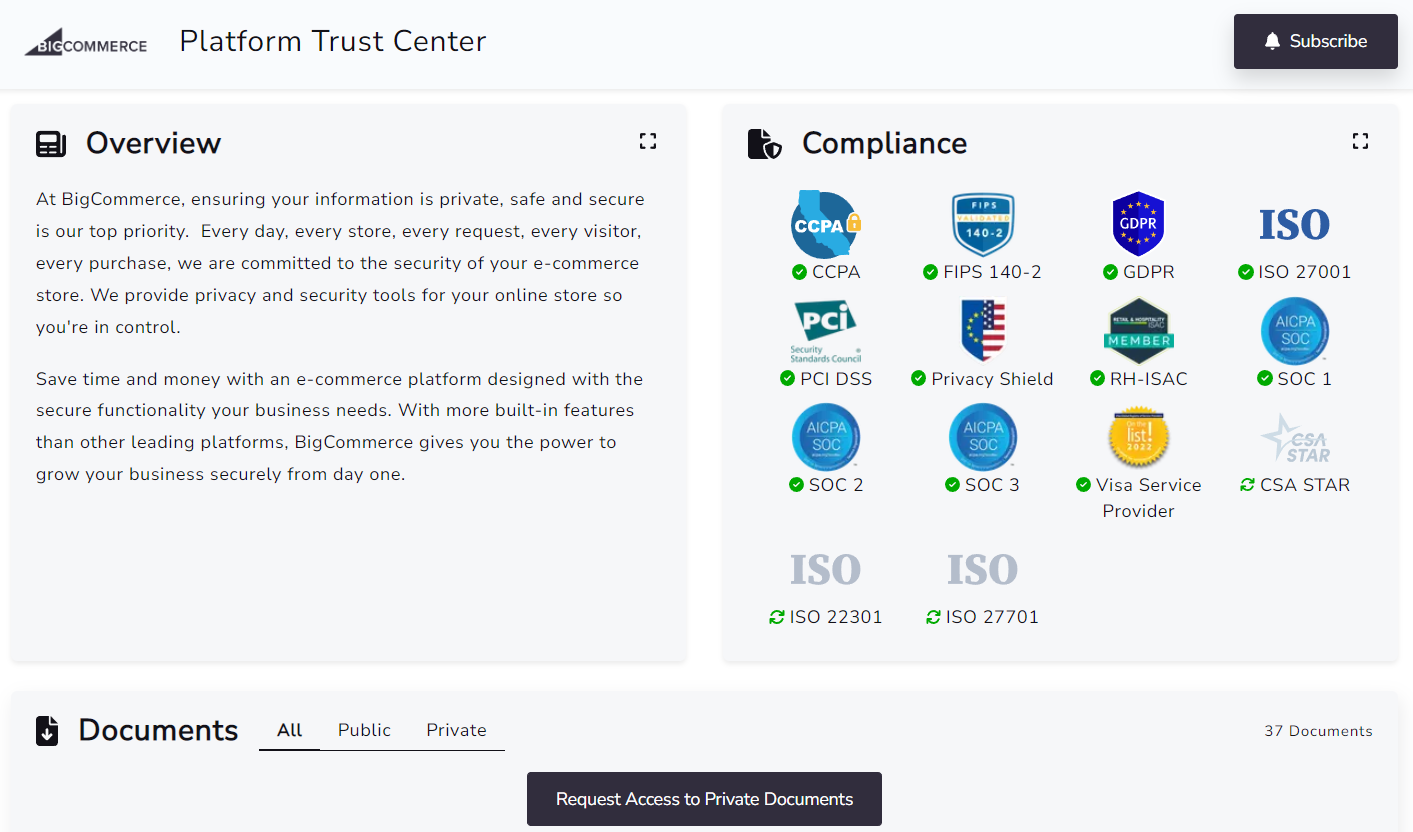
With regards to card transactions, BigCommerce servers are PCI DSS 3.2 certified at level 1, which protects against credit card data breaches. This also helps to eliminate the massive cost and hassle of handling compliance yourself. On top of that, there are several BigCommerce apps to prevent fraudulent purchases and strengthen your security.
WooCommerce security
Unlike BigCommerce, you’ll have to take care of WooCommerce security tasks on your own.
From the very first steps of building a WooCommerce store, you must choose the hosting provider and domain name deliberately. It’s also your duty to take care of SSL certificates and PCI compliance.
What’s more, when using WooCommerce, you’ll have to keep updating to the newest versions to get security patches and fix glitches. It’s worth noting that you should back up your store before every WooComerce update. By doing that, in case something bad happens to your data, you can go back and restore it to its original state.
It’s good news that WooCommerce allows you to create two-factor authentication. This feature helps reinforce access to your website and is extremely effective when your password accidentally falls into the hands of strangers.
#13. Customer Support – BigCommerce Wins
Verdict
Thanks to its hosted nature, BigCommerce comes first in the competition for security. BigCommerce offers decent 24/7 support, while its competitor mainly relies on the user community and slow-speed tickets and email.
Support is another crucial factor to check before choosing between BigCommerce and WooCommerce.
BigCommerce support
As a fully hosted platform, BigCommerce provides excellent support via phone, email, and live chat support. You can contact the BigCommerce support team right after signing up for a BigCommerce free trial. There’s also a powerful community where you can discuss any issues or interesting topics and get hands-on advice from active users.
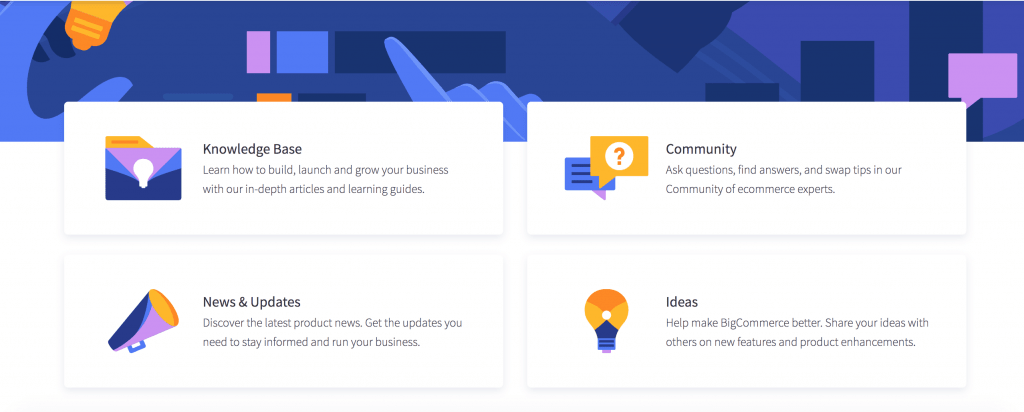
It’s worth noting that BigCommerce offers support 24/7, so you can ask your questions any time you want. What’s more, BigCommerce features Help Center archiving guideline documentation for users at any level, from newbies to seniors, non-tech persons to developers.
WooCommerce support
On the other hand, WooCommerce provides limited support options and little to no personal support. You can only have official support from developers via tickets or emails.
In compensation, WooCommerce has a huge community of users and developers where you can seek help from them anytime. Other resources such as FAQs, tutorials, and documentation are also available to help them deal with common problems.
Can You Migrate Between BigCommerce vs WooCommerce?
Yes, migrating between BigCommerce and WooCommerce is entirely possible, although the process can involve several technical considerations. Differences in data structures, product configurations, custom fields, and store settings can make it difficult to transfer everything accurately, particularly for stores with large catalogs or customized setups.
If you’re planning to migrate from BigCommerce to WooCommerce or move from WooCommerce to BigCommerce, LitExtension can help simplify the process. With 15+ years of eCommerce migration experience and more than 280,000 successful migrations, our service is designed to handle different data requirements and help transfer your store information securely and accurately, with minimal disruption to your business.
Need Help To Migrate Your Store?
LitExtension provides a well-optimized All-in-One migration service for you!
FREE DEMO NOW

WooCommerce vs BigCommerce: FAQs
What is the difference between WooCommerce and BigCommerce?
WooCommerce is an open-source plugin for WordPress that lets users transform their WordPress sites into highly customizable online stores. BigCommerce, on the other hand, is a fully hosted SaaS platform with built-in features.
What are the drawbacks of BigCommerce?
BigCommerce complies with a pricing model based on revenue, which can be costly for businesses with narrow profit margins. Also, growing businesses might find scalability limited without additional third-party apps.
Is there a better option than WooCommerce?
Yes, though the best alternative depends on your needs. BigCommerce, for instance, provides built-in features for a hassle-free setup, while Shopify offers a user-friendly, all-in-one platform with excellent security. Check out our WooCommerce vs Shopify comparison here.
Our Methodology: How We Test BigCommerce vs WooCommerce
Before determining which platform performs better, we conducted a structured testing process to ensure a fair and data-driven BigCommerce vs WooCommerce comparison. Each platform was evaluated using the same store setup, identical test products, and consistent performance benchmarks. Our goal was to measure usability, scalability, and long-term value from both a technical and business perspective.
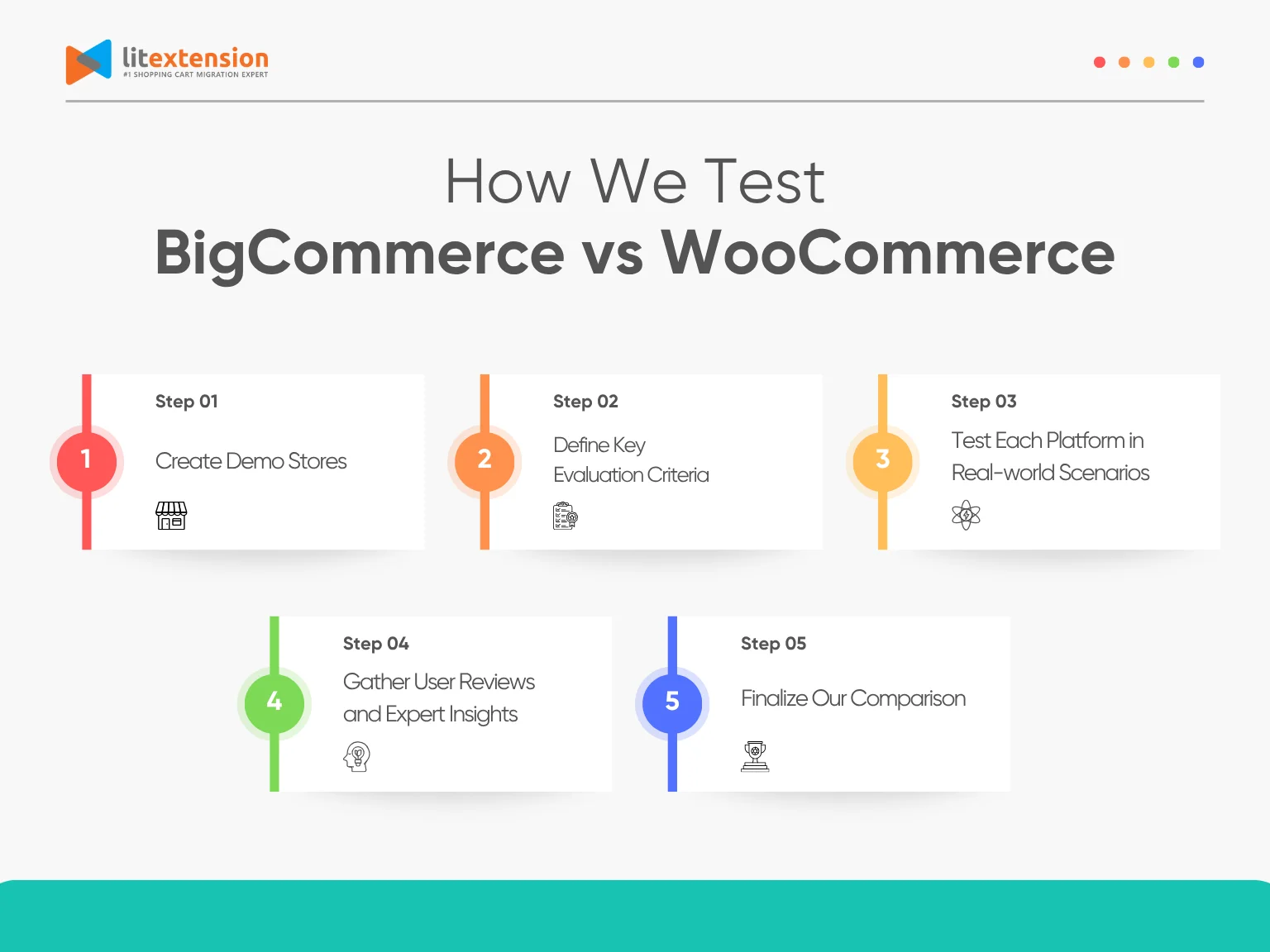
1. Create demo stores
To ensure a fair comparison, we built two demo stores from scratch, one on BigCommerce and the other on WooCommerce using WordPress. This setup gave us a consistent foundation to evaluate how each platform performs under similar conditions, from the initial setup to day-to-day operations.
2. Define key evaluation criteria
We focused on the most important aspects of running an online store: pricing, ease of use, themes and design, eCommerce features, inventory management, apps and integrations, security, and support. These criteria represent both the technical foundation and the day-to-day experience of using the platform.
3. Test each platform in real-world scenarios
Using our demo stores, we performed tasks like adding products, customizing designs, setting up payment gateways, managing orders, and connecting apps. This helped us evaluate how user-friendly and efficient each platform is in real operation, not just in theory.
4. Gather user reviews and expert insights
To balance our hands-on testing, we reviewed customer feedback from platforms like G2, Trustpilot, and Reddit. We also interviewed developers and merchants who have experience with both platforms. Their insights helped validate our findings and added real-world context to technical performance.
5. Finalize our comparison
Beyond features and ease of use, we considered long-term ownership. This approach ensures that our recommendations reflect what matters most to store owners, not just what looks good on paper.


