
Choosing BigCommerce vs Magento means looking beyond features to what your business can afford and manage. BigCommerce is generally the better fit for simpler day-to-day operations, while Magento Open Source offers greater flexibility for stores with complex requirements.
In this article, we will examine the practical trade-offs behind these differences and help you decide which platform fits your business now and as it grows.
| Comparison area | BigCommerce | Magento Open Source | Winner |
| Pricing | Subscription includes hosting and platform updates; easier to budget. | Free license, but hosting, development, and maintenance add to costs. | BigCommerce |
| Ease of use | Guided setup and straightforward daily management. | Technical setup and ongoing developer support are usually needed. | BigCommerce |
| Themes & customization | Visual editing tools with code and headless options. | Deeper control over design, application code, and store functionality. | Magento |
| Apps & integrations | Easier installation and less technical upkeep. | Extensive extension options, often requiring developer assistance. | BigCommerce |
| B2B features | Advanced company accounts, quotes, and buyer tools through paid B2B Edition. | Basic customer groups and tier pricing; advanced tools require extensions. | BigCommerce |
| Multi-store management | Centralized management, with fees for additional storefronts. | Flexible website, store, and store-view structure without per-storefront license fees. | Magento |
| SEO & marketing | Built-in SEO and marketing tools with less maintenance. | Flexible SEO settings and promotion rules, with more technical upkeep. | BigCommerce |
| Performance & scalability | Managed infrastructure simplifies growth and traffic handling. | Greater infrastructure control for complex requirements and expansion. | Magento |
| Security & customer support | Managed platform security and direct support channels. | Security maintenance falls to your team; support comes from community or paid providers. | BigCommerce |
BigCommerce vs Magento at a Glance
BigCommerce is a hosted eCommerce platform that combines hosting and selling tools under a subscription. It reduces infrastructure work, making it a practical option for businesses with limited technical resources. The platform is currently used by approximately 35,400 live websites.
In comparison, Magento Open Source offers more freedom to customize your store, but requires technical resources for setup and ongoing maintenance. Adobe also offers Adobe Commerce, a paid solution with additional capabilities that we’ll highlight where relevant. Across its editions, Magento currently powers over 175,000 Magento websites.
With that distinction in mind, let’s look at the main pros and cons of each platform.
| Platform | Pros | Cons |
| BigCommerce |
|
|
| Magento Open Source |
|
|
Choose BigCommerce if…
- Small and growing retailers need a hosted store without maintaining their own server infrastructure.
- Businesses with limited in-house development resources prefer built-in selling tools and access to platform support.
- Brands with relatively standard retail workflows can meet their needs through platform settings, apps, and integrations.
Choose Magento if…
- Businesses with specialized sales processes need custom commerce functionality beyond standard platform settings.
- Retailers with experienced development teams or agency partners can manage ongoing customization and maintenance.
- Companies with strict infrastructure requirements need control over their hosting environment and application code.
If either platform feels like a better fit for your next stage of growth, LitExtension can help you plan the move and transfer your store data.
Store Migration Made Easy With LitExtension!
LitExtension offers great migration solutions that help you transfer your data from the current eCommerce platform to a new one accurately, painlessly with utmost security.

Total Cost of Ownership
The Verdict
BigCommerce is generally more cost-effective for stores with standard requirements, thanks to included hosting and platform maintenance. Magento Open Source has no licensing fee, but development and ongoing support can make it more expensive to run.
BigCommerce
BigCommerce is easier to budget for at the beginning because hosting, platform updates, and core selling tools are included in the subscription. You won’t need to arrange separate hosting as you would with Magento Open Source. Its current subscription prices are:
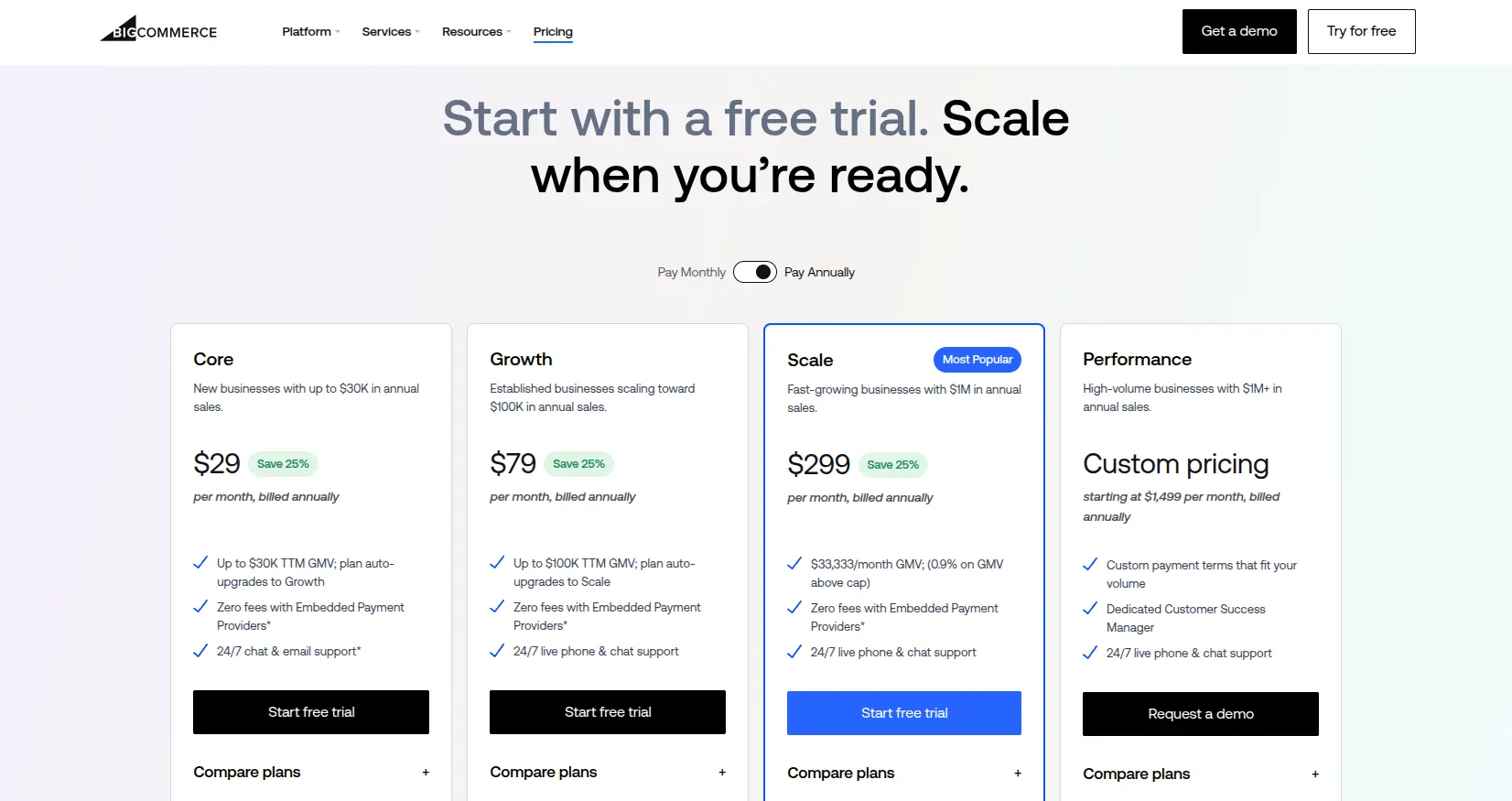
That gives you a clear starting point, but your subscription may increase even if you don’t need additional features. Core and Growth automatically upgrade when qualifying sales exceed their respective $30.000 and $100.000 trailing 12-month GMV thresholds. Scale instead charges 0.9% on monthly GMV above $33.333. This makes projected sales just as important as feature requirements when choosing a plan.
Using the app allowance above, a self-service store would spend approximately $948–$5.988 annually on its subscription and apps, before development, payment fees, and GMV-related charges. Our BigCommerce pricing guide explores these expenses in more detail.
Magento
Magento Open Source is free to download and has no licensing fee. That makes its starting price attractive, but the software is only one part of the budget. You still need to pay for the infrastructure and technical work that turn it into a functioning store.
For an illustrative budget, the main expenses are:
- Hosting costs around $100–$500 per month depending on your traffic, catalog, and hosting service.
- Technical maintenance adds approximately $4.800–$18.000 per year, assuming 8–15 hours of monthly support at 50–100 per hour. This covers a limited support allowance; major upgrades and new features may require additional work.
- Extensions can cost around $60–$600 each, with possible subscription, renewal, and installation charges.
- Store design and development require a separate project budget. A theme-based build generally involves less work than a custom storefront with specialist integrations, so this expense needs a quote based on your requirements.
Under those hosting and maintenance assumptions, annual operating costs come to roughly $6.000–$24.000, before extensions, payment processing, and additional development. Your first-year spending will be higher because it also includes the initial build and migration.
The main cost consideration is how much customization your store actually needs. Magento’s flexibility can justify the spending if it supports a business-critical workflow. For a straightforward retail store, however, paying developers to maintain that flexibility may offer less value. Our Magento pricing guide breaks down the individual expenses.
Adobe Commerce adds a paid subscription to the equation. Its pricing is quote-based, so assess the included hosting and services alongside implementation costs rather than applying Magento Open Source’s budget to it.
Ease of Use
The Verdict
In the BigCommerce vs Magento comparison, BigCommerce is easier to launch and manage with a small technical team. Magento’s daily administration is workable after training, but setup and maintenance require more specialist support.
BigCommerce
BigCommerce is easier to get started with because there is no software or server to configure. Most of the BigCommerce setup process happens in the control panel, from adding products and choosing a theme to configuring payments, shipping, and taxes. Visual editing tools also make basic storefront changes accessible without coding.
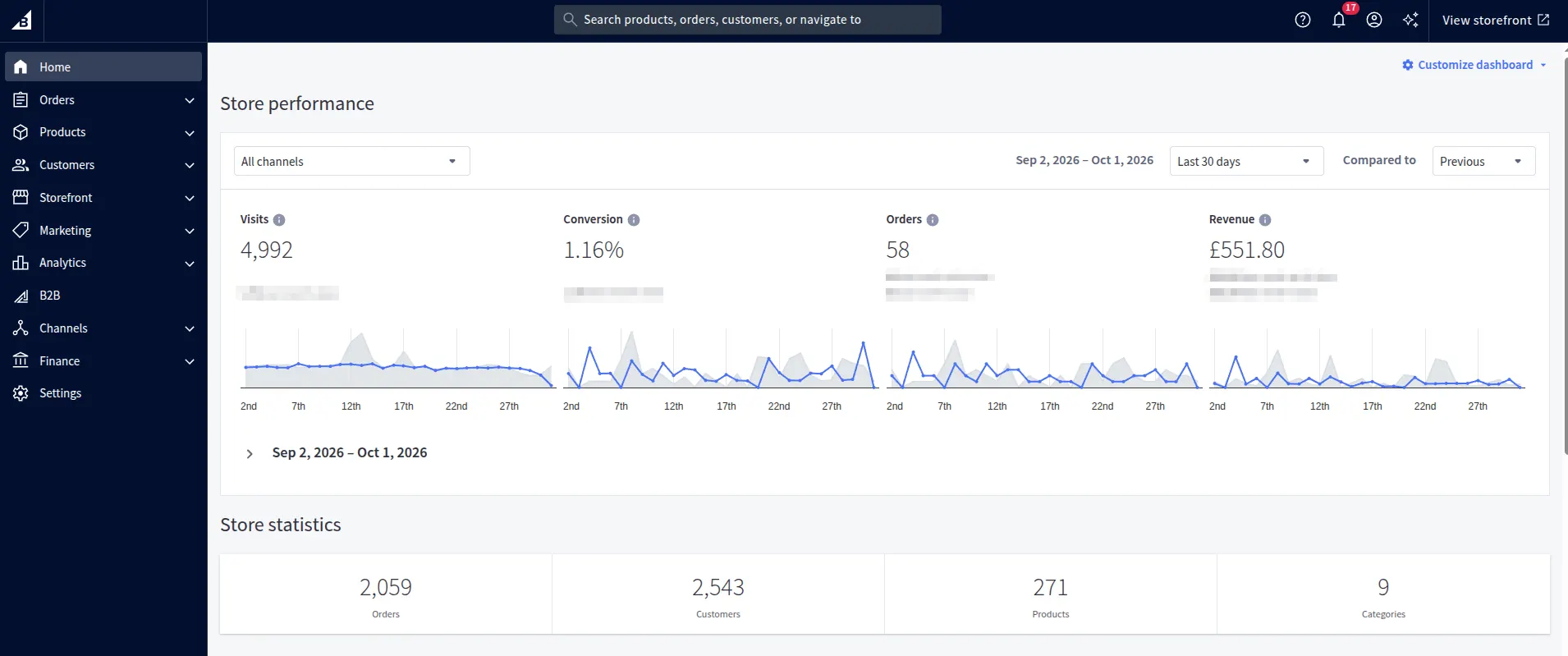
Day-to-day management is similarly approachable. Products, orders, and analytics are available in one place, helping your team check sales performance and handle routine updates. Complex shipping rules and integrations still take some learning, but the hosted model reduces the technical upkeep behind those everyday tasks.
Magento
The Magento setup process starts with preparing a compatible hosting environment and installing the software. You then configure the catalog, storefront, and checkout. Most nontechnical businesses will need a developer or hosting partner, especially for a customized store.
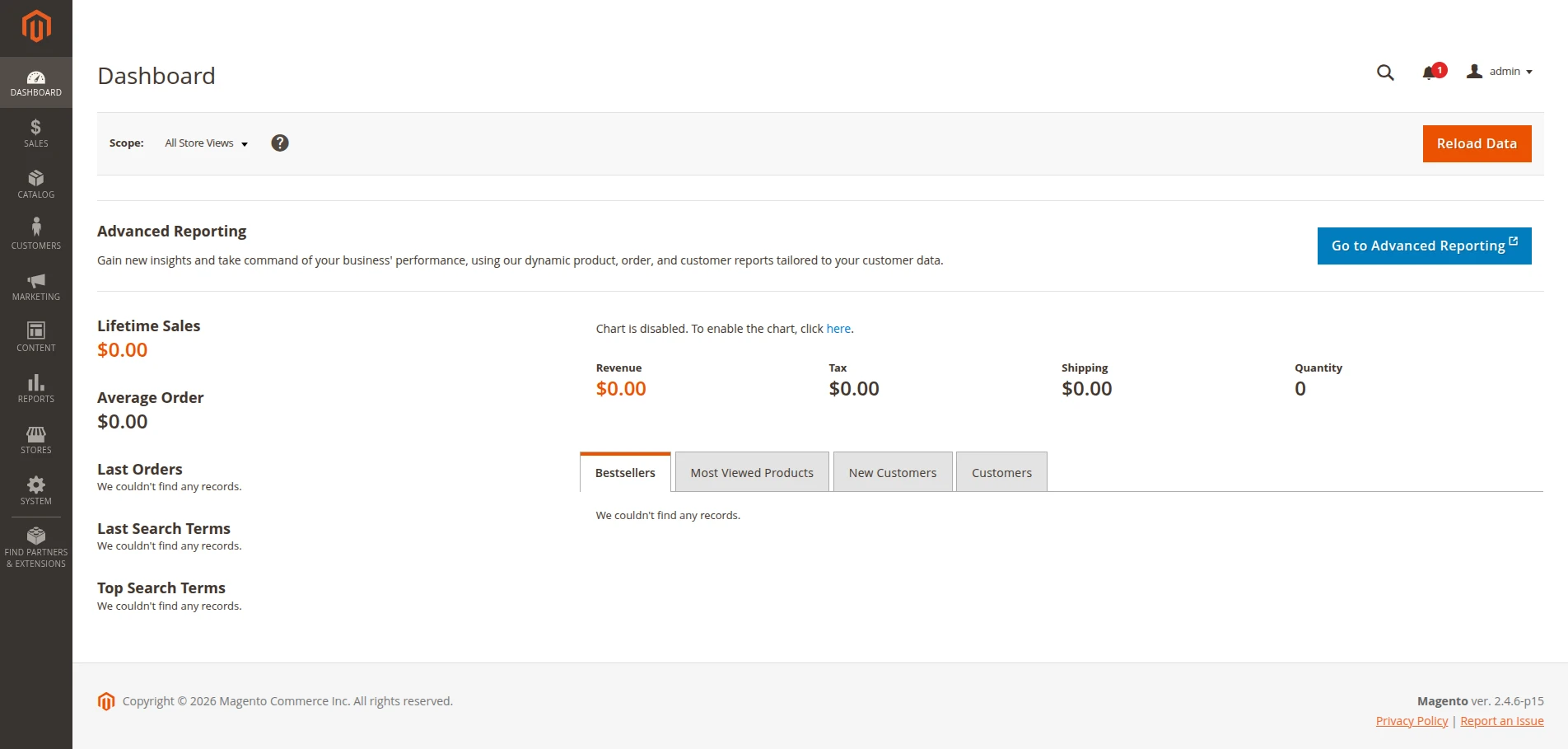
Daily operations are less demanding than installation. The Admin groups products, orders, customers, and reports into dedicated sections, so trained staff can manage sales and catalog updates without coding. The main difficulty is ongoing maintenance: patches, upgrades, and extension issues still require technical support.
Design & Customization
The Verdict
For design in the BigCommerce vs Magento comparison, Magento wins slightly. Access to the application code gives businesses more freedom to tailor storefront layouts and functionality to their requirements.
BigCommerce
BigCommerce offers more than 100 free and paid theme templates and variations, giving you a ready-made starting point rather than requiring a custom design. Our selection of free BigCommerce themes can help you explore options before budgeting for a paid design.

For customization, Theme Styles handles settings such as fonts and colors, and Page Builder lets you arrange content through drag-and-drop widgets. These tools suit routine branding and promotional updates, although the available settings depend on your theme. Developers can make deeper changes through Stencil, or use Catalyst with Makeswift for a custom storefront with visual editing.

BigCommerce also offers BigAI Copywriter to generate or refine product descriptions in your brand voice. It can reduce content-writing work, but it should be assessed separately from the tools used to design your storefront.
Magento
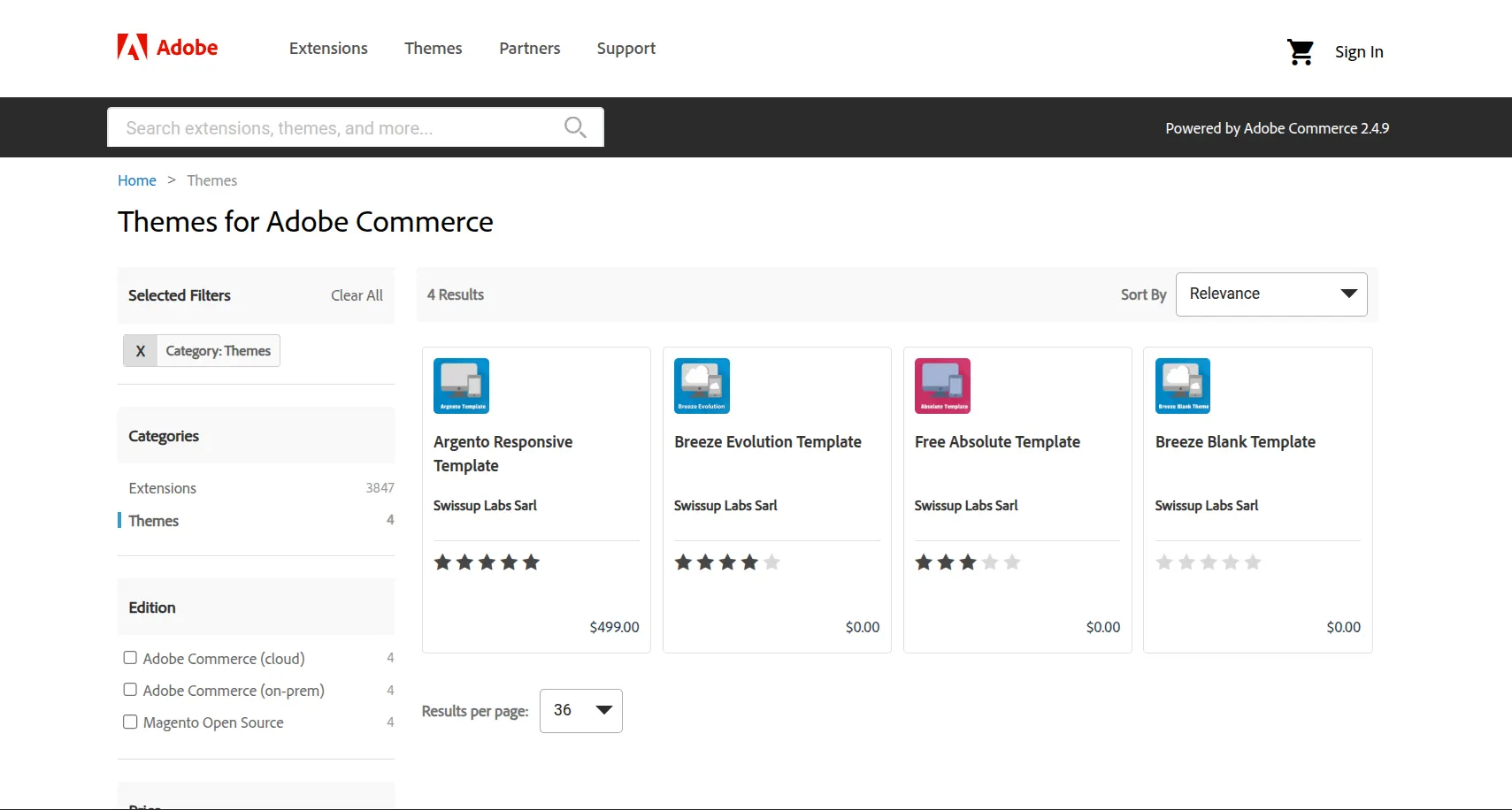
Magento’s built-in starting points are Blank and Luma. Blank provides a foundation for development, and Luma is available with sample data. More designs are available from third-party providers, so these two should not be mistaken for Magento’s entire theme selection.
Page Builder is available in Magento Open Source, allowing your team to create content using rows, columns, images, banners, and buttons. That makes everyday content updates more accessible than Magento’s technical reputation might suggest. Changing the wider theme layout or storefront behavior, however, generally requires a developer.
Adobe Commerce also offers generative AI capabilities for content creation and image variations. These belong to Adobe’s commercial offering and connected services, so they should not be presented as standard Magento Open Source features.
Apps, Extensions & Integrations
The Verdict
BigCommerce wins for ease of integration. Its single-click apps make adding everyday tools simpler and reduce the need for developer support.
BigCommerce
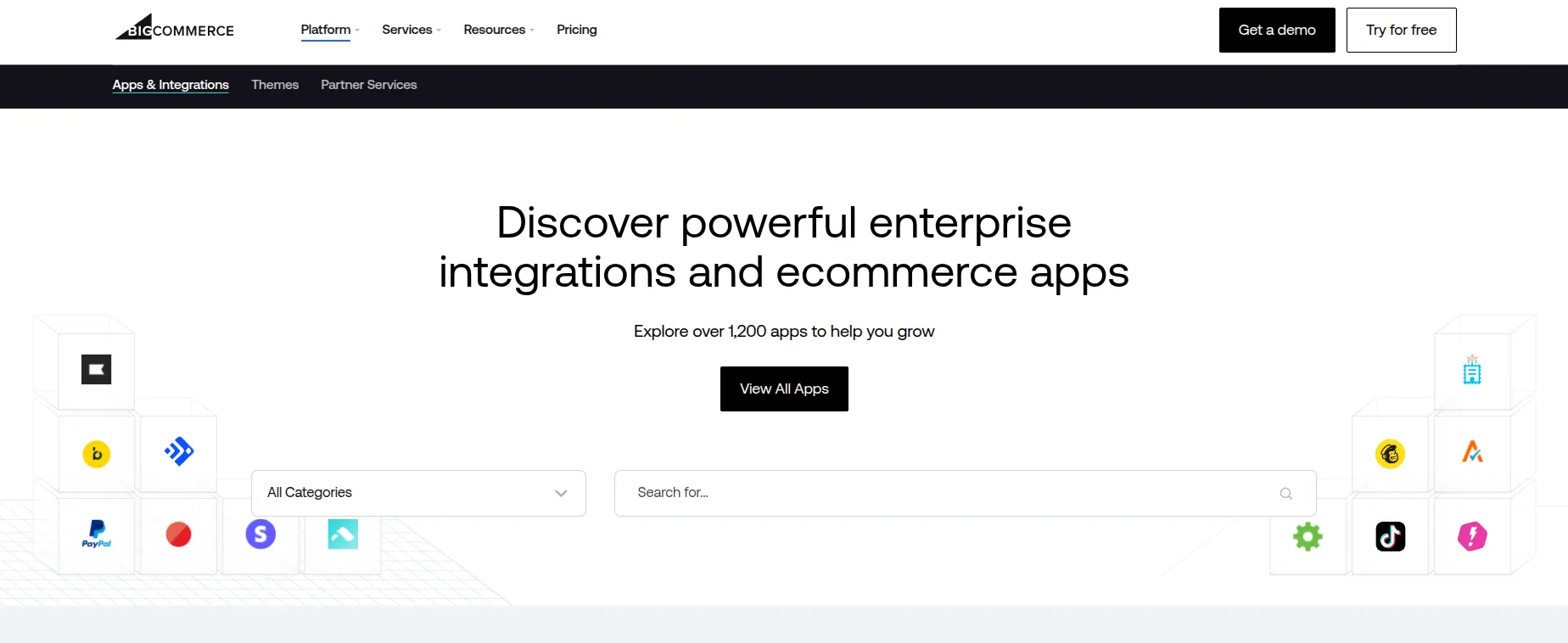
There are over 1.200 apps in the BigCommerce marketplace, covering marketing, shipping, accounting, and more. Many of the best BigCommerce apps support single-click installation, so adding everyday tools usually requires little technical help.
This makes expanding your store relatively convenient, although separate app subscriptions can increase your monthly costs. More complex integrations are possible through APIs, but you may still need a developer to configure custom workflows.
Magento
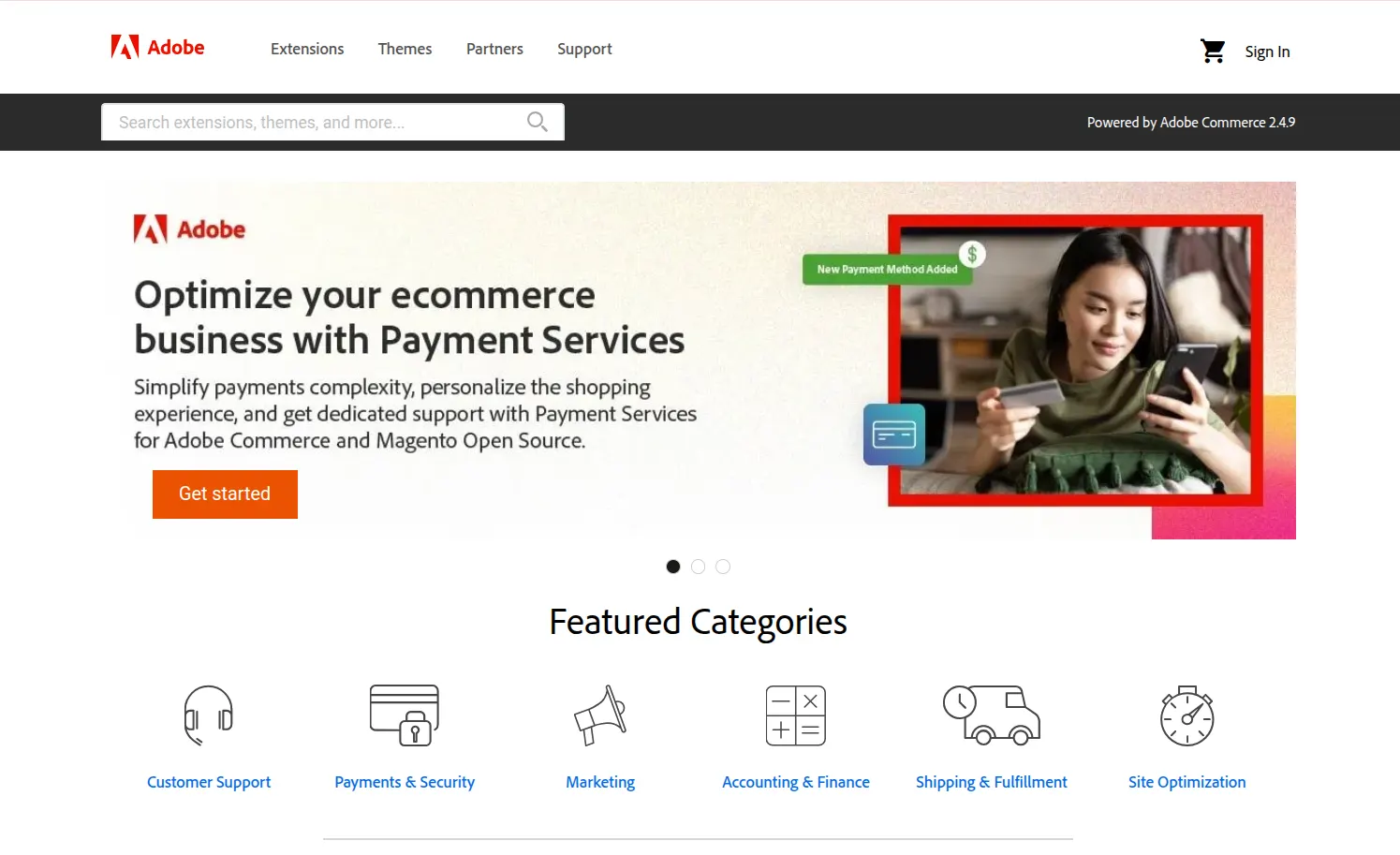
Thousands of extensions are available through Adobe Commerce Marketplace, with additional options sold directly by developers. These Magento extensions can add features such as advanced SEO, custom checkout, and shipping automation. Since the marketplace serves both Magento Open Source and Adobe Commerce, please check each extension’s supported edition and version before buying.
The flexibility comes with more technical work. Installation and updates typically require Composer, command-line access, and testing, so the purchase price is only part of the cost. Developer support and compatibility checks also need to be factored into your budget.
B2B Features
The Verdict
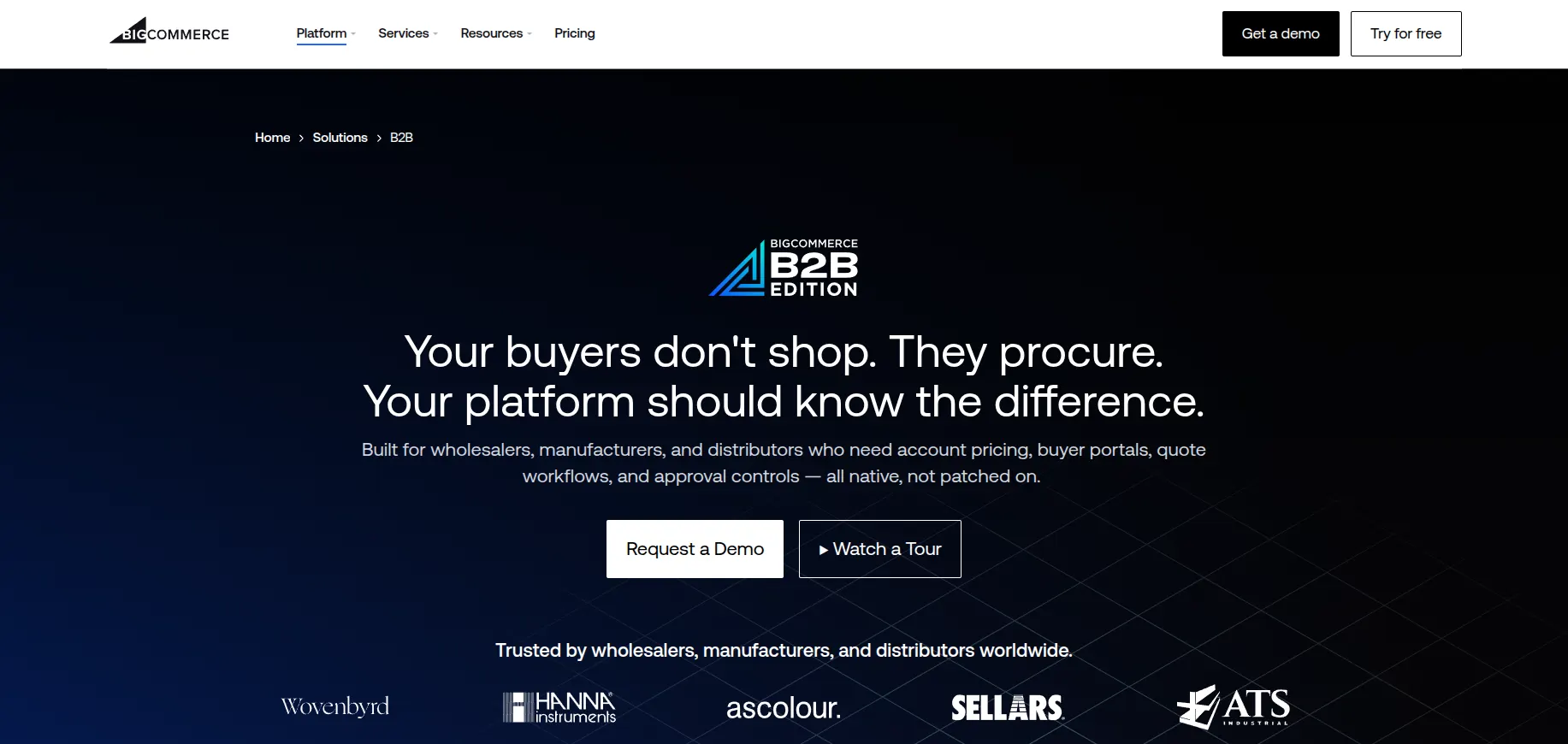
BigCommerce wins against Magento Open Source for ready-to-use B2B functionality through B2B Edition. Adobe Commerce is a stronger contender for businesses with complex purchasing workflows, although it brings a larger implementation and maintenance commitment.
Wholesale selling involves more than offering bulk discounts. Company accounts, negotiated prices, and repeat purchasing become just as important as your B2B business grows. Here’s how the two platforms handle these requirements.
| B2B capability | BigCommerce | Magento Open Source |
| Company accounts and buyer permissions | Available through B2B Edition, with multiple buyers and defined roles. | Requires extensions or custom development. |
| Customer-specific pricing | Price Lists support tailored pricing; availability depends on your plan. | Customer groups and tier pricing cover basic wholesale needs. Company-specific catalogs require additional tools. |
| Quote negotiation | B2B Edition supports quote requests and sales representative assistance. | Requires extensions or custom development. |
| Repeat purchasing and invoices | B2B Edition provides shared shopping lists and a buyer portal for managing invoices. | More advanced purchasing and invoice workflows require additional tools. |
Advanced capabilities in the BigCommerce column refer to B2B Edition, rather than every standard subscription.
For businesses that want established wholesale workflows, the BigCommerce features available through B2B Edition offer a more straightforward starting point. You still need to budget for the B2B package and any integrations with your existing business systems.
On the Magento side, the distinction between editions changes the comparison considerably. Advanced Magento features such as company accounts, shared catalogs, negotiable quotes, and purchase approvals are available through Adobe Commerce with its B2B extension, rather than Magento Open Source. These make the paid offering worth considering for more complex purchasing requirements.
Multi-Store & International Selling
The Verdict
Magento wins for multi-store flexibility, particularly when markets need different catalogs, pricing, and configurations. BigCommerce is easier to operate with a smaller technical team, but additional storefront fees and plan limits need to be considered.
BigCommerce
Running separate storefronts for different brands or regions is possible through Multi-Storefront, while products, customers, and orders remain manageable from one dashboard. Each storefront can have its own domain, design, and product selection, making expansion easier to coordinate.
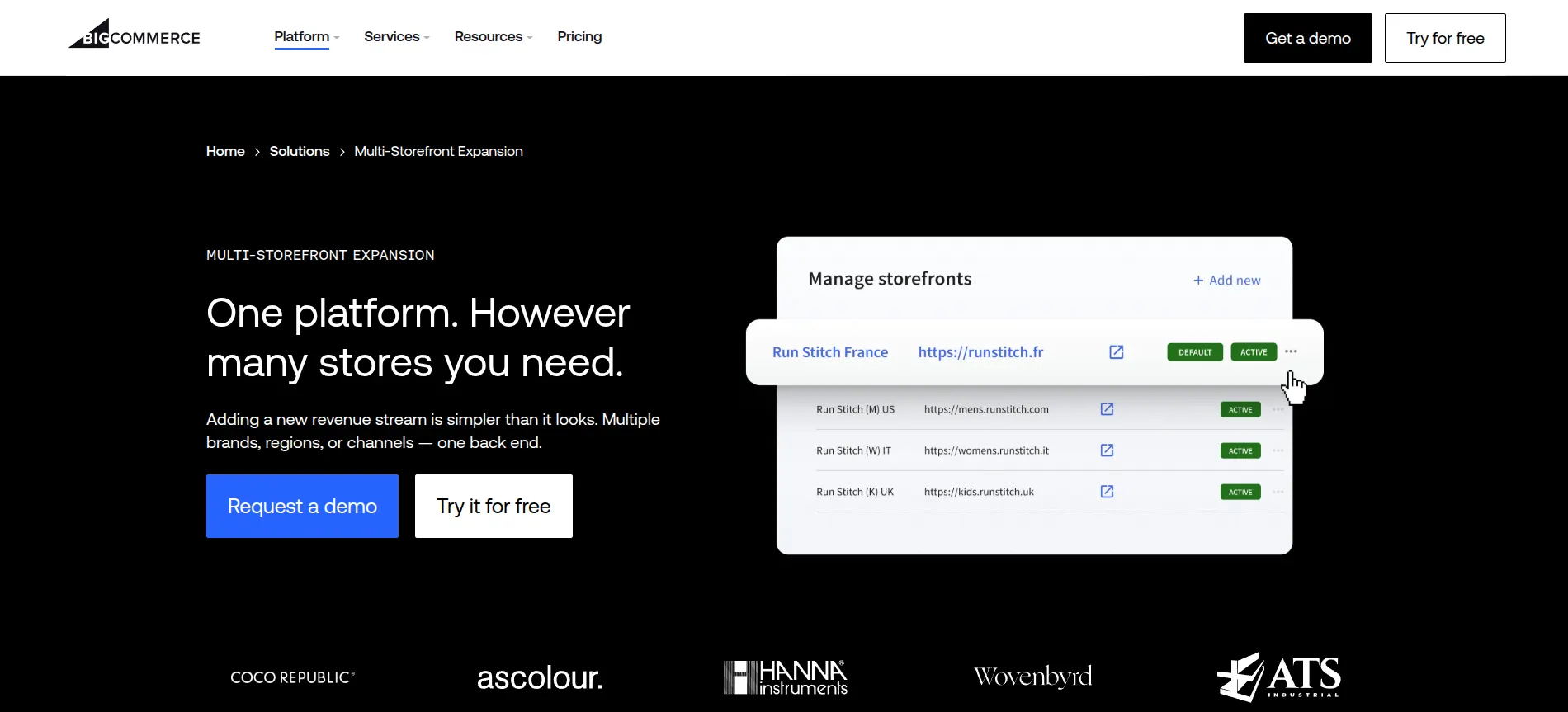
The main drawback is that each new storefront adds to your subscription costs. Core supports up to 3 storefronts at $30/month per additional storefront, while Growth raises the limit to 5 at $50/month each. For larger operations, Scale supports up to 8 at $100/month each, with Performance offering custom terms.
For international selling, you can tailor currencies, payment options, and content to each market. Language management depends on your storefront setup; Catalyst supports localization through the control panel. The convenience is appealing, but translations and local payment configurations still need planning before launch.
Magento
A built-in hierarchy of websites, stores, and store views gives Magento Open Source more control over how multiple markets are organized. Websites can handle different pricing and base currencies, stores can organize different catalogs, and store views support translated content. All are managed from the same admin panel.
This makes a Magento multi-store setup useful for businesses with distinct regional requirements. There is no additional Open Source licensing fee per storefront, although configuration involves both admin settings and server work. More stores also increase hosting, translation, and maintenance needs, so expansion is flexible without being cost-free.
SEO & Marketing
The Verdict
BigCommerce wins for everyday SEO and marketing in the BigCommerce vs Magento comparison. Its built-in tools require less technical upkeep, while Magento is better suited to businesses that need deeper customization and have developers to support it.
BigCommerce
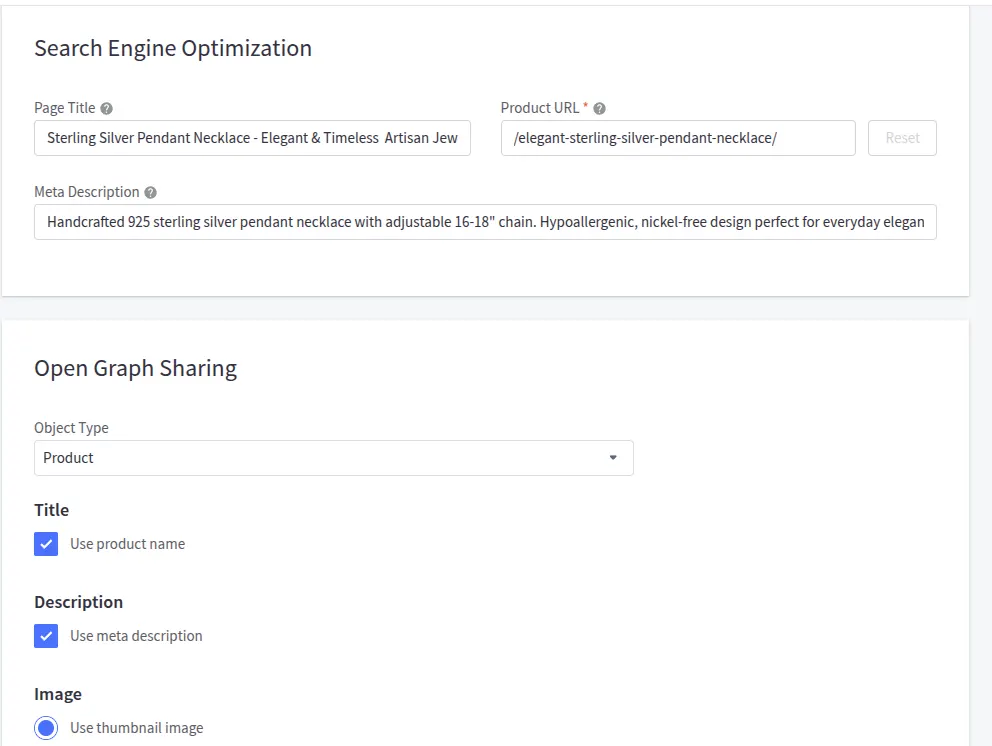
Handling everyday SEO is straightforward on BigCommerce. You can edit page titles, meta descriptions, and URLs, while built-in sitemaps and automatic 301 redirects help maintain your site’s structure. These cover the essentials for smaller teams, although specialized SEO changes may require theme edits or apps.
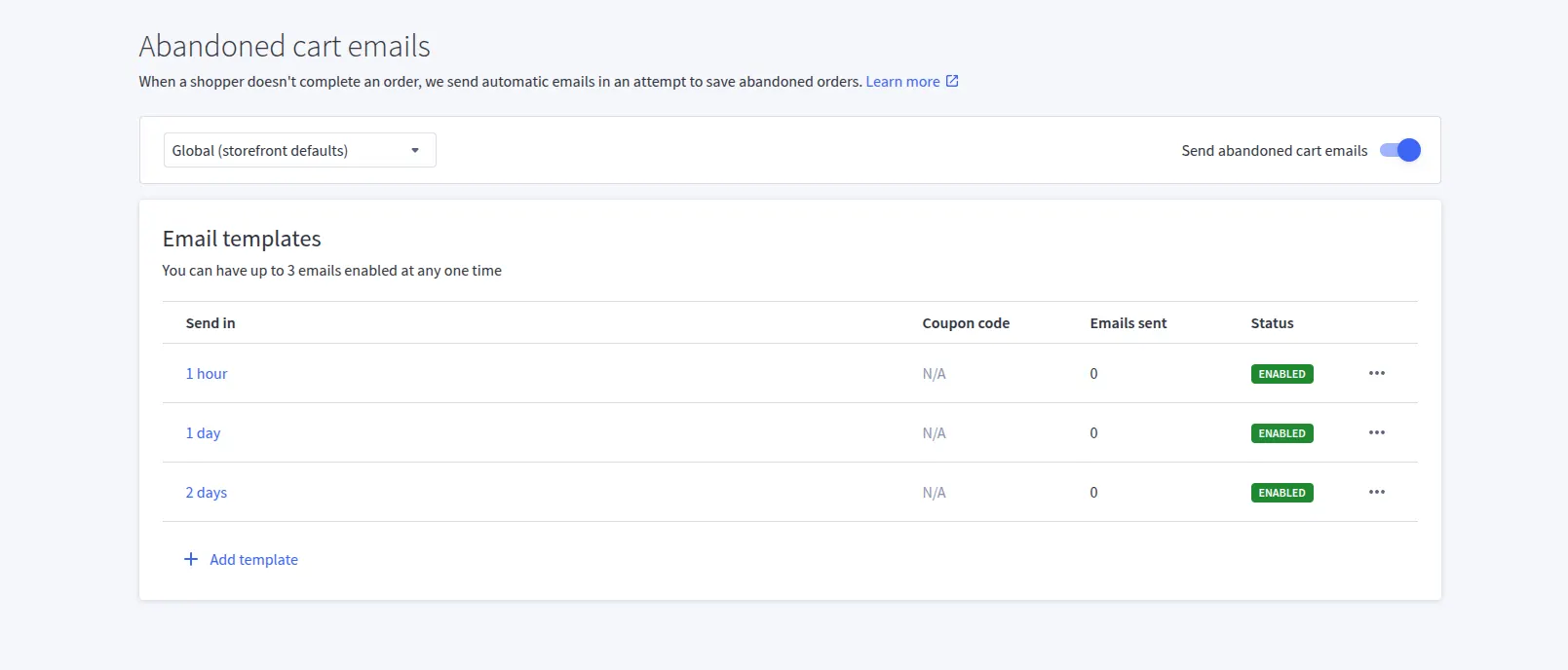
Beyond SEO, discounts and coupons support regular promotions. Growth and higher plans include customer groups and Abandoned Cart Saver, allowing you to target offers and automate recovery emails. Broader email and SMS campaigns still rely on third-party services, so your marketing costs can grow as you add more tools.
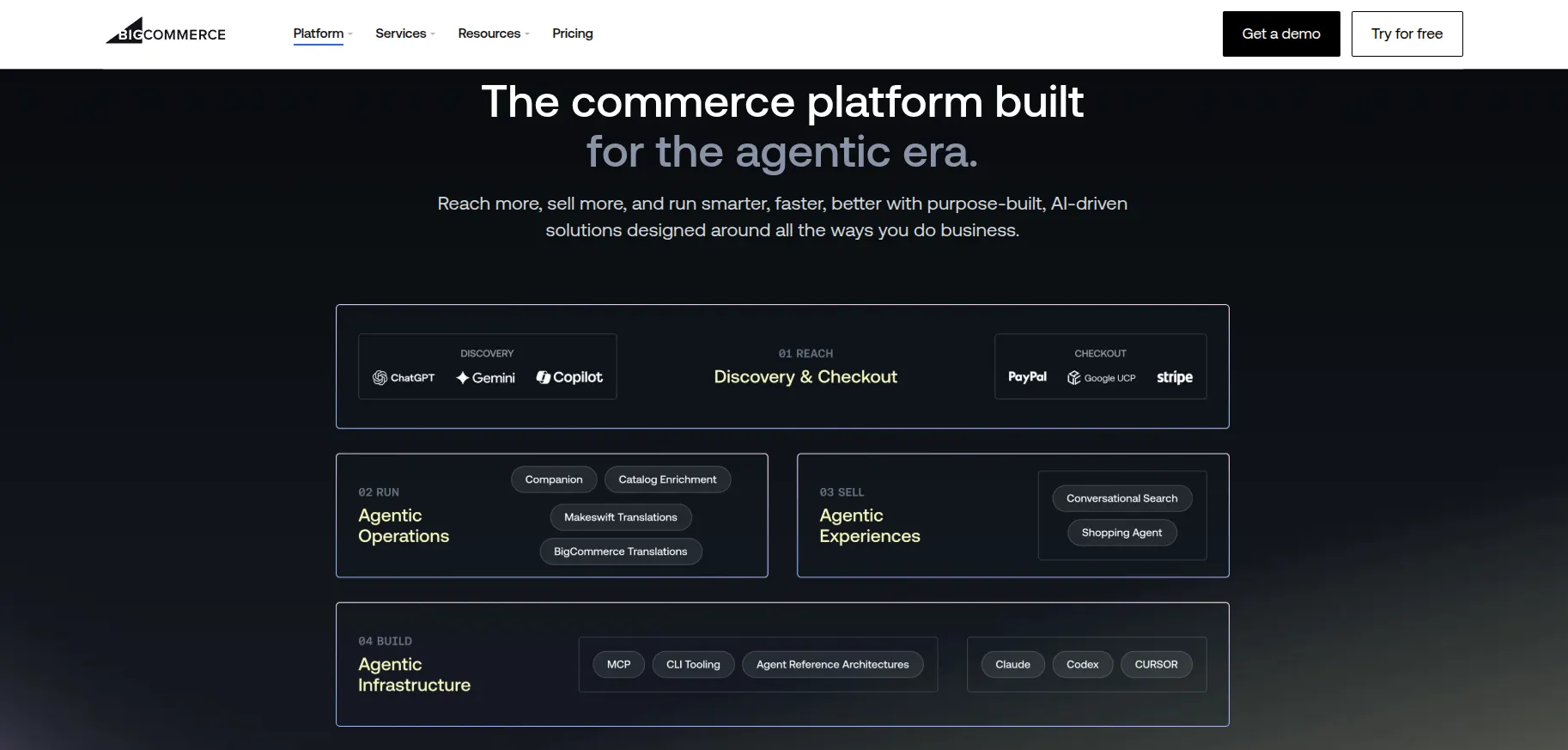
Beyond traditional search and advertising, BigCommerce supports agentic commerce through its partner ecosystem. PayPal Store Sync connects product catalogs to supported AI shopping experiences, including Perplexity, Microsoft Copilot, and Meta, with completed orders flowing back into BigCommerce. This gives businesses another way to reach shoppers while keeping order management in their existing store.
Magento
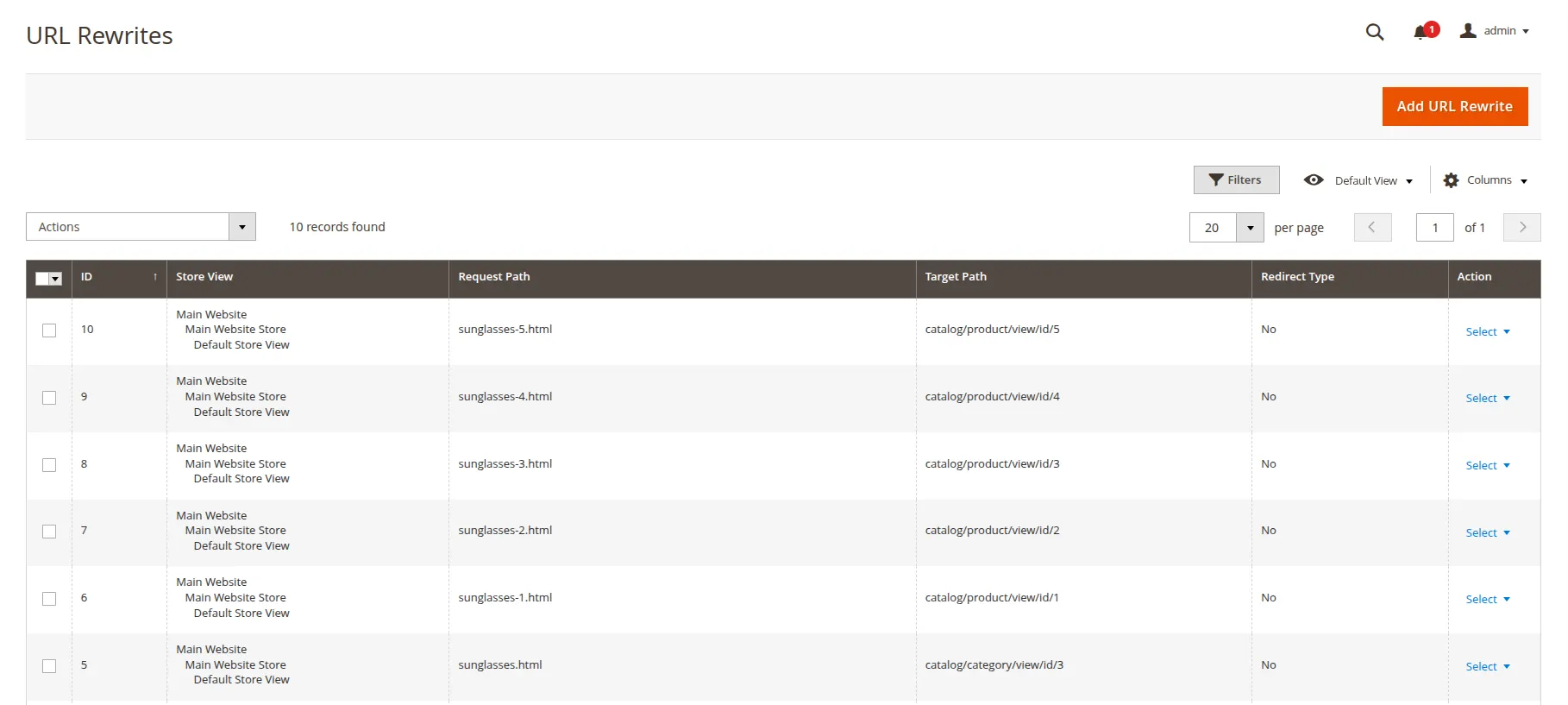
For businesses that need more control as their catalogs grow, Magento Open Source offers a flexible SEO foundation. You can configure metadata, URL rewrites, XML sitemaps, canonical tags, and robots.txt settings. That flexibility is useful for complex stores, but managing duplicate content and indexing across filters or store views takes more technical attention.
In terms of marketing, catalog and cart price rules let you tailor discounts to products, quantities, and customer groups. The trade-off is that advanced email automation and abandoned cart recovery usually require extensions or external services. Dynamic customer segmentation is an Adobe Commerce feature, so businesses using Magento Open Source need additional tools for behavior-based targeting.
Performance & Scalability
The Verdict
Magento wins for scaling flexibility, allowing businesses to expand large catalogs, add regional stores, and adapt complex workflows as they grow. This makes it a stronger fit for businesses with specialized requirements and a development team to manage the infrastructure.
BigCommerce
BigCommerce handles hosting and platform updates, reducing the need for your team to prepare servers ahead of a major sale. It reports 100% uptime during every Cyber Week since 2016, although this historical record does not guarantee uninterrupted service in the future.
That convenience still leaves some performance work on your side. Heavy themes, large images, and third-party scripts can slow the shopping experience. As order volumes grow, integrations using the BigCommerce API also need to account for rate limits, which can affect how quickly inventory and order updates sync.
Magento
The ability to choose and configure your infrastructure gives Magento Open Source more room for tailored scaling. Full-page caching, Varnish, and optimized database settings can help support large catalogs and busy stores. However, performance depends heavily on your hosting, code quality, and configuration.
This makes technical resources part of the scaling decision. Your team needs to monitor bottlenecks, test capacity before major campaigns, and upgrade infrastructure when demand increases. Magento can accommodate demanding operations, but that capacity requires ongoing investment rather than arriving automatically with the software.
Security & Customer Support
The Verdict
BigCommerce wins for security and customer support. Managed platform updates and direct support reduce the technical work involved in keeping a store secure and resolving issues.
BigCommerce
Keeping your store secure involves less technical upkeep with BigCommerce. The platform manages hosting security and platform updates, provides free SSL, and maintains Level 1 PCI DSS compliance. You still need to manage staff access and review third-party apps, but much of the infrastructure responsibility is handled for you.
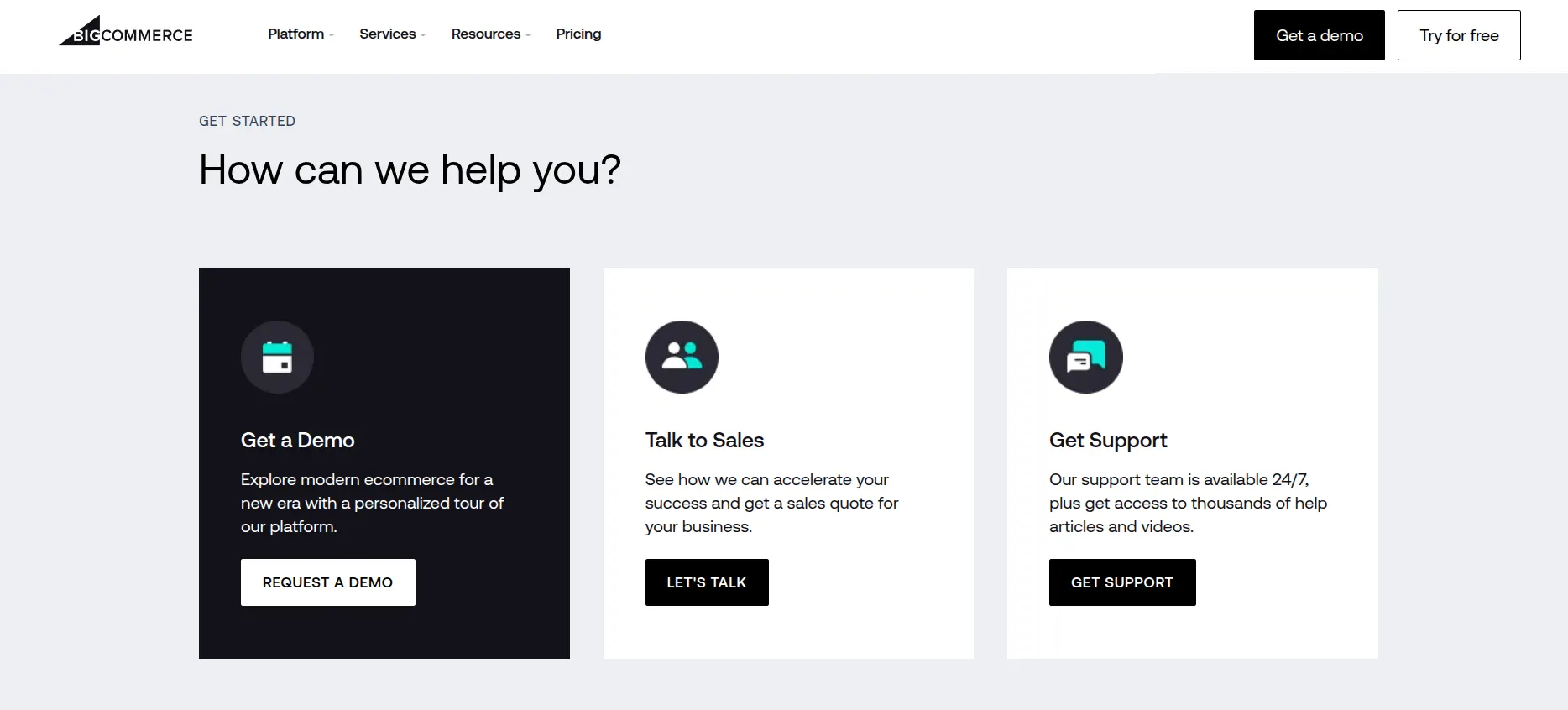
Help is also available when problems arise. All plans include 24/7 chat and email support, while Growth, Scale, and Performance include phone support. The Help Center and learning resources cover routine questions, although custom code and third-party app issues may require help from your developer or app provider.
Magento
With Magento Open Source, your team or hosting provider needs to apply security patches, configure SSL, secure the server, and maintain backups. Built-in tools such as admin two-factor authentication help, but keeping the store protected still depends on regular maintenance.
Support is less centralized because Magento Open Source does not include a paid Adobe support contract. Documentation and community discussions can help, but urgent fixes usually depend on your developer, agency, or hosting provider. Adobe Commerce offers commercial support, though its coverage should be checked against your contract and deployment.
BigCommerce vs Magento: How We Tested Both Platforms
Our BigCommerce vs Magento review uses an internal evaluation framework to weigh each category’s importance in the overall comparison, with the following weighting:
- Pricing and total ownership cost – 20%: Annual expenses, additional fees, and ongoing maintenance.
- Ease of use – 20%: Setup, daily store management, and the technical skills required.
- Commerce features – 20%: Selling tools, B2B capabilities, and multi-store management.
- Customization and integrations – 15%: Themes, editing tools, apps, and development flexibility.
- Performance and scalability – 15%: Infrastructure, growth options, and performance maintenance.
- Security and support – 10%: Security responsibilities, updates, and access to help.
We evaluate Magento Open Source separately from paid Adobe Commerce features. The overall score reflects a balance of these priorities, while individual category scores help businesses identify the better fit for their specific needs.
BigCommerce vs Magento: FAQs
Is BigCommerce better than Magento?
BigCommerce is better for businesses that prioritize easy management and predictable maintenance. Hosting, platform updates, and support are included. Magento Open Source is a stronger fit for businesses that need extensive customization and have developers to manage the store.
Is Magento still free?
Yes, Magento Open Source is free to download and has no licensing fee. However, running a store still involves hosting, development, security, and maintenance costs. Adobe Commerce is a separate paid offering.
Does BigCommerce charge transaction fees?
BigCommerce charges an Open Payment Provider fee on eligible orders processed through providers outside its Embedded Payment Provider list. The rates are 2% on Core, 1% on Growth, and 0.6% on Scale. Orders processed through Embedded Payment Providers avoid this platform fee, although the provider’s payment processing fees still apply.
Which platform between BigCommerce vs Magento offers more customisation?
Magento Open Source offers more customization because developers can modify the application code and control the hosting environment. This allows more tailored checkout flows, integrations, and store features. BigCommerce provides substantial design and API flexibility, but places more limits on changes to the underlying platform.
Is BigCommerce cheaper than Magento?
BigCommerce is often cheaper for businesses that would otherwise pay developers to maintain Magento. Its subscription bundles hosting, updates, and support, making ongoing costs easier to budget. Magento’s free license can be appealing, but hosting, custom development, extensions, and maintenance can make the total cost considerably higher.
Final Verdict
We’ve reached the end of our BigCommerce vs Magento comparison, and the main takeaway is clear: BigCommerce makes running a store easier, while Magento Open Source offers more room to tailor it to complex business needs.
Once you’ve chosen your platform, moving your existing store data is the next step. LitExtension experts can handle the transfer of your products, customers, and orders, with support throughout the process. Contact our team to discuss your migration requirements and plan your move.
For more platform comparisons and practical tips on running your store, explore our other blog posts as well!

