As both are famous eCommerce platforms in the world, the tight battle between BigCommerce vs Squarespace makes it difficult for merchants to choose. Which platform is more suitable when they want to build their own online website?
If you’re having difficulty deciding the right platform for you, or if you want to switch from one to the other, read on! LitExtension – #1 Shopping Cart Migration Expert will help you answer questions you may have about BigCommerce and Squarespace through this article.
Let’s take a look at the comparison of Squarespace vs BigCommerce using the criteria below:
- Pricing
- Scalability & growth
- Ease of use
- Design & templates
- eCommerce features
- Apps & plugins
- SEO & marketing
- Security
- Customer support
BigCommerce vs Squarespace – Pro & Cons
As a hosted eCommerce platform founded in 2009, BigCommerce provides everything users need to create an online store. Registering a BigCommerce account allows you to start personalizing and monetizing your eCommerce store immediately.
Pros | Cons | |
 |
|
|
Squarespace is also a hosted CMS solution founded in 2004. This platform allows online retailers to construct and manage a portfolio, blog, or eCommerce store without many technical skills.
Pros | Cons | |
 |
|
|
BigCommerce vs Squarespace – Quick Comparison
In a rush? No worries. Before we dive into the detailed analysis, here’s a side-by-side BigCommerce vs Squarespace comparison covering every criterion in this guide, along with the winner of each round.
BigCommerce | Squarespace | The Winner | |
Pricing | From $29 to $299 per month | From $16 to $99 per month | Squarespace |
Scalability & Growth | Built for high volume; scales to enterprise level | No sales caps, but limited ceiling for large stores | BigCommerce |
Ease of Use | More powerful, steeper learning curve; no AI builder | Beginner-friendly drag-and-drop; Blueprint AI builder | Squarespace |
Design & Templates | 15 free themes; eCommerce-focused, more code for customization | ~194 designer-grade templates; easy visual editing | Squarespace |
eCommerce Features | Deep tools: multichannel, B2B, more gateways, robust shipping | Solid essentials; leans on third-party apps for depth | BigCommerce |
Apps & Plugins | Large app marketplace with extensive integrations | Smaller, curated extension library | BigCommerce |
SEO & Marketing | Granular SEO controls; larger tool ecosystem; built-in abandoned cart (Plus plan) | Strong SEO basics; cheaper abandoned cart recovery; less flexibility | BigCommerce |
Security | SSL, PCI compliance, 24/7 monitoring | SSL, PCI compliance, 24/7 monitoring | A Tie |
Customer Support | 24/7 phone, live chat, and email; multi-country phone lines | 24/7 email and social; live chat on weekdays; no phoneBig | BigCommerce |
As the table shows, BigCommerce comes out as the overall winner thanks to its superior scalability, deeper eCommerce features, broader app ecosystem, stronger SEO and marketing tools, and more comprehensive customer support. For merchants who are serious about selling and growth, BigCommerce is the more capable long-term platform.
If reading this has convinced you to make the switch, LitExtension is here to help. As the #1 eCommerce migration expert, LitExtension can migrate your store from Squarespace to BigCommerce quickly and securely, transferring your products, customers, orders, and other data accurately, with no downtime and no technical headache.
Let Our Experts Handle Your Store Migration!
With the All-in-One Migration Service, our experts take care of everything, ensuring a seamless and stress-free migration.

#1. Pricing – Squarespace Wins
Quick verdict:
When it comes to the pricing of BigCommerce vs Squarespace, Squarespace takes the lead. Its plans start lower, scale more predictably, and include a free domain for the first year.
BigCommerce pricing offers three core plans plus a custom Enterprise tier. Each plan comes with 24/7 support, unlimited products, unlimited staff accounts, and zero transaction fees on every tier.
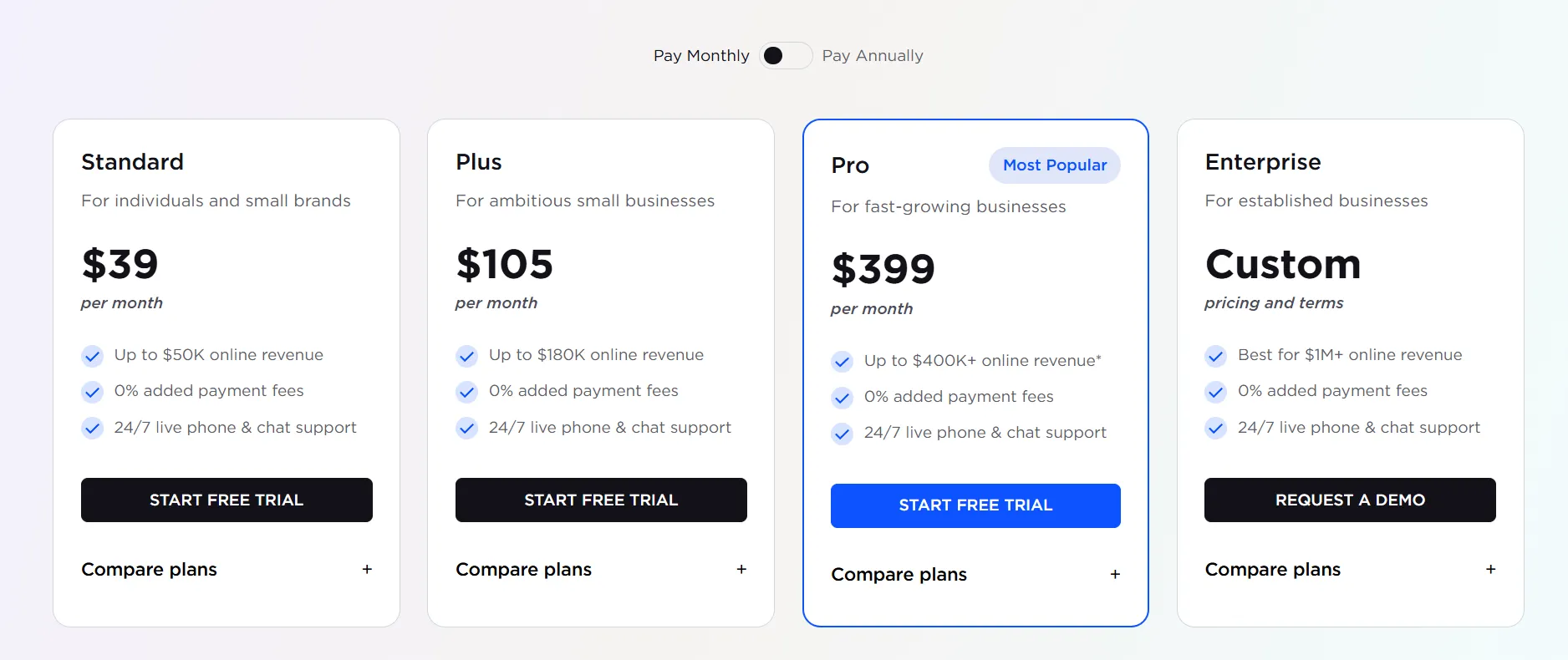
What makes BigCommerce unique is that your plan is tied to how much you sell. Standard maxes out at $50,000 in annual sales, Plus at $180,000, and Pro at $400,000 per year, and once you cross a threshold, BigCommerce automatically moves you up to the next (more expensive) tier. This keeps you on the right plan for your stage of growth, but it can also catch new sellers off guard if their sales climb quickly.
Meanwhile, Squarespace also offers four plans, including Basic, Core, Plus, and Advanced. When billed annually, Squarespace costs between $16 and $99 per month across its four plans. Every Squarespace pricing comes with a 14-day free trial, and paying annually also gets you a free custom domain for the first year.
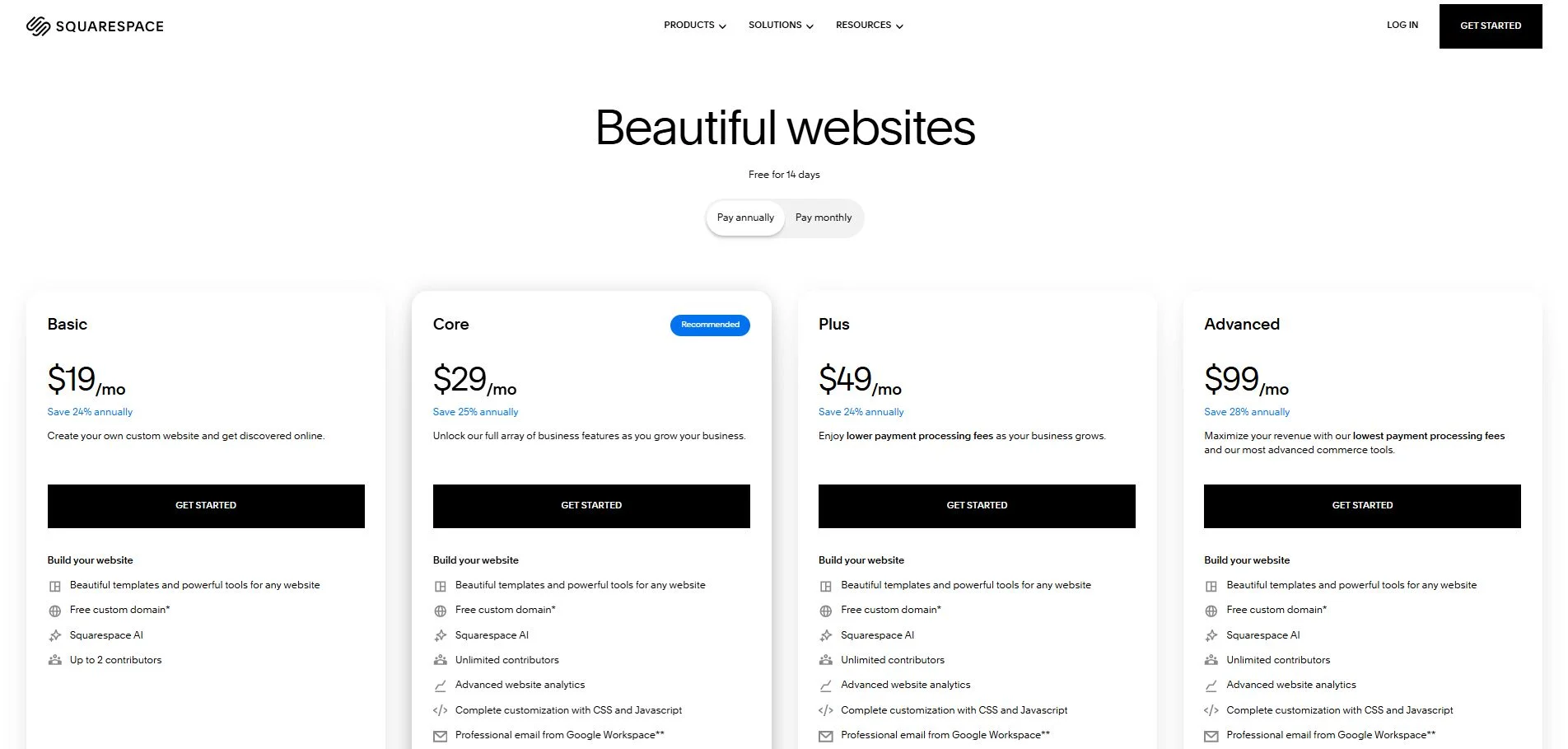
One key thing to watch is transaction fees. The Core, Plus, and Advanced plans have 0% transaction fees, while the entry-level Basic plan charges a transaction fee on each sale. For that reason, most serious sellers will want to start on Core rather than Basic. The Core plan ($23/month) is the most complete option for most people, including 0% transaction fees on physical products, custom code injection, real-time shipping quotes, and full ecommerce analytics – a tier worth noting if you’re also running a BigCommerce vs Big Cartel comparison for a smaller shop.
#2. Scalability & Growth – BigCommerce Wins
Quick verdict:
When comparing BigCommerce vs Squarespace on scalability, BigCommerce wins. It gives you a clear, structured path from a small store all the way up to enterprise-level selling, with the infrastructure to match.
BigCommerce has sales limits per year on its standard plans (Standard, Plus, Pro). As your eCommerce growth hits a sales cap, BigCommerce can automatically upgrade you to a higher (more expensive) plan or encourage an enterprise-level solution.
Here’s the sales limit on BigCommerce for each tier:
- Standard: Up to $50k
- Plus: Up to $180k
- Pro: Up to $400k in online sales, +$150/mo charges $200k for each additional $200k in online sales
With BigCommerce, there’s always the Enterprise solution for huge businesses. This provides custom pricing and features, ensuring the platform can scale alongside you – a scaling path that’s also worth reviewing in a BigCommerce vs PrestaShop comparison.
On the flip side of the BigCommerce vs Squarespace comparison, Squarespace does not have any sales limits on its lower-priced plans. Although there are no feature tiers or sales limits, you may experience performance limitations at very high volumes. In such cases, Squarespace’s API and developer tools can provide workarounds, but this requires more technical knowledge.
If you have a very complex store, sudden spikes in traffic could strain the performance even more. So, while Squarespace might perform well under usual circumstances, it’s essential to research the platform’s limitations regarding scalability.
#3. Ease of Use – Squarespace Wins
Quick verdict:
Between BigCommerce vs Squarespace, when it comes to ease of use, Squarespace is much easier for beginners than BigCommerce. Its guided setup, AI-powered builder, and intuitive drag-and-drop editor make it far friendlier for beginners.
With BigCommerce, your eCommerce store can be easily launched and maintained. Because it is a fully hosted platform, you don’t need to set up hosting or install any software to get started. While BigCommerce offers customization, it often requires some HTML/CSS knowledge for advanced editing.
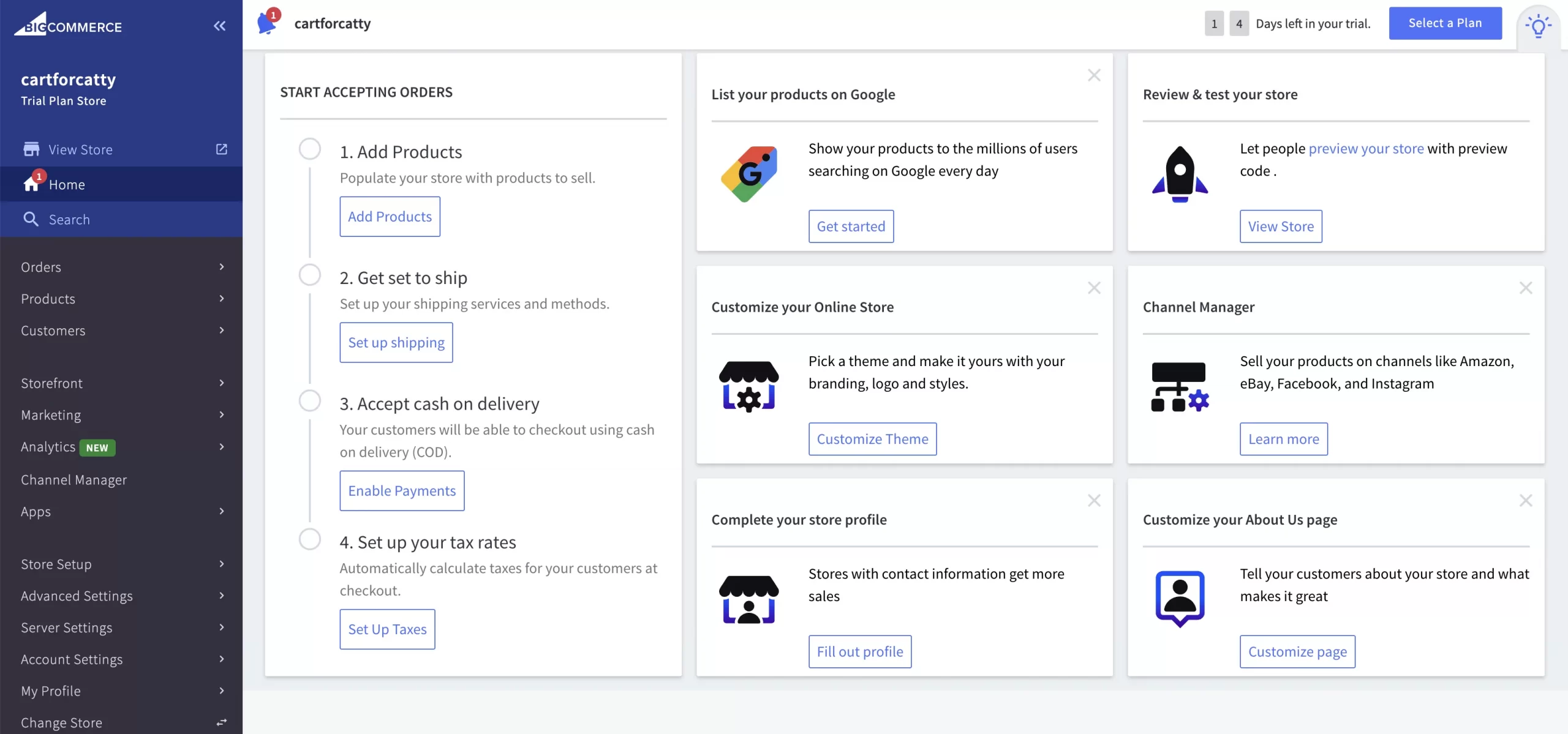
If you’re not familiar with BigCommerce, it does have a knowledge base and support for all concerns, from the smallest to the most complex. And if you want control over every aspect of your store’s design and functionality, BigCommerce can definitely give you that power.
Among website builders, Squarespace is one of the most user-friendly platforms. You don’t need to touch a single line of code because the platform is purely drag-and-drop, allowing you to quickly add and modify any items on your pages. All you need to do is answer three simple questions and choose to build your website with Squarespace Blueprint (the AI website builder) or start with a template.
The AI builder is a noticeable differentiator between BigCommerce vs Squarespace. You simply describe your business and style preferences, and Blueprint AI walks you through choices for your site’s structure, pages, fonts, and colors, producing a polished, functional site you can launch and manage without additional tools. In practice, this gets you from a blank page to a working starting point very quickly.
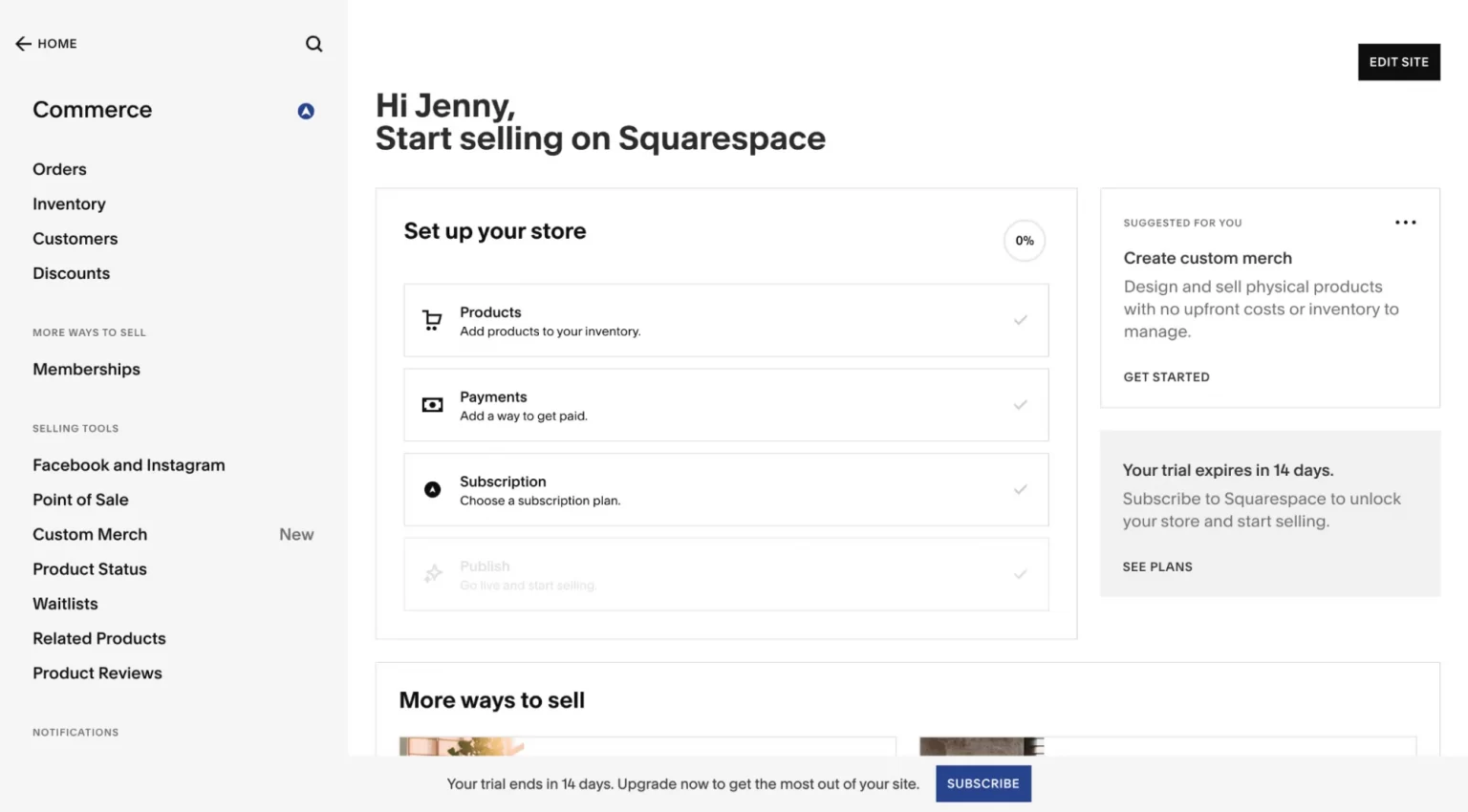
Beyond setup, the everyday editing experience is smooth thanks to true drag-and-drop controls, letting you adjust layouts, fonts, and colors visually without touching code. There’s a small learning curve in understanding how Squarespace organizes pages, sections, and blocks, but most users pick it up quickly – a curve that’s also frequently discussed in a Wix vs Bigcommerce comparison for first-time store builders..
#4. Design & Templates – Squarespace Wins
Quick verdict:
In terms of design and templates, BigCommerce vs Squarespace, Squarespace wins. Its themes are widely regarded as the most beautiful in the website-building space, and its true drag-and-drop editor gives non-designers an easier path to a polished store.
It’s fair to say design isn’t BigCommerce’s headline strength. As a backend-first platform, BigCommerce features functional and responsive layouts, but not much more. There are a limited number of free BigCommerce themes available, with most other themes being paid options that typically run from $150 to $300.

On the bright side, BigCommerce themes are built specifically for online selling, running on its modern Stencil framework. Every theme is responsive and optimized for both small and large catalogs, so your storefront performs well across devices. Furthermore, for more diversity, you may purchase the top BigCommerce themes at Themeforest.
Meanwhile, Squarespace templates are very eye-catching and extremely professional, offering users 200+ designer-grade templates across different categories. All these themes are already included in your pricing plan, so you won’t have to worry about an additional fee.

Squarespace TemplatesJust as important, Squarespace makes those templates easy to customize without code. Squarespace wins on templates thanks to its design-first approach, hundreds of polished, auto-responsive themes, and the intuitive Fluid Engine editor that lets anyone customize layouts with a few clicks. You can adjust fonts, colors, and layouts visually, and recent updates have added animation and depth tools that give more experienced users designer-level control.
#5. eCommerce Features
Quick verdict:
BigCommerce has out-of-the-box eCommerce features. With BigCommerce, you will be assisted more and your eCommerce experience will also improve.
Inventory management
BigCommerce handles inventory with the scale of larger catalogs in mind. It provides comprehensive catalog management out of the box, letting you create and organize product listings with variants, bundles, and digital products. The platform supports unlimited products on every plan and integrates with third-party systems, so you can manage stock across a website, social channels, and marketplaces from one place – a depth of inventory control that often comes up in a BigCommerce vs WooCommerce comparison.
On the flip side, Squarespace also offers a clean, user-friendly inventory panel that makes adding products, adjusting stock levels, and bulk editing straightforward. It’s well-suited to small and medium catalogs, though it doesn’t offer the same depth of catalog tooling that high-volume sellers eventually need.
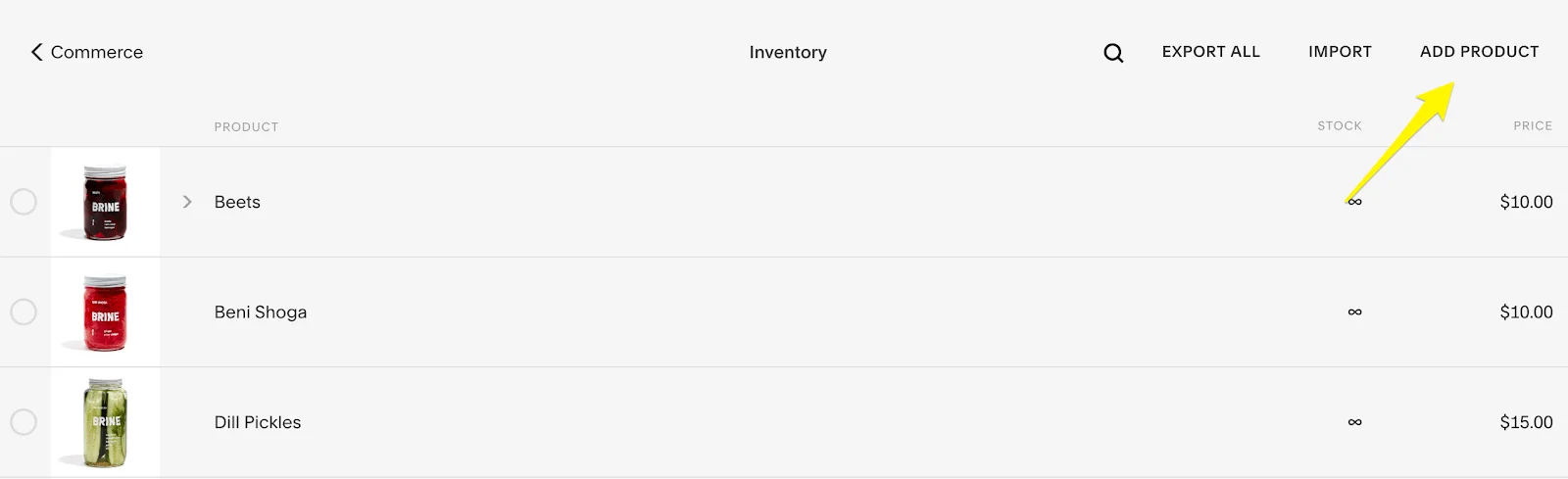
Squarespace Inventory Management
B2B eCommerce
BigCommerce seems to be more expensive from the start but includes more of what B2B stores need natively. This platform’s wholesale pricing and customer group functionality is a big time-saver. Specifically, BigCommerce lets you manage this within the core platform.

Every theme is responsive and optimized for both small and large catalogs, so your storefront performs well across devices — a baseline that takes more manual setup on the open-source side of a Drupal vs Bigcommerce comparison (things like integrations with procurement systems, advanced quote management, etc.).
Though Squarespace appears cheaper initially, its reliance on multiple paid apps to bridge the B2B gap could quickly close that price differential. To replicate most of BigCommerce’s native features, Squarespace would require finding and integrating various third-party apps.
If your B2B side is a smaller portion of your business and orders are relatively straightforward, Squarespace could work.
Multichannel selling
Selling beyond your own website is where BigCommerce really pulls ahead. BigCommerce supports multi-channel selling across Amazon, eBay, Walmart, Facebook, Instagram, TikTok, and Google Shopping natively, syncing inventory and orders across all of them. This makes it simple to expand your reach without juggling disconnected systems, a native multichannel edge often highlighted in a BigCommerce vs Shopify comparison.
Meanwhile, Squarespace does integrate with social platforms like Instagram and Facebook, and it works with dropshipping extensions such as Spocket and Printful. However, its multichannel reach is narrower, so merchants planning to sell across multiple marketplaces will find BigCommerce far better equipped.
Payment gateways
Over 250 local payment methods in over 100 countries and over 65 payment gateway integrations are ready to help BigCommerce users.
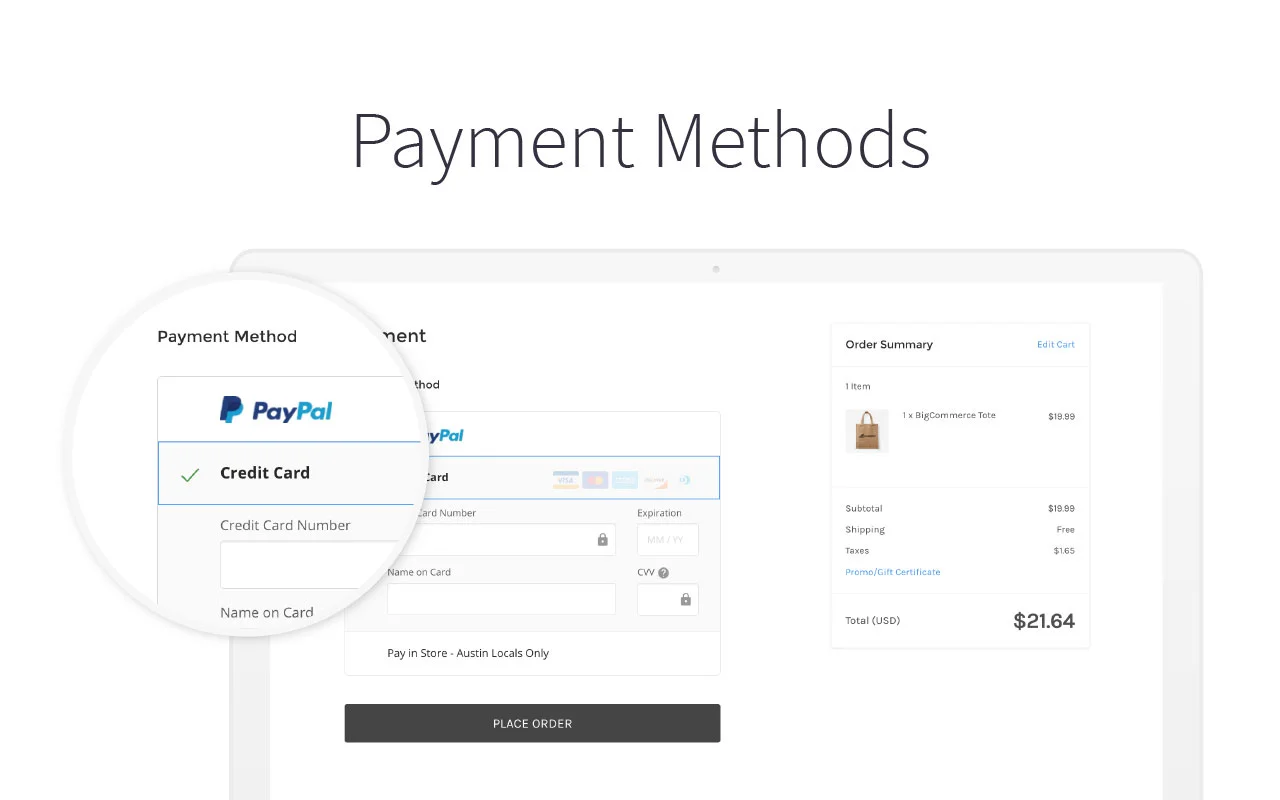
This website builder also provides integrations for the most widely used mobile and digital wallets, including Paypal, Apple Pay, and Amazon Pay. The The payment gateways that are available to you will depend on the country and currency of your store — a factor worth checking in a BigCommerce vs Volusion comparison as well.
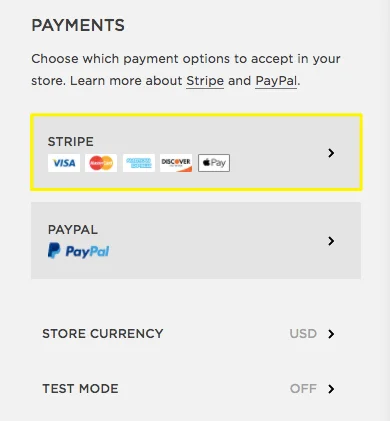
In contrast, Squarespace only provides a few payment methods, including Square, Stripe, and Paypal. Among them, Paypal and Stripe enable users to pay with widely used debit and credit cards from other countries, including Visa, MasterCard, and American Express. In addition, Square lets business owners use the Squarespace POS to take payments in person, including cash and credit cards.
Shipping
BigCommerce has integrations with major shipping carriers (such as USPS, FedEx, UPS, DHL, etc.). This provides flexibility to select the best carriers for your business, a range that’s often cited in an Opencart vs Bigcommerce comparison.
What’s more, the ability to fetch real-time shipping quotes during checkout offers customers accurate shipping costs at the point of decision, which can help reduce cart abandonment.
Squarespace integrates with major carriers, but the selection isn’t as wide as BigCommerce. This could limit your options depending on your location or desired providers. While Squarespace offers real-time rates, their availability depends on which carriers you’re using.
Setting up international shipping on Squarespace is possible, but it typically requires more manual configuration or third-party apps for a streamlined experience.
#6. Apps & Plugins
Quick verdict:
BigCommerce takes the crown in this app and plugin competition. This platform offers lots of apps that provide much support for users. Squarespace, although it has fewer extensions, meets the essential demands of eCommerce duties.
As a BigCommerce user, you can install 1000+ apps that can assist with a variety of aspects of running an online store, including Accounting & Tax, Checkout, Payment & Security, etc. This makes it one of the most scalable eCommerce platforms available, a strength that also stands out in a BigCommerce vs Magento comparison.
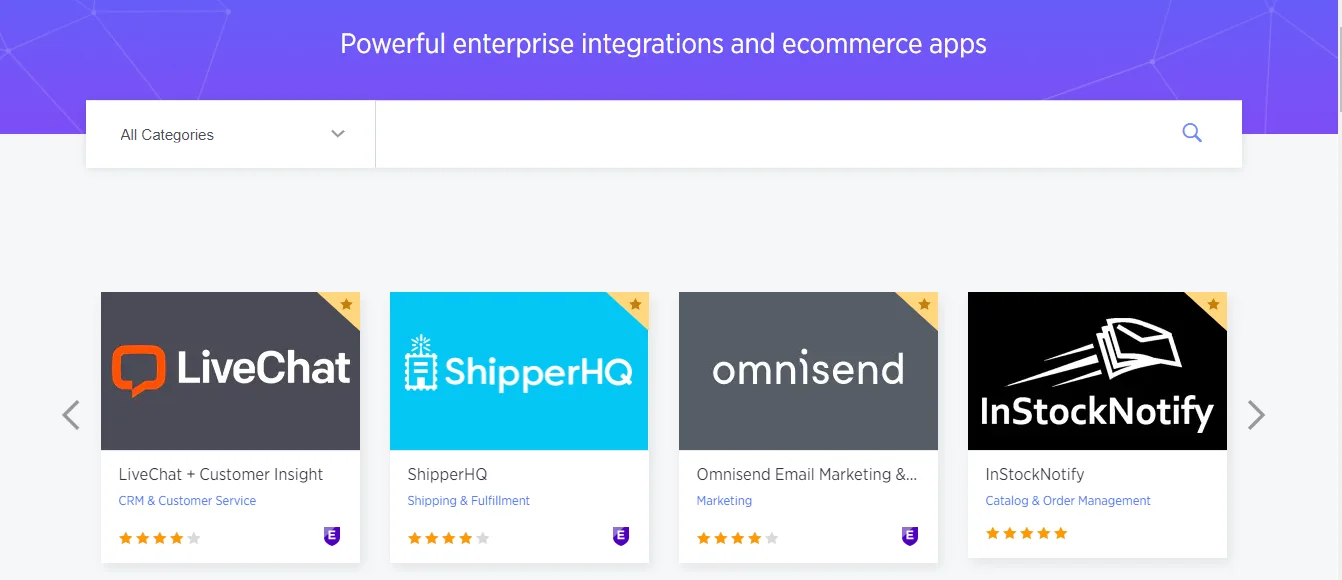
To meet your demand, we also offer a thorough analysis of apps you can’t miss on the BigCommerce Store, a marketplace size that’s a common talking point in a BigCommerce vs Ecwid comparison. Check it out to see which applications are best for your store.
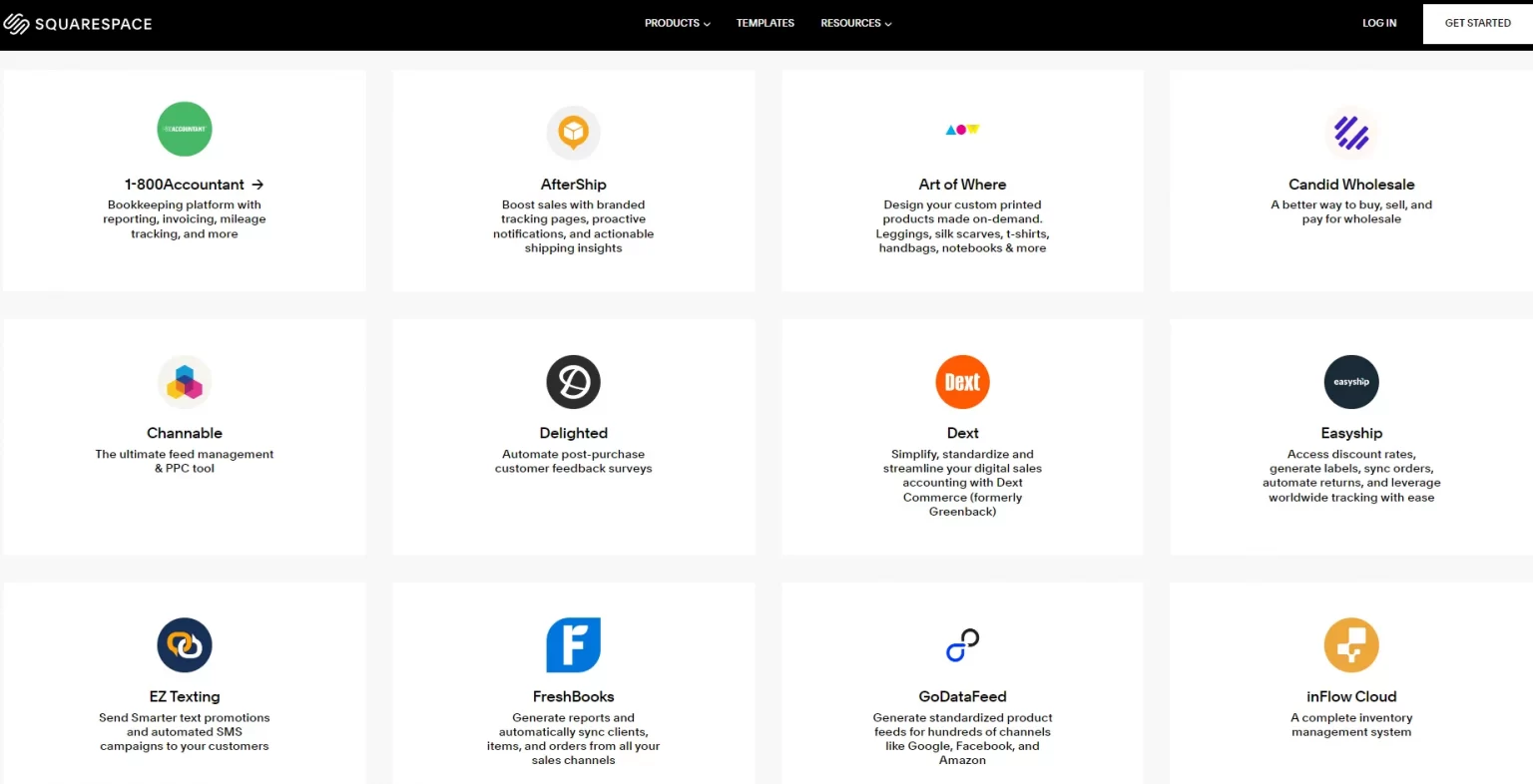
In contrast, Squarespace only offers a limited number of built-in apps. There are now 41 extensions, although this number may decrease due to country restrictions. This seems to be a disadvantage compared to BigCommerce.
Although the number of apps may be limited compared to other platforms, Squarespace extensions nonetheless address the essential necessities of eCommerce duties: shipping and fulfillment (7), finance (5), inventory and products (10), and sales and marketing (9).
#7. SEO & Marketing – BigCommerce Wins
Quick verdict:
When comparing BigCommerce vs Squarespace SEO, BigCommerce wins. It offers more granular SEO controls, a larger ecosystem of optimization tools, and robust built-in marketing features like abandoned cart recovery.
BigCommerce was built with search visibility in mind, and it shows in the level of control you get. It offers strong SEO capabilities with clean URLs and no forced prefixes, built-in rich snippets, and automatic image optimization. These technical details might sound minor, but they have a measurable impact on how well your store ranks in organic search.
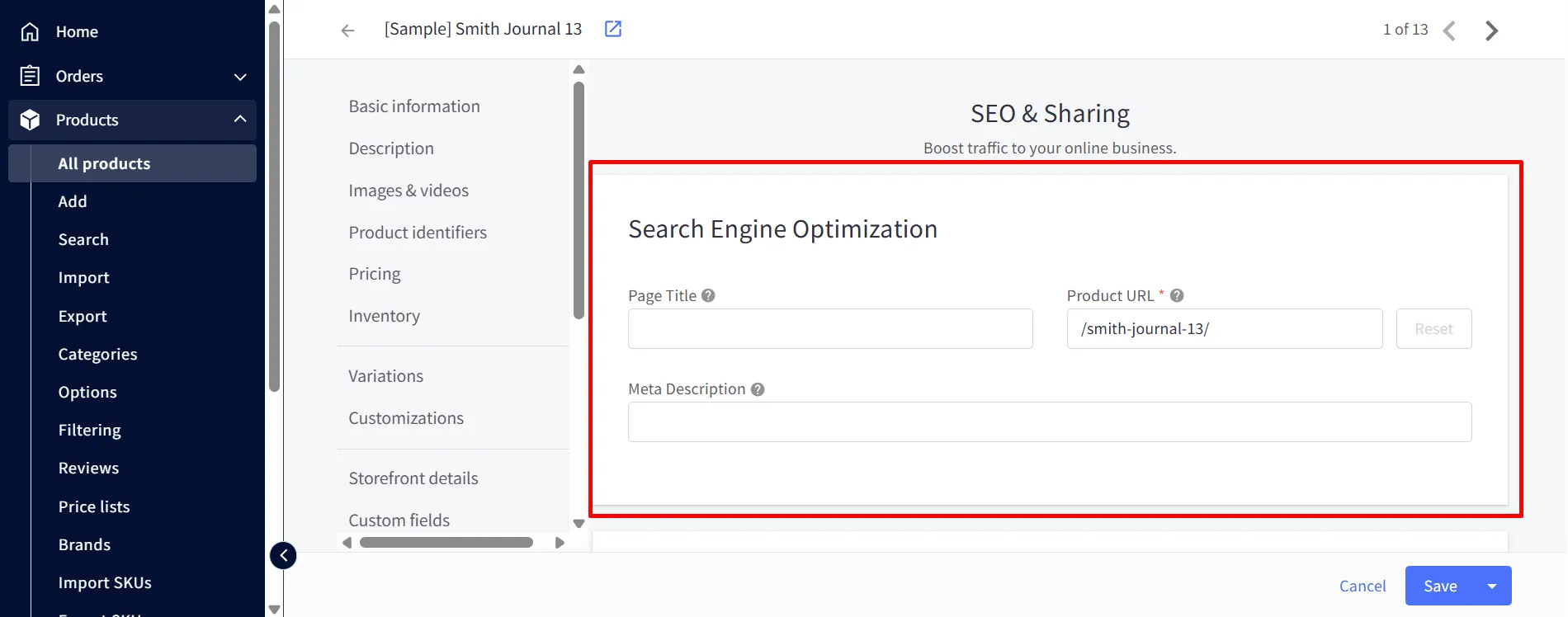
On the marketing side, BigCommerce comes well-equipped out of the box. One standout is its built-in abandoned cart recovery, which automatically sends a series of customizable emails to shoppers who don’t complete checkout. It also supports promotions, discount rules, product reviews, and integrations with email marketing and social platforms, giving you plenty of levers to drive traffic and conversions.
Meanwhile, Squarespace is no slouch when it comes to SEO foundations. It includes clean URLs, structured site architecture, automatic sitemaps, mobile optimization, customizable metadata, and Google Search Console integration. For most small and medium stores, that’s a solid, well-rounded starting point that requires little technical effort to set up.

On marketing, Squarespace holds one clear advantage worth highlighting. Abandoned cart recovery is available on all Squarespace plans, whereas you’ll need to be spending $105 per month with BigCommerce before you can access similar functionality. Squarespace also offers built-in email marketing, social media integrations, and selling tools like subscriptions and gift cards.
#8. Security – A Tie
Quick verdict:
It’s a tie. BigCommerce and Squarespace are quite neck-to-neck when it comes to security. As a hosted platform, they certainly provide some of the best security solutions, so users no longer have to be too concerned about security issues.
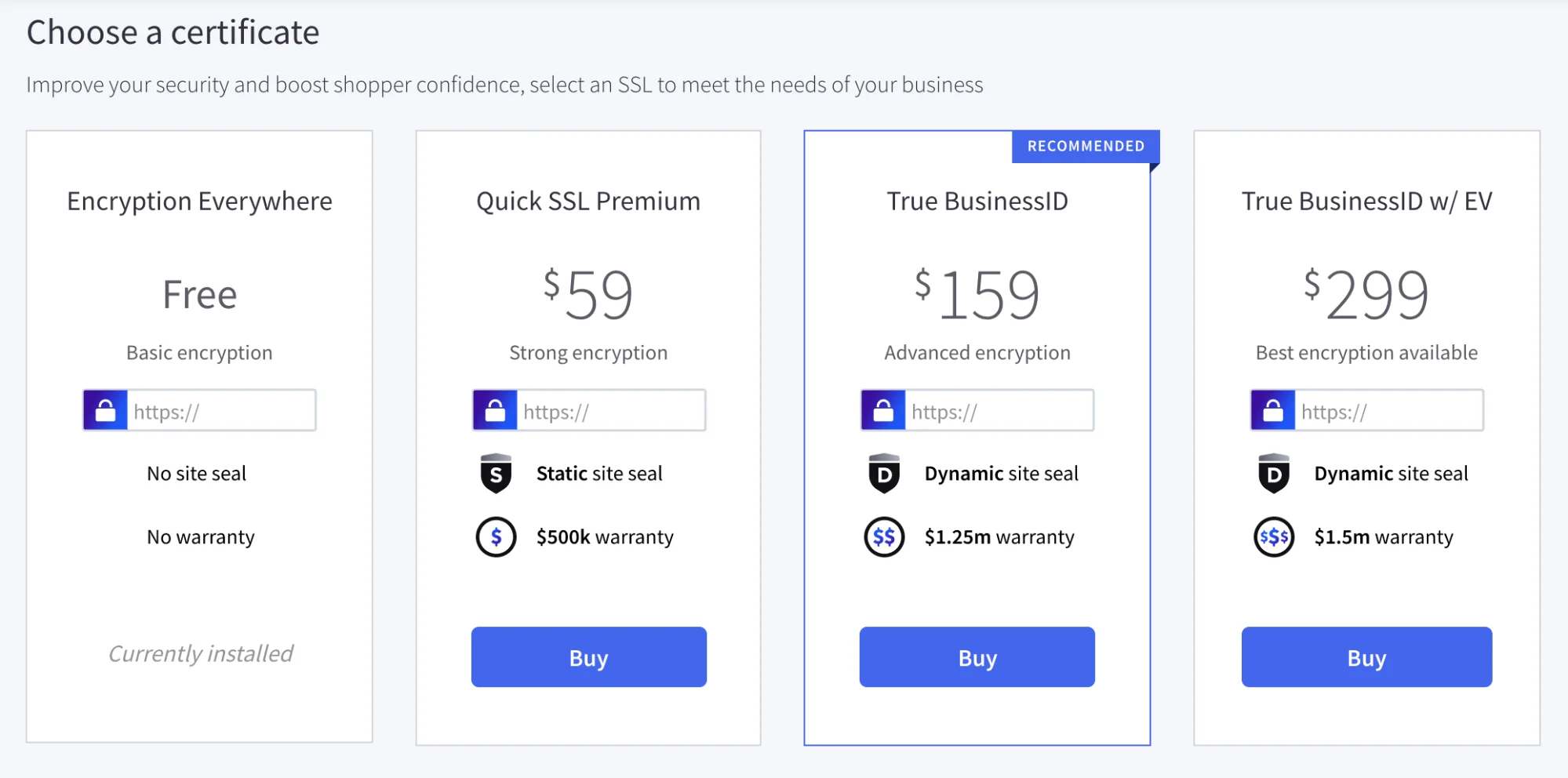
As a fully hosted platform, BigCommerce will handle security as part of your monthly subscription. Regarding the SSL certificate, it provides not only SEO-friendly benefits but also the highest level of website security.
All BigCommerce servers have level 1 PCI DSS certification against credit card data breaches. Intrusion detection software, file integrity scanners, perimeter and server-specific firewalls, 24/7 human monitoring, and fraud protection are additional security measures – a layer of protection often flagged in a BigCommerce vs GoDaddy comparison.
Like BigCommerce, as a hosted solution, Squarespace takes care of all security concerns on your behalf. This platform pricing tier offers SSL certificates, and all payment processors adhere to the PCI-DSS standard.

Furthermore, Squarespace 2-factor authentication (2FA) enhances your account’s security. Account ownership verification is also necessary each time you contact customer support. This significantly helps to protect your content and privacy.
#9. Support – BigCommerce Wins
Quick verdict:
Between BigCommerce vs Squarespace for customer support, BigCommerce wins. It provides genuine 24/7 assistance across phone, live chat, and email, with phone lines for multiple countries, an advantage Squarespace simply can’t match because it doesn’t offer phone support at all.
BigCommerce offers top-notch customer service. From the dashboard, you can easily get in touch with support personnel for phone, email, and live chat assistance. Additionally, they provide support from their user community, where you can talk about any problem or fascinating subject.

Keep in mind that BigCommerce offers support around the clock, so you can ask your questions whenever you want. What’s even better is that BigCommerce created the Help Center, which houses an archive of user manuals for users of all skill levels, including beginners, seniors, non-techies, and developers – a support depth enterprises often weigh in a BigCommerce vs Salesforce Commerce Cloud comparison.
In general, Squarespace offers a great support system. It provides in-depth answers and a pretty responsive live chat. Besides, Squarespace even provides a Developer Center to create fully custom sites or build everything from scratch.
However, some downsides exist: There is no phone support, and the response time is long, especially during peak times. Also, live chat is not always available. This impacts user satisfaction if they require immediate assistance.
BigCommerce vs Squarespace – Which Should You Choose?
After working through every category, the honest answer to the BigCommerce vs Squarespace question is that there’s no single winner, only the right fit for your business. So, based on our opinion, BigCommerce is best for:
- Traditional eCommerce storefronts: Companies with a primary emphasis on selling physical or digital products.
- Wholesalers and B2B sellers: BigCommerce offers features tailored for these markets, such as customer groups, tiered pricing, and bulk ordering capabilities.
- Stores with complex needs: If your niche requires unique product variations, complex shipping scenarios, or uncommon payment methods, BigCommerce’s customization and wider app ecosystem will be a better fit.
In case you want some more insights to decide a suitable eCommerce platform, let’s have a glance at BigCommerce alternatives.
On the other hand, Squarespace is best for:
- Creatives and freelancers: Its stunning templates and ease of use make it perfect for showcasing portfolios, selling services, and seamlessly adding products.
- Content-driven businesses: Bloggers, writers, course creators, etc., benefit from Squarespace’s integrated features for both written content and their store.
If you want to go for eCommerce on Squarespace, its lower cost and quick setup could be better for testing without a big upfront investment.
BigCommerce vs Squarespace: FAQs
[sp_easyaccordion id=”47071″]
Our Methodology – How We Test BigCommerce vs Squarespace
As a leading expert in eCommerce migration, we have a deep understanding of the data sets associated with various eCommerce platforms, including BigCommerce vs Squarespace.
At LitExtension, we conduct extensive research to ensure that businesses have access to accurate information about their eCommerce platforms. When it comes to comparing BigCommerce and Squarespace, we take a thorough and methodical approach.
- We use free trials to test the features that are crucial for successful online stores.
- The team considers various business types and prioritizes scenarios where each platform excels.
- We ask our customers (who use our migration service to move from/to BigCommerce and Squarespace) for reviews to get a more precise understanding of the platforms in reality.
Finally, we regularly revisit this comparison as the platforms evolve to ensure that our information remains up-to-date.
Learn more about our methodology via LitExtension Methodology – How Do We Create Content On LitExtension?
Final Words
We hope this article about BigCommerce vs Squarespace above can help you make the right decision.
If you’re about to migrate to BigCommerce or to Squarespace, LitExtension will be here to help you migrate from BigCommerce to Squarespace or Squarespace to BigCommerce as easily as pie. Even if you lack technical knowledge, you can use the LitExtension migration solution with ease. If you don’t want to get your hands dirty in this process, All-in-One Migration Service may be able to help.
Feel free to contact the LitExtension support team if you have any questions related to BigCommerce and Squarespace.
Please visit LitExtension Blog or join our community for extra eCommerce advice!