WooCommerce and Shopify are two of the most recognized names in the eCommerce market. According to BuiltWith, Shopify currently powers about 6.9 million live websites, while WooCommerce is detected on more than 6.2 million sites – though independent tracker StoreLeads, which counts only active storefronts rather than all installations, puts WooCommerce’s live store count closer to 4.5 million in 2026.
Because both platforms have large user bases and strong market presence, many businesses struggle to decide whether WooCommerce or Shopify is the better fit for their store. Each platform takes a different approach to eCommerce, so a direct comparison is essential before making a decision.
In this WooCommerce vs Shopify comparison, we will break down the key differences between the two platforms, including pricing, ease of use, design, features, scalability, and more. Our goal is to help you understand WooCommerce vs Shopify more clearly and choose the platform that best matches your business needs.
To help you understand the difference between WooCommerce and Shopify, I will walk you through the following criteria:
- Pricing
- Ease of Use
- Page Speed
- Design & Templates
- Apps & Plugins
- Inventory Management
- SEO & Blogs
- Marketing Features
- Payment Gateways
- Shipping Methods
- Dropshipping
- Security
- Support
Let’s dive into it!
WooCommerce vs Shopify: Quick Verdict
- Shopify is the better fit for merchants who prioritize ease of use and predictable store management. Basic starts at $39/month, or $29/month when billed annually, with hosting, security, platform updates, checkout, and 24/7 support included. However, app subscriptions and additional transaction fees when not using Shopify Payments can increase the total cost.
- WooCommerce is the better fit for merchants who prioritize flexibility and control. The plugin is free and open source, but hosting, security, maintenance, and any premium extensions must be arranged separately. WooCommerce does not charge an additional platform transaction fee, and merchants retain greater control over their store, code, and data.
- Choose Shopify if you want to launch and manage a store with less technical responsibility and prefer essential infrastructure to be included in one platform.
- Choose WooCommerce if you already use WordPress, need deeper customization or content control, and are prepared to manage a more complex technical setup.
WooCommerce vs Shopify: Comparison Table
Before we get into the side-by-side comparison between WooCommerce and Shopify, here’s a quick refresher on how each platform actually works – useful context for the detailed breakdown ahead.
WooCommerce is a free, open-source eCommerce plugin that turns your existing WordPress site into a fully functional online store. You’ll have to handle hosting, security, and updates yourself, but in exchange, you get full access to your store’s code and complete control over how it’s built.
Shopify, on the other hand, is a fully hosted eCommerce platform. All you need to do is sign up, pick a plan, and the platform handles your store’s hosting, security, and updates for you – in exchange, you trade some of that flexibility for a faster, more guided setup.
| Pros | Cons | |
|---|---|---|
 |
|
|
 |
|
|
And if you want the full side-by-side before diving into the details below, here’s the comparison table:
| Feature | Shopify | WooCommerce | The Winner |
|---|---|---|---|
| Pricing | Predictable subscription pricing with hosting, security, and platform maintenance included. App costs and additional transaction fees may increase the total. | The core plugin is free, but hosting, maintenance, security, premium extensions, and development are separate costs. | A Tie |
| Ease of use | Provides guided setup and manages the core technical infrastructure for the merchant. | Requires WordPress, hosting, updates, backups, and more hands-on technical management. | Shopify |
| Page speed | Provides managed hosting and a more standardized performance environment. | Performance varies depending on hosting, theme, plugins, database, and store optimization. | Shopify |
| Design & templates | Offers polished, commerce-focused themes and a visual editor that is easier to manage without code. | Provides broader design flexibility through WordPress themes, builders, plugins, and direct code access. | WooCommerce |
| Apps & plugins | Offers a large app ecosystem with integrations designed specifically for Shopify stores. | Provides access to WooCommerce extensions and the broader WordPress plugin ecosystem. | WooCommerce |
| Inventory management | Includes centralized inventory tools that are easier to configure and manage out of the box. | Covers core inventory needs and allows deeper customization through plugins and custom development. | Shopify |
| SEO & blogging | Includes essential eCommerce SEO and blogging features with relatively simple setup. | Provides greater control over content, site structure, metadata, and advanced SEO through WordPress. | WooCommerce |
| Marketing | Provides more built-in tools and streamlined integrations for campaigns, social selling, analytics, and multichannel commerce. | Offers flexible marketing capabilities, but many require separate WordPress plugins or external services. | Shopify |
| Payment gateways | Provides Shopify Payments in supported countries and numerous third-party payment integrations. The setup is streamlined, but additional transaction fees may apply when using a third-party provider. | Supports core payment methods, WooPayments, and a broad range of payment extensions without charging an additional WooCommerce platform transaction fee. | A Tie |
| Shipping | Offers an integrated, user-friendly shipping setup with supported carrier connections and discounts in eligible markets. | Provides greater flexibility through configurable shipping zones, methods, and carrier extensions. | A Tie |
| Dropshipping | Supports dropshipping through a wide selection of third-party apps and supplier integrations. | Supports dropshipping through WordPress and WooCommerce plugins with greater setup flexibility. | A Tie |
| Security | Manages hosting security, SSL, platform updates, and PCI-compliant infrastructure as part of the hosted service. | Gives merchants more control, but responsibility for hosting security, updates, backups, and compliance is shared across the store stack. | Shopify |
| Support | Provides centralized platform support alongside documentation and community resources. | Support is distributed across WooCommerce, the hosting provider, theme/plugin vendors, developers, and community resources. | Shopify |
WooCommerce vs Shopify: Pricing (A Tie)
The Verdict
Neither Shopify nor WooCommerce is universally cheaper. Shopify offers more predictable platform costs because hosting, security, platform maintenance, and core commerce features are included in its subscription. WooCommerce has no required platform subscription, but merchants must arrange and pay for hosting, maintenance, extensions, and technical support according to their store setup.
Therefore, the more affordable option depends on the functionality, payment setup, maintenance requirements, and technical resources each store needs—not its size alone.
Sticker price
Shopify uses a subscription model. Each plan includes secure hosting, an SSL certificate, platform maintenance, checkout, and access to Shopify’s core commerce features. Additional costs may include a domain, premium theme, paid apps, payment processing, and third-party transaction fees where applicable.
WooCommerce is a free, open-source ecommerce plugin for WordPress. However, operating a complete WooCommerce store still requires hosting and a domain. Depending on the store, merchants may also pay for premium themes, extensions, backups, security, performance optimization, maintenance, and developer support.
This makes Shopify easier to budget at the platform level, while WooCommerce gives merchants greater control over where and how their budget is spent. However, the absence of a WooCommerce subscription does not mean that running the store is free.
| Cost category | Shopify | WooCommerce |
|---|---|---|
| Platform | Monthly or annual subscription | Core plugin is free |
| Hosting | Included | Purchased separately |
| Security and platform updates | Core infrastructure included | Depends on the host and store setup |
| Domain | Purchased separately or connected | Purchased separately; sometimes bundled with hosting |
| Theme | Free and paid themes | Free and paid WordPress/WooCommerce themes |
| Apps or extensions | Optional recurring app costs | Optional free, paid, or custom extensions |
| Payment processing | Provider and plan-dependent fees | Provider-dependent fees |
| Additional platform transaction fee | May apply with third-party providers | No additional WooCommerce platform fee |
| Maintenance and development | Lower core maintenance responsibility; custom work may still cost extra | Store owner manages or pays for hosting, updates, compatibility, and development |
Shopify Pricing Plans
Shopify offers several subscription plans designed for different operational requirements. The prices below reflect Shopify’s US monthly pricing at the time of review. Plan prices, card rates, transaction fees, and included features may vary by billing cycle and merchant location. Check Shopify’s official pricing page for the latest rates available in your market.
Below are the details of Shopify fees:
| Feature | Basic Shopify | Grow | Advanced Shopify |
|---|---|---|---|
| Monthly price | $39/month | $105/month | $399/month |
| Transaction feesIf not using Shopify Payments | 2.9% + 30¢ USD online2.6% + 10¢ USD in person2% for third-party payment providers | 2.7% + 30¢ USD online2.5% + 10¢ USD in person1% for third-party payment providers | 2.5% + 30¢ USD online2.4% + 10¢ USD in person0.6% for third-party payment providers |
| Additional staff accountsAssign and manage staff activities | — | 5 | 15 |
| Custom apps | Standard | API PII access included | API PII access included |
| Checkout capacityAutomatically manage and operate stores | Standard | Standard | 10× |
| Shipping discountShipping discounts with leading carriers | Up to 77% | Up to 88% | Up to 88% |
| Duties and import taxes | — | — | Fully supported |
| Localized selling with custom markets | 3 markets | 3 markets | 3 included + $59/month per additional active market |
Shopify Payments does not have a separate setup or monthly fee, but payment processing rates still apply. If a merchant uses a third-party payment provider, Shopify may also charge an additional transaction fee based on the selected plan.
WooCommerce does not add its own platform transaction fee. Merchants still pay the processing, currency conversion, dispute, subscription, or other applicable fees charged by WooPayments or their chosen payment provider.
WooCommerce Pricing
WooCommerce does not charge a subscription fee for its core e-commerce plugin. However, merchants still need a WordPress hosting plan and a domain to operate a complete online store.
Unlike Shopify, WooCommerce does not bundle the store’s main operating costs into predefined plans. The total cost is built from the services, tools, and technical resources selected by the merchant. Depending on the store’s requirements, these may include:
- Hosting: The cost depends on the provider, server resources, traffic capacity, managed services, and billing term.
- Domain: Purchased separately or included with some hosting plans.
- Themes: Merchants can use a free theme or purchase a premium WooCommerce-compatible theme.
- Extensions: Additional features may be available through free, paid, subscription-based, or custom extensions.
- Security and backups: These may be included with hosting or provided through separate services and plugins.
- Maintenance and development: Merchants may manage the store themselves or pay for updates, troubleshooting, performance optimization, and custom development.
- Payment processing: WooCommerce does not charge an additional platform transaction fee, but the selected payment provider may charge processing and other applicable fees.
WooCommerce therefore provides greater control over how the store budget is allocated, but its total cost is less predictable without defining the required hosting environment, functionality, and level of technical support.
Real cost by store size
When considering Shopify vs WooCommerce, sticker price only tells part of the story – what you actually pay depends heavily on how big your store is and how much you customize. Here’s how the total monthly cost compares at three common stages:
New store (under 100 orders/month)
- Shopify: Basic plan at $39/month covers nearly everything a new store needs out of the box: hosting, security, and a working checkout from day one.
- WooCommerce: Budget hosting (~$10-$15/month) plus a free theme can get a store running for less than Shopify’s Basic plan, but expect to spend time on setup that Shopify handles for you.
At this size, Shopify’s all-inclusive pricing usually wins out in terms of total time and money, unless you’re already comfortable with WordPress.
Growing store (~$250K/year in revenue)
- Shopify: Most stores at this stage move to the Grow plan ($105/month) for lower transaction fees and better reporting, plus apps for email marketing, reviews, and upsells. Therefore, you might spend $150-$400/month all in.
- WooCommerce: Mid-tier hosting (~$30- $40/month) plus a handful of premium extensions (SEO, email, backups) typically lands at $80–$250/month – often less than Shopify at this stage, since there’s no per-order platform fee stacking on top.
This is where the two platforms get genuinely competitive on cost, and the deciding factor becomes how much ongoing maintenance you’re willing to take on, not just the monthly total.
Scaling store ($1M+/year in revenue)
- Shopify: Advanced ($399/month) or a move to Shopify Plus (from $2,300/month) becomes likely, plus a growing app subscription stack, often $500-$3,000+/month depending on complexity.
- WooCommerce: Hosting scales up significantly (managed WooCommerce hosting can run $100-$300+/month at this volume), and most stores bring in developer help for custom features. However, there’s still no per-order platform fee, which matters more as order volume climbs.
At this scale, WooCommerce’s lack of a platform-level transaction fee can offset its higher hosting and development costs. The gap narrows or can flip depending on order volume and how custom the store needs to be.
Shopify vs WooCommerce: Ease of Use (Shopify Wins)
The Verdict
In terms of ease of use, Shopify absolutely edges over WooCommerce with little technical expertise.
Most users starting an online store are not web designers or Shopify developers. Even users who are familiar with basic concepts like me also need a platform that is easy to set up and operate.
WooCommerce Ease of Use
Since WordPress WooCommerce is not a hosted solution, you must manage your store’s installation, updates, backups, and security.
Setting up WooCommerce is quite complex because I needed to install WordPress first. Following these steps to install WordPress:
- Get a domain name on WordPress
- Sign up for a hosting account
- Install WordPress
- Find and install a WordPress theme
Here’s our tutorial video to help you set up your WooCommerce store with ease.
It’s my estimation that you should choose a trusted WordPress hosting service that will take care of the whole setup process for you, including hosting, domain, and WordPress installation, because those steps do require some web-related knowledge.
Shopify Ease of Use
The main advantage of Shopify is that it has a built-in online store, so almost everything is intuitive. Thanks to its simple interface, setting up and managing stores on Shopify is a breeze.
To start with Shopify, I first created a free trial account, followed some basic set-up instructions, and then built my store. From my point of view, Shopify is designed for all owners, even for those who have zero coding knowledge (which most starters do).
Build your Shopify store in only 10 minutes, can you believe it? Watch our Shopify tutorial below to confirm the answer:
WooCommerce vs Shopify: Page Speed (Shopify Wins)
The Verdict
Another point goes to Shopify in terms of WooCommerce vs Shopify page speed.
Shoppers, no matter how interested they are, are not willing to wait more than a few seconds. If your site is slow-loading, you stand to lose not only current but future customers as well.
Hence, when determining the right platform for your online store, you should definitely consider WooCommerce vs. Shopify page speed.
WooCommerce Page Speed
The performance test gathered from this study showed that WooCommerce is actually rather slow. The average page loading time of all monitored stores reached 776 milliseconds, and the average cart page loads in 1.32 seconds!
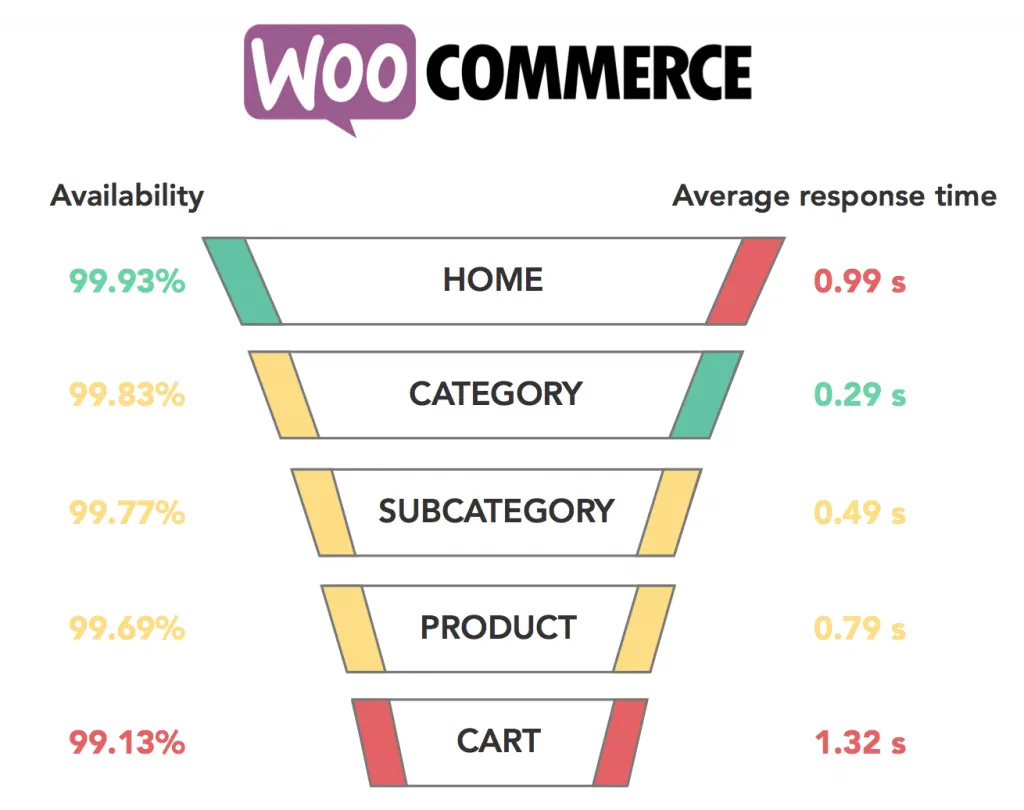
Optimizing loading time in WooCommerce is up to you and your hosting plan. If you choose to go for cheap $2 hosting, you cannot expect it to be fast, no matter how much you pay SEO experts to level up your site for you.
Shopify Page Speed
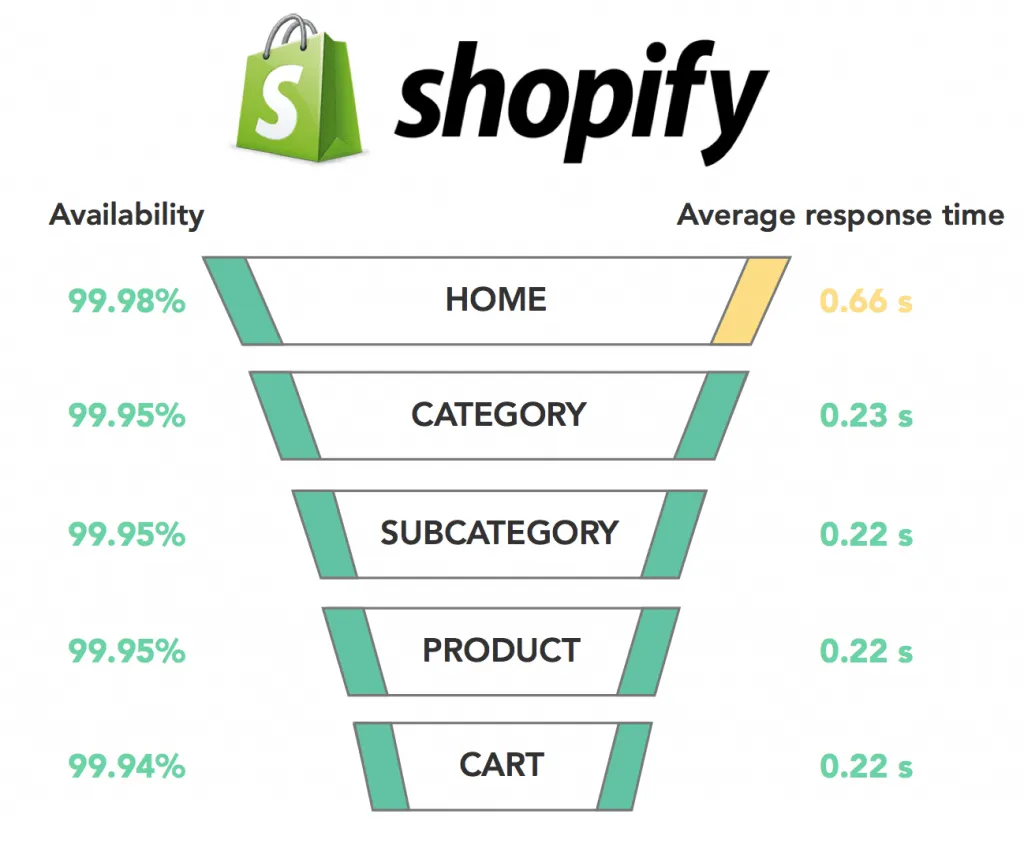
In contrast, Shopify’s web pages load in 309 milliseconds, the ideal loading time for any website since Google recommends an average of 500 milliseconds of loading time! In light of its fast response times, Shopify delivers a very good overall user experience.
WooCommerce vs Shopify: Design & Templates (WooCommerce Wins)
The verdict
Both platforms offer strong design options, but WooCommerce wins on raw flexibility – as a WordPress plugin, it can work with virtually any WordPress theme, free or paid, giving you a far larger pool to choose from than a closed theme store. That said, Shopify wins on out-of-box polish and ease of customization, especially for merchants who want a professional-looking store without touching code.
When it comes to themes, we all understand that they’re an important factor in attracting customers. A good theme can make or break a business, and a positive experience can create long-lasting business relationships.
WooCommerce Themes
The design and template of WooCommerce are synonymous with a whole new world appearing before your eyes. On its official store, you can find 129+ options, both free and paid, priced from $0 to $79/year, or $200+ for one-time premium purchases.

Because WooCommerce is a WordPress plugin, it’s designed to work well with almost all WordPress themes, so in practice, you’re not limited to the official store. With 12,000+ themes available across the broader WordPress Theme Directory, plus third-party marketplaces like ThemeForest, the real pool of WooCommerce-compatible designs is far larger than any single hosted platform’s theme store.

If you can’t decide which theme to pick, here are some of the best WooCommerce themes worth checking out.
Shopify Themes
Shopify’s official Theme Store currently offers 24 free themes plus several hundred paid options (about 1000+), each with multiple style variations – so even within the official store, you’re getting more distinct looks than the raw theme count suggests.
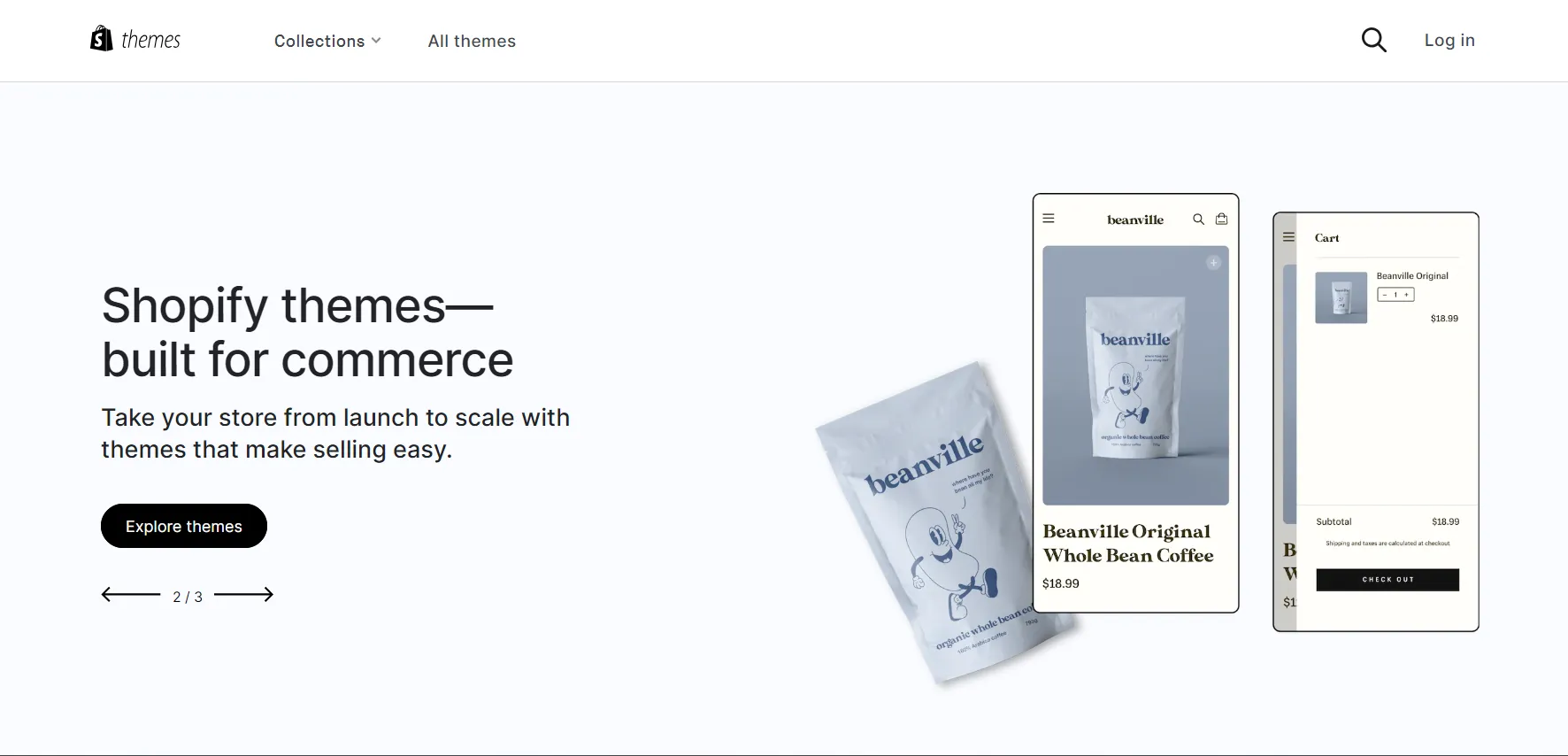
Created by professional designers, Shopify themes are generally elegant, mobile-friendly, and fast-loading by default. Customizing them is straightforward thanks to Shopify’s visual editor and the Liquid templating language – no coding required for most changes.
What I love is that even on the free trial, you can preview and test premium themes before committing to one. If you’re deciding between options, here are some of our favorite Shopify themes.
Shopify vs WooCommerce: Apps & Plugins (WooCommerce Wins)
The Verdict
WooCommerce plugin defeated Shopify in quantity with 1,300 WooCommerce extensions and 59,000+ plugins from the WordPress Repository.
Regardless of how robust an eCommerce platform is, you’ll always need to add some extensions to boost your store. Luckily, both WooCommerce vs Shopify offer a massive directory of plugins and integrate with many third-party services.
WooCommerce Plugins
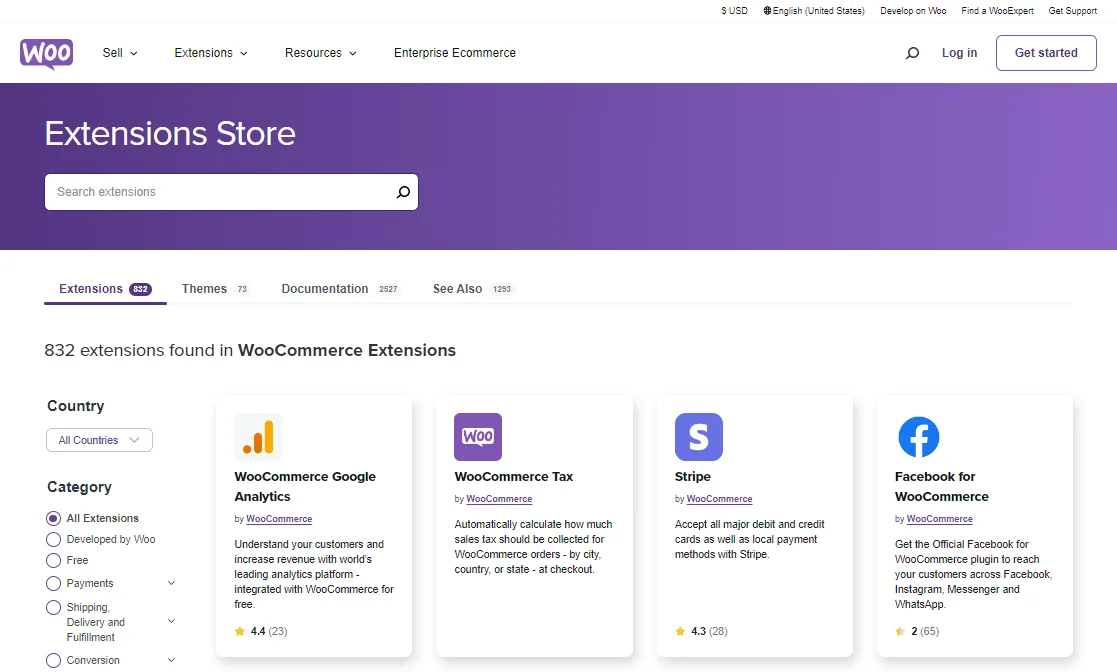
If you’re choosing WooCommerce on WordPress, you’re in luck! You’ll have access to WordPress’s massive plugin repository, with almost 60,000 free and paid plugins to meet all your logistical, technical, and marketing needs. On top of that, WooCommerce offers more than 850 extensions tailored for eCommerce.
Shopify Apps
Shopify is packed with 16,000+ apps and extensions developed by both in-house teams and third-party developers.

The huge selection of apps on its store is divided into categories such as inventory management, orders and shipping, sales and conversion, etc. All these extensions help you monitor your eStore seamlessly and drive more traffic and sales.
WooCommerce vs Shopify: Inventory Management (Shopify Wins)
The verdict
When it comes to inventory management, WooCommerce allows for unlimited variable products, but third-party assistance may be needed for optimal performance. In contrast, Shopify offers full control of the inventory system, making it easier to run your store, which is why many consider it better than WooCommerce.
Now turn to the WooCommerce vs Shopify comparison based on inventory management!
WooCommerce Inventory Management
WooCommerce offers a great degree of flexibility, and its inventory management feature is no exception.
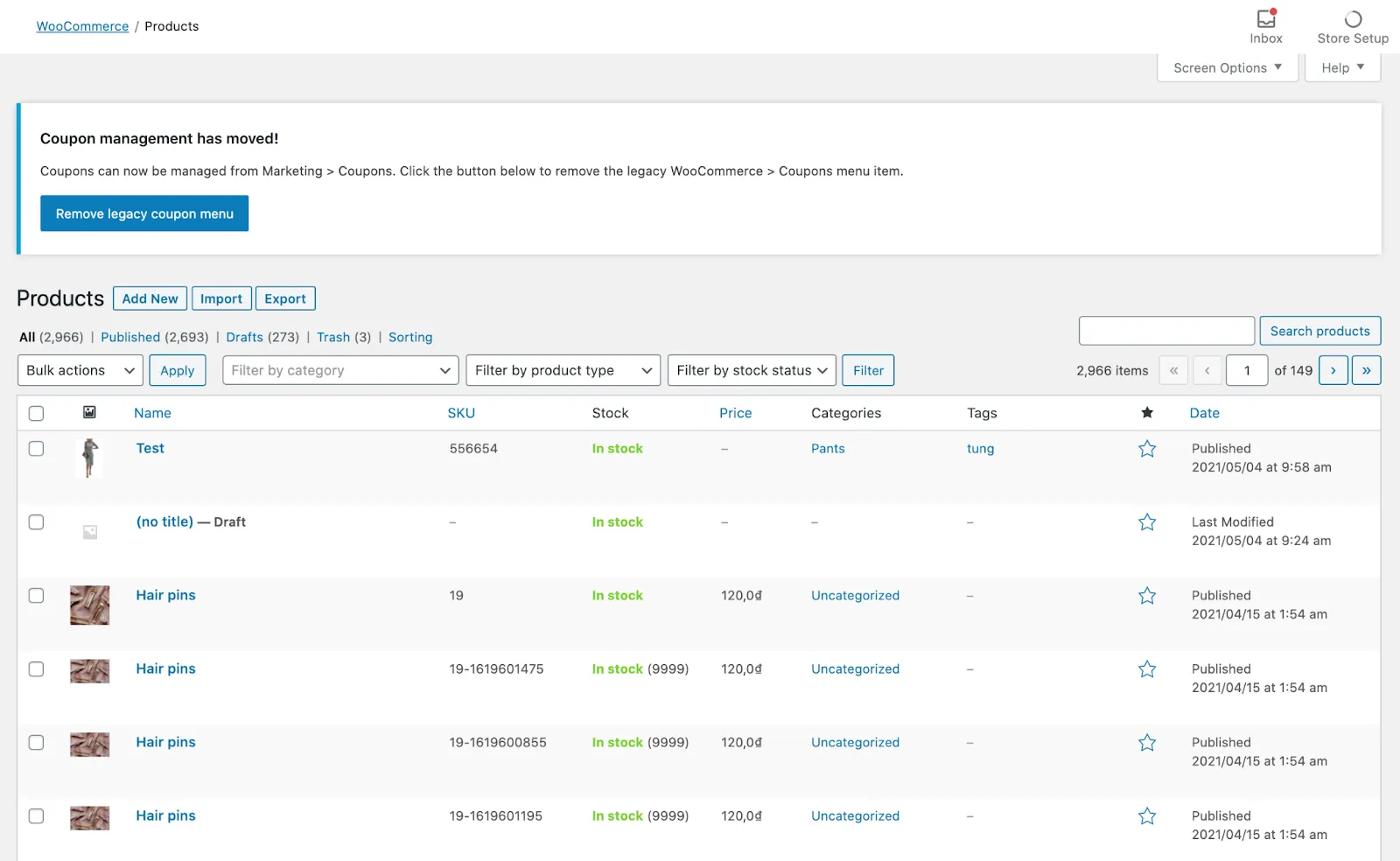
I can painlessly use WooCommerce to create inventory reports and change any product attributes. What I love about it is that there are no limitations on how many variable products you can create and manage.
Shopify Inventory Management
Similar to WooCommerce, Shopify empowers merchants with full control over the Shopify inventory management system. Under the hood, I can track stock and easily access stock alerts, automated purchase orders, in-house revenue reports, and so on.
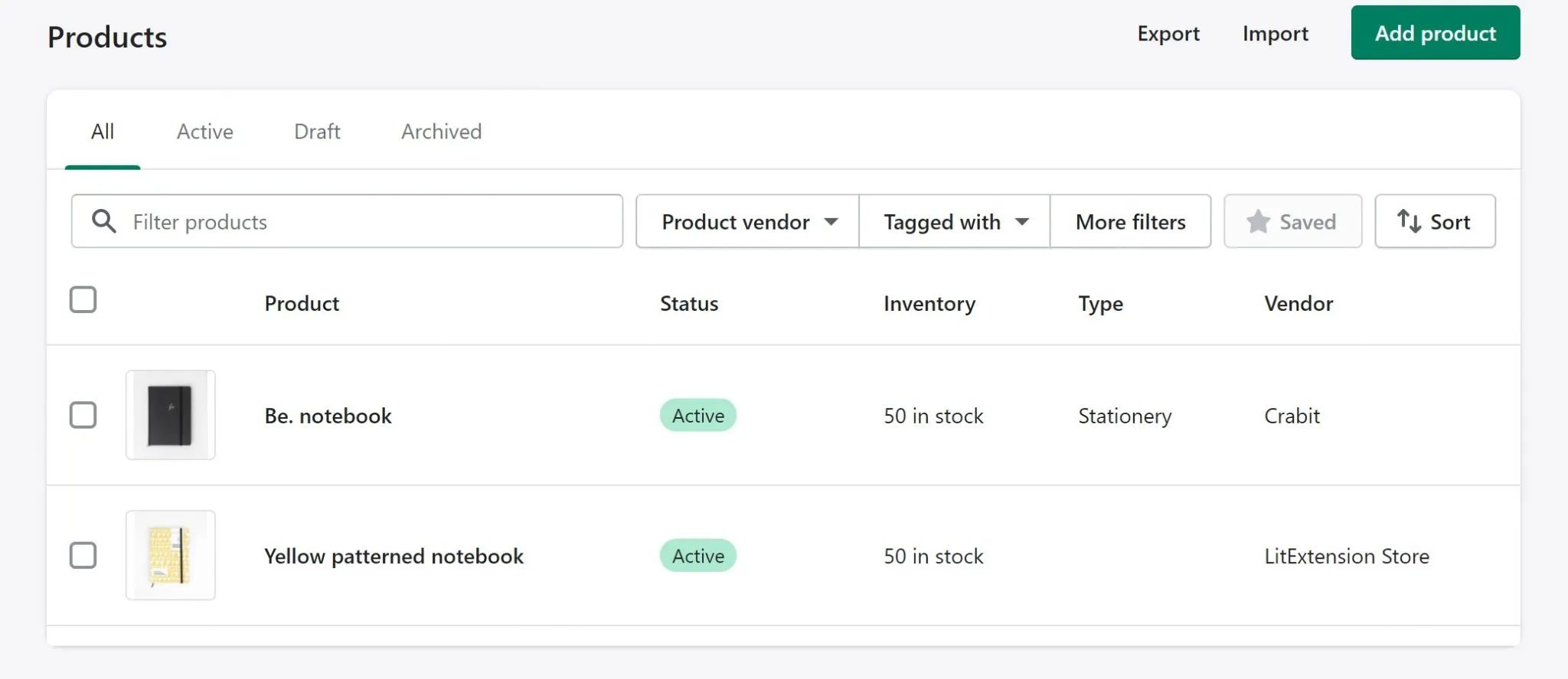
In addition, I can add single or buck items, customers, orders, and other data manually or with the help of Shopify CSV files. Shopify users can also take advantage of a wide range of inventory apps available to run businesses seamlessly.
Shopify vs WooCommerce: SEO & Blogs (WooCommerce Wins)
The verdict
It seems to me that WooCommerce offers more advantages in SEO thanks to the WordPress editor.
To fully analyze the SEO capabilities of the two platforms, Shopify vs WooCommerce, certain criteria need to be taken into account, such as:
- SSL Certificates
- Auto XML Sitemap
- 301 Redirects
- Apps and Plugins for SEO
- Blog Posts Section
WooCommerce SEO
Being built on a dedicated blogging platform, WooCommerce definitely has an advantage in SEO. With the WordPress editor, it’s much easier for me to alter body content, basic URL redirections, meta descriptions, alt tags, and other page elements to optimize product pages.
At the same time, WooCommerce also offers numerous SEO plugins that I can use to optimize my store, and Yoast SEO is considered the most well-known SEO plugin.
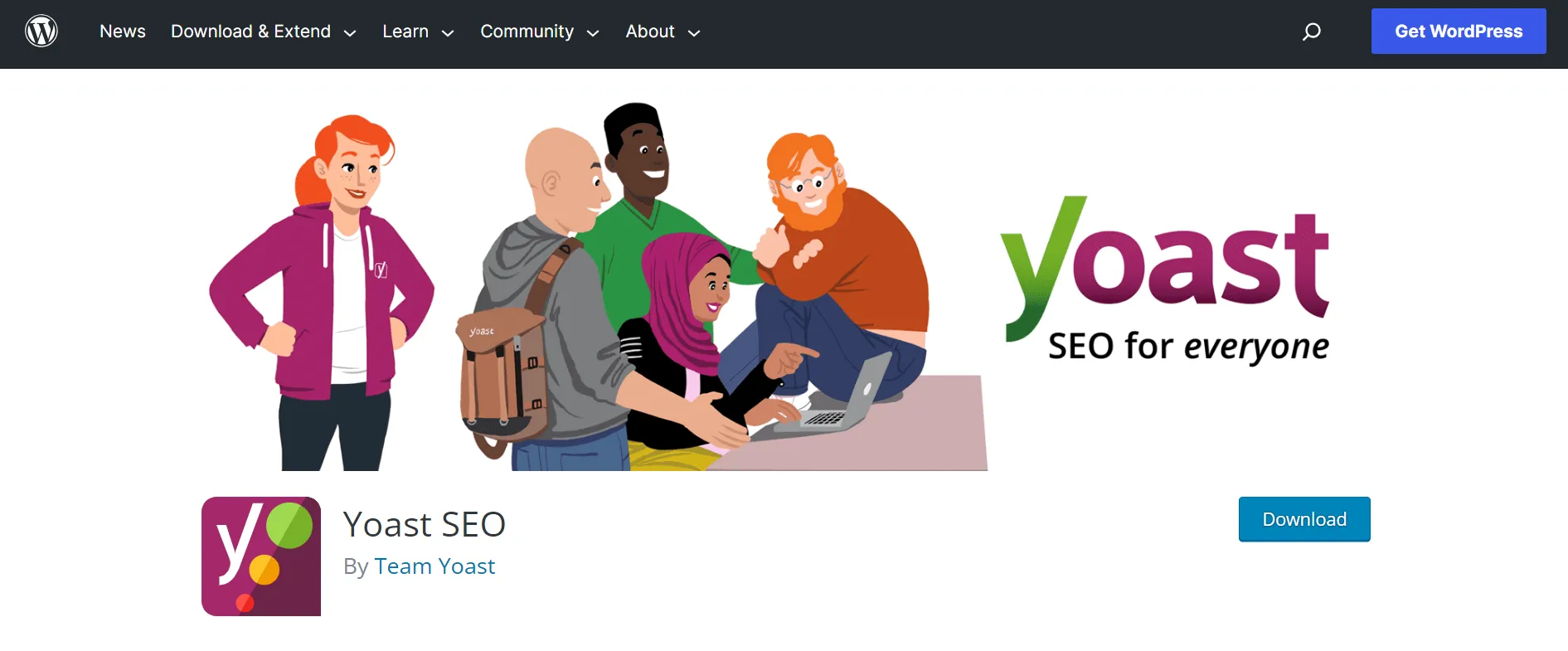
Moreover, blogs and content are where WooCommerce shows off its muscles. I can create a WooCommerce blog by adding a post directly from the WordPress Admin dashboard. Also, I can improve customers’ blogging experience by utilizing templates on Storefront – WooCommerce default store design or purchasing nicely designed blog templates on ThemeForest.
Shopify SEO
On the flip side, Shopify does have a few limitations regarding SEO. For example, it’s not fully customizable regarding URLs, and creating sub-categories can be a bit tricky.
Nonetheless, Shopify has all the essential features I need for eCommerce SEO, and they’re pretty easy to use. The SEO apps for Shopify are also known for being user-friendly in terms of installation and operation.
With Shopify, setting up a blog and creating posts is a breeze. It doesn’t take much time or effort, and I can easily optimize my Shopify blog for SEO with just a few clicks.
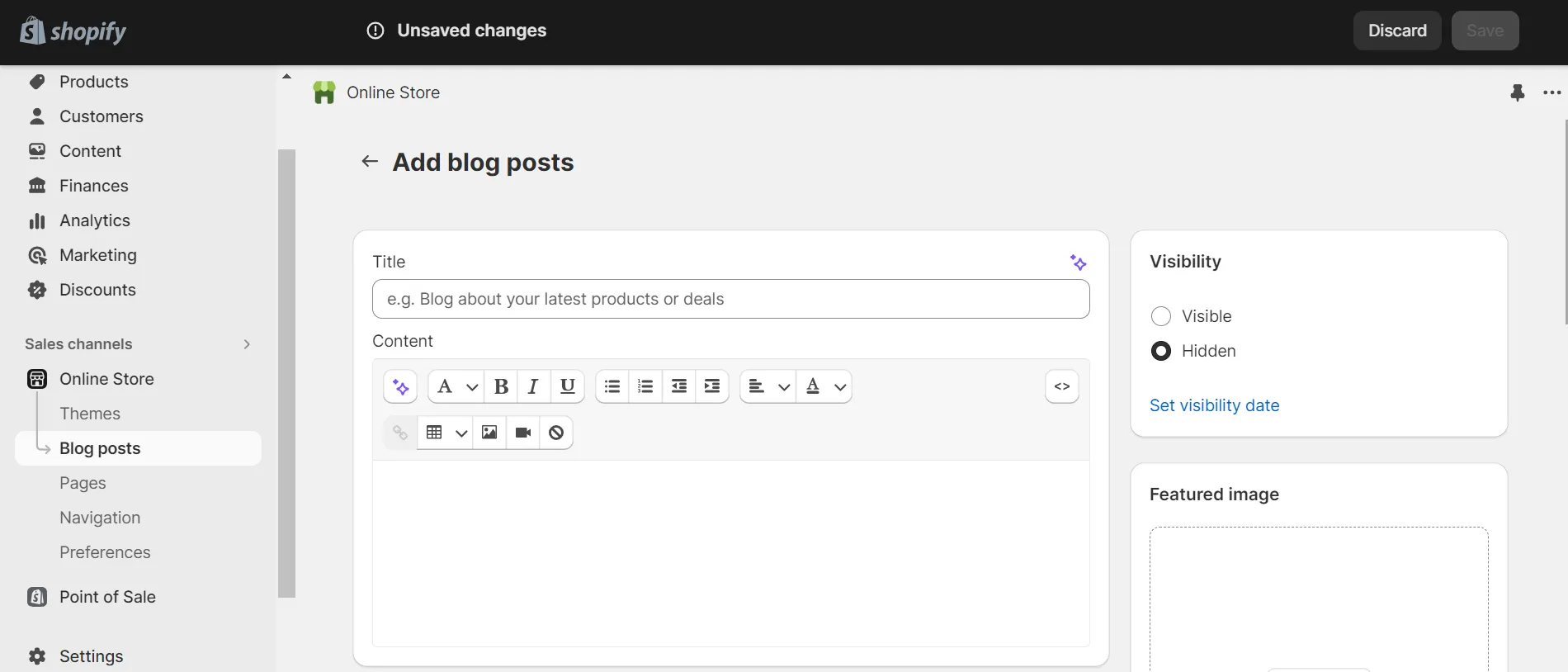
When comparing Shopify vs WordPress, there are definitely some limitations. Still, you can be reassured that Shopify still provides all the essential SEO functions you need to build your store.
WooCommerce vs Shopify: Marketing Features (Shopify Wins)
The Verdict
Shopify wins 5 out of 5 when it comes to marketing features between WooCommerce vs Shopify. With WooCommerce, you have to rely heavily on third-party apps to get the best outcome.
Marketing is a core function that every online merchant needs to focus on in order to increase awareness of their brand and products. So, let’s join us to explore the Shopify or WooCommerce battle on marketing features.
WooCommerce Marketing
You can count on WooCommerce when it comes to syncing your shop with Amazon, eBay, and social media sites like Facebook. I can manage your channels from your WordPress dashboard with free extensions that are certified by the platform for that. Unfortunately, the list doesn’t include Google Shopping.
Unlike Shopify, which provides a built-in POS system for its users, WooCommerce does not have a native omnichannel solution within the platform. However, you can always find a suitable POS system for WooCommerce from various providers.
Shopify Marketing
Shopify allows you to effectively manage several email marketing campaigns at the same time. You can extend your possibilities with the best Shopify email marketing apps, such as MailChimp, Klaviyo, or Omnisend. Not to mention, you can keep track of all the necessary statistics from a single dashboard. These include conversion rates, sessions, order value, total reach, and so on. As a result, strategies to improve your campaigns will be applied on time.
If I want to sync my online shop to the social media store to have shoppable posts on Instagram, Facebook, or Google, I could easily do that in a few slick clicks. In all honesty, Shopify does this better, especially if you’re going to use Pinterest.

There’s not much to say about omnichannel since Shopify is one of the top competitors in this section. It allows merchants to sell their products through multiple touchpoints, such as online stores, physical retail locations, social media platforms, and marketplaces while centralizing inventory, order management, and customer data, ensuring a cohesive and efficient operation across all channels.
Besides, you can take advantage of Shopify analytics to track key metrics, such as total sales, orders, average order value, conversion rates, and customer behavior. This data helps you understand your customers, identify trends, and measure the success of your marketing campaigns. By analyzing this information, you can make informed decisions to optimize your marketing strategies and drive business growth.
Shopify vs WooCommerce: Payment Gateways (Shopify Wins)
The Verdict
Shopify and WooCommerce both support a wide range of payment methods, but they take different approaches. Shopify provides a more streamlined payment setup, particularly for merchants eligible for Shopify Payments. WooCommerce offers greater flexibility through its core payment methods, WooPayments, and third-party extensions without charging an additional WooCommerce platform transaction fee.
WooCommerce Payment Gateways
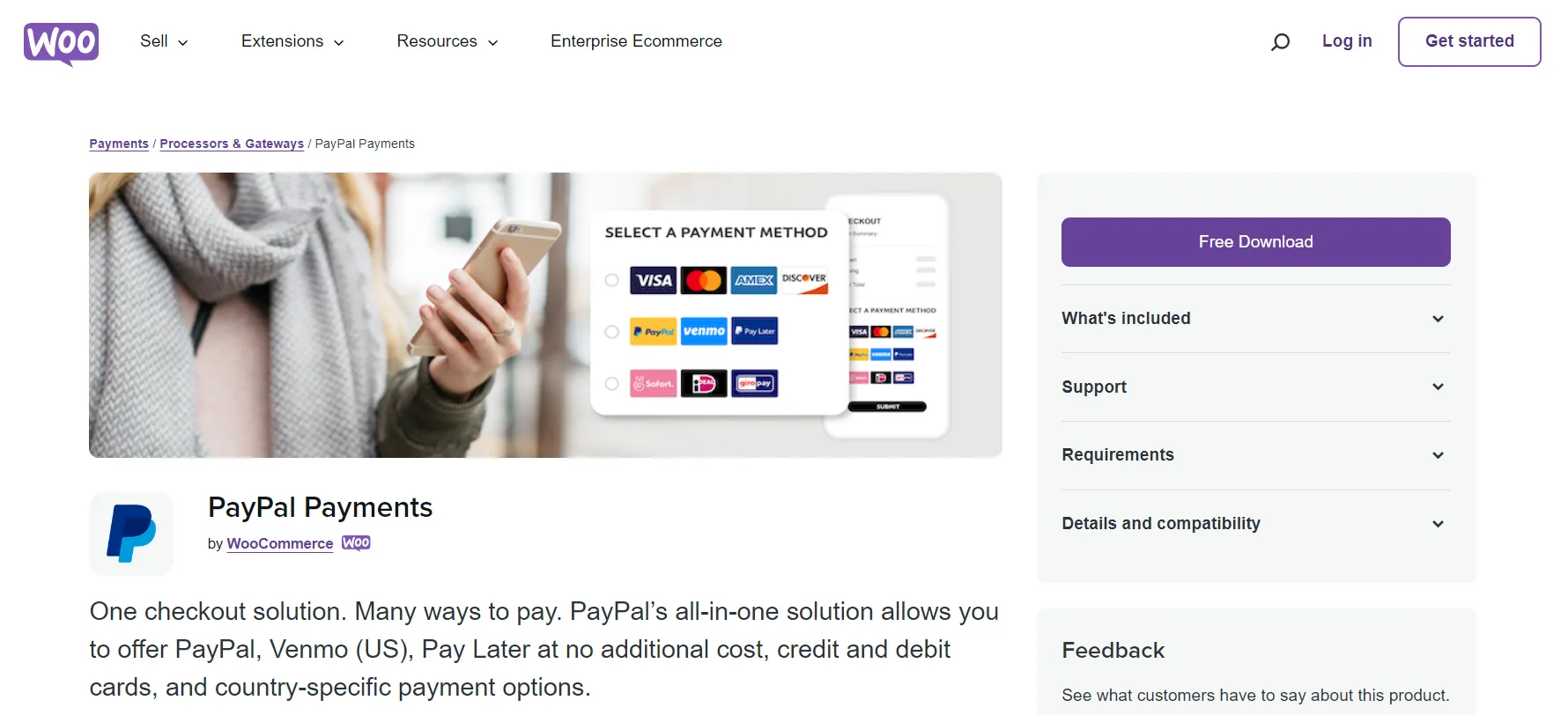
WooCommerce includes core offline payment methods such as Direct Bank Transfer, Check Payments, and Cash on Delivery. Merchants can accept cards, digital wallets, local payment methods, and other payment types by adding WooPayments or extensions for providers such as Stripe and PayPal.
This extension-based model gives merchants considerable freedom to select payment providers that suit their country, business model, and technical requirements. It can also support more customized payment and checkout setups. However, availability, fees, subscription support, refunds, and compatibility vary by extension and provider, so each option should be evaluated before implementation.
WooCommerce does not charge an additional platform transaction fee. Merchants still pay the processing, currency conversion, dispute, or other fees charged by their selected payment provider.
Shopify Payment Gateways
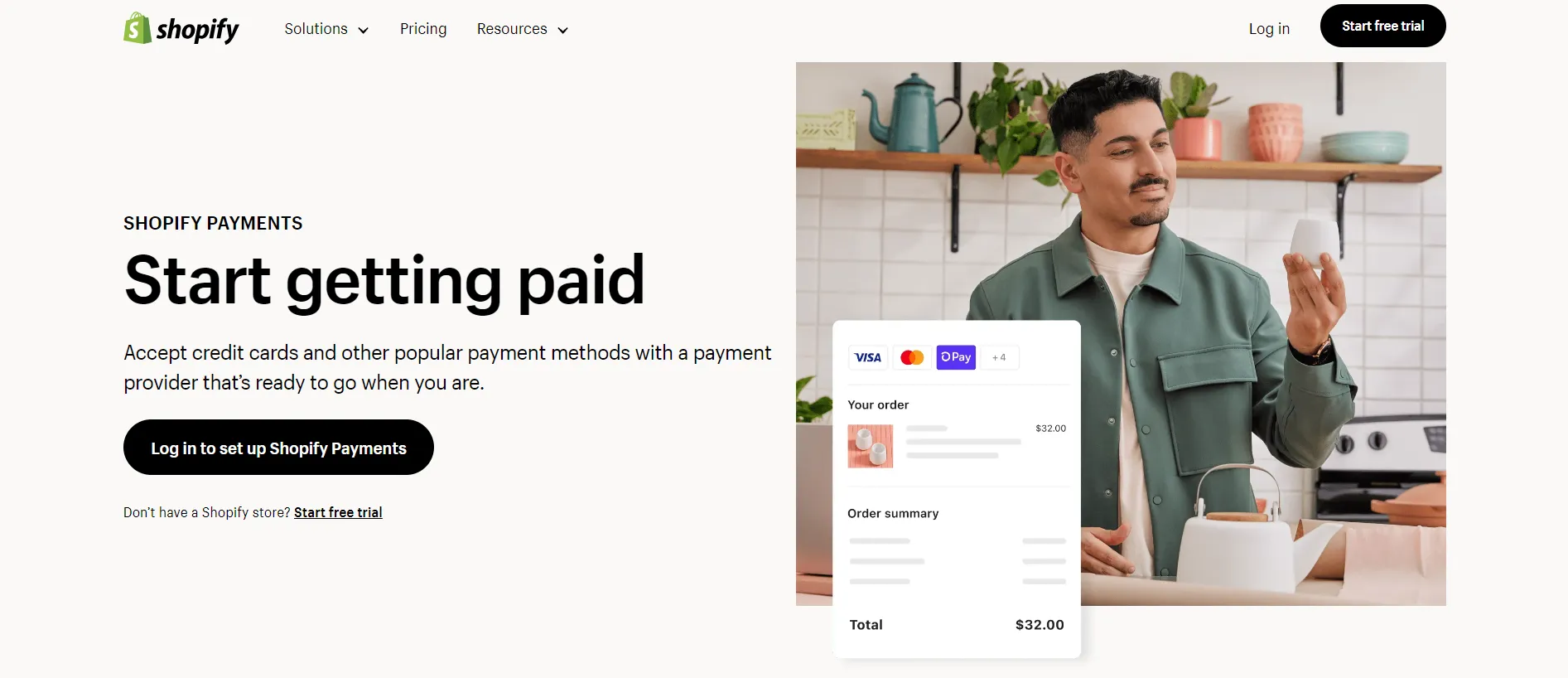
Shopify offers Shopify Payments in supported countries and integrates with third-party payment providers in many markets. Shopify Payments is managed within the Shopify admin and includes access to options such as Shop Pay and supported local payment methods, making it a convenient choice for eligible merchants.
Shopify Payments does not have a separate setup or monthly fee, but standard payment processing rates still apply. When merchants use a third-party payment provider, Shopify may charge an additional transaction fee based on the store’s plan and payment arrangement, on top of the provider’s own processing fees.
Shopify is generally easier to configure and manage, while WooCommerce provides more freedom to choose and customize payment solutions. The better option depends on provider availability in your market, the payment methods your customers expect, the total fees involved, and whether you prioritize convenience or technical flexibility.
WooCommerce vs Shopify: Shipping Methods (A Tie)
The Verdict
It’s a draw. Shopify boasts an integrated, user-friendly system with real-time rates, while WooCommerce focuses on flexibility and customization through a variety of shipping plugins.
One thing I have learned while working in this industry is that you should not underestimate the power of shipping. Providing a trouble-free delivery process is a great way to retain customers and boost brand loyalty. So, let’s see who’s the winner in the shipping section—WooCommerce vs. Shopify!
WooCommerce Shipping
WooCommerce offers a versatile and customizable shipping system. Merchants can set up shipping methods to match their specific business needs. The platform provides basic shipping options like free shipping, flat rate, and local pickup.
Additionally, WooCommerce’s shipping extensions and plugins enable integration with major carriers such as USPS, UPS, FedEx, DHL, and more, providing real-time shipping rates based on customer location, package weight, and dimensions.
Shopify Shipping
Similarly, Shopify shipping also integrates with the biggest carriers like USPS, UPS, and DHL, as well as offers calculated shipping rates based on real-time factors. Merchants can also offer free shipping or set fixed flat rates for their products.
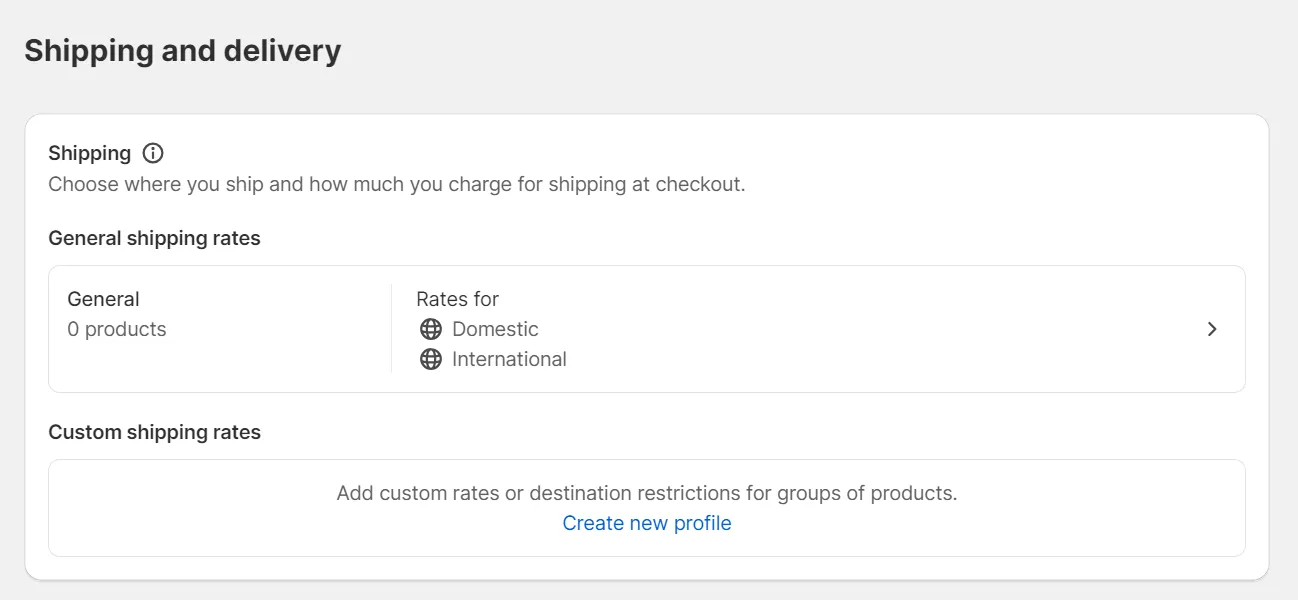
However, its connection with Canada Post, Australia Post, and more takes Shopify shipping to the next level. This gives businesses the flexibility and convenience to ship globally and effectively meet their customers’ delivery needs. Also, changing shipping on Shopify was quite easy.
Shopify vs WooCommerce: Dropshipping (A Tie)
The Verdict
Apparently, Shopify and WooCommerce are two of the best eCommerce systems available due to their advanced features, strong design, and stellar customer service. Your dropshipping enterprise may benefit from using either platform since they each have unique advantages.
Dropshipping is an order fulfillment method that does not require merchants to keep goods in stock. Instead, whenever a new order is placed, the retailer purchases the item from a supplier and has it directly delivered to the customer. So, let’s delve into dropshipping with WooCommerce vs. Shopify!
WooCommerce Dropshipping
It’s my personal opinion that WooCommerce is a favorable choice for dropshipping companies. With WooCommerce, drop shippers can pay for plugins that instantly support importing products, completing orders from your website, and more. The majority of those apps share the same functions.
Shopify Dropshipping
Currently, Shopify has integration apps for several popular dropshipping markets. Two of the most well-known are Dropified and Spocket.

No matter which app you choose for your Shopify dropshipping business, you will greatly benefit from its robust and exclusive features.
WooCommerce vs Shopify: Security (Shopify Wins)
The Verdict
My take on this is that Shopify apparently outperforms WooCommerce in the security department since there’s less to worry about regarding security and data safety.
Security is a huge concern when running an online business. Hence, it is no surprise that many merchants ask the question, “WooCommerce vs Shopify, which is better for security?”
WooCommerce Security
With WooCommerce, most of the security falls into your own hands. In greater detail, you will have to get your own SSL certificate, configure your site security plugins, implement two-factor authentication, comply with PCI compliance, and do some other things to protect your site all by yourself.
Shopify Security
Shopify, on the other hand, completely takes care of updates and security issues in the background.
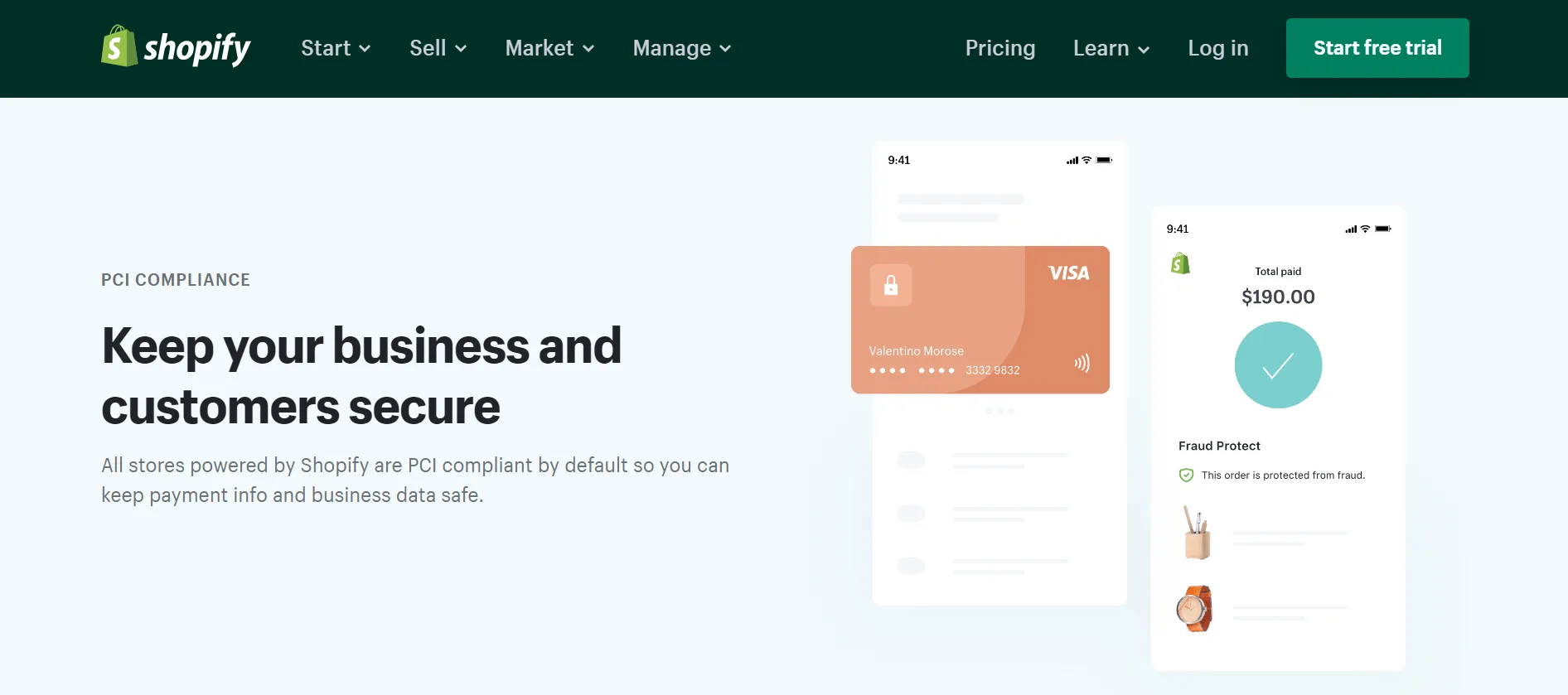
This platform comes with an SSL certificate built in for free, meaning all data transferred between you and your clients is encrypted. The Shopify system also runs on a Level 1 PCI-compliant server, which is mandatory to accept credit card and debit card details.
WooCommerce vs Shopify: Support (Shopify Wins)
The Verdict
Both systems provide customer service, but Shopify is much superior. It’s quite easy to understand since this is a hosted eCommerce platform, while with WooCommerce, you have to handle almost everything on your own.
Every e-merchant, especially beginners, needs support when starting their website on any platform. Things are new, and you cannot be familiar with all the features, not to mention the problems you might run into during the setup process.
Both WooCommerce vs Shopify offer customer support, but there’s only one winner.
WooCommerce Support
Just like most of the open-source eCommerce solutions out there, WooCommerce doesn’t support live chat, phone, or email. However, as a merchant who wants to take control of their own support strategy, WooCommerce impresses me by providing plenty of resources.
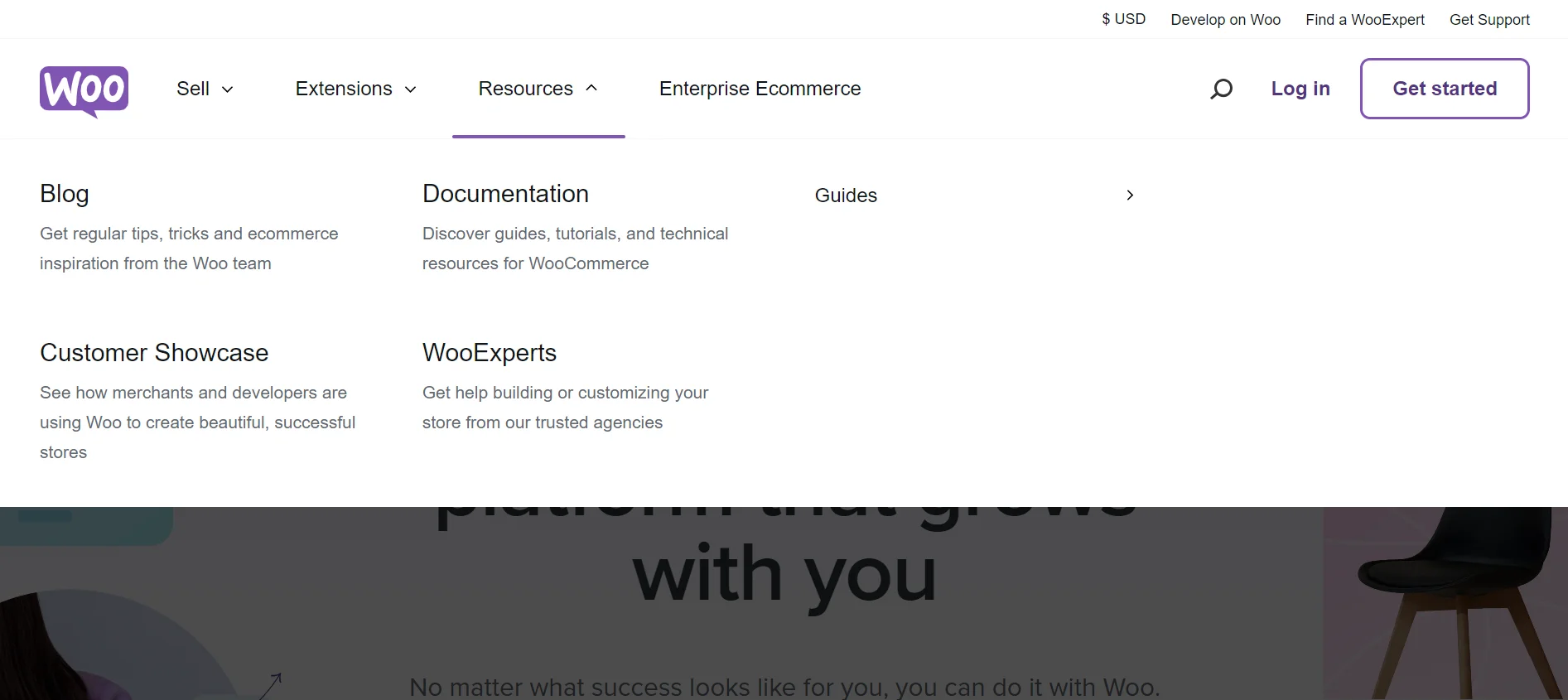
This platform provides assistance in WooCommerce Docs and an FAQ section where you can find answers to almost every common question. Furthermore, thanks to its large user base, I can also seek support from a vibrant community of peers, developers, and WooExperts in a heartbeat in case an unwanted contingency happens.
Shopify Support
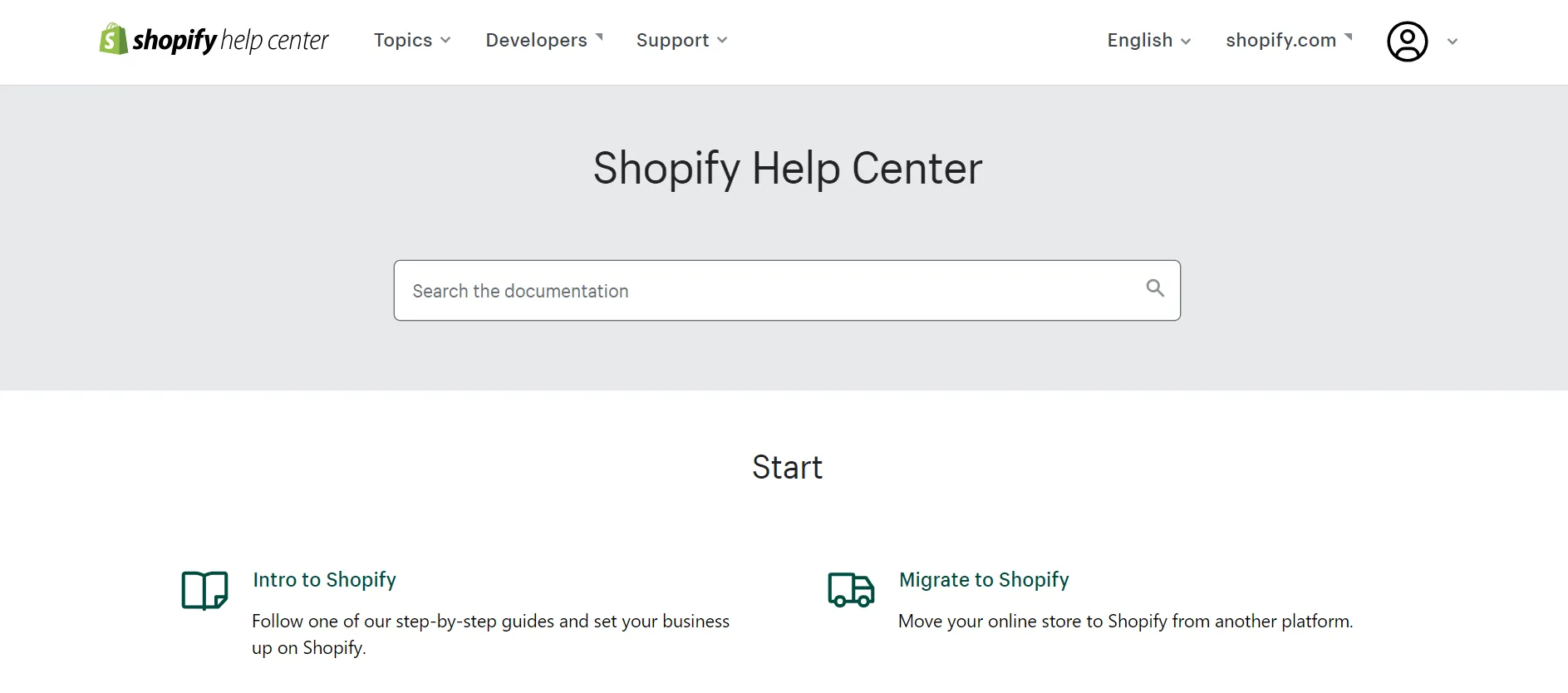
Shopify, on the other hand, is renowned for its excellent customer support, which is available 24/7 via phone, email, and live chat. In addition, Shopify has an enormous database of FAQs and a Shopify Forum that is always willing to help.
Our Methodology – How We Test WooCommerce vs Shopify?
To prepare this comparison, we evaluated WooCommerce and Shopify through a combination of hands-on platform testing and information from their official documentation. Where direct testing was possible, we created stores on both platforms and completed common setup and management tasks, including adding products, configuring payments, setting shipping options, managing inventory, customizing the storefront, and creating content.
We compared the platforms across 13 areas covered in this article: pricing, ease of use, page speed, design and templates, apps and plugins, inventory management, SEO and blogging, marketing, payment gateways, shipping, dropshipping, security, and customer support.
Rather than assigning one universal score, we assessed the trade-offs within each category. Some factors, such as ease of use, hosted security, and built-in support, may matter more to a new merchant. Others, including customization, content control, extensibility, and long-term cost structure, may carry more weight for an established or highly customized store.
Platform features, pricing, app availability, and support policies can change over time. We therefore review official platform information during updates and revise this comparison when those changes materially affect the findings. The recommendations below bring these results together based on different merchant needs rather than declaring one platform the best choice for every store.
WooCommerce vs Shopify: Which Should You Choose?
WooCommerce vs Shopify Switching Patterns: What Real Merchants Say?
Beyond the feature-by-feature breakdown above, it’s worth looking at what actually happens after merchants make their choice. From what I’ve seen across merchant communities and forums, a pattern comes up often: store owners who move from WooCommerce to Shopify for the simplicity, then move back once they hit Shopify’s subscription and app costs at scale. The complaint is usually the same: everything from custom features to simple additions like an FAQ block ends up behind a subscription, and those costs stack up faster than expected once a store grows past the basics.
The reverse path, Shopify owners moving to WooCommerce, shows up far less often in these discussions, and it’s usually driven by a different motivation: hitting a hard ceiling on customization, not chasing a lower price. That distinction matters. If your biggest worry is “will this get expensive as I grow,” that’s the WooCommerce-to-Shopify regret talking. If your biggest worry is “will this platform let me build exactly what I want,” that’s the ceiling WooCommerce owners rarely hit.
I’d also add one thing I’ve noticed firsthand from helping merchants migrate in both directions: most of these regrets are avoidable with a bit more upfront planning. A merchant who maps out their actual feature needs and realistic order volume before choosing a platform tends to be far happier with their pick than one who chooses based on price or hype alone, regardless of which platform they land on.
WooCommerce or Shopify: Which Platform Should You Choose?
Bringing everything together: the side-by-side comparison, the pros and cons, the cost breakdown by store size, and the switching patterns above, here’s my honest take on who each platform actually fits best:
Go with WooCommerce if:
- You want full control over your store’s design, code, and data, and don’t mind handling hosting and maintenance yourself
- SEO and content marketing are central to your growth strategy
- You’re comfortable with WordPress already, or plan to invest the time to learn it
- You’re scaling toward higher order volumes, where avoiding a per-order platform fee starts to matter.
Go with Shopify if:
- You want a store up and running fast, with hosting, security, and updates handled for you
- You’re newer to eCommerce and want to avoid a technical learning curve
- You’d rather pay a predictable monthly fee than manage multiple moving pieces
- You’re prioritizing speed to launch over deep customization.
If you’re still on the fence, my honest advice is this: pick based on where your store is headed, not just where it is today. A platform that’s perfect for a 50-order-a-month store can become a real bottleneck at 5,000 orders a month, and switching later is always more work than choosing well the first time.
Already Chosen Your Platform?
If Shopify better matches your need for simpler store management and less technical upkeep, explore the available options for migrating from WooCommerce to Shopify. If WooCommerce is the better fit for your need for customization, ownership, and content flexibility, review the process for migrating from Shopify to WooCommerce.
Before moving, check whether your products, customers, orders, URLs, custom fields, and third-party data can be transferred as required. The right migration approach depends on your current store setup and the level of assistance you need.
WooCommerce vs Shopify – FAQs
Is Shopify better than WooCommerce?
Shopify is generally better for merchants who want a hosted platform with a guided setup, centralized support, and less technical maintenance. WooCommerce is often a better fit for businesses that want deeper control over their store, content, code, hosting, and integrations. The right choice depends on your technical resources, customization requirements, and preferred cost structure.
Is WooCommerce cheaper than Shopify?
Not necessarily. WooCommerce itself is free, but merchants still need hosting, a domain, maintenance, and any paid themes or extensions required by the store. Shopify charges a subscription that includes hosting, security, and core platform maintenance, while apps and payment-related fees may add to the total. Compare the complete 12-month cost of the required setup rather than the base prices alone.
Which is better for beginners: Shopify or WooCommerce?
Shopify is usually easier for beginners because hosting, security, platform updates, and the core store setup are managed within one system. WooCommerce can also be used by beginners, especially those already familiar with WordPress, but it requires more decisions about hosting, plugins, updates, backups, and troubleshooting.
Is Shopify more SEO-friendly than WooCommerce?
Both platforms can support strong SEO. Shopify handles several technical elements automatically and is easier to maintain, while WooCommerce provides greater control over site structure, content, metadata, schema, and technical customization through WordPress. WooCommerce offers more SEO flexibility, but actual rankings depend more on implementation, content quality, site performance, and authority than on the platform alone.
Is it worth moving from WooCommerce to Shopify?
Moving from WooCommerce to Shopify may be worthwhile if reducing technical maintenance, simplifying day-to-day management, or using a managed commerce infrastructure is more important than retaining full control over the WordPress environment. Before switching, compare the required Shopify apps and ongoing costs, and assess how products, variants, customers, orders, custom data, and SEO URLs will be handled during migration.