Square to Shopify Migration
 Based on 3,000+ reviews on:


LitExtension’s Square to Shopify migration service is designed to protect your store data throughout the entire migration process. Our expert-managed solution accurately transfers products, categories, customers, orders, blog posts, coupons, SEO URLs, and more while minimizing downtime and preserving data integrity.
By choosing LitExtension, your project is handled by an experienced migration team from initial consultation through final delivery. Backed by up to 60 days of post-migration support, our service delivers a secure, accurate, and hassle-free transition to Shopify. Read more →

How to Perform Square to Shopify Migration

#1: Square to Shopify Migration Consulting with Experts
Our experts will help you identify and avoid common migration pitfalls, ensuring a smooth and successful transfer from Square to Shopify.

#2: Square Data Mapping and Shopify Store Setup
Trust our experts to oversee the entire data mapping process on Square and ensure your Shopify store’s technical setup is fully prepared for a flawless migration experience.

#3: Perform Full Replatforming to Shopify
Let’s start the Square to Shopify migration. Once the migration process is kicked off, it will constantly run even when you turn off your browser.
What to Prepare Before the Square to Shopify Migration
Before you begin switching from Square to Shopify, complete these steps:
- Back up all your Square data: Export your products, customers, and order history as CSV files and save them securely as a safety net before anything else.
- Audit and clean your store data: Remove outdated products, duplicate entries, and inactive customer accounts so you’re only migrating clean, relevant data.
- Review multi-location inventory: If you sell from more than one Square location, map out how stock is distributed so you can recreate the same structure using Shopify’s multi-location inventory settings.
- Check customer marketing consent: Confirm which customers have opted in to marketing emails so your list stays compliant with CAN-SPAM and GDPR requirements once imported into Shopify.
- Set up your Shopify store: Create your Shopify account and complete the basic configuration so it’s ready to receive incoming data.
- Disable notifications: Turn off third-party email and shipping notification apps on your Shopify store to prevent automated emails from firing at customers during the import process.
Migrate from Square to Shopify with LitExtension Migration Service
Instead of spending hours on data formatting, field mapping, and technical troubleshooting, you hand the entire process to a dedicated team of migration specialists.
Here’s exactly how LitExtension experts carry out your Square to Shopify migration from start to finish:
Step 1. Technical consultation with LitExtension experts
Your Square to Shopify migration begins with a one-on-one technical consultation with the LitExtension expert team. During this session, our specialists take time to fully understand your Square store’s structure, such as reviewing data types, product catalog format, customer records, order history, custom fields, and any third-party integrations currently in place.
This early analysis allows us to spot potential challenges before they become problems, and to build a migration strategy tailored specifically to your store. If your Square setup includes non-standard attributes or unique workflows, we document everything carefully to ensure nothing is overlooked.
Once scope and deliverables are aligned, we prepare a Service Level Agreement (SLA) that outlines the full migration plan, timeline, and responsibilities. Only after your approval does the migration officially begin.
Step 2. Pre-migration setup
With the consultation complete, our team moves into preparing both platforms for a reliable and accurate data transfer. We gather all the necessary credentials and establish a secure connection between the two platforms. If your Square store contains custom attributes or data stored in non-standard fields, we adapt Shopify’s import architecture accordingly.
We also account for Shopify’s platform constraints at this stage, including the 3-option, 100-variant limit per product (up to 2,000 variants for select stores) and how your custom attributes map to Shopify metafields, so no data gets lost in translation.
By the end of this step, all critical data fields have been mapped and validated, laying a reliable foundation for the full migration.
Step 3. Demo migration running
Before proceeding to the full transfer, our team runs a demo migration using a sample of your Square store data. This test phase migrates a representative set of products, customers, and orders to your Shopify store, giving you a clear preview of how your data will appear once fully transferred.
Our team then provides the demo migration result for your reference. If any inconsistencies or misalignments are detected, they are resolved before the full migration begins, ensuring the final transfer is clean and accurate from the first record to the last.
Step 4. Perform full Square to Shopify migration
Once the demo results have been reviewed and approved, the full Square to Shopify migration gets underway. All your selected data is transferred completely and securely into your new Shopify store, following the customized migration plan built in the earlier stages.
A key advantage of migrating with LitExtension is that your Square store remains fully live and operational throughout the entire process. The migration runs automatically on LitExtension’s secure cloud system, with no need for your PC to stay on and no maintenance mode required. You can continue selling on Square without interruption while your data moves to Shopify in the background.
Step 5. Migration results testing
After the full migration completes, LitExtension’s team conducts a detailed review of all transferred data. Our specialists check every critical element to confirm that everything has been accurately migrated and correctly structured within your Shopify store. Any inconsistencies, missing fields, or formatting issues identified during testing are resolved immediately.
Step 6. Post-migration tasks
Because your Square store stays live during the migration, it may continue to receive new orders, customer sign-ups, or product updates while data is being transferred. To ensure your Shopify store reflects every change, LitExtension provides a full set of post-migration sync services:
- Free and unlimited Recent Data Migration for any new data (less than 5% of the initial migration volume).
- 2 free Re-migrations if a full re-run is needed.
- Free and unlimited Smart Update to keep your Shopify store synchronized with any ongoing changes.
Step 7. Customer support post migration
LitExtension’s commitment doesn’t end when the migration is complete. For up to 60 days following your Square to Shopify migration, our dedicated Customer Support Team remains available to answer questions and resolve issues.
Manually Transfer Square to Shopify
For merchants with smaller stores and straightforward product catalogs, a manual migration using CSV file exports is a viable option that gives you full control over the data transfer process at no additional cost.
But please note that manual migration is technically demanding. It requires careful CSV formatting, column-by-column field mapping, and multiple import steps across products, customers, and orders. Additionally, complex and custom data fields cannot be handled automatically and will need manual attention after import. For stores with large data volumes, this method significantly increases the risk of formatting errors and data loss.
Step 1. Export products from Square
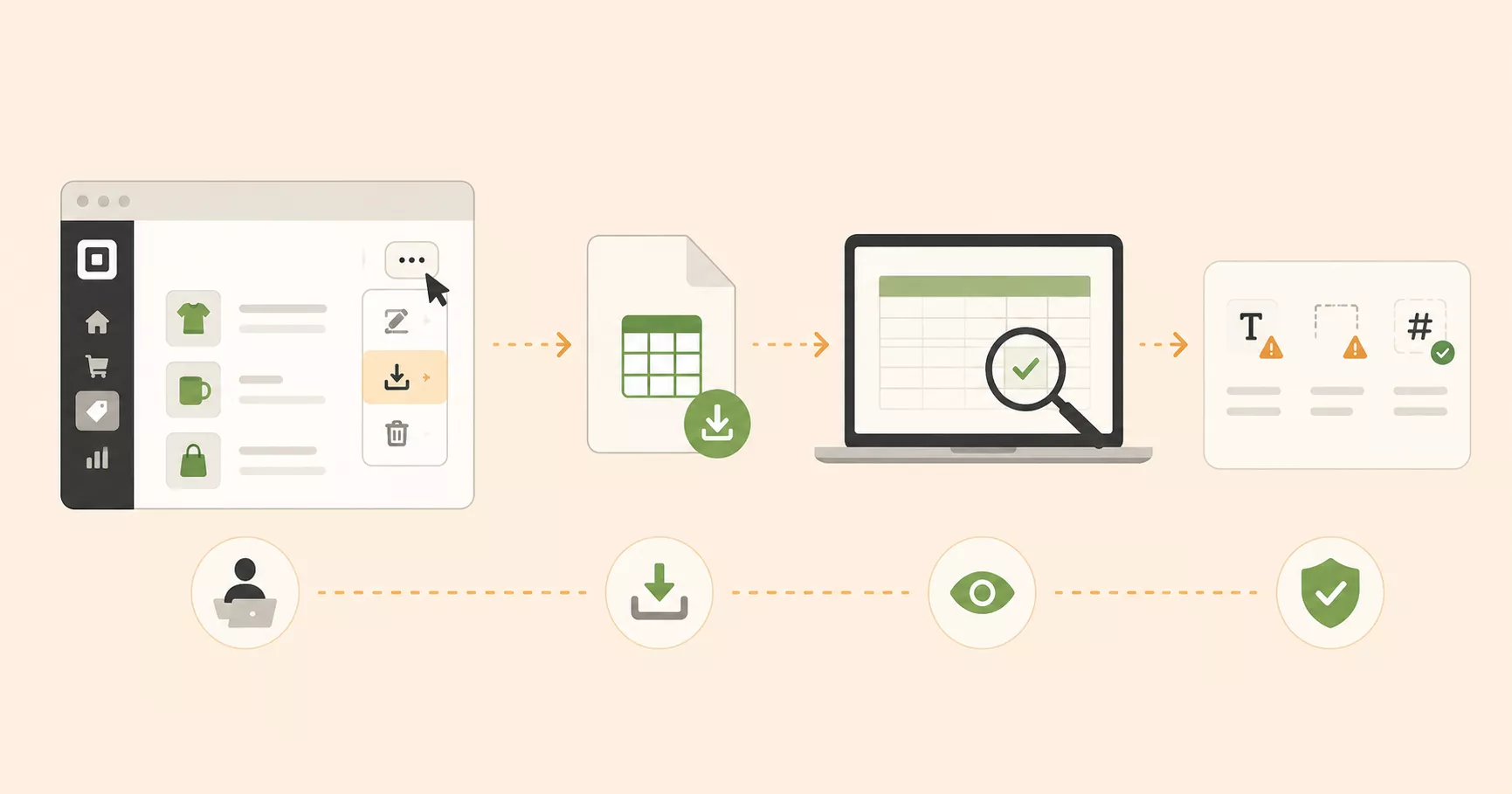
To export products from Square:
- Log in to your Square Dashboard and go to Items & Orders > Items.
- Click Actions > Export Library, select CSV format, and save the file to your computer.
- Review the exported file and check for any unusual characters, missing values, or formatting issues before proceeding.
Step 2. Format and import products to Shopify
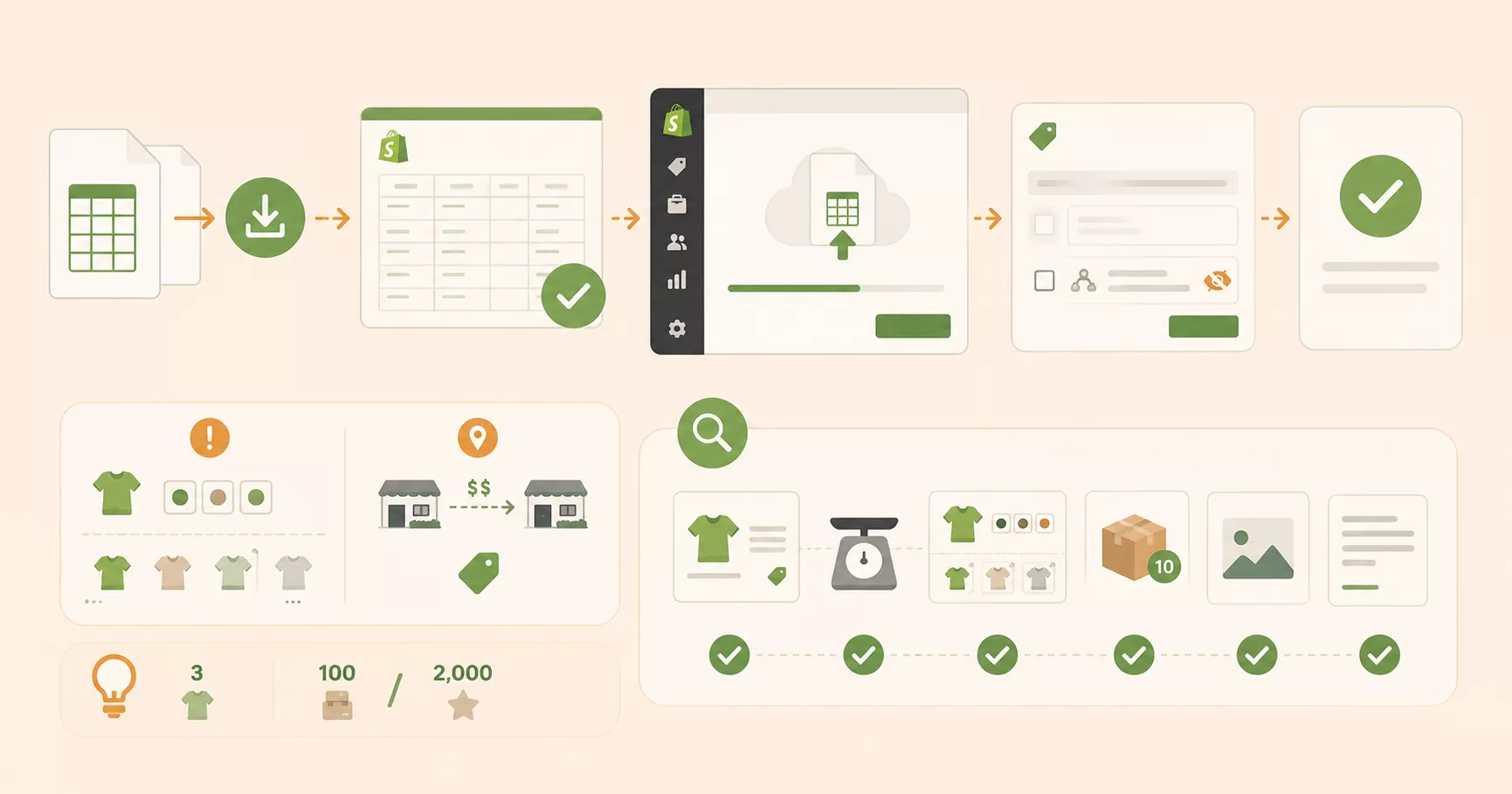
Before importing products into Shopify, you need to format the CSV file first:
- Download Shopify’s product CSV template and reformat your Square export to match it exactly.
- From your Shopify Admin, go to Products > Import, upload the formatted CSV, and click Upload and preview.
- Deselect Publish new products to all sales channels if you’re not ready to make items live right away.
- Review the import details and confirm.
Keep Shopify’s product limits in mind while formatting your CSV: each product supports a maximum of 3 options and up to 100 variants (2,000 for select stores), and Shopify doesn’t support pricing by location, so multi-location Square prices will import at a single rate.
After the import process is done, spot-check product records to verify prices, weights, variants, inventory counts, images, and meta descriptions are all correct.
Step 3. Export and import customers

- From your Square account, go to Customers > Directory, then click Import/Export > Export Customers and select All Customers.
- From your Shopify Admin, go to Customers > Import, upload the previously downloaded CSV, and confirm.
Note that customer passwords cannot be migrated–you will need to prompt customers to reset their passwords after your new Shopify store lives.
Step 4. Migrate order history
Export your order history from Square by going to Online > Orders > Export Orders and saving the file. Since Shopify does not support native order imports from Square, you will need to use a third-party migration app from the Shopify App Store, such as Matrixify, to import your historical order records.
Step 5. Migrate reviews
Customer reviews cannot be exported from Square or imported natively into Shopify. To carry your reviews across, you will need to use a third-party reviews app from the Shopify App Store, such as Judge.me, Loox, or Yotpo, then manually add or import your review data through that app.
Post-Migration Checklist for Square to Shopify Migration
Once your data is successfully transferred from Square to Shopify, complete the following tasks before fully launching your new store:
- Configure your payment gateway: Set up Shopify Payments or connect your preferred alternative.
- Verify your tax settings: Square often auto-calculates tax at checkout, so review Settings > Taxes and duties in Shopify to confirm rates match your state and local tax obligations before you start selling.
- Set up shipping zones and rates: Recreate your shipping structure in Shopify by defining zones, rate types, and fulfillment rules.
- Set up 301 redirects: Redirect all your old Square store URLs to the corresponding Shopify URLs to preserve your existing SEO rankings and prevent broken links.
- Verify your domain: If you have a custom domain, connect it to your Shopify store via Settings > Domains and confirm DNS propagation is complete before going live.
- Check your POS hardware: If you also sell in person, note that Square’s card readers are locked to Square’s own software. To use Shopify POS, you’ll need Shopify-compatible hardware, such as the Tap & Chip reader.
- Review your storefront: Check product pages, category navigation, collections, images, and the complete checkout flow. Confirm that everything displays correctly across desktop and mobile.
- Sync recent data: If your Square store received new orders or customer sign-ups during the migration window, use LitExtension’s free Recent Data Migration or Smart Update to sync those data before going live.
Join 200,000+ customers who have grown their businesses with LitExtension. Try a free demo to see how your data is transferred accurately, securely, and with ease during the migration process.
What Data Can Be Migrated from Square to Shopify
Use the tabs below to check which Square fields can be migrated to Shopify and prepare any data that may need extra handling during your Square to Shopify migration.


-
Products
- Name, SKU
- Short Description, Full Description
- Status
- Manufacturer → Vendor
- Price, Special Price
- Quantity, Manage Stock
- Weight, Width, Height, Depth
- Product Tags
- Variants: Name, SKU, Weight, Quantity, Manage Stock, Image, Price, Special Price
- Thumbnail Image, Additional Images
Products Categories
- Name
- Description
- Image
-
Customers
- First Name
- Last Name
- Address
-
Orders
- Order ID
- Order Date
- Order Status
- Order Items
- Product Price
- Quantity
- Sub Price
- Discount Price
- Tax Price
- Shipping Price
- Total Price
- Order Comments → Order Note
- Customer Name
- Customer Email
- Billing Address
- Shipping Address
*Can’t find the data you need to migrate? Contact us or click on the Live Chat for a free consultation.


If you’re non-tech, let our Shopify migration experts handle your migration from A to Z.
Save your time for more important tasks.

How Your Data Is Secured During Migration?

Server Security

Data Security

Data Access Restriction

GDPR Compliance

NDA

Payment Security
Why Choose LitExtension for Square to Shopify Migration


