VirtueMart to OpenCart Migration
 Based on 3,000+ reviews on:


LitExtension provides a secure and accurate solution for migrating products, orders, customers, and more from VirtueMart to OpenCart in just hours, offering an unlimited free demo and 24/7 expert support to ensure your transition is seamless. With over 15 years of industry experience and more than 300,000 successful migrations across 140+ platform types, we can help you overcome any challenge in transitioning from VirtueMart to OpenCart.
What Data Can Be Migrated From VirtueMart to OpenCart


-
Products
- Name, Model/SKU, Description, Status.
- Manufacturer.
- Tax Class.
- Product ID.
- Price, Special Price, Special Price From-To Date.
- Meta Title, Meta Keywords, Meta Description, URL Key.
- Weight, Width, Height, Length.
- Related Products, Product Tags, EAN, UPC.
- Attributes (Name, Values)
- Product Options, Product Filter.
- Downloadable Products.
- Image (Thumbnail Image, Additional Images).
- Stock Availability.
Product Categories
- Name, Description, Status.
- Image (Thumbnail Image, Additional Images).
- Meta Title, Meta Description, Meta Keywords.
-
Customers
- ID, First Name, Last Name, Email, Created Date, Telephone.
- Passwords.
- Customer Group.
- Newsletter.
- Address (Zip Code, City, State, Country, First Name, Last Name).
-
Orders
- Order ID.
- Order Date, Order Status.
- Order Items (Name, SKU, Option), Product Price, Quantity.
- Sub Price, Discount Price, Tax Price, Shipping Price, Total Price.
- History.
- Customer Name, Email.
- Billing Address (First Name, Last Name, Company, Address 1, Address 2, Country, State, City, Zip Code, Telephone).
- Shipping Address (First Name, Last NameCompany, Address 1, Address 2, Country, State, City, Zip Code, Telephone).
-
Manufacturers
- Name.
- Image.
-
Taxes
- Tax Class (Name, Tax rate).
- Tax Rates (Country, Percent, Tax name, Type).
-
Coupons
- Name.
- Discount Amount, Type Discount.
- Coupon Code, Coupon Date, Coupon Expire Date.
-
Reviews
- Created Date, Status, Rate, User Name.
- Product.
- Comment.
-
CMS Pages
- Title, Description.
- Meta Title, Meta Description, Meta Keyword.
- Created Date.
- URL Key.
-
Multiple Languages
- Products (Name, Short Description, Description, Meta Title, Meta Description, Attributes).
- Categories (Name, Description, Meta Title, Meta Description).
- CMS Page (Name, Description, Meta Title, Meta Description).
- Additional fee may apply.
(*) Please note that the data listed above may vary depending on your Source Store.
Additional Options
Clear Data On OpenCart Before Migration
You can clear the data on OpenCart in accordance with selected entities for migration… More Details →
RecommendedPreserve Product, Order, Customer IDs on OpenCart Store
This option helps keep your product ID, customer ID or order ID the same during your store migration… More Details →
 How It Works Recommended
Create 301 Redirects on OpenCart Store
Automatically redirect your old store’s URLs to the new ones during the migration… More Details →
RecommendedMigrate Images from Products, Categories, Blog Descriptions
This option helps you to migrate images in descriptions of products, categories, and blog posts… More Details →
Strip HTML Tags from Category and Product Names
Strip HTML tags from category and product names automatically when migrating your store … More Details →
Join 200,000+ customers who have grown business with LitExtension. Contact us to visualize how easy and efficient the cart to cart migration can be.
How to Perform VirtueMart to OpenCart Migration

#1: Consultant By LitExtension Migration Experts
Our Experts will attentively consider your requirements, suggesting necessary measures to guarantee optimal preparation for the migration.

#2: Data Mapping & Setting By LitExtension Experts
Set up VirtueMart and OpenCart Stores, deploy the necessary apps and create the appropriate environment before migration.

#3: Perform Full VirtueMart to OpenCart Migration
Let’s start the VirtueMart to OpenCart migration. Once the process is kicked off, it will constantly run even when you turn off your browser.
Migration from VirtueMart to OpenCart (DIY Method)
This guide provides a comprehensive, step-by-step process for migrating a store from VirtueMart to OpenCart. A manual migration offers greater control and a deeper understanding of your store’s data. Note that this method is time-consuming and requires a strong understanding of database management.
Step 1: Data Backup and New Store Setup
Before beginning the migration, it’s critical to secure your existing data and prepare the new environment.
Backup Your VirtueMart Store
Create a complete and verified backup of your entire VirtueMart store. This includes both the database (via phpMyAdmin) and all store files (via FTP/SFTP). This backup serves as a safeguard, allowing you to revert to the original state if any issues arise during the migration.
How to backup your VirtueMart store:
- Access to VirtueMart Admin Dashboard.
- Go to Tools > Database Backup/Restore wizard.
- Select “Backup current store database” and click Next to proceed.
- Name the file and directory for the backup.
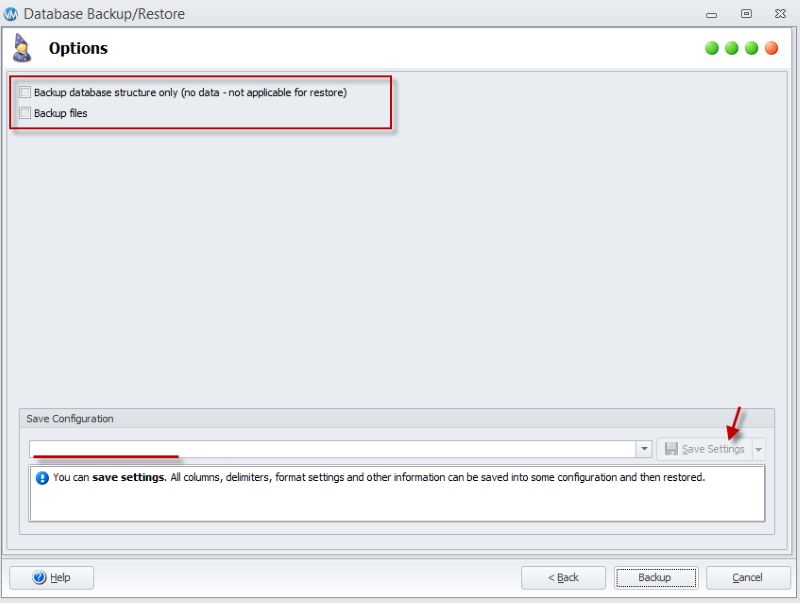
- Select the tables you want to back up. By default, all tables are usually selected, but you can choose to include or exclude specific ones based on your needs.
- Do not select the option ‘Backup database structure only (no data)’, as this will save only the table structures without any data in the .sql file. You can also back up all shopping cart files and choose to exclude specific files if necessary.
- Click the ‘Backup’ button. The backup will then be saved to the file you specified earlier.
- Finally, click ‘Finish’ to close the wizard.
Note: You need an active FTP connection to download the files. Keep in mind that this may slow down the process.
Install OpenCart
Install the latest stable version of OpenCart on your server. It is strongly recommended to start with a clean installation to prevent conflicts. If you plan to use an existing OpenCart installation, make sure it is fully updated and backed up before proceeding.
For detailed guidance, refer to our step-by-step OpenCart installation tutorial. In summary, the process involves:
- Choosing a Hosting Provider.
- Downloading OpenCart.
- Extracting Files and Uploading to the Server using FTP.
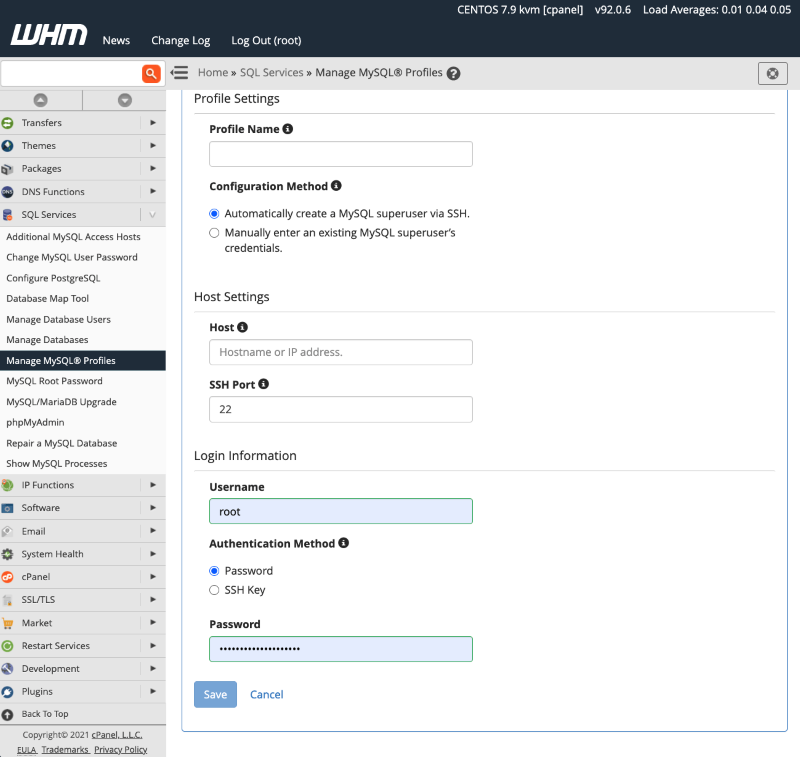
- Creating a MySQL Database and User via cPanel.
- Running the Installation Script.
- Completing the Installation.
This is not a beginner-friendly procedure, so review the instructions carefully and follow each step by step to avoid issues.
Step 2: Exporting Data from VirtueMart
Data must be exported from your VirtueMart database and formatted for use with OpenCart.
Export Database Tables
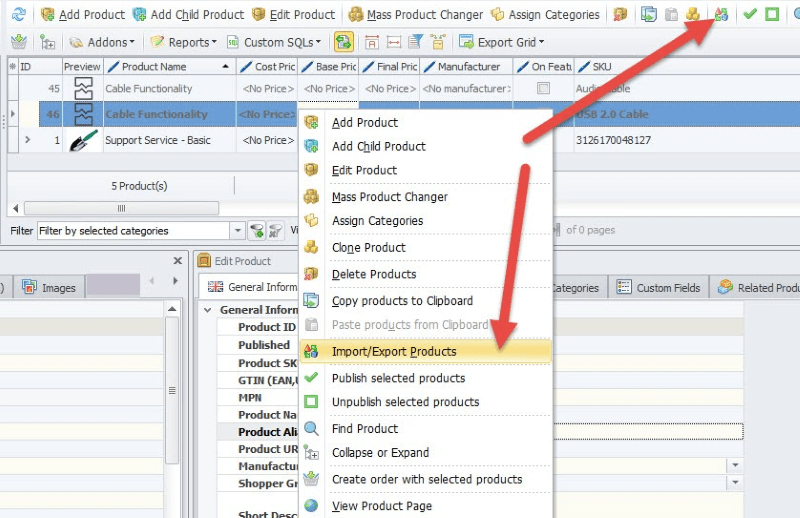
Use a database management tool like phpMyAdmin to export data from the specific VirtueMart tables you need to migrate. Focus on key entities such as products, categories, customers, and orders. You can export the entire database as a single .sql file, or for more control, export individual tables.
How to export VirtueMart tables with phpMyAdmin:
- Log into phpMyAdmin from your hosting control panel.
- Select the VirtueMart database.
- Go to the Export tab.
- Choose either all tables or only the key ones (products, categories, customers, orders).
- Pick the format: SQL for structure + data, or CSV for easier editing.
- Click Go to download the file.
Format the Data
Once exported, the data should be saved in a CSV (Comma-Separated Values) format. This format is easier to manipulate and review. Tools like Excel or Google Sheets can be used to open and edit the exported data. This step is crucial, as the VirtueMart data structure will not directly match OpenCart’s.
Step 3: Preparing Data & Importing Data into OpenCart
This is the most complex part of the manual migration process, as it requires you to align your exported data with OpenCart’s specific database schema:
- Map Database Fields: Open the exported CSV files and carefully compare the field names (column headers) from VirtueMart to the corresponding field names in OpenCart’s database tables (e.g., oc_product, oc_category, oc_customer, oc_order). Manually rename and reorder the columns in your CSV files to match the OpenCart structure exactly.
- Update File Paths and Images: If you have product images, they must be manually transferred from your VirtueMart server to the appropriate image directory within your new OpenCart installation (typically image/catalog/). After moving the files, you must update the image paths in your CSV files to reflect their new location in OpenCart.
- Clean and Validate Data: Review your CSV files for any inconsistencies or invalid data. This includes checking for correct data types (e.g., ensuring numeric fields contain only numbers) and removing any unnecessary or corrupted data.
- Import via phpMyAdmin: You can use phpMyAdmin to import the prepared CSV files directly into the respective OpenCart database tables. This is done by writing SQL INSERT queries that map the data from your CSV columns to the OpenCart table fields. This method is highly effective but requires a strong understanding of SQL.
After the import is complete, immediately log into your OpenCart admin panel. Thoroughly check that all products, categories, customers, and orders have been imported correctly. Look for any missing information, data mismatches, or formatting errors. It is best to spot-check a random sample of entries to ensure data integrity.
This step can be tricky, especially when formatting data to match OpenCart’s CSV structure. For detailed guidance, read our expert article: Migrate CSV Files to OpenCart.
Step 4: Post-Migration Tasks
Completing the data import is just the first step. The final phase involves configuring and testing your new store to ensure it is fully functional:
Point Domain & Set Redirects:
- Update your domain’s DNS to point to the new OpenCart server.
- On the new server, set up 301 redirects from old VirtueMart URLs to matching OpenCart URLs.
- Test redirects and confirm all pages resolve correctly.
Install Theme and Extensions:
- Select and install a new theme for your OpenCart store. Then, find and install any necessary extensions to replicate the functionality you had in VirtueMart.
Configure Store Settings:
- Go through all of the settings in your OpenCart admin panel. This includes configuring payment gateways, shipping methods, tax rates, and store information to match the previous settings from your VirtueMart store.
Perform a complete end-to-end test:
- Product Display: Ensure products are visible, and all images and descriptions are correct.
- Checkout Process: Run a test order from start to finish to confirm that the checkout, payment, and order confirmation processes work flawlessly.
- Customer Accounts: Verify that customer accounts are accessible and that they can log in and view their order history.
- Functionality: Test all other core functionalities, such as search, contact forms, and email notifications.
Once all checks and tests are complete and you are confident in the store’s performance, you can consider the migration a success.
These steps of VirtueMart to OpenCart migration feel too complicated? Let the LitExtension experts handle it for you. Our team will transfer all your products, customers, orders, SEO URLs, and even set up 301 redirects to ensure a seamless switch. With professional support, you can avoid technical headaches and focus on growing your business while we handle the entire migration process safely and efficiently.


Leave The Work For The Experts
If you’re non-tech, let our OpenCart migration experts handle your migration from A to Z.
Save your time for more important tasks.

How Your Data Is Secured During Migration?

Server Security

Data Security

Data Access Restriction

GDPR Compliance

NDA

Payment Security
Why choose VirtueMart to OpenCart Migration Services


