Transfer your product catalog and categories from Etsy to Magento with LitExtension’s All-in-One Migration Service. We map your listing data to Magento’s structure and validate it through a Demo Migration and the Full Migration, so you can review the results before handover.
No technical skill is required on your end, our team handles the process securely and accurately from start to finish, and you’re covered by up to 60 days of support after your Full Migration completes. Your shop stays fully operational throughout, so you can keep selling while the migration runs in the background.


How to Perform Etsy to Magento Migration

Our experts review your Etsy product catalog, source access, and Magento requirements before confirming the migration scope.

We map supported Etsy fields to Magento, configure migration options, and run a Demo Migration so you can review representative products before the Full Migration.

After Demo approval, we perform the Full Migration and validate products, categories, variants, and images before handover.
Etsy to Magento Migration: A Complete Step-by-Step Guide
An Etsy to Magento migration moves your product catalog from the Etsy marketplace to a store that you fully own. This guide explains why sellers make the move, what to prepare, how LitExtension experts migrate your data, how to transfer it by hand, and what to check before you go live.
Why Should You Migrate from Etsy to Magento
Here are four reasons sellers move from the Etsy marketplace to their own Magento store:
1. Magento gives you a store that carries only your brand
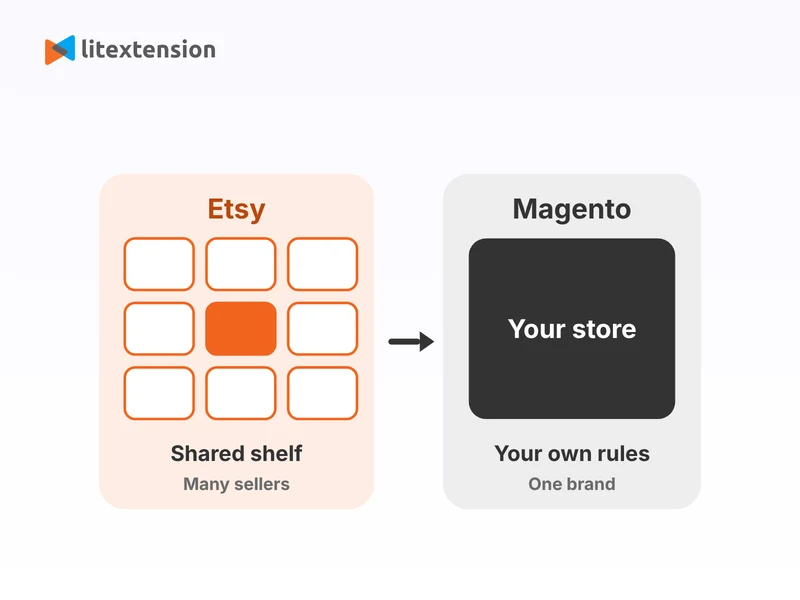
On Etsy, your listings sit beside thousands of other shops, and buyers often remember the marketplace instead of you. A Magento store puts your name, your design, and your customer relationships first, so every visit builds your own brand.
2. Magento lets you control your fees, rules, and checkout
Etsy sets its own selling rules, fees, and checkout flow. With Magento, you choose your payment gateways, shipping methods, taxes, and promotions, and you decide how your checkout looks and works.
3. Magento handles large catalogs and many product options
Magento supports configurable products, rich attributes, and several store views from one admin. If your Etsy shop grows beyond a handful of listings, or you want to sell in more regions and languages, Magento scales with you.
4. Magento puts your customer data and marketing tools in your hands
On your own store, you keep the customer list that you build and connect the email, SEO, analytics, and advertising tools that you prefer. You also add extensions from a large marketplace, so you grow without waiting for a marketplace to release a feature. Weigh the trade-off before you switch. Etsy brings its own buyers, while a Magento store needs its own traffic, so plan your marketing, and consider keeping your Etsy shop open as a second sales channel.
Etsy to Magento Migration Checklist: What to Prepare
Good preparation prevents most delays. Complete this list before your migration experts start.
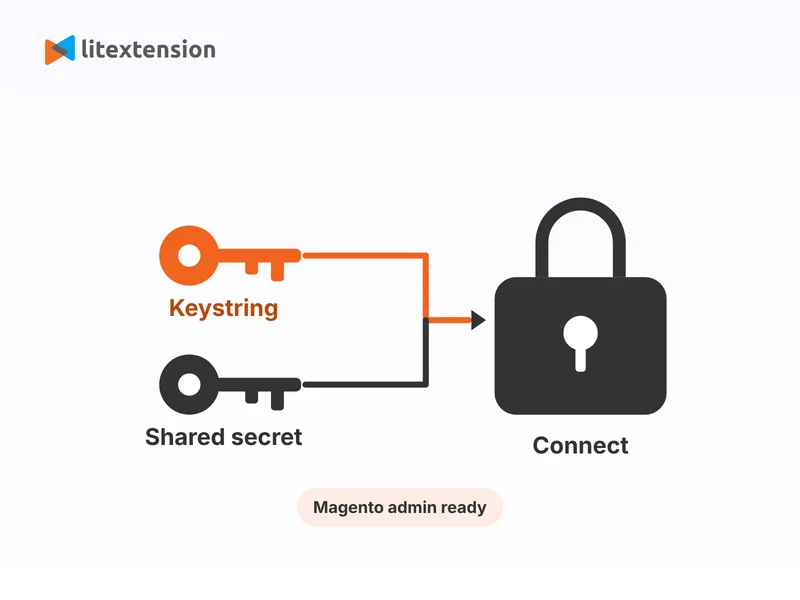
- Create an Etsy API key on the Etsy developer portal. Etsy now asks for both the keystring and the shared secret, so copy both values.
- Keep your keystring and shared secret in a safe place. They stay visible even while the app shows “Pending Personal Approval”.
- Install a fresh Magento store on hosting that meets Magento’s system requirements, and keep its admin login ready.
- Prepare FTP or SSH access to your Magento store, so our team can connect both stores.
- Count your Etsy listings and categories, because the number of entities sets your migration cost.
- Clean inactive, duplicate, and outdated listings, so you move only products that you want to sell.
- Check your titles, descriptions, tags, prices, and variants, and fix gaps before the transfer.
- Export your Etsy order history from Shop Manager if you want to keep it, because orders do not move to Magento.
- Save a copy of your listing photos, in case you want a local backup.
- Choose a Magento theme and the extensions you need, because your Etsy shop design does not transfer.
What Moves from Etsy to Magento
Etsy shares only part of your shop data with outside tools, so it helps to know the scope before you start. LitExtension migrates your product catalog and categories from Etsy to Magento.
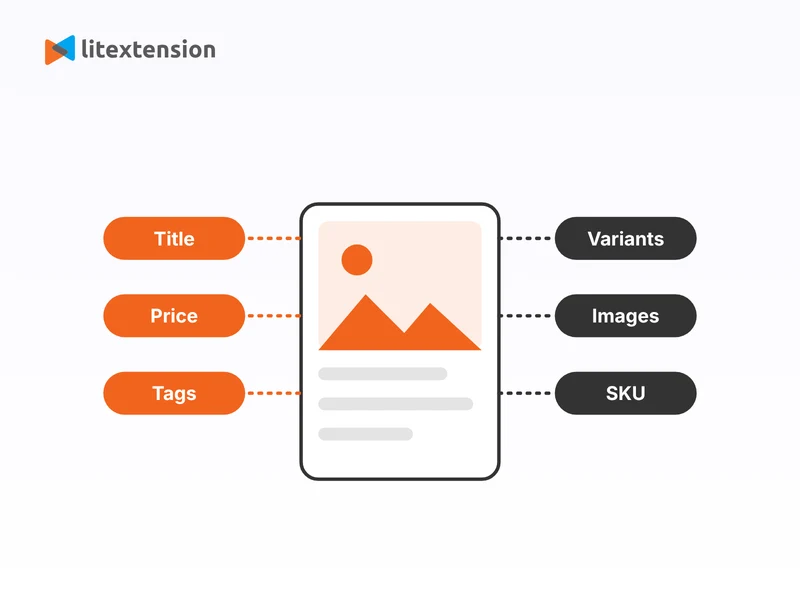
- Products: title, SKU, short and full descriptions, status, manufacturer, price, quantity, weight, width, height, depth, tags, attributes, variants, the thumbnail, and additional images.
- Product categories: category names.
Etsy does not give outside tools export access to orders, customers, or reviews, so these items stay on Etsy. Plan to keep your Etsy order history as a file, and plan to build your customer list again through your new store.
How to Migrate from Etsy to Magento with LitExtension Migration Service
If you want a safe, time-saving way to move your shop, LitExtension offers a dedicated service for Etsy to Magento migration. Our experts guide the whole project, so you do not need technical skills, and your Etsy shop can stay open and keep selling during the migration. The steps below show how LitExtension experts migrate your store from start to finish.
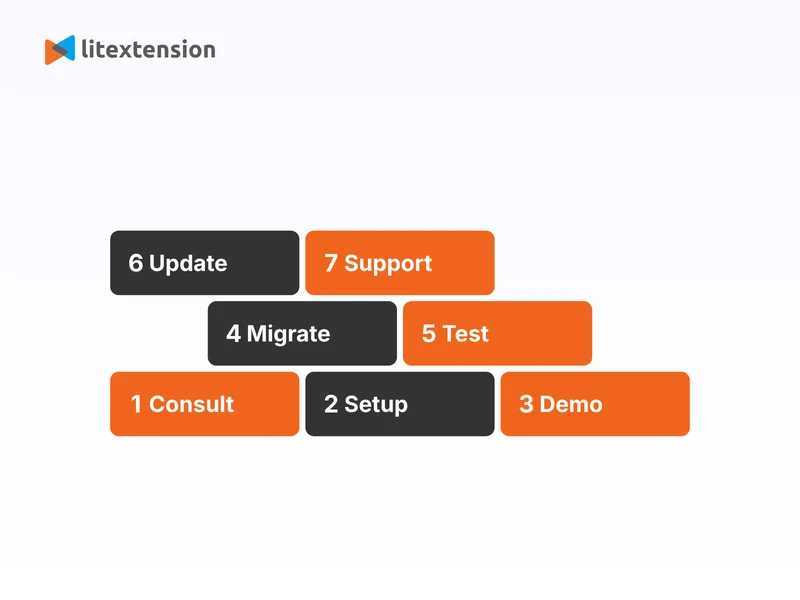
Step 1. Technical consultation with LitExtension experts
Your migration begins with a personal consultation. Our team studies your Etsy shop, including the number of listings, variants, categories, and images, and learns what you want from your new Magento store. If your listings use personalization options or other special setups, we note them now, so nothing slips through later. We then confirm the scope with you. At the end of this step, we sign a Service-Level Agreement (SLA) that confirms the timeline, the data volume, and your custom requirements.
Step 2. Pre-migration setup
Next, we prepare both platforms for an accurate transfer. We ask for your Etsy API keystring and shared secret, your Magento URL, and the access that we need to connect safely. We also check that your Magento store can receive the incoming data. Then we map your data. We align your Etsy categories, attributes, and variants with Magento’s structure, and we set the Additional Options that fit your goals. By the end of this step, we have mapped and validated the key data elements.
Step 3. Demo migration running
Before the full transfer, we run a demo migration. We move a small sample of your Etsy products to Magento, so you can preview how titles, prices, variants, and images look on your new store. Our team tests the sample, works to fix any inconsistency, and adjusts the setup before the full run.
Step 4. Perform full Etsy to Magento migration
After you approve the demo, we run the full migration and move all your selected products and categories into Magento. The migration runs on our secure cloud system, so your Etsy shop stays live during the migration and you can keep selling.
Step 5. Migration results testing
When the migration ends, we test everything that we moved. Our team checks product counts, descriptions, prices, variants, categories, and images, and we work to fix any missing field or formatting issue. Then we share the results with you, so you can review them.
Step 6. Post-migration tasks
Your Etsy shop keeps running during the migration, so it can receive new listings or product updates. To bring your Magento store up to date, LitExtension offers these services at no extra charge during the Technical Support window:
- Recent Data Migration: unlimited runs, when the new data stays below 5% of the initial migration.
- Re-migration: 2 runs, when you need to run the full migration again.
- Smart Update: unlimited runs, to refresh data that the first full migration already moved.
Step 7. Customer support post migration
Our work does not stop when the migration ends. For up to 60 days after the migration, our Customer Support Team answers your questions, solves issues, and guides you through your new setup. The window lasts 30 days for orders of $1,000 or less, and 60 days for larger orders. You can send a ticket at any time, and we reply within 24 hours during working hours, Monday to Friday, 8:00 to 20:00 (UTC+7).
Manually Transfer Data from Etsy to Magento
The manual route costs nothing but your time, and it lets you handle every file yourself. It also has real drawbacks: it takes a lot of time, it invites errors, and it needs spreadsheet and Magento skills. Etsy’s export tools also give you less data than a full migration, so you rebuild variants and images yourself. For more than a few dozen listings, LitExtension’s migration service saves you time and lowers the risk of lost data. If you still prefer to do it yourself, follow these steps.
Step 1. Export your data from Etsy
Log in to Etsy, open Shop Manager, and go to Settings, then Options, then the Download Data tab. Download the CSV that Etsy offers for your listings, and check which fields the file includes. Etsy can limit what the file holds, so compare it with a few live listings and note any missing variants, tags, or photos.
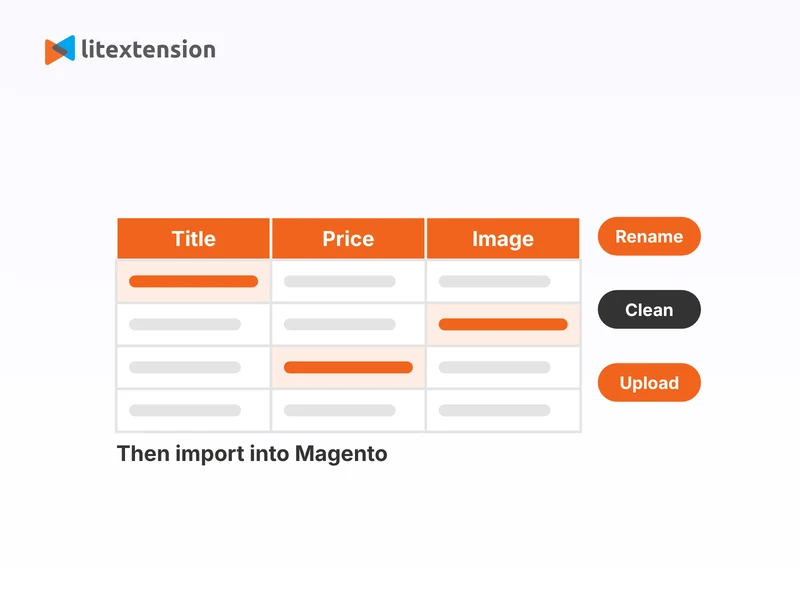
Step 2. Reformat your file for Magento
Open the CSV in a spreadsheet tool. Rename the column headers to match Magento’s product import fields, and add the required fields, such as SKU, attribute set, product type, and name. Remove duplicates, fix encoding issues, and save the file as a UTF-8 CSV.
Step 3. Prepare your images
Download your listing photos from Etsy, or collect the original files from your computer. Upload them to the import images folder on your Magento server, and reference each image by file name in your CSV.
Step 4. Import products and categories into Magento
Use Magento’s built-in importer to bring in your product file:
- In your Magento admin, go to System, then Data Transfer, then Import, and choose Products as the Entity Type.
- Upload your CSV, then click Check Data and fix every row that Magento flags.
- Click Import. Magento creates your categories from the categories column of this file.
- Open a sample of products in the admin and confirm that prices, variants, and images look right.
As you can see, the manual process asks for time, precision, and patience with repeated fixes. If your catalog has many variants or images, LitExtension can help with all of it, with a demo migration before the full run.
Etsy to Magento Migration Checklist: Post Activities
Do not send traffic to your new store until you have checked it. Work through this list after your Etsy to Magento migration finishes.
- Compare the number of products and categories in Magento with your Etsy counts.
- Spot-check product pages across categories, including titles, SKUs, prices, variants, tags, and images.
- Review your category tree and confirm that each product sits in the right category.
- Set up payment, shipping, and tax settings in Magento, because they do not come from Etsy.
- Test the full checkout with test orders, including payment, shipping, and order emails.
- Reindex your data under System, then Index Management, and flush the cache, so Magento shows every migrated product.
- Install your chosen theme and extensions, then test the design on mobile and desktop.
- Write or refresh your Magento SEO titles, meta descriptions, and URL keys, because your store starts without Etsy’s search traffic.
- Update the links to your listings in your social profiles, emails, ads, and packaging inserts, so they point to your new store.
- Sync listings that changed during the migration with Recent Data Migration or Smart Update, within your support window.
- Delete the LitExtension Connector files from Magento after the migration ends.
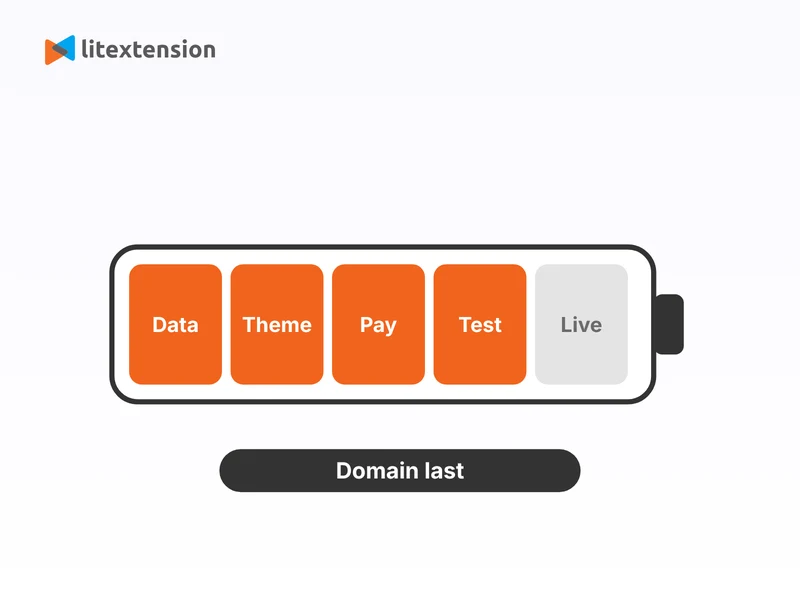
- Switch your domain to the live Magento store last, and decide whether to keep your Etsy shop open as another sales channel.
Troubleshoot Common Issues with Etsy to Magento Migration
A migration can hit a few common snags, especially when a marketplace limits what it shares. This table shows what to expect and how LitExtension helps.
| Migration issue | Why it happens | How LitExtension helps |
|---|---|---|
| Etsy API key problems | Etsy reviews new apps, so the status can stay on Pending for a while, and Etsy now needs both the keystring and the shared secret. A missing secret or a rejected app description blocks the connection. | Our team checks your credentials with you, helps you copy the right values, and retests the connection. |
| Orders, customers, and reviews missing | Etsy does not give outside tools export access to orders, customers, or reviews, so no migration tool can move them. | LitExtension migrates your products and categories, and our experts help you plan how to keep your Etsy order history and build your customer list again. |
| Design and Etsy features | Your Etsy shop design, search ads, and marketplace tools run on Etsy, so they cannot move to Magento, which uses its own themes and extensions. | LitExtension can recommend a suitable Magento theme. Development services can customize your new storefront for a similar look and feel. |
| Old Etsy links | Etsy listing URLs sit on etsy.com, so your Magento store cannot redirect them on its own. | Ask our team about the Create 301 Redirects option for old URLs on a domain that you control, and update your own links to the new store. |
Join 200,000+ businesses that have migrated with LitExtension. Start a Free Demo Migration to preview how your Etsy products, customers, orders, and URLs will be transferred to Magento before running the full migration.
What Data Can Be Migrated From Etsy To Magento
Use the tabs below to see which Etsy data fields we can migrate to Magento.

-
Products
- Title, SKU, Short Description, Full Description, Status.
- Manufacturer.
- Price.
- Quantity.
- Item Weight, Item Width, Item Height, Item Depth.
- Tags.
- Attributes.
- Variants.
- Thumbnail Image, Additional Images.
Product Categories
- Name.
Can’t find the data you need to migrate? Contact us or click on the Live Chat in the right corner for a free consultation.


Leave The Work For The Experts
If you’re non-tech, let our Magento migration experts handle your migration from A to Z.
Save your time for more important tasks.

How Your Data Is Secured During Migration?

Server Security

Data Security

Data Access Restriction

GDPR Compliance

NDA

Payment Security
Why Choose Etsy to Magento Migration Services


Who We Truly Are? Let Our Customer Define!