Shopware vs Shopify comes down to customization versus convenience. Shopware suits businesses that need complex B2B workflows and deeper control over their store’s code. Shopify is the better fit for businesses that prioritize easy setup, connected sales tools, and managed hosting.
In this article, LitExtension will help you have a better understanding of these two popular eCommerce platforms. Here is our agenda today:
| Criteria | Shopware | Shopify | Winner |
|---|---|---|---|
| Pricing | • Free Community Edition • Paid plans from €600/month • Setup and hosting may cost extra |
• From €27/month, billed annually in Germany • Hosting and SSL included |
Shopify |
| Ease of use | • Visual management tools • More technical setup and maintenance |
• Guided setup and checklist • Sidekick assistance |
Shopify |
| Themes & customization | • 140+ themes • Deeper source-code access with self-hosting |
• 1.300+ designs and presets • One-time paid theme purchases • AI-assisted editing |
Shopware |
| Sales features | • Flexible sales rules • Advanced B2B workflows |
• Connected POS and sales channels • Collective and AI selling tools |
Shopify |
| SEO & marketing | • Flexible SEO URLs • Content-rich layouts • Newsletter sending requires integration |
• Automated SEO foundations • Built-in blog • Connected messaging campaigns |
Tie |
| Apps & integrations | • 3.600+ extensions • APIs and Nexus integrations |
• 16.000+ apps • Broader ready-made selection |
Shopify |
| Security | • Security patches available • Self-hosted maintenance is your responsibility |
• Managed infrastructure and core updates • SSL and PCI DSS compliance |
Shopify |
| Scalability & performance | • Configurable infrastructure • HTTP caching, Varnish, and Redis • Technical resources required |
• Managed infrastructure • Shopify Plus for enterprise growth • Less server-level control |
Shopware |
Let’s dive right in!
What Is Shopware vs Shopify?
Shopware and Shopify have different approaches to supporting the building of an eCommerce site tailored to specific business needs.
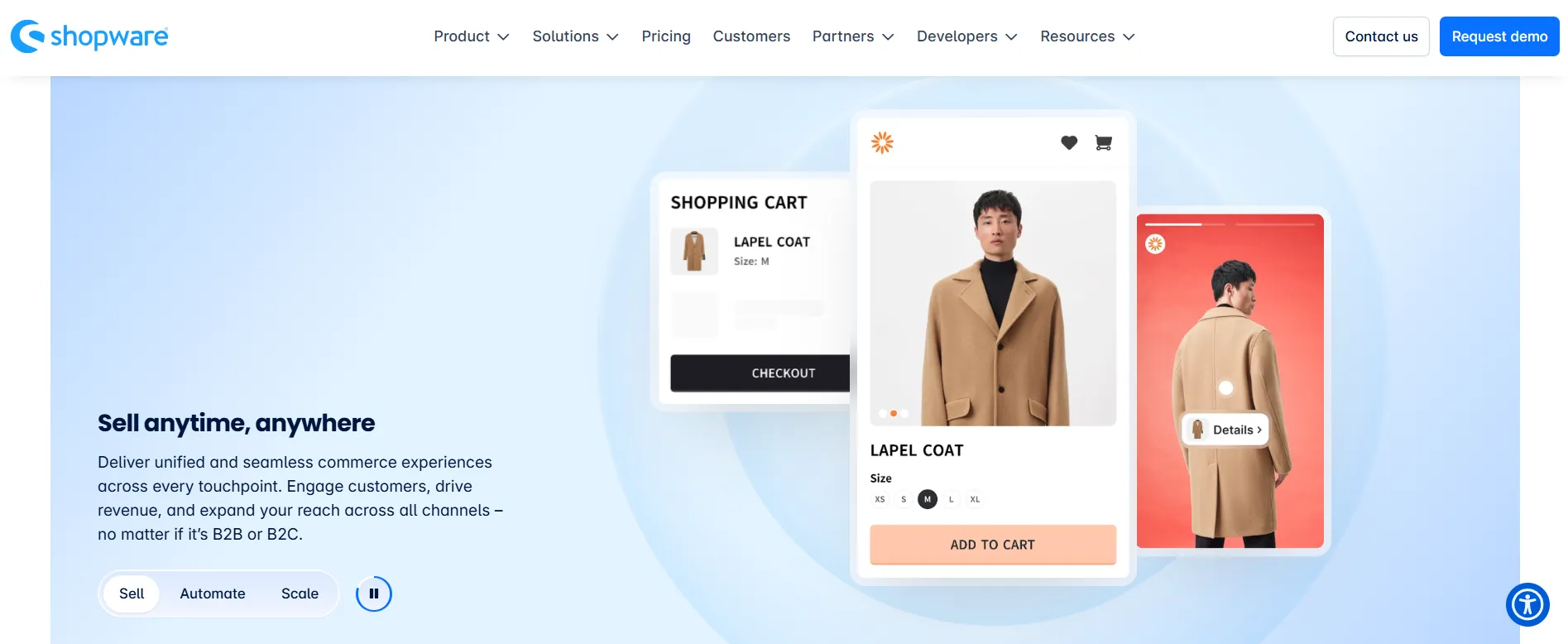
Shopware is an open-source platform popular for its comprehensive feature set and flexibility. Though Shopware requires you to manage your hosting and technical setup, it gives you the freedom to modify, extend, and customize the software to your needs.
Unlike Shopware, Shopify is a hosted eCommerce platform, so you pay a monthly or annual subscription to build and manage your online store. Hosting and core platform maintenance are handled for you, reducing the technical work needed to get started.

Total Cost of Ownership
The Verdict
Shopify is generally the more accessible starting point for merchants who want a hosted store with predictable platform costs. You may argue that Shopware has a free community edition. But still, the costs of hosting, deployment, customization and expert outsourcing are still higher than Shopify.
If you are on a tight budget, finding a platform with affordable pricing is important. Hence, let’s explore how much do Shopware vs Shopify cost to build an eCommerce website.
Pricing plans
Shopware pricing depends heavily on your edition and hosting model. Currently, the platform is offering four options as follow:
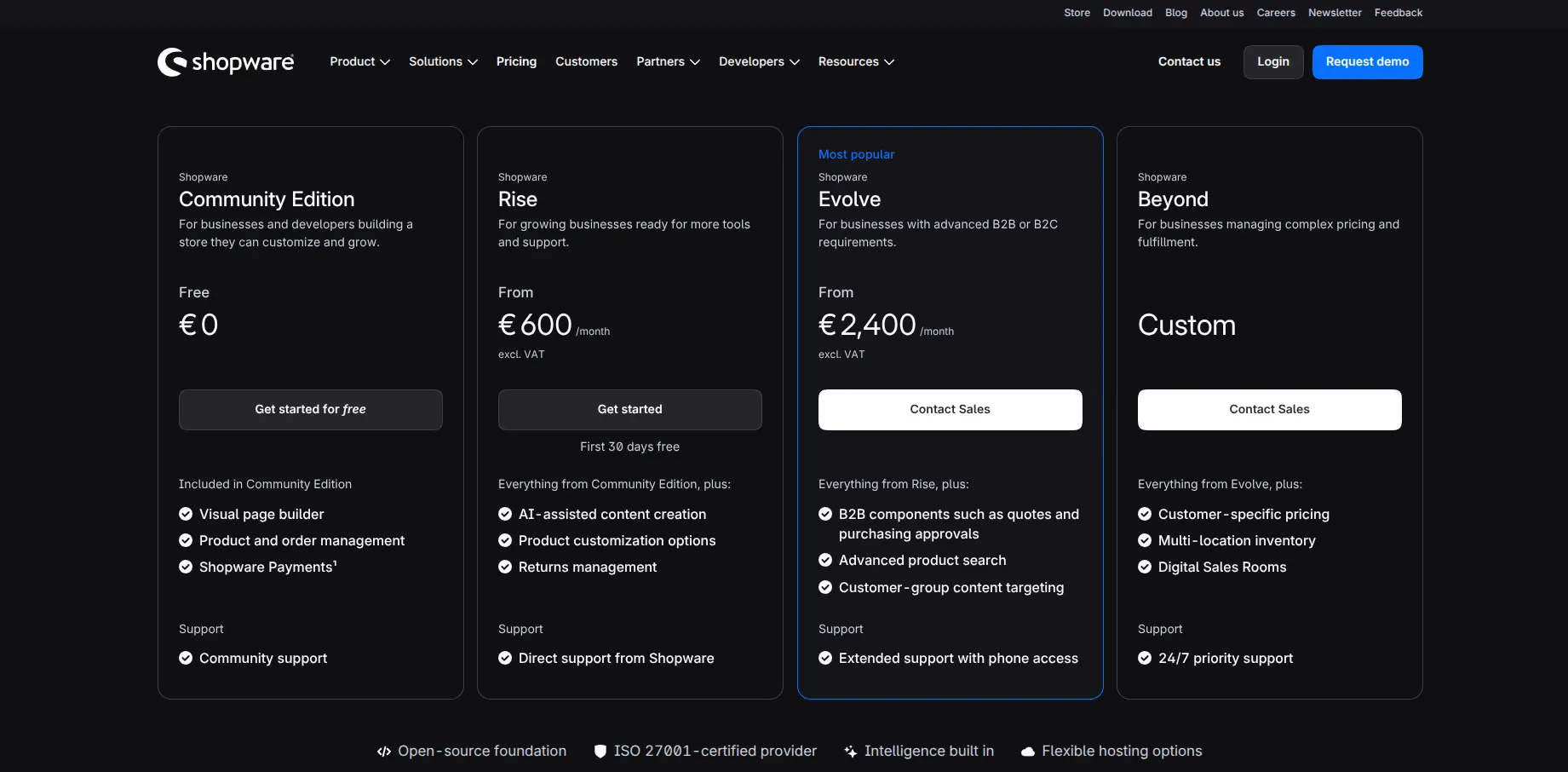
With Shopware Community Edition, you can use the open-source software without a platform license fee. You’ll still need to budget for hosting, implementation, maintenance, and any paid extensions. However, if the shops linked to your Shopware Account exceed €1 million in GMV over the preceding 365 days, you need a paid plan to retain access to the Shopware Account and Store.
By comparison, Shopify pricing plans have already included hosting, SSL, and core platform maintenance in its subscription. Using Europe’s annual billing rates, its plans are:
| Shopify plan | Monthly equivalent with annual billing |
| Basic | €27/month |
| Grow | €79/month |
| Advanced | €289/month |
| Plus | From €2,100/month, depending on contract terms |
This bundled approach gives smaller teams a more predictable starting budget. However, apps and custom development can still increase the total beyond the advertised subscription.
Transaction fees
With Shopware, payment processing costs depend on your provider and agreement. A typical calculation is transaction value × the provider’s percentage rate + any fixed fee. For example, an illustrative rate of 1.5% + €0.25 would cost €1.75 on a €100 payment. Currency conversion, international payments, and chargebacks may add further charges.
Shopify also uses percentage-based and fixed processing fees, but its published rates vary by subscription. Currently, standard online card rates through Shopify Payments are:
| Shopify plan | Shopify Payments processing rate | Additional fee for applicable external-provider transactions |
|---|---|---|
| Basic | 2.1% + €0.30 | 2% |
| Grow | 1.8% + €0.30 | 1% |
| Advanced | 1.6% + €0.30 | 0.6% |
| Plus | From 1.3% + €0.30 | 0.2% |
The practical difference is that your payment-provider choice can introduce an additional Shopify charge. Thus, before upgrading for lower rates, you should the expected transaction savings with the higher subscription cost.
Additional costs
With self-hosted Shopware, you or your technical partner must arrange hosting, implementation, updates, and maintenance. Shopify handles the core infrastructure, shifting more of your additional spending toward apps and storefront changes.
The following ranges are illustrative planning allowances for straightforward stores, rather than fixed vendor quotes:
| Cost category | Self-hosted Shopware | Shopify |
|---|---|---|
| Hosting and infrastructure | €600–€3.600/year | Included for a standard hosted store |
| Theme | €0–€600/year | €0–€500, one time |
| Initial setup and development | €1.500–€10.000, one time | €0–€3.000, one time |
| Extensions and apps | €0–€2.400/year | €0–€1.800/year |
| Ongoing technical support | €1.200–€6.000/year | €0–€1.200/year |
| Domain | €10–€30/year | €10–€30/year |
| Migration and custom integrations | Project-specific quote | Project-specific quote |
In practice, your final bill depends on the plan you choose and how much help you need to build and maintain the store. Based on the estimates above:
- Shopware: Approximately €3.300–€51.400 in the first year, including platform fees, hosting, setup, extensions, and maintenance.
- Shopify: Approximately €300–€31.700 in the first year, including the subscription, theme, setup, apps, and ongoing development.
Ease of Use
The Verdict
Shopify wins. Its guided setup and intuitive dashboard make it easier to launch and manage your store without technical experience. Shopware’s everyday management tools are accessible, but its initial setup and ongoing maintenance require more technical support.
You won’t want the technical hassles to hold you back from scaling your store. Hence, let’s first compare Shopware eCommerce vs Shopify regarding ease of use.
Shopware
As an open-source platform, Shopware is free and flexible. However, this comes at a cost, Shopware initial setup can be technically challenging and time-consuming. You will have to download and install Shopware source code on a Unix-based operating system.
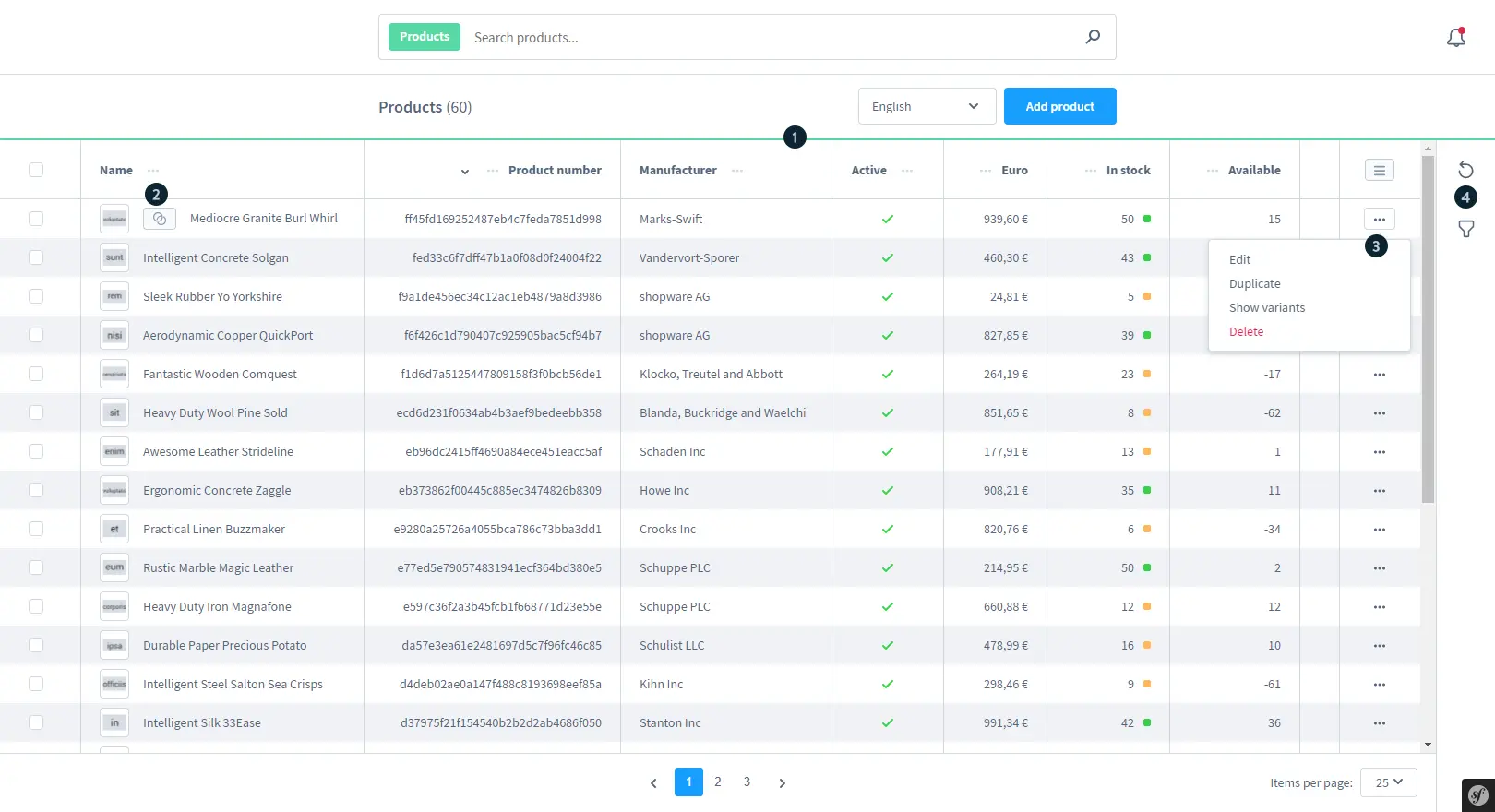
After successfully installing Shopware, Shopware gives you an admin dashboard using the Vue.js framework. Again, to navigate around and set up your eCommerce website with Shopware, you need to be familiar with HTML, CSS, and JavaScript.
Shopify
Meanwhile, setting up and managing an online store feels like a breeze with Shopify. After creating an account and answering a few questions about your business, you can start setting up your store from the admin dashboard. A setup checklist helps you work through the essentials, such as adding products, customizing your storefront, and configuring payments, so you have a clear starting point.
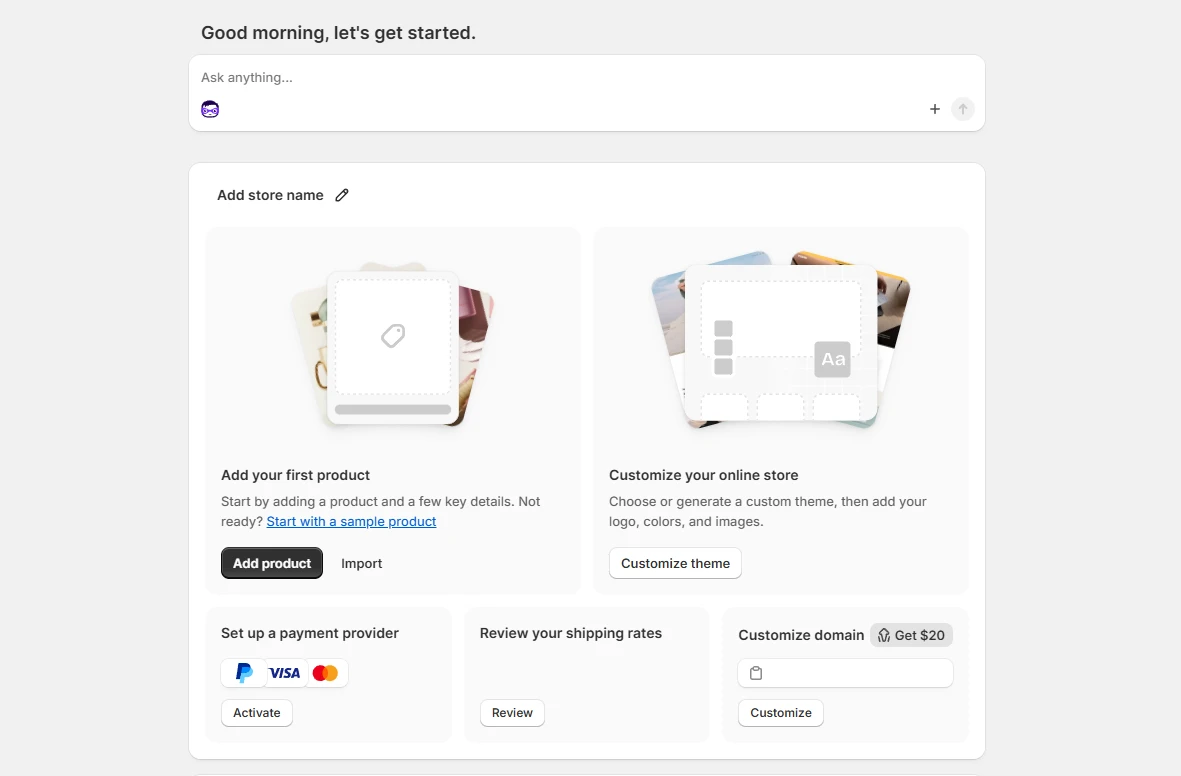
If you get stuck, Sidekick, Shopify’s built-in AI assistant, can provide guidance directly in the admin. You can ask questions in everyday language, such as how to add your first product or set up shipping, and get help with your next steps. This makes the process easier to follow, especially if you’re building an online store for the first time.
Theme & Customization
The Verdict
Shopware wins. Although Shopify offers more ready-made designs and easier editing, self-hosted Shopware gives developers deeper source-code access for customization beyond Shopify’s supported tools.
Let’s continue our Shopware vs Shopify comparison in another important aspect: theme and design customization.
Shopware
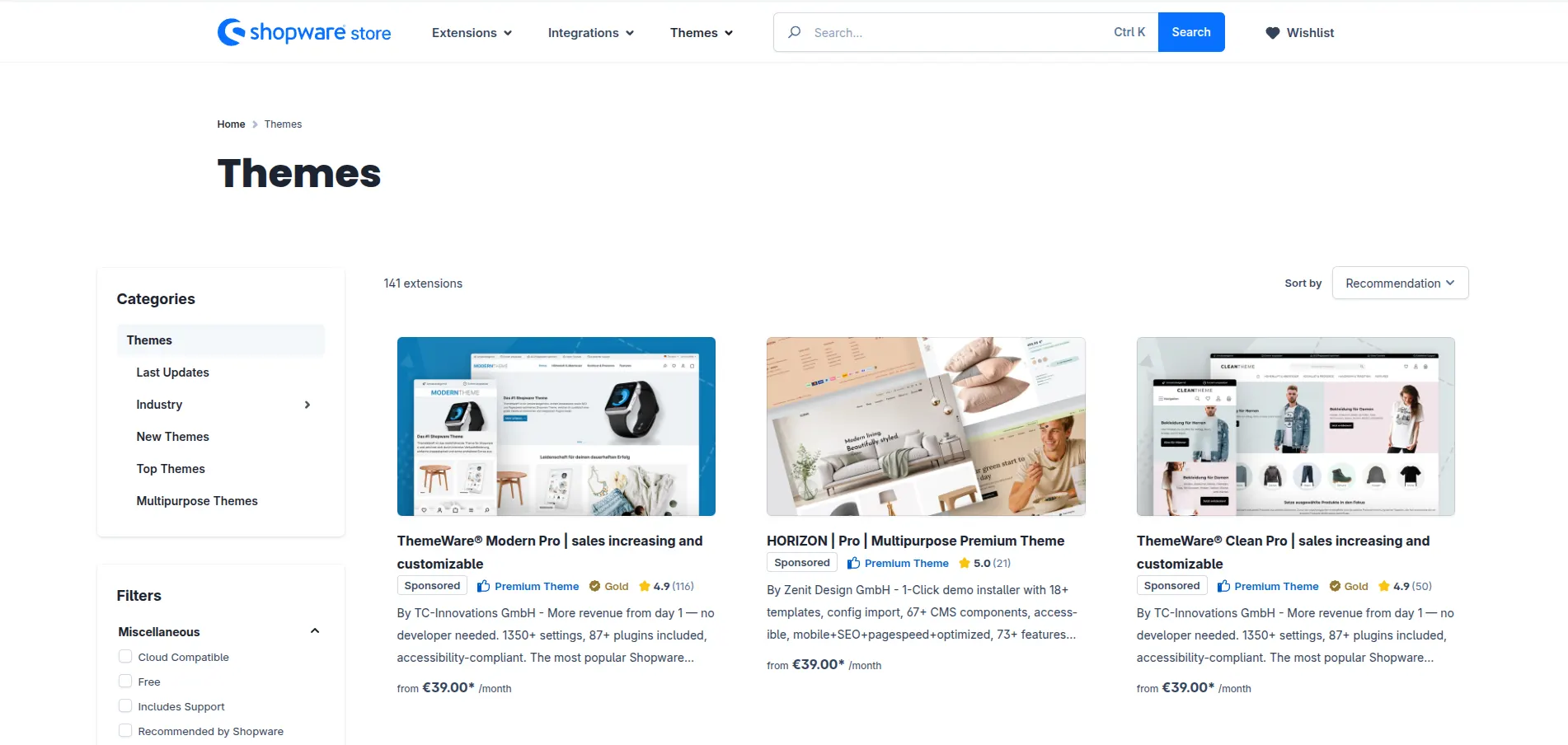
Shopware offers 140+ themes in its official store, alongside an included default theme. Paid options include subscriptions from approximately €4/month with annual billing to €49/month for premium examples. We recommend comparing the included settings and components carefully, since a more comprehensive theme could reduce the need for additional development.
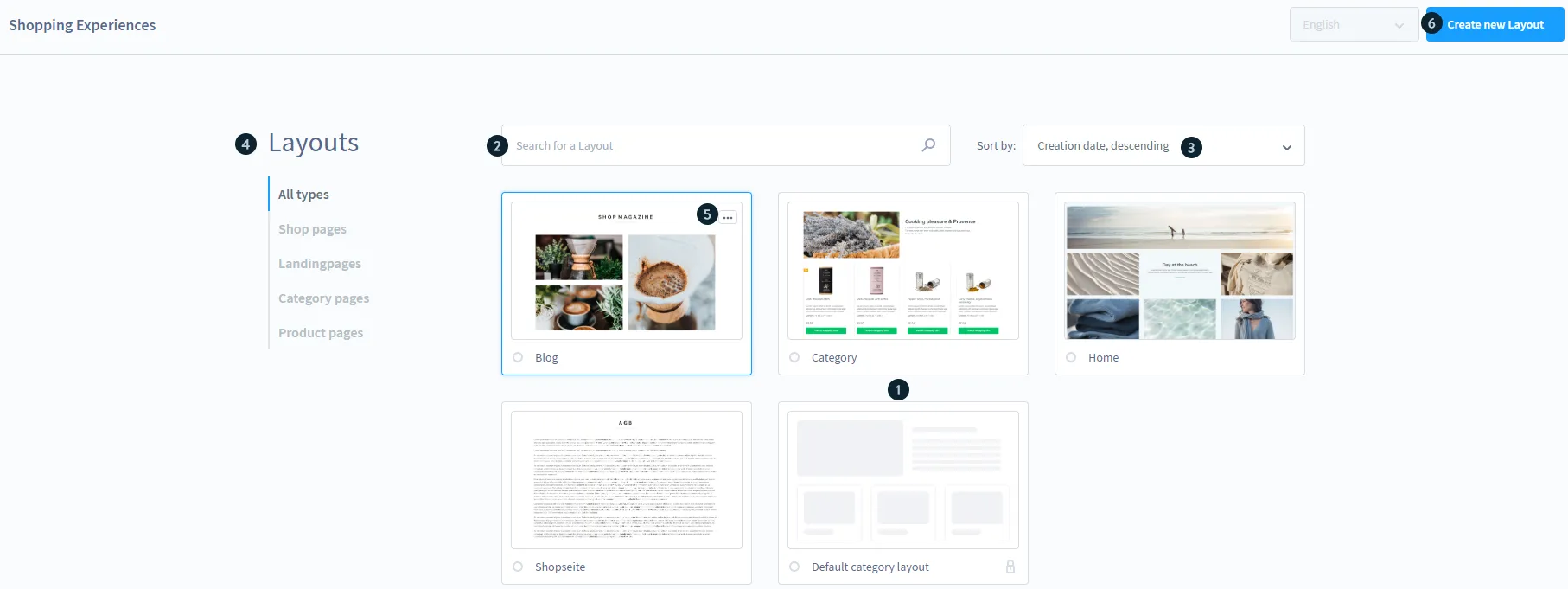
Once you have a theme, Shopping Experiences helps you create landing pages, shop pages, and category layouts using sections, blocks, and elements such as text and images. Some advanced CMS capabilities require Evolve or a higher plan.
For changes beyond the visual tools, developers can override Twig templates, add CSS/SCSS and JavaScript, and extend themes through inheritance. You can also assign different themes to individual sales channels. In our assessment, this is where Shopware becomes more appealing for tailored storefronts, provided you have the technical resources to build and maintain those changes.
Shopify
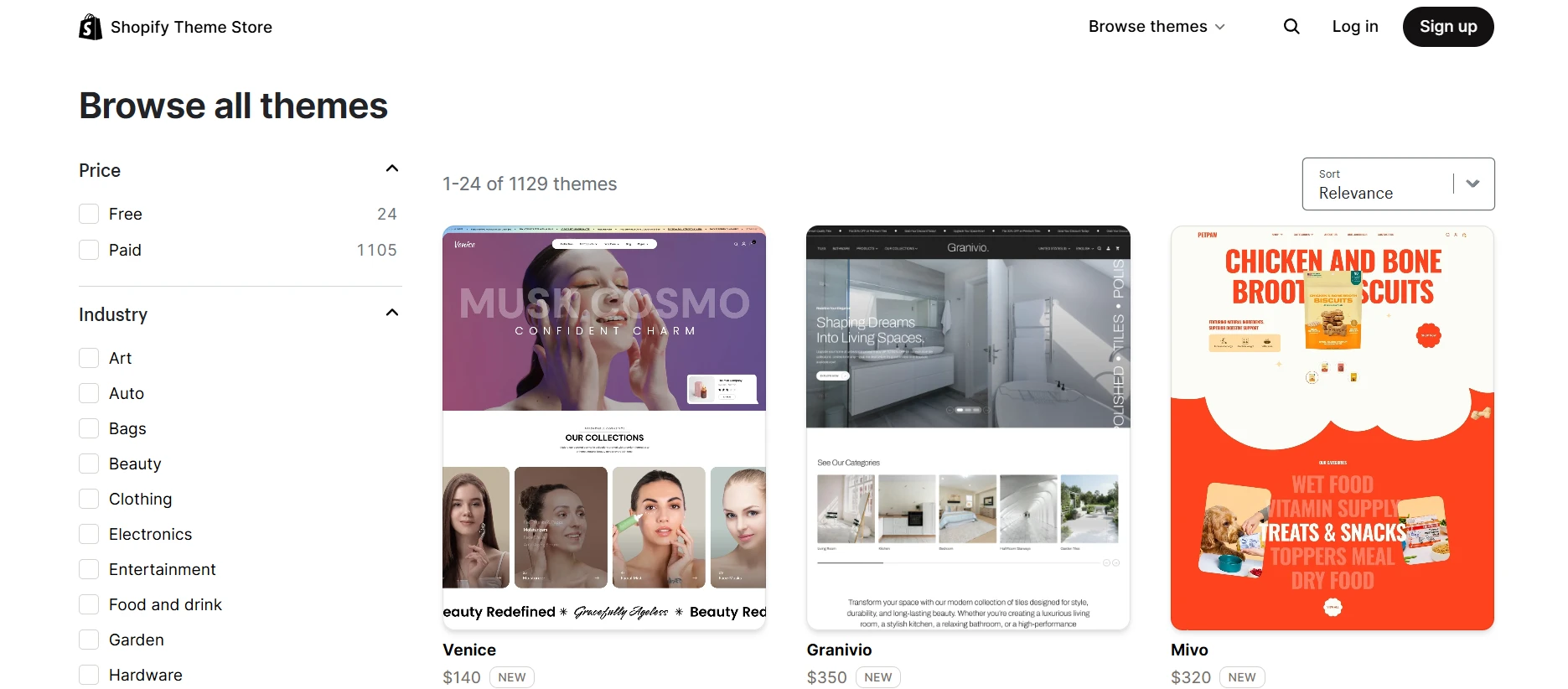
Meanwhile, there are 1.300+ designs and presets in the Shopify themes store, including 24 free options. Paid examples range from US$100–US$500 as a one-time purchase, with prices displayed in USD. This broader selection gives you more starting points, although multiple presets can belong to the same underlying theme.
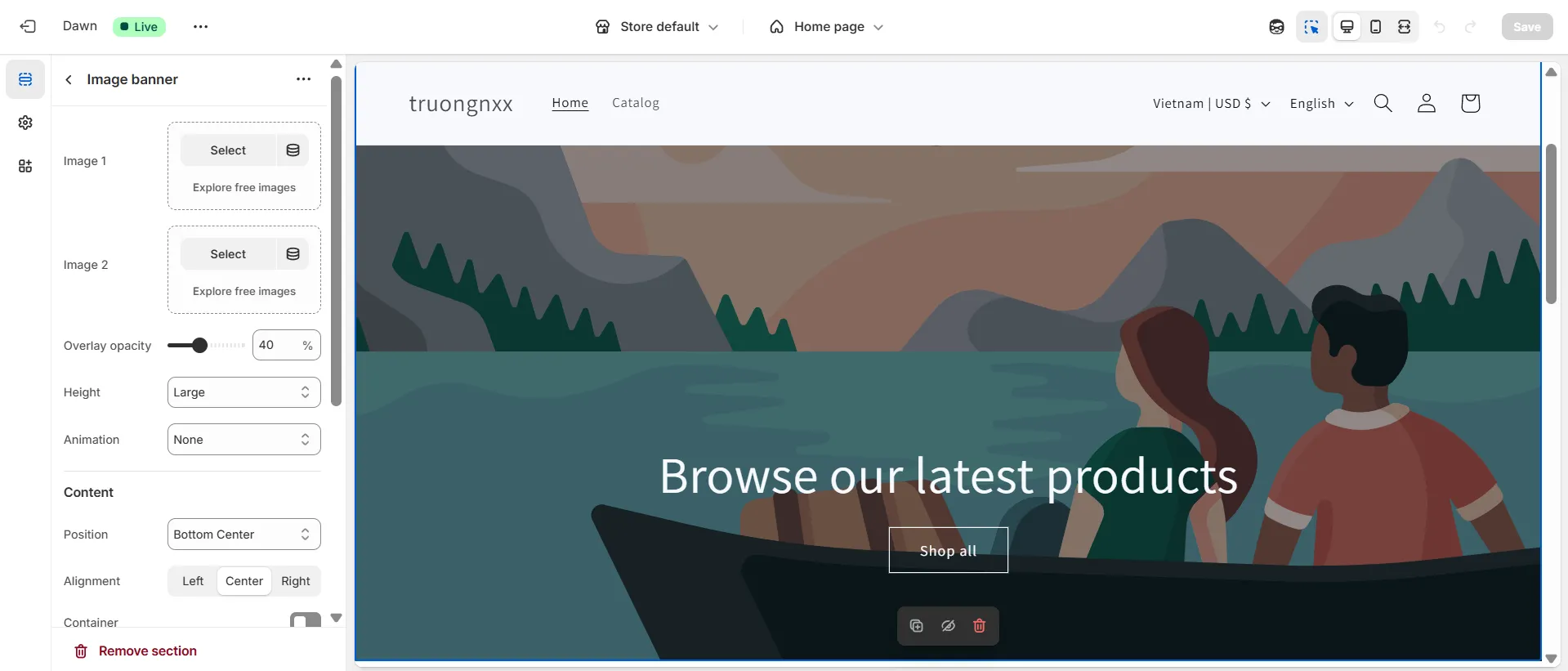
From there, the visual theme editor lets you adjust settings, add or rearrange content, and preview changes without coding.
Shopify also offers AI tools to generate a free personalized theme from a description of your business. For further customization, Sidekick can generate custom theme blocks from your instructions directly in the editor. These tools provide a useful starting point, though you should review the results to make sure they fit your design and work well on mobile.

If the visual settings do not cover your requirements, developers can customize the storefront through Liquid, HTML, CSS, and JavaScript. However, these changes remain within Shopify’s theme architecture. Supported business logic can be extended through Shopify Functions, but you cannot directly modify the platform’s core backend.
Sales Features
The Verdict
Shopify wins for sales features. Its connected POS, multichannel tools, Collective, and AI assistance cover more everyday selling needs with less setup, alongside B2B tools for wholesale operations.
Both platforms support B2C and B2B selling, from everyday retail transactions to wholesale pricing and purchasing workflows. Here’s how Shopware vs Shopify compares across the main selling tools.
| Sales feature | Shopware | Shopify |
|---|---|---|
| Product and inventory management |
|
|
| Pricing and promotions |
|
|
| Automation and integrations |
|
|
| Multichannel and POS |
|
|
| International selling |
|
|
| B2B selling |
|
|
| Payments |
|
|
| AI sales channels |
|
|
For everyday retail, Shopify’s connected tools can reduce the work involved in coordinating online sales, stock, and physical locations. Shopware becomes more appealing when your buying process requires detailed conditions, such as restricting payment methods by customer group or applying different shipping rules.
SEO & Marketing Features
The Verdict
It’s a tie. Shopware offers greater control over URL structures and technical SEO, whereas Shopify connects SEO essentials with accessible campaign tools. Each has a clear advantage, depending on whether you prioritize flexibility or convenience.
Shopware
Shopware gives you flexibility over your store’s SEO structure. Beyond editing metadata, you can configure URL templates for products, categories, and landing pages. This is useful when you need consistent URL patterns across a large catalog, although advanced configuration can require technical knowledge.
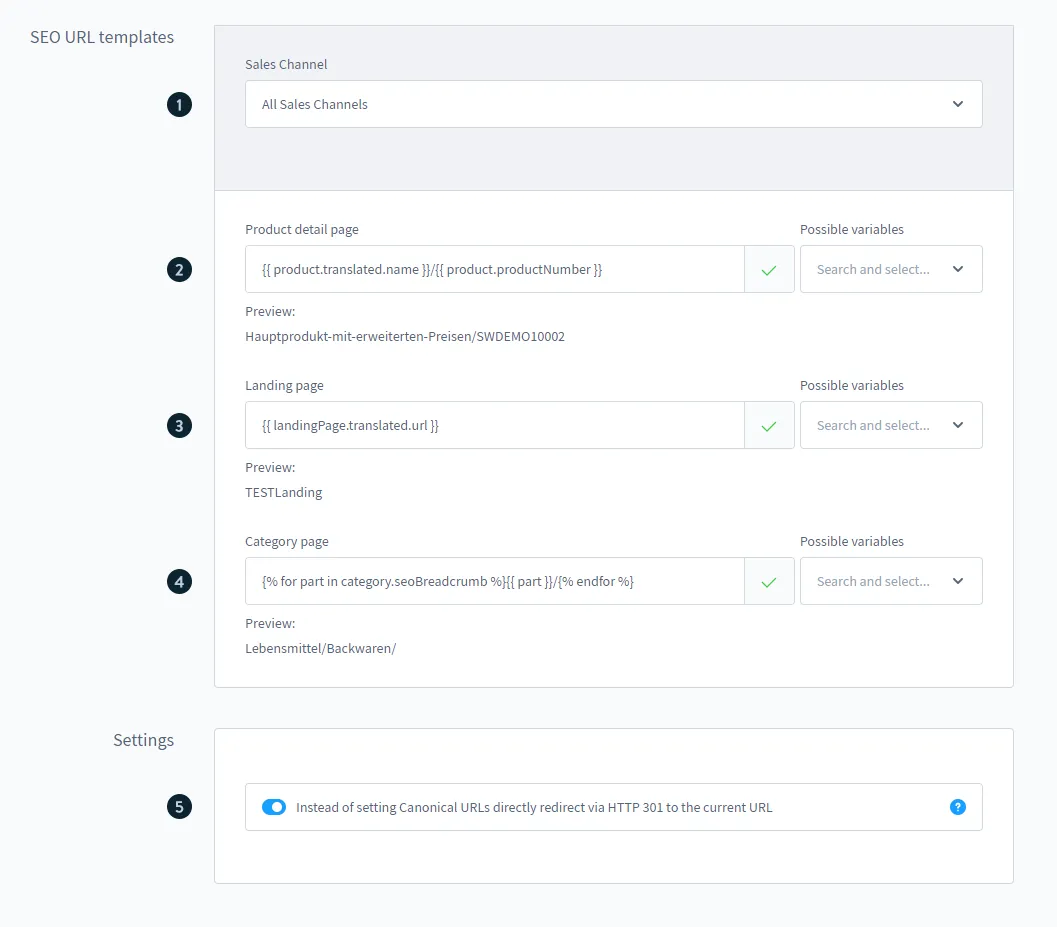
Its main SEO and marketing capabilities include:
- Content-rich landing pages: Shopping Experiences combines text, images, and products in reusable layouts for campaigns and category pages.
- Targeted promotions: Customer groups and Rule Builder help you apply offers based on specific conditions.
- Content personalization: Dynamic Access controls which products, categories, or landing pages different customer groups can see on eligible plans.
- Marketing workflows: Flow Builder automates event-based tasks and can connect with external services, depending on your plan.
However, Shopware’s newsletter tools mainly handle subscriptions and recipient management. Sending newsletter campaigns requires an extension or an external email platform. This gives you freedom to choose your marketing stack, but adds integration work and potentially another subscription.
Shopify
Compared with Shopware’s more configurable SEO setup, Shopify handles more of the technical groundwork automatically, including canonical tags, a sitemap, and robots.txt. You can still edit titles, meta descriptions, image alt text, and URL handles. However, fixed paths such as /products/ and /collections/ give you less control over URL structure than Shopware.
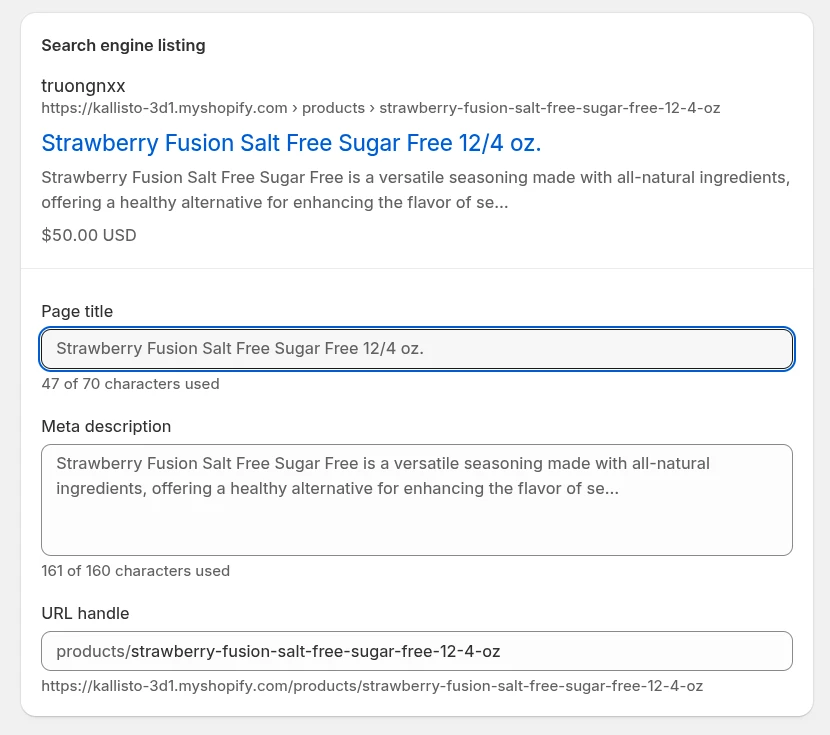
On the marketing side, Shopify brings more tools into the admin, reducing the need to connect separate services:
- Content marketing: A built-in blog lets you publish articles and link readers to relevant products and collections.
- Customer segmentation: Customer data and behavior help you create audiences for targeted campaigns.
- Email and messaging campaigns: Shopify Messaging, formerly Shopify Email, supports email, SMS, and WhatsApp marketing, subject to channel availability and charges.
- Marketing automation: Email and SMS automations support follow-up campaigns, while Shopify Flow connects additional store and app workflows.
The practical advantage is having fewer gaps between building an audience and contacting it. You can manage more campaign activities within Shopify, although specialized marketing strategies may still need third-party apps.
If Shopify feels like the right fit for your business, our migration service can help you move your store data. The experts handle the setup, data transfer, and migration checks, so you have support throughout the process.
Shopify Migration Made Easy With LitExtension!
LitExtension offers great migration solutions that help you transfer your data from the current eCommerce platform to Shopify and vice versa accurately, painlessly with utmost security.

App Integration
The Verdict
Shopify defeats Shopware in number. Its larger app ecosystem gives you more ready-made options, making it easier to extend your store with less development work.
Shopware and Shopify are both one-of-a-kind eCommerce platforms. However, you’d surely need to use apps to add custom features that the 2 platforms don’t offer natively.
Shopware
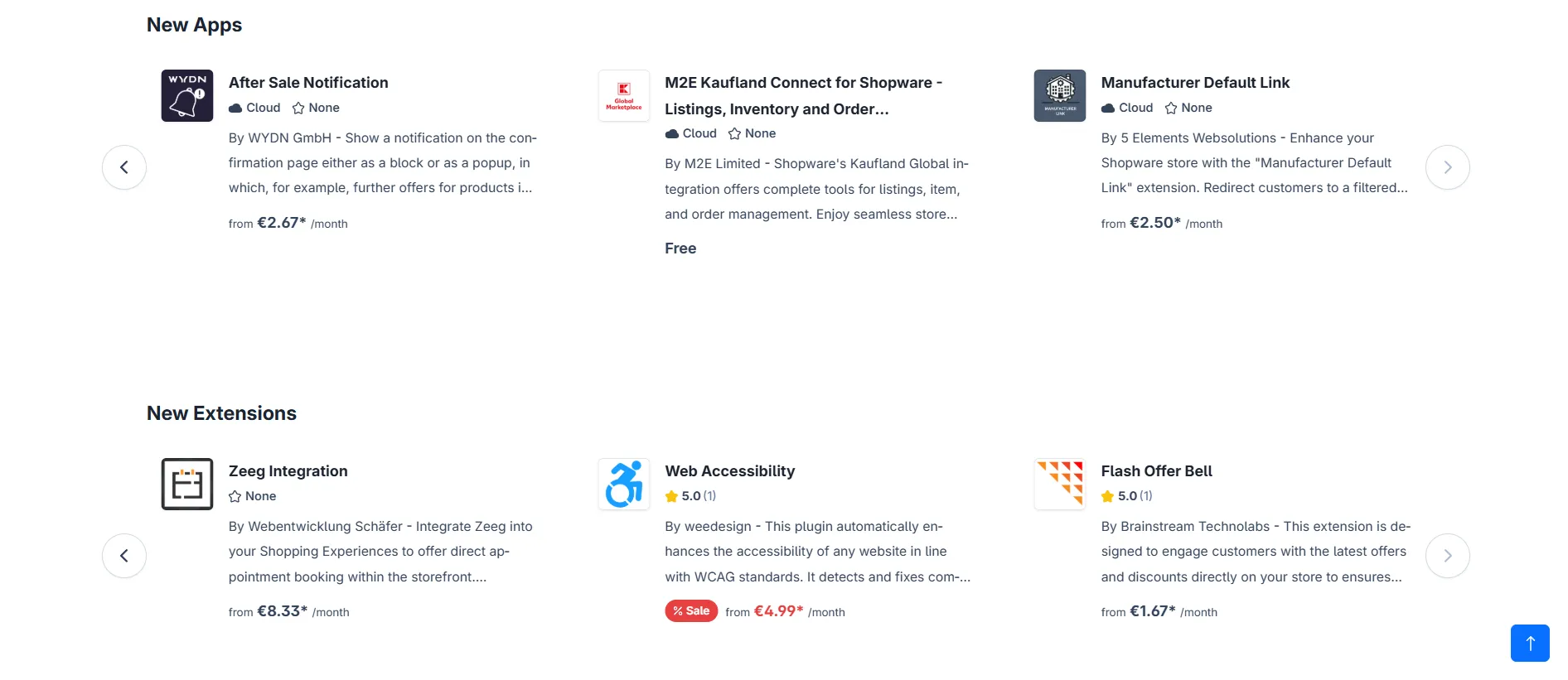
Shopware Extension store is extensive and covers various features. With 3,600+ extensions, you can add a shipping app, landing page builder, B2B extension, etc, to enhance your store’s functionality. Beyond these ready-made options, APIs and Shopware Nexus help connect systems such as ERP, CRM, and PIM.
Shopify
By comparison, Shopify’s App Store offers 16.000+ apps, giving you a broader selection of ready-made integrations. This makes it easier to add common features without custom development, while APIs support more specific requirements.
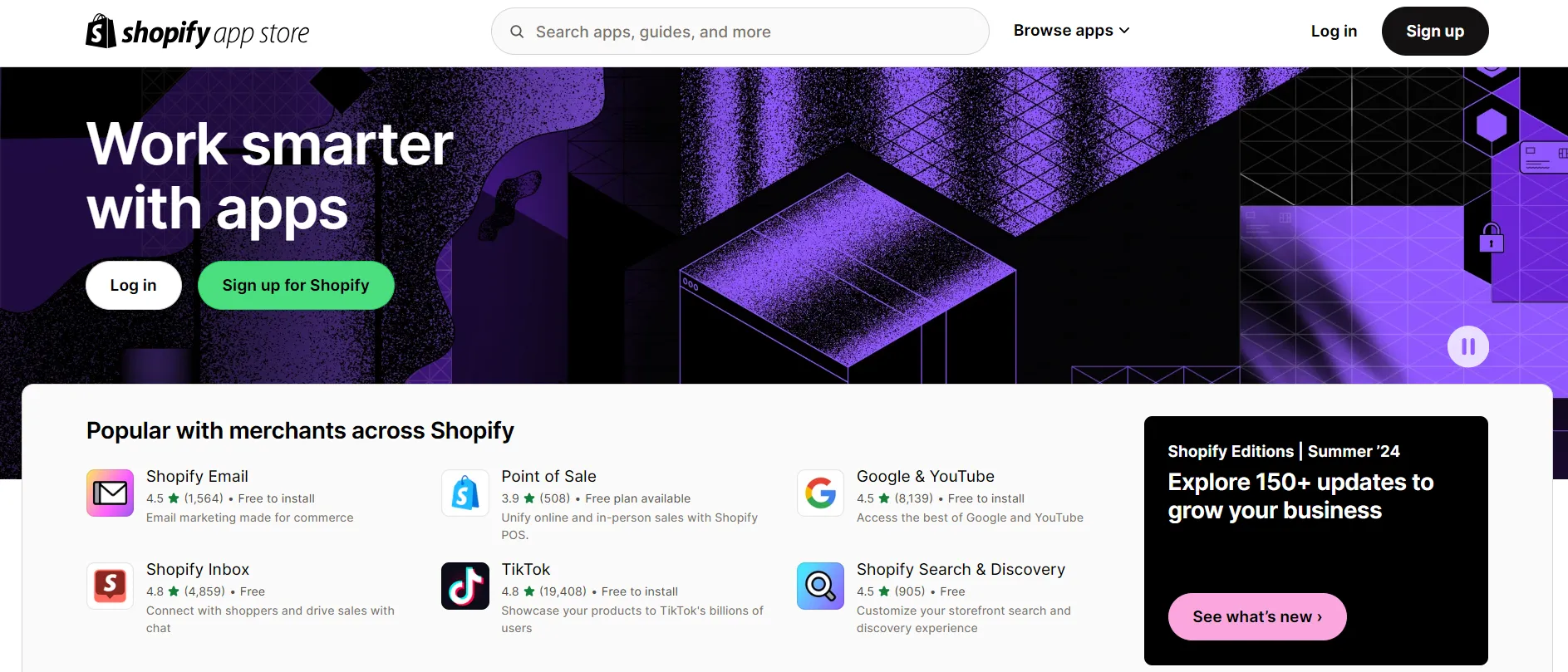
One of the things we love about Shopify is that the platform suggests the right apps for us based on the information we provide during registration.
Security
The Verdict
Shopify defeats Shopware with comprehensive and automatic security measures. Hosting security and core updates are handled for you, so your team can focus on account access and app permissions. A self-hosted Shopware store requires more hands-on maintenance to stay protected.
The main security difference in Shopware vs Shopify is who handles the technical work. Shopify manages the platform’s infrastructure, whereas your responsibilities with Shopware depend on how your store is hosted.
Shopware
Shopware releases security updates and provides guidance for protecting your store. However, with a self-hosted setup, you and your hosting or development partner need to maintain that protection.
Your responsibilities include:
- Software updates: Keeping Shopware and its extensions updated.
- Server security: Configuring HTTPS, access controls, and secure hosting.
- Backups: Maintaining backups and a recovery process.
This gives you control over your security setup, but it also requires ongoing technical attention. Managed hosting can reduce that workload, depending on what your provider covers.
Shopify
In contrast, Shopify handles hosting and core platform updates, reducing the maintenance your team needs to manage. SSL certificates are included, and Shopify is Level 1 PCI DSS compliant, helping protect payment processing. It also has SOC 2 Type II and SOC 3 reports covering its services.
You still need to manage staff access, protect account credentials, and review the apps connected to your store. However, you do not need to maintain the underlying servers or install core security patches yourself.
Scalability & Performance
The Verdict
Shopware wins for control over scalability and performance. Its configurable infrastructure gives technical teams more freedom to optimize complex deployments. Shopify Plus remains a strong enterprise alternative when managed infrastructure is the priority.
Shopware
Shopware’s open-source architecture lets developers adapt the store as catalogs, traffic, and B2B requirements become more complex. For self-hosted stores, specific performance options include:
- Built-in HTTP caching: Cached responses reduce repeated processing and help the store handle more requests.
- Varnish reverse proxy: Supported configurations help serve cached pages and reduce pressure on application servers.
- Redis: Configurable caching and session storage support more demanding deployments.
These tools give your technical team more ways to address performance bottlenecks. However, Shopware does not guarantee faster loading simply because it is open source. Results depend on hosting resources, configuration, extensions, and custom code.
Shopify
By comparison, Shopify removes much of that infrastructure work. You can expand your catalog and sales channels without managing servers yourself, making growth more manageable for teams with limited technical resources.
Shopify Plus extends this approach to enterprise operations, with additional checkout customization and capabilities for managing more complex businesses. Shopify advertises 99.99% uptime for Plus, although its help documentation says an uptime SLA may be included depending on the agreement.
This makes Plus a credible option for large businesses that want to scale without taking on infrastructure management. However, uptime measures availability, rather than page-loading speed. Your theme, images, apps, and third-party scripts still influence the customer experience.
Shopware vs Shopify: Which Platform is Better for Your Business?
We’ve thoroughly compared Shopify and Shopware. Now, let’s determine the best fit for each business.
Shopware is best for
- Businesses with complex sales processes: Detailed pricing, shipping, and payment rules help accommodate different customer groups and purchasing requirements.
- B2B companies with specialized workflows: Eligible plans offer tools for quotes, purchasing approvals, and tailored pricing.
- Brands with development resources: Self-hosted Shopware gives your team greater source-code access to build beyond standard platform features.
- Businesses with established back-office systems: APIs and Nexus support connections between your storefront and systems such as ERP, CRM, and PIM.
Shopware is a stronger fit when control over your store’s behavior justifies the additional development and maintenance costs.
Shopify is best for
- Small businesses and first-time store owners: Guided setup and accessible management tools help you launch without extensive technical experience.
- Brands selling online and in person: Shopify POS and connected channels bring sales and inventory management into one ecosystem.
- Growing teams that need ready-made tools: Its larger app marketplace offers more options for adding features without custom development.
Shopify also suits established brands that prioritize straightforward operations. Before committing, check whether your essential workflows fit its supported features, apps, and customization limits.
Whether you choose Shopware or Shopify, LitExtension can help you migrate your store data to your preferred platform, with expert support throughout the process.
Let Our Experts Handle Your Store Migration!
With the All-in-One Migration Service, our experts take care of everything, ensuring a seamless and stress-free migration.
Shopware vs Shopify: FAQs
Is Shopware still free in 2026?
The Community Edition still has no licence fee, but it is no longer free in practice once you reach a certain size. Since March 2025, Shopware’s Fair Usage Policy cuts off access to the Shopware Store if the shops linked to your account generate more than 1 million EUR in gross merchandise value over the preceding 365 days. You keep the software itself, but you lose plugins and security updates unless you move to a paid plan, starting with Rise at 600 EUR per month.
Which platform is better for B2B?
Shopware is the stronger choice for complex B2B requirements, particularly when you need purchasing approvals, flexible pricing rules, and extensive customization. However, these capabilities depend on your plan. Shopify is more accessible for straightforward wholesale operations, with native B2B available on Basic and above and additional capabilities on Plus.
How much does it cost to migrate between Shopware and Shopify?
Migration costs depend on your data volume, migration direction, and customization needs. With LitExtension, you can calculate an estimate based on the records you want to transfer or request an expert-managed migration quote. Budget separately for rebuilding your theme, replacing apps, and setting up integrations.
Can I self-host Shopify?
No. Shopify is a SaaS platform with fixed hosting. You can use EU data residency, but you cannot pick a specific data centre or run Shopify on your own infrastructure. If keeping customer data on servers you control is a hard requirement, Shopware is the only one of the two that allows it, through self-hosting or PaaS.
Is Shopware worth it below 1 million EUR revenue?
Usually not, unless you have specific B2B requirements or data residency rules to meet. Below that threshold the Community Edition is genuinely free to licence, but hosting, agency work and ongoing maintenance typically cost more than an equivalent Shopify store, and several selling features such as bundles, subscriptions and multi-inventory only unlock on Evolve or Beyond.
Conclusion
All in all, Shopware and Shopify are both fantastic eCommerce platforms for launching and managing your store. LitExtension hope that after reading this comparison between Shopware vs Shopify, you can choose the one that best suits you.
Don’t forget to dive into eCommerce Platform section and join our active Facebook Community for all things eCommerce.