
If you are weighing Sitebuilder vs Wix, you are likely stuck between two popular DIY website builders that both promise to get you online within minutes. While SiteBuilder positions itself as the simpler, faster-to-launch option for absolute beginners, Wix has built a great reputation for design flexibility while maintaining its ease of use.
To help you decide between these two platforms, we will compare Sitebuilder vs Wix across 10 essential criteria, including:
- Templates and design flexibility
- Ease of use
- eCommerce features
- Marketing and SEO tools
- Blogging features
- Apps and integrations
- Pricing and value for money
- Customer support
- Security
By the end of this guide, you will have a clear picture of which platform fits your project best, so you can make a confident decision for your online presence.
Sitebuilder vs Wix – Key Takeaways
Before diving into the detailed breakdown, here is a quick summary of how Sitebuilder vs Wix stack up across the 10 criteria we evaluated. The table below gives you an at-a-glance verdict on each category.
SiteBuilder | Wix | The Winner | |
Pros | - Easy setup with the AI-powered Express Editor - 24/7 live chat support with fast response times - Lower entry-level pricing starting at $4.74/month - Built-in security with SSL and automated backups included | - Forever-free plan available - 2,000+ professional templates with true drag-and-drop editor with full creative freedom - Comprehensive SEO toolkit including Wix SEO Wiz and AI visibility tracking | |
Cons | - No forever-free plan (only a 14-day money-back guarantee) - Limited to one suggested template per category with restricted customization - Basic SEO and eCommerce features - Undisclosed storage and bandwidth limits | - No live chat support - Cannot switch templates after publishing - Might experience slow loading speed if building complex site structure | |
Templates & Design | One suggested template per category, limited colors and fonts | 2,000+ templates with full drag-and-drop customization | Wix |
Ease of Use | Express Editor sets up a site in under 2 minutes, but elements cannot be moved freely | True drag-and-drop editor with creative freedom; Wix Harmony for AI-driven setup | A Tie |
eCommerce Features | Basic store with PayPal/Stripe; lacks advanced tools like abandoned cart recovery | Multi-channel selling, dropshipping, POS, Wix Payments, automatic inventory | Wix |
Marketing & SEO Tools | Per-page metadata only, basic email marketing | Wix SEO Wiz with checklist, redirects, AI search visibility tracking, Wix Shoutout | Wix |
Blogging Features | Six layout options, basic editor, AI copywriting tool | Dedicated blog templates, rich editor, analytics, multi-author, reader notifications | Wix |
Apps & Integrations | Sparse app market with mostly optional features | 500+ apps in the Wix App Market spanning analytics, marketing, and eCommerce | Wix |
Pricing & Value for Money | Cheaper paid plans starting at $4.74/month, but no free plan | Free plan available; better value through bundled extras and transparent limits | Wix |
Customer Support | 24/7 live chat (quick response time), phone, and email | Tickets and callbacks only; comprehensive Help Center | Sitebuilder |
Security | SSL, automated backups, hosting-level security included | Free SSL, PCI DSS Level 1 compliance, 24/7 monitoring, DDoS protection | Wix |
Based on these criteria and our experience working with both platforms, we would recommend Sitebuilder for:
- Absolute beginners who want the simplest possible setup
- Simple personal sites, portfolios, or informational pages
- Small budget users who need a basic site to get up and running as quickly as possible
Meanwhile, Wix would be a better fit if you:
- Small businesses and freelancers needing a professional online presence
- eCommerce sellers planning to scale beyond a few products
- Users who want full design freedom and a wide template variety
Now, let’s get to the key differences between Sitebuilder vs Wix in detail.
1. Templates and Design Flexibility – Wix Wins
Our verdict:
In the Sitebuilder vs Wix comparison for templates and design flexibility, Wix is the clear winner. It offers a vastly larger template library and far more customization freedom, while SiteBuilder restricts users to a single AI-suggested layout with limited styling options.
To start, both platforms use AI-powered wizards to generate a starter site within minutes. However, the depth of design choices, the ability to fine-tune layouts, and the variety of professional themes set Sitebuilder vs Wix apart in meaningful ways.
When it comes to Sitebuilder, your design experience begins and ends with the Express Editor. After answering a few questions about your site’s purpose, the AI suggests one template based on your category. However, based on my testing, the customization options are quite limited: you can’t create your own color scheme, and there are only a handful of font options to choose from. You can swap a cover image from a small stock library or upload your own, and adjust basic navigation styles, but that is essentially the extent of the design control. Additionally, Sitebuilder does not offer a browsable template gallery, so you cannot preview multiple options before committing to one.

On the other hand, Wix takes a completely different approach to templates and design flexibility. The platform offers more than 2,000 templates organized in different categories, such as Business & Services, Store, Creative, Community, and Blog. As a result, you can quickly find the best Wix templates tailored to your industry, whether you run a yoga studio, a photography portfolio, or an online bakery. In addition, Wix templates are professionally designed with modern UX standards and mobile responsiveness in mind, giving you a polished starting point regardless of your design skills.
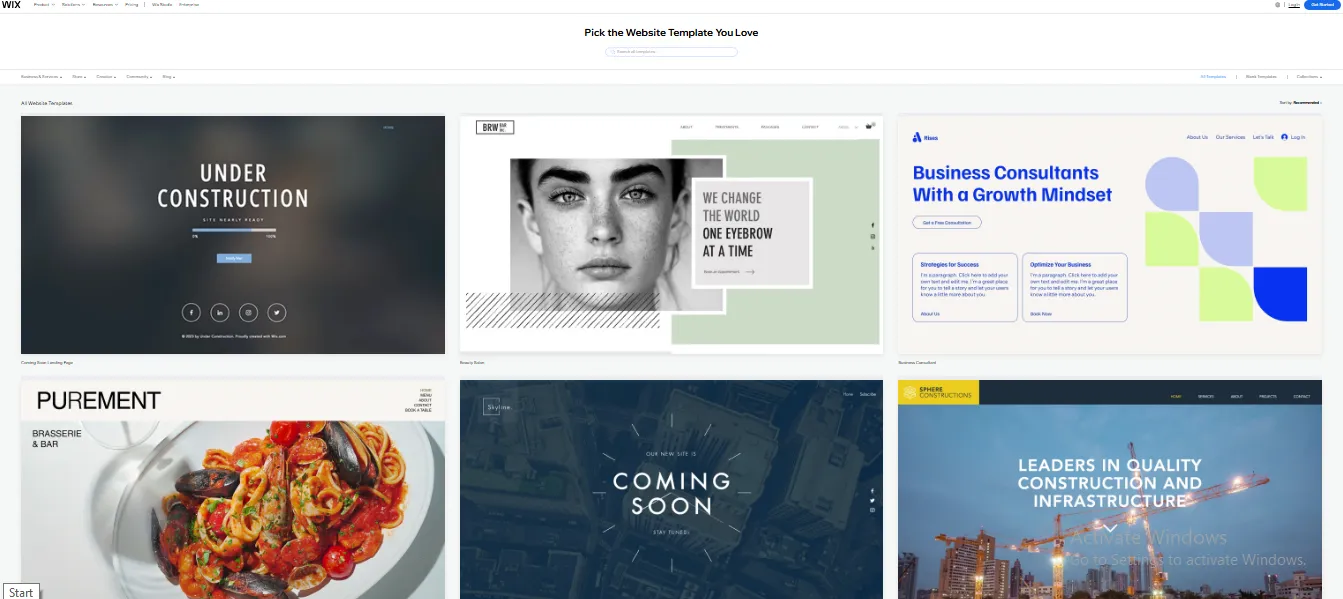
Beyond the template count, what truly sets Wix apart is the depth of customization. You can change colors freely, build custom palettes, choose from hundreds of fonts, and rearrange every element on the page. Moreover, Wix also gives you access to advanced design features like animations, parallax scrolling, and custom video backgrounds that SiteBuilder simply does not offer. But please note that this platform has a notable limitation: once you publish your site, you cannot change Wix template without rebuilding from scratch.
In short, when weighing Sitebuilder vs Wix on template variety and design flexibility, Wix delivers a far richer and more professional design experience.
2. Ease of Use – Sitebuilder Wins
Our verdict:
When evaluating Sitebuilder vs Wix on ease of use, Sitebuilder takes the win. This platform offers a clean and beginner-friendly dashboard with minimal navigation depth, so you don’t have to juggle with complex features and tools.
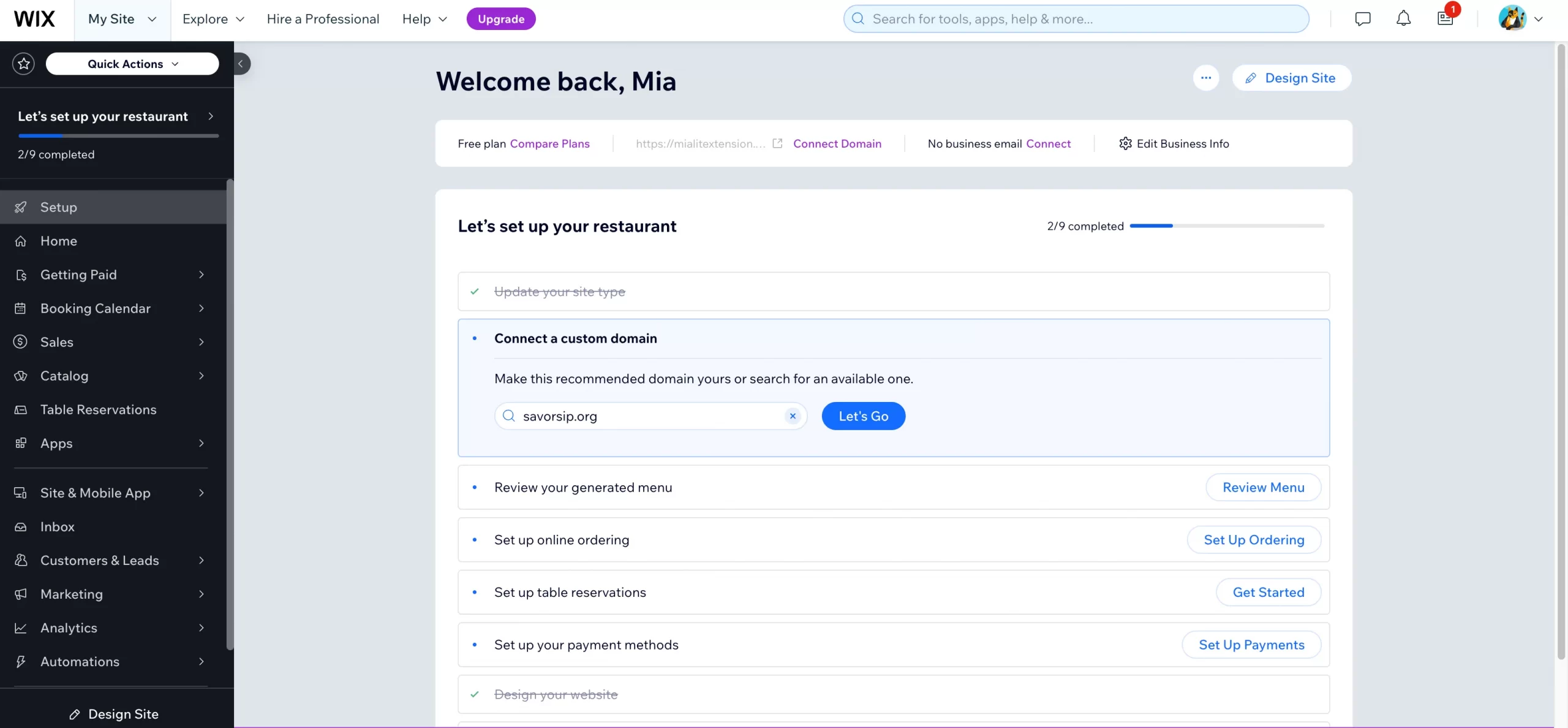
Sitebuilder’s dashboard is built around radical simplicity. Once you log in, you land on a clean homepage with a top menu bar containing just a handful of options. Each menu reveals only what is essential, so you rarely click more than two or three times to reach any tool. Adding a new page, swapping a section, or editing text is straightforward because the interface won’t overwhelm you with choices.
Furthermore, the editor uses a section-based layout, allowing you to toggle elements on or off via a side menu, drag entire sections up or down, or move them between pages. This means you can get your website up and running in no time and effortlessly manage day-to-day business tasks.
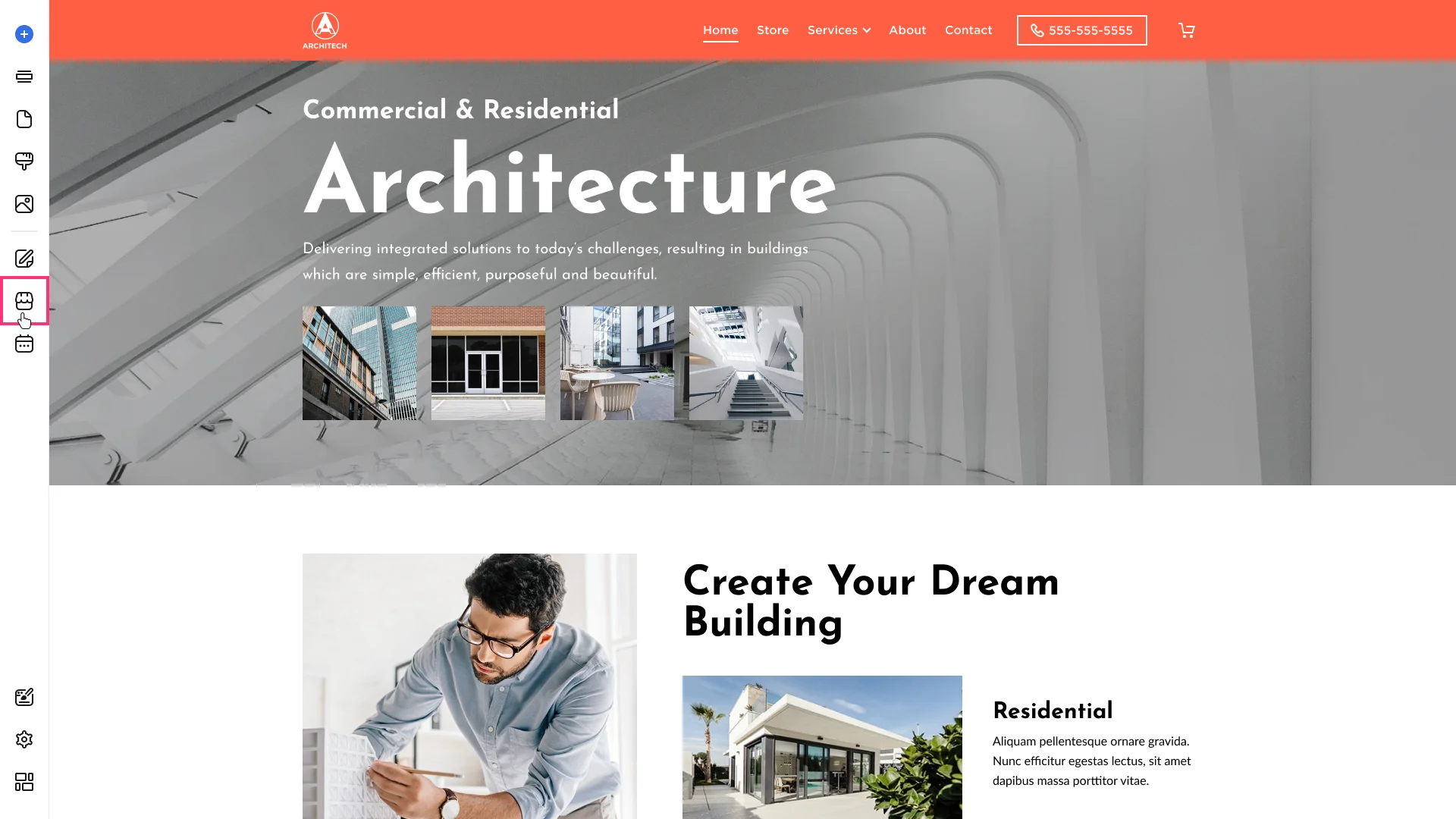
On the other hand, Wix takes a fundamentally different approach to its dashboard and editor. Once you log in, you are presented with a feature-rich workspace that includes site analytics, marketing tools, contact management, blog manager, store dashboard, app market, and the visual editor. Throughout my testing period with Wix, I found that the interface rewards exploration but can feel intimidating in the first few sessions. The sheer volume of menus and panels can leave first-time users wondering where to click next.
Fortunately, to smooth the learning curve, Wix provides contextual tooltips, an onboarding checklist, and inline guides that walk you through key tasks. That said, the Wix interface can feel sluggish at times, with occasional loading delays in the editor, so make sure to consider this aspect when evaluating your decision.
In short, when comparing Sitebuilder vs Wix on ease of use, Sitebuilder gets an edge. Its stripped-down interface, while limited in features, makes it nearly impossible to feel lost. Every action has an obvious next step, which is exactly what some users want from a website builder.
3. eCommerce Features – Wix Wins
Our verdict:
In the Sitebuilder vs Wix comparison for eCommerce, Wix takes the win. It offers a far more comprehensive and scalable online store toolkit, while SiteBuilder provides only basic functionality suited to small, simple shops.
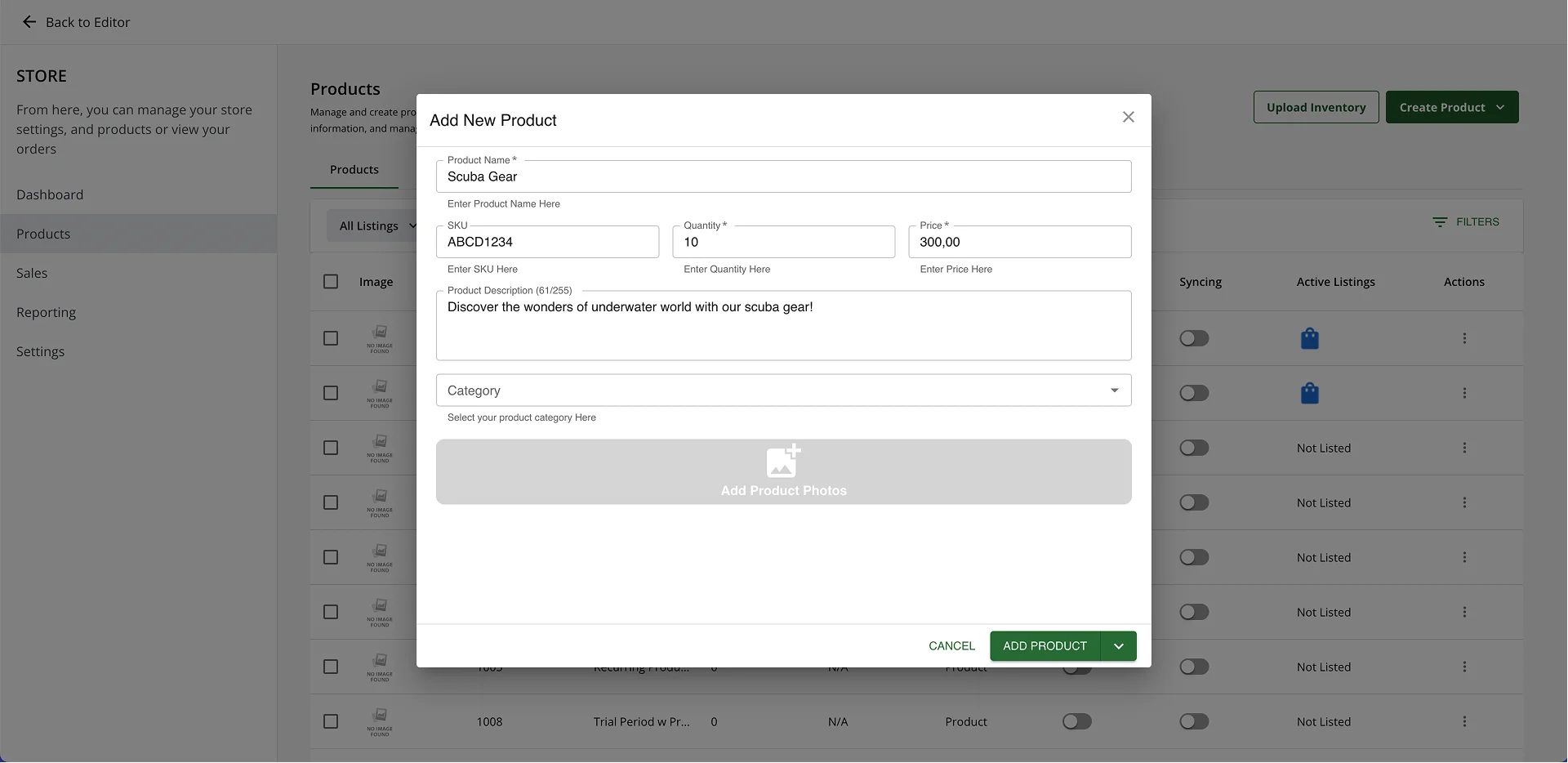
First, let’s talk about how well Sitebuilder supports online selling. Its eCommerce setup is more capable than its simple interface suggests, especially when you dig into the product management workflow. From the dashboard, the platform walks you through a structured product creation flow with both basic and advanced fields. SiteBuilder gives you two ways to publish: Quick Add automatically adds the product to your listings, while Manage Product takes you to the Product Details page, where you can update the product’s basic information. As a result, beginners can list products in seconds, while more advanced users can dive into deeper configuration.
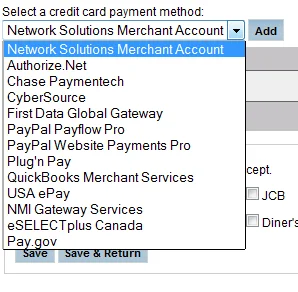
When it comes to payments, Sitebuilder supports PayPal and Authorize.net out of the box, which covers most basic eCommerce needs. However, the platform does not natively integrate with other best eCommerce payment gateways, such as Apple Pay, Stripe, Klarna, or regional gateways. This leaves the gateway selection narrower than its counterpart in the Sitebuilder vs Wix comparison.
Another significant gap in Sitebuilder’s eCommerce toolkit is its lack of automated abandoned cart recovery, dropshipping support, and digital product selling. Furthermore, there is no native point-of-sale (POS) system for syncing online and offline sales, and the platform does not support advanced marketing tools like upsells, cross-sells, or customer segmentation. As a result, Sitebuilder handles inventory and supplier operations well but falls short when it comes to expanding your store’s reach beyond your website.
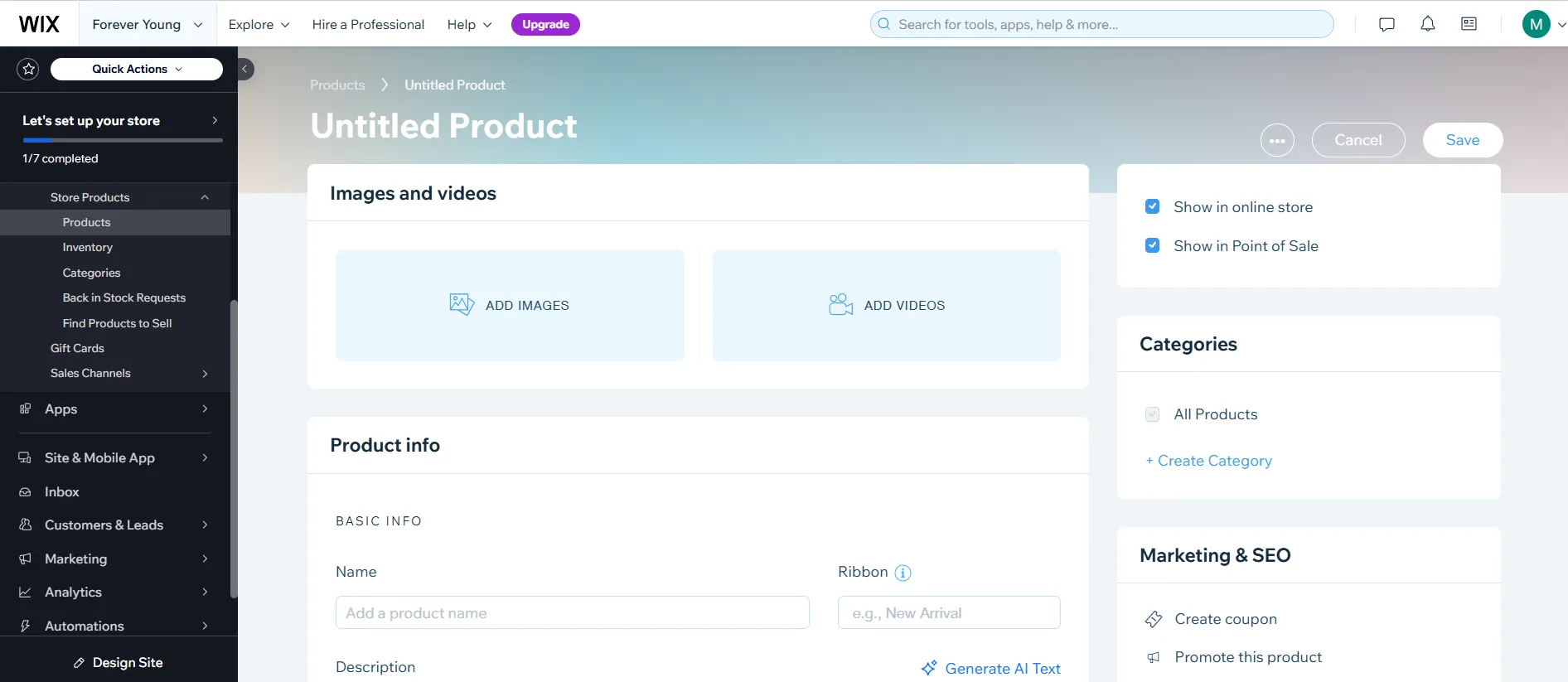
On the other hand, Wix delivers a far more comprehensive eCommerce solution built for both starter shops and scaling businesses. To start, this platform lets you add inventory in two ways: through a streamlined manual entry flow for individual products, or via bulk CSV import for stores launching a large catalog at once or migrating to Wix from another platform.
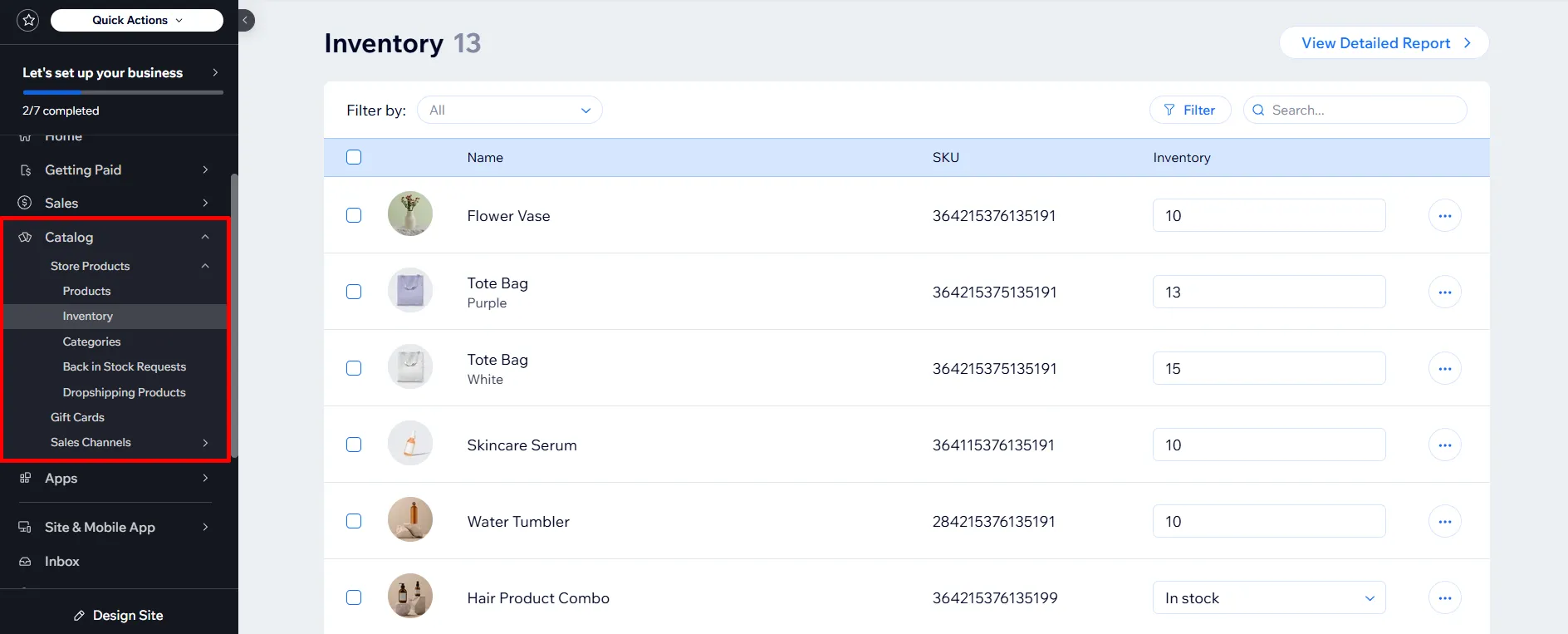
Beyond basic product setup, Wix inventory management is genuinely robust. You can enable automatic stock tracking for each product or variant, set low-stock alerts, and let Wix automatically mark items as “out of stock” when inventory runs out. Moreover, you can manage inventory across multiple locations if you operate from several warehouses or retail stores, and the system syncs stock levels in real time across all your sales channels. The platform also supports preorder management, backorder handling, and inventory reports that show fast-moving products, dead stock, and reorder recommendations.
When it comes to payments, Wix supports a much wider gateway library than Sitebuilder. The platform offers Wix Payments as its native processor, alongside PayPal, Stripe, Square, and dozens of regional payment methods. With this variety of gateways, customers can pay in more ways on your website, helping you avoid losing potential sales due to the lack of suitable payment options.

Long story short, between Sitebuilder vs Wix in terms of eCommerce features, Wix is the better choice for any seller who plans to scale by delivering a complete eCommerce platform ready for growth. If you are serious about selling online, this platform is the smarter long-term investment.
4. Marketing and SEO Tools – Wix Wins
Our verdict:
In the Sitebuilder vs Wix comparison for marketing and SEO tools, Wix is the clear winner. It offers a far more comprehensive toolkit covering technical SEO, content marketing, and email campaigns, while SiteBuilder provides only the basics.
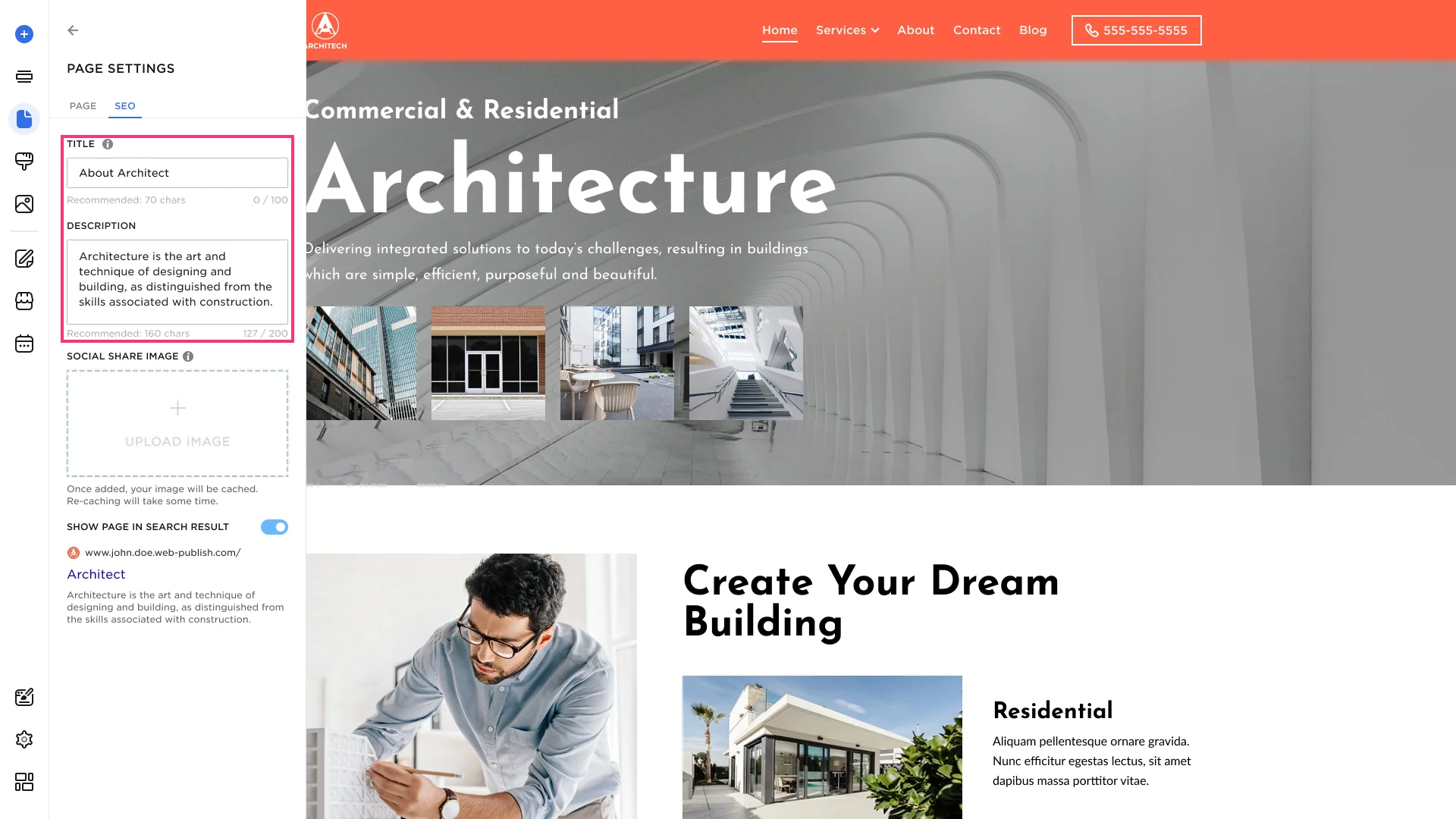
To start with, Sitebuilder covers the basic SEO essentials but stops well short of what most growing sites need. Through the Settings panel of each page, you can edit the meta title, meta description, and URL slug to help search engines understand your content. Furthermore, SiteBuilder lets you add alt text to images and submit your sitemap to Google. However, the platform does not offer schema markup, redirect management, canonical tag controls, or keyword tracking; as a result, technically inclined users will find the SEO toolkit cramped.
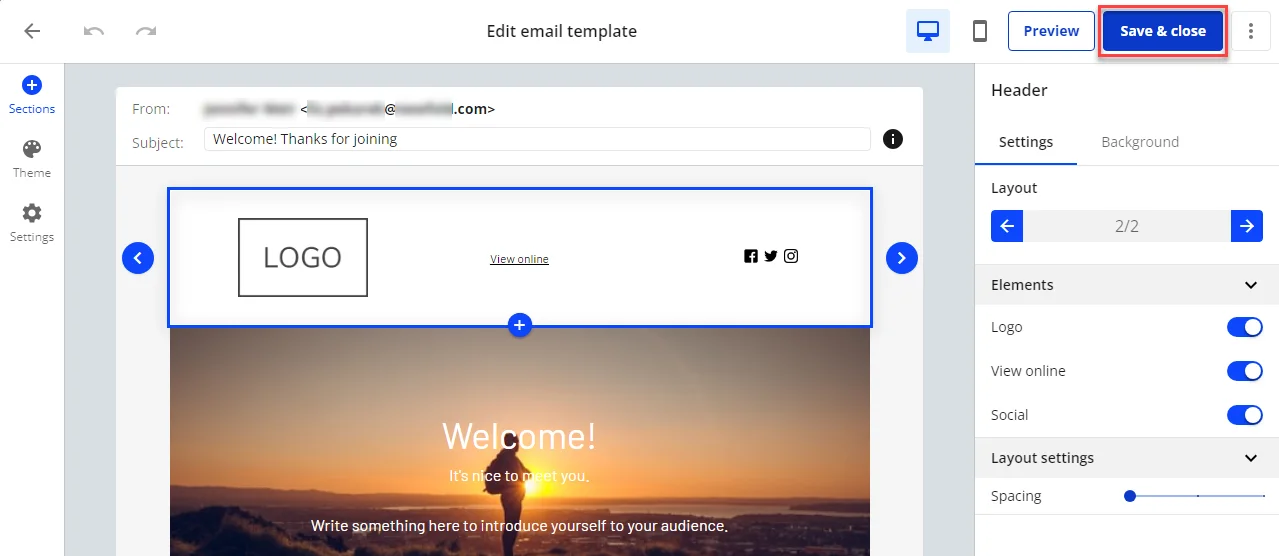
On the marketing side, SiteBuilder includes an integrated email marketing tool that lets you select an email template, customize colors and fonts, add recipients, and send branded campaigns. This feature works well for sending announcements, welcome series, and lead magnets, but the analytics behind these emails are limited. You will not see open rates, click-through rates, or conversion data, which makes it hard to optimize campaigns over time. In addition, although Sitebuilder provides social buttons that lead users to your Facebook or Instagram, it lacks a built-in feature to share your product directly on social platforms.
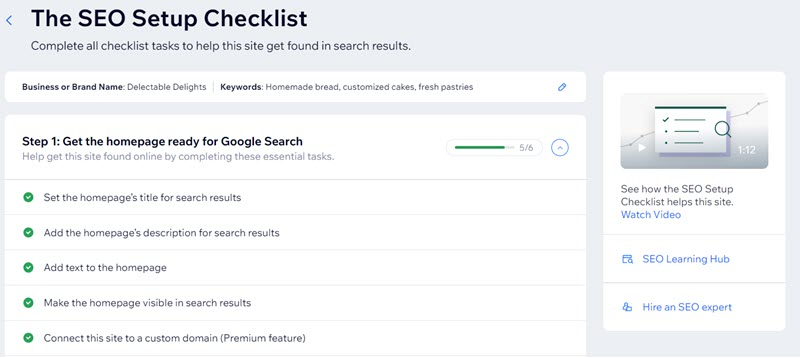
Now, let’s talk about Wix. This platform delivers a complete marketing and SEO ecosystem built for growth-focused users. It includes Wix SEO Wiz, a personalized, step-by-step SEO assistant that asks about your business, generates a tailored SEO checklist, and walks you through each optimization task. Throughout my testing period with Wix, I found this feature genuinely useful for beginners who want SEO guidance without reading a 50-page manual. Furthermore, Wix gives you full control over meta titles, meta descriptions, URL slugs, canonical tags, structured data (schema markup), 301 redirects, and robots.txt–everything technical SEO requires.
Beyond on-page SEO, Wix recently expanded its toolkit with AI-powered features for modern search. It allows you to track your site’s visibility across AI search engines like ChatGPT and Perplexity, along with native integration with Google Search Console, Google Analytics, and Google Tag Manager, giving you the full data picture from the same dashboard. Additionally, if you want a clear roadmap for adapting your content to generative search, our Full AEO Checklist for eCommerce Merchants breaks down every step you need to make your store visible in AI-powered search results.
When it comes to marketing, Wix’s offering is similarly deep. The platform includes Wix Shoutout for email campaigns, with open and click analytics, A/B testing, and contact segmentation. Wix also provides automated email sequences, abandoned cart emails, SMS marketing, social media post scheduling, and paid ads management for Google and Facebook. On top of that, Wix’s Marketing Suite unifies all these channels under a single dashboard, so you can track campaign performance across email, social, ads, and SEO in one place.
To conclude, when comparing Sitebuilder vs Wix for marketing and SEO tools, Wix offers a comprehensive growth toolkit, while SiteBuilder offers only the bare minimum. If your site needs to attract traffic, convert visitors, and grow over time, Wix is the better platform.
5. Blogging Features – Wix Wins
Our verdict:
In the Sitebuilder vs Wix comparison for blogging features, Wix clearly takes the lead. It delivers a full-featured blogging platform with dedicated templates, advanced editing tools, and built-in audience growth features, while SiteBuilder offers only a basic blog module suited to occasional posting.
Sitebuilder’s blog is functional but limited. The platform offers around six blog layout options, most of which look fairly similar to each other, so design variety is rather minimal. The text editor includes basic formatting controls like bold, italic, underline, bullet lists, and the ability to insert images and videos, as well as add a cover image and assign a category. Beyond these basics, the editing experience is straightforward but stripped down compared to dedicated blogging platforms. It also lacks essential features that serious bloggers rely on, such as post scheduling, multi-author support, reader notifications, social sharing buttons, and integrated comment moderation.

On the opposite side, Wix allows you to choose from dozens of dedicated blog templates designed specifically for text-heavy or visual content, each with custom layouts for post lists, individual articles, and category pages. Furthermore, Wix’s rich text editor includes advanced formatting options like drop caps, pull quotes, embedded social posts, GIFs, galleries, code blocks, and dividers, giving you the same creative flexibility a professional blogger expects.
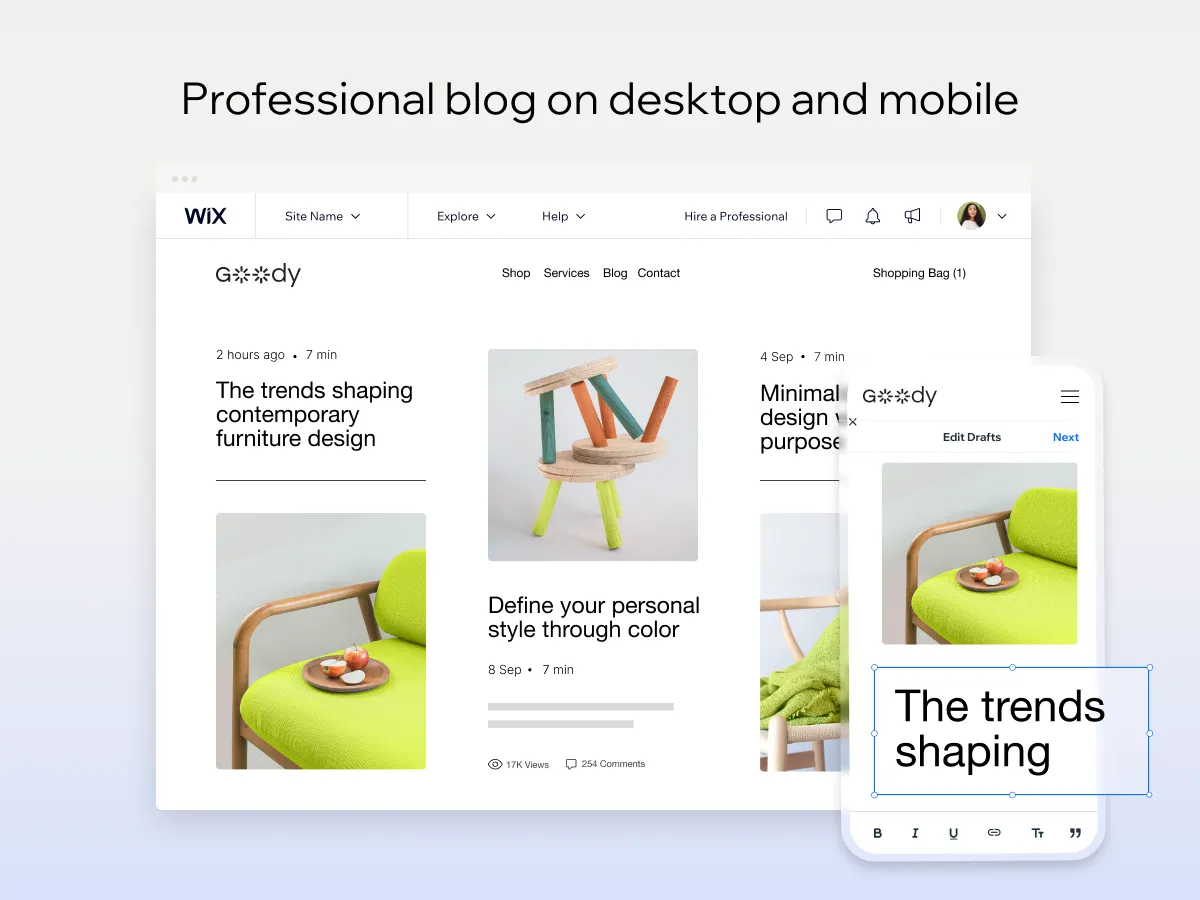
Beyond the editing experience, Wix provides a complete suite of audience growth tools built directly into the blog module. You can schedule posts in advance, manage multiple authors with role-based permissions, send automatic email notifications to subscribers when new posts go live, and let visitors comment, like, and share posts on social media. In addition, Wix includes built-in blog analytics that show post views, average reading time, top-performing articles, and traffic sources–data that helps content creators refine their strategy over time.
In short, when comparing Sitebuilder vs Wix on blogging features, Wix offers a complete platform suited to content marketing, audience building, and SEO-driven traffic growth. Meanwhile, SiteBuilder works for occasional posts and basic announcements, but anyone serious about blogging will quickly outgrow its limitations.
6. Apps and Integrations – Wix Wins
Our verdict:
In the Sitebuilder vs Wix comparison for apps and integrations, Wix is the decisive winner. Its App Market hosts hundreds of apps spanning every business function imaginable, while SiteBuilder’s add-on selection is narrow and largely limited to optional features rather than true third-party tools.
To be honest, Sitebuilder’s app marketplace is sparse by modern standards. After logging in, you can navigate to the App Market tab on the menu bar, but the selection is quite limited. They are optional features or perks like ad credits, website history backups, and priority support, rather than third-party tools that extend functionality. Furthermore, SiteBuilder offers limited integration with external SaaS platforms. There is no native connection to popular tools like Mailchimp, HubSpot, Zapier, Calendly, or QuickBooks, which means store owners who rely on a connected software stack must either work around the gap or switch platforms.
On the other hand, Wix delivers one of the largest and most active app ecosystems in the website builder space. The Wix App Market hosts hundreds of apps, developed by both Wix and other renowned third-party developers. Beyond the sheer count, all apps install with one click and integrate seamlessly into the existing dashboard–no API setup, no custom code, no manual configuration. Furthermore, Wix offers native integrations with major SaaS platforms, including Mailchimp, HubSpot, Google Workspace, and QuickBooks. Many of these integrations come pre-built, so you can connect your tools in minutes rather than hours.

In conclusion, between Sitebuilder vs Wix on apps and integrations, the gap is one of the widest in this entire comparison. Wix offers a thriving ecosystem that lets you extend your site in nearly any direction, while SiteBuilder leaves you working within a closed system.
7. Pricing and Value for Money – Wix Wins
Our verdict:
When comparing Sitebuilder vs Wix in terms of pricing and value for money, Wix takes the win. While SiteBuilder’s paid plans look cheaper at first glance, Wix delivers far more features per dollar, includes a forever-free plan, and is more transparent about storage and bandwidth limits.
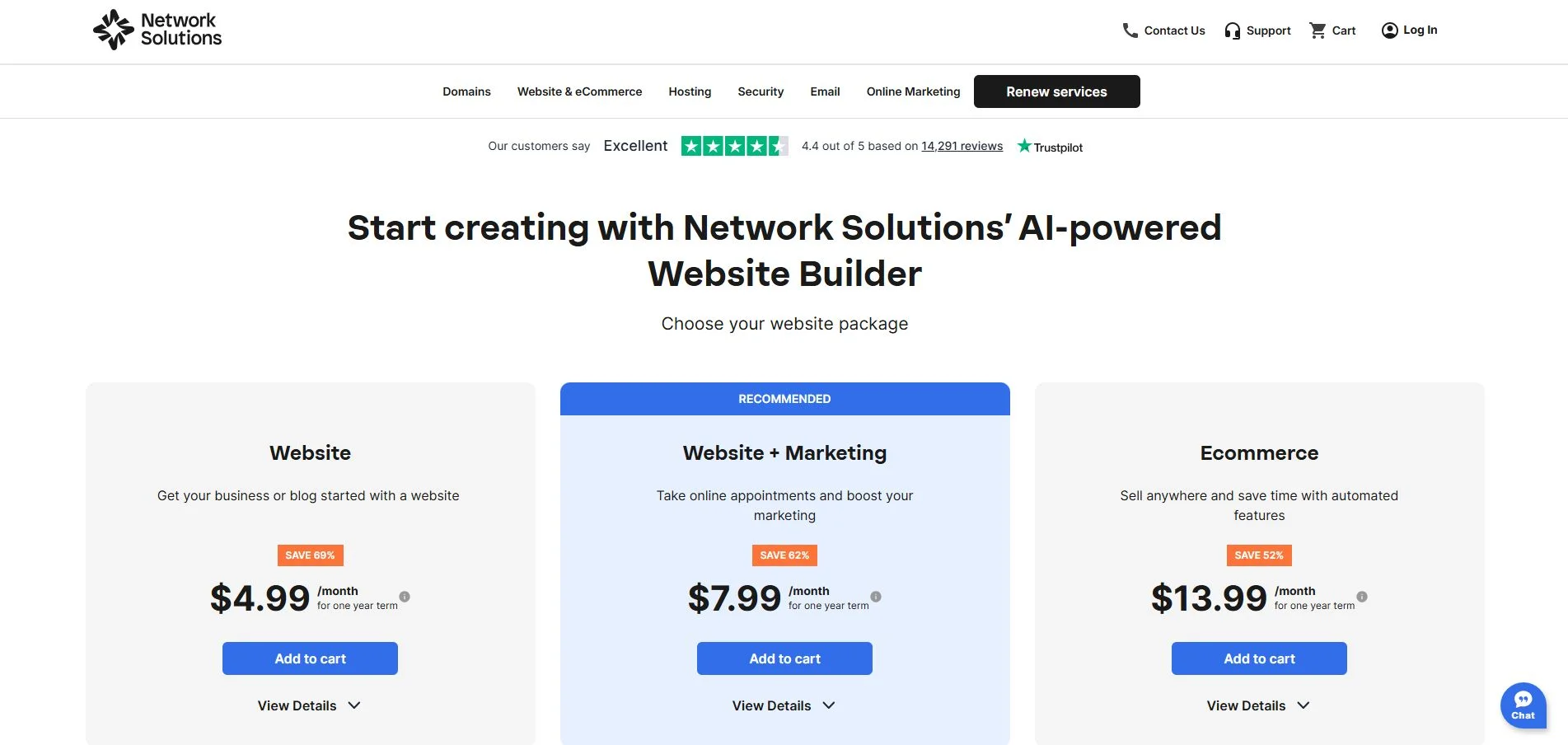
Sitebuilder offers three pricing tiers designed to fit different stages of business growth, structured as follows:
- Website ($4.99/month for a one-year term, $15.99/month for renewal): Aimed at users getting their business or blog started with a basic website
- Website + Marketing ($7.99/month for a one-year term, $20.99/month for renewal): Adds online appointment booking and marketing tools, and is the platform’s recommended plan
- Ecommerce ($13.99/month for a one-year term, $28.99/month for renewal): designed for selling online with automated features
Beyond the headline pricing, SiteBuilder offers a 14-day money-back guarantee but does not provide a true free trial or a forever-free plan. As a result, you have to commit financially upfront before fully testing the platform’s editor, templates, and eCommerce tools. However, the pricing page does not publicly disclose storage limits, bandwidth allowances, or product caps for any of its tiers, which makes it difficult to plan for growth or directly compare value.
On the other hand, Wix pricing offers a much more structured model with six tiers that scale clearly with site size and feature needs. The plans include:
- Free – $0 per month, with 500 MB storage, 100 pages, and Wix branding
- Light – $17 per month, with 2 GB storage and a custom domain
- Core – $29 per month, with 50 GB storage and basic eCommerce features
- Business – $39 per month, with 100 GB storage and advanced selling tools
- Business Elite – $159 per month, with unlimited storage and priority support
- Enterprise – Custom pricing, with customized features to best fit your business requirements
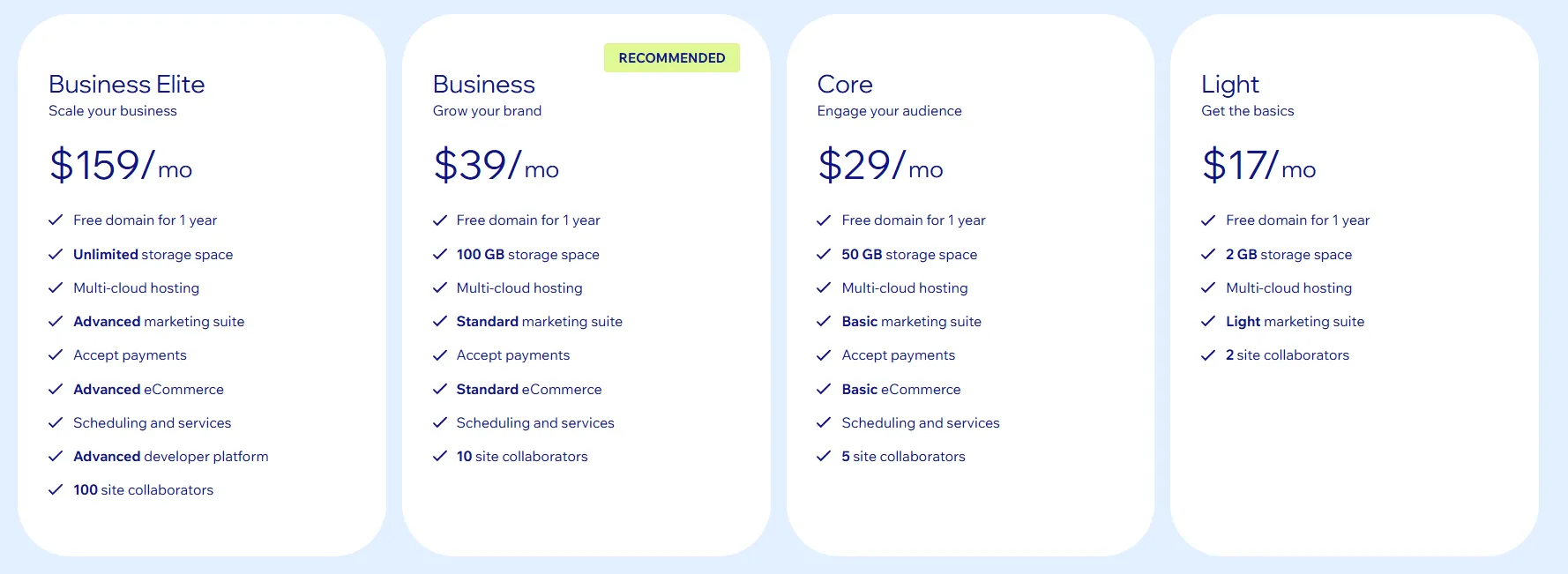
Beyond the tier structure, Wix offers additional benefits with annual subscriptions that SiteBuilder cannot match. Users on all annual Wix plans receive a free domain for the first year, which saves quite a good amount for those who’ve just started out. Moreover, Wix’s free plan functions as an effective try-before-you-buy option, letting you build a working site, explore the editor, and test the App Market without spending anything upfront. In addition, Wix occasionally runs promotional discounts on annual subscriptions, which makes premium tiers more accessible for small businesses.
In short, when comparing Sitebuilder vs Wix on pricing and value for money, Wix wins on transparency, bundled extras, and long-term scalability. Though Sitebuilder seems inexpensive, the gap closes quickly as soon as you need eCommerce, more storage, or third-party integrations–all areas where Wix delivers significantly more for the additional spend.
8. Customer Support – Sitebuilder Wins
Our verdict:
In the Sitebuilder vs Wix comparison for customer support, SiteBuilder is the clear winner. It offers round-the-clock live chat, phone support, and email assistance, while Wix relies entirely on ticket submissions and callbacks with no real-time support option available.
Sitebuilder’s customer support is one of its strongest selling points and the area where it most clearly outperforms Wix. The platform offers 24/7 live chat with response times that consistently come in minutes, meaning you can get help at any hour without waiting in a long queue. The support agents are knowledgeable, courteous, and able to resolve most common issues within a few chat sessions. From my perspective, this level of responsiveness is rare among entry-level website builders and gives SiteBuilder a meaningful practical advantage for less experienced users.
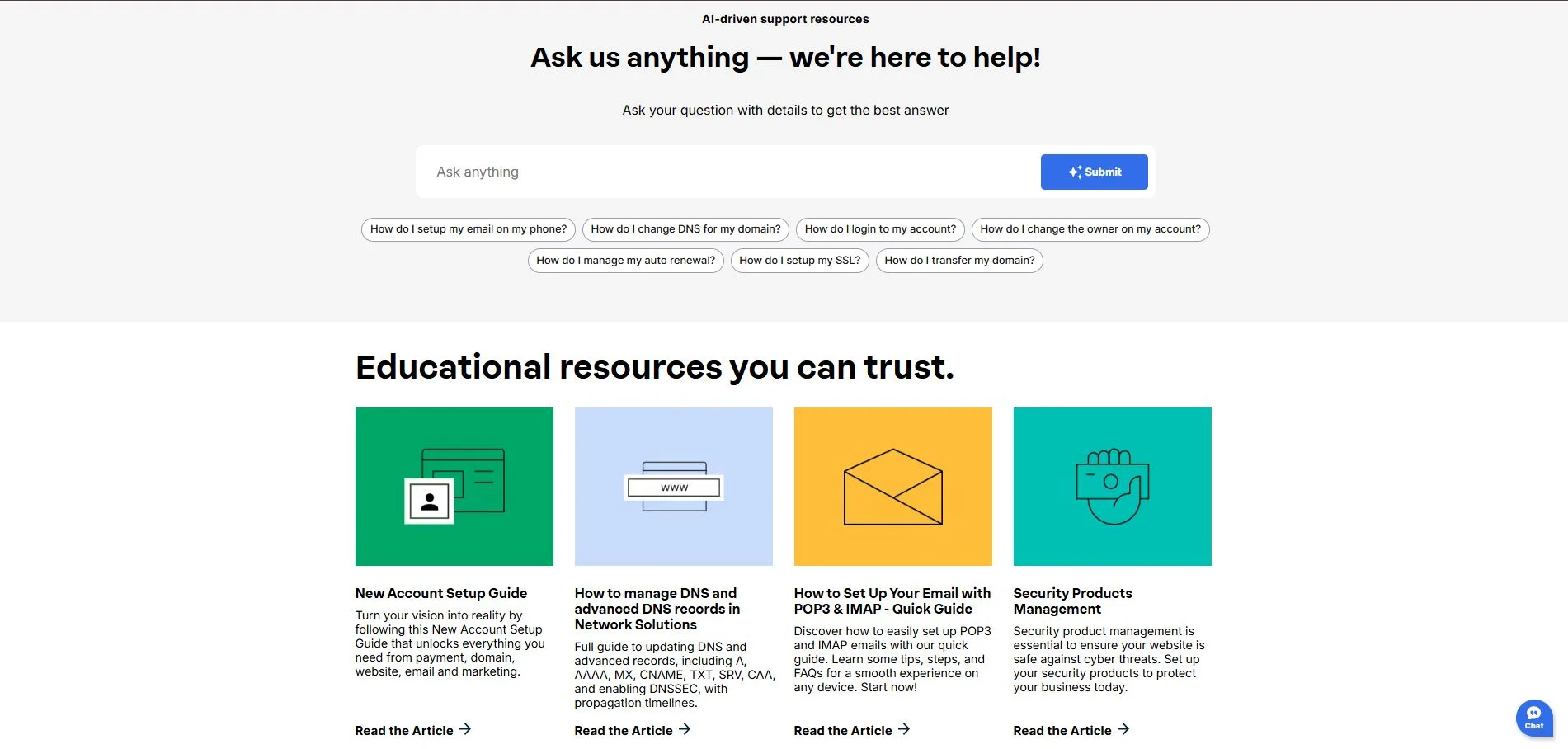
In addition to its direct support channels, SiteBuilder maintains a comprehensive Knowledge Base that serves as a structured self-service library for users who prefer to troubleshoot independently. What makes this Help Center stand out is its AI-driven support system. Rather than simply browsing articles, you can type any question in plain language and receive a direct, contextual answer instantly. This makes it significantly faster to find help than navigating a traditional category-based documentation site.
Meanwhile, Wix takes a fundamentally different approach to customer support, prioritizing self-service resources over direct human contact. It comes with one of the most comprehensive self-help libraries available among website builders. It includes thousands of step-by-step articles, video tutorials, webinars, and community forum threads covering virtually every feature, error message, and use case imaginable.
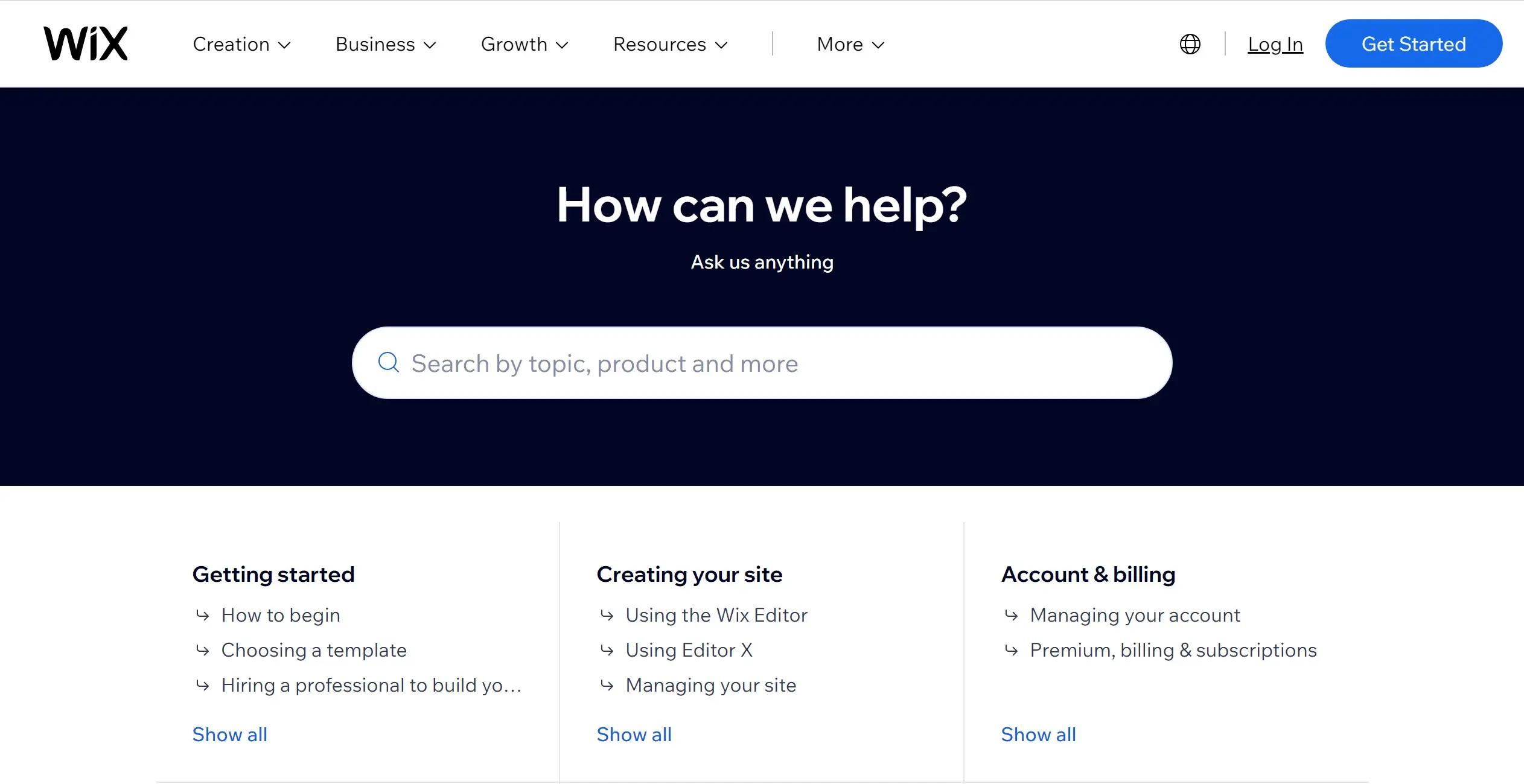
That said, when the Help Center does not have the answer you need, Wix’s direct support options are noticeably limited. The platform does not offer live chat, so you’ll need to submit a support ticket and wait for a response. Though this might be manageable for non-urgent issues, it will become frustrating when your eCommerce store is down during a sale event or your site has gone offline unexpectedly.
In short, when comparing Sitebuilder vs Wix on customer support, SiteBuilder wins decisively on direct accessibility, response speed, and the breadth of its support channels.
9. Security – A Tie
Our verdict:
When comparing Sitebuilder vs Wix on security, the result is a tie. Both platforms handle core security at the infrastructure level and include SSL certificates, automated backups, and DDoS protection on all plans.
iteBuilder takes a straightforward approach to security by bundling core protections into all plans regardless of tier. Every SiteBuilder site comes with a free SSL certificate (HTTPS), ensuring that data transmitted between your visitors and your site is encrypted. Furthermore, SiteBuilder includes automated daily backups that let you restore a previous version of your site in the event of accidental data loss or a content error. The platform also provides DDoS protection and malware scanning at the server level, so these protections run silently in the background without any configuration required from the site owner.
On the flip side, Wix offers a transparent and comprehensive security documentation, even though the underlying protections are broadly similar. Every Wix site, including free plan sites, comes with a free SSL certificate, automatic HTTPS, DDoS protection, and 24/7 infrastructure monitoring. Furthermore, Wix is certified as PCI DSS Level 1 compliant for eCommerce transactions, which is the highest standard of payment data security available and a critical requirement for any site processing credit card payments.

That said, both platforms share the same fundamental limitation when it comes to security: since neither is open-source or self-hosted, users have no ability to configure server-level security settings themselves. This is a trade-off that suits most small business owners and beginners, who benefit from not having to manage security manually. However, it may be a constraint for technically advanced users or enterprises with specific infrastructure requirements.
In short, when comparing Sitebuilder vs Wix on security, both platforms deliver solid baseline protections that are more than adequate for most websites and small eCommerce stores. Wix edges ahead slightly on transparency and compliance documentation, but the gap is not wide enough to declare a definitive winner.
Bonus Reading: Sitebuilder vs Wix vs Competitors
After comparing Sitebuilder vs Wix across these criteria, you may still be wondering whether either platform is the right fit for your specific needs. The truth is, the website builder market is competitive, and two other platforms, Squarespace and Webflow, are frequently considered alongside Wix and SiteBuilder, each serving a distinct type of user.
To help you see where all four platforms stand at a glance, here is a detailed side-by-side comparison.
Sitebuilder | Wix | Squarespace | Webflow | |
Pricing (bill annually) | $4.99 - $13.99 per month | $17 - $159 per month | $10 - $23 per month | $0 - $39 per month |
Number of Templates | Limited | 2,000+ | 200+ | 7,000+ |
Ease of Use | Very easy (Express Editor, section-based) | Easy (drag-and-drop, slight learning curve) | Easy (polished, structured editor) | Steeper learning curve |
Design Flexibility | Low (two colors, limited fonts) | High (full drag-and-drop freedom) | Medium (structured but polished) | Very High (pixel-perfect, custom code access) |
eCommerce Features | Basic (essential selling features only, limited ways of payment) | Advanced (multi-channel, POS, dropshipping) | Advanced (all plans include eCommerce) | Advanced (flexible shipping, several payment supported) |
Blogging | Basic (limited layouts, simple editor) | Advanced (scheduling, multi-author, analytics) | Advanced (clean editor, tags, categories) | Advanced (CMS-driven, dynamic content, SEO-optimized) |
App Market/ Integrations | Very limited (optional features only | Hundereds of apps supported | Curated integrations, fewer third-party apps | Limited native apps, strong API access |
Customer Support | 24/7 live chat, AI Help Center | Ticket support only; extensive Help Center | Extensive Help Center with docs and videos | Community forum, extensive documentation |
Best For | Absolute beginners needing the simplest setup | Small businesses, bloggers, eCommerce sellers | Creatives, portfolios, service businesses | Designers, developers, marketing teams |
In conclusion, SiteBuilder suits users who want the absolute simplest setup with strong live support. Wix strikes the best balance between ease of use, feature depth, and scalability for most users. Squarespace wins for those who prioritize polished, design-forward templates with a clean editor experience. Webflow is the most powerful of the four, but comes with a steeper learning curve and a more complex pricing model that may not suit beginners or budget-conscious users.
Sitebuilder vs Wix – FAQs
Is Wix better than Sitebuilder?
Yes, Wix outperforms SiteBuilder in the majority of areas that matter for building a professional, scalable website. Throughout our comparison of Sitebuilder vs Wix, Wix wins 6 out of 9 criteria including templates and design flexibility, eCommerce, apps and integrations, blogging, marketing and SEO tools, pricing and value for money, and ease of use.
What are the cons of Sitebuilder?
SiteBuilder has several notable drawbacks that become apparent once you move beyond a basic site:
- Its template selection is extremely limited
- The editor is restricted at the element level
- The platform lacks advanced eCommerce tools
- The app market is sparse
What is the best website builder for bloggers?
Between Sitebuilder vs Wix, Wix is the stronger choice for bloggers by a significant margin. The platform includes dedicated blog templates, post scheduling, multi-author support, reader notifications, category and tag management, and built-in analytics, all the tools a serious blogger needs to grow an audience over time.
Final Words
After comparing Sitebuilder vs Wix, the final answer is clear: Wix is the stronger all-around website builder for the vast majority of users.
That said, the right choice between Sitebuilder vs Wix ultimately comes down to your specific goals. If you are launching a basic informational site or personal page and value 24/7 live support above all else, SiteBuilder gets the job done at a lower entry price. However, if you are building a business website, an online store, or a content-driven blog with long-term growth in mind, Wix delivers the features, flexibility, and scalability that SiteBuilder simply cannot match.
Lastly, don’t forget to explore more helpful guides on our LitExtension Blog and browse our Resources page for tools and checklists to support your eCommerce growth.

