Wix Pricing currently includes 7 plans, with multiple tiers designed for different use cases from basic websites to fully scalable eCommerce. Therefore, choosing the right plan can be challenging if you’re unsure how each option aligns with your goals and budget.
In this article, we break down each Wix plan in a clear and practical way, highlighting key features, use cases, and limitations so you can confidently select the plan that best fits your website needs. Keep on reading to explore these Wix pricing tiers:
- Free plan: $0/month
- Light: $17/month
- Core: $29/month
- Business: $39/month
- Business Elite: $159/month
- Studio: From $19 to $159/month
- Enterprise: Custom pricing
Now, let’s buckle your seat. LitExtension – the #1 Shopping Cart Migration Expert will guide you through everything we know and experience while using the platform. Let’s get started.
Our Quick Verdict – Which Wix Plan Is Best for You
Before getting to the detailed breakdown of Wix pricing, let’s briefly take a look at all the pricing plans that Wix is currently offering.
Annually paid | Highlight features | Best for | |
Free | $0 | - Access to 800+ well-designed Wix templates - No credit card required - 500MB storage - No custom domain | Individuals want to test out the water and see if Wix is the ideal solution for them. |
Light | $17/month | - 2 collaborators - 2GB storage space - Custom domain, free for 1 year - No eComerce features and payment tools | Professionals want to create online porfolios, resumes, and blogs. |
Core | $29/month | - 5 collaborators - 50GB storage space - Basic marketing suite - Basic eCommerce features - Basic site analytics | Small business owners who need decent set of selling features |
Business | $36/month | - 10 collaborators - 100GB storage space - Standard marketing suite - Standard site analytics - Standard eCommerce functions | Midsized online brands looking to scale their online business |
Business Elite | $159/month | - 15 collaborators - Unlimited storage space - Advanced marketing suite - Advanced site analytics - Advanced eCommerce features and developer platform | Online retailers requiring unlimited resources for massive scale |
Enterprise | Custom pricing | - Powerful enterprise solutions - Dedicated customer success manager - 24/7 prority support - Enterprise-grade security with fully managed and layered framework for prevention, detection and response | Enterprise-level business that needs full customization and integration control |
Wix Studio | From $19 to $159/month | - Advanced responsive design tools with CSS Grid - Collaborative workspace - Client management dashboard - Multi-site management | Professional designers and agencies building client sites |
Still unsure which plan fits your budget and goals? Keep reading for a full analysis of each pricing tier.
1. Wix Free Plan
➤ Best for: Individuals or very small businesses who want to test business ideas initially.
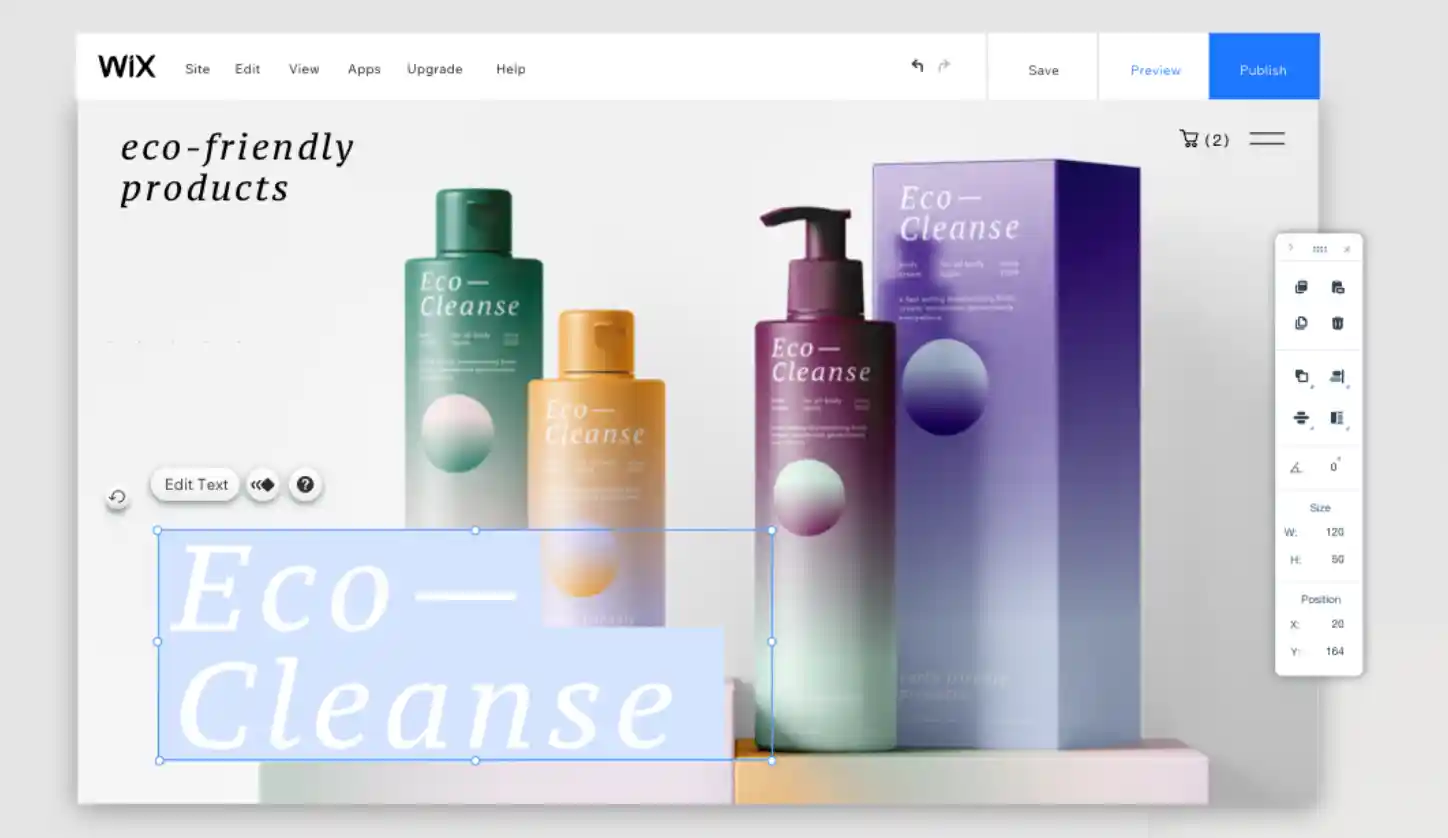
Is Wix free to use? Of course, it’s completely free and free forever! Wix Free plan allows setting up a basic online storefront at no cost to test products/services. even though it lacks the necessary features for online selling.
Here are some downsides you may face with this plan:
- Strict storage/bandwidth limits (500MB).
- No essential eCommerce features like inventory management and order/transaction tracking.
- Include Wix branding, and Wix ads may not be appropriate for brands trying to control their image.
While testing out the free version two months ago, we could not integrate Google Analytics with our website. In the long run, this might be a significant disadvantage for any marketing strategy. With all that in mind, we find that this plan is only fine for:
- Individuals or very small businesses just getting started with the basic online landscape.
- Community groups, clubs, or non-profits that need a basic informational website.
- Digital influencers or creators who want a simple portfolio.
- Students/hobbyists building a personal website or testing small commercial ideas with no budget.
Hence, you should upgrade to one of the Wix premium plans to start launching a more professional eCommerce website. Why don’t you create a Wix website and enjoy Wix’s stunning features?
2. Wix Light Plan ($17)
➤ Best for: Digital creators of small businesses who want to showcase their work in a personalized way.
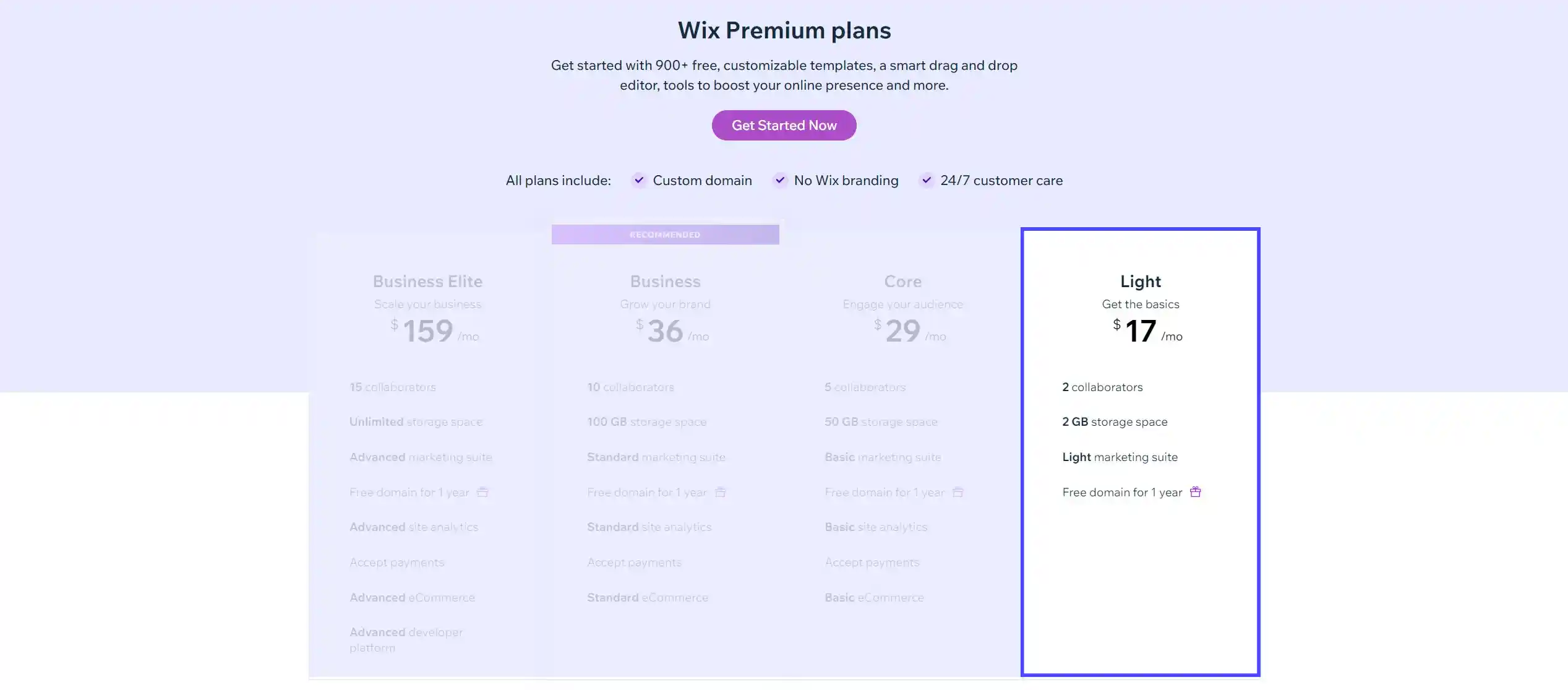
Coming at $17/month, the Wix Light plan removes some of the major limitations of the Free plan. This most basic Wix premium plan offers you some features to launch a small website with a custom domain name, which is free for 1 year! Along with the free domain, you can also remove Wix Ads to create a website that only displays and emphasizes your brand identity.
Moreover, this plan provides 2GB of storage. Yet, as visitor numbers increase, your website may struggle to load pages and display data smoothly. Additionally, the limitation of 2 collaborators may not support the necessary team workflows as your business grows. Websites built using Wix automatically come with HTTPS enabled, securing all data on your site.
Of course, you can add an extra security layer by using a VPN for PC or a free VPN site and safeguard your password when logging into the Wix dashboard. Integrating a robust cloud VPN service can further enhance this security, ensuring that all web activities are encrypted and secure, which is particularly important for protecting sensitive user data and business transactions online. More importantly, you can contact Wix’s customer care service if you encounter any issues with your website, as they offer 24/7 support.
With that being said, I see that the Light plan does not actually support eCommerce functionality or payment processing. If you’re an online merchant, the Light plan would not be suitable at all. If you focus on online selling rather than a basic website, you will likely find the Core plan.
3. Wix Core Plan ($29)
➤ Best for: Small online stores that need basic eCommerce functions.
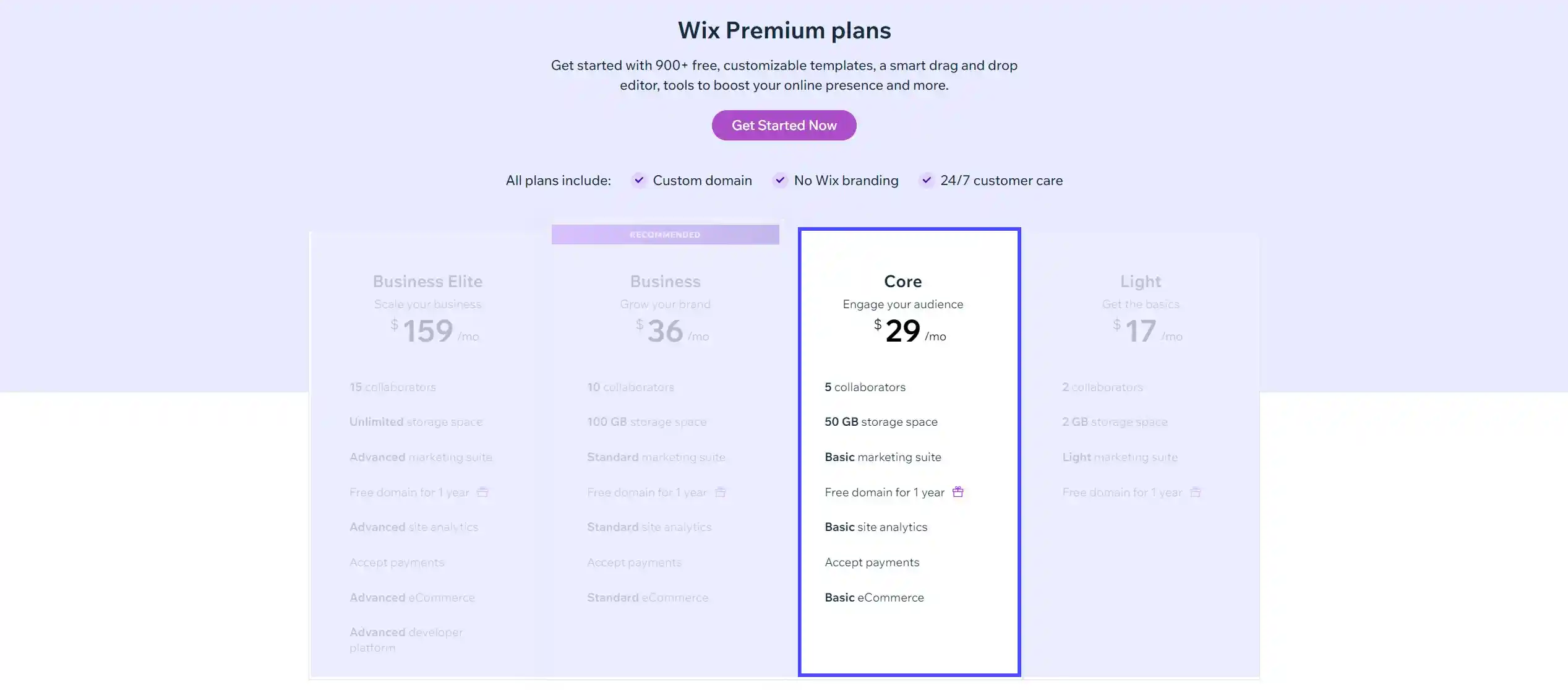
The Core plan is an interesting middle ground within Wix’s tiered offerings. With Wix’s monthly cost at $29/month, it provides much more functionality than the Light plan, yet remains slightly more affordable than the higher-level Business. This plan includes some fundamental functions to help you create and operate a professional website smoothly, such as:
- Basic site analytics
- Online payments accepted
- 5 collaborators
- 25 dropshipping products by Modalyst
- 50GB storage space
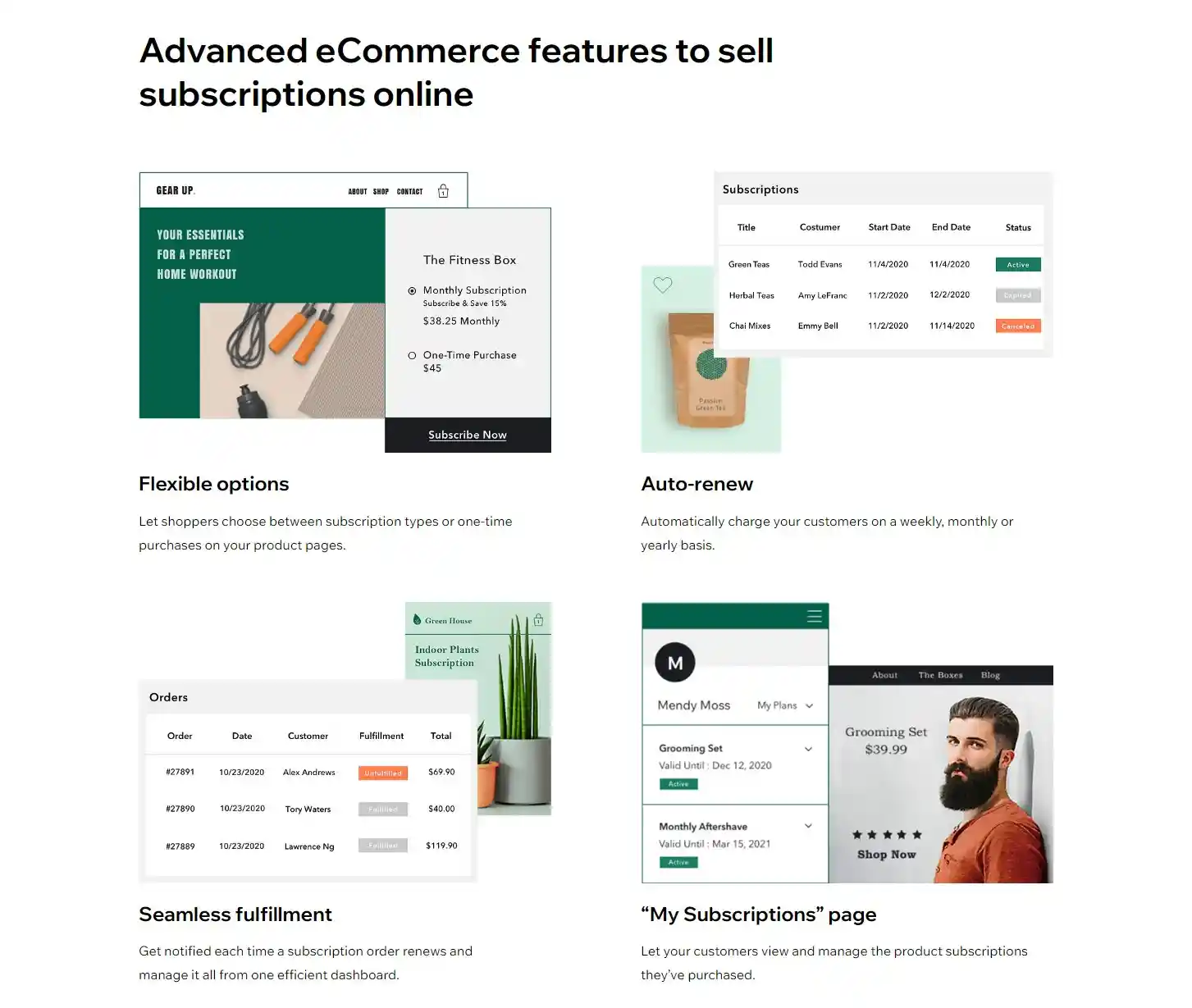
To put it briefly, you can start exploring some exciting eCommerce features in this plan. With a maximum of 50,000 products listed on Wix Stores, your website can showcase limitless products to site visitors and help them shop more easily with the filtering & sorting options. Moreover, the Core pricing package also supports selling subscriptions and collecting recurring payments. Notably, we can accept secure online payments and keep track of all of our transactions on the Wix dashboard.
On top of that, you can unlock the Abandoned Cart Recovery feature in this tier. It is designed to send automated emails to remind customers about the items that they left in their carts and encourage them to check out. Selling on social channels and selling on marketplaces are also among the most prominent functions of this pricing plan. At last, there are other interesting eCommerce features that you can explore in this pricing plan, which are:
- Online booking
- Ticket and event management
- Restaurant and online order management
- Hotel reservation management
- Fitness business operation
- Monetize art & content
From a testing perspective, we find Core unlocks the essential eCommerce tools sellers need to gather real customer and sales data.
4. Wix Business Plan ($36)
➤ Best for: Midsized online brands looking to scale their online business seriously.
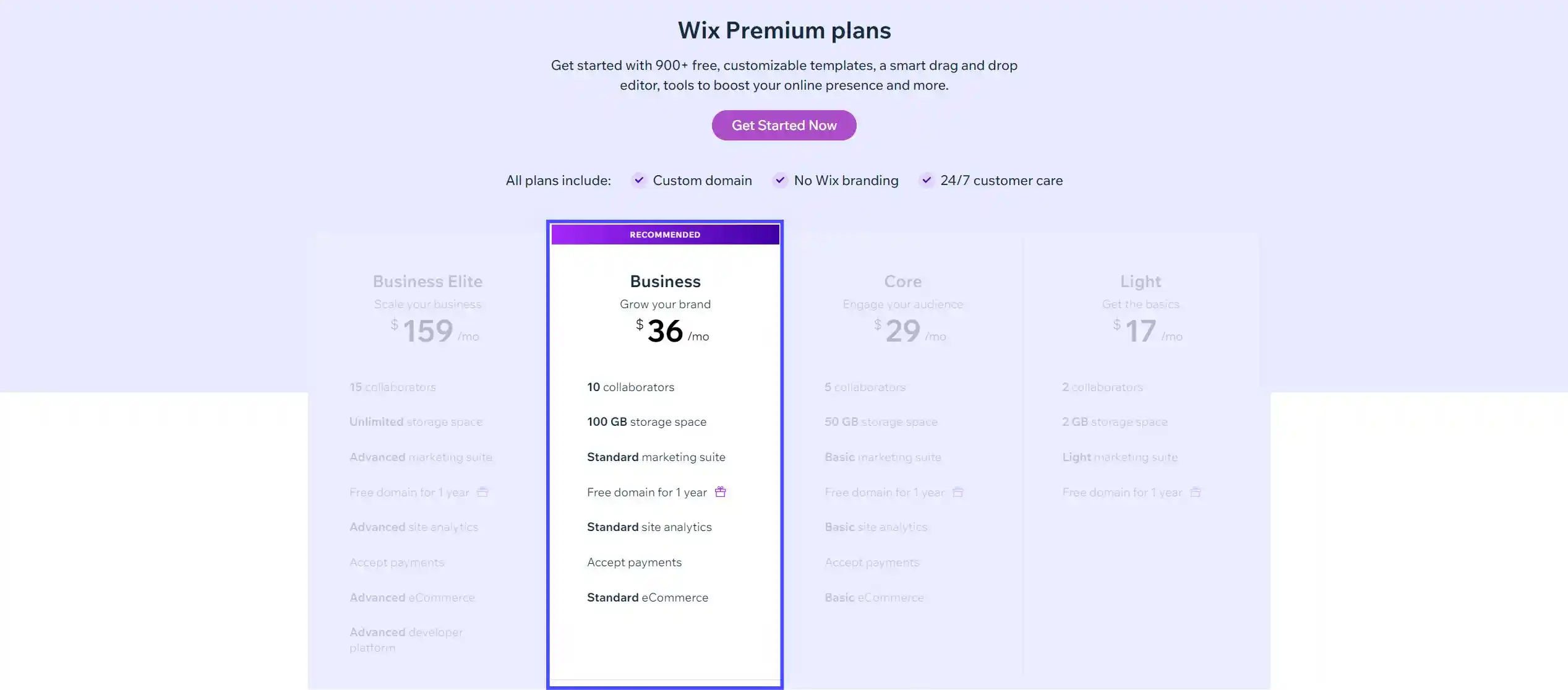
At $36/month, the Wix Business plan is the most recommended plan for growing online stores, delivering a meaningful upgrade over the Core plan for just $5 more. It includes everything in Core, along with enhanced premium features designed to support scalable operations. Key features of the Wix Business plan include:
- 10 collaborators
- Standard site analytics
- 100 monthly transactions for automated sales tax calculation with the most current rates across the U.S., EU, and the world.
- 250 dropshipping products by Modalyst
- 100GB storage space
A key advantage is the improved site analytics, which provide actionable insights into traffic sources, customer behavior, and purchasing patterns helping businesses optimize performance and make more informed decisions.
For small to mid-sized stores, the Business plan offers sufficient capabilities to operate and grow effectively. For those seeking broader expansion, the Elite plan provides access to more advanced opportunities in the online market.
5. Wix Business Elite Plan ($159)
➤ Best for: Online retailers requiring unlimited resources for massive scale.
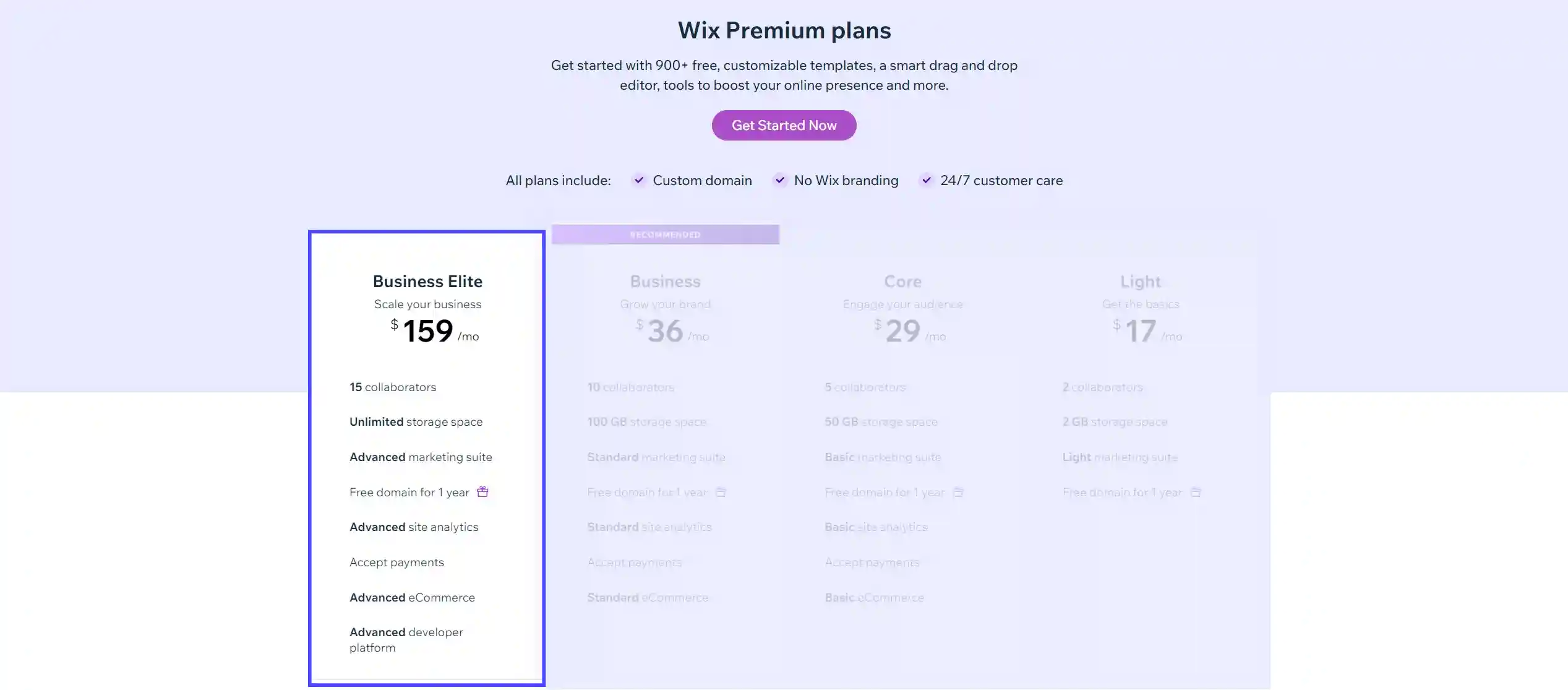
You can get this premium tier at the cost of $159/month. In this plan, you will see that all of Wix eCommerce functions have been optimized to their best. They will help you build a truly elite eCommerce site.
Here are some of the prominent features of the Wix Business Elite plan:
- 15 collaborators
- Advanced site analytics & marketing suite
- Unlimited dropshipping products by Modalyst
- Unlimited storage space to handle a huge amount of web traffic per month.
- Limitless video hours on your website to increase users’ time on site.
To me, it seems that there are some extended benefits that make this pricing plan differ from the previous plan, including:
- Collecting and displaying 3,000 customer reviews.
- Automated sales tax calculation for up to 500 transactions/month.
- A loyalty program for users to get more sales from their current customers through coupons, points, and discounts.
The advanced analytics and customized integrations will give businesses strategic advantages for data-driven decision-making. Along with all the features above, this pricing plan will provide you with priority customer care. It helps you receive faster support from the Wix team after submitting your ticket.
However, the steep $159/month price does raise the bar considerably. While easily justifiable for businesses generating hundreds of millions in eCommerce, it likely exceeds budgets. In my view, Wix Elite grants the world-class infrastructure and tools to optimize online business without limit. However, its value is best reserved for global consumer brands.
6. Wix Enterprise Plan (Custom pricing)
➤ Best for: Enterprise-level businesses that need full customization and integration control.
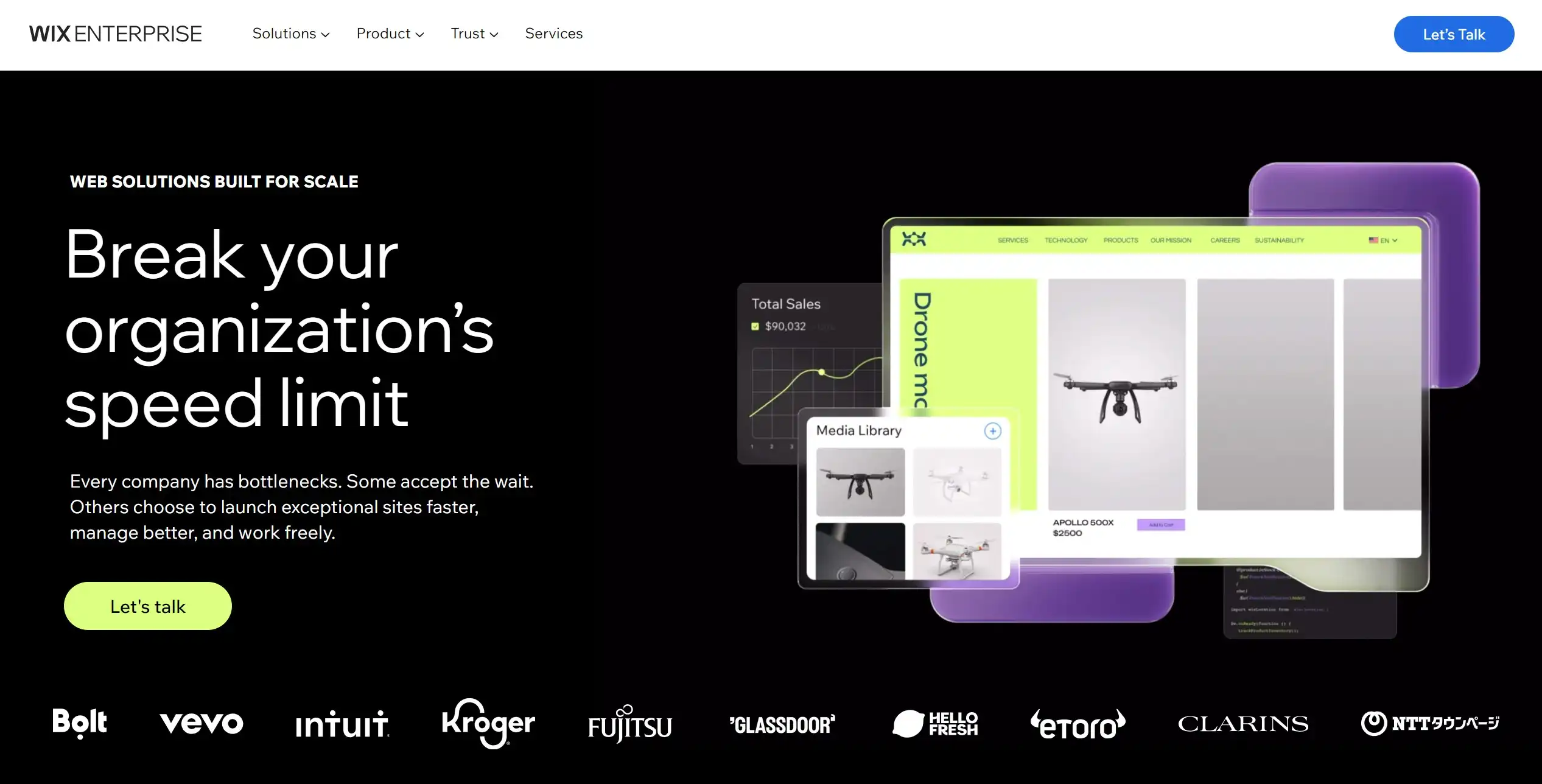
You need to contact the Wix Enterprise team to discuss the exact price. This Enterprise plan represents the highest tier of offerings from Wix, designed for companies managing digital presences at a truly massive scale. What stands out to me is the exceptionally customized and flexible nature of the solution. Here are some of the prominent features of the Wix Enterprise plan:
- A dedicated account manager from Wix.
- Unlimited website collaborators.
- Unlimited monthly transactions for automated sales tax calculation.
- Countless product reviews by KudoBuzz.
Wix Enterprise offers personalized templates, integrations, controls, and support tailored for complex businesses. This customization is crucial for large global brands managing vast digital systems. However, this also means that Enterprise requires substantial dedicated resources and budgets to configure and maintain. The plans are not off-the-shelf in any sense.
So, while the potential power and efficiencies it offers are unmatched, Enterprise is really only practical for the absolute online giants. Overall, Wix Enterprise grants exceptional freedom and control for digitally pioneering companies at the very pinnacle of global reach and complexity. But it comes at the steep price of extensive custom work and high costs.
7. Wix Studio (from $19 to $159)
➤ Best for: Professional designers, freelancers, and agencies who build and manage client websites.
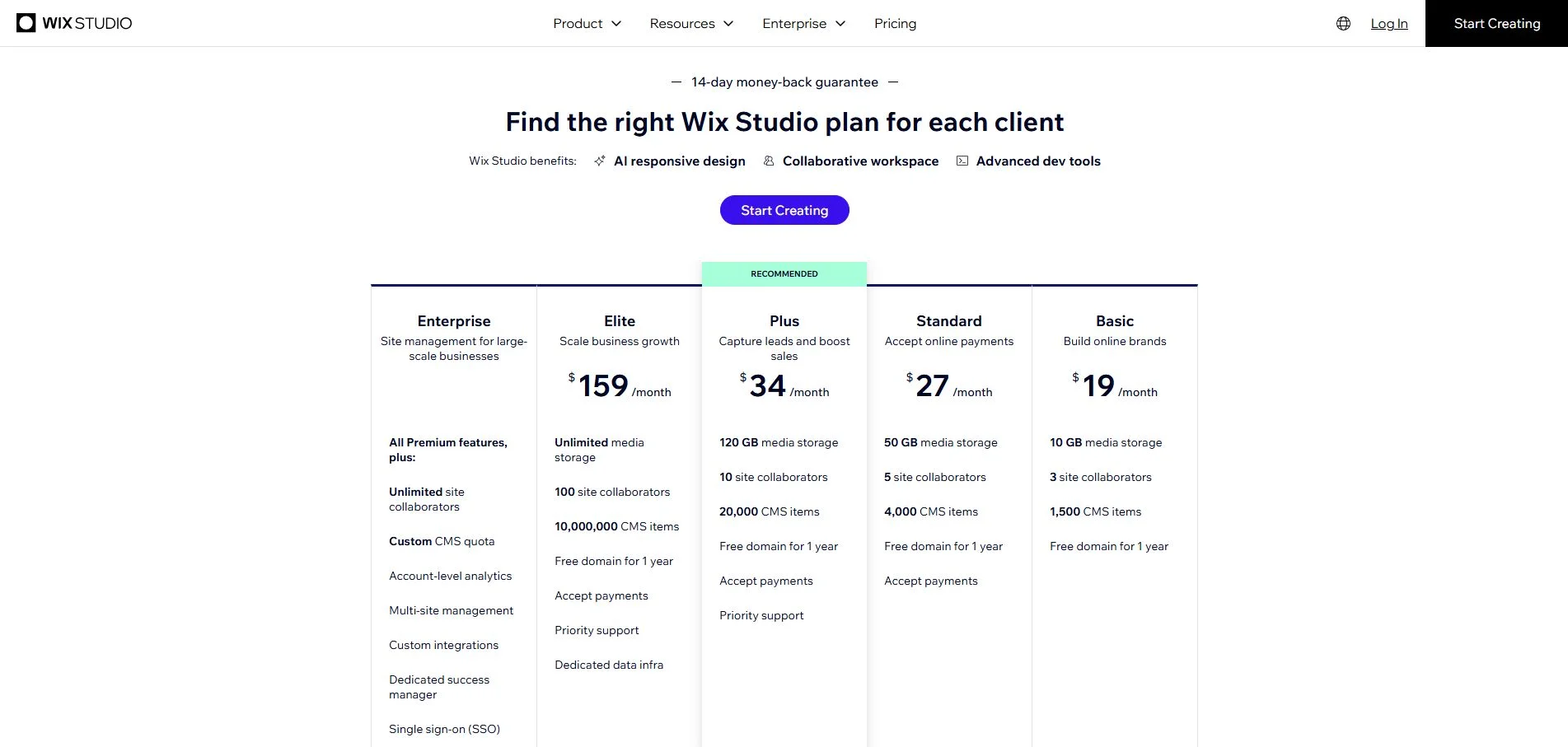
Wix Studio is a completely separate builder from Wix Classic, with its own plan lineup and its own editor. It is built specifically for design professionals and scaling teams, offering cutting-edge tools for creating high-performance, fully customizable websites while streamlining client collaboration and project management.
Please keep in mind that sites built in the Studio Editor require a Studio plan to upgrade, so it’s important to choose the right builder from the start.
1. Basic ($19/month)
The Basic plan is ideal for establishing an online brand presence. It includes all the fundamentals, plus 10GB media storage, 3 external site collaborators, and 1,500 CMS items. However, one major limitation stands out immediately. Sites on this plan cannot accept payments; that means no online store, no bookings, and no checkout of any kind.
From my point of view, the Basic plan works well for one specific use case: building a polished, ad-free portfolio or brand site for a client who sells elsewhere, such as on a marketplace or in person. If your client needs to take money online, skip straight to Standard.
2. Standard ($27/month)
Standard is the perfect solution for small businesses that accept payments, a must for clients with eCommerce, Subscriptions, Bookings, or Events sites. It includes 50GB media storage, 5 external site collaborators, and 4,000 CMS items. Sites on this plan and above can also add a POS integration to take payments in person.
The real muscle of the Standard plan comes down to eCommerce capabilities, advanced analytics, and client management tools. In essence, this plan covers the essentials without the overhead of the higher tiers.
3. Plus ($49/month)
Plus is best for medium and large businesses that need to accept payments and require a wider range of capabilities than the Standard plan. It includes 120GB media storage, 10 external site collaborators, and 20,000 CMS items.
The jump from Standard to Plus is primarily about scale. You get double the collaborator seats, five times the CMS items, and Priority Customer Care, which means faster response times when something breaks on a live client site. If you are managing three or more active client projects simultaneously, Plus starts to justify its price.
4. Elite ($159/month)
Elite is best suited to growing businesses looking to scale up. It includes unlimited media storage, 10,000,000 CMS items, 100GB of database storage, and dedicated data infrastructure. It also offers custom analytics reports and up to 100 external site collaborators.
In my view, the Elite plan is built for agencies, not individual freelancers. The 100 collaborator seats, dedicated data infrastructure, and custom reporting make it genuinely useful for teams running a high volume of complex, content-heavy client sites.
5. Enterprise (Custom pricing)
Much like the Classic Enterprise plan, Wix Studio Enterprise is fully tailored, built for large-scale businesses requiring agility and the ability to scale. Sites get all premium features, as well as unlimited site collaborators, a custom CMS quota, multi-site management, centralized billing, single sign-on (SSO), and a dedicated account manager.
This plan is not for the average agency. It is designed for organizations managing dozens or hundreds of websites under one roof, for example, franchise networks, large media companies, or enterprise marketing teams.
Additional Wix Fees You Should Not Ignore
When we first started our own website on Wix last month, there were more fees we had to cover besides paying for the Wix website costs.
1. Wix domain cost (~$14.95/year)
Domain is an essential fee you need to take into consideration when calculating Wix pricing. So, how much does a domain name cost on Wix? In Wix, we can have a website domain without paying a cent while using the free version of this platform.
However, owning a custom domain will help you enhance your brand credibility and make your website more memorable to customers. Therefore, we recommend changing to premium pricing versions of Wix to utilize the advantages of the custom domain.
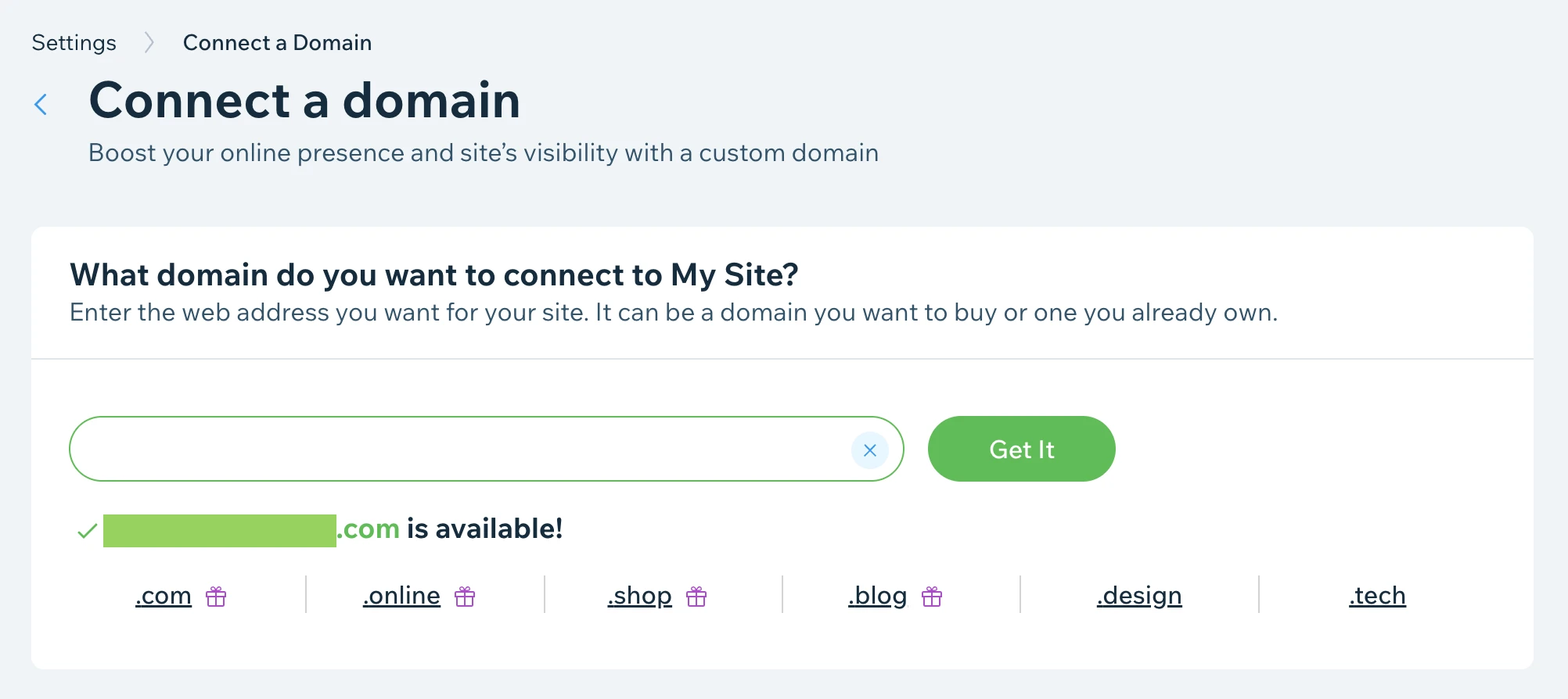
All the Wix paid versions allow you to use a custom domain for 1 year free if you pay annually and only start charging a fee afterward. In particular, it will cost you $14.95/year for a .com to maintain your custom domain on your Wix site.
Besides, you can also connect multiple domains to your Wix website.
2. Premium apps ($2.5 to $499.9 per month)
Secondly, there were app and extension costs. From our perspective, it’s clear that Wix has a huge ecosystem of third-party apps. You can integrate these extensions with your website to extend its capabilities.
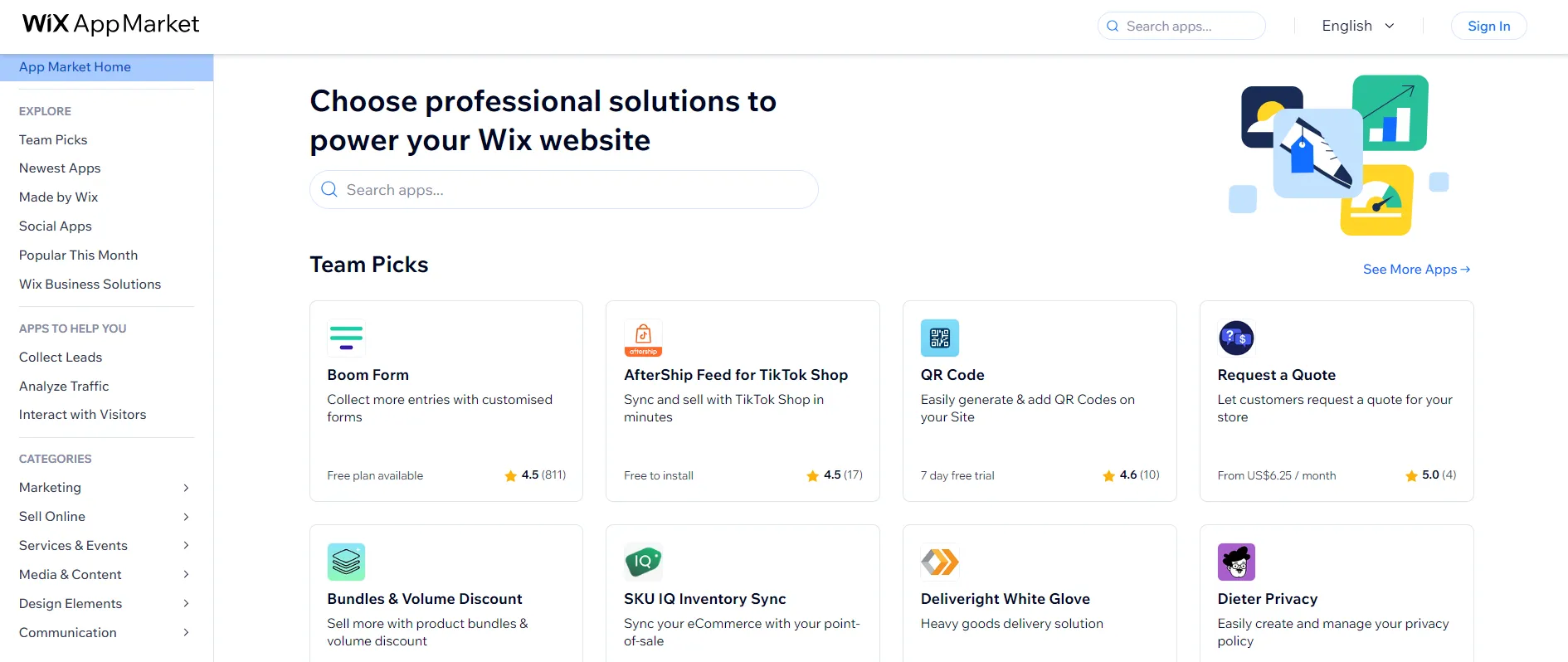
Particularly, Wix App Market provides a variety of tools ranging from eCommerce, marketing, design, and content etc. Many apps on this marketplace are free to use, while the pricing of paid apps will cost you from $2.5 to $499.9 per month.
3. Wix payments fee
Wix uses a transparent tiered fee structure that is competitive with other payment processors. You can receive clear monthly invoices and settlement reports that break down all fees charged at the transaction level. Wix charges a percentage rate plus a flat fee for each transaction processed. The default rates vary by currency/region but are typically in the 1.9-2.9% range. In addition to processing fees, you are charged a fee if a customer files a chargeback. These fees are standardized at the regional level, such as $15 USD.
If you, as a Wix merchant, dispute a chargeback claim and win, you’ll receive this amount of money back in your account. By refunding the chargeback fee for legitimate disputes, Wix encourages merchants to dispute false claims while also deterring excessive fraudulent disputes. And that’s what we truly love in Wix!
4. Wix POS pricing
If you’re planning on selling in-person, the cost of POS is important for the calculation of Wix pricing.
Wix POS is the all-in-one payment and inventory solution for your brick-and-mortar store. When customers make sales in your physical store, it will automatically sync the product and inventory information with your online store. Therefore, you can smoothly manage your entire business on both online and offline channels.
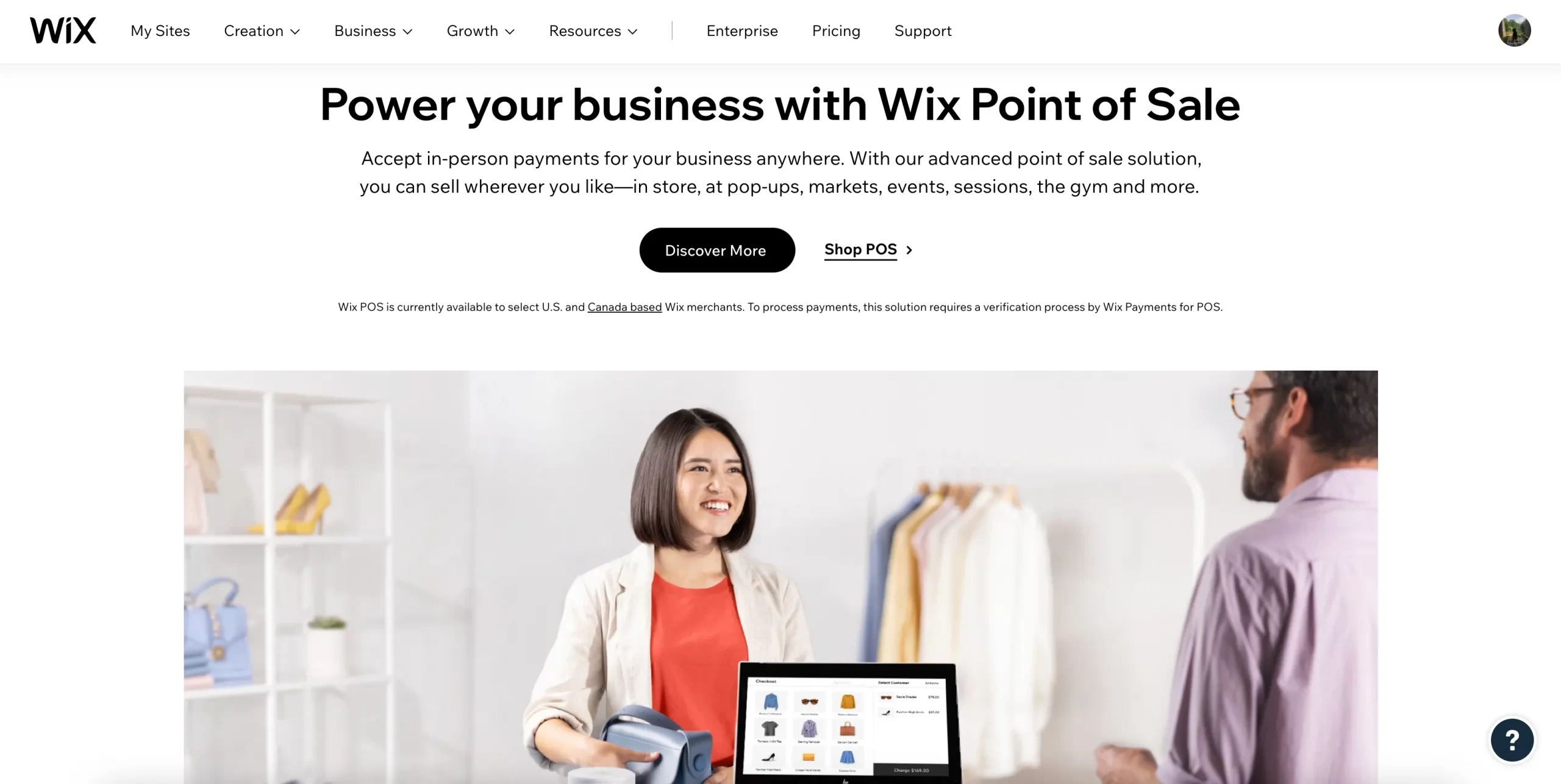
To make full use of this feature, we need to purchase the hardware integrated with the Wix POS software first. A full package of POS hardware will cost you $1495, and you do not have to pay any additional fees for the POS software. The transaction fee in the US will be 2.6% of the transaction amount. It should be noted that you have to get a Premium pricing plan to start accepting online payments on Wix POS. Once you start collecting payments, Wix will charge you a processing fee via Wix
Is Wix Worth Paying For?
Yes, Wix is totally worth investing in, especially for most small to mid-sized businesses. Wix pricing combines hosting, design, eCommerce, and marketing tools into one subscription, eliminating the need to stitch together separate services. From our testing, we believe Wix will deliver the strongest value if:
- You want a working website live within hours, not weeks
- You need eCommerce features without hiring a developer
- Your store processes a moderate volume of transactions, not enterprise-scale
- You value an all-in-one platform over piecing together separate tools for hosting, payments, and design
- You are comfortable with a 14-day money-back guarantee instead of an extended free trial
That said, in other scenarios, the pricing might not be the perfect fit, especially when your business is built around heavy customization, large product catalogs, or long-term platform flexibility; the trade-offs may outweigh the convenience. Full server access, custom systems, or advanced backend work are limited on Wix, and very large websites or complex operations may eventually outgrow the platform.
In short, Wix earns its price tag for the audience it was built for. It is not the right tool for every business, but for the segment it targets–small to mid-sized companies that want speed, simplicity, and a manageable monthly cost–it delivers true value.
How to Choose the Right Wix Plan
With seven plans across two builders, picking the right Wix plan is not always straightforward. From my experience working with multiple eCommerce platforms, the biggest mistake most people make is choosing based on price alone without first mapping their actual needs to what each plan delivers.
So before you commit to any plan, ask yourself these four questions.
- Do you need to sell online? If selling online is part of your goals, the Core plan ($29/month) is your minimum starting point. Everything below it is strictly for websites, not stores.
- How much automation do you need? If you are shipping across multiple states or countries regularly, the Business plan ($36/month) is worth the upgrade. The automated sales tax calculation alone saves hours of manual work each month.
- What is the scale of your operation? For most small to mid-sized eCommerce stores, the Business plan covers everything. Business Elite ($159/month) only starts to make sense when you are dealing with unlimited product volume, need priority support SLAs, or are running a loyalty program at scale.
- Are you a designer or an agency building for clients? If yes, Wix Studio plans are the right fit for you. It has a completely separate plan structure, built specifically around collaborative workflows, client management, and advanced design control.
Additionally, here is a simple decision framework to help you land on the right Wix plan fast:
- Just testing Wix with no budget: Free plan
- Personal website, portfolio, or blog with no selling: Light ($17/month)
- Online store with basic selling needs: Core ($29/month)
- Growing store needing tax automation and better analytics: Business ($36/month)
- High-volume store needing unlimited resources and priority support: Business Elite ($159/month)
- Large corporation needing custom integrations: Enterprise (custom pricing)
- Designer or agency building client sites: Wix Studio ($19–$159/month)
How to Optimize Wix Costs – Best Practices
Wix is a highly versatile website builder, but its costs can quickly add up if you do not manage your expenses carefully. Here are some practical tips to help you save money while using Wix.
1. Choose the suitable Wix pricing plan
Before committing to any Wix subscription, take the time to carefully compare all available plans and ensure that you are selecting the one that best suits your needs. While it may be tempting to opt for a more expensive plan with additional features, many users end up paying for tools they never actually use.
By choosing the right plan from the start, you can avoid unnecessary expenses and ensure that you are only paying for the features that truly benefit your website.
2. Look for Wix discounts and promotions
One of the easiest ways to reduce your costs is to take advantage of discounts and special promotions that Wix frequently offers. The company often provides limited-time deals, especially during major shopping seasons such as Black Friday, Cyber Monday, and New Year’s sales. These discounts can significantly lower the cost of an annual subscription, making it much more affordable than paying the regular monthly rate.
3. Avoid unnecessary premium apps
While Wix provides a wide range of premium apps that can enhance your website’s functionality, it is important to evaluate whether you truly need them before making a purchase. Many premium apps come with recurring subscription fees, which can add up over time and significantly increase your overall Wix costs.
Therefore, to ensure you are only paying for what you need, regularly review your active app subscriptions and remove any that do not add significant value to your website.
4. Be strategic about your custom domain registration
One of the advantages of upgrading to a Wix Premium plan is that it includes a free custom domain for the first year. However, once the free period ends, Wix charges a renewal fee, which may be higher than what some external domain registrars offer.
To save money in the long run, you can purchase your domain from a third-party registrar, such as Namecheap or GoDaddy, where renewal prices are often lower. Then, simply connect your externally purchased domain to Wix instead of renewing directly through the platform. This small adjustment can help you cut down on your Wix pricing expenses over time.
5. Minimize Wix payment processing fees
If you are selling products or services through your Wix website, it is essential to consider the transaction fees associated with online payments. Wix charges processing fees for payments made through Wix Payments, PayPal, and credit card transactions, which can gradually reduce your profits.
To keep these fees as low as possible, compare different payment providers to find the most cost-effective option for your business. In some cases, third-party payment gateways may offer lower rates, so it is worth exploring alternatives before settling on a default payment processor.
Bonus Reading: Wix Pricing vs Competitors
So far, we have covered Wix pricing in full detail. But how does it actually stack up against the two biggest names in the website-building space, Squarespace and Shopify? Let’s break down the key details.
Wix | Squarespace | Shopify | |
Entry price for eCommerce | $29/month (Core) | $16/month (Basic) | $29/month (Basic) |
Mid-tier price | $36/month (Business) | $23/month (Core) | $79/month (Grow) |
Top standard tier | $159/month (Business Elite) | $99/month (Advanced) | $299/month (Advanced) |
Free plan | Yes | No | No |
Free trial | 14-day money-back guarantee | 14-day free trial | 3-day free trial + 3 months at $1/month |
Transaction fees | - 4% on Core plan - 2% on Business plan - 0% on Business Elite | - 3% on Business - 0% on Commerce Basic and Commerce Advanced | - 0% if you use Shopify Payments - Up to 2% if using third-party payment |
Storage | 2GB - Unlimited (depends on plan) | Unlimited on all plans | Unlimited on all plans |
Free domain for the first year | Yes (all paid plans, annual billing) | Yes (all paid plans, annual billing) | No–Must be purchased seperately |
Best for | Versatile websites and small-to-mid eCommerce stores | Design-focused businesses and creatives | Dedicated eCommerce stores at any scale |
Whichever platform you decide is right for your business, switching does not have to be stressful. Whether you are looking to migrate to Wix, move to Shopify, or transition to Squarespace, LitExtension – #1 eCommerce Migration Expert is ready to make the process smooth, secure, and worry-free. With 15 years of experience and more than 300,000 successful store migrations across 140+ platforms, our team handles everything from products and customers to orders, so you can focus entirely on growing your business.
Let Our Experts Handle Your Store Migration!
With the All-in-One Migration Service, our experts take care of everything, ensuring a seamless and stress-free migration.

Wix Pricing – FAQs
What is the cost of using Wix?
Wix offers a free forever plan and four premium tiers ranging from $17 to $159 per month when billed annually. Besides, if you are a designer or agency, Wix Studio plans run from $19 to $159/month separately. Both approaches come with Enterprise plan that offers custom pricing, so you can negotiate the price as you grow.
Does Wix charge transaction fees?
Yes, Wix charge a transaction fee at 4% on the Core plan and 2% for the Business plan. However, if you choose the highest tier Business Elite, this transaction fee will be elimiated.
Is Wix permanently free?
Yes, Wix does offer a free plan with no time limit so you can build and publish a website without spending a cent. However, the free plan comes with notable restrictions, such as strict storage limits of 500MB, no eCommerce features, Wix branding displayed on your site, and no Google Analytics integration. In our opinion, this free plan works for personal projects and testing ideas, but it is not suitable for running a business or an online store.
Is Wix worth paying for?
For most small to mid-sized businesses, yes, Wix is worth paying for. This platform offers a drag-and-drop editor, 2,000+ professionally designed templates, a suite of AI features, and essential eCommerce functionalities, all in under one roof.
Final Words
We hope this breakdown has given you everything you need to make a confident decision on Wix pricing. If you found this guide helpful, head over to the LitExtension Blog and LitExtension Resources for in-depth comparisons, platform reviews, eCommerce tips, and migration guides.