Choosing between nopCommerce vs Magento often comes down to how much complexity and cost you’re willing to handle. Each platform takes a very different approach, so the right choice depends on your business goals and resources.
In this guide, we’ll break down the key differences between Magento vs nopCommerce so you can make a clearer and more confident decision:
Criteria | Magento | Shopify | Winner |
Lower upfront and ongoing costs, no license fees | Higher costs due to development, hosting, and optional licensing | nopCommerce | |
Easier setup, more beginner-friendly admin | More technical setup and steeper learning curve | nopCommerce | |
Good customization, but limited compared to Magento | Highly flexible with deep customization options | Magento | |
Many built-in features (multi-vendor, loyalty, etc.) | More extensible, but often requires modules | A tie | |
1,500+ plugins and integrations | 3,000+ extensions and a larger ecosystem | Magento | |
Strong security, simpler to manage | More advanced security ecosystem and enterprise support | Magento | |
Scalable for SMB to mid-sized businesses | Built for enterprise-level scalability and high traffic | Magento |
With all these insights from the table above, let’s break down each aspect in more detail!
Who Should Use nopCommerce vs Magento?
When store owners evaluate leading open-source Magento alternatives, balancing technical complexity against total operational costs becomes a primary consideration. nopCommerce was first released in 2008 and is a free, open-source eCommerce platform built on Microsoft’s ASP.NET Core framework. It is designed to be secure, scalable, and highly customizable, with a relatively straightforward setup. The platform supports multi-store and multi-vendor functionality, along with built-in tools for marketing, SEO, and payments.
nopCommerce is best suited for:
- Small to medium-sized businesses (SMBs).
- Merchants with a limited budget but long-term growth plans.
- Teams without strong technical resources.
- Stores with moderate traffic and standard eCommerce needs.
Also launched in 2008, Magento is an open-source eCommerce platform built on PHP. It focuses more on flexibility, giving you extensive control over your store’s design, content, and functionality. Thus, Magento is usually the top choice for building complex eCommerce systems.
The platform later evolved into Adobe Commerce, which offers multiple paid tiers with additional features and services. However, in this comparison, we are focusing on Magento Open Source vs nopCommerce.
Magento Open Source is best suited for:
- Medium to large businesses and enterprise brands.
- Companies with dedicated development teams or agency support.
- Stores with complex requirements (custom workflows, B2B, multi-store setups).
No matter which platform you choose in nopCommerce vs Magento, you can always rely on us to handle the migration smoothly. We support seamless data migration to both platforms, so you can move forward with confidence.
Store Migration Made Easy With LitExtension!
LitExtension offers great migration solutions that help you transfer your data from the current eCommerce platform to a new one accurately, painlessly with utmost security.

Total Cost (nopCommerce Wins)
The Verdict
Unlike heavy enterprise-tier licensing evaluated in Oracle Commerce vs Magento, open-source software avoids steep initial subscription tiers. When it comes to nopCommerce vs Magento, nopCommerce clearly wins on pricing. It offers lower upfront costs, more affordable development, and a more predictable total cost of ownership compared to Magento.
Both nopCommerce vs Magento are open-source platforms, meaning you can download and use them for free. However, running a real online store involves many additional costs beyond the initial setup. To better understand the difference in total investment, let’s break down and compare these costs side by side.
Cost factor | Webador | Wix |
Platform license | $0 (free) | $0 (Open Source) |
Domain & SSL | $10 – $100/year | Domain: $10 – $400/year; SSL: $5 – $300/year |
Hosting & infrastructure | $20 – $2,500+/month | From $100/year to $500+/year |
Themes & design | $0 – $499+ (one-time) | $0 – $10,000 |
Plugins & extensions | $0 – $999+ (one-time) | $60 – $600 per extension |
Initial development | $3,000 – $250,000+ | From $1,800, typically $10,000+ |
Ongoing development | $20 – $100/hour | $50 – $140+/hour |
Maintenance & support | $100 – $2,500+/month | $50 – $140+/hour |
Payment processing | ~2% – 3% per transaction | ~2.9% + $0.30 per transaction |
Marketing & SEO | $800 – several thousand/month | $10,000 – $40,000/year |
Total cost | - Startup / MVP store: $3,000 – $10,000 | - Startup / small store: $10,000 – $40,000+ |
What stands out here is how quickly Magento’s costs scale as your requirements grow. In contrast, nopCommerce stays more controlled and predictable, especially in the early and mid stages of your business.
Ease of Use (nopCommerce Wins)
The Verdict
Much like analyzing Adobe Commerce vs Shopify for cloud-hosted simplicity versus deep backend control, administrative usability directly affects team onboarding. nopCommerce is the more approachable option thanks to its simpler setup and more straightforward admin experience.
Getting started with nopCommerce is relatively straightforward, especially if you use the precompiled “no source” package. You just need to upload the files to your hosting, access your store URL, and complete a short installation form. Once that’s done, you’ll be given access to the admin panel to begin setting up your store.
From there, nopCommerce provides a structured guide that walks you through key steps like configuring payments, shipping, taxes, and building your product catalog. All of your day-to-day tasks, such as managing products, orders, customers, and content, are handled within a single web-based dashboard.
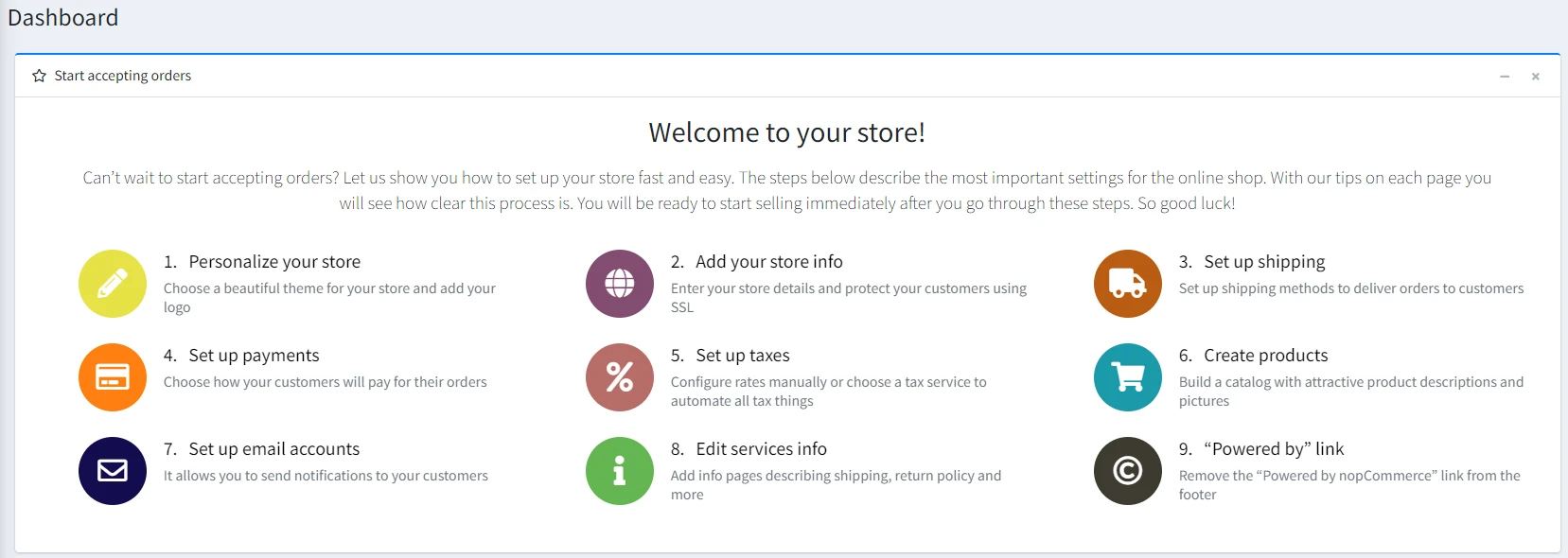
That said, the platform does come with a learning curve. The admin area includes many settings and configuration options, which can feel overwhelming at first. To make things easier, it’s best to follow the guided setup step by step and only configure what’s necessary in the beginning.
Moving on to Magento, the setup process is more technical than nopCommerce. You can use one-click installers to launch a basic store, but the proper setup usually involves tools like Composer and server configuration. This makes it less beginner-friendly, especially if you don’t have a technical background.
Once the store is up and running, things become easier. The admin panel is well-organized, and features like Page Builder let you design pages without coding. After some onboarding, you can manage products, orders, and content from the dashboard. However, compared to nopCommerce, Magento still requires more technical knowledge overall, especially for setup and maintenance.
Design Flexibility (Magento Wins)
The Verdict
As seen in lightweight comparisons like Opencart vs Magento, template architecture dictates how easily frontend layouts can be overwritten. Magento clearly takes the lead in nopCommerce vs Magento here, thanks to its deeper customization capabilities and full control over design and layout.
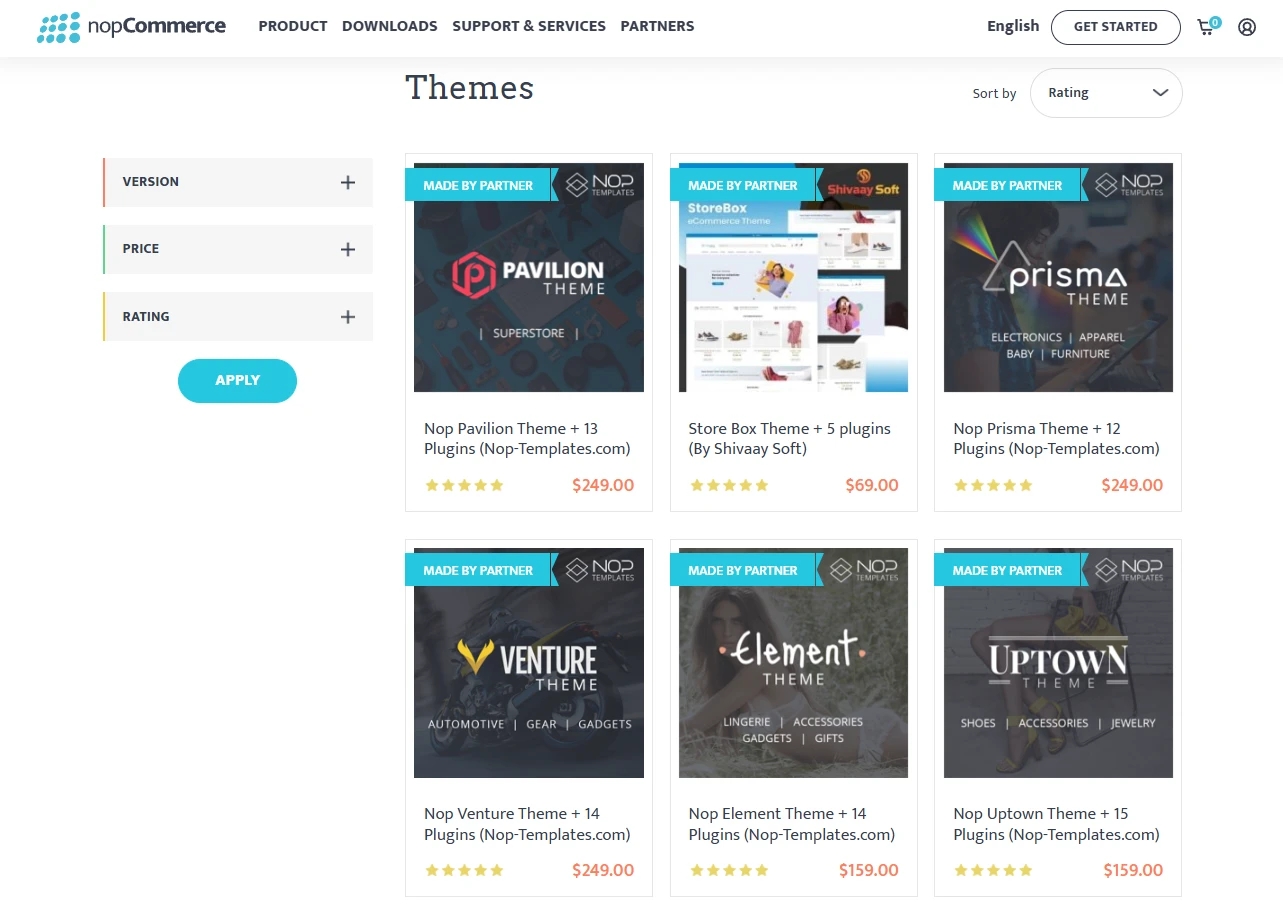
If you don’t know where to start with design, nopCommerce already gives you a good head start. It has an official theme marketplace with around 70+ themes, including both free and paid options. Many paid themes come as bundles, so you also get features like mega menus, filters, or sliders.
From there, you can customize things quite easily at a basic level. You can update your logo, favicon, media settings, or adjust header and footer content directly from the admin.
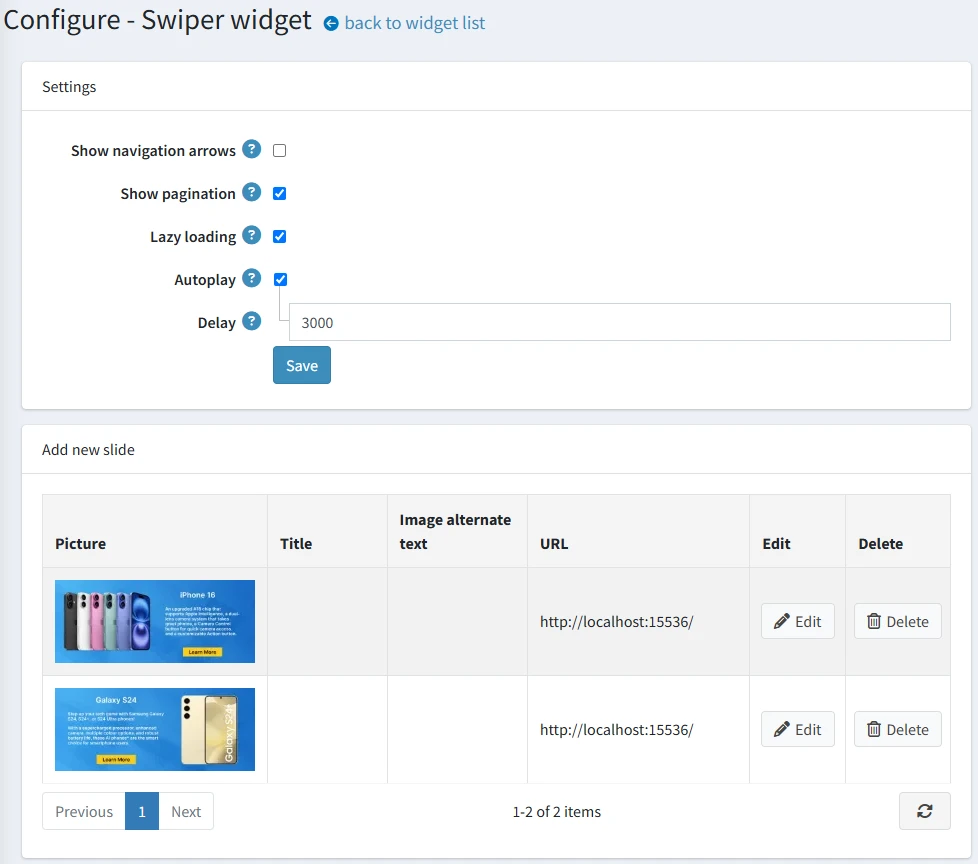
However, if you want to change layouts or tweak how elements are displayed, you will still need some knowledge of HTML and CSS. For deeper customization, developers can edit layouts, styles, and use widget zones to control content placement.
Even though Magento also has an official marketplace for themes, the selection is quite limited (under 10 themes). In practice, most merchants tend to stick with the default themes or use third-party sources like ThemeForest rather than relying on the official marketplace.
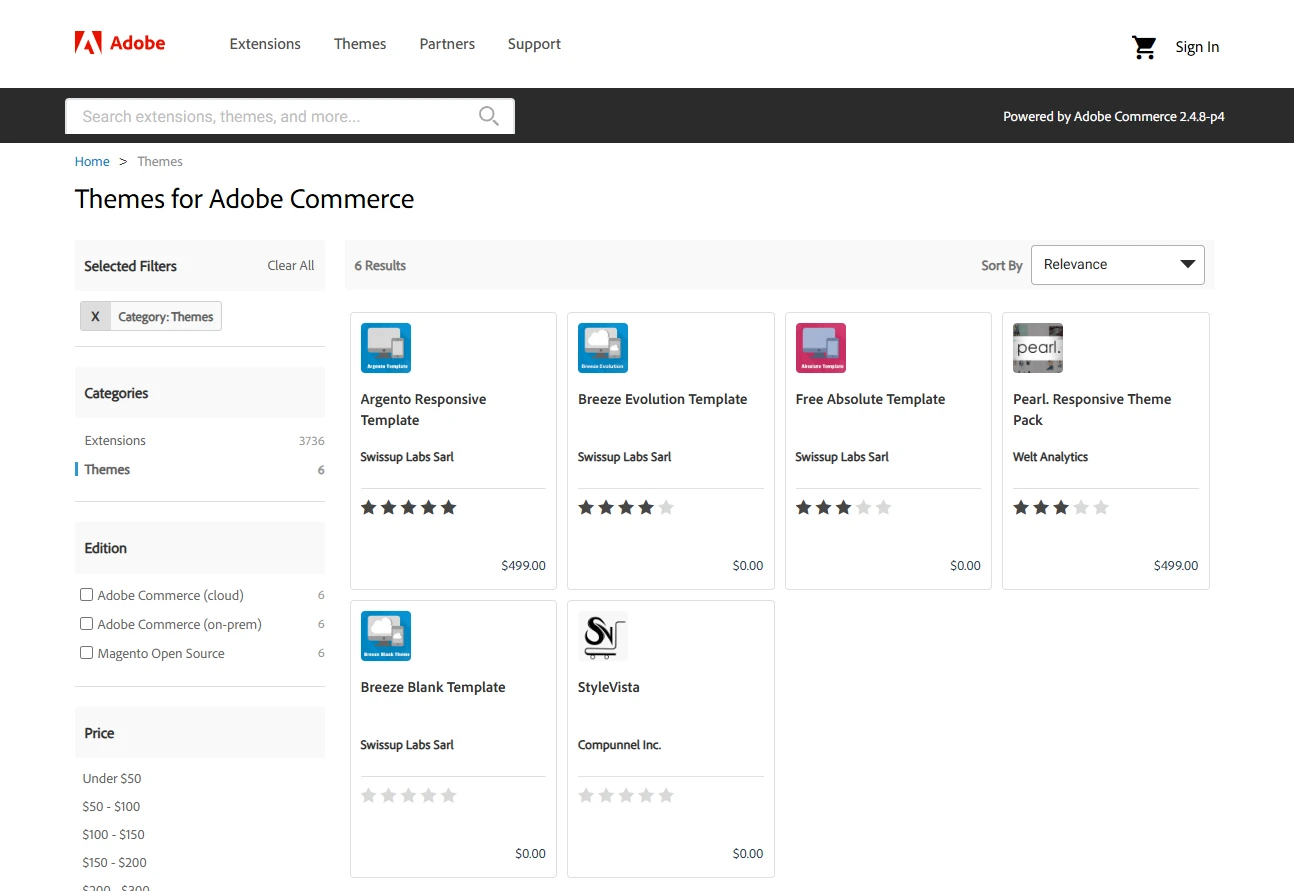
Compared to nopCommerce, Magento offers much deeper control over design. Its theme system is built on inheritance, so you can start from core themes like Blank or Luma and override layouts, templates, or assets at a very detailed level. You can adjust almost everything, from colors and typography to product pages and checkout flows.
In addition, Magento’s modular structure also lets you customize specific parts, like catalog or checkout, without affecting the rest of the store. This gives you full control over design, but be careful, as it requires strong technical skills to handle properly.
eCommerce Features (A Tie)
The Verdict
This is essentially a tie between nopCommerce and Magento. nopCommerce gives you more features out of the box, while Magento offers greater flexibility through its extension ecosystem.
To choose the right platform between nopCommerce vs Magento, you need to look at how each one actually supports your day-to-day selling. The table below breaks down their core eCommerce features so you can see which platform fits your business needs better.
Aspect | Webador | Wix |
Product & catalog | - Unlimited products - Rich catalog out of the box - Multiple product types (simple, grouped, bundled/kits, rental, recurring, downloadable, gift cards), attribute combinations with their own SKUs, per‑product ACL, and strong variant management. | - Unlimited products - 6 core product types (simple, configurable, bundled, grouped, virtual, downloadable), very flexible attribute sets and options. |
Inventory management | Multi-warehouse support with stock per location, low-stock alerts, backorders (built-in) | Advanced Multi-Source Inventory (MSI) with multiple locations, reservations, and complex stock logic |
Multi-store | - Single admin for multiple storefronts, each with its own catalog, domain, language, currency, tax rules, and theme - Generally easier for non‑specialist teams to manage. | - Multi‑website, multi‑store, and store‑view hierarchy from one backend - Granular per‑scope config (website/store/view) but steeper learning curve for everyday admins. |
Multi-vendor | Built-in multi-vendor system (vendor accounts, commissions, product management) | Not available by default; requires third-party extensions |
Marketing & promotions | Discounts, coupons, gift cards, reward points, affiliate program, newsletters, reviews | Coupons, price rules, reviews; loyalty and affiliate features require extensions |
Customer & account features | - Customer roles, segmentation rules, custom fields, wishlists, product comparison, GDPR tools, plus basic account‑based pricing - Advanced segmentation and CRM‑style functions usually added via plugins. | - Customer accounts, wishlists, product comparison, customer groups, and order history dashboards built in - Segmentation and CRM‑like views mostly rely on extensions or external tools. |
B2B features | Tier pricing, roles, ACL; suitable for SMB B2B with plugins for advanced workflows | Tier pricing, customer groups; advanced B2B workflows require extensions |
Payments & shipping | 50+ payment and shipping integrations via core and plugins, covering most SMB needs | 300+ payment and shipping integrations via marketplace extensions |
Reporting & analytics | Built-in reports (sales, orders, customers, tax); deeper analytics via plugins | Built-in reports; advanced analytics typically via extensions or external tools |
Overall, both platforms, nopCommerce vs Magento, are fully capable of supporting a complete eCommerce operation. The right choice depends on whether you prefer more built-in features or a more flexible, extension-driven approach.
Third-Party Apps Integration (Magento Wins)
The Verdict
Unlike fully integrated ERP suites compared in Odoo vs Magento, standalone open-source engines rely heavily on third-party modules. For nopCommerce vs Magento, Magento takes the lead here thanks to its larger ecosystem and wider range of ready-made integrations. nopCommerce is still flexible and capable, but Magento offers more options for complex setups.
nopCommerce offers a solid ecosystem through its official marketplace, with 1,500+ integrations, plugins, and themes from nearly 300 vendors. You can find solutions for most common needs, including payments, shipping, marketing, SEO, customer management, etc.
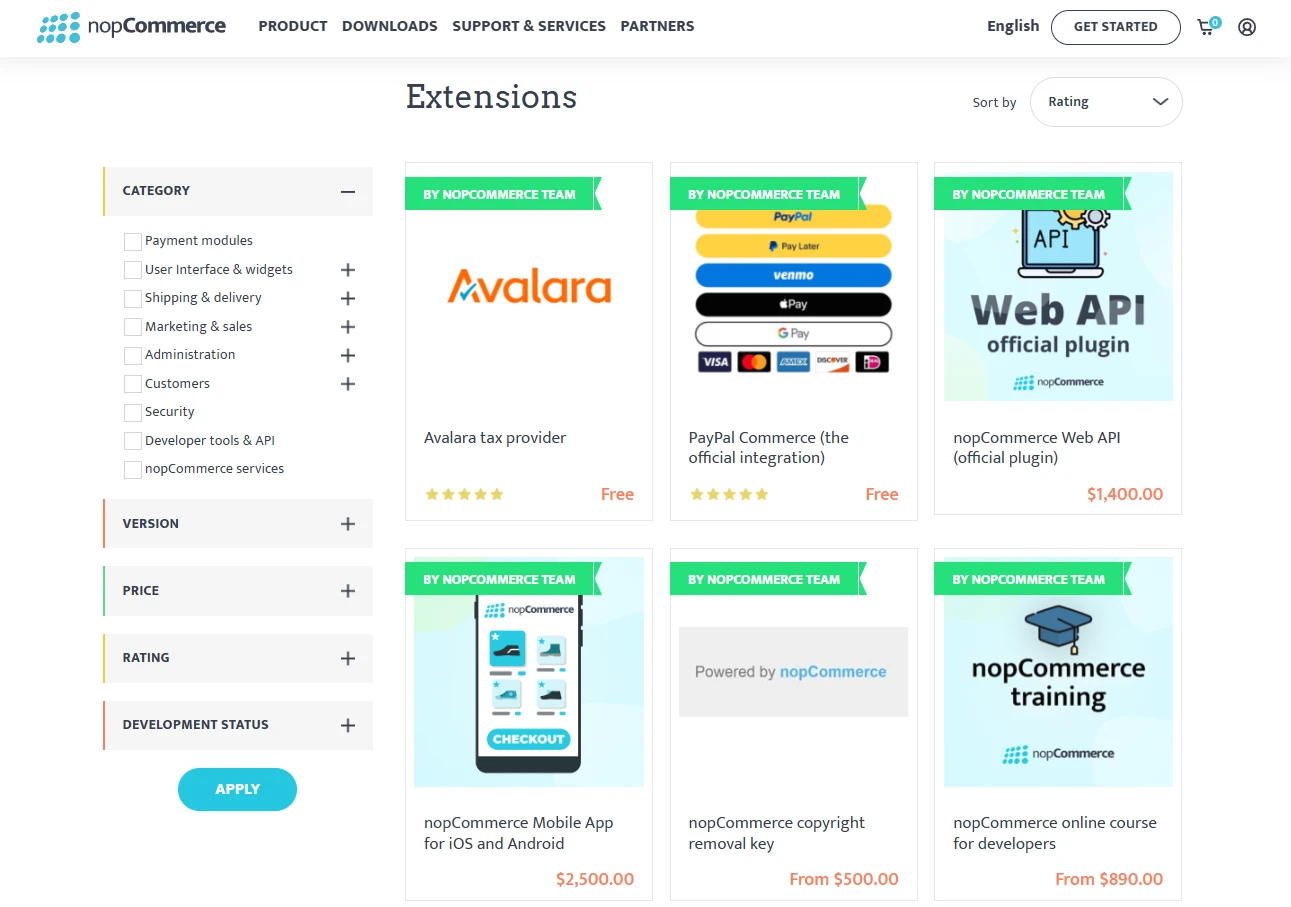
If a specific integration is unavailable, nopCommerce still offers flexibility. The platform is built on a plugin-based architecture and supports API integrations, enabling developers to connect it to systems such as ERP, POS, accounting, or loyalty platforms.
As for Magento, the ecosystem is even larger. Its official marketplace offers 3,000+ extensions and templates, covering payments, shipping, tax, ERP/CRM, marketing, search, and UX.
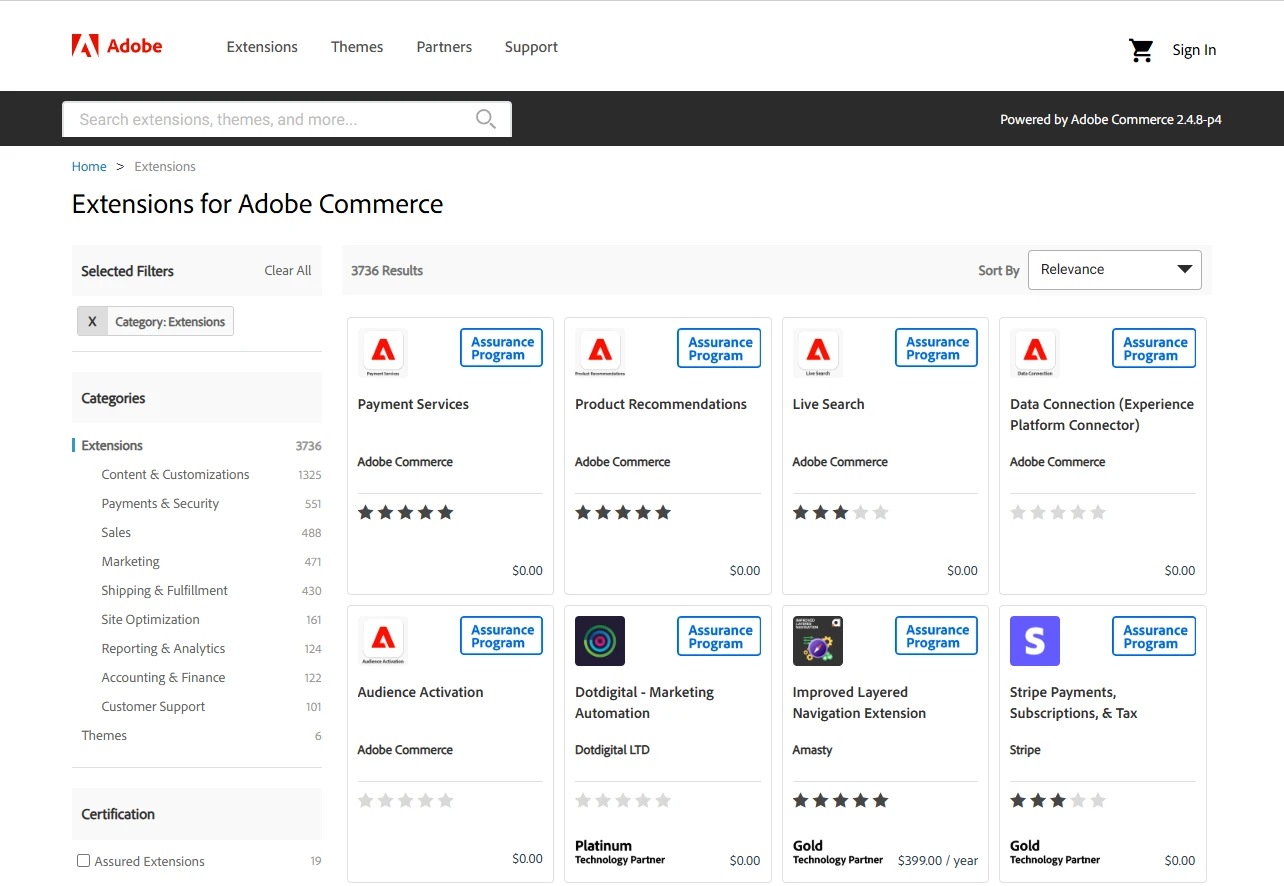
If a specific integration is not available, Magento is just as flexible. You can build custom modules or connect via APIs to integrate almost any third-party service. Its architecture is highly extensible, but making the most of it usually requires stronger development resources to build and maintain those integrations.
Security & Support (Magento Wins)
The Verdict
Similar to enterprise content framework debates in Magento vs Drupal, proactive security scanning and access control policies are essential for protecting store data. Magento comes out stronger in nopCommerce vs Magento, especially if you need advanced security layers and dedicated support options at scale.
nopCommerce is built on ASP.NET Core, so it benefits from Microsoft’s security foundation. This includes protections against common threats like XSS and CSRF, along with secure session handling and input validation. On top of that, it comes with built-in features like SSL enforcement for sensitive pages, configurable password policies, anti-spam tools, and support for two-factor authentication.
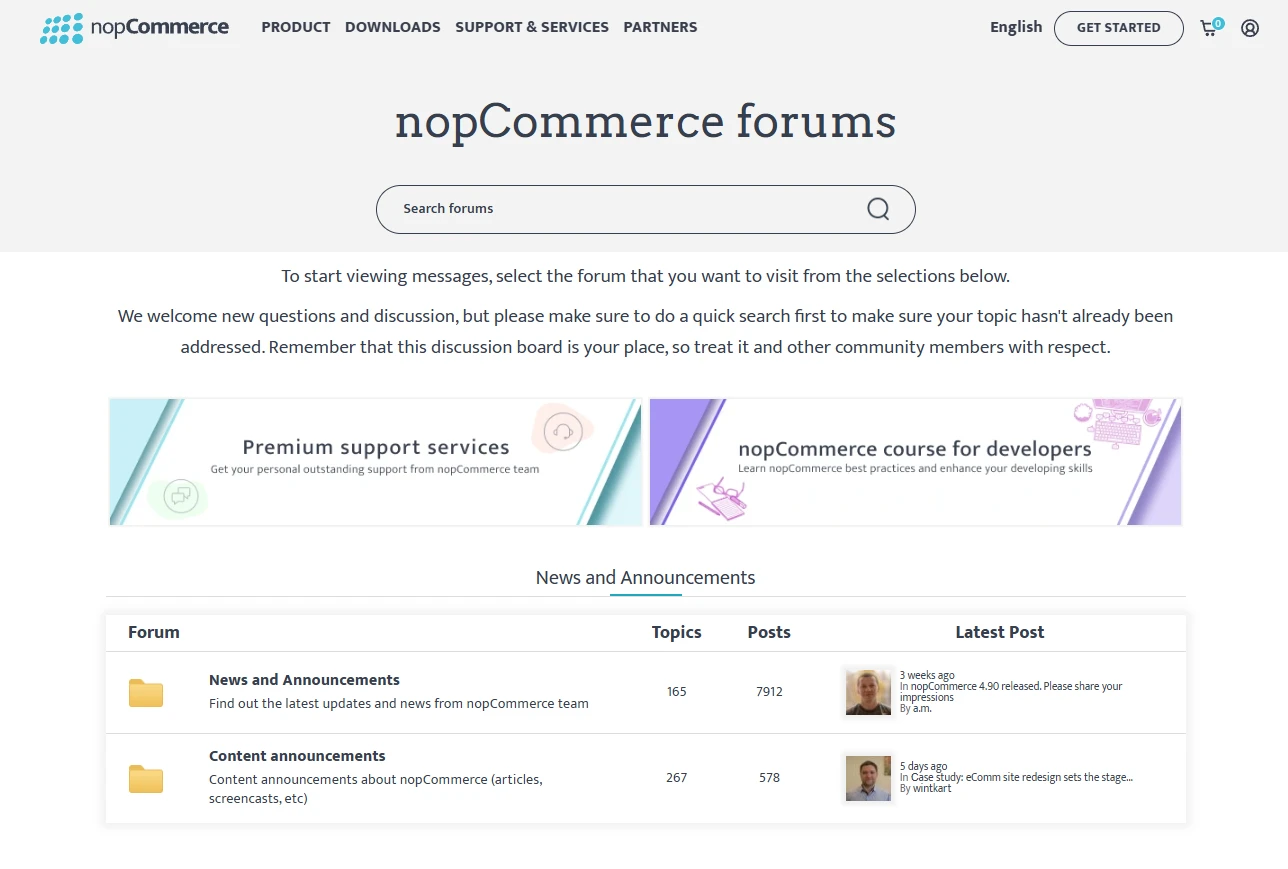
For support, nopCommerce provides free documentation (including dedicated security settings and GDPR sections), active community forums with security discussions, official premium support with 24‑hour response from the core team, and a vetted partner network for audits, monitoring, and long‑term maintenance.
Magento Open Source, by contrast, has a long‑running, very active security lifecycle but demands more hands‑on management from store owners and agencies. Adobe regularly publishes security bulletins and patches (for example APSB26‑05 in March 2026), and staying secure depends on keeping your Magento instance and extensions fully patched.
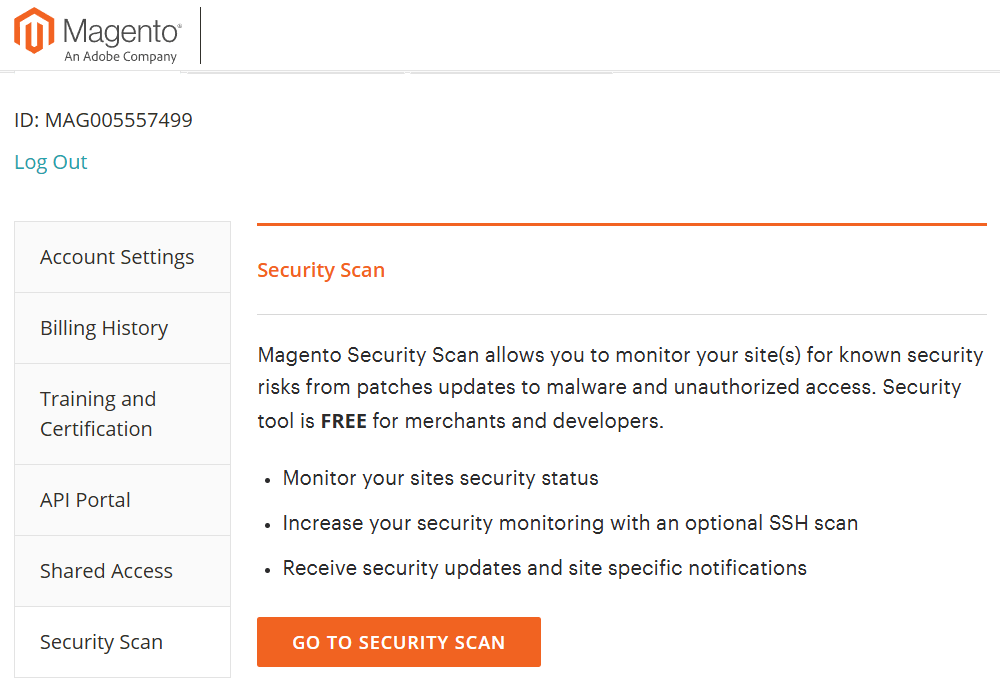
The platform also offers a free Magento Security Scan Tool for both Magento Open Source and Adobe Commerce that runs 21,000+ tests, checks for missing patches, known malware signatures, and risky configurations, and alerts you when issues are found. In addition, Magento encourages best practices such as full‑site HTTPS, strong admin access controls, and secure API integrations, which are reinforced by community standards and tooling.
On the support side, Magento Open Source relies on a combination of official resources and external support. You get detailed documentation and security advisories from Adobe, along with an active global community for guidance. For more advanced needs, many businesses work with certified agencies that handle patching, monitoring, performance, and incident response.
Technology Stack & Scalability (Magento Wins)
The Verdict
As highlighted in modern European commerce discussions like Shopware vs Magento, high-concurrency architecture and advanced caching layers determine long-term growth potential. If scalability is your priority in nopCommerce vs Magento, Magento is the stronger choice thanks to its more powerful architecture and ability to handle large-scale growth.
nopCommerce is built on ASP.NET Core, which makes it a solid choice if you’re already working within the Microsoft ecosystem. It works well with technologies like SQL Server and integrates easily with other Microsoft tools. Performance is generally stable, and the platform can handle small to mid-sized stores without much trouble.
From a scalability standpoint, nopCommerce can absolutely grow with your business: you can scale vertically by moving to more powerful servers and horizontally using web‑farm setups, load balancers, and distributed caching. However, reaching high‑traffic or enterprise‑level scale typically requires careful architecture design, specialized hosting, and experienced .NET developers to configure caching, SQL optimization, and deployment pipelines.
Magento Open Source, on the other hand, runs on a more complex but highly battle‑tested stack based on PHP, MySQL/MariaDB, and additional services like Elasticsearch/OpenSearch, Redis, and Varnish for full‑page caching. This makes it heavier, but also more powerful when handling large catalogs and high traffic. It also supports headless architecture, so you can connect it with modern frontends like PWA or custom apps.
When it comes to scalability, Magento is built to handle large-scale growth from the start. It supports multiple stores, high order volumes, and complex operations with the right infrastructure. You can scale using cloud hosting, load balancing, and CDN setups. Compared to nopCommerce, Magento is better suited for fast-growing or enterprise-level businesses.
nopCommerce vs Magento: Pros & Cons
To sum up everything in this nopCommerce vs Magento comparison, we’ve put together a quick pros and cons table below. This will help you review the key points at a glance and make your decision more easily.
nopCommerce | Magento | |
Pros | • Lower total cost of ownership with no licensing fees | • Highly flexible and customizable |
Cons | • Limited design flexibility compared to Magento | • Higher total cost (development, hosting, maintenance) |
nopCommerce vs Magento: FAQs
What is the difference between Magento and nopCommerce?
The primary difference between nopCommerce and Magento is the underlying technology and target audience. nopCommerce is a .NET-based, user-friendly platform ideal for SMBs seeking cost-effectiveness. Magento (Adobe Commerce) is a PHP-based enterprise solution designed for massive scale and deep customization, requiring a higher technical budget.
Which is easier to use: nopCommerce or Magento?
nopCommerce is significantly easier to use due to its intuitive administration interface and simpler installation process. While Magento offers more granular control, its steep learning curve and complex architecture usually require dedicated certified developers.
Is nopCommerce cheaper than Magento?
Yes, nopCommerce is generally cheaper than Magento. While both platforms are free to download, nopCommerce has lower development, hosting, and maintenance costs overall.
Can nopCommerce handle large-scale businesses like Magento?
While Magento is the industry standard for global, enterprise-level stores, nopCommerce is fully capable of supporting large-scale businesses. It features a pluggable architecture and supports web farms and load balancing, making it a viable, high-performance alternative for large catalogs without the Magento price tag.
Conclusion
Hopefully, this nopCommerce vs Magento comparison has helped you better understand the key differences between the two platforms. After all, there’s no one-size-fits-all answer in nopCommerce vs Magento.
nopCommerce is a better choice if you want something more cost-effective and easier to manage, while Magento is ideal if you need maximum flexibility, scalability, and have the resources to support a more complex system.
If you’re still exploring your options, feel free to check out our other eCommerce comparisons or join our community group to learn from real experiences and expert insights.