
Searching for honest Shift4Shop reviews to decide if it’s the right eCommerce platform for your business? You’re in the right place.
Shift4Shop is known for offering a cost-effective solution with a wide range of features. But beyond these advantages, how does it really perform to help your business thrive? We will share our experience and thoughts on the platforms in the following aspects:
- Pricing;
- Ease of use;
- Themes & website builder;
- eCommerce features;
- Apps & integration;
- Marketing & SEO tools;
- Security;
- Support.
Continue reading for more details!
What is Shift4Shop?
Shift4Shop is a feature-rich eCommerce platform that helps you build and manage your online store. You can easily create your website, sell products, accept payments, and handle shipping without having to rely on extra apps or upgrades.
The platform actually has a long history. It first launched in 1997 as 3dcart. Then in 2020, it was bought by Shift4 Payments, a payment processing company. After the rebrand, they introduced a special offer: if you’re in the U.S. and use Shift4 for payments, you can use Shift4Shop completely free.

Today, over 6,000 live websites use Shift4Shop (and formerly 3dcart), according to BuiltWith. That’s fewer than what you’ll see with giants like Shopify, but it shows there’s still a solid group of businesses that trust the platform.
Although 2025 hasn’t brought any major new features yet, the platform has continued to roll out valuable updates. These focus on performance enhancements and usability improvements to support modern merchants’ needs.
What are the Pros & Cons of Shift4Shop?
Before going further into our Shift4Shop reviews to see whether it is the right fit for your business, we recommend taking a closer look at both its strengths and limitations.
Here’s a simple breakdown:
Shift4Shop pros | Shift4Shop cons |
|
|
Need Help To Migrate to Shift4Shop?
LitExtension provides a well-optimized All-in-One migration service for your data transfer!

Shift4Shop Reviews: Pricing (4.6/5)
The Verdict: Shift4Shop stands out as one of the most cost-effective platforms, especially with its free plan for U.S. merchants. Even the paid option delivers strong value compared to competitors with similar features.
If cost is a major factor in your decision, Shift4Shop pricing is one of the most budget-friendly choices on the market. Their pricing range is divided into two main categories:
- U.S.-based merchants using Shift4 Payments;
- Merchants outside the U.S. or not using Shift4 Payments.
First, Shift4Shop offers a forever-free plan for U.S.-based merchants. There’s no time limit — this plan stays free for as long as you use their payment processing. By default, the free plan gives you access to a wide range of features that cover the basics of running an online store. This has already included:
- Unlimited products and bandwidth;
- Free SSL certificate;
- Free domain name;
- Free website themes.
But it gets even better. If you process at least $1,000 monthly through Shift4 Payments, you’re automatically upgraded to an enterprise-grade version — still at $0/month. This means that you are accessing these awesome features without paying a penny.
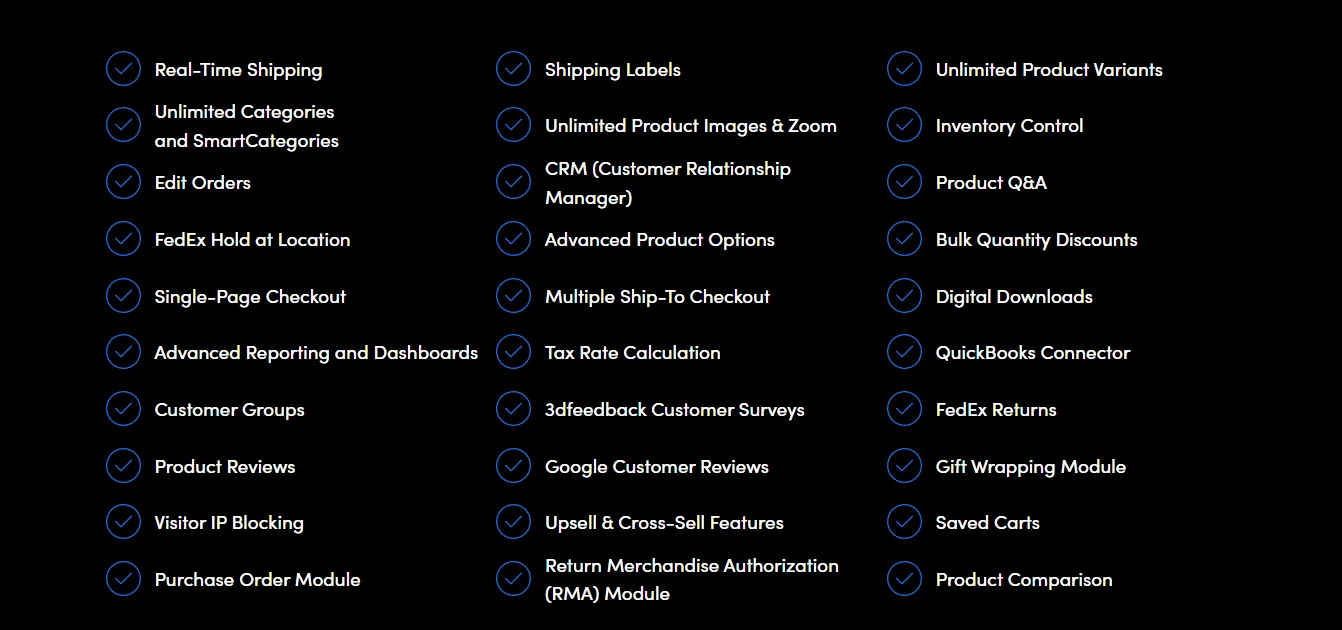
If you’re outside the U.S. or you’d rather not use Shift4 Payments, you’ll need to opt for Shift4Shop’s End-to-End eCommerce Plan. This paid plan starts at around $39/month and includes the same enterprise-level features mentioned previously.
Even then, it’s still a great value. Comparable features on other platforms, like Shopify’s higher-tier plans, can cost anywhere from $229 to over $2,000 monthly. Our Shift4Shop reviews show that you’re getting similar power and flexibility for a fraction of the price.
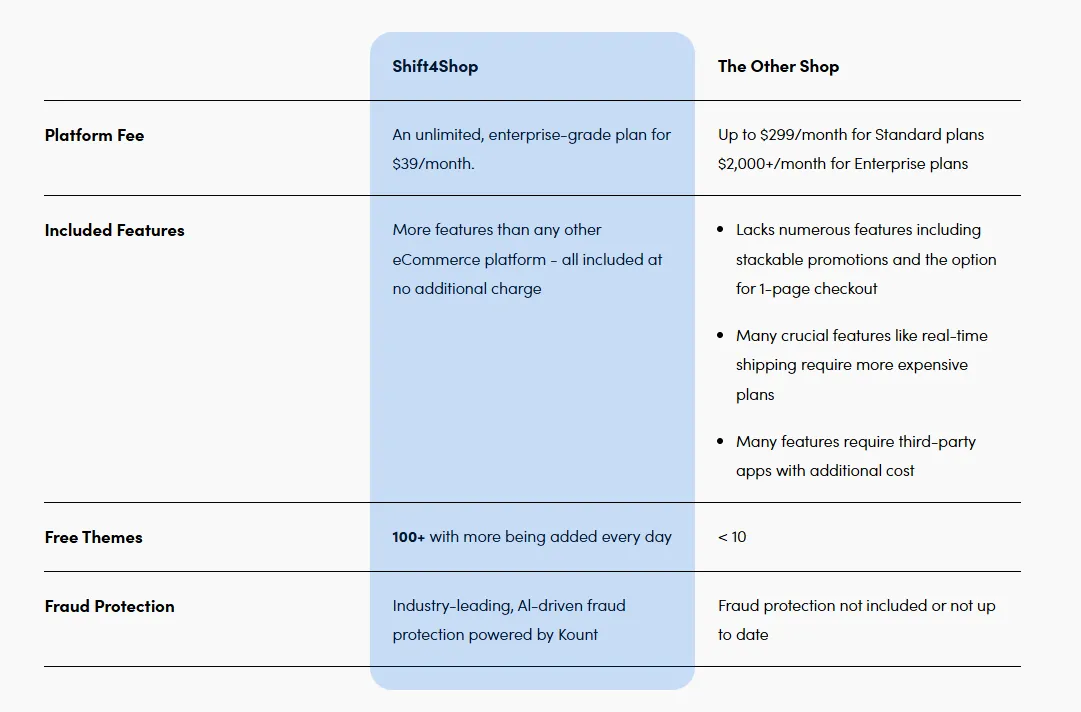
Finally, Shift4Shop does not charge transaction fees if you’re using their payment system, so you keep more of your profits with every sale.
Ease of Use (4/5)
The Verdict: The platform makes it easy to get started with a quick setup and intuitive structure. However, its slightly outdated interface and extra steps in some tasks may slow users down over time.
To continue the Shift4Shop reviews, we’ll take a look at the setup process and how easy it is to use the platform. It truly simplifies the setup process — just like they promise with their slogan: “Launch Your Business in 3, 2, 1…” Getting started is quick and straightforward, even if it’s your first time building an online store. The platform walks you through three simple steps:
- Step 1: Fill in your store name and choose your industry.
- Step 2: Pick a theme. You’ll get design recommendations that match the industry you selected, so you don’t have to start from scratch.
- Step 3: Enter your personal and business details.
Once you’re in, the dashboard gives a clean overview of your store’s activity, including orders, revenue, traffic, and conversion rates. Navigation is handled through a left-hand menu with sections like Orders, Products, Customers, Marketing, and more. Everything is where you’d expect it to be, making it easy to get the hang of things.
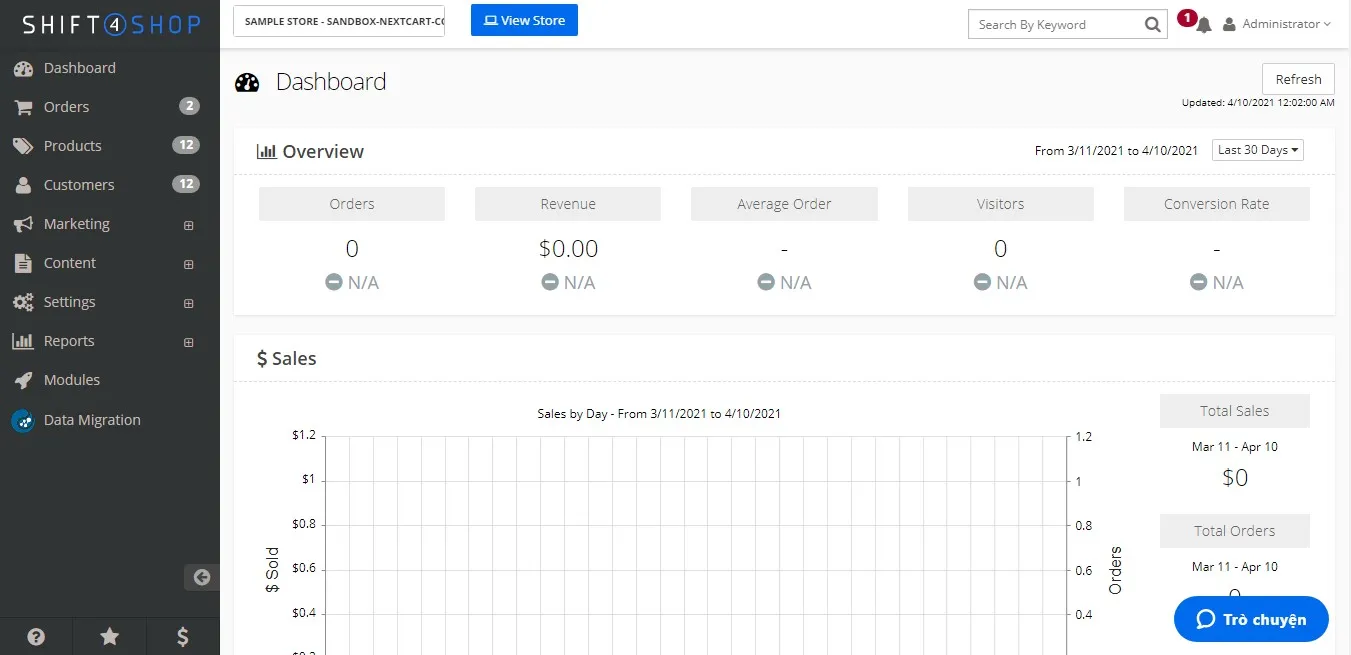
The only downside is the visual design — it feels a bit outdated, and some actions require extra clicks. But overall, Shift4Shop makes launching your store quick and simple, especially for beginners who want to skip the technical headaches.
Themes & Website Builder (3.8/5)
The Verdict: You get a generous selection of free, responsive themes, but the editing experience feels less streamlined than modern builders. It’s flexible, especially for developers, but not the most beginner-friendly.
Shift4Shop gives you access to 110+ free themes, all organized by industry — like fashion, electronics, home, and more. This is a big win for saving money, especially since some platforms charge extra for professional-looking designs. Every theme is fully responsive, so your store looks great on any device.
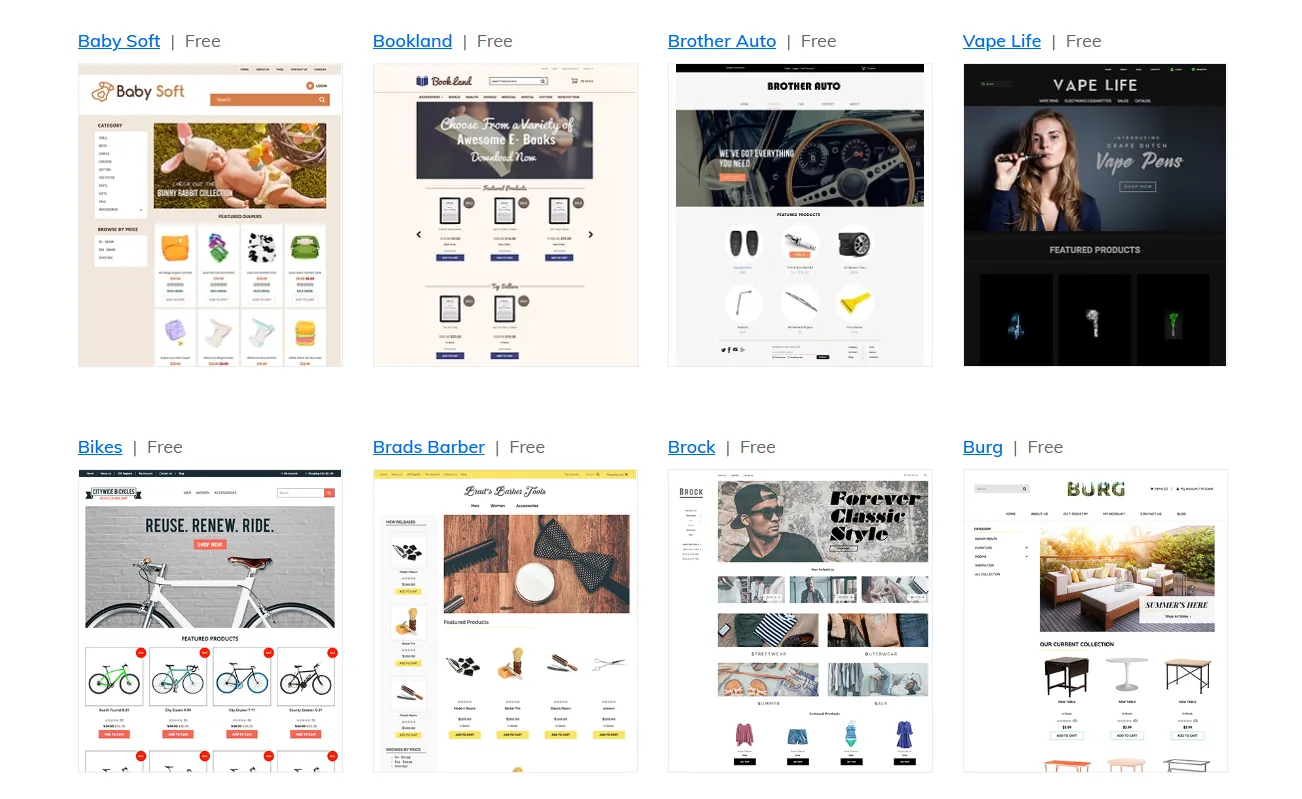
But when it comes to actually building your site, things aren’t as smooth as they could be. Shift4Shop has two separate editors — one for picking themes and one for editing content. You need to launch both tools to make simple changes. It works, but it feels a bit clunky and can be confusing if you’re starting out.
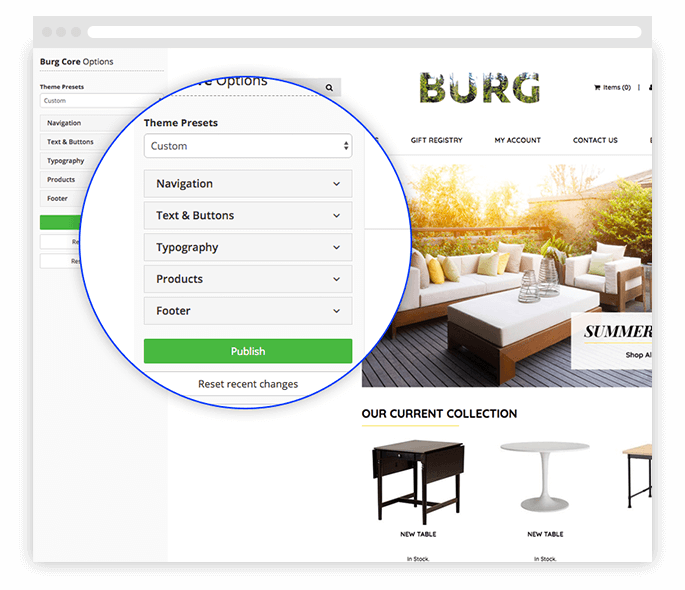
To fix this, Shift4Shop recently rolled out the Core Theme Editor. It’s a much easier way to customize your store, and it’s currently available on some themes (with more on the way). Using this editor, you can quickly:
- Change colors, fonts, and text;
- Adjust layout elements without touching code;
- See your edits live as you make them.
If you want to go beyond basic changes, Shift4Shop gives you full access to your theme’s code, including HTML and CSS. This is perfect if you know how to code or want a developer to help you build something totally custom. Most platforms lock you into their drag-and-drop tools, but Shift4Shop opens the door for deeper customization.
eCommerce Features (4.2/5)
The Verdict: Shift4Shop excels with a comprehensive set of built-in features that cover nearly every business need. It’s a powerful all-in-one solution, particularly for stores with complex catalogs.
Our Shift4Shop reviews continue with a comprehensive suite of built-in eCommerce tools designed to help businesses manage and grow their online stores effectively. Here’s a snapshot of its key features:
Feature | Key features |
Product management | Unlimited products, variants, categories, bulk import/export, inventory control, product Q&A, product reviews, and Google Customer Reviews. |
Order management | Order editing, status tracking, RMA (returns), purchase orders, shipment notifications, and multiple shipping addresses. |
Customer management | CRM system, customer groups, loyalty rewards, saved carts, wish lists, back-in-stock alerts, and affiliate programs. |
Checkout & payments | Single-page checkout, multiple payment gateways, digital wallets (Apple Pay, Google Pay), card-on-file transactions, support for digital products. |
Shipping & tax | Real-time shipping rates, label printing, support for major carriers (USPS, FedEx, UPS), tax rate calculation, and in-store pickup options. |
B2B features | Customer-specific pricing, purchase order system, cost center checkout, sales rep tracking, and customer groups. |
Automation tools | Automation rules, pre-orders, autoship (recurring orders), bulk discounts, upsell/cross-sell features. |
Analytics & reports | Advanced dashboards, real-time reporting, and QuickBooks integration. |
As you can see, one of Shift4Shop’s biggest advantages is that the platform is feature-rich and right out of the box. You get access to a full suite of eCommerce tools without needing to install extra apps or pay for add-ons.
For businesses managing hundreds or even thousands of SKUs, Shift4Shop provides the flexibility and control needed to stay organized. Features like custom product options, dynamic variant rules, and advanced configurators help merchants offer complex or highly customizable products without relying on extra apps. Combined with robust inventory controls and bulk import/export functions, Shift4Shop is clearly designed with high-volume stores in mind.
It may take a little time to explore all the tools available, but once you do, it’s clear that Shift4Shop delivers a truly all-in-one eCommerce experience.
Apps & Integration (4.2/5)
The Verdict: While the app store is smaller than competitors, it still covers essential needs and extends further through Zapier. Most users will find it sufficient, though not as expansive as leading platforms.
Shift4Shop gives you access to over 300 third-party apps through its built-in app store. These apps help you expand your store’s functionality in various ways, from adding marketing tools and email integrations to boosting customer engagement or automating tasks.
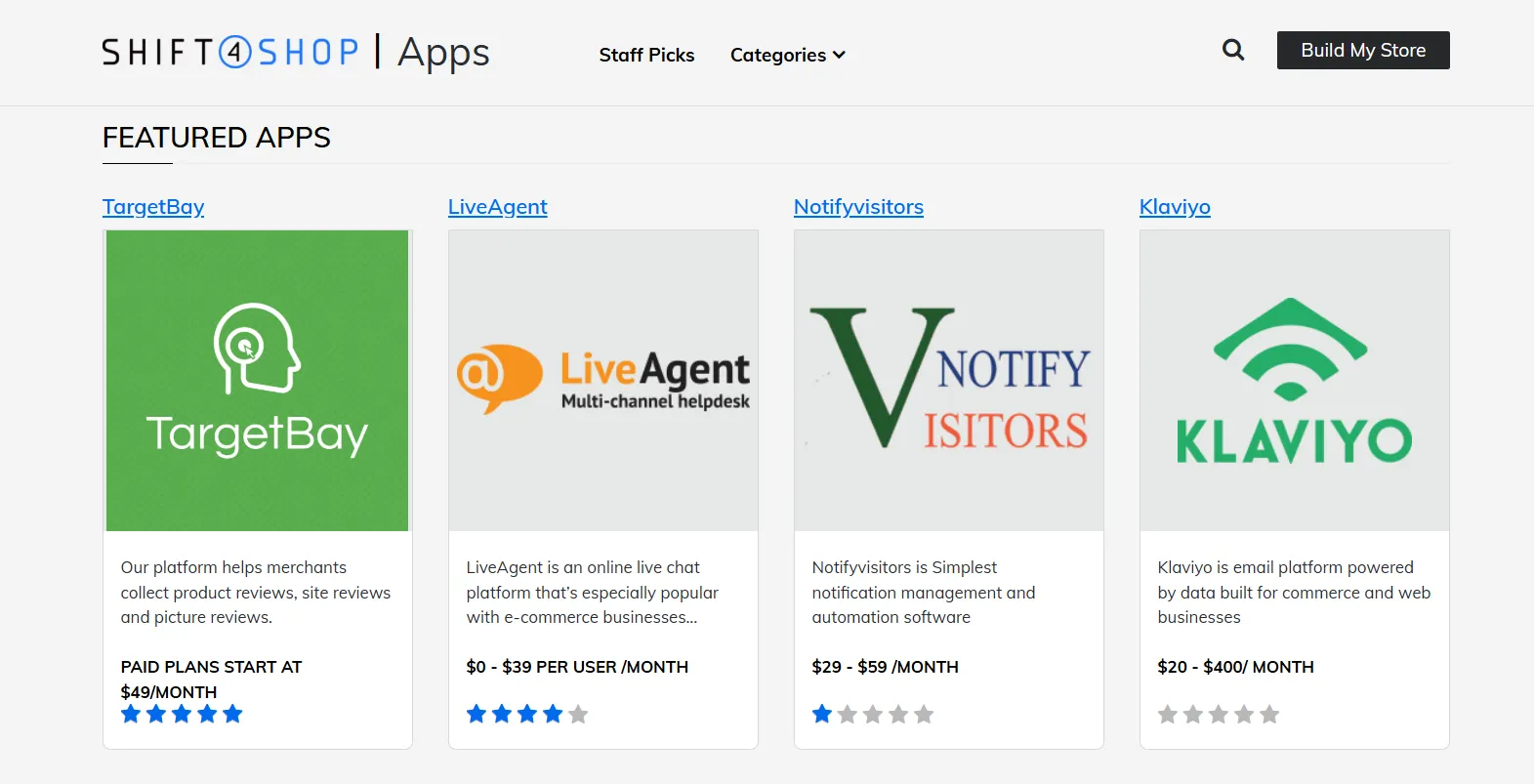
The app ecosystem is much smaller than what you’d get with platforms like Shopify or WooCommerce. That said, Shift4Shop also supports Zapier integration, which means you can connect your store to thousands of popular tools, like Google Sheets, Mailchimp, Constant Contact, Trello, and more.
App pricing varies depending on what you’re installing. Some tools are free, but others charge a monthly fee, often starting around $10 to $50 per month, depending on the features you need.
That said, it’s a good idea not to overload your store with too many apps. Installing too many add-ons can slow down your site, create conflicts, or make your dashboard harder to manage. Instead, focus on adding only the tools that truly help your business grow, quality over quantity.
Marketing & SEO Tools (4.3/5)
The Verdict: The platform offers strong built-in marketing and solid SEO fundamentals without relying heavily on third-party apps. It’s a practical choice for merchants who want essential tools ready out of the box.
Shift4Shop gives you a solid set of marketing tools built right into the platform. You can run sales, offer discounts, set up loyalty rewards, or even launch your own affiliate program — all without needing to install extra apps. It also connects with Mailchimp and supports customer reviews, which helps build trust and keep your shoppers engaged.
Compared to platforms like Shopify, where features like gift cards, reviews, or loyalty programs often require third-party apps (and extra monthly costs), Shift4Shop includes these tools by default. That means less time setting things up, and more money saved.
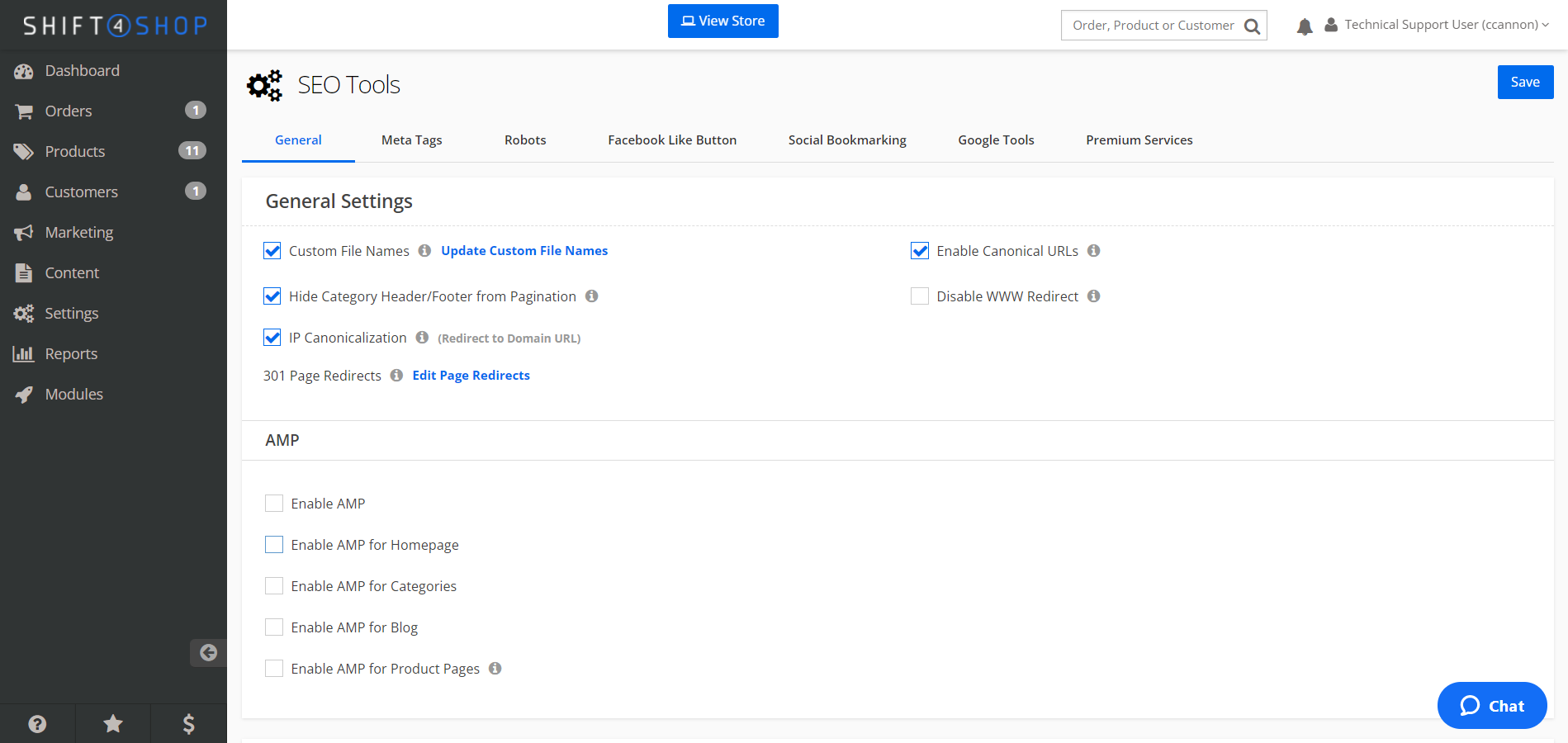
On the SEO side, Shift4Shop covers all the basics. You can customize your page titles, URLs, and meta descriptions, set up redirects, and generate sitemaps. There’s even a built-in blog with helpful content to help you boost your visibility on Google.
Security (4.3/5)
The Verdict: Shift4Shop provides reliable security with standard protections and advanced user controls. It offers peace of mind for store owners managing sensitive data and team access.
Security is a non-negotiable for any online store, and Shift4Shop covers the basics well. Every store includes a free SSL certificate, which keeps customer data safe and builds trust. The platform also meets PCI compliance standards so that you can accept credit card payments securely.
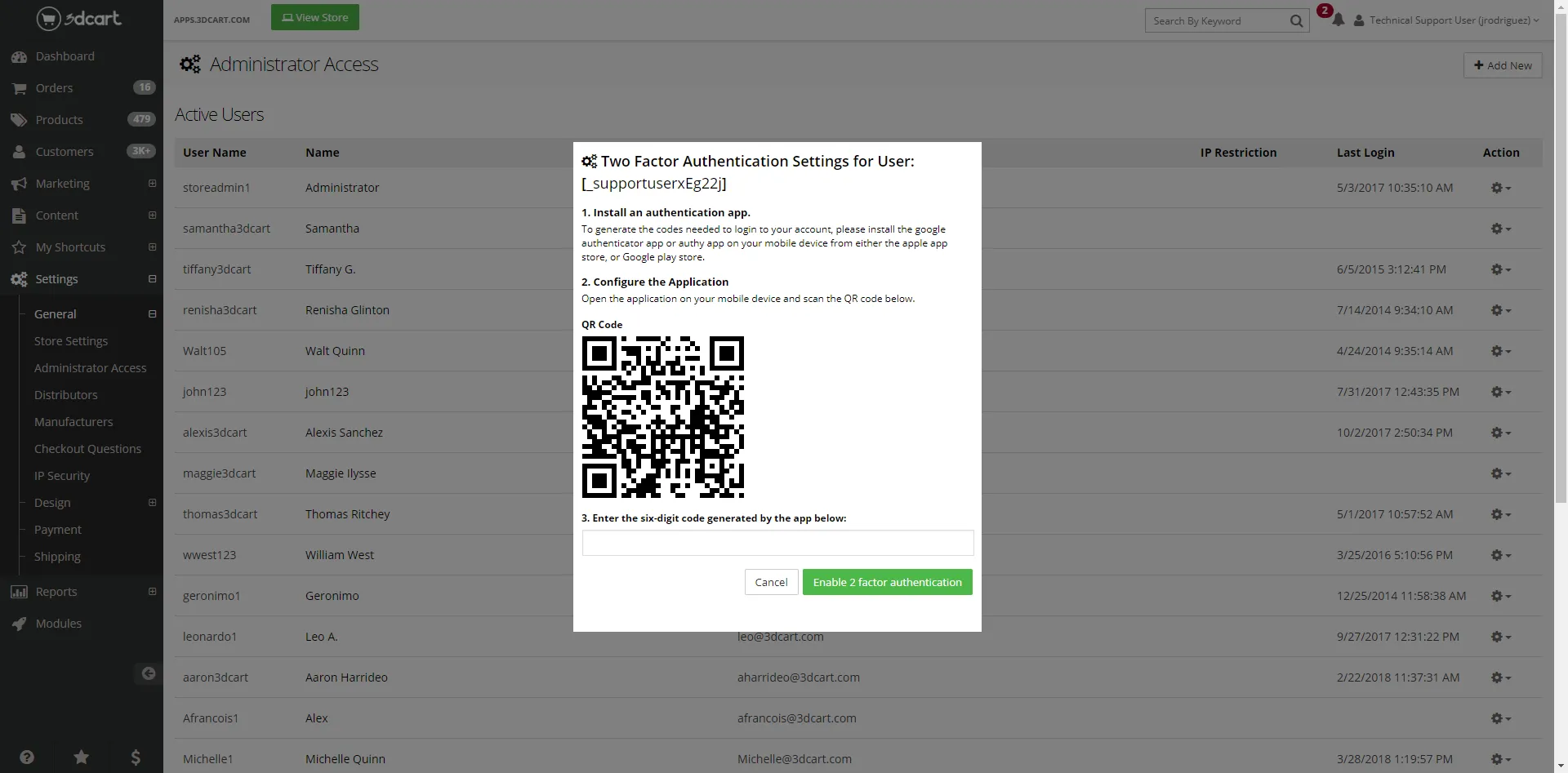
Beyond system-level protections, Shift4Shop also gives you solid control over staff access and user-level security. You can set up two-factor authentication, restrict logins by IP address, and manage team access using custom role-based permissions.
Unlike platforms that only allow one admin-level user, Shift4Shop lets you assign specific roles and limit who can view or edit certain parts of your store. You can even track user activity through admin logs, adding another layer of accountability.
Support (3.5/5)
The Verdict: Although support is available 24/7 with multiple tiers, user feedback suggests inconsistent quality. It may not be the most dependable option for those who need fast and reliable assistance.
Shift4Shop provides 24/7 customer support, ensuring assistance is available whenever needed. Their support system is structured into three tiers to address various levels of inquiries efficiently:
- Tier 1: Handles general questions via phone and live chat, assisting with basic platform navigation and common issues.
- Tier 2: Manages technical support tickets for more specific or complex problems that require in-depth troubleshooting.
- Tier 3: Addresses advanced issues by escalating them to the development team for comprehensive solutions.
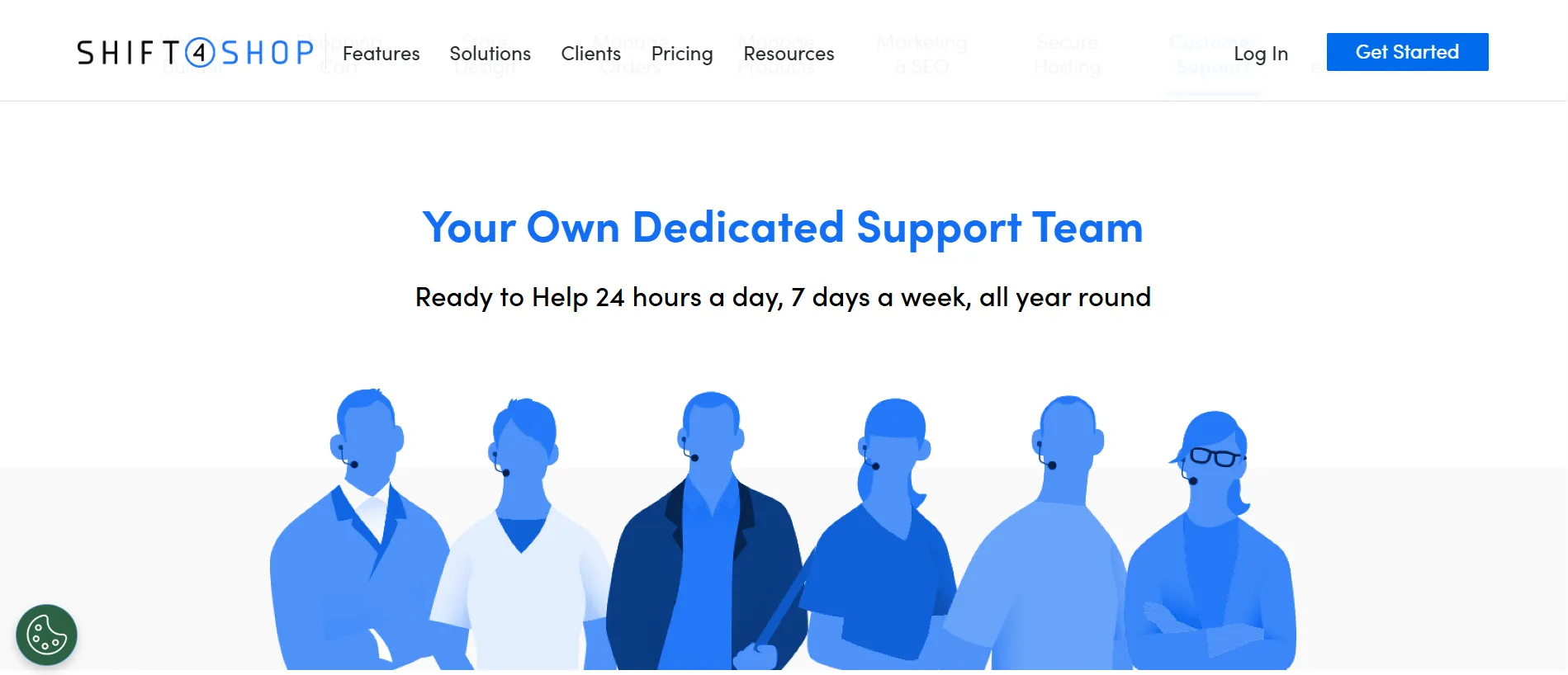
For Enterprise merchants, Shift4Shop offers access to Technical Account Managers (TAMs), providing dedicated and priority support tailored to their business needs.
However, despite this layered support structure, many Shift4Shop reviews report slow or unhelpful responses, especially during peak hours. Thus, Shift4Shop has some true catching up to do in this aspect.
Apart from the direct support, Shift4Shop offers a wealth of self-service resources:
- Knowledge base: A searchable directory filled with how-to guides, tutorials, and detailed explanations of platform features.
- eCommerce university: Offers courses on various eCommerce topics, from email marketing to reducing cart abandonment.
- Developer portal: Provides documentation and tools for developers looking to create custom themes or integrations.
- Community forums: A platform for merchants to share experiences, ask questions, and learn from each other.
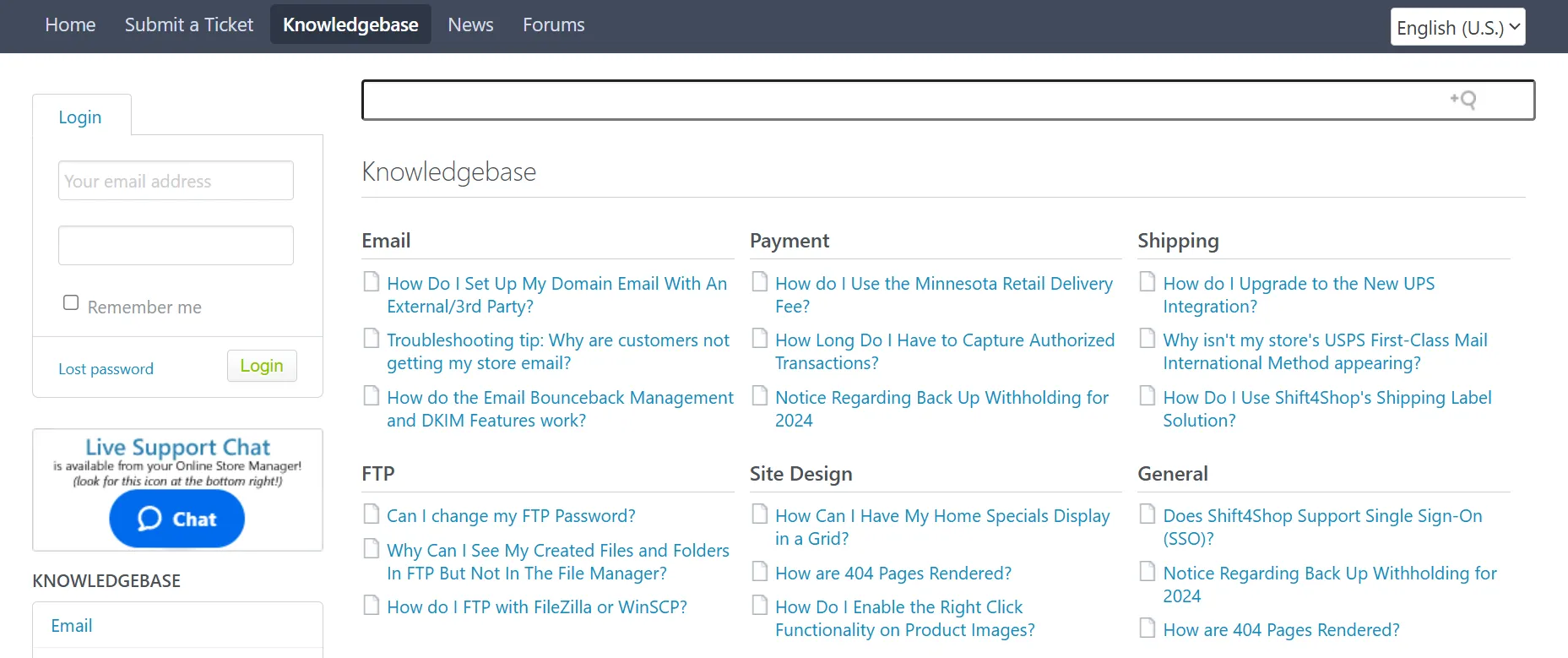
Unfortunately, after the rebrand from 3dcart to Shift4Shop, some documentation hasn’t been fully updated. If you’re trying to learn how to use a feature, you might find outdated instructions or missing details in the help center, which can be frustrating when you’re trying to troubleshoot something quickly.
Who is Shift4Shop Suitable For?
Based on our Shift4Shop reviews, it is best suited for small to mid-sized businesses that want a full-featured eCommerce platform without the high monthly cost.
Here’s a breakdown of the main target audiences Shift4Shop serves best:
- Budget-conscious U.S. small business owners: Perfect for entrepreneurs who want to launch an online store with powerful tools but no monthly fees, as long as they use Shift4 Payments.
- Wholesale and B2B merchants: Great for businesses selling in bulk or to other companies, thanks to features like customer-specific pricing, account-based controls, and purchase order support.
- Sellers with large or complex product catalogs: Ideal for merchants managing many SKUs, variants, or categories, with bulk editing, inventory control, and flexible product options built in.
Shift4Shop might not be the best fit for total beginners or international sellers who don’t want to use Shift4 Payments, but for businesses that fall into any of the groups above, it offers serious value and flexibility.
Shift4Shop Alternatives
Even if Shift4Shop doesn’t fully match your needs, there are several strong alternatives worth considering. Let’s have a quick look at their strengths and limitations:
Platform | Advantages | Limitations | Pricing range | Best for |
Shopify (read Shopify review) | Extremely easy to use, massive app ecosystem, strong scalability | Monthly costs + transaction fees can add up | ~$29 – $299/month (enterprise from ~$2,300+) | Fast-growing brands needing scalability |
BigCommerce (read BigCommerce review) | Powerful built-in features, no transaction fees, great for large catalogs | Slight learning curve, fewer apps than Shopify | ~$29 – $299/month (+ enterprise) | Scaling businesses & B2B sellers |
WooCommerce (read WooCommerce review) | Fully customizable, open-source, strong SEO via WordPress | Requires hosting, maintenance, and technical setup | Free plugin (costs vary for hosting/plugins) | Developers or content-driven stores |
Wix (read Wix review) | Drag-and-drop builder, beginner-friendly, strong design flexibility | Limited scalability for complex stores | ~$17 – $159/month | Beginners & small businesses |
Squarespace (read Squarespace review) | Beautiful templates, all-in-one platform, strong branding tools | Less powerful for large inventories | ~$14 – $32/month | Creatives & design-focused brands |
Shift4Shop Reviews: FAQs
Is Shift4Shop legit?
Yes, Shift4Shop is a legitimate and well-established eCommerce platform. With decades of experience and thousands of active stores, Shift4Shop is a reliable option backed by a reputable parent company. It’s a platform used by real businesses, not a scam or fly-by-night service.
Are Shift4Shop and 3dcart the same platform?
Yes — Shift4Shop is the new name for 3dcart. The platform was rebranded in 2020 after being acquired by Shift4 Payments, but it still offers many of the same core features, with ongoing updates and improvements.
Is Shift4Shop good?
Shift4Shop is a solid choice, especially for U.S.-based merchants seeking a powerful and affordable platform. It comes packed with built-in features, a forever-free plan, and no transaction fees, though it may feel clunky in places, support isn’t its strongest point.
How much does Shift4Shop cost?
For U.S. merchants using Shift4 Payments, Shift4Shop is completely free. If you process at least $1,000/month, you’re upgraded to the full enterprise-level version — still at $0. For others, the End-to-End eCommerce Plan starts at around $39/month.
What is Shift4Shop used for?
Shift4Shop is used to build and manage online stores. It lets you sell products, process payments, handle orders, market to customers, and customize your website — all in one place.
Does Shift4Shop have a mobile app?
No, Shift4Shop doesn’t currently offer a dedicated mobile app for managing your store. You’ll need to access the dashboard through a web browser on your phone or desktop.
Conclusion
We hope this Shift4Shop reviews article has helped you understand what the platform offers and whether it fits your business.
Compared to other solutions, Shift4Shop tops the chart regarding pricing, offering powerful built-in features at little to no cost for U.S. merchants. However, its biggest drawback is inconsistent support, which may be a concern for beginners or teams that rely heavily on customer service. For this reason, it’s a smart choice for small businesses and sellers who want power without the price tag.
If you’re considering moving to Shift4Shop, LitExtension’s Shift4Shop migration service can help you transfer your store quickly, safely, and with zero data loss. Our team takes care of the technical side so you can focus on running your business smoothly.
For more eCommerce insights, check out our blog posts or join the community group now!

