For 14+ years of development, LitExtension – #1 Shopping Cart Migration Expert has focused on only one thing: delivering the most pleasant re-platforming experience possible. As the go-to for thousands of store owners and agencies requiring data migration, we understand that no one wants to make a sight-unseen transaction. Therefore, at LitExtension, we provide you with a Demo Migration so that you can better visualize the migration process before making a purchase.
In this article, LitExtension will walk you through everything you need to know about our Demo Migration:
- What Is Demo Migration?
- Why Run LitExtension Demo Migration?
- Highlights of LitExtension Demo Migration
- How to Perform Demo Migration with LitExtension?
Let’s get this show on the road!
Need Help to Migrate Your Store?
LitExtension Automated Migration Tool transfers products, customers, and orders – fast, accurate, and hassle-free.

Highlights of LitExtension Demo Migration
Here are important things you need to know about our Demo Migration:
- LitExtension Demo Migration is 100% free. You don’t have to worry about any fees while running our free service.
- You can easily try a migration with LitExtension even without having a Target Store. We will provide you with the LitExtension test stores to try the Demo Migration.
- A maximum of 20 entities for each data type (orders, customers, products) can be directly transferred from your Source Cart to the Target Cart. This means you can get a total of 60 entities with our Demo Migration!
- Your data on the LitExtension free test stores will automatically be deleted after 3 days.
- LitExtension trial migration might take you 10-20 minutes to complete.
- You can check the Demo Migration result before officially launching the Full Migration.
What is Demo Migration?
As the world-leading shopping cart migration expert, LitExtension can transfer all your data, such as products, customers, and orders, automatically, securely, and accurately with no technical skills required.
On LitExtension’s home page, we offer a Free Demo Migration for every customer. With our Demo option, you can rerun the trial migration as many times as you need.
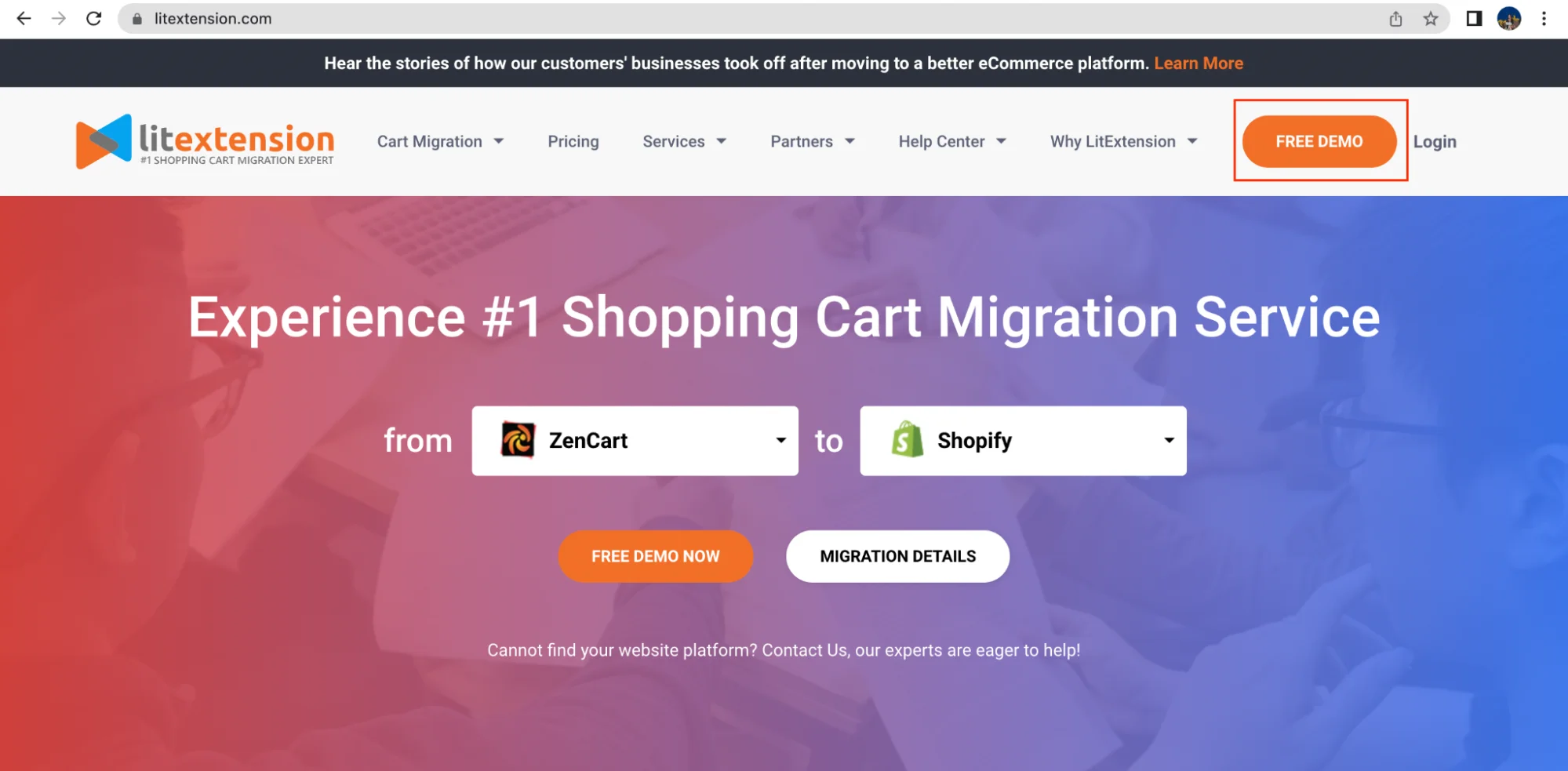
Demo Migration is a process where you experience how our actual migration service works with a limited number of items. In other words, it is actually a “reduced” version of full data migration.
Right after running the Demo Migration, you can check the result on your Target Cart and evaluate the effectiveness, security, and accuracy of our service before officially performing the Full Migration.
Why Run LitExtension Demo Migration?
With a small amount of time and effort to put in, you will greatly benefit from the Free Demo Migration.
It is worth running our demo option because you will benefit from:
- Get an idea of our service and system
- Ensure the process is exactly what you expect from the tool
- Have us solve any problems that arise before the full migration.
- Know that the migration is well worth your investment.
Now that you have understood what it is and why you should use this functionality, let us walk you through the highlights of LitExtension Demo Migration.
How to Perform Demo Migration with LitExtension?
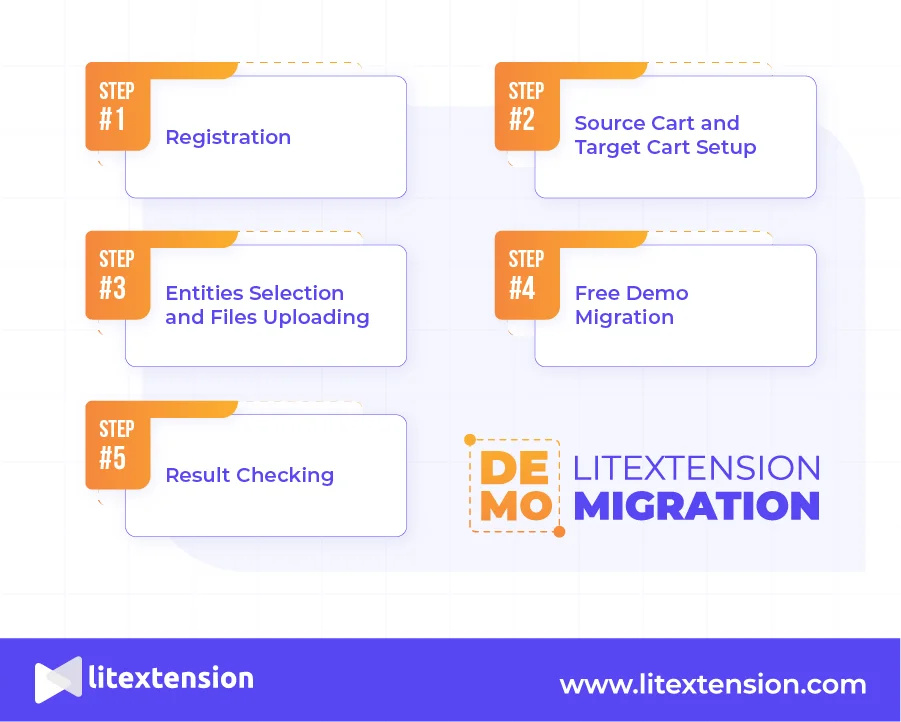
To illustrate how our Demo Migration is set up and performed, let’s suppose you are using a Magento platform and want to switch to Shopify. Below are the steps to migrate data from Magento to Shopify in the Demo:
Step #1: Registration
First, click LitExtension Site, and you will be led to a registration page.
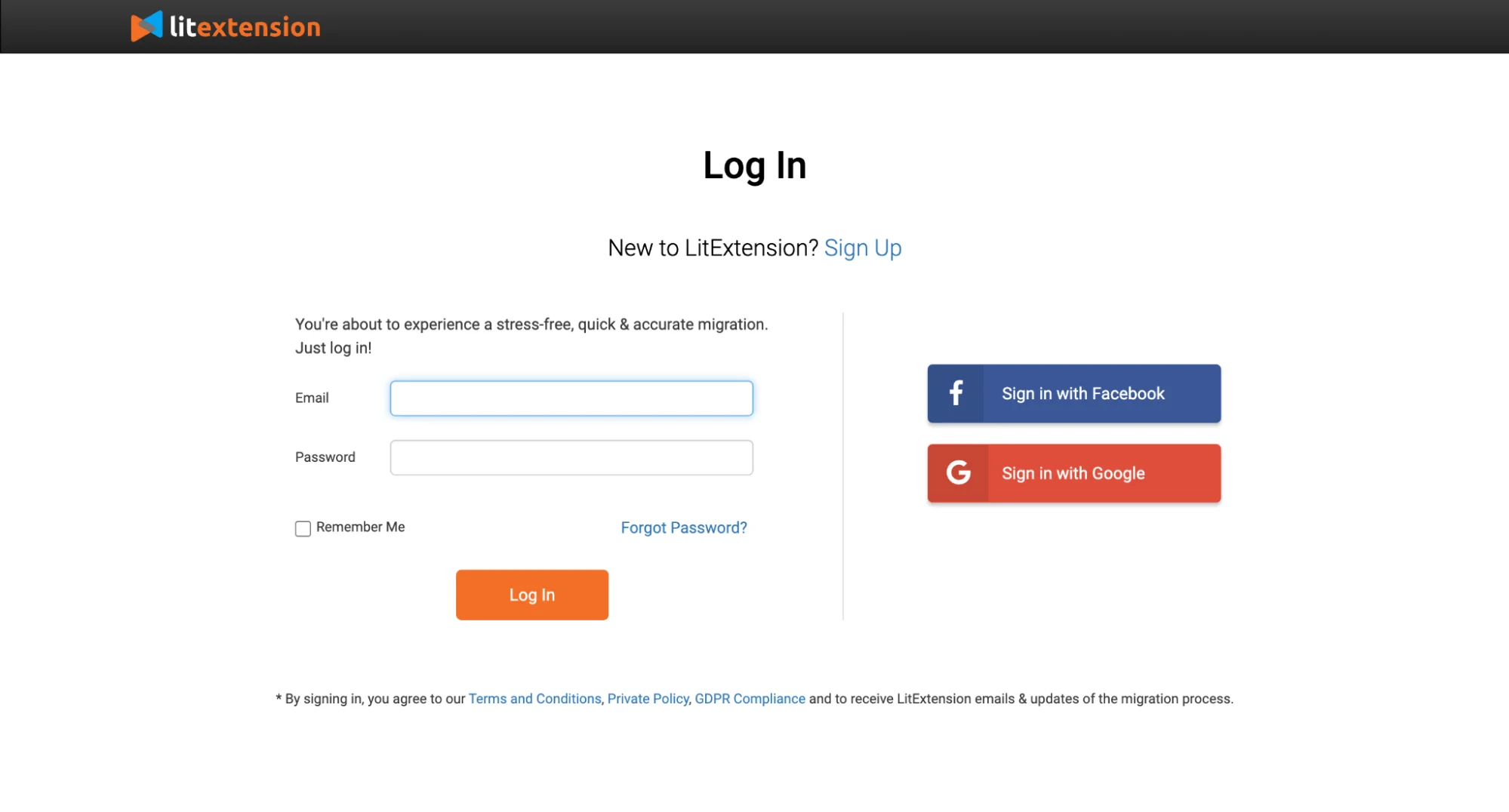
If you already have an account, you just need to fill in your email and password to log in right here.
Otherwise, you can easily sign up with your email, or your own Facebook or Google account.
After you log in to the migration page, please click Create Migration. Then you will see the next step of the migration process.
Step #2: Source Cart and Target Cart Setup
Currently, LitExtension supports the largest eCommerce collection with more than 140 platforms. We are trusted by big brands such as Shopify, WooCommerce, Magento, BigCommerce, OpenCart, PrestaShop, etc. Therefore, you can easily choose to migrate from your current platform to another one.
At Source Cart Setup, click the drop-down list, then choose Magento and provide its URL.
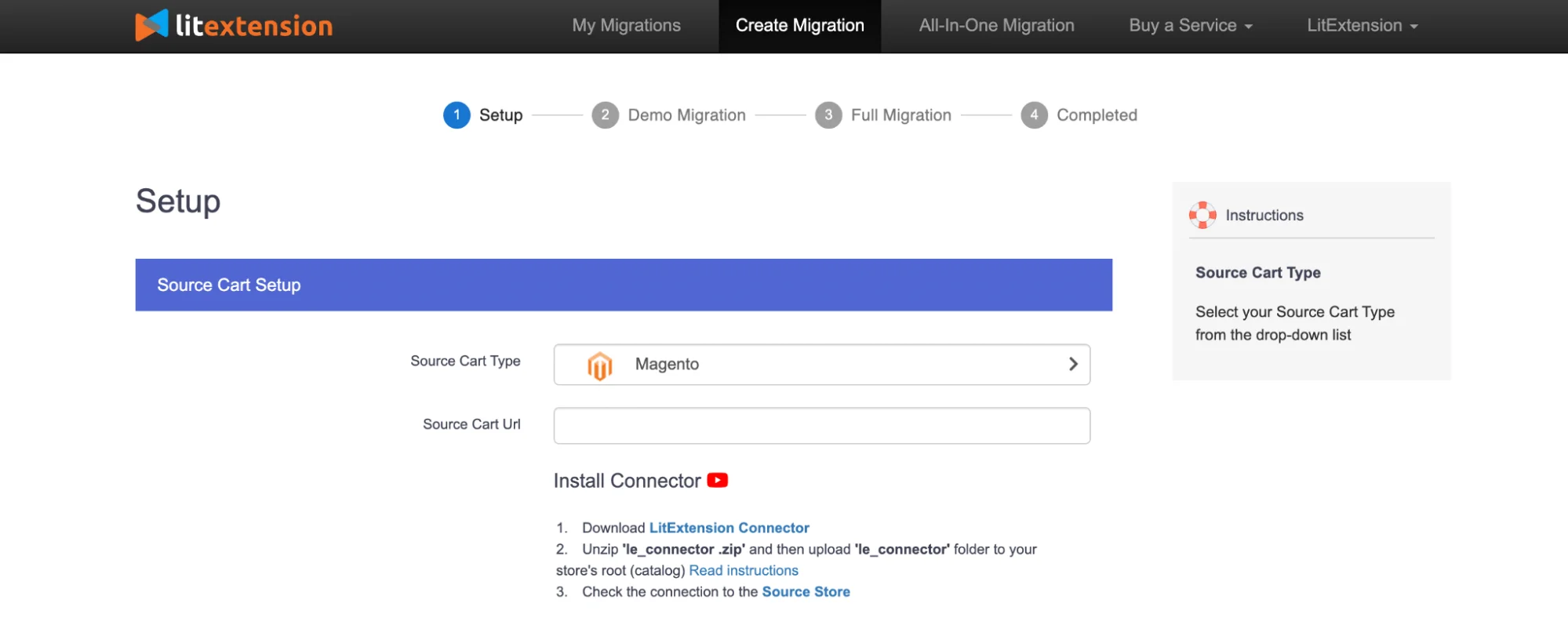
Next, download LitExtension Connector. You will receive a zip file; extract it and then paste it into your Cart Root Folder using FTP/SSH protocol.
Afterward, go back to your migration page, and an automated message will appear on the screen to inform you that you have successfully installed the connector without manual checking.
In case you need more help with this part, we have prepared a detailed guide on How to Install Connector File for you to follow.
Now, scroll down to Target Cart Setup and select Shopify as your Target Cart Type.
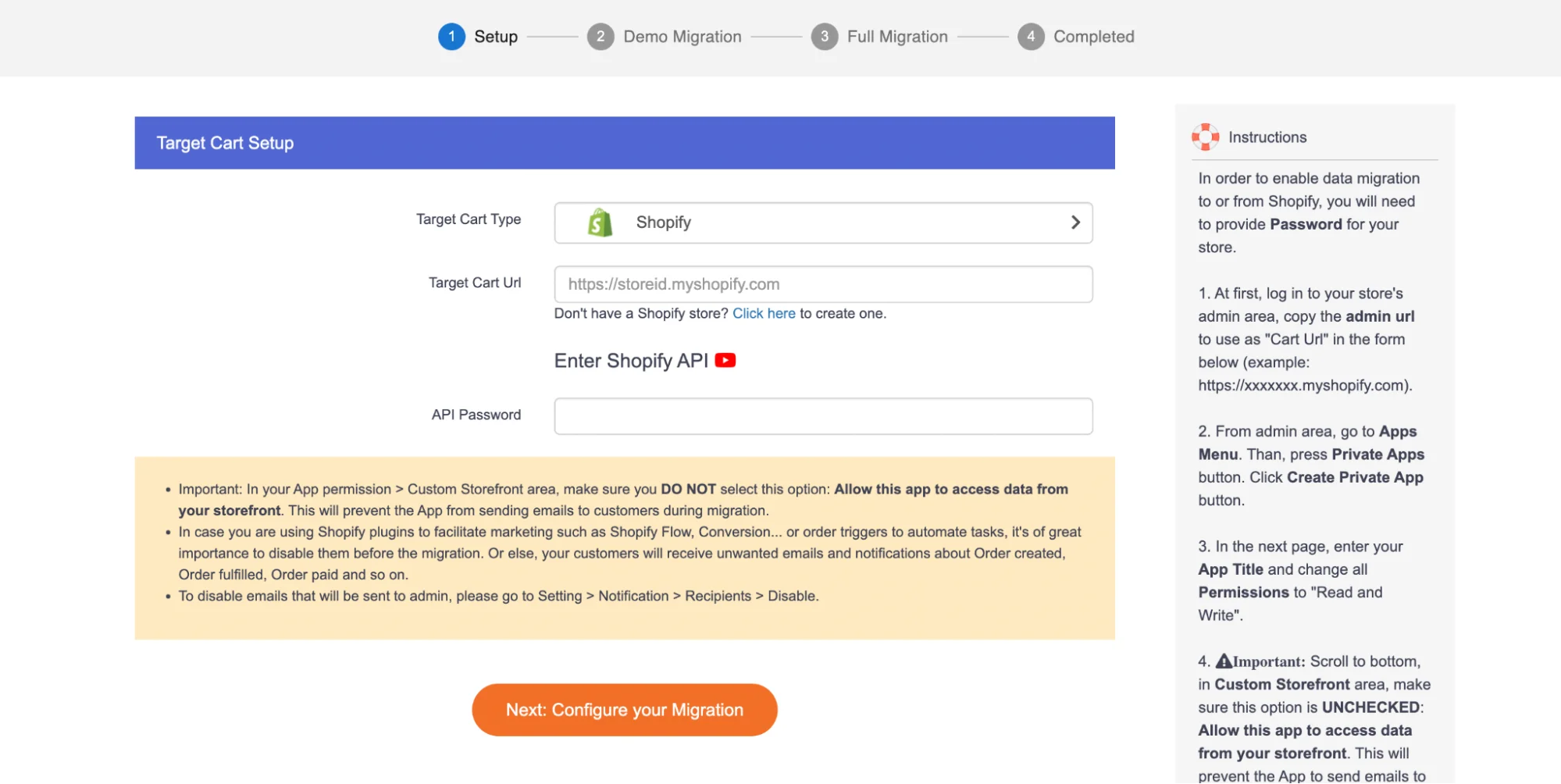
On the right side of the page, you will see our step-by-step instructions. Follow it and you will finish this setup process by clicking the button “Next: Configure your Migration“.
Step #3: Entities Selection
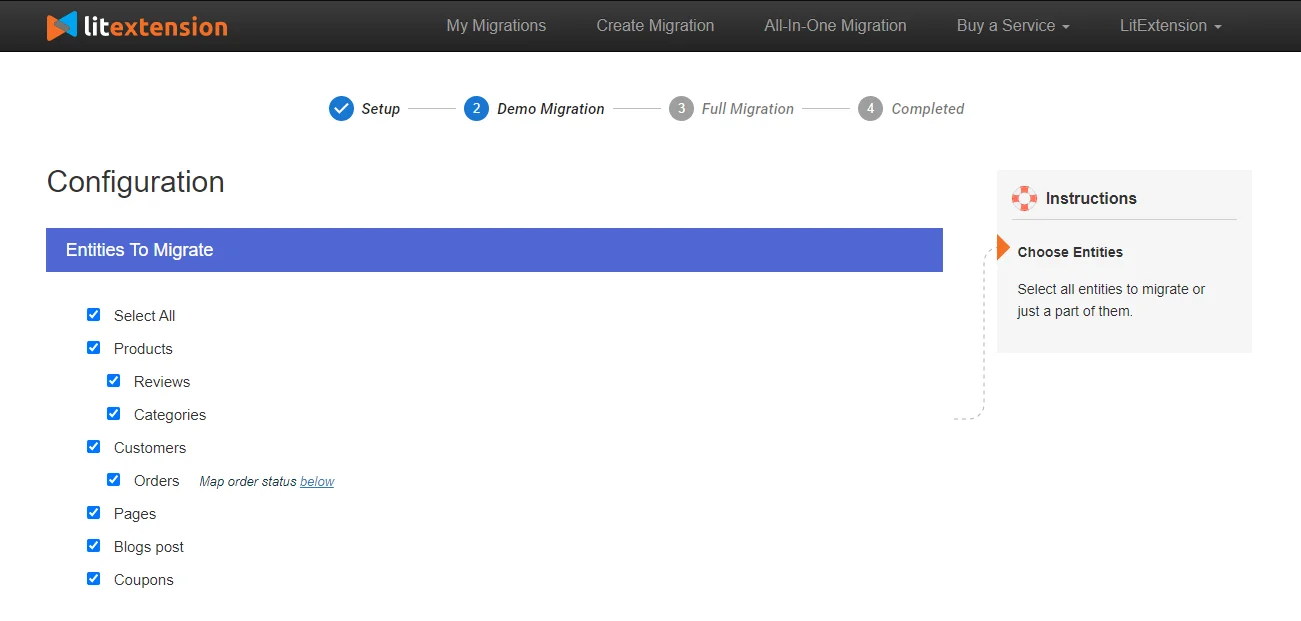
In this step, select the entities you want to migrate. You can click “Select All” to select all Products, Customers and Orders, or only tick the necessary categories you want.
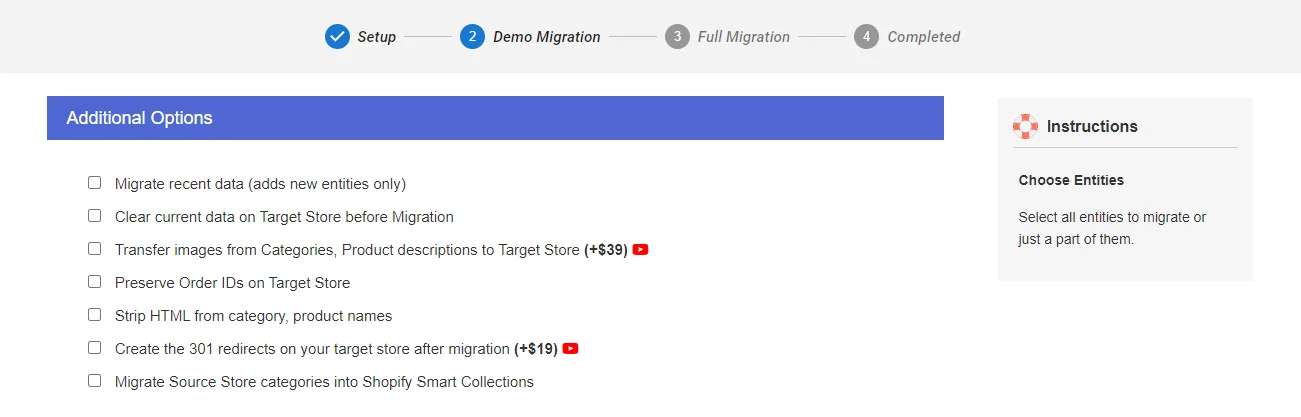
LitExtension also provides a number of Additional Options, such as 301 Redirects and SEO URLs Migration, to enhance your data import functionality. In other words, these features assist you in resolving major issues that typically arise after a migration.
Also, you can map your Order Status or Languages right on this step so that they will be displayed correspondingly on the Shopify site. You can select Order Status on Shopify to fit your needs – either exactly the same or in a different way than in Magento’s store.
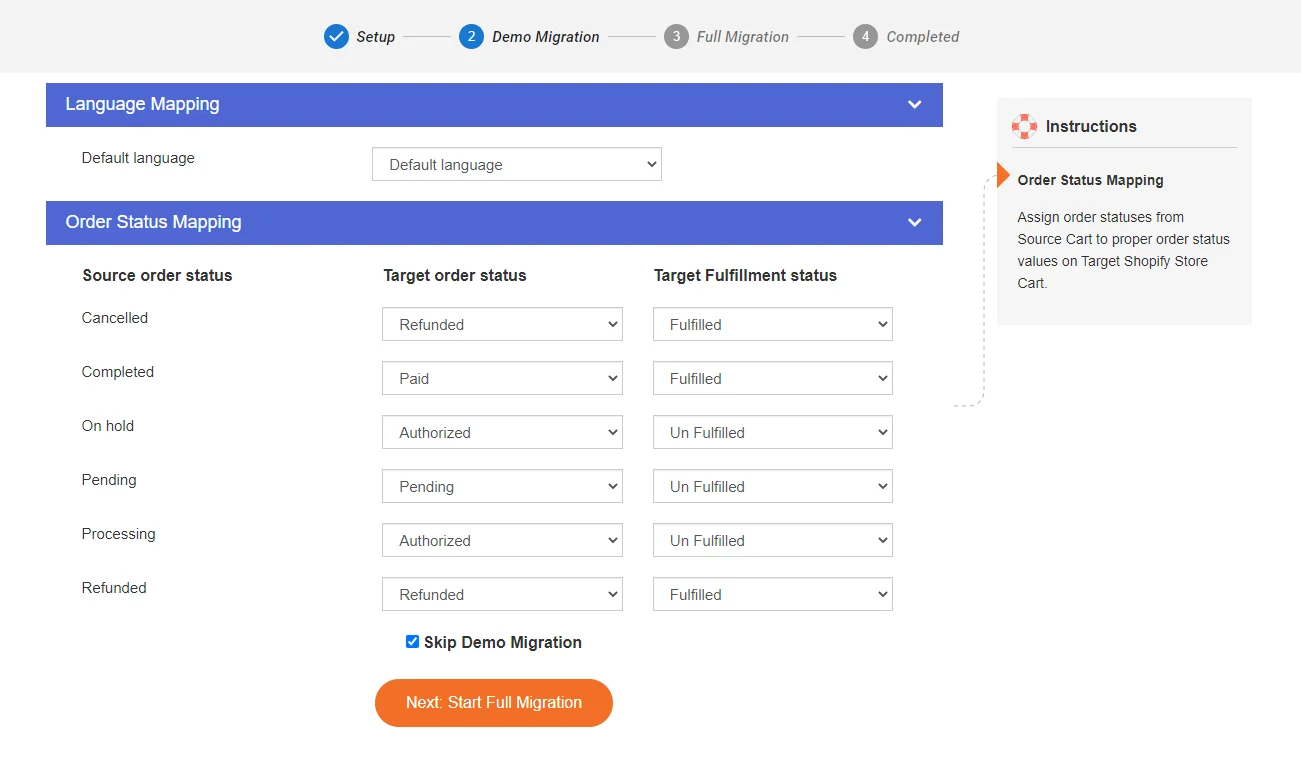
Whatever variant you choose, you can control how your orders will be migrated to avoid any confusion after the migration.
Step #4: Free Demo Migration
At the end of the page, click “Next: Start Free Demo Migration“.
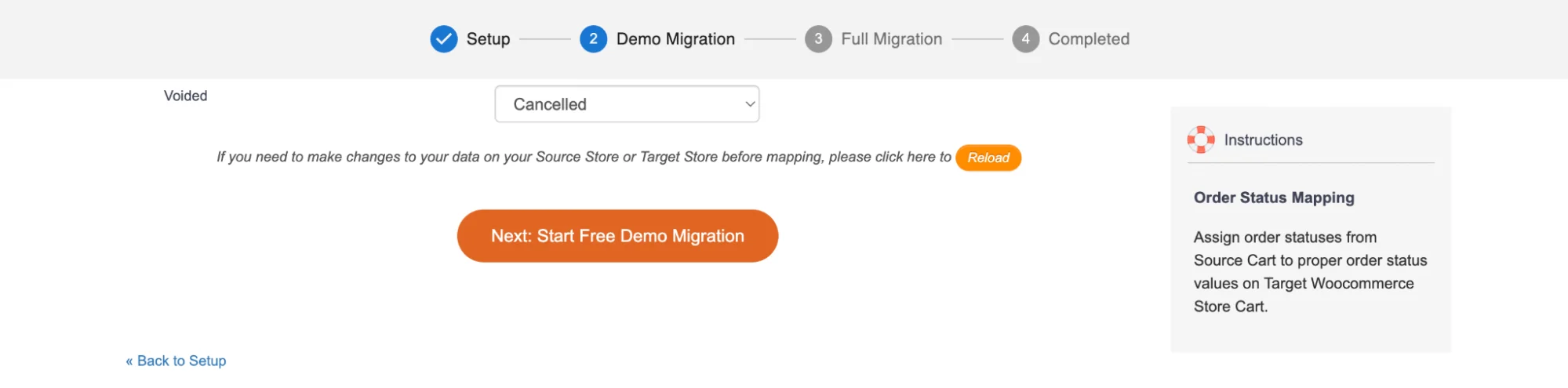
Now, LitExtension will start your demo migration with the chosen entities. The process might take you some minutes to finish.
You will see the same steps as the actual migration. However, you can skip this step by clicking Skip Demo Migration to immediately move forward to Full Migration.
Step #5: Result Checking
You can check the result of the Demo Migration process before officially making the Full Migration. Our version can also check the total entities you have on your current Source type and calculate the price for your Full Migration.
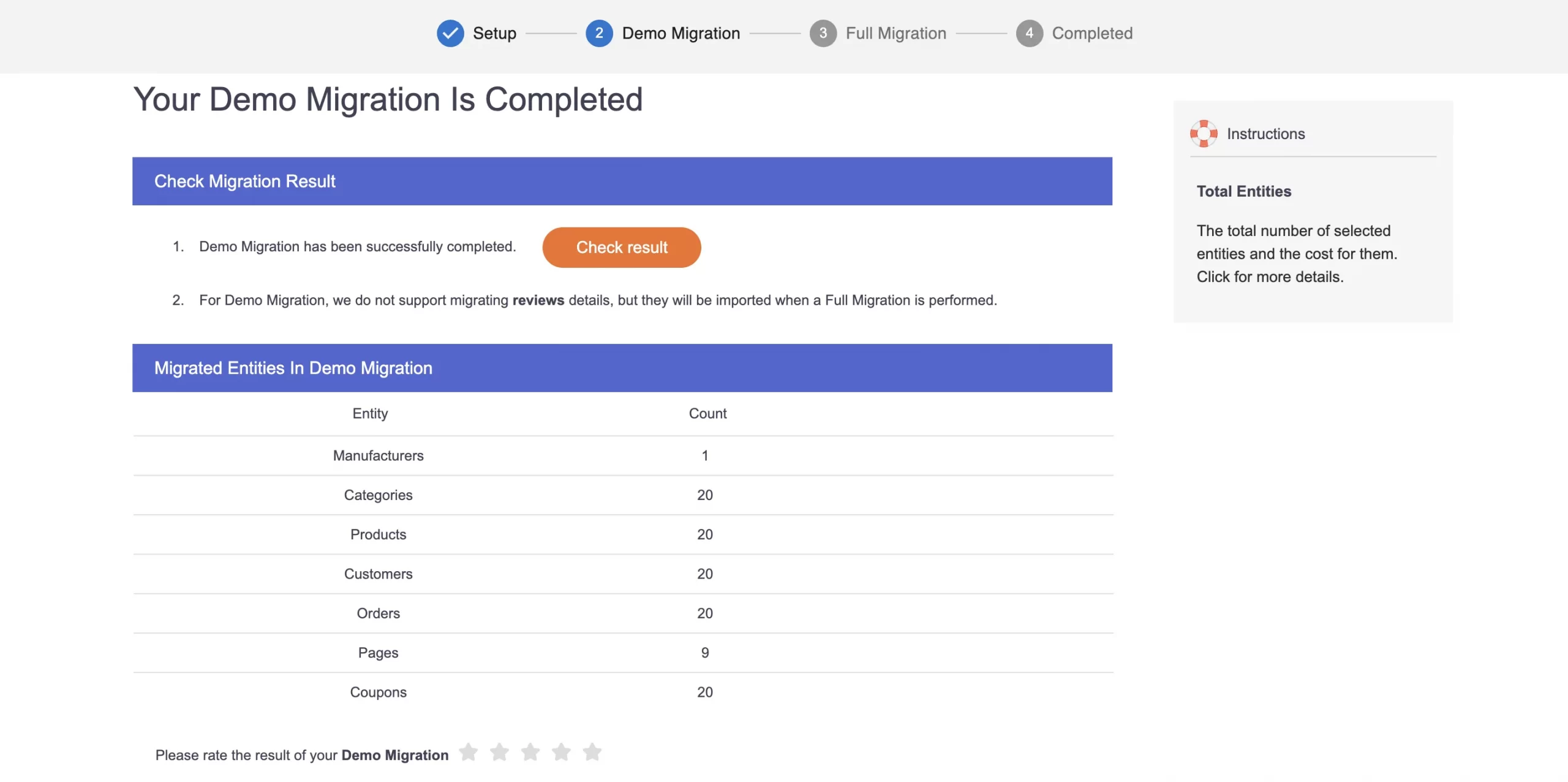
That’s all about the demo process, which you can carry out yourselves. Technical knowledge and skills are not necessary if you work with the LitExtension Shopping Cart Migration service.
If you’re satisfied with our service after running our Demo Migration, you can choose from 2 tremendously ideal options, which are:
- Automated Migration Tool, which allows you to migrate data yourself using our migration tool.
- LitExtension All-in-One Migration services, where our experts oversee the entire process from start to finish.
Store Migration Made Easy With LitExtension!
LitExtension offers great migration solutions that help you transfer your data from the current eCommerce platform to a new one accurately, painlessly with utmost security.
LitExtension Demo Migration – FAQs
What is a migration process?
A migration process is the structured transfer of store data, settings, and operations from one eCommerce platform to another. It usually includes planning, data mapping, demo migration, full migration, testing, SEO redirect setup, and post-migration updates.
For an eCommerce store, migrated data may include products, customers, orders, categories, images, coupons, reviews, pages, and other platform-specific information. The goal is to move the store accurately while reducing downtime, data loss, and SEO impact.
What is the best eCommerce migration service?
The best eCommerce migration service depends on your source platform, target platform, data complexity, budget, and support needs. However, LitExtension is a strong choice for businesses that want a dedicated migration provider instead of handling the process manually.
LitExtension supports 140+ platforms and offers both the Automated Migration Tool and the expert-managed All-in-One Migration Service. This makes it suitable for store owners who need data transfer, mapping support, QA testing, post-migration updates, and technical assistance during the replatforming process.
How long does a typical migration take?
A typical migration can take from a few hours to several days for data transfer, depending on the number of products, customers, orders, images, and custom data fields. Larger or more complex projects may take longer if they include custom development, SEO redirects, theme redesign, third-party apps, or integrations. The exact timeline is difficult to estimate without checking the store data first. Platform type, server performance, data volume, and entity complexity can all affect migration speed.
Is it possible to migrate from one eCommerce platform to another?
Yes, it is possible to migrate from one eCommerce platform to another. Many businesses move between platforms such as WooCommerce, Shopify, Magento, BigCommerce, Wix, OpenCart, PrestaShop, and others when they need better scalability, easier management, stronger features, or lower technical maintenance.
A platform migration can be done using CSV files, migration apps, APIs, or a professional migration service. Before migrating, you should plan data mapping, URL redirects, SEO metadata, payment setup, shipping rules, tax settings, and final testing.
Wrap Up
Demo Migration is crucial for you to understand How to migrate store for free in a risk-free environment and see how LitExtension will transfer your data from cart to cart. Having spent a few minutes with the detailed instructions of trial migration, you can make inroads into moving from your current platform to the new one with LitExtension.
Hopefully, this article has given you enough guidance to perform successfully LitExtension Demo Migration. Please bear in mind that you can perform several Demo migrations with any cart types you like until you are sure about our Full Migration service.
Our experts are 24/7 available to answer any questions you may have along the way. So, don’t hesitate to Contact Us via Support Ticket, Live Chat or Phone Call if you need further information or support.