
As your site grows, more content can make it harder to manage, and adding custom functionality often requires more development and maintenance than your team expected. Webflow vs Drupal offer two very different ways to handle these trade-offs; which one should you choose?
In this article, we compare both platforms across the capabilities that directly affect how you build, manage, scale, and maintain your site. Keep scrolling to see the full comparison!
An Overview of Webflow vs Drupal
About Webflow
Webflow is a fully hosted visual website-building platform that combines website design, content management, hosting, and publishing in one environment. Teams can design and publish websites through Webflow’s visual interface, while the platform handles hosting and delivery.
The platform’s main selling point is the combination of visual control and managed infrastructure. It serves over 1.3 million websites (BuiltWith) and thousands of organizations, including The New York Times, Dropbox, TED, and IDEO. Check out our Webflow review for more insights!
| Webflow Pros | Webflow Cons |
| Visual website building with managed hosting | Limited backend and infrastructure control |
| Built-in CMS, SEO, and marketing tools | Limitations in advanced eCommerce and functionality |
| Native AI and automation features | Some advanced features require higher-tier plans or paid add-ons |
| No need to manage hosting or routine infrastructure upgrades | Exported sites cannot be reimported into Webflow |
About Drupal
Drupal is a free, open-source platform for building websites and digital experiences. Unlike Webflow, it is not a fully managed hosting service: Drupal provides the CMS and underlying framework, and organizations choose and manage their own hosting environment.
Drupal’s core selling point is flexibility. Its API-first architecture gives developers control over the site’s content model, integrations, themes, backend functionality, and infrastructure. Currently, it’s used by over 870,000 websites worldwide (BuiltWith), ranging from community websites to enterprise platforms.
| Drupal Pros | Drupal Cons |
| Open-source code and deep customization | Requires more technical expertise |
| Flexible content modeling and native multisite management | Hosting and infrastructure require separate management |
| Extensive module and integration ecosystem | More ongoing maintenance and upgrade responsibility |
| Strong support for complex eCommerce requirements | Higher development and configuration overhead |
Webflow vs Drupal: Which Is Better?
Neither platform is universally better. Drupal is ideal for organizations that need deeper customization, advanced eCommerce capabilities, and a broader integration ecosystem. Meanwhile, Webflow stands out for ease of use, managed hosting, built-in SEO and marketing tools, and AI capabilities.
The detailed comparison below explains where each platform stands across the key criteria:
| Criterion | Webflow | Drupal | Winner |
| Ease of Use | Fully hosted, visual editing, role-based permissions, and built-in collaboration | Drupal CMS 2.0 improves visual editing, but hosting and technical maintenance remain the site’s responsibility | Webflow |
| eCommerce Features | Built-in checkout, payments, tax tools, and shopping integrations, but limited variants and more advanced commerce functionality | Multi-store, multi-currency, B2B, subscriptions, digital goods, and 100+ payment modules | Drupal |
| AI Tools & Automation | Native AI, MCP 2.1, agent workflows, and AI-assisted site/content creation | Flexible AI provider support, self-hosting, and configuration-focused agents | Webflow |
| CMS & Multi-site Management | Strong CMS publishing tools, but content and structural limits and separately billed sites | Native multisite, Workspaces, and no item or collection caps | Drupal |
| Customization | Visual design, templates, code components, and Webflow Cloud | Open-source code ownership, flexible theming, APIs, and deeper backend control | Drupal |
| SEO & Marketing Tools | Technical SEO, AEO, analytics, A/B testing, personalization, and localization | Strong SEO through modules and recipes, but more marketing functionality requires additional tools | Webflow |
| Integrations | 300+ apps, enterprise integrations, and REST APIs | Nearly 50,000 contributed modules plus open APIs and commerce integrations | Drupal |
| Performance & Speed | Managed CDN, surge protection, and uptime SLAs | Strong core performance improvements, but infrastructure depends on hosting and configuration | Webflow |
| Customer Support & Resources | Official vendor support, Help Center, University, Community, and defined response targets | Extensive documentation and community support, plus paid specialists | Webflow |
| Pricing | Site plans from Free to $25/month; eCommerce plans from $29/month, with additional seat and add-on costs | Free and open-source; hosting and development costs vary | Drupal |
Want to Switch Your Current Platform?
LitExtension gives you the support you need to transfer eCommerce data to a new platform smoothly!

1. Ease of Use (Webflow wins)
The Verdict:
When using Webflow, hosting, installation, and upgrades are all handled for you. Its role-based editing and collaboration features also let non-technical team members work within controlled design boundaries.
Webflow ease of use
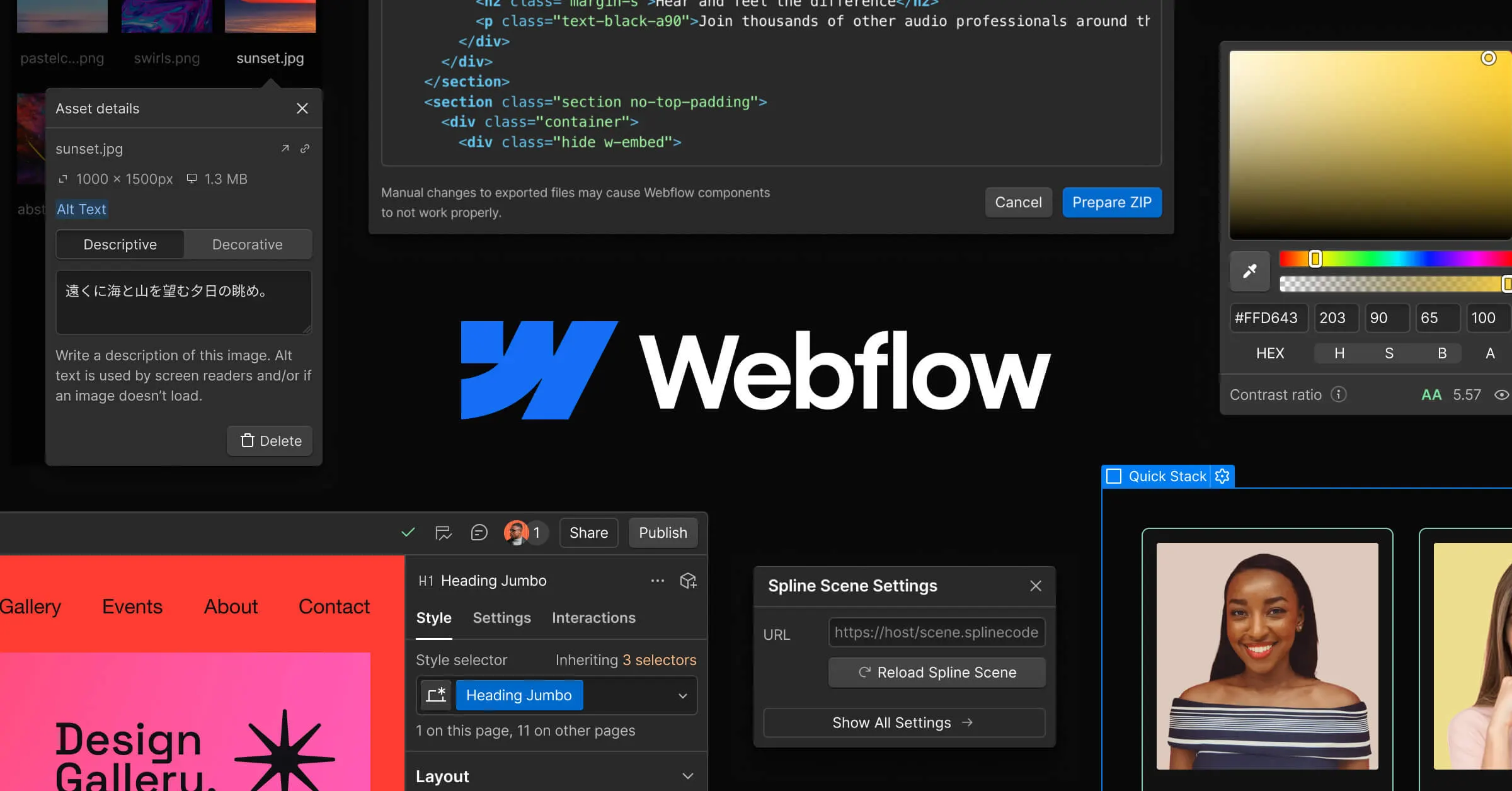
Webflow is a fully hosted platform, so users do not need to set up or maintain a server, install the platform, or handle routine hosting upgrades. Its hosting is designed to scale automatically for high traffic and uses AWS-backed infrastructure, removing much of the work that comes with a self-hosted CMS.
Webflow also separates content editing from visual design through role-based permissions. A content editor can update page content without changing the underlying page design; similarly, less technical teammates can build pages using designer-approved blocks.
This approach gives teams a way to delegate routine content work without giving every contributor full control over the site’s design system. In addition, Webflow has introduced a breakpoint canvas that displays a page’s breakpoints side by side. As a result, desktop changes are reflected across the other breakpoints, and you don’t have to manually switch between them.
There is, however, a platform-level limitation: Webflow sites remain tied to Webflow’s development environment. Exported code cannot be reimported into Webflow, so moving the exported site back into the platform is not supported.
Drupal ease of use
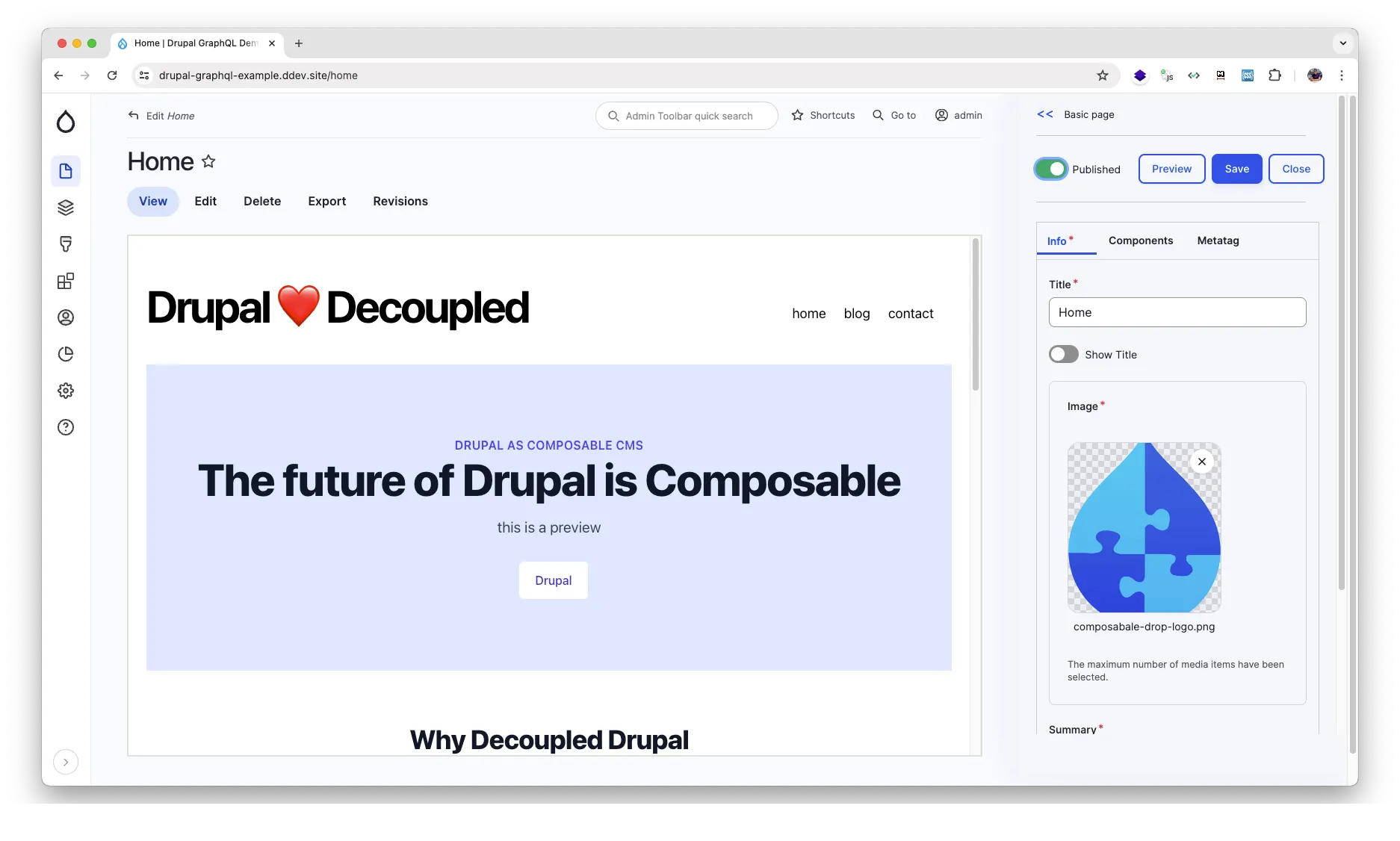
Drupal has made a notable usability improvement with Drupal CMS 2.0 and its Canvas visual builder. Users can now drag components onto a page, edit content directly in place, and undo changes without repeatedly switching between editing forms and preview screens.
Drupal also provides ready-made components through the Mercury library, including cards, testimonials, hero sections, menus, and accordions. The Byte starter template can be installed in under a few minutes, so users have a faster starting point than building every page structure from scratch.
The administration experience has also been redesigned. Drupal’s new navigation replaces the legacy Toolbar, and the redesigned display-modes overview puts the different displays for a content type on a single screen. These changes reduce some of the administrative friction associated with earlier Drupal versions.
However, Drupal still requires more technical involvement beyond the visual editing layer. Since its desktop CMS launcher uses SQLite (which is not compatible with most hosting providers), a production site should be set up with DDEV instead. Site owners are also responsible for hosting and major-version upgrades; for example, Drupal 10 reaches end of life on December 9, 2026.
Read more:
Webflow Tutorial: How To Launch Your First Webflow Website
How to Use Drupal to Build & Manage A Site: Complete Tutorial
2. Webflow vs Drupal eCommerce Features (Drupal wins)
The Verdict:
Drupal Commerce supports more complex requirements such as multi-store, multi-currency, B2B pricing, subscriptions, digital goods, and a much broader payment-gateway ecosystem.
Webflow eCommerce features
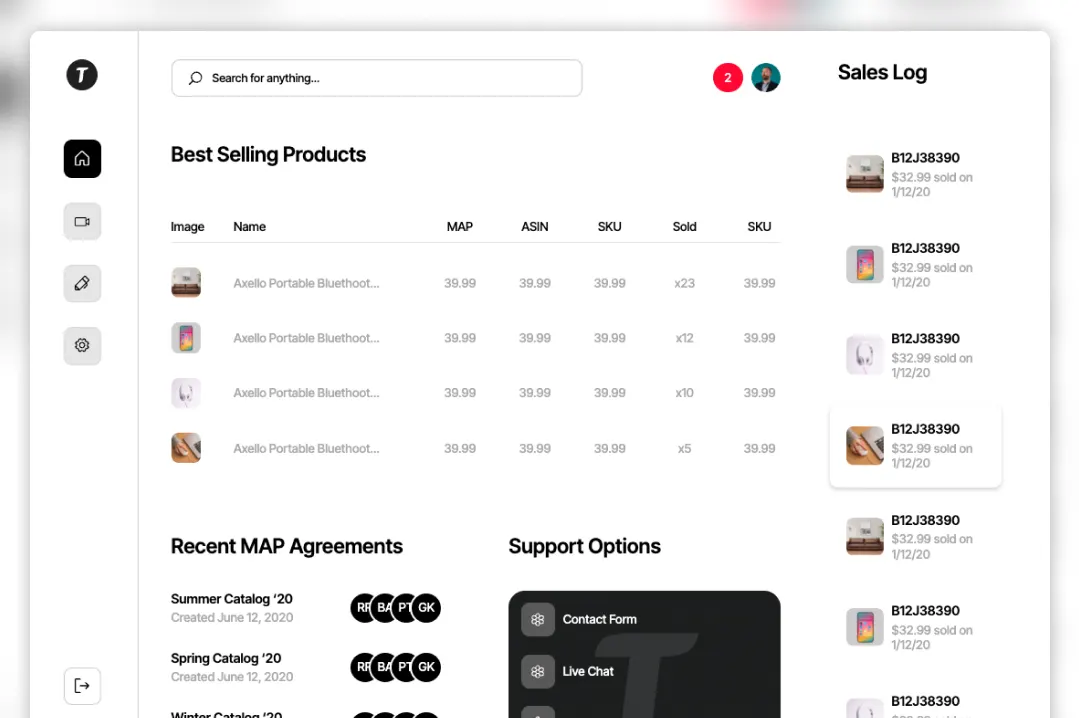
Overall, Webflow provides the core functionality needed to operate an online store without adding a separate commerce platform. Its native features include:
- Customizable cart and checkout designs
- Stripe and PayPal payments, Apple Pay
- Automatic sales tax and VAT calculation
- Google Shopping synchronization
- Meta event passing
On the other hand, product variants are rather restricted. Webflow allows up to three option sets per product and caps each product at 50 variants. Each variant also counts toward the site’s item limit, which you should keep in mind if your store has catalogs with many combinations.
For more advanced commerce models, our team also identifies significant limitations around native subscriptions and multi-currency. Webflow’s native checkout operates with a single currency; in addition, since Webflow officially deprecated and shut down native User Accounts, subscription functionalities now require third-party solutions.
Also, keep in mind that these eCommerce features are only available on Webflow’s dedicated eCommerce plans. In short, you need to choose an eCommerce site plan to sell products through the platform.
Drupal eCommerce features
Drupal Commerce, available as a free contributed module, is designed for more complex commerce structures. It supports multiple stores, languages, and currencies, including the ability to map different domains to different store configurations. Its currency support covers currencies from the CLDR data set.
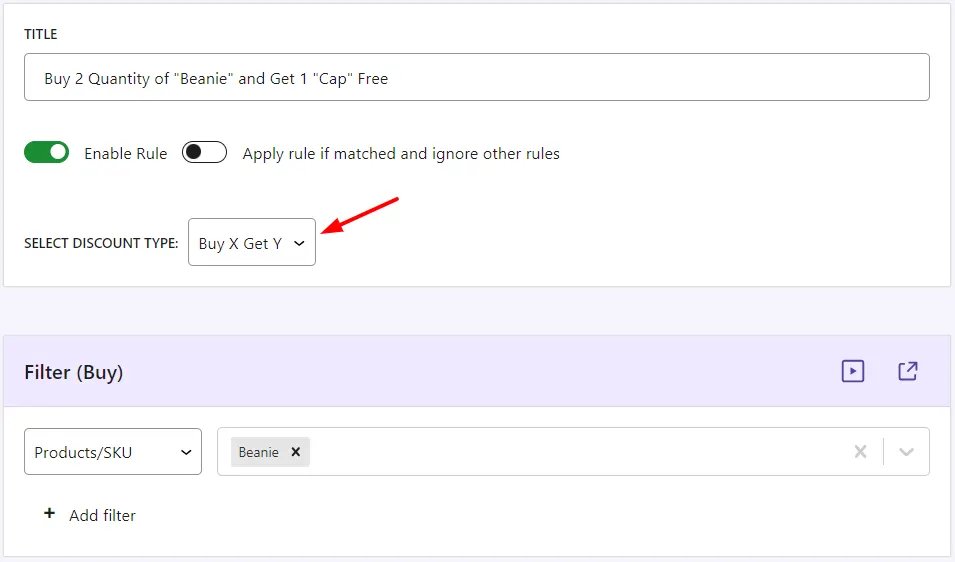
Its promotion engine also supports rules, such as:
- Buy X Get Y
- Bulk-generated coupons
- Redemption limits
- Configurable promotion stacking.
- Price lists, purchase-order payments, punch-out catalogs, and quote preparation (for B2B operations).
In addition, Drupal Commerce also covers recurring and digital commerce models. Its recurring module suite supports prepaid, post-paid, and metered subscriptions. Meanwhile, license-enabled products can be used to distribute private file downloads. Payment integrations include PayPal/Braintree, Authorize.Net, and Stripe, alongside more than 100 payment modules available through the Drupal ecosystem.
The order-management experience has also been updated. Commerce 3.3.0, released in February 2026, even introduced modal editing for order items, shipments, and billing profiles directly from the order view page.
3. AI Tools & Automation (Webflow wins)
The Verdict:
Webflow wins on the breadth of AI functionality available directly inside its managed platform. Drupal offers greater flexibility in AI models and infrastructure, but several of its more advanced capabilities are still described as pilot or experimental features.
Webflow AI tools & automation
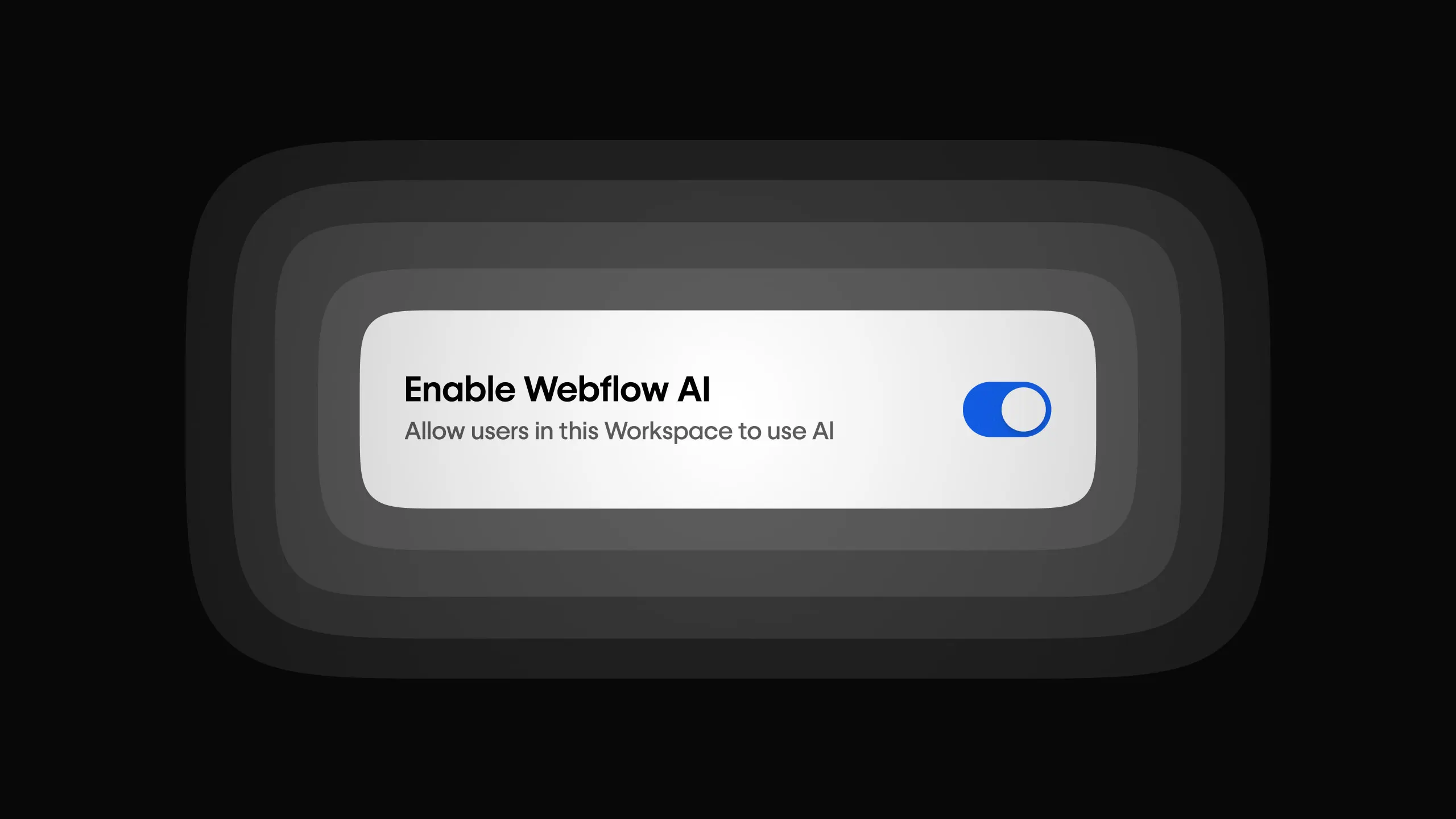
Here’s the great news: Webflow provides native AI capabilities across its plans. Users can:
- Generate a site from a prompt
- Create sections based on an existing design system
- Generate code components
- Generate CMS items either individually or in bulk.
In short, AI-assisted site creation and content production are placed directly within the Webflow workflow, rather than requiring separate tools for each task.
Webflow has also expanded its agent capabilities through MCP 2.1. As of September 2026, agents can build native GSAP animations, filter CMS content using custom and reference fields, and access Webflow Cloud deployment error logs to help fix and redeploy applications.
Governance framework is another area of development: Webflow auto-generates or centralizes Agent Instructions, including unifying brand guidelines, design systems, tone, and legal documents. Agent Presence also shows in real time where an agent is working on the canvas.
The main limitation is usage and plan availability. Workspace plans include a monthly allocation of 200, 300, or 400 AI credits, with additional credits available for purchase. Some advanced capabilities are also restricted to higher tiers.
Drupal AI tools & automation
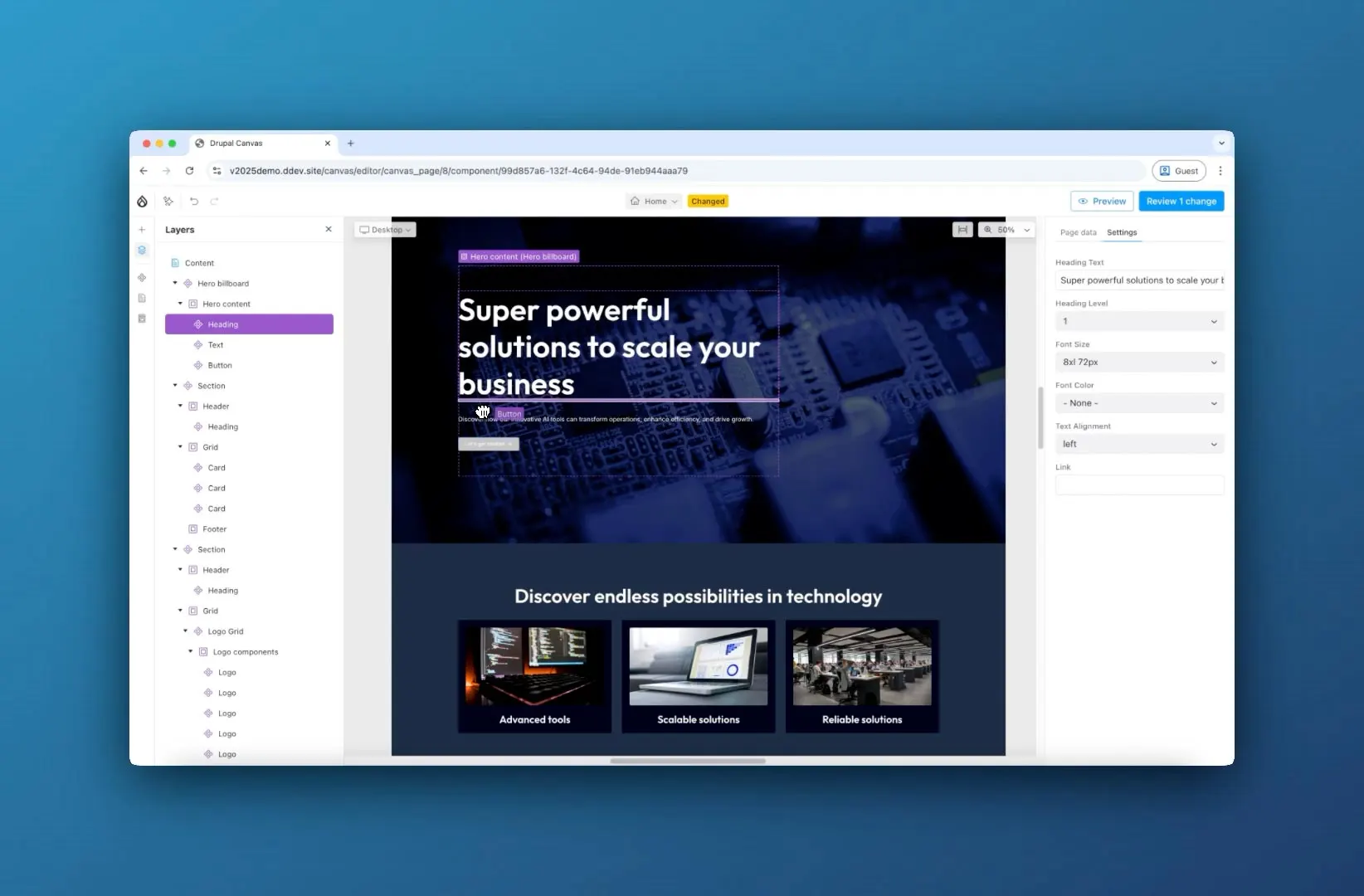
Meanwhile, Drupal CMS brings AI functionality into the CMS itself through Canvas AI and related modules:
- Users can generate complete landing pages from text prompts
- An administrative chatbot creates content types, taxonomy terms, and fields.
- The system also generates image alt text. Users can try the functionality through amazee.ai or connect their own OpenAI or Anthropic API keys.
Drupal’s major advantage is model and infrastructure flexibility. Its AI module is reported to run on more than 17,000 sites and connect to more than 48 AI providers, including OpenAI, Google Gemini, Anthropic, and AWS Bedrock. Plus, organizations can run AI entirely on their own infrastructure through Ollama, which allows them to keep content within their own servers.
Drupal also provides configuration-focused AI agents, including Field Type, Content Type, and Taxonomy Agents. These assist with configuring parts of the CMS rather than limiting AI to text generation.
However, Drupal’s AI ecosystem is at different stages of maturity depending on the feature. Multi-step Automators and the Context Control Center are described as pilot-ready, and fully autonomous agents remain experimental. Some experimental agent modules are also outside Drupal’s security advisory policy.
4. CMS & Multi-site Management (Drupal wins)
The Verdict:
Multisite is built into Drupal’s architecture, and content modeling has no item or collection caps. Meanwhile, Webflow provides strong CMS publishing controls, but separate sites are billed separately. Hence, Drupal is the winner in this Webflow vs Drupal showdown.
Webflow CMS & multi-site management
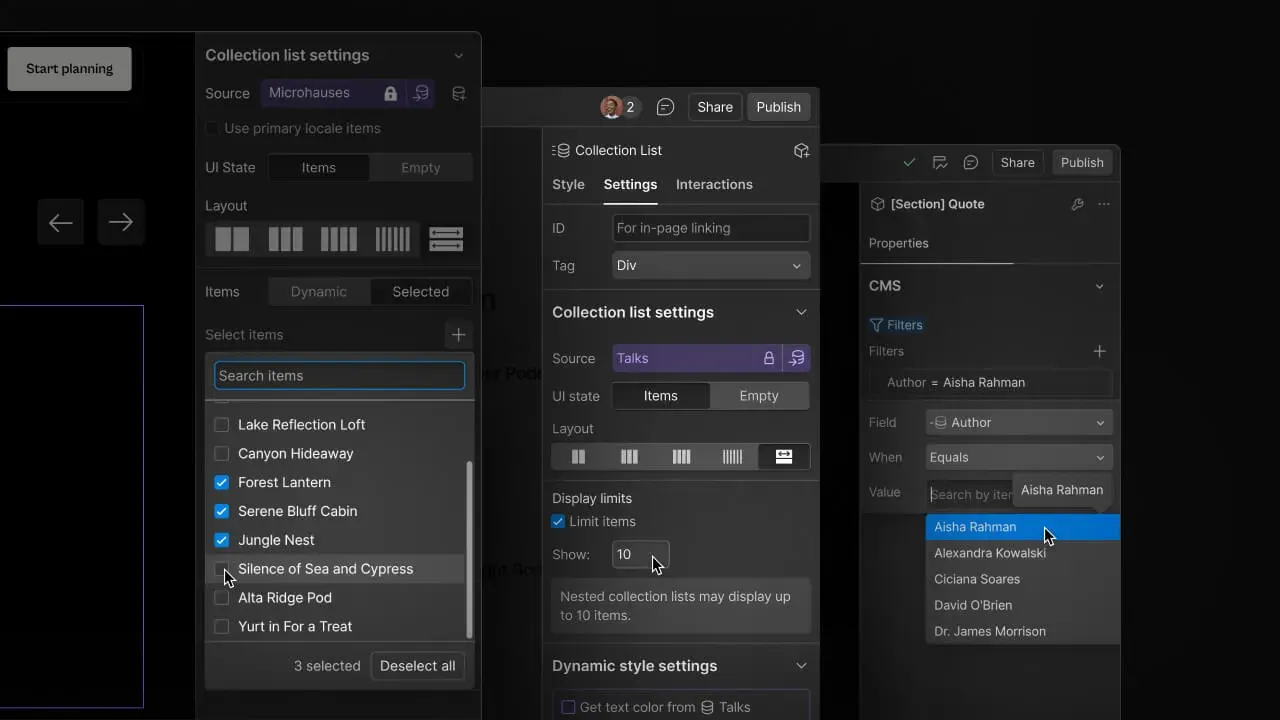
Webflow’s CMS supports structured content with publishing controls designed for day-to-day content operations. Users can publish or unpublish individual CMS items, publish multiple items at once, and schedule content for future publication.
Webflow is also developing more advanced branching workflows. Its upcoming Releases feature creates a complete branch of a site, including pages, CMS content, components, assets, and locales. According to our research, this capability is expected to reach beta by the end of 2026.
However, Webflow places structural limits on CMS Collections; even the Team plan caps a Collection at 100 fields and 20 reference fields. Separate sites are also billed separately rather than operating as native multisites within one installation. Some advanced staging workflows (such as publishing workflows, page branching, single-page publishing, and site activity logs) are gated to the $2,500-per-month Team plan.
Drupal CMS & multi-site management
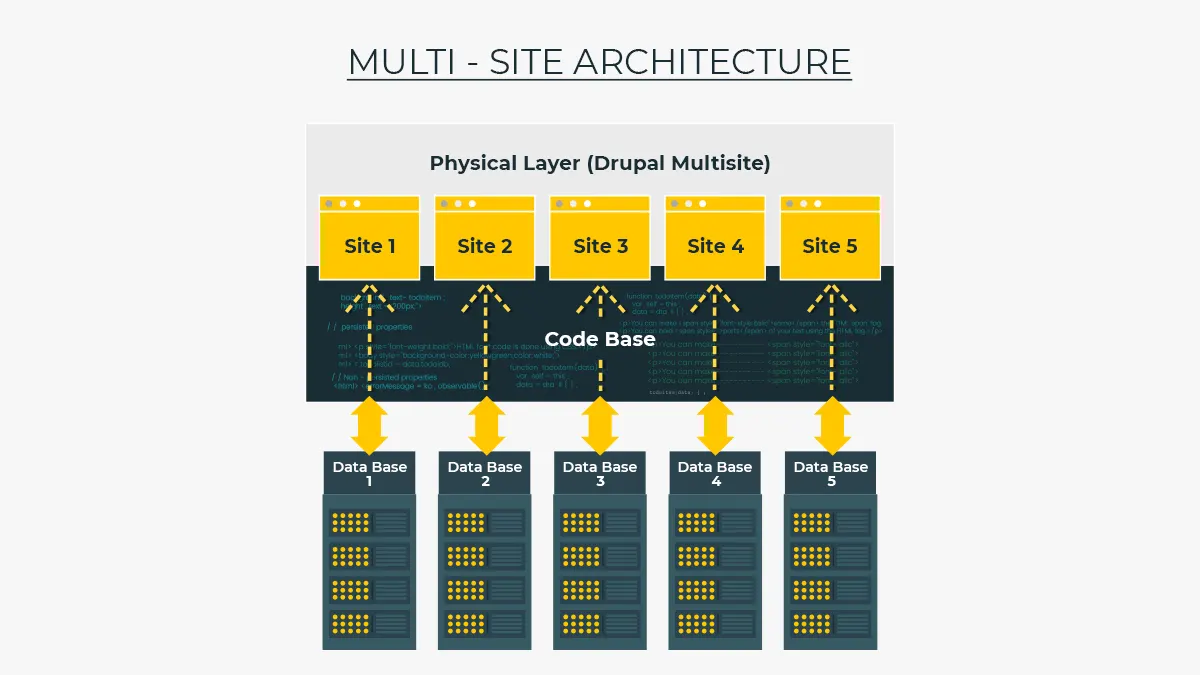
On the contrary, Drupal has native multisite support, allowing multiple independent websites to run from a single codebase. Each site can maintain its own database, configuration, files, and base domain or URL while sharing the underlying Drupal codebase.
Drupal also provides site-wide staging through Workspaces. The feature was initially experimental and became a stable module in Drupal 10.3.0, which gives teams a structured way to prepare and manage content changes before publishing them.
For content modeling, Drupal does not impose the same item and collection caps as Webflow. Instead, it supports unlimited fields across its interfaces and catalog exports, with no item or collection caps. As a result, organizations are given more room to model complex content structures as their sites grow.
Important Note:
Drupal’s documentation cautions that a shared codebase is most beneficial when all sites use the same modules and settings. When sites require substantially different configurations, a multisite setup might introduce some management trade-offs.
5. Webflow vs Drupal Customization (Drupal wins)
The Verdict:
Drupal’s open-source architecture gives developers control over the underlying code, themes, and backend, without the export restrictions found in Webflow.
Webflow customization
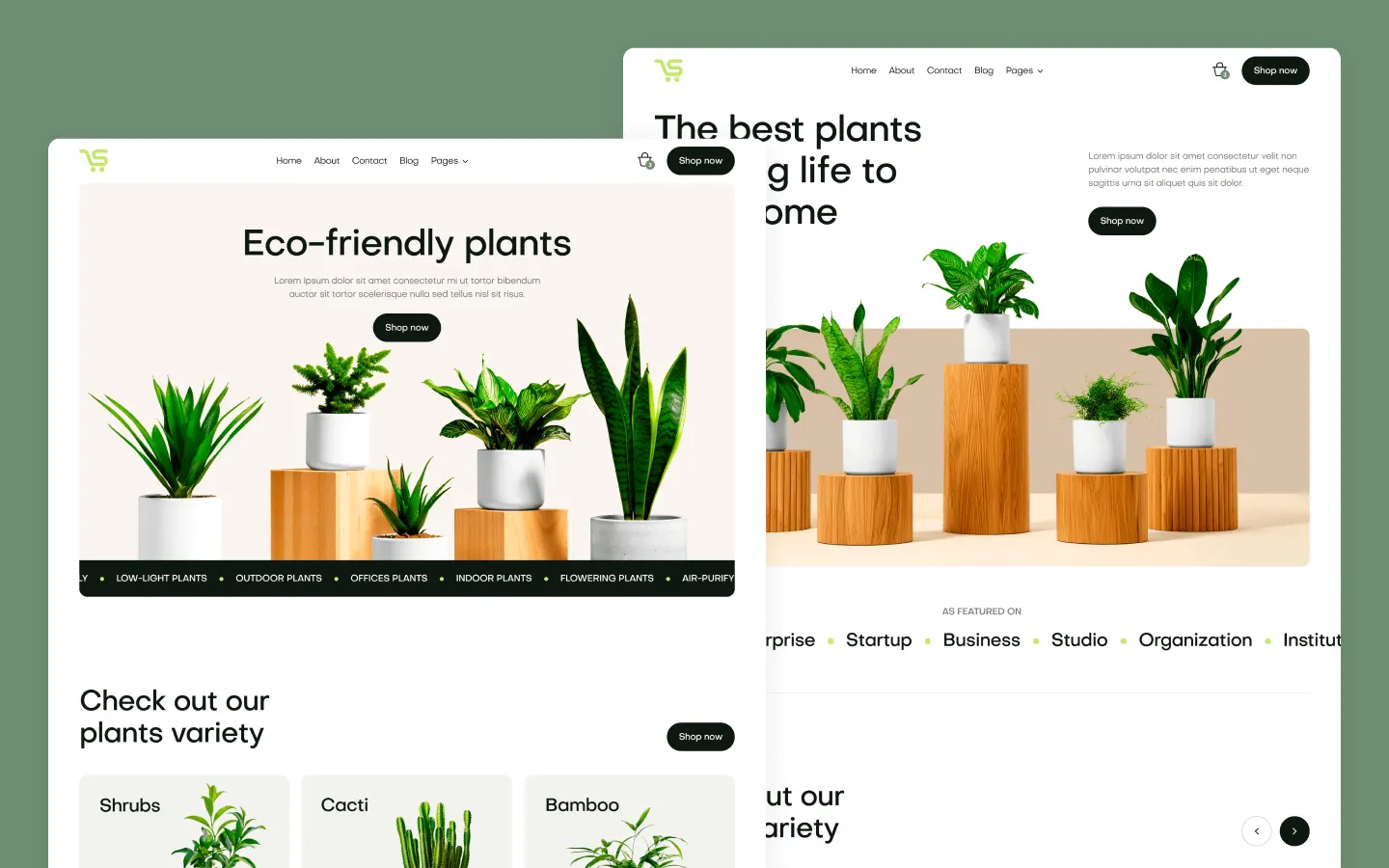
Webflow provides a visual design environment backed by a large template ecosystem (11,000+ options). Its templates range from simple one-page websites to complex multi-page business sites; premium templates are licensed according to the individual, business, or site use case.
Developers can also extend the visual workflow with code components. Developer-built or AI-generated components can be placed directly onto the Webflow canvas, and you can even style AI-generated code components through the Style panel and edit them directly in the interface.
Furthermore, Webflow has expanded beyond traditional website pages through Webflow Cloud, which can host web applications alongside a Webflow site. The platform supports SQLite, key-value storage, and object storage for these applications, giving developers more room to build functionality around the core website.
Nevertheless, Webflow’s export model limits how much of that customization can be taken elsewhere. Exported HTML and CSS do not include dynamic CMS content, and dynamic content has to be exported Collection by Collection. Not to mention, Custom code and code export require a paid Core Workspace starting at $19 per month.
Drupal customization
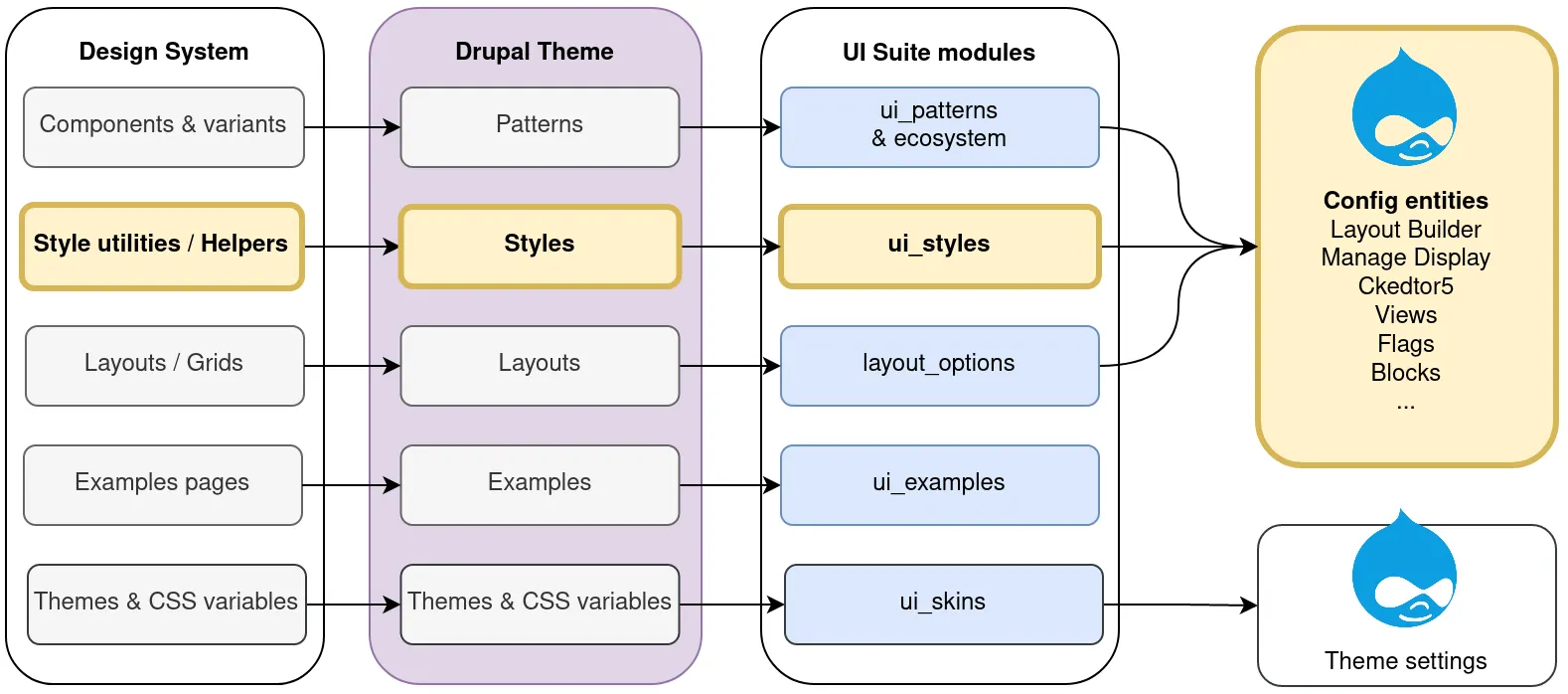
Meanwhile, Drupal is open source, built with PHP and Symfony, and licensed under GPL-2.0-or-later. Developers therefore have access to and control over the underlying code rather than working within a closed visual platform.
Drupal’s customization options extend to its theming layer. A team can build a theme from scratch, use a framework such as Bootstrap, or customize an existing theme. Therefore, developers have more control over the presentation layer while retaining access to the underlying CMS architecture.
Drupal has also added more structured design capabilities in recent releases. Drupal 11.3 and Drupal 11.4 introduced a Styles API covering areas such as typography, colors, spacing, themes, and modes. There’s also a Design Tokens API (Drupal 11.5 and the upcoming Drupal 12) that resolves design tokens into CSS variables at runtime.
Of course, the trade-off is the technical expertise required. Drupal theming generally requires Twig and PHP skills; not to mention, the new template marketplace remains relatively small, with only more than a dozen options reported in our research.
Start Drupal Migration the Easy Way!
LitExtension handles the heavy lifting of data migration so you can focus on your new store.
6. SEO & Marketing Tools (Webflow wins)
The Verdict:
Webflow combines technical SEO controls with built-in tools for AEO, analytics, A/B testing, and personalization. Drupal can cover core SEO requirements through its SEO Tools recipe, but its broader marketing stack requires additional modules.
Webflow SEO & marketing tools
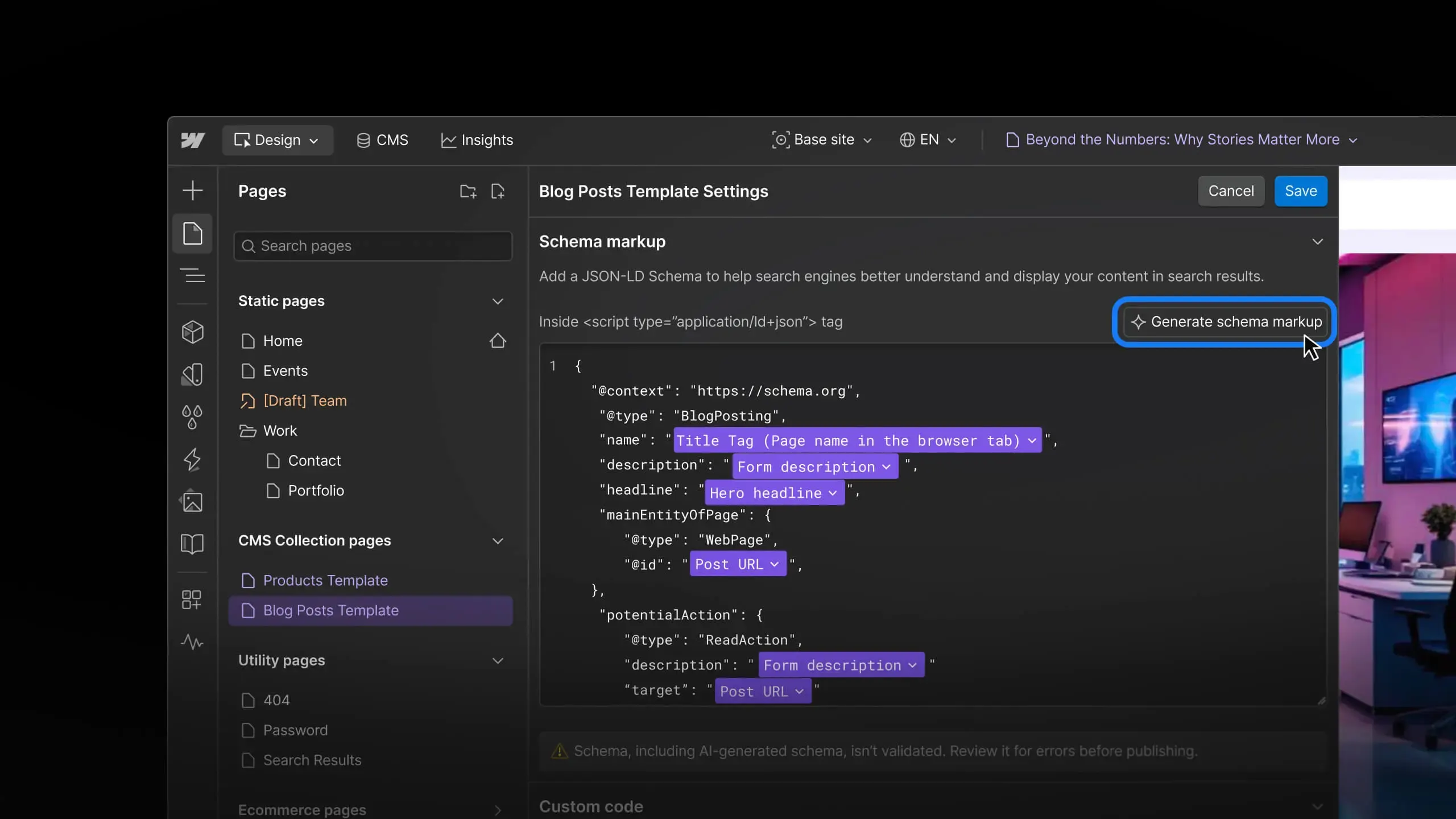
Webflow provides a broad set of SEO controls directly within the platform. These include:
- Editable meta titles and descriptions
- Alt text
- Open Graph settings
- Canonical tags
- Automatically generated XML sitemaps
- Robots.txt controls
- 301 redirects
- Schema markup
- Controls for crawlers used by search engines and AI systems.
Webflow also provides llms.txt support, which gives site owners another way to provide information specifically for AI crawlers.
For visibility in AI-powered search, Webflow has introduced AEO capabilities. Its AEO tooling aggregates data from platforms including ChatGPT, Claude, Gemini, and Perplexity to show where a brand is mentioned or cited, as well as which competing sources are cited instead. This extends Webflow’s optimization capabilities beyond traditional search-engine rankings.
For multilingual SEO, Webflow Localize can generate a localized sitemap with hreflang tags and support locale-specific subdirectories. Therefore, teams can easily manage localized versions of a site, and there’s no need to build the underlying SEO structure manually.
In addition, Webflow also offers marketing functionality through products such as Optimize and Analyze. Optimize supports A/B testing, personalization, and AI Optimize; meanwhile, Analyze provides analytics capabilities. However, these are paid add-ons rather than features included across the standard site plans.
Drupal SEO & marketing tools
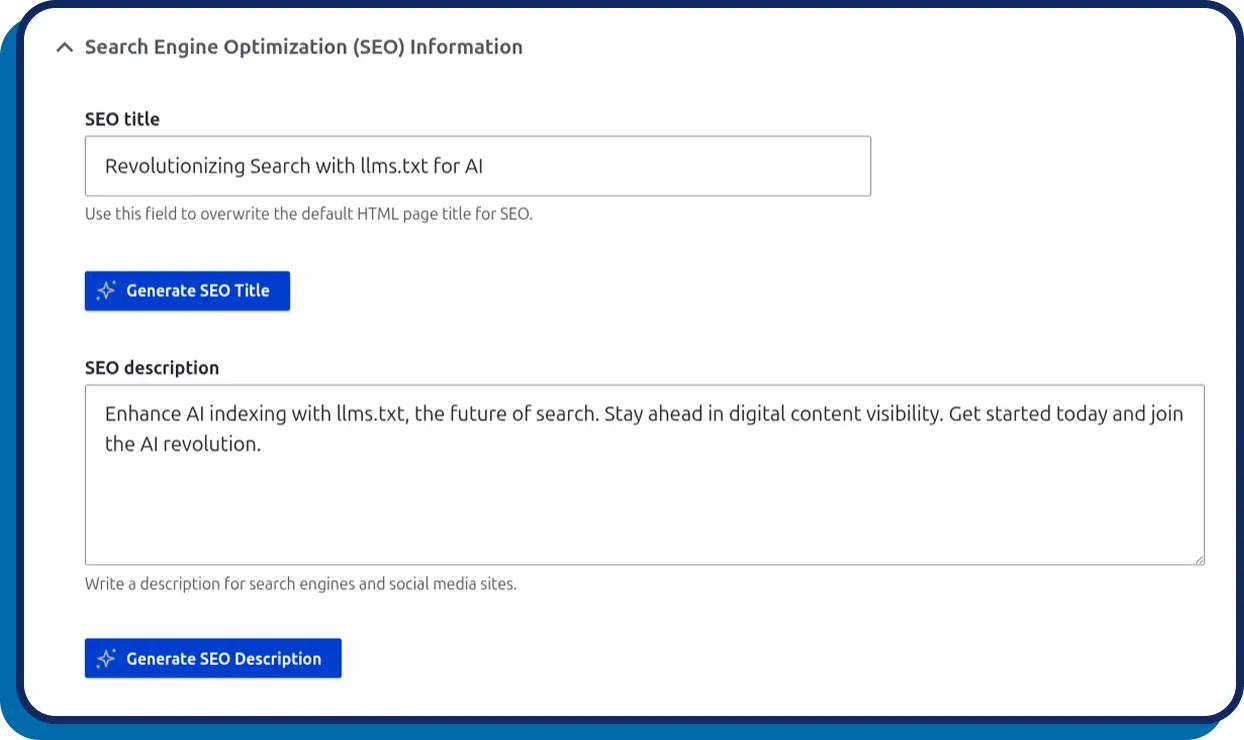
Regarding SEO, Drupal CMS provides an SEO Tools recipe that bundles several commonly used SEO modules, including:
- Real-time SEO
- Metatag
- Simple XML Sitemap
- Redirect
- RobotsTxt.
These tools can be configured through the administration interface under the search and metadata settings. As a result, Drupal sites have a set of technical SEO controls without requiring users to build each capability themselves.
Drupal also provides SEO feedback during content creation. For example, real-time SEO will score content directly inside CKEditor, and the SEO Checklist module provides a task-based dashboard for tracking SEO-related actions. Drupal 11.4 also introduced a change to robots.txt that prevents search-result pages containing query parameters from being crawled by default.
AI-powered SEO functionality is available through contributed modules as well. SEO AI can perform on-demand audits and suggest specific fixes. At the same time, an AI Schema Markup Generator creates Schema.org JSON-LD based on a node’s fields.
However, Drupal’s visual editing experience still has some SEO limitations. In Drupal Canvas, most Metatag fields are hidden behind a single SEO title field, requiring an additional module to expose more of the metadata controls. Drupal also does not provide native A/B testing or analytics, so teams need additional modules or external tools to build a comparable marketing stack.
7. Webflow vs Drupal Integrations (Drupal wins)
The Verdict:
Drupal wins on the breadth of its integration ecosystem, with nearly 50,000 contributed modules compared with roughly 300 apps in Webflow’s marketplace.
Webflow integrations
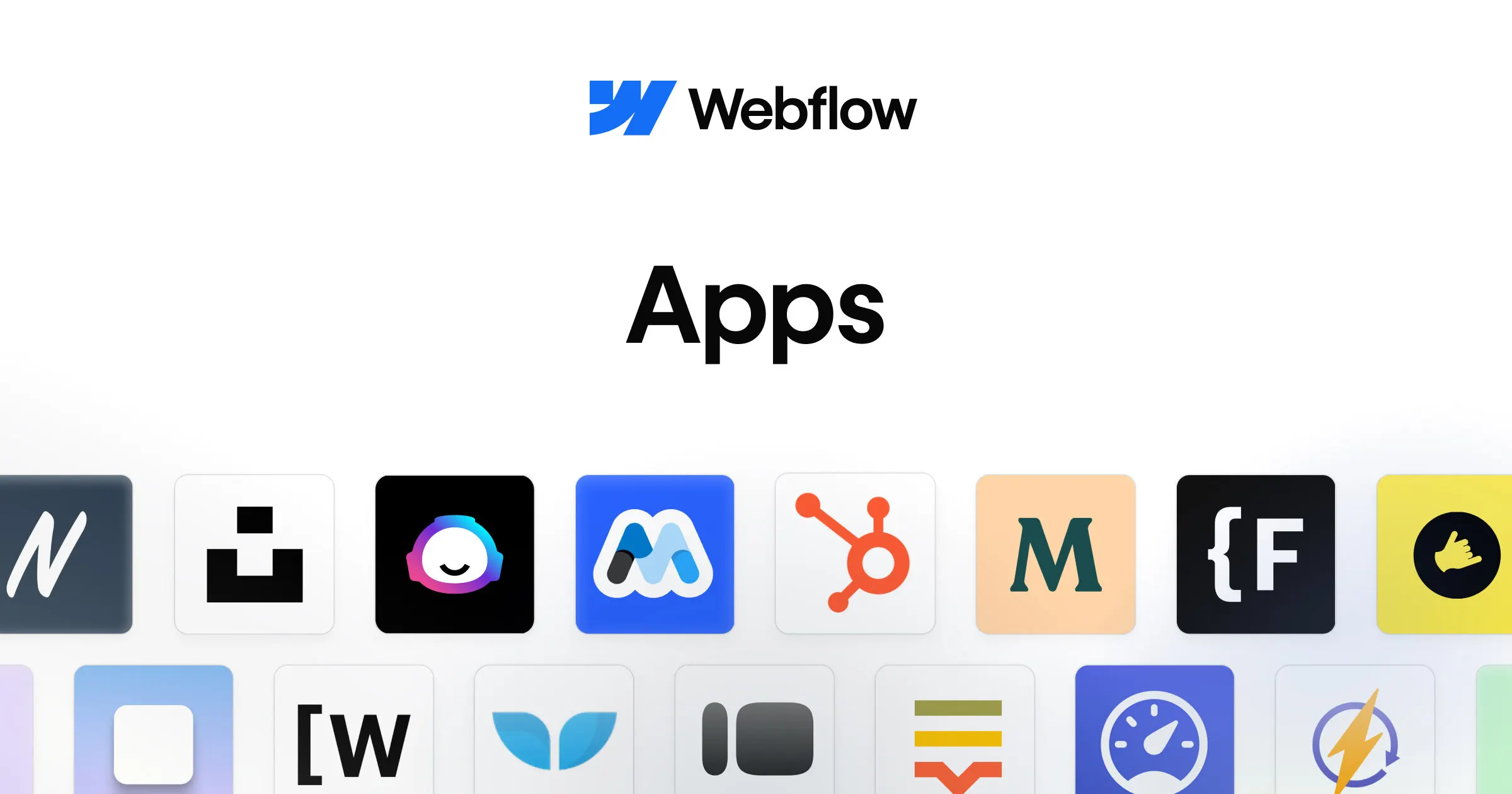
Webflow has an apps marketplace with more than 300 apps, which extend Webflow into areas such as marketing, analytics, content management, and other business workflows.
The platform also provides enterprise integrations for Optimize. These include platforms such as Salesforce, Marketo, HubSpot, Mixpanel, Segment, Google Analytics 4, Demandbase, and 6sense. Hence, it’s quite easy for larger organizations to connect Webflow’s optimization and marketing workflows with their existing technology stack.
For developers, Webflow provides REST APIs for content management. However, the reported limits are 120 requests per minute (for standard paid site plans) and 600 requests per minute (on the dedicated Team plan or specialized workspaces). Not to mention, the Content Delivery API is read-only.
Drupal integrations
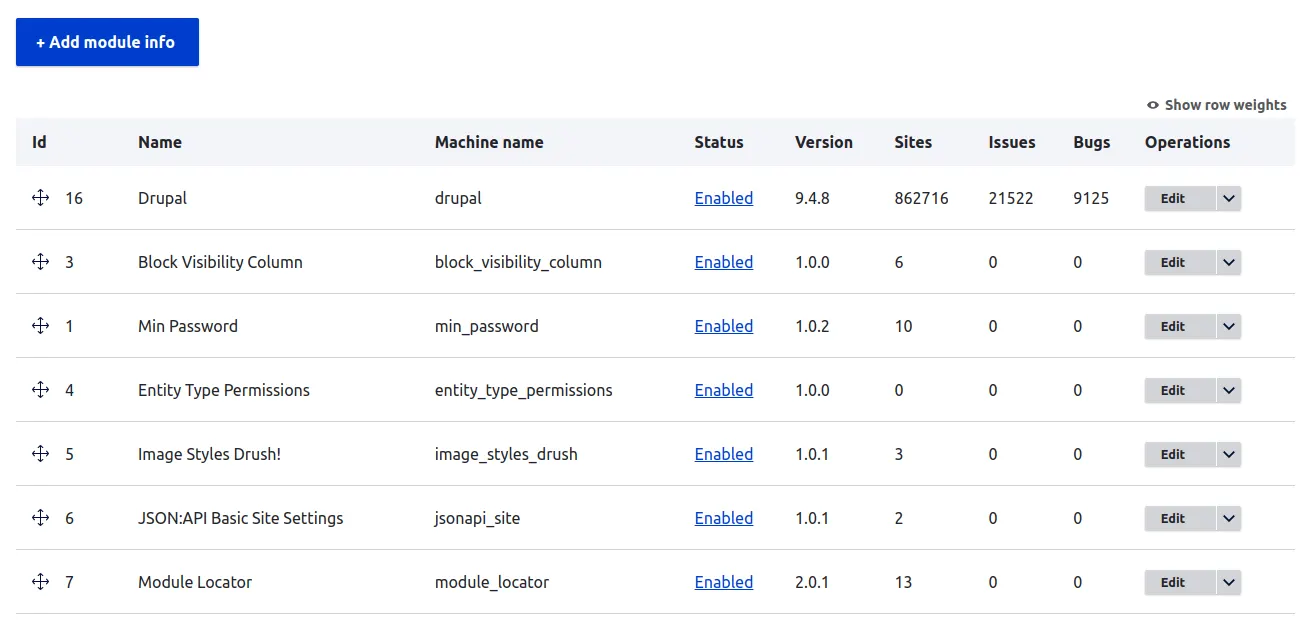
On the contrary, Drupal has a much larger extension ecosystem, with nearly 50,000 contributed modules available. Project Browser also allows users to search for contributed projects from within the Drupal administration experience. As a result, these extensions are accessible through the CMS rather than requiring every integration to be developed from scratch.
Plus, Drupal Commerce adds integrations for specific commerce workflows, including Signifyd for fraud prevention, ShipStation for shipping, AvaTax for tax calculation, Elastic Enterprise Search, and carriers such as UPS, USPS, and FedEx. Hence, with Drupal Commerce, stores can connect their storefront with services across fraud prevention, fulfillment, tax, search, and shipping.
Drupal is also suitable for headless implementations. Specifically, Drupal Commerce’s Commerce API extends Drupal Core’s JSON:API implementation, providing an API-based route for connecting Drupal commerce data to external frontends and applications.
8. Performance & Speed (Webflow wins)
The Verdict:
Webflow’s hosting includes a global CDN, surge protection, and defined uptime SLAs. Drupal Core has made many improvements in 2026, but achieving the same infrastructure-level performance depends on the hosting provider and site configuration.
Webflow performance & speed
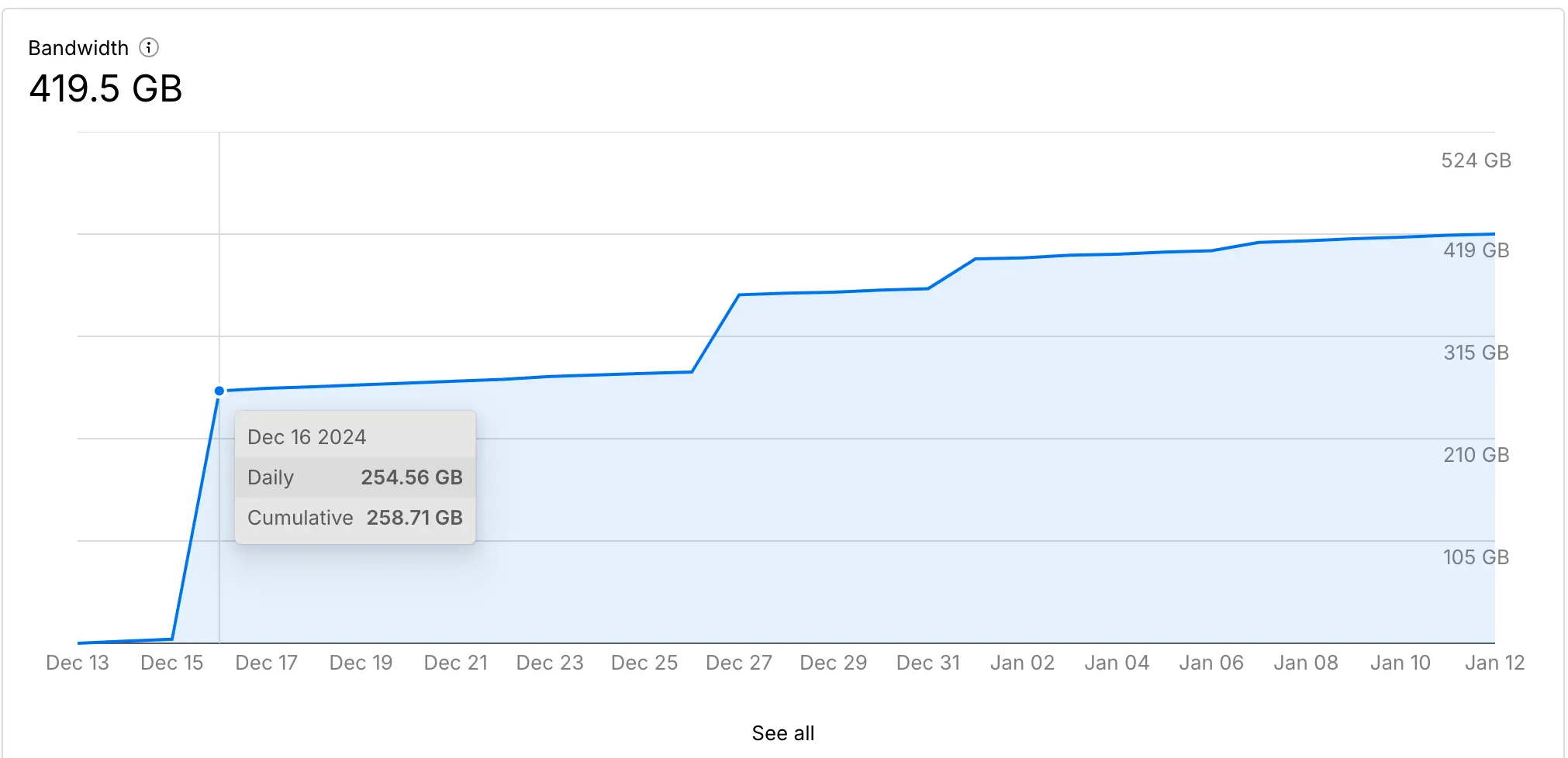
Webflow serves websites through Cloudflare’s global CDN across its plans. That means pages are delivered through a distributed network, and surge protection is designed to handle temporary bandwidth spikes. These infrastructure features are included as part of Webflow’s managed hosting rather than requiring site owners to configure a separate CDN.
Webflow also reported significant performance improvements in 2026. According to both our tests and reports from the Webflow Conf, published sites render up to 43% faster, and publishing itself can be up to 80% faster. In addition, Webflow also provides hosting uptime commitments: the SLA is 99.00% for Team and 99.99% for Enterprise.
Of course, there are still infrastructure limits to consider. Basic includes 10 GB of monthly bandwidth, and Starter includes only 1 GB. Also, under Webflow’s 2026 pricing changes, the Premium plan’s bandwidth allowance dropped from 100 GB to 50 GB per month.
Drupal performance & speed
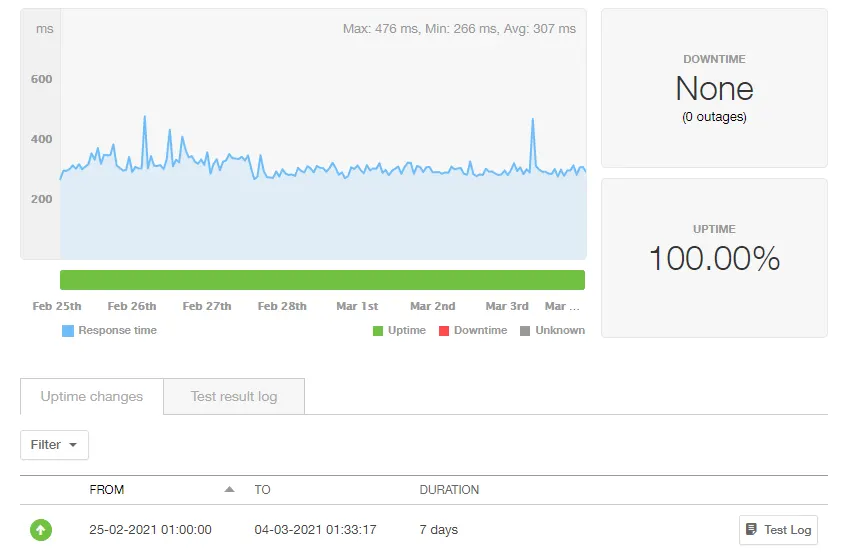
Drupal has made substantial performance improvements in recent releases. For starters, Drupal Core 11.3 allows sites to serve 26–33% more requests with the same setup.
Drupal 11.4 introduced further efficiency gains on July 1, 2026. The release uses approximately one-third as many database and cache lookups compared with Drupal 11.0 and Drupal 10.6; plus, JavaScript and CSS compression improved by 15–25%. Recipe-based installation also became twice as fast, including the setup process used by Drupal CMS.
However, Drupal does not provide a global CDN or hosting uptime SLA as part of the CMS itself, meaning those capabilities depend on the hosting environment. Providers such as Pantheon and Acquia can supply managed infrastructure, but the resulting performance and availability therefore depend on the hosting provider, configuration, and optimization work applied to the individual Drupal site.
9. Customer Support & Available Resources (Webflow wins)
The Verdict:
Webflow provides a vendor-operated support team with defined response targets and higher-tier support options. Drupal has extensive documentation and resources, plus paid expert support, but there’s no official vendor helpdesk for the open-source CMS.
Webflow customer support & resources

Webflow provides direct vendor support through email, responding within 48 hours. Users can also rely on the Webflow Help Center, Webflow University, and Webflow Community for documentation, tutorials, and peer assistance.
In addition, support becomes more extensive at higher plan levels. The Team plan includes 24/7 priority support and guided onboarding; phone support and a dedicated Customer Success Manager are available to Enterprise customers with a Premium SLA.
Webflow also defines incident-response targets for its paid support tiers. For example, team customers have a 12-hour target for major incidents and 24 hours for minor incidents. Meanwhile, Enterprise customers receive targets of one hour for major incidents and four hours for minor incidents.
Drupal customer support & resources
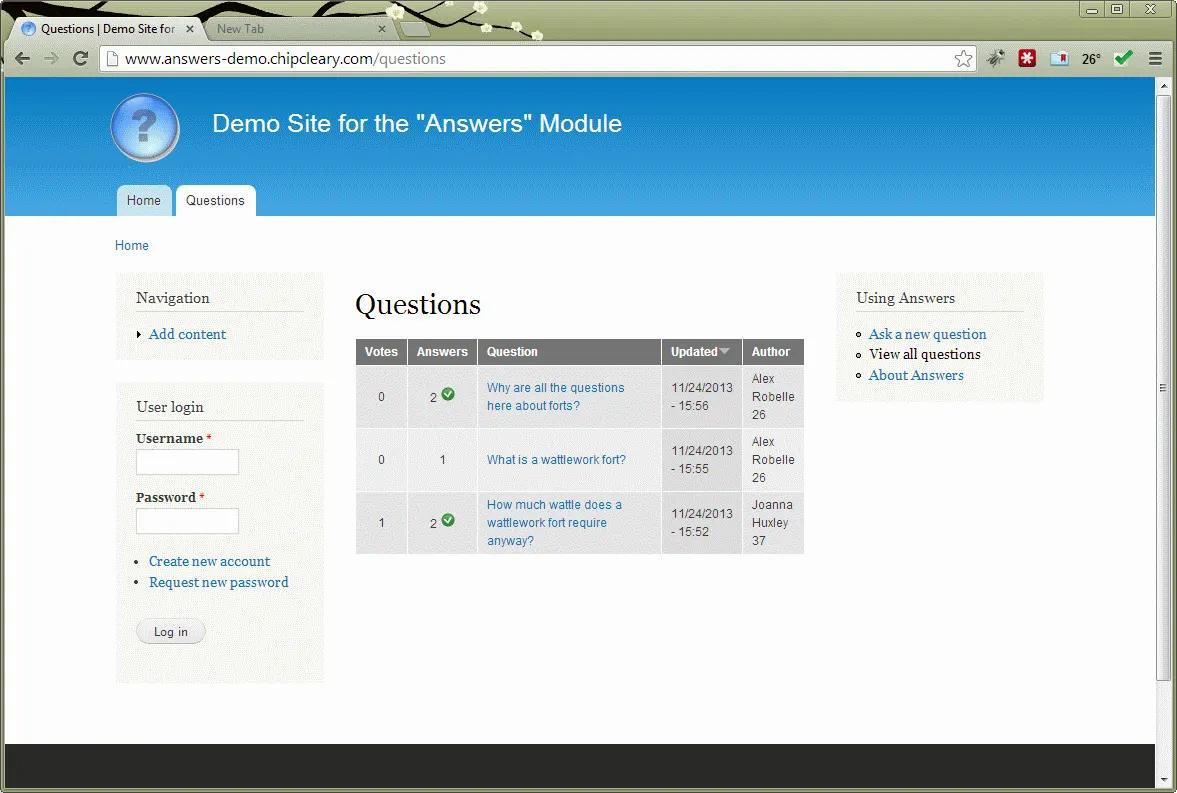
On the other hand, Drupal’s support model is built around its open-source community rather than a centralized vendor helpdesk. Users can access the Drupal Answers forum, Drupal Slack, and extensive documentation on Drupal.org. All these resources give users several channels for finding technical guidance and community solutions.
Drupal also follows a predictable maintenance schedule: Bug-fix releases are scheduled for the first Wednesday of each month, and security releases are scheduled for the third Wednesday. Hence, it’s easier for site owners and development teams to plan routine maintenance around a known release cadence.
Organizations that need professional assistance can purchase support from Drupal specialists and commercial partners. For example, Centarro provides commercial support for Drupal Commerce as one of the organizations involved in maintaining the project.
However, keep in mind that Drupal itself does not operate an official customer-support desk comparable to Webflow’s. Teams that need hands-on assistance therefore must rely on community support, hosting providers, agencies, or specialized commercial partners.
10. Webflow vs Drupal Pricing (Drupal wins)
The Verdict:
Drupal has a lower software cost because the CMS, Drupal CMS, Canvas, Commerce, and AI module are free and open source. Webflow has more predictable managed-platform costs, but site plans, Workspace seats, and paid add-ons can stack up as a site’s requirements grow.
Webflow pricing
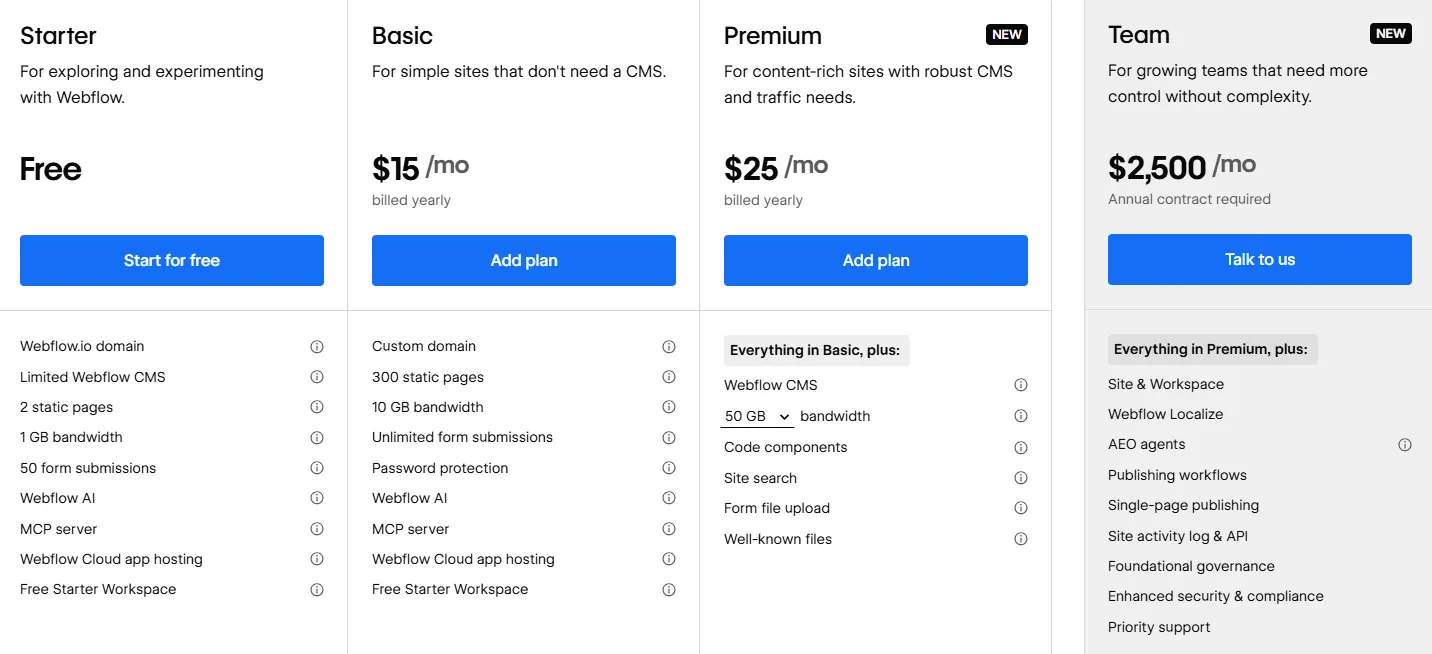
Webflow pricing is divided into Site plans, Platform plans, eCommerce plans, and Workspace plans, plus additional costs for seats and optional products.
Site plans are designed for individual websites and determine the features available for building, publishing, and hosting a site:
- Starter: Free, with a Webflow.io domain and limited site features.
- Basic: $15 per month when billed yearly, for simple sites that do not need a CMS.
- Premium: $25 per month when billed yearly, for content-rich sites with CMS and higher traffic needs.
Platform plans bundle a site, Workspace, and additional capabilities for larger organizations:
- Team: $2,500 per month with an annual contract, adding advanced collaboration, staging, governance, security, and support features.
- Enterprise: Custom pricing, with features such as granular permissions, advanced governance, enhanced SLAs, dedicated account management, and custom configurations.
For online stores, Webflow offers separate eCommerce plans:
- Standard: $29 per month when billed yearly, with up to 500 eCommerce items and a 2% transaction fee.
- Plus: $74 per month when billed yearly, with up to 5,000 eCommerce items and no transaction fee.
- Advanced: $212 per month when billed yearly, with up to 15,000 eCommerce items and no transaction fee.
In addition, Webflow separates Workspace plans from Site plans. Every account includes a free Workspace; plus, paid Workspace plans also provide additional staging and collaboration capabilities:
- For teams, the current options are: Starter (Free), Core ($19/month, billed yearly), and Growth ($49/month, billed yearly).
- For freelancers and agencies, Webflow offers Starter (Free), Freelancer ($16/month, billed yearly),and Agency ($35/month, billed yearly).
Workspace’s additional seats (for Workspaces) can also add to the total cost. Full seats cost $39 per month per seat when billed yearly, and Limited seats cost $15 per month per seat. Free seats are available for reviewers and commenters.
In addition, Webflow also charges separately for products such as Localize, Optimize, and Analyze. This means a business that needs localization, A/B testing, personalization, analytics, and advanced optimization may pay substantially more than the base site-plan price suggests.
Drupal pricing
Drupal itself is free and open source under the GNU General Public License. The same applies to Drupal CMS, Canvas, Drupal Commerce, and the AI module. There are no Drupal software license fees or per-seat platform charges similar to Webflow’s paid Workspace seats.
Nevertheless, the main direct infrastructure expense is hosting. For example, the Pantheon Basic tier costs around $41 per month for 35,000 visits when billed annually. Other optional costs can include paid site templates, AI provider API fees, and CKEditor 5 Premium Features. These are not required to run Drupal itself but can add to the cost of a particular implementation.
Another consideration is development and maintenance. Drupal requires teams to handle hosting, configuration, security updates, and major-version upgrades, so developer time can become a significant part of the total cost. Check our Drupal upgrade guide to learn how to stay updated!
When to Choose Webflow & Drupal
The choice between Webflow and Drupal largely depends on how much technical control your team needs and how much infrastructure you want to manage yourself.
Webflow is structured around a managed, visual workflow. Drupal, on the other hand, gives organizations more control over the underlying CMS, code, hosting, and architecture.
In short, consider Webflow when your priorities include:
- Managed hosting with less infrastructure work
- Visual website creation and content editing
- Collaboration between designers, marketers, and content teams
- Built-in SEO and marketing capabilities
- Native AI and agent-assisted workflows
- A website that does not require Drupal’s level of backend customization
Consider Drupal when your priorities include:
- Full control over code and infrastructure
- Complex content models or large content structures
- Native multisite management
- Advanced B2B or multi-store eCommerce
- Extensive third-party integrations
- Highly customized functionality that requires developer-level control
- An open-source platform without software license or per-seat fees
| If your priority is… | Consider |
| Managed hosting and less technical maintenance | Webflow |
| Visual design and content workflows | Webflow |
| Built-in marketing and AI tools | Webflow |
| Complex eCommerce requirements | Drupal |
| Native multisite management | Drupal |
| Deep code-level customization | Drupal |
| Large integration ecosystem | Drupal |
| Open-source software with no license fees | Drupal |
Webflow vs Drupal: FAQs
Does anyone use Drupal anymore?
Yes, Drupal is still widely used, though it has shifted away from small personal blogs and simple sites to focus heavily on large enterprises.
Does Tesla use Drupal?
Yes. Tesla relies on Drupal’s enterprise content management system (CMS) to manage high-traffic pages, vehicle information, and multi-language support across dozens of international regions.
Is Webflow the best CMS?
Webflow is not universally the “best” CMS. Nevertheless, it is a top-tier choice for designers, marketers, and startups who want a powerful visual canvas paired with managed hosting.
What are the disadvantages of Drupal?
Drupal is complex and less user-friendly than other content management systems. In addition, building and customizing a Drupal site requires specialized programming skills.
Our Methodology
To compare Webflow vs Drupal, we followed a three-step process to verify how each platform works:
Step 1: Verify the current platform capabilities
First, our team checked each platform’s current documentation, product pages, pricing information, release notes, and official announcements. For every feature discussed in the comparison, we first verified whether it is available in the current version of the platform and then checked how that feature is delivered.
This step is important because the same capability can work very differently on Webflow and Drupal. We therefore recorded whether a feature:
- is available natively
- requires a paid plan
- depends on an extension or contributed module
- or requires external hosting, development, or third-party services.
Step 2: Compare the implementation
After verifying a particular capability, we traced what a user or development team would actually need to do to use it. We compared the workflow from setup and configuration through daily use, including the number of external dependencies, technical knowledge, infrastructure requirements, and ongoing maintenance involved.
We applied the same approach to areas such as AI, SEO, integrations, performance, and multisite management. When a capability depended on an additional module, app, hosting provider, or paid tier, that dependency was considered part of the implementation rather than treated as equivalent to a native feature.
Step 3: Evaluate the practical trade-offs
Once the capabilities and implementation workflows were documented, we compared what each approach means for an actual website project. We considered not only the final feature set but also the work required to reach that result, including configuration, development, infrastructure management, third-party dependencies, and recurring costs.
We also checked important limitations and edge cases that could change the outcome for different types of projects. The result is a comparison based on verified capabilities → implementation requirements → practical trade-offs, giving each winner a clear basis.

