If you’re considering Webflow, you’ve likely heard mixed opinions: some praise its power, while others point to its learning curve. This Webflow review will help you decide whether it’s worth your time and money.
In this article, I’ll share a detailed Webflow review based on months of hands-on testing. Here are the aspects that I will include:
- Pricing;
- Ease of use;
- Design functionalities;
- Webflow CMS;
- eCommerce features;
- Apps & integrations;
- SEO & marketing tools;
- Security;
- Customer support.
Ready to get started? Let’s jump right in!
What is Webflow?
Webflow is a “software as a service” (SaaS) platform designed to let anyone build their own website or eCommerce store without needing to write a single line of code. It’s marketed as a “no-code” tool, which means it’s great for both beginners and professionals.
That said, if you’re like me and enjoy diving deeper into customization, Webflow doesn’t disappoint. It offers the flexibility to edit CSS, add JavaScript, or adjust HTML directly, which is a huge plus for someone who wants full control over their website.
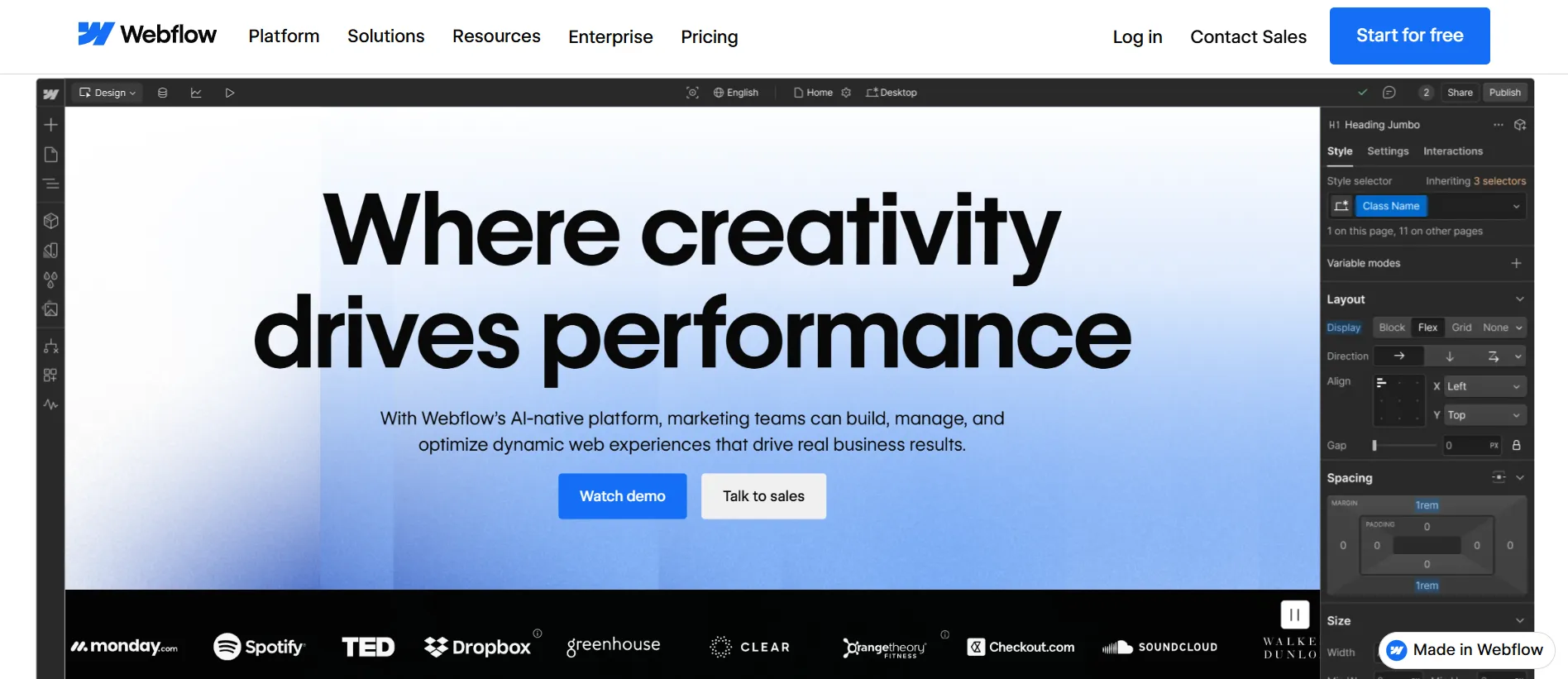
Currently, over 670,000 websites are built on Webflow (Source: BuiltWith). While it’s a favorite among web developers and designers, I’ve seen how it’s just as valuable for business owners, marketers, and content creators who need a professional-looking site without the headache of complex coding.
Our Webflow Review Verdict at a Glance
Working at LitExtension, I’ve watched a lot of businesses move between platforms. So last year, when I started noticing the same name surfacing again and again among the agencies, startups, and business owners we talk to, it caught my attention. Webflow kept coming up as the alternative people were eyeing when traditional website builders stopped feeling like enough.
The opinions were divided. Some saw it as the ideal middle ground between drag-and-drop builders and custom development, while others felt the learning curve wasn’t worth it. That contrast made me want to test Webflow myself instead of relying on reviews.
Over several months, I built a business website, managed content with Webflow CMS, tested responsive design and SEO features, and launched a small eCommerce store. Approaching it without a design or development background, I documented both the challenges and advantages along the way.
That hands-on experience became the foundation for this Webflow review.
What I liked about Webflow:
- Exceptional design flexibility with precise control over layouts and styling
- Whether you’re creating a one-page portfolio or a multi-page eCommerce store, Webflow offers a variety of beautifully designed templates to get you started.
- With fast load times and strong built-in security, Webflow is highly rated for delivering a smooth and safe experience for visitors.
- Webflow’s eCommerce plans include robust features for setting up online stores, managing products, and processing payments.
What I disliked about Webflow:
- You might feel overwhelmed by the Webflow Editor display when you first see it.
- While Webflow offers decent SEO tools, some users find the built-in technical SEO features a bit restrictive for fully optimizing their site’s ranking potential.
- Webflow’s pricing plans can be tricky to navigate, especially for advanced features, and may feel expensive compared to competitors.
Based on my experience, I’d give Webflow an overall rating of 4.6/5 and recommend it to anyone who values design flexibility without diving deep into code. In the following sections, I’ll break down each aspect of Webflow in detail to explain how I arrived at this rating.
Grow beyond Webflow
Move your Webflow store to Shopify, BigCommerce, and more — fast, secure, and expertly supported.

How Much Does Webflow Cost?
Pricing can be one of the more confusing parts, so for this Webflow review, I spent time breaking down each plan to understand who it’s actually designed for.
Webflow splits its pricing into two main categories: Site Plans and Workspace Plans. Here’s what that looks like and how I made sense of it.
1. Site plans
If you just need one website with fully managed hosting, Site Plans are what you’re looking for. These let you add your own domain (like .com, .net, etc.) and offer a range of options based on your needs.
The General Site Plans cover Webflow’s standard website-building offering. Whether you’re creating a simple marketing site or a content-heavy publication, you can choose a plan based on the amount of traffic, CMS content, and functionality you need.
Plan | Price | Best for |
Starter | $0/mo | Testing the platform. I tried it first myself – fine for a look around, but capped at 2 pages and stuck on a webflow.io subdomain, so no custom domain. |
Basic | $25/mo | Small sites that need a custom domain. No CMS, so it's not the one for blogs or content-heavy sites. |
Premium | $39/mo | The sweet spot for most sites. Replaces the old CMS and Business plans, with 20,000 CMS items and 40 collections included – plenty for serious blogging and content. |
Team | From $2500/mo | Large organizations need tailored limits and support. Contact Webflow's sales team. |
For businesses that want to sell products directly through their website, Webflow offers a separate set of eCommerce Site Plans. These plans include everything in the General Plans while adding the tools needed to manage products, orders, and payments.
Plan | Price | What you get |
Standard | $42/mo | All eCommerce + CMS features, ideal for adding a store to a content site. Carries a 2% transaction fee on Stripe/PayPal payments. |
Plus | $84/mo | Built for higher volume – up to 5,000 products and no transaction fees. |
Advanced | $235/mo | Up to 15,000 products and 15 staff accounts for larger operations. |
2. Workspace plans
Now, if you’re working on multiple sites or need to collaborate with a team, Workspace Plans are the way to go. They’re split into two categories: one for in-house teams and another for freelancers and agencies.
For in-house teams – companies managing their own websites, you can choose from the following plans:
- Starter (Free): Great for testing, but very basic.
- Core ($28/month): Best for small teams.
- Growth ($60/month): Ideal for medium teams looking for more collaboration features.
If you’re like me and do freelance work or run a small agency, these plans are super practical:
- Starter (Free): A good entry point.
- Freelancer ($24/month): This is what I went with at first; it’s perfect for managing a few clients.
- Agency ($42/month): If you manage many clients and need more flexibility, like having unlimited staging sites, this plan makes perfect sense.
With Freelancer and Agency options, Webflow allows content and billing modification roles. However, if you want to own unlimited Webflow.io staging sites and manage multiple clients, the Agency plan is a must-have.
For a comprehensive analysis of pricing, please visit our article on Webflow pricing explained.
My take on Webflow pricing tiers: At first glance, Webflow’s pricing might seem a bit high compared to competitors, but when I dug into the features, it started to make sense. They offer a ton of flexibility, and the plans scale well depending on whether you’re just starting out, running a business, or managing projects for clients.
Is Webflow Easy to Use?
Getting started with Webflow was easier than I expected. Creating an account, setting up a workspace, and launching a new project only took a few minutes. I also appreciated the option to start with a professionally designed template rather than building everything from scratch, which helped me get familiar with the platform much faster.
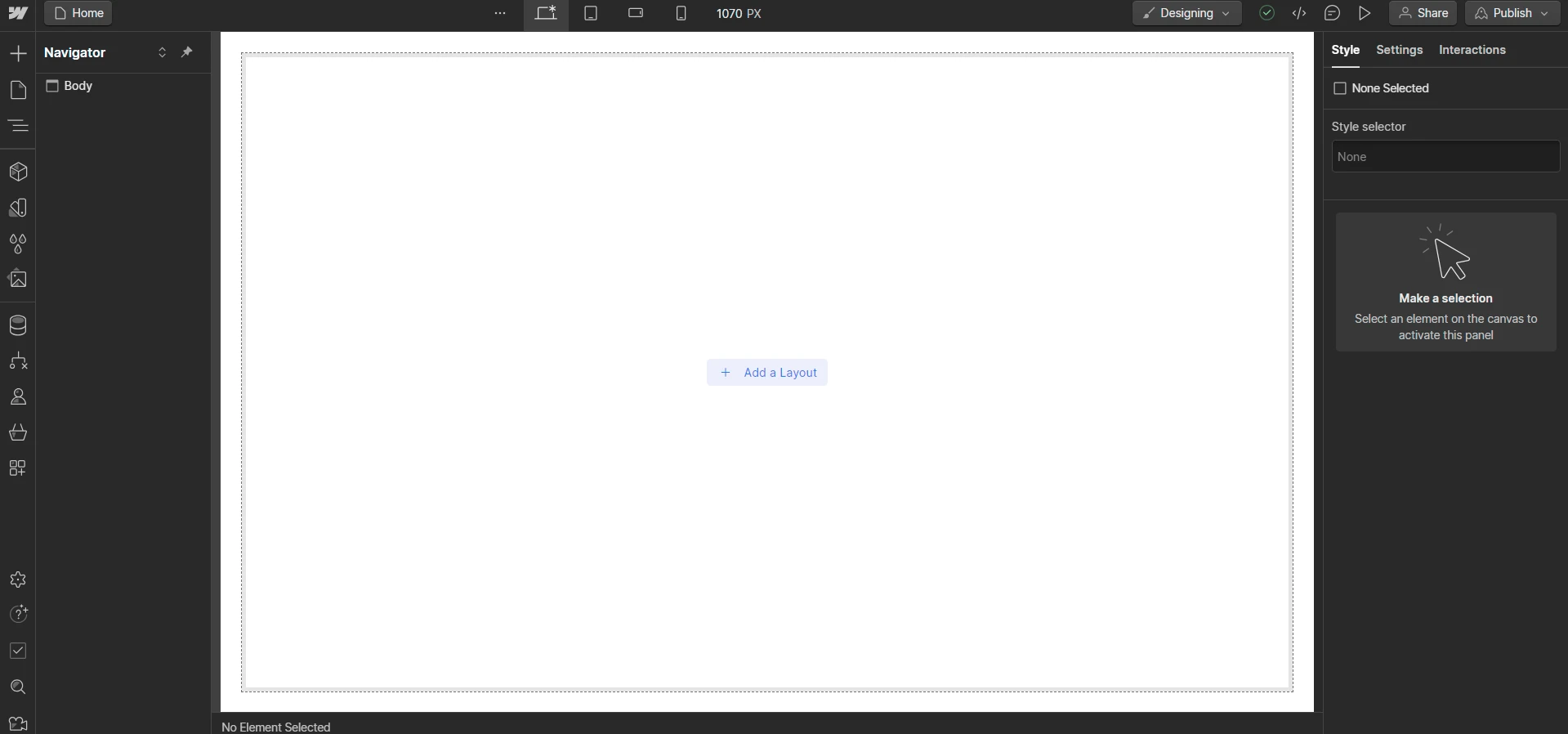
That said, I quickly realized Webflow isn’t the kind of website builder you can fully master in a single afternoon. During my first few days, I spent a lot of time figuring out how layouts, classes, and CMS collections worked together. Simple changes that would’ve taken seconds in Wix or Squarespace sometimes required a bit more thought in Webflow.
The good news is that the learning curve feels steeper at the beginning than it does over the long term. Once the core concepts started to click, building pages became much more intuitive. In fact, I found that the extra learning effort paid off because it gave me far more control over the design and structure of my website than most website builders I’ve tested.
If you feel overwhelmed by all the options at first, I recommend checking out Webflow University. Their tutorial videos helped me a lot, guiding me from setting up my first site to advanced customizations.
My take on Webflow ease of use: I did notice that Webflow’s interface is easier to use if you have some design experience. For beginners, it might seem complicated at first. But with practice and good guidance, anyone can learn to use Webflow confidently.
How Good Is Webflow’s Design Functionality?
In my experience, Webflow offers some of the best design functionality available in a website builder today.
From the official theme store, you can find over 7,000 professionally designed themes. No matter what kind of site you’re building, there’s probably a template that fits your needs. To save time, I found it super helpful to use the search filters in the Webflow directory.
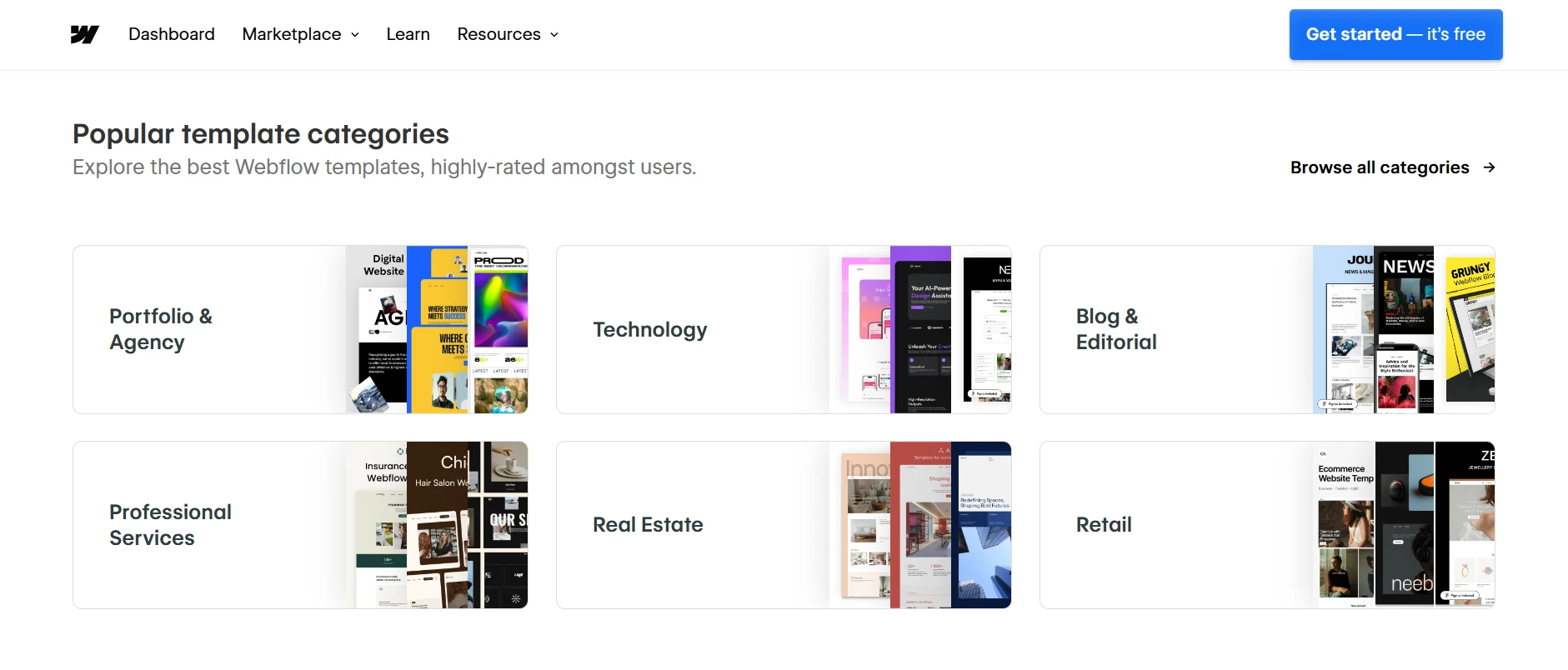
Here’s a tip: always preview the templates live before making a decision. It helped me see how they aligned with my brand’s style and functionality needs, so I didn’t waste time on something that wouldn’t work.
My favorite feature that I need to mention in this Webflow review is the live prototyping tool. With just a few clicks, I was able to create interactive, dynamic prototypes with no coding required. It’s truly beneficial if you’re like me and want to see how your site will behave in real-time.
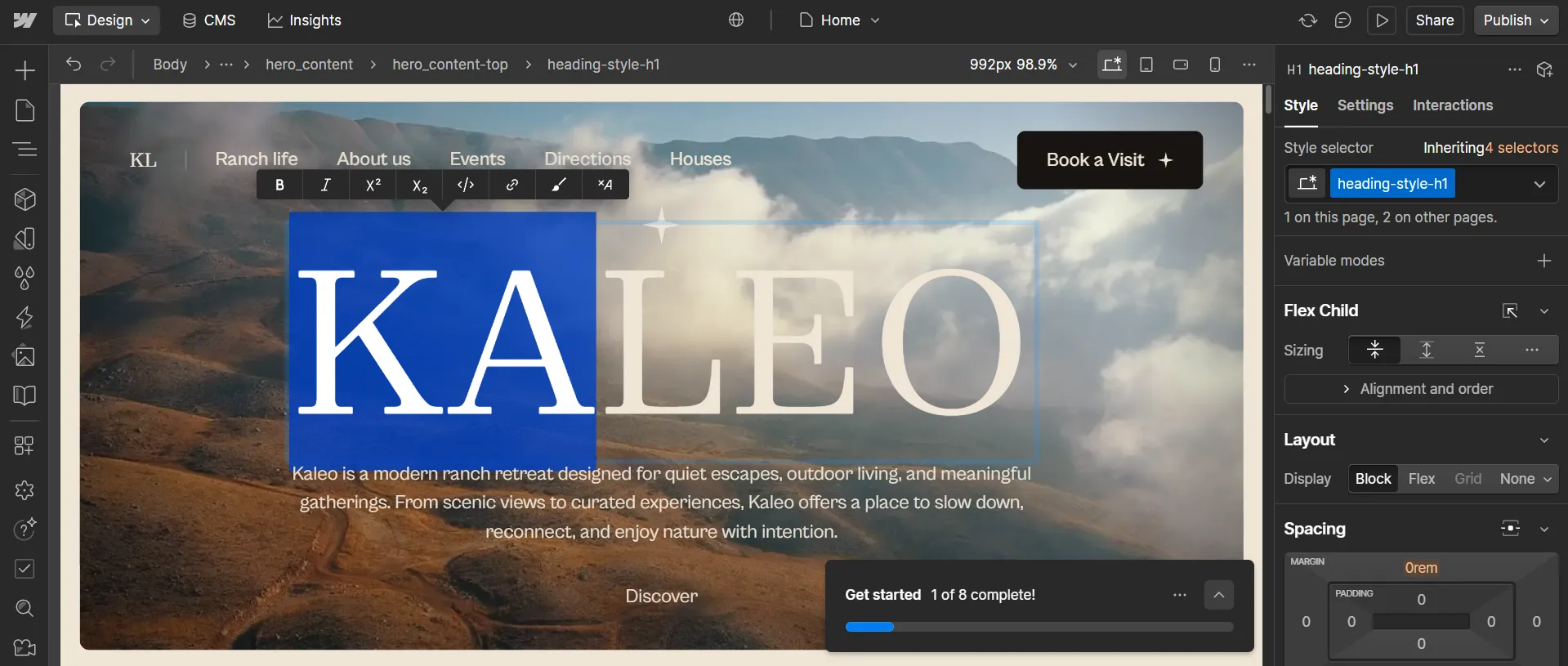
I also enjoyed experimenting with Webflow’s AI-powered tools. They helped generate page content, suggest layouts, and accelerate some of the early setup work that would normally take much longer. I didn’t rely on AI to build entire pages for me, but it was a helpful starting point whenever I needed inspiration or wanted to get a project off the ground more quickly.

My take on Webflow’s design capabilities: Honestly, between the templates and the prototyping tools, I felt empowered to create a site that’s both functional and visually stunning. It’s these little details that make Webflow such a standout platform for me.
How Powerful Is the Webflow CMS?
Compared to most website builders I’ve used, Webflow offers significantly more control over how content is structured and displayed.
I spent a lot of time using Webflow CMS throughout my testing because most of my projects involved creating and managing content. At first, the setup felt a little unfamiliar, especially compared to platforms like WordPress. However, once I understood how Collections worked, managing content became much easier.
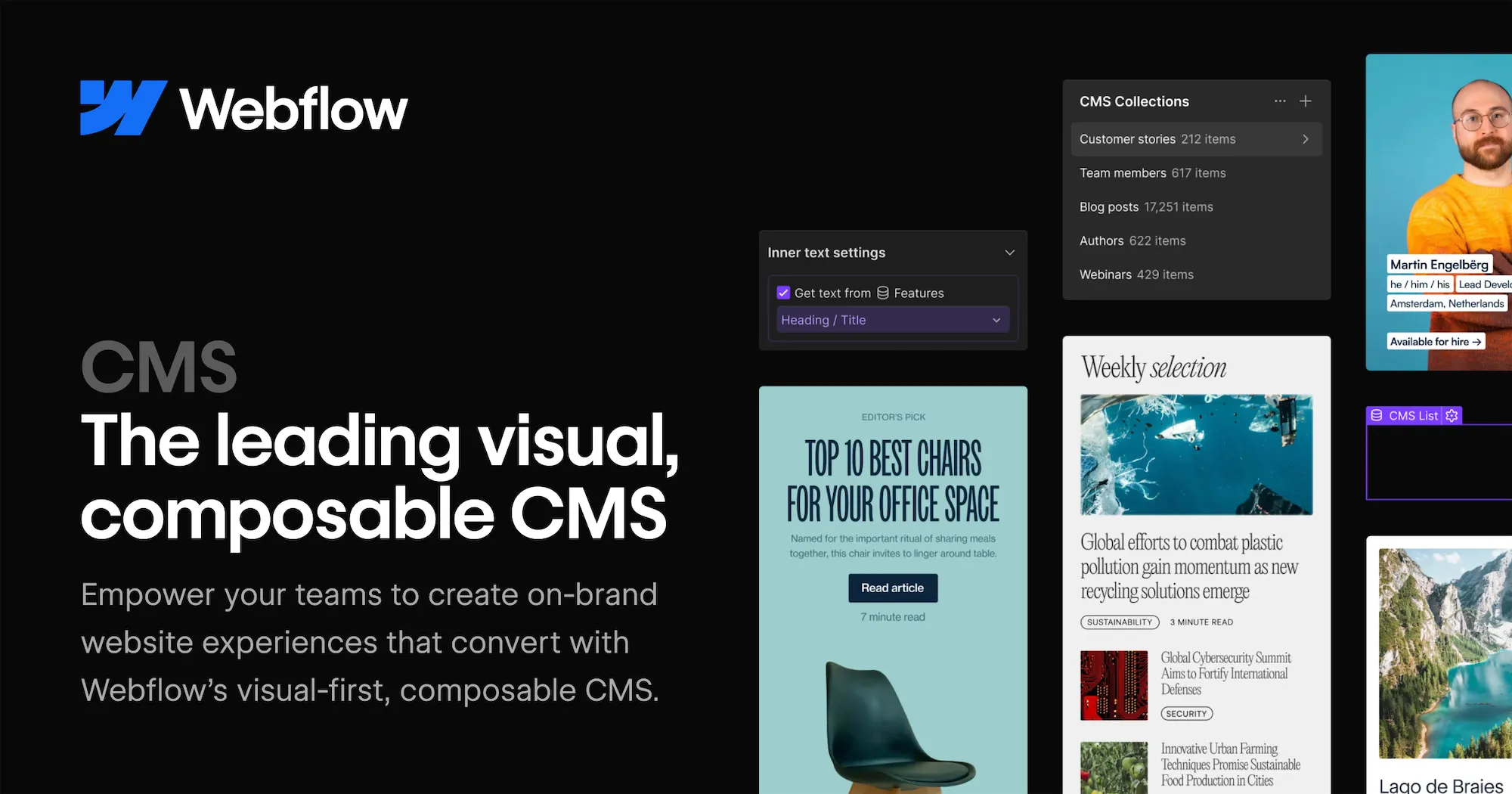
I particularly liked how organized everything felt. I could create separate content structures for blog posts, case studies, team members, and other website sections without turning the backend into a mess. Updating content was also quick and straightforward. Most changes only took a few minutes, and adding animations or visual effects was much easier than I expected.
The biggest challenge was getting every page to look perfect across different screen sizes. During my first few weeks, I also found managing multiple projects slightly overwhelming. Thankfully, these issues became less noticeable as I gained more experience with the platform.
Looking beyond my own Webflow review testing, I found similar feedback from users who rely on Webflow CMS for their day-to-day work. Here’s what a satisfied user had to say:
“Flexible CMS that can be used to create hundreds or even thousands of programmatic pages using a template. You can recreate the website structure of Airbnb, Booking, HubSpot, or any other large global sites by connecting it to Zapier or Google Sheets and publishing it.”
Sathyanarayana G. – G2 review
My take on Webflow’s pricing: Overall, I’ve found Webflow CMS to be a flexible and user-friendly tool with just a few quirks to navigate. If you’re looking for something that combines ease of use with robust functionality, it’s definitely worth exploring!
What eCommerce Features Does Webflow Offer?
This was the part of my testing I was most unsure about going in. Webflow built its name on design and content, not selling, so I wanted to know whether the store features were a serious offering or a checkbox. Here are my thoughts on the most important aspects:
Area | Key features | My review |
Catalog & products | Product collections, custom fields, variants, basic inventory, digital & some subscription products | - Highly flexible product page design, good for branded storytelling - No advanced inventory (multi‑location, complex SKUs) |
Cart & checkout | Customizable on‑site cart and checkout, discount codes, custom fields, thank‑you pages | - Rare level of design control vs other SaaS carts - Limited promotion logic; no built‑in abandoned cart flows |
Payments & tax | Stripe, PayPal, Apple Pay, Google Pay, cards; automatic tax/VAT in key regions | - Covers main global payment options for most SMBs - Fewer niche/region‑specific gateways than other competitors |
Shipping | - Flat and rules‑based shipping by zone, weight, or quantity - Shipping integrations via apps/APIs | - Fine for simple shipping setups - No native real‑time carrier rates or complex shipping rules |
Orders & back office | Order dashboard, status management, printing order info, basic comms | - Adequate for smaller operations; easy to hook to external tools - Not as deep as full ERP‑adjacent systems |
Customers | Checkout‑only buyers; accounts via separate Memberships feature | - Good when combined with membership/content experiences - No native, streamlined customer account center |
Reviews | Implemented via third‑party apps | - More design flexibility vs generic widgets - No out‑of‑the‑box review system; always third‑party |
Webflow’s eCommerce features are great for small to medium-sized stores. If you run a design-focused business and want flexibility and simplicity, it’s a fantastic choice. However, if you manage a large operation or need advanced tools, Webflow might feel limited compared to Shopify.
My take on Webflow’s eCommerce features: For me, the design freedom Webflow offers was compelling. I could create a store that not only worked well but also looked exactly how I wanted. While it may not have as many features as other eCommerce platforms, it does a good job of balancing design and functionality.
Does Webflow Support Third-Party Plugins?
Yes, Webflow supports a wide range of third-party integrations, making it easy to extend the platform beyond its built-in functionality.
On its own, Webflow is already a pretty powerful platform, but adding the right plugins can take it to a whole new level. These integrations let you customize your site to fit your specific needs, whether it’s for analytics, eCommerce, email marketing, or customer engagement.
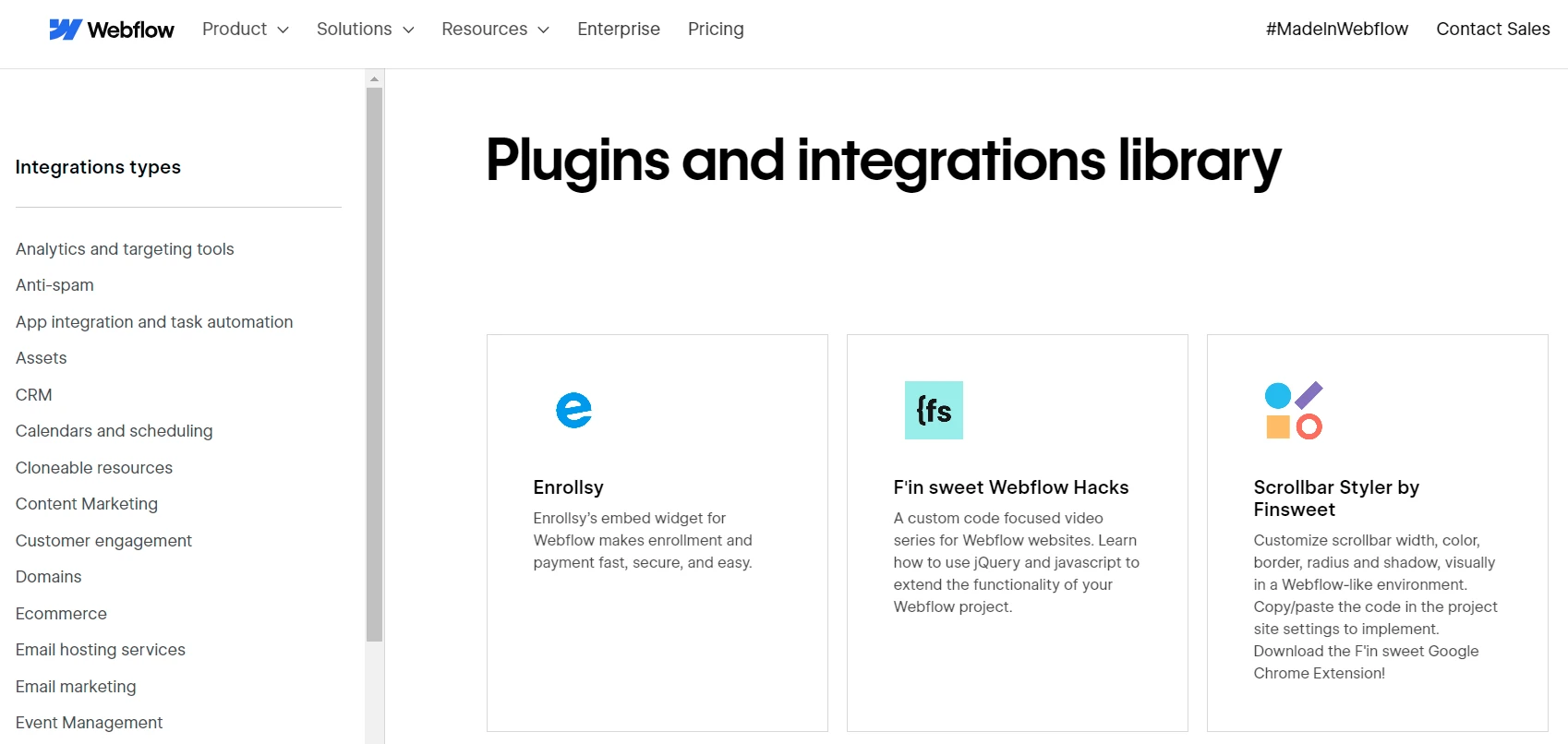
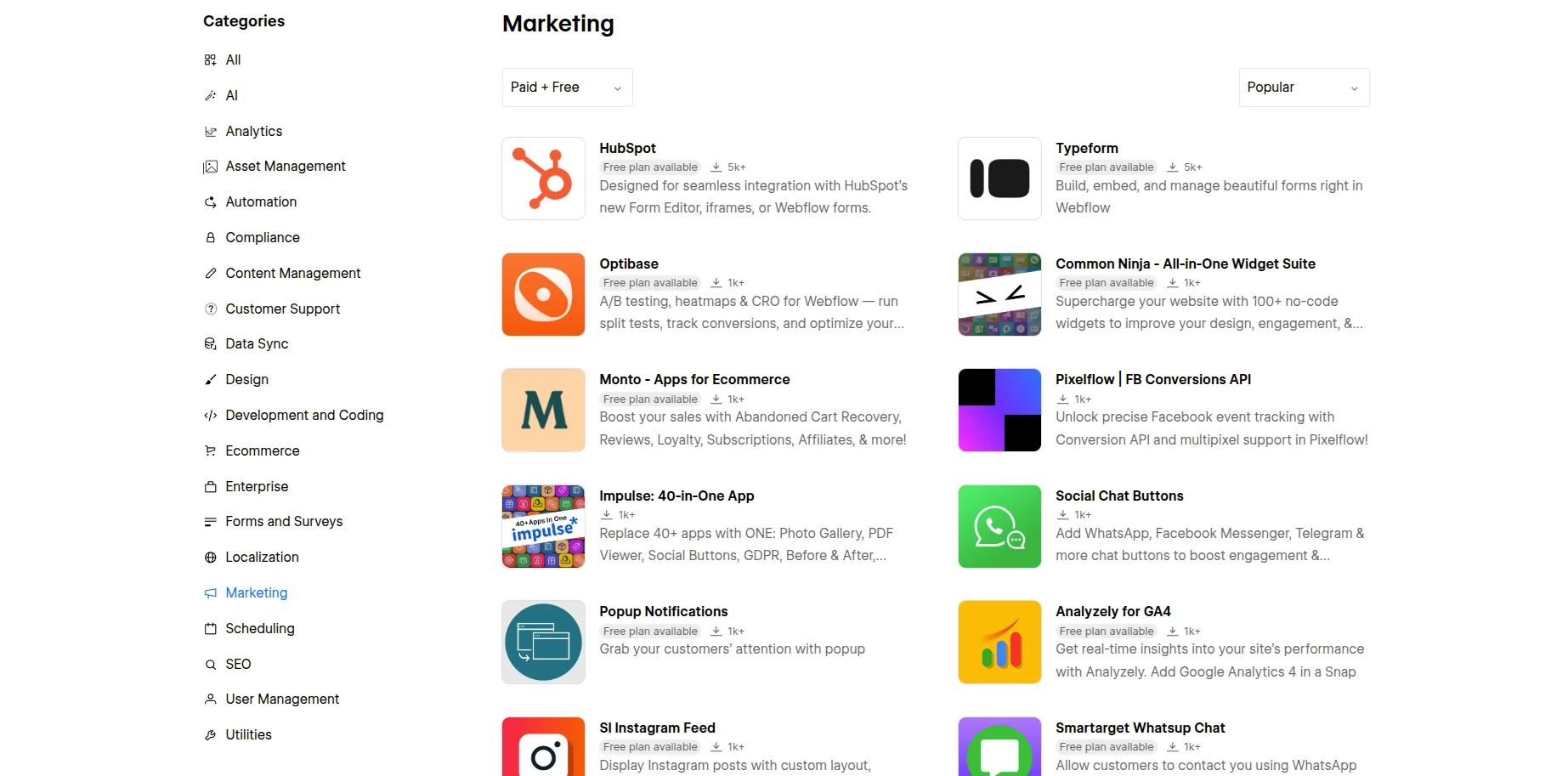
When I explored the integration library for this Webflow review, here are some of the main categories I found useful:
- Analytics and targeting tools for tracking and improving site performance.
- CRM tools to keep customer relationships organized.
- Email marketing plugins to manage newsletters and campaigns directly from your site.
- eCommerce add-ons to enhance your store’s capabilities.
- And a whole lot more to cover pretty much every aspect of running a website.
Many of these tools come with extra costs, so it’s crucial to keep your budget in mind. So, please take your time to determine which plugins are truly essential for your site.
Another lesson I learned was always to double-check the compatibility of a plugin with Webflow. Not every tool will function properly, and you don’t want to deal with problems later. Doing some research upfront can save you a lot of trouble down the road.
My take on Webflow’s third-party integration: For me, these integrations are truly good. They allowed me to create a site that not only looked great but also functioned exactly how I wanted.
Seamlessly Migrate to Webflow!
LitExtension can safely transfer your data to unlock more growth on Webflow.
Is Webflow Good for SEO & Marketing?
This was one area of the Webflow review that the platform exceeded my expectations. Unlike some website builders that treat SEO & marketing as an afterthought, Webflow makes optimization part of the core experience.
SEO settings
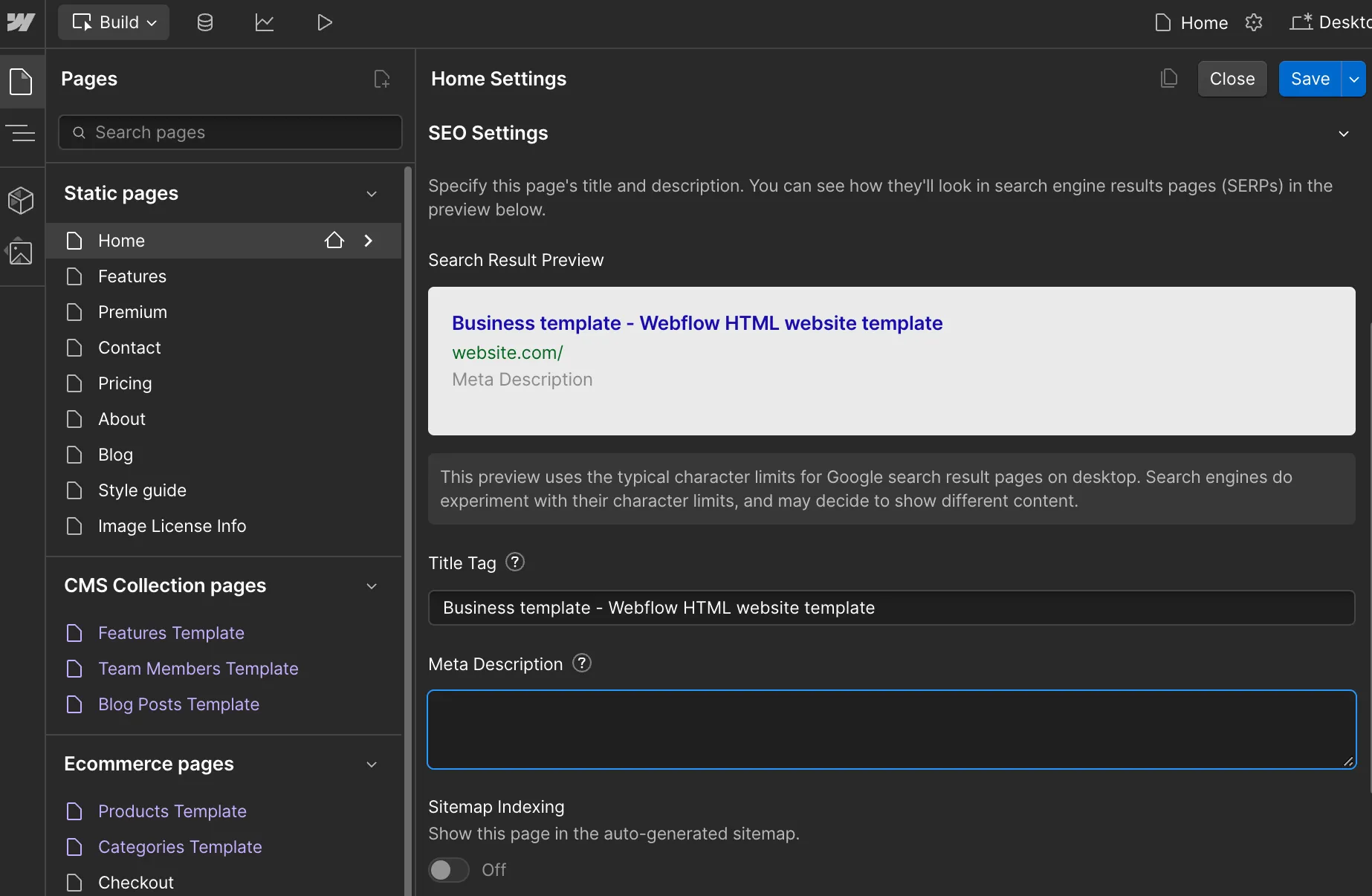
When I first started testing the platform, I assumed I’d need to install additional tools to handle basic SEO tasks. Instead, most of the settings I needed were already built in.
Updating meta titles and descriptions, managing redirects, generating sitemaps, and controlling page indexing are all straightforward. I never had to dig through complicated menus or rely on plugins just to handle the fundamentals.
Performance was another pleasant surprise. Throughout my testing, pages loaded quickly, even after I added animations, CMS content, and larger media files.
Marketing features
The marketing experience was equally strong. One thing I appreciated in this Webflow review was how quickly I could create and update landing pages without involving a developer. Whenever I wanted to adjust a page layout, update campaign messaging, or test a different design, I could make the changes myself and publish them almost immediately.
That flexibility became especially useful when working on marketing campaigns. Instead of waiting for technical support, I could experiment with layouts, refine calls to action, and optimize pages as ideas came up. The process felt much faster and more efficient than what I’ve experienced on some traditional website platforms.
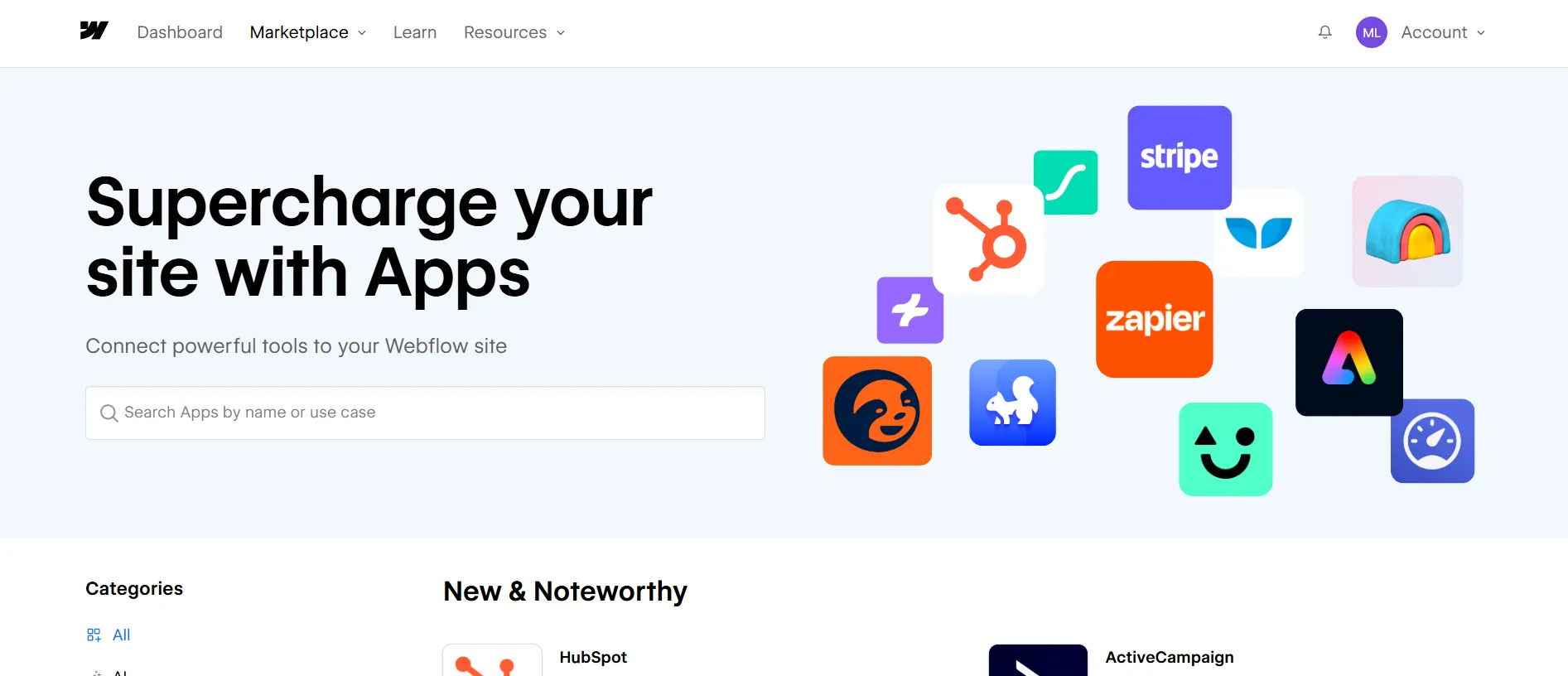
I also had no trouble connecting Webflow with the marketing tools I already use. Integrations with platforms like Mailchimp, Klaviyo, and HubSpot were easy to set up, making it simple to manage leads, email campaigns, and customer communication from a single workflow.
My take on Webflow’s SEO and marketing: For me, Webflow bridges the gap between design and marketing perfectly. It’s fast, reliable, and gives you the tools to create stunning, high-performing websites. If your goals include improving SEO, creating engaging campaigns, or just having a website that looks amazing and loads fast, Webflow has you covered.
How Secure Is Webflow?
Webflow has strict security rules, like the Critical Security Controls (CIS). They also have an ISO 27001 Certification, which shows they are dedicated to protecting sensitive data at a high standard. This gives me confidence, especially since I’m not an expert in website security.
For eCommerce store owners, Webflow goes further. They work with Level 1 Service Providers, the top level for payment processors. Whether you use Stripe, PayPal, or another payment option, your customers’ credit card information is handled safely.
From the information I have gathered for this Webflow review, the platform has a clear plan to keep its platform secure. Here are some ways it helps protect your website:
- Personnel security;
- Hardware & Physical security;
- Identity and access management;
- Network security;
- Security education.
If you run a website, like a portfolio, blog, or eCommerce store, security is very important. Webflow has a strong security system that protects your data and keeps your site safe. This helps your visitors feel confident when they interact with your brand. That’s one reason thousands of users trust Webflow around the world.
My take on Webflow’s security: For me, having a secure website is about more than just protecting my data. It’s also about building trust with visitors. That’s why many users around the world trust Webflow to keep their sites safe. If security is important to you, like it is for me, you’ll feel confident using Webflow for your project.
How Can You Get Webflow Customer Support?
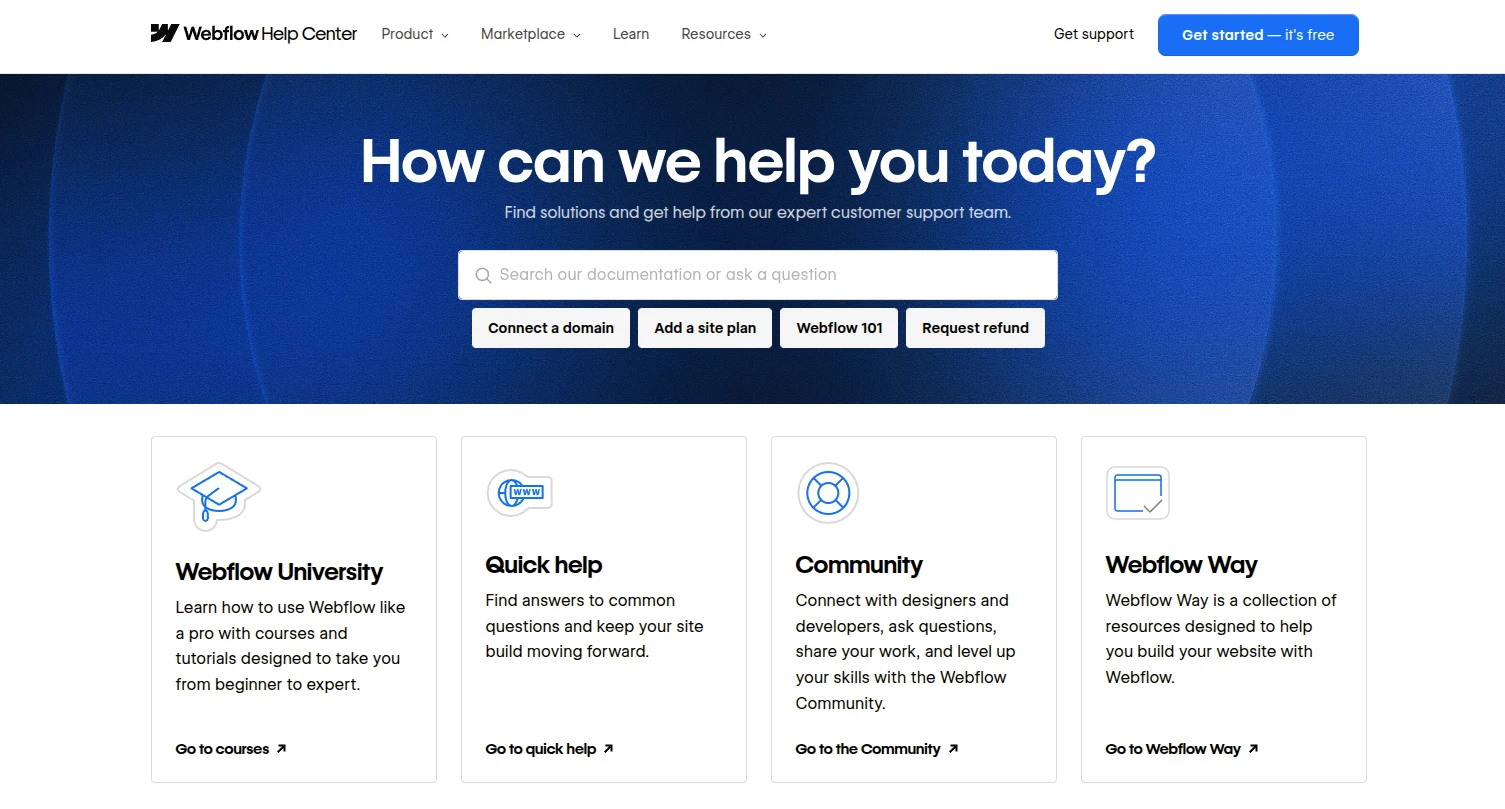
Webflow offers several ways to get help, including its Help Center, community forum, ticket-based support system, and dedicated forms for issues such as billing disputes, copyright claims, trademark concerns, and spam reports.
During my testing for this Webflow review, I found myself relying mostly on the Help Center and community forum. The documentation is extensive, and most questions I had were already answered in guides or discussions from other users. For someone who prefers solving problems independently, this worked surprisingly well.
When I needed additional assistance, submitting a support ticket was straightforward. Although Webflow doesn’t offer live chat support, I found the ticketing system responsive enough for most situations. The platform also provides dedicated channels for reporting abuse, handling DMCA takedown requests, resolving trademark issues, and flagging unrecognized charges.
My take on the support from Webflow: If you prefer instant answers, the lack of live chat or phone support might feel like a downside. But for me, I appreciated the self-help tools and the fact that I could still get assistance when I really needed it. Overall, I’d say Webflow’s support works best for people who enjoy solving problems independently or with a bit of guidance.
Who Should Use Webflow?
After spending some time diving into the details for this Webflow review, I found myself asking the big question: Is Webflow the right platform for me? If you’re wondering the same thing, let me break it down based on what I’ve learned. Depending on your goals and needs, here’s who I think will get the most out of using Webflow.
- Artists, designers, and creatives – This was the audience that immediately came to mind during my testing. Webflow gives you far more freedom to shape the look and feel of your website, making it ideal for portfolios, personal brands, and creative businesses that want something beyond a standard template.
- Developers and web designers – If you enjoy having control over layouts, responsiveness, animations, and interactions, Webflow offers a great balance between visual editing and professional-grade customization. It feels much less restrictive than most drag-and-drop website builders.
- Online businesses – I found Webflow particularly effective for businesses that rely on content marketing and strong branding. The combination of CMS functionality, built-in SEO tools, reliable hosting, and eCommerce features makes it a solid option for companies looking to grow their online presence.
I really liked the creative freedom that Webflow provides. It is flexible and has many tools. It’s great for building a website that not only meets your needs but also goes beyond what you expect.
Webflow vs Alternatives: What We Recommend Instead (and When)
One thing I learned after this Webflow review is that it’s not trying to be the easiest website builder or the most powerful eCommerce platform. Its biggest strength is the balance between design freedom and ease of use. Whether that’s the right trade-off depends on what you’re building.
Platform | Where it beats Webflow | When I'd choose it instead |
Webflow | Top design control without code, fast clean code, strong CMS. | You want a custom, high-quality site and will invest time to learn it. |
Easier to learn and faster to set up. | You want to launch a website quickly with minimal learning. | |
Better out-of-the-box templates and a simpler experience. | You're a creative professional or small business owner who values simplicity. | |
Stronger eCommerce tools, app ecosystem, and inventory management. | You're building an online store or planning to sell at scale. | |
Greater flexibility, plugin ecosystem, and full ownership of your website. | You need advanced functionality or a content-heavy website. | |
Framer | Faster design workflow and a more modern editing experience. | You're building a startup, portfolio, or marketing website and want to move quickly. |
My recommendation is straightforward. Choose Webflow if you want extensive design control without building a website from scratch. However, I’d lean toward Wix or Squarespace for ease of use, Shopify for eCommerce, WordPress for flexibility, and Framer for speed.
Webflow Review: FAQs
Is Webflow worth it in 2026?
In my experience, yes. Webflow offers an excellent balance of design flexibility, performance, and ease of management. It does require more time to learn than some website builders, but if having greater control over your website matters to you, the investment is well worth it.
Does Webflow have a steep learning curve?
Yes, especially for beginners. When I first started using Webflow, even simple design adjustments took some time to figure out. The platform becomes much easier once you understand its structure and workflow, but expect a learning period if you're coming from a more beginner-friendly builder like Wix or Squarespace.
Is Webflow good for SEO?
Yes. Webflow includes most of the SEO tools you'll need, including customizable meta tags, 301 redirects, XML sitemaps, and page indexing controls. Combined with its fast hosting and strong performance, it provides a solid foundation for improving search visibility.
Is Webflow better than Wix?
The answer depends on which feature you evaluate. For example, when it comes to templates, Webflow persuasively wins over Wix. However, the Wix interface dashboard might be easier to use than Webflow.
Do you need to know how to code to use Webflow?
No, you can build and manage a website in Webflow without writing code. During my testing, I was able to create pages, manage content, and customize layouts using the visual editor alone. That said, basic knowledge of HTML and CSS can help you get the most out of the platform's advanced customization features.
Final Words
Our blog has just provided an in-depth Webflow review of its pricing and features. Thanks to its outstanding tools, Webflow is one of the leading solutions for building a professional site. To develop a professional Webflow shop, register for the Webflow eCommerce plan to get extensive eCommerce functions.
LitExtension hopes you have a wonderful experience with Webflow. Check out our LitExtension Blog or join our Facebook Community Group for valuable insights.