Unless you’re a seasoned developer, setting up a brand-new website with minimal downtime is usually challenging for most beginners. Fortunately, there are two excellent website builders designed to help you address this problem: Wix vs Hostinger Website Builder. But between the two, which one should you really go for?
No worries; let us help you decide! In the following sections, we’ll compare both solutions based on:
- Pricing
- Ease of use
- Customization & Templates
- eCommerce features
- SEO & Marketing
- Blogging
- Apps & Integrations
- Customer support
- Multilingual sites
Ready? Let’s jump in!
About Wix vs Hostinger Website Builder
We know you’re eager to jump into our Hostinger Website Builder vs. Wix comparison – but hold on! Before we get into the details, let’s first take a quick look at what each platform brings to the table.
What is Hostinger Website Builder?
As its name suggests, Hostinger Website Builder is part of Hostinger, a web hosting company that provides a wide range of hosting-related services.
At first, Hostinger launched its no-code website builder under the subsidiary name Zyro in 2019 to cater to small and medium-sized businesses. However, in 2023, Zyro was rebranded as the Hostinger Website Builder, fully integrated into Hostinger’s suite of services. Thanks to its intuitive drag-and-drop features and powerful design tools, the builder has attracted over 370,000 users to date.
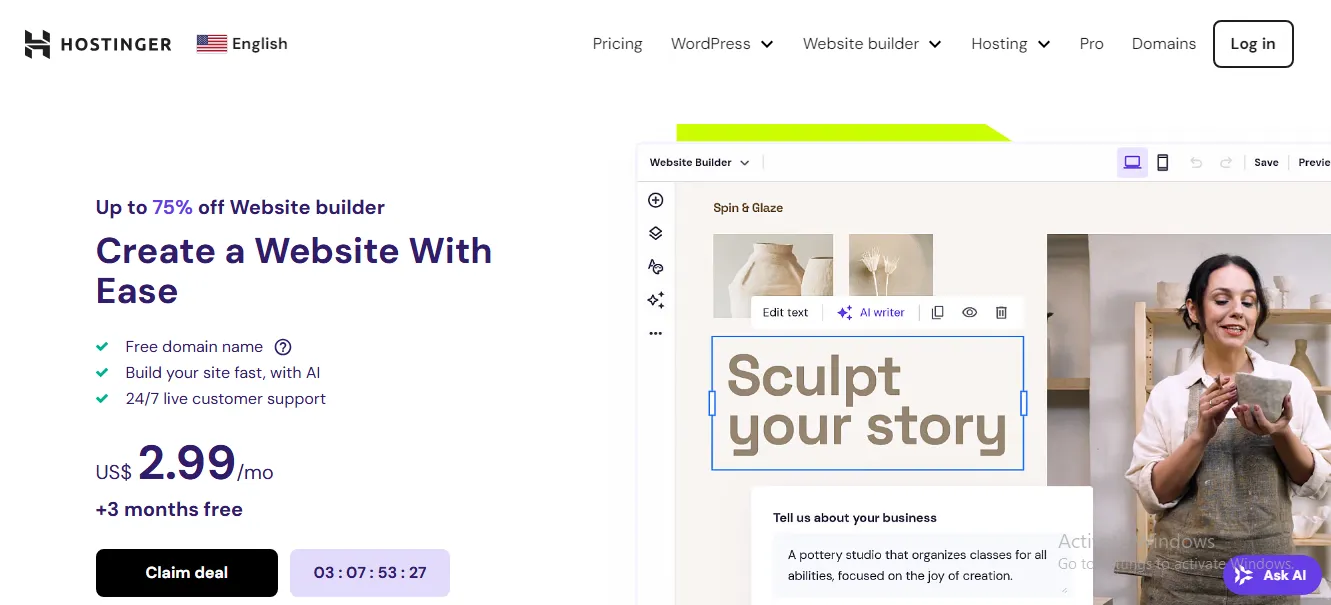
Hostinger Website Builder Pros | Hostinger Website Builder Cons |
+ Very affordable (free for the first 3 months) + Beginner-friendly + Zero transaction fees + Robust tutorial collection. | + Only 150 templates with basic designs + Restricted customization options for blog + Limited app selection (50+) + Basic SEO and marketing tools + Only live chat support available + Not for medium and large businesses. |
What is Wix?
Like Hostinger Website Builder, Wix also lets non-coders create and manage websites effortlessly, backed by diverse customizable templates tailored to varying industries such as eCommerce, portfolios, blogs, etc. Thanks to all the intuitive designs and user-friendly features, this website builder has grown to serve over 11.9 million users worldwide as of our writing!
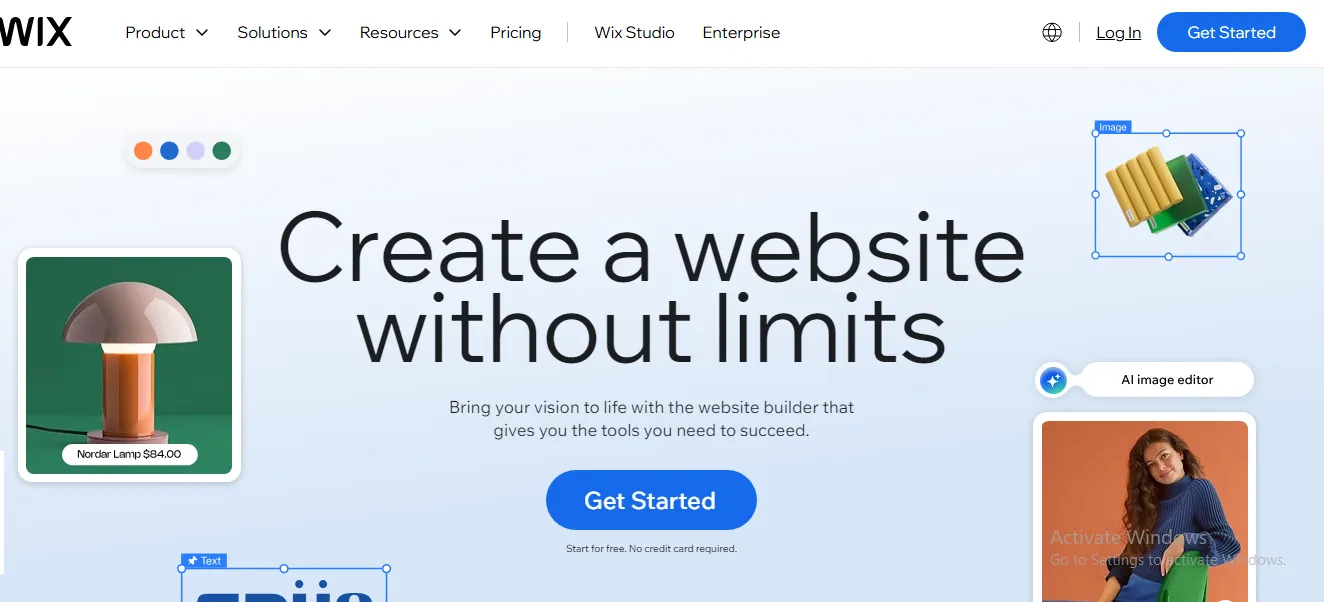
Wix Pros | Wix Cons |
+ Easy to use, even for new eCommerce users + Easy to set up and quick to start selling + Top-notch website builder tools (ADI, Editor, Editor X) + High flexibility + 2000+ free themes and website templates + Good selling features + Wide selection of apps and add-ons + Free domain for the first year of registration | + Slightly slower than other eCommerce platforms + Cannot checkout with multi-currency + Some selling features rely heavily on third-party or plugins |
We’ve put together a detailed Wix review for those interested in exploring everything it has to offer; be sure to check it out!
Wix vs Hostinger Website Builder: Which Is Better?
Overall, Wix is the stronger option for businesses that need more flexibility, eCommerce functionality, marketing tools, and long-term scalability.
That said, Hostinger Website Builder still has its own strengths! We highly recommend Hostinger Website Builder for individual users with basic needs or those planning further adjustments to their sites via third-party services. Wix, on the other hand, works best for medium-sized firms looking for a more ready-to-use solution (though some customization is still required).
Criterion | Wix | Hostinger Website Builder | Winner |
Pricing | 4 business plans plus Wix Studio plans, with more advanced built-in features and business tools. | Lower entry cost, flexible subscription terms, and significantly cheaper long-term pricing | Hostinger |
Ease of Use | Beginner-friendly editor with Wix ADI and drag-and-drop functionality | Simple drag-and-drop editor with AI-powered setup tools | Tie |
Customization & Templates | 900+ professionally designed templates across numerous industries | 150 templates with more basic designs and fewer customization options | Wix |
eCommerce Features | Supports up to 50,000 products, 80+ payment gateways, dropshipping, and advanced store management tools | Supports up to 500 products with more limited commerce functionality | Wix |
SEO & Marketing | Basic SEO tools but stronger marketing features, including loyalty programs, referral programs, lead forms, and Google Ads integration | Basic SEO settings and limited marketing tools beyond email hosting and social sharing | Wix |
Blogging | Fully customizable blog layouts, mobile optimization, and flexible content management | Covers blogging essentials but offers limited control over blog design | Wix |
Apps & Integrations | 500+ apps across multiple categories via the Wix App Market | 50+ apps available through the Auto Installer | Wix |
Customer Support | Live chat and phone support, extensive knowledge base, and Wix Studio Academy | Live chat only, supported by tutorials and knowledge-base articles | Wix |
Multilingual Sites | Supports 180+ languages, automatic translation, multilingual CMS content, and centralized language management | Supports multilingual websites through duplicated page versions but offers limited multilingual eCommerce capabilities | Wix |
For a more detailed analysis of each platform, keep scrolling!
Need Help To Migrate to Wix?
LitExtension offers a comprehensive, well-optimized migration for your data transfer.

Wix vs Hostinger Website Builder: Break Down The 8 Key Differences
Over the past three months, our team has conducted a thorough comparison of the two platforms across eight key areas, which are summarized in the following sections:
1. Pricing (Hostinger wins)
First, let’s look at the basic costs of Wix vs Hostinger Website Builder. Though both platforms operate on subscription-based models, their pricing structures are a little bit different.
Hostinger Website Builder pricing
As of this writing: users can choose from three plans:
- Premium ($11.99/month): Includes support for up to 3 websites, 20 GB SSD storage, a free domain for one year, free SSL certificates, unlimited website migrations, weekly backups, SEO tools, email marketing, and Hostinger’s drag-and-drop website builder.
- Business ($18.99/month): Includes everything in Premium, plus integrated eCommerce functionality, 50 GB SSD storage, daily backups, a free CDN, AI WordPress tools, and support for up to 50 websites.
- Cloud Startup ($27.99/month): Includes everything in Business, plus priority support, a dedicated IP address, additional server resources, and support for up to 100 websites.
But here’s the great news: Hostinger offers different pricing depending on the subscription length. Specifically, users can typically choose between 1-month, 12-month, 24-month, and 48-month billing cycles, with longer commitments unlocking lower monthly rates. The lowest pricing is available on the 48-month plans, where Hostinger currently offers:
- Premium: $2.99/month (regularly $11.99/month)
- Business: $3.99/month (regularly $18.99/month)
- Cloud Startup: $7.99/month (regularly $27.99/month)
As a result, Hostinger remains one of the most affordable website builders for long-term users. Even the Business plan, which includes integrated eCommerce functionality, costs just $3.99/month on a 48-month subscription, which makes it a strong option for budget-conscious individuals and small businesses.
Wix pricing
Currently, Wix offers four plans for individuals and small businesses:
- Light ($17/month): Includes a free domain for one year, a custom domain connection, Google Ads vouchers, 2 GB storage, support for up to 2 collaborators, and 4 lead-capture forms.
- Core ($29/month): Includes everything in Light, plus online payment acceptance, customer accounts, support for multiple currencies (primary currency plus 5 additional currencies), a product catalog of up to 50,000 products, 50 GB storage, up to 5 collaborators, and 10 lead-capture forms.
- Business ($36/month): Includes everything in Core, plus support for up to 10 collaborators, 100 GB storage, 25 lead-capture forms, multiple currencies (primary currency plus 10 additional currencies), and access to loyalty and referral program features.
- Business Elite ($159/month): Includes everything in Business, plus unlimited storage, support for up to 100 collaborators, 75 lead-capture forms, customized reporting, and more advanced business management capabilities.
Plus, for agencies and businesses managing multiple client websites, Wix also offers Wix Studio with five plans:
- Basic ($12/month): Includes a free domain for one year, custom domain connection, customer accounts, site analytics, support for 2 booking locations, 10 GB storage, a 50,000-product catalog, and 4 lead-capture forms.
- Standard ($20/month): Includes everything in Basic, plus support for 5 booking locations, 20 GB storage, and 10 lead-capture forms.
- Plus ($32/month): Includes everything in Standard, plus support for 10 booking locations, 50 GB storage, and 25 lead-capture forms.
- Elite ($149/month): Includes everything in Plus, plus unlimited booking locations, unlimited storage, 75 lead-capture forms, and customized reporting.
- Enterprise (Custom pricing): Includes enterprise-level scalability with customizable product catalog limits, lead-capture forms, storage, and support tailored to business requirements.
To learn more about each plan, check out our Wix pricing analysis here.
The Verdict
Though Wix offers more built-in features across its plans, Hostinger delivers significantly lower pricing, especially on long-term subscriptions. Hence, for users prioritizing affordability and essential website-building tools, Hostinger Website Builder provides better overall value and takes the win in this category.
2. Easy use (A tie)
After assessing the pricing, our team proceeded to evaluate the usability of both platforms. Here’s what we found:
Hostinger Website Builder ease of use
Once you select a pricing plan and create an account, Hostinger Website Builder will immediately direct you to its template collection (we’ll discuss more about the Hostinger Website Builder templates shortly down the line).
From there, just pick a template and use the intuitive drag-and-drop editor to add or arrange new sections ANYWHERE you like. The entire process is extremely straightforward and requires no coding knowledge!
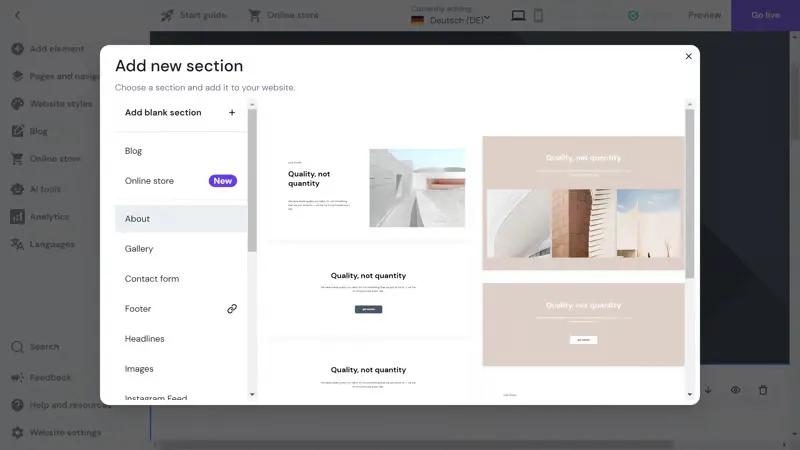
And for those subscribing to the Business plan, Hostinger Website Builder’s AI toolset takes things one step further. You can generate images, headers, icons, and all other types of custom elements simply by answering questions from the AI prompts.
Wix ease of use
From our observation, Wix’s onboarding process is remarkably similar to Hostinger Website Builder’s. After creating an account and selecting a pricing plan, you can choose between two main options:
- Wix ADI (Artificial Design Intelligence): Answer a few questions, and the AI will generate an editable website template for you.
- Wix Editor: Pick from the preset Wix templates and use the drag-and-drop editor to add and arrange sections or elements to your liking.
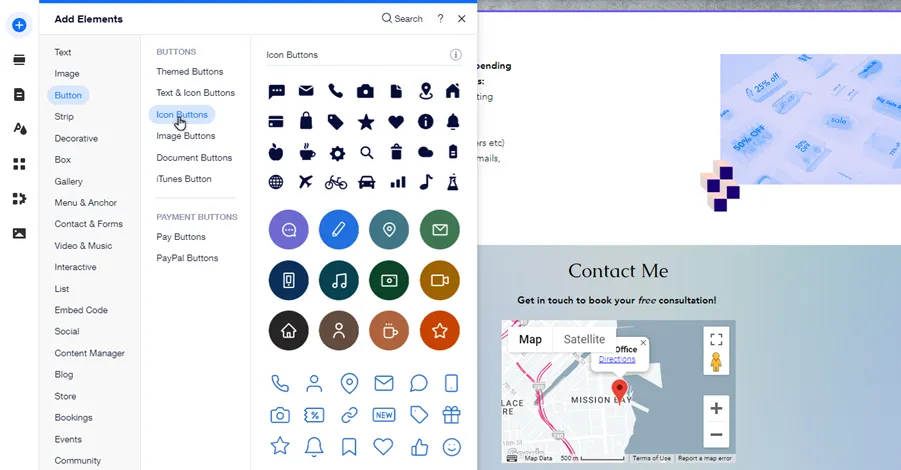
Regardless of your preferences, the site-building process is generally beginner-friendly and requires ZERO advanced technical skills. Even complete beginners can set up their simple websites with ease!
The Verdict
Both Wix vs Hostinger Website Builder offer intuitive design processes and exceptionally straightforward tools to ensure the smoothest user experience. Since there are no notable drawbacks, we consider this round a tie.
3. Customization & templates (Wix wins)
We have briefly touched on the template collections of Wix and Hostinger Website Builder while discussing their usability in the previous sections. Now, let’s take a closer look at them:
Hostinger Website Builder templates
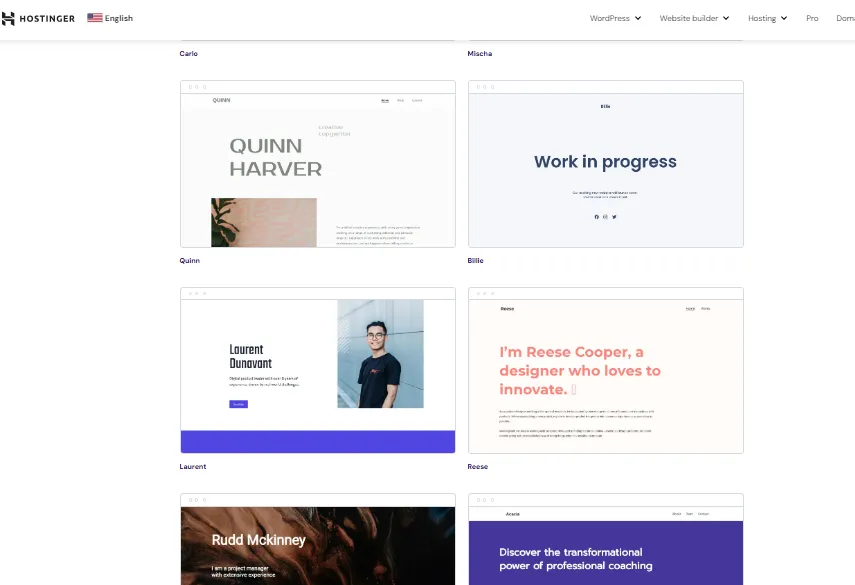
As of this writing, both of Hostinger Website Builder’s current plans provide access to 150 templates. They are further divided into 27 categories, ranging from non-profit to eCommerce. Most of the templates have functional but basic designs, which means you will likely need to invest some time in customization options later on! For some beginners looking for ready-to-use templates, this extra effort might not be ideal.
Wix templates
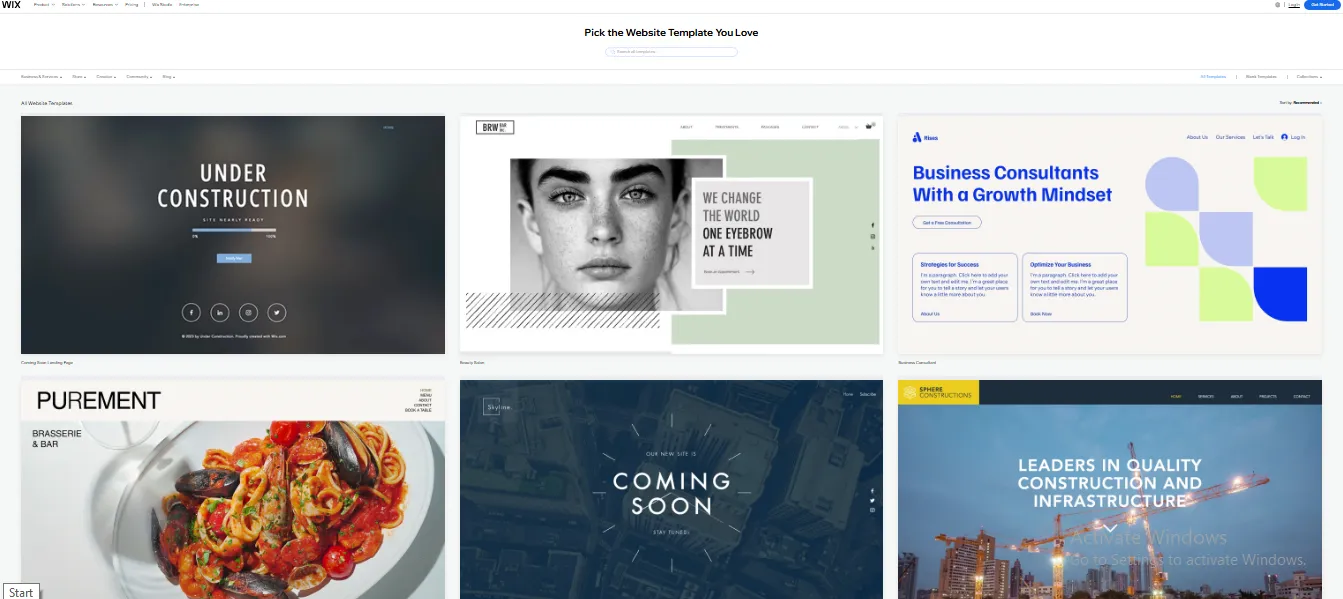
Wix boasts an extensive library of over 900 free templates that are organized into five main categories: Business & Services (with 27 subcategories), Store, Creative, Community, and Blog. All you have to do is identify your niche and explore relevant templates! Additional filters (e.g., by name, popularity, etc.) and a search bar will help you refine your selection even further.
Furthermore, Wix’s template designs are very clean and stylish. They are all ready to use with minimal customization – highly recommended for beginners and professionals alike.
The Verdict
Most Hostinger templates focus on simplicity and ease of customization rather than highly polished visual designs. While this may appeal to users who want a straightforward website, those looking for a wider variety of ready-made layouts may find Wix’s template library more appealing.
4. eCommerce features (Wix wins)
Given the growing dominance of the eCommerce industry, it’s no surprise that startups often look to Hostinger Website Builder and Wix as potential platform solutions (even though neither is exclusively focused on eCommerce). Let’s explore how their commerce tools cater to this popular niche:
Hostinger Website Builder eCommerce features
Hostinger Website Builder includes eCommerce features designed to meet basic needs of small stores, with a product cap of up to 500 items – as stated by Hostinger Website Builder itself.
Below is a quick overview of what you can expect:
- Inventory management: You can enable inventory tracking for each product or variant. Stock levels will be automatically adjusted after every sale and replenished if an order is canceled. Plus, Hostinger Website Builder’s order management tools let you track, fulfill, or cancel orders, manage order statuses, and add tracking numbers.
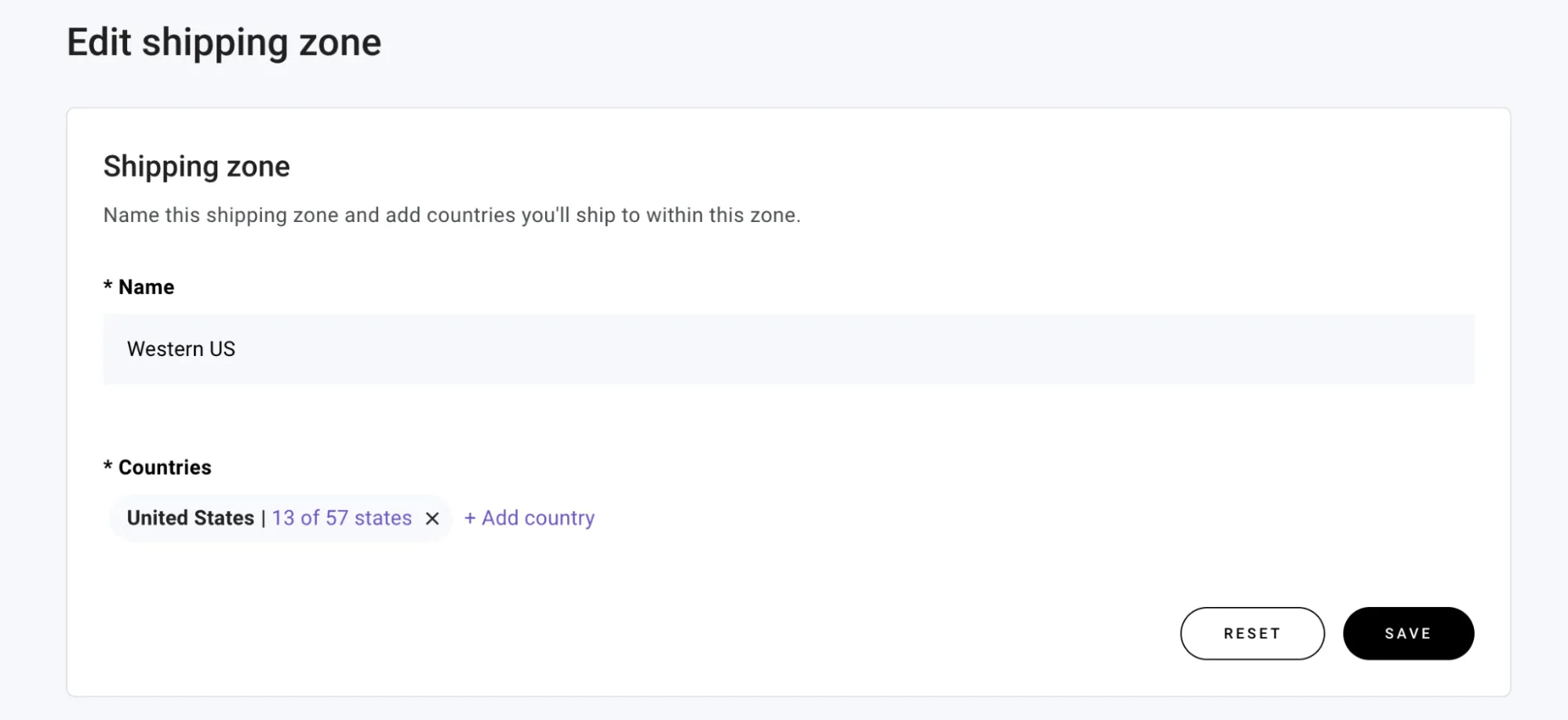
- Shipping: Hostinger Website Builder lets users create unlimited shipping zones (up to 25 shipping options per zone) with flat rates and customizable conditions such as order value or weight. Furthermore, integrations with services like LP Express, Omniva, and DPD Pickup speed up parcel machine delivery convenient for stores in Lithuania, Latvia, and Estonia, respectively.
- Payment: As of this writing, Hostinger Website Builder supports approximately 20 payment gateways, including Stripe, PayPal, Razorpay, and dLocalGo. However, keep in mind that not all gateways support all currencies. For example, the U.S. dollar is compatible with just eight payment methods, while the British pound is supported by seven.
Main eCommerce features aside, another small advantage is that Hostinger Website Builder doesn’t charge any transaction (though keep in mind that each respective payment gateway still imposes its own fees.)
Wix eCommerce features
On the other hand, Wix is capable of supporting up to 50,000 products (Business Elite plan). While its eCommerce features are still quite basic compared to dedicated eCommerce platforms, there are till many core functionalities worth mentioning, as shown in the examples below:
- Inventory management: Wix allows you to track inventory levels by marking items as “In Stock” or “Out of Stock.” For pre-ordered items, the system records negative inventory levels (e.g., -30 items) to account for pre-orders even when stock is depleted. Better yet, you can configure low-stock indicators to alert you when inventory drops below a set threshold, creating urgency to drive customer purchases.
- Shipping: The platform enables flexible shipping options tailored to different regions. You can customize domestic and international shipping rates, offer free shipping by default, and set multiple methods per region (such as flat or weight-based rates.). Wix also supports local delivery with customizable zones and timeframes so your customers can collect their orders in person.
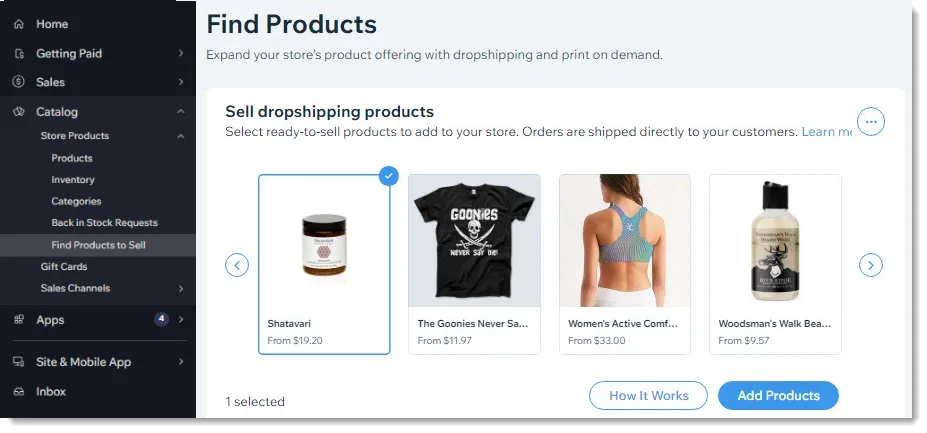
- Dropshipping: Since 2021, Wix has owned Modalyst, a reputed dropshipping platform that connects store owners with global suppliers. As a result, Wix stores can dropship up to 50,000 products of varying categories, from household appliances to beauty products.
- Payment: According to our research, Wix supports over 80 payment gateways, including extremely popular providers such as PayPal, Square, and Stripe. Even better, for a less frictional experience, you can consider Wix Payments, a native payment solution that combines various methods into a single system — all within a free setup!
The Verdict
For businesses planning to sell a large catalog or expand their online operations, Wix offers more room to grow. However, Hostinger Website Builder’s commerce tools are often sufficient for small stores with a limited product range and straightforward selling needs.
5. SEO & Marketing (Wix wins)
Now that you’ve completed setting up your site, the next step is to explore how these platforms can help your store boost its visibility! This section summarizes Wix vs Hostinger Website Builder’s core marketing features and highlights what our team has discovered so far:
Hostinger Website Builder SEO & Marketing
When it comes to SEO and marketing features, Hostinger Website Builder does provide some built-in SEO settings that cover the basics: meta titles, descriptions, URL editing, keywords, and hiding pages from search engines. There is also an AI SEO assistant – or, more specifically, a rebranded writing bot that helps generate standard textual content (e.g., keywords, meta, titles, etc.).
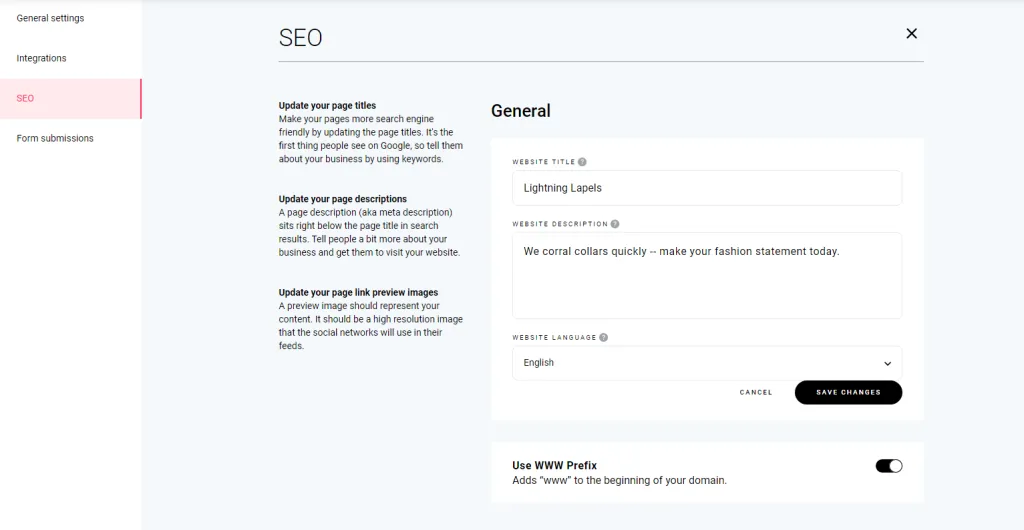
As for marketing features, Hostinger Website Builder offers a social sharing button and two dedicated email plans, both supporting 50 email aliases:
- Business Starter: $2.99/month (10 GB storage, 10 forwarding rules)
- Business Premium: $4.99/month (50 GB storage, 50 forwarding rules)
Our members also discovered 40+ marketing guides in Hostinger Website Builder’s tutorial collection, all 100% free.
Wix SEO & Marketing
Just like Hostinger Website Builder, Wix’s SEO settings didn’t really leave a lasting impression on our members. They mostly cover only the essentials, such as adding titles, meta descriptions, keyword-containing URLs, and indexability control.
That said, Wix’s marketing tools more than compensate for its underwhelming SEO elements. Depending on the chosen subscription plan, you’ll gain direct access to the following:
Feature | Description | Available Wix plans |
Lead-capture forms | Easily integrate forms into your website, such as quizzes or event registration forms. | 1. Light 2. Core 3. Business 4. Elite |
Google Ads | Promote your business through Google’s platforms, including search results and YouTube. | |
Get Found Today app by Uberall (free 1 year) | Engage with website visitors and address their questions directly on your site. | 1. Core 2. Business 3. Elite |
Customer accounts | Let returning customers save their preferred checkout details (delivery, payment methods, etc.) | |
Automatic discounts | Provide discounts that are automatically applied during checkout. | |
Loyalty program | Reward loyal customers by letting them earn and redeem points for special perks. | |
Referral program | Offer unique links for customers to share with friends. | 1. Business 2. Business Elite |
The Verdict
Wix takes the lead thanks to its inclusive marketing features. That said, both platforms still fall terribly short in terms of SEO; you may have to explore third-party solutions to address this gap!
6. Blogging (Wix wins)
Though SEO-friendly keywords and titles are important, successful blogging requires much more than just optimizing for search engines! That’s why we took a closer look at how Wix vs Hostinger Website Builder stack up when it comes to blogging features:
Hostinger Website Builder blogging
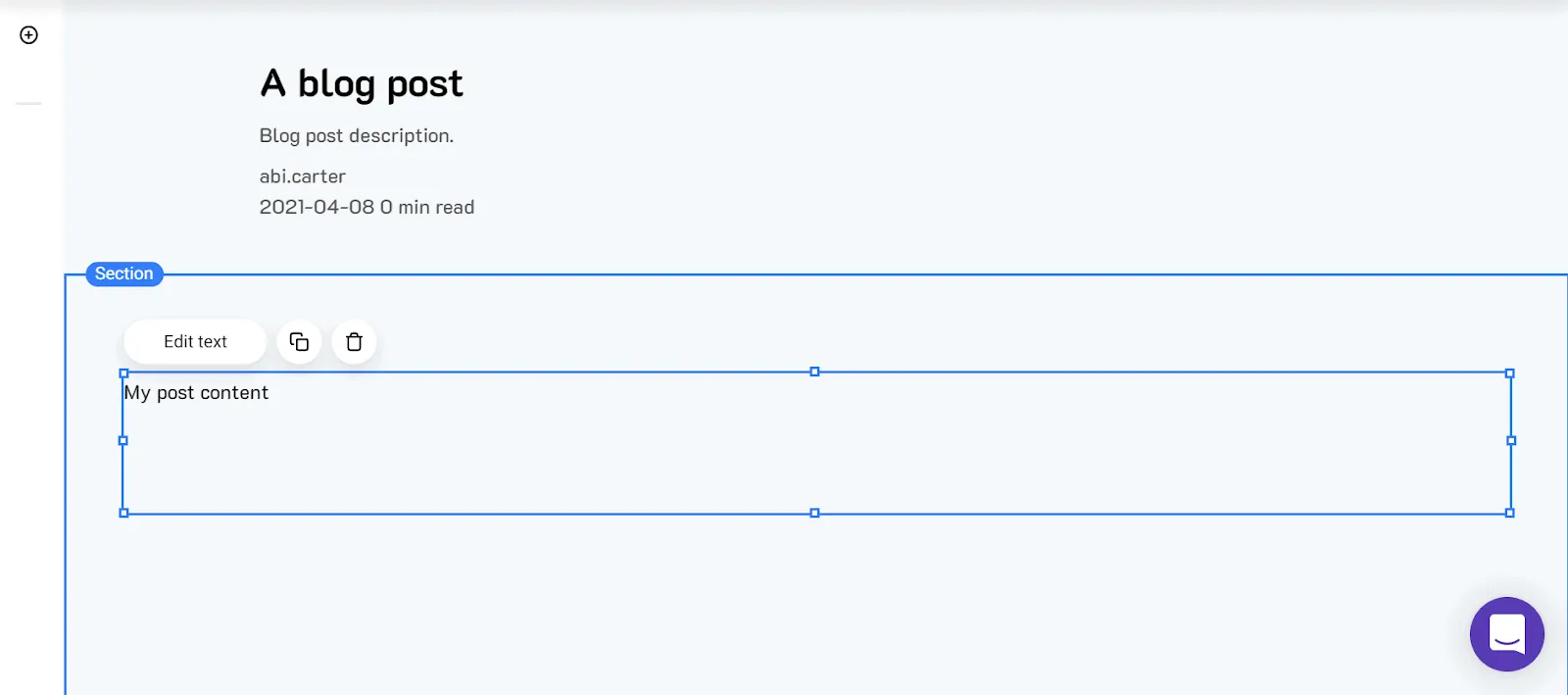
Overall, it’s quite clear that Hostinger Website Builder offers all the essentials for blogging: you can schedule and categorize posts, assign multiple authors, and adjust individual post settings.
One area where Hostinger Website Builder is more limited is blog layout customization. While users can manage posts, categories, and authors, they have less control over the overall appearance of the blog compared to some competing platforms.
Wix blogging
Like Hostinger Website Builder (and other platforms with blogging features), Wix also includes the basics such as scheduling, categorization, and post customization.
Plus, thanks to the Wix Editor, you can fully customize the blog feed to match your site’s style (just like you would when modifying the store’s theme earlier!). There’s also a mobile optimization and preview feature to ensure your blog is a breeze to navigate for all mobile users.

The Verdict
Wix offers greater flexibility in terms of blog design, layout customization, and mobile presentation. Meanwhile, Hostinger Website Builder remains a practical option for users who only need straightforward blogging features alongside a simple website.
7. Apps & Integrations (Wix wins)
Aside from the aforementioned core features, you must also wonder about the possibility of third-party installation! Let’s see how Wix vs Hostinger Website Builder performs in this area:
Hostinger Website Builder apps and integrations
Currently, Hostinger Website Builder includes an Auto Installer feature that offers access to over 50 free apps, all of which can be installed with a single click. They are mostly focused on data/content management and eCommerce functionalities (areas where Hostinger Website Builder itself could use some improvement).
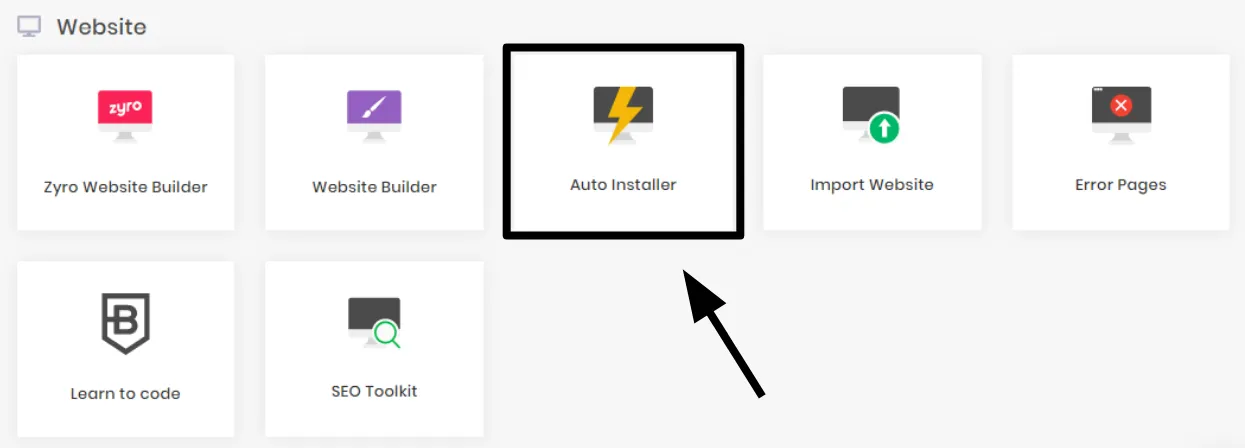
Compared to larger website-building ecosystems, Hostinger Website Builder offers a more focused selection of integrations. While the available apps cover many common website and eCommerce needs, users looking for highly specialized functionality may find the ecosystem somewhat limited.
Wix apps and integrations
On the other hand, the Wix App Market boasts a collection of over 500 apps across popular categories like Design, Content, Marketing, Services, and more.
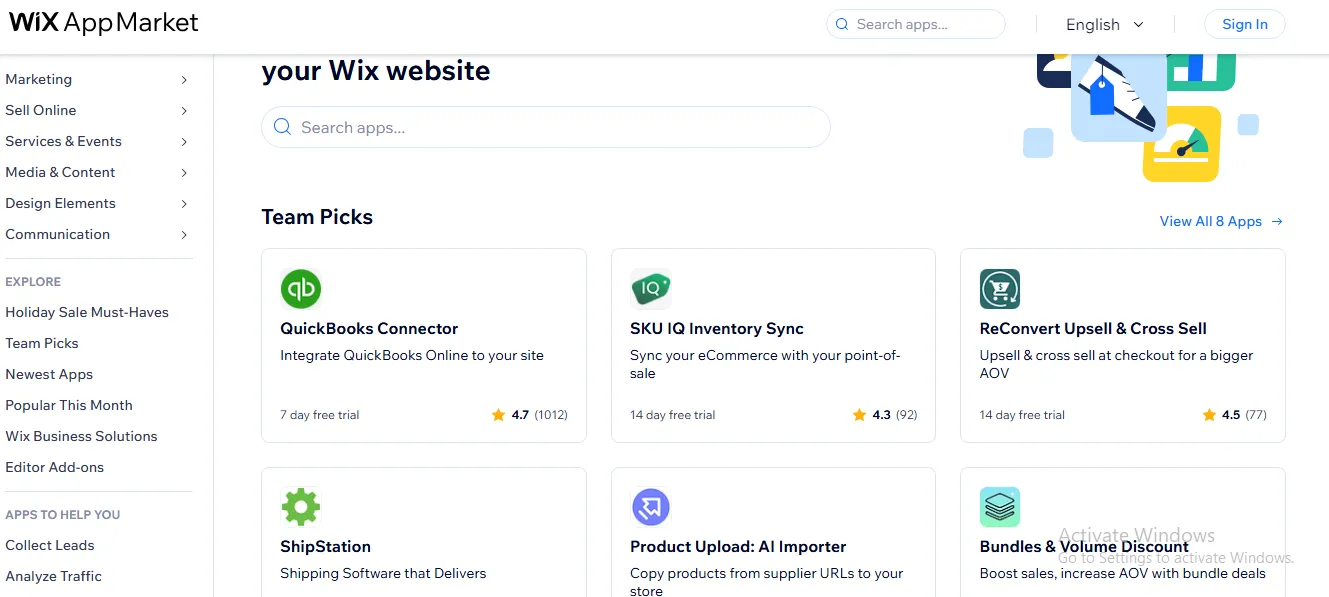
While many of these apps aren’t free (the prices range from $0 to around $300 per month, to be exact), they do offer free plans or generous trial periods of up to an entire month. The platform also organizes apps into curated sections like “Holiday Must-Haves” or “Popular This Month,” which allows beginners to discover tools that best suit their needs.
The Verdict
Wix offers a larger and more diverse app ecosystem, ideal for businesses that expect to add new functionality as they grow. However, Hostinger Website Builder’s smaller selection may still be sufficient for users building relatively simple websites that don’t rely heavily on third-party integrations.
8. Customer support (Wix wins)
To conclude the detailed comparison between Wix vs Hostinger Website Builder, we will summarize our experience with their customer support services:
Hostinger Website Builder customer support
Hostinger Website Builder currently relies primarily on live chat support, supported by a knowledge base, tutorials, and educational resources. While it doesn’t offer phone support, the available channels cover the needs of many users who prefer self-service assistance or online communication.

On the brighter side, Hostinger Website Builder (along with Hostinger) provides a robust knowledge base and an equally extensive library of tutorials. Plus, there are 500+ videos uploaded to the Hosting Academy to help users achieve online success.
Wix customer support
On the other hand, Wix provides both live chat and phone support in over 10 languages. Although their availability varies by language, rest assured that most are accessible from Sunday (or Monday) through Friday.
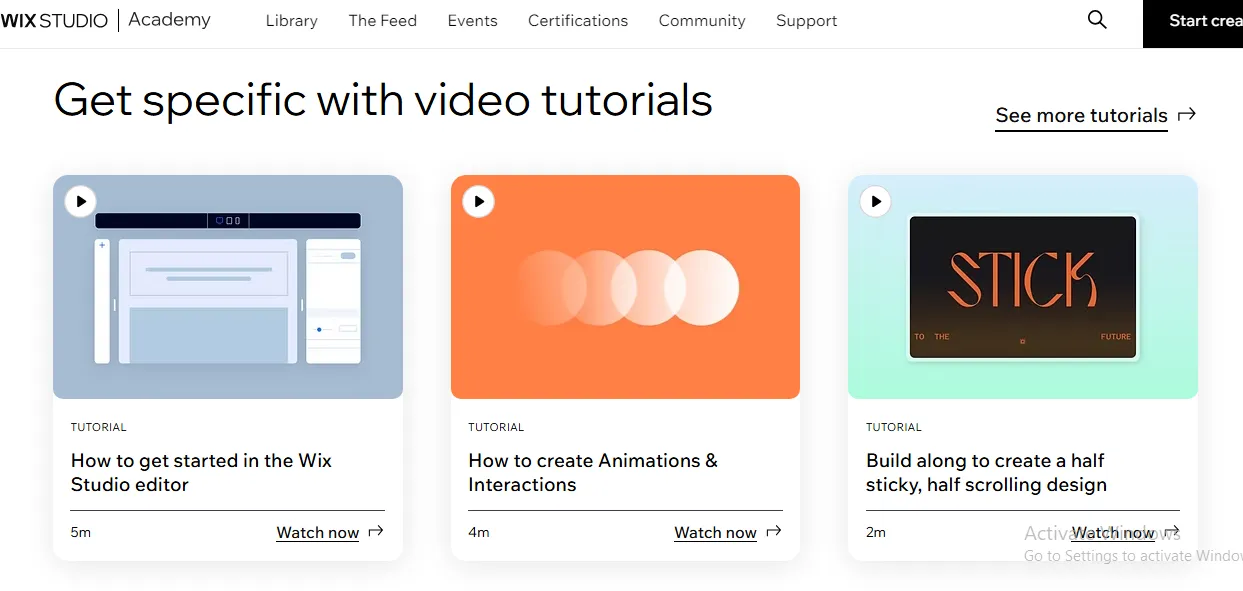
Aside from the direct support channels, Wix also provides a comprehensive Knowledge Center, which includes detailed guides and tutorials covering a wide range of common issues. Plus, those subscribing to Wix Studio can access the Wix Studio Academy, featuring hundreds of crash courses that detail how to maximize the platform’s potential.
The Verdict
Hostinger Website Builder provides a solid support experience through live chat, documentation, tutorials, and educational materials. Nevertheless, Wix offers a broader range of support options, particularly for users who value access to phone assistance alongside live chat and self-service resources.
9. Multilingual sites (Wix wins)
For businesses serving customers across multiple countries, multilingual functionality can play a major role in improving accessibility and user experience. While both Wix and Hostinger Website Builder allow users to create websites in multiple languages, their approaches differ significantly in terms of scalability and ease of management:
Hostinger Website Builder multilingual features
Hostinger Website Builder includes a built-in multilingual website feature that allows users to add additional language versions to their websites. When a new language is added, the platform automatically creates a copy of the existing pages, which can then be translated manually. Visitors can switch between available languages using a language selector placed on the website.
This approach works well for websites that only need to support a limited number of languages, as users can easily create and manage translated versions of their pages. However, since each language version is managed separately, site owners may need to spend additional time maintaining content consistency across languages as the website expands.
For eCommerce websites, there are also some multilingual considerations to keep in mind. According to Hostinger itself, products are currently available in a single language by default, which may require additional manual setup for merchants targeting multiple language markets.
Wix multilingual features
On the other hand, Wix offers a dedicated solution called Wix Multilingual, which supports over 180 languages. Users can choose between manual translation and automatic translation, which makes it easier to launch multilingual websites without translating every page from scratch.
Plus, Wix also provides centralized tools for managing multiple language versions from a single dashboard. Site owners can translate and customize content, menus, and site elements independently for each language. In addition, users can manage translated CMS content and other dynamic website elements, making the platform much easier to maintain as websites expand into additional markets and languages.
The Verdict
Although both platforms support multilingual websites, Wix delivers a more comprehensive and scalable solution. With support for 180+ languages, automatic translation options, centralized language management, and broader multilingual content support, it is better equipped for businesses targeting international audiences.
Wix vs Hostinger Website Builder: Which One Should You Choose?
Both platforms are capable website builders, but they cater to different types of users. Your choice ultimately depends on your budget, website goals, and the level of functionality you need.
Choose Wix if:
- You need advanced customization, eCommerce, and marketing tools.
- You expect your website to grow and require greater flexibility over time.
- You rely on apps, integrations, or multilingual features.
Choose Hostinger Website Builder if:
- You want a simple website builder at the lowest possible cost.
- You only need core website or online store functionality.
- You prioritize ease of use over advanced features.
In short, Wix is the better choice for users who prioritize flexibility, advanced features, and long-term growth. Hostinger Website Builder, meanwhile, offers a more budget-friendly and streamlined experience that will be sufficient for many individuals and small businesses.
Wix vs Hostinger Website Builder: FAQs
Which site is better than Wix?
Squarespace is often considered a strong Wix alternative for creative professionals due to its high-quality, designer-focused templates. For businesses focused on eCommerce, though, Shopify will be your best bet.
What is the downside of Wix?
Once a Wix site is live, you cannot switch templates without rebuilding everything from scratch. Also, the relatively basic SEO features make it quite difficult to improve your search engine rankings without relying on third-party services.
Who is Wix's main competitor?
Wix’s main competitors are Squarespace (offering high-quality templates for designers), Shopify (which dominates the eCommerce niche), and WordPress.org (the most popular content management system).
Why not choose Wix?
Scalability is Wix's biggest issue, as the platform still struggles to meet the needs of growing businesses or large-scale eCommerce operations.
Can I switch templates after creating my Wix site?
No. Once you've selected and customized a template, you cannot switch to a different one without rebuilding your content. It's important to choose a template that aligns with your vision from the start.
Is Wix free to use?
Yes. Wix offers a free plan that allows you to create and publish websites. However, free sites have Wix-branded domain names and display Wix ads. To connect a custom domain and remove ads, you can upgrade to a premium plan.
Can I add a blog to my Wix website?
Yes. Wix includes a blogging platform that allows you to create, manage, and share blog posts easily. You can customize the layout, add images and videos, and interact with your readers through comments.
Which one is better, Hostinger or Wix?
Wix is better, but remember that Hostinger and Wix serve different needs. Hostinger provides affordable, flexible web hosting for users who want complete control over their websites (often via WordPress). Meanwhile, Wix is an all-in-one, beginner-friendly drag-and-drop website builder designed to get your site online with zero technical fuss.
What is the disadvantage of Hostinger?
Hostinger comes with notable cons: multi-year commitments are required for the lowest introductory rates, there is no phone support, and lower-tier plans have strict resource caps on storage and email accounts.
Final Words
Our team has provided a detailed comparison of Wix vs Hostinger Website Builder that covers every key aspect. Overall, while Hostinger Website Builder holds its ground in many key areas, Wix remains the clear front-runner at the end of the day.
So, if you’re considering migrating from Hostinger Website Builder to Wix to take advantage of all its powerful features, now is the perfect time! With LitExtension as your trusted Wix migration partner, you can count on a smooth and 100% worry-free journey. We’ve delivered the same pleasant experience to more than 200,000 stores during the past 12 years, after all.
For even more information and guidance, check out our Wix guides and join our Facebook Community.
Our Methodology
To ensure a fair and practical comparison, our team spent three months researching, testing, and evaluating both Wix vs Hostinger Website Builder across the criteria that matter most to website owners and online businesses:
Step 1: Researching official documentation and pricing information
First, we reviewed each platform’s official website, help center, pricing pages, and feature documentation. This step allowed us to verify current plan structures, feature availability, limitations, and recent updates before beginning any hands-on testing.
Furthermore, to maintain accuracy, our members cross-checked information from multiple official sources and excluded outdated features or pricing that were no longer available at the time of writing.
Step 2: Building test websites on both platforms
Next, our team created test websites using both Wix and Hostinger Website Builder to evaluate the actual user experience. Specifically, we explored the onboarding process, website editors, template libraries, customization options, blogging tools, multilingual capabilities, and eCommerce features.
And whenever possible, we performed identical tasks on both platforms (such as creating pages, adding products, customizing layouts, publishing blog posts, and installing third-party apps). That way, we could identify meaningful differences in functionality and ease of use.
Step 3: Comparing long-term business value
Finally, we assessed how well each platform supports real-world business growth. Beyond individual features, we considered factors such as scalability, flexibility, app ecosystem, internationalization support, customer support quality, and overall value for money.
To wrap it up, based on our findings, we assigned a winner to each category and determined which platform delivers the stronger overall experience for most users.