Choosing between Lightspeed vs Shopify is not simply a matter of comparing features. Each platform is built around different priorities, so comparing feature lists alone does not show which one better fits your sales channels, inventory complexity, or daily workflows.
After comparing both platforms across all key aspects, Shopify is our overall winner for most eCommerce and omnichannel businesses. However, Lightspeed is the stronger choice for established retailers with complex inventory or store operations.
| Category | Lightspeed | Shopify | Winner |
|---|---|---|---|
| Best for | Retail-first businesses, specialty stores, restaurants, and multi-location operations | eCommerce-first and omnichannel brands of almost any size | Depends on your business |
| Starting US price | Retail POS starts at $89/month for one register; pricing can vary | Basic starts at $39/month; POS Lite is included | Shopify |
| Ease of use | Easy register, but more back-office setup | Faster self-service setup and a more consistent interface | Shopify |
| POS and retail operations | Advanced purchasing, inventory, reporting, and industry workflows | Strong POS with especially seamless online and offline data | Lightspeed |
| Hardware flexibility | Supports desktop, iPad, and selected third-party peripherals | Standardized mobile and countertop hardware ecosystem | Lightspeed |
| eCommerce | Capable online store that complements retail operations | More complete storefront, checkout, international, and growth tools | Shopify |
| Apps and integrations | Smaller, retail-focused ecosystem | 16,000+ apps across commerce functions | Shopify |
| Themes and customization | Smaller theme selection with visual and code customization | 1,200+ Theme Store options and a mature development workflow | Shopify |
| SEO and marketing | Solid essentials plus retail CRM and loyalty tools | Stronger content, automation, multichannel, and app options | Shopify |
| Overall | Best for operationally complex physical retail | Best all-around choice for eCommerce and unified commerce | Shopify |
Note: Pricing and feature availability vary by country, Lightspeed product series, contract, payment volume, and billing term. The US prices in this comparison were checked in August 2026. Confirm your final quote with each provider.
Lightspeed vs Shopify: Our Quick Verdict
Shopify is better for most merchants that sell online or want one system for eCommerce and retail. It is easier to launch, its online selling tools are stronger, and Shopify POS shares the same products, orders, customers, and inventory as the online store. That native connection reduces the reconciliation work that can appear when separate commerce systems are joined through an integration.
Lightspeed is better when your hardest problems happen inside the physical store. It offers more specialized inventory, vendor, purchase order, receiving, reporting, and multi-location capabilities out of the box. That can make it a better fit for established apparel, footwear, bike, jewelry, sporting goods, home improvement, restaurant, and other inventory-intensive businesses.
| Platform | Pros | Cons |
|---|---|---|
| Lightspeed |
|
|
| Shopify |
|
|
Which platform should you choose?
Choose Lightspeed if your business:
- Generates most revenue through one or more physical stores.
- Needs detailed supplier catalogs, purchase orders, receiving, stock transfers, or landed costs.
- Uses multiple registers or manages complex inventory across locations.
- Needs retail-specific forecasting and performance reports without assembling several apps.
- Operates a restaurant, hospitality venue, or golf business that needs an industry-specific system.
Choose Shopify if your business:
- Gets most of its revenue online or treats eCommerce as the main growth channel.
- Wants online and in-store sales managed natively in one back office.
- Needs a wide choice of themes, apps, sales channels, payment providers, and marketing tools.
- Plans to sell internationally, through social channels, or on marketplaces.
- Prefers a lower entry cost and a faster do-it-yourself setup.
A third option is to use Lightspeed Retail for store operations and Shopify for eCommerce. Lightspeed provides a Shopify integration for syncing products, inventory, customers, and sales. This setup can preserve Lightspeed’s retail depth while adding Shopify’s storefront, but it also creates another system to configure, monitor, and pay for. If operational simplicity is the priority, using Shopify and Shopify POS together is usually cleaner.
How we compared Lightspeed and Shopify
We evaluated the current retail products across nine decision areas: subscription and add-on costs, onboarding, POS workflows, inventory, hardware, online selling, integrations, storefront design, marketing, and support. For a fair comparison, the main focus is Lightspeed Retail POS (X-Series) with eCommerce versus a Shopify online store with Shopify POS. Lightspeed Restaurant and Lightspeed Golf are separate, industry-specific products and are noted only where they materially change the decision.
1. Lightspeed vs Shopify Pricing
Key takeaway
Shopify has a lower entry cost for online businesses and light in-person selling. Lightspeed starts higher but includes retail-focused capabilities that may otherwise require Shopify POS Pro or third-party apps. Compare total cost rather than the headline plan price.
| Cost area | Lightspeed Retail | Shopify |
|---|---|---|
| Entry plan | Basic: $89/month | Basic: $39/month |
| Mid-tier plan | Core: $149/month | Grow: $105/month |
| Advanced plan | Plus: $289/month | Advanced: $399/month |
| POS software | Retail POS and one register included | POS Lite included with paid Shopify plans; POS Pro costs extra per location |
| Online store | Built-in Lightspeed eCommerce is included, with plan-dependent capabilities | Full online store included on Basic, Grow, and Advanced |
| Additional locations or registers | Additional charges or a custom quote may apply | POS Pro is priced per location; multiple devices can operate within a location |
| Enterprise | Custom quote | Shopify Plus starts at $2,300/month on a three-year term |
Lightspeed pricing
Lightspeed has separate products for retail, restaurants, and golf, so it is important to compare the correct edition. The published US Lightspeed Retail pricing for X-Series is:
- Basic: $89/month for essential day-to-day retail needs.
- Core: $149/month for retailers that need more management and growth tools.
- Plus: $289/month for established retailers that need advanced customization and scalability.
Each Retail plan includes one register, integrated payments, inventory management, the NuORDER catalog, purchase-order syncing, and a version of built-in eCommerce. Higher plans add features such as loyalty, advanced reports, accounting and marketing integrations, landed costs, forecasting, API access, and custom workflows.
Lightspeed states that prices may vary and additional service fees can apply based on the business and industry. Extra locations, registers, hardware, onboarding, and payment processing can therefore change the final quote. At the published starting rate, Lightspeed Retail costs $1,068 per year before add-ons.
Hospitality businesses should review Lightspeed Restaurant pricing instead, because its table service, kitchen, menu, and hospitality workflows are not directly comparable to Shopify POS. Golf facilities likewise receive specialized, quote-based packages through Lightspeed Golf pricing.
Shopify pricing
Shopify offers a three-day free trial, followed by a promotional period that varies by market. The standard US monthly prices shown on Shopify’s pricing page are:
- Starter: $5/month for selling through social media, messaging, or a simple online store.
- Basic: $39/month for a full online store and solo entrepreneurs.
- Grow: $105/month for small teams that need more staff access and lower payment rates.
- Advanced: $399/month for global growth, more staff, and advanced reporting.
- Shopify Plus: from $2,300/month on a three-year term for complex and high-volume businesses.
POS Lite is included with paid Shopify plans. Retailers that need advanced staff permissions, exchanges, purchase orders, retail reports, and stronger omnichannel workflows can add Shopify POS Pro for $89 per month per location. Shopify also markets a Retail package that combines a Shopify store with POS Pro for permanent retail locations.
At its standard monthly rate, Shopify Basic costs $468 per year. However, the real bill may also include POS Pro locations, paid themes, apps, hardware, and transaction fees. Our detailed Shopify pricing breakdown explains those costs by plan and business stage.
Which platform offers better value?
Shopify is less expensive for an online store, a pop-up seller, or a small retailer with straightforward inventory. Lightspeed can provide better value for a complex store if its native purchasing, inventory, reporting, or loyalty tools replace several Shopify apps.
Before deciding, calculate:
- Base subscription and billing term
- Number of retail locations and registers
- POS Pro or Lightspeed add-ons
- Payment processing and third-party transaction fees
- Hardware purchase or replacement
- Apps, integrations, themes, and development
- Onboarding, training, and data migration
2. Ease of Use
Key takeaway
Shopify is easier to set up and learn without assistance. Lightspeed’s register is approachable, but its deeper inventory and store-management tools require more configuration.
Lightspeed
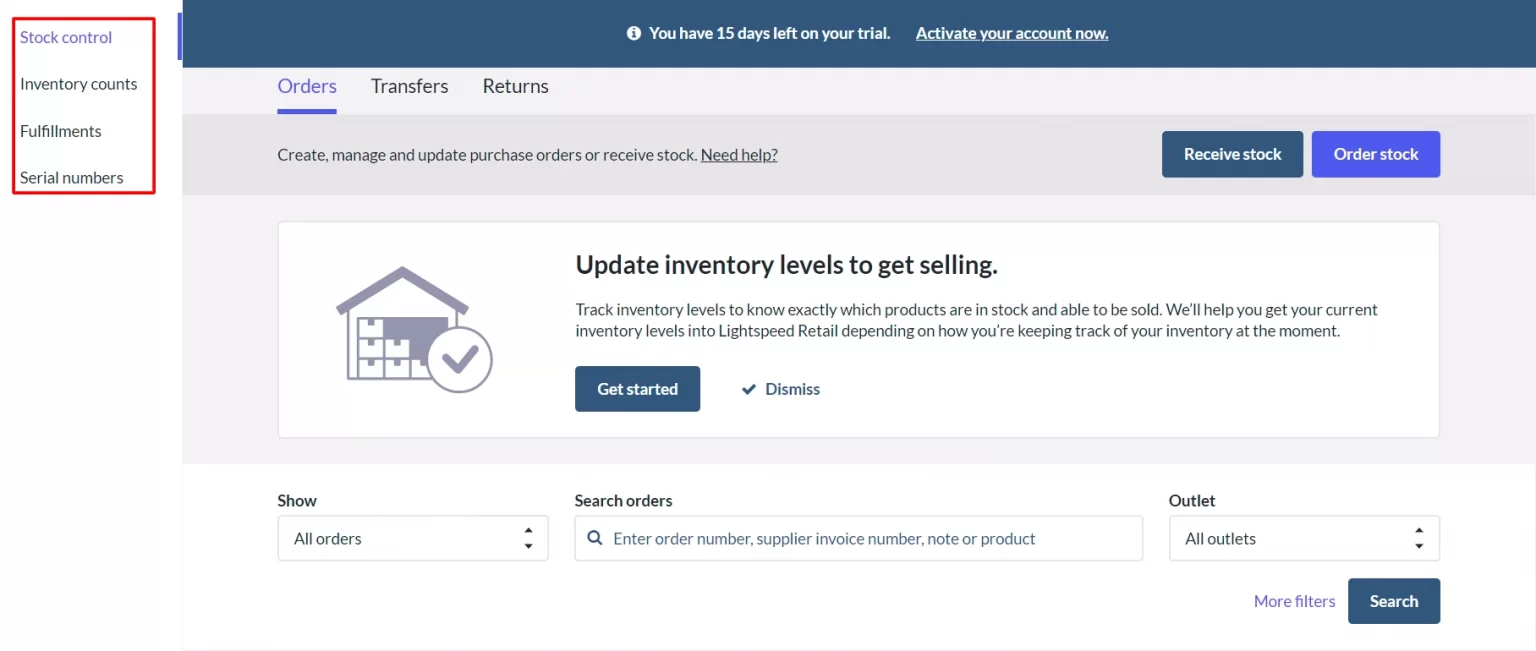
Lightspeed uses a more guided onboarding model. Retail customers can receive help choosing hardware, configuring the account, and preparing staff to sell. This is useful for businesses that must map suppliers, purchase orders, product matrices, locations, permissions, and existing store processes before launch.
The register itself is clean and relatively easy for staff to learn. The back office brings inventory, purchase orders, transfers, suppliers, customers, and reporting into one dashboard.
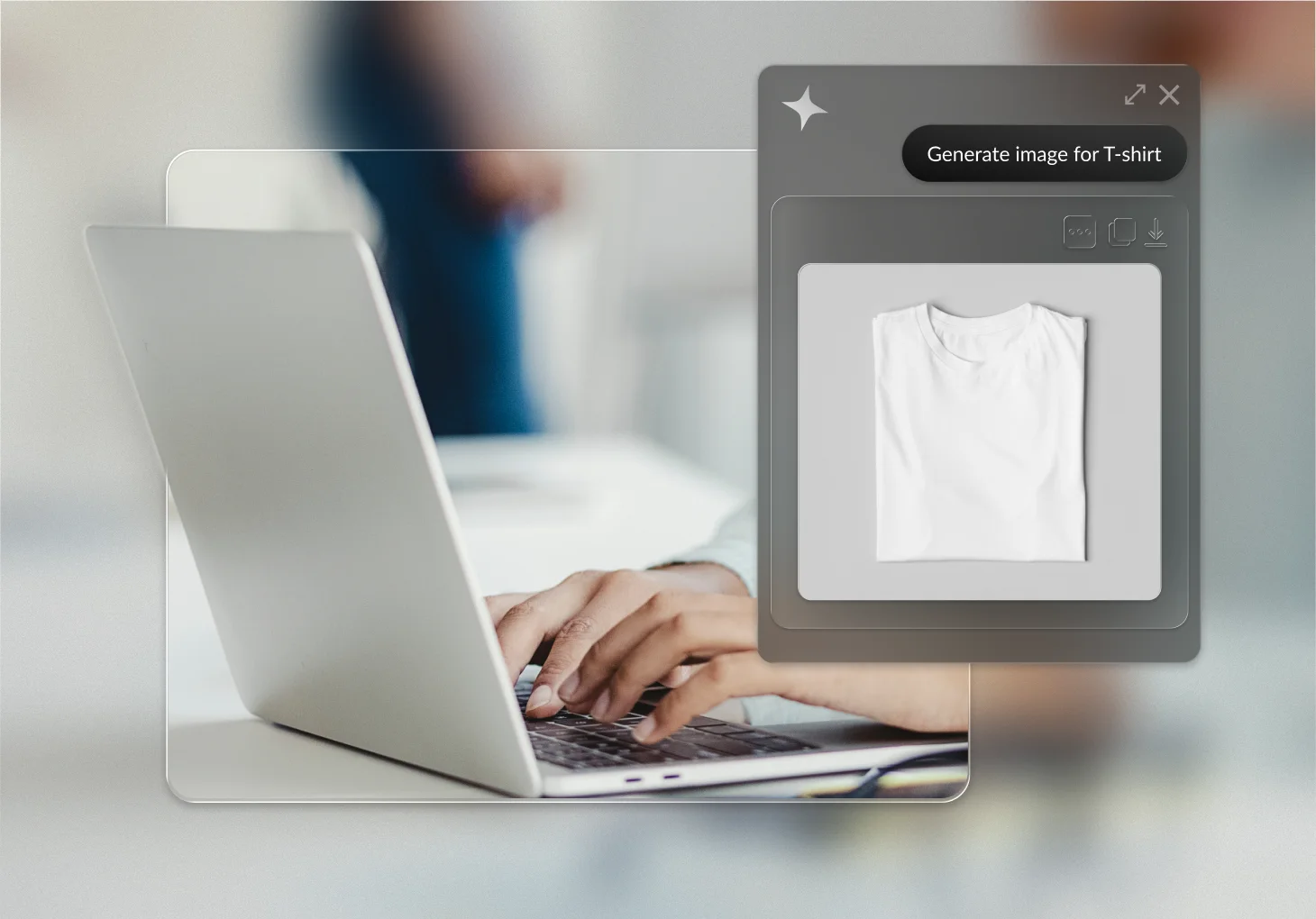
Lightspeed AI also lets supported Retail, Restaurant, and NuORDER users ask natural-language questions and retrieve business insights without manually assembling reports.
The trade-off is depth. Configuring inventory rules, supplier data, reports, permissions, and multiple locations takes time. A very small store may find the back office more extensive than it needs, while an experienced retailer may see that depth as the main reason to choose Lightspeed.
Shopify
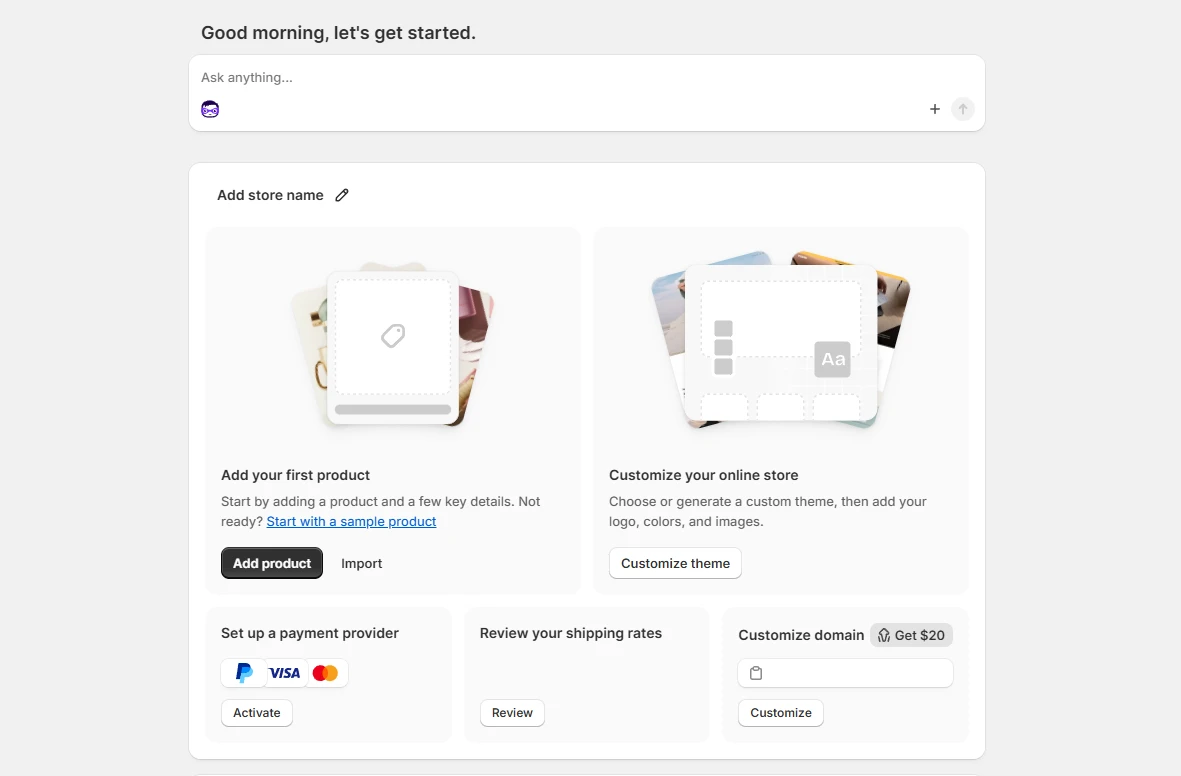
Shopify is designed for self-service setup. After signup, the admin provides onboarding questions, recommendations, and a checklist for adding products, choosing a theme, configuring payments, setting shipping, and launching the store.
Our video tutorial shows the process in practice:
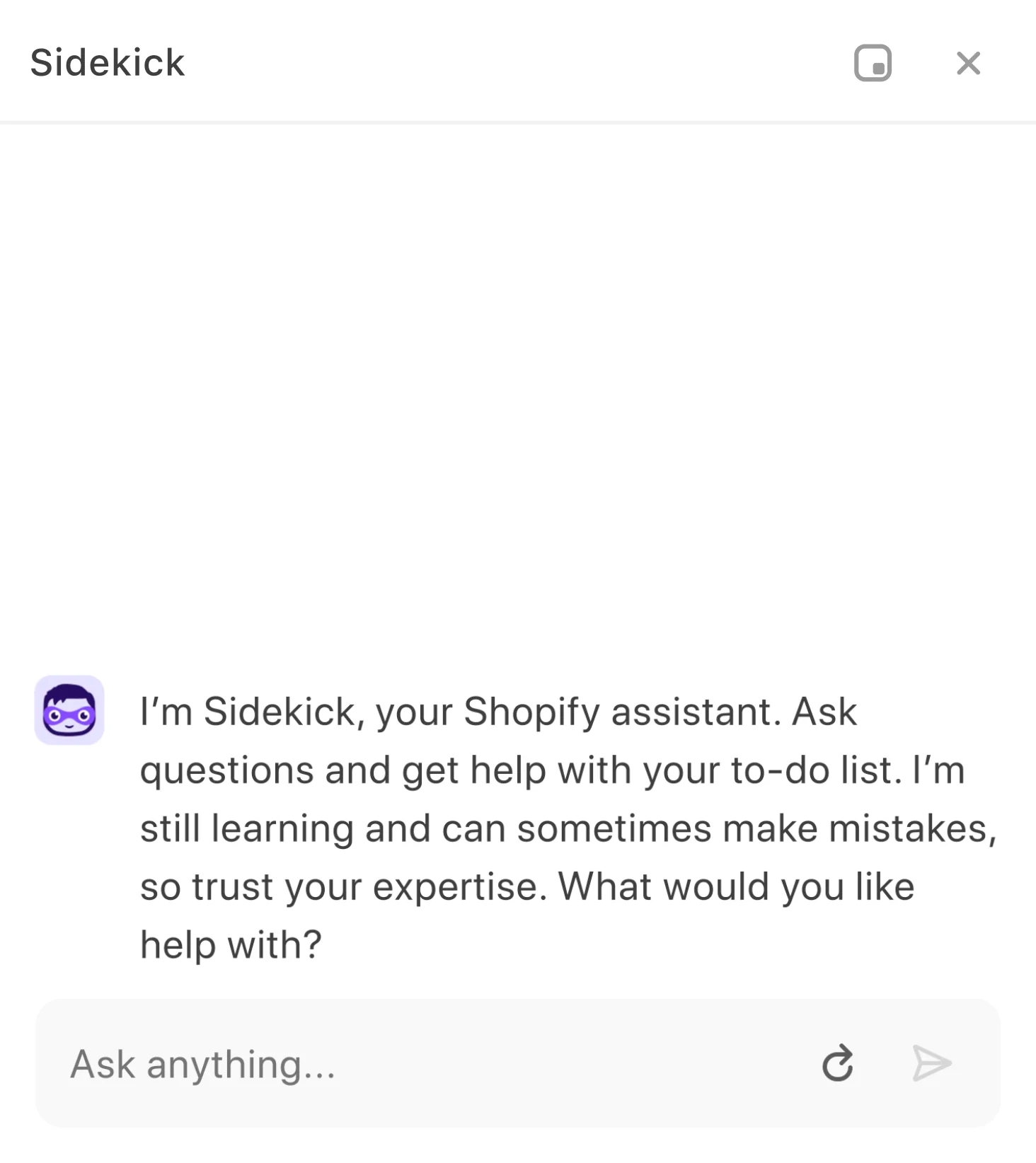
Sidekick, Shopify’s built-in AI assistant, is available in the admin and can answer store-specific questions, explain reports, generate content, and help complete supported tasks.
For in-person selling, install the Shopify POS app on a compatible iOS or Android device, assign the location, connect payment hardware and peripherals, and configure the smart grid. A simple mobile setup can be ready quickly; a permanent store still needs time for product validation, taxes, receipts, staff permissions, hardware testing, and training.
3. POS and Inventory Management
Key takeaway
Lightspeed offers deeper retail operations and inventory controls out of the box. Shopify POS provides a smoother unified-commerce experience and enough functionality for most general retailers.
| POS capability | Lightspeed | Shopify |
|---|---|---|
| Inventory | Product matrices, serialized items, supplier catalogs, purchase orders, receiving, transfers, and advanced replenishment | Multi-location inventory, transfers, purchase orders, counts, low-stock workflows, and apps for specialized needs |
| Omnichannel data | Connected through Lightspeed eCommerce or an integration with an external storefront | Native shared products, inventory, customers, orders, and analytics across Shopify and Shopify POS |
| Checkout | Custom layouts, discounts, returns, deposits, quotes, work orders, and product-specific workflows depending on series | Custom smart grid, discounts, returns, exchanges, gift cards, ship-to-customer, local pickup, and customer profiles |
| Multi-location | Detailed centralized controls; fees may apply for additional locations and registers | Central management; POS Pro is charged per location |
| Reporting | Strong retail, supplier, margin, sell-through, staff, and forecasting reports | Unified online and retail analytics; report depth depends on plan and POS subscription |
| Industry specialization | Dedicated Retail, Restaurant, and Golf products | Primarily retail; other industries usually need apps |
Lightspeed POS
POS is where Lightspeed stands out. It behaves less like a basic payment register and more like a retail operating system for businesses with complex stock and store workflows.
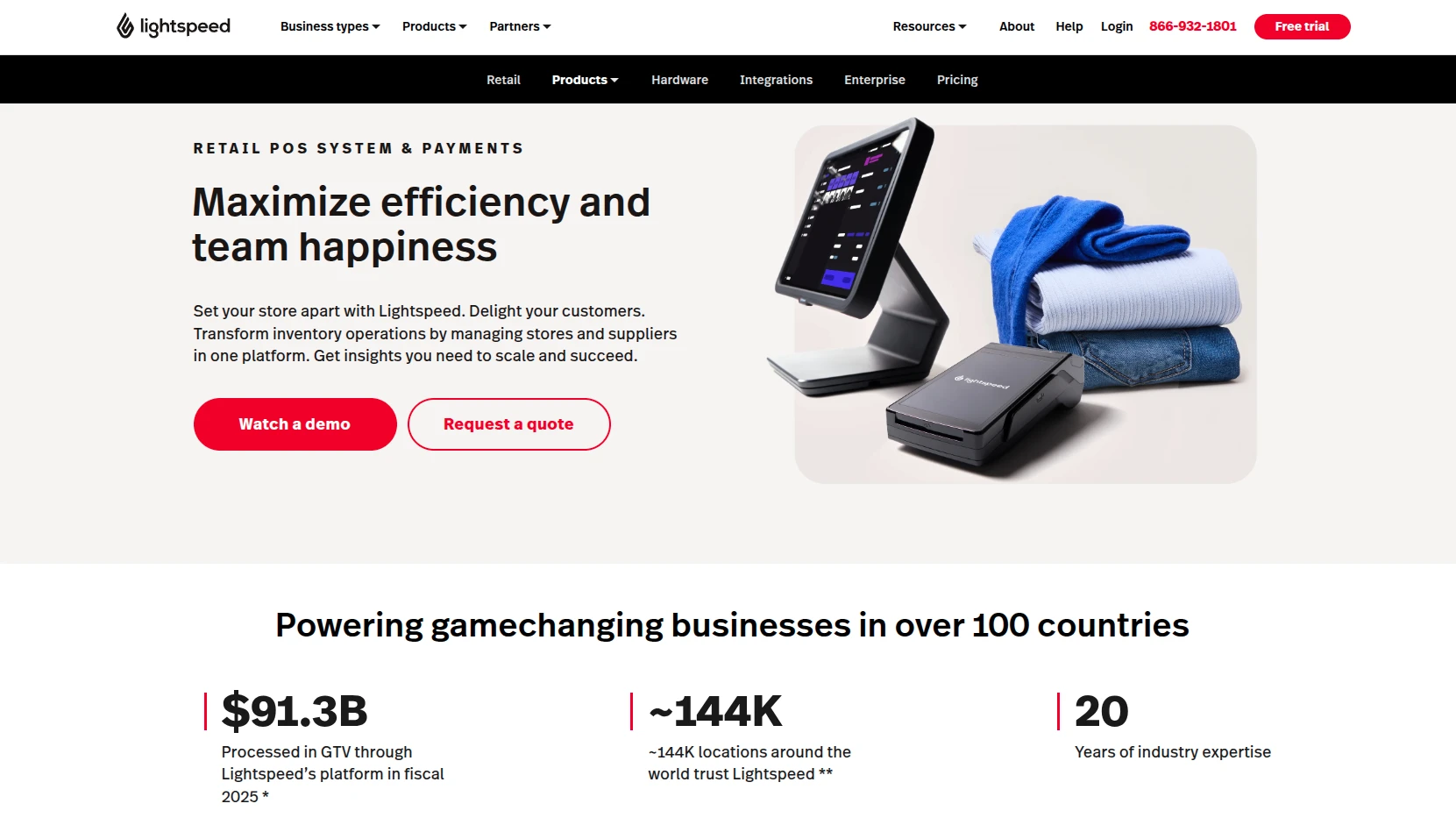
Important Lightspeed POS capabilities include:
- Advanced inventory management: track stock across locations, create size-and-color matrices, manage serialized products, use supplier catalogs, issue purchase orders, receive inventory, transfer stock, and automate replenishment.
- Supplier and wholesale workflows: connect purchasing to the NuORDER catalog and purchase-order process.
- Multi-location management: centralize products, stores, registers, employees, pricing, and performance reporting.
- Retail analytics: analyze sell-through, margins, cost of goods sold, employee performance, inventory aging, and demand forecasts.
- Industry-specific products: Lightspeed Restaurant supports hospitality workflows such as menus, tables, and kitchen operations, while Lightspeed Golf serves course and facility management.
The biggest limitations are cost and product complexity. Lightspeed has multiple Retail series and regional packages, so feature and hardware compatibility must be confirmed for your exact account. Its native payment availability is also more limited geographically than Shopify’s online payment coverage.
Shopify POS
In this Lightspeed vs Shopify POS comparison, Shopify POS is strongest when treated as part of Shopify rather than as a standalone register. Your online store and physical locations use the same catalog, inventory, customers, orders, gift cards, discounts, and reporting foundation.
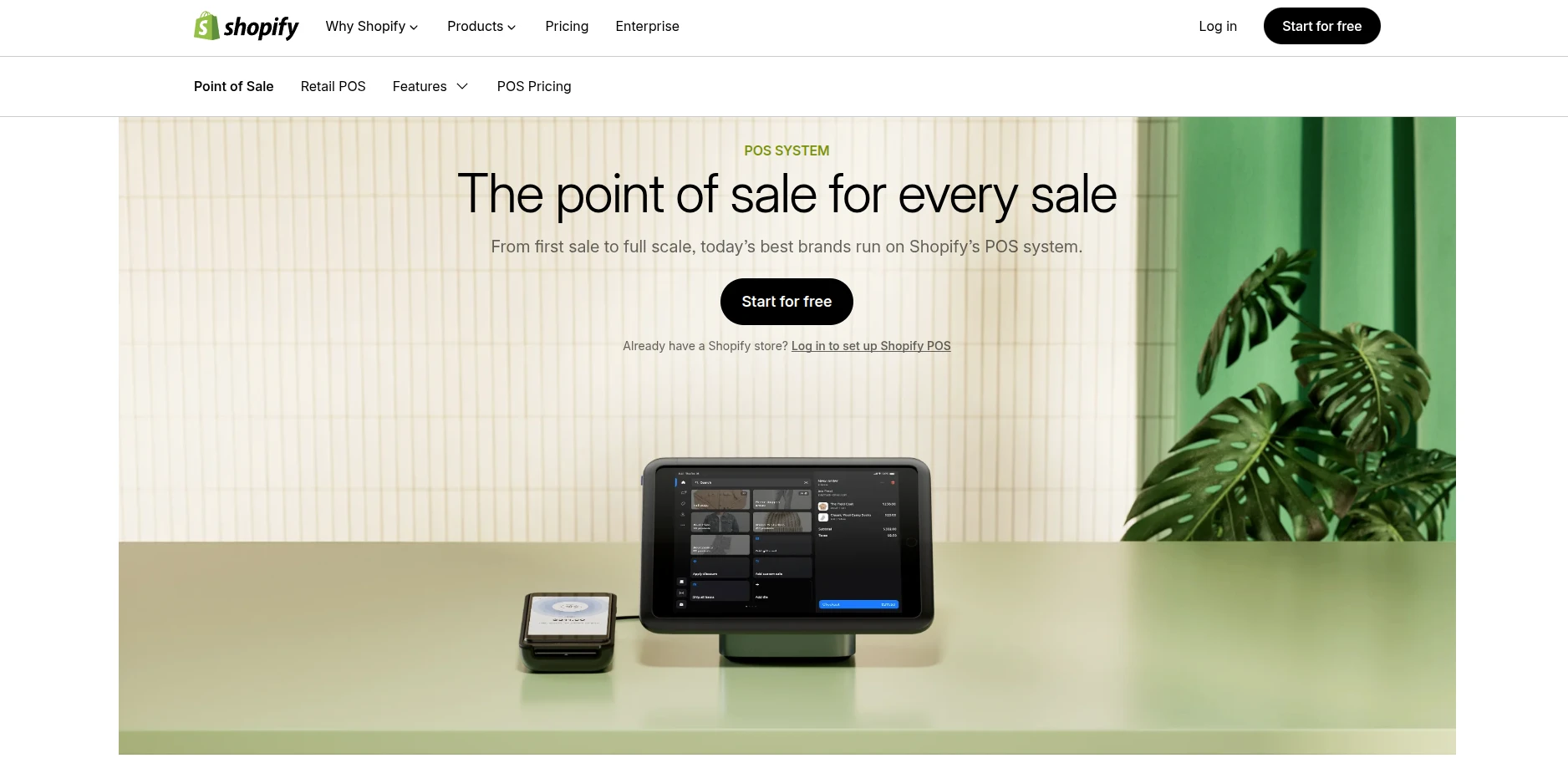
Notable Shopify POS capabilities include:
- Unified commerce: manage products, inventory, customers, orders, and reports across online and retail channels from the Shopify admin.
- Omnichannel fulfillment: support buy online, pick up in store; buy in store, ship to customer; local pickup; returns; exchanges; and gift cards.
- Flexible checkout: customize the POS smart grid, apply discounts, attach customers, email carts, and use supported payment methods.
- Staff controls: POS Pro adds roles, permissions, manager approvals, and individual performance tracking.
- Extensibility: add loyalty, appointments, advanced inventory, returns, and other functions through apps.
Shopify POS is sufficient for most apparel, beauty, home, lifestyle, and general retail businesses. The gap appears when a store needs highly granular purchasing, serialized inventory, repair or work-order workflows, or industry-specific operations. Those needs may require paid apps or custom development.
Payment processing and transaction fees
Both providers offer integrated payments, but rates and availability depend on the merchant’s country, plan, industry, card type, and transaction method.
- Lightspeed Payments: integrates payment processing and reconciliation with Lightspeed POS. Published and quoted rates can differ by region, plan, industry, card volume, and current offer, so use the rate in your merchant proposal rather than a generic headline figure. Additional fees may apply when using a supported third-party processor, depending on the contract.
- Shopify Payments: removes Shopify’s additional third-party transaction fee when used for eligible orders. US in-person rates start at 2.6% + $0.10 on Basic and decrease on higher plans. If Shopify Payments is unavailable or you choose another gateway, provider fees and Shopify’s plan-based third-party transaction fee may apply to online orders.
Do not compare only the percentage printed on a pricing page. Request a quote based on your average transaction value, monthly card volume, card-present versus card-not-present mix, chargebacks, payout needs, and hardware. Payment processing can exceed the software subscription by a wide margin.
4. POS Hardware
Both platforms support mobile and countertop setups. Lightspeed offers more flexibility across desktop, iPad, and selected third-party peripherals. Shopify provides a more standardized hardware ecosystem designed to work directly with Shopify POS.
| Hardware | Lightspeed | Shopify |
|---|---|---|
| Main devices | Windows or macOS computers, iPads, and mobile devices, depending on the Lightspeed series | Compatible iOS and Android phones or tablets |
| Payment hardware | Lightspeed Smart Terminal, Mobile Tap, and supported terminals that vary by region | Shopify card readers and Shopify POS Terminal, with regional availability |
| Retail peripherals | Supported receipt printers, barcode scanners, cash drawers, label printers, and customer displays | Supported barcode scanners, receipt printers, cash drawers, and customer displays |
| Hardware bundles | iPad and desktop kits are available, often by quote | Countertop kits and individual devices are sold at listed regional prices |
| Existing hardware | Selected existing devices may be reused if supported by the relevant series | Selected third-party peripherals are supported; integrated payment hardware comes from Shopify |
| Indicative US starting price | Quote required for many complete setups | Card reader from $49; POS Terminal from $349 |
Lightspeed may suit retailers that already own compatible equipment or require a mixed desktop-and-tablet environment. Shopify offers a more controlled plug-and-play experience. In either case, verify the exact device model, operating system, payment compatibility, warranty, and regional availability before buying hardware.
5. eCommerce Features
Key takeaway
Shopify is the stronger platform for online growth. Lightspeed eCommerce is capable, but it is best understood as an online extension of a retail-first operation.
Lightspeed offers several eCommerce products and integrations across its Retail series. For consistency, this section compares the built-in eCommerce capabilities offered with Lightspeed Retail X-Series against Shopify’s full online store.
| eCommerce feature | Lightspeed | Shopify |
|---|---|---|
| Store builder | Visual site builder with free and paid themes | Section-based theme editor with a large official theme marketplace |
| Products and inventory | Syncs products and stock with Lightspeed Retail; strong catalog operations | Native products, variants, inventory, orders, and customers across all Shopify channels |
| Checkout | Supports common payments, shipping, discounts, and pickup workflows; availability varies by version and region | Mature hosted checkout with Shop Pay, local methods, accelerated checkout, and extensive extensibility |
| International selling | Supports currencies, languages, tax, shipping, and gateways depending on the eCommerce edition and country | Shopify Markets centralizes localized domains, catalogs, currencies, duties, taxes, and international storefront settings |
| Sales channels | Online store plus supported social, marketplace, and advertising integrations | Online store, POS, social, marketplaces, Shop, wholesale, and other app-based channels |
| Content | Product pages, categories, pages, and blogging tools | Products, collections, pages, blogs, metaobjects, and a wider content app ecosystem |
| Scalability | Best when online sales support the existing retail operation | Designed to scale from a new store to international and enterprise commerce |
Lightspeed eCommerce
Lightspeed eCommerce covers the essentials required to sell online: a hosted storefront, product catalog, inventory sync, payments, shipping, promotions, customer accounts, and marketing integrations. Retailers can use a website builder or connect certain Lightspeed eCommerce editions to an existing website.
Its main advantage is operational. A retailer already using Lightspeed can publish products online and keep web inventory connected to store stock without adopting a completely separate back office. This makes Lightspeed practical when the website is an additional sales channel rather than the center of the business.
The limitation is ecosystem depth. Product naming and capabilities vary among X-Series, R-Series, and older eCommerce editions, so merchants should confirm which storefront, checkout, theme, and integration features are included in their specific plan.
Shopify eCommerce
Shopify was built around online commerce. Every core plan includes hosting, an online store, unlimited products, a hosted checkout, inventory, order and customer management, analytics, discounts, sales channels, and access to themes and apps.
It is especially strong for merchants that need:
- A high-converting hosted checkout and accelerated Shop Pay experience
- International storefronts, local currencies, markets, domains, duties, and tax tools
- Social, marketplace, retail, wholesale, and direct-to-consumer channels
- Subscriptions, bundles, pre-orders, loyalty, reviews, or other models supported by apps
- Headless commerce, custom storefronts, or advanced developer APIs
- A large partner ecosystem for design, development, marketing, and migration
6. Apps and Integrations
Key takeaway
Shopify offers far more apps and developer resources. Lightspeed has a smaller ecosystem, but many important retail capabilities are already built into the platform.
Lightspeed
Lightspeed organizes integrations by product series and business type. Its marketplace covers accounting, eCommerce, employee management, loyalty, marketing, payments, and retail operations. You can browse the available Lightspeed eCommerce apps, but availability can differ by country and account version.
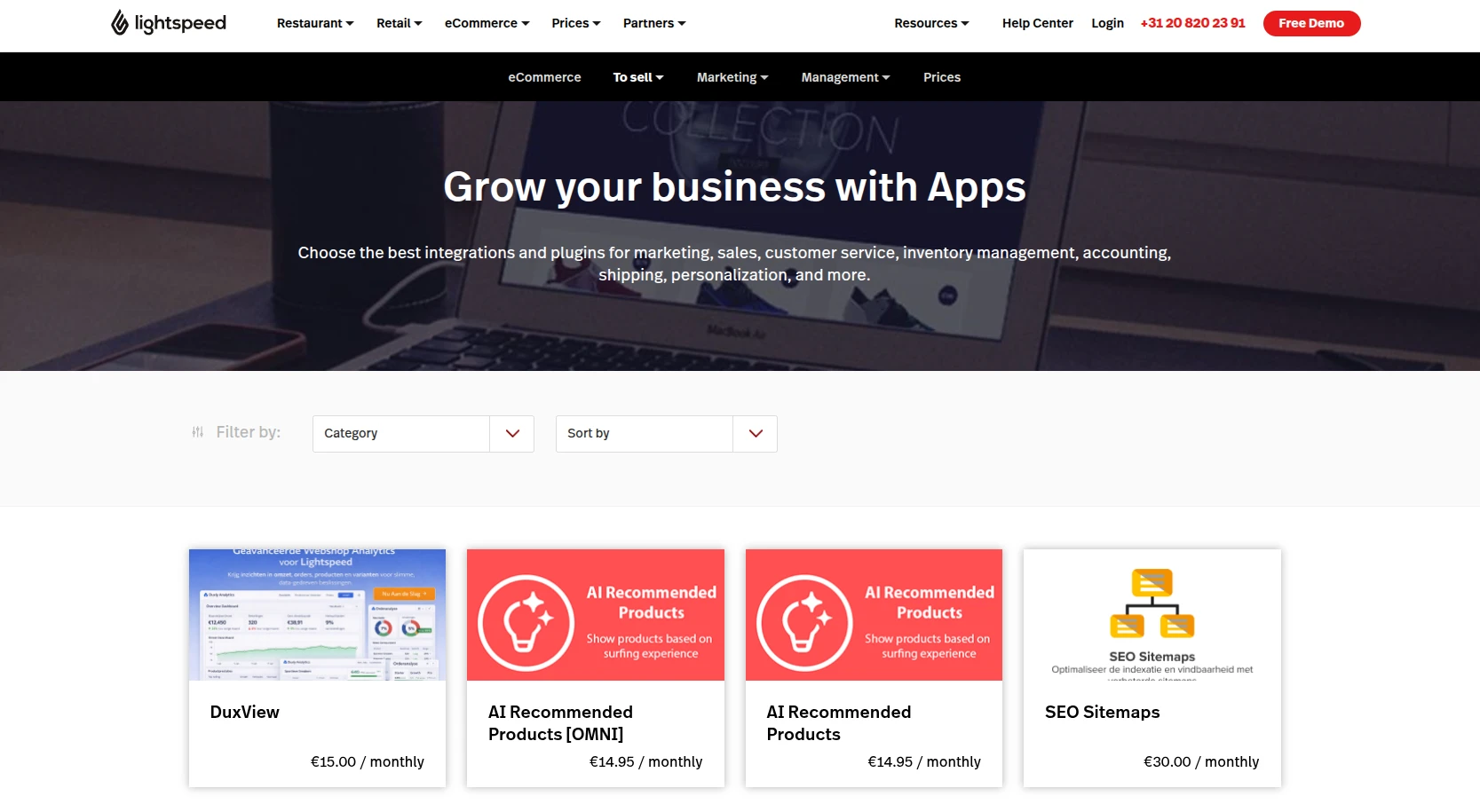
Lightspeed’s smaller ecosystem is not automatically a disadvantage. Advanced inventory, supplier catalogs, purchase orders, retail reports, and some loyalty functions are native or included on higher plans. A retailer may therefore need fewer add-ons than it would on a more general platform.
Still, merchants with specialized subscription, merchandising, automation, review, localization, or fulfillment requirements should confirm that an integration exists before committing.
Shopify
The Shopify App Store lists more than 16,000 apps for store design, marketing, conversion, products, orders, shipping, fulfillment, customer service, and business management. Free plans and paid subscriptions are available, and Shopify highlights apps that meet its Built for Shopify quality standards.
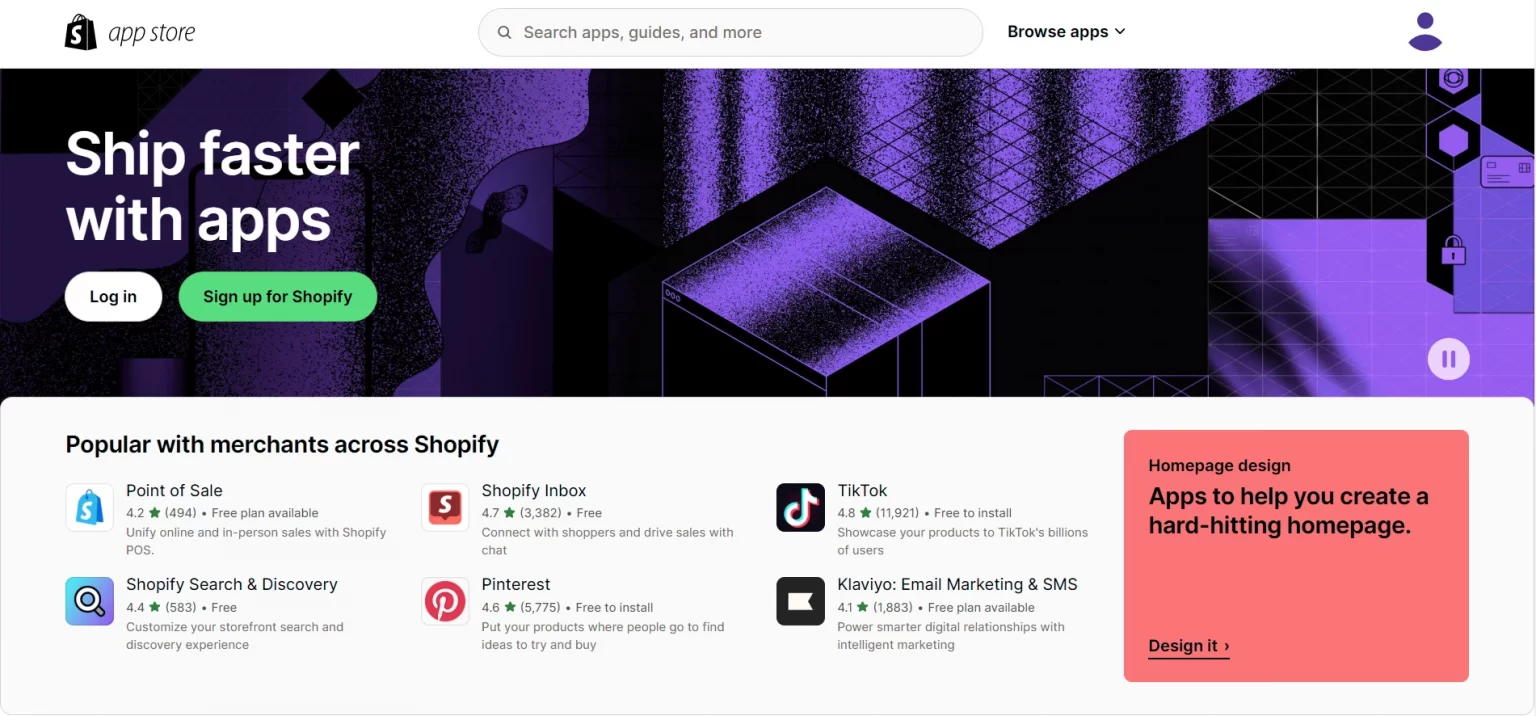
This range gives Shopify an advantage when a business needs to add new capabilities without replatforming. The trade-off is cost and governance: overlapping apps can slow the storefront, duplicate data, create support dependencies, and increase monthly spending. Choose apps based on measurable requirements rather than installing them by default.
If Shopify’s broader ecosystem better fits your next stage, LitExtension’s migration experts can help you move from Lightspeed while preserving the business data required for launch.
Let Our Experts Handle Your Shopify Migration!
With the All-in-One Migration Service, our experts take care of everything, ensuring a seamless and stress-free migration.

7. Themes and Store Design
Key takeaway
Shopify offers a much larger theme marketplace, a flexible section-based editor, and a more mature development workflow. Lightspeed’s design tools are sufficient for many retail-led businesses but provide fewer starting points.
Lightspeed
Lightspeed offers a curated collection of free and paid eCommerce themes. The exact selection depends on the Lightspeed eCommerce version and region.
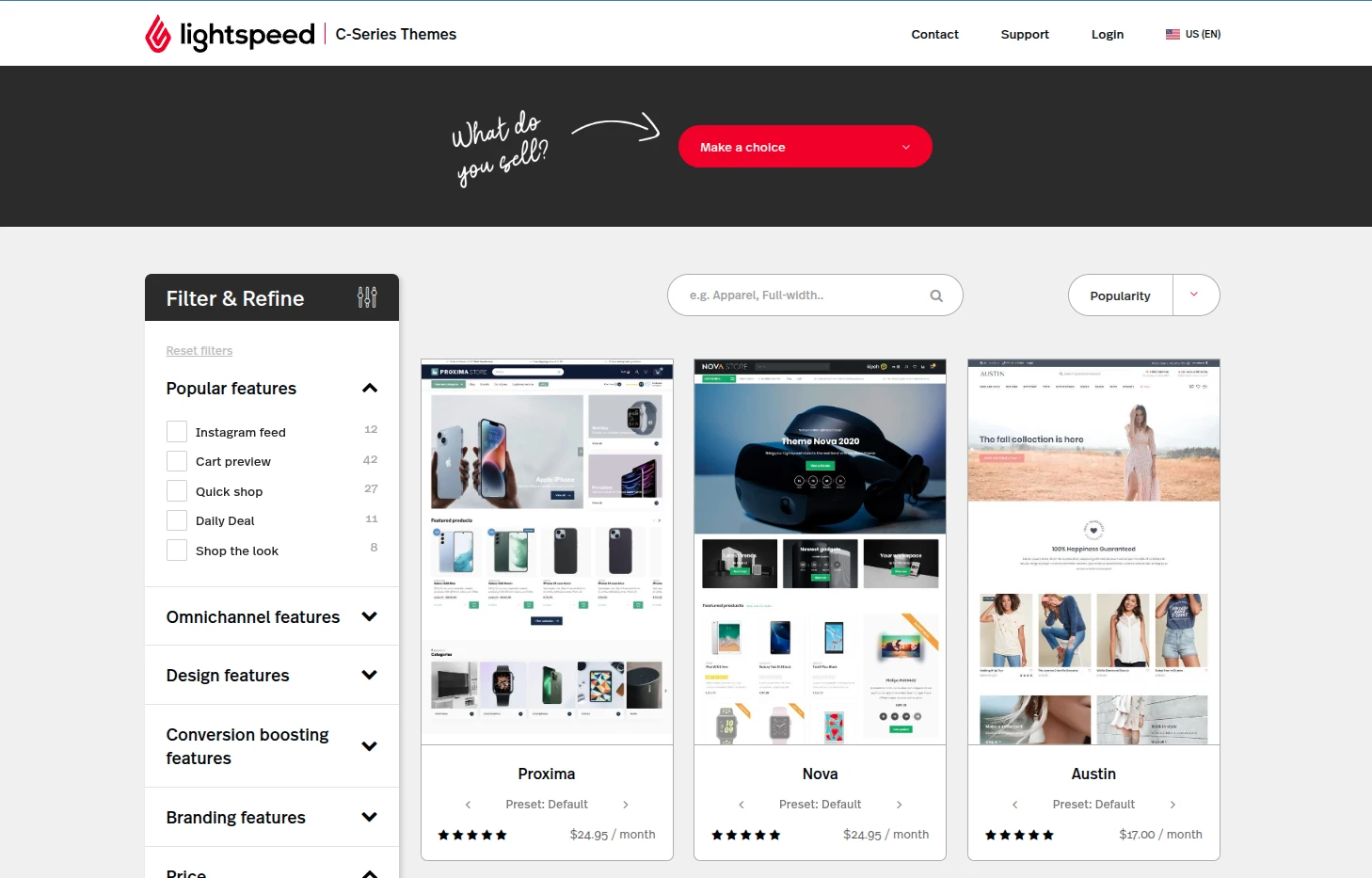
Merchants can adjust colors, fonts, navigation, layouts, banners, and content sections through a visual editor. Some editions also permit custom CSS and theme-file editing for deeper changes.
This is adequate for a straightforward branded storefront, particularly when the website supports a physical store. However, switching themes or maintaining extensive code modifications can require additional planning, and the developer ecosystem is smaller than Shopify’s.
Shopify
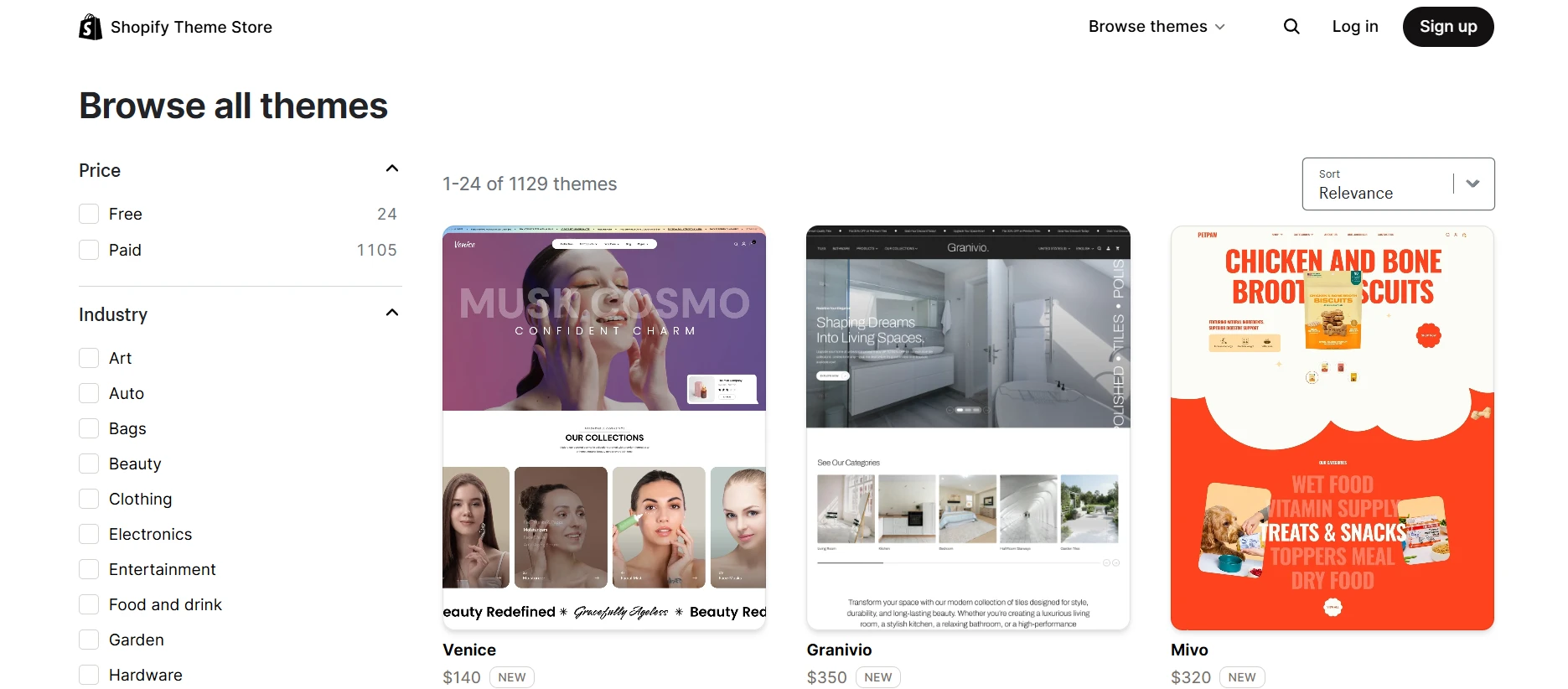
The Shopify Theme Store currently lists more than 1,200 free and paid theme presets. Theme counts change as designs and presets are added or removed, but the selection is substantially larger than Lightspeed’s.
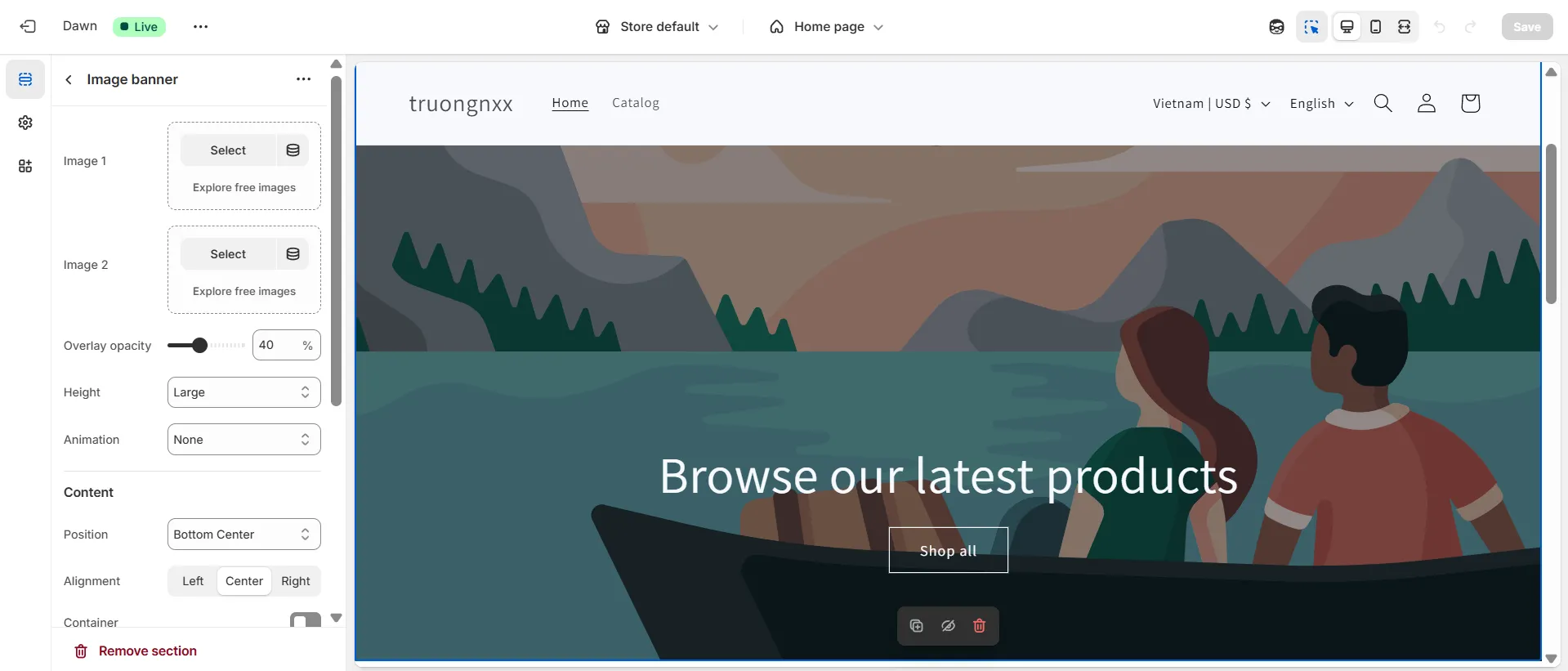
Shopify’s visual editor lets merchants add, remove, and rearrange sections across page templates while previewing changes. App blocks insert compatible app functionality without manually editing theme code, and the Horizon theme framework makes layouts more modular.
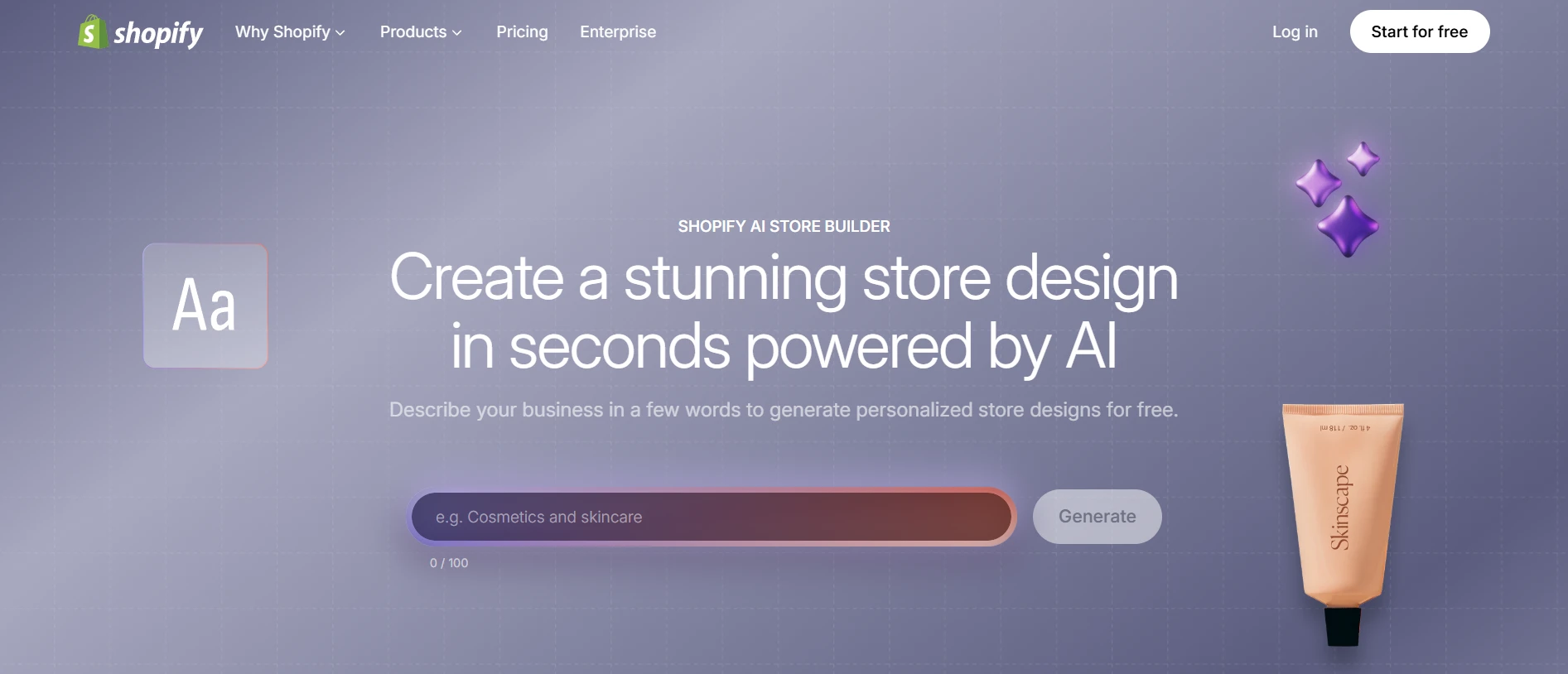
Shopify Magic and AI store-building tools can also generate theme suggestions and custom blocks from a merchant’s instructions.
Developers can work with Liquid, HTML, CSS, JavaScript, JSON templates, Shopify CLI, GitHub integrations, and documented APIs. This makes Shopify more suitable for businesses that expect ongoing design iteration or custom storefront development.
8. SEO and Marketing
Key takeaway
Both platforms cover core SEO and promotional needs. Shopify provides more content, automation, international, and app-based growth options, while Lightspeed emphasizes retail customer engagement and loyalty.
Lightspeed
Lightspeed eCommerce provides essential SEO controls such as page titles, meta descriptions, image alt text, search-friendly URLs, and blogging. Exact controls differ among eCommerce versions, so verify redirects, canonical tags, robots directives, structured data, and URL editing before migrating a large catalog.
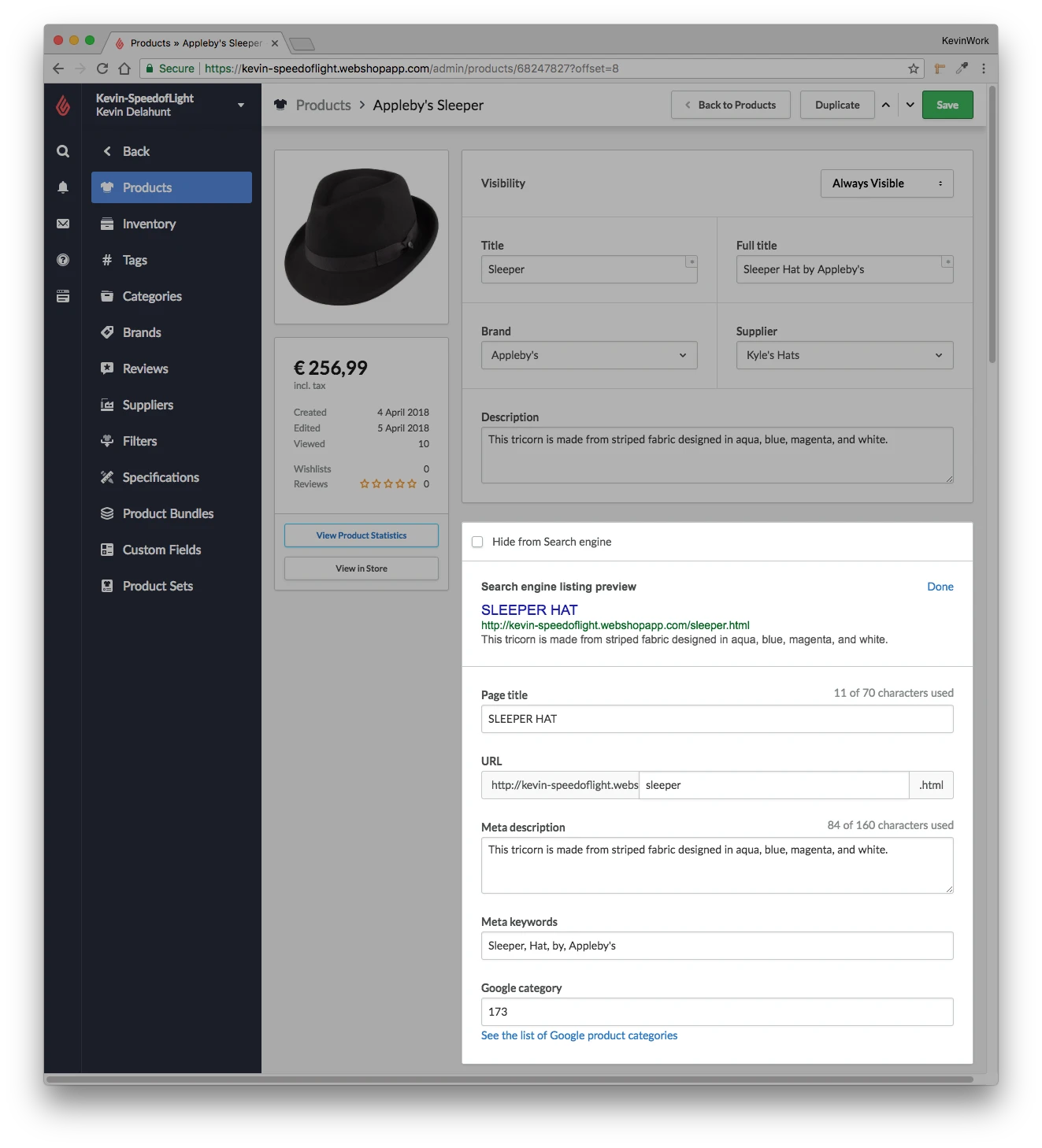
Marketing capabilities can include:
- Product feeds and integrations for Google and social platforms
- Discounts, promotions, coupons, and customer-specific pricing
- Abandoned-cart recovery and email marketing, depending on the edition
- Upsells, cross-sells, related products, and customer reviews
- CRM, loyalty, and customer segmentation connected to retail data
Lightspeed is competitive when marketing relies on in-store customer data and loyalty. Merchants pursuing content-led SEO or sophisticated online automation may find the native ceiling sooner.
Shopify
Shopify covers standard technical SEO with editable titles and descriptions, canonical tags, automatically generated sitemaps, mobile-ready themes, SSL, and URL redirects. Merchants can edit theme code and use apps when they need more control over structured data, image optimization, redirects, or SEO auditing.
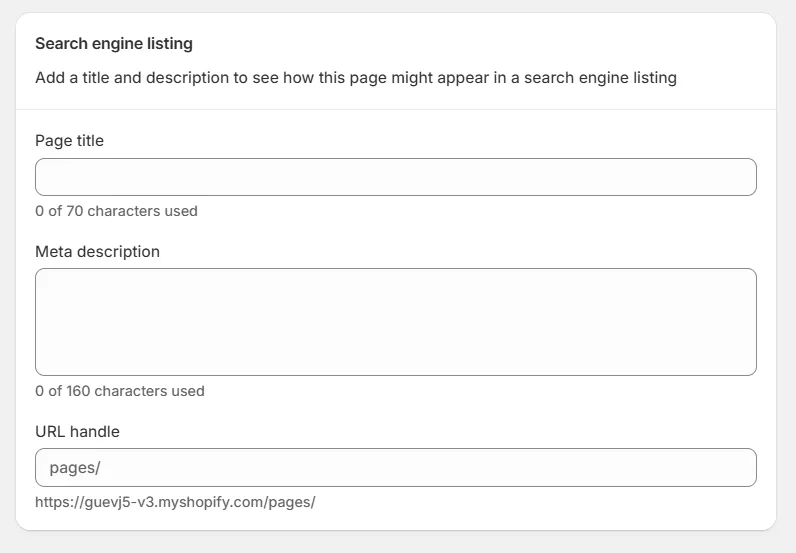
Its built-in marketing toolkit includes:
- Shopify Email for branded campaigns managed from the admin
- Marketing automations triggered by customer behavior, including abandoned-checkout recovery
- Discount codes and automatic discounts for scheduled and targeted promotions
- Customer segments based on profile and purchase data
- Native and app-based channels for social platforms, search, marketplaces, Shop, and retail
- Shopify Markets for localized international selling
Shopify provides a stronger foundation for online acquisition, but the most sophisticated loyalty, attribution, SMS, personalization, and lifecycle marketing programs often use paid apps.
9. Customer Support
Key takeaway
Both platforms provide direct support and extensive documentation. Lightspeed offers more guided retail onboarding, while Shopify has a larger self-service, community, partner, and developer ecosystem.
Lightspeed
Lightspeed provides 24/7 chat and phone support on current Retail plans, plus product-specific help centers and onboarding options. This matters because Lightspeed maintains several products and series with different settings, integrations, and hardware requirements.
The guided approach can be valuable for a retailer implementing multiple locations, supplier workflows, and payment hardware. Support availability and onboarding scope can still vary by country, language, plan, and product version, so include those requirements in the sales discussion.
Shopify
Shopify offers 24/7 support through its Help Center assistant and live chat, along with extensive documentation, community discussions, video education, developer documentation, and a worldwide partner network. Higher-tier and enterprise merchants receive additional support options.
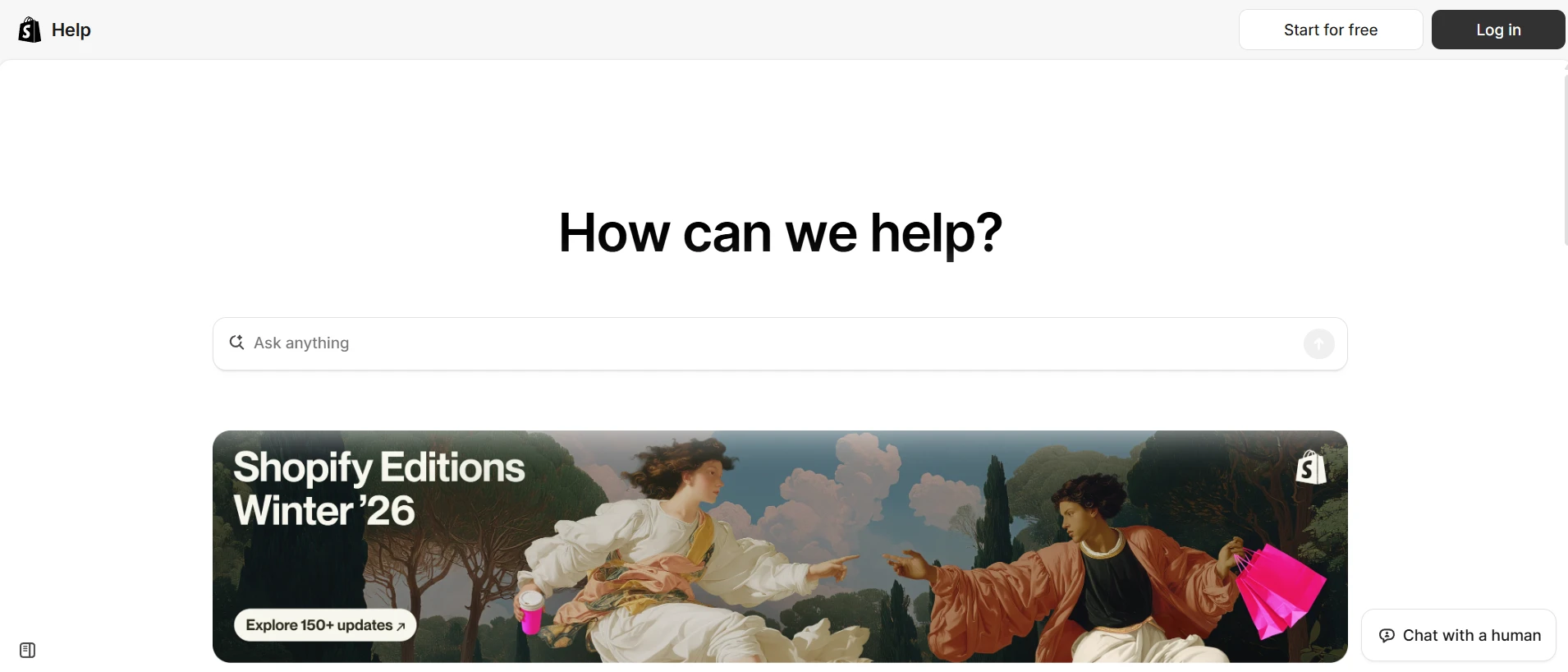
Shopify’s advantage is the volume of searchable resources and specialists. Lightspeed’s advantage is onboarding for operationally complex retail. Because response quality can vary by issue and plan on either platform, we consider customer support a tie.
Can You Use Lightspeed POS With Shopify?
Yes. Lightspeed offers a Shopify integration that can connect products, inventory, customers, and sales between Lightspeed Retail and Shopify. Depending on the Lightspeed series and your requirements, you may also use a third-party connector or a custom API integration.
| Approach | Best for | Main trade-off |
|---|---|---|
| Lightspeed Retail + Lightspeed eCommerce | Retail-led businesses that want one Lightspeed relationship | Less eCommerce flexibility than Shopify |
| Lightspeed Retail + Shopify | Businesses that need Lightspeed’s retail depth and Shopify’s storefront | Integration fees, field mapping, sync monitoring, and reconciliation |
| Shopify + Shopify POS | eCommerce-first and general omnichannel retailers | Specialized retail workflows may need apps |
Before combining Lightspeed and Shopify, document the system of record for products, inventory, pricing, customers, orders, returns, gift cards, discounts, and reporting. Also test variant mapping, duplicate handling, refund behavior, sync frequency, and what happens during an integration outage. Running two platforms is viable, but it should be a deliberate operational choice.
Migrating From Lightspeed to Shopify: What to Plan
Moving from Lightspeed to Shopify involves two separate tasks: transferring your store data and rebuilding the operational setup that cannot be moved directly. Before starting, review what should be migrated, how each entity will map to Shopify, and which retail workflows will need to be configured again.
With our LitExtension Lightspeed to Shopify migration service, you can transfer the following core data:
- Products: names, SKUs, descriptions, status, prices, weights, tags, variants, images, quantities, stock settings, and metadata.
- Product categories: names, descriptions, images, and metadata.
- Customers: names, emails, passwords, and billing and shipping addresses.
- Orders: IDs, dates, statuses, customer details, product quantities, discounts, taxes, subtotals, and totals.
- SEO-related data: product and category metadata, with an additional option to create 301 redirects for old URLs.
Some elements still need to be reviewed and configured separately in Shopify, including store locations, registers, staff permissions, payment hardware, receipt templates, loyalty programs, and third-party integrations. Before going live, check migrated totals and data relationships, test important storefront and POS workflows, and schedule the final cutover during a quieter sales period.
Lightspeed vs Shopify: FAQs
Is Lightspeed better than Shopify?
Lightspeed is better for retailers that need advanced inventory, purchasing, supplier, reporting, multi-location, restaurant, or other specialized in-store workflows. Shopify is better for most eCommerce-first and omnichannel merchants because it combines a stronger online platform with an integrated POS, larger app ecosystem, and easier setup.
Which is cheaper, Lightspeed or Shopify?
Shopify has the lower starting subscription. Shopify Basic is $39/month and includes POS Lite, while Lightspeed Retail starts at $89/month for one register based on published US pricing. A retailer that needs Shopify POS Pro, several locations, and paid inventory apps may close that gap. Compare software, locations, hardware, payment processing, apps, and onboarding together.
Which has the better POS system, Lightspeed or Shopify?
Lightspeed has the more advanced POS for complex retail operations because of its native inventory, purchasing, supplier, forecasting, and industry-specific tools. Shopify POS is better for merchants that prioritize a seamless connection between online and in-store sales.
Which is better for eCommerce?
Shopify is better for eCommerce. It offers a stronger checkout, more themes and apps, broader international and multichannel capabilities, and a larger developer ecosystem. Lightspeed eCommerce is a capable companion to Lightspeed Retail but is less flexible for online-first growth.
Can Shopify connect to Lightspeed?
Yes. Lightspeed provides a Shopify integration, and third-party connectors are also available. The exact data and workflow support depend on the Lightspeed series and connector. Test products, variants, inventory, customers, orders, refunds, and sync behavior before launch.
Is Shopify or Lightspeed better for restaurants?
Lightspeed is the better fit for most restaurants because Lightspeed Restaurant includes industry-specific workflows. Shopify POS is designed primarily for retail and generally requires apps or separate systems for restaurant operations.
Does Lightspeed offer wholesale or B2B tools?
Yes. Lightspeed integrates NuORDER catalog and purchase-order workflows into supported Retail plans, helping retailers source from brands and manage wholesale purchasing. Shopify supports B2B selling and wholesale workflows through its plans and apps, but it does not replicate Lightspeed’s retail purchasing marketplace in the same way.
Can I migrate from Lightspeed to Shopify without losing SEO?
Yes, provided the migration includes URL mapping, 301 redirects, metadata, content, images, and post-launch crawling checks. Rankings cannot be guaranteed, but careful planning can preserve important URLs and reduce avoidable traffic loss.
Lightspeed vs Shopify: Final Verdict
Shopify is our overall winner for most businesses. It provides the stronger eCommerce platform, simpler administration, broader app and theme ecosystems, and the cleanest connection between online and in-person selling.
Lightspeed remains the better specialist. Choose it when complex inventory, suppliers, purchasing, reporting, multiple retail locations, restaurants, or other physical-store workflows matter more than maximum online flexibility.
- Choose Lightspeed for operationally complex, retail-first businesses.
- Choose Shopify for eCommerce-first and general omnichannel growth.
- Use both only when Lightspeed’s retail depth justifies the cost and maintenance of an integration.
If you decide to move from Lightspeed to Shopify, LitExtension can migrate products, customers, orders, and other supported data while your current store continues operating. Start with a free demo to review the transferred data before committing to the full migration.
Still comparing platforms? Explore our other eCommerce platform comparisons and guides to evaluate the best fit for your business model.