
Is Wix or WooCommerce the right choice to kick off your online business? Or perhaps you’re wondering whether it’s worth switching from one platform to the other? For beginners and experienced store owners alike, choosing between Wix vs WooCommerce can be a challenging decision.
Both platforms offer powerful tools for building and managing an online store, but they take very different approaches. To help you make a more informed decision, we’ve put together this in-depth comparison covering:
- A brief introduction of WooCommerce and Wix
- Key areas for bettering your understanding of Wix vs WooCommerce
- How to find out which one works best for you
How Is Wix vs WooCommerce Different from Each Other?
What is Wix?

Wix is a builder of all-in-one web pages, and it is suitable for newcomers and non-coders. This platform helps you to quickly construct a professional website with predesigned templates, integrated security, and in-house technology.
You may see a thorough analysis of this platform via Wix eCommerce review.
What is WooCommerce?
WooCommerce is an open-source commerce platform for WordPress. It offers you full flexibility and control to create complex sites. Hosting, plugins installation, updates running, and much more are provided. WooCommerce has given birth to WooCommerce 11.1.0 – a major update released in September, 2026 with more advanced features and breakthrough innovations, making WooCommerce more inviting than ever!
You may read a comprehensive feature analysis of WooCommerce via WooCommerce review.
WooCommerce Migration Made Easy With LitExtension!
LitExtension offers great migration solutions that help you transfer your data from the current eCommerce platform to a new one accurately, painlessly with utmost security.

Wix vs WooCommerce: A Comprehensive Comparison
#1. Ease of use
WooCommerce ease of use
The learning curve for WooCommerce is certainly steeper when it comes to ease of use. Most people choose WooCommerce for its versatility, but the difficulty comes with this flexibility. Almost nothing can be modified, but advanced technical expertise is required to make modifications.
Another downside of WooCommerce is that regardless of the content you insert in the editor before you preview or publish the article, you won’t see what it looks like “online”. This is definitely not a major problem, but you’ll need to constantly click back and forth between editing modes and demo modes to see how they all fit together.
On the other hand, WooCommerce is the most strong and most dynamic site.

If you wish to have a detailed guide on how to create your own WooCommerce store. Check out this below video!
Wix ease of use
Wix is restricted but specifically designed and constructed so that non-developers can easily use it. Obviously, you can learn much more easily how to use Wix than WooCommerce.
You can also push or drag articles, images, and shopping cart buttons, anywhere on your web pages. Wix is a designer of what-you-see-what-you-go-web sites. With a few fast clicks, you can also resize anything. Not to mention, Wix Harmony Editor, launched in January 2026, can work alongside the classic editor and even includes an integrated AI agent (Aria) to guide your design through prompts.
Have difficulties building a Wix store? Let’s create a Wix website and follow this tutorial as it will show you how to create a Wix website from scratch:
Verdict
Wix takes the lead for ease of use! Its intuitive drag-and-drop editor makes it easy for beginners and non-technical users to build and manage a website without coding knowledge.
#2. Pricing
You have a crucial consideration about the amount of money you want to invest in your website, and that may vary greatly depending on whether you use Wix vs WooCommerce.
WooCommerce pricing
WooCommerce itself is free to install and use, as it is an open-source eCommerce plugin for WordPress. However, running a WooCommerce store still involves other costs. Depending on your store’s needs, you may need to budget for:
- Web hosting: Required to host your WordPress and WooCommerce store, with costs varying by provider and hosting plan.
- Domain name: Usually purchased separately from your hosting service.
- Premium theme: While WooCommerce offers free themes, premium options typically cost around $25–$299 and provide more design choices and customization options.
- Paid extensions: Additional WooCommerce plugins or extensions may be needed for features such as advanced payments, shipping, subscriptions, bookings, or marketing.
- Security and maintenance: SSL, backups, security tools, and professional maintenance can add to the ongoing cost, especially for larger stores.
- Development and customization: If you need custom features, integrations, or design changes, you may also need to pay for developer services.
So, although the WooCommerce software itself costs $0, the total cost of running a WooCommerce store depends largely on the hosting, theme, extensions, and services you choose.
For a more detailed breakdown of the costs involved in building and running a WooCommerce store, check out our take on WooCommerce pricing.
Wix pricing
Wix pricing is divided into two different categories based on your website’s purpose. Check out the table below for more details! Note that a free plan ($0) is also available for trial.
| Feature | Light | Core | Business | Business Elite |
|---|---|---|---|---|
| Monthly price | $17/month | $29/month | $39/month | $159/month |
| Storage | 2 GB | 50 GB | 100 GB | Unlimited |
| Custom domain | ✓ | ✓ | ✓ | ✓ |
| Free domain for 1 year | ✓ | ✓ | ✓ | ✓ |
| Site collaborators | 2 | 5 | 10 | 100 |
| Remove Wix branding | ✓ | ✓ | ✓ | ✓ |
| Marketing tools | Light | Basic | Standard | Advanced |
| Lead capture forms | 4 | 10 | 25 | 75 |
| Customer accounts | — | ✓ | ✓ | ✓ |
| Online payments | — | ✓ | ✓ | ✓ |
| Recurring payments | — | ✓ | ✓ | ✓ |
| Marketplace & social selling | — | ✓ | ✓ | ✓ |
| eCommerce capabilities | — | Basic | Standard | Advanced |
| Product catalog | — | Up to 50,000 | Up to 50,000 | Up to 50,000 |
| Abandoned-cart recovery | — | ✓ | ✓ | ✓ |
| Automatic discounts | — | ✓ | ✓ | ✓ |
| Pre-orders | — | ✓ | ✓ | ✓ |
| Loyalty program | — | ✓ | ✓ | ✓ |
| Loyalty tiers & points expiry | — | — | ✓ | ✓ |
| Referral program | — | — | ✓ | ✓ |
| Dropshipping products via Modalyst | — | 25 | 250 | 50,000 |
| eGift cards | — | Basic | Advanced | Advanced |
| Back-in-stock alerts | — | 10/month | Unlimited | Unlimited |
| Developer capabilities | — | — | — | Advanced |
| Customer support | 24/7 | 24/7 | 24/7 | Priority |
Here we have a thorough analysis on Wix pricing so that you may get more on what you really need for your website!
Verdict
Wix comes out ahead on pricing! While WooCommerce itself is free to install, the additional costs of hosting, themes, extensions, security, and development can add up. Wix offers more predictable costs by bundling essential features into its plans.
#3. Design and customization
WooCommerce themes
Design and customization are things of which WooCommerce is proud. How much you can customize your website is basically done without any restriction, but as you know now, that is not too easy to do.
As long as you’re confident in coding, WooCommerce enables you to make major changes to its themes and actually put your stamp site.
You can work off WooCommerce’s free templates or themes–but when you are serious about the aesthetic beauty of your website, you’ll want to buy one of its premium options.
Although you can buy WooCommerce themes from many different sources, we recommend that you stick to those from your own website. This will prevent you from paying for a dodgy subject to any amateur designer.
WooCommerce has 130+ themes in total, and the premium ones range from $25 to $299. They aren’t cheap, but they are the best option if you want a slick, bug-protected design. And don’t forget that we have got you a list of best WooCommerce themes!
Wix themes
Wix allows you to pick more than 2000 templates from a wide range on Wix template market. All these free Wix templates are industrially categorized and are packed with an example of what your final website might look like.
Better yet, for restaurant owners, Wix released the Multiple Ordering Pages feature in 2026. As it lifted the old two-page cap, food businesses can now create up to five distinct ordering pages for catering, pre-orders, and seasonal menus.

Another nice thing is that each design has standardized features that are essential for the industry under which it is classified. This saves you time and effort to find your magazine website or something like a subscription type, for example.
You can have access to a Wix template file, but it is not recommended unless you have advanced technology. By simply using the drag-and-drop editor, you should be able to adapt everything you need.
Verdict
WooCommerce takes the crown for design and customization. Wix offers plenty of professionally designed templates, but WooCommerce gives advanced users far greater control over their store’s appearance and functionality.
#4. Apps and plugins
Plugins and applications do the same: Wix vs WooCommerce users can add extra features beyond the fundamental elements to their platform.
Common add-ons involve features such as adding website feeds on Facebook or Twitter or reverse, such as the addition of a store section to a Facebook page. Additional applications and plugins may allow a website owner to monitor their SEO or provide a contact form so that their audience can email them instantly.
WooCommerce plugins
WooCommerce ensures that its codes can be used and changed by everyone. Any programmer or coder may use WooCommerce to build their own themes or plugins for others to buy or download free of charge.
This is one of the major reasons that the WooCommerce community has broadened to over 75 million websites (which now hold about 30 percent of all websites on the internet), according to the most recent figures. WooCommerce is forecasted to evolve as more people and companies create websites.
There are more than 1,300 WooCommerce extensions and 59,000 WordPress plugins, giving you an indication of how large the WooCommerce community is.

However, WooCommerce’s large and growing ecosystem can also present a challenge. Because anyone with sufficient coding knowledge can develop a WooCommerce theme or plugin, the quality and reliability of these tools can vary significantly. Some are well-developed and regularly maintained, while others may lack proper support, updates, or security standards.
This flexibility is one of WooCommerce’s biggest strengths, but it also means you need to be selective when choosing third-party tools. That doesn’t mean WooCommerce plugins and themes are unreliable as a whole—there are many excellent options available. The key is to evaluate the developer’s reputation, user reviews, update history, compatibility, and level of support before installing a new tool on your store.
Wix Apps
Wix takes a more controlled approach to website development because it is a closed-source platform. The core tools and features are developed and maintained by Wix, which helps ensure that they work consistently within the platform. Since these tools are built into the Wix ecosystem, users generally don’t need to worry about compatibility issues between different components or handle the technical maintenance themselves.
Beyond its built-in features, Wix also offers 800+ apps through the Wix App Market, allowing users to add functions such as marketing, analytics, payments, customer management, and eCommerce tools.
These apps can be installed directly from the platform without requiring users to manage complex deployment or integration processes. Wix also provides centralized support for its platform and built-in functionality, which can make troubleshooting more straightforward.
Verdict
It’s a tie when it comes to apps and plugins. Wix offers 800+ apps in a more controlled ecosystem. Meanwhile, WooCommerce provides a much broader pool of third-party extensions and WordPress plugins, giving each platform a different kind of flexibility.
#5. Wix vs WooCommerce: What’s better for selling online?
Whether deciding on WooCommerce or Wix, the main difference here is that Wix is built-in with eCommerce. You will need to apply to a Wix eCommerce system, but everything you need to sell online is ready for you from there. You just have to wait for a moment.

WooCommerce is an eCommerce plugin for WordPress. It is free to install, but additional costs, such as transactions, are included.
The eCommerce functionality of Wix is quite advanced, but don’t associate them with pure eCommerce sites such as Shopify (Curious why? Check out our article on Wix vs Shopify for more insights). To people who really want a website capable of selling a peculiar product here and there, Wix is really up for it.
The WooCommerce plugin is much more complex. That being said, this is a further expense, and some technical knowledge is essential to keep track of. WooCommerce is better if you only need to sell an online website, though if that is your purpose, you may find it far easier to use an eCommerce platform.
Verdict
WooCommerce comes out on top for selling online. Wix provides built-in eCommerce tools that work well for smaller stores. WooCommerce, however, offers greater flexibility and a broader range of options for businesses focused heavily on online sales.
#6. Blogging
Wix blogging
Wix provides the most basic blogging features: posts, categories, and labeling are supported, and an archive of free media such as photos, videos, and GIFs is available. A “Wix Blog” app allows you to create authors and enables you to blog from a mobile device directly.
Nevertheless, Wix does not offer great commenting features: you would definitely need to review feedback on Facebook that does not look as clean and may draw spammers. WooCommerce, nevertheless, offers a native commenting functionality for WooCommerce users only.
WooCommerce blogging
The origins of WooCommerce in blogging are almost identical to that of Wix, which adds a few others–including a unique icon on top of a blog post and its capability of backdating a post or placing it in a private, invisible mode. WooCommerce offers a few blogging capabilities.
Yet WooCommerce lacks one important advantage that Wix offers: it does not provide a free media library ready to enter a message. Alternatively, on websites such as Freepik or Pixabay, WooCommerce bloggers need to find their own free and copyright-free images.
And here’s the great news: In WooCommerce 11.1, the core platform absorbs variation galleries. Store owners no longer need to buy separate extensions to add unique image galleries to product variations (like different colors or styles). It is now entirely native and free!
Verdict
WooCommerce takes the lead for blogging! Wix covers the basics, but WooCommerce benefits from WordPress’s strong content management and blogging capabilities.
#7. SEO Features
Actually, in SEO, WooCommerce and Wix have something in common–rely on apps or plugins.
You have to have a plugin called Yoast on WooCommerce. Yoast is the SEO plugin number one for WooCommerce, and more than five million sites use it. It provides both free and premium services, but it offers very limited free services.
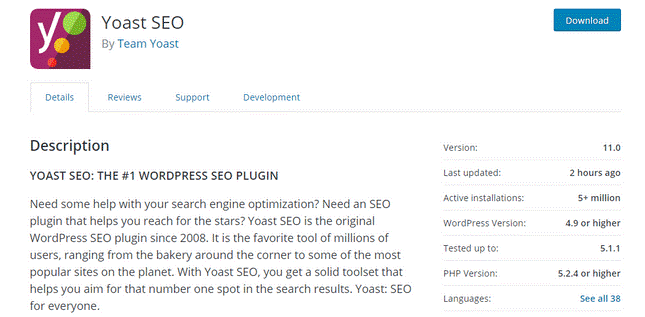
Yoast Premium for one WooCommerce site requires $69 and is supported by excellent SEO functions such as:
- Metadata editing: Modifying text displayed on sites for search results.
- Suggestions for internal linking: Tips for creating a new web page on the best sites to connect to.
- Redirects: send a new URL while updating the slug on an existing page automatically.
With so many SEO features available in WooCommerce, it’s easy to overlook small but important details. That’s why we’ve created a dedicated SEO checklist to help you use these features effectively and consistently.
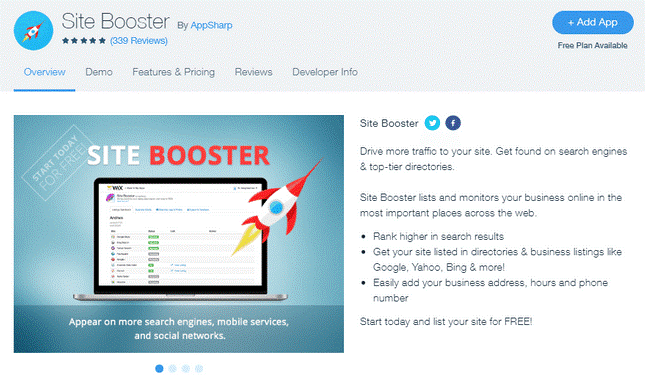
Wix also has a number of talented SEO programs, of which Site Booster is the most common. Site Booster is free, but it does cost users $3.44/month when they sign up for or higher than Wix’s Unlimited Plan. The Site Booster also has loads of cool SEO options, such as integrating the company address in search engine results.
Verdict
SEO ends in a tie! Both Wix and WooCommerce provide core SEO features and support additional tools for advanced optimization, although the way each platform handles SEO is different.
#8. Maintenance
WooCommerce maintenance
WooCommerce also updates to improve security and fix bugs from the maintenance perspective. You may need to update the WooCommerce website when this occurs (several times a year).
If you use the slightly more expensive but more comprehensive WooCommerce hosting option, your host will execute any necessary updates. Therefore, the larger, more famed topic and plugin developers will update their products, but not always.
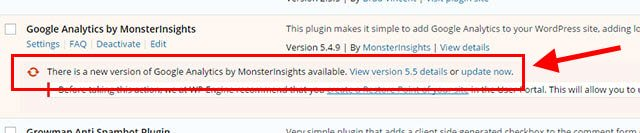
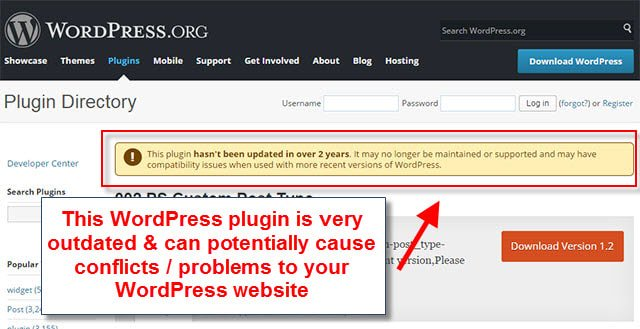
You could risk conflicting tools and potentially damaging the output of your website if your subject and plugins are not upgraded by the WooCommerce developer. That’s why we should thoroughly recommend testing the themes and plugins of WooCommerce you use. You don’t want to be left out, after all.
Wix maintenance
Wix does not have to raise a finger (and perhaps you won’t know the updates even occur) to execute all updates by its development department and automatically deliver them to your website. This is a real advantage, particularly if you are not technically knowledgeable.
Wix also creates new templates and apps to use daily. The applications can always be added to the existing website. Still, it is important to understand that without developing the whole thing from scratch, you can not alter your website templates.
Verdict
Wix wins the maintenance battle! Its centralized system handles platform updates and much of the technical maintenance automatically. On the contrary, WooCommerce requires more hands-on management of the platform, themes, plugins, and compatibility.
#9. Help and support
WooCommerce support
WooCommerce has a huge user community and a massive number of tutorials for you to get aid. Also, there is plenty of great information out there, but it’s not always easy to separate the good from the bad.
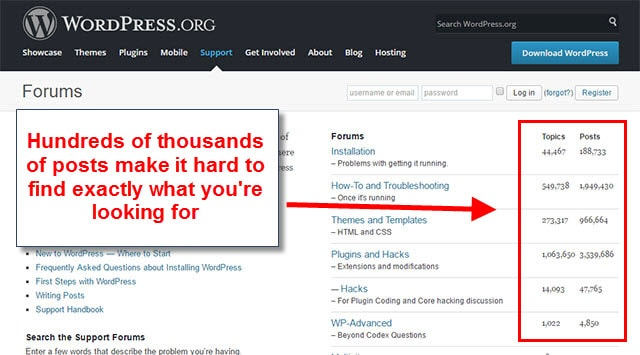
One approach is to employ a professional developer of WooCommerce to help you build, install or change your website-but it can be costly quickly.
Online guides from WooCommerce will take you through common issues if you’re confident in self-educating. The searchable guides are divided into topics from “Getting Started” to “Security,” which makes finding the right paper a bit easier.
Community forums with more advanced WooCommerce users are also open to anyone who uses WooCommerce. But the WooCommerce user base is just too broad for a valuable dedicated support team to provide the service.
Wix support
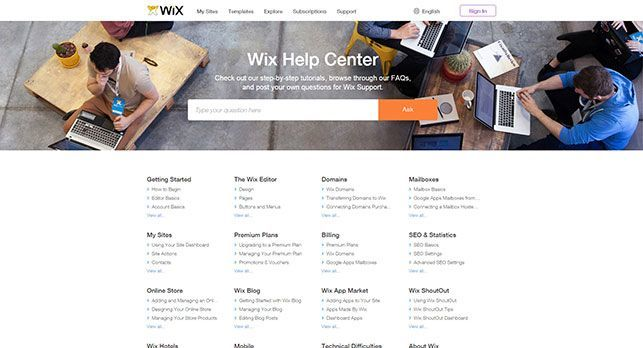
Wix’s team is committed to helping solve problems with its customers. A ton of articles and videos and forums have also been made to help you develop your web. Wix also offers support for email and telephones.
Verdict
Wix takes the lead for help and support. Although WooCommerce offers a wealth of tutorials and community resources, Wix still provides more centralized support through its dedicated team, help center, email, and phone assistance.
Wix vs WooCommerce: Which Platform Should You Choose?
As a review of our comparison, here is a brief table with some final suggestions below:
| Wix vs WooCommerce | Wix | WooCommerce |
| Ease of Use
Winner: Wix |
An easy-to-use website builder with drag and drop function. You don’t have to learn how to code, as Wix is for non-technical users. | Steep learning (not welcoming to beginners). It’s convenient if you know how to code and are technically competent. If you don’t, you could have to recruit someone. |
| Design and Customization
Winner: WooCommerce |
You can use over 500 professional templates, but without redesigning your site you can’t switch templates. | Nearly unlimited control of the visual style of your web (if your experience in coding is advanced). Remember that we suggest using the platform’s built-in WooCommerce themes. |
| Apps & Plugins
Winner: WooCommerce |
Limited customization, but carefully controlled, monitored, and tested all features and functionalities to make sure they work appropriately. | Pretty customizable, but if your custom software or plugins break down, it can be troublesome. |
| Sales
Winner: WooCommerce |
Integrated sales features in any of their eCommerce plans. Ideal for selling a couple of items. | To build an online store you must install a plugin like WooCommerce. Best for pure eCommerce or bulk sales. |
| Blogging
Winner: WooCommerce |
It supports groups, tags, mobile blogs, and writers. | Supports categories and tagging as well as featured videos, links, and private messages. |
| SEO
It’s a tie |
Core SEO features included in the Unlimited Plan or higher via the Site Booster. | Basic SEO software like the Yoast plugin for a single website providing advanced features for an extra charge of $69. |
| Ongoing maintenance
Winner: Wix |
As the Wix platform is not launched to external developers, it manages everything on the platform – so it handles all your updates and maintenance work for you. | Maintenance and regular monitoring are needed, particularly when the framework, subject matter, or plugins are modified. You are in charge of running the website. |
| Help and Support
Winner: Wix |
Dedicated team help with tutorials planned. You can also receive assistance through telephone or email. | Wide, but not well-structured group forum full of discussions. It’s also confusing to get a quick answer. |
| Pricing & Ongoing Commitments
Winner: Wix |
Seven premium plans costing between $13 per month and $49 per month (based on annual plans). You may also openly use Wix, but there are some restrictions. | Could be $200–$15,000, regarding different factors (hosting, subjects, plugins, recruitment assistance, etc.). |
Wix vs WooCommerce is a very personal preference–WooCommerce is more robust and powerful, but all of the tutorials and plugins do take time to sort out the right tools. Wix handles its own updates and assistance in the meantime. Although not as robust as WooCommerce, Wix makes it easier and more enjoyable–particularly for non-tech companies, to create a website.
Bonus resource: Wix and WooCommerce are all in our list of best eCommerce platforms.
Wix vs WooCommerce: FAQs
Is Wix good for small businesses?
Definitely yes! Wix is a perfect choice for beginners since you don’t really have to care about the hosting provider or spend hours downloading and installing a store. All of the plans come with basic to advanced functionality and quite reasonable price for anyone who has just started a business.
Is WooCommerce harder than Wix?
Broadly speaking, you may spend a greater amount of time setting up a full-fledged WooCommerce store. However, both WooCommerce and Wix are for beginners. If you are familiar with WordPress, running a WooCommerce store is quite straightforward.
Can I sell products on Wix?
Of course! Any e-merchants can sell on Wix easily. This eCommerce platform allows users to create a stunning Wix website within a few clicks. It also provides several eCommerce features to support your online store.
Our Methodology
To compare Wix and WooCommerce fairly, we followed four practical steps:
Step 1: Collect data from both platforms.
First, our team reviewed the official Wix and WooCommerce resources to gather information on:
- Pricing & available plans
- Built-in features
- Themes, apps, plugins
- eCommerce tools
- SEO capabilities
- Maintenance requirements
- Customer support.
In addition, we also looked at the broader ecosystems surrounding each platform, including the Wix App Market and WordPress/WooCommerce extensions.
Step 2: Break down the real cost and setup requirements.
Next, we examined what you get with each platform from the start and what you need to pay for or set up separately.
For instance, for Wix, we looked at the features included in each subscription plan. On the other hand, regarding WooCommerce, we considered its free core software alongside the costs and setup requirements for hosting, domains, themes, extensions, security, maintenance, and custom development.
Step 3: Compare how each platform handles key store tasks.
We evaluated the practical experience of using Wix and WooCommerce for website creation, design customization, product and content management, online selling, and more. For each area, we considered factors such as:
- Ease of use
- Customization freedom & technical knowledge
- Available tools
- The amount of hands-on maintenance involved.
Step 4: Compare the findings and determine each category’s result.
Finally, we compared the findings for each criterion and identified which platform has the stronger offering in that particular area. When both platforms have distinct strengths that make a clear winner difficult to establish, we mark the category as a tie.
The final verdict is therefore based on the individual comparison points rather than treating one platform as the better choice for every type of eCommerce business.
Conclusion
After reading this analysis of these two platforms, you have probably already come up with a decision on choosing Wix or WooCommerce for your online store. If you are using another eCommerce platform and have an interest in experiencing Wix vs WooCommerce, let LitExtension help you with the data transfer.
Thank you for keeping up with this article at this length. We hope that this Wix vs WooCommerce comparison has helped you to get to know both platforms and, at some point, helped you make up your mind about which platform you’ll be settling with in the future.
You can always visit LitExtension Blog to get more eCommerce tips and news!


