
Square vs Squarespace sounds alike, don’t they? Nevertheless, they are as different as chalk and cheese. While Square is popular as a payment provider with powerful POS features and lightweight eCommerce tools, Squarespace is well-known as a design-focused website builder.
So, between these two platforms, which one should you choose? Let’s find your answer with our head-to-head comparison between Squarespace and Square based on these criteria
| Criteria | Square Online | Squarespace | Winner |
| Pricing | Free plan available; paid plans from $49/month per location | No free plan; paid plans from $19/month when billed annually | Square Online |
| Ease of use | Faster setup and simpler everyday store management | Beginner-friendly but requires more design decisions | Square Online |
| eCommerce features | Stronger POS, inventory and omnichannel selling tools | Well-rounded selling tools for content and brand-led stores | Square Online |
| Templates and design | Around 30 structured themes with basic customisation | Nearly 200 templates with greater creative control | Squarespace |
| SEO and marketing | Covers the essentials and focuses on customer retention | Stronger SEO, blogging, analytics and content marketing | Squarespace |
| Apps and integrations | Over 300 integrations, particularly for business operations | 45 curated extensions covering essential store functions | Square Online |
| Customer support | Live chat and phone support, with availability varying by plan | 24/7 email support and weekday live chat for all plans | Squarespace |
| Overall | Best for affordable and connected online-to-offline selling | Best for design, content and brand-building | Squarespace |
Join us and dive into the details!
Square vs Squarespace: An Overview
The similar names can make these platforms easy to confuse. However, they serve different purposes and suit different types of businesses.
Is Squarespace the same as Square?
No, Squarespace is not the same as Square.
Square is a commerce platform best known for its payment processing and POS ecosystem. Through Square Online, you can create an online store and keep products, inventory, orders, and payments connected with your in-person sales. This makes Square particularly suitable for retailers, restaurants, and service businesses already using Square POS.

Squarespace, meanwhile, is a website builder that combines hosting, visual design tools, content management, and eCommerce features in one platform. Its professionally designed templates and flexible page editor make it a stronger fit for creative businesses, service providers, and online brands that place greater importance on website presentation.

Square vs Squarespace: Pro & Cons
Before examining their features in detail, here is a quick look at the main advantages and limitations of Square vs Squarespace:
| Platform | Pros | Cons |
| Square |
|
|
| Squarespace |
|
|
If this comparison has you considering a platform switch, LitExtension can help you take the next step. Our experts will migrate your products, customers, orders and other essential data to your chosen platform, so you can focus on building and growing your new store.
Store Migration Made Easy With LitExtension!
LitExtension offers great migration solutions that help you transfer your data from the current eCommerce platform to a new one accurately, painlessly with utmost security.

Square vs Squarespace: Quick Verdict
After comparing both platforms, we give Squarespace the higher score at 4.6/5, while Square Online receives 4.3/5. Squarespace delivers the stronger overall website-building experience, but Square Online remains a compelling option for commerce-focused businesses.
Choose Square Online for:
- Brick-and-mortar retailers expanding online.
- Restaurants offering pickup and delivery.
- Service businesses using Square POS or Square Appointments.
- Small stores seeking a free entry point.
Choose Squarespace for:
- Creative businesses and personal brands.
- Content-led stores investing in blogging and SEO.
- Service providers needing a polished business website.
- Online-first brands focused on visual storytelling.
Pricing Plans Compared
Square
Square offers three plans, starting at $0 per month. Its paid plans include a 30-day free trial and charge separately for each business location:
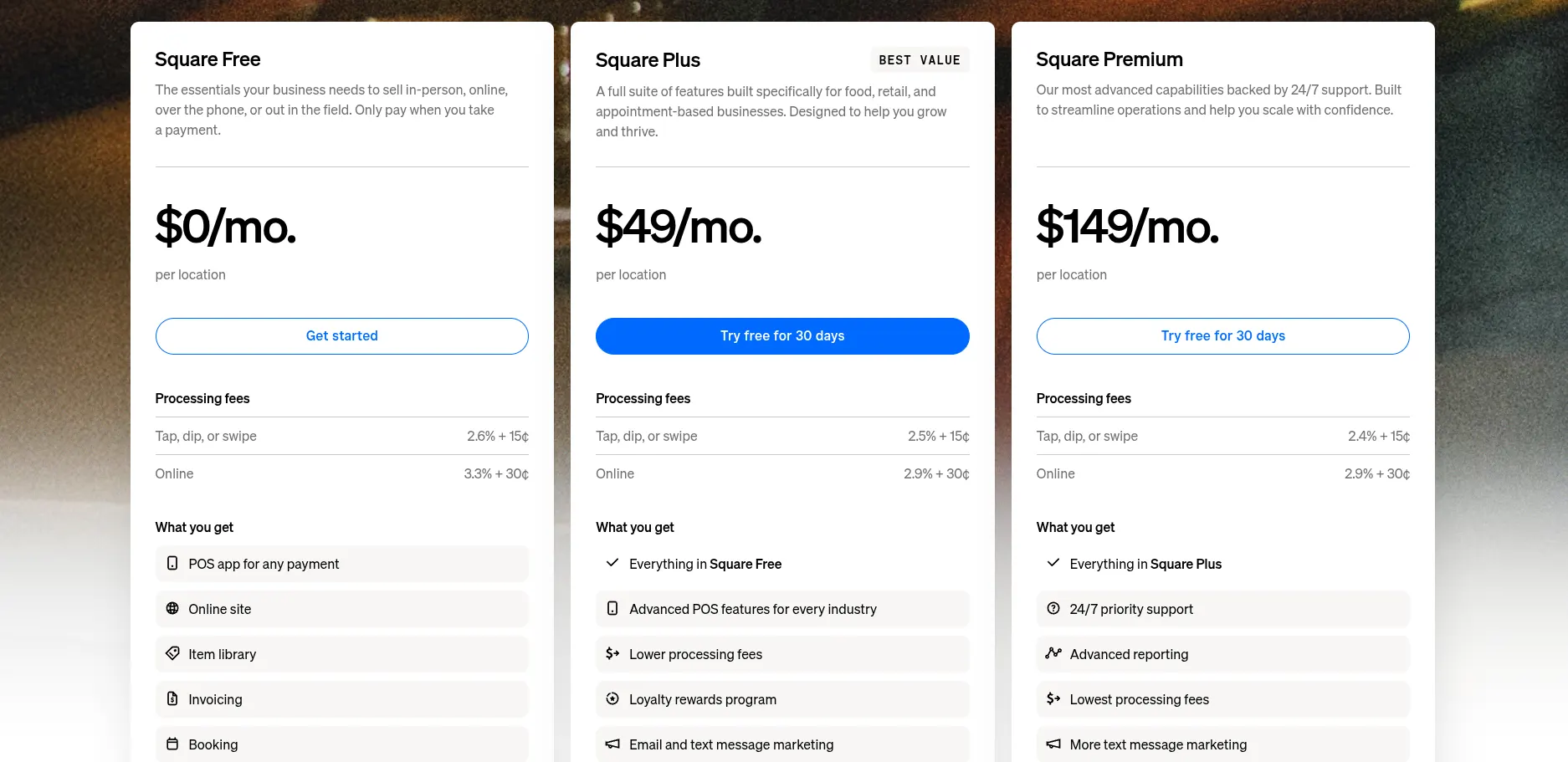
The Free plan is Square Online’s biggest pricing advantage. You can launch an online store without paying a monthly subscription, making it suitable for testing a new business or selling with a limited upfront budget.
However, “free” does not mean you will have no operating costs. Square charges 3.3% + 30¢ per online transaction on the Free plan, compared with 2.9% + 30¢ on Plus and Premium. You may also need to budget for a custom domain, POS hardware, delivery services, and optional Square add-ons.
Another point to consider is that paid Square plans are priced per location. For example, Square Plus costs approximately $588 per year for one location, but the base subscription would rise to $1,176 per year if you operated two locations.
Therefore, your realistic annual Square cost may range from $0 to $1,788 per location before transaction-based and optional expenses. You can explore these charges in our complete Square Online pricing breakdown.
Squarespace
By contrast, Squarespace does not offer a permanent free plan. You can test the platform through its 14-day free trial, but keeping your website live afterward requires one of four paid subscriptions.
Squarespace offers both monthly and annual billing. The lower advertised prices apply when you pay for one year upfront:
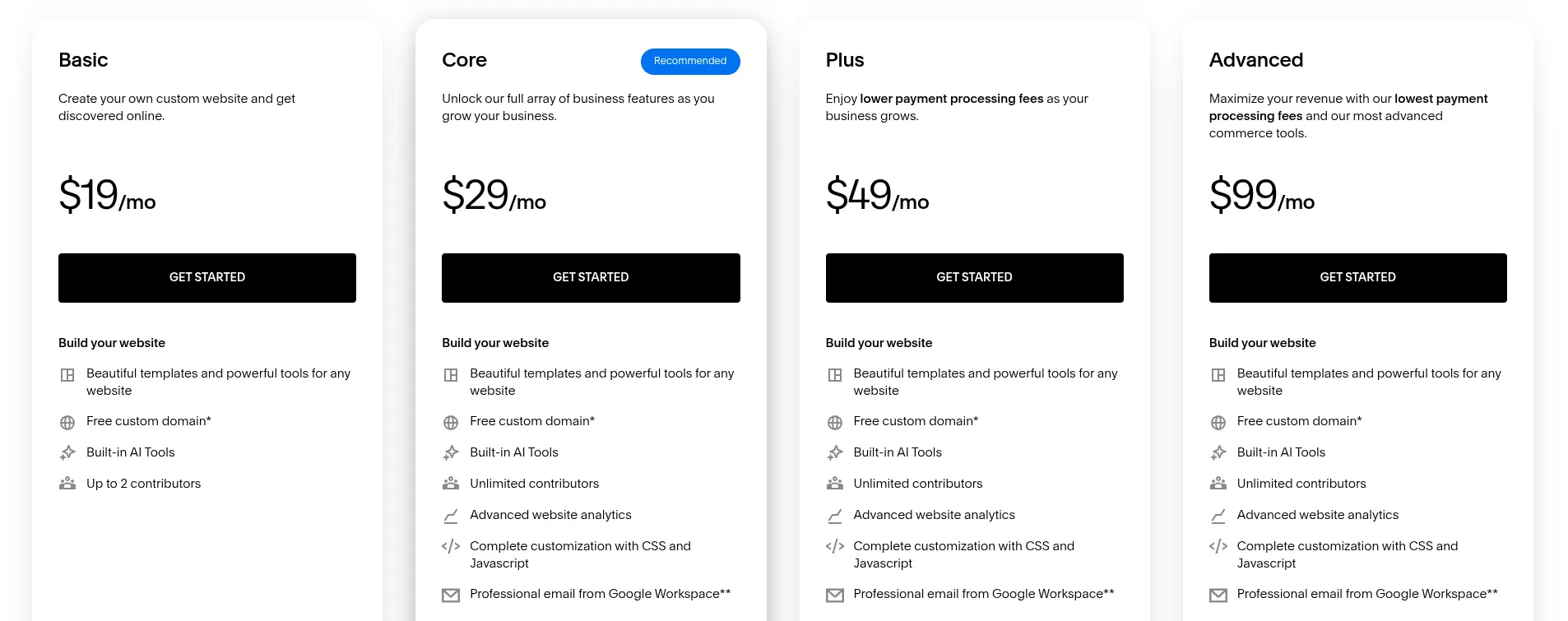
Nevertheless, the subscription is not your only expense. Squarespace Basic adds a 2% commerce transaction fee, while Core, Plus, and Advanced remove this platform fee. Standard payment processing charges still apply. If you sell digital products or memberships, Squarespace also charges a digital product fee ranging from 7% on Basic to 0% on Advanced.
As a result, the estimated base cost of running a Squarespace website ranges from $228 to $1,188 per year with annual billing, before processing fees and optional services. See our full Squarespace pricing guide for a closer look at what each plan includes.
The Verdict
Square Online is the more affordable choice for getting started because it provides a permanent free plan.
Ease of Use
Square
When getting started with Square Online, you first create a Square account and provide basic information about your business. Square then takes you to a setup checklist covering the main tasks, such as adding products, choosing fulfilment methods, designing your website, connecting a domain, and configuring payments.
The process feels straightforward because Square Payments is already built in, while your products, inventory, and orders are managed from the same dashboard. The website editor provides fewer customisation options than Squarespace, but there are also fewer decisions standing between you and a functional store.
Squarespace
Meanwhile, getting started with Squarespace begins with choosing a template or creating a personalised site through Blueprint AI. You can then customise each page using Fluid Engine before adding products and configuring payments, shipping, taxes, and your domain.

The interface is visually intuitive, but the greater design freedom means you may spend more time adjusting layouts, styles, and content before publishing. After launch, products, orders, analytics, discounts, and marketing tools are accessible from one dashboard, although learning where every setting is located can take some time.
The Verdict
For ease of use, Square Online wins this Square vs Squarespace comparison with a faster route from registration to your first sale.
Templates & Design
Square
Built around Square’s commerce-first approach, the design experience focuses more on efficiency than extensive customisation. You can choose from around 30 industry-based themes for retail, restaurants, services and memberships, then adjust colours, fonts, buttons and section layouts through the visual editor.
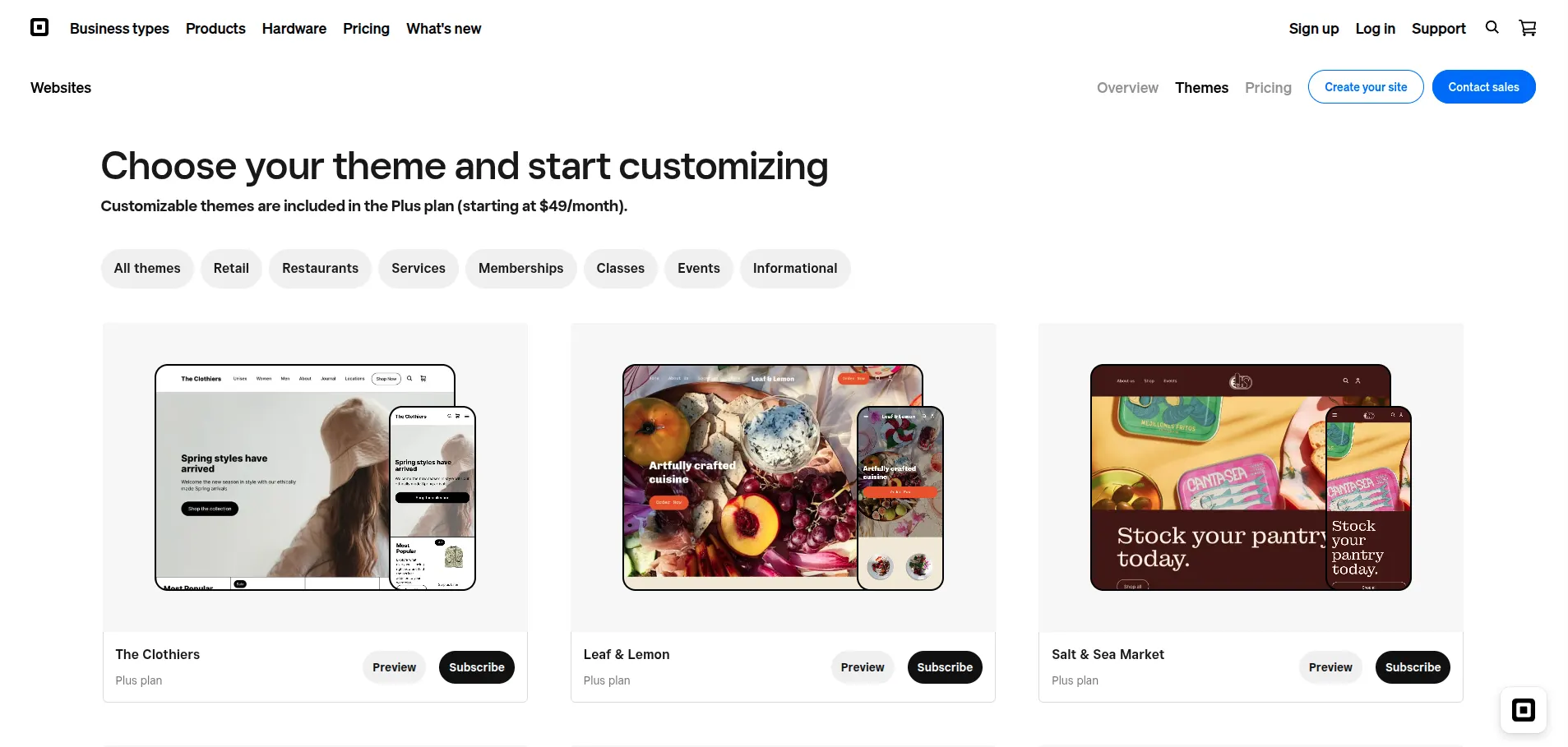
These structured layouts make it easier to create a consistent storefront without design experience. However, Square does not support custom code injection, and the Free plan comes with additional design limitations.
Squarespace
Having evolved from a website builder, Squarespace offers nearly 200 professionally designed templates for online stores, portfolios, blogs, restaurants and service websites. Since all version 7.1 templates share the same feature set, each one acts as a starting point rather than a fixed layout.

Its Fluid Engine editor lets you resize, position and overlap content blocks on a flexible grid. Desktop and mobile layouts can also be adjusted separately, giving you more control over how each page appears across different screen sizes.
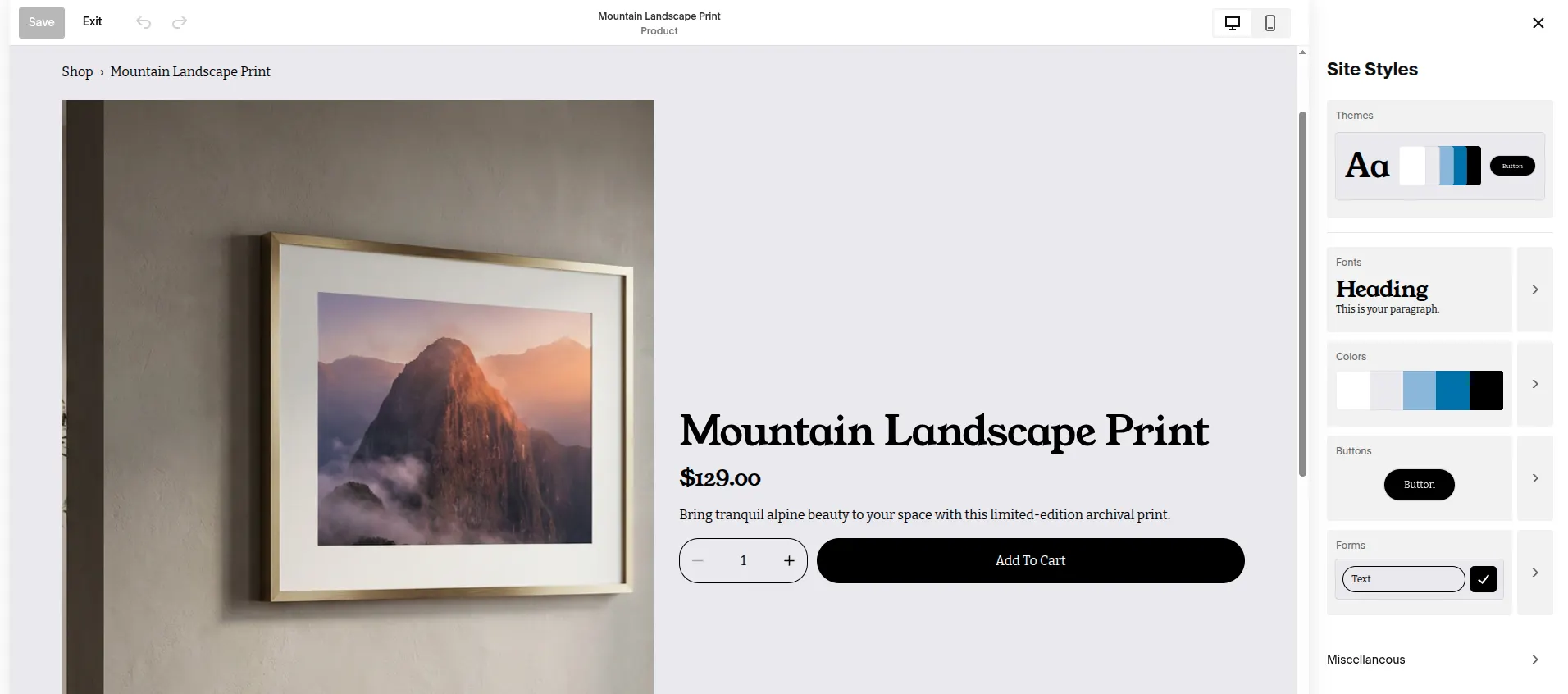
Beyond page layouts, Site Styles helps you apply consistent colours, fonts, spacing and button designs across the entire website. Built-in animations, galleries, image effects and video backgrounds provide further options for presenting products and brand content. If the visual editor is not enough, you can add custom CSS, while Core and higher plans support code injection for more advanced changes.
The Verdict
Squarespace is the clear winner for templates and design, offering the flexibility needed to build a distinctive, brand-focused online store.
eCommerce Features
This part of our Square vs Squarespace comparison takes a closer look at the eCommerce features offered by both platforms. The table below highlights where each solution performs best.
| eCommerce feature | Square Online | Squarespace |
| Omnichannel inventory | Syncs products, stock, and orders across the website, POS, and multiple locations | Supports online and in-person inventory, but offers less control for multi-location operations |
| Multi-location selling | Manages location-specific inventory, opening hours, and fulfilment options | No equivalent native system for managing multiple retail locations |
| Local fulfilment | Supports scheduled pickup, curbside pickup, local delivery, and on-demand delivery | Mainly supports shipping and local pickup |
| Restaurant ordering | Offers online food ordering, QR code ordering, order-ahead, and menu modifiers | No native restaurant ordering workflow |
| Self-service sales | Supports Square Kiosk and self-service ordering connected to the POS | No native kiosk system |
| POS ecosystem | Connects with Square POS, dedicated hardware, staff tools, and industry-specific solutions | Provides in-person selling, but with a less extensive POS ecosystem |
| Order management | Centralises online, in-person, pickup, and delivery orders | Primarily focuses on website and basic in-person orders |
| Digital products and memberships | Supports digital items and subscriptions through Square tools | Provides stronger built-in tools for downloads, courses, and memberships |
As you can see, the key difference is how each platform approaches commerce. Square Online connects the website directly with day-to-day business operations, while Squarespace treats eCommerce as part of a broader, design-led website experience.
The Verdict
Square Online wins for eCommerce features with its stronger support for omnichannel and location-based operations.
SEO & Marketing Tools
Square
Square Online keeps its marketing tools closely connected to your sales and customer data:
- SEO: Editable page titles, meta descriptions, URL slugs and image alt text.
- Customer marketing: Square Marketing supports targeted email and text campaigns using data from Customer Directory.
- Automation: Welcome messages, birthday offers, abandoned-cart reminders, re-engagement campaigns and Google review requests.
- Analytics and social: Sales reports, customer insights and integrations with Facebook and Instagram.
This toolkit works well for encouraging repeat purchases across online and physical stores. However, its limited blogging features make Square less suitable for a long-term content strategy.
Squarespace
For businesses focused on increasing organic visibility, Squarespace provides a broader set of tools:
- SEO: Custom titles and descriptions, clean URLs, automatic sitemaps, SSL, structured data and Google Search Console integration.

- Blogging: Categories, tags, scheduled posts, multiple contributors, RSS feeds and podcast hosting.
- Analytics: Reports on traffic sources, search keywords, audience geography and sales performance.
- Email and social: Squarespace Email Campaigns, social integrations and Unfold, although some tools require separate subscriptions.
These features give Squarespace a stronger foundation for attracting traffic and building an audience through search, editorial content and social media.
The Verdict
Squarespace wins for SEO and marketing with its stronger content, analytics and organic growth tools.
Apps & Integrations
Square
The Square App Marketplace offers 300+ apps and integrations for accounting, inventory, delivery, bookings, loyalty, and other business needs. Many connect directly with Square POS, making the platform particularly useful if you manage both online and in-person sales.
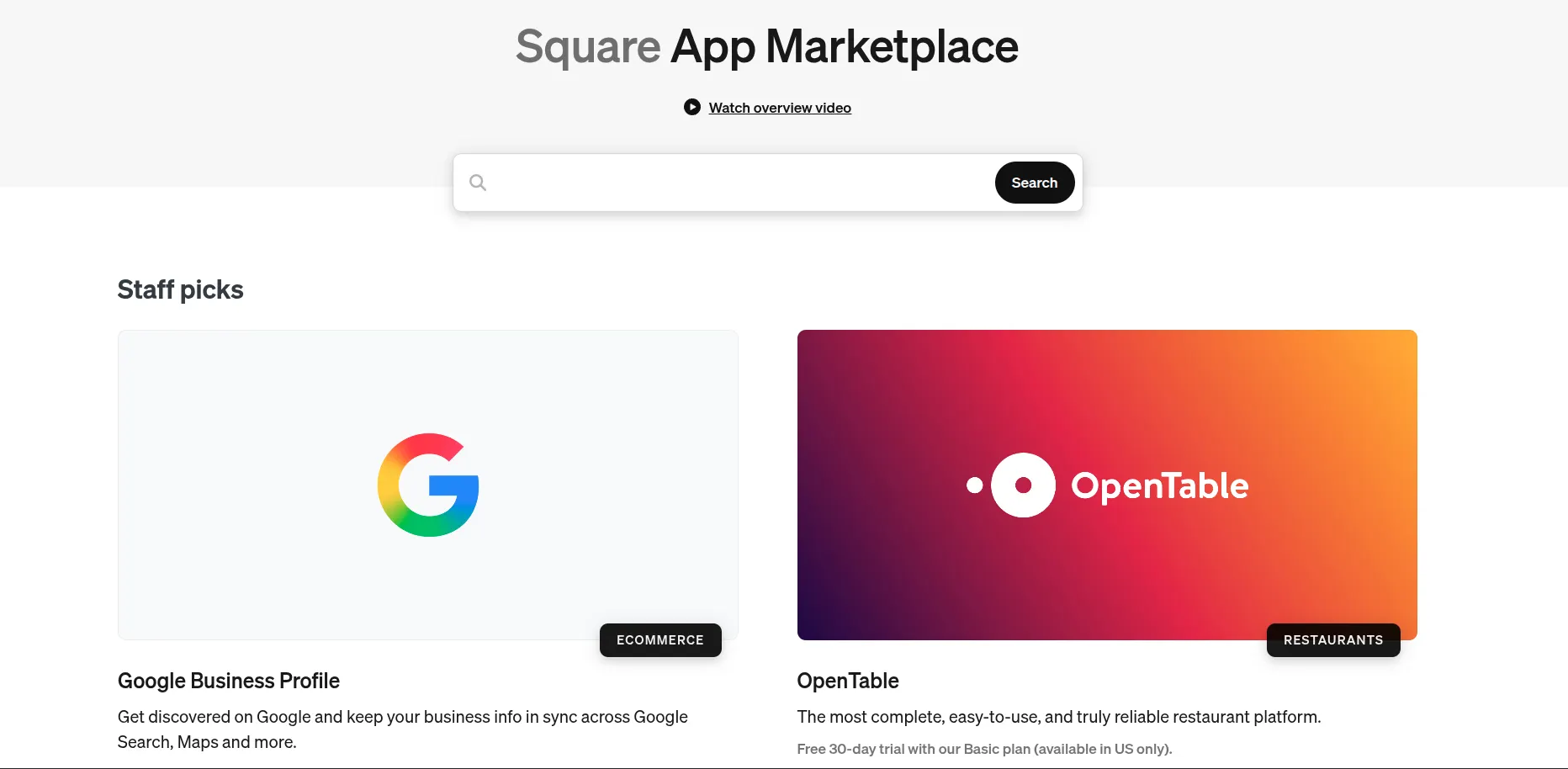
On average, an app on the Square App Store might cost you from $15 to $350 a month or so, depending on the features you need and their complexity.
Squarespace
When running a store on Squarespace, you can connect it with 45 official extensions through the Squarespace Extensions Marketplace. While this selection is much smaller than Square’s, it still covers most core needs through tools such as Mailchimp, QuickBooks, Printful, and ShipStation.
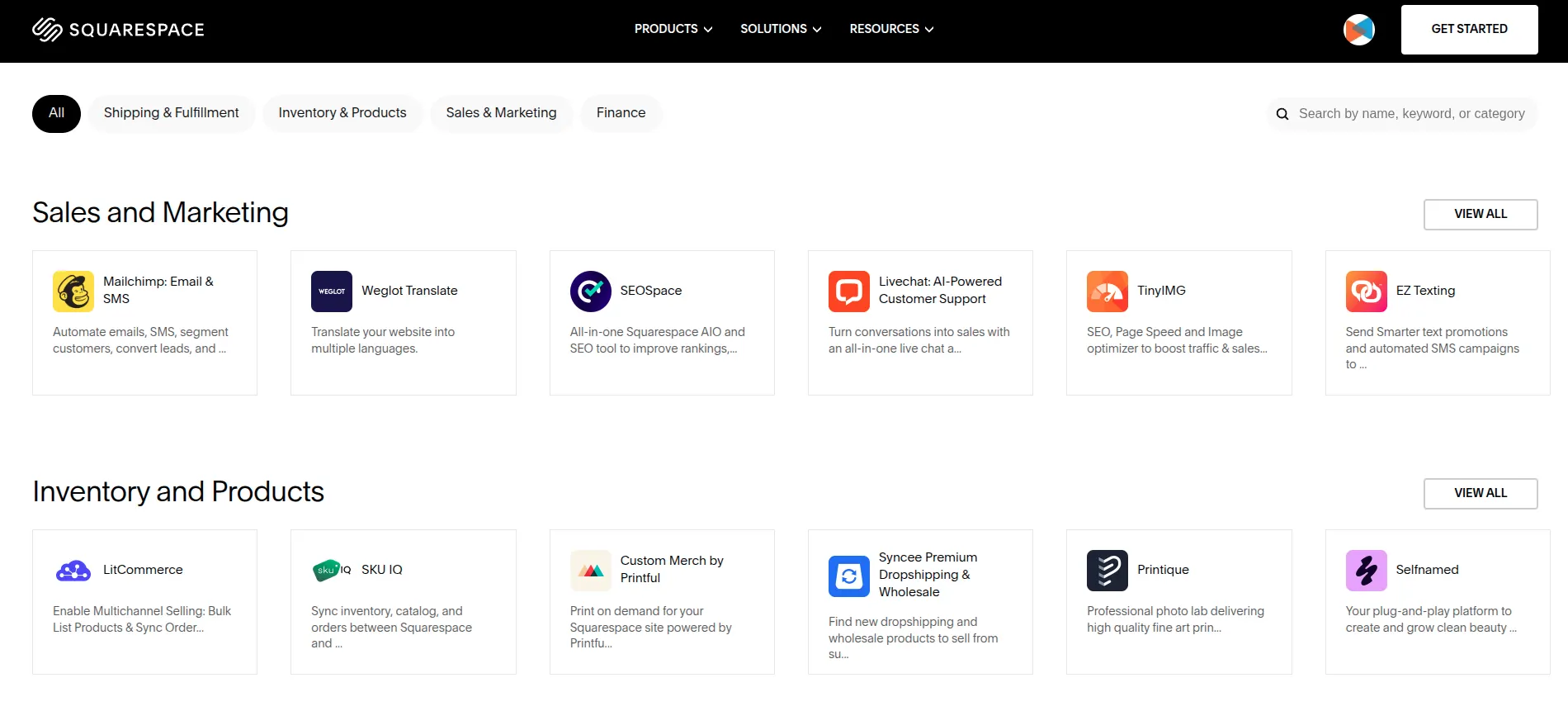
You can also use custom code and third-party plugins to add functions unavailable in the official marketplace, such as advanced forms, review widgets or additional design elements.
The Verdict
Square Online wins for apps and integrations with over 300 options that can support a wider range of operational needs.
Customer Support
Square
If you need help with Square Online, you can use the Square Support Centre, video tutorials, Seller Community or in-app Support Assistant. Live chat agents are available Monday to Friday, from 6 a.m. to 6 p.m. PT, while phone support availability depends on your Square subscription.
Squarespace
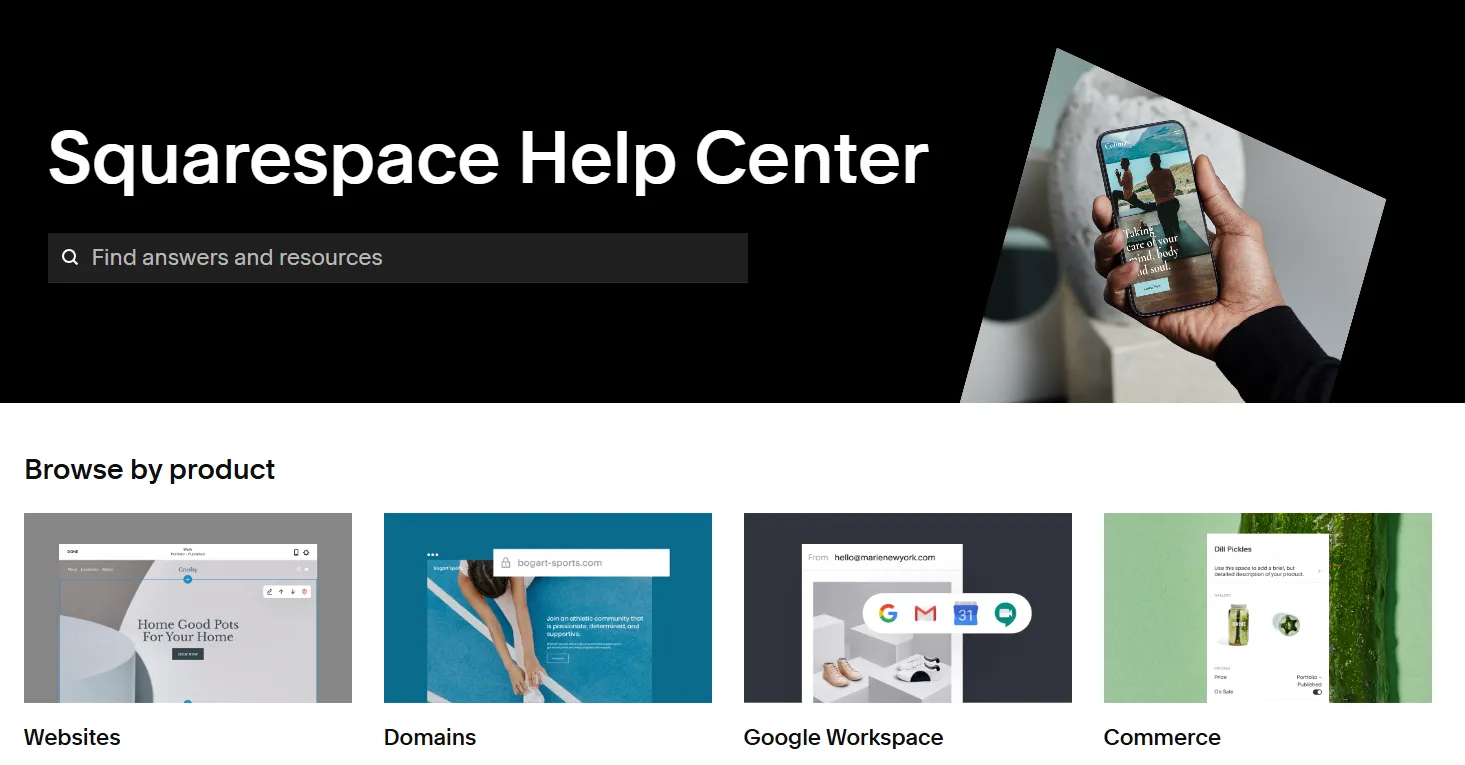
With Squarespace, you receive 24/7 email support regardless of your plan. Live chat is also available on weekdays, alongside an extensive Help Center, community forum and webinars. However, Squarespace does not provide phone support.
The Verdict
In terms of customer support, Square vs Squarespace goes to Squarespace for its round-the-clock email assistance across all plans.
Can You Use Square with Squarespace?
Yes, but the connection is limited to in-person payments. You can pair a supported Square Reader with the Squarespace app to process card and cash transactions through Squarespace POS. These sales automatically update your Squarespace inventory, orders and analytics, while Square processes the payments.
However, this does not create a full integration between Square Online and Squarespace. Your Square inventory remains separate, and Square cannot process payments through your Squarespace online checkout. The integration is also limited to US-based stores and does not support Square Register, Stand, Terminal or subscription products.
Therefore, you can use Square with Squarespace if you only need Square to accept in-person payments. If you want to move your entire online store between Square vs Squarespace, you will need a store migration rather than a POS connection. In that case, LitExtension experts can handle your Square to Squarespace migration, including products, customers, orders and other essential store data.
Let Our Experts Handle Your Store Migration!
With the All-in-One Migration Service, our experts take care of everything, ensuring a seamless and stress-free migration.
Square vs Squarespace: FAQs
Can I use Square payments on Squarespace?
Yes, but only for in-person sales in the US. You can connect a supported Square Reader to the Squarespace app, while online orders must use a payment processor supported by Squarespace. Square inventory also remains separate from your Squarespace inventory.
Does Square have a free plan?
Yes. Square Free has no monthly subscription fee and includes the tools needed to build an online store and accept payments. You still pay payment-processing fees whenever you make a sale.
How much does Square cost vs Squarespace?
Square costs between $0 and $149 per month per location, giving you an estimated annual subscription cost of $0–$1,788. Squarespace costs $19–$139 per month, depending on the plan and billing cycle, which comes to approximately $228–$1,668 per year.
Can I migrate from Square to Squarespace?
Yes, you can migrate from Square to Squarespace. With LitExtension’s Square to Squarespace migration, you can transfer essential store data such as products, customers and orders without rebuilding your catalogue and historical records manually.
Square vs Squarespace: Which Should You Choose?
Now that you’ve made it to these final words, here is our final take on this Square vs Squarespace battle: the better platform depends on whether your business is built around selling or brand-building.
- Square Online makes more sense if fast setup, affordability and connected online and in-person selling matter most.
- Squarespace is the stronger choice if you want your store to serve as a polished website supported by flexible design, blogging, SEO and marketing tools.
If you are still weighing your options, explore more platform comparisons and eCommerce guides on the LitExtension’s blog to find the right fit for your business.

