For many enterprise businesses, migrating to Shopify Plus can provide the scalability and flexibility needed to support more complex operations. The only problem is that the project does not come with a fixed price tag. What exactly is the Shopify Plus migration cost, then?
Since Shopify does not charge a separate fee for migrating a store to Shopify Plus, this guide will focus on the broader costs involved in a migration project. We’ll break down the main cost areas and explain which requirements can make a migration significantly more expensive. Keep scrolling!
What Is The Shopify Plus Migration Cost?
It’s not easy to pinpoint a single cost range for a Shopify Plus migration, as the total budget can vary significantly depending on the store’s size, complexity, and migration requirements. A project may start from around $10,000 and can well exceed $200,000+, covering the following:
| Cost area | What it covers | Factors that can increase the cost |
|---|---|---|
| Source platform | The existing platform’s data structure, custom code, extensions, integrations, business logic, and export capabilities | Legacy architecture, proprietary functionality, complex extensions, limited data export, or extensive customizations |
| Data volume | Products, variants, customers, orders, collections, pages, blogs, and other supported data | Large data volumes, complex relationships, inconsistent source data, extensive data cleanup, or multiple migration runs |
| Custom functionality to rebuild | Platform-specific features, business rules, B2B workflows, subscriptions, bundles, and other custom functionality | Custom code, proprietary workflows, complex B2B requirements, or features without a direct Shopify equivalent |
| Integrations | ERP, PIM, WMS/3PL, OMS, CRM, marketing systems, apps, and custom APIs | Complex data flows, real-time synchronization, custom APIs, or multiple systems that need to be tested together |
| SEO requirements | URL mapping, 301 redirects, metadata, canonical handling, structured data, international SEO, and post-launch monitoring | Large URL inventories, multiple markets/languages, significant organic traffic, or complex legacy URL structures |
| Migration strategy (DIY vs Experts) | The level of professional involvement, from using a migration tool independently to working with freelancers or specialized migration experts | Complex requirements, limited internal technical resources, extensive coordination, or the need for end-to-end migration management |
| Project timeline | Data preparation, development, migration testing, QA, integration testing, SEO validation, and launch coordination | Multiple migration runs, extended QA, parallel running, phased launches, tight downtime windows, or complex third-party dependencies |
| Storefront design (optional) | Theme implementation, UX/UI, custom frontend components, navigation, search, merchandising, and market-specific experiences | Full redesigns, custom storefronts, multiple storefronts, or highly customized existing experiences |
Since Shopify does not charge a separate migration fee when you move to Shopify Plus, this range refers to the broader cost of a complete enterprise migration project. Paid Shopify services are also available for custom migration needs; the actual cost depends on the merchant’s business and existing commerce platform.
Given such a wide potential pricing range, understanding what drives the cost itself is better than looking at a single number. Let’s take a closer look at the key factors that can affect your Shopify Plus migration budget:
Source platform
The platform you are leaving sets the starting level of migration complexity. That’s because different platforms expose data differently and can contain very different amounts of custom business logic, extensions, integrations, and legacy functionality that Shopify Plus needs to replace.
Here is how the source platform can affect the Shopify Plus migration cost:
| Source platform | Typical complexity | What can increase the scope |
|---|---|---|
| WooCommerce | Low to high | Custom PHP functionality, plugins, subscriptions, customized themes, and complex product or customer data |
| BigCommerce | Low to high | Custom storefronts, app replacement, B2B functionality, integrations, and URL restructuring |
| Magento 1 | High | Legacy architecture, bespoke modules, extension-specific data, and difficult-to-reproduce business logic |
| Magento 2 / Adobe Commerce | High | Custom modules, advanced pricing rules, ERP/PIM integrations, B2B functionality, and multi-store architecture |
| Salesforce Commerce Cloud | High to very high | Custom B2B/B2C logic, multiple regions, complex integrations, and a large existing commerce ecosystem |
| Custom / proprietary platform | Highly variable | Undocumented business rules, proprietary APIs, custom databases, and the absence of a standard migration path |
| Wix, Squarespace, Webflow, or similar platforms | Low to medium | Limited export capabilities, data restructuring, custom functionality, and content/URL mapping |
The source platform is therefore a complexity indicator, not a fixed price category. Two stores running on the same platform can require very different amounts of work depending on their custom functionality, integrations, data structure, and business processes.
Read more:
Data volume
Data volume affects the Shopify Plus migration cost in two ways: how much data needs to be migrated and how complicated that data is to map into Shopify Plus.
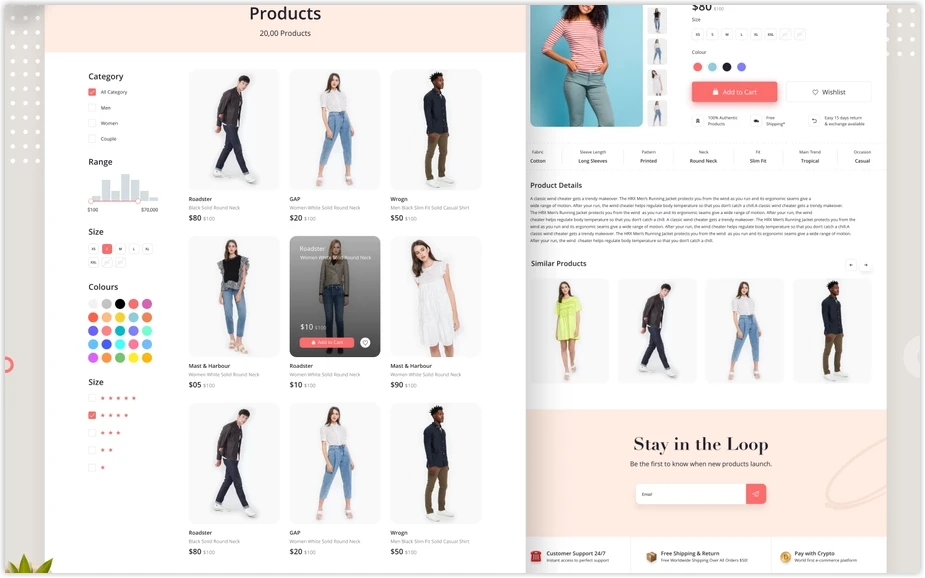
In short, a large catalog does not automatically mean an expensive migration. The effort depends on the structure and relationships within that data, as well as how much cleanup and validation is required before and after the transfer. Consider these differences:
- 5,000 simple products with consistent titles, descriptions, prices, images, and a predictable variant structure may be relatively manageable.
- 5,000 complex products with hundreds of variants, custom attributes, metafields, bundles, product relationships, or inconsistent source data require considerably more mapping and validation.
- A large customer database becomes more complicated when customer groups, addresses, tags, account structures, subscriptions, or B2B relationships need to be preserved.
- Large historical-order volumes require additional processing and validation, particularly when a business wants years of order history available after launch.
- Multiple data sources can require transformation before the information can fit Shopify Plus’s data model.
Data cleanup can therefore have a direct effect on cost. Duplicate products, inconsistent customer records, outdated content, etc., create additional work before the actual migration can be considered complete. Enterprise projects may also require multiple migration runs rather than a single import: a test migration, validation, corrections, another test run, and finally the production migration.
Custom functionality from your existing store
Custom functionality is often one of the biggest factors influencing the overall cost of a Shopify Plus migration. If the existing store has business rules that are specific to its current platform, those rules cannot simply be copied into Shopify. They have to be recreated using Shopify Plus features, apps, custom development, or a combination of these.
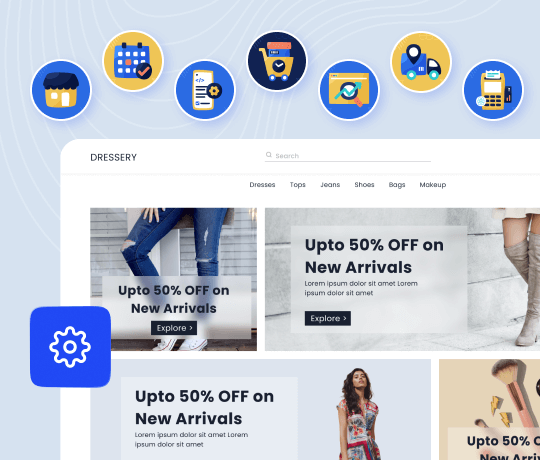
This can cover several areas within the same project:
- B2B features: Shopify Plus provides native B2B capabilities, but existing B2B data and workflows still need to be mapped to the new structure. That’s why Shopify Plus migration cost for B2B companies are harder to estimate.
- Multi-store setup. If the current business operates separate stores for different brands, regions, or markets, the project may involve consolidating stores, deciding which data should remain separate, recreating market-specific configurations, etc. Each additional storefront increases the amount of configuration and testing.
- Internationalization. International stores can require multiple currencies, languages, regional content, localized catalogs, and more. These requirements also interact with SEO, integrations, and storefront configuration, so internationalization can increase the scope across several parts of the migration.
- Subscriptions and other specialized workflows. Subscription customers, loyalty programs, custom returns flows, product bundles, custom checkout behavior, and proprietary backend rules can all require additional redevelopment because the logic used by the old platform may not have a direct Shopify equivalent.
In short, the real Shopify Plus migration cost depends not just on whether the store has custom features, but on how deeply those features are tied to its existing business operations. Rebuilding one small storefront function is very different from replacing the business logic behind it.
System/Feature integrations
Similarly, integrations can become one of the largest components of the Shopify Plus migration cost, because critical systems (such as ERP) ften exchange data with the store. During the data migration, these connections may need to be reconfigured, rebuilt, or tested to ensure your data continue to flow correctly between Shopify Plus and connected systems.
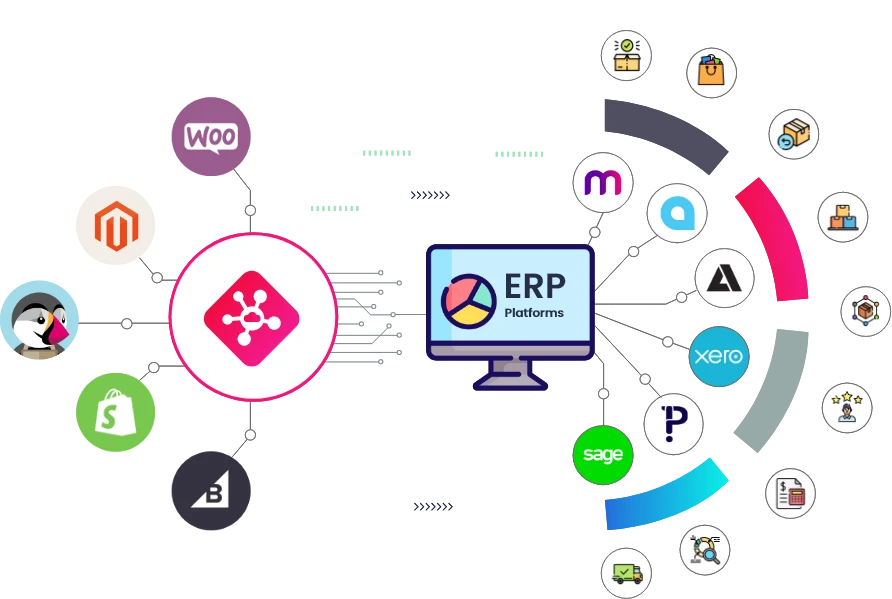
Typical systems in these cases include:
- ERP: SAP, NetSuite, Microsoft Dynamics, or other systems handling products, inventory, orders, customers, or financial data.
- PIM: systems that manage product information and distribute it to eCommerce channels.
- WMS/3PL: warehouse and fulfillment systems that need real-time inventory and order synchronization.
- OMS: systems coordinating orders across channels or fulfillment locations.
- CRM and marketing platforms: customer, email, SMS, loyalty, and segmentation systems.
- Subscriptions, reviews, search, bundles, and other eCommerce apps: functionality that may need to be replaced with Shopify-compatible solutions.
- Custom APIs: proprietary integrations that have no ready-made Shopify equivalent.
On another note, though the number of integrations matters, integration complexity matters much more. Five standard Shopify apps that can be reconnected directly may require less work than one custom ERP integration with complicated data flows.
For enterprise projects, integrations also affect the launch sequence. Inventory, orders, customer data, and other live information may need to be synchronized during cutover to prevent issues.
SEO requirements
It’s important to remember that SEO requirements can significantly affect the Shopify Plus migration cost (particularly for established stores with substantial organic traffic).
The work typically starts before development with an inventory of the current site’s URLs. The team needs to identify which URLs receive traffic or backlinks, determine their Shopify equivalents, and decide what should happen to URLs that no longer have a direct replacement.
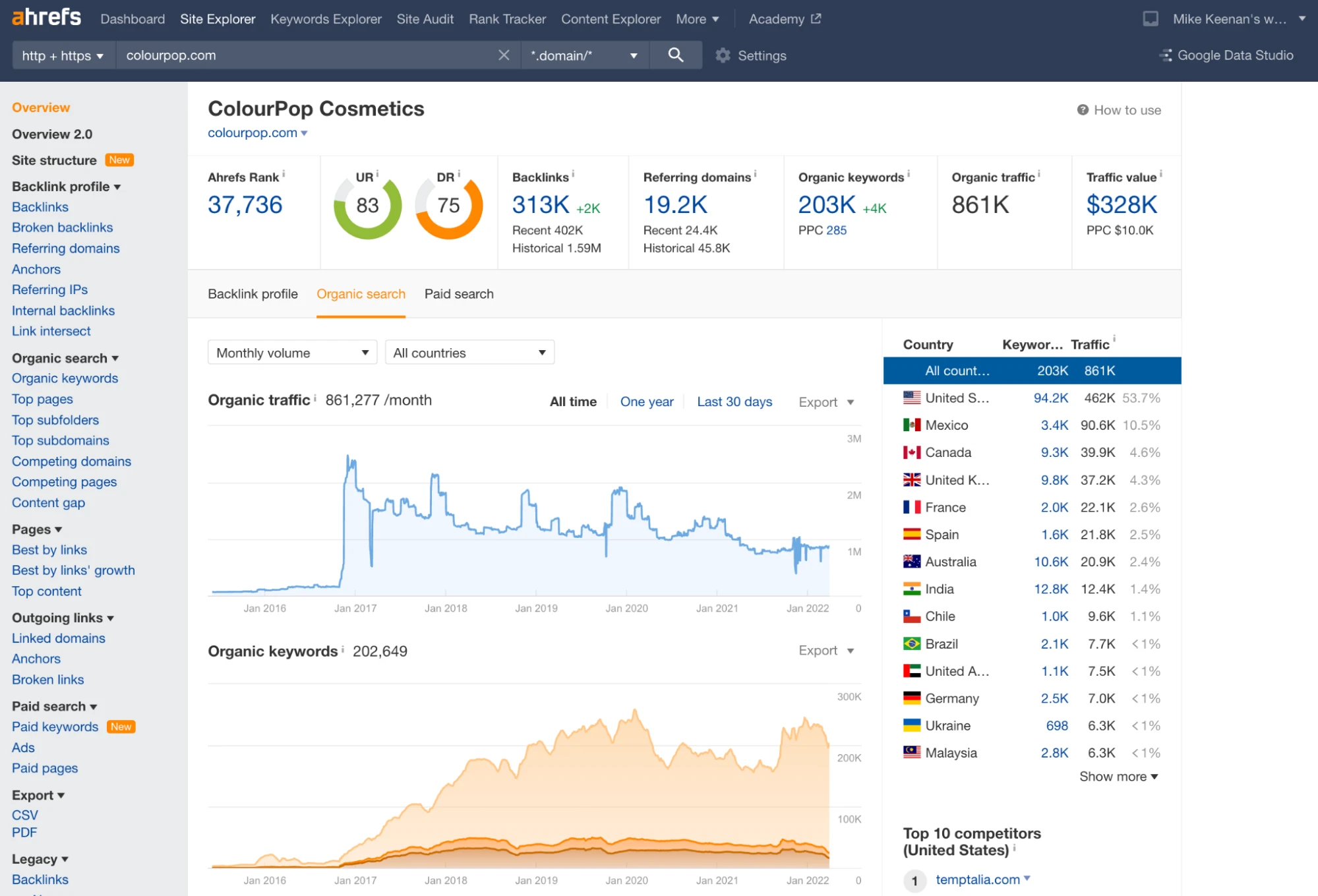
A more complex SEO migration may involve:
- Large redirect maps: thousands of old product, category, content, and other URLs may need individual mapping.
- Changed URL structures: Shopify’s URL structure may differ from the source platform, requiring redirects rather than simple URL preservation.
- Metadata preservation: titles, meta descriptions, headings, image alt text, and other relevant on-page information may need to be transferred.
- Canonical handling: important when products, collections, filters, pagination, or regional versions create multiple URL variations.
- International SEO: multi-language or multi-market stores may require careful handling of regional URLs and hreflang.
- Content preservation: removing pages or blog content without evaluating their search value can create unnecessary organic losses.
- Post-launch monitoring: crawl errors, redirect chains, broken links, indexing issues, rankings, and organic traffic need to be checked after launch.
The more established the current domain is, the more important this work becomes. A store with hundreds of indexed URLs has a much smaller SEO migration scope than one with tens of thousands of URLs, years of content, and significant organic traffic. It’s best to treat redirect mapping, metadata continuity, canonical strategy, and post-launch monitoring as part of the migration process rather than leaving SEO until after launch.
Migration strategy (DIY vs Experts)
The migration approach changes not only the upfront Shopify Plus migration cost but also how much work your internal team has to take on.
DIY migration ($50–$500+) has the lowest direct cost and can work when the store is relatively simple. Plus, a migration tool can usually automate much of the mechanical data transfer. However, remember that the tool does not automatically solve theme development, integration replacement, custom functionality, or launch coordination.
Freelancers ($2,000–$15,000+) can be suitable for smaller or clearly defined projects, particularly when the business already has someone internally who can manage the migration, review the data, and coordinate other vendors. The cost is generally higher than using a migration tool alone but lower than a large agency engagement.
Specialized agencies or Shopify Plus experts ($20,000–$200,000+) are worth considering as the project gets more complicated. For enterprise migrations, Shopify also recommends evaluating factors such as SKU complexity, multiple storefronts or markets, ERP/PIM/OMS dependencies, and SEO exposure when deciding whether a dedicated migration service is appropriate.
In other words, the cheapest migration method is not necessarily the lowest-cost option overall. If an inexpensive migration causes significant data corruption that lead to extensive post-launch fixes, the savings at the beginning can disappear quickly.
Project timeline
Lastly, the timeline affects the Shopify Plus migration cost because a full project needs time for data preparation, development, migration testing, QA, integration testing, SEO validation, and launch. Compressing any of these stages can increase the number of resources required and reduce the time available to catch problems.
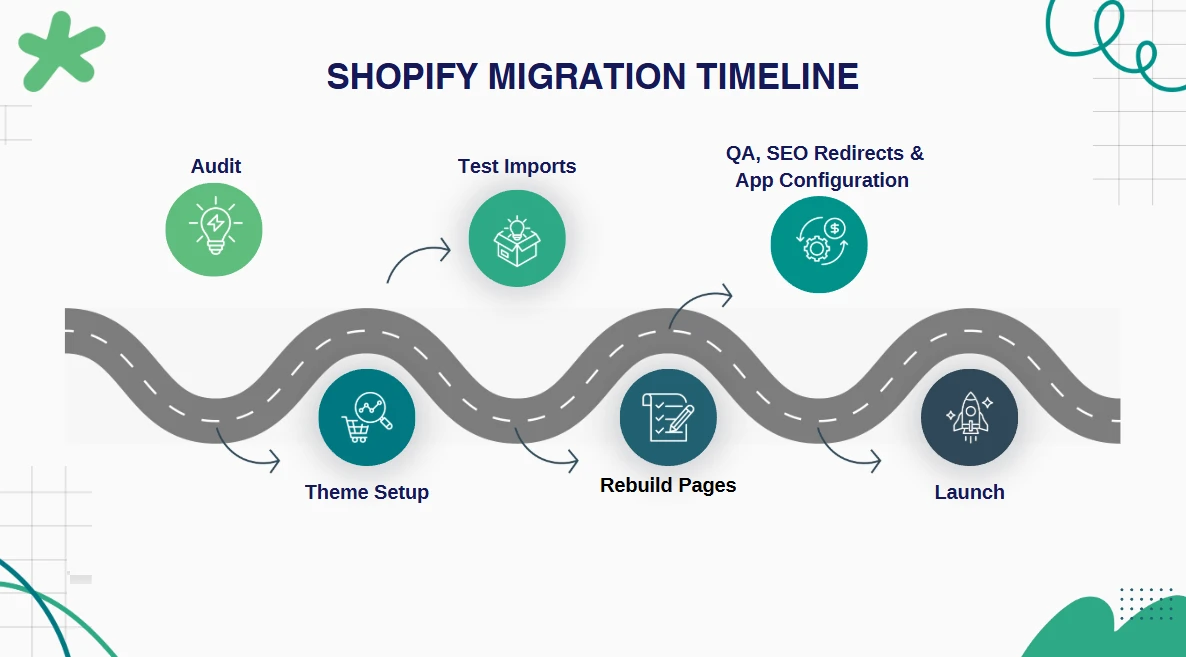
A relatively straightforward project may be completed in several weeks, while enterprise Shopify Plus migrations commonly take several months. Our current estimates put most enterprise projects around 3–6 months, though more complicated source platforms and multi-system environments might extend beyond that.
The timeline can become longer when you need:
- Multiple migration runs to test and validate data before production.
- Extended QA for large catalogs, multiple storefronts, or complex business rules.
- Parallel running of the old and new platforms during the transition.
- Phased regional or brand launches instead of one global cutover.
- Tight downtime windows that require detailed synchronization and cutover planning.
- Third-party integration testing involving ERP, WMS, PIM, OMS, or other external teams.
- Large-scale SEO validation before and after launch.
A rushed migration can also cost more because the team may need additional developers and QA resources to meet the deadline. All-in-all, for a high-revenue store, giving the team enough time to test and validate the migration is often more cost-effective than forcing a launch date and paying for production issues afterward.
Storefront design (optional)
To clarify, storefront design is an optional part of a Shopify Plus migration, as it is not directly related to transferring store data. Nevertheless, many businesses still use the migration project as an opportunity to rebuild or redesign their customer-facing experience.
A relatively simple approach is to reproduce the current storefront using a Shopify-compatible theme with limited changes. This keeps the design scope under control, although the existing components still need to be translated into Shopify’s theme architecture.

A more involved project may redesign:
- Homepage and landing pages
- Product and collection pages
- Navigation and mega menus
- Search and filtering
- Mobile experience
- Cart and merchandising
- Product recommendations and cross-selling
- Subscription presentation
- B2B customer experiences
- Brand-specific or market-specific storefronts
A full custom Shopify Plus storefront requires design, frontend development, responsive implementation, and testing across templates and devices. If the old platform uses highly customized frontend behavior, the team also needs to determine which functionality should be reproduced, redesigned, or replaced.
Migrate Smoothly with LitExtension All-in-One
As you can see, as the scope grows, the Shopify Plus migration cost becomes much more difficult to manage. Handling each part separately also means more coordination and more room for issues during the transition.
This is where a managed migration service, like LitExtension All-in-One, can take the workload off your team. Our team can handle the entire migration from planning to post-migration support, with a dedicated Personal Assistant overseeing the project for you.
We will cover the core store data you need to move, including products, customers, orders, and other supported entities; specific migration requirements can be accommodated as part of the project. All additional options in the package, including 301 redirects, stripping HTML tags, and preserving product IDs, are provided at no extra charge.
Most importantly, our support does not stop when the migration finishes. LitExtension provides up to 60 days of technical support, plus free and unlimited Recent Migration, Smart Update, and Re-migration. Your Personal Assistant will also remain available for migration-related questions and troubleshooting.
Start Shopify Plus Migration the Easy Way
Let LitExtension handle your data transfer to Shopify Plus with a thorough process designed for both accuracy and convenience.

How to Save Cost for Your Shopify Plus Migration
The Shopify Plus migration cost can quickly exceed the initial estimate when the scope is not clearly defined. Here is the best way to control how much you spend:
Set a clear budget range
You should start with a realistic range, based on your migration scope, rather than choosing a target price first.
The biggest variables are usually integrations, custom functionality, data complexity, SEO requirements, and storefront work. Hence, before requesting quotes, you should document your product and customer data, integrations, custom logic, indexed URLs, and any other requirements. A clear scope gives vendors enough information to price the actual work instead of leaving major items to change orders later.
Separate one-time costs
Secondly, your initial migration quote should not be treated as one single expense. Break it into the major components, such as data migration, theme/storefront development, integration work, SEO and redirects, and launch coordination. For complex projects, an audit can also be handled as a separate phase before committing to the full build.
This approach makes it easier to see where your budget is going and identify areas that can be simplified. For example, reusing an existing design may cost less than a full storefront redesign; on the other hand, cleaning up unnecessary data before migration can reduce the amount of work your migration team needs to handle.
Account for ongoing costs
The migration itself is only part of the financial commitment. After launch, you may still need to pay for Shopify Plus, apps, integrations, maintenance, and post-launch support.
All these recurring expenses should be included when calculating the total cost of ownership rather than added after the migration is complete. Also, post-launch stabilization deserves particular attention. Production issues can appear after launch as customers use the new store or integrations process real transactions.
Reserve a contingency fund
Lastly, even a well-scoped migration can uncover issues that were not visible during the initial assessment. Some examples include:
- Undocumented custom logic
- Additional integrations
- Unexpected data problems
- Scope changes.
Hence, you should set aside part of your budget for these situations instead of allocating every dollar to the planned scope. That way, your team will have room to address genuine migration issues without delaying the launch or cutting critical QA, SEO, or integration work.
Shopify Plus Migration Cost: FAQs
How long does a Shopify Plus migration take?
A Shopify Plus migration typically takes 3–6 months for an enterprise project, although the timeline varies significantly with the source platform, data volume, integrations, custom functionality, and number of markets or storefronts involved.
Do I need to close my store during the Shopify Plus migration?
Not necessarily. A migration can be planned so the existing store continues operating while the new Shopify Plus store is prepared and tested. For large data volumes, migration can also be performed in phases to reduce disruption and keep the business running during the transition.
What data can I migrate to Shopify Plus?
The exact data set depends on the source platform and its data structure, but a migration can cover core ecommerce entities such as products, customers, orders, categories/collections, and content, along with custom fields and other supported data. More complex projects may also involve historical data, subscriptions, B2B information, and data from third-party systems.
Will I lose my Google search rankings (SEO) after migrating to Shopify Plus?
No, a migration does not automatically mean losing your Google rankings. Still, SEO can be affected if URLs, content, or technical signals are not handled correctly. To reduce the risk, you should include SEO work in the migration scope from the beginning, which covers:
- 301 redirect map
- Metadata
- Canonical URLs
- Structured data
- Post-launch monitoring .
Final Words
Overall, the Shopify Plus migration cost depends on all the data and features that need to be assessed, rebuilt, reconnected, tested, and protected throughout the transition. By defining your scope early and keeping a contingency budget, you can avoid many of the cost surprises that make enterprise migrations more expensive than expected.
And if managing all these moving parts feels overwhelming for you, LitExtension’s All-in-One Migration Service can take care of the migration from planning through post-launch support. With the right migration partner, your budget can support a smoother transition rather than paying for avoidable fixes after launch.
Take the Stress Out of Shopify Plus Migration
LitExtension handles the heavy lifting of data migration so you can focus on your new Shopify Plus store.
For more guidance, don’t forget to check out our Shopify blogs.