
Since its release, Magento has grown into one of the most popular eCommerce platforms, largely thanks to its open-source flexibility. However, that same open-source nature also means migrating to the latest Magento version is not as seamless as many merchants expect. To avoid costly mishaps, you’ll need a thorough Magento 2 migration checklist to guide the process from start to finish!
In this guide, we’ll walk you through all 12 essential Magento 2 migration steps, including:
- 1. Define scope & goals
- 2. Set timeline, budget & responsibilities
- 3. Audit your current store
- 4. Back up everything (Files & database)
- 5. Plan SEO safeguards before migrating
- 6. Prepare a staging environment
- 7. Choose the right migration method
- 8. Set up your Magento 2 store foundation
- 9. Migrate core data first
- 10. Migrate key functionalities
- 11. Run full QA & pre-launch testing
- 12. Post-migration SEO & performance checks
Magento Migration Made Easy With LitExtension!
LitExtension offers great migration solutions that help you transfer your data from the current eCommerce platform to Magento accurately, painlessly with utmost security.

Pre-Migration Checklist: Preparation and Planning
Our Magento 2 migration checklist starts here in the planning phase, because most migration failures aren't caused by bad execution; they're caused by skipped preparation. The six steps below help you define what you're migrating, protect what you already have, and set your team up to execute with confidence.
1. Define scope & goals
First, your team should list exactly what needs to be migrated and what can be rebuilt or replaced.
For this stage, we recommend breaking your store into migration blocks. A typical Magento migration scope often includes:
- Products
- Categories
- Customers
- Orders
- CMS pages
- Reviews
- Coupons/rules
- Media files (like product images).
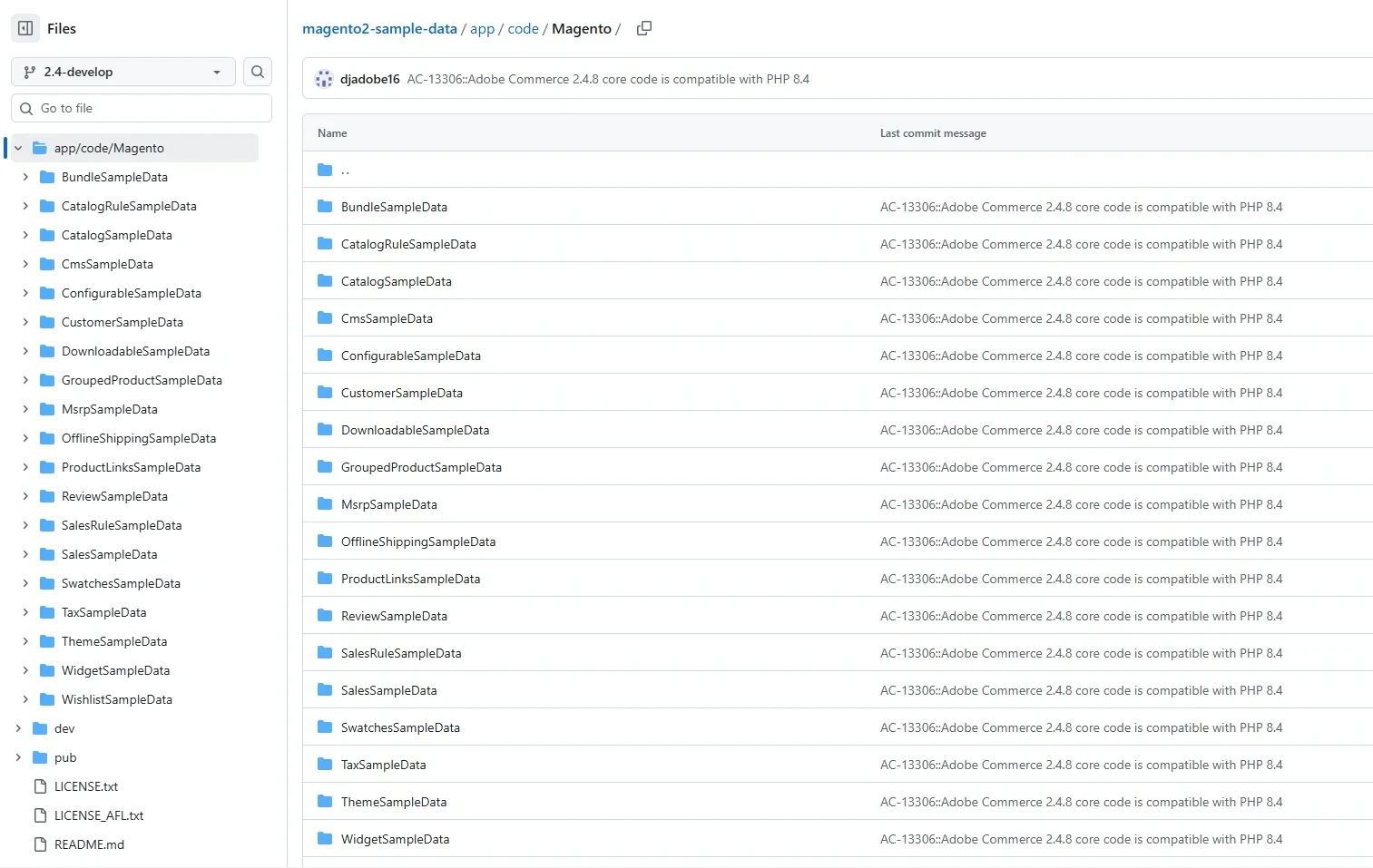
Also, you should decide early whether you need to move everything or only the data that truly matters for future operations. Plus, if you have old customer accounts, outdated SKUs, or discontinued categories, now is the time to decide whether you’ll clean them before moving.
2. Set timeline, budget & responsibilities
Once you know what you’re migrating, the next step is turning it into a practical execution plan with owners and deadlines.
For instance, a clean phase-based timeline usually looks like this:
- Preparation
- Setup
- Migration
- Final sync
- Go live
- Post-launch monitoring.
Make sure to assign realistic time windows based on complexity. Stores with heavy customization or many third-party integrations almost always require more time in testing than expected.
Also, you need to define responsibilities by role, not just by person.
For example, you’ll typically need someone in charge of data mapping, someone to handle theme/frontend work, someone to manage extension replacement, someone for SEO & redirect validation, and someone to run QA testing across the whole customer journey. Even if you’re working with an external Magento team, you still want at least one internal owner who can approve decisions quickly.
3. Audit your current store
This step in the Magento 2 migration checklist is about building a detailed “migration inventory” so you don’t migrate blindly. To put it simply, the audit should output a clear list of what stays, what changes, and what gets replaced.
You can start the audit by exporting or reviewing key datasets: products, categories, customers, orders, and CMS pages/blocks. Your goal is to detect issues that will break migration or create a mess in Magento 2, such as:
- Duplicate SKUs
- Inconsistent attribute values
- Missing images
- Products assigned to the wrong categories
- Outdated customer data.
Next, audit your storefront structure and content. Make a list of key page templates and flows you must reproduce: homepage layout, category pages, product pages, search pages, cart/checkout, and important landing pages used for SEO or campaigns.
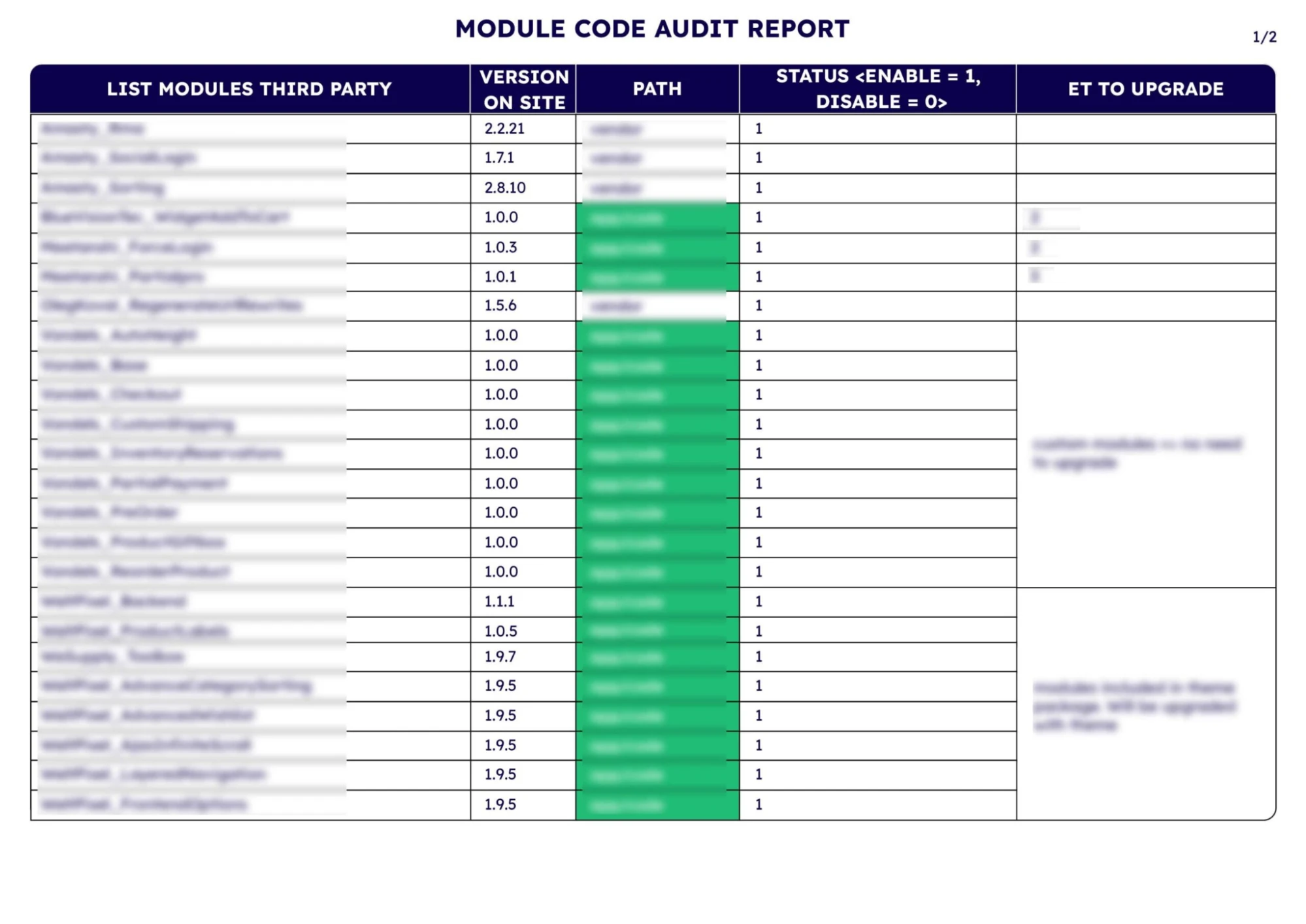
Similarly, remember to audit extensions and custom code together, because they often overlap. Export a list of installed extensions/modules, and mark each one as: “must-have,” “optional,” or “remove.”
- For each must-have extension, verify whether a Magento 2 version exists, whether the vendor still supports it, and whether it conflicts with other features you plan to add.
- For custom code, list every customization that changes core behaviors. Here's where you decide whether you’ll rebuild the feature, replace it with a Magento 2 extension, or drop it entirely.
4. Back up everything (Files & database)
Now, here's the stage where you build a safety net, and it needs to be done properly. At minimum, you should back up three things: the database, the codebase, and the media folder (product images and uploads).
- For the database: Make sure you can create a restorable dump that actually works, meaning it completes successfully, has a reasonable file size, and can be imported into a test database without errors.
- For files and media: You must back up the full Magento directory (not just theme files), and the entire media library used for product images, CMS uploads, and any extension-generated files. Keep at least two copies in separate locations.
Most importantly, after creating your Magento backups, label them clearly. You want to include the date, environment, and the purpose (for example, “pre-migration backup”), so your team doesn’t accidentally restore the wrong snapshot.
5. Plan SEO safeguards before migrating
SEO planning is not something you only fix after launch. In fact, the correct approach is to build SEO protection into the migration workflow so search engines experience as little disruption as possible.
URL is a good place to start; you should export your current URL structure and decide whether Magento 2 will keep the same patterns or introduce changes (category paths, product URLs, suffixes, etc.). If anything changes, you must prepare a 301 redirect map from old URLs to new ones.
Next, capture a list of top pages and top traffic URLs so you can prioritize them in testing. Also, you should record current metadata patterns: title tags, meta descriptions, canonical rules, and how pagination is handled. The goal here is not to “upgrade SEO”, but to preserve what already works, and only improve once the new store is stable.
6. Prepare a staging environment
As the name suggests, staging is where you build, migrate, and test without risking your live store. The key is to make staging as close to production as possible (same server configuration, same PHP/database versions, and the same key dependencies).
Your staging environment should be isolated from your current live store, but still capable of accessing required resources for migration. You’ll want to confirm that the environment meets Magento requirements and that it can handle your catalog size and extensions without performance bottlenecks.
Once staging is ready, install Magento and configure it to match your future production setup. That includes ore settings, store structure, currencies, tax basics, and any fundamental configurations your store depends on. Then you can run your migration attempts repeatedly: migrate data, validate results, fix issues, and migrate again. Such repeatability is the biggest reason staging matters in the first place.
By working through each item in this Magento 2 migration checklist before a single line of code changes, you give your team a clear roadmap, protect your existing data, and eliminate the last-minute surprises.
During Magento 2 Migration Checklist: Execution
With your planning locked in and staging environment ready, it's time to move from preparation to action. This is where your Magento 2 store takes shape, so work through each step below carefully to avoid costly backtracking.
7. Choose the right migration method
Now that your staging environment is ready, the next decision is how you will actually move data and rebuild your store on Magento 2.
In most cases, you’ll have two practical paths: a manual migration handled by your in-house team, or a migration service that helps automate and manage the transition.
Option 1: Manual migration (handled by your in-house team)
Manual migration is typically chosen when you have an experienced technical team and full control over your store’s structure, data, and integrations. Your developers are responsible for everything, including:
- Exporting data from the old platform
- Manually transforming it into Magento 2-friendly formats
- Importing it into the new store
- Rebuilding the key features needed to go live.
As you can see, this method gives you maximum flexibility, but it also requires the most time and effort. In fact, it’s quite common for manual migrations to become slow or complicated if your source store is messy, has lots of custom fields, or relies on third-party integrations that don’t translate neatly into Magento 2.
Option 2: Automated migration with LitExtension
What if you want a faster, more structured migration process without putting the entire workload on your internal team?
In that case, working with a reputable service like LitExtension – #1 eCommerce Migration Expert is usually the safer route. We highly recommend this alternative when your store has a large catalog, a long order history, or complex data relationships that would be risky to migrate manually.
With LitExtension, you can choose between two service options depending on how hands-on you want to be:
- Automated tool (dashboard-based, self-guided): Designed for merchants who still want to control the process but prefer using an automated tool instead of doing everything manually.
- All-in-One (done-for-you by experts): Instead of you managing the steps, you only need to provide the project requirements. The LitExtension experts will take care of the entire migration from start to finish.
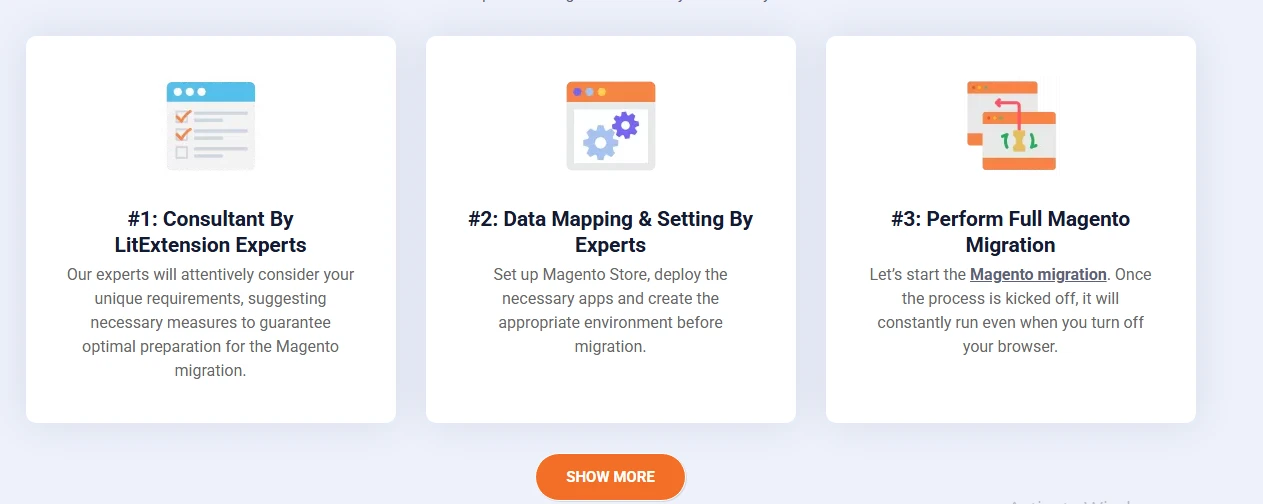
It's best to stick to the All-in-One since that means you can skip several (if not most) items in our migration checklist. Otherwise, for those who choose manual migration or the automated tool method, keep scrolling for the rest of the steps.
Need Help To Migrate to Magento?
LitExtension provides a well-optimized All-in-One migration service for your data transfer!
8. Set up your Magento 2 store foundation
Now, before you migrate any data, you should make sure your Magento 2 environment is stable, correctly configured, and ready to receive real store content. Skipping this step and dumping data into a half-built store is one of the most common reasons teams have to redo work later in the Magento 2 migration checklist.
Specifically, you must first confirm your server/hosting environment meets Magento 2 requirements and can handle your store's size. That includes checking:
- PHP version
- Database setup
- Search engine configuration
- Resources (CPU/RAM) to support indexing and heavy operations like imports.
Next, install the Magento 2 version you actually want to run long-term. Once installed, configure the store foundation: base URL (staging domain first), store views, currency, timezone, tax basics, and transactional email settings.
After that, validate the technical baseline before you proceed (Magento cron jobs, cache behavior, indexing, admin panel performance, etc.) Otherwise, if admin actions are slow or indexing fails at this stage, migration will only make it worse.
9. Migrate core data first
As already mentioned, data migration should be approached in phases, meaning core data must come first. If your products and categories are wrong, everything else becomes twice as hard!
So, which datasets are “core”?
In most cases, that means products, categories, customers, and order history. However, depending on your store model, you may also consider CMS pages, URL rewrites, reviews/ratings, tax rules, and customer groups as core. The important part is to migrate in an order that supports validation: categories before products (so product-category relationships are correct), and customers before orders (so order ownership is preserved).
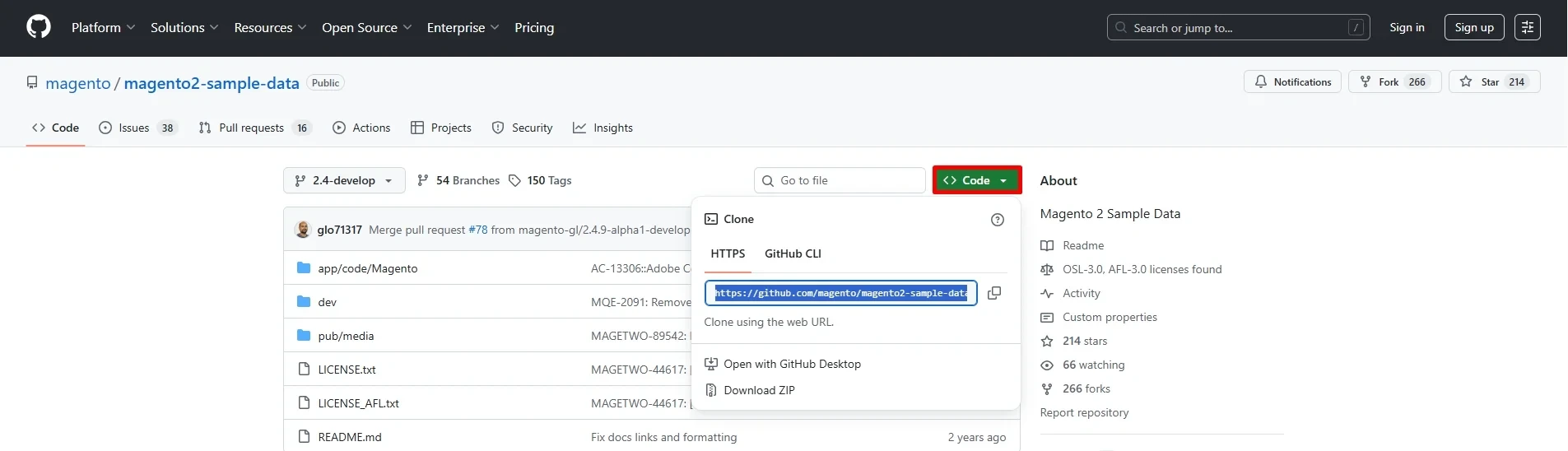
Also, before running the migration, do a data cleanup pass. Remove duplicates, check attribute consistency (especially for configurable products), and standardize formats where needed. That way, you can reduce corrupted imports and prevent Magento 2 from generating unexpected results.
10. Migrate key functionalities
Now that core data is stable, you can start rebuilding what makes the store usable and conversion-ready: the storefront design and the features customers actually interact with.
Let's start with the theme strategy here. Don’t assume you can move your old theme across; you must plan to either adopt a Magento 2-ready theme or rebuild a custom theme that reflects your current branding. Recreate what is essential for your store, but avoid carrying over outdated UI decisions just because they exist.
Next is managing essential extensions/modules. Go back to your audit list and prioritize what must be live for launch: payments, shipping providers, taxes, search, analytics, marketing pixels, email automation, and any ERP/CRM connectors.
Note that in Magento migrations, the extension replacement stage often reveals hidden dependencies (for example, a custom checkout relies on a specific payment module). Hence, you should implement and test extensions in a controlled sequence, not all at once.
And, of course, don't forget about custom features. If your old store relies on custom modules or code edits, it's better to rebuild them with Magento 2 standards rather than forcing old logic into the new architecture.
If you've followed this Magento 2 migration checklist step-by-step, your store will be fully transferred to the new destination.
Post-Migration Checklist: Testing and Go Live
Now that your data is successfully transferred, your job doesn't stop there. The final part of the Magento 2 migration checklist ensures you go live with confidence.
11. Run full QA & pre-launch testing
At this stage, you need to prove the new store is ready for real customers. That's why QA for Magento migration should be structured like a full store acceptance process, as failures (if any) usually only show up under real customer behavior.
- Confirm product information, category display, and customer accounts display correctly and are accessible.
- For order history, verify a meaningful sample: different order statuses, refunded orders, and guest vs registered orders.
- When testing checkout, run multiple purchase scenarios: different shipping locations, different payment methods, discounts applied, taxes calculated correctly, and out-of-stock behaviors.
- Test post-purchase flows such as refunds, cancellations, invoice generation, and shipment creation.
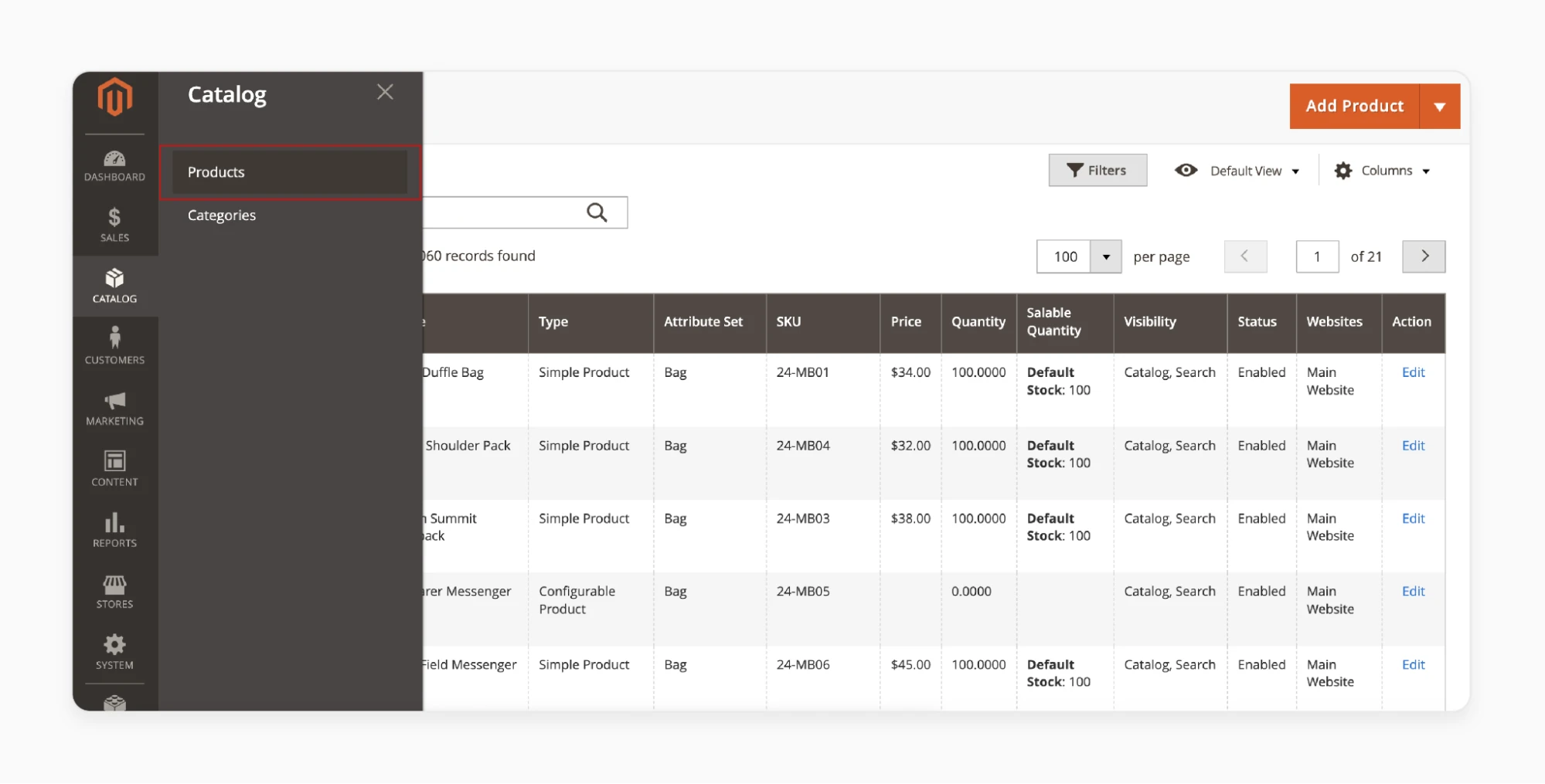
Magento 2 can be resource-heavy, so you should validate page speed and stability on key pages as well. Also, don't forget to test on mobile devices thoroughly, especially key spots like navigation menus, filtering, and payment UX.
12. Post-migration SEO & performance checks
Last but not least, post-migration monitoring should be planned as a focused checklist, because the first days after launch are when SEO and performance damage typically happens.
It would be best to begin with redirect validation immediately: confirm that old URLs resolve correctly and return a proper 301 redirect to the correct new page. Pay special attention to products and categories that used to rank well, because these are where a redirect mistake causes the biggest traffic loss.
Then, check whether the live site is indexable (no accidental noindex rules), confirm canonical tags are correct, and ensure your XML sitemap is updated and resubmitted. Without reliable tracking, you can’t measure whether migration caused a performance drop or conversion issues.
In the days following launch, you should monitor errors and performance trends (e.g., spikes in 404 pages, sudden drops in organic traffic, crawl issues, etc.). If you see performance regression, determine the causes to fix them as soon as possible.
And while you are at it, don't forget about a post-launch cleanup round, which should include:
- Fixing broken internal links
- Correcting missing metadata
- Updating any remaining references to staging domains
- Patching UX issues discovered by real customers.
That's it! At the end of the day, a strong post Magento 2 migration checklist turns migration from a risky moment into a controlled rollout with minimal long-term SEO and revenue impact.
4 Tips for a Successful Magento 2 Migration
To migrate to Magento 2 smoothly, you should schedule your cutover during low-traffic hours and run delta migration to avoid last-minute data loss. Also, it's best to prioritize mobile speed and Core Web Vitals and enable key security layers such as SSL, MFA, and CAPTCHA.
1. Schedule the cutover during low-traffic hours
Your cutover is the moment you switch customers from the old store to the new Magento 2 site. Hence, to minimize revenue impact, you should schedule this during your lowest-traffic window (when your store performance matters the least).
For many stores, quiet time slots usually fall between late night and early morning in the primary customer timezone. However, if you sell globally, pick the best compromise window and plan extra support coverage for the hours after launch. And don't forget to prepare a temporary maintenance message for the old store (or a checkout freeze plan) so you don’t keep generating new orders while the final data sync is happening.
2. Use delta migration to prevent last-minute data loss
Even if you migrate once successfully, your live store keeps changing: new orders come in, customers register, inventory updates happen, and product edits are made. So, if you simply “migrate once and go live,” you can launch with missing orders or outdated customer activity.
That’s why delta migration is critical. The idea is simple: you migrate the bulk of your data early, then run additional syncs to pull only the changes made since the last migration.
Practically, you’ll want to plan at least two phases:
- First, run the main migration early enough that you have time to validate data and rebuild functionality.
- Then, schedule delta runs leading up to launch and one final delta right before cutover.
The final delta should happen as close to go-live as possible, ideally after you reduce store activity (either by enabling maintenance mode, freezing checkout, or at least limiting admin changes).
3. Prioritize mobile speed and core web vitals
As discussed above, Magento 2 migrations often include theme rebuilds and additional scripts, which are exactly the things that can quietly slow down mobile performance. So, if you launch without speed validation, you may see a drop in conversions even if everything works.
That's why you should test the most important pages on real mobile devices, not only desktop tools or dev simulations. Core Web Vitals are a useful framework to guide what to fix first; you can use them to:
- Optimizing images (correct format, sizing, lazy-loading) to improve the perceived load speed
- Reduce heavy third-party scripts
- Minimize render-blocking assets
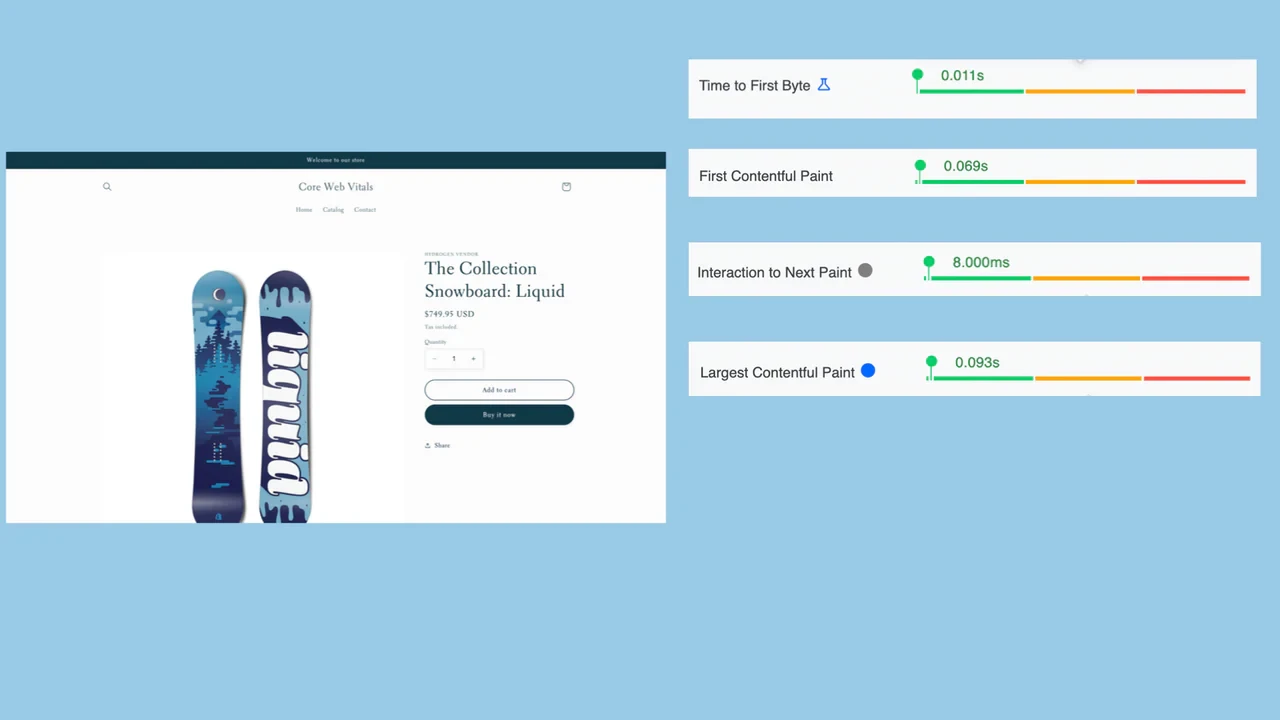
It’s also important to retest after every major change. A single extension or marketing tracking script can noticeably impact mobile performance, so performance needs to be monitored continuously through the final migration phase.
4. Enable key security layers (SSL, MFA, CAPTCHA)
Next, keep in mind that security should be treated as a go-live requirement, not an afterthought. A Magento 2 store is a major operational asset, after all, which explains the potential security gaps during and after your migration.
Your store should:
- Ensure SSL is properly configured on your production domain before launch.
- Force HTTPS across the site
- Confirm that checkout, account pages, and admin logins are fully secured.
- Scan key pages and fix hard-coded links or embedded scripts that load insecurely.
- Protect admin access with MFA.
Finally, enable CAPTCHA (especially on login and form areas) to reduce bot abuse and credential stuffing. CAPTCHA should be placed strategically so it doesn’t harm conversions. All in all, it's best avoid adding friction to checkout unless you have strong reasons, but do protect login, password reset, and suspicious traffic entry points.
What Are The 5 Common Mistakes to Avoid?
Even with a solid Magento 2 migration checklist, stores still run into costly problems that can derail your launch or create long-term maintenance issues (and they’re often overlooked until it’s too late). Let's take a closer look:
- No change-freeze before cutover: If admins keep updating products, prices, inventory, or settings right up to launch, your final sync can miss changes and create data mismatches between the old store and Magento 2.
- Transactional emails not migrated or tested: Skipping order confirmations, shipping emails, and password reset testing often leads to missing receipts, support ticket spikes, and lost customer trust right after go-live.
- Key Magento 2 configurations overlooked: Small config differences (currency precision, tax display rules, discount calculations) can eventually break totals at checkout and cause inconsistent pricing across the storefront.
- Too many features/extensions added before stability: Launching with excessive add-ons and new scripts makes Magento 2 slower and harder to debug, because you can’t easily identify what causes conflicts or performance drops.
- Support team unprepared for migration-only issues: Without ready scripts and escalation paths for login problems, missing account data, or order history confusion, customer support gets overwhelmed during the first days post-launch.
Magento 2 Migration Checklist: FAQs
How to migrate Magento 2 to another server?
To migrate Magento 2 to a new server, you must first back up your old site's files and database, set up the new server with compatible requirements, transfer the backed-up data, update configuration files (like app/etc/env.php) with new database details, run Magento CLI commands for setup, and thoroughly test everything before pointing your domain.
Why migrate from Magento to Shopify?
Businesses migrate from Magento to Shopify primarily for lower total costs, simplified management (hosting/security handled), better user experience, faster performance, built-in scalability, and access to an extensive app ecosystem.
What is the difference between Magento 1 and 2?
Magento 2 is a complete rewrite of Magento 1, offering major upgrades in performance, modern architecture, user experience, and security. Meanwhile, Magento 1 is an older platform that lacks modern features, is slower, and is now unsupported.
What are the two ways of installing an extension in Magento 2?
The two primary ways to install a Magento 2 extension are using Composer (recommended for command-line efficiency) or manually uploading files and running setup commands, often via a downloaded ZIP or directly from the Admin using the Web Setup Wizard.
Final Words
A successful migration means ensuring your new store runs smoothly, performs fast, and stays stable after the switch. By following the 12 steps in our Magento 2 migration checklist, you’ll be able to control the process from start to finish and avoid the common mistakes that often hurt stores after launch!
For those who want to save time and minimize technical workload, LitExtension can help you migrate to Magento 2 with less stress. You can choose the Automated Migration option for a faster self-guided process, or let our experts handle everything with the All-in-One Migration service. Contact us today!


