
Etsy is a great place to launch a handmade or creative business, but at some point, its limitations start to cost you. Therefore, many merchants are learning how to import Etsy products to Shopify to scale into an independent, branded storefront.
If that's also your interest, this article is just for you! In this guide, we will walk you through three proven methods to import Etsy products to Shopify, including:
- Method 1. Manual CSV import: A free, hands-on approach best suited for small catalogs and sellers comfortable with spreadsheets
- Method 2. LitExtension migration service: A fully managed process handled by experts, ideal for large catalogs or sellers who want an accurate migration without the technical lifting
- Method 3. Third-party app: A semi-automated middle ground, perfect for sellers who want ongoing product sync between Etsy and Shopify
We hope that by the end of this guide, we hope that you can choose the approach that fits your store size, technical comfort level, and budget. Let's get started!
Method 1. Manually Import Etsy Products to Shopify
If you have a lean catalog and are comfortable working with spreadsheets and data mapping, the manual route is a completely viable way to import Etsy products to Shopify. This method works by exporting your product listings from Etsy as a CSV file, restructuring the data to match Shopify's required format, and then uploading it directly through Shopify's built-in import tool. It will come at no cost, involve no third-party apps, and require no dependency on an external service.
That said, this approach does come with real trade-offs. Etsy and Shopify use different CSV structures, so you'll need to manually remap columns, clean up product descriptions, and handle images separately since they are not embedded in Etsy's export file. If your catalog runs into the hundreds, however, the time investment adds up quickly, and the risk of formatting errors grows with every row.
Here's how to import Etsy products to Shopify manually.
Step 1. Export Etsy product listings
- Log in to your Etsy account. Then, navigate to “Shop Manager” > “Options.”
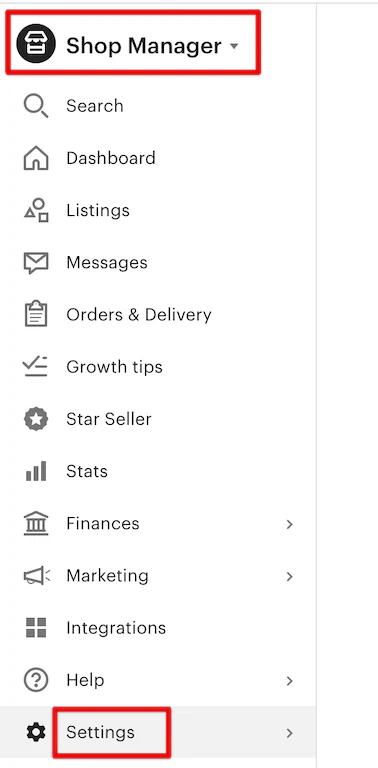
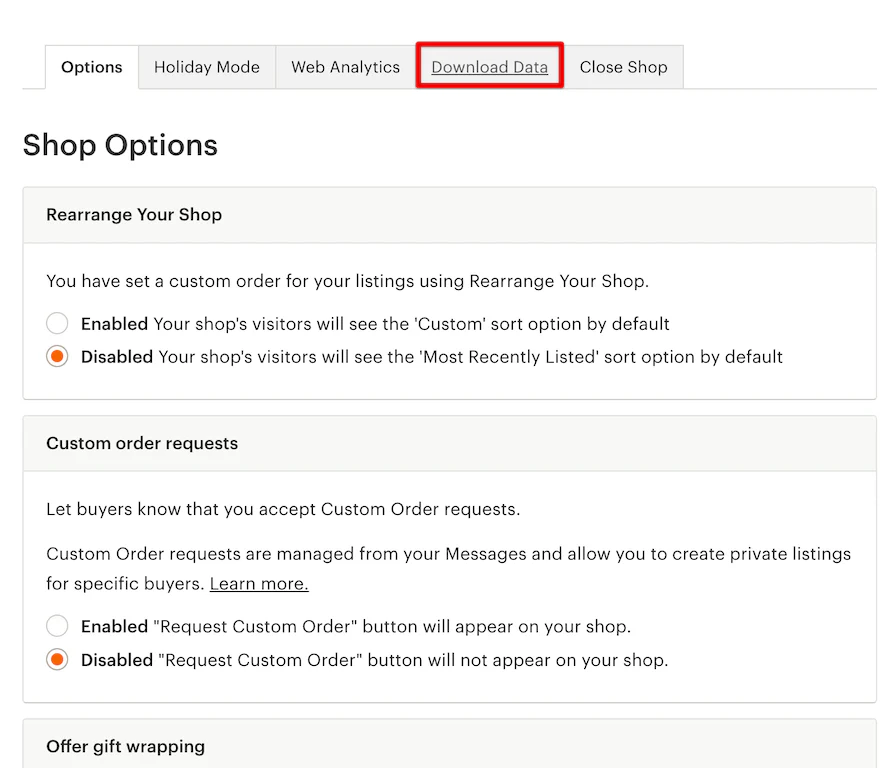
- After that, select “Options”, then navigate to the “Download Data” tab.
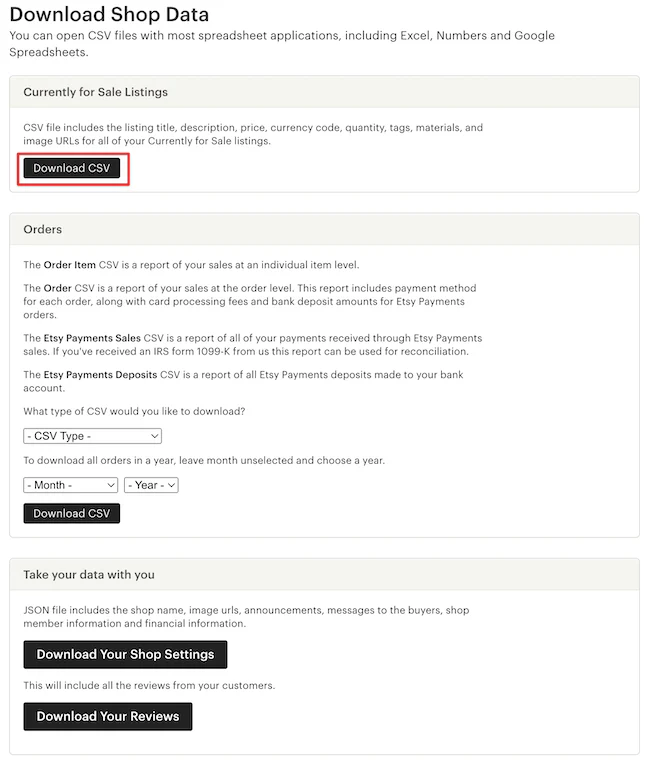
- In the “Currently for Sale Listings” section, click “Download CSV.”
- Save the file to a folder on your computer where you can easily access it.
Step 2. Map your data to match Shopify’s CSV format
Etsy and Shopify don't speak the same language when it comes to CSV structure. Before you can upload your product data, you need to reformat your Etsy export so that every column aligns with Shopify's required fields. This is the most technically demanding part of the manual method, but if you take it systematically, it's entirely manageable.
Start by downloading the Shopify CSV template from your Shopify Admin. Then, open both your Etsy export and the Shopify template side by side in Google Sheets or Excel so you can see exactly what needs to move where.
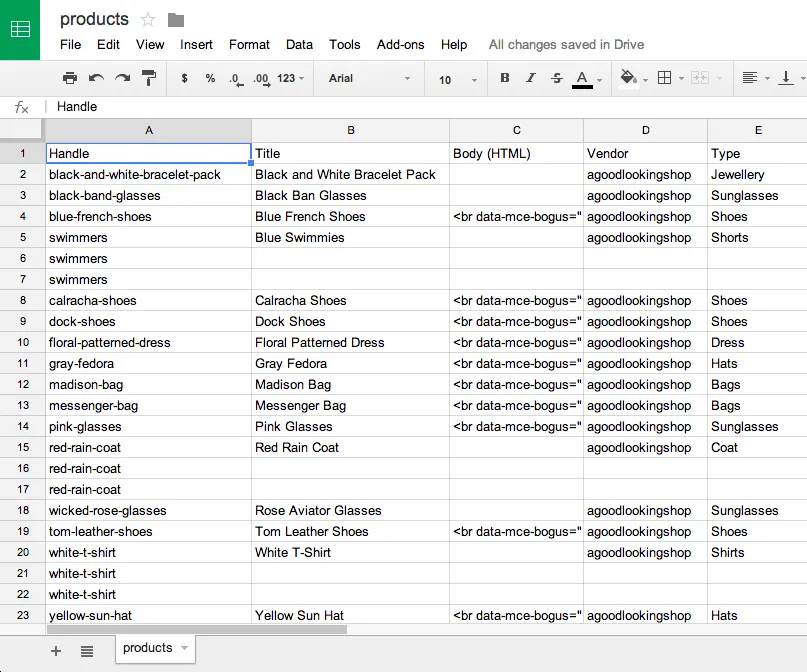
Once your spreadsheet is fully remapped and cleaned up, export it as a .csv file (UTF-8 encoding is strongly recommended to avoid character errors with special symbols or foreign language text). With your Shopify-formatted CSV ready, you're now set to upload it directly into your store.
Step 3. Import Etsy products to Shopify
- Log in to your Shopify Admin and navigate to “Products.”
- Click the “Import” button in the top-right corner.
- Click “Add file” and select your prepared CSV file from your computer.
- Select “Upload and preview”.
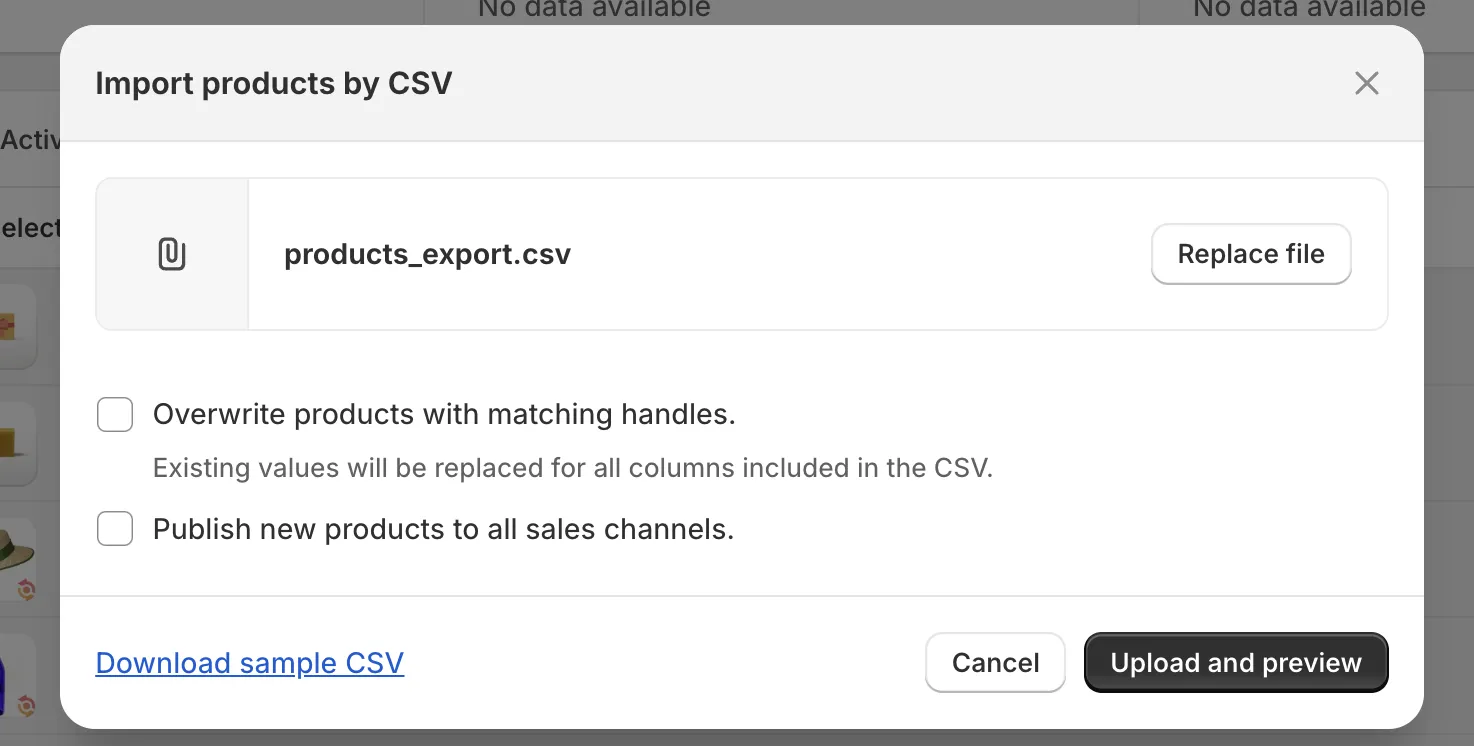
- Review the import preview screen to confirm Shopify has read the column headers correctly. Finally, hit the “Import products” button to begin the upload.
Depending on the size of your catalog, the import may take several minutes to complete. Shopify will send a confirmation email to your admin address once the process is complete. For more information, please check out our Shopify CSV import guide here.
In short, the manual CSV method is one of the most accessible ways to import Etsy products to Shopify. For sellers with a small, straightforward catalog, it gets the job done without any additional cost or third-party tool.
However, the trade-offs become harder to ignore as your store grows. The larger your catalog, the more time you'll spend remapping columns, reformatting descriptions, restructuring variants, and hunting down missing images. And because the entire process is handled by hand, the risk of data errors scales with every product you add. Even a small formatting mistake can mean incorrect pricing, missing variants, or blank product pages going live on your store without you noticing.
Method 2: Import Etsy Products to Shopify with LitExtension Migration Service
If the manual import Etsy products to Shopify method feels like too many moving parts, migration is the smarter alternative. Instead of manually pulling data out of Etsy and pushing it into Shopify, you simply connect both platforms, and your data moves across automatically without touching a single spreadsheet.
This is exactly what LitExtension does. As the world's leading migration service, LitExtension acts as the bridge between your Etsy store and Shopify, handling all the technical complexity of data transfer behind the scenes. With 15 years of experience in the industry, we have built the technical expertise and platform-specific knowledge to handle migrations that would be impossible to replicate manually, regardless of catalog size, data complexity, or store history.
But what sets LitExtension apart is the scope of what it can move. While the CSV method is limited to basic product data, LitExtension lets you migrate far more than just listings, including orders, customers, reviews, and other critical store data that would otherwise be impossible to transfer by hand. This means you can arrive on Shopify with your full business history intact, not just your product catalog.
For merchants with large catalogs, complex product variants, or simply no appetite for spreadsheet work, LitExtension offers the most complete, accurate, and stress-free way to import Etsy products to Shopify from start to finish. Here's exactly how the process works.
Let Our Experts Handle Your Store Migration!
With the All-in-One Migration Service, our experts take care of everything, ensuring a seamless and stress-free migration.

Step 1. Technical consultation with LitExtension experts
Before your migration begins, the first step is a technical consultation with the LitExtension team. This isn't a generic onboarding call; it's a focused planning session designed to map your specific Etsy store's structure to Shopify's data architecture.
During the consultation, the LitExtension team will:
- Review the size and complexity of your Etsy catalog, including the total number of listings, product types, and variant structures.
- Assess any custom fields or Etsy-specific attributes that require special handling during transfer.
- Define the full scope, timeline, and steps of your migration project.
By the end of this step, you'll have a clear, personalized migration roadmap and a confident understanding of exactly what will land in your Shopify store and how.
Step 2. Data mapping and customization
Once the consultation is complete, the LitExtension team moves into pre-migration customization. The phase is where your migration gets tailored to your exact requirements rather than run as a one-size-fits-all transfer.
This step covers:
- Selecting which data types to migrate (products, images, variants, pricing, inventory, orders, customers, reviews).
- Setting up field mapping between Etsy's data structure and Shopify's.
- Excluding any outdated, discontinued, or duplicate listings you don't want carried over.
- Flagging any special requests that you asked for in the consultation phase.
This preparation stage is what separates a clean, accurate migration from a messy one. By locking in these settings before any data moves, the risk of errors during the actual migration is reduced.
Step 3. Run the demo migration
Before committing to the full import Etsy products to Shopify, LitExtension runs a demo migration–a small-scale test that moves a limited sample into Shopify. This way, you can see exactly what the results will look like before anything is finalized.
During the demo migration, our team transfers a limited subset of your products using the custom settings defined in the previous step. Then, we check for any structural issues, missing fields, or formatting inconsistencies and correct them right away before the full migration runs.
Step 4. Fully import Etsy products to Shopify
Once you've reviewed and approved the demo results, LitExtension executes the full migration. All your selected Etsy data is securely transferred into Shopify according to your approved settings. The team monitors the entire process in real time to ensure no data is lost, skipped, or duplicated, and your content relationships (such as product-category links) are kept fully intact.
One of the most important advantages of this step is that your Etsy store remains completely live and operational throughout the entire migration. There is zero downtime and zero disruption to your business. Depending on the size of your catalog, the full migration typically completes within a few hours to 24 hours, after which you'll be notified immediately to begin reviewing the results.
Step 5. Migration results testing
With the full migration complete, LitExtension carries out multiple rounds of validation testing to confirm that every piece of data has transferred accurately. Our team checks that product titles, descriptions, and images are displaying correctly, variants are mapped with the right pricing and inventory levels, and orders and customer records are intact.
Once all checks pass, LitExtension sends a project outcome confirmation, your final green light before you begin configuring the rest of your Shopify storefront. Nothing is handed over until the team is confident that everything is accurate.
Step 6. Post-migration tasks
Even after the migration is confirmed complete, there's one more layer of support built into the LitExtension process. Because your Etsy store stays active throughout the entire transfer, new data may have been created on Etsy during the migration window. To make sure none of that is lost, LitExtension offers:
- Free & unlimited Recent Migration if your new data is less than 5% of the initial migration.
- Free & unlimited Re-migration within 30 days after the migration is completed.
- Free 02 Smart Update
Step 7. Ongoing customer support
LitExtension's commitment doesn't end when your migration does. For 60 days after your migration is completed, our customer support team remains available to help with any technical issues, questions, or concerns that arise as you settle into your new Shopify store. Whether it's a data discrepancy or questions about a new function, you can reach out at any point within the support window and receive direct assistance from their migration experts.
Method 3: Import Etsy Products to Shopify via Apps
Alongside working with a migration expert, another practical way to import Etsy products to Shopify is through dedicated Shopify apps. They're the go-to choice for merchants who plan to keep both their Etsy and Shopify stores running simultaneously and need ongoing inventory and product sync between the two platforms.
Fortunately, the Shopify App Store offers a wide range of tools built specifically for this purpose. Here are some outstanding options for your consideration.
1. LitCommerce eBay Etsy Amazon +
LitCommerce is a multi-channel selling app that lets you connect your Etsy store directly to Shopify and import your product catalog without touching a single CSV file. Once connected, it keeps your inventory, pricing, and product details synced in real time across both platforms, making it an ideal tool for merchants who want to sell on Etsy and Shopify simultaneously without managing two separate catalogs.
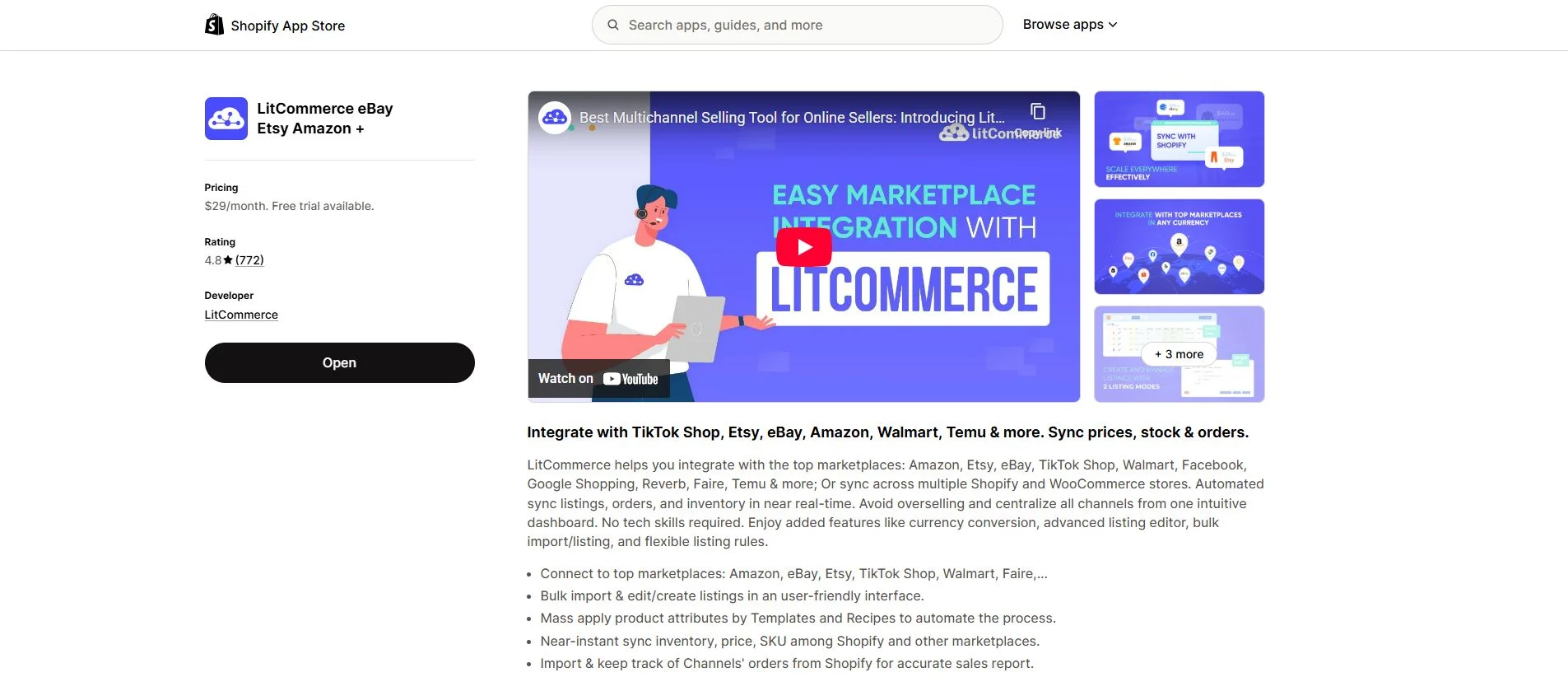
Key features:
- Import product titles, descriptions, images, variants, and pricing from Etsy CSV
- Automatically skip previously imported products to avoid duplicates
- Assign products to Shopify collections during the import process
- Simple two-click import workflow, no technical knowledge required
Pricing: Pay-as-you-go plans starting from $29/month
2. CedCommerce Etsy Integration
CedCommerce is one of the most feature-rich Etsy-Shopify integration apps available, trusted by thousands of merchants for both one-time imports and ongoing store management. Beyond basic product migration, it offers real-time syncing, automated order fulfillment, and even the ability to import your Etsy product reviews directly into Shopify, helping you preserve the social proof you've built up on Etsy.
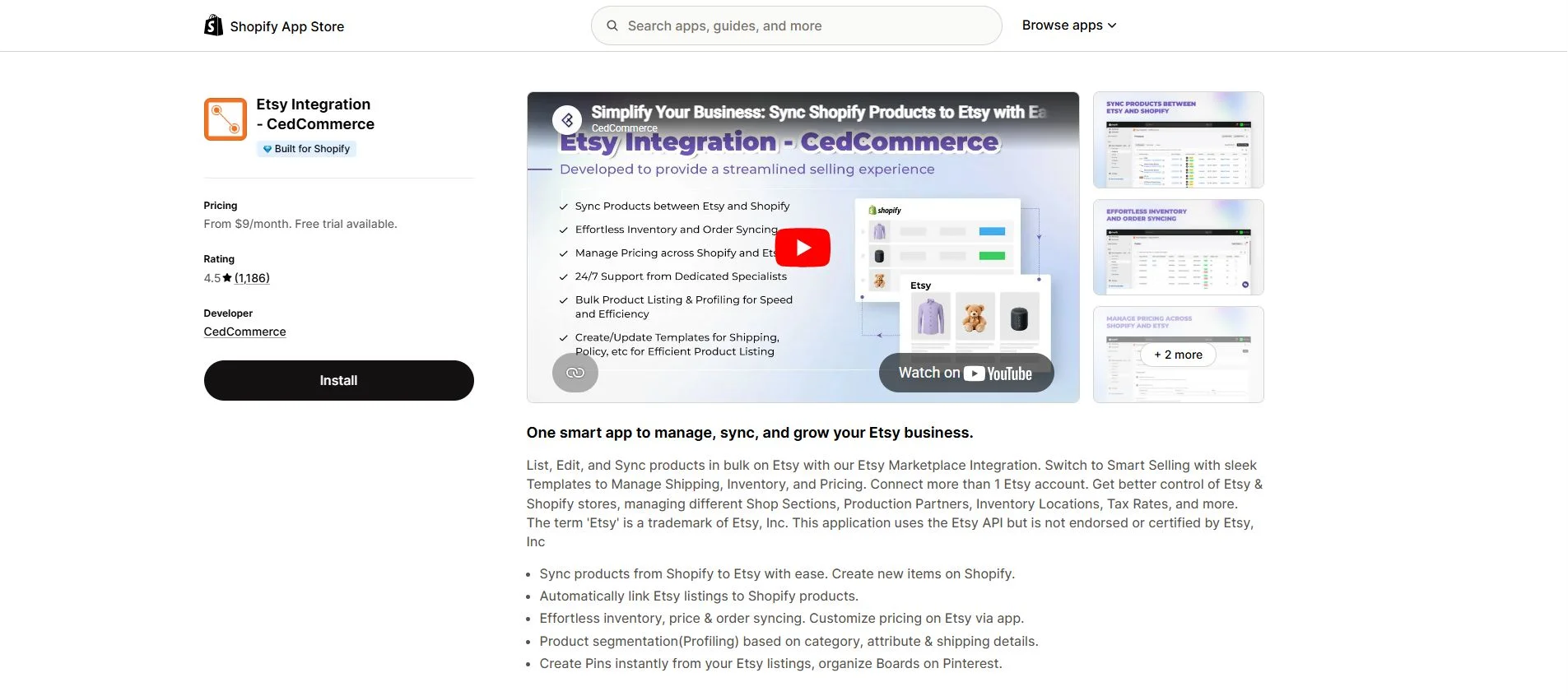
Key features:
- Bulk import products from Etsy to Shopify with full data transfer
- Real-time inventory, price, and product sync between both platforms
- Automated order fulfillment with tracking information sync
- CSV upload support for additional data types
Pricing: From $9 to $59 per month
3. Etsy Integration ‑ Infoshore
Infoshore's Etsy Integration app focuses on giving merchants fine-grained control over how their products are imported and synced between Etsy and Shopify. Its customizable Profiles feature lets you tailor exactly how product data, images, descriptions, SKUs, prices, and categories are mapped and displayed on each platform, making it a strong choice for sellers with complex catalogs or platform-specific pricing strategies.
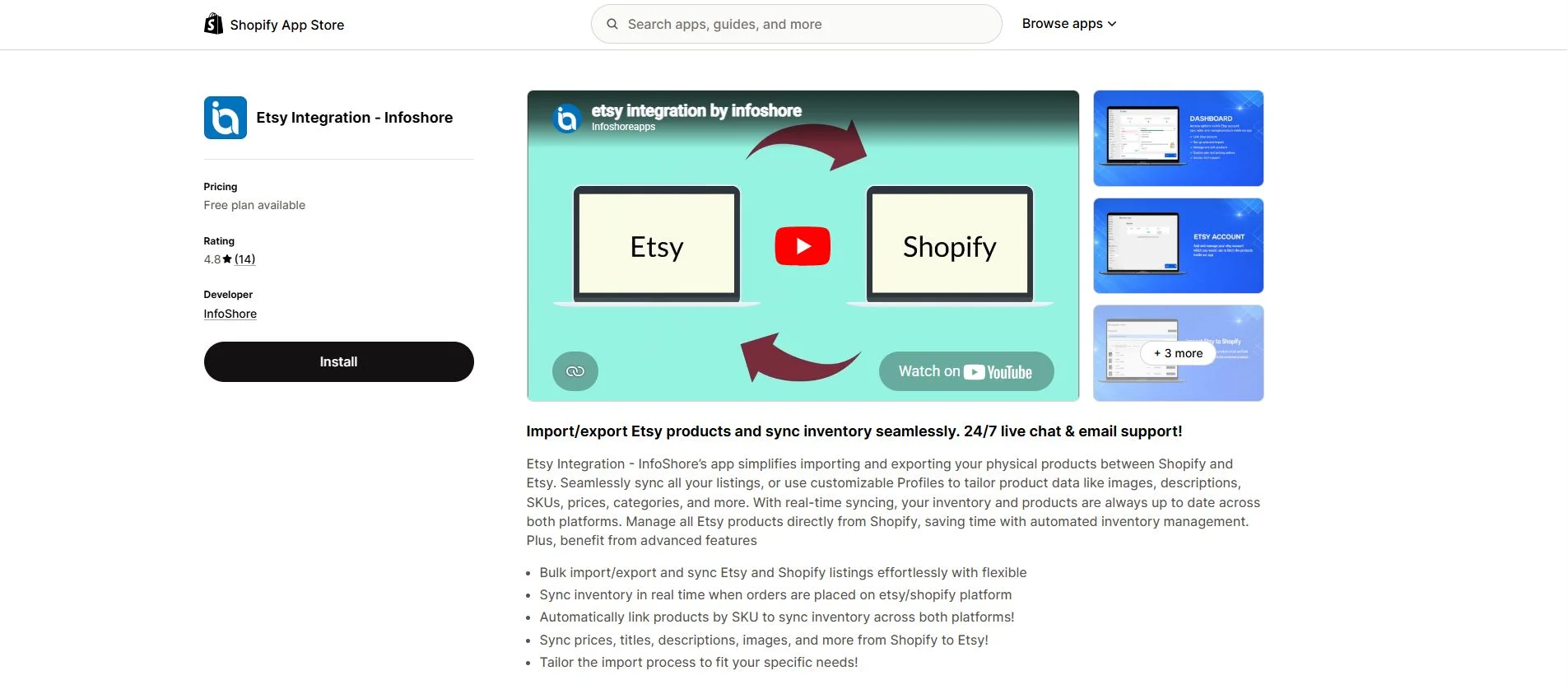
Key features:
- Bulk import and export of Etsy listings to and from Shopify
- Real-time inventory sync when orders are placed on either platform
- Automatic product linking by SKU across both stores
- Customizable import profiles to tailor data mapping per product type
Pricing: From $0 to $59.99 per month
Best Practices to Successfully Import Etsy Products to Shopify
No matter which method you use to import Etsy products to Shopify, the quality of your results depends just as much on preparation as it does on execution. These best practices will help you avoid the most common pitfalls and ensure your new Shopify store launches cleanly from day one.
1. Audit your Etsy catalog before you migrate
Review every listing in your Etsy store before transferring anything. Remove out-of-stock products, delete duplicates, and archive anything outdated or no longer relevant to your brand. Migrating a messy catalog only creates a messy Shopify store, and cleaning up after takes far longer than doing it up front.
2. Optimize your product images before the transfer
Shopify's image CDN works best with high-resolution originals, so make sure you import images with good quality. Rename image files descriptively and ensure they're free of any Etsy-specific overlays or watermarks before the transfer begins.
3. Always run a test migration first
Regardless of which method you choose, always validate a small batch of 10–15 products before running the full import. Reviewing these first reveals formatting issues and mapping errors before they affect your entire store.
4. Back up your Etsy data before starting
Download and save a complete copy of your Etsy export CSV before initiating any migration. This way, if something goes wrong mid-transfer–a corrupted file, an accidental overwrite, or an app error– you'll have a clean original to fall back on.
5. Review SEO fields after the import
Meta titles and descriptions don't always carry over cleanly. After the import Etsy products to Shopify, pay close attention to products with long Etsy titles, as these can sometimes get truncated during the transfer.
H2. Import Etsy Products to Shopify – FAQs
How can I import Etsy products to Shopify?
There are three main ways to import Etsy products to Shopify:
- Method 1. Manually import Etsy products using CSV files.
- Method 2. Import with LitExtension migration service.
- Method 3. Import via Shopify apps.
Each method comes with its own benefits, so make sure to review each one carefully before choosing the best approach for your business.
How to import Shopify CSV files?
To import a CSV file into Shopify, please follow these steps:
- Step 1. Go to your Shopify Admin → Products → Import.
- Step 2. Click Add file and select your prepared CSV from your computer.
- Step 3. Choose whether to overwrite existing products with matching handles, then click "Upload and continue."
- Step 4. Review the import, then click "Import products" to begin.
Can I export products from Etsy?
Yes, Etsy allows you to export your product listings as a CSV file directly from your Shop Manager. To do so:
- Step 1. Go to Shop Manager → Settings → Options → Download Data
- Step 2. After that, click Download CSV under the Listings section
Final Words
And that's the end of our guide to import Etsy products to Shopify. Whichever path you take, Shopify gives you the brand ownership, customer relationships, and long-term scalability that Etsy simply can't match. The hard part isn't making the move, it's making it correctly.
For more guides, tips, and eCommerce migration resources, be sure to explore our LitExtension Blog and Resources to explore additional platform reviews and eCommerce guides for success.


