As one of the most popular eCommerce platforms, Shopify makes it easy for anyone to launch an online store. However, getting consistent traffic through SEO is an entirely different story, especially as more and more brands enter the market. That’s why we are here to show you how to improve Shopify SEO!
In this guide, we’ll walk you through 15 practical, actionable tips you can start applying immediately, including:
- 1. Set up analytics and search tools
- 2. Build a clear site structure
- 3. Optimize your Shopify store domain
- 4. Improve site speed
- 5. Target the right keywords
- 6. Create keyword clusters
- 7. Leverage blog content
- 8. Optimize product and category pages
- 9. Refine titles and meta tags
- 10. Clean up URL structure
- 11. Optimize image alt text
- 12. Add structured data
- 13. Build quality backlinks
- 14. Use SEO apps strategically
- 15. Optimize for AI search
Let’s get started.
How to Improve Shopify SEO: Top 15 Tips
To improve Shopify SEO in 2026, you need to combine technical setup (analytics, site structure, speed), on-page optimization (keywords, content, metadata), and off-page strategies (backlinks, apps, AI search readiness):
1. Set up analytics and search tools
We recommend you install Google Analytics 4, Google Search Console, or similar tools for your Shopify store.
- In GA4, create at least 3 key events: view_item, add_to_cart, and purchase. This allows you to see which traffic sources actually generate revenue.
- In Search Console, submit your sitemap (/sitemap.xml) and then check the “Pages” report weekly. If you see pages marked as “Crawled – currently not indexed,” update those pages by adding at least 300–500 words of unique content and internal links, then request indexing again.
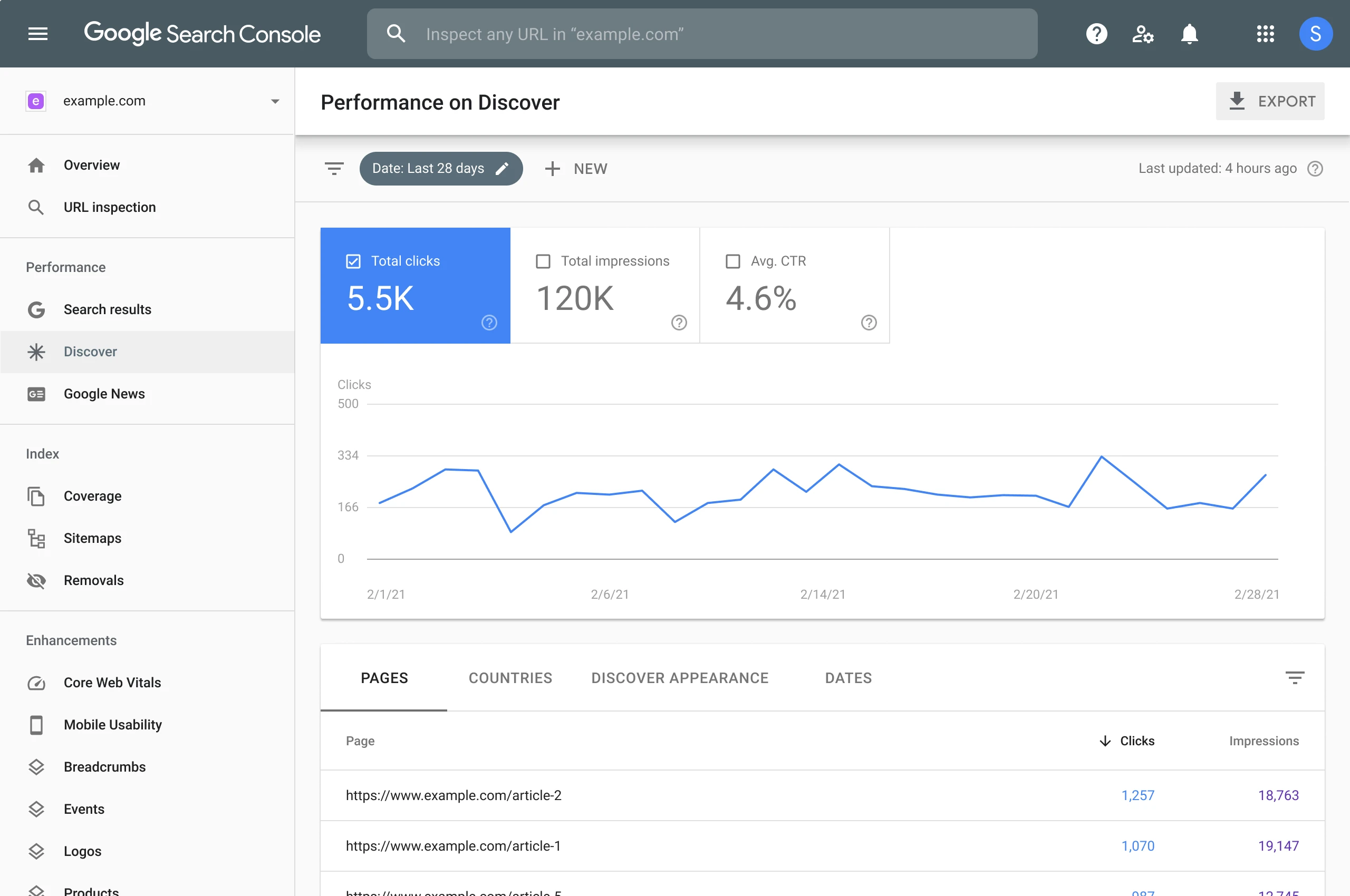
Also, go to the “Queries” tab and look for keywords ranking in positions 8–20, as these are your easiest quick wins. You should optimize those pages first to push them into the top 5.
2. Build a clear site structure
Here’s a practical rule on Shopify: no product should be more than 3 clicks from the homepage. For example, a clean structure would look like:
Home → Men’s Shoes → Running Shoes → Product.
Do not create overlapping collections like “Running Shoes,” “Sports Shoes,” and “Athletic Shoes” if they contain similar products, because this splits ranking signals. Instead, keep one main category and use filters (size, color, brand) inside it.
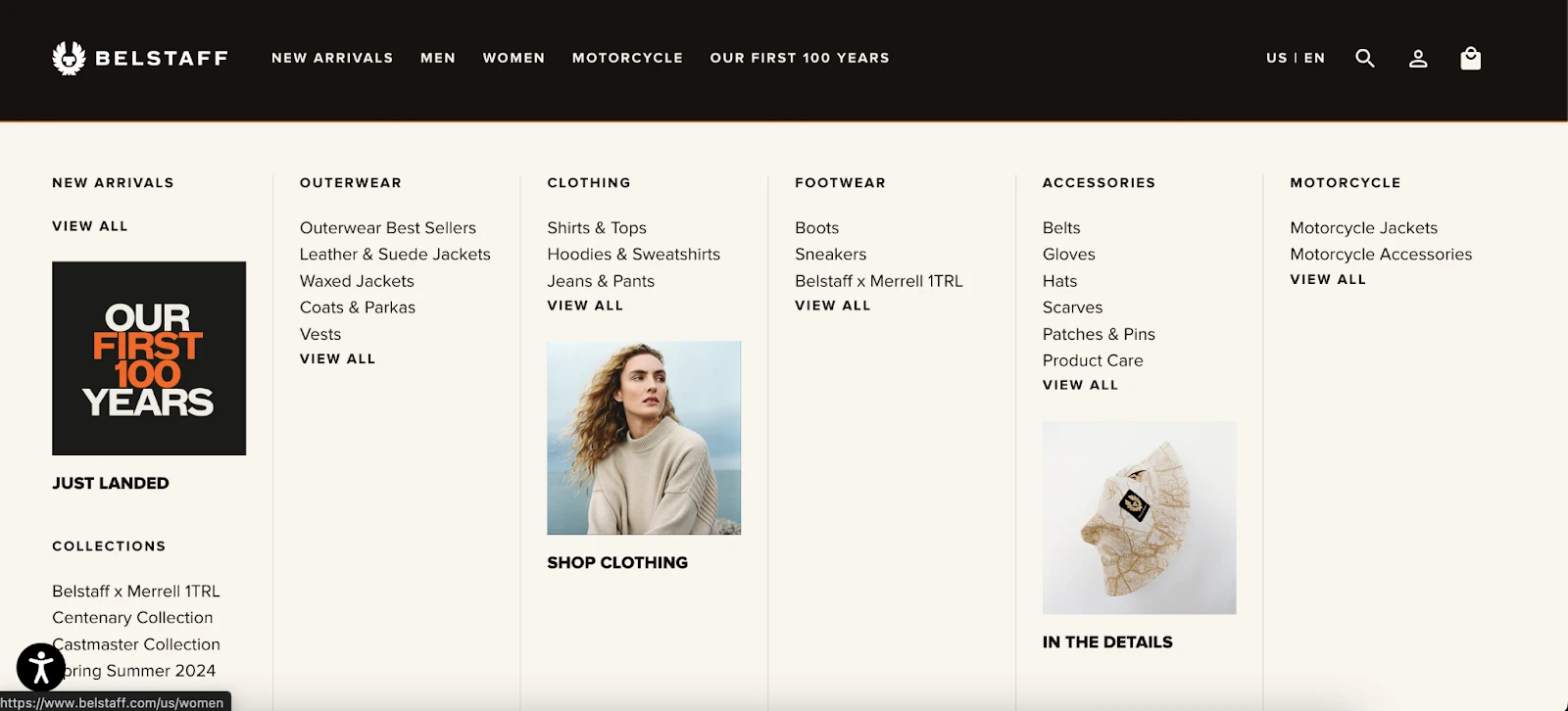
Also, add internal links manually. For example, on a Shopify product page, you can include a “Related products” section or a short paragraph linking back to its collection (e.g., “Explore more in our Running Shoes collection”). We suggest aiming for 3–5 internal links per page to help search engines crawl deeper and distribute authority.
3. Optimize your Shopify store domain
If you haven’t already, switch from yourstore.myshopify.com to a custom domain. It typically improves click-through rates because users trust it more!
When choosing a domain, keep it under 15 characters if possible and avoid anything hard to spell. For example, veloshoes.com is far more effective than best-running-shoes-online-store.com.
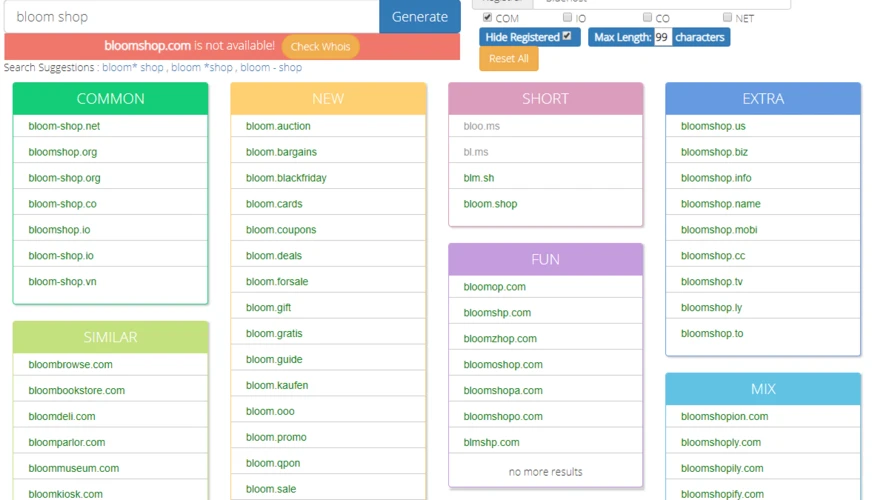
After setting your domain, go into Shopify settings and ensure only one version is live (e.g., https://www.yoursite.com), then redirect all other versions (http, non-www) to this primary domain. You can quickly check this by typing different versions into your browser; if they don’t all redirect to one, fix it immediately to avoid duplicate content issues.
4. Improve site speed
Shopify merchants should aim for a load time under 3 seconds for their store. Anything above that significantly increases bounce rates!
To do so, first, compress all images before uploading (target under 200KB per image). Tools like TinyPNG or built-in Shopify compression can help you with this task.

Next, audit your apps. Many merchants install 10–20 apps, but keep in mind that each one can add extra scripts. So try disabling unused apps and re-test your speed; you can often gain 0.5–1 second improvement just from this step.
After that, run your store through Google PageSpeed Insights and focus on fixing the top 2–3 issues it highlights (e.g., “Reduce unused JavaScript” or “Defer offscreen images”). You don’t need a perfect score; getting from 40 to 70 already makes a noticeable SEO and UX impact.
5. Target the right keywords
Next, instead of chasing high-volume keywords, it’s best to focus on keywords with clear buying intent.
For example, “running shoes” (100K searches) is highly competitive. Meanwhile, “men’s waterproof trail running shoes” (1–2K searches) is much easier to rank and converts better. You can use tools like Ahrefs or Ubersuggest and filter keywords by:
- Difficulty: under 30
- Search volume: 100–5,000
- Intent: includes modifiers like “best,” “buy,” “for [specific need]”
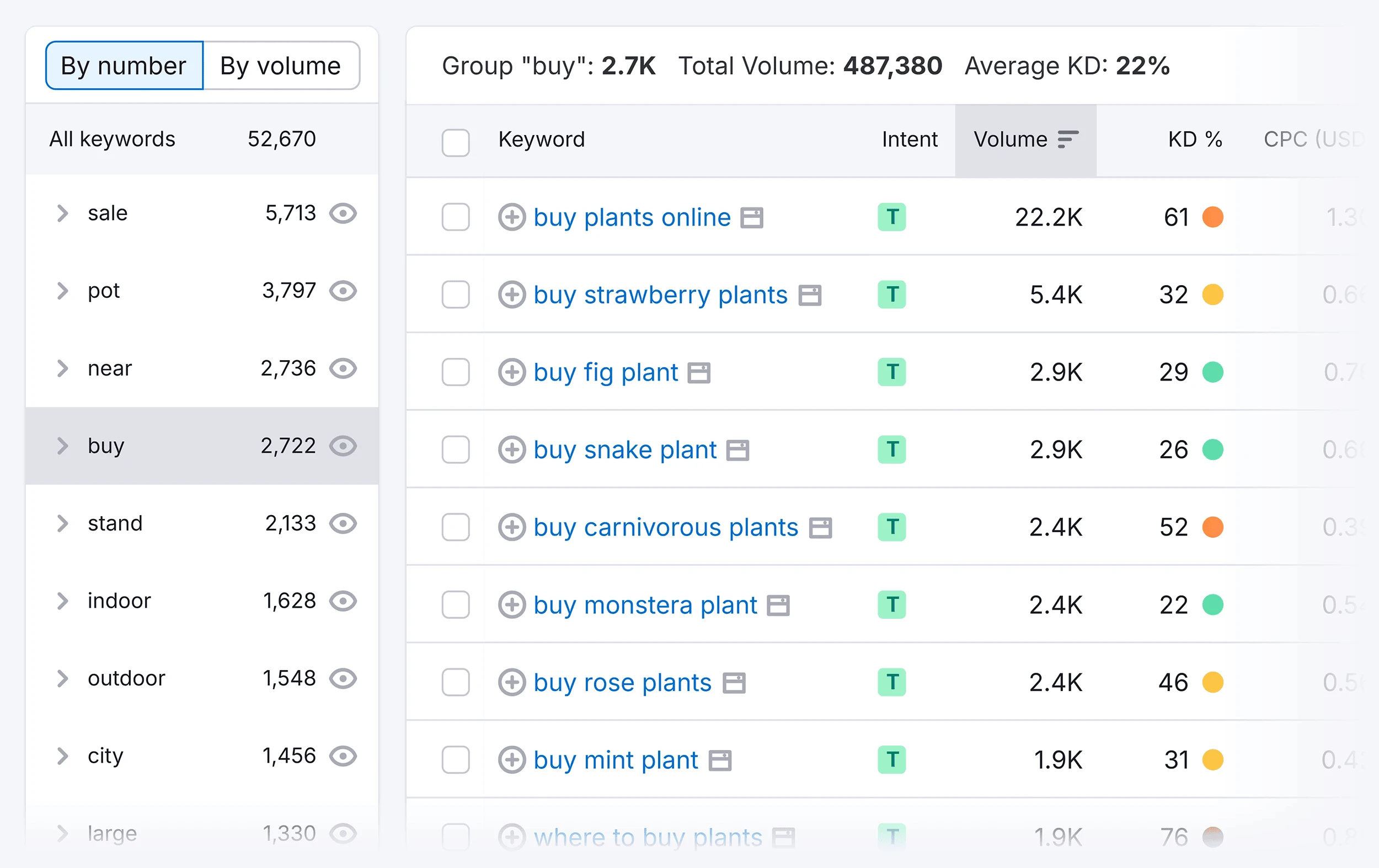
Then assign one primary keyword per page (e.g, Your product page should target a specific long-tail keyword, while your collection page targets a broader term). Avoid targeting the same keyword on multiple pages, as it usually leads to keyword cannibalization.
6. Create keyword clusters
Another tip is to pick one main topic and build a cluster around it. For example:
- Main keyword: “running shoes”
- Supporting keywords: “best running shoes for beginners,” “running shoes for flat feet,” “lightweight running shoes”
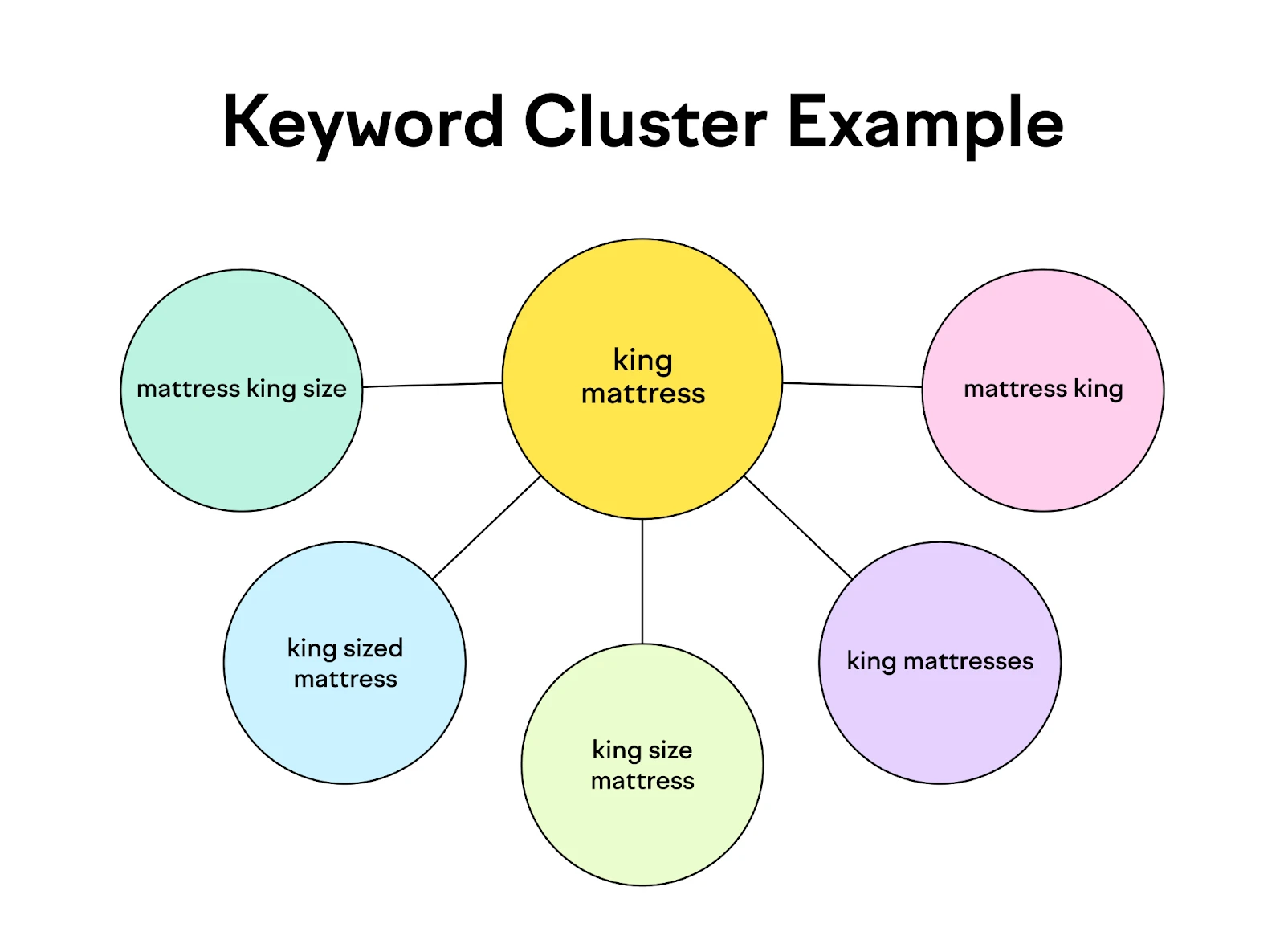
Next, you can create one main collection page targeting the primary keyword, then support it with 3–5 blog posts targeting the variations. Each blog post should link back to the main collection using anchor text (e.g., “browse our running shoes collection”).
Also, interlink the blog posts themselves. For example, your “best running shoes for beginners” article can link to “running shoes for flat feet” to help create a consistent content network that signals topical authority. Over time, this structure helps you rank for multiple related keywords, not just one.
7. Leverage blog content
It’s advised to aim to publish at least 2–4 blog posts per month, each targeting a specific long-tail keyword. A good format is:
- 1 buying guide (e.g., “Best running shoes for beginners”)
- 1 problem-solving post (e.g., “How to choose running shoes for flat feet”)

Each blog should be 800–1,500 words, include your target keyword in the title, H1, and at least 2–3 subheadings, and naturally link to 2–5 products or collections. Plus, you may update old blog posts every 3–6 months by adding new internal links or refreshing content; this strategy can boost rankings without creating new articles from scratch.
8. Optimize product and category pages
Keep in mind that your Shopify product and collection pages are where rankings turn into revenue, so they need more than just basic content.
For product pages, aim for at least 300–500 words of unique description. Here’s a simple structure that works: short intro (2–3 sentences), key benefits in bullet points, then a detailed description explaining use cases and features. Also, include your primary keyword in the product title, first 100 words, and at least one subheading.
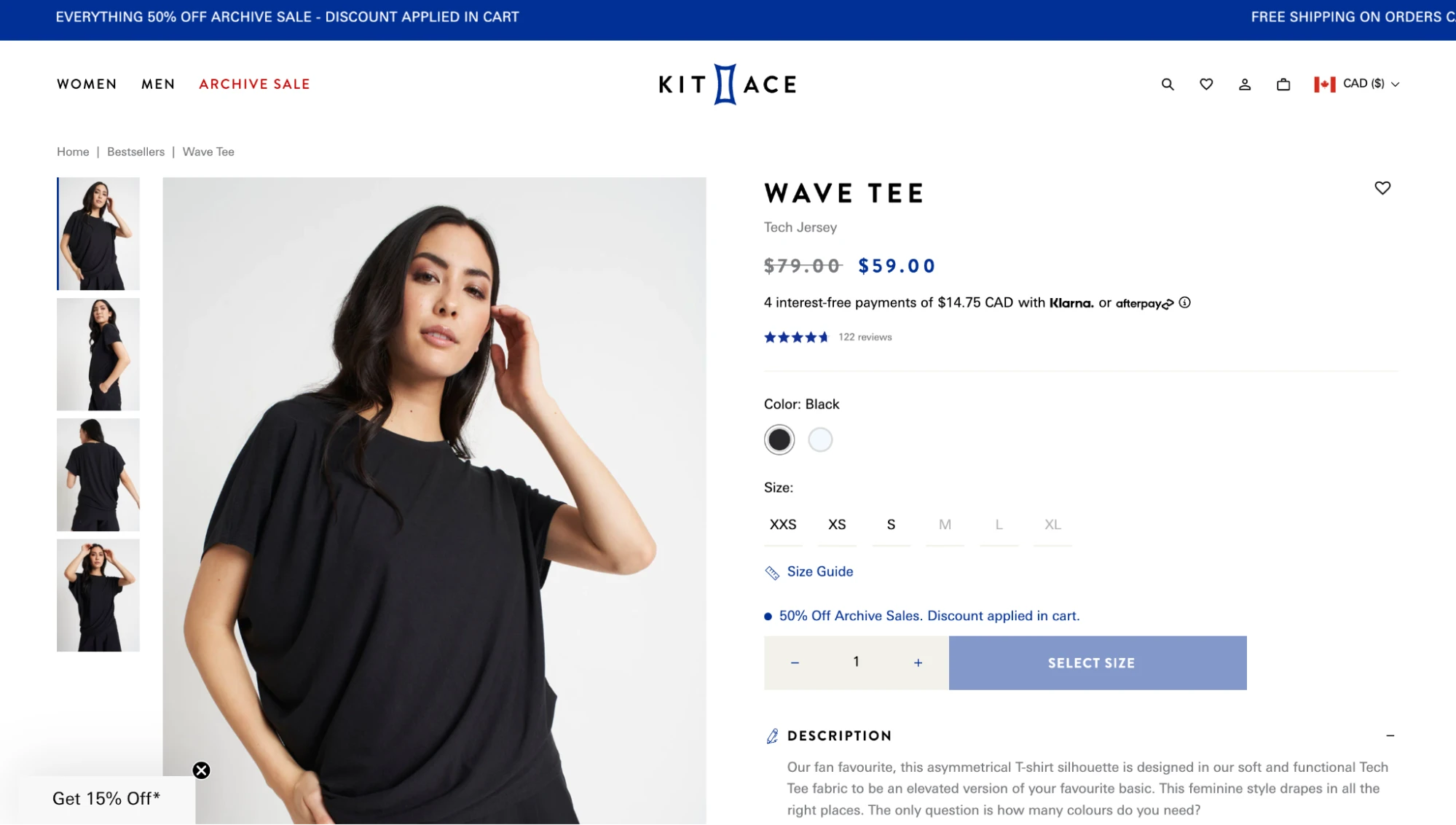
Meanwhile, for collection pages, you can add a 150-300 word intro at the top or bottom describing what the category includes and who it’s for. Also, avoid thin pages: if a collection has fewer than 5–10 products, consider merging it with another to maintain SEO strength.
9. Refine titles and meta tags
Your title tag is one of the strongest ranking factors, and it directly impacts click-through rate.
You should keep titles under 60 characters and place your primary keyword as close to the beginning as possible. Here’s a proven formula: Primary Keyword + Key Benefit | Brand Name (Example: “Waterproof Trail Running Shoes for Men | Velos”)
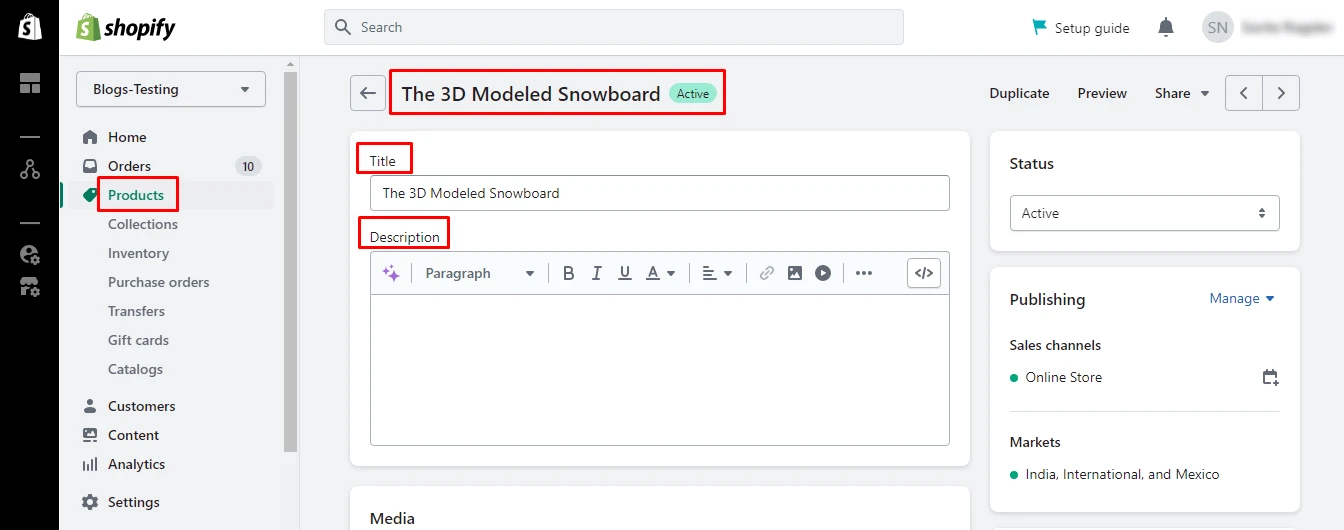
For meta descriptions, you should aim for 140–160 characters that focus on persuasion and not just keywords. One common way is to include 1–2 benefits and a soft CTA. For instance: “Shop lightweight, waterproof running shoes designed for comfort and durability. Free shipping on all orders.”
Another tip is to use Google Search Console to identify pages with high impressions but low CTR (<2%). Rewrite their titles and meta descriptions first: this is one of the fastest ways to gain more traffic.
10. Clean up URL structure
Needless to say, Shopify URLs should be kept as short and readable as possible. A good URL should be:
- Under 60 characters
- Include your main keyword
- Avoid unnecessary words like “and,” “the,” or numbers
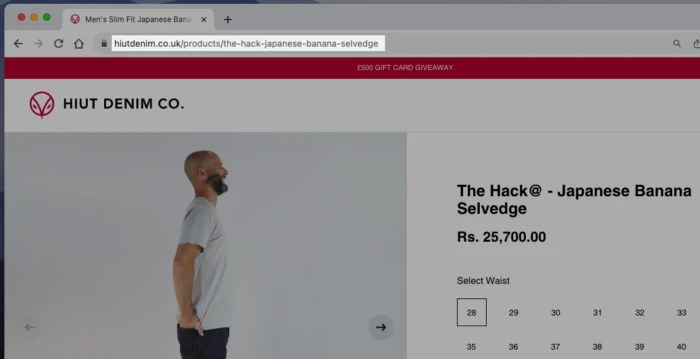
And even though Shopify includes /products/ and /collections/, you should still optimize the handle (slug). Always edit URLs before publishing pages; changing them later requires setting up redirects.
Note: After updating any URL, create a 301 redirect in Shopify to avoid losing existing rankings or traffic.
Want to Migrate SEO URLs?
Our service preserves your exact URLs to ensure a smooth user experience, no broken links.

11. Optimize image alt text
Alt text helps search engines understand your images and can drive traffic from Google Images. So, instead of leaving alt text blank or generic, describe the image clearly using your keyword.
- Bad example: “image1.jpg”
- Good example: “men’s waterproof running shoes.
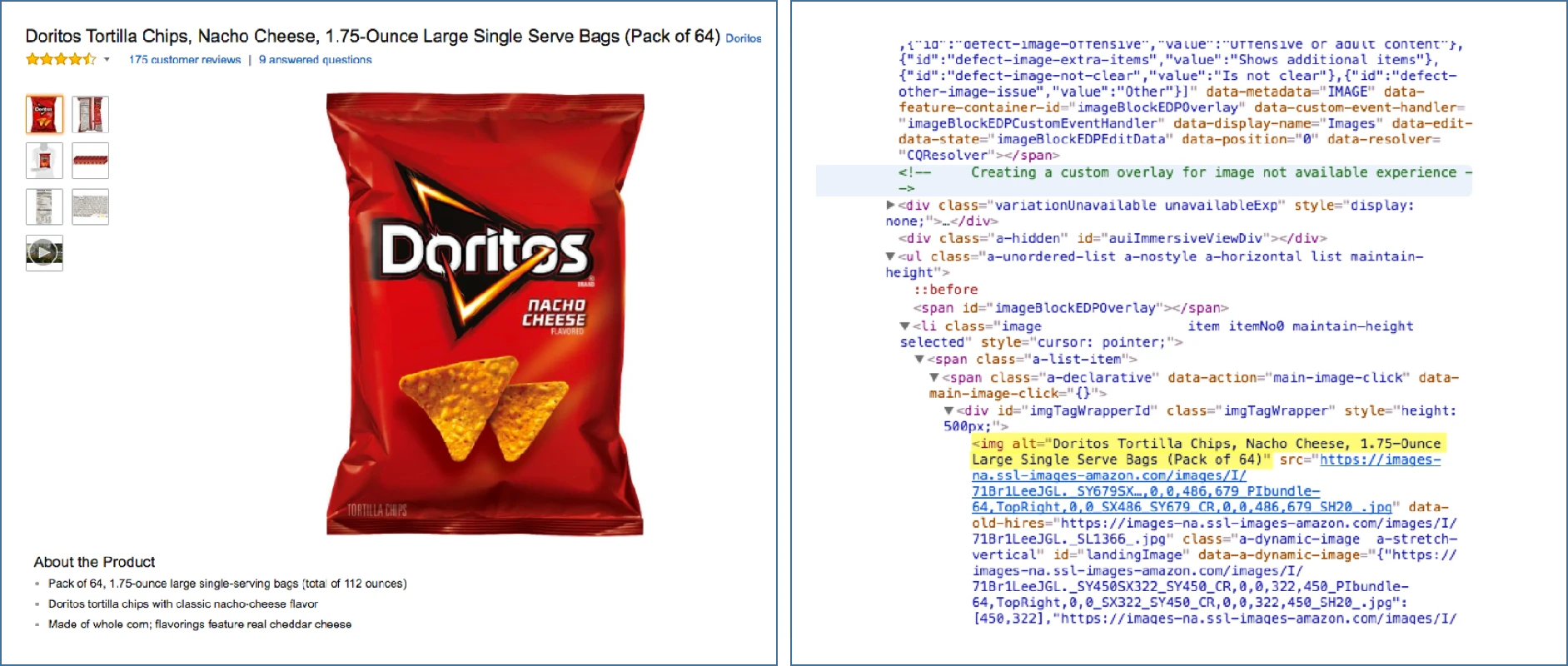
Keep alt text under 125 characters and make it descriptive. If you have 20+ images on a store, updating alt text alone can create dozens of additional keyword signals across your site – an easy win many stores ignore.
12. Add structured data
Structured data (or schema markup) helps search engines display rich results like star ratings, price, and availability directly in search results.
At a minimum, your store should include:
- Product schema (price, availability, reviews)
- Breadcrumb schema (for navigation)
- Article schema (for blog posts)
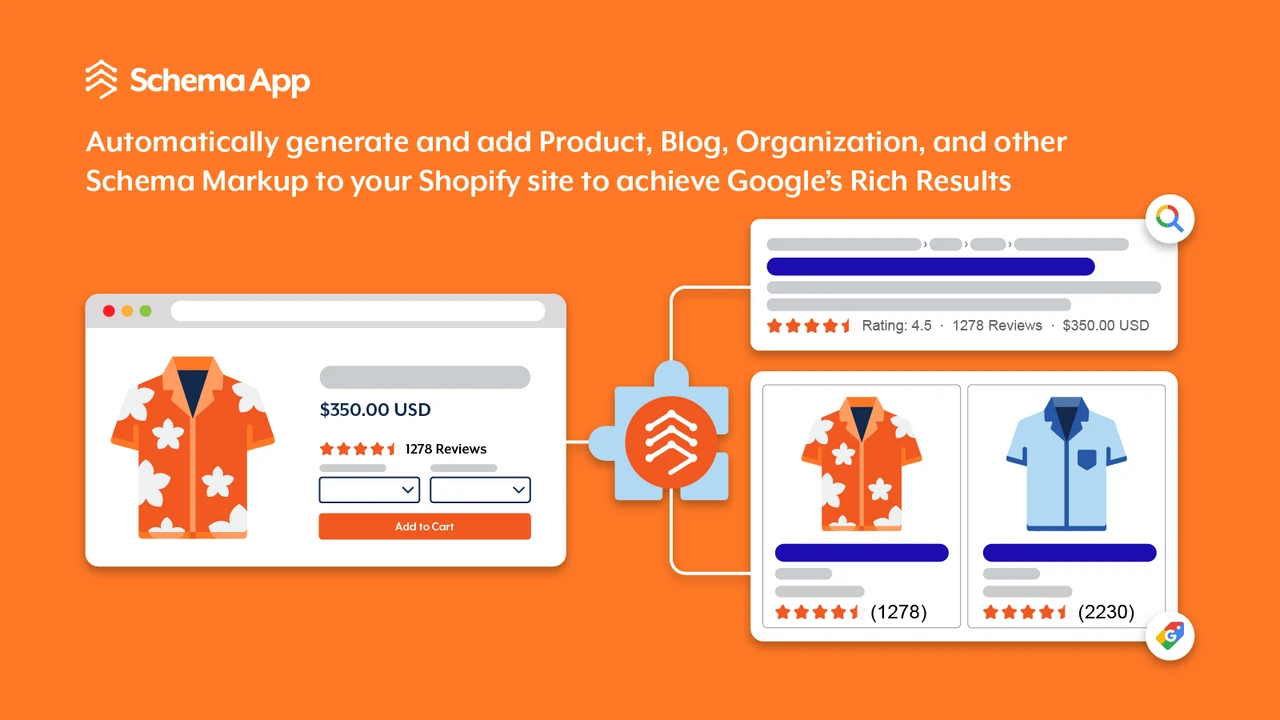
Most modern Shopify themes include basic schema, but you should verify it using Google’s Rich Results Test. If your products don’t show review stars or pricing in search results, you’re missing an opportunity to improve CTR. Plus, you can also use apps or lightweight custom code to enhance schema further (especially for FAQs on product pages), which can help you capture more SERP real estate.
13. Build quality backlinks
Backlinks remain one of the strongest ranking factors, but quality matters far more than quantity.
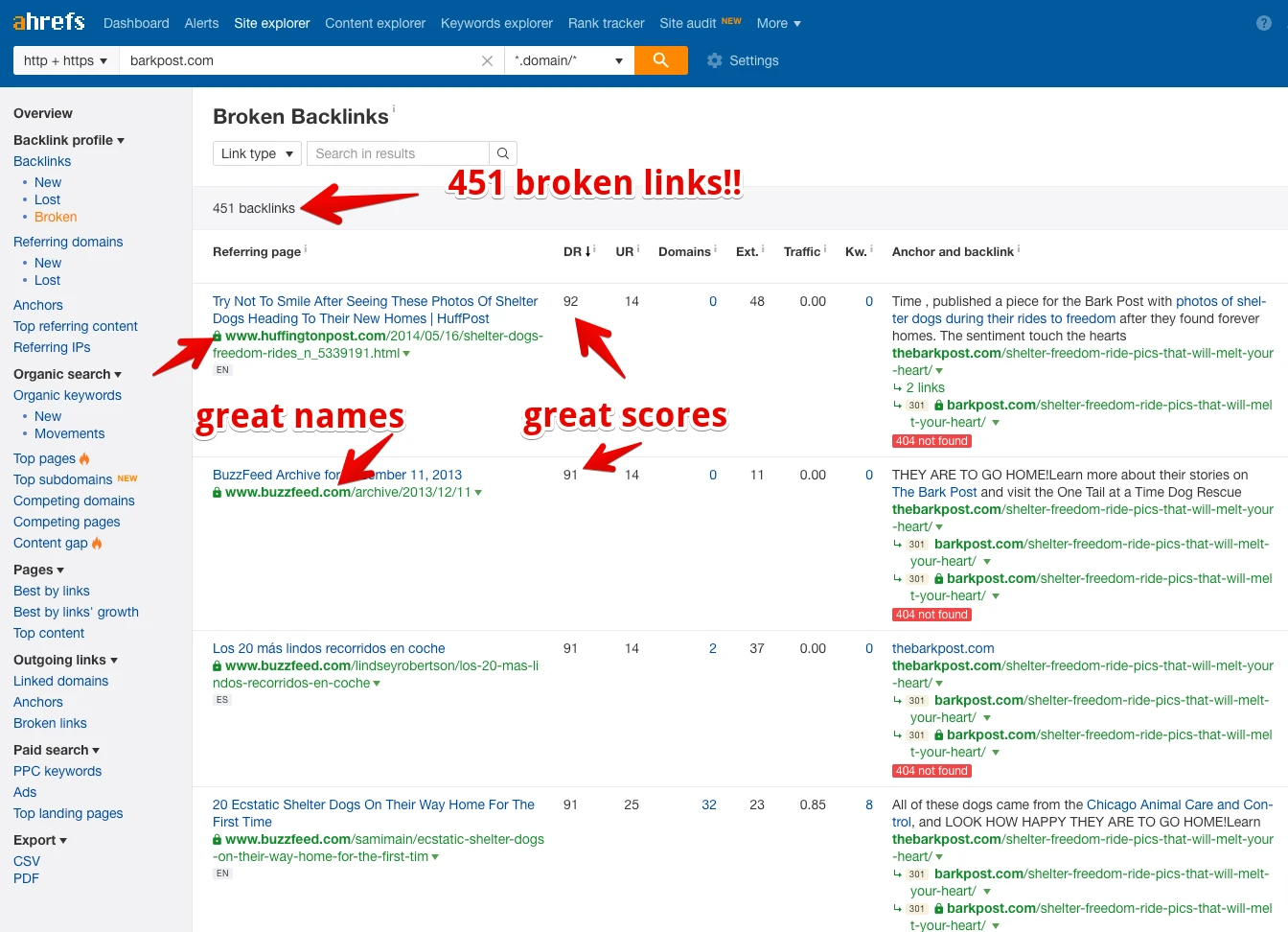
One common mistake is chasing hundreds of low-quality links; rather, it’s best to aim for 5–10 high-quality backlinks per month. For example, if you sell fitness gear, getting featured on a niche fitness blog is far more valuable than a random directory link. You can use Ahrefs to analyze competitors’ backlinks: look for sites linking to them and reach out to those same sources.
14. Use SEO apps strategically
Though there are many Shopify apps that can boost SEO, they only work best if used selectively. Otherwise, installing too many apps can slow down your site and hurt performance.
We suggest you start with 1–2 core apps for specific purposes, such as:
- Image optimization
- Schema markup
- Meta tag management
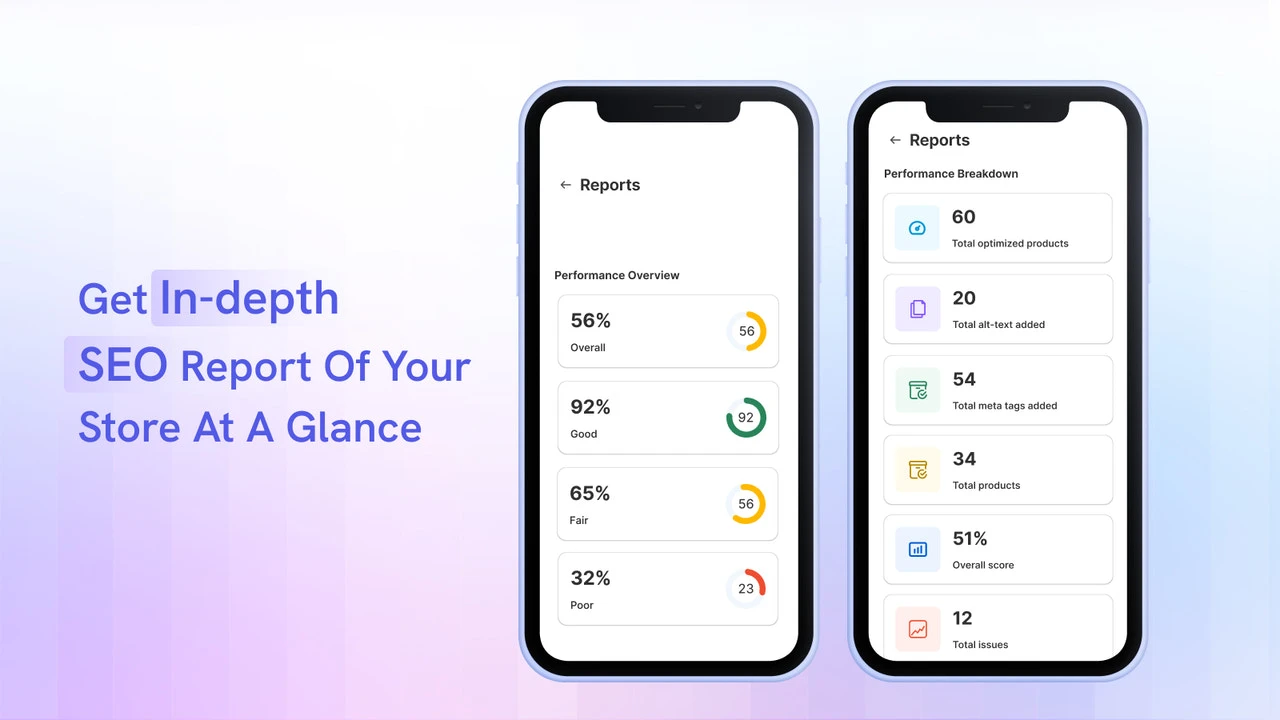
All in all, you should avoid “all-in-one SEO apps” unless you actually use most of their features; instead, pick apps that solve a clear problem. Make sure to review your apps every 2–3 months and remove anything unused.
15. Optimize for AI search
Last but not least, in recent years, due to the introduction of AI tools (like ChatGPT) and features like Google’s AI Overview, search is evolving beyond traditional keywords. In fact, according to PewResearch, only 8% of users clicked on a traditional search result when an AI Overview was present, compared to 15% when no AI Overview was shown (nearly double the click-through rate).
Hence, your content needs to answer questions clearly and directly, which means you need to focus on conversational, intent-driven content rather than just keyword placement.
- Use clear headings (H2, H3) and concise answers (40–60 words per answer). This makes your content easier for AI systems and search engines to extract and feature.
- Add FAQ sections to product and blog pages. A simple 3–5 question FAQ can increase your chances of appearing in featured snippets and AI-generated summaries.
- Instead of only targeting “running shoes,” include sections that answer questions like: “What are the best running shoes for beginners?” or “How do I choose running shoes for flat feet?”
What SEO Features Does Shopify Offer?
To implement the SEO tips above, you can rely on several built-in SEO features Shopify offers. That includes mobile-responsive themes, fast-loading infrastructure, customizable metadata, an integrated blogging system, and a consistent URL structure designed for search engine crawling:
1. Mobile-responsive design
Shopify enforces mobile responsiveness at the theme architecture level. All themes in the Shopify Theme Store are required to be mobile-optimized before approval, which means layouts, grids, and components are designed with responsive breakpoints from the start.
As a result, you’re far less likely to run into common mobile issues like content shifting, hidden elements, or broken layouts that can hurt Core Web Vitals. Shopify themes also use a single responsive codebase instead of separate mobile URLs (like m.domain.com), which eliminates duplicate content risks and simplifies indexing.
2. Fast-loading infrastructure
Shopify’s performance advantage comes from its fully managed SaaS infrastructure, which is very different from self-hosted platforms.
Every store runs on Shopify’s global server network and is automatically connected to a built-in CDN powered by providers like Cloudflare. That means static assets (images, CSS, JavaScript) are cached and delivered from servers closest to the user without any manual setup. Shopify also handles server-side optimizations like HTTP/2, TLS, and caching rules automatically – things you would normally need to configure yourself on platforms like WooCommerce.
3. Customizable meta tags
Next, Shopify gives you direct access to SEO fields for each page type (products, collections, blogs, and pages). Still, what makes it distinctive is how it combines manual control with Liquid-based templating.
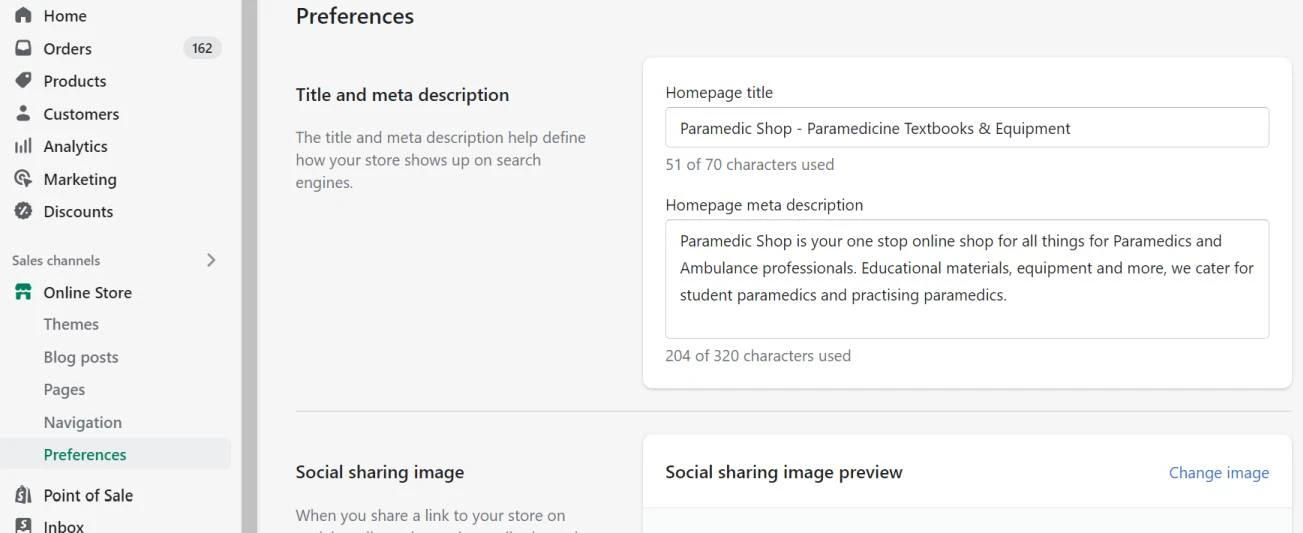
Specifically, through Shopify’s Liquid engine, you can dynamically generate meta tags at scale. For example, you can create a template that automatically inserts product attributes (like brand or category) into title tags across hundreds of products. This feature is especially useful for large catalogs where manual optimization would be impractical.
At the same time, Shopify also auto-generates canonical tags to prevent duplicate content issues, particularly important for product pages that can appear in multiple collections. This built-in canonicalization ensures that search engines understand which version of a page should be indexed, helping consolidate ranking signals without requiring additional plugins.
4. Built-in blogging system
Shopify’s blogging feature is tightly integrated with the rest of your store, which gives it a practical SEO advantage over external CMS setups. Blog content lives on the same domain (e.g., /blogs/news/…), so any traffic and backlinks it generates directly contribute to your store’s overall domain authority.
Furthermore, Shopify allows seamless internal linking between blog posts, products, and collections within the same system. It even automatically generates RSS feeds and includes basic structured data for articles, which helps search engines discover and index your content faster.
5. SEO-friendly URL structure
Lastly, Shopify enforces a fixed but clean URL hierarchy: all products follow /products/, collections use /collections/, and blog content uses /blogs/. While this structure isn’t fully customizable, it prevents messy or deeply nested URLs that can confuse search engines.
More importantly, Shopify automatically creates and maintains 301 redirects when you change a page’s URL handle. This is a critical feature that many platforms don’t handle well by default. It ensures that any existing rankings or backlinks pointing to the old URL are preserved and passed to the new one.
In addition, Shopify also generates canonical URLs for products that appear in multiple collections, avoiding duplicate indexing issues. Combined with clean, keyword-based handles, this system helps search engines crawl and understand your site structure more efficiently.
Why Investing in Shopify SEO Is Necessary
Investing in Shopify SEO helps you build sustainable visibility and capture high-intent traffic over time:
- Rising competition in eCommerce: More stores are entering the market every day, which makes it harder to rank organically without a clear SEO strategy that helps you stand out.
- Declining effectiveness of paid ads: Increasing ad costs and lower ROI mean relying solely on paid traffic is unsustainable. SEO, on the other hand, provides a more cost-efficient long-term channel.
- Growth of zero-click and AI-driven search: With AI Overviews and rich results answering queries directly, only well-optimized content has a chance to be featured and remain visible.
- Long-term compounding results: Unlike ads that stop generating traffic when you stop spending, SEO continues to drive traffic and revenue over time as your content and authority grow.
3 Pitfalls to Avoid When Improving Shopify SEO
Even with the right strategies in place, certain common mistakes can limit your SEO performance. Avoiding these pitfalls will help ensure your efforts actually translate into rankings and traffic:
Overusing tags and creating duplicate content
Shopify automatically generates tag-based pages (e.g., /collections/shoes/red), but these pages often have little to no unique content. If you create too many tags, you end up with dozens (or even hundreds) of near-duplicate pages competing with each other. This issue confuses search engines and dilutes ranking signals.
A practical fix is to limit tags to internal filtering purposes only and prevent low-value tag pages from being indexed. Focus instead on optimizing core collection pages with real content and clear keyword targeting.
Ignoring pagination and crawl budget
Large Shopify stores often have collection pages spread across multiple pages (e.g., ?page=2, ?page=3). However, these are rarely optimized or even considered in SEO strategies. If not handled properly, search engines may waste crawl budget on paginated pages instead of indexing your most important content.
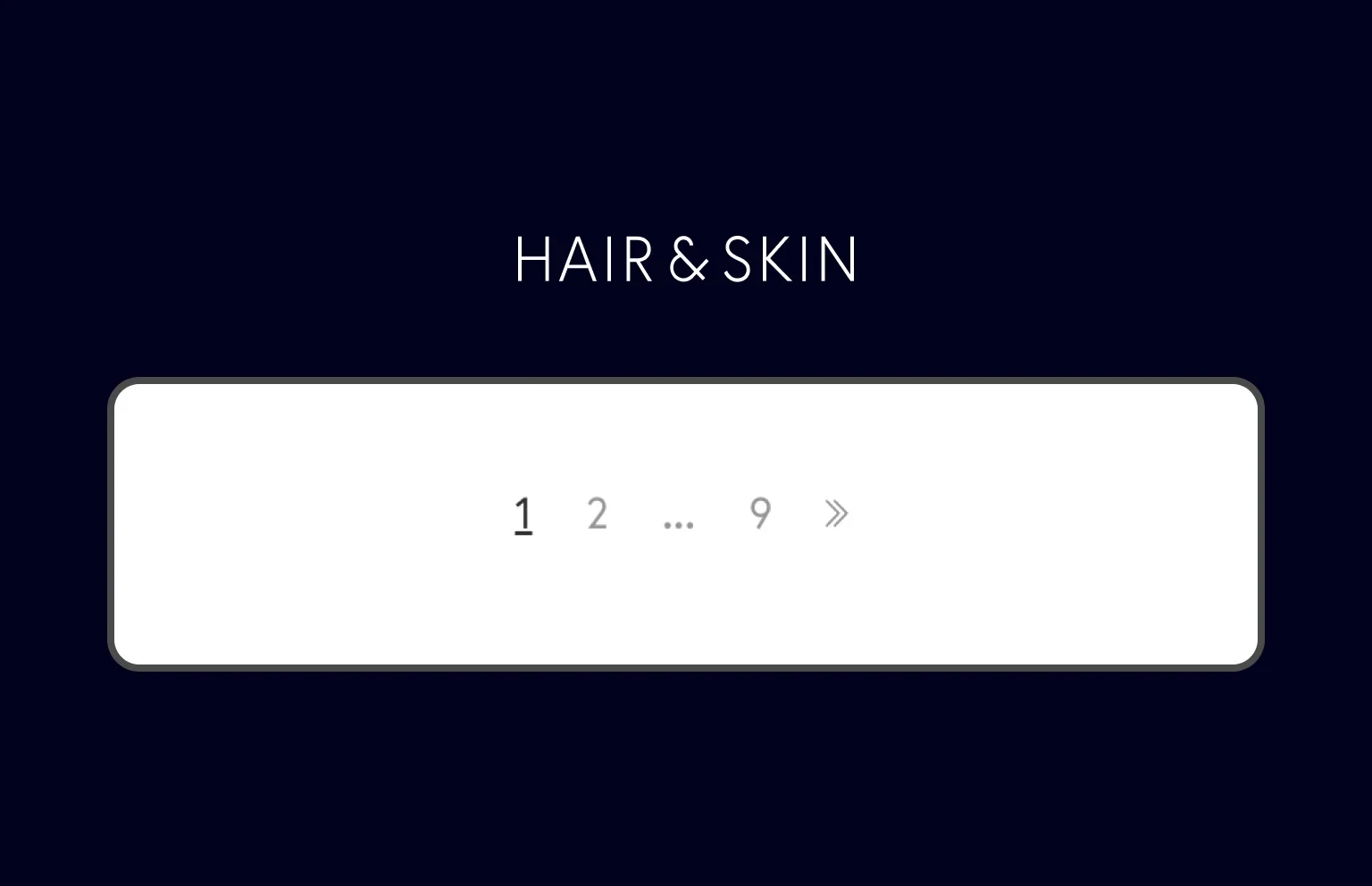
To avoid this, ensure your primary collection pages are well-optimized and internally linked, while paginated pages don’t compete for rankings. Keeping your site structure clean and focused helps search engines prioritize the pages that play the biggest roles in your business.
Relying too much on apps
Many Shopify users install multiple SEO apps expecting instant results.
However, as mentioned above, apps alone don’t improve rankings. In fact, over-reliance on apps can lead to bloated code and conflicting optimizations.
At the end of the day, remember that SEO success comes from strategy, including keyword targeting, content quality, and site structure. Apps should only support your efforts (e.g., automating schema or image optimization), not replace them.
How to Improve Shopify SEO: FAQs
What are the 3 C's of SEO?
The 3 C's of SEO are Content, Code, and Credibility. They form the foundational framework for improving search engine visibility.
Is Shopify still worth it in 2026?
Yes, Shopify is absolutely worth it in 2026. It remains a top-tier, reliable, and user-friendly platform for launching and scaling eCommerce brands
Can ChatGPT do SEO for Shopify stores?
Yes, ChatGPT can significantly assist with SEO for Shopify stores by generating product descriptions, meta titles, meta descriptions, and blog content. Plus, it can also help with keyword research and structured data.
Final Words
We have shown you how to improve Shopify SEO. Hopefully, each of these 15 tips plays a role in helping your store gain visibility and attract high-intent customers.
For more Shopify guidance, check out our blog and join our Facebook Community.