BigCommerce has taken an incredible step on the way of defining a powerful eCommerce platform. Always focusing on improving customer experience, BigCommerce never stops bringing customers better and better benefits with its most updated features. Amazingly, BigCommerce now offers customers many diverse and beneficial programs so that customers can try BigCommerce free trial version before officially purchasing.
For further information, let’s accompany LitExtension – #1 Shopping Cart Migration Expert to take a deep dive into the details of BigCommerce Free Trial via the following topics:
- The duration of BigCommerce Free Trial
- The guideline for building BigCommerce Store
- Post-activities after BigCommerce Free Trial
- Benefits of selling with BigCommerce
The journey starts now!
How Long Is The BigCommerce Free Trial?
Before we start, please see this table below to get the summary of BigCommerce Free Trial Length:
| Length | Deal | Available |
|---|---|---|
| 15-day | BigCommerce Standard Trial | Available by default after registration |
| 30-day | BigCommerce Standard, Plus, and Pro Plans | Available after selecting a plan |
| 60-day | BigCommerce Pro Plan | Available after selecting a plan |
| 90-day | BigCommerce & Affiliate Partners Special | Available when registering with a partner code or through a partner landing page |
#1. BigCommerce 15-day free trial
Starting from the minimum level of BigCommerce free trial length, we have a 15-day free trial option as a default offer from BigCommerce. 15 days of the free trial program will start whenever you register your new BigCommerce account.
Let’s get your wonderful 15 days using this basic instruction:
- Get access to the BigCommerce website
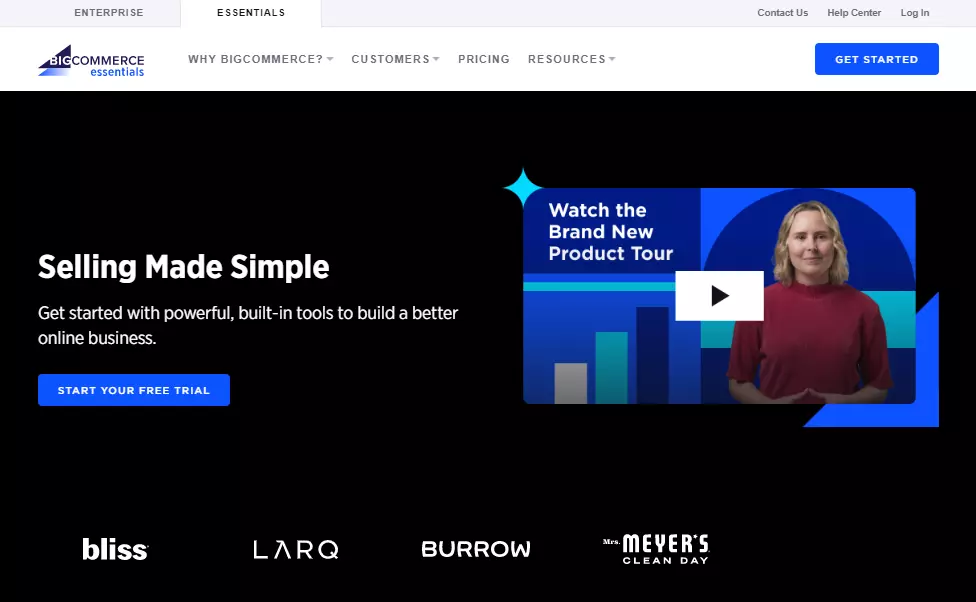
- Click GET STARTED or START YOUR FREE TRIAL to create your account
- Fill in the registration form. Completing this form will directly lead you to your new BigCommerce store’s dashboard as well as your free trial deal with no credit card required and no strings attached.
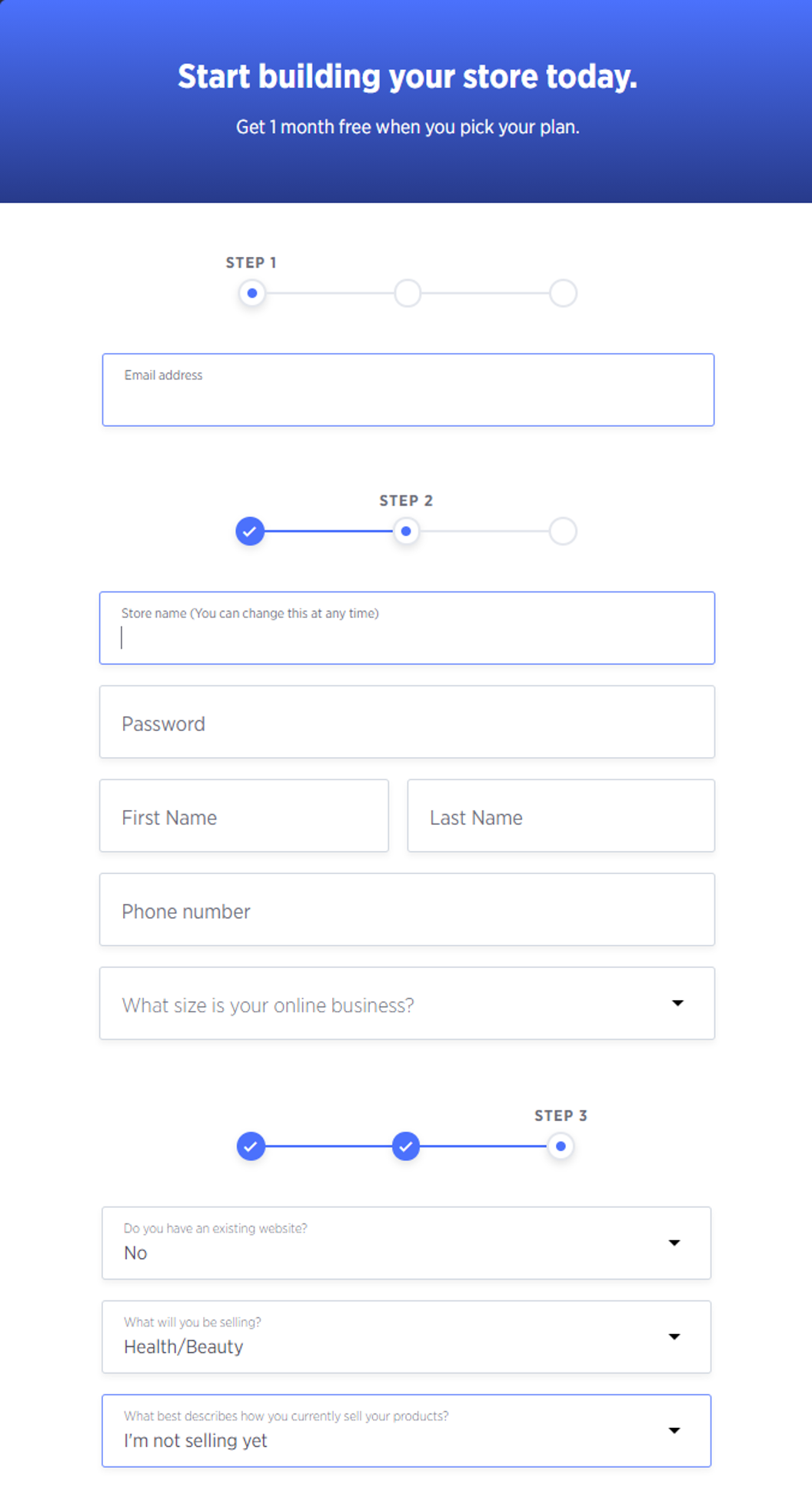
In case you need more assistance, you can always contact the BigCommerce support team via multiple channels 24/7.
#2. BigCommerce 30-day free trial
Basically, the free trial deal will get to its end after 15 days of the default offer. However, BigCommerce now creates a better world for all customers who upgrade their trial with an essential plan.
In summary, when signing up an essential account with the Standard, Plus or Pro Plan, you will get a 1-month BigCommerce free trial to test the chosen plan’s features without the need for any cards. After this first trial month, your account will be charged normally.
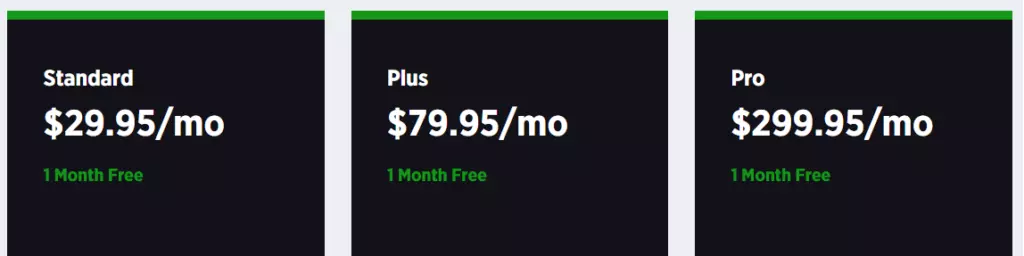
In case you already have your BigCommerce account and there are still available trial days, please follow the steps below for a great and free month with BigCommerce:
- Log in and get access to BigCommerce’s dashboard
- Click Upgrade your trial
- Fulfill the process and enjoy your free month
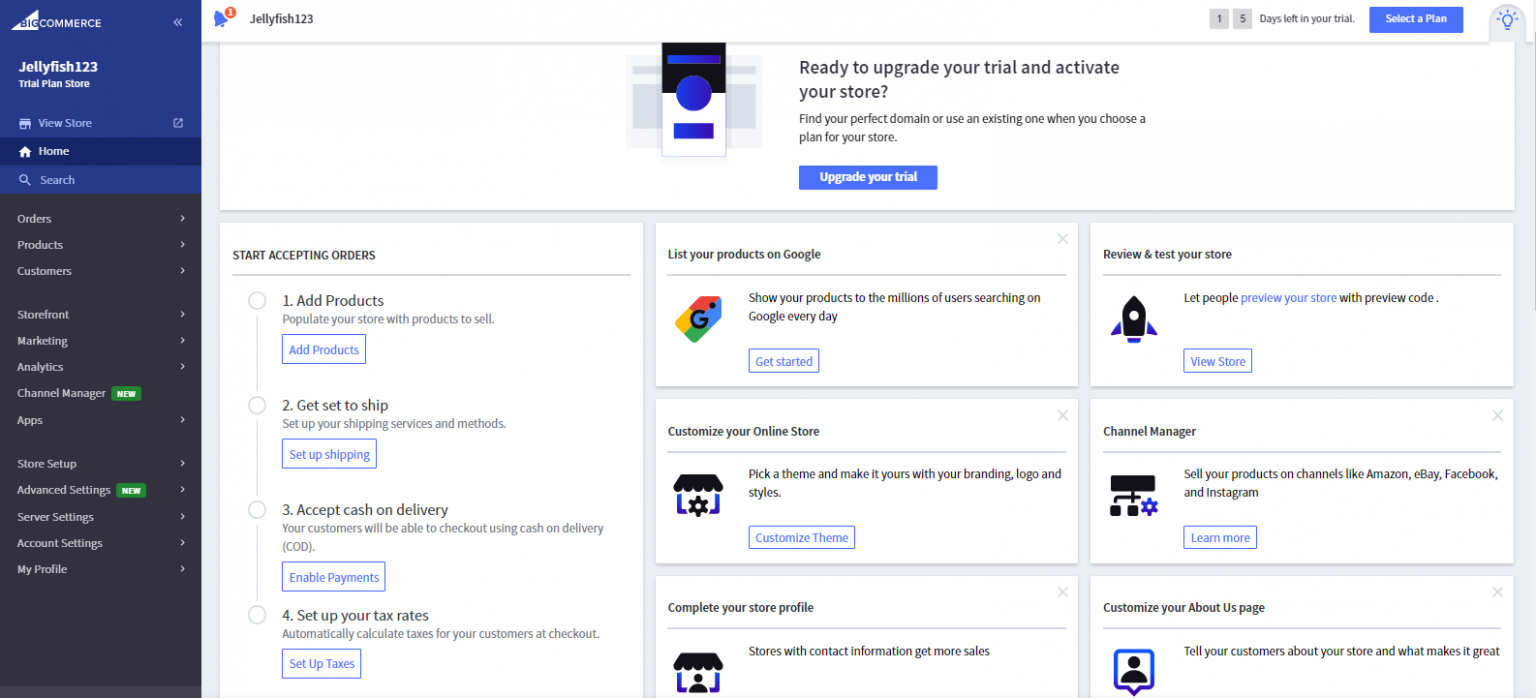
Are you still considering what BigCommerce Plan is your store’s perfect match? Let’s find your answer in our article here: BigCommerce Pricing – How Much Does BigCommerce Cost?
If BigCommerce is still new to you, let’s get to the BigCommerce website and start creating a new account with an essential plan. After that, continue to proceed with the instructions above and start your journey.
#3. BigCommerce 60-day free trial
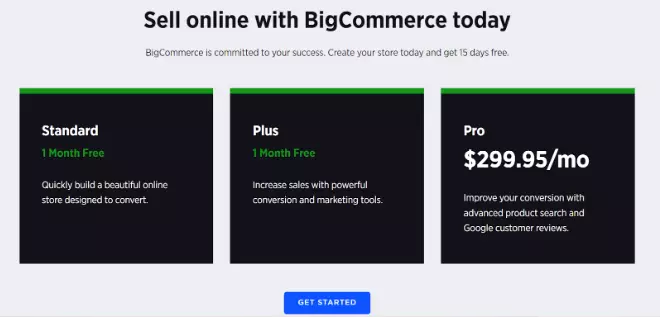
BigCommerce does listen. To all customers who want an even more stunning deal, BigCommerce provides them with an offer of a 60-day free trial after signing up for its Pro Plan. To claim this exclusive BigCommerce free trial deal, please follow the steps below:
- Get access to BigCommerce’s special offer landing page.
- Get started with the Pro Plan. There will be no credit cards required at this phase, you will be charged after 2 months of the free deal.
#4. BigCommerce 90-day free trial
90 days of free trial sounds quite long, isn’t it? As this deal is very special and beneficial, BigCommerce only gives it to those customers who also buy products from BigCommerce’s partner list. The reason for this integration is that BigCommerce has collaborated for a lot of discount offers in order to promote their premium services.
This seems to be a part of an affiliate program. The trial will combine the brand’s affiliate codes (PayPal, ShipStation, Clover, etc.) or links (brands’ landing page) to get a free 90-day BigCommerce trial, for example:
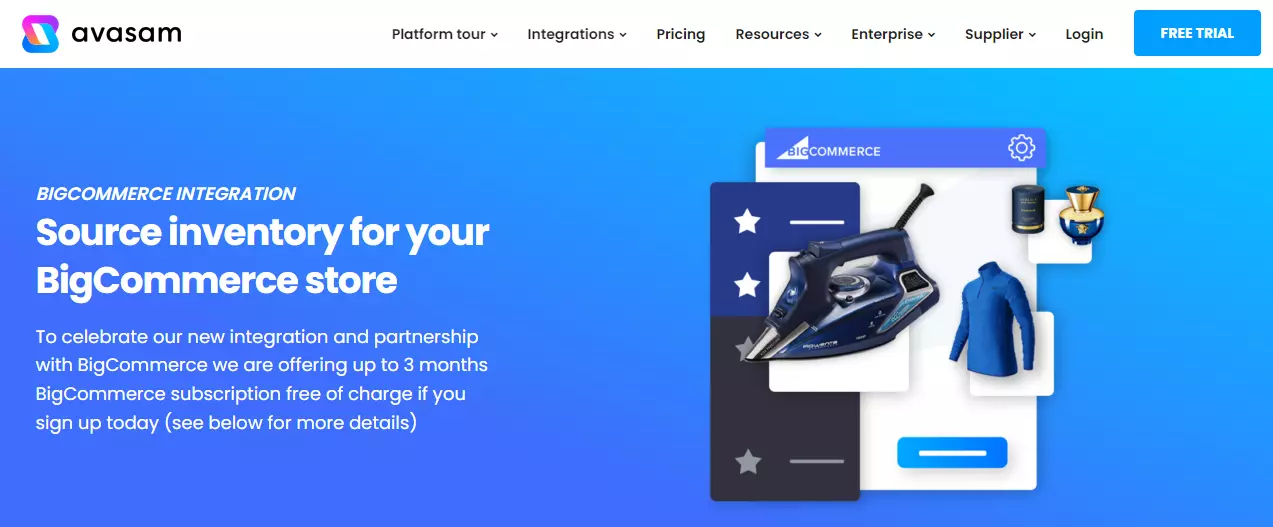
In conclusion, to have your chance, you will have to:
- Find suitable products established by BigCommerce’s partner brands
- Get access to brands’ landing page
- Create a BigCommerce account
- Sign up for one of BigCommerce’s plans with a credit card required
- Setup your BigCommerce account and brand’s account.
Once things are done, you will not be charged for up to 3 months. But hurry up and claim your deal as soon as possible because these collaborations won’t last forever.
How To Build Your BigCommerce Free Trial Store
#1. Set up a BigCommerce trial store
After creating an account with BigCommerce and having your trial days, it’s important to build up your trial store, especially setting up your store profile.
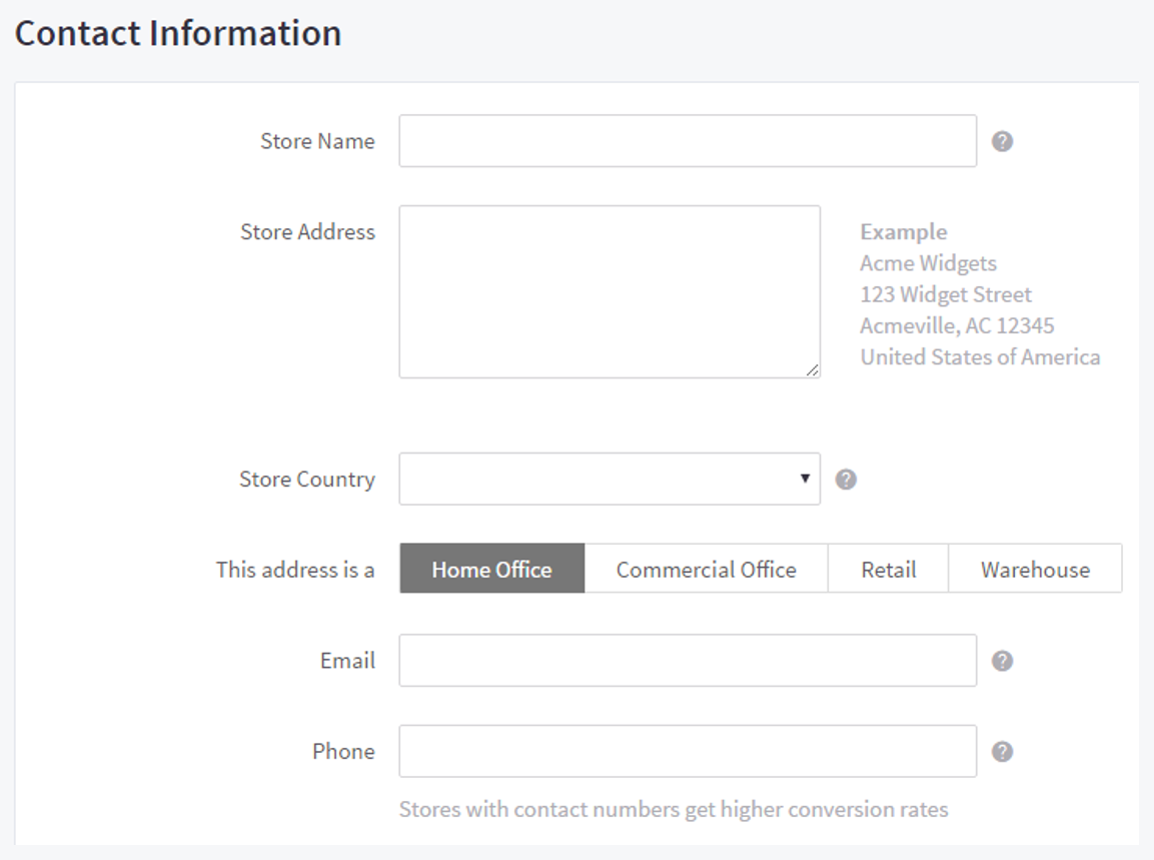
Store profiles introduce your BigCommerce store to Internet visitors. It may contain your payment gateway details, your contact information on the order invoices, and the like. Hence, it is important to enter these fields accurately.
To edit or update store profiles, navigate to Store Setup > Store Profile. Then you need to fill in the Contact Information section as in the image below:
#2. Start adding products
To add products to your BigCommerce store, you need to navigate to Products > Add from the dashboard.
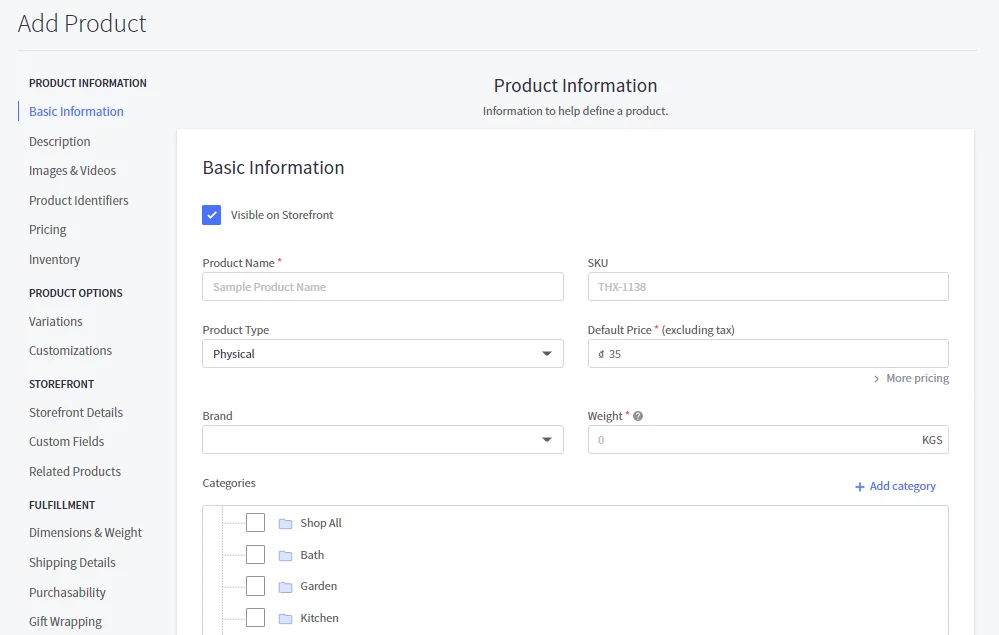
Please pay attention to three basic pieces of information: Product Name, Default Price and Weight. We suggest that you should add images, descriptions, and any identifiers (e.g. SKU, UPC, MPN,…) After that, click Save to keep these changes.
#3. Discover the best BigCommerce themes
Greatly, BigCommerce provides a wide range of mesmerizing BigCommerce themes for your storefront. You can select store themes from the Theme Marketplace in the Storefront section.
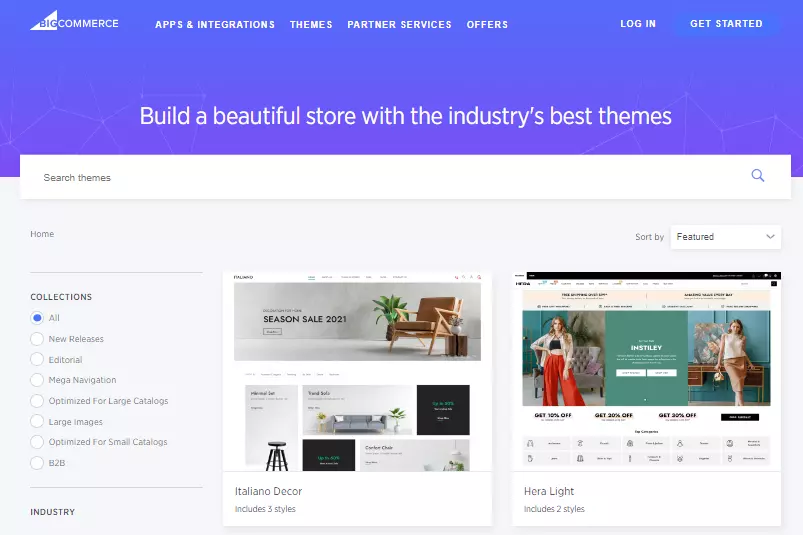
Click Add Theme to continue once you find a suitable theme for your store. Remarkably, you can add various themes, even free BigCommerce themes to your store and manage them on the My Themes page.
More importantly, you can design your own theme and upload the zip file to BigCommerce website. However, please note that BigCommerce will not offer any technical support for those customized themes.
#4. Try out BigCommerce free trial exclusive features
For all free plans, these are common features that BigCommerce can support:
- Layout: Mobile responsive website; BigCommerce mobile app; Page-builder
- Payment: Single-page checkout; Multi-currency, Flexible payment portal (Apple pay, Google pay, Amazon pay); Coupons, discounts, and gift cards
- Operations: Real-time shipping; Built-in blog; Professional reporting tools; Product ratings and review; Free Sitewide HTTPs and Dedicated SSL
However, this will look like an experiment in which you try to manage your online store before officially paying for an essential plan.
Additionally, by upgrading to a higher BigCommerce pricing plan, you’ll be able to use these features:
- Adding a custom domain to your store
- Installing a Third-Party SSL Certificate
- 301 Redirects
- Product Filtering
Please note that these functions are exclusive for a paid subscriptions and will not be available during the BigCommerce free trial period.
What To Do After The BigCommerce Free Trial?
#1. Upgrade BigCommerce plan
In some situations when you want to upgrade an expired trial, follow 3 steps below:
- Go to BigCommerce Log in
- Enter your email address and password, then click Log In.
- A message stating that your trial has expired will display. Click Choose a plan to select an upgrade to a paid plan.
Not only upgrading an expired trial, whenever you want a full version of BigCommerce, please consider the details and pricing of its subscription plan:
| Plan | Monthly Price | Annual Price |
|---|---|---|
| Standard Plan | $29.95/month | $29.95/month |
| Plus Plan | $79.95/month | $71.95/month |
| Pro Plan | $299.95/month | $269.96/month |
If you consider BigCommerce as your long-term partner, then getting the annual payment with its Plus or Pro Plan seems to be a smart choice. In general, those two plans can provide better features to grow your store properly, while the Standard Plan’s limitation can prevent you from getting the most out of selling.
#2. Cancel BigCommerce free trial
If you only have a basic 15-day free trial, don’t worry because the trial will automatically expire. Your trial store will never be charged.
On the other hand, if you have already chosen a free trial deal with BigCommerce Standard, Plus or Pro Plan, there will be some tasks for you to cancel the deal and avoid losing money:
- Go to Account Settings › Account Overview in the control panel.
- Under Stores, click the name of the store you would like to cancel.
- Scroll down to Cancel Store and click Cancel Store Plan.
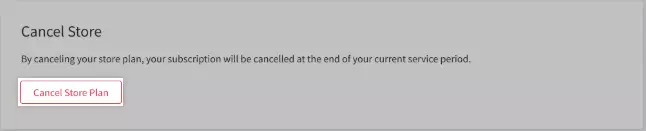
In case you have more difficult issues, please contact BigCommerce team directly for better support. The team will properly walk you through any additional steps you need to complete.
Why BigCommerce?
Till now, we can all see the fact that BigCommerce can create a whole new world of potential abilities even with the trial version. With BigCommerce’s stunning features, you can manage your products, process orders, dive into multiple currencies, multiple channels, and so on.
Let’s LitExtension write down some more detailed benefits you can get with BigCommerce:
| Features | Details |
|---|---|
| Ease of Use |
|
| Themes & Designs |
|
| SEO & Marketing |
|
| Payment Options |
|
| Pricing |
|
| Apps & Extensions |
|
BigCommerce Free Trial – FAQs
Does BigCommerce have a free trial?
Yes, BigCommerce offers a free trial. You can use it to test the platform, explore the control panel, add products, try store setup tools, and review key features before choosing a paid plan.
The trial gives access to most BigCommerce features, including some features that are normally available only on specific paid plans. However, some actions, such as adding a custom domain, installing a third-party SSL certificate, setting up 301 redirects, and using product filtering, require upgrading to a paid plan.
How long is a BigCommerce free trial?
The BigCommerce free trial lasts 15 days. You can start a trial from the BigCommerce website or from your account dashboard if you already have a BigCommerce account. After this period, if you don’t upgrade, the trial expires automatically, and BigCommerce does not bill you for the trial store.
How much does BigCommerce cost per month?
BigCommerce pricing starts at $39/month for Core, or $29/month when billed annually. The Growth plan costs $105/month, or $79/month annually. The Scale plan costs $399/month, or $299/month annually. For larger stores, the Performance plan uses custom pricing, starting from $1,499/month when billed annually.
Your total cost may also include payment processing fees, app subscriptions, premium themes, development work, and GMV-related charges.
Can I use BigCommerce for free?
You can use BigCommerce for free during the 15-day trial, but BigCommerce does not offer a permanent free plan for running a live store. To continue using the platform after the trial, you need to upgrade to a paid plan.
Conclusion
The journey of building your own business as an online seller always comes with difficulties and challenges. Luckily, if you choose to start your business with BigCommerce, the challenge will become more interesting yet easier with BigCommerce free trial offers. No matter if you are a brand new or an experienced merchant, BigCommerce will have its way of finding you an answer.
However, in case you already have your store on another platform but now you want to change and give BigCommerce a shot, let’s LitExtension – #1 Shopping Cart Migration Expert become your trusted partner with our cart-to-cart migration service! After 12+ years of development, LitExtension is proud to be the go-to of thousands of store owners and agencies with the need for data migration.
Finally, remember that you can always gain more useful knowledge about eCommerce with our tips and tricks on LitExtension Blog. If you find our article helpful, please help us by sharing it on your social media channel!