
WordPress.org is free to download, while WordPress.com plans range from $9-70/month. However, the actual WordPress website cost depends on your website type. A simple blog may cost $50–300/year, a small business website $100–500/year, and a WooCommerce store $300–1,500+/year, before additional costs like plugins, themes, and maintenance.
In this article, we will break down everything you need to know about WordPress pricing, including:
- WordPress.org vs WordPress.com pricing;
- The hidden costs behind running a WordPress website;
- Typical WordPress costs by website type;
- Ways to reduce your long-term WordPress expenses.
Let’s get started!
WordPress.org vs WordPress.com: Which One Are You Actually Paying For?
At first glance, WordPress.com vs WordPress.org may seem similar because they both use the same WordPress software. However, the real difference behind WordPress pricing lies in what your money is actually paying for.
With WordPress.org, most of your budget goes toward infrastructure and flexibility. You pay for:
- Your own hosting
- Your domain name
- Optional developer or maintenance support
In exchange, you get full ownership and customization freedom. This setup works especially well for businesses, growing brands, and WooCommerce stores that need scalability.
Meanwhile, WordPress.com pricing focuses more on convenience. The platform bundles hosting, security, backups, and maintenance into one subscription, which reduces the technical workload for beginners.
In other words:
- WordPress.org: lower starting cost, more control, more responsibility
- WordPress.com: simpler setup, predictable pricing, less flexibility
WordPress.org Total Cost Breakdown
A self-hosted WordPress.org website gives you full ownership and flexibility, but it also comes with a few essential costs.
According to our experience, every WordPress.org site needs 3 non-negotiable components before it can go live:
- WordPress software (Free): The core CMS is open-source and free to download and use.
- Domain name ($10-20/year): Standard .com, .net, and .org domains usually fall within this range. Some registrars offer lower first-year pricing, while others charge closer to 20 USD after renewal.
- Web hosting ($3-30/month): Shared hosting plans for beginners often start around 2.99–5 USD/month, while managed WordPress hosting costs for growing businesses can reach 20–30 USD/month.
For a bare-bones personal website using free themes and plugins, the total WordPress website cost typically lands around $75–150 per year. This setup works well for personal blogs, portfolios, or simple business websites with minimal customization needs.
WordPress.com Pricing Plans
As you can see, WordPress.org is free to download, but you’ll need to manage your own hosting and domain name. Meanwhile, WordPress.com is the exact opposite: it handles hosting and domain names for you but comes with upfront costs.
By the time of this writing, you can choose from six different WordPress.com plans:
- Free: $0
- Personal: $9/month
- Premium: $18/month
- Business: $40/month
- Commerce (for online stores): $70/month
- Enterprise: Starting from $25,000/year
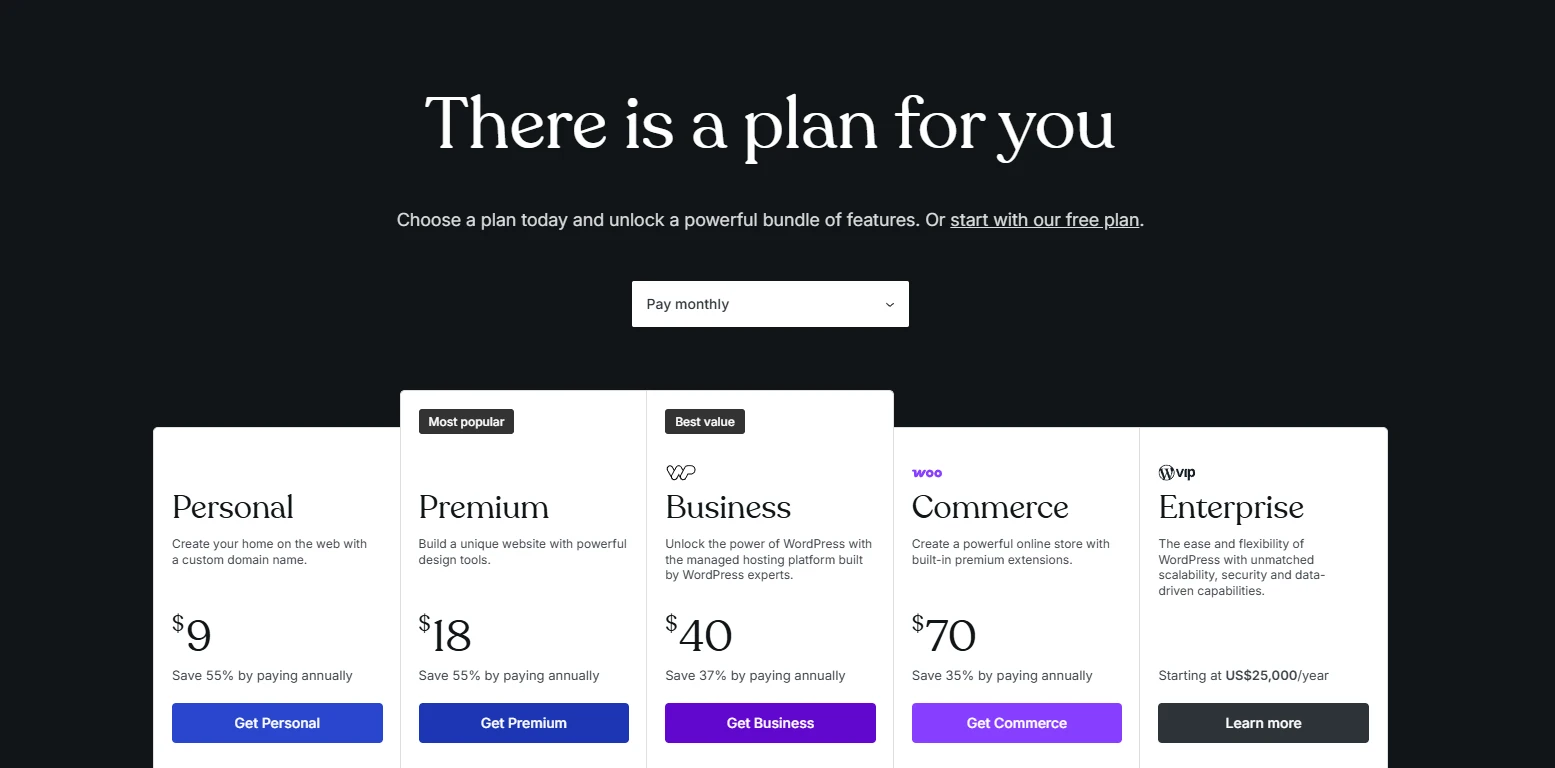
Apart from the WordPress premium plan–Enterprise plan, (for which you’ll need to contact the team for a personalized quote), the other five WordPress plans have set prices. Here are some important differences between these five that you should keep in mind:
Free | Personal | Business | Business | Commerce | |
Unlimited pages and users | Yes | Yes | Yes | Yes | Yes |
Real-time backups | No | No | No | Yes | Yes |
Priority support | No | No | Yes | Yes | Yes |
Install plugins and themes | No | Yes | Yes | Yes | Yes |
Customize fonts, colors | No | Yes | Yes | Yes | Yes |
Commerce solutions | Yes | Yes | Yes | Only via plugins | Yes |
AI Assistant | 20 requests | Yes | Yes | Yes | Yes |
SEO and analytics tools | No | No | No | Yes | Yes |
Transaction fee for standard payment | 10% | 8% | 4% | 2% | 0% |
Storage | 1 GB | 6 GB | 13 GB | 50 GB | 50 GB |
Other Hidden WordPress Costs You Need to Budget For
Both WordPress.org and WordPress.com may look affordable at first, but the total website cost often grows over time as you add more functionality, maintenance, and support. Some of these expenses are easy to overlook in the beginning, especially for first-time website owners.
A clearer understanding of these hidden costs can help you plan a more realistic WordPress pricing budget and avoid overspending later on.
1. Themes
Usually, once WordPress is set up, you can easily browse and install free themes right from your admin dashboard. However, we must say that those free themes often lack the advanced features and customization options needed to build a fully functional website.
So premium themes are the way to go if you’re looking for more flexibility and features. Typical pricing ranges include:
- Free themes: $0
- Premium marketplace themes: around $30–100 one-time
- Premium theme memberships: around $80–300/year
- Custom-designed themes: around $1,000–10,000+
WordPress.com themes storeFor example, themes from marketplaces like ThemeForest usually cost around $59–89 per license, while premium ecosystems like Elementor Pro or Divi often follow yearly subscription models. A premium theme may also reduce future developer costs because many advanced layouts and features are already built in.
2. Plugins
The WordPress prices for plugins also follow the same pattern. While free plugins cover many simple needs, premium tools often become necessary once your site requires more advanced features, automation, or integrations.
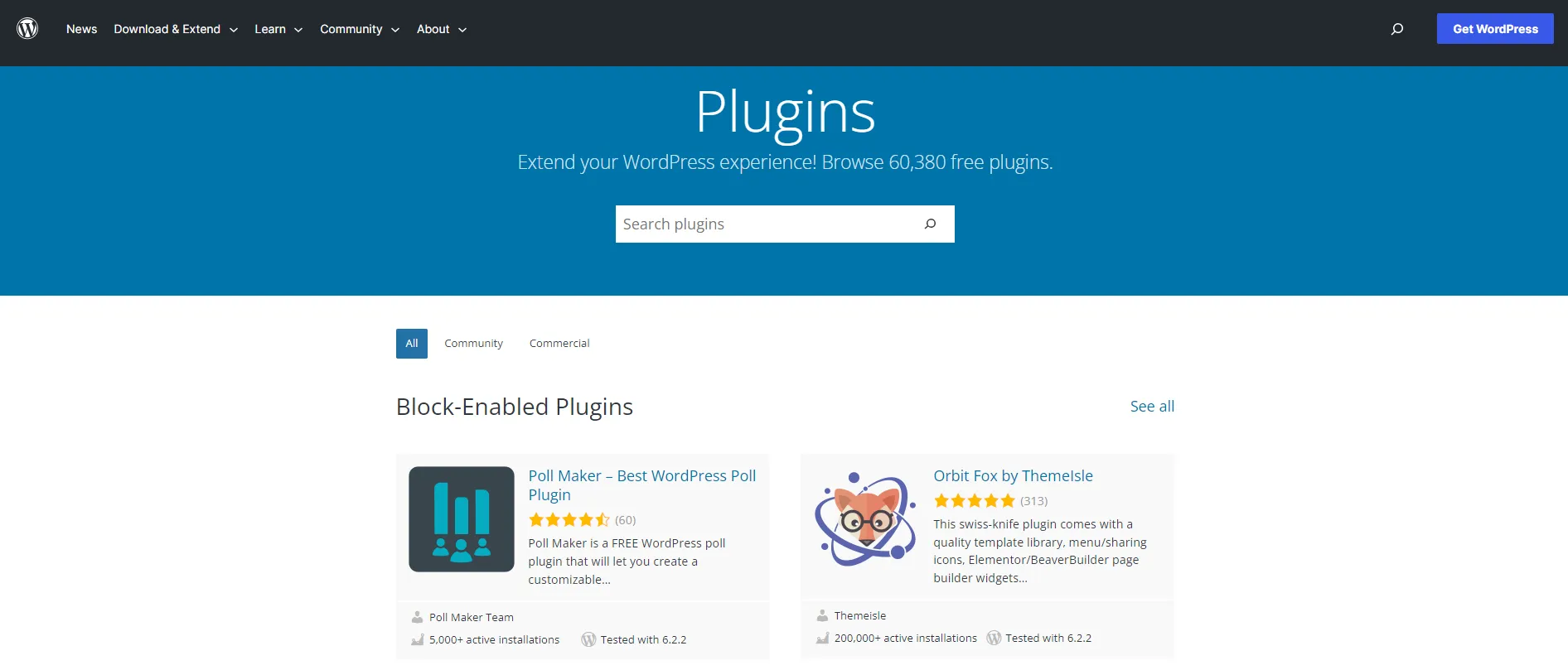
Here are some common WordPress plugin costs:
- SEO plugins: around $50–200/year
- Backup plugins: around $50–150/year
- Security plugins: around $80–300/year
- Page builders: around $60–250/year
- Form plugins: around $50–200/year
- WooCommerce extensions: around 50–300 USD/year per extension
For WooCommerce stores, especially, plugin costs can grow faster than expected. Features like subscriptions, advanced shipping, multi-currency support, or product filtering often rely on paid extensions. As a result, you can expect to pay around $100–500/year, whereas larger eCommerce stores may spend well over $1,000/year.
3. Security and maintenance
Security and maintenance are two WordPress costs you should not overlook, especially as your website starts generating traffic, leads, or sales.
Without proper protection and regular updates, your website can become vulnerable to malware, broken plugins, downtime, or performance issues. In many cases, fixing those problems later costs far more than preventing them in the first place.
That is why it is important to budget for tools and services that help protect your website long term. Some common security and WordPress maintenance costs include:
- Basic SSL certificates: often free, but premium SSL options can cost around $50–100/year
- Security plugins and firewalls: around $50–300/year
- Cloud backups and recovery tools: around $0–150/year
- Website maintenance services: around $10–100+/month
- Premium managed hosting with maintenance included: around $20–80/month
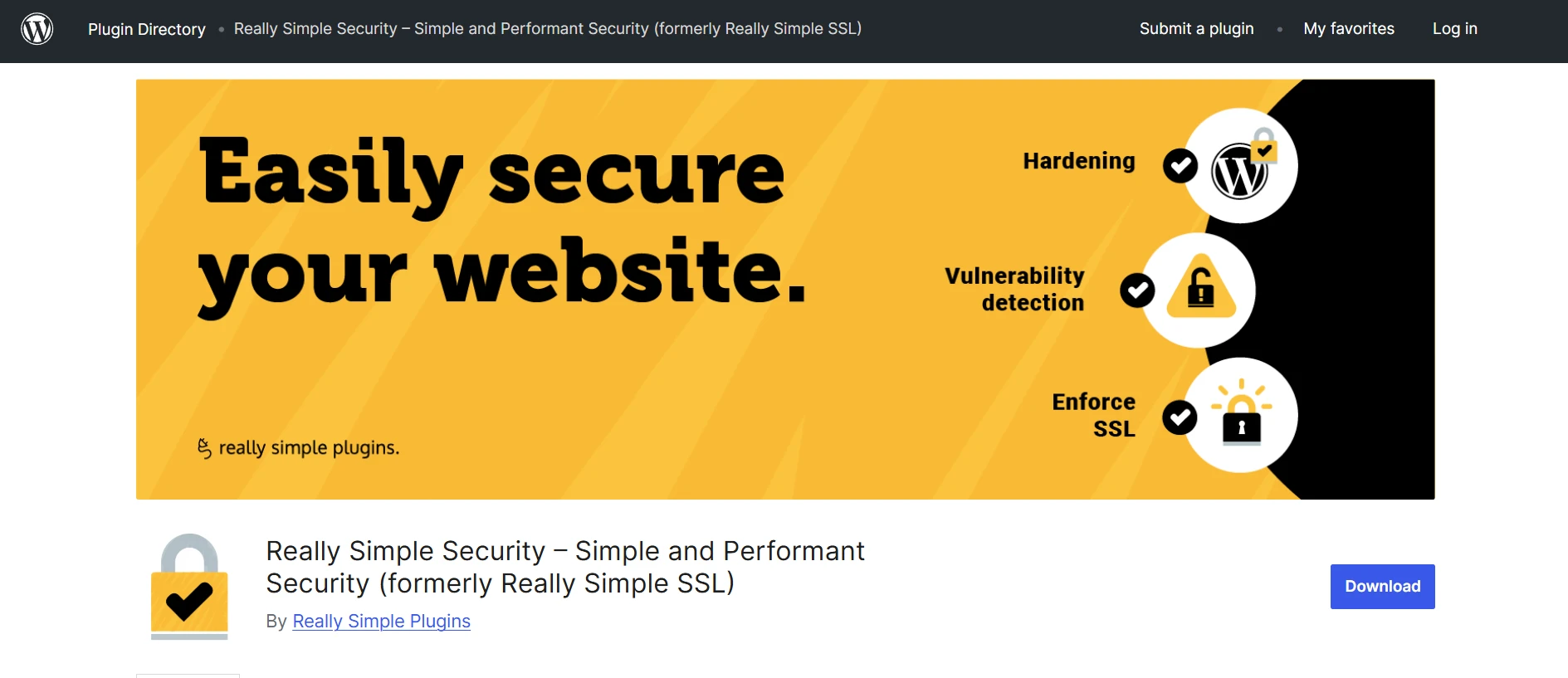
The level of protection you need usually depends on the type of website you run. For example:
- A personal blog may only need basic backups and free security plugins
- A business website should have stronger monitoring and regular maintenance
- A WooCommerce store often requires more advanced security because customer and payment data are involved
4. Developer or agency support
One of the biggest advantages of WordPress is flexibility, but that flexibility can also create technical challenges once your website becomes more complex.
At the beginning, you may be able to handle everything yourself using a pre-built theme and a few plugins. However, once your website needs custom layouts, speed optimization, WooCommerce setup, or third-party integrations, professional support often becomes part of the budget.
In most cases, freelance developers charge around:
- $30–150/hour for WordPress development work
- $50–300 for smaller fixes or customization tasks
- $1,000–10,000+ for custom WooCommerce or business website projects
Meanwhile, specialized WordPress agencies often charge:
- $500–10,000+/project depending on project complexity
- $100–2,000/month for ongoing support retainers

That said, not every website needs this level of investment. If your goal is simply to launch a blog, portfolio, or small informational website, a good premium theme and page builder may already cover most of your needs without hiring a developer at all.
5. Migration cost
For those who start their new sites directly on WordPress, feel free to go ahead and skip this part! We’ve already gone over all the essential costs in the earlier sections.
However, if you are moving to WordPress from another platform, remember that the migration cost depends on your chosen method and the site’s complexity. Below are the three most common methods, each with different pricing:
- Manually copying data: As the name suggests, you manually move your content from one site to another. While the method doesn’t cost money, it usually takes a lot of time, especially for larger sites with lots of content and custom features. Plus, human errors are constant and often inevitable.
- Using third-party apps or plugins: Many third-party tools help automate the migration process, with pricing typically ranging from free to around $50–300, depending on the amount of data involved. These tools work well for relatively straightforward migrations and smaller websites.
- Hiring experts: Professional migration services usually cost around $200–5,000+, depending on project complexity, design recreation needs, and custom integrations.
If you want to avoid handling the migration manually, we at LitExtension offer both a self-service option and a fully managed service depending on your technical comfort level and project complexity:
- Automated Migration Tool (self-service): starting from $29
- All-in-One Migration Service (handled by our experts): starting from $129
For smaller stores, we also provide a Freemium Migration Service. If your store has fewer than 100 entities per data type, including products, customers, and orders, you can perform the migration completely free of charge.
WordPress Migration Made Easy With LitExtension!
LitExtension offers great migration solutions that help you transfer your data from the current eCommerce platform to a new one accurately, painlessly with utmost security.

Real WordPress Website Costs by Use Case
One reason WordPress pricing can feel confusing is that there is no single fixed cost for every website. A personal blog, a small business site, and a large WooCommerce store all have very different technical needs and ongoing expenses.
That is why the best way to estimate your WordPress website cost is to look at the type of website you actually plan to build.
Site type | Annual cost range | Main cost drivers |
Personal blog | $50–300/year | Hosting, domain |
Small business site | $100–500/year | Premium theme, plugins |
eCommerce store | $300–1,500+/year | WooCommerce extensions, payment fees |
Custom/enterprise site | $5,000–35,000+/year | Development, managed hosting |
For WooCommerce stores, costs usually increase faster because online stores need additional functionality such as payment gateways, shipping tools, product filtering, subscriptions, or customer management features.
At the enterprise level, WordPress pricing shifts much more toward custom development, dedicated infrastructure, performance optimization, and ongoing technical support.
How to Reduce The WordPress Website Pricing
All in all, it’s quite clear that the price WordPress (both versions) requires from you can add up quickly if you’re not careful with your spending. To help you ease some financial strain, our team has some tips for cutting down on the WordPress pricing:
- Research web hosting carefully
First and foremost, it’s important to choose the right web hosting for your WordPress site. The cheapest hosting plan is not always the most cost-effective option long term. Poor performance, downtime, or weak support can create bigger expenses later. A hosting plan that properly matches your traffic and website size usually delivers better value overall.
- Only use the necessary plugins
Many website owners overspend on plugins they barely use. For most websites, a few essential categories like SEO, security, backup, caching, and contact form plugins are already enough to keep the site running properly. Adding too many extra plugins not only increases costs, but can also slow down your website and create compatibility issues over time.
- Update your site on time
Delayed updates may lead to security vulnerabilities, broken layouts, or plugin conflicts. A simple maintenance routine can help you avoid expensive emergency fixes or developer support later on.
- Choose a reputed migration expert
A poorly handled migration can cause data loss, SEO issues, downtime, or broken URLs that become costly to fix afterward. Working with an experienced migration provider helps reduce those risks and often saves more money in the long run.
WordPress Pricing: FAQs
How much does WordPress cost per month?
The monthly WordPress cost usually depends on your website size and feature requirements:
- Personal blog or portfolio website: around $5–15/month
- Small business website: around $15–50/month
- WooCommerce or larger business website: around $50–300+/month.
Is WordPress free to use?
Yes, the core WordPress software is completely free because it is open-source. However, running a live WordPress website still requires additional costs such as hosting, a domain name, themes, plugins, security tools, or maintenance services.
What is the cheapest way to run a WordPress site?
The cheapest way to run a WordPress website is usually by combining shared hosting, a free theme, and free plugins. A basic setup with a standard domain and entry-level hosting can often stay within $75–150 per year for small blogs or personal websites.
Is WordPress worth it for an eCommerce store?
Yes, WordPress can be a very cost-effective option for eCommerce stores, especially when paired with WooCommerce. The platform offers strong flexibility, scalability, and ownership compared to many hosted website builders.
How much does it cost to migrate to WordPress?
The cost of migrating to WordPress with LitExtension varies based on your store size and preferred migration method. We currently offer:
- Automated Migration Tool (self-service): starting from $29
- All-in-One Migration Service (fully handled by our experts): starting from $129
For smaller stores, our Freemium Migration Service allows you to migrate completely free if your store has up to 100 entities per data type, including products, customers, and orders.
Final Words
This article has covered all WordPress pricing components and also provided excellent cost-saving tips.
For extra services like site or store migration, hiring an expert team that offers an all-in-one service will be the most cost-effective option. LitExtension #1 eCommerce Migration Expert can be your reliable partner in that area, given our 15+ years of experience and hundreds of thousands of successful migration stories.
For more information, you can check out our other blog posts on WordPress or join our Facebook Community Group.


