
From our experience comparing website platforms, Weebly vs Webflow is one of the most misunderstood decisions. While they’re often grouped together, they solve very different problems depending on how hands-on you want to be.
In this Weebly vs Webflow comparison, we’ll shine light on the following key points:
- Pricing;
- Ease of use;
- Themes & customization;
- eCommerce features;
- Apps & integrations;
- CMS & blogging tools;
- AI capabilities;
- Security & support.
Keep scrolling for the details!
Webflow Overview: Pros & Cons
Launched in 2013, Webflow was created to help users build highly customized, modern websites. It gives you full control over layout, responsiveness, and advanced animations without manually writing code. This approach has made it a popular choice worldwide, with more than 600,000 websites currently built on the platform.
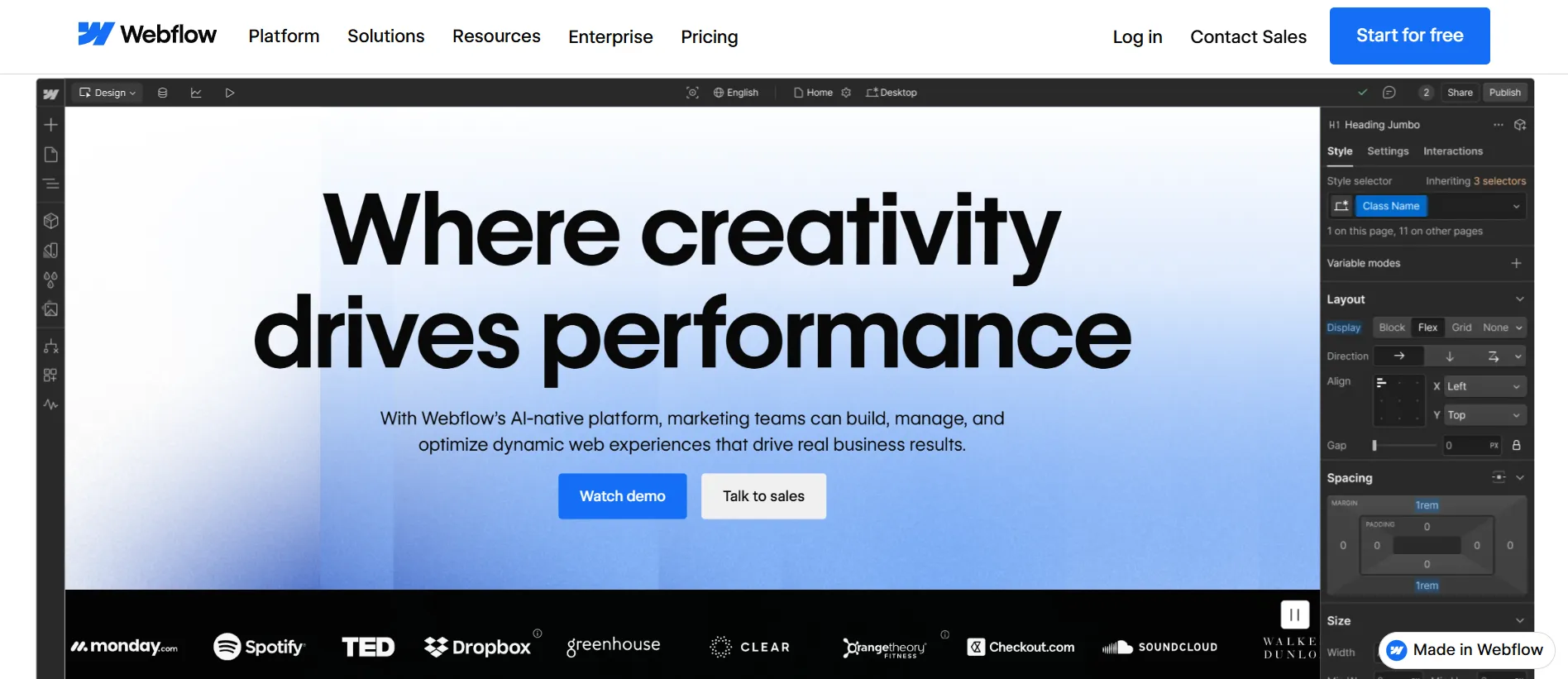
To better understand how Webflow performs in practice, let’s take a closer look at its main advantages and drawbacks:
Webflow pros | Webflow cons |
|
|
With Webflow’s strengths and limitations laid out, we have a clearer view of what the platform does best. Now let’s take a closer look at Weebly to see how it compares.
Weebly Overview: Pros & Cons
Weebly is a long-standing platform known for its simplicity and focus on helping users get online with minimal effort. It offers a structured, guided environment that keeps the website-building process predictable and easy to follow.
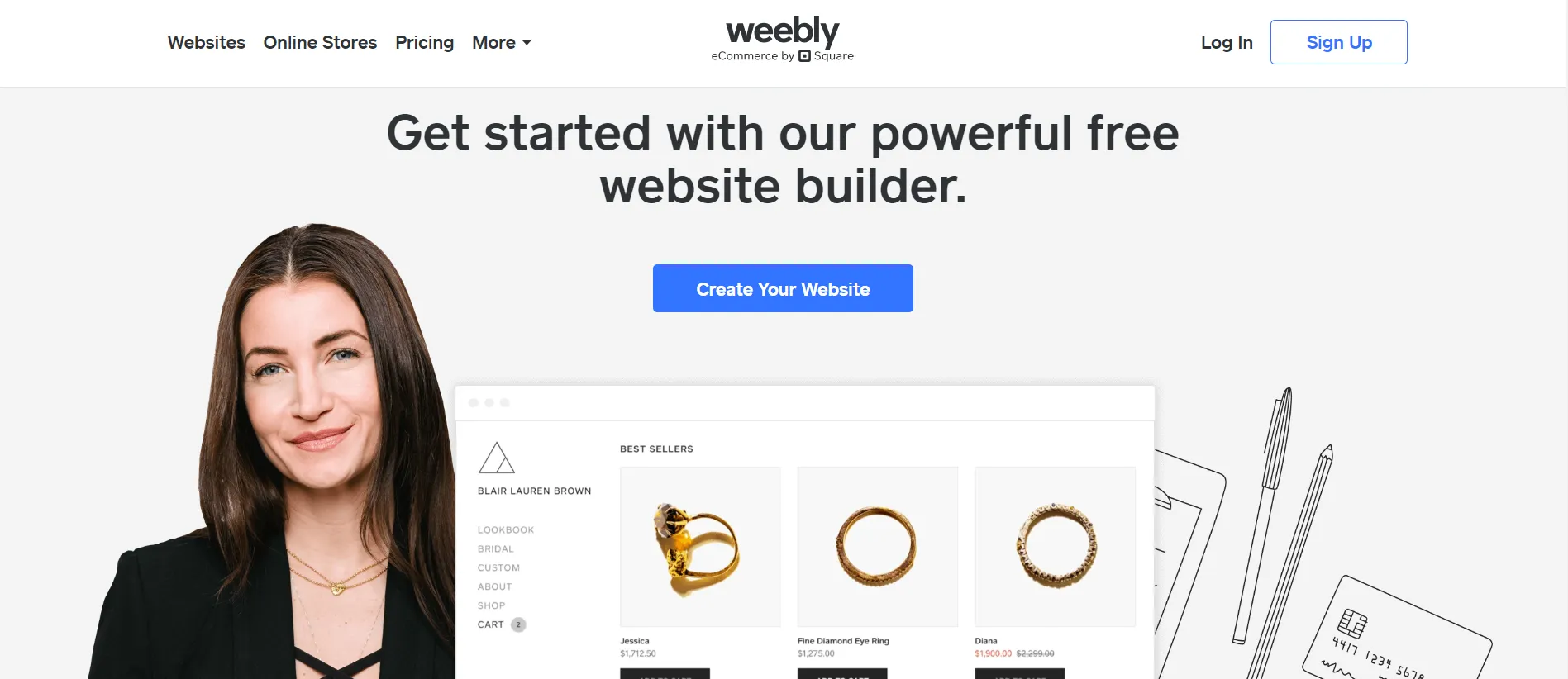
In 2018, Weebly was acquired by Square, the financial services company known for its point-of-sale tools. In 2024, Square confirmed that Weebly would no longer receive major updates, signaling a shift in focus away from the original builder. Since then, Weebly’s visibility and usage have seen a gradual decline, dropping from over 1 million to around 800,000 active sites.
Weebly pros | Weebly cons |
|
|
As you can see, Weebly offers a very different experience from Webflow, and each platform shines in its own way. Next, let’s identify which type of user Webflow vs Weebly is best suited for and which platform ultimately stands out.
Webflow vs Weebly: Which Platform Should You Choose?
Before diving into the detailed comparisons that follow, it helps to clarify which types of users and businesses each platform is better suited for. Webflow vs Weebly may overlap in some areas, but they are built with very different priorities in mind.
Webflow is generally better suited for:
- Designers, agencies, and creative teams are building highly customized websites.
- Brand-led businesses that prioritize visual identity and layout control.
- Marketing sites, landing pages, and structured content (not high-volume publishing).
- Teams willing to trade simplicity for flexibility and precision.
Weebly is generally better suited for:
- Small businesses and local merchants.
- Sellers focused on day-to-day online selling rather than design experimentation.
- Businesses already operating within the Square ecosystem.
- Users who want a simple setup with minimal ongoing management.
With these user profiles in mind, the sections below break down how Webflow vs Weebly differ across key areas.
Pricing: Weebly Wins
Our Verdict
When it comes to Webflow vs Weebly pricing, Weebly is the clear winner. Webflow costs more, but its flexible plans reflect the level of creative control it offers.
Webflow
Webflow uses a complex, layered pricing model, combining Site Plans and Workspace Plans. To make the differences easier to understand, here’s a breakdown of each plan category and its associated pricing.
Plan type | Sub-plan | Tiers & pricing |
Site Plans For individual websites (hosting, CMS, eCommerce) | General | - Starter: $0/month; - Basic: $18/month; - CMS: $29/month; - Business: $49/month; - Enterprise: Varied. |
eCommerce | - Standard: $42/month; - Plus: $84/month; - Advanced: $235/month. | |
Workspace Plans For teams & collaborators (access, roles) | In-house teams | - Starter: Free; - Core: $28/month; - Growth: $60/month; - Enterprise: Varied. |
Freelancers & agencies | - Starter: Free; - Freelancers: $24/month; - Agencies: $42/month. |
Besides the monthly subscription, selling with Webflow also comes with additional operational costs depending on your setup.
- Transaction fees: 2% on the Standard eCommerce plan if you’re not using Webflow Payments. No Webflow transaction fees on the Plus or Advanced plans.
- Domain name: Typically ranges from $10–$15 per year.
- Templates: Premium templates cost $29–$129 as a one-time purchase.
- Third-party apps: Costs vary widely and can reach up to $4,000/month for enterprise-level integrations.
Even with these additional costs, Webflow’s total expense is still relatively moderate compared to larger eCommerce platforms. The forever-free plan also gives users a low-risk way to explore the platform before committing, though most serious projects will eventually require a paid plan.
Weebly
By contrast, Weebly keeps pricing much simpler and more predictable than Webflow. Instead of separating plans by site type and workspace, Weebly offers fewer tiers with lower monthly fees and fewer decisions during setup. This makes it easier for beginners to understand upfront costs and choose a plan quickly.
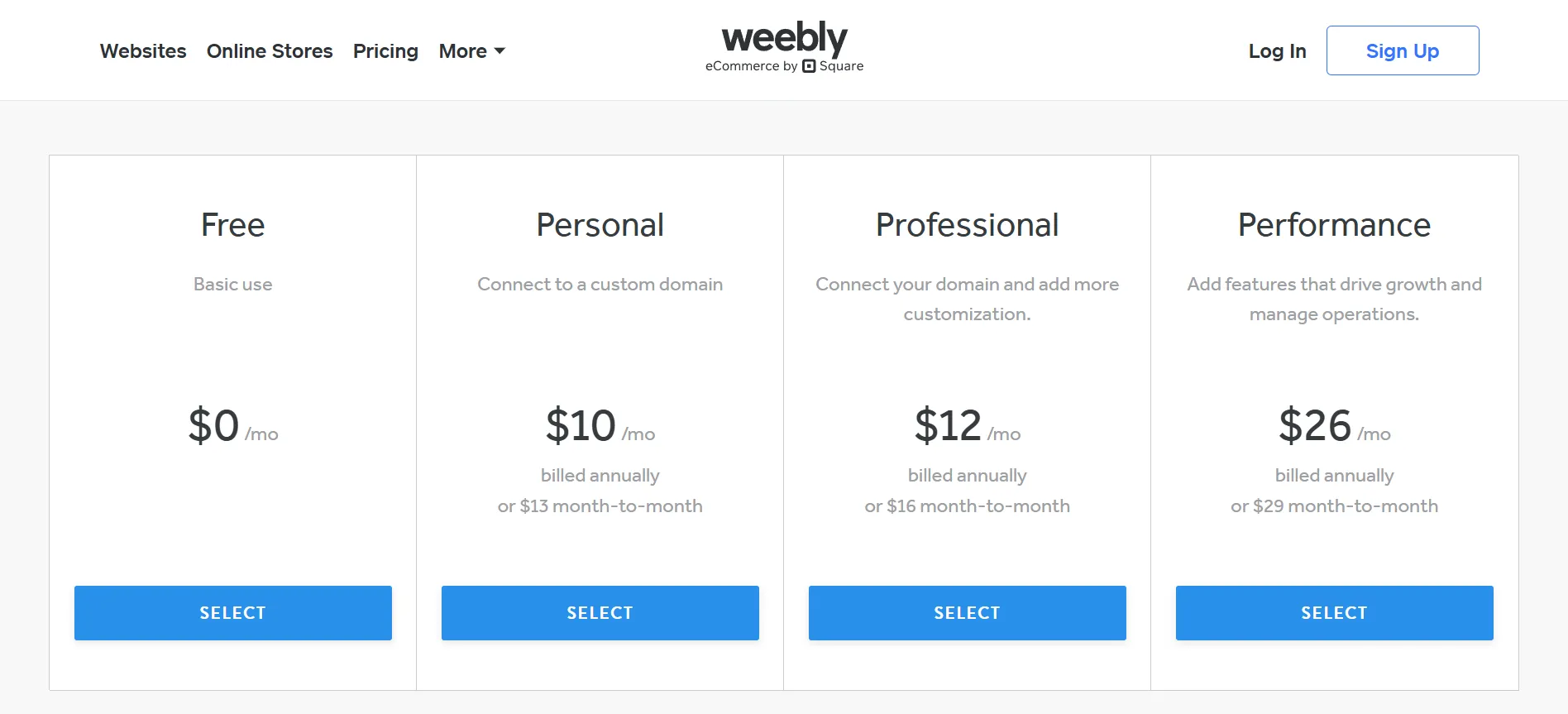
Although the free plan is a convenient starting point, it comes with notable limitations, such as a branded Weebly subdomain and no ability to sell products. Most users who want more control or eCommerce features will eventually need to upgrade to a paid plan. And even after upgrading, it’s still important to factor in these minor additional costs:
- Domain name: Typically $10–$20 per year, depending on the provider.
- Transaction fees: Standard Square processing fees apply for online sales.
- Premium themes: Most are free, but some third-party designs range from $20–$60.
- Apps and integrations: Add-ons from the Weebly App Center may cost $5–$50 per month, depending on functionality.
Overall, Weebly’s pricing is one of the most budget-friendly among major website platforms. The paid tiers stay affordable as needs increase, which makes Weebly appealing for straightforward, low-maintenance sites.
Ease of Use: Weebly Wins
Our Verdict
In terms of ease of use, Weebly takes the win. It’s simpler, more guided, and more beginner-friendly. Meanwhile, Webflow’s interface is powerful but demands a steeper learning curve.
Webflow
Getting started with Webflow is quick and straightforward. From the homepage, simply click “Get started” or “Start building” to reach the signup page. You can create a new account within seconds or sign in with Google. During onboarding, Webflow asks a few quick questions about your site type and purpose to tailor the workspace to your needs.
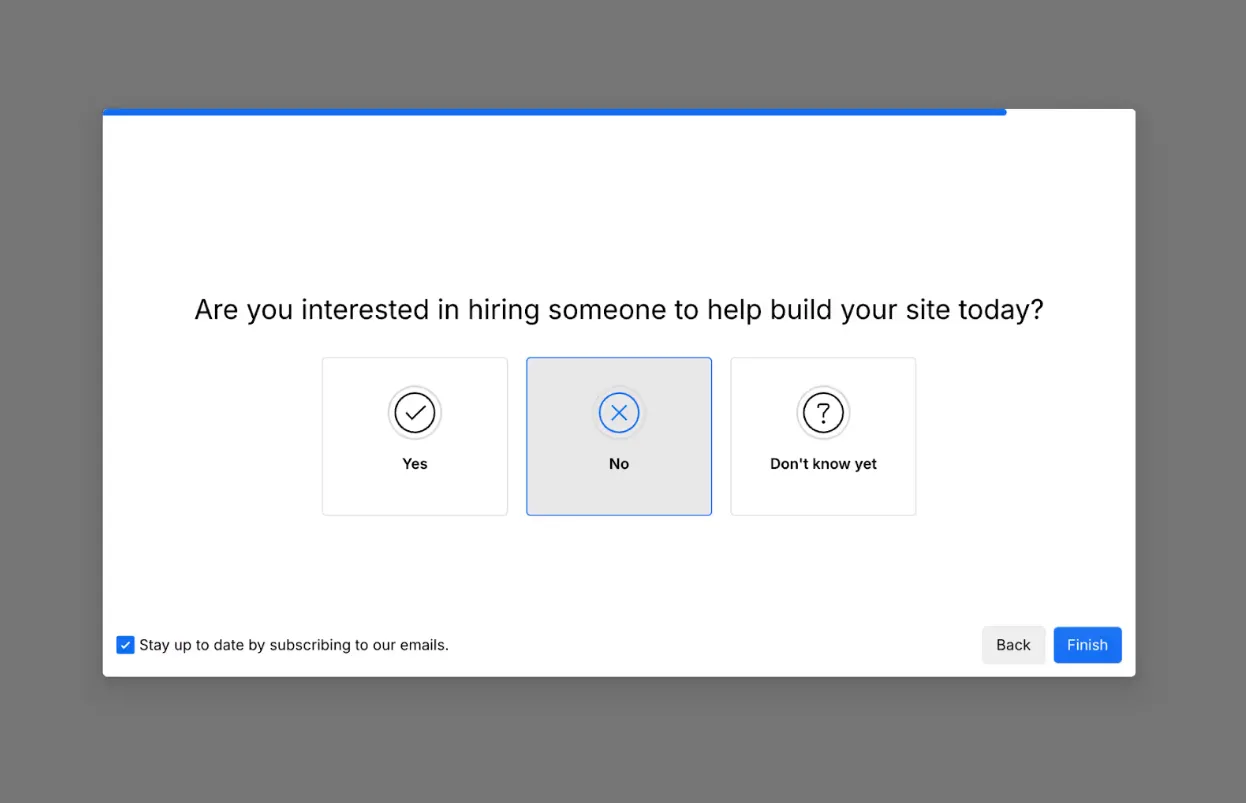
After onboarding, Webflow takes you straight into the Designer, where you can begin working on your site immediately. At first glance, the interface feels more complex than a typical drag-and-drop builder, with multiple panels for pages, assets, and layout controls. While everything is clearly labeled and supported by tooltips, new users still need time to understand how elements are structured and connected.
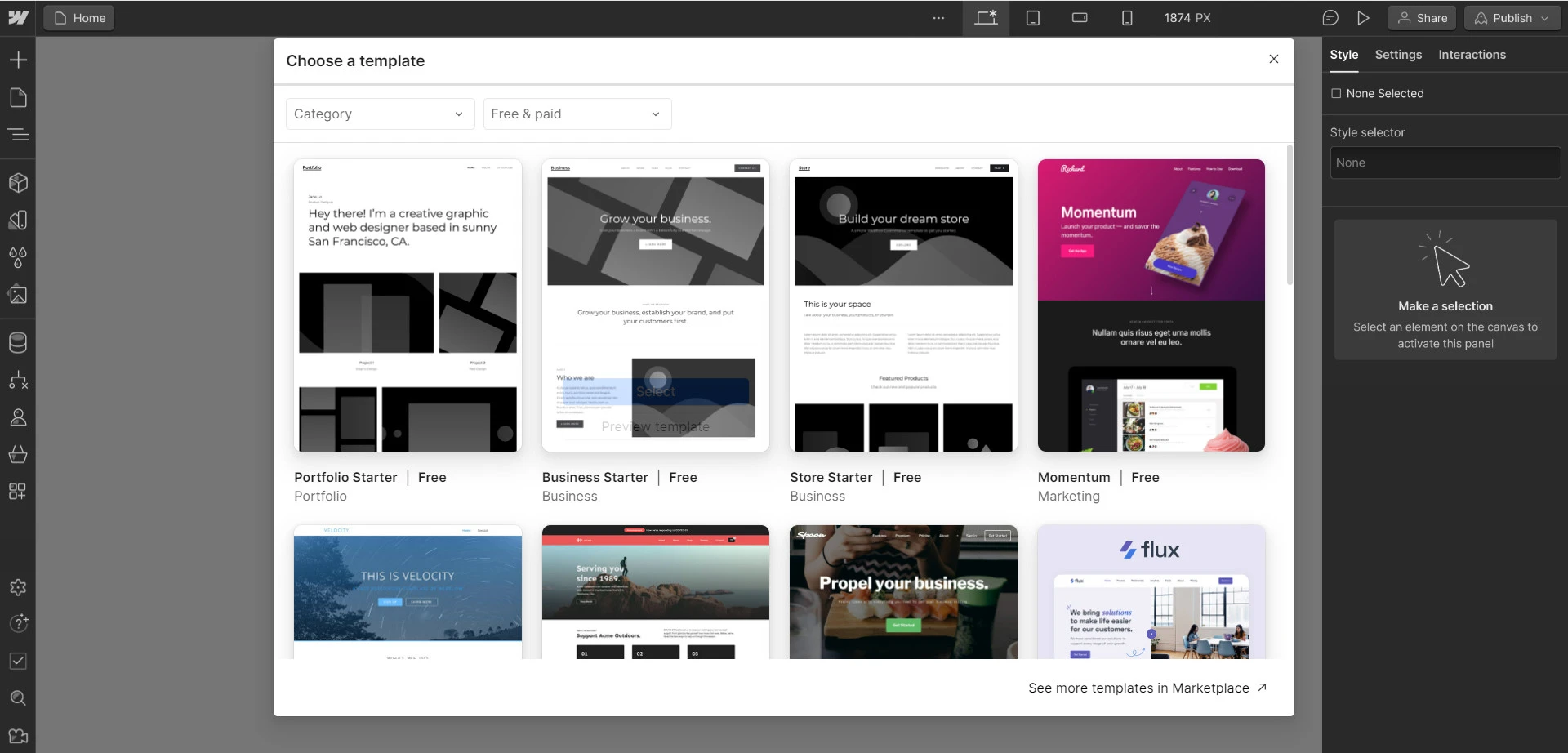
It is obvious to us that using Webflow efficiently takes practice. New users need to grasp concepts like layout hierarchy, spacing, and responsive behavior across breakpoints. Thus, Webflow is usable for beginners, but it’s designed more for users who want to learn how the system works rather than those looking for the simplest possible setup.
Weebly
By contrast, Weebly removes most of the complexity from the setup process. After signing up, there’s a small twist: Weebly doesn’t use a single editor for all sites. Instead, it splits users into two completely different builders depending on what you choose.
- Choosing website takes you to the classic Weebly editor.
- Choosing online store redirects you to the Square Online editor.
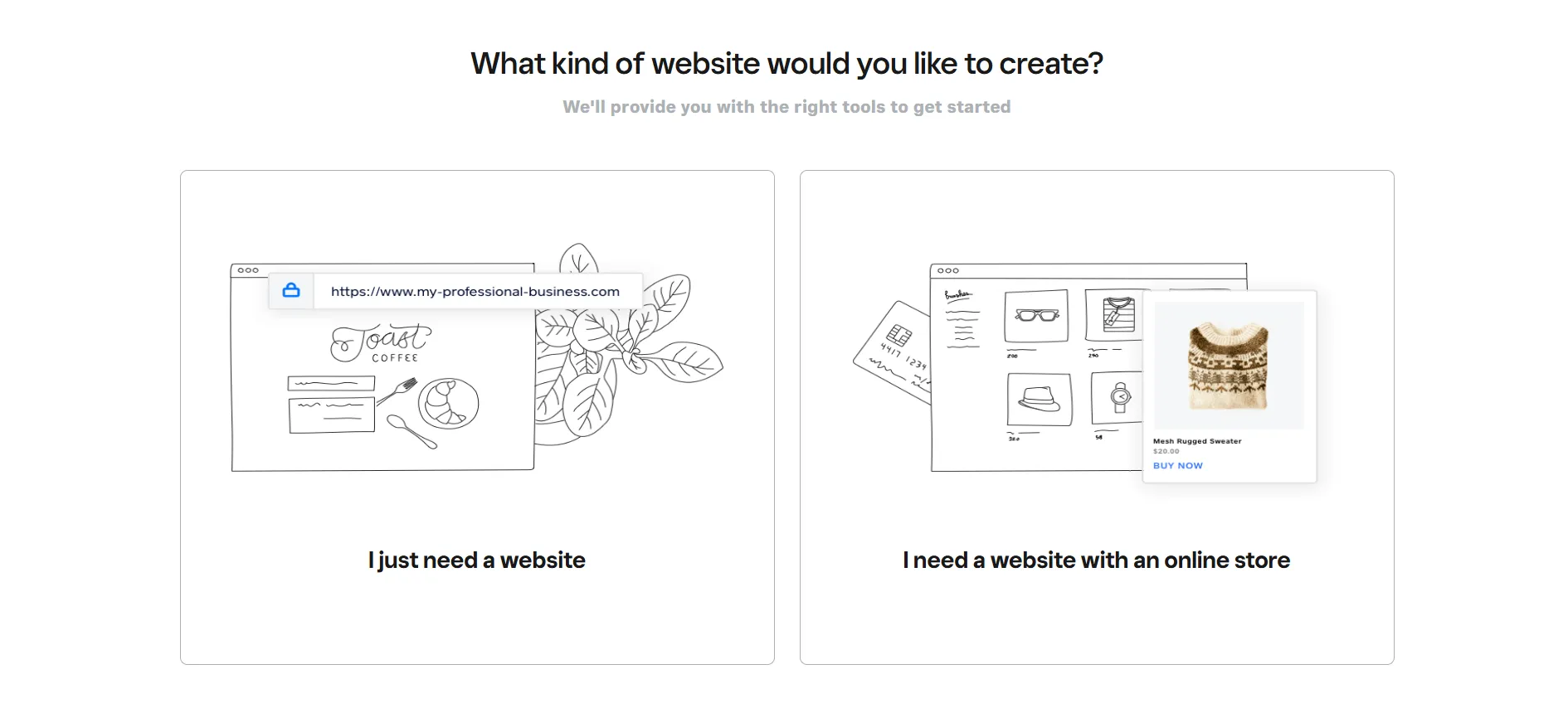
Since we’re comparing Webflow vs Weebly, we’ll go with the website route to keep the comparison focused on Weebly’s core builder experience.
From there, you're taken to a clean, minimal dashboard where you can manage your pages, design, and basic settings. You’ll also see a 7-step setup guide that walks you through the basics. Just follow the checklist, and you can have a simple website up and running in only a few minutes.

From our experience, what takes hours to learn and configure in Webflow can often be done in minutes with Weebly.
Themes & Customization: Webflow Wins
Our Verdict
In this Webflow vs Weebly comparison, Webflow clearly stands out for themes and customization. Weebly takes a simpler approach that’s easier to use but far more limited in creative control.
Webflow
Now, coming to the customization part on Webflow, you can begin by choosing a template or using Webflow AI to generate a starting layout. The AI tool works well for quick drafts: you describe your site’s purpose, style, and audience, and it builds a basic structure you can refine.
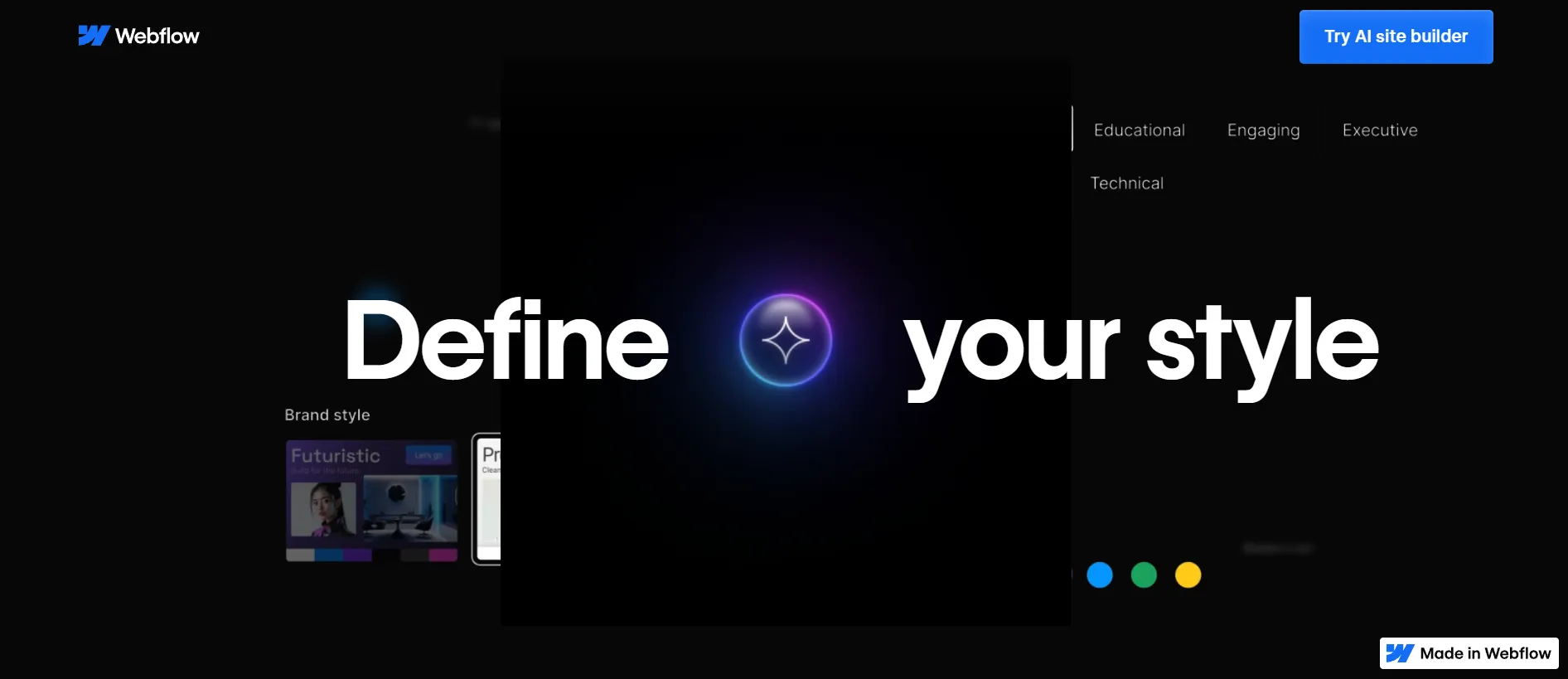
If AI isn’t your preferred starting point, you can instead pick a template from the 7,000+ options available in the Webflow marketplace. Some are free, and premium ones go up to around $150, but overall, the quality is high.
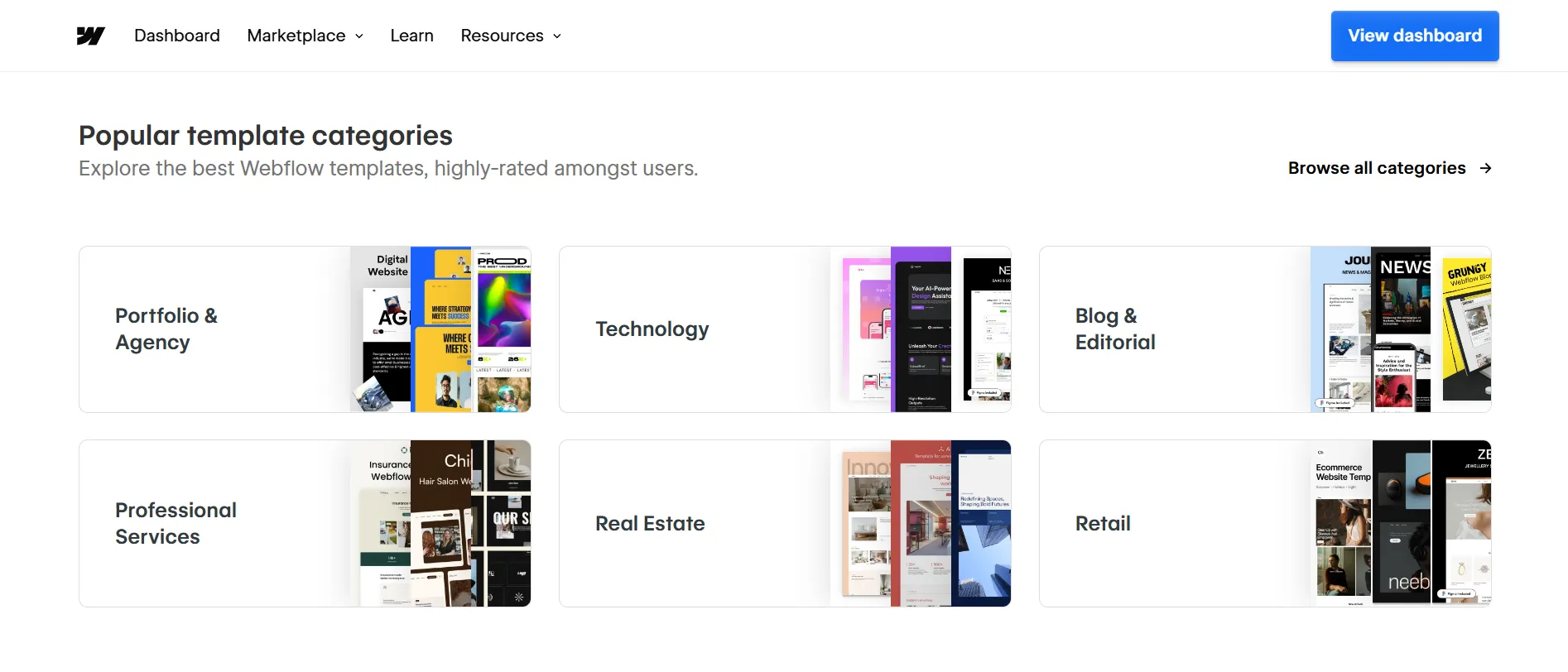
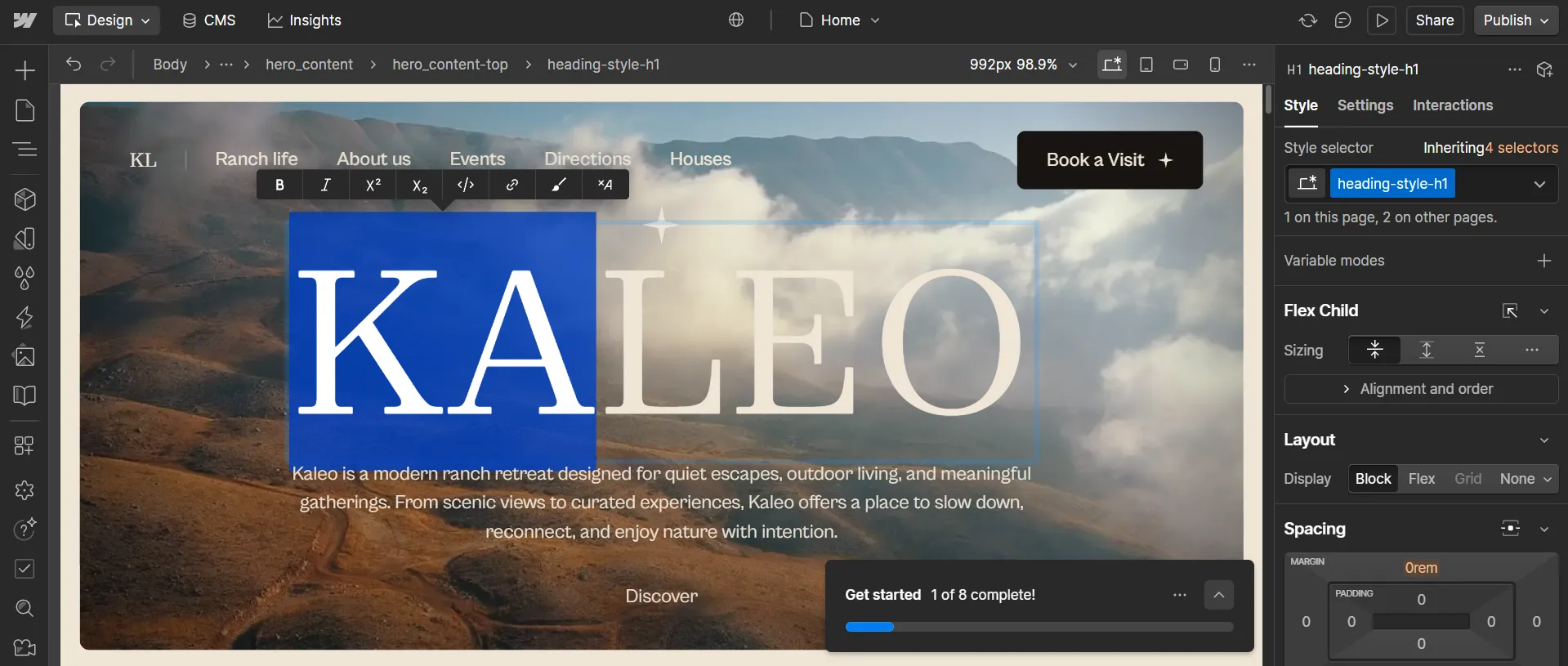
Inside the visual editor is where Webflow really stands out. Fonts, spacing, grids, color tokens, and breakpoints are all adjustable visually, without being locked into predefined layouts.
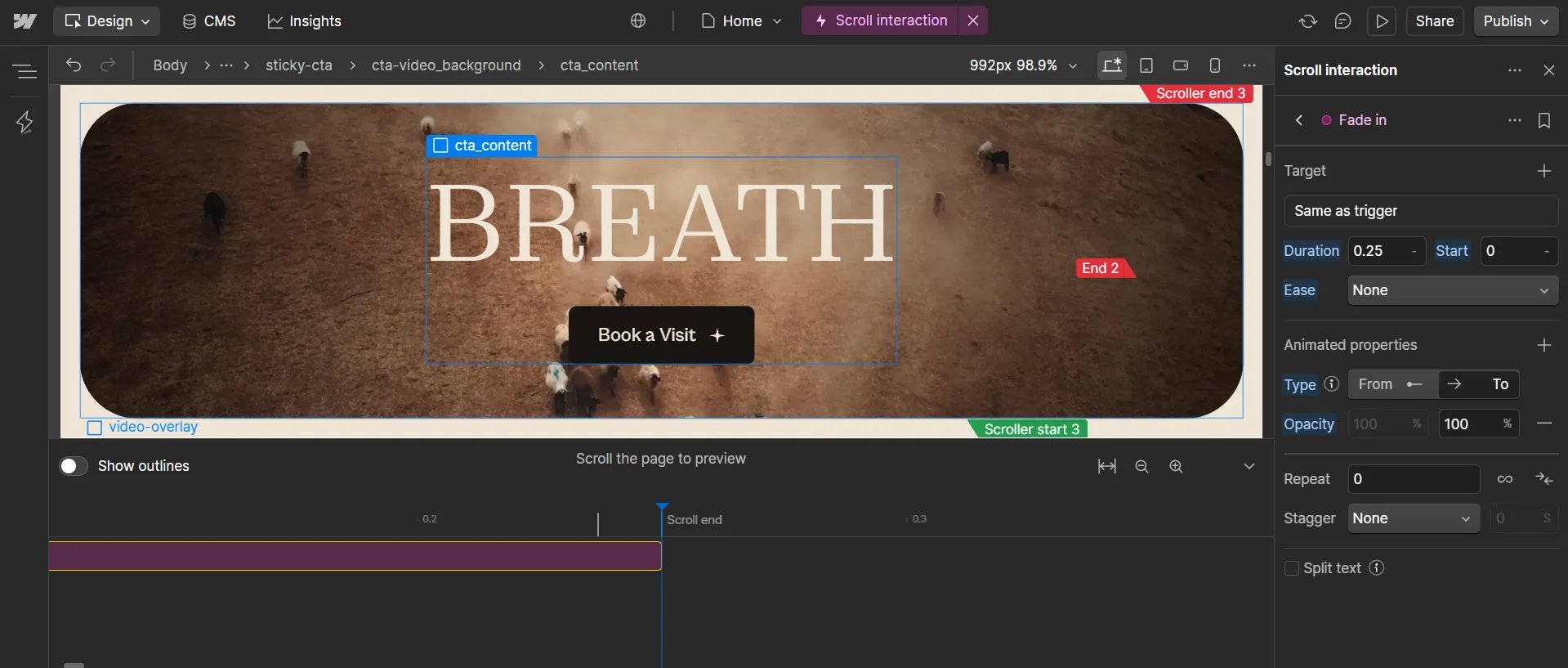
Webflow also excels at animations and interactions. Scroll effects, parallax movement, and multi-step animations can all be created visually, adding depth and personality that Weebly does not support natively. There are also HTML5 templates from Webflow University that are responsive and easy to tailor using Webflow’s no-code tools.
Weebly
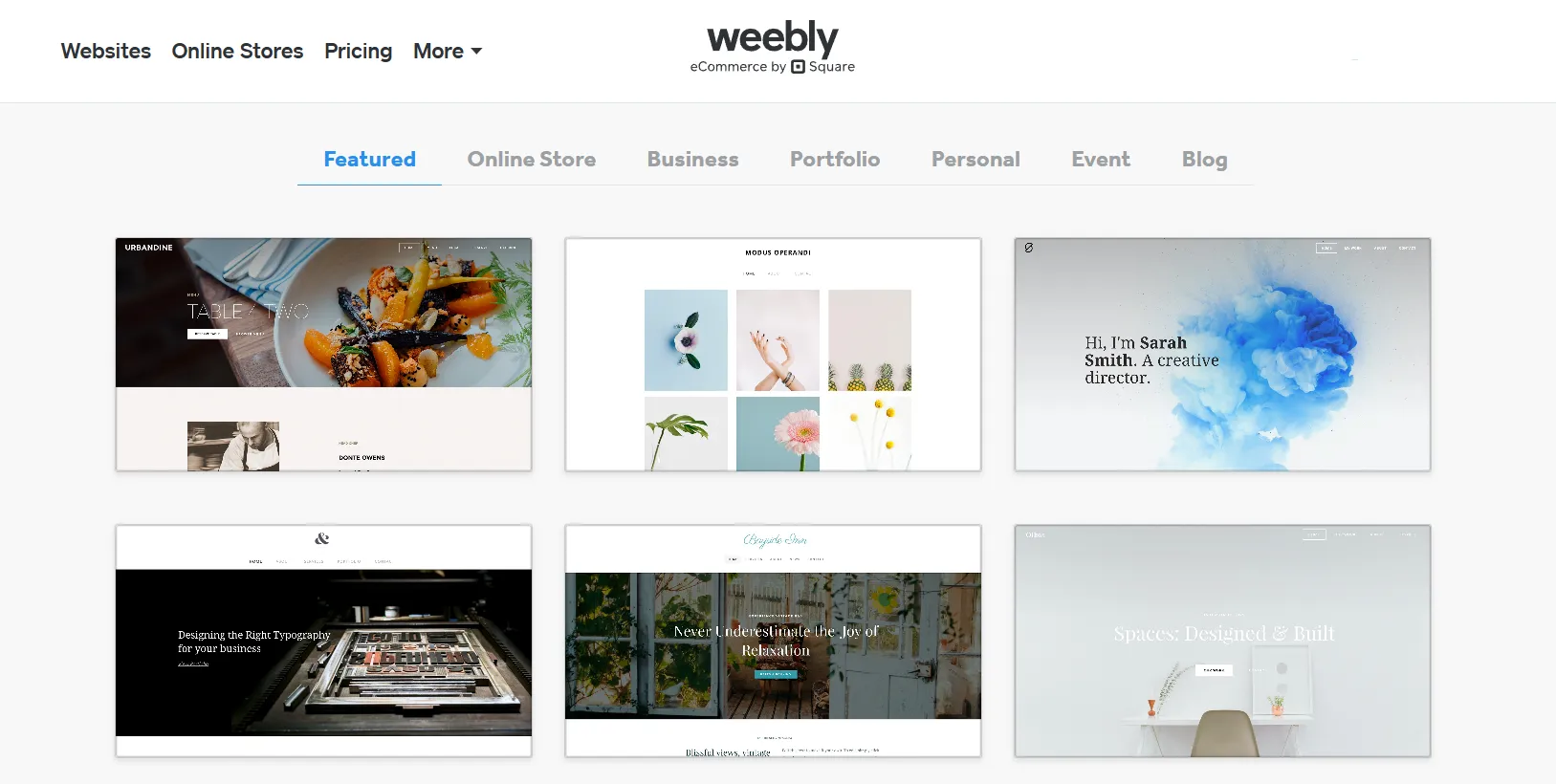
Weebly currently offers just over 50 free themes, divided into 7 categories. The designs are clean, modern, and fully mobile responsive, and switching between themes is quick and painless. However, one downside is the lack of a live preview, meaning you can’t see how your content will look before applying a theme.
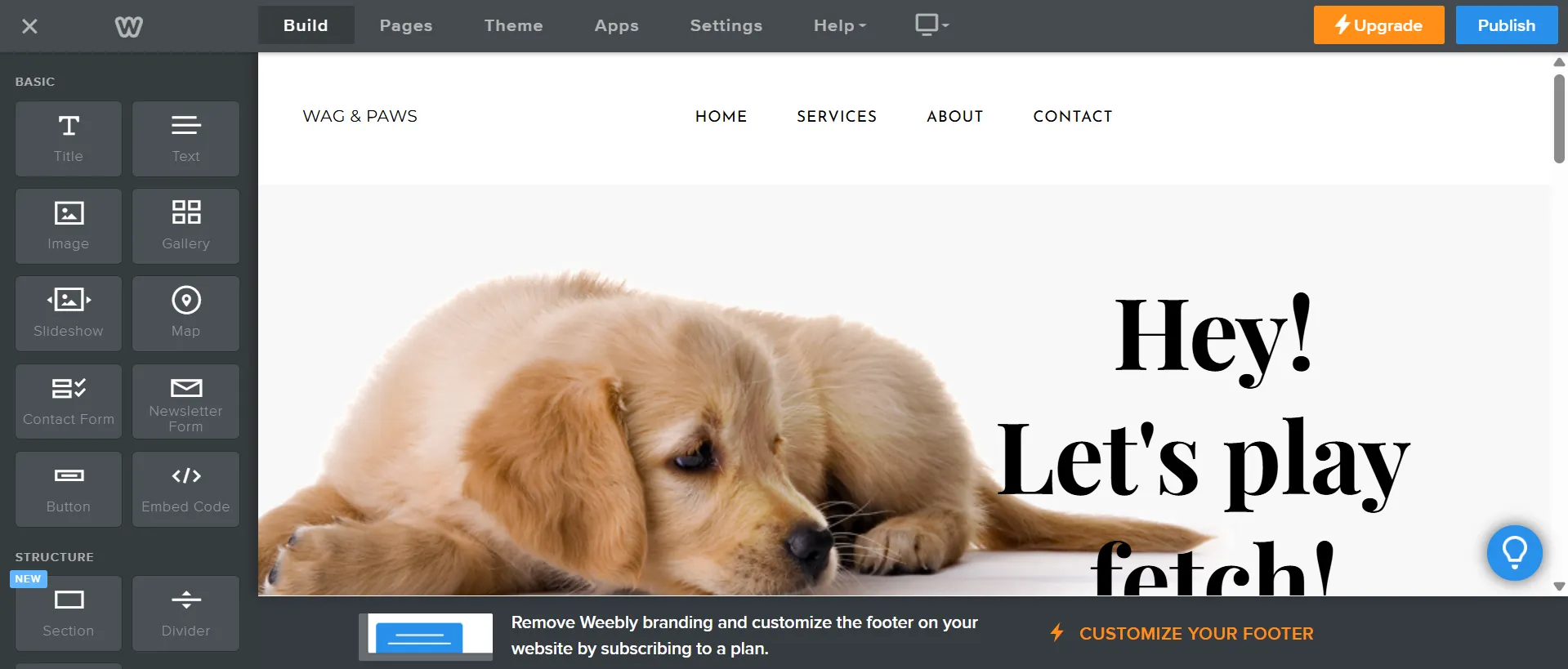
Once a theme is selected, you’re taken into Weebly’s classic drag-and-drop editor, where elements like text, images, buttons, and sections can be placed directly onto the page with instant visual feedback. The experience feels intuitive and beginner-friendly, making it easy to get results quickly without a learning curve.
For users who want to go a step further, Weebly includes a built-in code editor with access to HTML, CSS, and JavaScript. You can edit files directly, preview changes in real time, and even upload custom themes.
Compared to more design-driven platforms like Webflow, Weebly’s editor favors predefined structures over granular control. This limits how far you can push the layout, but it also keeps the process predictable and hard to break.
eCommerce Features: Weebly Wins
Our Verdict
In terms of eCommerce features, Weebly takes the lead. Its deep integration with Square delivers a more complete and practical selling setup, especially for payments, checkout, and order management.
To compare how Webflow vs Weebly support online selling, the table below breaks down their core eCommerce features side by side, from product management to payments and checkout.
On Weebly, these eCommerce features apply only when users choose the online store path, which routes them to Square Online instead of the classic editor. As a result, this becomes the comparison between Webflow and Square Online.
Feature | Webflow | Weebly |
Product types | Physical & digital products | Physical & digital products |
Product variants | Supported (size, color, etc.) | Supported (limited) |
Inventory management | Basic inventory tracking | Basic inventory tracking |
Digital products | Supported | Supported |
Payment gateways | Webflow Payments, Stripe, PayPal | Square, PayPal |
Transaction fees | 2% on Standard plan (waived on higher plans) | No platform transaction fees |
Checkout experience | Customizable checkout (limited regions) | Standard Square checkout |
Shipping options | Flat rate, free shipping, custom rules | Flat rate, weight-based shipping |
Taxes | Manual tax setup | Automatic tax via Square |
Discount codes | Supported | Supported |
Order management | Basic order dashboard | Integrated with Square dashboard |
POS integration | Limited | Native Square POS integration |
Checkout is where the difference becomes most visible. Webflow gives merchants more control over how the storefront and checkout experience are presented, which works well for brand-driven stores that care about visual consistency. Weebly, in contrast, uses Square’s standardized checkout, which is quicker to set up and easier to manage, but offers much less room for customization.
Apps & Integrations: Webflow Wins
Our Verdict
For apps and integrations, the difference between Webflow vs Weebly comes down to quality versus quantity. Webflow wins by offering tighter integrations and a more creative extension ecosystem.
Webflow
The Webflow App Marketplace currently offers 300+ apps, developed by Webflow and selected third-party partners. These apps are mainly designed to extend core workflows such as marketing automation, analytics, localization, forms, and light eCommerce functionality.
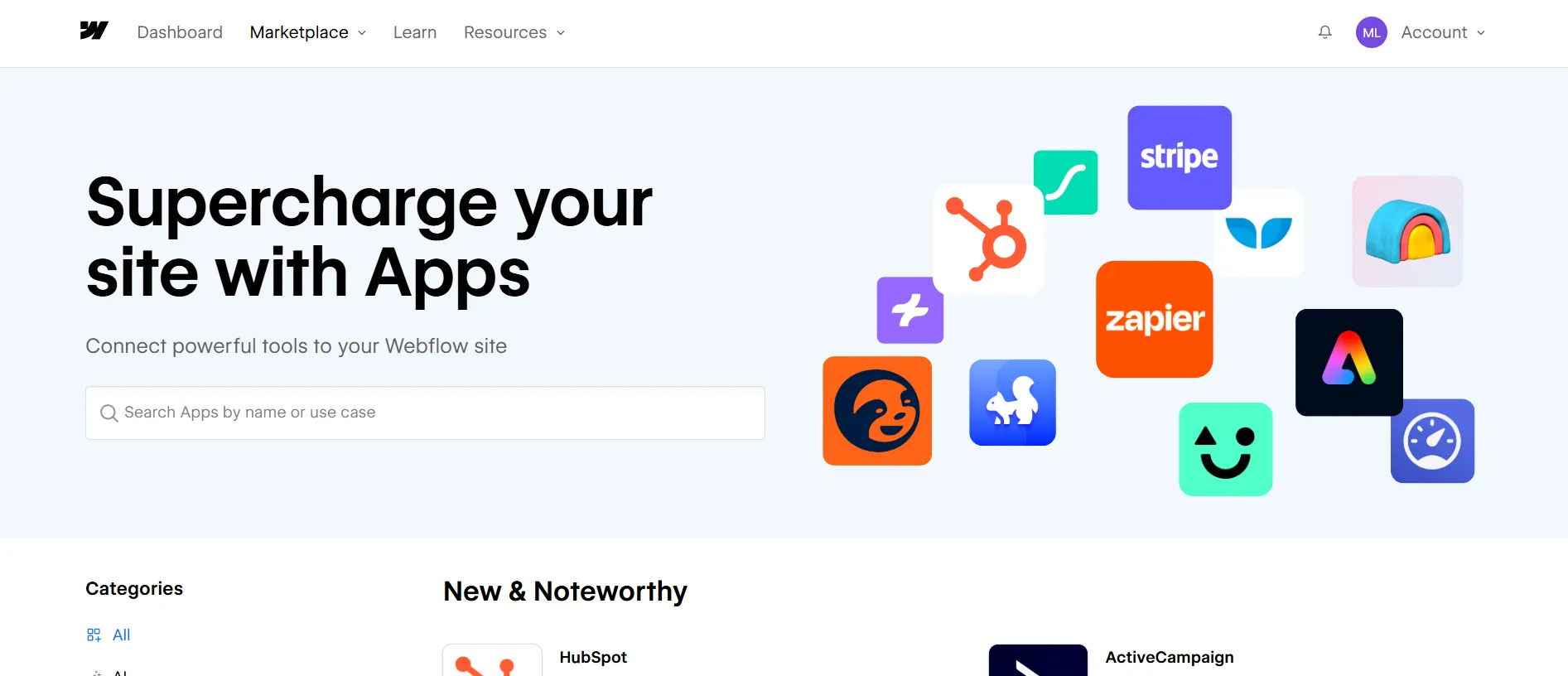
Compared to platforms like Shopify or WooCommerce, where app libraries can reach into the thousands, Webflow’s ecosystem feels more curated. However, this also means you’re less likely to run into plugin overload or compatibility issues. Most apps integrate cleanly with the Webflow Designer or CMS and can be installed with just a few clicks.
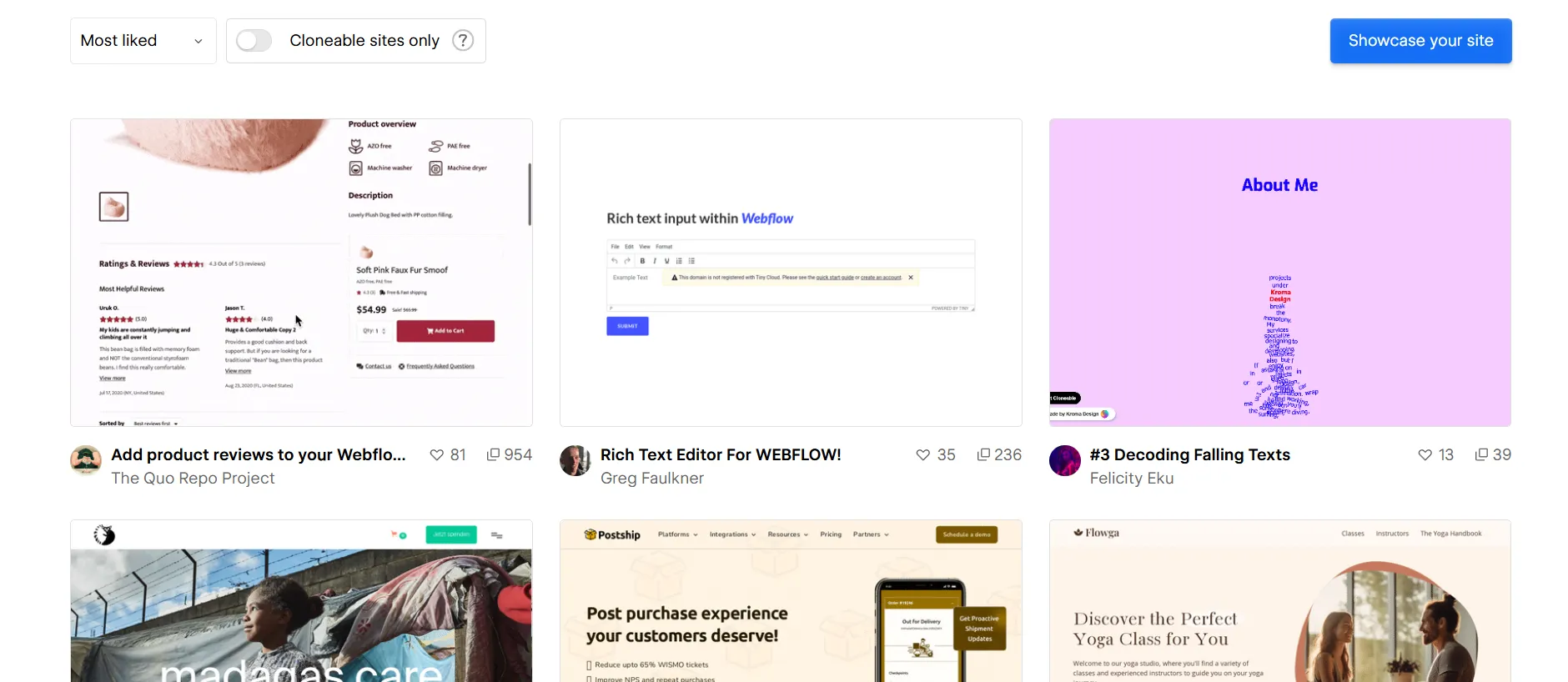
Beyond official apps, Webflow benefits from a strong creative community through Made in Webflow. Designers and developers share cloneable components, widgets, and full projects that can be reused instantly. These community-built resources focus on creative elements like animations, scroll effects, CMS layouts, and interactive sections.
Weebly
Weebly currently offers 400+ free and paid apps through its App Center, which is more than what Webflow provides in its official marketplace. Apps are neatly organized into categories like eCommerce, Marketing, Communication, Social, and Site Tools, making them easy to browse and install.
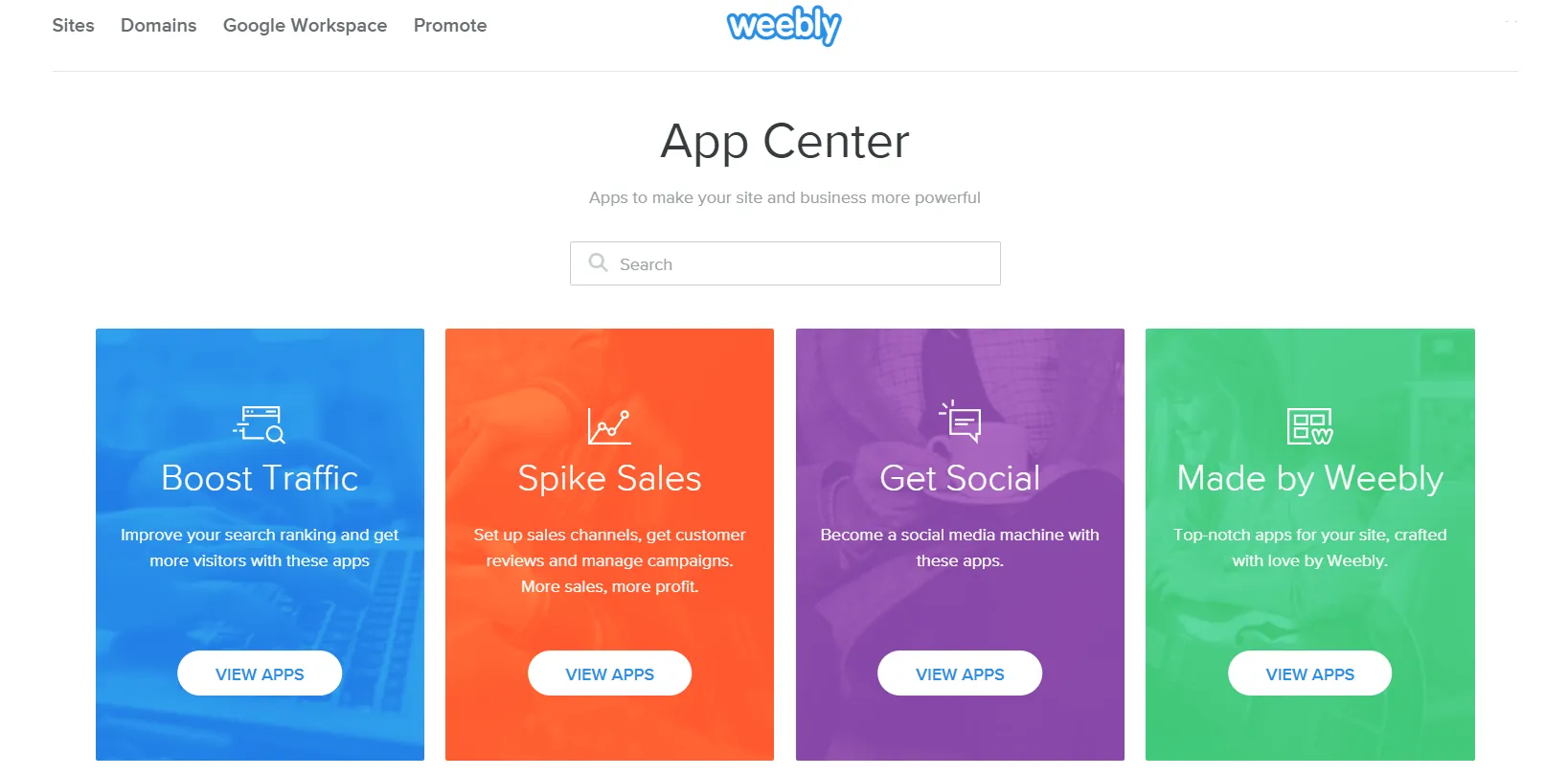
In practice, though, quantity doesn’t always translate to depth. From our experience and user reviews, many Weebly apps are fairly basic and focus on essential functionality rather than advanced customization. Several integrations also rely on external services or Square’s ecosystem, which can feel limiting compared to the flexibility offered by larger platforms.
CMS & Blogging Tools: Webflow Wins
Our Verdict
Webflow takes the lead over Weebly when it comes to CMS and blogging capabilities. Weebly works well for basic blogs, but it can’t match Webflow’s control and scalability.
Webflow
In the Webflow vs Weebly comparison, Webflow stands out with a dedicated CMS that lets you define how content is structured, not just how it’s written. Instead of relying on a fixed blog format, you can create custom content types for blog posts, case studies, resources, or any other content you need, each with its own fields and layout.
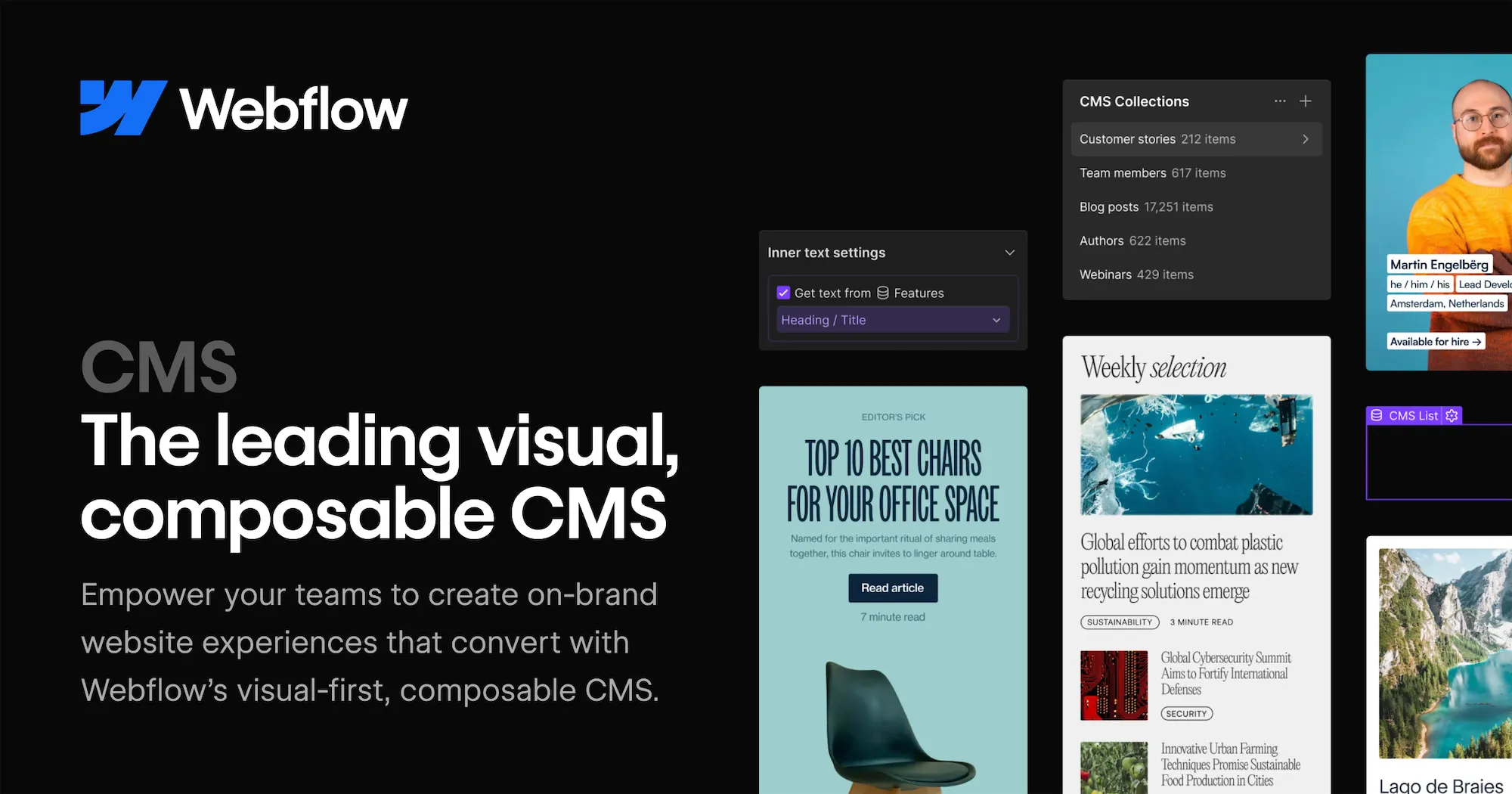
For SEO, Webflow covers the basics well. You can manage posts visually, customize URLs, meta titles, descriptions, and Open Graph settings directly in the editor. Its structured CMS and AI-assisted tools align well with AEO, making content easier for AI-powered search experiences to surface.
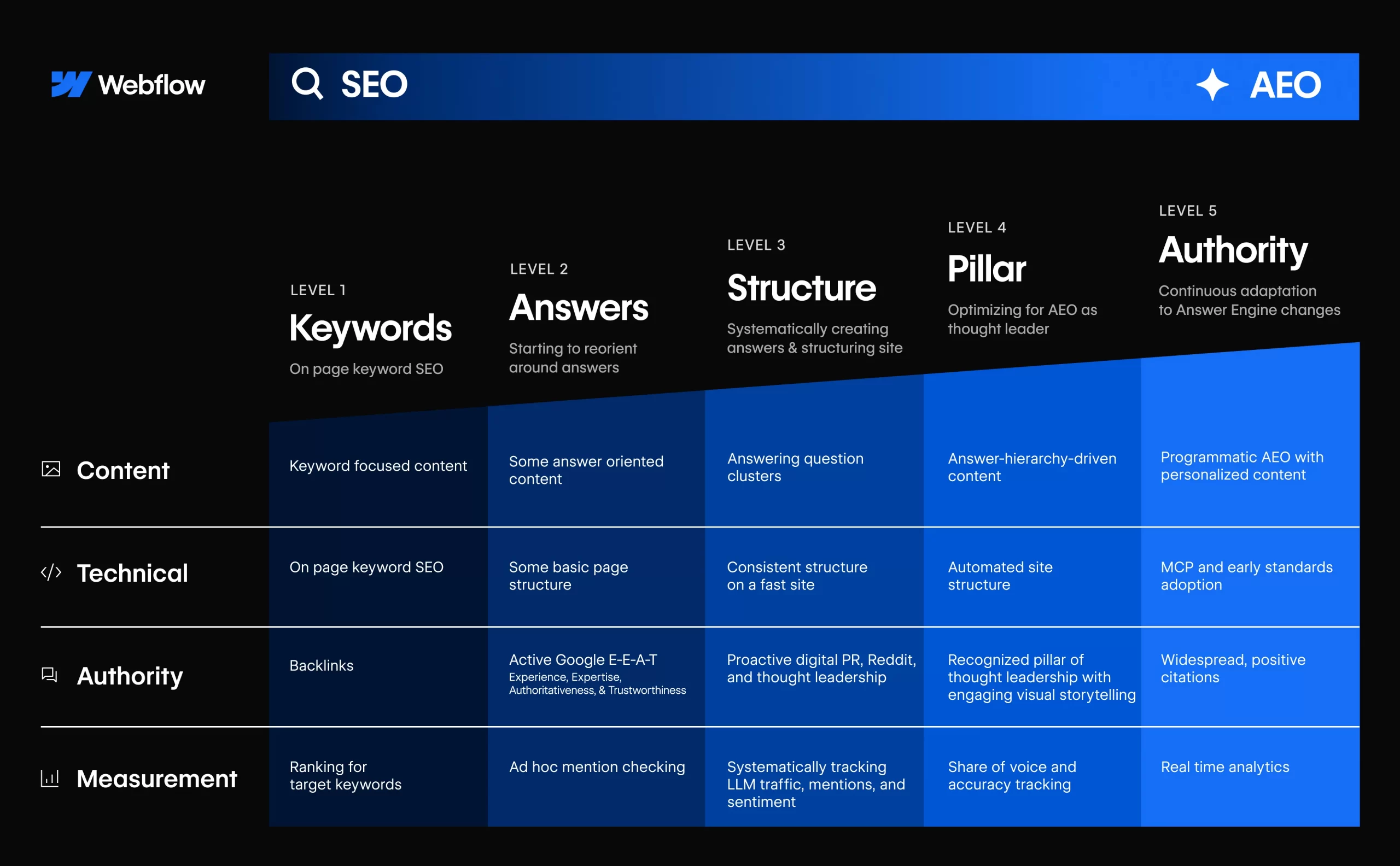
Overall, Webflow’s CMS is built for structured, design-led content. It’s a strong fit for marketing sites and content hubs, but it requires more setup compared to traditional blogging tools.
Weebly
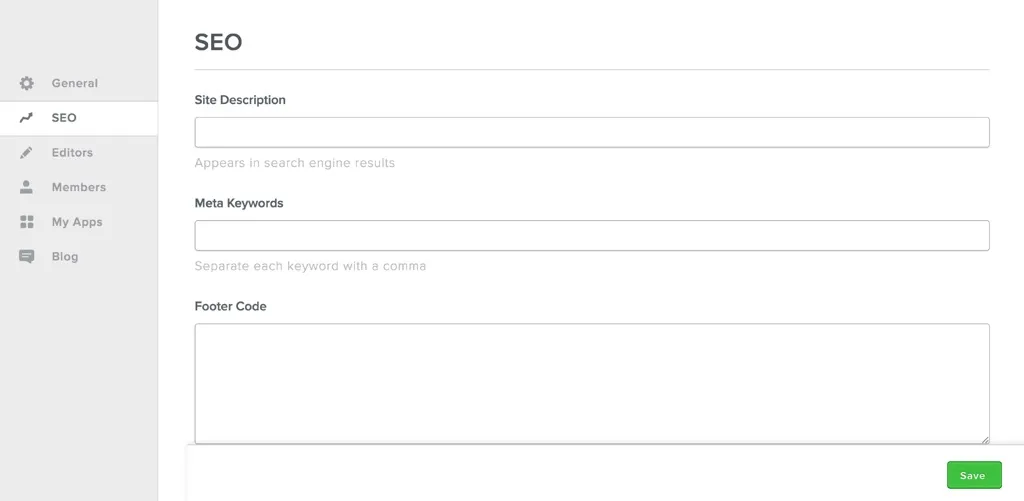
On the other hand, Weebly offers a simpler, built-in system for managing pages and blog posts, with a fixed structure that’s easy to understand. Blogging feels straightforward – you create posts, assign categories, schedule publishing, and manage basic SEO settings without needing to define content models or layouts.
SEO tools are basic but sufficient for small sites, covering titles, meta descriptions, and URLs. Content is mostly tied to predefined templates, which keeps things simple but limits how content can be reused or presented in different formats.
AI Capabilities: Webflow Wins
Our Verdict
In the Webflow vs Weebly comparison, Webflow clearly wins on AI capabilities. Webflow actively uses AI to support site building, content creation, and optimization to help you work faster without losing control.
Webflow
Webflow has been gradually embedding AI into different parts of the platform, with a clear focus on speeding up workflows rather than fully automating website creation. From our experience, these AI features work best as assistants that help you move faster while still keeping full control over the final output.

Some of the key AI capabilities available in Webflow include:
- AI Site Builder: Generates a complete site structure from a short prompt describing your site’s purpose, style, and audience.
- AI content generation: Helps draft and refine headlines, body text, and CTAs directly inside the editor.
- AI-assisted CMS content: Speeds up creating and managing structured content such as blog posts and CMS collections.
- Contextual AI help: Provides suggestions and guidance directly inside the Designer while you work.
- App Gen (AI-powered app generation): Turns natural-language prompts into reusable components or small web apps integrated with Webflow.
In practice, Webflow’s AI capabilities feel well integrated into real workflows. They help speed up building and content tasks while preserving full creative and technical control.
Weebly
Weebly currently does not offer built-in AI features such as AI site builders, content generation, or AI-assisted SEO tools. Most site creation and optimization tasks are handled manually through its drag-and-drop editor. Compared to Webflow, Weebly’s approach remains more traditional and less focused on AI-driven workflows.
Security & Support: Webflow Wins
Our Verdict
For security and support, Webflow vs Weebly is a close call, but Webflow edges ahead. Its support ecosystem feels more stable, especially for long-term use.
Webflow
Webflow manages security at the infrastructure level, so most protections are handled automatically. The platform complies with ISO 27001 and Critical Security Controls (CIS) standards, includes SSL certificates by default, and supports two-factor authentication (2FA) to prevent unauthorized access.
For support, Webflow centers its help system around the Help Center, Webflow University, and an active community forum. These resources cover a wide range of topics, from basic setup to advanced workflows, and are often the first stop for users looking to solve issues on their own.
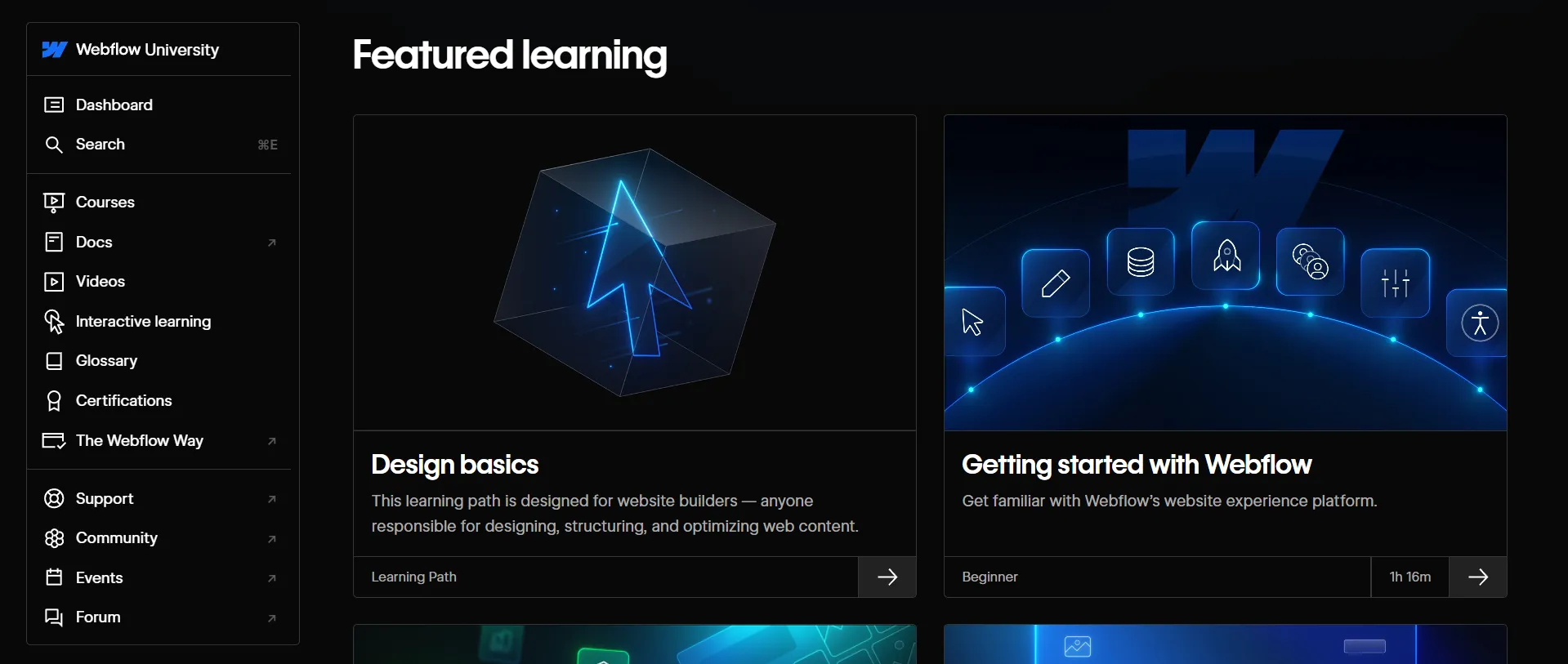
If further help is needed, users can submit a support ticket from the dashboard or Help Center. Support is handled via email, with faster responses on higher-tier plans. While there’s no always-on live chat, customer feedback generally describes the responses as helpful, especially for technical issues.
Weebly
On Weebly’s side, security is also handled at the platform level, with SSL certificates and DDoS mitigation included by default on all plans. This helps encrypt user data and protect sites from common cyberattacks, keeping security largely hands-off for merchants.
In terms of support, Weebly offers multiple channels, including live chat, email, and a knowledge base, while phone support is limited to users on the Professional and Performance plans. The Support Center includes guides, tutorials, and FAQs that are easy to follow, which works well for beginners.
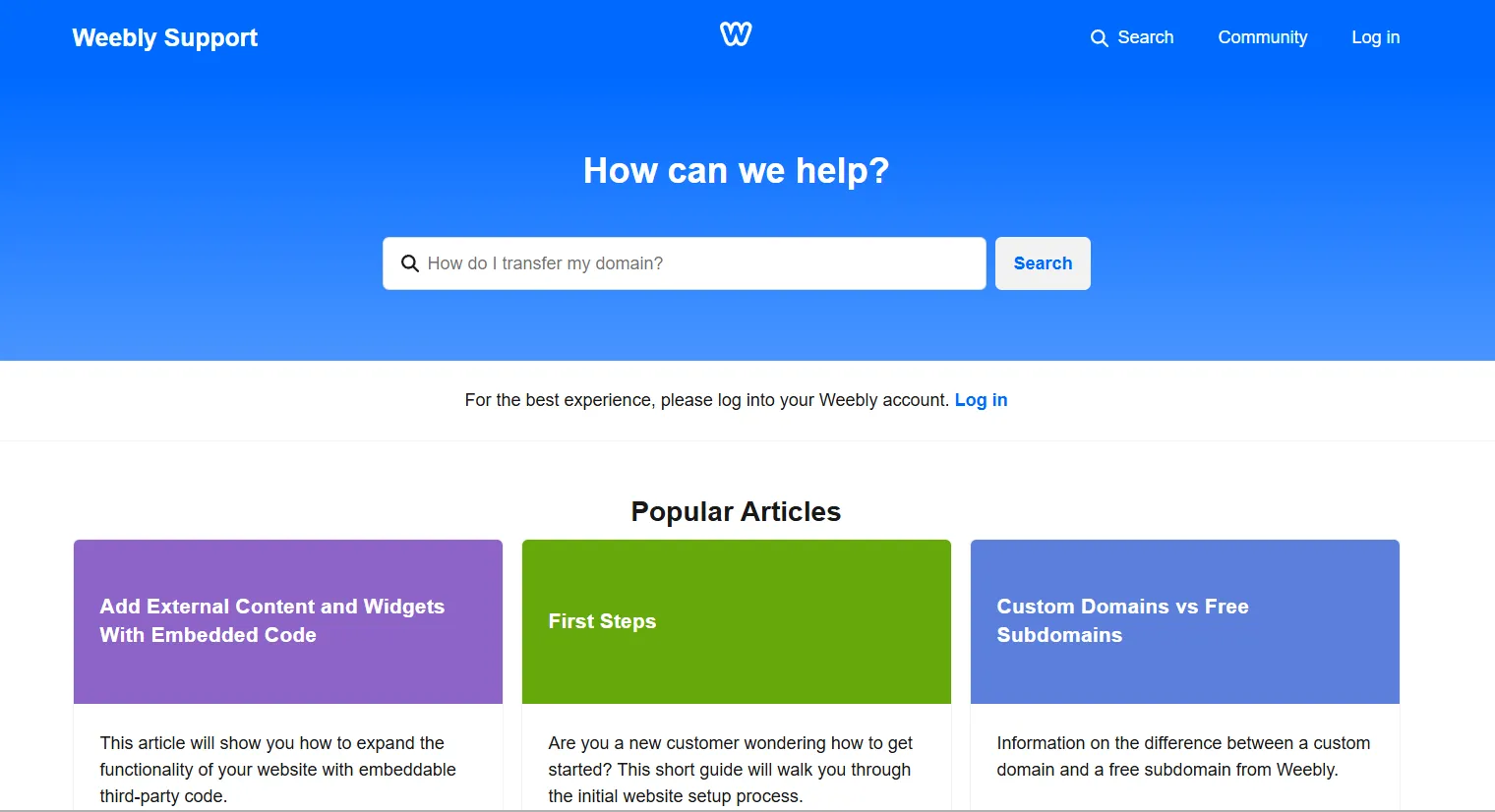
That said, recent customer reviews point to a decline in support quality. Since Weebly has received less focus after being integrated into Square, many users report slower response times and limited assistance, particularly for technical or account-related issues.
If you’re deciding between Webflow vs Weebly, the choice largely comes down to simplicity versus control. Webflow is better suited for users who want design flexibility and are willing to invest time in learning, while Weebly is the more practical option for quick setup and straightforward online selling through Square.
Migration Considerations To Webflow and Weebly
After reviewing the Webflow vs Weebly comparison above, you should have a clearer idea of which platform fits your business better. If you’re planning to switch platforms or migrate to Weebly or Webflow, there are a few key considerations to keep in mind:
- Content and page structure often need to be reworked to match the target platform’s layout system.
- CMS data may require restructuring, especially when moving into Webflow’s CMS or simplifying content for Weebly.
- eCommerce data such as products, customers, and orders must be migrated carefully to avoid sales disruptions.
- SEO elements including URLs and metadata should be preserved to maintain search visibility.
As you can see, migrating to Webflow or Weebly involves more than just moving data from one platform to another. With multiple elements to prepare and validate, the process requires careful planning to avoid disruptions or data loss.
To support this, LitExtension offers dedicated migration services to both Webflow and Weebly, helping businesses transfer essential data such as products, customers, orders, and content with accuracy and minimal downtime. The goal is to simplify the transition and let you move to your chosen platform with confidence.
Let Our Experts Handle Your Store Migration!
With the All-in-One Migration Service, our experts take care of everything, ensuring a seamless and stress-free migration.

Webflow vs Weebly: FAQs
Is Weebly being phased out?
Weebly is not officially shut down, but it is no longer a strategic focus. Since being acquired by Square, major development has shifted toward Square Online, and in recent years Weebly has received very few significant updates, signaling a gradual deprioritization rather than an active phase-out.
What are the disadvantages of Webflow?
Webflow has a steeper learning curve and higher costs compared to beginner-friendly builders. It also requires more setup for content and blogging workflows, and its eCommerce features are less operationally complete than platforms built specifically for selling.
What are the disadvantages of using Weebly?
Weebly offers limited customization and a fixed structure, which restricts design flexibility. Its ecosystem feels stagnant, with fewer updates and less innovation since Square’s shift in focus, and advanced use cases are harder to support.
Do web designers use Webflow?
Yes. Webflow is widely used by professional web designers, agencies, and freelancers, especially for custom, brand-led websites where layout control and visual precision are important.
Which platform is faster for launching a simple marketing site: Webflow or Weebly?
Weebly is faster for launching a simple marketing site. Its guided setup, templates, and drag-and-drop editor allow users to get online quickly with minimal learning.
Is Webflow worth the higher cost compared to Weebly for a small business site?
It depends on priorities. Webflow is worth the higher cost if the business values design control, branding, and long-term flexibility. For small businesses that just need a simple, low-maintenance site, Weebly is often the more practical and cost-effective choice.
Final Verdict: Which Platform is Better Between Webflow vs Weebly?
There’s no single winner in the Webflow vs Weebly comparison – the better choice depends on your priorities. Webflow is the stronger option for design flexibility and long-term control, while Weebly is better suited for simple, affordable online selling, especially for businesses using Square.
For more eCommerce platform comparisons, check out our blog posts or join our community group to stay updated with practical insights and real-world experiences.


