For many merchants, choosing one (or more) Shopify payment gateways is certainly not the most glamorous part of building a store. A Shopify payment gateway is the system that securely processes customer payments for online stores built on the Shopify platform – and since there are so many options available, the selection process can feel more confusing than it needs to be!
But no worries. To make it easier for you, this guide will break down the following payment gateways:
- 1. Shopify Payments
- 2. PayPal
- 3. Stripe
- 4. Square Payments
- 5. Adyen
- 6. Amazon Pay
- 7. Klarna
- 8. Authorize.net
- 9. Skrill
- 10. Opayo (formerly Sage Pay)
Let’s get started!
Top 10 Best Shopify Payment Gateways 2026
Though Shopify supports more than 100 payment gateways worldwide, only a handful consistently rise to the top for reliability, including Shopify Payments, PayPal, Stripe, Square Payments, Adyen, Amazon Pay, Klarna, Authorize.net, Skrill, and Opayo.
Let’s take a closer look!
Name | Key Features | Fee Estimation | Best For |
Shopify Payments | • Native Shopify integration | Included in Shopify plan; ~2.5%–2.9% + 30¢ depending on plan | Shopify merchants wanting the smoothest, fee-efficient setup |
PayPal | • PayPal Checkout button | ~3.49% + fixed fee; cards ~2.99% + fee; cross-border +1.5% | Stores targeting global audiences & customers who prefer PayPal |
Stripe | • Advanced APIs | Online ~2.9% + 30¢; in-person ~2.7% + 5¢; intl cards +1.5%; FX +1% | Businesses needing customization, subscriptions, or marketplace tools |
Square Payments | • Robust POS hardware | In-person ~2.6% + 15¢; online ~2.9% + 30¢; keyed-in ~3.5% + 15¢ | Service businesses, salons, retail stores relying heavily on POS |
Adyen | • Global local-payment support • Unified commerce tracking | Base ~13¢ + variable interchange (e.g., Mastercard: interchange + 0.6%) | Enterprise or global merchants needing international coverage |
Amazon Pay | • Amazon login & one-click checkout • Mobile-optimized | ~2.9% + 30¢ domestic; cross-border +1% | Stores targeting Amazon shoppers & mobile-first buyers |
Klarna | • Buy Now Pay Later options | ~2.99%–5.99% + 30¢ depending on BNPL product | Merchants selling mid/high-ticket items or wanting higher AOV |
Authorize.net | • Advanced fraud controls • Recurring billing & eChecks • Tokenized customer data • Supports ACH | $25/month + ~2.9% + 30¢ OR gateway-only $25/month + 10¢/transaction + 10¢ batch fee | Security-focused businesses or companies with recurring billing needs |
Skrill | • Wallet-based payments | Varies; currency conversion up to 4.99%; card deposits up to 2.99%; transfers ~2.99% | Digital goods, international markets, privacy-focused shoppers |
Opayo | • Highly reliable gateway | From ~£25/month; extra transactions ~10–12p | UK/EU merchants wanting reliability and predictable pricing |
In fact, many of these gateways are considered among the best for eCommerce businesses in general, not just Shopify stores. Check out our list of the 10 best eCommerce payment gateways here.
1. Shopify Payments: Best for native payment solution
- Shopify rating: 4.4/5 from 4900+ users on G2
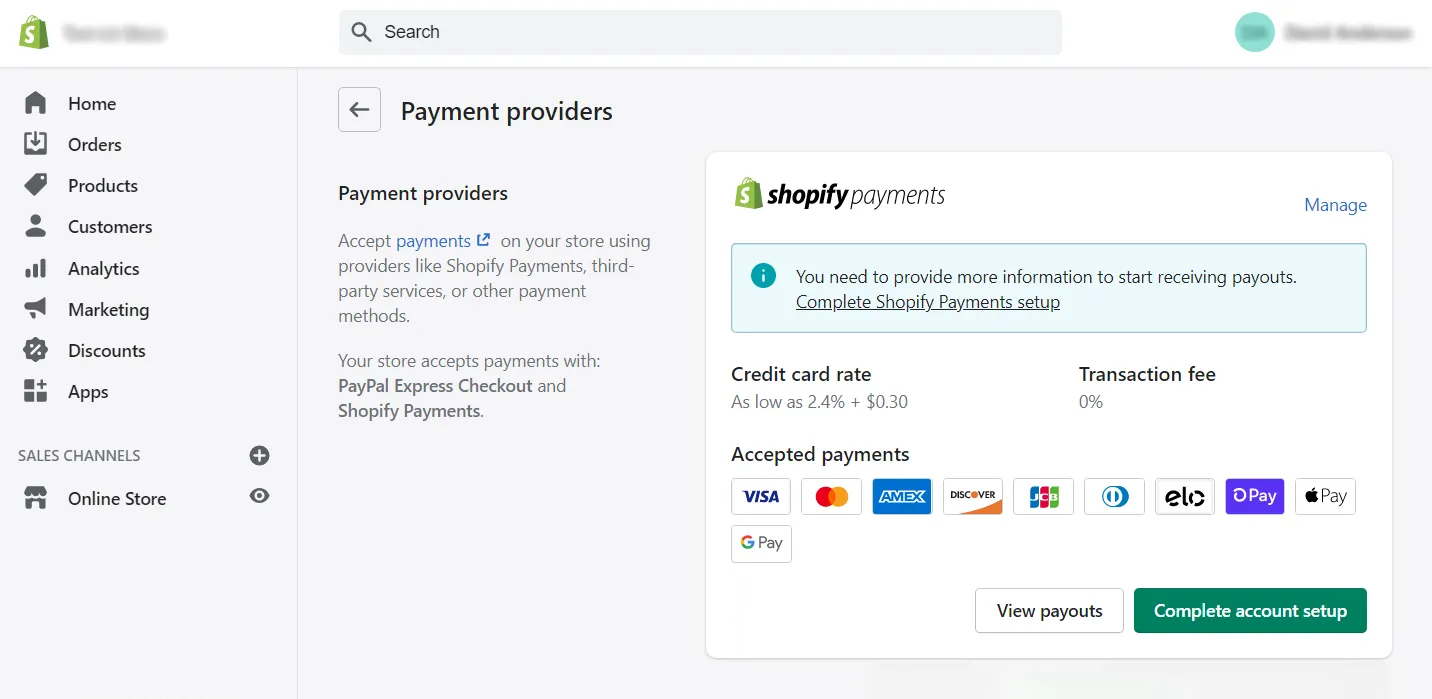
Shopify Payments is among the best ways to accept payments on a Shopify store, as the gateway is built directly into the platform. There’s no external setup, no extra configuration, and (most importantly) no additional transaction fees from Shopify. Everything from fraud analysis to payout scheduling happens natively inside your dashboard, which makes day-to-day financial management much less overwhelming for merchants.
Better yet, Shopify Payments has grown more flexible over the years, now supporting local currencies, major credit cards, digital wallets, and even select cryptocurrencies such as USDC. Merchants don’t need to install any extra gateway to access these options.
Who's this for?
Shopify Payments is ideal for merchants who want the simplest, most tightly integrated payment setup possible. If your store runs entirely on Shopify and you prefer to manage payouts, disputes, and reporting from a single dashboard (without dealing with third-party accounts), then this gateway is a natural fit.
Features
- Native, code-free integration that activates instantly within your Shopify dashboard
- Shop Pay one-click checkout with industry-leading conversion uplift
- Unified reporting that combines orders, payouts, returns, and disputes in one view
- Built-in support for selling across social channels (FB, IG, TikTok, YouTube) using the same payment system
- Automatic currency conversion and local payment routing optimized for the buyer location
- Crypto-friendly support for stablecoins like USDC without third-party apps
Fees (estimated)
Included in Shopify plan; card rates vary by plan:
- Basic: ~2.9% + 30¢ online
- Shopify (Grow): ~2.7% + 30¢ online
- Advanced: ~2.5% + 30¢ online
2. PayPal: Best for trusted payment providers
- PayPal rating: 4.4/5 from 2600+ users on G2
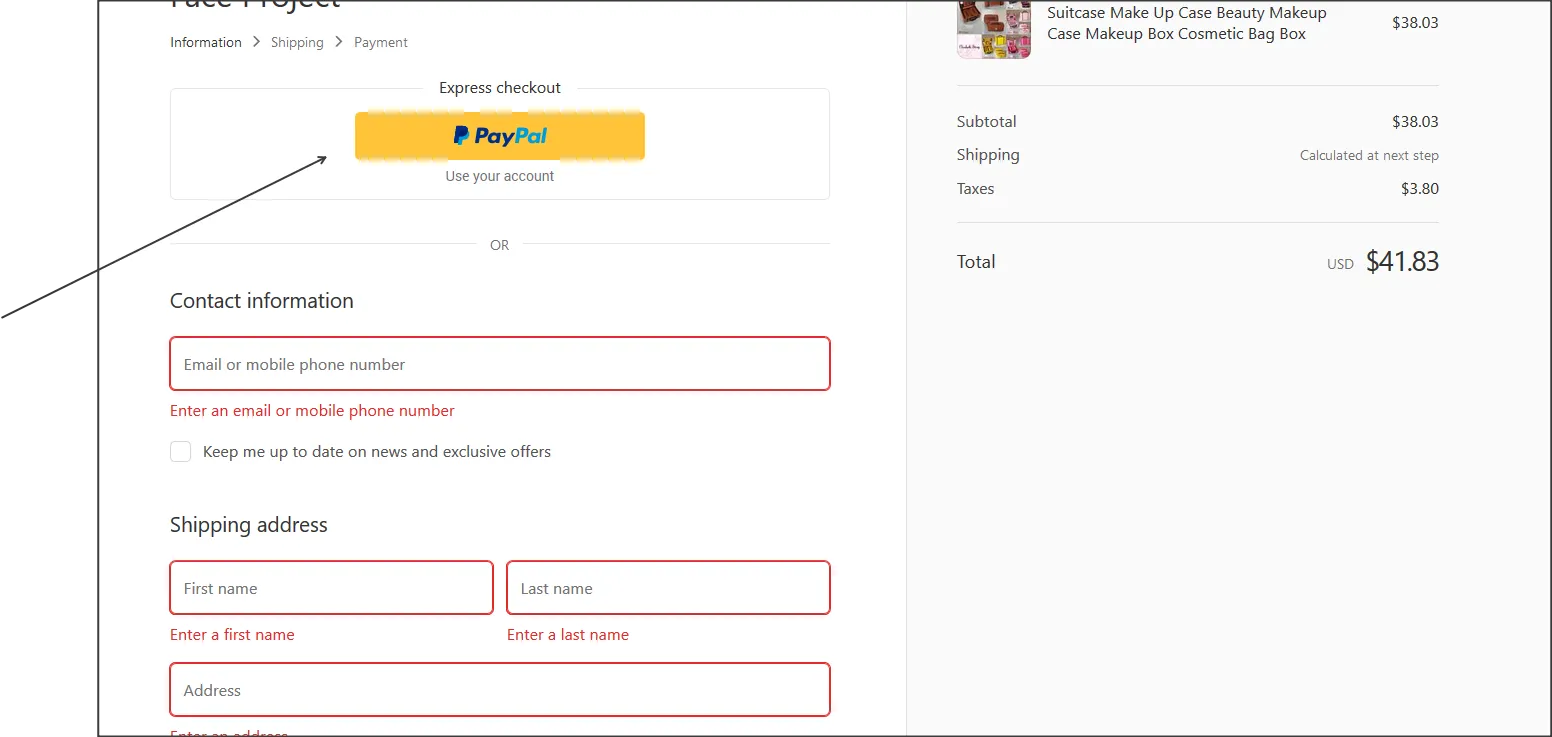
PayPal remains one of the most recognizable names in digital payments, and that brand familiarity alone can meaningfully influence conversions.
For merchants, PayPal behaves much like an independent checkout option that runs alongside Shopify Payments. It’s easy to activate, easy for customers to use, and widely accepted across global regions. However, PayPal’s fees are higher than those of most other Shopify payment gateways, so it tends to work best as an additional payment option rather than the sole processor.
Who's this for?
PayPal is best suited for stores that sell to a broad or international audience, where brand recognition directly affects trust. Still, because of its higher fees, PayPal works best as a secondary payment option, complementing Shopify Payments rather than replacing it.
Features
- Instant brand trust: customers can pay without sharing card details with your store
- PayPal Checkout button for accelerated checkout from product pages or the cart
- Strong buyer and seller protection programs that reduce dispute risk
- Native tools for recurring billing, subscriptions, and installment payments
- Customers can pay using their PayPal balance, bank account, or linked cards
- High international adoption, useful for cross-border customers
Fees (estimated)
- PayPal Checkout: ~3.49% + fixed fee
- Standard credit/debit card payments: ~2.99% + fixed fee
- Cross-border payments: +1.5%
- (Fixed fees vary by currency; USD is typically ~49¢.)
3. Stripe: Best for flexibility for custom and global businesses
- Stripe rating: 4.2/5 from 430+ users on G2
Next, we have Stripe, which is known for its developer-friendly approach and has become a favorite among businesses that require advanced customization.
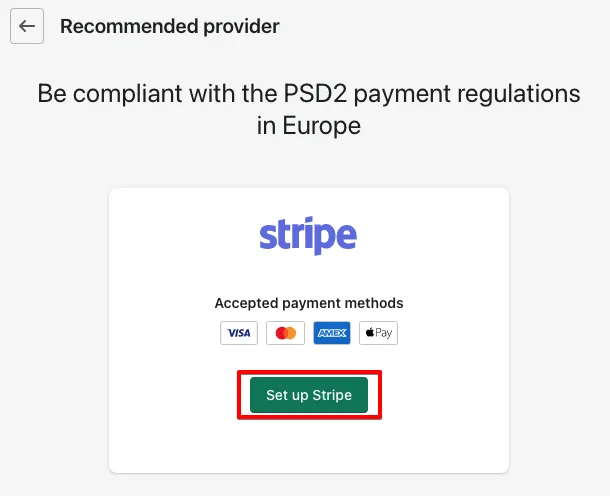
While it integrates perfectly with Shopify, Stripe operates independently and can support both online and in-person transactions, subscription billing, invoicing, and marketplace payments. Its infrastructure is built for global commerce, supporting 135+ currencies and a wide range of alternative payment methods.
Who's this for?
Stripe is a strong choice for businesses that need flexibility beyond standard checkout flows. For instance, if your store involves subscriptions, complex billing logic, marketplaces, or custom payment experiences, Stripe’s infrastructure is built for that level of control.
It’s particularly well-suited for fast-growing or international brands with technical resources, where customization and scalability matter more than simplicity.
Features
- Advanced APIs and developer tools suitable for customized payment flows
- Stripe Billing for subscription plans, trials, prorated charges, and invoices
- Stripe Radar AI-powered fraud detection trained on global transaction data
- Support for 135+ currencies and dozens of alternative payment methods (Klarna, iDEAL, Alipay, etc.)
- Tools for marketplace payouts and multi-vendor platforms (Stripe Connect)
- Real-time reporting, smart retries, and automatic card-update logic
Fees (estimated)
- Online payments: ~2.9% + 30¢
- In-person payments: ~2.7% + 5¢
- International cards: +1.5%
- Currency conversion: +1%
4. Square Payments: Best for in-person payment solutions
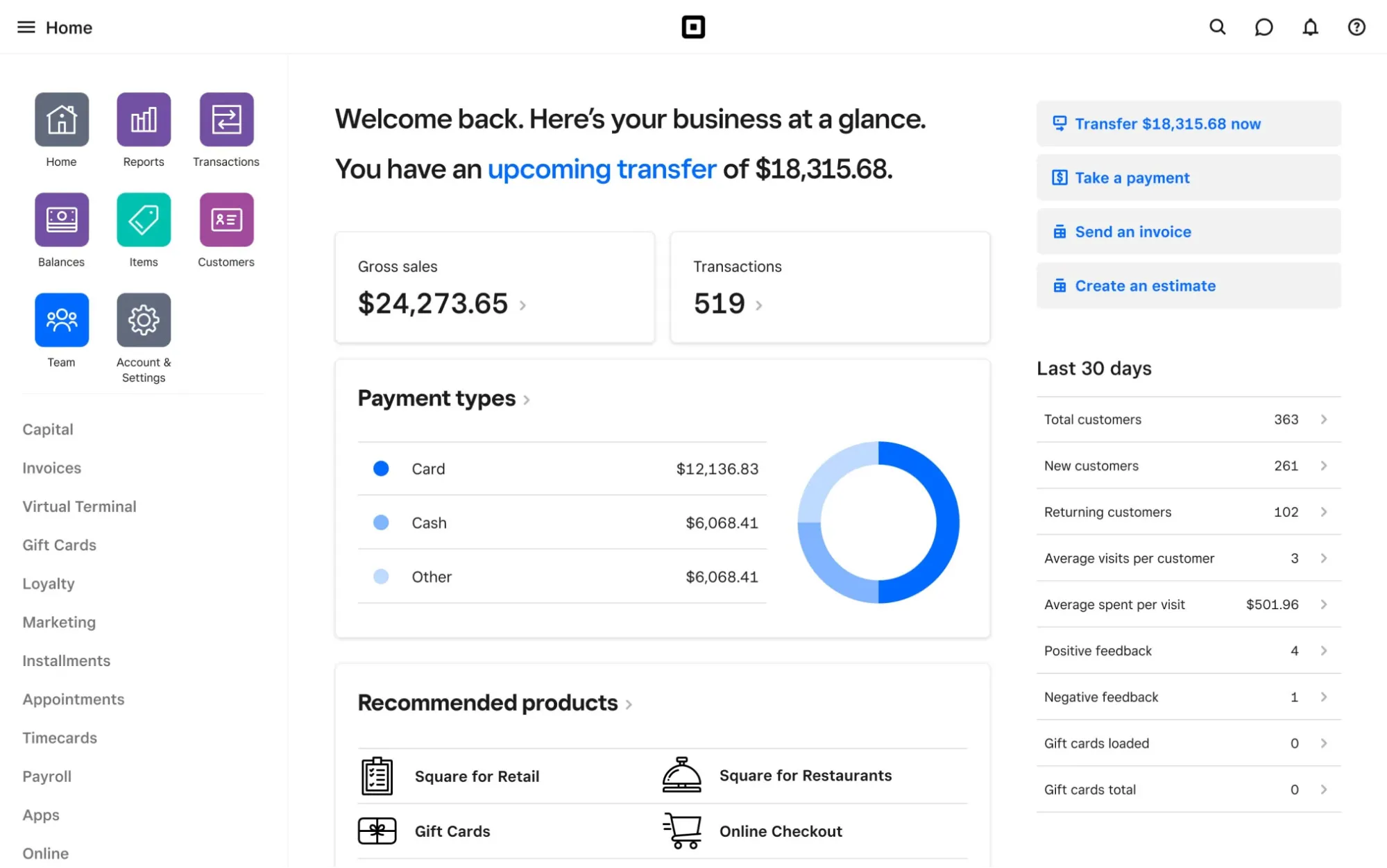
Square began as a simple mobile card reader but has evolved into a robust ecosystem for both online and offline sellers. Its real strength lies in its POS hardware and appointment-based features, which makes it especially appealing to service businesses, local shops, or merchants who want a strong in-person setup alongside their online presence.
To clarify, Shopify stores cannot directly integrate Square Payments for online sales. Nevertheless, Square remains a popular gateway in the broader eCommerce world and is still worth understanding for merchants who operate across multiple platforms.
Who's this for?
Square is best for merchants who operate heavily in person (such as retail stores, restaurants, salons, or service-based businesses) and need a powerful POS system alongside online sales. Though it doesn’t directly power Shopify online checkouts, Square is still relevant for multi-platform sellers who want consistent in-person payment workflows across locations.
Features
- Wide POS hardware ecosystem, from handheld readers to full countertop registers
- Built-in appointment scheduling tools ideal for salons, spas, and service businesses
- Offline mode: allows card payments even when the internet drops
- Unified inventory that syncs between your POS and online store
- Mobile payments from phones/tablets without extra hardware (Tap to Pay options)
- Built-in invoicing system with automatic reminders and digital receipts
Fees (estimated)
- In-person: ~2.6% + 15¢
- Online: ~2.9% + 30¢
- Manually entered cards: ~3.5% + 15¢
- (Subscription options: Free, Plus ~$29/month, Premium with custom pricing)
5. Adyen: Best for enterprise-level payment gateways for global commerce
- Adyen rating: 3.8/5 from 30+ users on G2
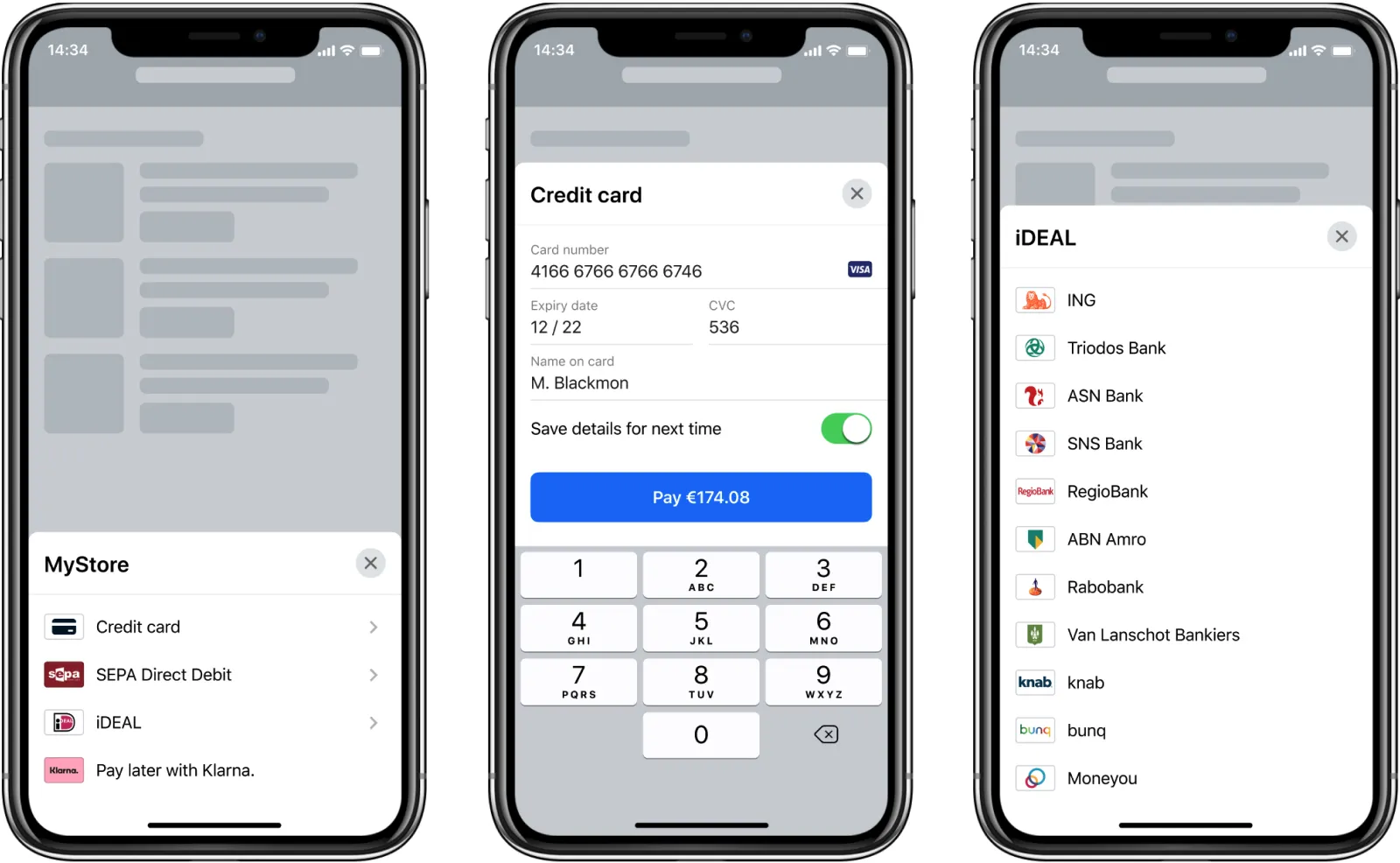
Let's move on to Adyen, one of the powerhouse Shopify payment gateways used by enterprise-level brands that require reliability across dozens of regions and payment types.
Rather than offering a flat rate, Adyen charges a base processing fee plus the specific interchange rate tied to the payment method. This pricing model can be extremely cost-effective for merchants with predictable transaction patterns, but it also requires a clearer understanding of your audience and their preferred payment methods.
Pricing aside, where Adyen truly stands out is its international reach. It supports an extensive list of local payment options (from European debit systems to Asian e-wallets), making it a strong fit for merchants scaling into multiple markets. Plus, its fraud-prevention tools and unified commerce system help businesses track payments across both online and physical channels.
Who's this for?
Adyen is designed for enterprise-level businesses with large transaction volumes and international reach. It offers the infrastructure to handle the complexity if your brand operates across multiple countries and relies on local payment methods in each market.
Features
- Extensive catalog of local payment methods tailored for multi-region expansion
- Smart dynamic routing that sends payments through the most efficient path to boost approval rates
- Risk management system (RevenueProtect) with machine-learning fraud scoring
- Unified commerce: merges in-store and online payments into a single customer profile
- Detailed reporting for global enterprises with multi-market operations
- Highly customizable checkout flows for enterprise UX teams
Fees (estimated)
- Base fee: ~13¢ per transaction
- Additional cost varies by payment method (e.g., Mastercard: interchange + 0.6%)
6. Amazon Pay: Best for familiar checkout experiences
- Amazon Pay rating: 4.5/5 from 570+ users on G2
Amazon Pay brings the convenience of the Amazon checkout experience directly into your Shopify store.
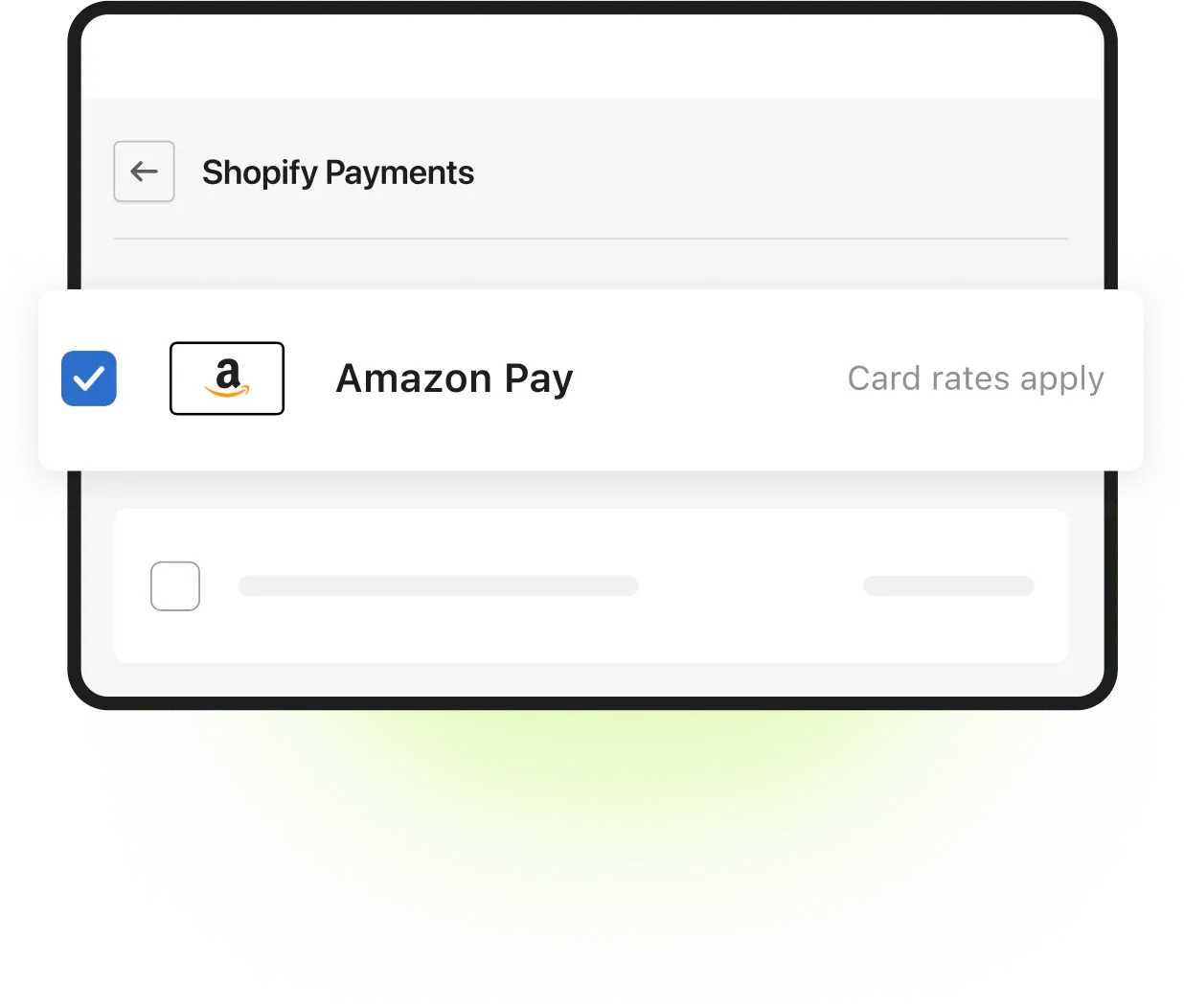
Instead of typing out shipping addresses or credit card numbers, shoppers can sign in with their Amazon credentials and complete the purchase almost instantly. This drastically reduces friction (especially for mobile buyers) because everything from saved payment methods to delivery preferences is already stored within their Amazon profile.
All in all, for brands that serve international shoppers or rely heavily on repeat customers, Amazon Pay can be a powerful way to reduce cart abandonment and offer the kind of optimized checkout experience people expect from top-tier ecommerce platforms.
Who's this for?
Amazon Pay is a strong option for stores targeting customers who already shop frequently on Amazon. It works particularly well for brands with repeat customers or international buyers who trust Amazon’s ecosystem.
Features
- One-click Amazon login and checkout with stored payment and shipping details
- Trusted brand recognition that enhances buyer confidence
- Mobile-friendly express checkout optimized for speed
- Support for Amazon address book and payment methods
- Strong built-in fraud detection powered by Amazon’s infrastructure
- Multi-device consistency for customers logged into Amazon across devices
Fees (estimate)
- Typically ~2.9% + 30¢ per domestic transaction
- Cross-border transactions: +1% fee
- (Exact fees vary by region and transaction type.)
7. Klarna: Best for Buy now, Pay later solutions
- Klarna rating: 3.1/5 from 50+ users on G2
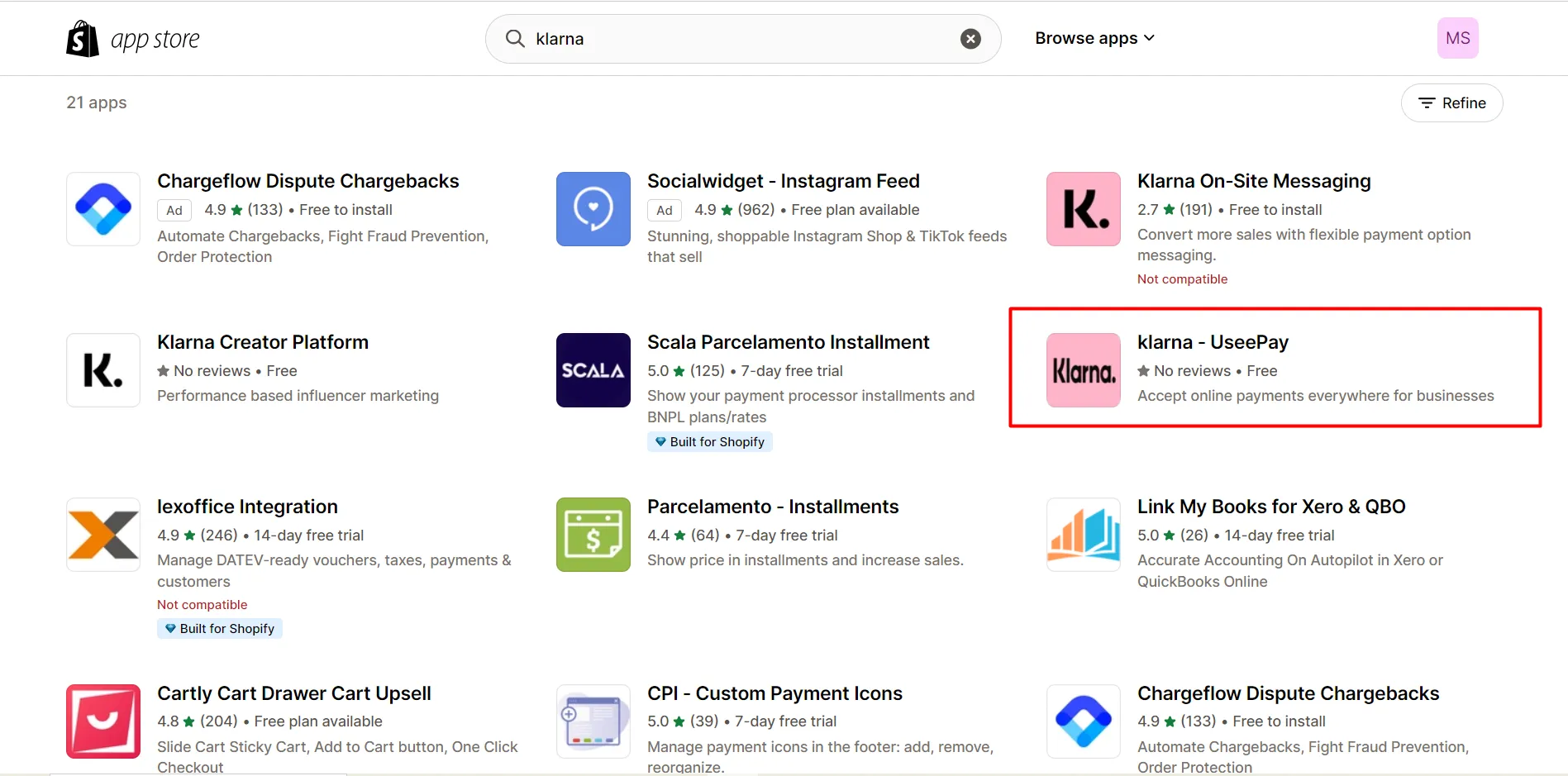
Considered one of the best Shopify payment gateways, Klarna reshapes the checkout experience by making flexible payments the default, not the exception.
Specifically, customers can split their purchase into installments or delay payment for a set period. This feature reduces psychological friction and gives shoppers more control over their budget, which is why it's highly recommended for higher-ticket items.
Another perk is that Klarna integrates smoothly into Shopify stores, showing pricing breakdowns directly on product pages and during checkout. Such transparency helps shoppers understand exactly what they’ll owe and when, further contributing to higher purchasing confidence.
Who's this for?
Klarna is ideal for merchants selling mid- to high-ticket products where price hesitation is common. You will likely find it particularly effective for fashion, electronics, and lifestyle brands where customers appreciate installment plans.
Features
- Multiple “Buy Now, Pay Later” options: pay in full later, split into installments, or financing plans
- Klarna-paid purchases give merchants the full amount upfront while Klarna handles the customer’s repayment
- In-checkout price breakdowns for improved transparency
- Strong risk assessment tools and fraud protection handled by Klarna
Fees (estimate)
- Typically 2.99%–5.99% + 30¢ depending on payment option and region
- Merchants are charged per successful transaction; no monthly fee in most markets
8. Authorize.net: Best for security for advanced billing needs
- Authorize.net rating: 4.2/5 from 205+ users on G2
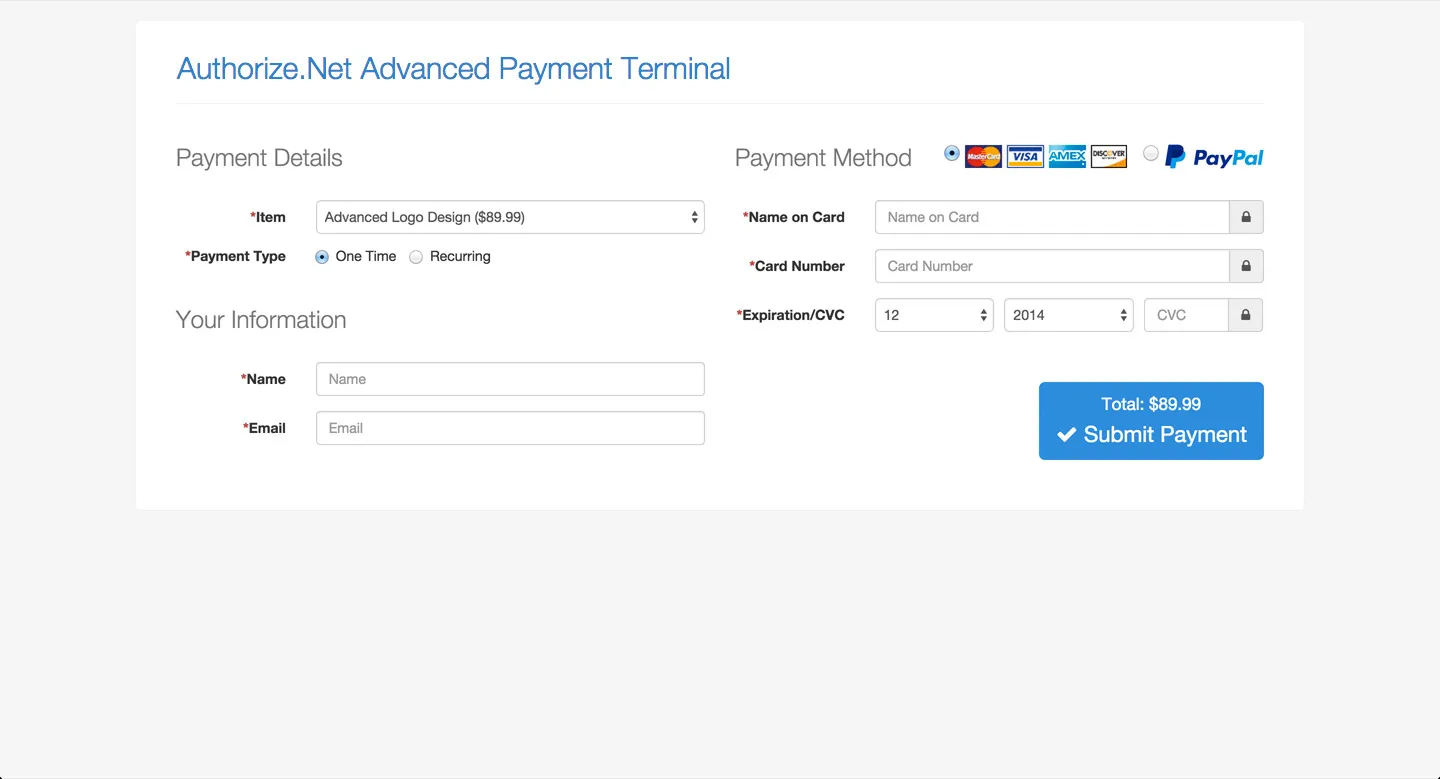
Since its release, Authorize.net has become one of the longest-standing payment gateways in eCommerce. Backed by Visa, it’s understandably appealing to merchants who need more control over fraud filters, customer data storage, or recurring billing setups than modern lightweight gateways usually provide.
Unlike newer wallet-style gateways, Authorize.net behaves like a full-service processor with detailed customization options. Merchants can create sophisticated billing cycles, securely store tokenized customer information, and enable eChecks or subscription payments, all from one interface.
Of course, the trade-off is price: Authorize.net isn’t the cheapest option, and merchants usually pay both a monthly fee and processing fees.
Who's this for?
Authorize.net is best for businesses that prioritize control and security over simplicity. This gateway is commonly used by established businesses or regulated industries where payment customization is critical, meaning they require advanced fraud filters, recurring billing, ACH payments, etc.
Features
- Advanced fraud protection suite (including customizable filters and velocity controls)
- Support for recurring billing, subscriptions, and secure customer data storage
- Compatibility with eChecks (ACH payments)
- Tokenized card storage for returning customers
- Detailed reporting and batch processing tools
- Suitable for high-risk or security-sensitive industries
Fees (estimate)
- Gateway + merchant account: $25/month + ~2.9% + 30¢
- Gateway only: $25/month + 10¢ per transaction + 10¢ daily batch fee
9. Skrill: Best for wallet-based solutions for international sales
- Skrill rating: 3.4/5 from 60+ users on G2
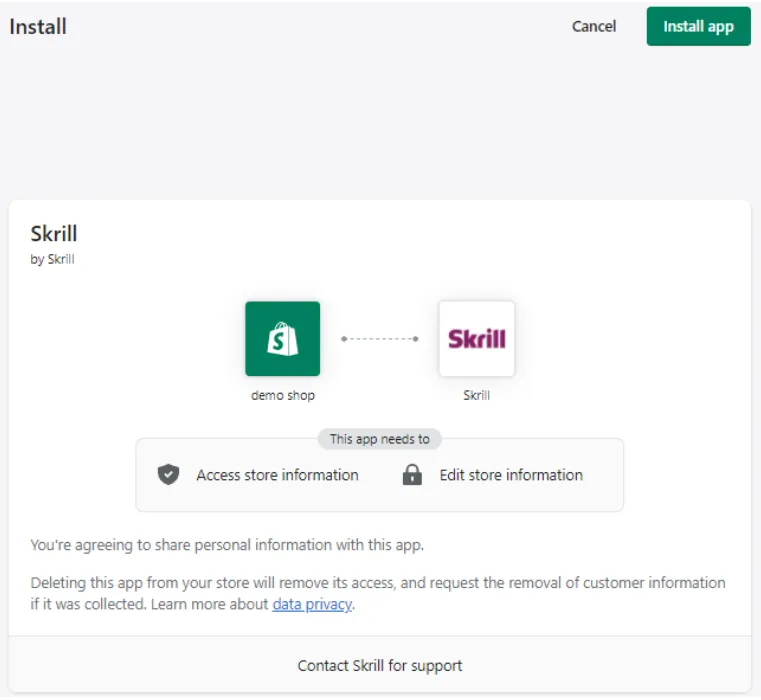
Also regarded by many as one of the best Shopify payment gateways, Skrill offers a streamlined way for customers to pay without directly sharing credit card details with merchants. Instead, payments route through the customer’s Skrill wallet, which can be funded by a bank account, cards, or other local payment methods.
For Shopify merchants, Skrill can reduce exposure to fraud and chargebacks because many risk-related elements are handled by Skrill itself. Hence, it's quite attractive for digital goods, gaming-related products, or international sales where fraud rates tend to run higher. Skrill is also recognized for competitive pricing compared to traditional card processors, including cross-border transactions.
Who's this for?
Skrill is well-suited for stores operating in international or higher-risk markets, such as digital goods, gaming, or cross-border sales. Plus, if reducing direct exposure to card data and chargebacks is a priority, Skrill’s wallet-based model can be advantageous.
Features
- Wallet-based payments that limit exposure to stolen card data
- Lower-than-average processing fees for many markets
- Strong international coverage and support for alternative local payment methods
- High-level fraud protection with built-in risk screening
- Simple setup and widely recognized in EU markets
Fees (estimate)
- Skrill fees vary by transaction type, but generally involve:
- Costs for currency conversion (up to 4.99% markup)
- Credit card deposits (up to 2.99%)
- Skrill-to-Skrill transfers (around 2.99% for standard users).
10. Opayo (formerly Sage Pay): Best for UK and EU merchants
- Opayo rating: 4.2/5 from 35+ users on G2
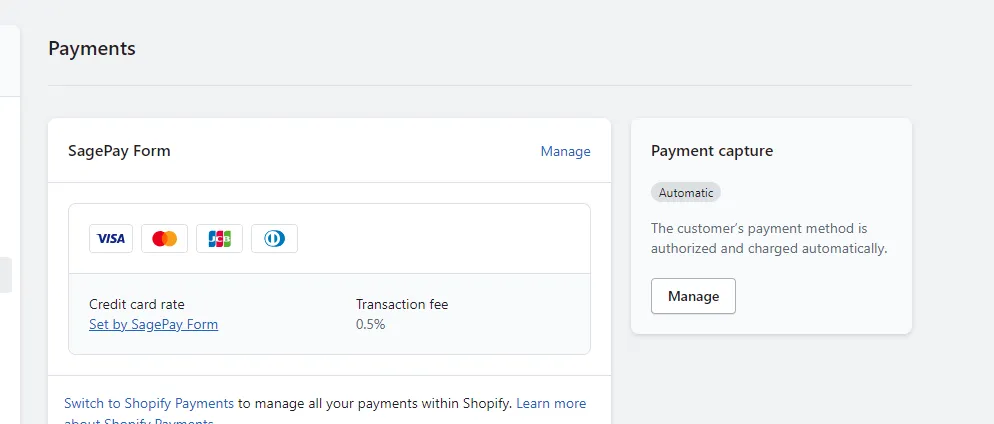
Last but not least, we have Opayo, another long-trusted payment provider.
One of Opayo’s strengths is its flexibility: merchants can accept payments through debit cards, credit cards, and even PayPal through unified processing. The platform also supports both online and in-person transactions, meaning brands with retail locations or multichannel sales operations can consolidate their payment workflow under one provider.
Who's this for?
Opayo is a solid choice for UK and EU merchants looking for a reliable, long-established gateway with predictable pricing. We also recommend it for businesses with both online and in-store operations that want consistency across channels.
Features
- Highly reliable gateway with excellent uptime and fraud prevention tools
- Flat-fee pricing structures that simplify budgeting
- Supports card payments and popular e-wallets (including PayPal)
- Strong customer support and well-established UK/EU presence
- Offers both online and in-store payment capabilities
Fees (estimate)
- Typical packages start around £25/month with a fixed number of transactions included
- Additional transactions often charged at ~10–12p each
Why Do You Need A Shopify Payment Gateway?
You need a Shopify payment gateway to securely process online payments, acting as the crucial link between customer card details and financial institutions, enabling you to accept credit cards, digital wallets, and more.
Securely process online payments
A Shopify payment gateway is responsible for handling the entire payment transaction flow, from the moment a customer enters their card or wallet details to the point where funds are approved and transferred to your account. It encrypts sensitive information, communicates with payment processors, card networks, and issuing banks, and ensures that data is never exposed to your store’s servers.
This function matters because payment data is one of the most sensitive types of customer information. Hence, by using a proper gateway, you offload the technical and legal responsibility of handling this data to a certified provider, which, in turn, reduces your risk while still offering a seamless checkout experience.
Enable cashless transactions and make sales possible
In modern eCommerce, almost every transaction is cashless. Customers expect to pay using credit cards, digital wallets, or flexible payment options like Buy Now, Pay Later. Without a payment gateway, your Shopify store simply cannot accept these payments, meaning no orders can be completed even if demand exists!
In short, a payment gateway turns browsing intent into real revenue. It ensures that when a customer clicks “Pay now,” the transaction actually goes through smoothly, without errors, delays, or failed authorizations that could cost you the sale.
Build trust and reduce checkout abandonment
When customers feel uncertain about payment security, they hesitate (or worse, abandon their cart entirely).
Since checkout is the most sensitive stage of the customer journey, trust plays a decisive role here. A reliable payment gateway allows you to display familiar payment methods, security badges, and well-known brands that reassure shoppers their money and data are safe. As a result, it encourages customers to complete their purchase and, ultimately, eliminates any lingering doubt.
How Does Shopify Payment Gateways Work?
Shopify payment gateways securely process customer payments by encrypting details, sending them to a processor, getting bank authorization, and then settling funds to the merchant, all while keeping the buyer and seller connected via the Shopify admin for order management and payouts.
Essentially, they act as a secure digital checkout, handling everything from card entry to bank transfers, ensuring PCI compliance and fraud checks. Let's see how the process works step-by-step:
- Checkout initiation: A customer adds items to their cart and proceeds to checkout, entering their details.
- Payment details entry: At the payment step, the customer chooses a method (card, Shop Pay, Apple Pay, etc.) and enters their information.
- Encryption & transmission: The gateway encrypts this sensitive data (like card numbers) to prevent interception and sends it to a payment processor.
- Authorization request: The processor acts as a messenger, sending the request to the card networks (Visa, Mastercard) and the customer's issuing bank for approval.
- Fraud check: The gateway and processor may perform quick fraud checks.
- Response & confirmation: The customer's bank sends an approval or denial back through the network to the processor, then to the gateway, and finally to your Shopify store.
- Fund settlement: If approved, the bank deducts funds, and the gateway facilitates the transfer to your linked bank account (often via Shopify Payments).
5 Features to Look for in a Shopify Payment Gateway
When choosing a Shopify payment gateway, focus on Multiple payment methods, Transparent Fees, Global Support, Fast Settlement, and Strong Customer Support:
Accepted payment methods and multi-currency support
One of the first things to assess is whether a payment gateway supports the payment methods your customers actually use.
At a minimum, it should accept major credit and debit cards such as Visa, Mastercard, and American Express. Beyond that, support for digital wallets, local payment methods, or alternative options can significantly improve checkout completion, especially for international audiences.
In addition, multi-currency support is equally important if you sell across borders; letting customers pay in their local currency removes uncertainty around conversion rates and final pricing. Instead of forcing buyers to do mental math or rely on their bank’s exchange rate, the gateway handles conversion automatically, which creates a smoother and more trustworthy checkout experience.
Transparency of costs and transaction fees
Secondly, pricing should be easy to understand before you process a single payment. A reliable Shopify payment gateway clearly outlines all potential charges, including setup costs, monthly fees, and per-transaction rates, without hiding additional surcharges in the fine print.
What matters most is how those fees scale with your business. A gateway that looks affordable at low volume may become expensive as order counts increase. Therefore, evaluating costs based on your average order value and monthly sales helps ensure that fees remain predictable and that profit margins stay intact as your store grows.
Worldwide availability
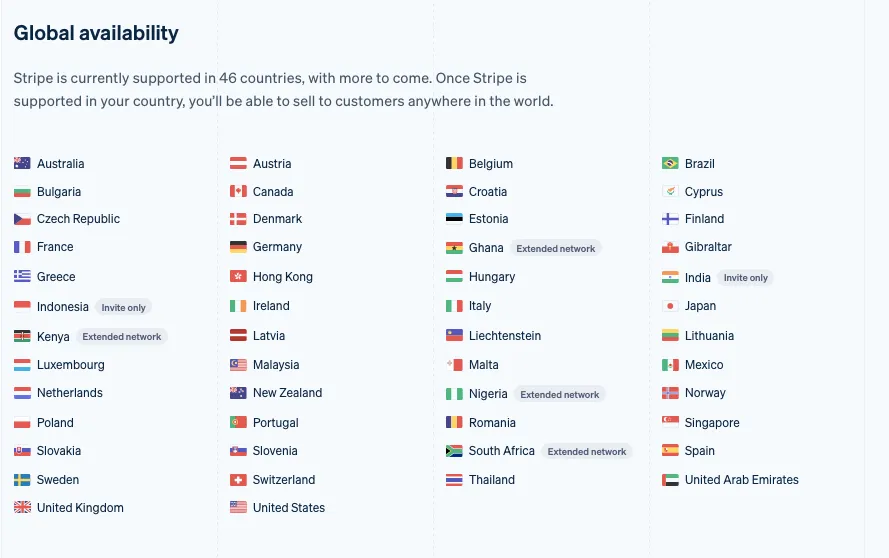
A payment gateway should support not only where your business is registered, but also where your customers are located. Some providers operate in limited regions or restrict certain countries entirely, which can quietly limit your expansion plans.
That's why you should choose a gateway with broad geographic coverage, so that your team can easily enter new markets without rebuilding your checkout later. Even if you start locally, global availability ensures that your payment infrastructure won’t become a barrier when international demand increases.
Recurring billing and payout holding time
For subscription-based or membership-driven stores, recurring billing support is extremely essential. A capable payment gateway automates scheduled charges, handles failed payment retries, and securely stores customer payment information without requiring manual intervention.
Likewise, payout holding time is just as important. Understanding how quickly a gateway settles payments helps you manage cash flow more effectively and avoid operational bottlenecks. Some gateways delay access to funds for several days, which can affect inventory planning and marketing spend; avoid such gateways at all costs.
Ease of onboarding and customer support
Finally, even the most powerful payment gateway should be easy to set up and manage. Onboarding should be straightforward, with clear instructions and minimal technical complexity, allowing you to start accepting payments without unnecessary delays.
When issues arise (such as failed transactions, disputes, or payout questions), responsive customer support becomes critical. That way, all problems will be resolved quickly, preventing payment issues from turning into customer-facing disruptions for your store.
Bonus: How to Add Multiple Shopify Payment Gateways
Here's the good news for merchants who can’t decide on just one gateway: Shopify doesn’t limit you to a single option!
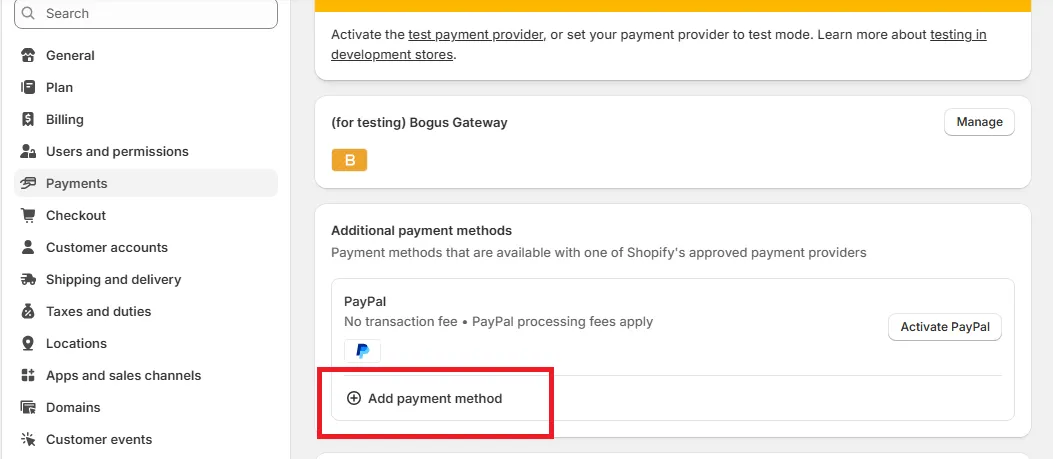
To enable several Shopify payment gateways at the same time, simply add each provider through your Shopify Payments settings, configure them individually, and activate them side by side:
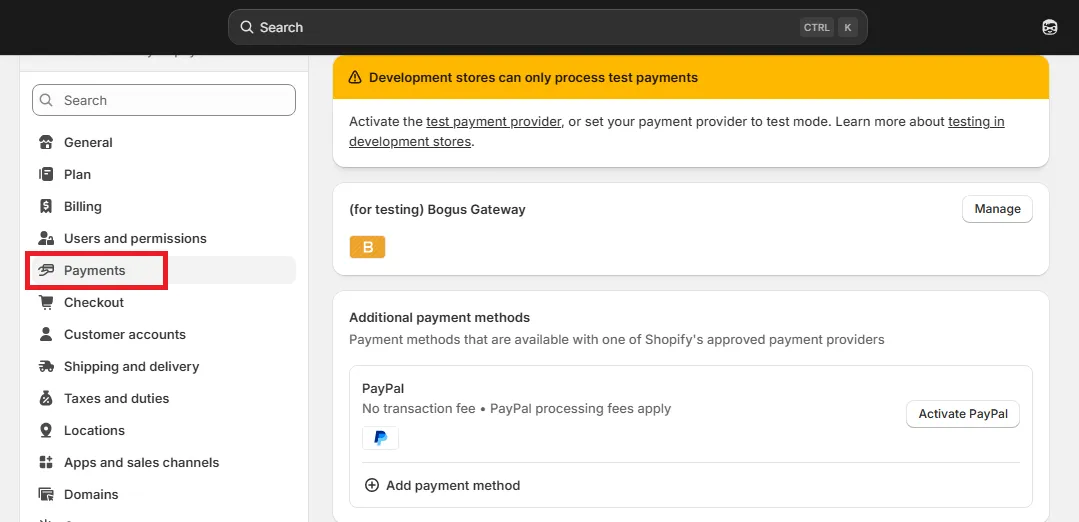
Step 1. Open the Payment Settings in your Shopify Admin
First, navigate to the bottom-left corner and select Settings, which opens the main configuration panel for your store.
From here, choose Payments to access the area where all your active and available payment providers are managed. This section is where Shopify displays your current gateway setup and where you’ll control any additional providers you want to offer your customers.
Step 2. Choose and configure additional Shopify payment gateways
Now, inside the Payments page, you’ll find an option labeled Add payment methods. Click this to open Shopify’s directory of supported payment providers.
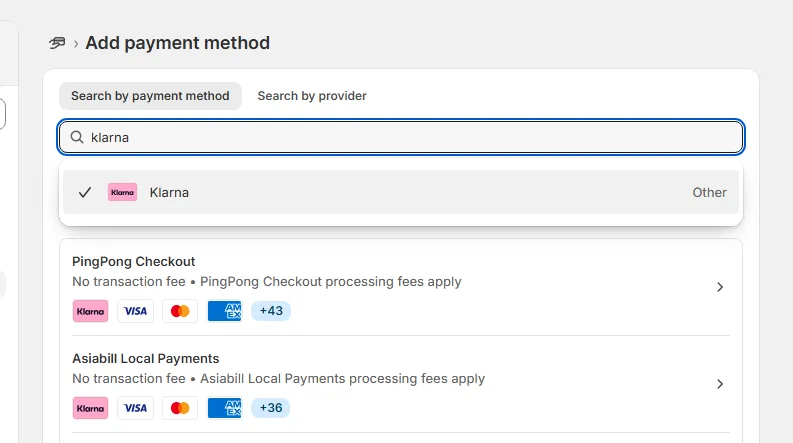
You can then search by payment method (if you already know what type of solution you want to offer) or search directly by provider name if you already have a processor in mind.
When you select a gateway, Shopify will display the requirements and setup instructions specific to that provider. Follow the prompts, enter any required account credentials, and complete the configuration so Shopify can link your store to the gateway properly.
Step 3. Activate the gateways and verify they appear at checkout
Once each gateway has been configured, the final step is to activate them!
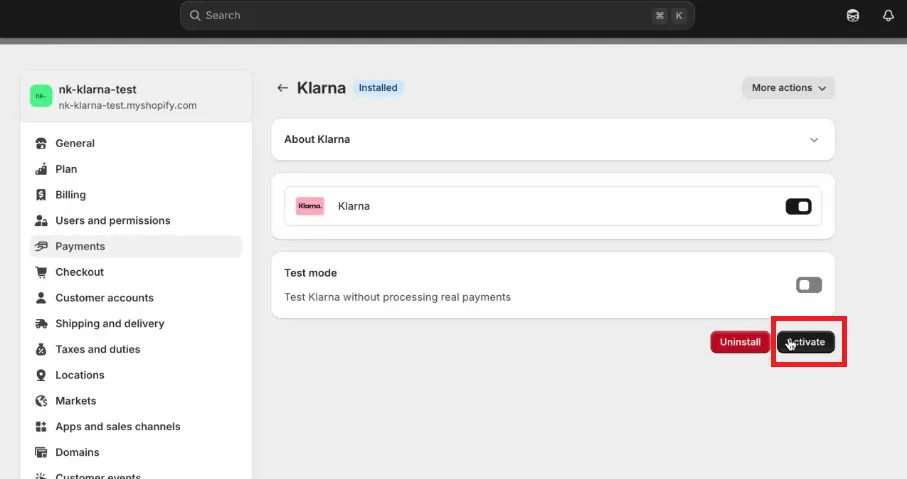
Shopify will allow you to enable multiple gateways simultaneously, and each active option will appear during checkout whenever its conditions are met (for example, region, currency, or customer device). After enabling the providers, remember to perform a quick test checkout to ensure that all payment options display correctly and function as expected.
Shopify Payment Gateways: FAQs
Which payment gateway is best for Shopify?
The best Shopify payment gateway depends on your needs. Shopify Payments is best for simplicity and built-in features, Stripe excels for global reach/subscriptions with developer tools, PayPal offers brand recognition and trust, while Adyen/Airwallex are great for large, international sellers needing multi-currency handling, and Square suits omnichannel (online/in-person) businesses.
How much does Shopify take from a $100 sale?
Shopify takes $3.20 from a $100 sale on the Basic plan using Shopify Payments (2.9% + $0.30). However, the exact fee varies by your Shopify plan and payment method, with higher-tier plans like Shopify and Advanced offering lower rates (e.g., $2.80-$3.00 on Advanced). Using third-party gateways also add extra charges.
Why is Stripe no longer on Shopify?
Stripe isn't exactly gone from Shopify. Rather, in regions where Shopify Payments (Shopify's own payment system) is available, Stripe often disappears as a separate, standalone gateway because Shopify Payments uses Stripe's underlying technology, effectively replacing it.
What payment systems work with Shopify?
Shopify works with a vast array of payment systems, led by its native Shopify Payments (including Shop Pay), plus major players like PayPal, Stripe, Square, and Amazon Pay, alongside digital wallets (Apple/Google Pay), and BNPL options (Klarna, Affirm, Afterpay).
How many Shopify payment gateways are there?
Shopify offers its own integrated system, Shopify Payments, and supports integrations with over 100 third-party payment gateways globally, including major ones like PayPal, Stripe, Adyen, and local options.
Does Shopify accept HSA cards?
Yes, Shopify supports HSA and FSA card payments, but it is not automatic. You must use Shopify Payments and meet strict requirements, such as having at least 90% of sales as eligible medical products.
What is Shopify's payment gateway?
Shopify Payments is the recommended, built-in, and easiest-to-set-up gateway, offering lower fees, instant setup, and no third-party transaction fees.
Final Words
Shopify payment gateways play a central role in how customers experience your Shopify store, from the moment they decide to check out to the moment their payment is approved. By understanding the strengths of each gateway and applying the selection criteria we’ve discussed, you can build a checkout experience that feels reliable, intuitive, and tailored to your audience!
For more tips and guidance, check out our Shopify blogs and join our Facebook Community.