
When a BigCommerce store outgrows its all-in-one SaaS setup, many enterprise teams decide to migrate BigCommerce to commercetools for greater control. However, that control also comes with more responsibility, since a headless platform like commercetools leaves your team to build much of what BigCommerce used to provide out of the box.
So, should you migrate BigCommerce to commercetools, and how can you prepare for the move? This guide will answer both questions. Keep scrolling!
Quick Verdict:
You should migrate BigCommerce to commercetools if your business needs full control over its commerce architecture and has the development resources to build on it.
On the other hand, if your team relies on built-in features and wants to launch quickly, the answer is no, as staying on BigCommerce is usually the more practical choice.
BigCommerce vs commercetools: 4 Key Differences
The table below summarizes the four key differences between BigCommerce vs commercetools:
| Criterion | BigCommerce | commercetools |
| Architecture | Open SaaS, all-in-one; headless option through Catalyst | Headless, API-first (MACH); no bundled storefront |
| Time to market | Weeks to a few months with native checkout and templates | Usually several quarters of implementation |
| Pricing | Published monthly plans from $39/month; custom pricing, starting from $1,499/month for Performance | Quote-based, usage-driven license, estimated from around $40,000/year |
| Daily management | Admin dashboard, Page Builder, no-code tools | Merchant Center plus heavier reliance on developers |
Let’s take a closer look at each difference.
Architecture
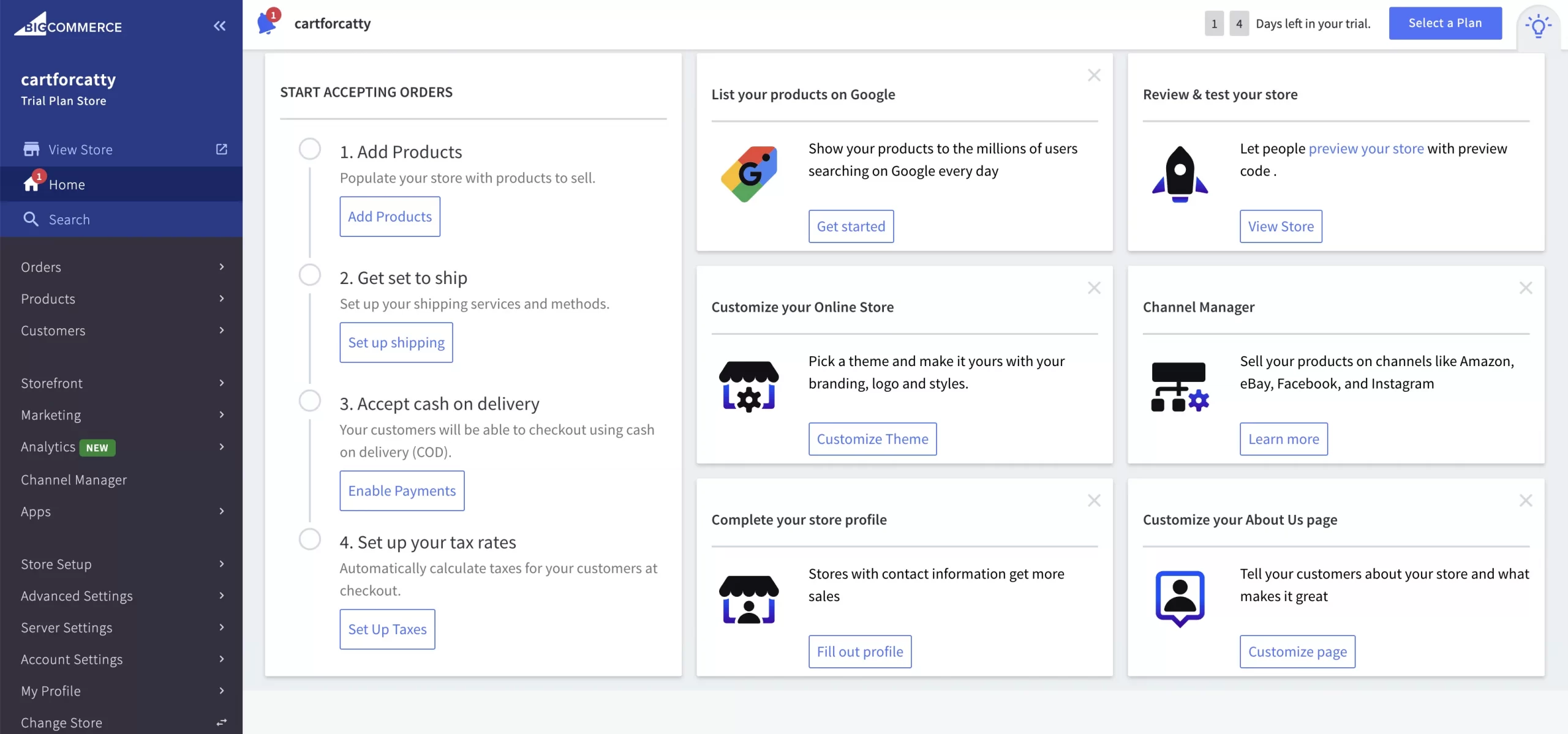
BigCommerce is an open SaaS platform, which means hosting and core commerce features come ready to use from day one. Merchants run their store from a single admin dashboard and can design the storefront with themes or the drag-and-drop Page Builder. For brands that want more frontend freedom, BigCommerce also offers Catalyst, its headless storefront framework built on Next.js and React.
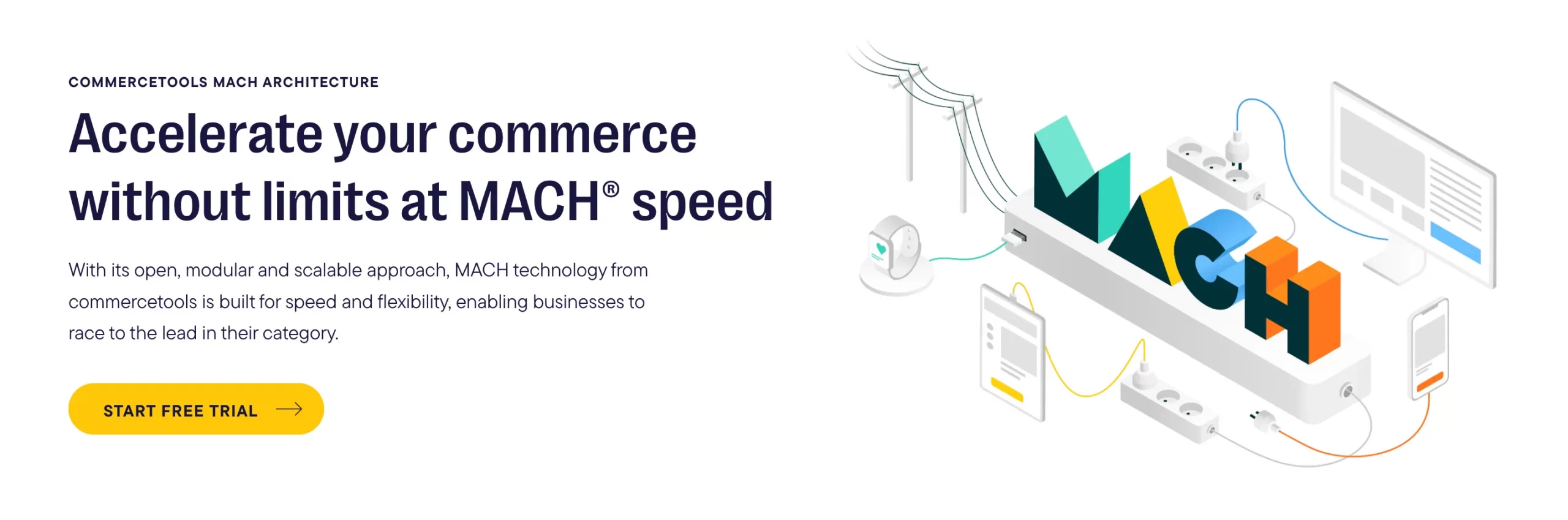
commercetools, by contrast, is a headless, API-first platform built on MACH principles. It ships without a storefront, so your team has to connect its commerce APIs to a frontend and other services of your choice. To reduce this workload, commercetools now offers add-on products such as commercetools Frontend and commercetools Checkout. Even so, the overall architecture is still something your team designs and maintains rather than something you simply switch on.
Time to market
Because so much comes built in, BigCommerce can get a store live relatively fast. With its native checkout and ready-made templates, a new BigCommerce store can usually launch within a few weeks to a few months.
A commercetools project, by comparison, takes noticeably longer because most of the storefront and integration layer has to be built from scratch. Based on our team’s research, a B2B build on BigCommerce typically takes around 10 to 20 weeks, and a comparable commercetools implementation often needs 24 to 52 weeks.
Pricing and total cost of ownership
BigCommerce publishes its pricing. After the plan update on June 1, 2026, the plans are as follows:
- Core: $39/month ($29/month billed annually)
- Growth: $105/month ($79/month billed annually)
- Scale: $399/month ($299/month billed annually)
- Performance (formerly Enterprise): custom pricing
Keep in mind that the same update also lowered the annual sales thresholds that trigger an automatic plan upgrade. In addition, BigCommerce now charges an Open Payment Provider Fee on orders processed through gateways outside its embedded providers.
commercetools, on the other hand, does not publish its prices. Third-party estimates place the license at around $40,000 per year to start, with many enterprises paying well beyond $300,000 annually depending on usage. Check out our commercetools pricing guide for more details.
More importantly, the license is only one part of the bill, since frontend development and implementation often add up to three to five times the license fee. As a result, our team estimates a three-year total cost of ownership of $1.01M–$2.6M for a mid-market B2B commercetools project, compared with $280K–$980K on BigCommerce.
Business-user tooling vs developer flexibility
BigCommerce is designed so that non-technical teams can handle day-to-day work on their own. Merchandisers can update pages in Page Builder and manage the catalog from the admin dashboard. For B2B sellers, the B2B Edition adds company accounts and custom price lists on top of the standard platform, along with built-in quote management.
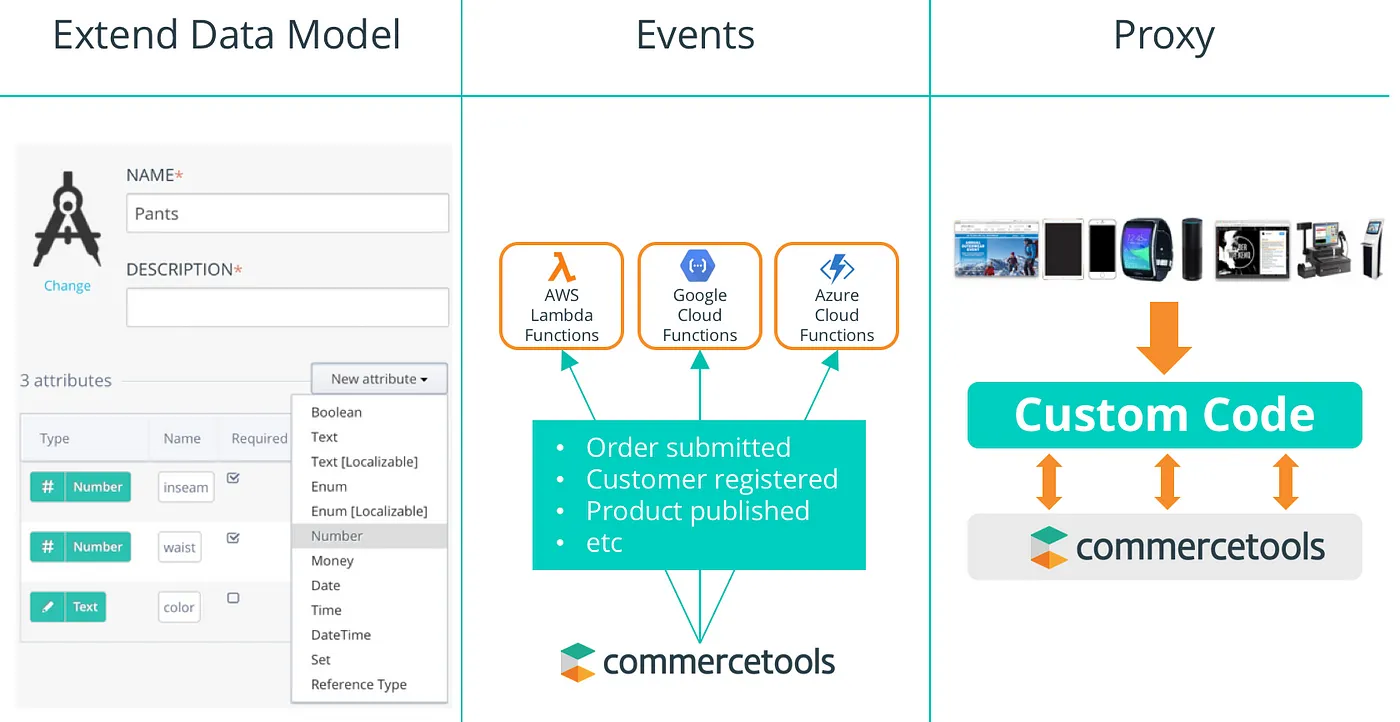
Meanwhile, commercetools gives business users the Merchant Center for daily catalog and order management. However, where commercetools stands out is its flexible data model. Developers can define custom Product Types and attributes, then structure the business around Stores and Business Units. This makes commercetools far more adaptable to unusual business requirements, but it also means most structural changes go through your development team.
Lastly, both platforms are investing heavily in AI-driven commerce. commercetools made its Managed MCP Servers and AI Hub generally available in July 2026, and BigCommerce introduced Storefront MCP and agentic catalog exports at Commerce Live 2026. Therefore, AI readiness alone is rarely a strong reason to switch.
How to Migrate from BigCommerce to commercetools
Once you have decided to migrate BigCommerce to commercetools, the next step is planning the migration itself. Since commercetools has no default storefront or product structure, the process involves more preparation than a typical SaaS-to-SaaS move. Here are the main steps to follow:
Step 1: Audit your BigCommerce store
Before any technical work begins, you need a clear record of everything your current store relies on. This record should cover your catalog size and product structure, along with any product modifiers that may need special handling. You should also list the apps and integrations your store depends on, particularly ERP and order management systems.
Pay special attention to features that commercetools does not provide out of the box. For instance, if you use BigCommerce’s B2B Edition or multi-storefront setup, those workflows will need to be recreated in the new architecture. Similarly, note which URLs bring in the most organic traffic, as they will need redirects later.
Step 2: Design your commercetools architecture and data model
Next, set up your commercetools Project and define how your data will be structured. Unlike BigCommerce, commercetools does not come with a default product structure, so you need to create Product Types and their attributes before importing any products. The same goes for Categories and Customer Groups, as well as Stores and Channels if you sell across multiple brands or regions.
At this stage, you also need to decide on the rest of your stack. Specifically, choose whether to use commercetools Frontend or build a custom storefront, and pick a CMS and payment provider that will connect to the commerce APIs.
Step 3: Back up and clean your BigCommerce data
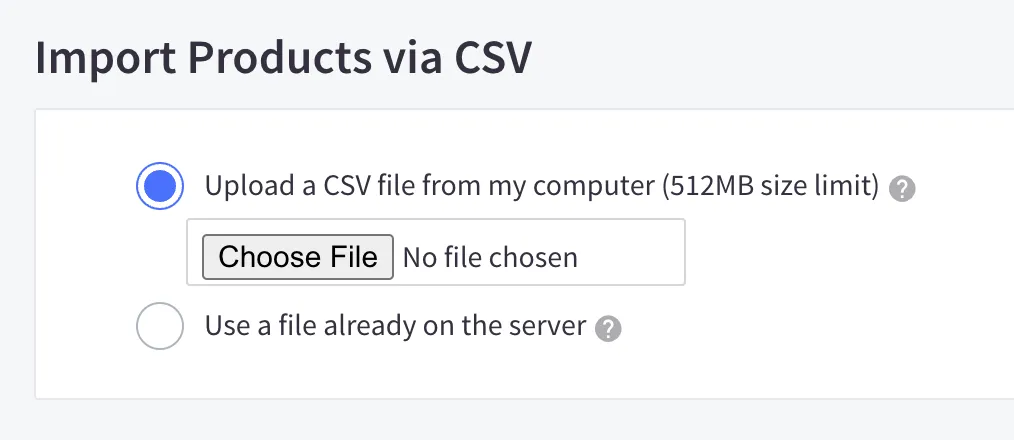
Before moving anything, export a full backup of your BigCommerce store. You can export data as CSV files from the admin or pull it through BigCommerce’s REST and GraphQL APIs.
Then, use this opportunity to clean up the data you plan to bring over. Getting rid of duplicate and outdated records now will reduce the amount of mapping and validation work later on.
Step 4: Choose your migration method
At this point, you need to decide how you will actually migrate BigCommerce to commercetools. In general, there are two approaches to consider.
The first option is an in-house migration using the commercetools Import API. This API lets developers upload store data in batches to Import Containers, which then process the data asynchronously.
However, it comes with technical constraints. Each import request can only contain up to 20 resources, and containers without a retention policy expire after 72 hours. Moreover, several resource-specific import endpoints are still in public beta, so your team needs solid commercetools experience to handle errors and edge cases.
The second option is a managed migration service, which hands the technical work to a specialist team. This is where LitExtension’s All-in-One Migration Service comes in. With this service, a dedicated Personal Assistant helps you migrate BigCommerce to commercetools from the first consultation to the final check. Our experts prepare the target environment and run a demo migration for each data type before carrying out the full transfer. After that, the results go through several rounds of testing with LitExtension’s in-house automated testing system.
On top of that, all Additional Options are included at no extra cost. For instance, you can preserve your product and order IDs or create 301 redirects without paying for them separately. For data that does not fit commercetools’ structure by default, our team can also tailor the mapping to your project through Migration Customization and API Data Migration.
Let Our Experts Handle Your BigCommerce to commercetools Migration!
With the All-in-One Migration Service, our experts take care of the entire data transfer so your team can focus on building your new commercetools experience.

Step 5: Run a test migration and validate the data
Before you fully migrate BigCommerce to commercetools, always test the transfer with a sample of your data. Compare the record counts between both stores, then check whether product variants and prices have been mapped correctly.
You should check order data especially carefully, because order totals and statuses must match the original records. If anything looks off, adjust the mapping and run the test again until the results are accurate.
Step 6: Rebuild your storefront and integrations
With the data in place, your team can connect the frontend and reconnect the third-party systems your business relies on, such as your ERP. Since commercetools is headless, this step usually takes up a large part of the project timeline.
At the same time, prepare your SEO migration. Build a 301 redirect map from your old BigCommerce URLs to the new storefront URLs, and make sure page titles and meta descriptions carry over.
Step 7: Go live and sync recent data
Finally, plan the cutover carefully. Your BigCommerce store will keep receiving orders and new customers during the project, so you need a final sync to bring that recent data into commercetools before launch. With LitExtension, this is handled through Recent Data Migration and Smart Update, which transfer only the new or changed data.
After launch, keep monitoring your store closely, especially for broken links and sudden drops in organic rankings during the first few weeks.
5 Factors to Consider When Migrating from BigCommerce to commercetools
Every business that decides to migrate BigCommerce to commercetools has different needs, so the right plan depends on several factors. Before you start, make sure you have considered the following points.
Data that can be migrated
When you migrate BigCommerce to commercetools, most core eCommerce data can be moved over. Through its Import API, commercetools accepts the following resource types:
- Products (including variants) and Product Types
- Categories
- Customers
- Orders
- Inventory and prices
- Discount codes
- Custom Types (for custom fields)
That said, some BigCommerce data does not have a direct equivalent on commercetools. For example, commercetools has no native brand entity, so BigCommerce brands are usually mapped to a product attribute instead. Likewise, BigCommerce product modifiers need custom mapping because they do not translate directly into commercetools variants.
Content is another area to plan ahead for. Since commercetools is not a content management system, blog posts and static pages will need a separate headless CMS. In addition, customer passwords are often impossible to transfer between platforms, so you should prepare a password reset flow for returning customers.
Cost
The cost to migrate BigCommerce to commercetools goes well beyond moving the data. In most cases, your budget needs to cover these main components:
- The commercetools license, which third-party estimates place at around $40,000 per year to start
- Frontend and checkout development
- Integration work with your ERP and payment systems
- SEO migration and redirects
- Testing and post-launch support
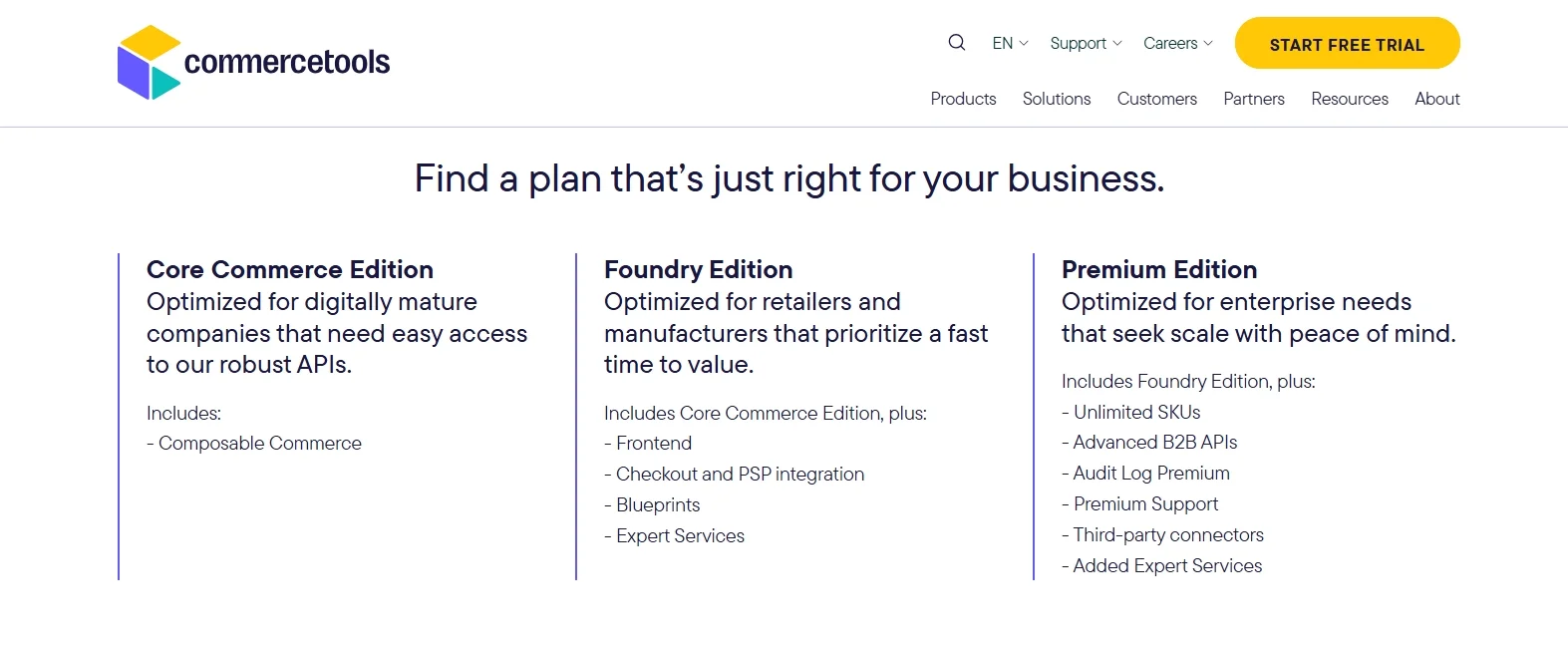
Of these, frontend development and implementation usually make up the largest share. As mentioned earlier, they often add up to three to five times the commercetools license fee. Therefore, it is wise to define the full scope before requesting quotes from vendors.
Level of customization
Because commercetools lets you design your own data model, almost every business that wants to migrate BigCommerce to commercetools needs some degree of custom mapping. In particular, custom fields and B2B structures need to be translated into commercetools’ own entities, such as custom Types and Business Units.
If your store has many custom data structures, LitExtension can take on this mapping work for you. Besides the standard data entities, our Migration Customization service also handles custom fields and project-specific requirements. As a result, your data arrives in commercetools in the structure your new storefront actually needs.
Security
On the platform side, commercetools holds strong security credentials. Its information security management system is ISO 27001-certified by TÜV Rheinland, and the company completed its latest SOC 2 Type 2 audit in 2026. Keep in mind, however, that a headless setup shifts part of the security responsibility to your team, especially when you build a custom frontend and checkout.
The migration process itself also needs to be secure. With LitExtension, your data is protected by HTTPS and 128-bit SSL encryption and is not stored on our servers. In addition, we are GDPR-compliant and can sign an NDA for your project. Your BigCommerce store also keeps running normally throughout the migration, so customers can continue shopping without interruption.
Customer support
Since you need to coordinate many moving parts when you migrate BigCommerce to commercetools, reliable support is essential both during and after the project. Most commercetools implementations depend on a system integrator or agency partner, so make sure you know who is responsible for which part of the work.
When it comes to data migration, LitExtension’s All-in-One Migration Service assigns you a dedicated Personal Assistant who keeps you updated throughout the project. Support requests are received 24/7, and you can reach the team through tickets or a direct Slack or WhatsApp channel.
After the full migration, you also get up to 60 days of technical support, along with free and unlimited Recent Migration and Smart Update, plus two free re-migrations.
Tips for a Smooth BigCommerce to commercetools Migration
Even with a solid plan, the effort to migrate BigCommerce to commercetools can run into unexpected problems. The following tips can help you avoid the most common ones.
Model your data in commercetools before importing
Since commercetools has no default product structure, you should finalize your Product Types and attributes before importing anything. In particular, decide early how BigCommerce brands and product modifiers will be represented. Changing the data model after the import usually means reworking a large part of the migrated data.
Clean up your BigCommerce data first
Moving outdated or duplicate records only adds to the mapping and testing workload. That’s why you should review your catalog and customer list before you migrate BigCommerce to commercetools. A cleaner dataset will also make it easier to validate the results on commercetools.
Consider a phased migration
Instead of trying to migrate BigCommerce to commercetools all at once, you can move a single brand or region first. This approach lets your team test the new architecture on a smaller scale and fix issues before they affect the whole business. In the meantime, your BigCommerce store can continue serving the remaining markets until the final switch.
Protect your SEO with a 301 redirect map
Your URL structure will almost certainly change, because your new headless storefront defines its own URLs. Therefore, start building the redirect map early and prioritize the pages that bring in the most organic traffic. After launch, keep an eye on crawl errors and rankings so you can fix problems quickly.

Budget for the full cost of ownership
Many businesses plan around the commercetools license fee and underestimate the other costs of the project. To avoid surprises, plan your budget around the full project, including development work and ongoing maintenance. On top of that, set aside a contingency fund for issues that only appear once the work is underway.
FAQs
What is the core difference in BigCommerce vs commercetools architecture?
BigCommerce is an open SaaS platform with hosting and checkout built in, and it also supports headless builds through Catalyst. commercetools, on the other hand, is a headless, API-first platform based on MACH principles. It does not include a storefront, so businesses connect its commerce APIs to the frontend and services they choose.
What does your organization need before migrating from BigCommerce to commercetools?
Before you migrate BigCommerce to commercetools, your organization needs a development team or an implementation partner with commercetools experience. You should also have a commercetools license and a defined data model in place. Beyond that, prepare a clear plan for your frontend and integrations, along with a realistic budget and timeline for the project.
What approaches should be used for BigCommerce to commercetools migration?
There are two main approaches. A big-bang migration moves everything in a single cutover, which keeps the timeline shorter but concentrates the risk. A phased migration, by contrast, moves one brand or region at a time to reduce disruption.
For the data transfer itself, you can build an in-house solution with the commercetools Import API or work with a managed service like LitExtension’s All-in-One Migration.
Final Words
To sum up, choosing to migrate BigCommerce to commercetools can give your business far more control over its commerce architecture. However, that flexibility comes with a longer timeline and a higher total cost, so the decision should be based on your actual requirements and resources.
If you decide to migrate BigCommerce to commercetools, careful planning will make the biggest difference. And if you would rather leave the data transfer to experts, LitExtension’s All-in-One Migration Service can take care of it from the first consultation through post-migration support.
Switch to commercetools with Confidence
LitExtension’s experts move your BigCommerce data accurately and stay with you after the migration so your new store can launch smoothly.
For more guidance, don’t forget to check out our BigCommerce blogs.

