
If you’re thinking about creating and selling digital products, you’ve probably heard of Kajabi. I’ve spent time exploring this platform to see if it really lives up to the hype, and I’m excited to share what I found in this Kajabi review.
In this article, let’s explore how good Kajabi is based on several dimensions, including:
- Kajabi pricing
- Ease of use
- Design & customization
- eCommerce features
- Kajabi email marketing
- Integrations
- Support
I hope that by the end of this Kajabi review, you’ll know what this platform does well, where it falls short, and whether it’s the right solution for your goals. Let’s dive in!
Quick Overview of Kajabi
What is Kajabi
Founded in 2010, Kajabi was created to help entrepreneurs sell knowledge-based products online without relying on multiple tools. Today, it is an all-in-one platform for creating, marketing, and selling online courses, coaching programs, memberships, and digital downloads.

Kajabi combines website building, email marketing, sales funnels, payment processing, and product management in a single dashboard. This makes it a popular choice for creators, coaches, and small business owners who want to run an online business without coding or hiring developers.
Thanks to its comprehensive list of features, Kajabi review receives quite impressive ratings from other users, with 3.5 out of 5 on Trustpilot and 4.4 out of 5 on Capterra.
I love Kajabi and have been using it for almost 2 years now. I came from thinkific and samcart. I love having multiple courses, coaching offers and downloads all in one place. You can also purchase pre made templates for sales pages which saves tons of time. The delivery of the courses and products is 100% and consistent. I’ve never had an issue unlike other platforms. I do not use their email system because I just connect to my flodesk with zapier. I don’t want to be all of my eggs in one basket so I prefer to have my own email provider that is separate.
Kajabi Pros & Cons
Here’s a quick look at the pros and cons I found while exploring the platform for this Kajabi review:
|
Pros |
Cons |
|
✓ Beginner-friendly interface and setup |
✗ More expensive than some other course platforms |
|
✓ Good support for online courses, coaching, podcasts, and memberships |
✗ No free version, only a limited free trial |
|
✓ Good collection of pre-built themes that require no code to build |
✗ Limited flexibility for custom code and advanced design tweaks |
|
✓ Good built-in marketing tools (email marketing, funnels and automation) |
✗ Limited payment options |
|
✓ Mobile app available to enhance user experience across platforms |
|
|
✓ Strong customer support and training with Kajabi University |
My Verdict: Is Kajabi Really Worth It?
Yes – Kajabi is worth it if you’re serious about selling courses, coaching, or digital products and want everything in one place. It’s not the right fit for hobbyists or anyone on a tight budget.
What changed my mind during testing wasn’t the feature list (every platform claims that). It was how few decisions I had to make. When I launched a test course, I didn’t spend an afternoon picking a checkout plugin, wiring up an email tool, or troubleshooting why my thank-you page wasn’t firing automations. It just worked.
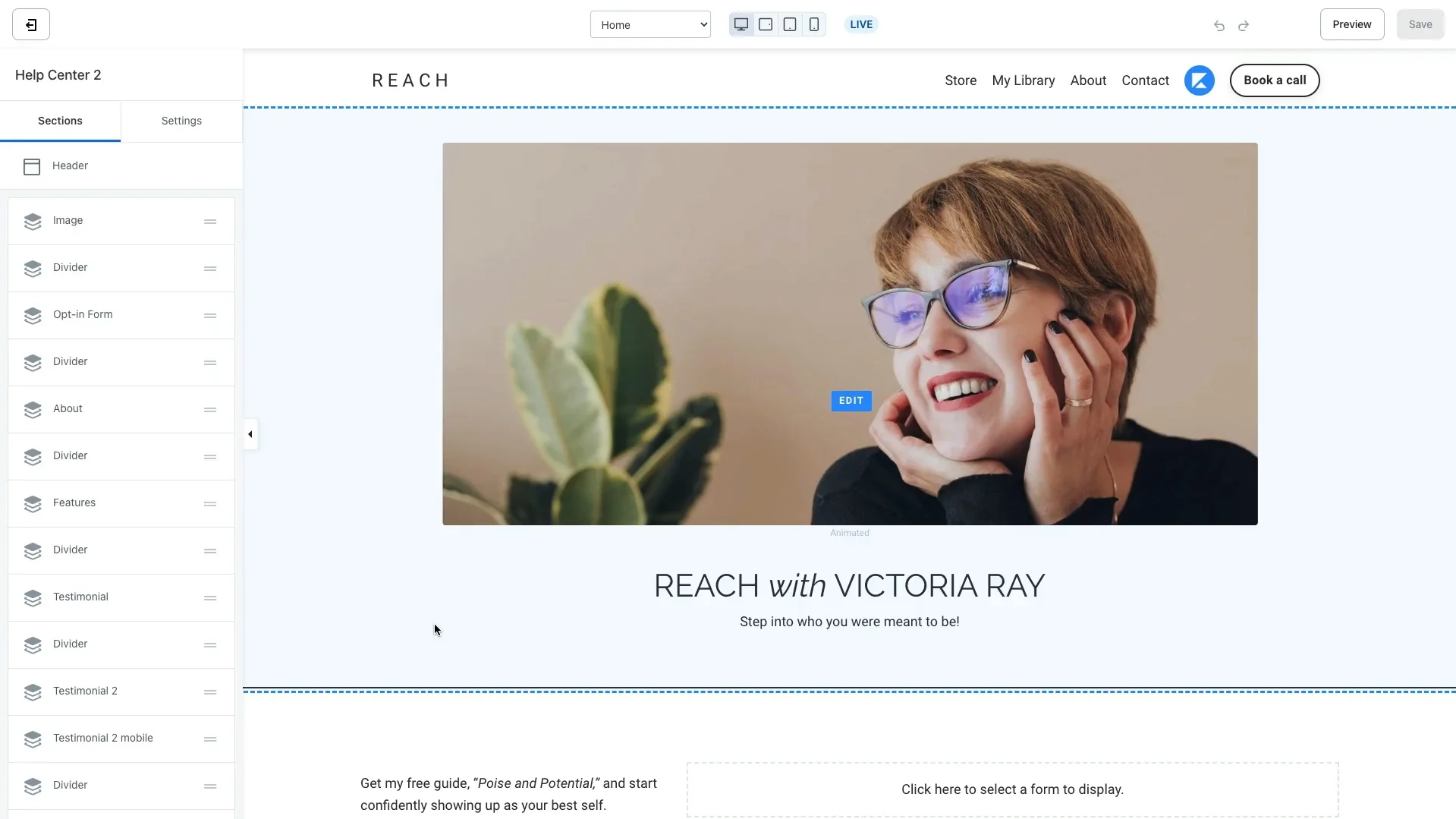
However, I’ll admit that Kajabi isn’t perfect. The pricing is definitely on the higher side, especially if you’re just starting out. And while the templates look clean and professional, I sometimes wished for a bit more design freedom.
Here’s my detailed Kajabi review on each criterion.
| Category | Score | My verdict |
| Ease of Use | 4.5 / 5 | Clean, guided setup; minimal learning curve for non-technical users |
| Features | 4.3 / 5 | Strong for courses, coaching, and funnels; community and payments are more limited |
| Pricing & Values | 3.5 / 5 | Highest starting price in its category at $179/month; best value on Growth and Pro plans |
| Customization | 3.5 / 5 | Good template library, but code-level control is locked behind the Pro plan |
| Support | 4.5 / 5 | 24/7 live chat on Growth and Pro, plus Kajabi University training resources |
From my experience, I would recommend Kajabi for you if:
- You want to run courses, coaching, memberships, or digital downloads from a single platform
- You’re an established creator who wants to consolidate several paid tools into one subscription
- You value guided setup and don’t want to touch code
On the other hand, I believe Kajabi is not the right fit if:
- You’re still testing whether your course idea will sell
- You only need one function, such as course hosting, and don’t need funnels or email marketing
- Budget is the deciding factor, since Kajabi’s entry plan starts higher than most competitors
How Much Does Kajabi Cost?
In this part of my Kajabi review, I want to break down the Kajabi pricing to see how much it costs to run a website on this platform.
Currently, Kajabi offers three pricing plans, as shown below. The platform also includes a 14-day free trial, allowing you to explore its features before committing.
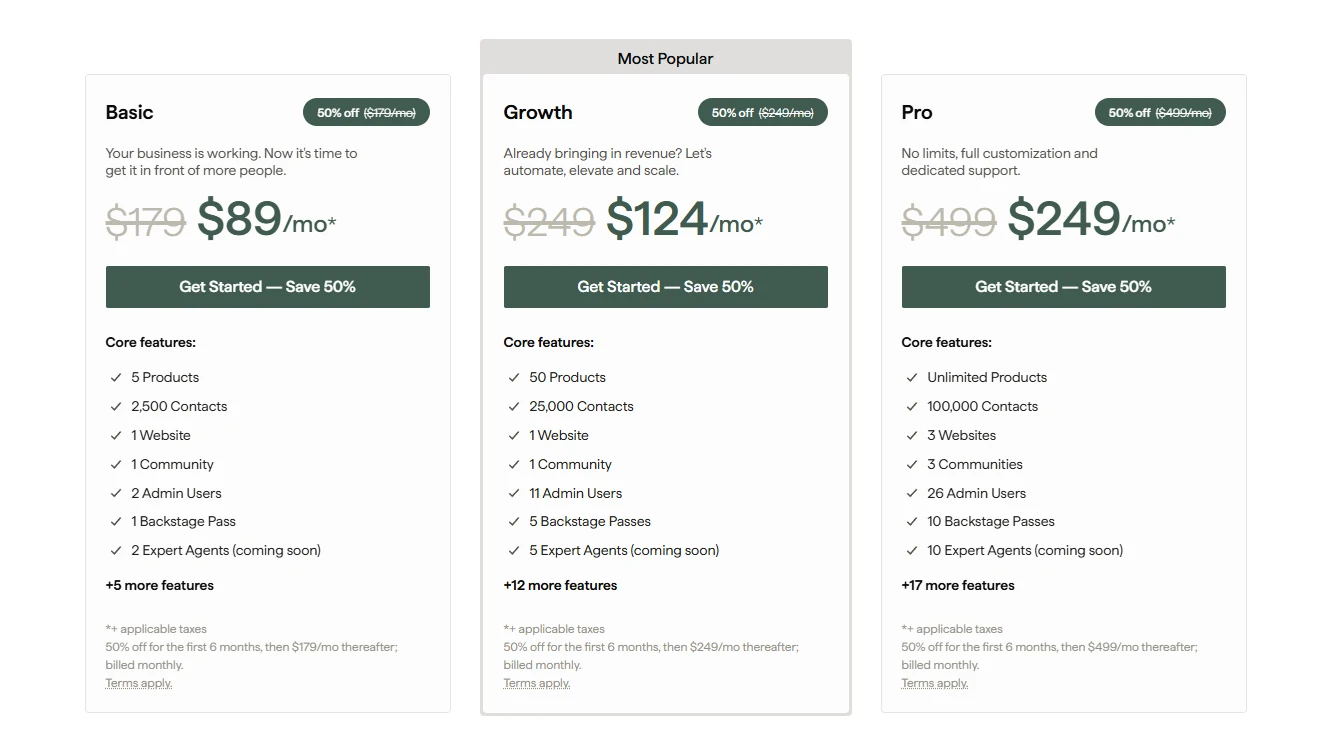
One thing worth noting is that Kajabi increased its pricing in 2026 and discontinued the former Kickstarter plan. If you’ve read older Kajabi reviews, you may notice lower prices that are no longer available today.
From my perspective, the Growth plan offers the best value for most creators. It unlocks key features such as affiliate management, advanced automations, and 24/7 support, while providing enough room to scale without jumping to the much more expensive Pro tier.
I also recommend paying attention to transaction fees. Kajabi Payments charges 2.9% + 30¢ per transaction, with additional fees for subscriptions and international card payments. These costs may seem small at first, but they can add up as your revenue grows.
Overall, I must admit that Kajabi pricing definitely falls on the higher end, which makes it generally more expensive than some other alternatives. Nonetheless, I still found it justifiable when considering how many tools it replaces.
Is Kajabi Easy to Use?
When writing this Kajabi review, one of the first things I paid close attention to was how easy the platform is to use. From the moment I logged in, I noticed that Kajabi’s dashboard is clean, well-organized, and beginner-friendly. The layout is intuitive, and I didn’t feel overwhelmed, even with all the features available.
Creating a product, building a landing page, or setting up email automation doesn’t require any coding skills. Kajabi uses a simple drag-and-drop editor for page design, which made it easy for me to create professional-looking pages without hiring a designer. Each feature is guided with tooltips and tutorials, so I always knew what to do next.
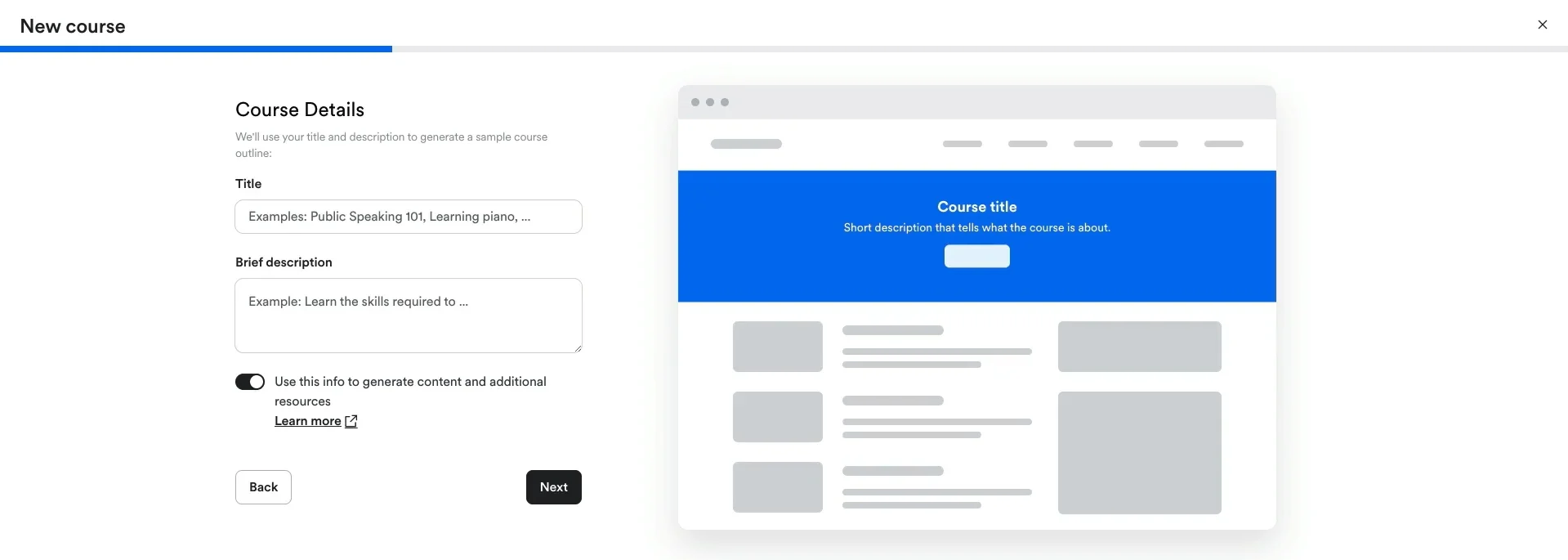
One more thing I really appreciated is how Kajabi leads you through the setup process step by step. It’s clear that the platform was designed with non-tech-savvy users in mind. Even setting up payments and customizing branding felt surprisingly smooth.
It’s easy to understand and set up. I used it to design a course and was very pleased at how visually professional it looked by adding thumbnails of my content.
ln short, I found Kajabi to be one of the most user-friendly platforms I’ve tested. Whether you’re a complete beginner or just want to save time managing multiple tools, Kajabi’s ease of use is a big reason why I’d recommend it.
If you’re planning to move your business from another platform, a smooth data migration can make the transition much easier.
Let Our Experts Handle Your Store Migration!
With the All-in-One Migration Service, our experts take care of everything, ensuring a seamless and stress-free migration.

How Customizable Is Kajabi?
Now, let’s move on to the next part of my Kajabi review – customization.
To be honest, I was pleasantly surprised by how easy it is to create a clean, professional website without touching a single line of code. Kajabi offers 400+ templates for websites, landing pages, and course layouts. These are modern and mobile-responsive, which made my content look polished across all devices.
Using the drag-and-drop page builder, I could quickly add sections like videos, countdown timers, pricing blocks, and testimonials, all with just a few clicks. Thanks to the pre-built layout, Kajabi takes the pressure off having to design something from scratch.
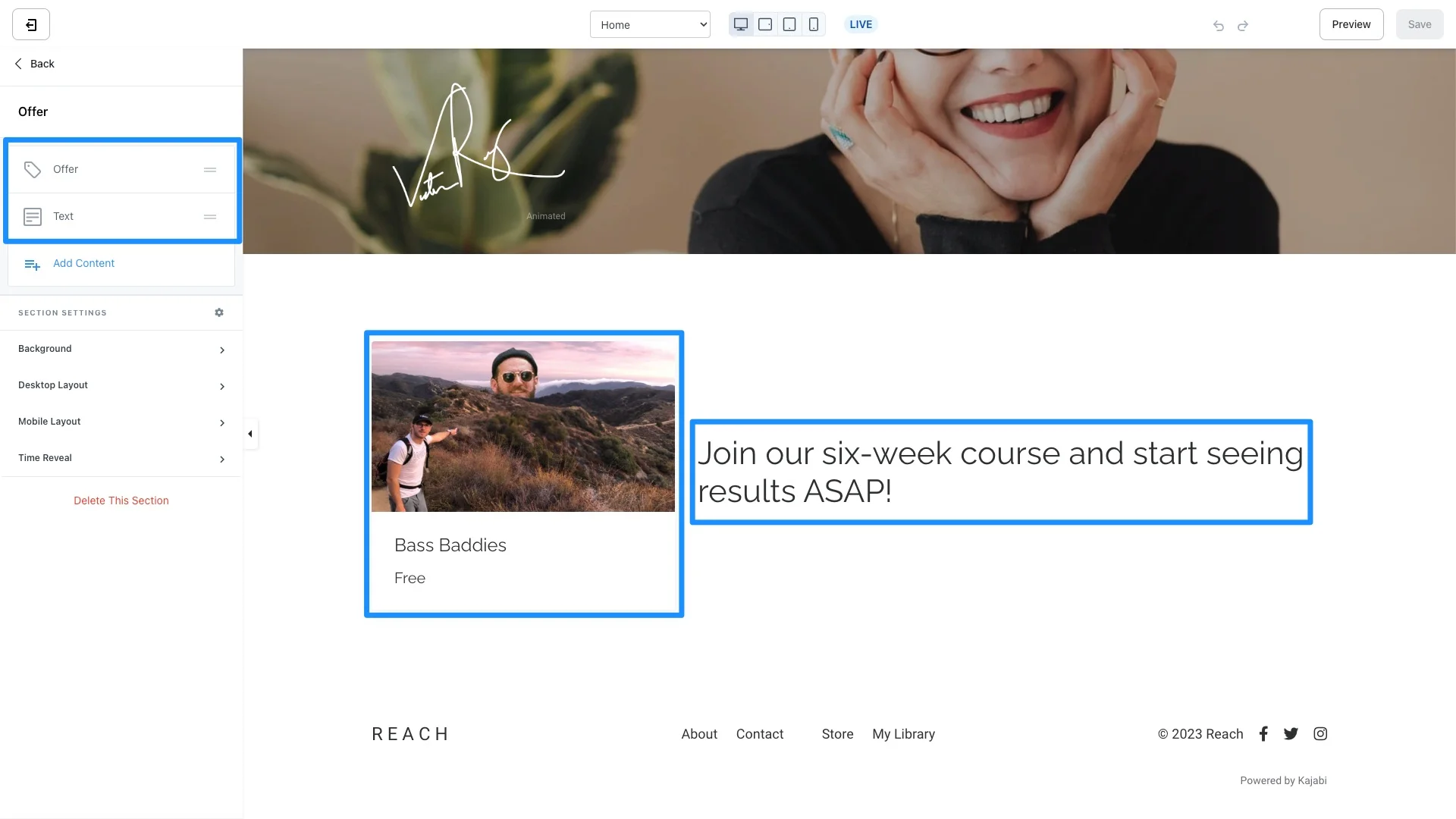
Nonetheless, there are some limitations that I want to point out in this Kajabi review. While Kajabi is great for beginners and non-tech users, it’s not as flexible as platforms like WordPress, Webflow, or Wix when it comes to deep code-level customization. Unless you’re on the Pro plan, you can’t access the custom code editor, which means you won’t be able to tweak theme files, add custom scripts, or modify structural elements of your site.
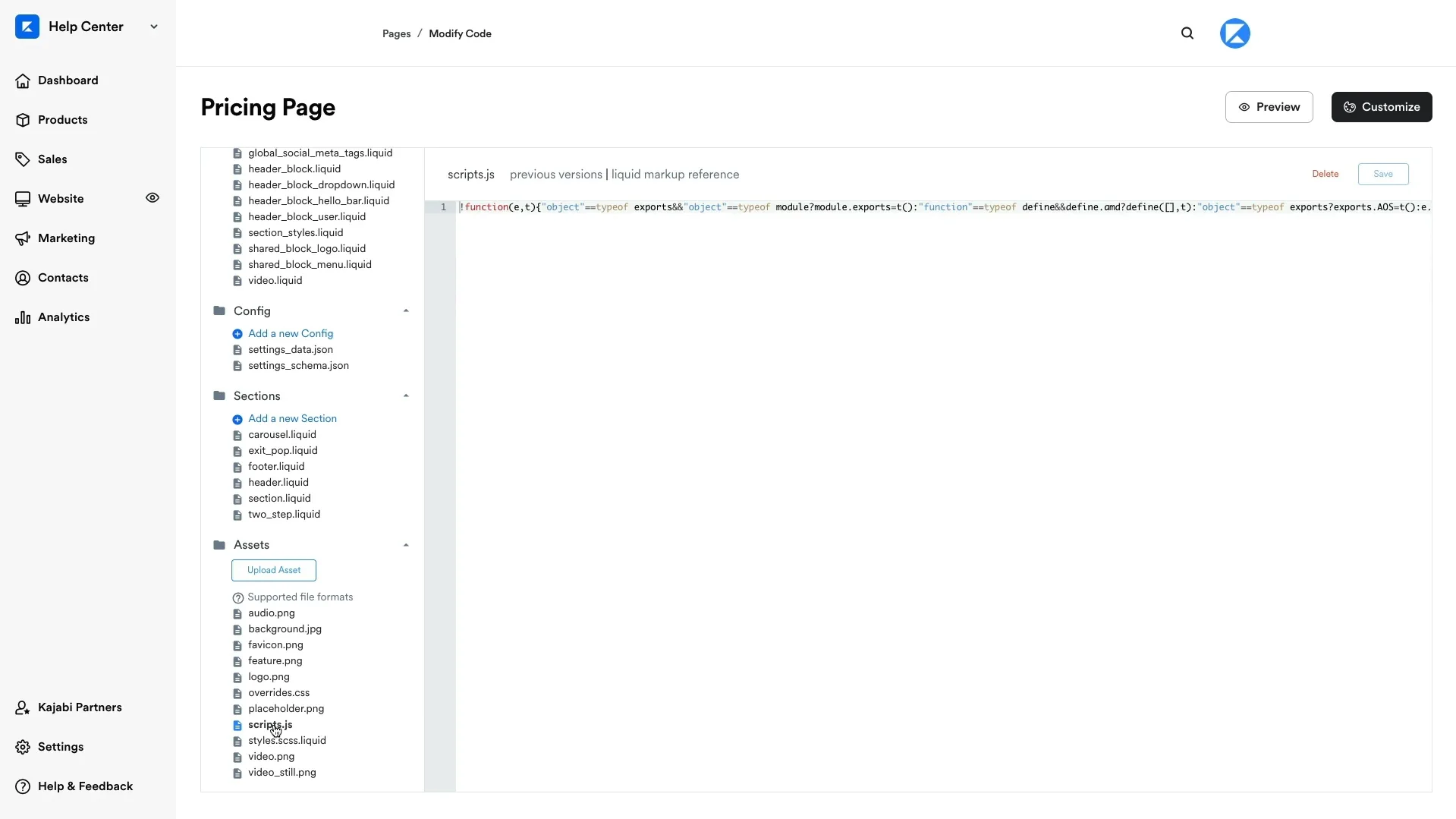
Even with the Pro plan, Kajabi’s templating system isn’t as open-ended as what developers might expect from more modular or open-source platforms. So, if you’re someone who wants full control over every line of code, or you’re planning to hire a developer to customize your website layout heavily, Kajabi might feel a bit restrictive.
Kajabi Features: What You Can Build
The product range is where Kajabi really earns its “all-in-one” reputation. During my testing for this Kajabi review, I explored every major product type to see how flexible the platform actually is and where it performs best. Here’s what you can create and sell with Kajabi.
1. Online courses
Courses are Kajabi’s flagship feature, and that becomes obvious as soon as you start building. You can create self-paced courses, release content gradually through drip scheduling, or run cohort-based programs with fixed start dates.
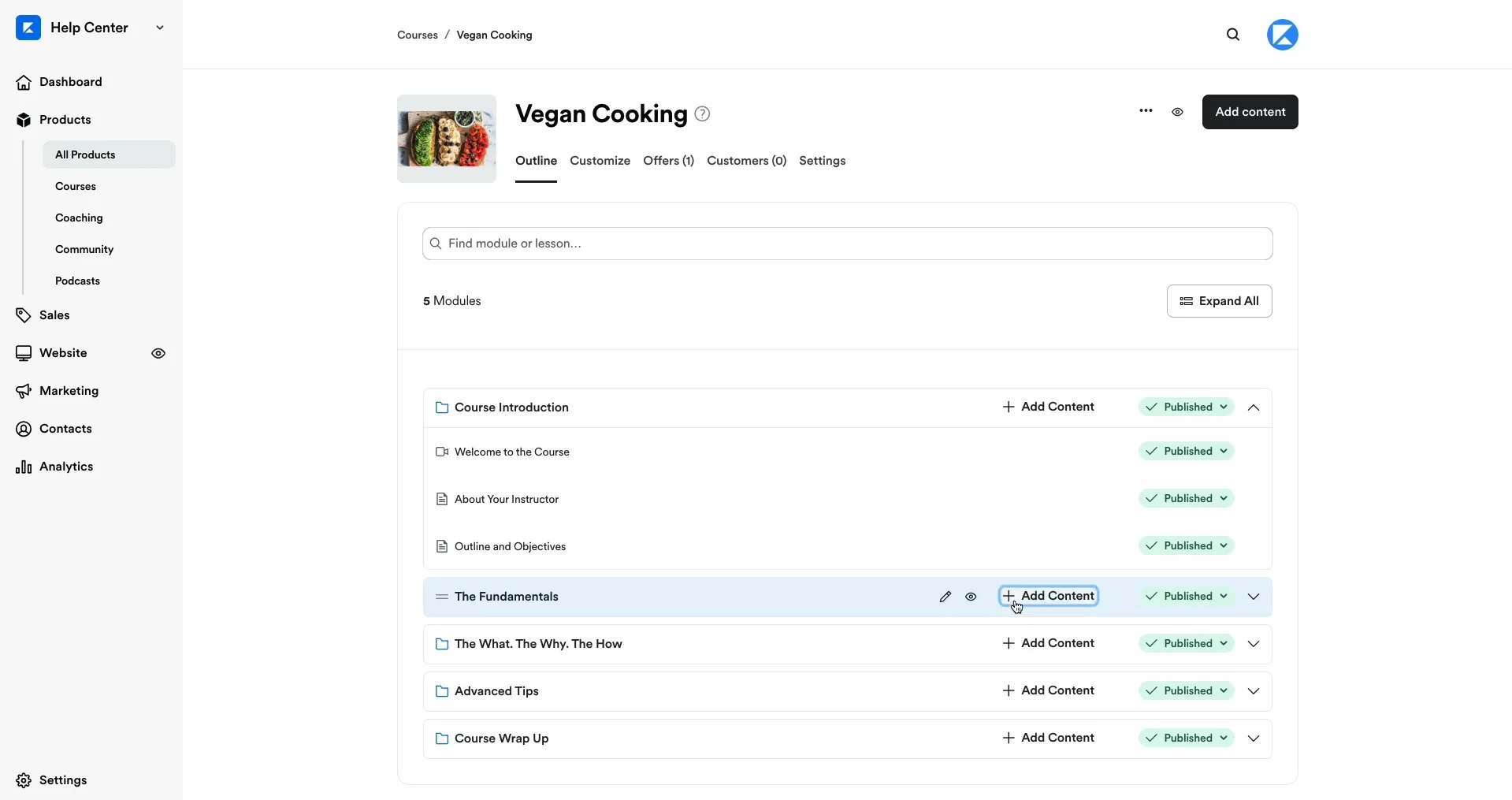
What impressed me most was that video hosting is included, eliminating the need for a separate Wistia or Vimeo subscription. Kajabi’s AI-powered Creator Studio can also generate course outlines, lesson summaries, and quiz questions from existing content, which can save creators a significant amount of time.
The main limitation I noticed is that offline access remains restricted unless learners use the branded mobile app. If your audience frequently travels or deals with unreliable internet connections, this is worth considering.
2. Coaching
Kajabi treats coaching as a core product rather than an add-on. You can sell individual or group coaching sessions, manage bookings through the built-in scheduler, host meetings via Zoom integration, and share notes or assignments within the same platform.
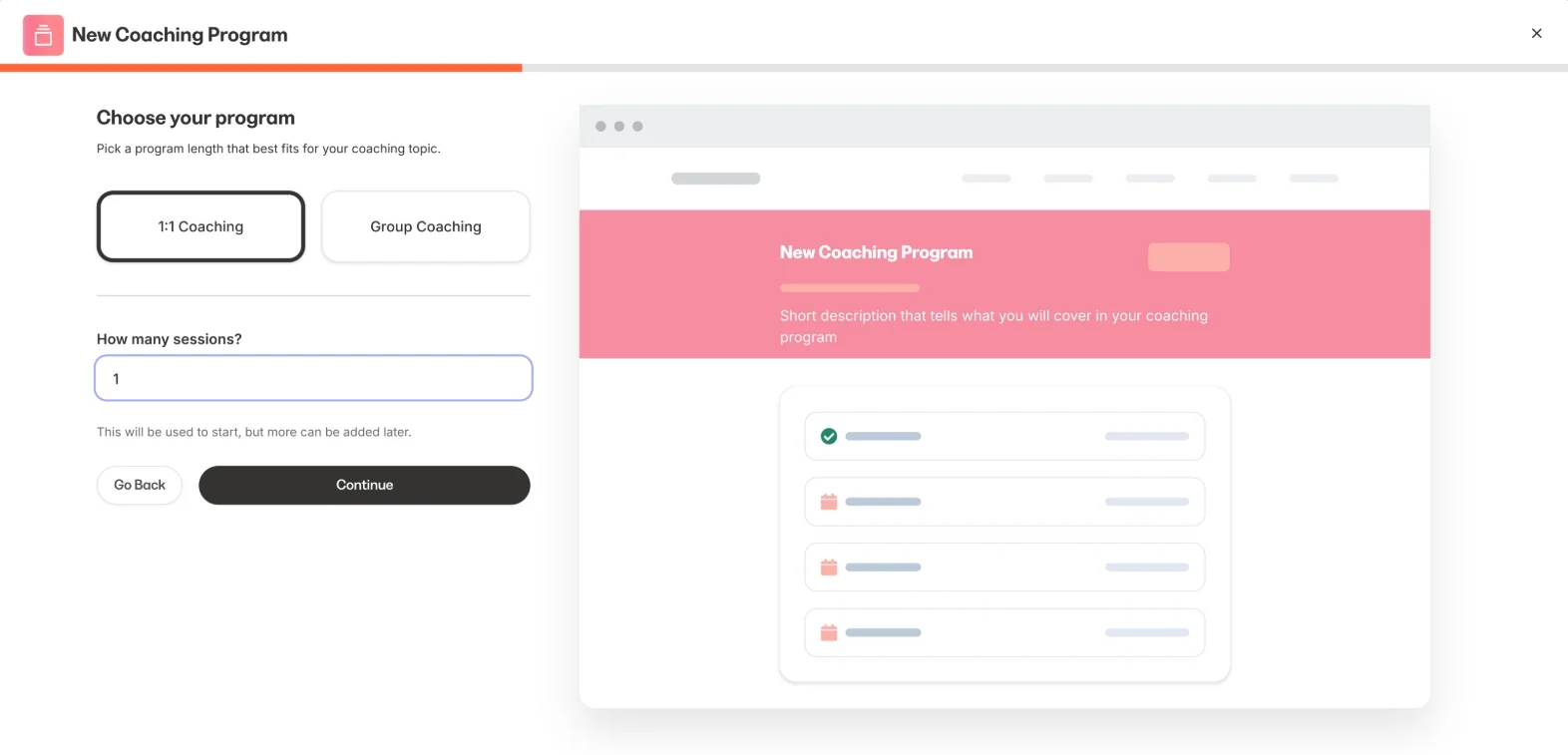
In practice, this solves one of the biggest frustrations I have seen with coaching businesses. Clients no longer need to jump between different tools to access sessions, resources, and course materials. If you plan to bundle coaching with educational content, Kajabi handles the experience remarkably well.
3. Membership sites & communities
Kajabi offers memberships and communities as separate but closely connected products. Memberships work well for recurring content libraries, while communities provide discussion spaces with channels, events, member directories, and live rooms.
That said, this was one area where I felt Kajabi still has room to improve. The feature set is solid, but engagement may not be as strong as what dedicated community platforms like Circle or Skool can deliver. During my research, I also found similar feedback from creators who had migrated to Kajabi. If community engagement sits at the center of your business model, I would recommend testing this carefully during the free trial.
4. Podcasts
You can host and distribute a private or public podcast directly from Kajabi, with built-in RSS feed generation that pushes to Apple Podcasts, Spotify, and other major directories. Private podcasts are the more interesting use case – gating audio content behind a paid product is a real differentiator that most course platforms don’t offer.
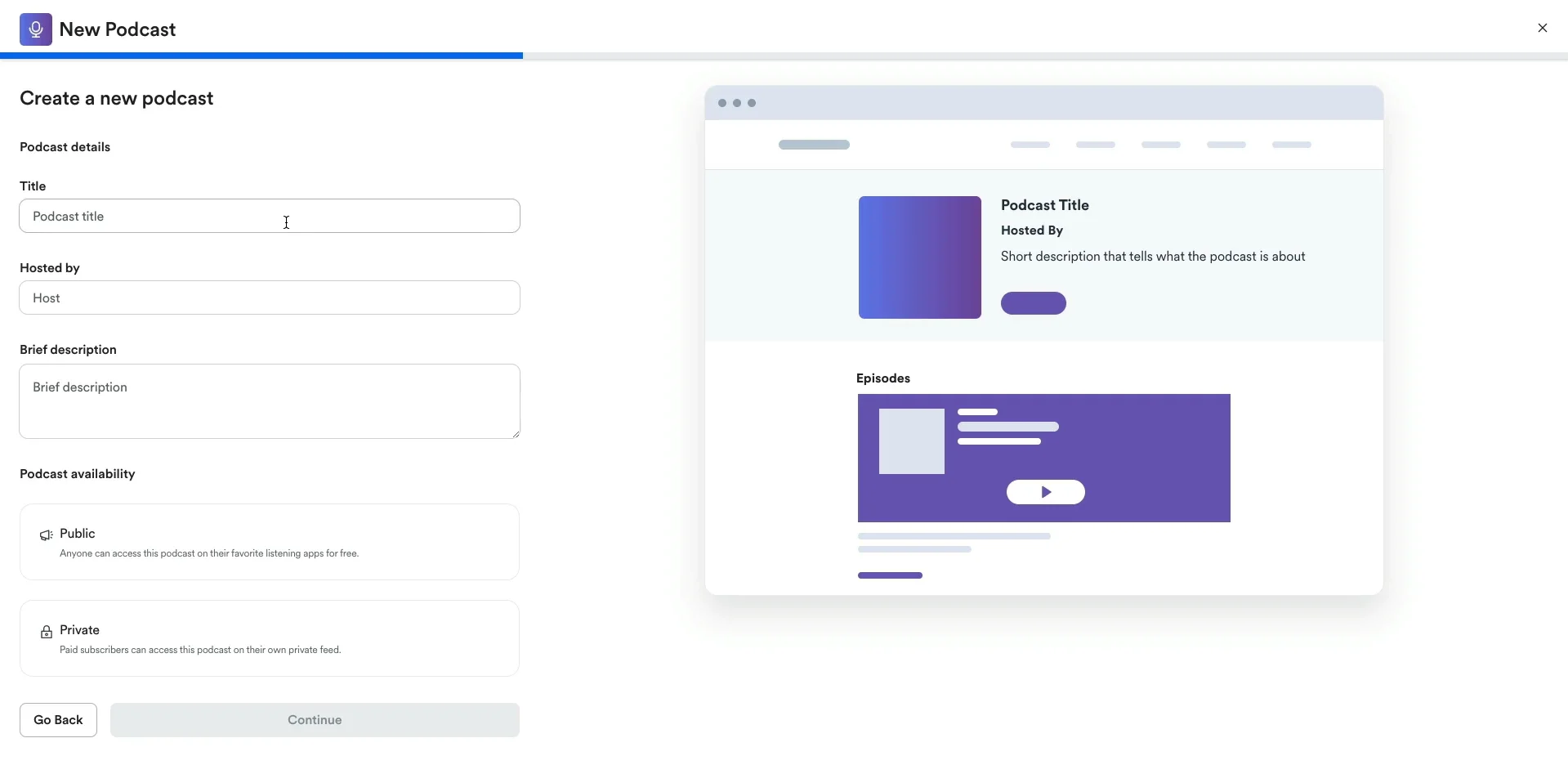
It’s not going to replace a dedicated host like Buzzsprout for serious podcasters (analytics are basic), but for paid premium audio feeds, it’s a clever addition.
5. Digital downloads
Digital downloads are the simplest product type available in Kajabi. You can upload ebooks, PDFs, templates, audio files, and other digital assets, then deliver them automatically after purchase.
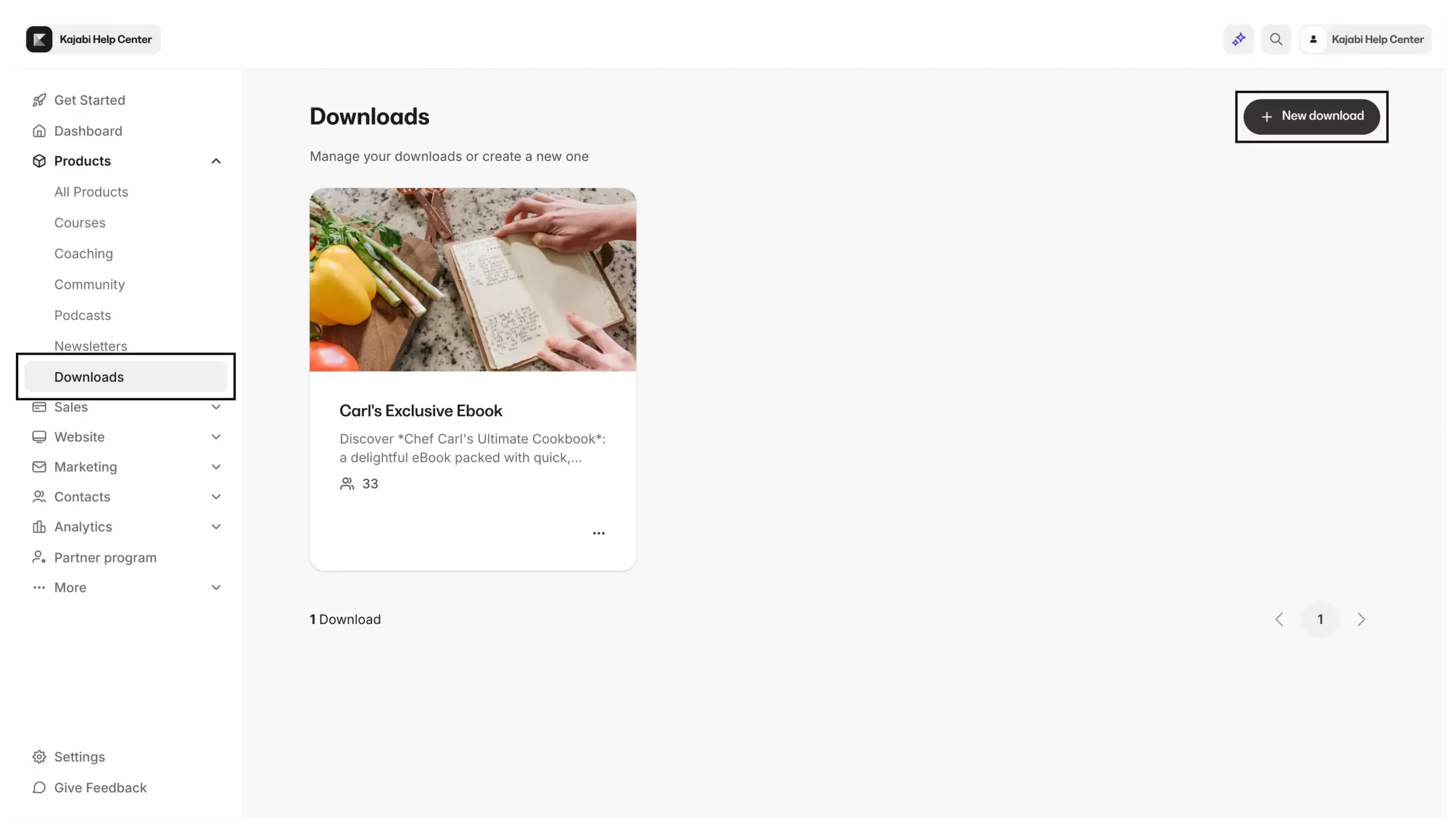
There is nothing particularly innovative here, but the feature works exactly as expected. My only observation is that if digital downloads are the only products you plan to sell, Kajabi may be more platform than you actually need.
6. Sales funnels & landing pages
Kajabi calls its funnel builder “Pipelines,” and I found it to be one of the platform’s most underrated features. It comes with pre-built templates for lead magnets, webinars, product launches, and free-trial campaigns, allowing you to connect landing pages, forms, emails, and checkout flows in just a few clicks.
The landing page builder itself is intuitive and supported by a solid template library. While I did encounter some design limitations during testing, I think most creators will find the customization options sufficient. The real advantage lies in having everything managed within a single ecosystem rather than connecting multiple third-party tools together.
7. Accepting online payments
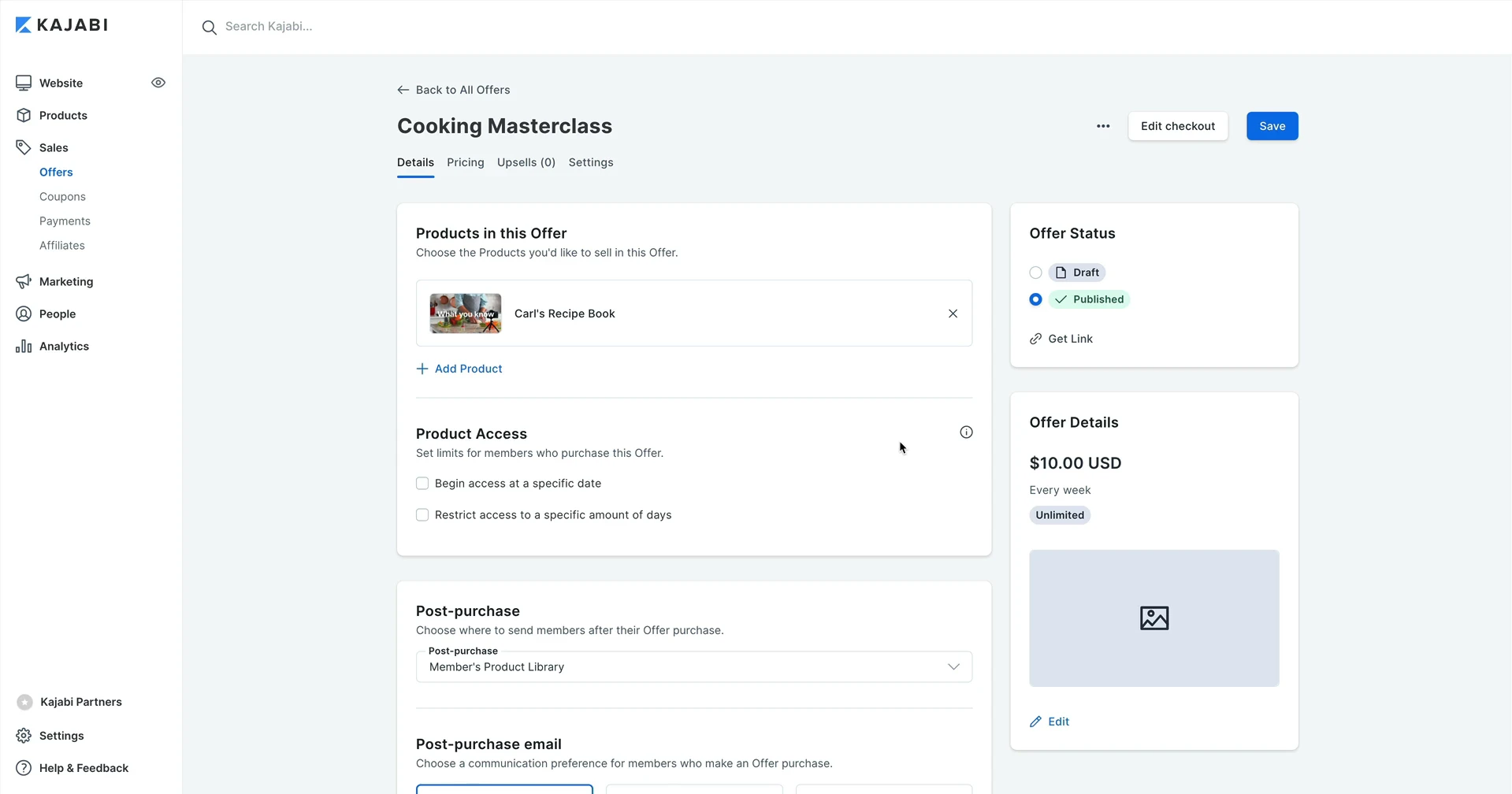
Setting up payments only takes a few minutes. I found it easy to connect a Stripe or PayPal account directly from the Kajabi dashboard. Once connected, you can start collecting payments for any product, whether it’s a course, coaching program, or podcasts. Additionally, you can also customize checkout pages, apply coupon codes, and include order bumps or upsells to boost your average order value.
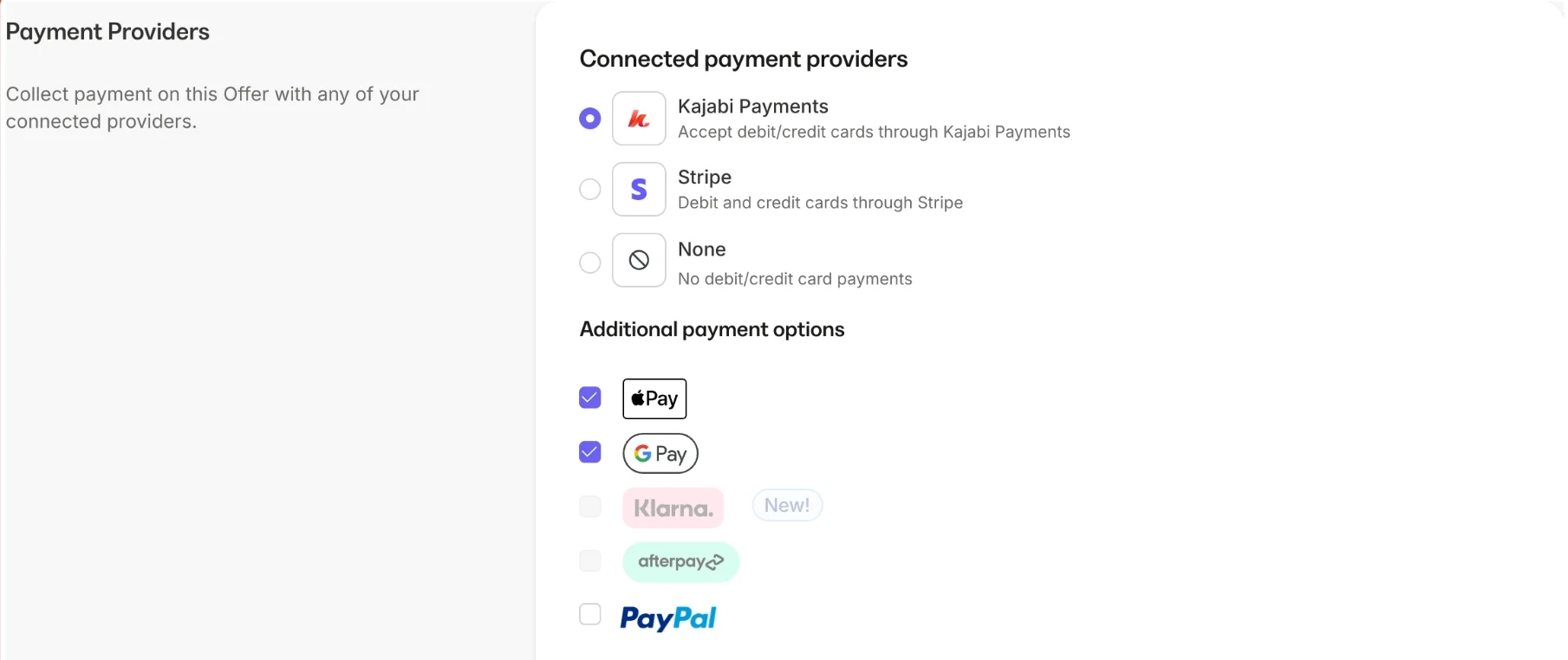
Another standout feature that I want to mention in this Kajabi review is that this platform supports several pricing models without requiring third-party extensions. You can set up one-time payments, subscriptions, or payment plans, giving you flexibility to match different customer preferences. This is especially helpful if you want to offer more affordable access to higher-ticket programs.
With that being said, I don’t think Kajabi is the best when it comes to payment. While other top eCommerce platforms, such as BigCommerce or Shopify, offer over 80 choices of gateways, Kajabi feels quite restrictive with its methods. This platform only supports PayPal, Stripe, Google Pay, and Apple Pay, along with Kajabi Payments. Though this might be enough for sellers from some regions, there’s still room for Kajabi to expand its payment gateways.
8. Analytics & reports
Kajabi’s analytics are organized into clear sections, including an interactive analytics of revenues and a list of essential reports. With these tools, you can quickly see how many purchases were made and how much you earned within a period of time. It’s great for creators who want a quick snapshot of their business health without needing a background in analytics.
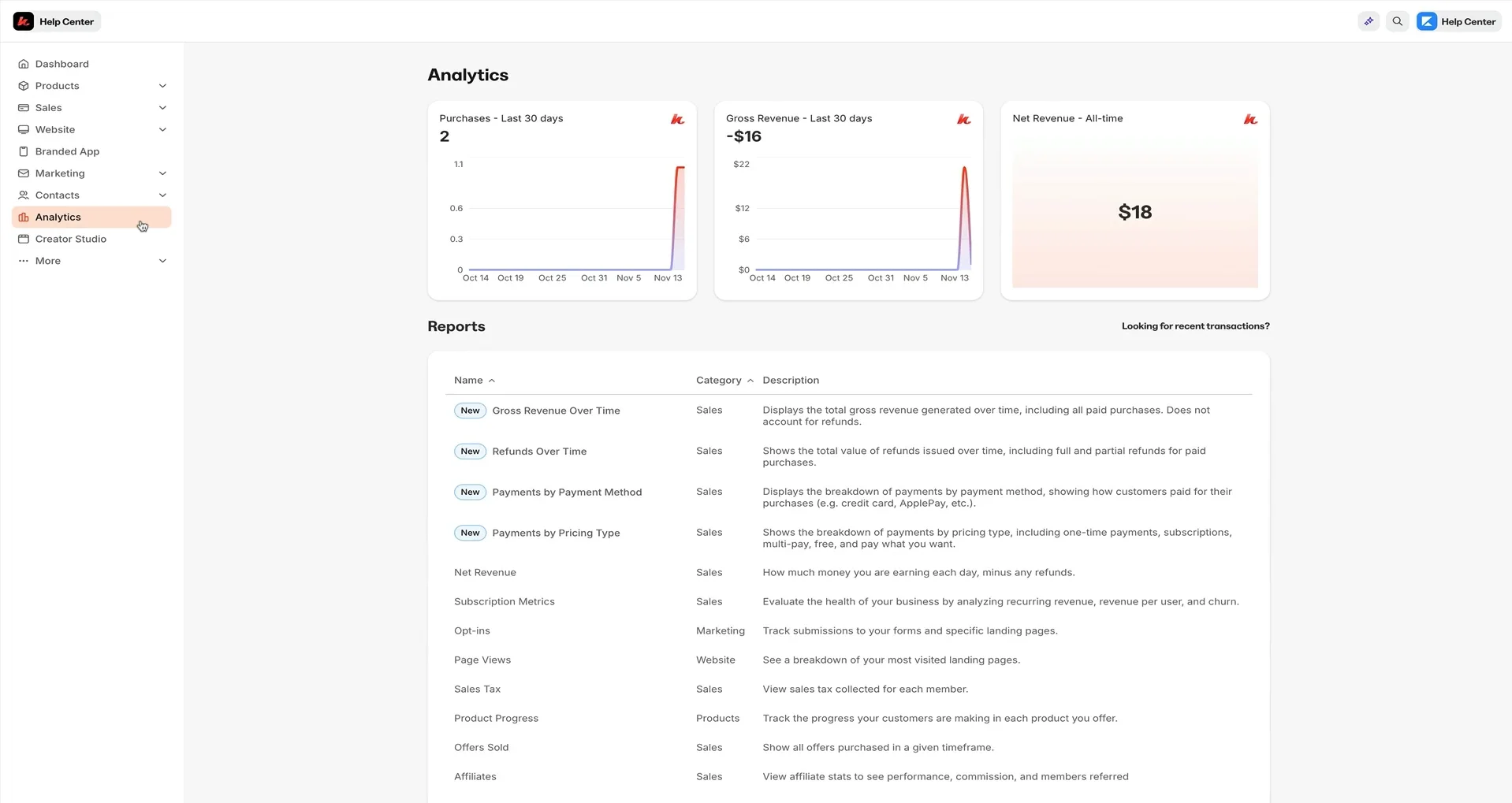
Kajabi report and analyticsThat said, I did find some limitations worth mentioning in this Kajabi review. The analytics tools are more high-level than deep. Therefore, if you’re someone who needs granular data (like detailed funnel step conversions, user segmentation, or A/B test tracking), you may find Kajabi’s built-in reports a bit basic. In those cases, you might need to connect third-party tools like Google Analytics or use integrations via Zapier to gain deeper insights.
Does Kajabi Provide Email Marketing & Automations Tool?
Kajabi includes a full email marketing and automation suite built right into the platform, so you don’t need to pay extra for tools like Mailchimp, ConvertKit, or ActiveCampaign. Throughout my testing for this Kajabi review, I treated the email tools the way I’d treat a standalone ESP, and they held up better than I expected.
You’re working with two core building blocks: broadcasts for one-off sends like newsletters or launch announcements, and sequences for automated email flows triggered by user behavior (signing up for a freebie, finishing a lesson, abandoning a checkout). Between the two, you can cover 90% of the email use cases most creators actually need.
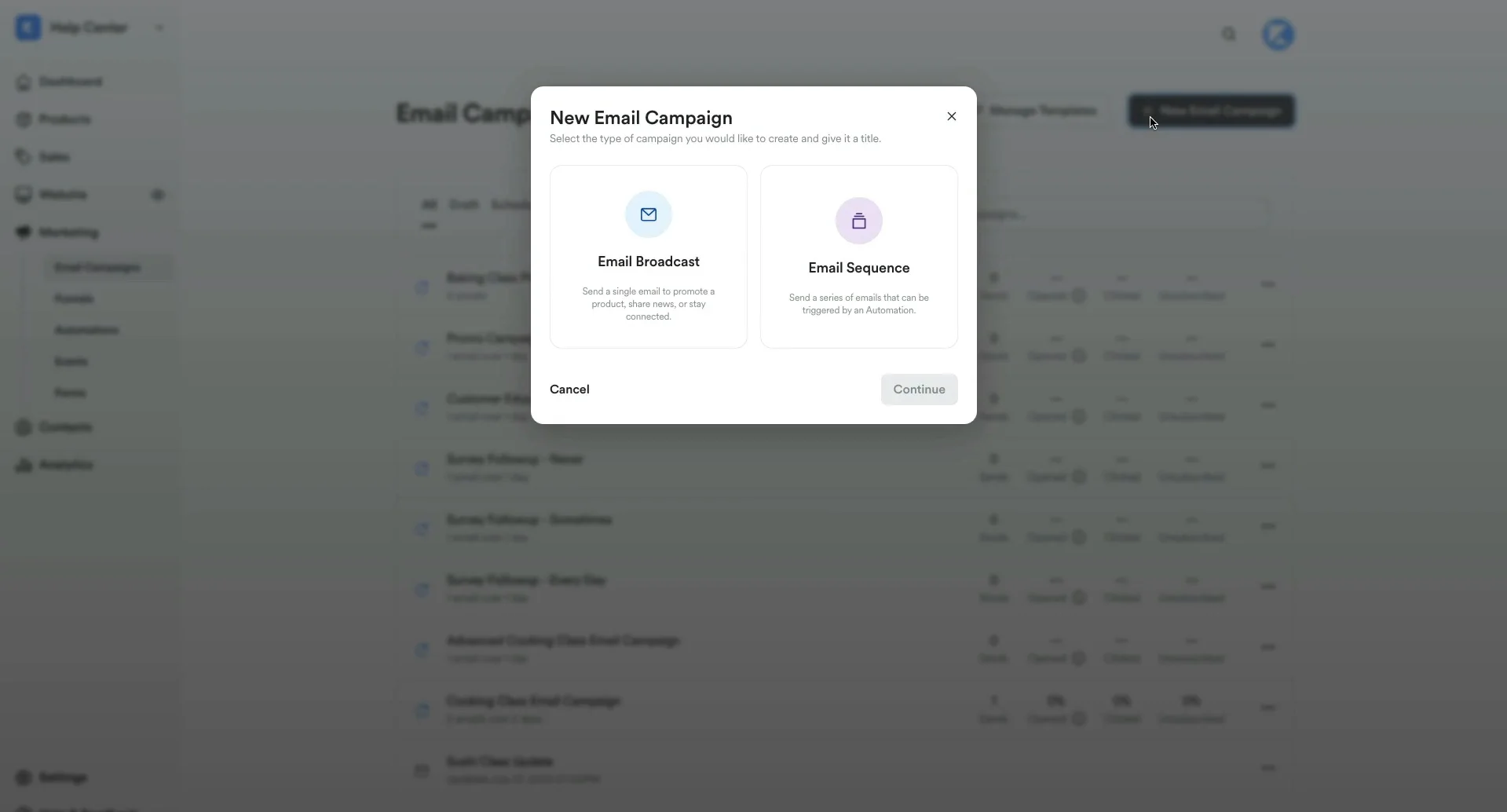
The editor is where Kajabi keeps things refreshingly simple. The visual builder is clean – almost minimal – and you’ll either love it or wish for more design control depending on your background. I appreciated being able to add countdown timers, dynamic personalization, and styled CTA buttons without touching code.
Because email lives inside the same system as your courses, products, and forms, you can build automation with conditional logic that other tools simply can’t: send this nurture sequence if someone watched Lesson 3 but didn’t start Lesson 4, or unsubscribe a buyer from the sales sequence the moment they purchase.
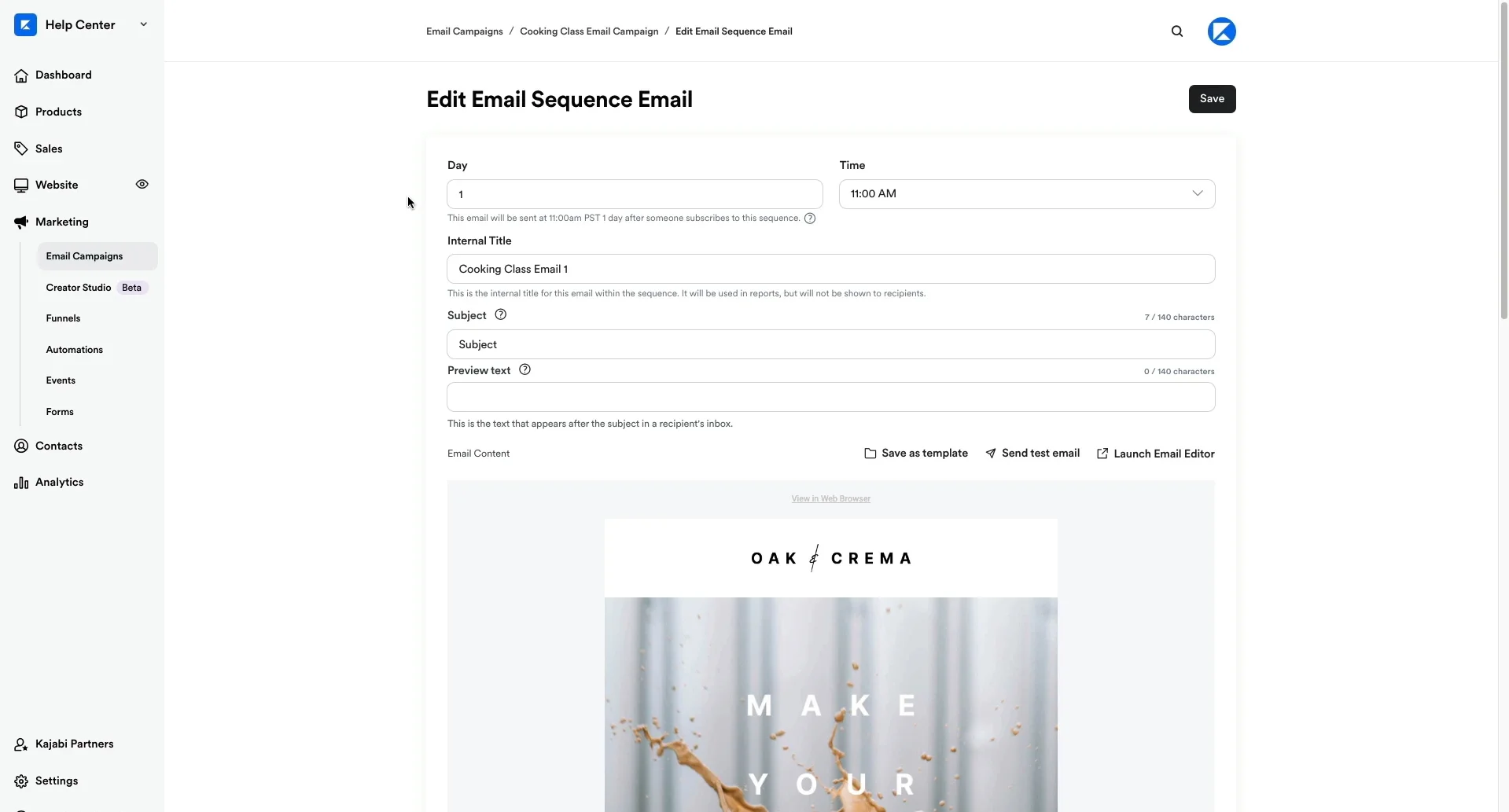
On the analytics side, you get the essentials – open rates, click-throughs, unsubscribes, and revenue attribution per email – which is enough to run A/B tests on subject lines and refine sequences over time. It’s not as deep as ActiveCampaign’s reporting, but it’s clear and actionable.
Which Apps Does Kajabi Integrate With?
Out of the box, Kajabi integrates directly with popular services like Mailchimp, ActiveCampaign, Google Analytics, and Segment. These integrations are easy to set up and help you extend your functionality without needing complicated workarounds.
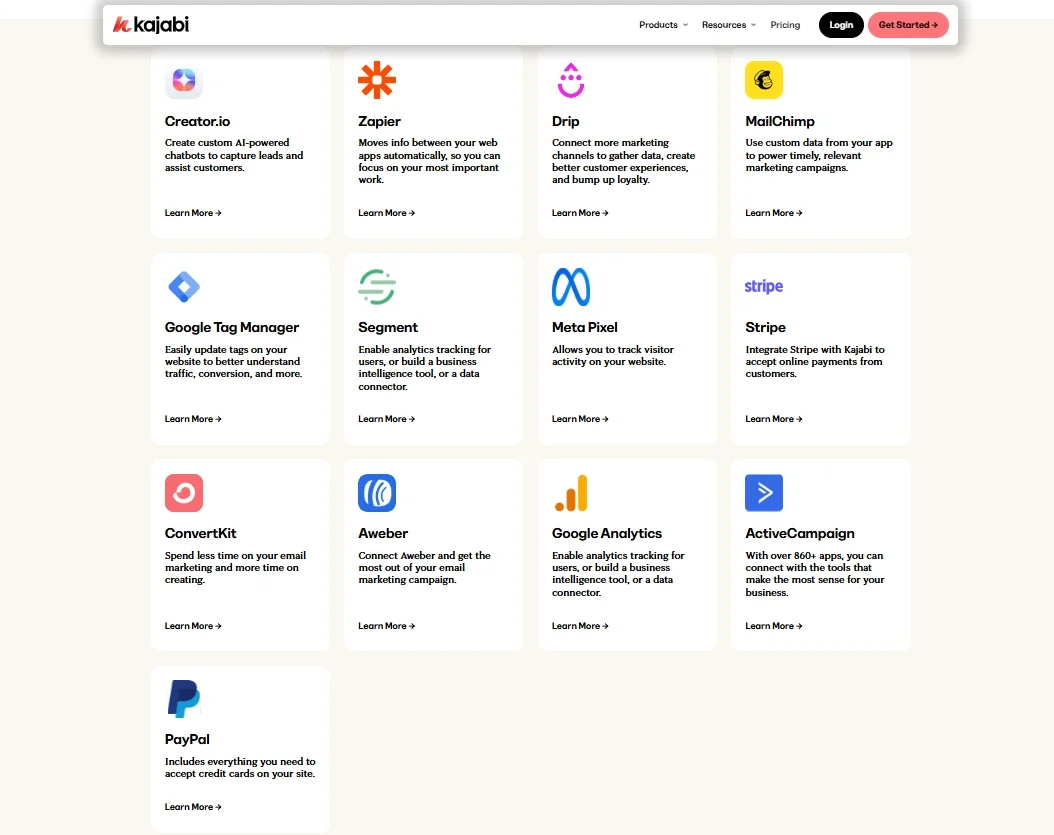
What I found especially helpful is Kajabi’s connection with Zapier, which opens the door to a broader selection of additional apps, everything from CRMs and webinar platforms to task managers and accounting tools. With Zapier, you can automate workflows like adding new customers to a Google Sheet, syncing Kajabi leads with HubSpot, or triggering Slack messages after a sale.
However, it’s worth noting that Kajabi doesn’t offer as deep a native integration library as platforms like WordPress or Shopify. You might need to rely on webhooks if you want advanced customization or niche tool connections. Still, in my experience writing this Kajabi review, the integration options are more than enough for the average creator or small business.
What Support Does Kajabi Offer?
In this final part of my Kajabi review, I want to look at the platform’s customer support. Overall, I found Kajabi’s support offering to be one of its stronger areas.
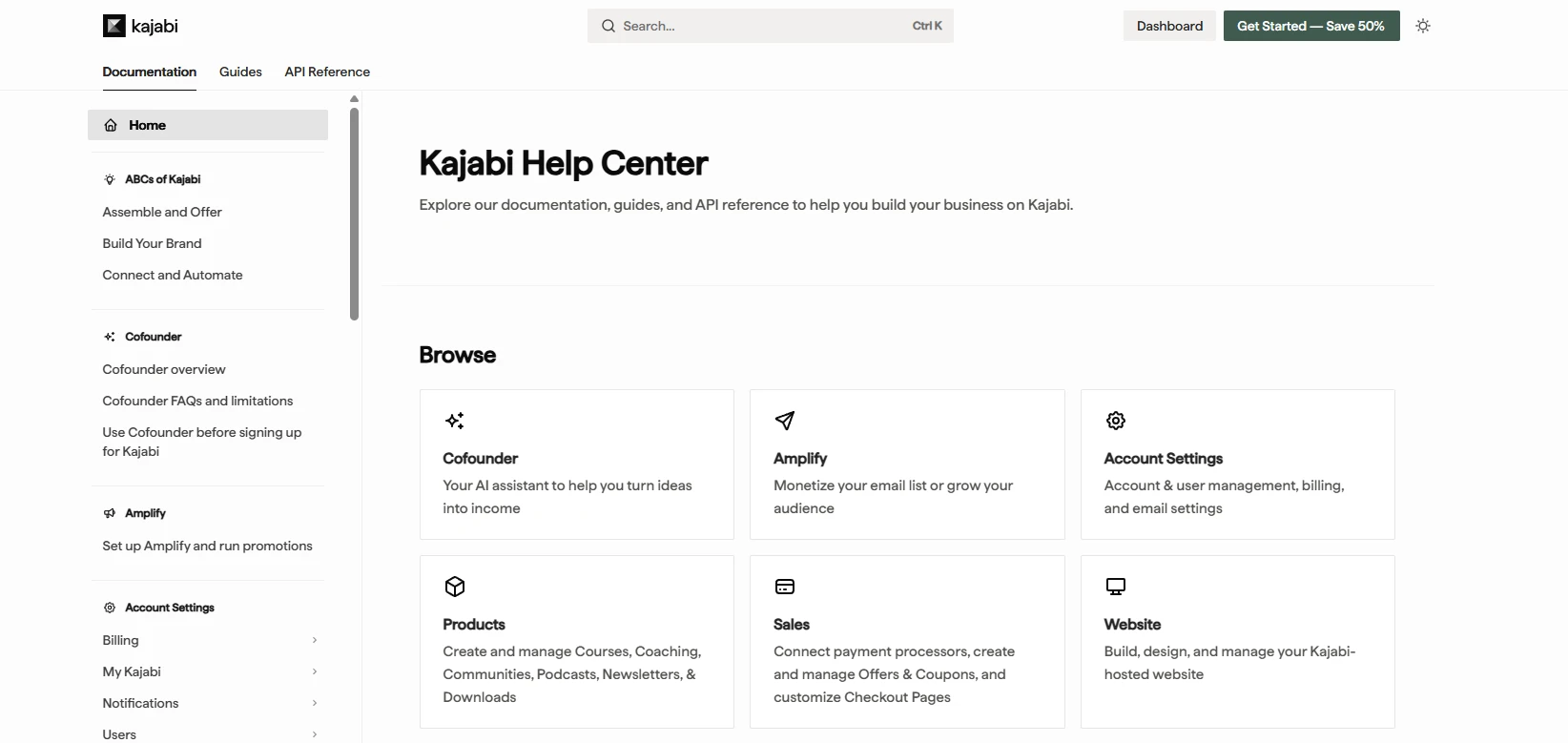
Kajabi provides a built-in conversation widget within both the dashboard and Help Center, making it easy to reach support whenever you need assistance. Growth and Pro users get access to 24/7 live chat, while Basic users can still use live chat during business hours and contact the support team via email.
Beyond direct support, Kajabi offers an extensive Help Center and Kajabi University. These resources include video tutorials, step-by-step guides, and training courses covering everything from product setup to marketing automation. During my testing, I found the content well organized and easy to follow, especially for beginners.
The main drawback is the lack of phone support, which some users may expect given Kajabi’s premium pricing. Even so, I think the combination of responsive live chat, email support, and comprehensive learning resources will be more than enough for most creators and online business owners.
Kajabi vs Other Competitors for Selling Courses & Digital Products
Kajabi is rarely the only platform on a creator’s shortlist. Before committing to that premium price tag, it’s worth seeing how it stacks up against the most popular alternatives – each with a different sweet spot.
|
Platform |
Best for |
Starting price |
Transaction fees |
All-in-one? |
Free plan |
|
Kajabi |
Creators who want everything in one dashboard |
$179/mo |
0% (Stripe/PayPal) |
Yes |
14-day trial |
|
Teachable |
Beginners testing their first course |
$59/mo |
5% on Basic plan |
No |
Free plan |
|
Thinkific |
Budget-conscious course creators |
$49/mo |
0% on paid plans |
No |
Free plan |
|
Kartra |
Marketing-focused entrepreneurs |
$119/mo |
0% |
Yes |
14-day trial |
|
Podia |
Simple digital product sellers |
$39/mo |
0% on paid plans |
Partial |
Free plan |
|
Skool |
Community-led course creators |
$99/mo |
2.9% |
Partial |
14-day trial |
Here’s a side-by-side look at how Kajabi compares to the main contenders I’d consider for course creators and digital product sellers.
As we can see, Kajabi is trying to be the only platform you need. If you’d otherwise be paying for a course tool + email tool + landing page builder + funnel software + community platform separately, Kajabi often comes out ahead. If you only need one of those things, a specialist tool will serve you better at a lower price.
Kajabi Review: FAQs
How much does Kajabi cost a month?
Kajabi currently offers three pricing plans: Basic ($179/month), Growth ($249/month), and Pro ($499/month). All plans include a 14-day free trial, allowing you to explore the platform before committing to a paid subscription.
Does Kajabi charge transaction fees?
Kajabi itself does not charge platform transaction fees. However, payment processing fees still apply. If you use Kajabi Payments, you’ll typically pay 2.9% + 30¢ per transaction, with additional fees for subscriptions and international card payments. Similar processing fees also apply when using Stripe or PayPal.
Is Kajabi the best option for creating online course?
Kajabi is one of the best all-in-one platforms for creating and selling online courses, especially if you also need website building, email marketing, sales funnels, and automation tools. However, it may not be the best fit for everyone. Creators who only need course hosting may find more affordable alternatives such as Thinkific or Teachable.
Is Kajabi worth the money?
In my opinion, Kajabi is worth the investment if you plan to use multiple built-in tools, including course creation, email marketing, landing pages, sales funnels, and memberships. While the pricing is higher than many competitors, it can replace several separate subscriptions and simplify business management.
Is Kajabi beginner-friendly?
Yes, Kajabi is generally beginner-friendly. The platform offers a clean interface, pre-built templates, AI-powered tools, and extensive training resources through Kajabi University. Although there is a learning curve due to its wide range of features, most beginners can get started without coding or technical experience.
Final Words
After exploring every major feature for this Kajabi review, I can confidently say that Kajabi is one of the most user-friendly platforms available for digital entrepreneurs. Whether you’re launching an online course, starting a membership site, offering coaching, or just looking for a reliable way to manage your online business, Kajabi gives you everything you need, all in one place.
Of course, Kajabi isn’t perfect. The pricing might feel high for beginners, and customization options are somewhat limited unless you’re on the Pro plan. But if you value time, simplicity, and having everything under one roof, the investment is well worth it.
Last but not least, if you like this article and want to explore more related topics, please don’t forget to check out other blogs on our LitExtension website for more expert tips and insights.

