
GoDaddy is one of the largest website platforms today, offering domain registration, hosting, website building, and online selling tools within a single ecosystem. Among many GoDaddy reviews, the platform is often recognized for its beginner-friendly setup and all-in-one approach to website management.
In this GoDaddy review, we’ll take a close look at its Hosting and Online Store plans, including:
- Pricing;
- Performance and uptime;
- Ease of use;
- Templates and design flexibility;
- Online selling features;
- SEO and marketing tools;
- Security;
- Customer support.
Let’s get started!
GoDaddy Pros and Cons
When looking at GoDaddy reviews, it becomes clear that this platform has both strong advantages and noticeable drawbacks. Below, let’s break down GoDaddy pros and cons to help you decide.
Pros | Cons |
✓ No technical skills required with an intuitive drag-and-drop interface. ✓ Combines domain registration, hosting, and site builder under one roof. ✓ Includes email marketing, social media integration, and Google Ads setup. ✓ Offers reliable uptime with hosting services backed by solid performance metrics. ✓ Allows testing features before committing to a paid plan with a free trial. | ✗ Only comes with basic customization options, compared to Wix or WordPress. ✗ Offers fewer design templates than competitors; less room for unique branding. ✗ Lacks advanced eCommerce tools, not ideal for scaling. ✗ Doesn't offer a permanently free website tier. |
Our Methodology: How We Test GoDaddy
To create GoDaddy reviews, we tested the platform through real use cases instead of relying only on feature lists or marketing materials. We created an actual GoDaddy account, built websites, tested online selling tools, and evaluated the overall user experience from a beginner’s perspective.
Our review is based on the following criteria:
- Performance & uptime (25%) – We tested loading speed, uptime, and overall reliability using tools like GTmetrix, Pingdom, and Google PageSpeed Insights.
- Ease of use (20%) – We evaluated how beginner-friendly the setup process, dashboard, and website builder experience feel.
- Templates & design flexibility (15%) – We tested template quality, customization options, and overall design freedom.
- Online selling features (20%) – We created a test store to review product management, payments, shipping, discounts, and checkout tools.
- Pricing & value (10%) – We compared hosting plans, Online Store pricing, included features, and long-term value.
- Customer support (10%) – We contacted GoDaddy support through live chat and phone to evaluate response time and overall helpfulness.
This approach helps us evaluate GoDaddy from both a beginner and a business owner perspective, rather than only reviewing the platform on paper.
All your needs in one place!
Each time I call customer service each agent are very knowledgeable, patient, and understanding. Each agent also explains things for me and give me several examples in addition to giving me the best price. I love GoDaddy, it’s a 1 stop shop!
GoDaddy Pricing
GoDaddy’s pricing structure mainly revolves around two core offerings: hosting services and its website builder with eCommerce capabilities.
GoDaddy hosting plans
For most users, hosting is still the platform’s biggest selling point. Depending on your website type and technical requirements, GoDaddy offers several hosting options as follows:
Hosting type | Best tor | Pricing |
Shared hosting | Hobby sites, blogs, and small business websites | - Standard performance: Starts at $6–$13/month - High performance: $18–$55/month |
WordPress hosting | WordPress-based blogs and business websites | Starts at $7–$15/month, renews at $15–$27/month |
VPS hosting | Growing businesses and advanced website setups | - Standard performance: Starts at $9–$45/month - High performance: Starts at $65-220/month |
One thing to keep in mind is that some features are not always included by default. Services such as SSL certificates, email hosting, backups, and domain privacy may incur additional fees depending on your plan. Because of this, the long-term cost can end up higher than the initial promotional pricing.
GoDaddy online store plans
If you prefer a simpler setup with website building and selling tools bundled together, GoDaddy’s Online Store plans may feel like a more straightforward option. They already include domains, hosting, website management, and eCommerce features.
The plans are designed for businesses at different stages, from beginners to growing stores. Here’s a breakdown of the current monthly pricing:
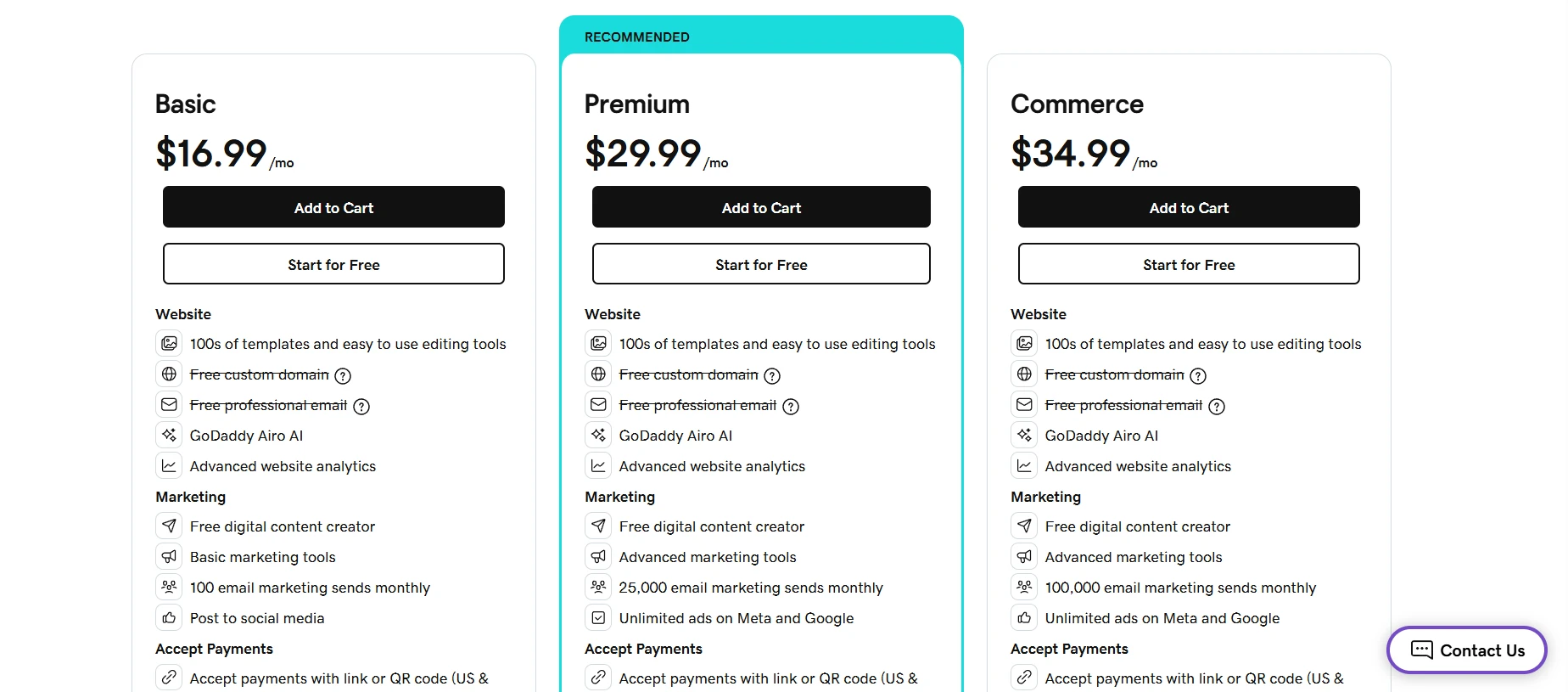
One thing that stands out is that GoDaddy lets you build your store for free before committing to a paid plan. You can add products, customize your storefront, and set up pricing and shipping first. Once you are ready to start fulfilling orders, you can then upgrade to a paid plan.
Writer’s note: These prices reflect standard monthly rates. While GoDaddy often promotes discounted intro pricing (like $1/week), all plans auto-renew at full price unless canceled. Based on GoDaddy reviews, many users report surprise charges or upsells down the line, so be sure to double-check the renewal terms.
Performance and Uptime
GoDaddy advertises a 99.9% uptime guarantee, which equals roughly 8.7 hours of downtime per year. Based on independent tests from platforms like WebsiteSetup and HostingFacts, its actual uptime often ranges from 99.95% to 99.98%, which is reliable enough for most small and medium-sized websites.
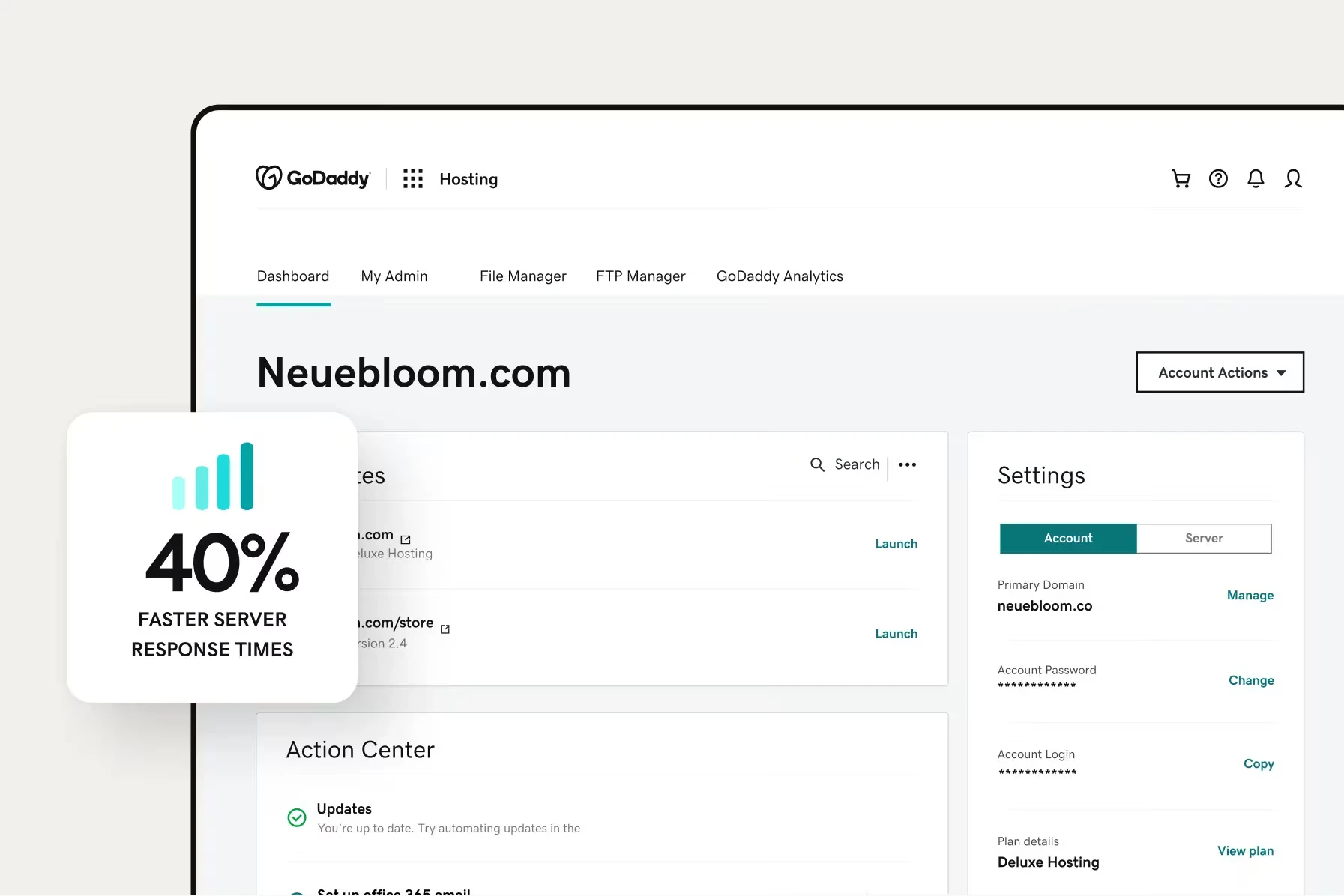
One advantage here is that GoDaddy handles both the hosting infrastructure and the website platform itself. If you build your site within the GoDaddy ecosystem, you usually do not need to spend much time manually configuring performance settings. Hosting, optimization, and website management are already connected together.
In terms of speed, GoDaddy Website Builder performs surprisingly well for a beginner-focused platform. In one GTmetrix test, a demo site built with it fully loaded in around 1.2 seconds, which is considered very fast for a drag-and-drop website builder. Recent GoDaddy reviews also give the platform fairly strong overall performance scores.
That said, your actual site speed still depends heavily on how your website is built. Content-heavy pages, large images, or poorly optimized layouts can still slow things down, especially on lower-tier shared hosting plans. Users running VPS hosting generally get more stable performance during traffic spikes.
Overall, we think GoDaddy delivers reliable performance for blogs, portfolios, small business websites, and beginner online stores. However, if you expect heavy traffic or need advanced speed optimization, a more specialized hosting provider may be a better fit.
Ease of Use
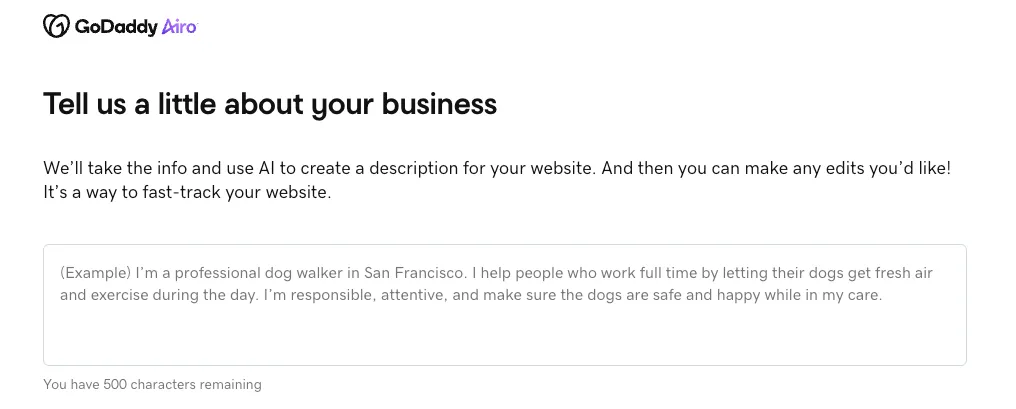
GoDaddy is clearly designed for beginners. Getting started is simple, especially with its AI website builder, Airo. After answering a few basic questions, you get a ready-to-edit website with a layout, sample content, and even a logo suggestion already in place. Even on GoDaddy’s free plan, users receive 50 AI credits per month to generate and edit AI content, which adds extra convenience for first-time website owners.
For everyday management, the dashboard is generally beginner-friendly. Navigation is fairly straightforward for tasks like managing domains, email accounts, or hosting settings. However, because GoDaddy offers so many services, the interface can sometimes feel cluttered with upsells, promotions, and add-on suggestions during normal use.
Templates & Design Flexibility
GoDaddy offers more than 200 website builder templates across categories like business, online stores, blogs, and professional services. We like that most of these templates feel clean, modern, and mobile-friendly right out of the box, making them suitable for many industries without requiring much design work.

Customization is also fairly beginner-friendly. You can quickly change themes, colors, fonts, and section layouts with just a few clicks. Inside each page, sections like galleries, menus, contact forms, or price lists can be added or removed easily through a point-and-click editor.
However, design flexibility is still fairly limited. The editor uses predefined layouts instead of full drag-and-drop customization, and there is no access to CSS or HTML. For beginners, this keeps the experience simple. But for users who want more creative control, the builder may feel restrictive.
If you are unsure which template to choose, Airo can help simplify the process. After describing your business, the AI recommends a matching template, generates starter content, and automatically sets up your page structure. Still, the final result remains template-based, so customization is limited to the same design system and layout structure available in the regular editor.

Online Selling Features
If you subscribe to GoDaddy’s Online Store plans, here’s an overview of the online selling features included with GoDaddy:
Area | GoDaddy features |
Product types | Physical products, services, digital products (files); gift cards (in newer setups) |
Product options | Variants such as size, color, material; custom option fields (e.g., personalization notes); SKU and stock per variant |
Inventory | Stock tracking per product/variant; in‑stock/out‑of‑stock statuses; product categories and sub‑categories; basic inventory views in the dashboard |
Cart & checkout | Shopping cart; mobile‑optimized checkout; guest checkout; SSL‑secured checkout pages |
Payment gateways | - Credit/debit card processing via integrated providers (e.g., GoDaddy Payments and other gateways depending on region); PayPal; Apple Pay; Google Pay. - GoDaddy Payments with POS hardware (card readers, terminals) |
Shipping | Central tools to configure shipping methods (free, flat‑rate, calculated options), local pickup/delivery |
Taxes | Tax rules per region, with automatic calculations in supported locations |
Discounts & coupons | Basic promotion tools such as coupon codes and storewide offers, transactional emails |
Multichannel marketplaces | - Selling on marketplaces such as Amazon, eBay, Etsy (availability depends on region and plan) - Centralized catalog sync |
Social commerce | Facebook Shop and Instagram Shopping integrations; syncing products to social catalogs |
Analytics | Sales and order summaries, product‑level performance views, and traffic insights |
Based on our GoDaddy reviews, the platform handles the basics of online selling quite well, especially for beginners and small businesses. Since many tools are already built in, you do not need to rely heavily on third-party apps. This can help reduce extra costs while also keeping your store setup simpler and lighter to manage.
It’s a very user friendly software and a non-techsavie can easily work on this. It ables us to send emails to my clients without any problems. It gives an amazing opportunity to enhance our business to another level, such as we can find new clients of our products easily. Any type of domain is readily available and can be purchased at minimal cost. It gives feel like a real developer despite much coding knowledge.
Nevertheless, highly customized stores or businesses with large-scale selling needs may still find the platform somewhat limiting compared to more advanced eCommerce platforms.
Marketing & SEO Functions
Marketing features
Email marketing is built in, with send caps based on your plan tier. There’s also a light CRM, a branded inbox, and scheduling tools for social posts. It’s all usable, but not a replacement for platforms like Mailchimp or Klaviyo.
Some users report inconsistent email deliverability and basic audience targeting. Abandoned cart emails are available but are limited in logic and customization.

The bottom line is that GoDaddy’s builder works well to make a site live quickly with minimal friction. It covers the basics – templates, eCommerce, marketing – in a way that’s accessible to first-time users. But if the goal is long-term growth, branding flexibility, or advanced selling features, it starts to feel restrictive.
Personally, we think it’s fine for something like a digital business card or starter site, but we wouldn’t recommend it for anyone trying to build a brand with long-term plans to scale.
GoDaddy SEO
GoDaddy includes the usual core SEO features:
- Custom meta titles and descriptions
- Page-specific keywords
- Automatic sitemap generation
- SEO Wizard (step-by-step checklist for beginners)
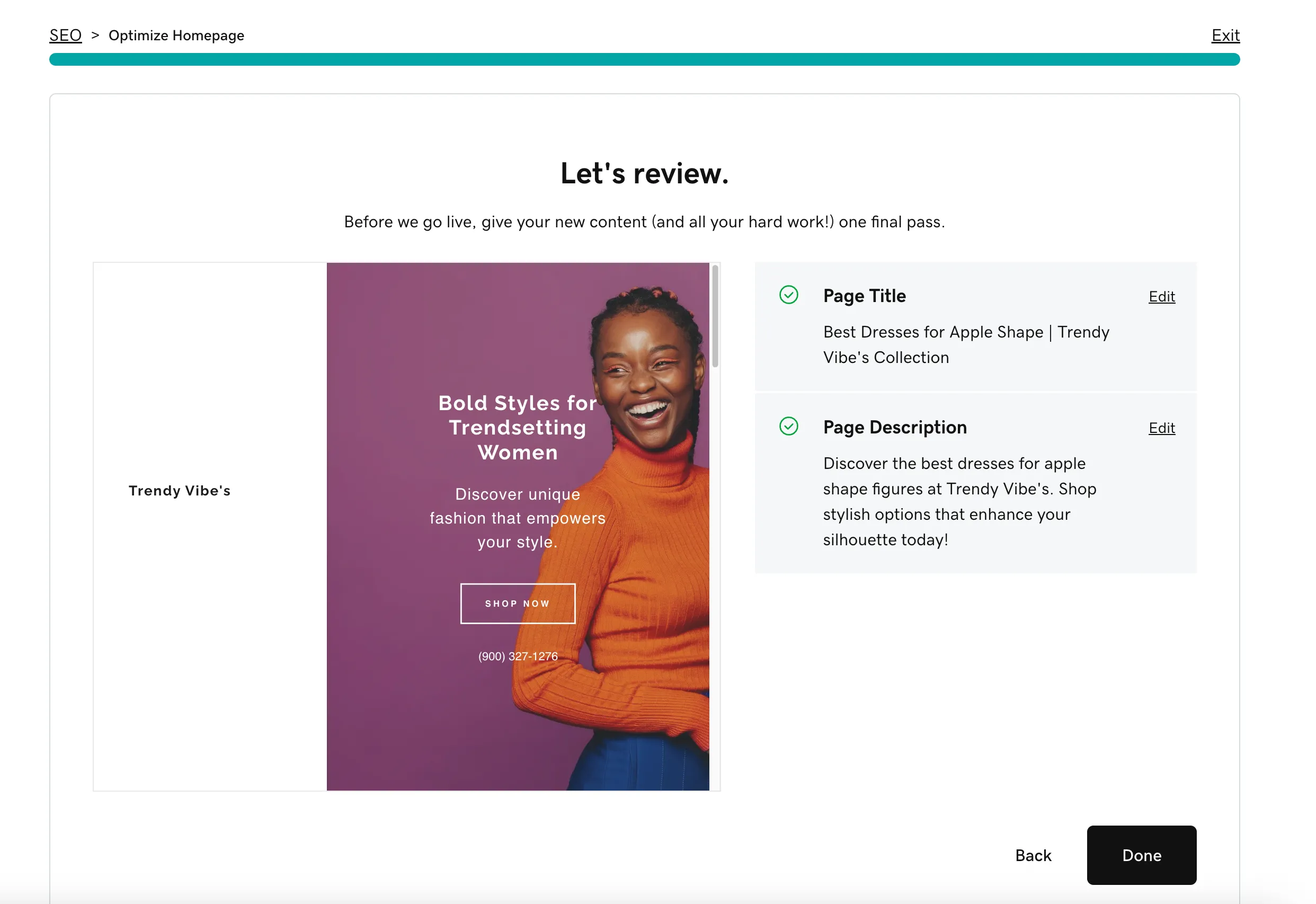
For a first-time site owner, that’s enough to cover the basics. You can set up structured metadata, adjust page visibility, and add alt text, but there’s no schema editor, no SEO app integrations, and limited support for content-driven optimization.
From what I’ve gathered, many users trying to improve their rankings with GoDaddy hit a ceiling. On Reddit and in builder forums, it’s common to see comments that say SEO efforts didn’t move the needle, especially compared to platforms like WordPress (with tools like Rank Math or Yoast) or even Wix, which has more granular SEO control.

Beyond that, GoDaddy also offers paid SEO Services – handled by their in-house marketing team – for those who want hands-off support. These services cover keyword research, technical optimization, and monthly reporting. But based on reviews and community feedback, they’re really built for small, local businesses with modest goals.
Security
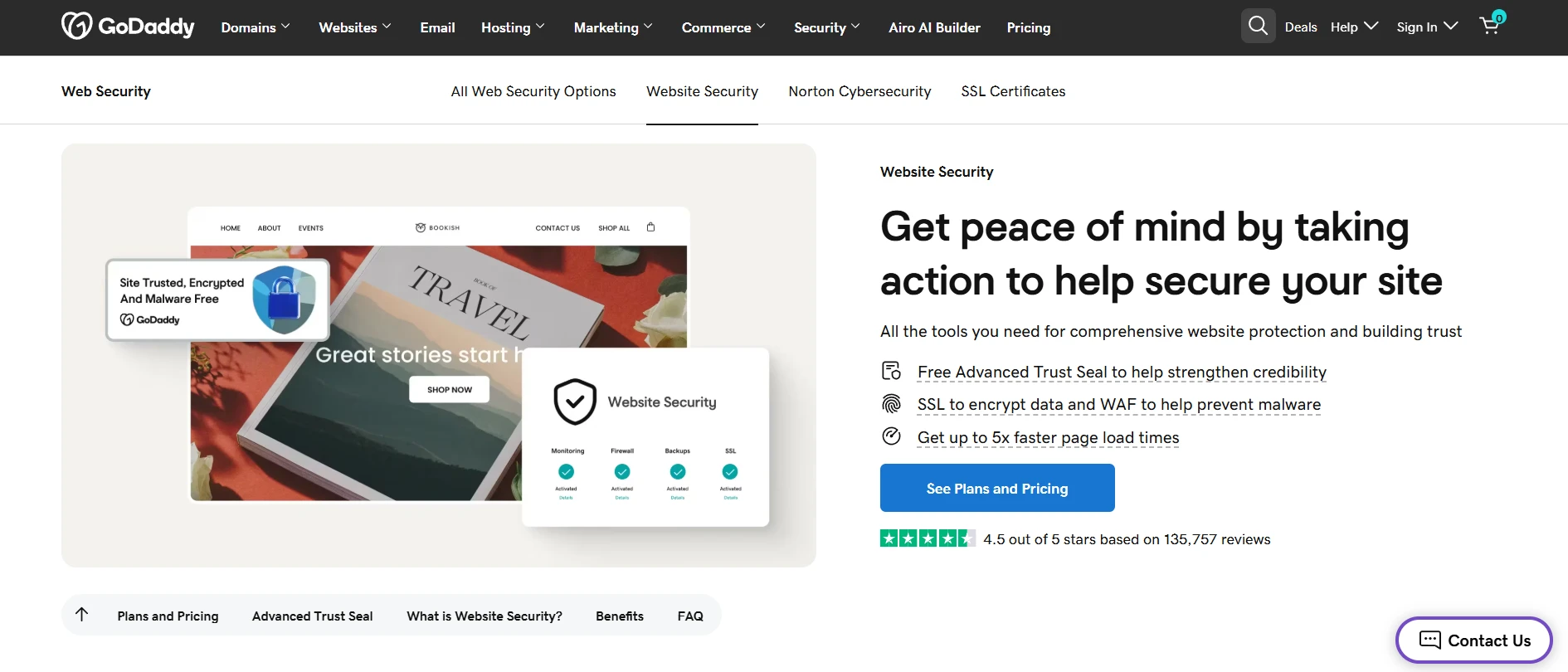
Overall, we think GoDaddy provides fairly solid security for most small business websites and beginner online stores. Basic protections like free SSL certificates, DDoS protection, secure SFTP access, and network monitoring are already included across many hosting plans, so you do not need to configure everything manually from the start.
If you use Managed WordPress hosting, the security experience becomes more hands-off. GoDaddy includes automated backups, malware scanning, and WordPress-specific firewall protections, which help reduce the risks commonly seen with regular shared hosting environments.
For users who need stronger protection, GoDaddy also offers a separate Website Security suite powered by Sucuri. This adds features like advanced malware cleanup, website firewalls, and deeper monitoring tools. However, it is important to note that these advanced protections are not always included by default and may require additional fees depending on your hosting plan.
Customer Support
The final part of our GoDaddy reviews is customer support. GoDaddy offers 24/7 support through live chat and phone, along with a help center, AI chatbot, and a user community. On paper, that’s solid coverage for anyone managing a domain, website, or online store.
One area where GoDaddy receives consistently positive feedback is phone support. Many users mention that speaking directly with a support agent feels faster and more helpful than relying only on live chat or AI-based assistance. Across Trustpilot reviews, small business owners especially praise the onboarding experience and the patience of support staff when helping with domains, email setup, or website issues.
I have had my domain, website builder and email services for my business through GoDaddy for over nine years. The customer service has been absolutely incredible any time I have ever needed to call in. I would choose GoDaddy again and again and again because of their consistent, phenomenal customer service.
That said, more technical users or those managing larger websites may find the support experience limited when compared to hosts that specialize in performance or deeper customization.
In short, GoDaddy’s support is accessible and friendly for everyday needs, but it may not go far enough for complex technical setups or users who prefer deeper platform control.
Who Is GoDaddy Website Builder For?
As we’ve discussed above, GoDaddy is worth considering if you need a fast, no-fuss way to get a basic site or online store live. Yet, it’s not the best value long-term for growing brands or those who want deep customization.
So, from our experience, you should consider GoDaddy if you are:
- Total beginners or small business owners who want a fast, AI-assisted setup
- Solo founders looking to bundle domains, website, and email in one place
- Businesses that only need a simple, brochure-style website
Nonetheless, if you fall into these categories, GoDaddy might not be an ideal option:
- Anyone serious about eCommerce or SEO (Shopify, Wix, or WordPress are better)
- Creators or service businesses that need custom workflows, integrations, or scalable performance
- Users who prioritize strong support and transparent long-term pricing
GoDaddy Reviews: FAQs
Is GoDaddy good for beginners?
Yes, GoDaddy is generally beginner-friendly. The platform offers an easy setup process, AI-powered website building tools, and an all-in-one dashboard for managing domains, hosting, email, and websites. Its structured editor also makes website creation less overwhelming for non-technical users.
Is GoDaddy a good place to buy a domain?
Yes. GoDaddy remains one of the most popular domain registrars thanks to its large domain marketplace, straightforward setup process, and domain management tools. Existing GoDaddy users may also find it convenient to manage domains, hosting, and websites within the same ecosystem.
How good is GoDaddy for hosting?
GoDaddy hosting is reliable enough for blogs, portfolios, small-business websites, and beginner online stores. The platform offers stable uptime, decent loading speeds, and beginner-friendly hosting management.
What are the main complaints about GoDaddy?
The most common complaints about GoDaddy involve upselling, rising renewal costs, and limited flexibility for customization. Some users also find the dashboard cluttered with add-on offers, while others feel the website builder is too restrictive compared to more advanced platforms.
What is the best alternative to GoDaddy?
The best GoDaddy alternative depends on what you need most from your website platform:
- Shopify: better for dedicated eCommerce businesses and scaling online stores
- Wix: stronger design flexibility with an easier drag-and-drop editor
- Squarespace: ideal for portfolios, creatives, and visually focused websites
- SiteGround: better hosting performance and customer support
- Bluehost: beginner-friendly hosting with stronger WordPress integration
For a more detailed comparison, you can also check out our guide to the best GoDaddy alternatives for different business needs.
Is GoDaddy Still Worth It?
If you’re just starting and need to get a basic site live quickly, it does the job. It’s especially decent for service-based businesses, side projects, or anyone who just wants a clean, no-fuss online presence.
But once you start needing more, better design control, deeper eCommerce features, long-term SEO flexibility, or reliable support, GoDaddy starts to feel more like a stepping stone than a platform you grow with.
Personally, we think it fits best as a beginner’s tool or a fast-launch option. Just go in knowing the limitations, and keep an eye on renewals and upsells.
We hope you found our GoDaddy reviews insightful. For more content like this, be sure to visit the LitExtension blog and join our eCommerce community to gain further insights and connect with fellow business owners.

