When it comes to content management systems, Drupal is undeniably one of the most established and widely used platforms on the market. However, given its long history and the fact that newer CMS solutions continue to raise the bar, it’s understandable if website owners are now actively looking for Drupal alternatives.
If you’re in the same position, this article is for you. Below, we’ll break down the 10 best Drupal competitors for 2026, including:
- 1. Storyblok
- 2. WordPress
- 3. Wix
- 4. Contentstack
- 5. Adobe Experience Manager (AEM)
- 6. Salesforce Experience Cloud
- 7. Squarespace
- 8. Webflow
- 9. Joomla
- 10. Shopify
Let's get started!
Top 10 Drupal Alternatives – Our Quick Verdict
In 2026, there are many notable Drual alternatives. Let's see which one best matches your content strategy, as seen in the table below:
Platform | Pricing range | Key advantages | Best for |
Storyblok | Free to €99+/month | Headless-first, visual editor, component-based content | Teams needing modern headless CMS with strong editor UX |
WordPress | Free to $8/month (core); extra costs apply | Ease of use, massive plugin ecosystem, fast setup | Blogs, publishers, small to mid-sized content sites |
Wix | $17 to $159/month | Fully hosted, drag-and-drop editor, zero maintenance | Small businesses and non-technical users |
Contentstack | ~$2,000–3,000+/year (custom) | Enterprise headless, omnichannel delivery, governance | Large organizations with complex content operations |
Adobe Experience Manager | ~$10,000+/year (custom) | Built-in DAM, personalization, enterprise workflows | Enterprises managing multi-brand digital experiences |
Salesforce Experience Cloud | ~$2–5/user/month or $25,000+/year | CRM-driven personalization, authenticated portals | Customer, partner, and internal portals |
Squarespace | $14 to $44/month | Design-first CMS, visual editing, hosted simplicity | Creators and design-focused small businesses |
Webflow | Free to $49/month | Visual CMS, clean frontend output, no-code design | Marketing sites and designer-led teams |
Joomla | Free; $5–20/month hosting | Built-in multilingual, simpler than Drupal | Structured sites needing less configuration |
Shopify | $39 to $399/month; Plus $2,300+/month | Commerce-native CMS, hosted scalability | Content-driven ecommerce websites |
1. Storyblok
- Pricing: Free plan available; paid plans starting at €99/month (roughly $117/month). Custom plans are based on content volume, API usage, and team size.
- Rating: 4.6/5 (G2)
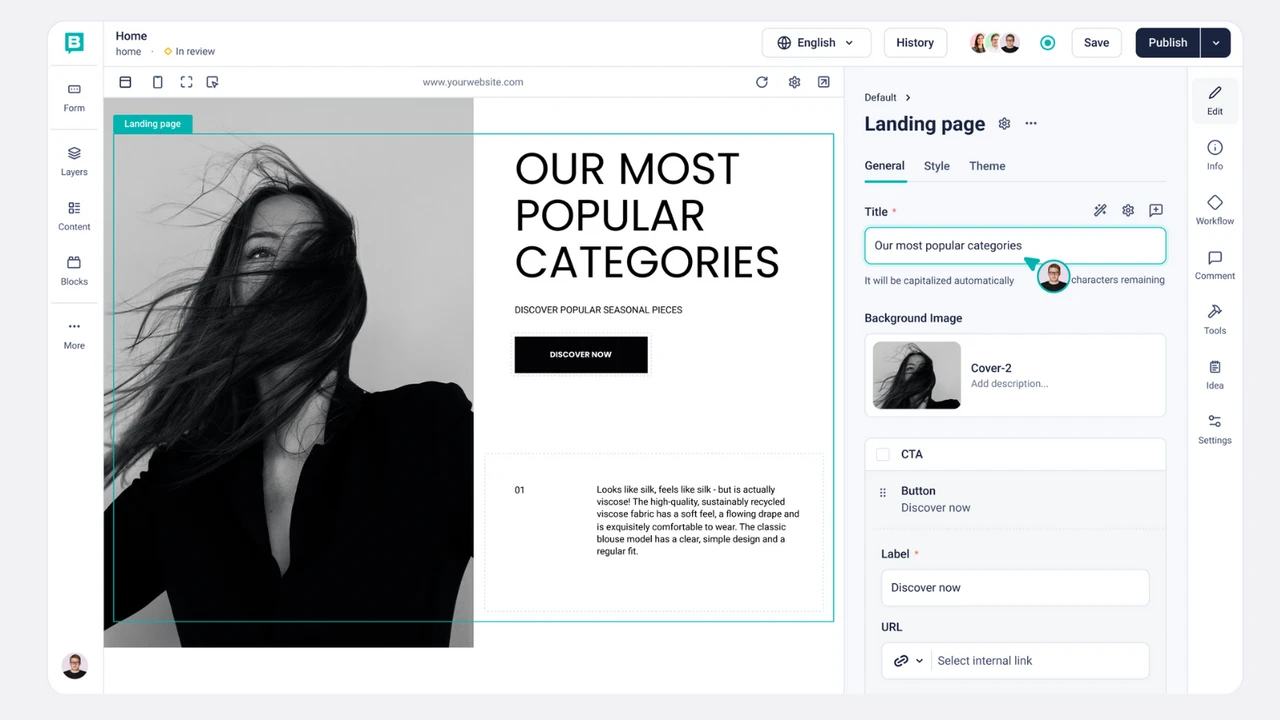
Storyblok is a headless CMS designed around structured, component-based content. It allows teams to create reusable content blocks that can be assembled flexibly across pages and channels. Content is delivered via APIs, which makes Storyblok frontend-agnostic and suitable for modern frameworks such as React, Vue, and Next.js.
A defining feature of Storyblok is its visual editor, which lets content editors preview changes in real time while still working within a headless architecture. This bridges the gap between developer-focused CMS platforms and marketer-friendly editing tools, making it appealing for cross-functional teams.
What makes it one of the best Drupal alternatives
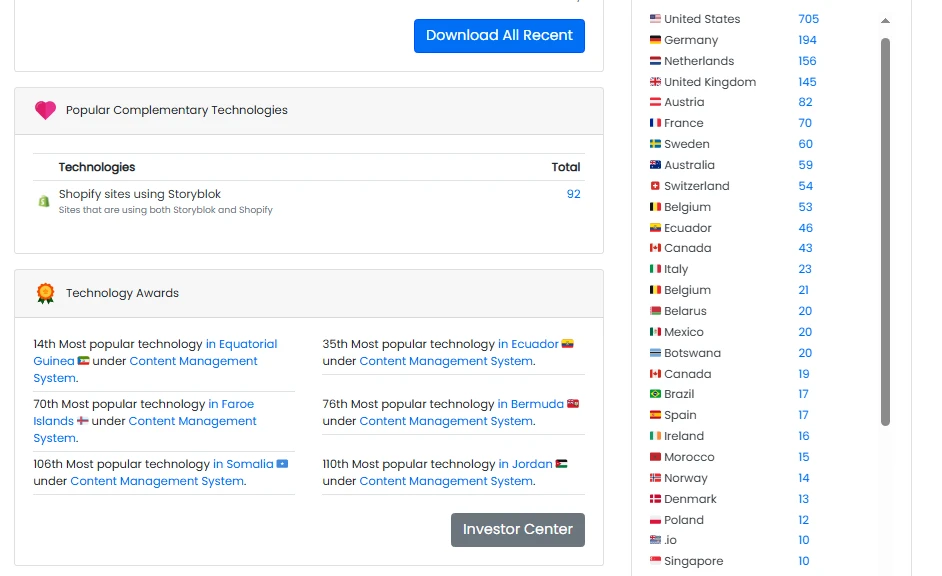
Storyblok currently supports 10,000 businesses worldwide, with notable adoption across the United States, Germany, the Netherlands, the United Kingdom, and Austria, according to BuiltWith. It stands out as a strong alternative to Drupal, primarily because it is headless by design, rather than headless by adaptation.
Though Drupal can certainly be configured as a headless CMS, doing so typically requires additional modules and custom APIs. By contrast, Storyblok provides a ready-made API-first infrastructure to reduce setup time and architectural complexity.
Another key advantage is the editing experience. Drupal’s admin interface is powerful but abstract for non-technical users. Meanwhile, Storyblok’s visual editor allows editors to see exactly how content components appear on the frontend, which significantly reduces errors, review cycles, and reliance on developers for layout adjustments.
Key features that differentiate Storyblok include:
- Native headless architecture with REST and GraphQL APIs
- Visual editor with real-time preview
- Component-based content modeling
- Built-in CDN for fast global delivery
- Strong multilingual and localization support
- Lower technical overhead compared to custom Drupal headless builds
2. WordPress
- Pricing: WordPress.org is free and open-source. WordPress.com ranges from $0 to $70/month, excluding ongoing costs for hosting, themes, plugins, etc. Enterprise plan starts at $25,000 per year for large companies. Learn about WordPress pricing here.
- Rating: 4.4/5 (G2).
As the world’s most widely used CMS, WordPress supports a wide range of use cases, including blogs, content-heavy websites, large publishing platforms, etc. The Gutenberg block editor allows users to create structured content layouts without touching code.
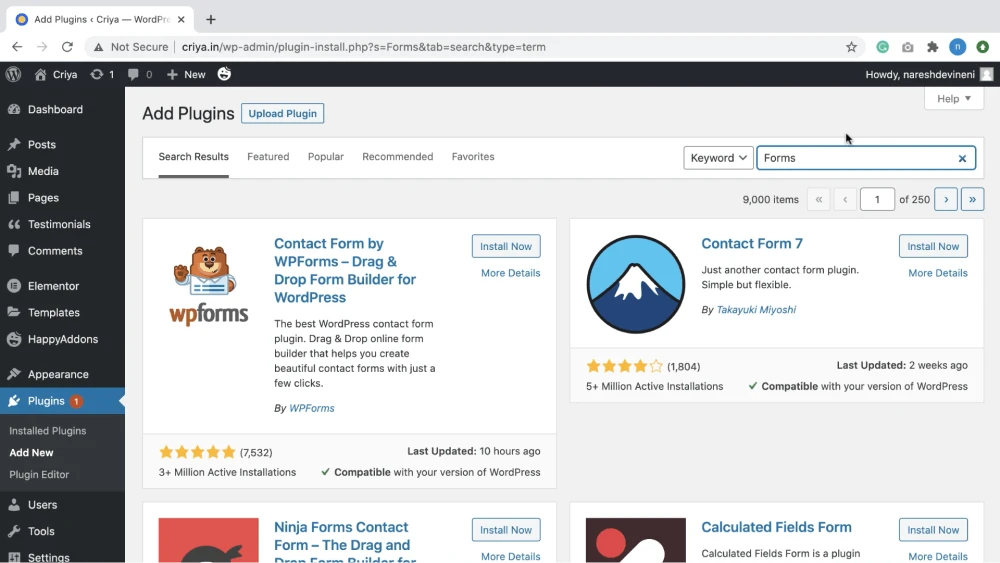
Most importantly, the platform’s strength lies in its vast plugin and theme marketplace (60,000+ options), which enables site owners to add functionality quickly. WordPress also benefits from a large global community, extensive documentation, and broad hosting support.
What makes it one of the best Drupal alternatives
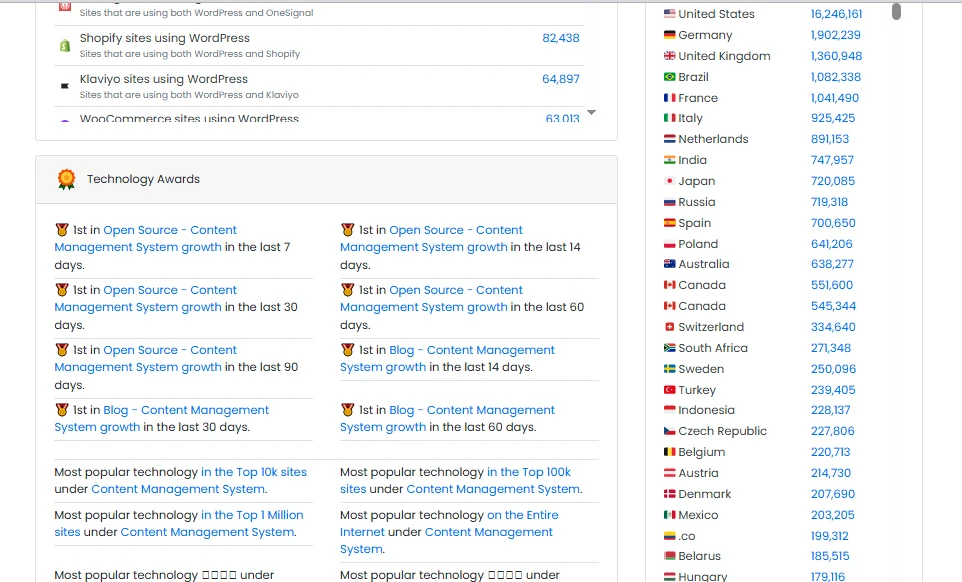
At present, WordPress powers over 40.9 million websites globally and is especially dominant in the United States, Germany, France, Brazil, and the United Kingdom (BuiltWith). It outperforms Drupal when it comes to ease of use and accessibility for non-technical users. Unlike Drupal, whose administrative interface and content modeling require a steeper learning curve, WordPress allows editors to publish and manage content with minimal training.
Another major advantage is speed and cost efficiency. With WordPress, many core CMS needs (SEO management, caching, forms, media optimization) can be handled via plugins without custom development, further reducing both time-to-launch and ongoing costs.
Key features that give WordPress an edge include:
- Intuitive block-based content editor
- Massive plugin ecosystem for CMS extensions
- Faster setup and deployment than Drupal
- Lower technical barrier for content editors
- Broad hosting and infrastructure flexibility
- Strong community support and documentation
3. Wix
- Pricing: $17/month (Light plan) to $159/month (Business Elite). Higher-tier solutions unlock advanced marketing and ecommerce tools | Free plan available.
- Rating: 4.3/5 (based on Trustpilot and G2 reviews)
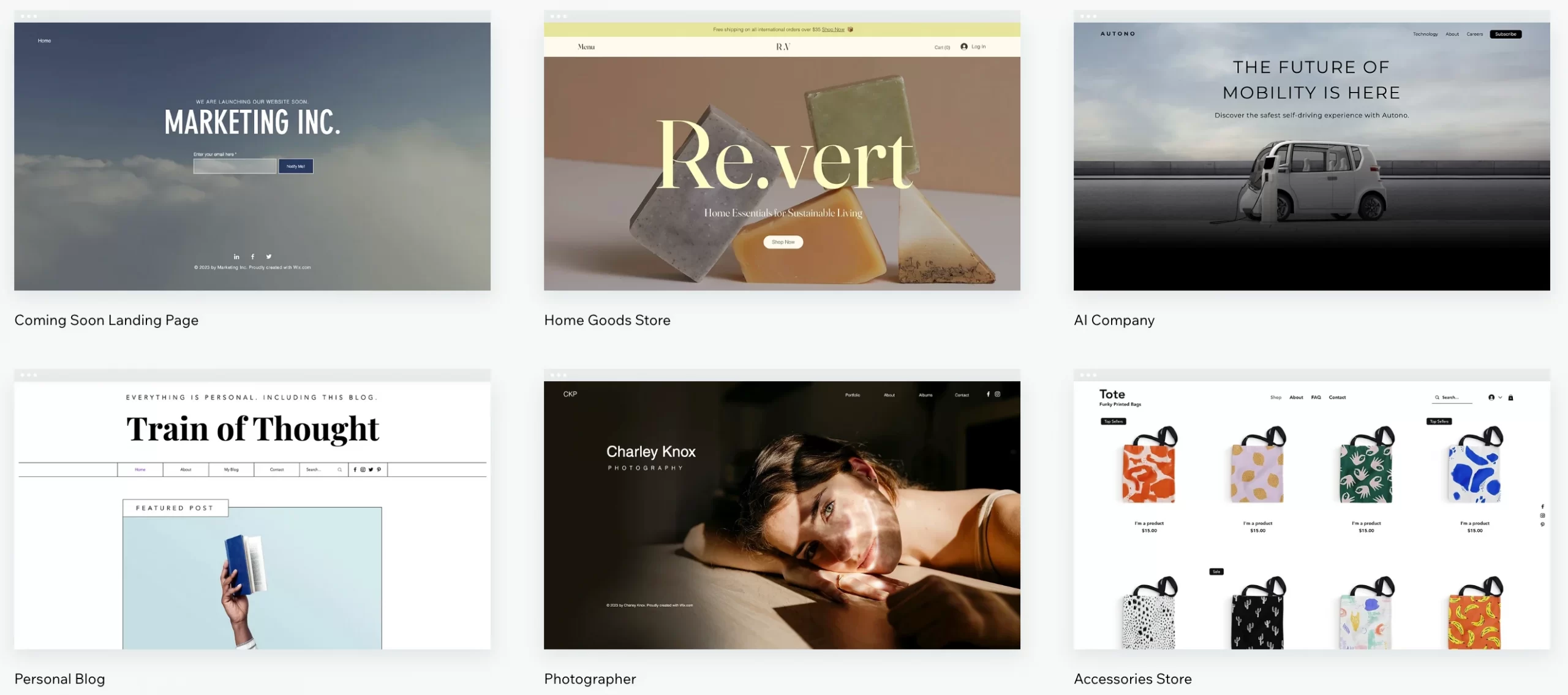
Wix is an all-in-one website builder that combines content management, hosting, and design tools into a single platform. It features a drag-and-drop editor, pre-designed templates, and built-in SEO and marketing utilities aimed at small businesses and individuals.
Because Wix is fully managed, users do not need to worry about server configuration, updates, or security patches. This makes it a popular choice for users who prioritize simplicity and speed over deep customization.
What makes it one of the best Drupal alternatives
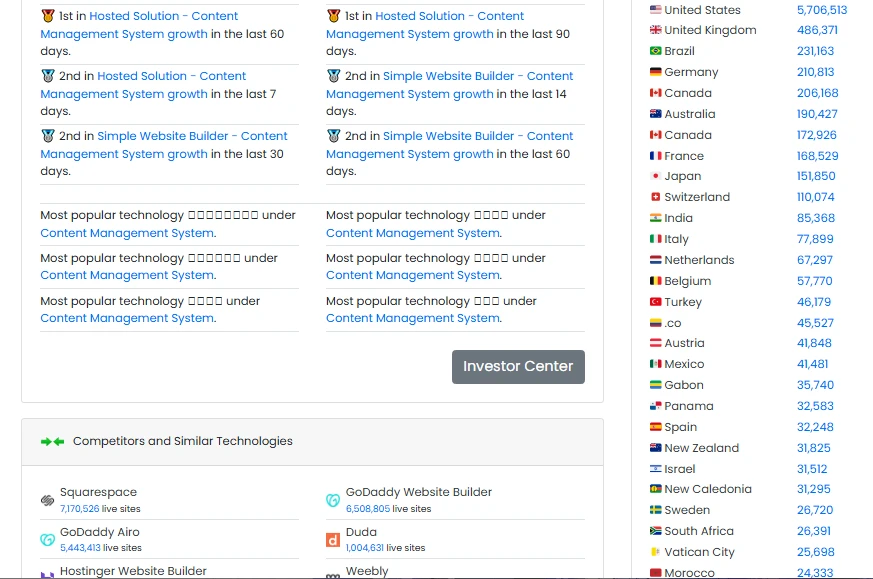
Today, Wix serves more than 9.1 million users around the world, with strong popularity in the United States, Brazil, the United Kingdom, Germany, and Canada (BuiltWith).
Wix clearly surpasses Drupal in simplicity and maintenance-free operation. Drupal requires ongoing updates, hosting management, and security monitoring, whereas Wix abstracts all technical responsibilities away from the user.
In addition, like Storyblok, Wix also excels in visual content editing, as it allows users to design and update pages visually without developer involvement. Drupal, on the other hand, is not designed for free-form, drag-and-drop layout creation.
Key features that make Wix a strong alternative include:
- Fully hosted CMS with no server management
- Drag-and-drop visual editor
- Built-in SEO and marketing tools
- Automatic updates and security handling
- Pre-built templates for fast site creation
- Minimal learning curve for non-technical users
4. Contentstack
- Pricing: Contentstack uses enterprise SaaS pricing. Plans are customized depending on scale and usage.
- Rating: 4.4/5 (based on G2 and TrustRadius)
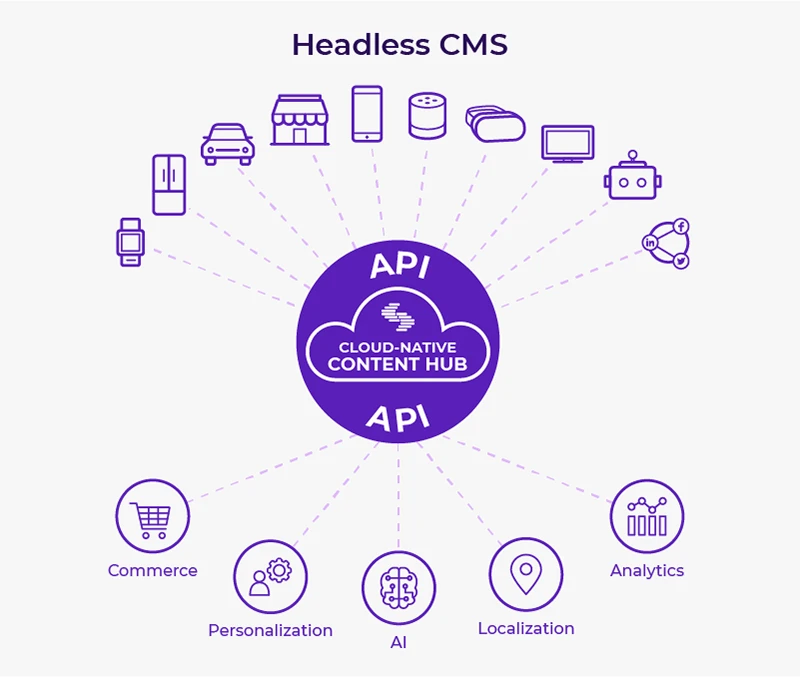
Next on our list is Contentstack, an API-first headless CMS built for large-scale, omnichannel content operations.
Since content is modeled independently of presentation, you can easily reuse it across websites, mobile apps, and other digital touchpoints. Its reliability and governance make it suitable for organizations with complex workflows and distributed teams.
What makes it one of the best Drupal alternatives
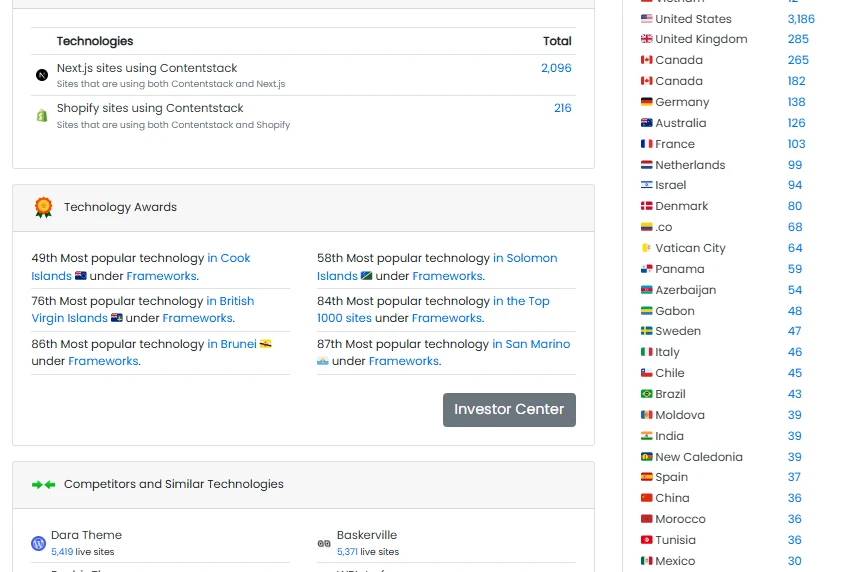
Contentstack is trusted by over 11,000 users all over the world, particularly across the United States, the United Kingdom, Canada, and Germany (BuiltWith). Its biggest advantage over Drupal is its enterprise-ready headless architecture out of the box. While Drupal can be extended to support headless use cases, Contentstack provides APIs, scaling, and governance as native capabilities, reducing custom engineering effort.
Additionally, Contentstack is optimized for omnichannel delivery. Specifically, Drupal’s page-centric roots sometimes make it harder to fully decouple content from presentation. On the contrary, as mentioned earlier, Contentstack treats content as modular data designed for reuse across channels.
Key features that set Contentstack apart include:
- API-first headless CMS architecture
- Enterprise-grade scalability and performance
- Advanced role-based access and workflows
- Structured content modeling for reuse
- Strong localization and regional support
- Reduced long-term maintenance compared to Drupal
5. Adobe Experience Manager (AEM)
- Pricing: Adobe Experience Manager uses custom enterprise pricing, depending on deployment size and integrations.
- Rating: 4.2/5 (based on G2 and TrustRadius)
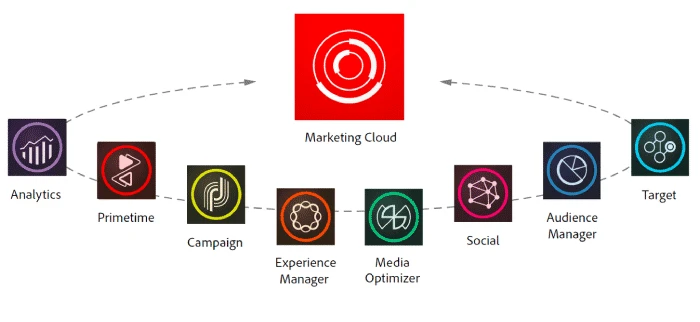
This enterprise digital experience platform combines content management with asset management, workflows, and personalization tools.
The design explains why it's especially popular among large organizations managing multiple brands, regions, and content teams. Better yet, as AEM integrates deeply with other Adobe products, organizations face little difficulty managing content, assets, and customer experiences from a centralized ecosystem.
What makes it one of the best Drupal alternatives
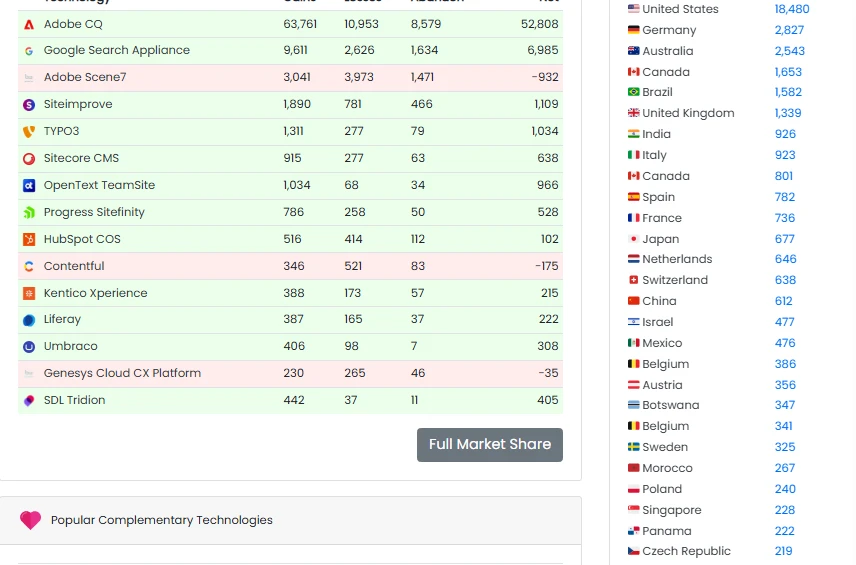
Currently, Adobe Experience Manager (AEM) is used by 79,000 websites, with significant presence in the United States, Germany, Australia, Canada, and Brazil (BuiltWith). It surpasses Drupal in enterprise experience management and built-in capabilities. While Drupal can be extended with third-party tools, AEM already provides advanced DAM, personalization, and workflow features as part of a unified platform.
Another key advantage is governance at scale. Large organizations benefit from AEM’s sophisticated approval workflows, version control, and role management, which often require extensive customization when implemented in Drupal.
Key features that make AEM stand out include:
- Integrated Digital Asset Management (DAM)
- Advanced workflow and approval systems
- Personalization and targeting capabilities
- Deep integration with Adobe Analytics and tools
- Scalable multi-site and multi-brand management
- Enterprise-grade support and SLAs
6. Salesforce Experience Cloud
- Pricing: Salesforce Experience Cloud uses enterprise, usage-based pricing. Costs typically start from $2–5 per active user/month or $25,000+ per year, depending on audience size, personalization needs, and Salesforce product integrations.
- Rating: 4.4/5 (G2)
Salesforce Experience Cloud is a digital experience platform used to create content-driven portals and branded experiences for customers, partners, and employees.
Rather than focusing on traditional page publishing, Experience Cloud emphasizes authenticated experiences, where content is served dynamically based on who the user is, what data they have access to, and how they interact with the platform.
What makes it one of the best Drupal alternatives
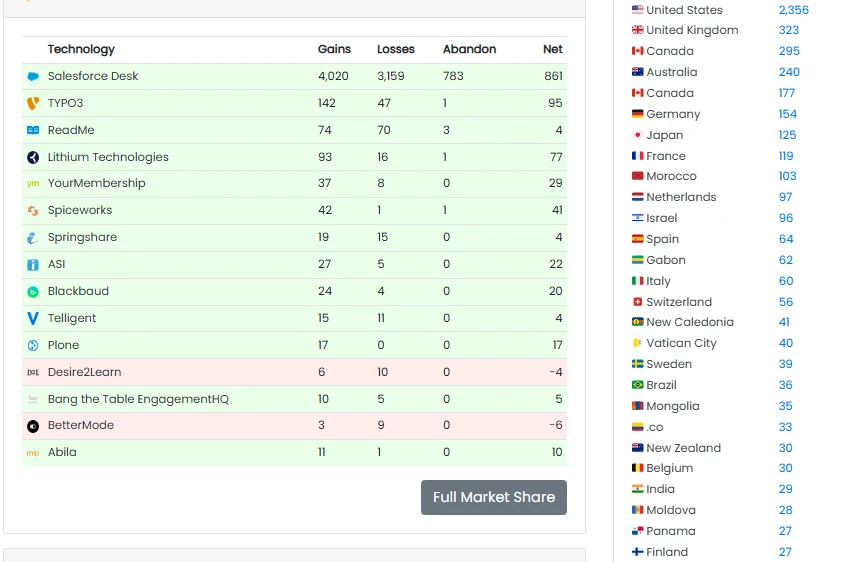
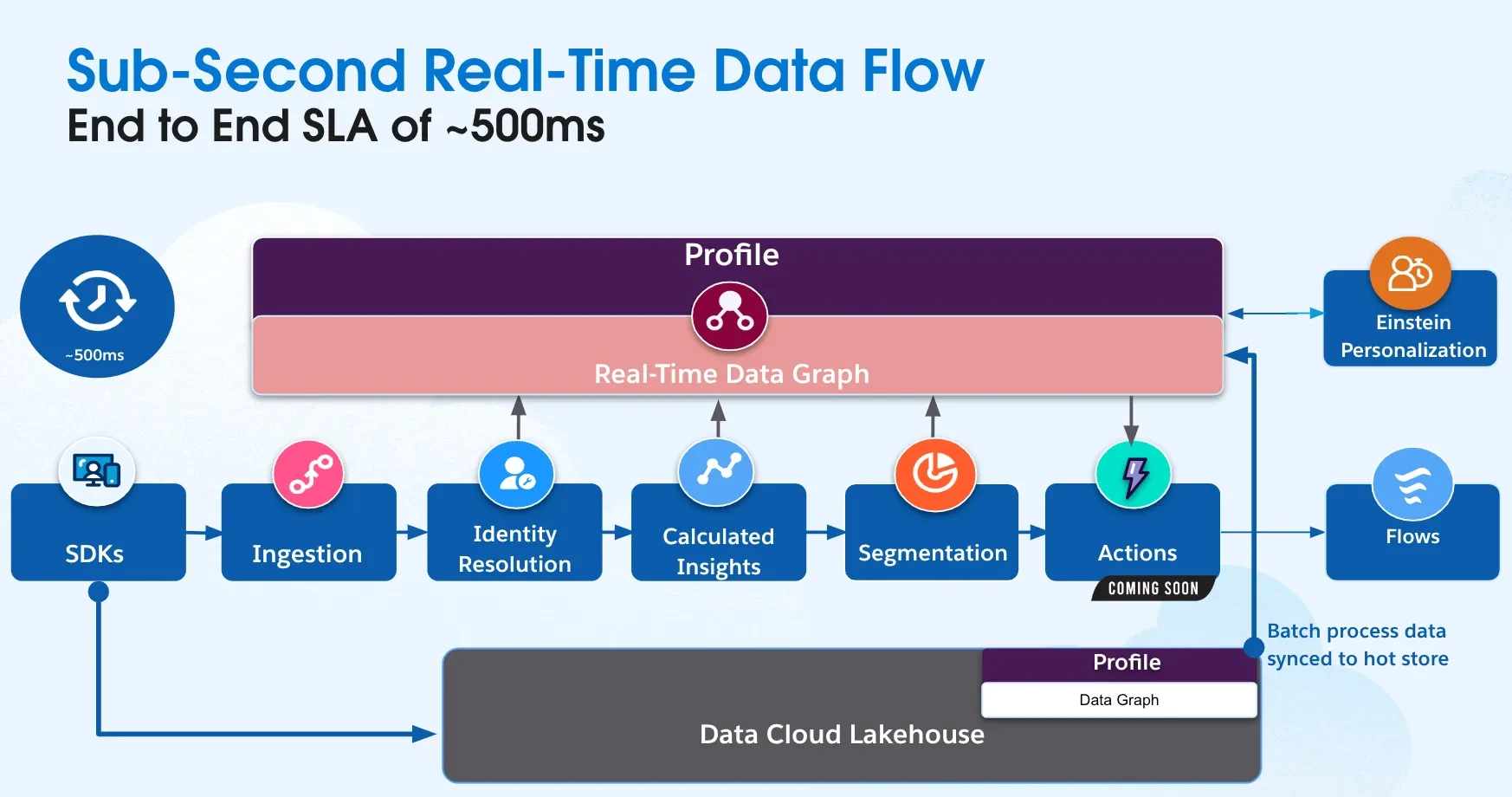
Salesforce Experience Cloud supports 40,000 websites globally and is especially widespread in the United States, Canada, the United Kingdom, and Australia (BuiltWith). It has a clear CMS advantage over Drupal when it comes to data-native personalization. Content is dynamically assembled using real-time CRM data such as account type, lifecycle stage, or user behavior. Meanwhile, achieving this level of personalization in Drupal typically requires external CRMs and middleware.
Another major strength lies in identity-first content delivery. Experience Cloud is built around authenticated users from the start, which makes it ideal for customer portals, partner hubs, and internal knowledge bases. While Drupal has advanced permissions, Experience Cloud natively connects content visibility to CRM identities and roles without custom development.
Key CMS advantages include:
- CRM-driven content personalization
- Native authenticated portals and communities
- Role-based content visibility tied to CRM data
- Drag-and-drop Experience Builder
- Integrated knowledge base management
- Workflow automation via Salesforce Flows
7. Squarespace
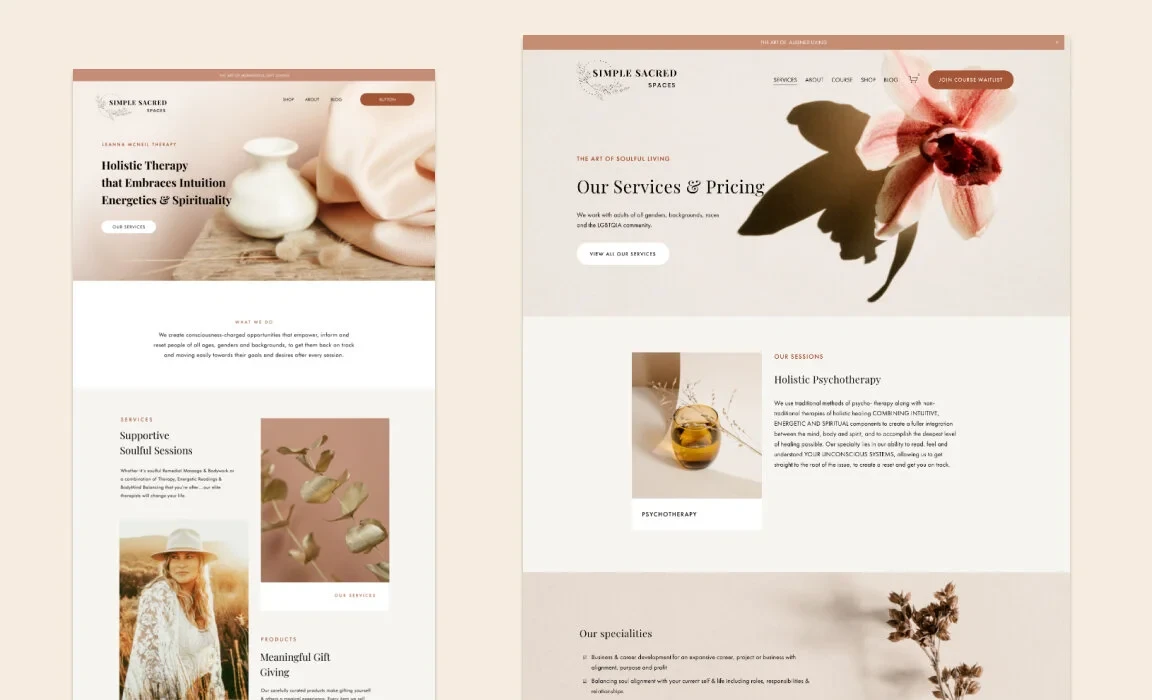
- Pricing: Squarespace plans start from $14/month (Personal) to $44/month (Commerce). Learn more about Squarespace pricing here.
- Rating: 4.4/5 (G2)
Squarespace is an all-in-one, fully hosted CMS focused on visual presentation and ease of use. It provides professionally designed templates, a modern visual editor, and built-in tools for managing pages, blogs, galleries, and media-heavy content.
Since its release, the platform has targeted creators, small businesses, and teams that prioritize design quality and simplicity over deep backend customization. All technical infrastructure is handled by Squarespace.
What makes it one of the best Drupal alternatives
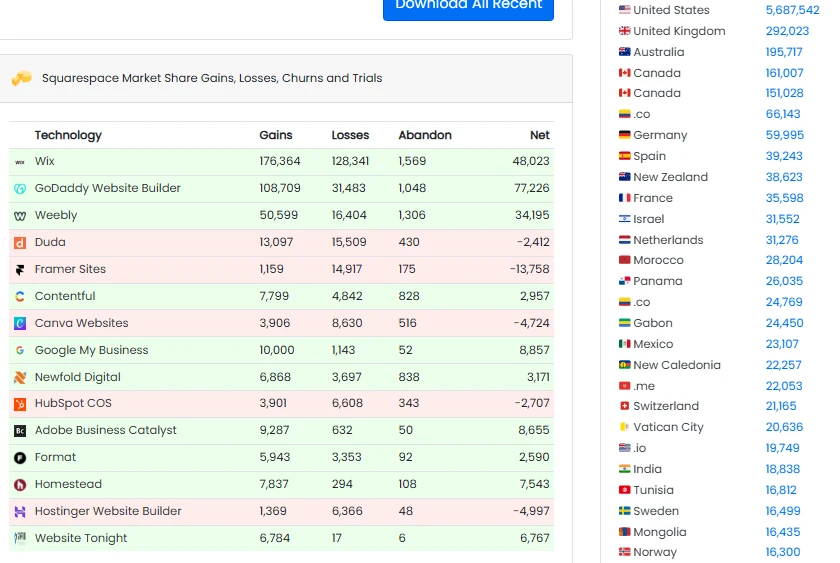
As of now, Squarespace powers over 7.7 million websites, with strong adoption in the United States, the United Kingdom, Australia, and Canada (BuiltWith).
Drupal’s CMS interface is powerful but concept-heavy, requiring users to understand content types, views, and configuration layers. Squarespace replaces this with a visual, section-based editing model that allows users to see and control layouts directly.
Squarespace also offers design consistency at scale. Its design system enforces responsive behavior, typography, and spacing automatically, reducing the risk of broken layouts – an issue that often requires strict governance and custom theming in Drupal.
Key CMS advantages include:
- Fully hosted CMS with no maintenance
- Visual, section-based content editing
- Professionally designed, responsive templates
- Built-in blogging and media management
- Integrated SEO and analytics tools
- Extremely low learning curve
For more info, read our Squarespace review.
8. Webflow
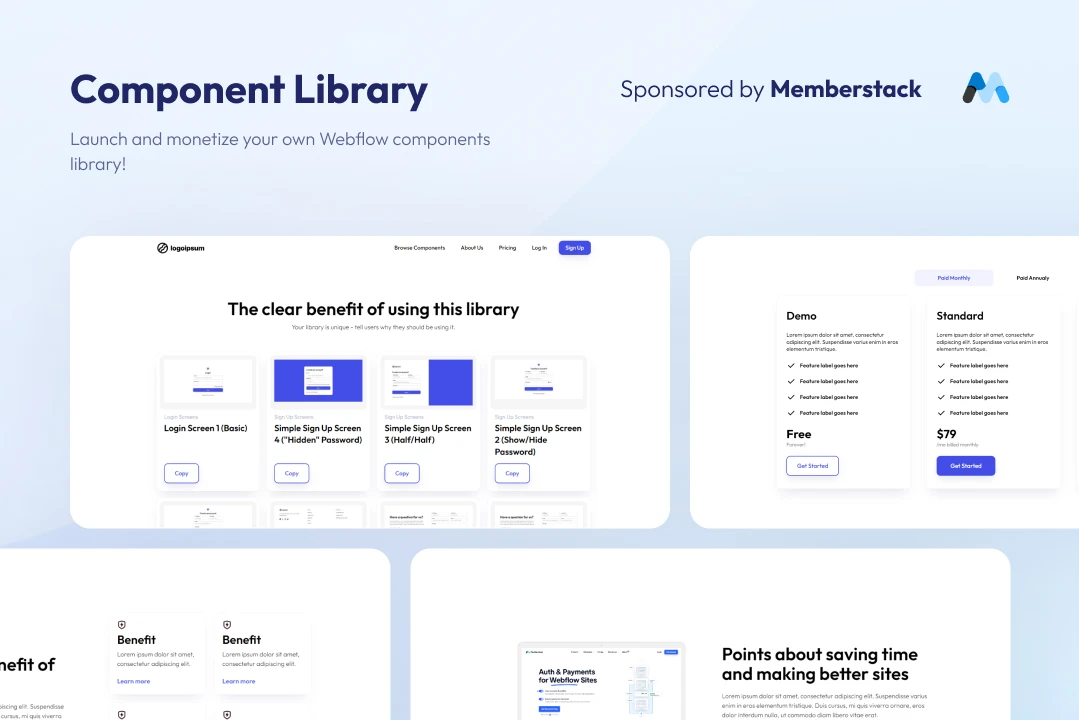
- Pricing: Free plan available; paid plans start from $14 to $39/month (Site plans) and $16 to $49/month (Workspace plans).
- Rating: 4.4/5 (G2)
A visual web design platform combined with a structured CMS, Webflow allows teams to design fully custom layouts while managing content through collections, fields, and relationships. In addition, the platform tightly integrates design, content, and hosting to enable faster iteration between designers, marketers, and content editors without traditional development handoffs.
What makes it one of the best Drupal alternatives
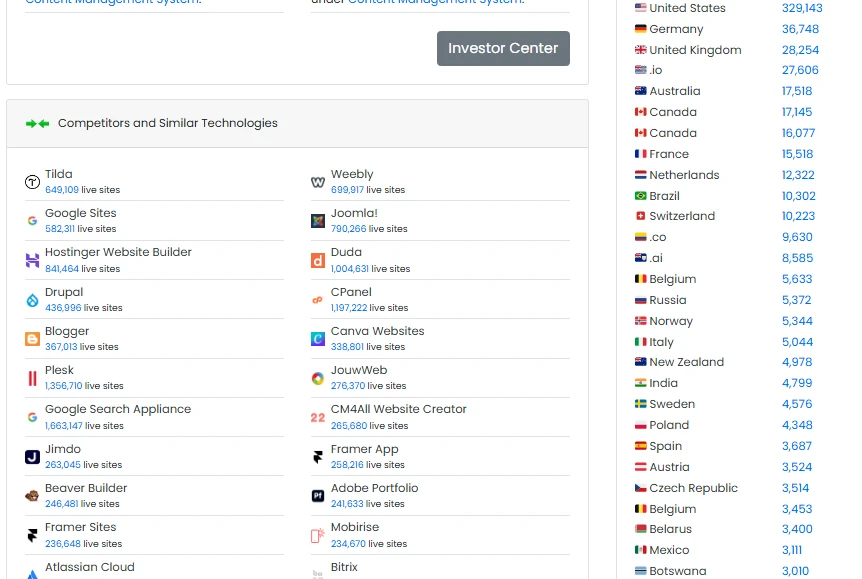
Webflow currently hosts more than 780,000 active sites, and it is particularly popular in the United States, Australia, the United Kingdom, and Germany (BuiltWith).
Drupal separates content from presentation, which often requires developers to translate designs into themes. Webflow, on the other hand, allows designers to build CMS-powered layouts visually, dramatically reducing implementation time.
Users are also impressed with Webflow's clean and optimized frontend output as it generates production-ready HTML, CSS, and JavaScript automatically. Drupal sites frequently rely on complex theming systems and additional optimization layers to reach similar frontend performance.
Key CMS advantages include:
- Visual CMS-driven layout creation
- Structured content collections and relations
- Built-in hosting with global CDN
- Advanced SEO and performance controls
- No-code interactions and animations
- Faster design-to-content workflows
9. Joomla
- Pricing: Joomla is free and open-source. Typical costs include hosting and extensions.
- Rating: 4.1/5 (G2)
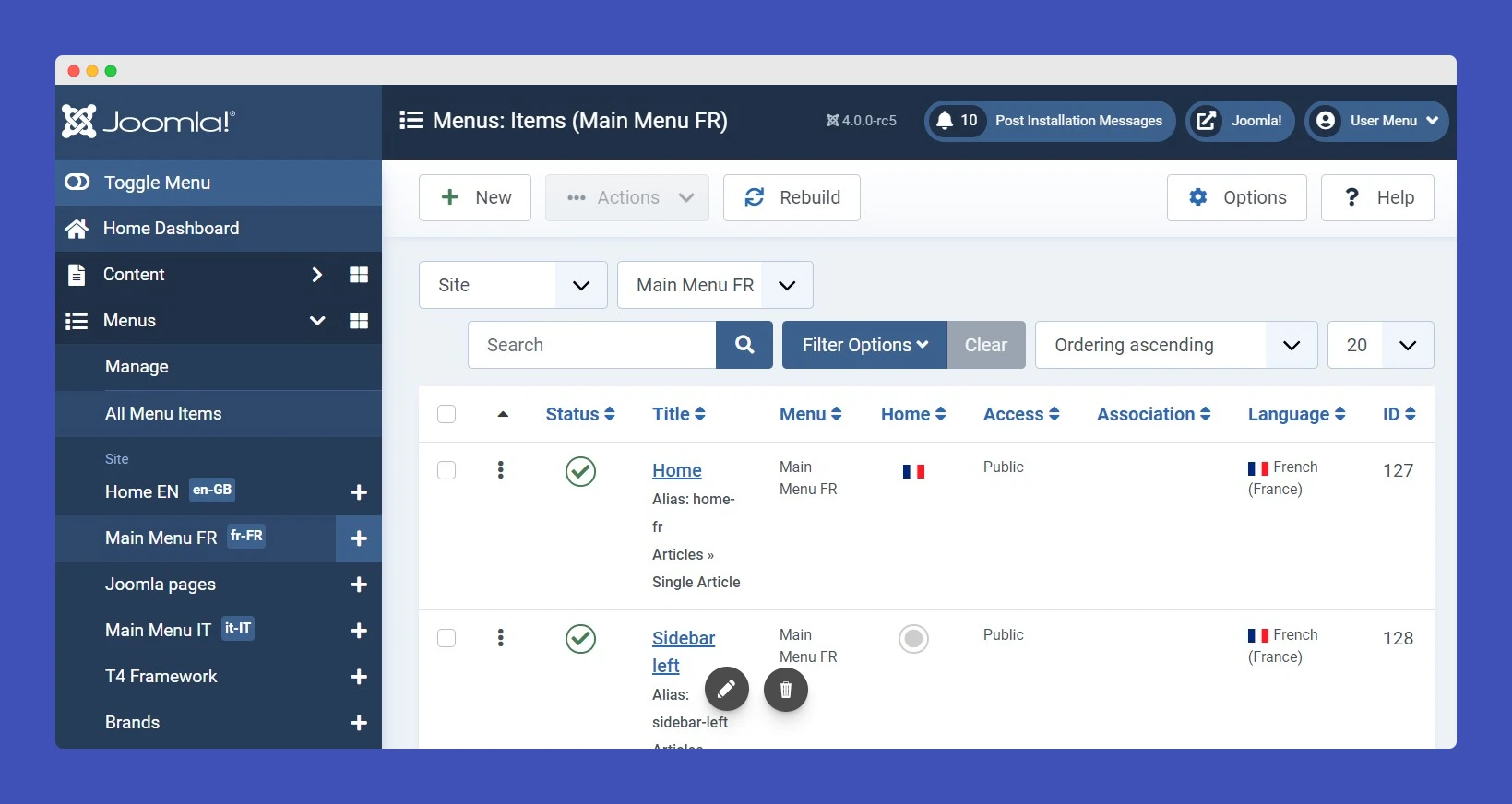
Joomla is a traditional open-source CMS that offers structured content management and extensibility via extensions. It is often positioned between WordPress and Drupal, offering more structure than WordPress while remaining more approachable than Drupal.
What makes it one of the best Drupal alternatives
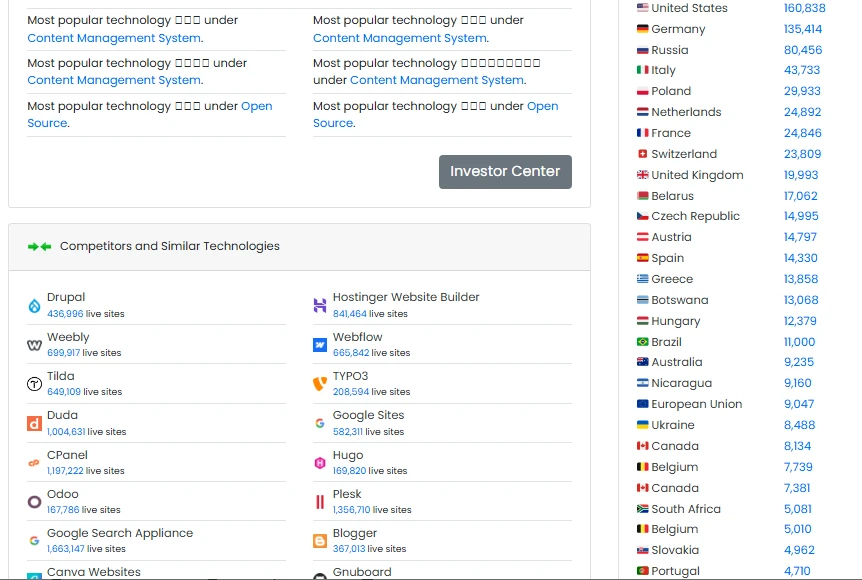
At present, Joomla powers more than 875,000 live websites worldwide, with notable usage in the United States, Germany, Russia, and Italy (BuiltWith).
Joomla’s main CMS advantage over Drupal is native multilingual content management. Since Joomla’s multilingual system is built into the core, it's easier to configure and manage compared to Drupal’s module-dependent approach.
Joomla also reduces developer dependency for common CMS tasks. Menus, categories, metadata, and caching are available by default, whereas Drupal often requires additional modules and configuration.
Key CMS advantages include:
- Built-in multilingual support
- Simpler admin interface than Drupal
- Structured content with categories
- Flexible user access control
- Core SEO and caching tools
- Lower setup and learning curve
10. Shopify
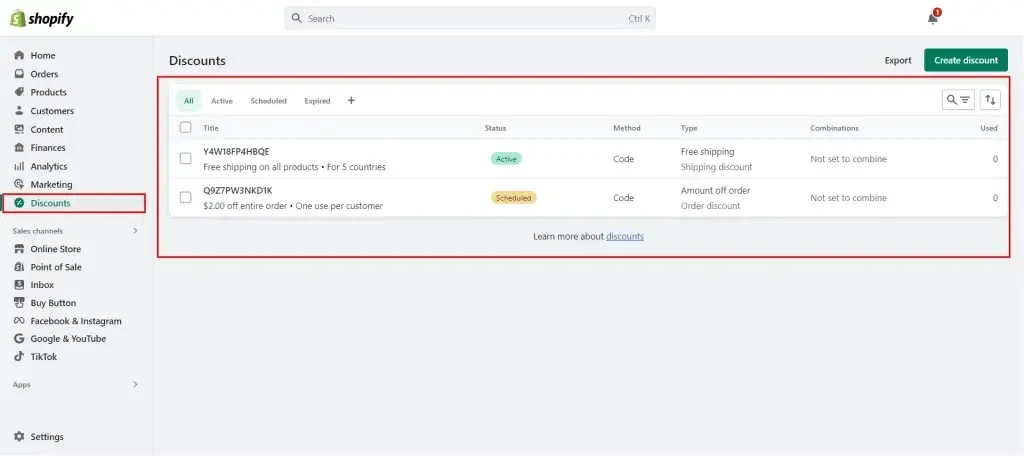
- Pricing: Shopify plans range from $39/month to $399/month. There’s also the Shopify Plus plan starting from $2,300/month (custom pricing) on a 3-year contract. Learn more about Shopify pricing here.
- Rating: 4.4/5 (G2)
Lastly, Shopify is a hosted eCommerce platform with integrated CMS functionality. It allows merchants to manage product pages, collections, landing pages, and blog content within a unified system. The CMS is mostly designed to support commerce workflows and ensure content, products, and marketing assets work together seamlessly.
What makes it one of the best Drupal alternatives
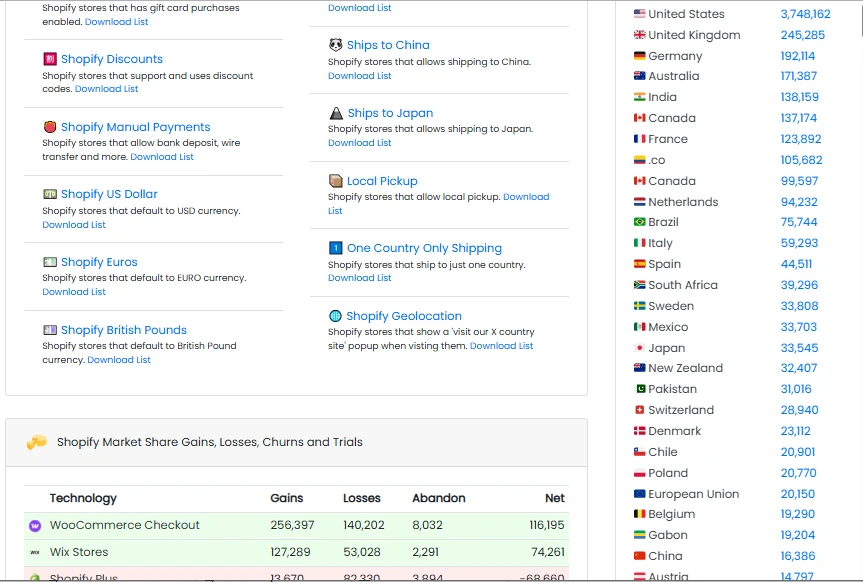
Shopify now supports over 7.2 million active stores globally and is especially dominant in the United States, the United Kingdom, Germany, and Australia (BuiltWith). It surpasses Drupal in commerce-native content management. While Drupal can indeed support ecommerce, it still requires complex module ecosystems, quite a contrast to Shopify.
Most importantly, Shopify also excels in content tied directly to sales channels, as product content can be reused across storefronts, marketplaces, and social platforms without duplication. Drupal, by contrast, still struggles to streamline when there's no heavy customization involved.
Key CMS advantages include:
- Native product and collection content types
- Hosted infrastructure with auto-scaling
- Visual theme and section editor
- Commerce-focused content workflows
- App ecosystem for CMS extensions
- Built-in analytics and reporting
Why Should You Look for Drupal Alternatives
Despite its flexibility and long-standing reputation, Drupal presents several structural challenges that make it less suitable for many modern websites in 2026. In practice, teams most often move away from Drupal because of costly major version upgrades, heavy developer dependency for everyday CMS tasks, and the ongoing engineering effort required to maintain performance at scale:
1. Major version upgrades are disruptive
For starters, one of Drupal’s biggest structural drawbacks is how to perform a Drupal upgrade for major version. Unlike many modern CMS platforms that support backward compatibility or seamless upgrades, Drupal treats major releases (for example, Drupal 7 → 8 → 9 → 10) as breaking changes.
In practice, this means:
- Contributed modules often need to be replaced or rewritten
- Custom themes and integrations must be refactored
- Deprecated APIs require manual migration work
For real-world teams, a major Drupal upgrade frequently resembles a partial rebuild, not a routine update. It’s common for organizations to spend several weeks to multiple months on a single major upgrade, involving developers, QA, and content teams. This translates into thousands to tens of thousands of dollars in engineering and testing costs without delivering new business features.
2. Day-to-day content changes depend heavily on developers
Secondly, Drupal’s content architecture is powerful but highly configuration-driven. Tasks such as creating new content types, modifying field structures, changing layout behavior, or adjusting relationships between content entities typically require access to:
- Content types and field configuration
- Views and display modes
- Theme or template logic
As a result, even relatively small CMS changes often cannot be completed safely by non-technical users.
3. Performance and scalability require active engineering effort
Out of the box, Drupal does not automatically deliver optimal performance at scale. Achieving fast page load times and handling traffic spikes typically requires intentional performance engineering, including:
- Advanced caching strategies (page cache, dynamic page cache, reverse proxies)
- External tools such as Varnish, Redis, or Memcached
- CDN configuration and cache invalidation logic
Without these layers, Drupal sites can struggle under load. Worse, maintaining this performance stack is not a one-time setup. In fact, it requires ongoing monitoring, tuning, and troubleshooting, usually by experienced engineers.
Can You Migrate from Drupal to Other Alternatives?
Yes, migrating from Drupal to another CMS is not only possible but also far less complicated than many teams expect. Instead of treating Drupal migration as a technical DIY project, many businesses now choose an expert-led approach to reduce risk and internal workload.
This is exactly how LitExtension comes in. You simply specify what you need to the team (such as which data types to migrate, your target CMS, or any custom content structures). Once those requirements are defined, LitExtension’s migration experts will take full responsibility for the execution.
Such an approach is particularly effective for Drupal, where content models are often complex and highly customized. As a result, you can avoid severe risks such as missing data, broken relationships, or SEO disruptions, all of which are issues commonly seen with manual or partially automated migrations.
Need Help To Migrate?
LitExtension provides a well-optimized All-in-One migration service for your data transfer!

Drupal Alternatives: FAQs
Does anyone use Drupal anymore?
Yes, Drupal is still widely used. While its market share is smaller than WordPress and it has a steeper learning curve, it remains a dominant, specialized CMS, with approximately 580,000 active sites.
Is Drupal worth learning in 2026?
Yes. Learning Drupal in 2026 is worth it for developers targeting high-end enterprise, government, and complex, data-heavy projects, as it remains a robust, secure, and modern CMS.
Is Joomla better than Drupal?
Yes, Joomla is generally considered better for intermediate users needing a balanced, user-friendly CMS for medium-sized websites. However, Drupal is still superior for complex, high-security, and enterprise-level applications.
Which is the best CMS platform?
WordPress is generally considered the best all-around CMS, powering over 43% of all websites due to its immense flexibility, massive plugin ecosystem, and SEO-friendly nature. However, the "best" depends on specific needs: Shopify is superior for e-commerce, Wix/Squarespace for ease-of-use, and Drupal/Strapi for complex, high-security, or developer-focused sites.
Final Words
As this list of Drupal alternatives shows, Drupal is no longer the only or always the best option for building and managing modern websites.
So, if you’ve decided that Drupal is no longer the right fit, the next step doesn’t have to be risky or time-consuming. With LitExtension, you can easily migrate from Drupal to your chosen platform by letting migration experts handle the rest of the process!
For more tips and guidance, check out our blog and join our Facebook Community.