
As the eCommerce industry is becoming increasingly competitive, online stores can no longer succeed with just a standard template and a handful of built-in tools. They need a customizable eCommerce platform that provides the freedom to build and scale around their specific goals, workflows, and long-term growth plans.
The challenge, however, is that every platform approaches customization differently. So, which one is the best fit for your business? Let’s find the answer together!
7 Best Customizable eCommerce Platform Solutions
After comparing multiple solutions, my team found that these seven platforms consistently stand out for different reasons. To help you narrow down your options, here’s a quick comparison before we discuss each platform in more detail.
Platform | Standout Features | Pricing | Best For |
Shopify | Liquid templating, 13,000+ apps, APIs, Shopify Functions, headless commerce | Basic ($39/mo), Grow ($105/mo), Advanced ($399/mo), Plus (custom pricing) | Fast-growing brands that want scalability and flexibility |
WooCommerce | Open-source, WordPress ecosystem, unlimited code customization, plugin library | Free plugin (hosting and extensions sold separately) | Businesses that want complete ownership and full customization |
Wix | Drag-and-drop editor, built-in marketing tools, beginner-friendly website builder | Free ($0/mo), Light ($17/mo), Core ($29/mo), Business ($39/mo), Business Elite ($159/mo) | Beginners and small businesses prioritizing design simplicity |
BigCommerce | Native B2B features, headless support, powerful APIs, multi-storefront capabilities | Core ($39/mo), Growth ($105/mo), Scale ($399/mo), Enterprise (custom pricing) | Scaling businesses with large catalogs and complex operations |
Magento (Adobe Commerce) | Open-source architecture, enterprise customization, advanced integrations | Magento Open Source (Free), Adobe Commerce (custom pricing) | Enterprise businesses with highly complex requirements |
Squarespace | Beautiful templates, all-in-one website builder, built-in commerce tools | Basic ($14/mo), Core ($20/mo), Advanced ($32/mo) | Creatives and small businesses focused on branding and design |
Shift4Shop | Built-in eCommerce features, SEO tools, free plan with Shift4 Payments | Free with Shift4 Payments or paid plans from around $39/mo | Budget-conscious U.S. merchants |
1. Shopify – Best for fast-growing brands
- User rating on G2: 4.4/5
- Shopify pricing: Basic ($39/month), Grow ($105/month), Advanced ($399/month), Plus (custom pricing, starting around $2,300/month).

After testing dozens of eCommerce platforms over the years, I still find myself coming back to Shopify whenever I need to build a store that’s reliable, scalable, and easy to manage.
What impresses me most is how Shopify grows alongside a business. I can start with a professionally designed theme, then gradually customize nearly every part of the storefront through Liquid, custom apps, APIs, Shopify Functions, or even headless frameworks like Hydrogen. Instead of forcing me to rebuild my store as requirements evolve, Shopify provides multiple paths to extend its capabilities.
Another major advantage is its ecosystem. The Shopify App Store contains 13,000+ apps covering subscriptions, B2B selling, inventory management, personalization, AI tools, and much more. Whenever I need additional functionality, chances are there’s already a polished solution that works out of the box. For a full breakdown of Shopify key features and my thoughts on this solution, don’t forget to check out my Shopify reviews article.
Pros
- Extremely scalable, from startups to enterprise businesses
- Huge app marketplace and partner ecosystem
- Powerful APIs and extensive developer tools
- Excellent security, hosting, and automatic updates
- Supports headless commerce and advanced custom storefronts
Cons
- Monthly subscription can become expensive with paid apps
- Deep customization often requires Shopify development knowledge
- Transaction fees apply when not using Shopify Payments
For these reasons, Shopify has become the most popular destination for eCommerce migration in 2025, as reported in our 2025 eCommerce Migration Report.
And if you are on another platform and want to follow thousands of merchants starting over on Shopify, why not let LitExtension handle the process seamlessly for you?
Try LitExtension for Shopify Migration!
This simple tool lets you handle the entire Shopify migration in three simple steps.

2. WooCommerce – Best for complete ownership
- User rating on G2: 4.4/5
- Price: Free plugin. But you’ll need separate hosting (typically $5–30+/month), a domain, and optional premium themes or extensions.
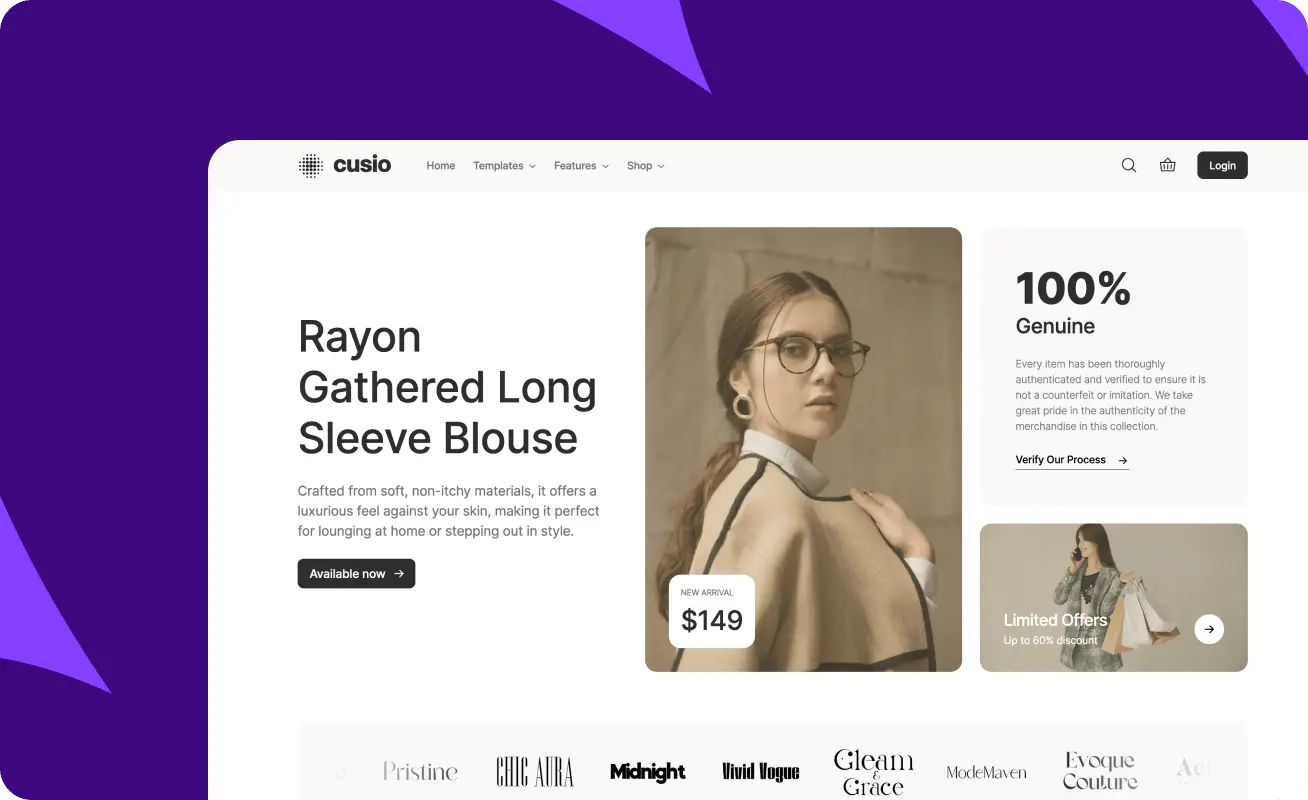
If I want complete control over every aspect of an online store, WooCommerce is usually my first recommendation. Since it’s built on WordPress, virtually every piece of functionality can be customized – from the checkout experience to product pages, customer accounts, and backend workflows.
As you can see, the biggest appeal is flexibility. Unlike SaaS platforms that come with predefined limitations, WooCommerce lets me modify themes, install custom plugins, edit PHP files, or even build entirely new features from scratch. This is a significant advantage for businesses with unique requirements or developers who enjoy having full access to the codebase.
That flexibility does come with additional responsibility, though. I still need to choose reliable hosting, manage plugin compatibility, handle updates, and maintain security myself. Of course, these tasks aren’t difficult for experienced users, but they can be rather overwhelming for beginners without technical support.
Pros
- Completely open-source and highly customizable
- Full ownership of website and data
- Massive WordPress plugin ecosystem
- No platform transaction fees
- Great for content-heavy websites alongside eCommerce
Cons
- Requires hosting and ongoing maintenance
- Plugin conflicts can occasionally occur
- Performance depends heavily on hosting quality
3. Wix – Best for design simplicity
- User rating on G2: 4.2/5
- Price: Free ($0/month), Light ($17/month), Core ($29/month), Business ($39/month), Business Elite ($159/month)

Whenever I need to launch a visually appealing online store quickly without touching code, Wix is one of the easiest platforms to work with. Designing pages is incredibly intuitive thanks to its drag-and-drop editor, and I can customize layouts much more freely than many traditional website builders.
I particularly like Wix for small businesses, creators, artists, or local retailers that don’t require highly complex eCommerce operations. As it already includes built-in tools for inventory, payments, bookings, email marketing, and SEO, I rarely need to install numerous third-party apps just to get started.
However, as my store becomes larger or requires sophisticated workflows, Wix begins to show its limitations. Advanced inventory management, large product catalogs, and enterprise-level customization simply aren’t as mature as what platforms like Shopify or WooCommerce can provide.
Pros
- Beginner-friendly drag-and-drop editor
- Attractive templates with strong design flexibility
- Built-in marketing and business tools
- Minimal technical setup required
- Affordable entry pricing
Cons
- Less scalable for large online stores
- Smaller app ecosystem than Shopify
- Advanced customization options are relatively limited
4. BigCommerce – Best for scaling businesses with complex catalogs
- User rating on G2: 4.5/5
- Price: Core ($39/month), Growth ($105/month), Scale ($399/month), Performance (custom pricing)
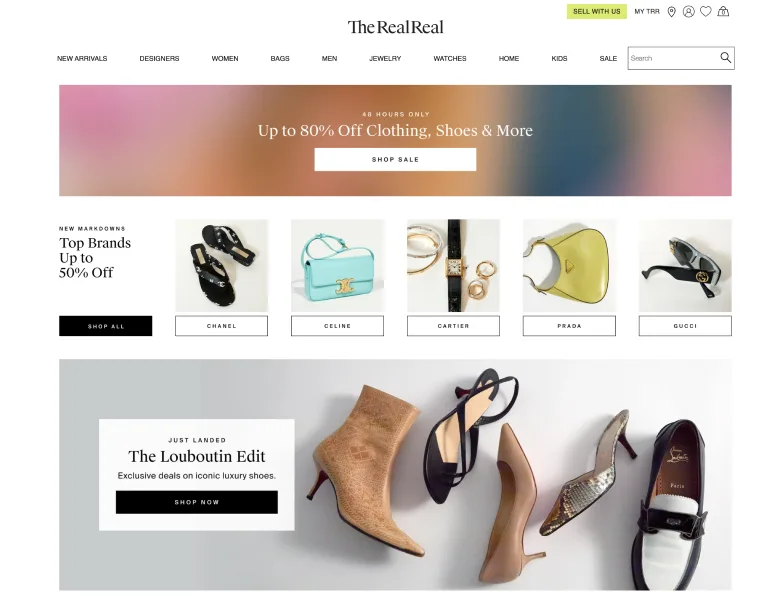
From my experience, BigCommerce shines best when managing businesses with large inventories, multiple product variants, or B2B requirements. Many advanced features that require paid apps on other platforms (e.g., customer groups, faceted search, multi-storefront capabilities, etc.) are available natively.
I also appreciate that BigCommerce imposes fewer restrictions on customization than many hosted platforms. Its flexible theme framework and headless commerce support, combined with robust APIs, allow developers to build highly customized shopping experiences and still benefit from managed hosting and security.
That said, BigCommerce has a much steeper learning curve than Shopify or Wix, and its admin interface isn’t quite as beginner-friendly. Not to mention, some merchants may find its pricing tiers very restrictive since annual sales volume can determine when an upgrade becomes necessary.
Pros
- Strong built-in eCommerce functionality
- Excellent support for large product catalogs
- Powerful APIs and headless commerce capabilities
- No transaction fees on any plan
- Robust B2B selling features
Cons
- Less intuitive dashboard for beginners
- Smaller theme and app marketplace than Shopify
- Sales thresholds may require upgrading to higher plans
5. Magento (Adobe Commerce) – Best for enterprise businesses
- User rating on G2: 4.5/5
- Price: Magento Open Source (Free), Adobe Commerce (custom pricing)
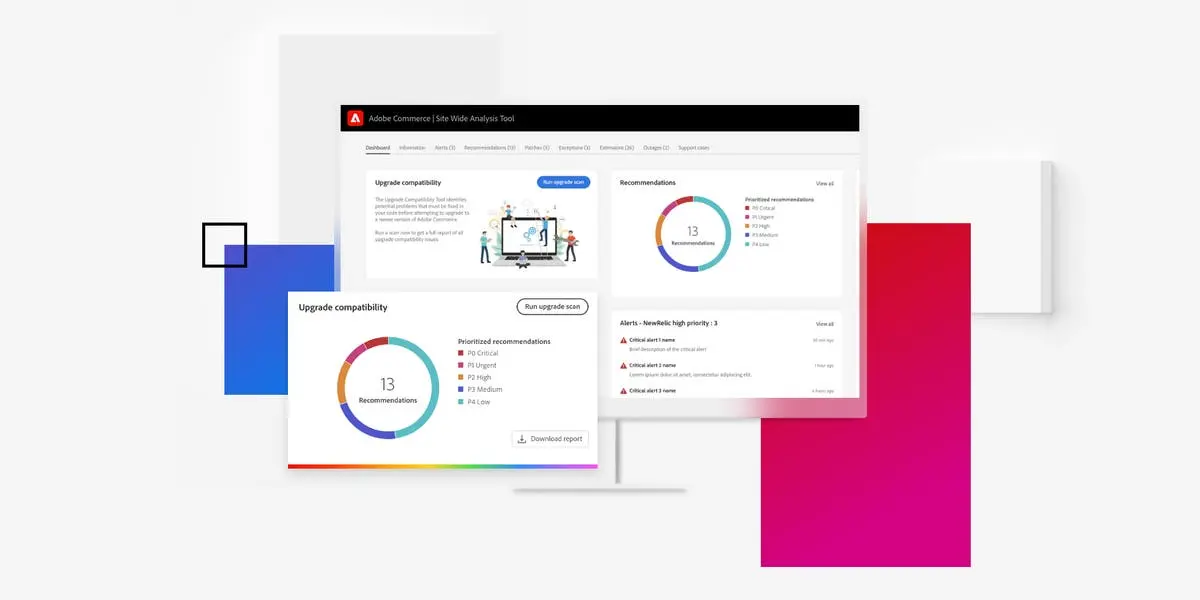
Magento is always one of the first names that comes to mind when people consider platforms for large enterprises or businesses with highly specific operational needs. As it offers an unmatched level of customization, you can tailor nearly every aspect of the storefront, checkout flow, customer experience, and backend processes.
Needless to say, its biggest strength lies in its flexibility. Since Magento is open source, developers have complete access to the codebase and can build custom modules, integrate with ERP or CRM systems, create advanced pricing rules, and optimize performance for massive product catalogs. For companies that require unique workflows, I find Magento far less restrictive than most SaaS platforms.
That said, Magento isn’t a platform I’d recommend to everyone since it still requires significant technical expertise, dedicated hosting, and ongoing maintenance. Unless a business genuinely needs enterprise-grade customization, the cost and complexity can outweigh its benefits.
Pros
- Extremely powerful customization capabilities
- Excellent for enterprise-scale businesses
- Handles large product catalogs efficiently
- Strong B2B and multi-store functionality
- Complete control over the codebase
Cons
- Steep learning curve
- High development and maintenance costs
- Requires experienced developers and quality hosting
6. Squarespace – Best for creatives and small businesses
- User rating on G2: 4.4/5
- Price: Basic ($14/month), Core ($20/month), Advanced ($32/month)

Squarespace is a strong choice for businesses that consider visual presentation as the top priority. The platform offers some of the best-designed templates available, which makes it incredibly easy to build a polished storefront without hiring a designer or writing code.
I especially like Squarespace for artists, photographers, designers, restaurants, and boutique brands that sell a relatively small product catalog. The platform combines beautiful website design with built-in eCommerce features like inventory management, digital products, subscriptions, and appointment booking; these are often enough for smaller businesses.
Where Squarespace starts to fall short, however, is scalability. As product catalogs grow or businesses require advanced inventory management, complex shipping rules, or extensive third-party integrations, I usually find myself recommending more specialized eCommerce platforms instead.
Pros
- Beautiful professionally designed templates
- Very beginner-friendly website builder
- Built-in blogging and marketing tools
- Simple all-in-one hosting solution
- Great for small stores and creative businesses
Cons
- Limited advanced eCommerce functionality
- Smaller extension ecosystem
- Less suitable for large or rapidly growing stores
7. Shift4Shop – Best for budget-conscious businesses in the U.S.
- User rating on G2: 3.9/5
- Price: End-to-End eCommerce plan (Free with Shift4 Payments) or Paid plans starting at around $39/month for businesses not using Shift4 Payments
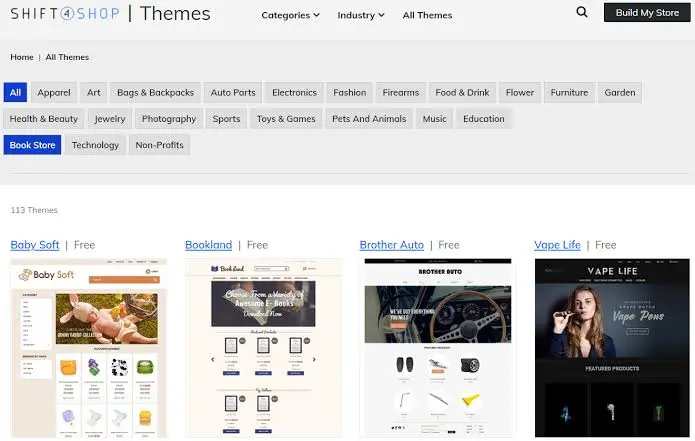
Although Shift4Shop doesn’t receive as much attention as Shopify or BigCommerce, it includes many advanced eCommerce features right out of the box. Many capabilities—such as product options, SEO tools, customer groups, promotions, and inventory management—are built into the platform instead of relying heavily on paid apps. Plus, if you are running a U.S.-based business and using Shift4 Payments, the free plan offers exceptional value compared to many competitors.
However, I wouldn’t consider it the best fit for everyone. The interface feels somewhat dated compared to newer platforms, and its ecosystem of themes, developers, and third-party integrations is noticeably smaller. Businesses outside the U.S. may also find fewer advantages due to the platform’s close integration with Shift4 Payments.
Pros
- Free plan available with Shift4 Payments
- Strong built-in eCommerce features
- Good SEO capabilities
- Supports large product catalogs
- No need for many paid extensions
Cons
- User interface feels less modern
- Smaller app and theme ecosystem
- Best value primarily for U.S.-based merchants
What Makes The Best Customizable eCommerce Platform
Not every platform that claims to be “customizable” offers the same level of flexibility. Hence, here are the four factors my team always evaluates before recommending a customizable eCommerce platform.
Ease of use
The first thing we look at is how easy it is to customize the store without creating unnecessary complexity. After all, there’s little value in having unlimited customization options if making a simple change requires editing code or hiring a developer every time.
For example, Shopify lets you customize layouts using its theme editor while still offering access to Liquid and APIs when I need deeper changes. Wix and Squarespace make visual customization even simpler with drag-and-drop builders, allowing beginners to create attractive storefronts in just a few hours.
On the other hand, platforms like WooCommerce and Magento provide much greater freedom because you can modify the underlying code, but they also demand significantly more technical knowledge.
Ultimately, the best platform is one that matches your team’s skill level. If you’re constantly struggling to manage your store, even the most customizable solution quickly becomes a liability.
Robust eCommerce features
Secondly, we pay close attention to the platform’s native eCommerce capabilities before considering third-party extensions.
A good customizable platform should already support essential features like inventory management, product variants, discount rules, multiple payment gateways, shipping options, tax settings, customer accounts, and SEO tools. These features become the foundation that you can later customize to suit your business model.
You should also consider how well the platform handles more advanced requirements. For instance, if a merchant eventually wants to manage multiple storefronts or serve B2B customers, the platform should be capable of supporting those changes without requiring a complete migration later on.
Integrations
Even the most feature-rich platform won’t cover every business need. Most online stores rely on dozens of third-party services, from email marketing and accounting software to ERPs, CRMs, shipping providers, AI tools, and online marketplaces. The ability to connect these systems is a major part of what makes a platform truly customizable.
When evaluating integrations, counting how many apps are available is just a small part of the process. We also consider their quality, reliability, and how easily they work together:
- Shopify, for example, has one of the largest app marketplaces, making it easy to add new functionality without custom development.
- WooCommerce offers a similarly vast ecosystem through WordPress plugins
- BigCommerce stands out for its robust APIs that simplify custom integrations for larger businesses.
The stronger the integration ecosystem, the easier it becomes to expand your store.
Flexibility
This is the criterion that truly separates one platform from another. My team looks beyond visual customization and evaluates how much control we have over the entire shopping experience, from the storefront to backend operations.
In my experience, platforms like Magento and WooCommerce offer virtually unlimited flexibility because developers can modify almost every part of the system. Shopify, while more opinionated, still provides extensive customization through APIs, Shopify Functions, and headless commerce. The right choice ultimately depends on how much control your business actually needs, not simply which platform offers the longest feature list.
Our Methodology
To compile this list, my team evaluated each platform from the perspective of merchants looking for long-term flexibility, considering both day-to-day usability and how well the platform adapts as a business grows. Let’s look at the process we followed.
Step 1: Shortlisted popular eCommerce platforms
Instead of reviewing every available platform (which is impossible), our team identified the most widely used eCommerce platforms on the market.
We focused on solutions that consistently appear in industry reports, expert recommendations, and merchant discussions. After one month of extensive research, we narrowed our evaluation scope to those with an established reputation and a proven track record of supporting online businesses of different sizes.
Step 2: Evaluated their customization capabilities
Next, my team assessed how much flexibility each platform actually offers. Rather than looking only at visual customization, we examined whether merchants could customize themes, product pages, checkout experiences, integrations, APIs, and backend workflows.
In addition, we also considered whether the platform supports advanced development options, such as:
- Custom code
- Headless commerce
- Extensive API access for businesses with more complex requirements.
Step 3: Compared overall eCommerce functionality
Customization alone isn’t enough if the platform lacks essential business features. That’s why we also compared each platform’s built-in eCommerce capabilities, including inventory management, payment gateways, shipping options, SEO tools, product management, reporting, and scalability. We paid particular attention to whether businesses could continue growing on the platform without immediately relying on expensive third-party solutions.
Step 4: Balanced flexibility with real-world usability
Finally, my team considered the overall user experience. A platform may be incredibly customizable, but if it’s difficult to maintain or requires constant developer support, it won’t be the right fit for many businesses.
We therefore balanced technical flexibility with factors like ease of use, learning curve, pricing, ecosystem maturity, and long-term maintenance to identify platforms that deliver the best value for different types of merchants.
FAQs
What is a customizable eCommerce platform?
A customizable eCommerce platform is tailored software that allows businesses to modify their storefronts, checkout processes, and back-end logic. Instead of an out-of-the-box system with rigid templates, it gives developers access to the code or provides robust visual editors.
Should I use an open-source, SaaS, or headless platform?
Choose SaaS if you want a fast, hands-off setup without coding. Go with Open-Source if you need total code control, have dedicated developers, and want to avoid revenue-share fees. Opt for Headless only if you need to push content to multiple channels (e.g., mobile apps, web, IoT devices) and require absolute custom frontend control.
How do custom platforms handle inventory and fulfillment?
Custom platforms handle inventory and fulfillment by integrating tailored Application Programming Interfaces (APIs) and webhooks to connect the front-end store directly to warehouse or supplier databases. This creates a seamless, automated flow of data rather than relying on manual entry.
Can I create highly detailed, custom product pages?
Yes, you can create highly detailed, custom product pages. Many platforms allow you to tailor text, visual layouts, and media – such as adding comparison tables, FAQ sections, customer reviews, or custom app store screenshots.
Final Words
Ultimately, the best customizable eCommerce platform ultimately depends on what your business needs today – and where you expect it to be in the future.
Once you’ve found the platform that best aligns with your long-term vision, the next step is to migrate there with as little disruption as possible. And that’s where LitExtension comes in! With 15+ years of experience, we help merchants migrate products, customers, orders, and other critical store data between 140+ eCommerce platforms accurately and securely.
For more eCommerce guidance, feel free to check out our blog.

