Trying to choose between Webador vs Wix but not sure which one actually fits your needs? Since both are solid website builders, the real question is which one works better for your specific goals.
To help you decide, we will compare the following key differences between Wix vs Webador:
Features | Webflow | Squarespace | The Verdict |
From $0–$21/month (after renewal); very budget-friendly | From $0–$159/month; higher cost as features scale | Webador | |
Extremely simple setup; site can be live in under an hour | Easy start with AI, but more features mean longer learning curve | Webador | |
~55 templates; limited control over layout, header, navigation | 2000+ templates; full drag-and-drop, advanced design control | Wix | |
Simple products, basic payments, limited promos | Advanced catalog, shipping rules, automations, CRM | Wix | |
Embed-based integrations; no app store or automation tools | 900+ apps; supports CRM, marketing, automation, scaling | Wix | |
Basic page/blog system; no categories/tags | CMS with collections, dynamic pages, reusable content | Wix | |
SSL, backups; mainly email support, no real-time help | SSL, CDN, PCI compliance; Help Center + callback support | Wix |
Let’s get started!
Who Should Use Webador vs Wix?
Founded in 2016, Webador is a relatively new website builder focused on simplicity and accessibility. It is designed to help individuals and small businesses get online quickly, without needing technical skills. With its straightforward editor and affordable pricing, Webador has become a practical choice for modern merchants.

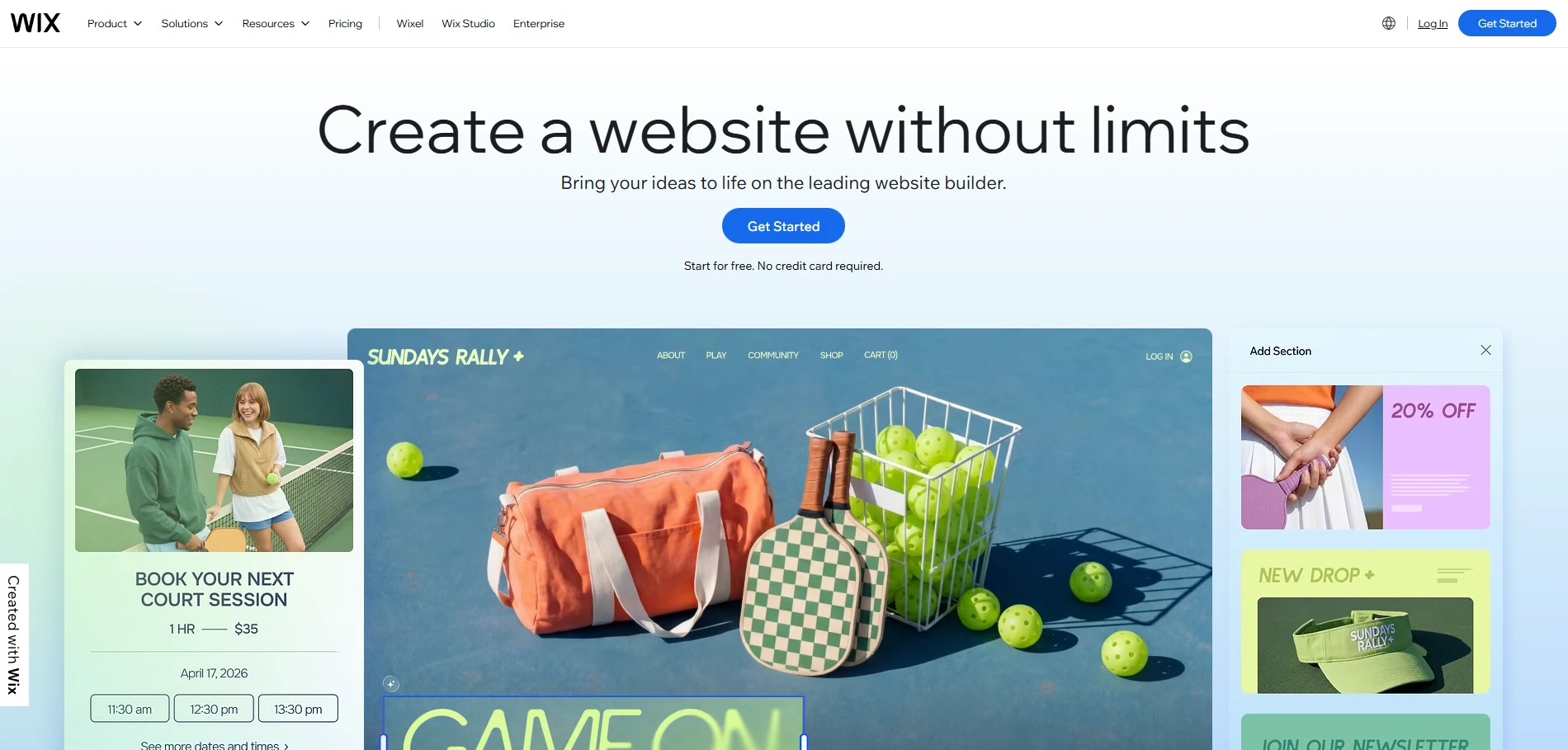
Wix, on the other hand, was founded in 2006 and has grown into one of the most widely used website builders globally. With over 8.5 million users across different industries, it has evolved into a full-featured platform that goes beyond basic website creation. Today, Wix offers a wide range of tools for design, content management, eCommerce, and integrations, and so much more.
So, between Webador vs Wix, which platform is actually right for you?
- Webador is a better fit if you are a beginner, individual user, or small local business owner who just needs a simple website.
- Wix is more suitable if you are a growing business, online seller, content creator, or team that needs more flexibility.
Now that you have a general idea of who each platform is for, let’s take a closer look at the detailed comparisons to see why we came to these conclusions.
Pricing (Webador Wins)
The Verdict
When it comes to pricing alone, Webador wins. It is significantly more affordable, making it a better choice if you want to keep costs low and build a simple website.
Webador
Webador focuses on keeping pricing simple and accessible. It offers one free plan and three paid tiers, all positioned for users who want to get online quickly without a large upfront investment. For now, you will get this pricing range for the first 12 months:
- Free: Always free, suitable for individuals and hobby projects.
- Lite: $3/month, then renews at $6/month, for personal use.
- Pro: $5.25/month, then $10.50/month, for small business owners.
- Business: $10.50/month, then $21/month, aimed at more serious use.
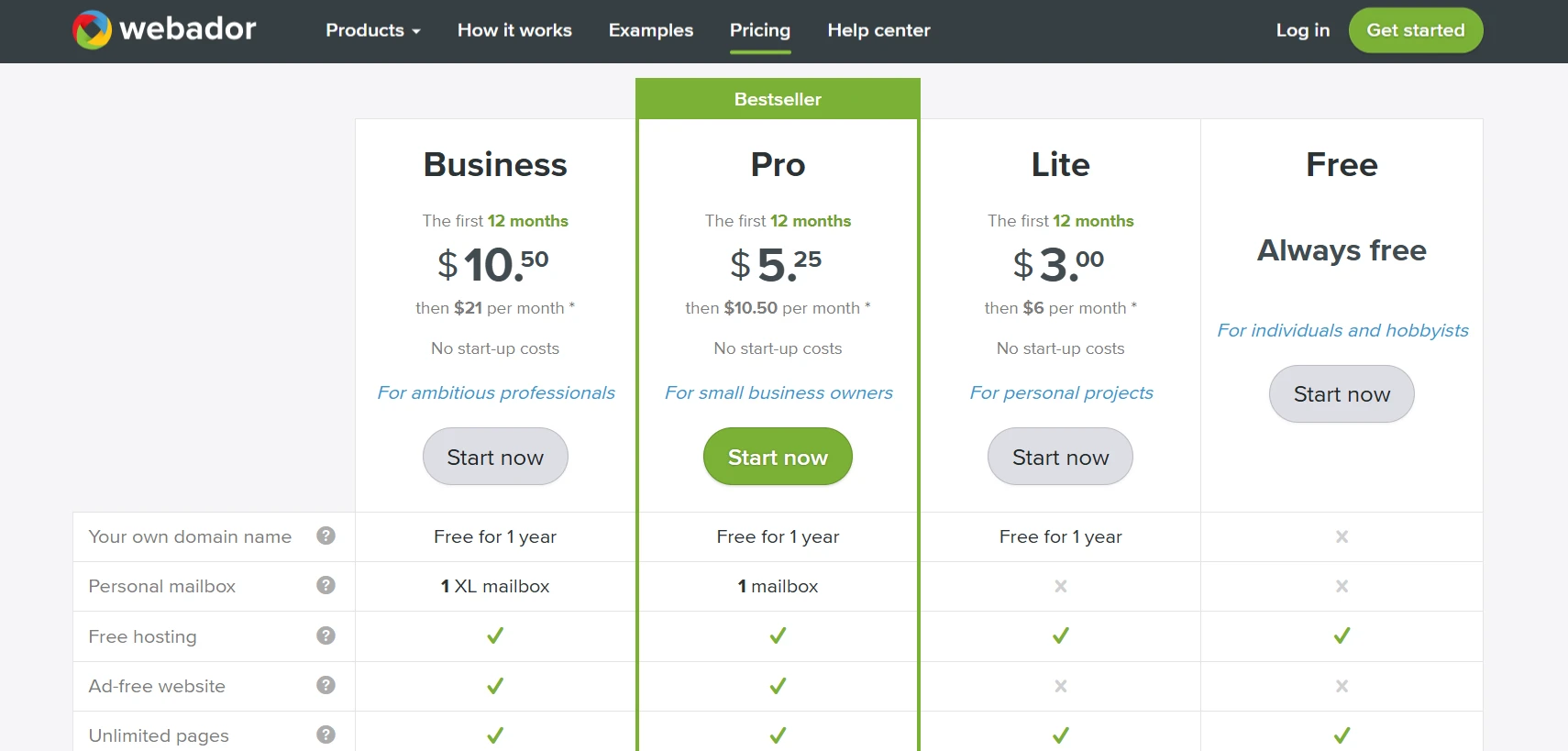
A key detail is the introductory pricing model. Webador often offers strong discounts on the first billing cycle, especially for yearly plans. In most cases, your annual cost will fall between $36 and $252, which is still much more affordable than many other platforms.
That said, the lower price also reflects a more limited feature set. If you only need a simple website, this can work very well. But if you’re planning to build or scale an online store, you may start to feel the limitations over time.
Wix
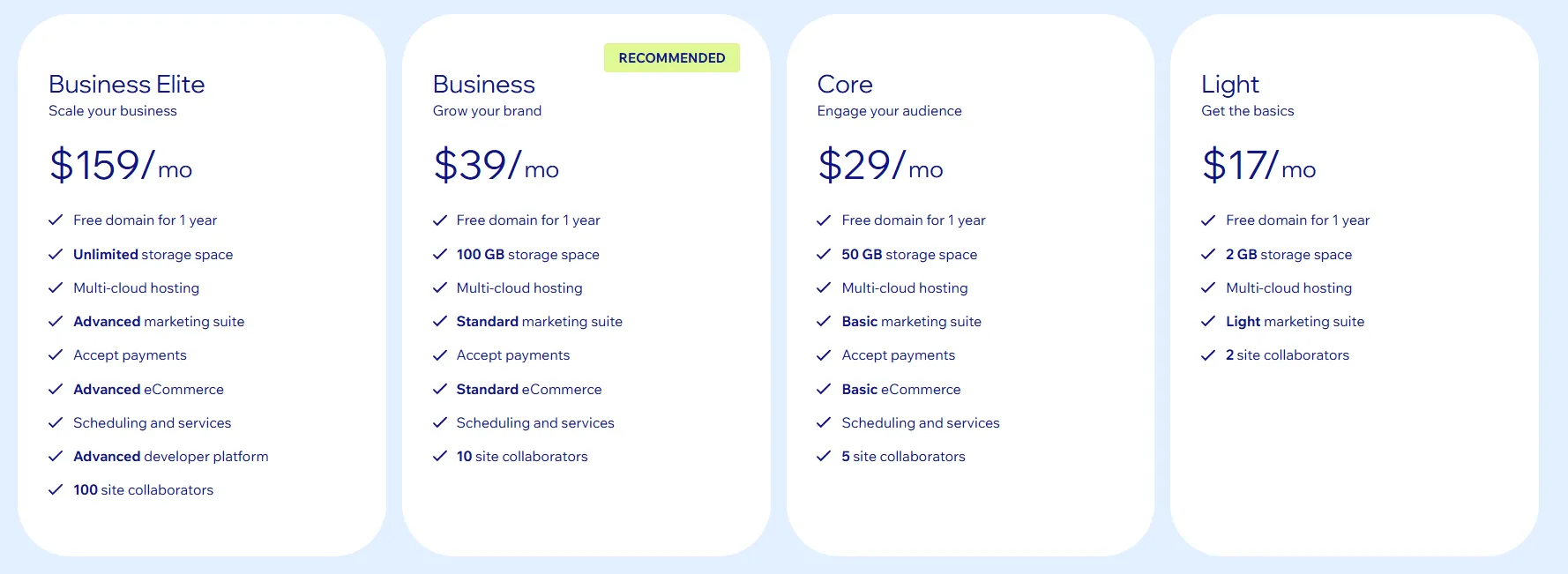
With Wix, you can choose from five pricing plans:
- Free Plan: $0/month, includes Wix ads and no custom domain. Suitable for basic websites or testing.
- Light: $17/month, removes ads and includes a domain for the first year. Best for simple, non-eCommerce sites.
- Core: $29/month, supports online payments and basic eCommerce features. Suitable for small stores.
- Business: $39/month, offers more advanced tools for shipping and tax. Good for growing online businesses.
- Business Elite: $159/month, designed for high-volume businesses with larger operational needs.
You should also keep transaction fees in mind. Wix typically charges 2.9% + $0.30 per transaction on most eCommerce plans. If you’re planning to sell regularly or at scale, this is something you’ll want to factor into your overall costs.
At first, the pricing can feel quite reasonable. But once you start adding apps, premium templates, or extra tools, your total cost can rise significantly. In many cases, you might spend anywhere from around $300 to over $4,000 per year.
Ease of Use (Webador Wins)
The Verdict
In the Webador vs Wix comparison for ease of use, Webador comes out ahead. Its simpler setup and cleaner interface make it easier for you to get started and manage your site without a learning curve.
Webador
Webador is designed to be as simple as possible, especially if you are just getting started or have little technical experience.
Getting started is quick and straightforward. You can sign up for the free plan, enter your email and password, and start building right away without adding any payment details.
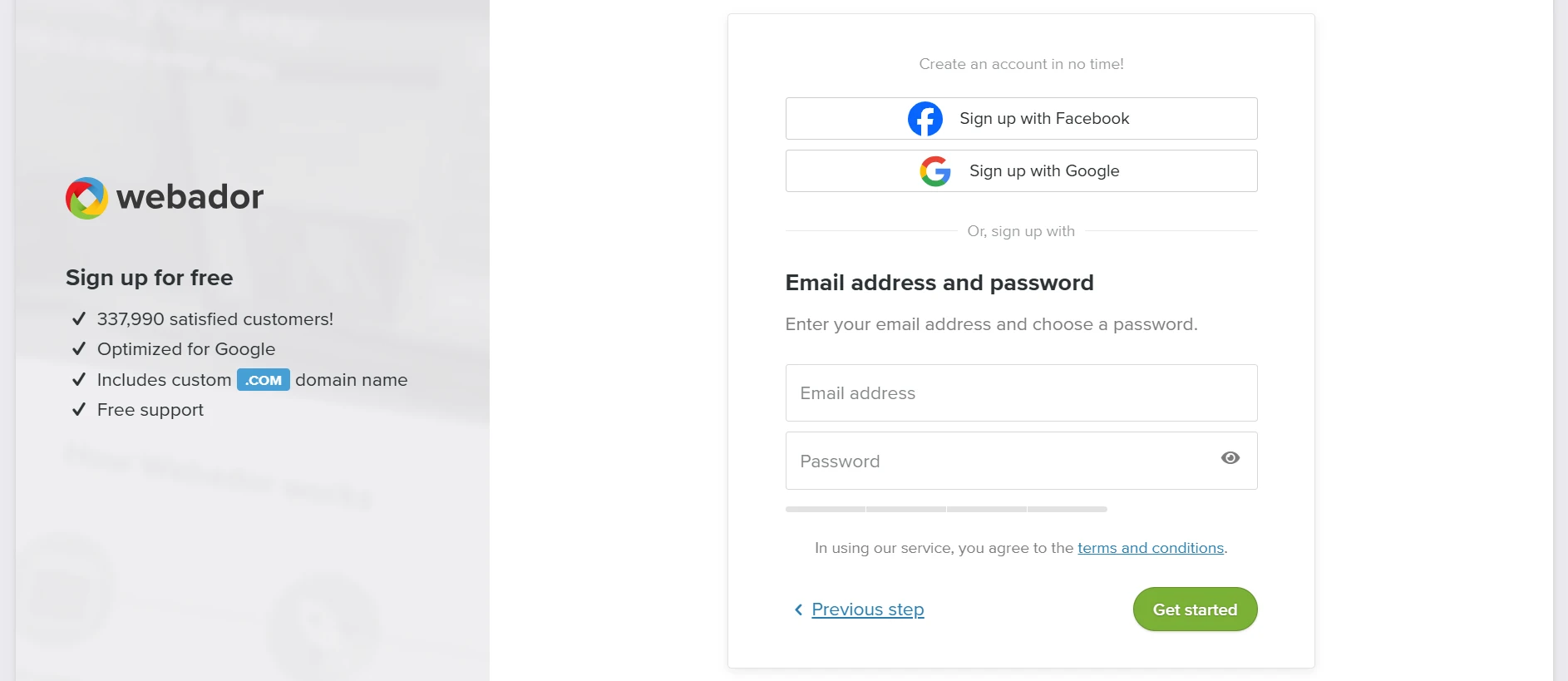
Once inside, the setup process feels very guided. The platform will ask a few simple questions about your site (such as its purpose or type), which helps shape the initial structure. Based on your answers, Webador automatically generates a ready-to-use website for you.
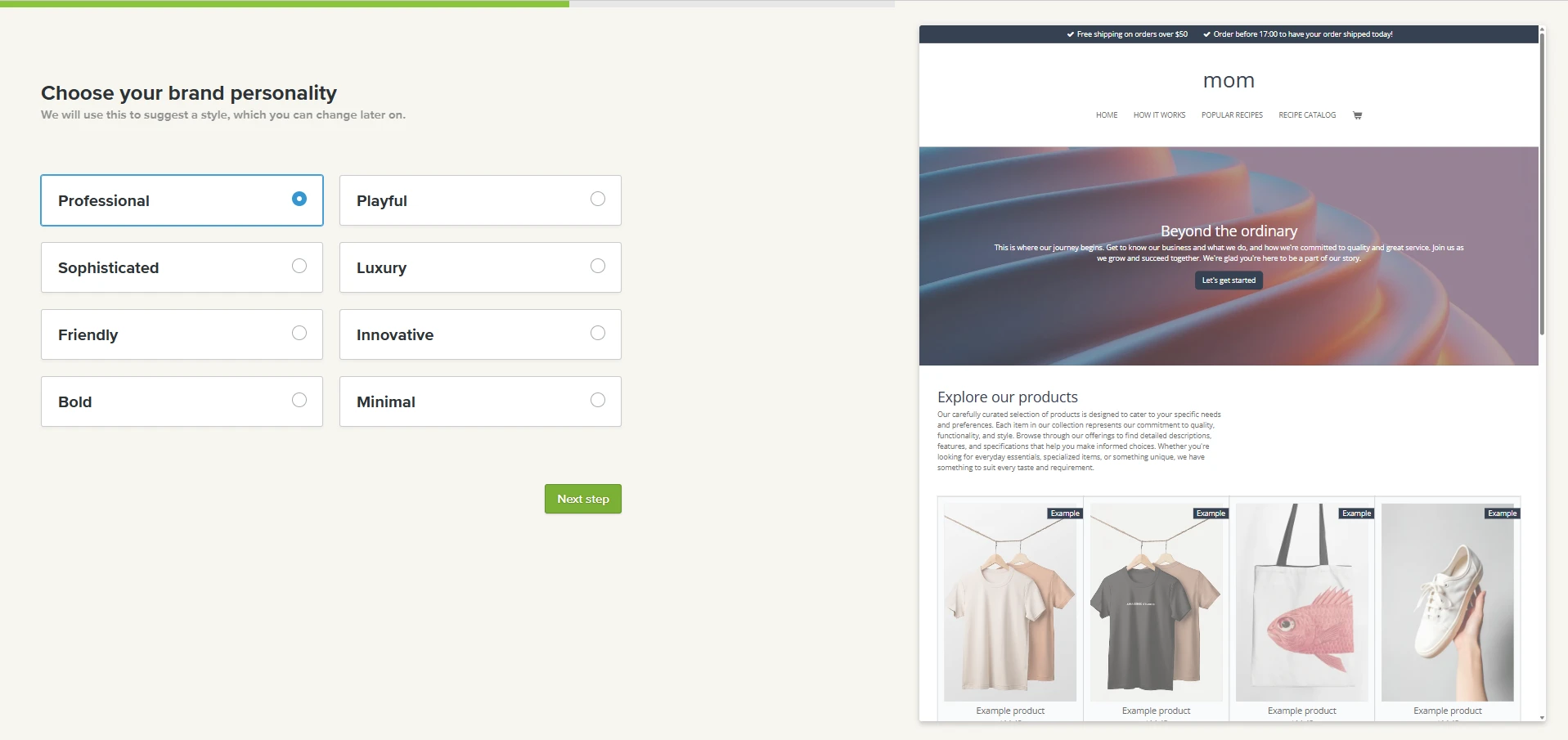
The interface is also very easy to navigate. Everything is clearly organized into main sections like Editor, Pages, Design, Webshop, and Settings. Thus, you do not need to dig around to find what you need, and most actions are just a few clicks away. In many cases, you can get a usable website live in under an hour, with some setups taking as little as 14 minutes.
Wix
Compared to Webador, Wix offers a slightly more advanced way to get started. When you sign up, you can choose between two approaches:
- Manual setup: You choose a template and customize everything using Wix’s drag-and-drop editor. This gives you full control, but it may take longer to achieve the final result you want.
- AI-assisted setup: Wix asks you a few simple questions about your business and preferences, then automatically generates a complete website in seconds, including layout, colors, and key features. From there, you can continue editing with the drag-and-drop builder.

In terms of day-to-day use, Wix is still relatively easy to navigate. The dashboard uses a sidebar menu with clear labels, so you can quickly navigate sections such as design, pages, and store settings. However, compared to Webador, there are more features and options, which means it can take a bit longer to get familiar with.
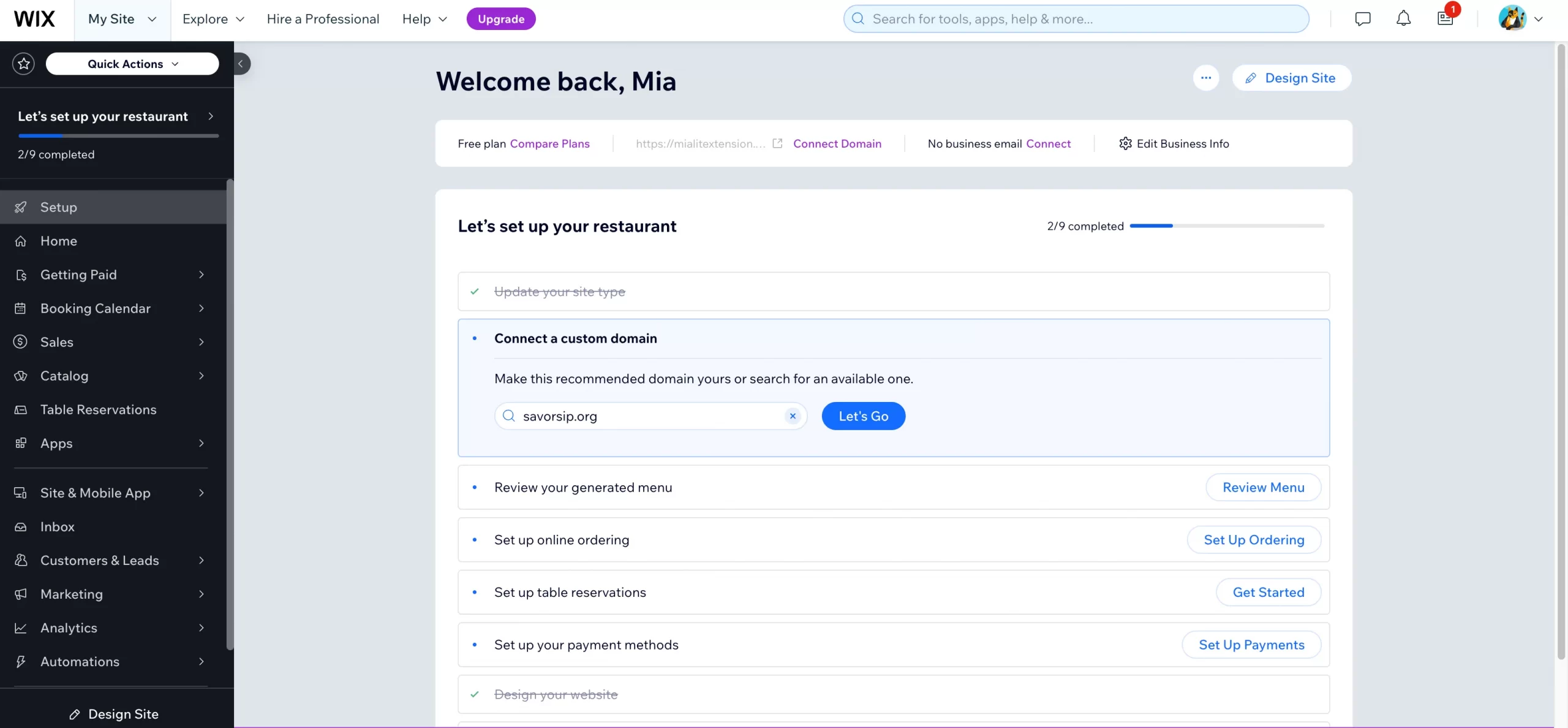
One thing to keep in mind is that Wix updates its interface quite often. The layout of the dashboard may change over time, with new sections added or moved around. While this does not make the platform difficult to use, it can require some adjustment if you are used to a fixed interface.
If you’re planning to switch to Wix for more flexibility and advanced features, you don’t have to handle the transition alone. With LitExtension, you can migrate your store to Wix quickly and securely, with all your data transferred accurately.
Wix Migration Made Easy With LitExtension!
LitExtension offers great migration solutions that help you transfer your data from the current eCommerce platform to Wix accurately, painlessly with utmost security.

Design Flexibility (Wix Wins)
The Verdict
Looking at design flexibility in the Webador vs Wix comparison, Wix clearly comes out on top. It gives you far more freedom to customize layouts, styles, and overall design.
Webador
In terms of design, Webador comes with around 55 templates in its gallery. All of them are mobile-responsive, so your site will automatically work well on different devices. To be honest, most of these templates are quite general-purpose. You will not find many designs tailored to specific industries or advanced eCommerce needs. Thus, if you need more control over your storefront, you can start with a blank layout and build your site section by section.

For customization, Webador uses a block-based editor that lets you adjust your site's main visual elements: colors, typography, layout width, etc.
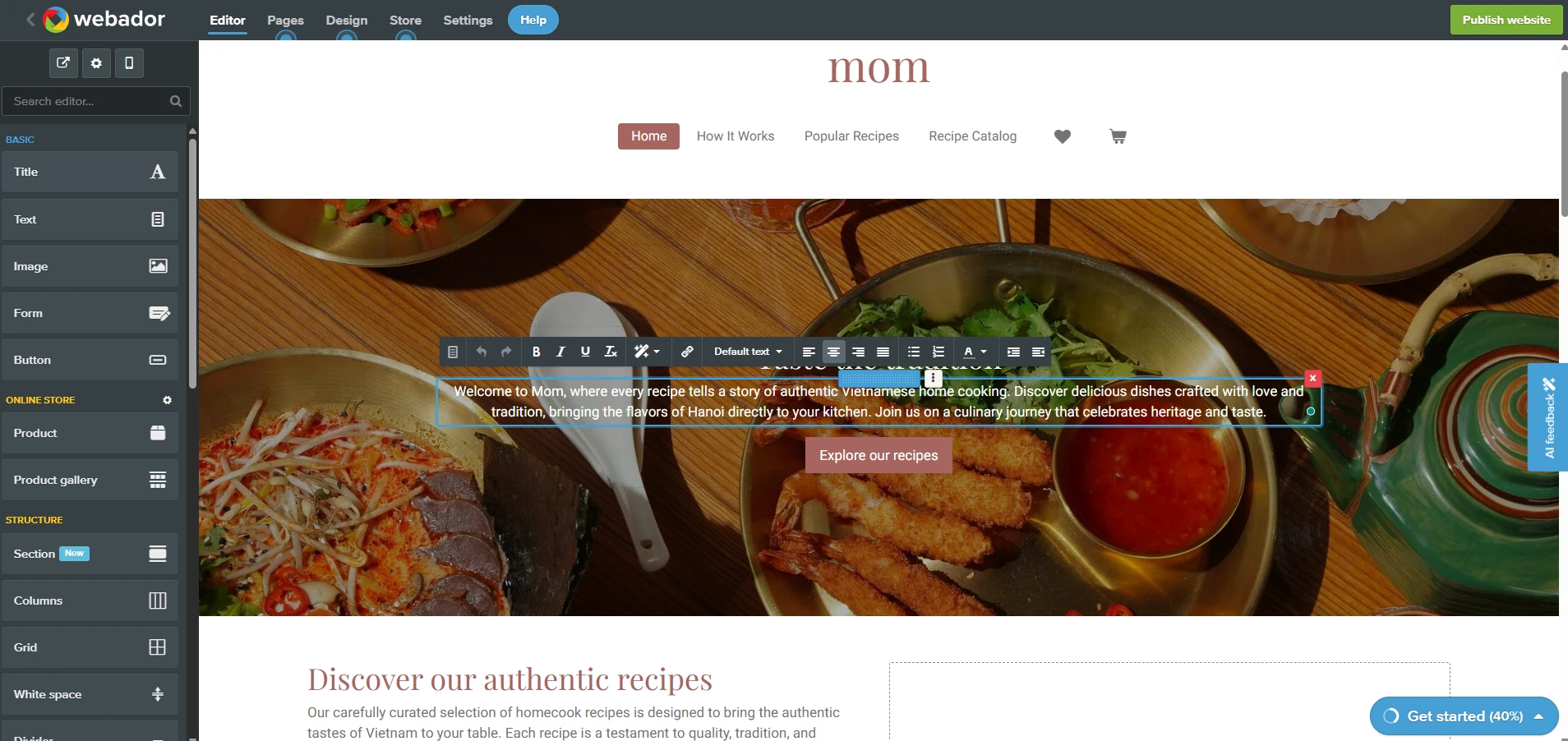
However, the flexibility has clear limits. For example, you cannot fully customize the header or navigation layout. There is also no full access to custom CSS or a theme editor, aside from a basic embed-code option.
In short, Webador gives you just enough design flexibility to get the job done quickly. But if you want full creative control or a more polished, brand-driven design, you may feel limited pretty fast.
Wix
In contrast, Wix clearly leans into its strength as a website builder. You get access to 2000+ templates, covering almost every industry you can think of (business site, online store, portfolio, etc.).

That said, there is one important limitation you should be aware of. Once you choose a template during setup, you cannot switch to another one later. If you decide to change your design, you will need to create a new site and manually move your content over.
Beyond templates, Wix gives you much more control when it comes to customization.
- Drag-and-drop editor: You can freely adjust layouts, move elements anywhere, and customize fonts, colors, and animations without restrictions.
- Advanced design options: Features like image filters, video backgrounds, gradients, and precise positioning help you create a more polished and dynamic site.
In addition, Wix comes with a much more advanced AI website builder, which is where it starts to stand out.

Instead of just generating a basic layout, Wix AI builds a more complete, context-aware website based on your inputs. When you answer questions about your business, it will:
- Suggest relevant sections and features (like bookings, services, testimonials, forms).
- Apply a cohesive design system (colors, fonts, spacing) that feels more polished.
- Pre-fill parts of the site with AI-generated content, not just placeholders.
Another key difference is how it works with the editor. After the AI generates your site, you can still use Wix’s drag-and-drop editor to fully customize everything, which gives you much more flexibility compared to simpler AI builders.
eCommerce Features (Wix Wins)
The Verdict
In our comparison between Webador vs Wix for eCommerce features, Wix clearly wins. It provides a more powerful and scalable toolkit, making it the better choice for anyone serious about selling online.
If you’re planning to sell online, this is where the difference between Webador vs Wix becomes much clearer. The table below breaks down the key eCommerce features in the Webador vs Wix comparison, so you can quickly see how each platform handles core selling needs. Please note that these features are only available on the paid plans for both platforms.
Aspect | Webador | Wix |
Product model | Simple physical products, limited variants/attributes. | Physical, digital, services, subscriptions, rich fields. |
Variants & options | Few attributes, basic variant combinations. | Many options, per‑variant SKU/price/inventory. |
Catalog structure | Manual pages as categories, nested menus. | Categories, collections, filters, dynamic product lists. |
Orders & CRM | Basic order list, simple customer accounts. | Full order tools + CRM profiles, segmentation, notes. |
Payments | Stripe, PayPal, Mollie only. | Many gateways, Wix Payments, BNPL, some POS. |
Shipping & taxes | Flat/simple rules, manual tax setup. | Advanced rules, real‑time rates, tax automation in regions. |
Discounts & promos | Sale prices, basic coupons. | Complex coupons, automatic discounts, multi‑rule promos. |
Abandoned cart & flows | None native, rely on external tools. | Built‑in abandoned cart emails and automations. |
Integration & Scalability (Wix Wins)
The Verdict
For integrations and scalability in the Webador vs Wix comparison, Wix wins. Its larger app ecosystem and deeper integrations make it much better equipped to support your business as it grows.
Webador
Webador keeps integrations simple, much like the rest of the platform. Instead of a full app marketplace, it uses an App element that you can drag into your page. From there, you choose a service (like social feeds, booking tools, or media widgets), then paste a URL or embed code to display it on your site.
Webador does support a range of popular services, including platforms like Amazon, Etsy, PayPal, and Google Analytics, etc. For basic needs, this is often enough to connect your site with external tools.
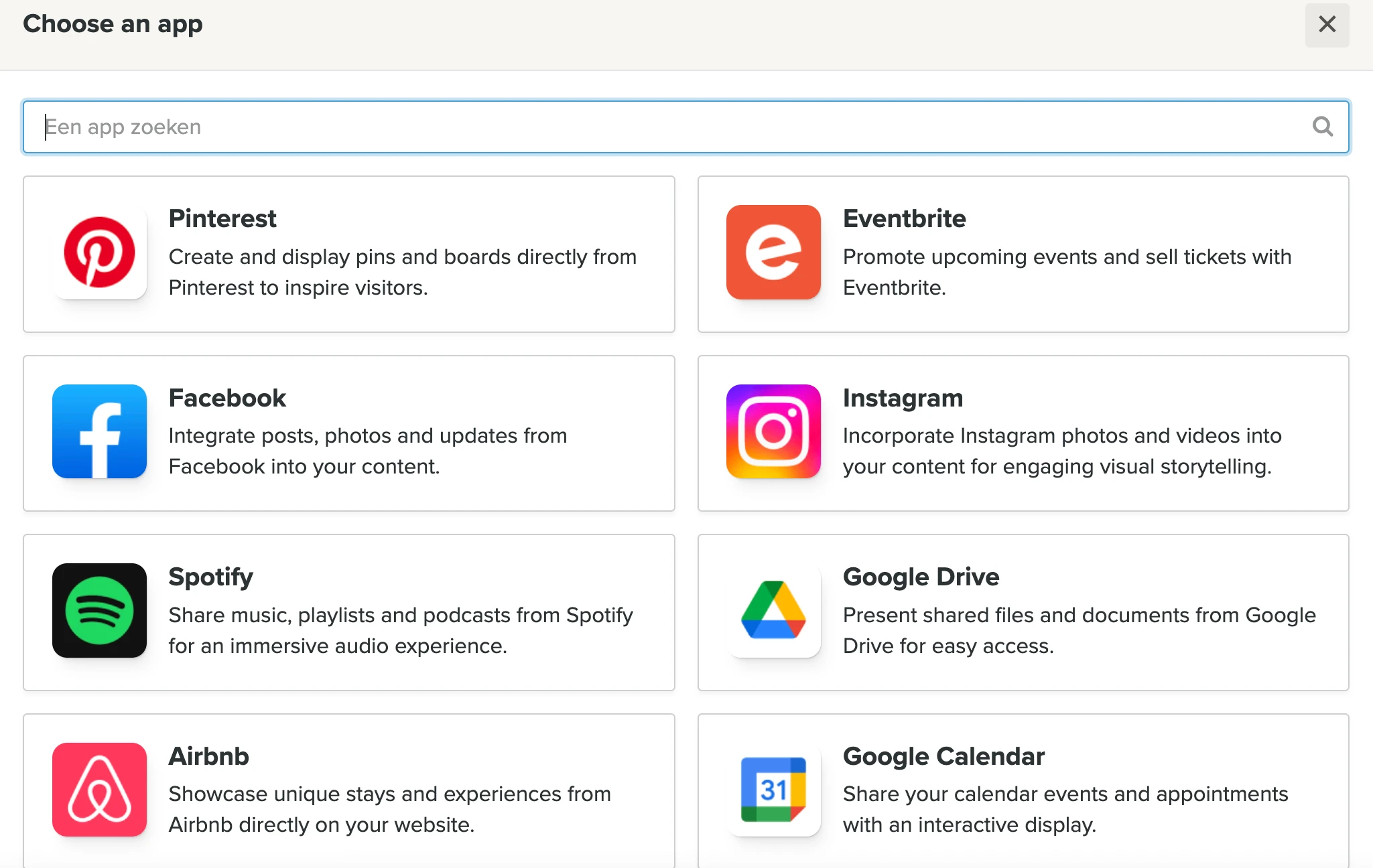
If you want to go further, things get more complicated. Webador does not offer a public API or built-in connections to automation tools like Zapier, Make, or n8n. This means more advanced workflows usually depend on external setups, such as using forms from tools like Typeform or Jotform, then connecting those to automation platforms separately.
Wix
On the other hand, Wix offers a full App Market with over 900 apps, covering everything from marketing and analytics to shipping, automation, and customer management. This gives you far more flexibility to extend your site as your business grows.
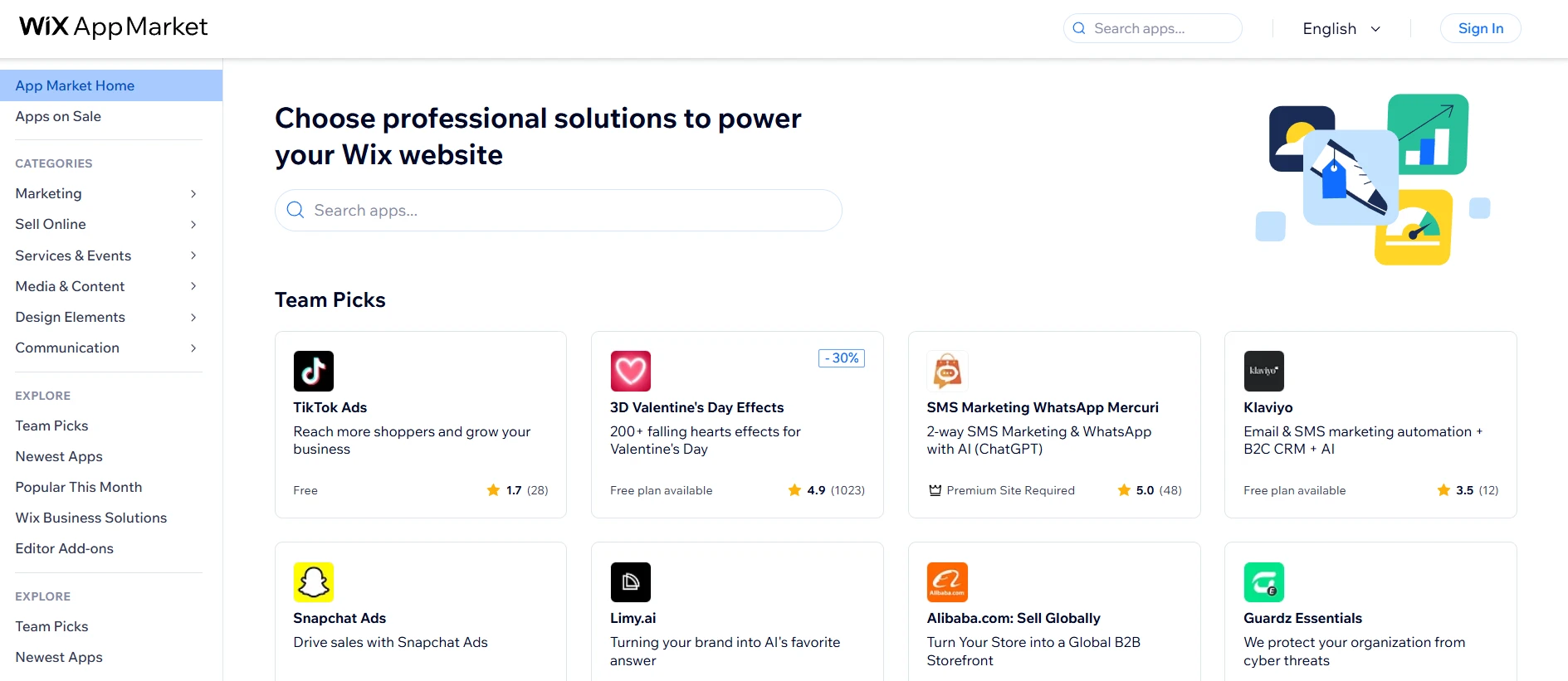
Besides the apps from the marketplace, Wix also provides a range of built-in tools designed for specific use cases:
- Wix Stores for managing an online shop
- Wix Bookings for scheduling and appointments
- Wix Restaurants for menus and online orders
- Wix Events for event registration and management
These built-in apps are tightly integrated into the platform, so you can manage different parts of your business without relying too much on external tools.
Another strong point is reliability. Wix reviews and tests apps before they are listed in its marketplace. This reduces the risk of compatibility issues and makes integrations more stable compared to platforms with less control over third-party tools.
Content Management & SEO (Wix Wins)
The Verdict
If content plays an important role in your website, Wix is the better option in the Webador vs Wix comparison. It gives you a more structured system to manage, organize, and scale your content as your site grows.
Webador
With Webador, it keeps content management simple and closely tied to how you build your pages. Everything is handled directly inside the drag-and-drop editor, so you do not need to deal with technical layers like FTP, databases, or backend systems.
Overall, the Webador CMS will provide you the following features:
- Pages: You can create unlimited pages, set up nested structures (subpages), control visibility, and even password-protect content when needed.
- Blog: Includes basic blogging features like scheduling posts and enabling comments, but lacks a proper category or tagging system, so organizing larger content can feel manual.
- Media: A media library stores images, documents, audio, and video, which you insert via dedicated elements.
- SEO features: Allows you to set SEO titles and descriptions, control search engine indexing, and manage basic on-page SEO settings for each page or post.
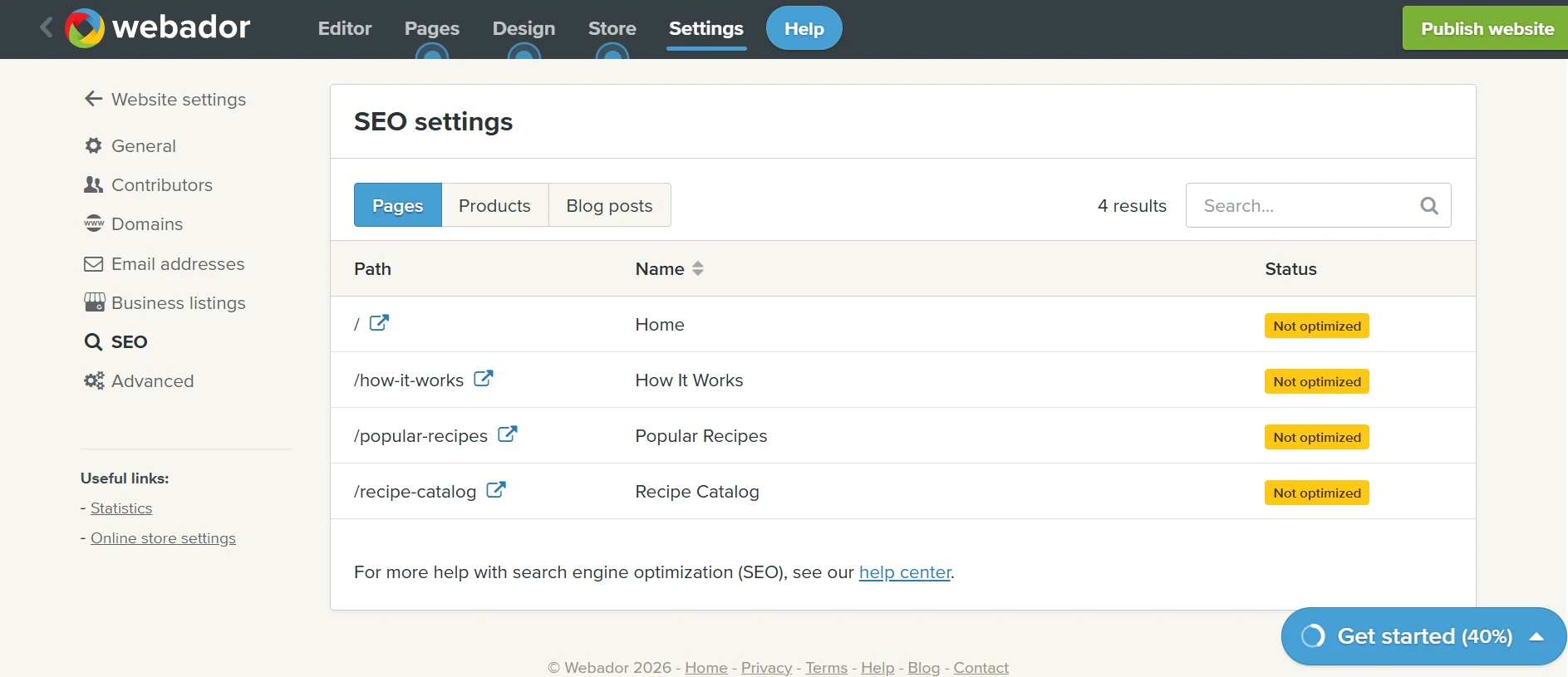
As your site grows, especially if you publish a lot of blog content, the lack of a proper category or tagging system can make things harder to organize. On top of that, without deeper integrations or advanced content tools, scaling your content strategy becomes less efficient over time.
Wix
Wix takes a much more advanced approach to content management, especially if you are working with larger or more structured content.
At the core of this is Wix CMS, which lets you create your own content collections. Think of these as databases where you can store different types of content like blog posts, products, portfolios, or even custom data. You can define your own fields (text, images, numbers, etc.) and manage everything in a spreadsheet-like interface.
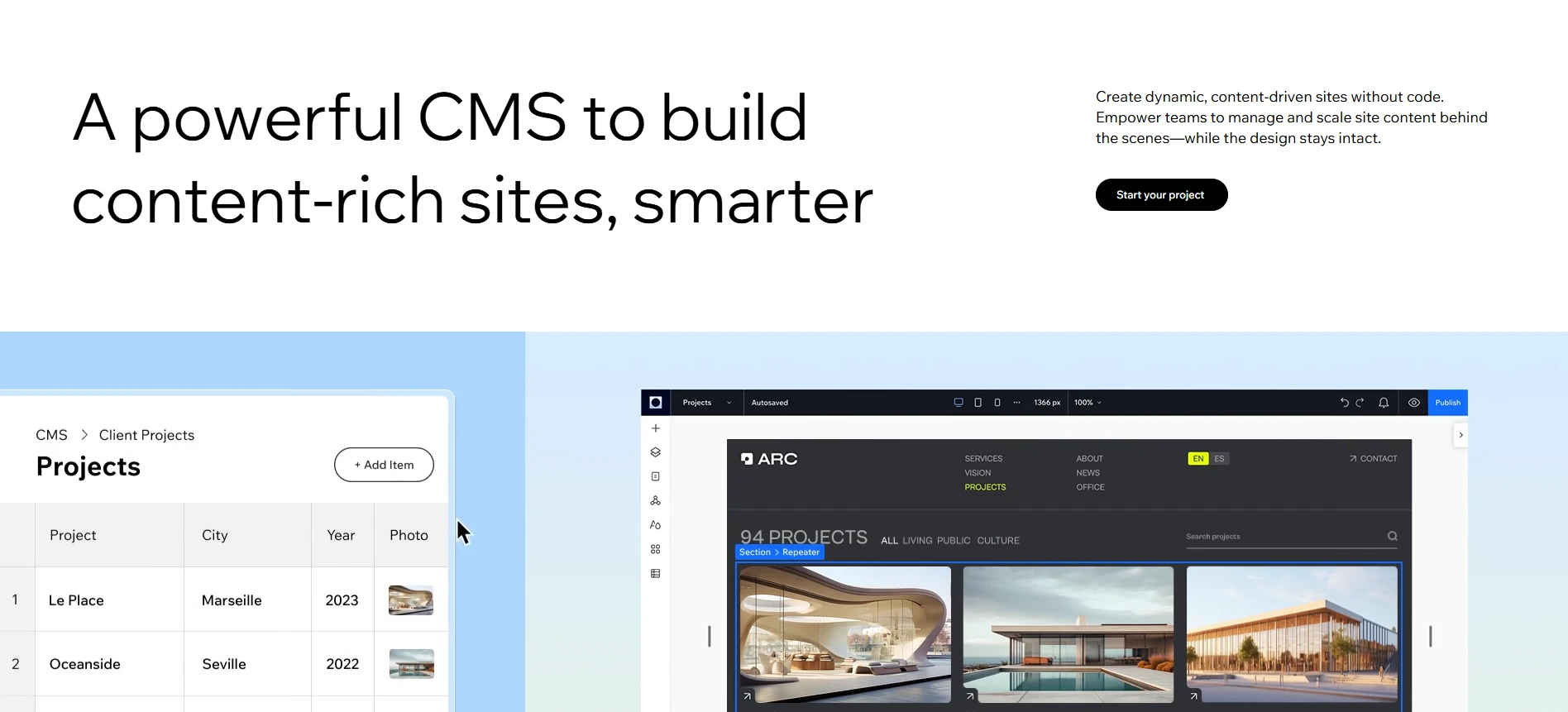
From there, you can connect these collections to dynamic pages. This means you only need to design one layout, and Wix will automatically generate multiple pages using that structure.
In addition, Wix supports a wider range of content types and workflows, including blogs, listing pages, and member-only content. You can also reuse content across different parts of your site, which helps keep everything consistent and easier to manage.
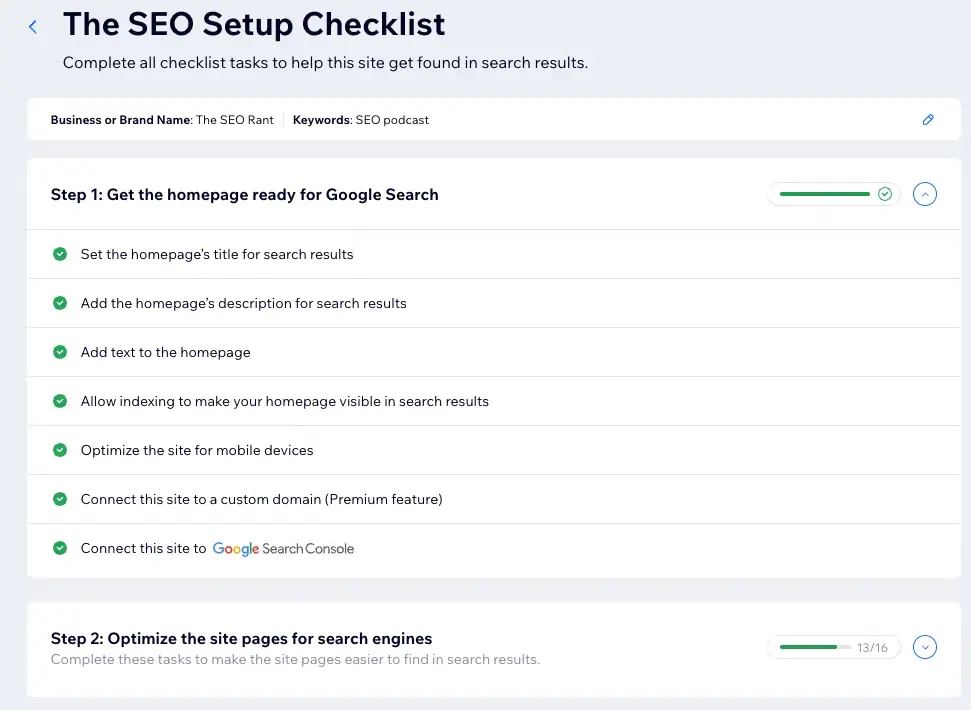
On the SEO side, Wix gives you much deeper control. You can manage meta titles, descriptions, URLs, indexing settings, and more for both static and dynamic pages. It also supports structured data (schema), automatically generates XML sitemaps, and includes built-in tools such as an SEO checklist and dashboard to guide your optimization process.
Security & Support (Wix Wins)
The Verdict
We must admit that Wix has a slight edge in the Webador vs Wix comparison. Its mix of self-service resources and callback support makes it easier to get assistance when you actually need it.
Webador
Starting with security, Webador covers the essentials so you can run your site without worrying too much about the basics. Every site comes with HTTPS and an SSL certificate by default, which means your data and your visitors’ data are encrypted. It also includes DNSSEC protection on domains, helping prevent issues like domain spoofing.
When it comes to support, Webador keeps things quite straightforward. The main support channel is email (or contact form), which is where you will get the most complete and detailed responses. There is no phone support, and most communication is handled asynchronously.
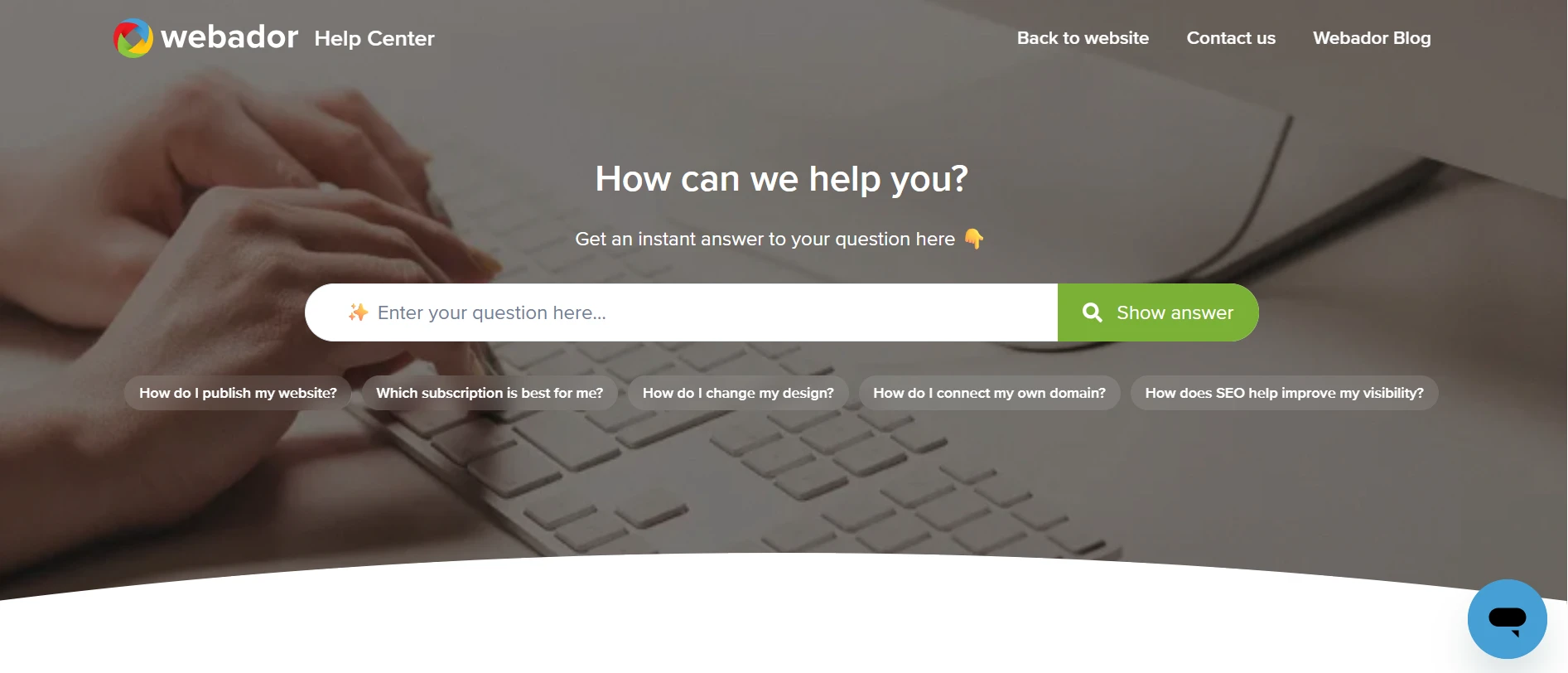
If you prefer self-service, Webador does offer a solid set of resources. You get access to a Help Center with guides and documentation, along with a 24/7 virtual assistant called Webby available via chat. For quicker or more casual questions, you can also reach out through WhatsApp or social media.
Wix
Moving on to Wix, the platform takes a more “all-in-one” approach. It does not always highlight technical details upfront, which can feel a bit unclear at first. But in practice, the hosting and security setup is solid enough for most users.
You get the key essentials built in:
- Free SSL certificate for secure browsing
- Unlimited bandwidth, so your site can handle traffic without slowing down
- 99.8% uptime guarantee, keeping your site stable and accessible
- Built-in CDN, helping your pages load faster across different regions
- PCI-compliant infrastructure, which is important if you are handling online payments
On the support side, Wix gives you more flexibility in how you get help.
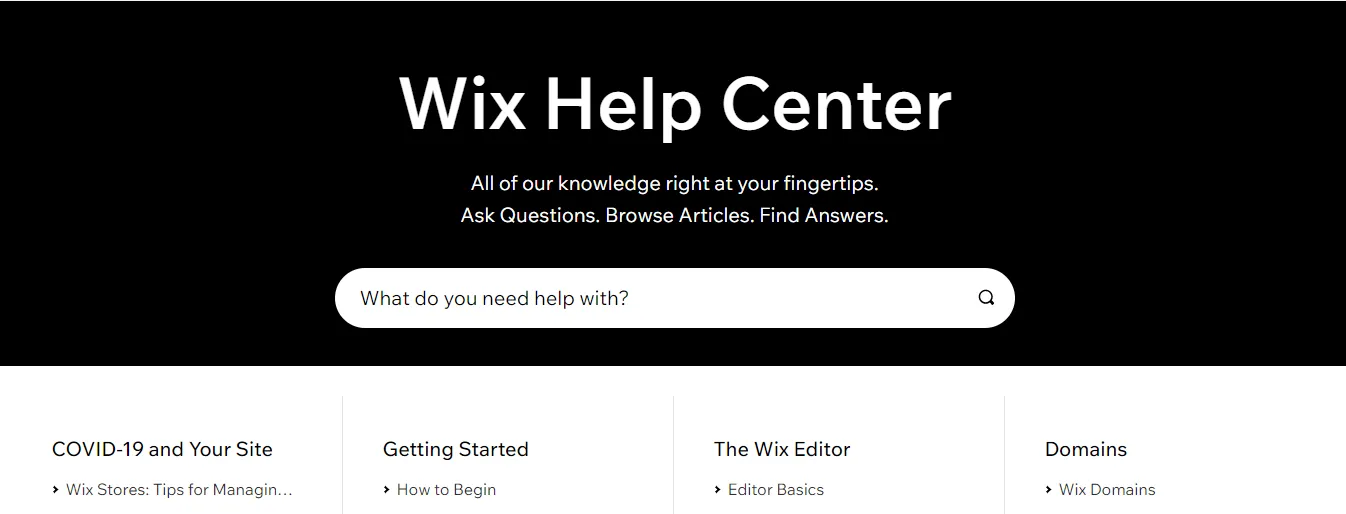
To start with, it is very easy to find answers on your own. The Help Center includes step-by-step guides, videos, and even small tips inside the editor itself. You can simply hover over elements and see quick explanations, which makes troubleshooting much easier without leaving the platform.
If you need direct support, Wix offers:
- A ticket system for detailed requests
- A callback option, so you can speak with support instead of waiting for replies
English support is available 24/7, while other languages are supported during business hours. This is helpful if you are working in different markets, although the limited hours for some languages can be a small drawback.
Webador vs Wix: Pros & Cons Breakdown
Here’s a quick side-by-side breakdown to help you see the strengths and trade-offs of Webador vs Wix more clearly.
Pros | Cons | |
Webador | • Very easy to use and quick to set up • Affordable pricing, including a free plan • Clean editor that keeps layouts structured • Built-in webshop and blog for basic needs | • Limited design flexibility • Lacks advanced features and integrations |
Wix | • Highly flexible editor with strong design control • Powerful CMS, SEO tools, and large app market • Suitable for scaling and more complex websites • Strong eCommerce and business features | • Higher overall cost • Can feel complex and overwhelming at first |
Best suited for | Beginner, individual user, or small local business owner who just needs a simple website. | Growing business, online seller, content creator, or team that needs more flexibility. |
Webador vs Wix: FAQs
Is Webador any good?
Yes, Webador is a solid option if you want something simple and affordable. It works well for beginners, personal projects, or small businesses that do not need advanced features. You can get a clean website online quickly without much effort.
Is Wix better than Webador?
In most cases, yes. Wix offers more features, better design flexibility, and stronger scalability. If you are building a long-term website or online business, Wix is the more capable platform. However, if you only need something basic, Webador can still be the better choice for its simplicity and lower cost.
What are the disadvantages of Wix?
Wix gives you a lot of flexibility, but there are a few trade-offs:
- It is more expensive, especially as you add apps or scale your site
- The editor can feel overwhelming with so many options
- You cannot switch templates after publishing without rebuilding your site
Which is easier to use: Webador or Wix?
Webador is easier to use. Its interface is simpler and more structured, so you can get started quickly without a learning curve. Wix is still beginner-friendly, but it takes more time to get used to because of its wider range of features.
Can I build an online store with Webador and Wix?
Yes, both platforms support eCommerce.
Webador offers a basic webshop that is suitable for small stores or local businesses. Wix, on the other hand, provides more advanced eCommerce features, making it a better choice if you plan to scale or manage a larger online store.
Conclusion
That covers everything you need to know about Webador vs Wix. At this point, the choice really comes down to how simple or advanced you want your website to be.
Webador is a great option if you want something quick, affordable, and easy to manage. Wix, on the other hand, is the better choice if you need more flexibility, stronger features, and room to grow over time.
Hopefully, this comparison has helped you get a clearer picture and feel more confident in choosing the platform that fits your needs. If you need more eCommerce platforms breakdown, check out our blog posts or join the community group to exchange ideas now!